

O InVision, uma plataforma popular de colaboração na conceção, anunciou o encerramento dos seus serviços de software a partir de 31 de dezembro de 2024. Conhecido pela sua plataforma de conceção de produtos centrada na criação de protótipos, na colaboração em conceção e nos comentários para fluxos de trabalho de UX/UI, este encerramento poderá deixar os utilizadores do InVision à procura de uma nova ferramenta, bem como deixar sem alternativas aqueles que estavam a considerar este software. Por isso, testei, analisei e compilei as principais ferramentas de colaboração na conceção para que possa escolher.
Neste artigo, partilharei as minhas principais escolhas entre os concorrentes do InVision. Encontrará informações sobre as respetivas funcionalidades, vantagens, desvantagens e preços. Este guia pretende ajudá-lo a tomar uma decisão informada para as necessidades de conceção da sua equipa.
Why Trust Our Software Recommendations
6,700+
Reviews
20
Industry experts
16+
Evaluation factors
14
Years
Our team has been testing and reviewing software since 2012. As product managers ourselves, we know how difficult—and important—it is to choose the right software.
For this guide, we evaluated tools using hands-on testing and independent research, scoring tools using our selection criteria.
Our reviews reflect our human editorial judgment, not a sales pitch.
Expert reviewers:
- Andrew LumbySenior TPM
- Cristiano ValimSenior UI/UX Lead


Tabela de comparação dos concorrentes do InVision
Utilize esta tabela de comparação para comparar os detalhes dos preços dos meus principais concorrentes do InVision.
| Tool | Best For | Trial Info | Price | ||
|---|---|---|---|---|---|
| 1 | Best for designers in the Adobe ecosystem | Free trial available | From CAD $91.99/month | Website | |
| 2 | Best for self-hosted design with no lock-in | Free plan + 14-day free trial + free demo available | From $7/user/month | Website | |
| 3 | Best for data-driven prototype simulations | Free plan + 10-day trial available | From $19/user/month | Website | |
| 4 | Best for high-fidelity conditional prototypes | Free plan + 30-day free trial available | From $29/user/month (billed annually) | Website | |
| 5 | Best for hardware and sensor-based prototyping | Free plan + free demo available | From $25/user/month | Website | |
| 6 | Best for cross-functional team collaboration | Free plan available | From $3/user/month | Website | |
| 7 | Best for all-in-one design-to-handoff workflows | Free plan + 30-day free trial + free demo available | From $4.95/user/month (billed annually) | Website | |
| 8 | Best for code-backed design systems | Free plan + 14-day free trial + demo available | From $49/user/month | Website | |
| 9 | Best for macOS-native design workflows | 30-day free trial available | From $12/user/month (billed annually) | Website | |
| 10 | Best for design-to-developer handoff | Free plan + free demo available | From $12/user/month (billed annually) | Website |


Análises dos melhores concorrentes do InVision
Apresento abaixo os meus resumos detalhados dos melhores concorrentes do InVision que entraram na minha seleção. As minhas análises oferecem uma visão detalhada das principais funcionalidades, vantagens & desvantagens, integrações e casos de utilização ideais de cada ferramenta, para ajudá-lo a encontrar a melhor opção para si.
 Best for designers in the Adobe ecosystem
- Free trial available
- From CAD $91.99/month
Visit WebsiteCustomer Rating:4.3/5
Adobe XD lets users start new designs from preset device canvas sizes. Adobe XD is a UI/UX design tool from Adobe that covers wireframing, prototyping, and developer handoff in one app—making it a natural fit for designers already working inside the Adobe ecosystem with Photoshop, Illustrator, or Creative Cloud Libraries.
Who Is Adobe XD Best For?
Adobe XD is a strong fit for product designers who are already deep in the Adobe ecosystem and rely on Photoshop, Illustrator, or Creative Cloud Libraries in their daily workflow.
Why I Picked Adobe XD
I've included Adobe XD in my top picks because it's the natural choice for designers who live inside the Adobe ecosystem. If your workflow already moves between Photoshop, Illustrator, and Creative Cloud Libraries, XD keeps everything connected without extra friction. I particularly like how components published to Creative Cloud Libraries stay linked across documents, so updating a design system element in one place pushes changes everywhere. Auto-Animate is also genuinely impressive for prototyping micro-interactions without duplicating artboards.
Adobe XD Key Features
- Voice prototyping: Add voice triggers and speech playback actions to prototype flows directly in Prototype mode.
- Scroll groups: Define scrollable regions within an artboard to simulate horizontal or vertical scrolling in a prototype.
- Design-spec links: Generate shareable links that expose measurements, colors, typography, and downloadable assets for developer handoff.
- Document history: View and revert cloud documents to earlier saved states using the built-in version history panel.
Adobe XD Integrations
Adobe XD integrates with Photoshop, Illustrator, After Effects, Creative Cloud Libraries, Adobe Fonts, Creative Cloud cloud storage, and Jira through the Adobe XD for Jira app. Slack and Zoom are available through marketplace plugins.
Pros and Cons
Pros:
- Design-spec links give developers detailed measurements
- Component states reduce duplicated prototype artboards
- Auto-Animate creates polished interaction prototypes
Cons:
- Comment replies require refreshing the browser
- Maintenance mode leaves no feature roadmap
 Best for self-hosted design with no lock-in
- Free plan + 14-day free trial + free demo available
- From $7/user/month
Visit WebsiteCustomer Rating:4.5/5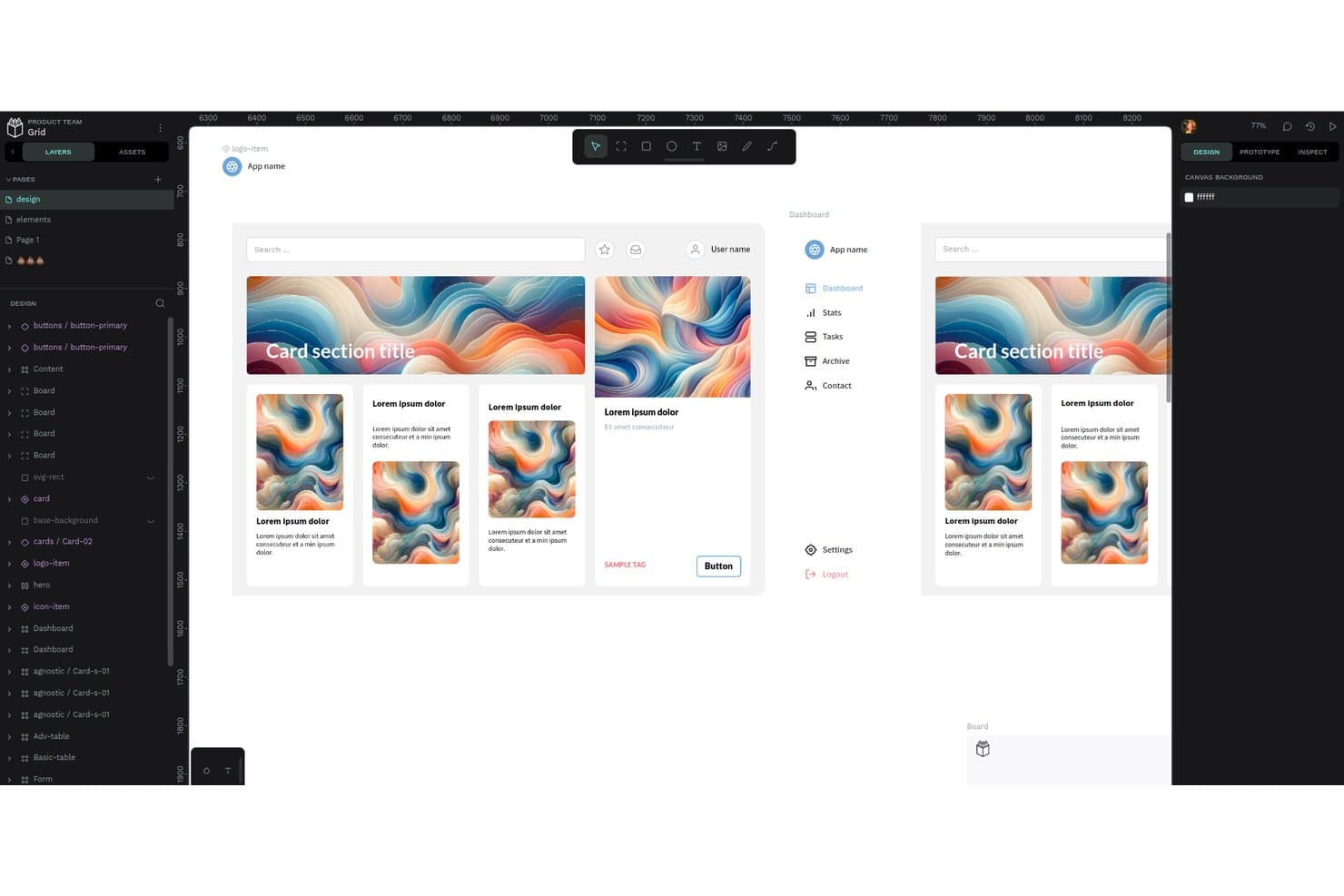
Penpot's workspace lets users design and prototype UI components collaboratively. Penpot is an open-source design and prototyping tool that appeals to design teams who want real-time collaboration, developer handoff, and design system management without depending on a proprietary vendor.
Who Is Penpot Best For?
Penpot is a strong fit for design teams that want full control over their infrastructure and can't afford to be caught off guard by another vendor shutdown.
Why I Picked Penpot
I picked Penpot as one of the best because it's the only tool on this list you can actually self-host, which means no vendor can pull the rug out from under your team the way InVision did. Your files stay in the open
.penpotformat built on SVG standards, so you're never stuck. I also appreciate that design tokens are natively DTCG-compliant, supporting themes, sets, math operations, and composite tokens without any third-party plugin.Penpot Key Features
- Real-time multiplayer editing: Multiple team members can work on the same design file simultaneously in the browser.
- Inspect mode with CSS export: Developers can view measurements, copy CSS/HTML/SVG code, and export assets from a dedicated read-only tab.
- Multi-flow prototyping: Each prototype flow has its own starting board and shareable link, supporting multiple user journeys within one project.
- Shared component libraries: Any file can be published as a team library, with library updates propagated to all connected files.
Penpot Integrations
Penpot has about 125 marketplace plugins, including Locofy, Miro via Sync Board Companion, Iconify, Lucide, and penpot2flutter. Its REST API, webhooks, and open plugin API support custom integrations.
Pros and Cons
Pros:
- Developers praise inspect mode and code output
- Open SVG-based files reduce lock-in
- Self-hosting protects teams from vendor shutdowns
Cons:
- InVision migration requires manual rebuilding
- Prototype flows lack conditional logic
Learn more about Penpot: Best for data-driven prototype simulations
- Free plan + 10-day trial available
- From $19/user/month
Visit WebsiteCustomer Rating:4.2/5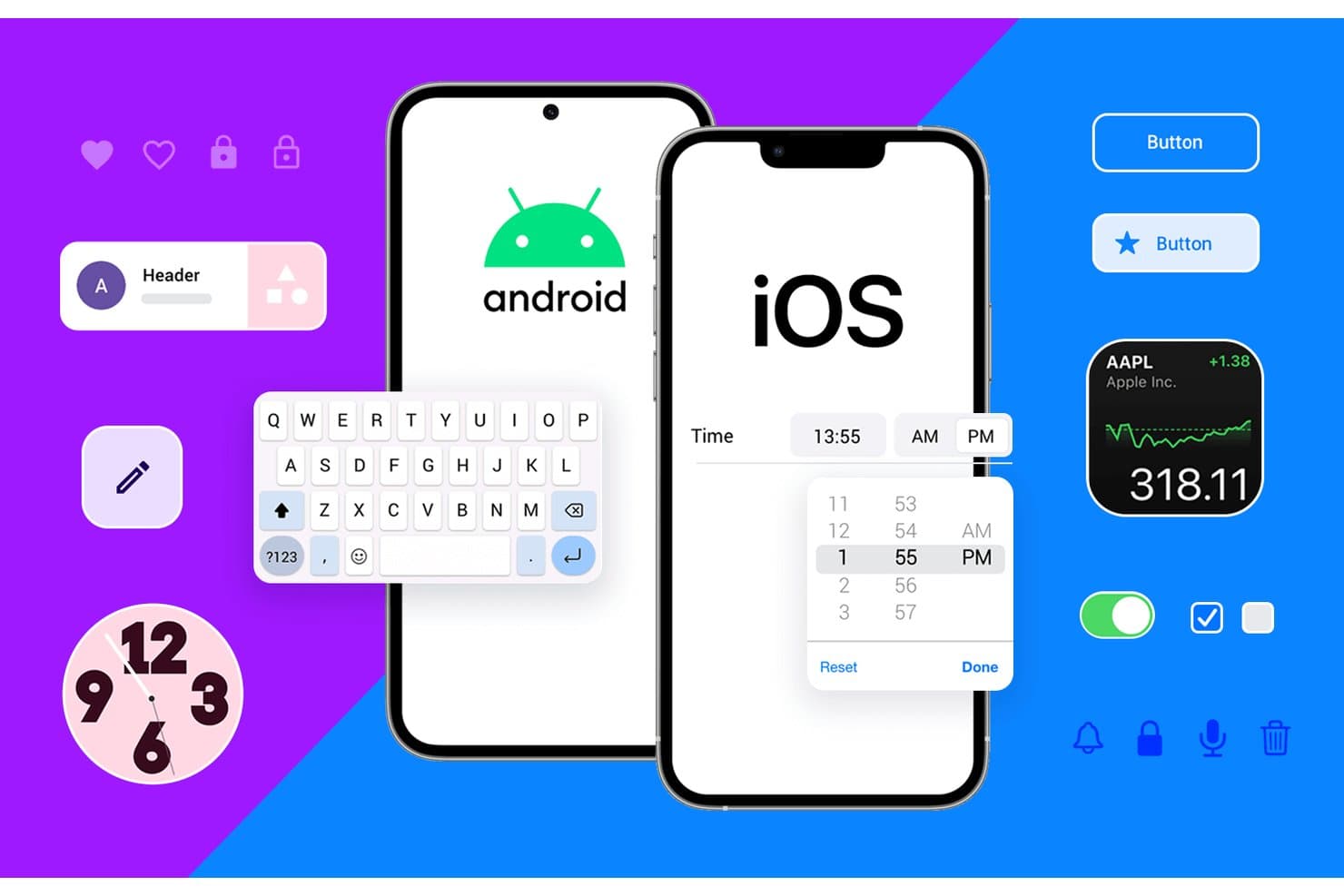
Justinmind supports both Android and iOS UI component prototyping. Justinmind is a desktop prototyping tool that lets product designers and PMs build data-driven, functional simulations with conditions, variables, and form logic—without writing any code.
Who Is Justinmind Best For?
Justinmind suits product designers and PMs on enterprise or regulated teams who need functional, data-driven prototypes with requirements traceability.
Why I Picked Justinmind
I picked Justinmind as one of the best because it's the only tool on this list that lets you build genuinely data-driven prototype simulations without touching code. I'm talking about Data Masters populated from CSV files, smart data grids, and form validation with real error logic, so a prototype can behave like a live product during stakeholder reviews. Conditions and variables let me wire up business rules across screens, which is something InVision never came close to supporting.
Justinmind Key Features
- Unlimited viewer access: Every plan lets you share prototypes with an unlimited number of stakeholders and reviewers at no extra cost.
- Device preview and testing: A mobile viewer app for iOS and Android, plus QR-code device preview, lets you test prototypes on real devices.
- Design file import: Native import from Figma, Sketch, and Adobe XD is available on every plan, including the free tier.
- Requirements management: Enterprise users can capture, version, and link requirements directly to UI components for full traceability.
Justinmind Integrations
Justinmind offers integrations with Jira, Confluence, Azure DevOps, IBM DOORS, Figma, Sketch, Adobe XD, Photoshop, and Illustrator. It also provides an API and SDK for custom integrations.
Pros and Cons
Pros:
- Reviewers praise its intuitive, clean interface
- Unlimited viewers simplify stakeholder review
- Builds data-driven flows with realistic logic
Cons:
- Large prototypes can suffer stability issues
- Co-editing depends on lock-and-commit workflows
Learn more about Justinmind: Best for high-fidelity conditional prototypes
- Free plan + 30-day free trial available
- From $29/user/month (billed annually)

Axure RP lets users build interactive dashboard prototypes with conditional logic. Axure RP is a desktop-based prototyping tool built for UX and product designers who need to simulate complex, realistic product interactions without writing code.
Who Is Axure RP Best For?
Axure RP is a strong fit for UX designers and product teams who need to prototype complex, conditional interactions without touching code.
Why I Picked Axure RP
I've included Axure RP in my top picks because no other tool on this list gets closer to simulating a real product without writing code. Where InVision kept interactions basic, Axure lets you build conditional logic with variables, so a prototype can respond differently based on what a user actually types into a form field. I also love the repeater widget, which lets you prototype sortable, filterable data tables that stakeholders can interact with as if they're using the live product.
Axure RP Key Features
- Dynamic panels: Multi-state panels let you prototype popups, overlays, and swipeable mobile screens without any code.
- Threaded comments with resolution tracking: Stakeholders can leave comments directly on published prototypes, and teams can mark each one resolved with email, Slack, or Teams notifications.
- Automated developer redlines: Axure Cloud generates CSS specs and image asset exports automatically when you publish a prototype.
- Adaptive views: A single page can display different layouts for desktop, tablet, and mobile within the same file.
Axure RP Integrations
Axure RP offers documented integrations with Jira, Confluence, Slack, Microsoft Teams, Figma, Sketch, and Adobe XD, plus third-party user-testing services. It also supports experimental MCP connections for Claude Code, VS Code, and Cursor.
Pros and Cons
Pros:
- Reviewers praise realistic prototype animations
- Repeaters make sortable data tables testable
- Conditional logic models realistic product behavior
Cons:
- RP co-authoring depends on check-in and checkout
- Complex interactions take time to configure
Learn more about Axure RP : Best for hardware and sensor-based prototyping
- Free plan + free demo available
- From $25/user/month
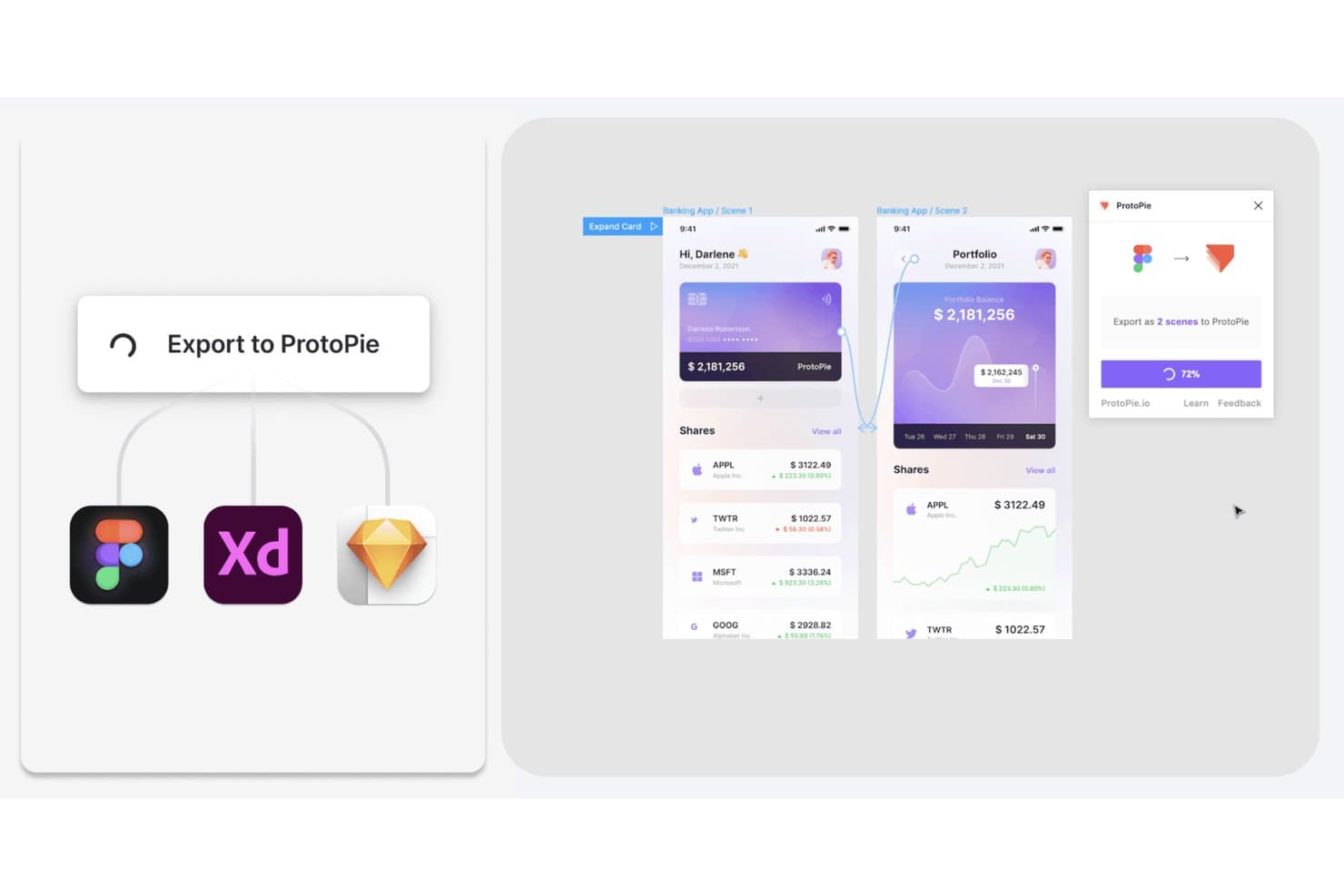
ProtoPie lets users export Figma, XD, and Sketch designs as interactive prototypes. ProtoPie is a high-fidelity prototyping tool built for UX and UI designers who need to simulate realistic interactions, complex micro-animations, and multi-device behaviors that go well beyond what most design tools can produce natively.
Who Is ProtoPie Best For?
ProtoPie is a strong fit for UX and UI designers working in hardware-adjacent industries like automotive, IoT, and MedTech who need to prototype sensor-driven or multi-device interactions.
Why I Picked ProtoPie
I picked ProtoPie as one of the best because no other tool on this list handles hardware and sensor-based prototyping the way it does. With ProtoPie Connect, you can wire a prototype directly to an Arduino, a gamepad, or a driving simulator, which makes it the go-to for automotive HMI and IoT teams who need to test real-device interactions before writing a line of code. Its object-trigger-response model also supports gyroscope, compass, voice, and camera inputs natively.
ProtoPie Key Features
- Conditional logic and variables: Build prototypes that respond dynamically to user input using formulas, conditions, and stored variables—no code required.
- Built-in user testing: Run moderated or unmoderated test sessions directly in ProtoPie Cloud via OTP-protected links, with session replays and interaction logs available within about 60 seconds of completion.
- Automatic interaction recording: One click captures a full interaction scenario—including timing, delays, easing, and layer properties—and generates developer-ready specs that update when the prototype changes.
- Design file import: Bring screens directly from Figma, Sketch, or Adobe XD using dedicated plugins, then layer interaction logic on top without rebuilding layouts from scratch.
ProtoPie Integrations
ProtoPie offers integrations with Figma, Sketch, Adobe XD, Unity, Unreal, Arduino, and Socket.IO through plugins and ProtoPie Connect. It also supports APIs, web embeds, live camera feeds, gamepads, and driving simulators for hardware-focused prototypes.
Pros and Cons
Pros:
- Sensor-driven prototypes surpass static review tools
- Recorded motion specs clarify developer handoff
- Reviewers praise advanced interaction control
Cons:
- No real-time co-editing for distributed teams
- Reviewers flag bugs and dated interface
Learn more about ProtoPie: Best for cross-functional team collaboration
- Free plan available
- From $3/user/month
Visit WebsiteCustomer Rating:4.7/5
Figma lets users collaborate in real time on mobile UI designs. Figma is a browser-based design platform where product designers, UX teams, and product managers can prototype, iterate, and hand off work without switching between tools.
Who Is Figma Best For?
Figma is a natural fit for cross-functional product teams where designers, PMs, and developers all need to work inside the same files without buying a seat for everyone.
Why I Picked Figma
I've included Figma in my top picks because no other tool makes cross-functional collaboration feel this native. Designers, PMs, and developers all work inside the same file at once, with live cursors and threaded comments that resolve without anyone leaving the browser. I especially appreciate that PMs and stakeholders can view, comment, and annotate prototypes for free, while Dev Mode gives engineers inspect panels and code snippets the moment designs are marked ready.
Figma Key Features
- Smart Animate: Automatically animates matching objects between frames to create smooth transitions like parallax scrolling and touch gestures in your prototypes.
- FigJam whiteboard: A built-in digital whiteboard with voting, timers, Spotlight mode, and 300+ templates for running workshops and collaborative sessions.
- Design system libraries: Team-wide component libraries that push updates automatically to every file using them, keeping designs consistent across your product.
- Figma Make: Turns a text prompt into an interactive, code-backed prototype or web app using your existing Figma designs as a starting point.
Figma Integrations
Figma offers native integrations with Jira and Asana, plus connections to GitHub, Storybook, and VS Code through Dev Mode. Its REST, Plugin, Widget, Embed Kit, and SCIM APIs support custom integrations.
Pros and Cons
Pros:
- Shared libraries keep components consistent
- Prototype logic supports realistic product flows
- Live co-editing keeps feedback in-file
Cons:
- Offline work is limited
- Large files can load slowly
 Best for all-in-one design-to-handoff workflows
- Free plan + 30-day free trial + free demo available
- From $4.95/user/month (billed annually)
Visit WebsiteCustomer Rating:4.5/5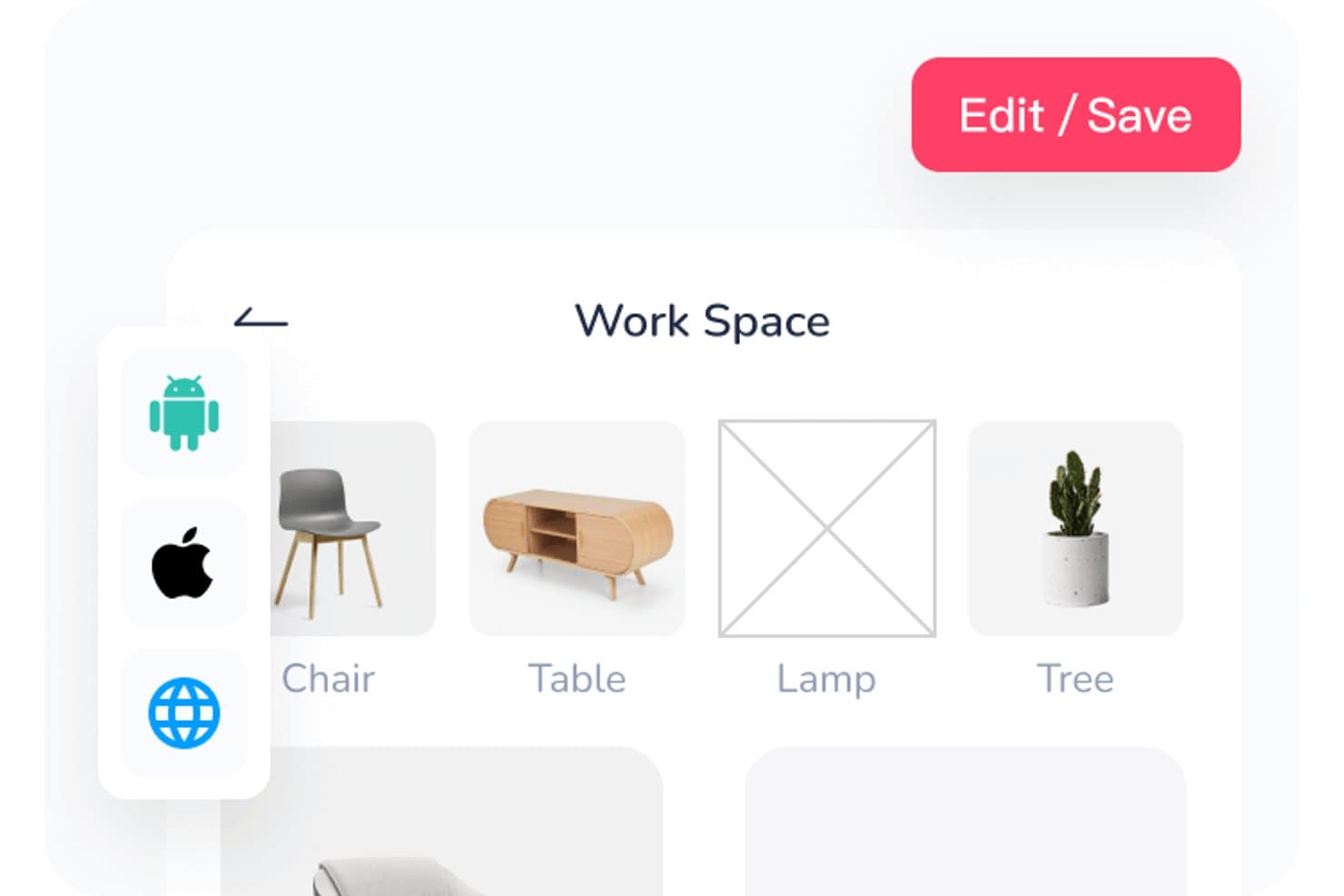
Mockplus lets users organize workspace assets in a visual grid layout. Mockplus is a design suite spanning prototyping, review, developer handoff, and design systems that appeals to product designers and UX/UI teams who need one connected workspace from early wireframes through to developer specs.
Who Is Mockplus Best For?
Mockplus suits product designers and UX/UI teams who want prototyping, review, developer handoff, and design systems in one place rather than stitching together separate tools.
Why I Picked Mockplus
I picked Mockplus as one of the best because it genuinely covers the full design-to-handoff loop without forcing you to bolt on separate tools. I appreciate how Dev Mode auto-syncs specs, multi-platform code snippets, and exported assets the moment a design is published, so developers aren't chasing updated files. Pair that with built-in PRD authoring and task tracking inside the same workspace, and your whole review-to-delivery workflow lives in one place.
Mockplus Key Features
- Connect Mode flowcharting: Build user flows, sitemaps, and flowcharts directly inside the prototyping workspace without switching tools.
- Multi-platform code snippets: Dev Mode generates code in CSS, Swift, Objective-C, and other languages for web, iOS, and Android simultaneously.
- Offline prototype download: Export interactive prototypes as offline HTML files for sharing with stakeholders who don't have a Mockplus account.
- Mockplus 3 Offline desktop app: A fully offline, locally stored version of the tool built for high-security environments like government or regulated industries.
Mockplus Integrations
Mockplus offers integrations with Figma, Sketch, Adobe XD, Photoshop, Axure, Slack, Jira, Confluence, and Lark. No public API or VS Code and Storybook integrations are documented.
Pros and Cons
Pros:
- Auto-synced specs support developer handoff
- Imports support mixed-tool design workflows
- Reviewers praise its broad component library
Cons:
- Reviewers report slow license support
- Page-by-page restores limit version recovery
Learn more about Mockplus: Best for code-backed design systems
- Free plan + 14-day free trial + demo available
- From $49/user/month
Visit WebsiteCustomer Rating:4.2/5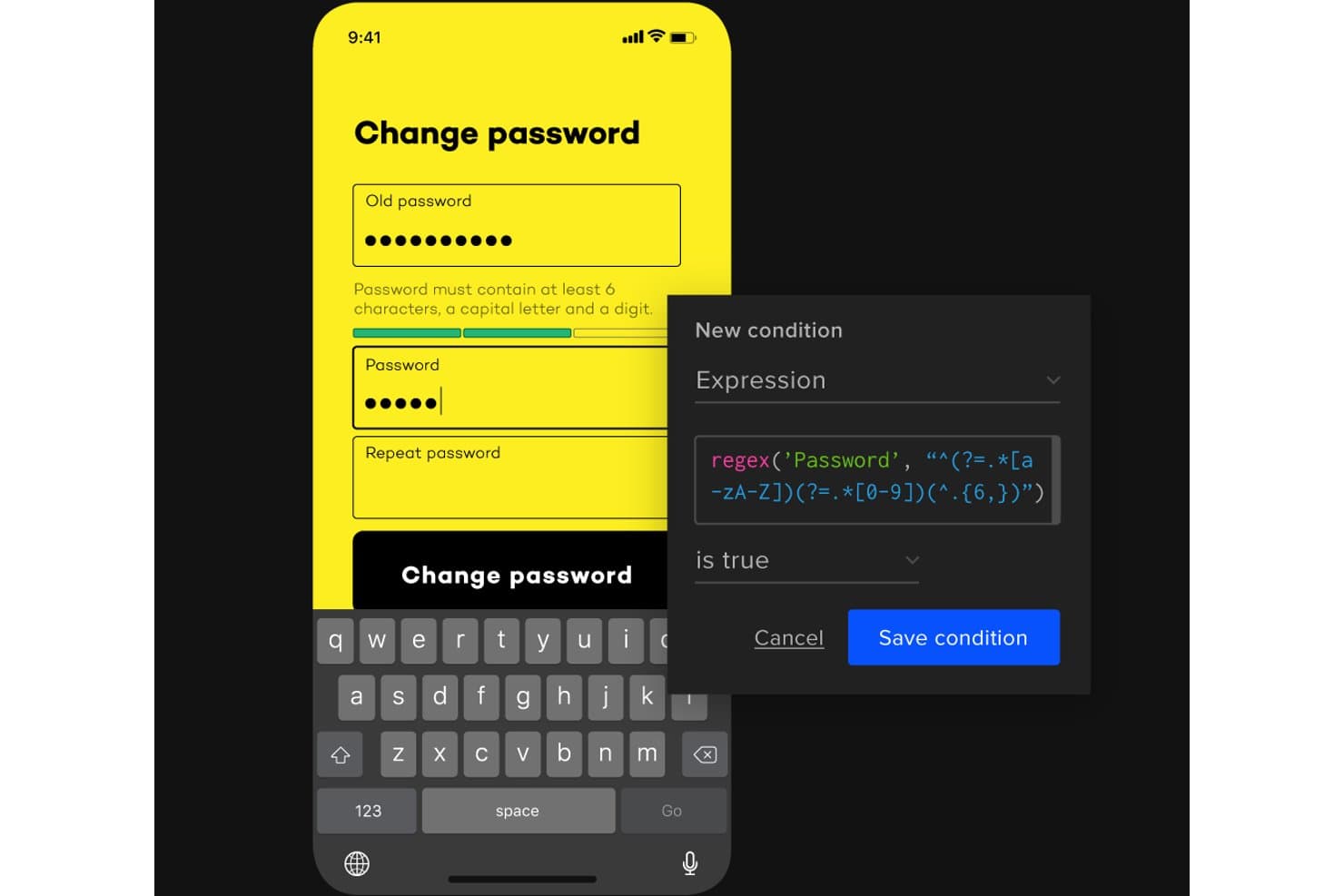
UXPin lets users add conditional logic with regex to password fields. UXPin is a browser-based design and prototyping tool built for teams who want their prototypes to behave like real products—using conditional logic, real form inputs, and production React components synced directly from code.
Who Is UXPin Best For?
UXPin is a strong fit for design and product teams that build on top of a coded component library and need prototypes that behave like the real thing.
Why I Picked UXPin
I picked UXPin as one of the best because it's the only tool where your prototypes are literally built from the same React components shipping to production. With Merge, you sync your team's actual component library from Git or Storybook, so a prototype of a dashboard or SaaS onboarding flow uses real code, not a static imitation. I also love that conditional logic and real HTML form inputs come standard on paid plans, making flows behave exactly as the finished product would.
UXPin Key Features
- Merge component sync: Pull live React or Web components directly from Git, Storybook, or npm into your design environment so prototypes use production code.
- Real HTML form inputs: Text fields, checkboxes, and radio buttons behave as actual form elements rather than static design layers.
- Get Code mode: Developers can inspect spacing, typography, and colors, copy CSS, and download assets directly from a live-updating spec view.
- WCAG accessibility tools: Built-in color blindness simulation across eight vision types lets you check designs against accessibility standards without leaving the editor.
UXPin Integrations
UXPin integrates with Figma, Sketch, Git, Storybook, npm, Jira, Slack, FullStory, StackBlitz, and CodeSandbox. Git requires Enterprise, while Storybook requires Growth or higher.
Pros and Cons
Pros:
- Production components keep prototypes aligned
- Stakeholders can comment without accounts
- Real form inputs make flows credible
Cons:
- Code export remains restricted and beta
- Native vector editing remains limited
Learn more about UXPin: Best for macOS-native design workflows
- 30-day free trial available
- From $12/user/month (billed annually)

Sketch lets users design layered car dashboard UIs with reusable components. Sketch is a Mac-native design tool that lets product designers and UX teams build interactive prototypes, manage shared component libraries, and hand off specs to developers—all within a single subscription.
Who Is Sketch Best For?
Sketch is a natural fit for product designers and UX teams who work primarily on macOS and want prototyping, handoff, and design system management in one place.
Why I Picked Sketch
I've included Sketch in my top picks because it's the go-to option for designers who live and breathe macOS. The native Mac editor is genuinely fast on Apple Silicon, and built-in prototyping with Smart Animate lets me link Frames and animate transitions without touching a plugin. I also rely on its centralized Libraries to sync Symbols, Color Variables, and Text Styles across documents, which covers the design system management InVision never handled natively.
Sketch Key Features
- Free unlimited viewer access: Anyone can browse, comment, inspect layers, and download assets in a browser without a paid seat.
- Design token export: Color Variables, Layer Styles, and Text Styles export as tokens, with a shareable public link that stays current automatically.
- Local AI MCP server: Connects AI clients like Claude and Cursor to your designs on your Mac, with no extra tokens or add-on costs.
- Password-protected previews: Share selected pages or prototypes with optional password protection and expiration dates for stakeholder review.
Sketch Integrations
Sketch offers native Slack integration and an official MCP Server, plus integrations with Jira, Notion, GitHub, ProtoPie, Principle, and Zeplin. Its JavaScript API supports custom integrations.
Pros and Cons
Pros:
- Browser handoff includes inspection and token export
- Shared Libraries sync components across documents
- Built-in prototypes cover core InVision workflows
Cons:
- Prototypes lack conditional logic and variables
- Editing requires macOS 15 or newer
Learn more about Sketch: 10Best for design-to-developer handoff
Zeplin
- Free plan + free demo available
- From $12/user/month (billed annually)
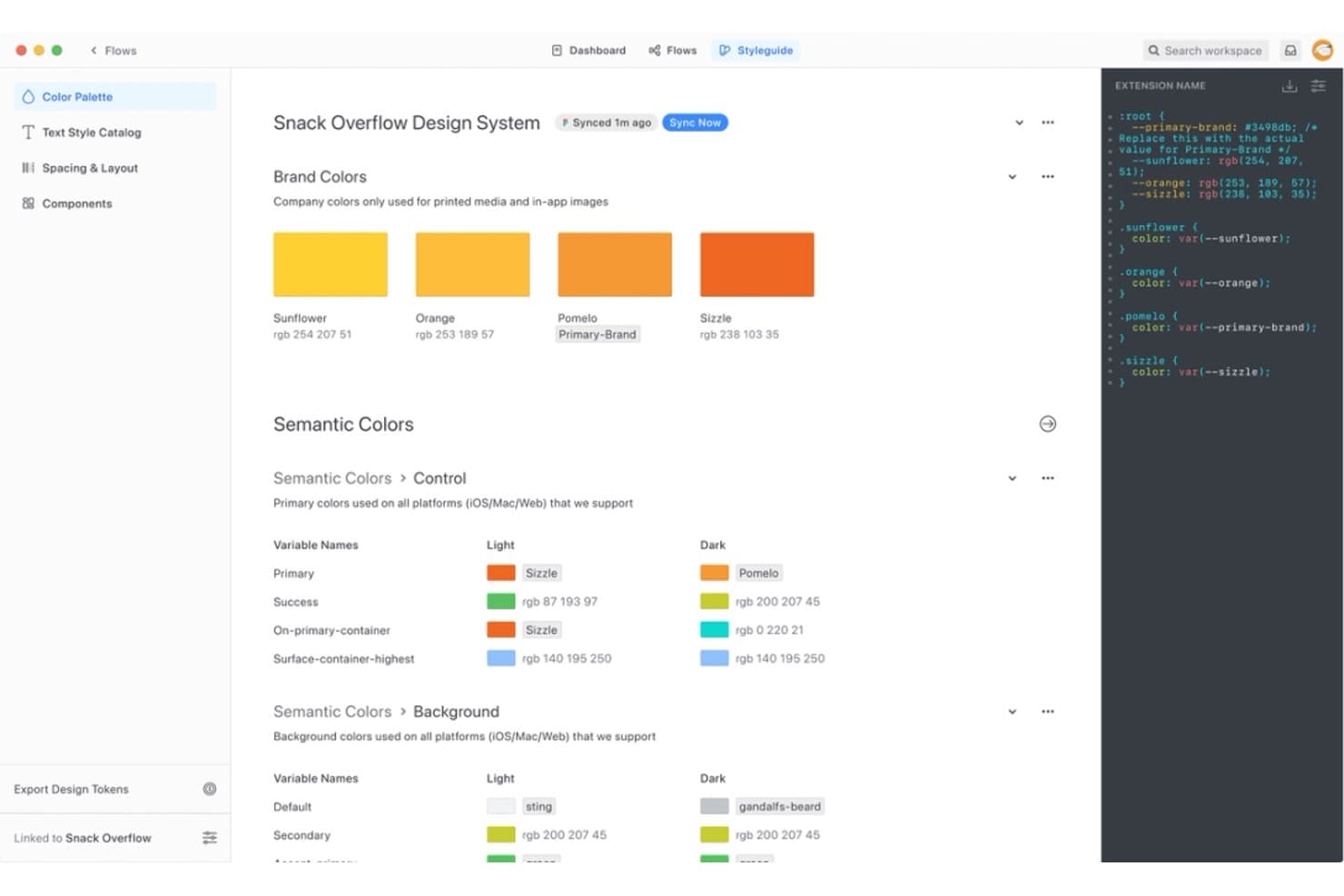
Zeplin centralizes design tokens and color systems for dev handoff. Zeplin is a design delivery platform built for teams that need a dedicated layer between their design tools and developers, handling inspection, annotation, and approval of finalized screens from Figma, Sketch, Adobe XD, and Photoshop.
Who Is Zeplin Best For?
Zeplin is a strong fit for cross-functional product teams where developers and PMs need a dedicated, structured space to inspect, annotate, and approve finalized designs.
Why I Picked Zeplin
I picked Zeplin as one of the best InVision competitors because it treats design-to-developer handoff as its entire job, not a secondary feature. Where InVision blurred the line between prototyping and delivery, Zeplin keeps things focused: developers get pixel-precise specs, seven code-snippet formats (CSS, Tailwind, Flutter, Swift, and more), and a Flows view that maps published screens into user journeys. I also appreciate the MCP server, which lets AI coding agents like Cursor and Claude Code read specs and tokens directly to generate UI code.
Zeplin Key Features
- Approvals 2.0: Request approval on multiple designs at once and track all outstanding approvals from a single panel, with the option to re-request after changes.
- Custom annotation types: Pin annotations to screens or components and define your own types—such as API notes, accessibility flags, or QA checklists—using built-in or custom templates.
- Version Diff: Compare two versions of a screen side by side with pixel-level highlighting that shows exactly what changed between publishes.
- Project Activity panel: View a chronological timeline of all project updates, including comments, status changes, and approvals, in one filterable feed.
Zeplin Integrations
Zeplin offers native integrations with Figma, Sketch, Adobe XD, Photoshop, Jira, Azure DevOps, VS Code, Storybook, Slack, and Microsoft Teams. It also provides an API, webhooks, and an MCP server for custom developer workflows.
Pros and Cons
Pros:
- Stakeholders can comment and approve asynchronously
- Version diffs make screen changes visible
- Precise specs reduce developer handoff guesswork
Cons:
- No real-time collaboration or live cursors
- No native interactive prototype builder
Learn more about Zeplin:
Outros concorrentes do InVision
Eis algumas opções adicionais de concorrentes do InVision que não entraram na minha seleção, mas que vale a pena conhecer:
How I Evaluate InVision Competitors
My evaluation splits into three parts, with core functionality weighted most. Every alternative must link screens into clickable, navigable flows and let teams comment and resolve feedback directly on designs. Beyond that, I look for design token pipelines and check how pricing holds up for mixed teams of designers, PMs, and engineers.
Core Functionality (Table Stakes For This List)
When I'm selecting tools for my list, I score each one on a scale from 0 (does not offer the functionality) to 5 (excels in this area) for each core functionality listed below. I then convert the total into a percentage to help assess each tool's overall fit, with extra weight on any functionalities I’ve deemed essential.
- Interactive Prototyping (Essential): I look for clickable, multi-screen flows with interactions such as overlays or conditional steps to help teams explore and validate product journeys.
- Design Collaboration (Essential): I assess whether teams can comment on designs and prototypes, discuss feedback in context, and track which review items have been resolved.
- Design Creation & Import: I check for native editing or reliable imports that preserve layouts and components when teams bring in work from other design tools.
- Developer Handoff: I look for inspectable measurements and exportable assets or code that give developers practical implementation details.
- Design Systems: I assess how teams create and reuse shared components and styles, and whether updates carry across project files.
- Version & Asset Management: I check whether teams can review earlier versions, restore prior work, and keep design assets organized as flows evolve.
Once I have a list of tools that meet the criteria, I consider what sets each platform apart.
Differentiating Factors (What Sets Vendors Apart)
Here's how I compare and contrast different vendors:
Standout Features
I evaluate each tool's plugin and API ecosystem because teams often need to connect design work to internal pipelines or tools like Storybook. A rich extension marketplace signals long-term flexibility. I also check for design token pipelines that sync variables directly into code, cutting manual translation between design and engineering. AI-assisted design generation matters too; I look at whether a tool can produce layout drafts from prompts, which speeds up early concepting before a team commits to detailed work.
Beyond Features
I check how easily non-designers can access files. PMs and engineers who only join during review cycles shouldn't need a paid design seat just to leave comments. Free viewer tiers in tools like Figma or Penpot keep total licensing costs reasonable as cross-functional teams grow. I also evaluate integration depth with tools like Jira and Slack, since connecting design decisions to sprint workflows cuts context-switching. Vendor stability matters too—I look at release cadence and community size to gauge whether a tool will still be supported two years into a migration.
Como escolher um concorrente do InVision
É fácil perder-se em listas extensas de funcionalidades e estruturas de preços complexas. Para o ajudar a manter o foco enquanto percorre o seu processo único de seleção de software, eis uma lista de fatores a ter em consideração:
| Fator | O que considerar |
| Escalabilidade | Certifique-se de que a ferramenta pode crescer com a sua equipa, quer através da expansão do número de utilizadores, quer da adição de funcionalidades. |
| Integrações | Verifique a compatibilidade com o seu conjunto de software existente para garantir fluxos de trabalho sem problemas. |
| Personalização | Procure opções que permitam adaptar a interface e as funcionalidades às necessidades da sua equipa. |
| Facilidade de utilização | Escolha uma ferramenta que a sua equipa possa aprender a utilizar e à qual se possa adaptar rapidamente, sem necessidade de formação extensiva. |
| Orçamento | Ajuste o custo da ferramenta ao seu orçamento, tendo em conta o valor a longo prazo. |
| Medidas de segurança | Verifique se as medidas de proteção de dados da ferramenta cumprem os seus requisitos de conformidade. |
Tendências entre os concorrentes do InVision
Durante a minha pesquisa, consultei inúmeras atualizações de produtos, comunicados de imprensa e registos de lançamentos de diferentes fornecedores concorrentes do InVision. Eis algumas das tendências emergentes que estou a acompanhar:
- Colaboração em tempo real: Mais ferramentas estão a oferecer funcionalidades de colaboração em tempo real, facilitando o trabalho conjunto das equipas a partir de diferentes locais.
- Integração de sistemas de design: As ferramentas estão cada vez mais focadas na integração de sistemas de design para manter a consistência entre projetos. Isto é importante para equipas que gerem projetos de grande dimensão com vários colaboradores.
- Prototipagem aumentada: Algumas plataformas oferecem agora funcionalidades de prototipagem aumentada, permitindo aos designers criar experiências mais interativas e imersivas. Esta tendência está a ganhar força à medida que os utilizadores procuram criar protótipos realistas.
- Funcionalidades de acessibilidade: Há uma ênfase crescente na integração de funcionalidades de acessibilidade nas ferramentas de design para garantir a inclusão. Esta tendência ajuda as equipas a criar designs adaptados a públicos diversificados.
- Foco na sustentabilidade: Algumas ferramentas estão a começar a integrar funcionalidades que ajudam os utilizadores a conceber tendo em conta a sustentabilidade. Esta tendência está a ganhar força à medida que as empresas se tornam mais conscientes das questões ambientais.
O que é o InVision?
O InVision era uma ferramenta de design e prototipagem utilizada por designers, gestores de produto e programadores para criar, testar e aperfeiçoar produtos digitais. Este tipo de software inclui frequentemente funcionalidades como colaboração em tempo real, integração de sistemas de design e funcionalidades de prototipagem aumentada, para ajudar no trabalho em equipa, na consistência e na criação de experiências realistas. De um modo geral, estas ferramentas proporcionam valor ao melhorar o processo de design e aumentar a produtividade das equipas.
Funcionalidades dos concorrentes do InVision
Ao selecionar concorrentes do InVision, procure as seguintes funcionalidades essenciais:
- Colaboração em tempo real: Permite que vários utilizadores trabalhem simultaneamente num projeto, melhorando o trabalho em equipa e a eficiência.
- Integração de sistemas de design: Garante a consistência entre projetos através da integração de sistemas de design abrangentes.
- Prototipagem aumentada: Cria protótipos interativos e realistas para melhorar os testes e a validação da experiência do utilizador.
- Ferramentas de acessibilidade: Ajudam a conceber produtos inclusivos através da verificação e melhoria das funcionalidades de acessibilidade.
- Área de trabalho infinita: Disponibiliza espaço ilimitado para debater ideias e organizá-las, sendo ideal para projetos de grande dimensão.
- Componentes interativos: Permitem a criação de elementos dinâmicos e envolventes nos designs.
- Funcionalidades de design adaptável: Ajustam automaticamente os designs a diferentes tamanhos e orientações de ecrã, poupando tempo e esforço.
- Integração da gestão de tarefas: Simplifica os fluxos de trabalho dos projetos ao incorporar diretamente funcionalidades de gestão de tarefas na ferramenta de design.
- Opções de exportação: Disponibiliza várias formas de exportar designs para fins de partilha e desenvolvimento.
- Modo de apresentação: Facilita a partilha de designs com as partes interessadas através de ferramentas de apresentação integradas.
Benefícios dos concorrentes do InVision
A implementação de concorrentes do InVision proporciona vários benefícios à sua equipa e à sua empresa. Eis alguns dos que pode esperar:
- Melhor colaboração: As funcionalidades de colaboração em tempo real permitem que a sua equipa trabalhe em conjunto de forma eficaz, independentemente da localização.
- Designs consistentes: A integração de sistemas de design garante que os seus projetos mantêm um aspeto e uma experiência uniformes.
- Testes de utilizadores melhorados: A prototipagem aumentada permite realizar testes realistas e interativos da experiência do utilizador.
- Produtos inclusivos: As ferramentas de acessibilidade ajudam a criar designs adaptados a todos os utilizadores, melhorando a inclusão.
- Gestão eficiente de projetos: A integração da gestão de tarefas simplifica os fluxos de trabalho ao manter tudo num único local.
- Designs adaptáveis: As funcionalidades de design adaptável poupam tempo ao ajustar automaticamente os esquemas a diferentes dispositivos.
- Apresentações envolventes: O modo de apresentação facilita a partilha dos seus designs com as partes interessadas, ajudando na tomada de decisões.
Custos e preços dos concorrentes do InVision
A seleção de concorrentes do InVision exige uma compreensão dos vários modelos de preços e planos disponíveis. Os custos variam consoante as funcionalidades, a dimensão da equipa, os complementos, entre outros fatores. A tabela abaixo resume os planos comuns, os respetivos preços médios e as funcionalidades normalmente incluídas nas soluções concorrentes do InVision:
Tabela de comparação de planos dos concorrentes do InVision
| Tipo de plano | Preço médio | Funcionalidades comuns |
| Plano gratuito | $0 | Prototipagem básica, armazenamento limitado e modelos gratuitos. |
| Plano pessoal | $5-$25/utilizador/mês | Projetos ilimitados, ferramentas básicas de colaboração e modelos personalizados. |
| Plano empresarial | $25-$50/utilizador/mês | Colaboração avançada, integração com sistemas de design e segurança reforçada. |
| Plano para empresas | $50-$100/utilizador/mês | Fluxos de trabalho personalizados, suporte dedicado e análises abrangentes. |
Perguntas frequentes sobre os concorrentes do InVision
Eis algumas respostas a perguntas frequentes sobre os concorrentes do InVision:
O que está a substituir o InVision?
Embora existam várias alternativas de software com diferentes pontos fortes e áreas de especialização, as substituições diretas mais próximas são provavelmente o Figma, o Adobe XD e o Miro — todas alternativas populares com funcionalidades semelhantes às do InVision. Oferecem funcionalidades essenciais, como prototipagem e colaboração em design, e algumas disponibilizam ainda funcionalidades adicionais, como edição em tempo real e armazenamento na nuvem. Estas alternativas garantem a continuidade dos seus processos de design à medida que o InVision descontinua os seus serviços.
Porque é que o InVision está a ser descontinuado?
A plataforma do InVision enfrentou desafios devido aos seus elevados custos de manutenção e à evolução das exigências do mercado. Estes fatores contribuíram para a decisão de descontinuar o serviço. Muitos utilizadores estão a migrar para outras plataformas que oferecem capacidades modernas e respondem melhor às necessidades atuais de design.
As alternativas ao InVision conseguem lidar com projetos de grandes dimensões?
Sim, muitas alternativas ao InVision, como o Sketch e o UXPin, estão preparadas para gerir projetos de grande escala. Oferecem funcionalidades como sistemas de design e controlo de versões para ajudar a manter os projetos organizados e eficientes. Estas ferramentas foram concebidas para suportar fluxos de trabalho complexos e equipas numerosas.
Quais são os aspetos relacionados com os custos das alternativas ao InVision?
As alternativas ao InVision oferecem várias opções de preços, desde planos gratuitos a subscrições de nível empresarial. Os custos variam normalmente consoante o número de utilizadores e as funcionalidades incluídas. É importante avaliar a estrutura de preços de cada ferramenta para garantir que está alinhada com o orçamento e as necessidades da sua equipa.