

10 migliori software gratuiti di progettazione web recensiti nel 2026

Elenco dei migliori software gratuiti per la progettazione web


Orientarsi nel mondo della progettazione web può essere difficile, soprattutto quando il budget è limitato. Potresti dover gestire più progetti e aver bisogno di una soluzione che non aumenti le spese. È qui che entra in gioco il software gratuito per la progettazione web. Offre strumenti per creare e gestire i tuoi siti web senza un prezzo elevato.
In base alla mia esperienza, trovare lo strumento gratuito giusto può farti risparmiare tempo e fatica, permettendoti di concentrarti sulla creatività e sulle funzionalità. Condividerò le mie scelte migliori, ognuna con un piano gratuito o un periodo di prova, così potrai decidere quale si adatta meglio alle esigenze del tuo team. Esploriamo le opzioni che possono aiutarti ad affrontare le sfide della progettazione senza spendere una fortuna.
Perché Fidarsi delle Nostre Recensioni Software
Testiamo e recensiamo software per il product management dal 2020. Come product manager sappiamo quanto sia fondamentale e difficile fare la scelta giusta in termini di software. Investiamo in una ricerca approfondita per aiutare il nostro pubblico a prendere decisioni migliori sugli acquisti di software. Abbiamo testato oltre 2.000 strumenti per diversi casi d’uso e scritto più di 1.000 recensioni approfondite.Scopri come assicuriamo la trasparenza & la nostra metodologia di recensione software.
Riepilogo dei migliori software gratuiti per la progettazione web
Sebbene tutti i software per la progettazione web presenti nel mio elenco offrano opzioni gratuite, dispongono anche di piani a pagamento nel caso in cui desiderassi effettuare un upgrade. Ecco i costi di base di ciascuno degli strumenti inclusi nel mio elenco:
| Tool | Best For | Trial Info | Price | ||
|---|---|---|---|---|---|
| 1 | Ideale per un editing rapido drag-and-drop | Piano gratuito disponibile | Da $12/mese (fatturazione annuale) | Website | |
| 2 | Ideale per strumenti collaborativi di team | Piano gratuito disponibile | Da $16/utente/mese (fatturato annualmente) | Website | |
| 3 | Ideale per la personalizzazione open-source | Piano gratuito disponibile | Da $4/mese (fatturati annualmente) | Website | |
| 4 | Ideale per siti e-commerce di piccole imprese | Piano gratuito disponibile | Da $13/mese (fatturato annualmente) | Website | |
| 5 | Ideale per la creazione di siti web assistita dall'IA | Piano gratuito + demo gratuita disponibile | A partire da $17/mese (fatturazione annuale) | Website | |
| 6 | Ideale per la creazione offline di siti web | Versione di prova gratuita disponibile | Da $149 | Website | |
| 7 | Ideale per le capacità di codifica visiva | Piano gratuito + demo gratuita disponibile | Da $15/mese (fatturati annualmente) | Website | |
| 8 | Ideale per l'integrazione con WordPress | Piano gratuito + demo gratuita disponibile | Da $5/mese (fatturazione annuale) | Website | |
| 9 | Ideale per il supporto multilingue | Piano gratuito disponibile | Da $4.50/mese | Website | |
| 10 | Ideale per landing page su WordPress | Non disponibile | Da $39.50/anno | Website |
Recensioni dei migliori software gratuiti per la progettazione web
Di seguito trovi i miei riepiloghi delle migliori opzioni di software gratuito per la progettazione web incluse nel mio elenco. Le mie recensioni offrono uno sguardo dettagliato alle caratteristiche principali, ai vantaggi e agli svantaggi, alle integrazioni e ai casi d’uso ideali di ogni strumento, per aiutarti a trovare quello più adatto a te. Sebbene alcuni di questi strumenti offrano una versione completamente gratuita, altri propongono un periodo di prova gratuito. In ogni recensione ho aggiunto una nota su ciò che è gratuito.
Canva
Ideale per un editing rapido drag-and-drop
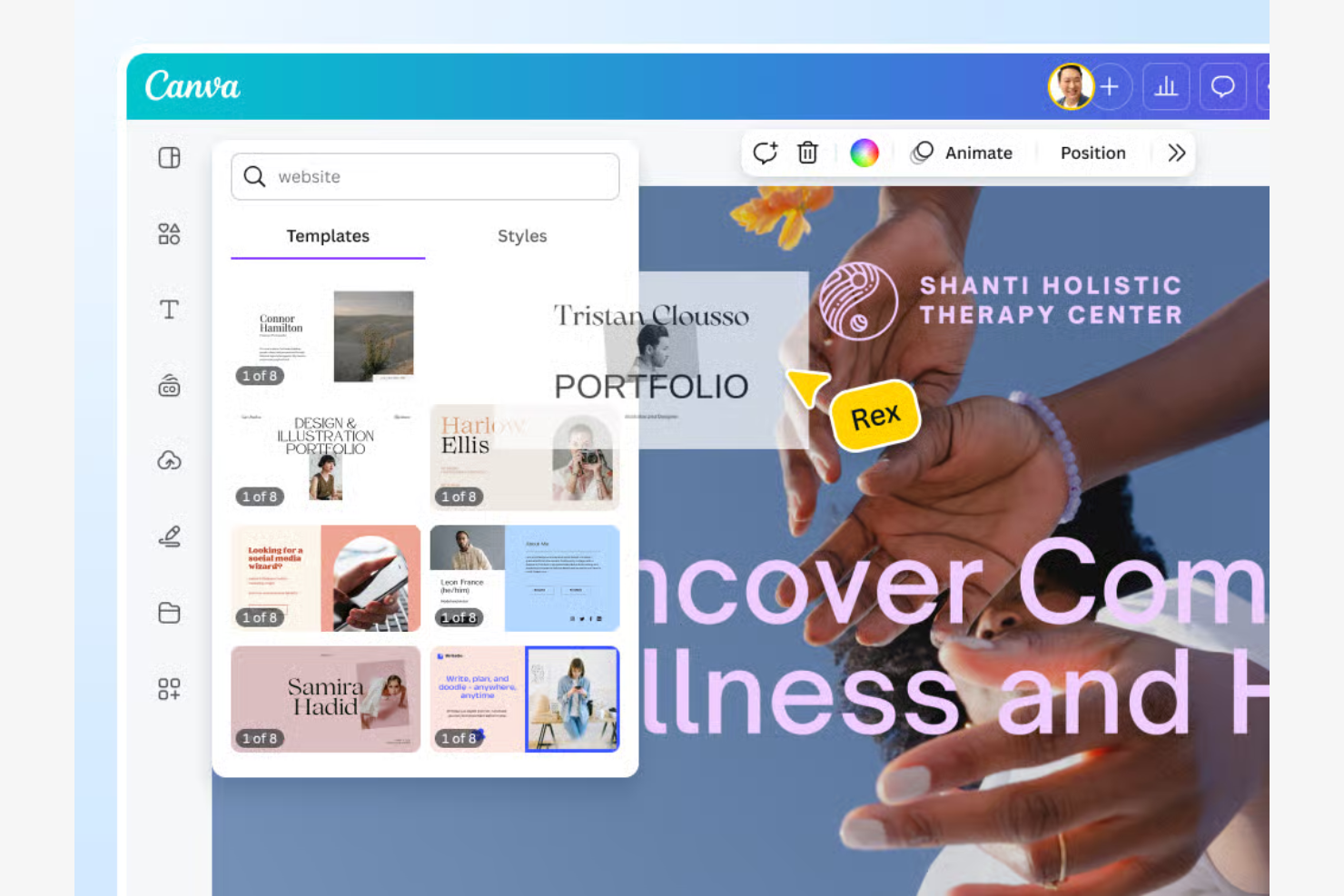
Canva è uno strumento di design versatile, popolare tra le piccole imprese e i creatori individuali. Aiuta gli utenti a creare siti web visivamente accattivanti con un focus su progettazione rapida e facilità d'uso.
Perché ho scelto Canva: La versione gratuita di Canva funziona come un costruttore di siti web gratuito con un editor drag-and-drop semplice, che rende facile per chiunque progettare un sito senza bisogno di codice o esperienza precedente. Come semplice builder, la sua facilità d'uso lo rende ideale per chi vuole velocizzare il processo di creazione.
Funzionalità e integrazioni principali:
Funzionalità includono un'interfaccia senza codice e facile da usare, una vasta libreria di modelli personalizzabili e elementi di design integrati come font e immagini. I team possono collaborare in tempo reale e i design possono essere esportati in vari formati.
Integrazioni includono Dropbox, Google Drive, Instagram, Facebook, Slack e altri ancora.
Cosa è gratuito? Canva offre un piano gratuito per sempre che include oltre 1,6 milioni di modelli e più di 4,7 milioni di foto e grafiche gratuite. Fornisce inoltre 5 GB di spazio di archiviazione cloud e accesso agli strumenti base AI Magic Studio.
Pros and Cons
Pros:
- Ampia libreria di modelli
- Collaborazione in tempo reale
- Opzioni di formato di design flessibili
Cons:
- Alcuni elementi sono a pagamento
- Mancano strumenti vettoriali avanzati

Figma
Ideale per strumenti collaborativi di team
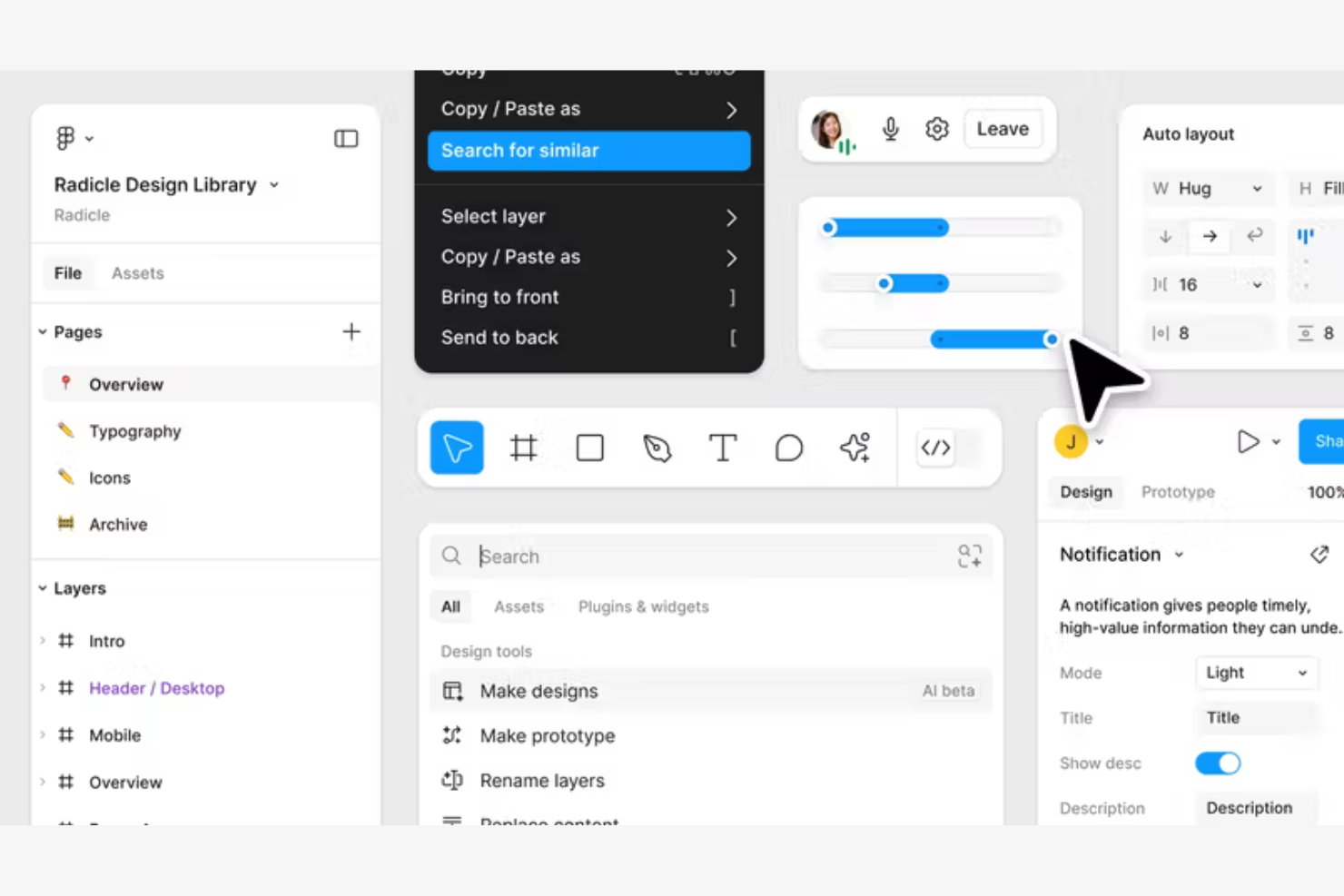
Figma è uno strumento di design basato sul cloud, molto apprezzato da designer UX/UI e team di prodotto. Facilita la collaborazione in tempo reale sui progetti di design.
Perché ho scelto Figma: La versione gratuita consente la collaborazione in tempo reale, rendendolo ideale per i team che lavorano insieme su progetti di design. Puoi creare e condividere file di design, con il supporto per flussi di lavoro flessibili e un'ampia gamma di opzioni di progettazione. Funziona anche come piattaforma di design tutto-in-uno e supporta la personalizzazione tramite plugin basati su JavaScript.
Funzionalità e integrazioni principali:
Funzionalità includono un sistema di componenti per garantire coerenza nei progetti, reti vettoriali per percorsi di design flessibili e uno strumento di prototipazione per elementi interattivi. La cronologia delle versioni permette ai team di monitorare le modifiche e ripristinare quando necessario, mentre le librerie di design condivise facilitano il riutilizzo su più progetti.
Integrazioni includono Slack, Zeplin, Jira, Trello, Dropbox, Asana, Notion e altro ancora.
Cosa offre gratuitamente? Figma propone un piano Starter gratuito per sempre con limitazioni sul numero di progetti ed editor. Garantisce però l'accesso alle principali funzionalità, inclusi file personali illimitati, collaboratori illimitati e migliaia di kit UI e template accessibili dalla Community di Figma.
Pros and Cons
Pros:
- Modifica simultanea su file di design condivisi
- Strumenti di modifica vettoriale
- Accesso alle librerie di design
Cons:
- Il piano gratuito limita progetti di team e librerie condivise
- Accesso editor limitato

Ideale per la personalizzazione open-source

WordPress è un sistema di gestione dei contenuti open-source, molto popolare tra blogger, piccole imprese e sviluppatori per la creazione di siti web personalizzabili. Offre una piattaforma flessibile per costruire qualsiasi cosa, dai blog personali ai siti aziendali più complessi.
Perché ho scelto WordPress: L'offerta gratuita permette un alto livello di personalizzazione, rendendolo ideale per chi desidera adattare il proprio sito alle proprie esigenze specifiche. La natura open-source consente inoltre di modificare il codice, offrendo possibilità illimitate di personalizzazione.
Caratteristiche principali e integrazioni:
Caratteristiche includono una bacheca facile da usare per una gestione semplificata, una vasta libreria di temi per la personalizzazione visiva e un sistema di plugin per estendere le funzionalità. Strumenti di blogging integrati favoriscono il coinvolgimento del pubblico, mentre i ruoli multiutente consentono una gestione collaborativa del sito.
Integrazioni includono WooCommerce, Yoast SEO, Jetpack, Mailchimp, Akismet e altri.
Cosa è gratuito? WordPress offre un piano gratuito per sempre con accesso al software di base e a oltre 14.000 temi basilari.
Pros and Cons
Pros:
- Ampia selezione di temi
- Flessibilità nell'architettura a plugin
- Accesso al codice open-source
Cons:
- Richiede configurazione dell'hosting
- La personalizzazione dei temi spesso richiede conoscenze di CSS o plugin

Weebly
Ideale per siti e-commerce di piccole imprese
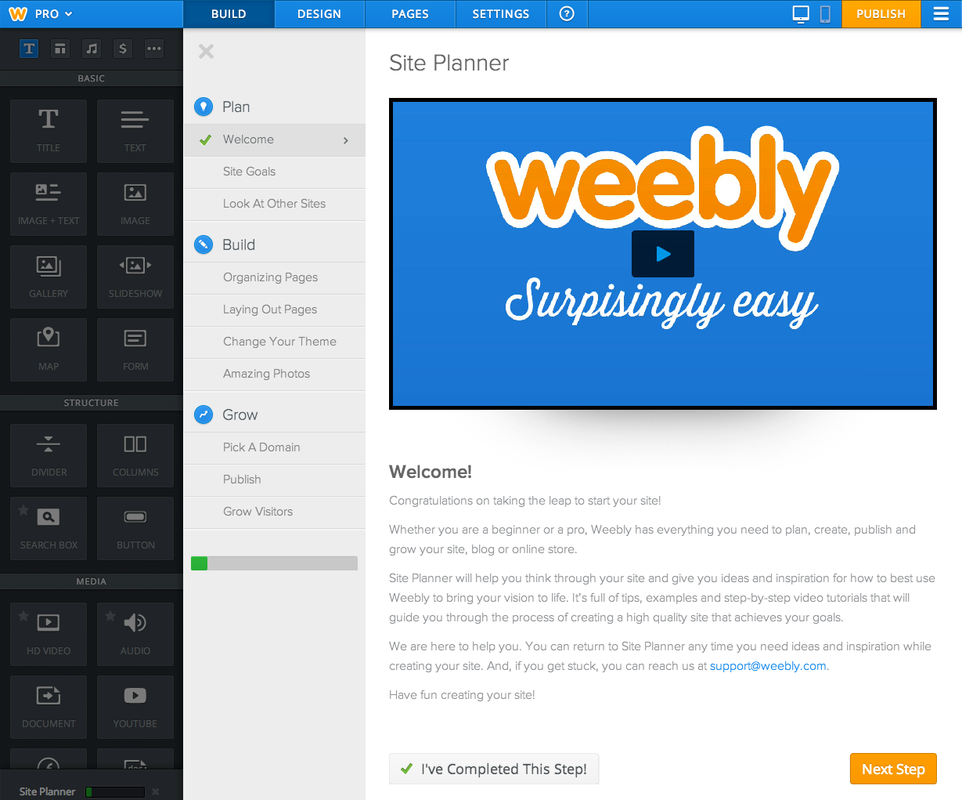
Weebly è un costruttore di siti web pensato per piccole imprese e imprenditori che necessitano di un modo semplice ed efficace per stabilire una presenza online. Offre strumenti per creare siti web professionali con funzionalità di e-commerce.
Perché ho scelto Weebly: La sua offerta gratuita fornisce strumenti essenziali per i proprietari di piccole imprese e le organizzazioni non profit per creare e gestire i loro siti web. Si può scegliere tra una varietà di temi e personalizzarli per adattarli al proprio marchio. La versione gratuita include strumenti di marketing integrati e funzionalità e-commerce come elenchi di prodotti e gestione dell'inventario.
Funzionalità principali e integrazioni:
Funzionalità includono un editor drag-and-drop per costruire siti web senza competenze tecniche, strumenti SEO integrati per migliorare la visibilità nei motori di ricerca e un'app mobile per gestire il sito ovunque ci si trovi.
Integrazioni includono PayPal, Square, Facebook, Instagram, YouTube, Vimeo e altro ancora.
Cosa è gratuito? Weebly offre un piano gratuito per sempre con accesso agli strumenti di base per la creazione di siti web e funzionalità e-commerce. Il piano include sicurezza SSL, un sottodominio con marchio e 500 MB di spazio di archiviazione.
Pros and Cons
Pros:
- Funzionalità e-commerce incluse
- App mobile per la gestione del sito
- Strumenti SEO disponibili
Cons:
- Branding forzato Square/Weebly sui siti gratuiti
- Editor a griglia limita la libertà di design

Wix
Ideale per la creazione di siti web assistita dall'IA
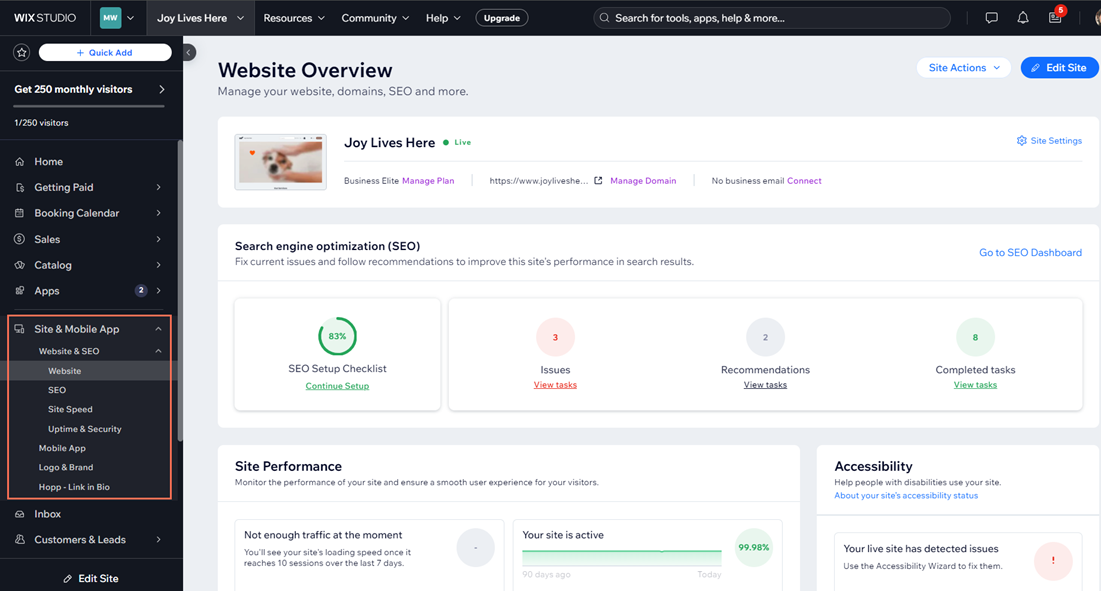
Wix è una piattaforma di web design rivolta a piccole imprese e creatori individuali. Permette agli utenti di creare siti web dall'aspetto professionale senza difficoltà, concentrandosi sulla personalizzazione e su un design intuitivo.
Perché ho scelto Wix: La sua offerta gratuita include un'ampia selezione di modelli personalizzabili adatti a diversi settori e stili. Puoi modificare questi modelli per adattarli all'immagine del tuo marchio, grazie all'editor intuitivo drag-and-drop. Il piano gratuito offre anche hosting e un dominio brandizzato Wix, ideale per chi è agli inizi. Questa flessibilità nella progettazione rende Wix perfetto per una personalizzazione semplice dei modelli. Wix offre inoltre un setup del sito assistito dall'IA per generare automaticamente layout e contenuti iniziali.
Funzionalità e integrazioni di spicco:
Funzionalità includono strumenti SEO integrati per ottimizzare la visibilità nei motori di ricerca, un editor mobile per un aspetto coerente su tutti i dispositivi e un app market con vari componenti aggiuntivi e funzionalità. Wix supporta inoltre blog ed e-commerce.
Integrazioni includono Google Analytics, Facebook Pixel, Mailchimp, QuickBooks, Instagram e altro ancora.
Cosa è gratuito? Wix offre un piano gratuito per sempre, che comprende hosting con dominio Wix brandizzato e accesso a oltre 2.000 modelli.
Pros and Cons
Pros:
- Opzioni di modelli versatili
- Disponibilità di un editor mobile
- Accesso all'app market
Cons:
- Impossibile cambiare modello una volta online
- Nessuna esportazione o migrazione completa del sito

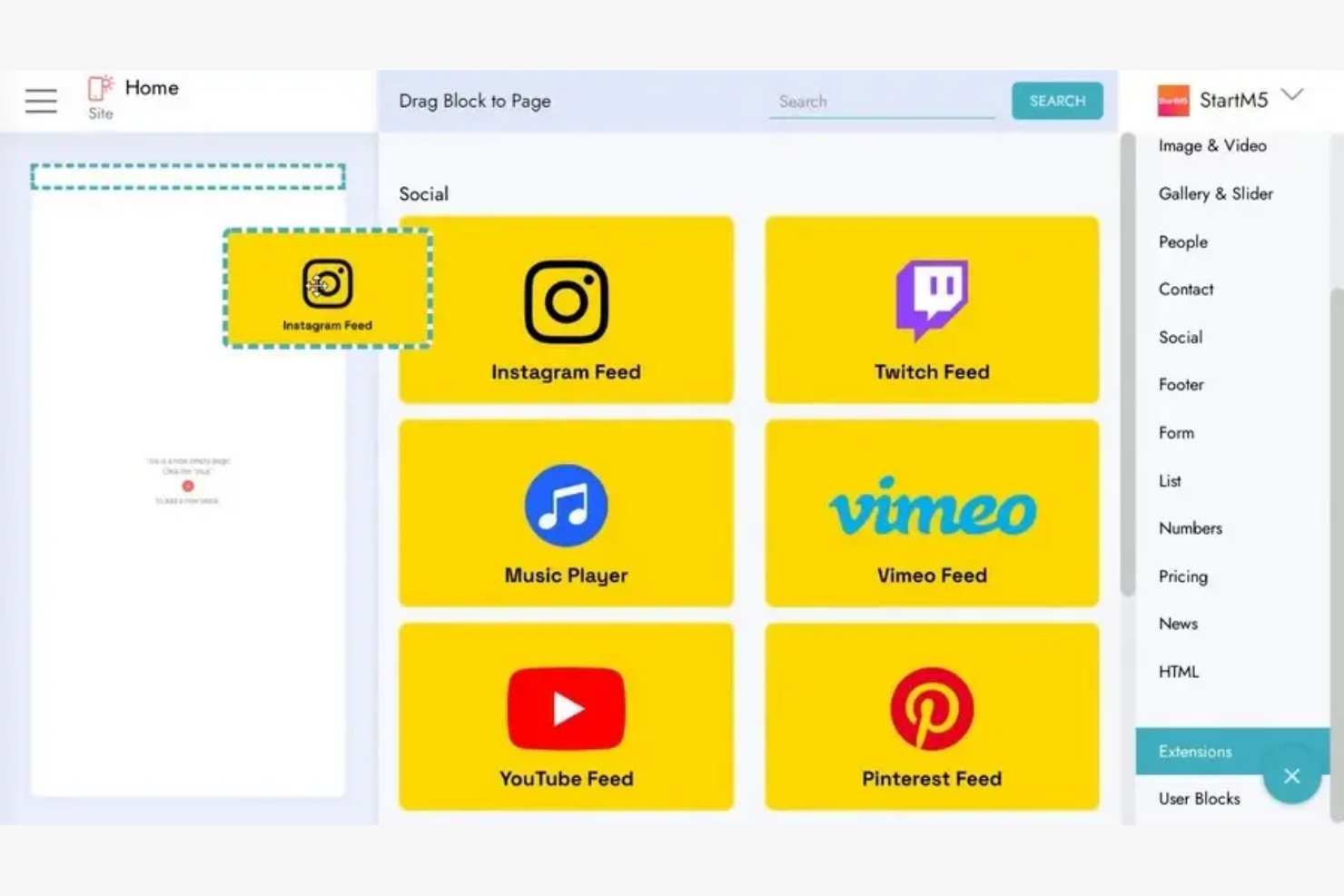
Mobirise è un costruttore di siti web per privati e piccole imprese che consente agli utenti di creare siti ottimizzati per dispositivi mobili offline.
Perché ho scelto Mobirise: La sua offerta gratuita include la possibilità di progettare e costruire siti web offline, perfetta per utenti con accesso limitato a Internet. Puoi scegliere tra una varietà di blocchi e template predefiniti per personalizzare il tuo sito utilizzando uno dei migliori strumenti per la creazione di siti web disponibili. L’editor drag-and-drop semplifica il processo di progettazione, rendendolo accessibile anche a chi non ha competenze di programmazione, e consente l’aggiunta di social media.
Funzionalità principali e integrazioni:
Funzionalità includono layout responsivi e ottimizzati per dispositivi mobili, una vasta libreria di blocchi pre-progettati per assemblare rapidamente pagine web, e pubblicazione flessibile su unità locali, FTP o sull’hosting di Mobirise.
Integrazioni includono PayPal, Google Fonts, SoundCloud, X, Vimeo e altro.
Cosa è gratuito? Mobirise offre un piano gratuito per sempre con accesso agli strumenti di design essenziali e template. Questo piano include due temi gratuiti con oltre 200 blocchi, funzionalità AI di base e la possibilità di pubblicare fino a tre siti web generati tramite AI al mese su un sottodominio Mobirise.
Pros and Cons
Pros:
- Possibilità di progettare offline
- Blocchi social predefiniti per feed di Instagram e YouTube
- Opzioni di pubblicazione flessibili
Cons:
- Nessun sistema CMS o contenuti dinamici integrati
- Richiede download e installazione

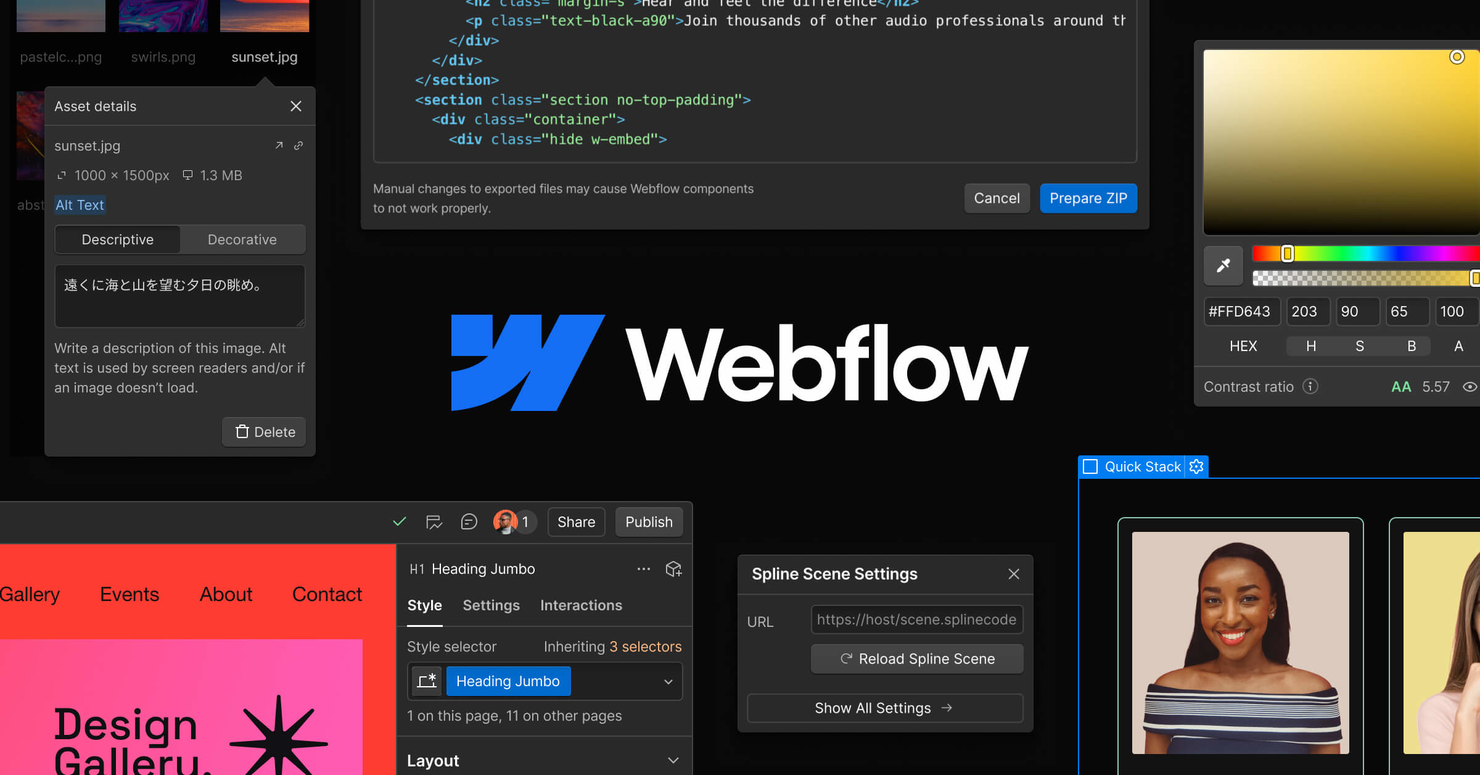
Webflow è uno strumento di web design pensato per designer e sviluppatori che desiderano creare siti web responsivi con funzionalità di codifica visiva. Offre una piattaforma dove gli utenti possono progettare, costruire e pubblicare siti senza la necessità di una conoscenza approfondita della programmazione.
Perché ho scelto Webflow: L'offerta gratuita include strumenti di codifica visiva, ideali per chi vuole progettare con precisione. Puoi creare siti responsivi utilizzando l'intuitiva interfaccia drag-and-drop, che consente una personalizzazione dettagliata. La versione gratuita supporta anche l'hosting e la pubblicazione su un sottodominio Webflow, rendendo facile condividere il tuo lavoro.
Caratteristiche e integrazioni principali:
Funzionalità comprendono un CMS per la gestione dei contenuti e strumenti di progettazione responsiva per garantire che il tuo sito abbia un aspetto ottimale su tutti i dispositivi. Webflow offre anche una funzione di prototipazione, che consente di creare e testare componenti interattivi.
Integrazioni includono Zapier, Google Analytics, Mailchimp, Slack e altri ancora.
Cosa è gratuito? Webflow offre un piano gratuito per sempre che include l'accesso agli strumenti di progettazione e l'hosting su un sottodominio Webflow. Il piano consente anche di creare fino a due progetti, costruire fino a due pagine statiche per sito e utilizzare un CMS di base con un numero limitato di elementi.
Pros and Cons
Pros:
- Strumenti di codifica visiva disponibili
- Capacità di design responsivo
- CMS per contenuti dinamici
Cons:
- Numero di progetti limitato
- Numero di pagine limitato

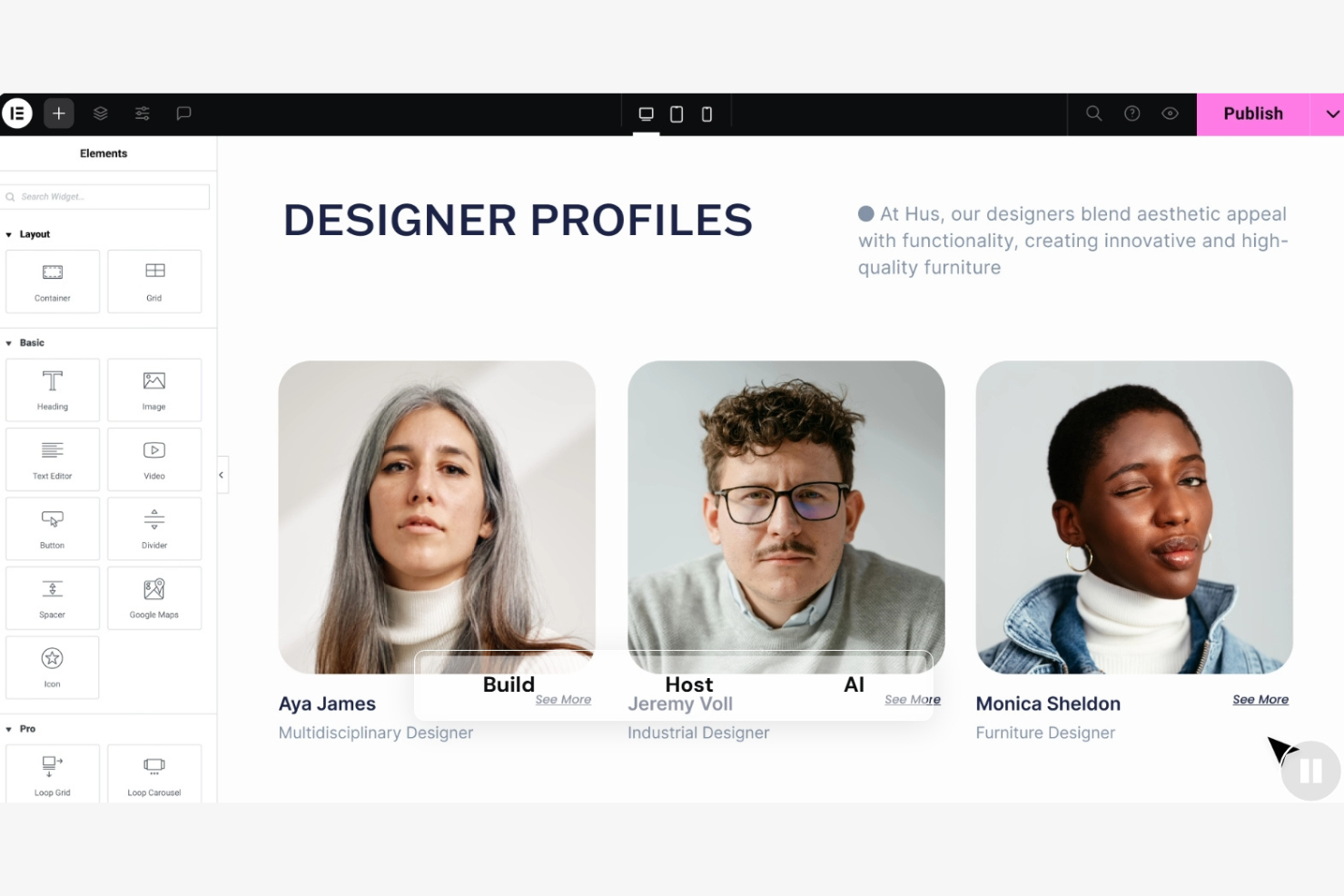
Elementor è un page builder per WordPress progettato per sviluppatori e designer web che desiderano creare layout personalizzati senza dover programmare. Offre un editor visuale che semplifica il processo di design, rendendolo accessibile agli utenti di tutti i livelli di esperienza.
Perché ho scelto Elementor: La sua versione gratuita include strumenti essenziali per costruire siti WordPress, il che lo rende ideale per chi necessita di una stretta integrazione con WordPress. È possibile utilizzare l’editor drag-and-drop per personalizzare il sito con diversi elementi di design. La versione gratuita supporta anche il design responsivo, così il tuo sito avrà un aspetto ottimale su qualsiasi dispositivo.
Caratteristiche principali e integrazioni:
Funzionalità includono editing visuale in tempo reale, cronologia delle revisioni per monitorare e annullare le modifiche e un’ampia libreria di modelli predefiniti. I widget globali aiutano a mantenere coerenza su tutto il sito, mentre il theme builder consente di personalizzare completamente intestazioni, piè di pagina e altre aree.
Integrazioni comprendono Mailchimp, HubSpot, ActiveCampaign, ConvertKit, Drip, Zapier, Yoast SEO e altri ancora.
Cosa è gratuito? Elementor offre un piano gratuito per sempre che permette l’accesso all’editor drag-and-drop, a 32 widget di base e alle principali funzionalità di builder.
Pros and Cons
Pros:
- Editing in tempo reale
- Ampia gamma di widget
- Widget globali per la coerenza
Cons:
- Genera HTML/CSS più pesanti rispetto agli editor basati su blocchi
- Richiede conoscenza di WordPress

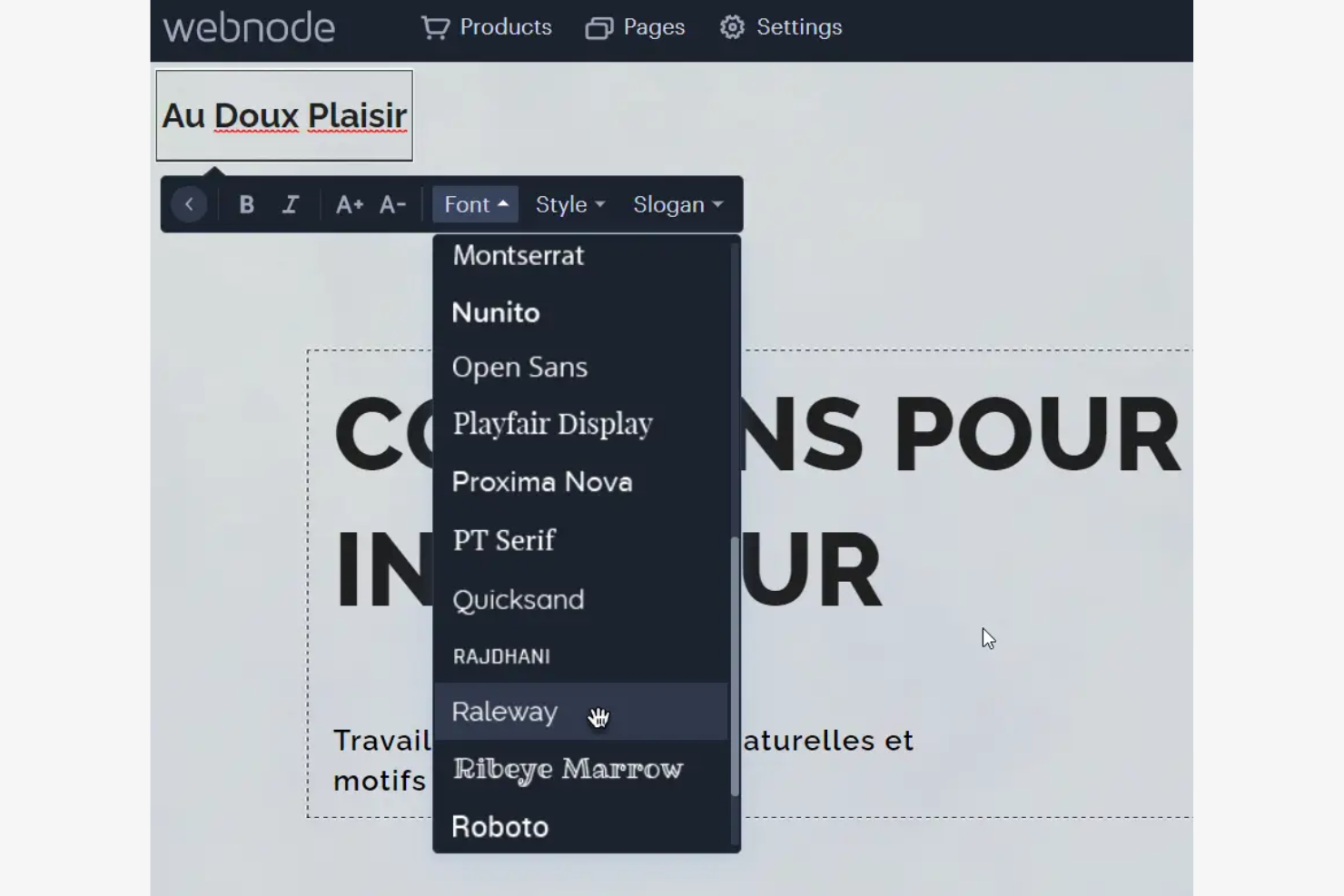
Webnode è un creatore di siti web progettato per privati e piccole imprese che desiderano realizzare siti web professionali. Si distingue per il supporto multilingue, rendendolo ideale per siti web in diverse lingue.
Perché ho scelto Webnode: la sua offerta gratuita include una funzionalità multilingue integrata, che consente di creare facilmente siti web in più lingue senza la necessità di installare plugin.
Caratteristiche principali e integrazioni:
Caratteristiche includono un editor intuitivo per la creazione rapida del sito, una libreria di template professionali e un'opzione e-commerce per vendere prodotti online. La piattaforma offre anche strumenti SEO per migliorare la visibilità nei motori di ricerca e design ottimizzati per dispositivi mobili per garantire un aspetto perfetto su qualsiasi device.
Integrazioni includono Google Analytics, PayPal, Facebook, X e altro ancora.
Cosa è gratuito? Webnode offre un piano gratuito per sempre con supporto multilingue e template di base. Il piano include anche assistenza clienti professionale, un sottodominio Webnode e un numero illimitato di pagine per il tuo sito web.
Pros and Cons
Pros:
- Supporto per siti multilingue
- Design ottimizzato per dispositivi mobili
- Funzionalità e-commerce
Cons:
- Pubblicità sui siti gratuiti
- Nessun dominio personalizzato nel piano gratuito

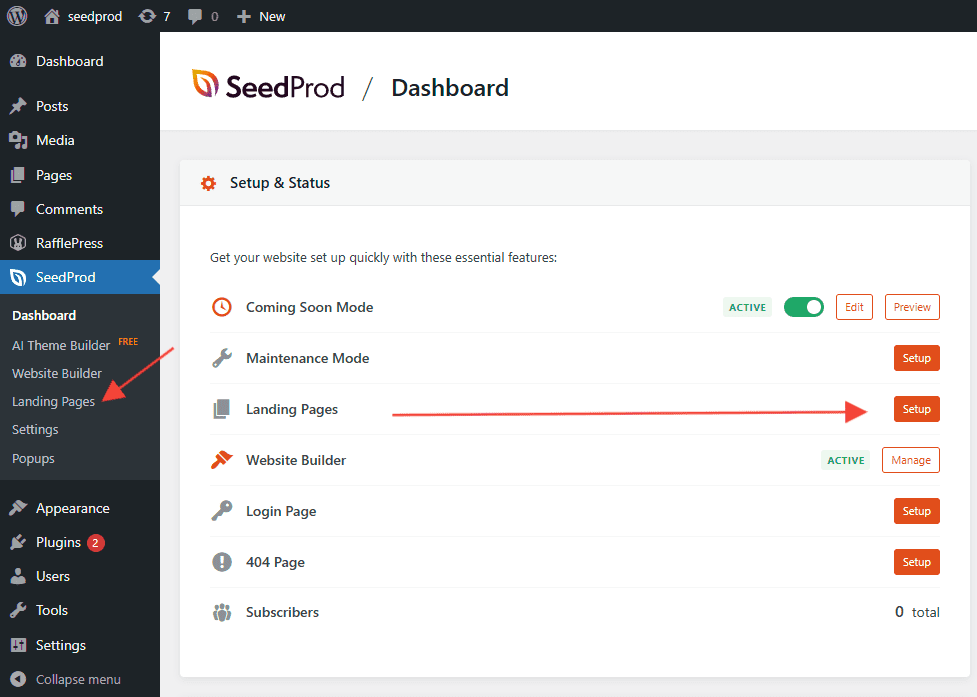
SeedProd è un plugin per WordPress progettato per marketer e titolari di aziende che hanno bisogno di creare rapidamente landing page ad alta conversione. Offre strumenti per costruire pagine personalizzate senza programmare, con un focus sulla generazione di contatti e sulle conversioni.
Perché ho scelto SeedProd: La versione gratuita include strumenti essenziali per la creazione di landing page, e puoi utilizzare il builder drag-and-drop per progettare pagine in linea con il tuo marchio. L'offerta gratuita comprende modelli ottimizzati per le conversioni, rendendo facile iniziare.
Caratteristiche principali e integrazioni:
Funzionalità includono un editor visuale in tempo reale per aggiornamenti istantanei, una libreria di template predefiniti per risparmiare tempo e una modalità coming soon per campagne di lancio. La cronologia delle revisioni delle pagine permette ai team di monitorare e annullare le modifiche, mentre HTML e CSS personalizzati consentono una personalizzazione avanzata.
Integrazioni includono Mailchimp, ActiveCampaign, ConvertKit, AWeber, Constant Contact e altri.
Cosa è gratis? SeedProd offre un piano gratuito per sempre con accesso agli strumenti base di creazione landing page e ai template, oltre a un editor drag-and-drop, modalità coming soon e manutenzione, e layout responsivi per dispositivi mobili.
Pros and Cons
Pros:
- Modelli ottimizzati per le conversioni
- Builder visuale di pagine con anteprima front-end istantanea
- Supporta HTML e CSS personalizzati
Cons:
- Dipende dalla configurazione e dall'hosting WordPress
- Curva di apprendimento più ripida per la creazione di temi
Altri software gratuiti per la progettazione web
Ecco alcune ulteriori opzioni di software per la progettazione web che offrono anch’esse piani o periodi di prova gratuiti. Sebbene questi strumenti non siano stati inclusi nel mio elenco, vale comunque la pena dar loro un’occhiata:


Come Valuto i Software Gratuiti di Web Design
Divido la mia valutazione in criteri di base—come se il piano gratuito ti permette effettivamente di pubblicare una pagina online—e fattori differenzianti che separano le migliori opzioni dal resto.
Funzionalità di Base (Requisiti Essenziali per Questa Lista)
Quando seleziono gli strumenti per la mia lista, valuto ciascuno su una scala da 0 (non offre la funzionalità) a 5 (eccelle in questa area) per ogni funzionalità di base elencata di seguito. Poi, calcolo il punteggio totale dello strumento in percentuale. Ogni strumento deve ottenere un punteggio totale minimo del 65% per essere considerato per l'inclusione.
- Piano Veramente Gratuito: Verifico se il livello gratuito di uno strumento consenta davvero di creare e pubblicare pagine, non solo di visualizzare anteprime dietro un paywall o una prova a tempo limitato.
- Editor Visuale di Design: L’editor dovrebbe consentire a un product manager di trascinare componenti su una tela e di personalizzarli visivamente, in modo simile a come Wix o Webflow gestiscono la costruzione dei layout.
- Template Pronti all’Uso: Cerco una selezione di modelli che copra casi d’uso comuni come landing page, vetrine di prodotti e pagine di iscrizione, così da non dover progettare da zero ogni volta.
- Supporto per Design Responsive: Ogni strumento dovrebbe produrre layout che si adattano a varie dimensioni di schermo, e valuto se è possibile vedere un’anteprima e perfezionare il rendering di una pagina su dispositivi mobili e tablet.
- Pubblicazione & Hosting: Valuto se si può pubblicare un sito live direttamente dalla piattaforma, incluso se i piani gratuiti offrono hosting su sottodominio o il supporto per collegare un dominio personalizzato.
- Gestione di Asset e Contenuti: Gestire immagini, icone e testi direttamente nel builder è importante, soprattutto quando si aggiorna una pagina di lancio prodotto e serve sostituire rapidamente elementi senza caricare tutto da capo.
Dopo aver stilato una lista di strumenti che soddisfano questi criteri, considero cosa rende ciascuna piattaforma unica.
Fattori Differenzianti (Cosa Distingue i Fornitori)
Ecco come confronto e metto a paragone i diversi fornitori:
Funzionalità Distintive
La collaborazione in tempo reale è fondamentale. Quando un product manager ha bisogno dell’approvazione di marketing e design per una pagina di lancio, i commenti in linea e la co-moderazione dal vivo evitano scambi infiniti. Inoltre, cerco funzionalità di design assistito da AI che generano layout o testi da prompt, aiutando i PM che non sono designer a ottenere rapidamente una bozza di qualità. Anche l’A/B testing integrato è importante, specie per i team che sperimentano messaggi su pagine di iscrizione o annunci di funzionalità.
Oltre le Funzionalità
La trasparenza sui piani gratuiti è essenziale. Valuto cosa è davvero incluso—limiti di pagine, cap di banda, branding forzato—perché un piano che sembra gratuito ma limita la pubblicazione solo con l’upgrade non è pratico per un team di prodotto. Il supporto per le integrazioni è un altro fattore chiave, specialmente le connessioni con piattaforme analytics come Google Analytics o Mixpanel, dato che i PM devono misurare le performance di una pagina di lancio. Considero inoltre i controlli SEO integrati come meta tag e generazione di sitemap, fattori che determinano se le tue pagine verranno davvero scoperte.
Come scegliere un software gratuito per la progettazione web
Gli elenchi complessi di funzionalità e le strutture dei prezzi possono rendere difficile capire cosa si ottiene realmente da un software gratuito per la progettazione web. Per aiutarti a rimanere concentrato mentre procedi nella scelta del software, ecco alcuni fattori da tenere a mente:
| Fattore | Cosa considerare |
|---|---|
| Ambito dell'offerta gratuita | Controlla cosa è incluso nel piano gratuito. Copre le tue esigenze di base o dovrai effettuare rapidamente un upgrade? Considera i limiti relativi alle funzionalità e all'assistenza. |
| Scalabilità | Pensa alla crescita futura. Lo strumento può crescere insieme alla tua attività? Cerca opzioni che consentano di aggiungere altre funzionalità o utenti quando necessario. |
| Integrazioni | Assicurati che il software funzioni con gli strumenti che già utilizzi. Verifica la compatibilità con piattaforme come Google Analytics, Mailchimp e altre da cui dipendi. |
| Semplicità d'uso | Considera quanto velocemente puoi imparare a usare lo strumento. Offre un'interfaccia intuitiva? Cerca funzionalità di trascinamento e rilascio e una navigazione chiara. |
| Personalizzazione | Valuta quanto puoi adattare il design. Puoi modificare i modelli per adeguarli all'aspetto e allo stile del tuo marchio? |
| Assistenza | Esamina le opzioni di assistenza disponibili. Sono presenti tutorial, forum della community o chat dal vivo per aiutarti quando si verificano problemi? |
| Prestazioni | Valuta la velocità e l'affidabilità dello strumento. Si carica rapidamente e gestisce bene il traffico? Assicurati che non rallenti il tuo sito web. |
| Ottimizzazione per dispositivi mobili | Verifica se lo strumento offre design adattabili ai dispositivi mobili. Il tuo sito dovrebbe avere un buon aspetto su tutti i dispositivi senza richiedere sforzi aggiuntivi. |
Che cos'è un software gratuito per la progettazione web?
Il software gratuito per la progettazione web è uno strumento che aiuta gli utenti a creare siti web senza dover pagare in anticipo. Questi prodotti offrono spesso piani gratuiti o prove con funzionalità di base. Le opzioni gratuite per la progettazione web possono essere basate sul browser oppure disponibili come software per creare siti web offline.
In genere, i titolari di piccole imprese, i freelance e gli appassionati utilizzano questi strumenti per creare e gestire la propria presenza online. Offrono valore consentendo agli utenti, inclusi i principianti, di progettare e pubblicare siti web senza competenze tecniche. Funzionalità come gli editor con trascinamento, i modelli personalizzabili e l'ottimizzazione per dispositivi mobili aiutano gli utenti a creare siti professionali in modo efficiente.
Funzionalità
Esaminiamo le funzionalità comunemente presenti nei software per la progettazione web e quali sono generalmente incluse nei piani gratuiti rispetto a quelli a pagamento.
Funzionalità tipiche dei software gratuiti per la progettazione web
- Editor con trascinamento: consente di disporre gli elementi del sito senza dover scrivere codice.
- Modelli personalizzabili: forniscono layout predefiniti.
- Ottimizzazione per dispositivi mobili: garantisce che il sito abbia un buon aspetto su tutti i dispositivi, consentendo di raggiungere gli utenti mobili.
- Strumenti SEO di base: aiutano a migliorare la visibilità del sito nei motori di ricerca, attirando più visitatori.
- Hosting su sottodominio: offre hosting gratuito su un sottodominio della piattaforma, consentendo di pubblicare il sito senza costi aggiuntivi.
- Supporto multilingue: consente di creare siti in più lingue, ampliando la propria portata a un pubblico globale.
- Funzionalità per blog: consentono di creare e gestire articoli del blog, coinvolgendo il pubblico con contenuti regolari.
Funzionalità tipiche dei software a pagamento per la progettazione web
- Strumenti avanzati per il commercio elettronico: forniscono funzionalità come gateway di pagamento e carrelli della spesa.
- Supporto per domini personalizzati: consente di utilizzare un dominio personalizzato.
- Analisi e report: offrono informazioni dettagliate sulle prestazioni del sito, aiutando a prendere decisioni consapevoli.
- Assistenza clienti prioritaria: offre accesso a tempi di risposta più rapidi e a un'assistenza dedicata.
- Spazio di archiviazione illimitato: elimina le restrizioni relative allo spazio di archiviazione, consentendo di aggiungere più contenuti e file multimediali al sito.
- Opzioni di personalizzazione avanzate: offrono un controllo più approfondito sugli elementi di design, consentendo di creare un'esperienza del sito più personalizzata.
- Integrazione con app di terze parti: collega il sito ad altri strumenti, come piattaforme CRM e di email marketing.
Vantaggi
L'implementazione di software gratuiti per la progettazione web offre diversi vantaggi al team e all'azienda. Ecco alcuni dei vantaggi di cui potrai usufruire:
- Risparmio sui costi: puoi creare e pubblicare siti web senza spendere denaro, una soluzione ideale per startup e piccole imprese.
- Facilità d'uso: gli editor con trascinamento e i modelli semplificano il processo di progettazione, consentendo a chiunque di creare un sito senza competenze tecniche.
- Configurazione rapida: i modelli predefiniti e le opzioni di hosting consentono di rendere operativo un sito rapidamente.
- Portata globale: il supporto multilingue aiuta a entrare in contatto con un pubblico più ampio.
- SEO di base: gli strumenti integrati migliorano la visibilità del sito nei motori di ricerca, attirando più visitatori senza costi aggiuntivi.
- Strumenti di coinvolgimento: le funzionalità per blog consentono di aggiornare regolarmente il pubblico, favorendo il coinvolgimento e la fidelizzazione al marchio.
- Scalabilità: i piani gratuiti consentono di iniziare in piccolo e crescere con l'aumentare delle esigenze, offrendo flessibilità per lo sviluppo futuro.
Costi e prezzi
Mi rendo conto che sei arrivato a questo articolo cercando le migliori opzioni di software per la progettazione web disponibili gratuitamente. Tuttavia, poiché i piani gratuiti offrono solo funzionalità limitate, è molto probabile che in futuro dovrai passare a un piano superiore.
La tabella seguente riassume i piani comuni, i relativi prezzi medi e le funzionalità tipicamente incluse nelle soluzioni software per la progettazione web:
Tabella comparativa dei piani per i software di progettazione web
| Tipo di piano | Prezzo medio | Funzionalità comuni |
|---|---|---|
| Piano gratuito | $0 | Modelli di base, spazio di archiviazione limitato e hosting su sottodominio. |
| Piano personale | $3-$149/mese | Dominio personalizzato, rimozione degli annunci e modelli aggiuntivi. |
| Piano aziendale | $5-$199/mese | Strumenti per l'e-commerce, funzionalità SEO e analisi avanzate. |
| Piano Pro | $9-$599/mese | Soluzioni personalizzate, assistenza dedicata e utenti e spazio di archiviazione illimitati. |
Domande frequenti sui software gratuiti per la progettazione web
Ecco alcune risposte alle domande comuni sui software gratuiti per la progettazione web:
Posso utilizzare un software gratuito per la progettazione web per scopi commerciali?
Sì, puoi utilizzare un software gratuito per la progettazione web per scopi commerciali, ma devi verificare i termini della licenza. Alcuni strumenti possono prevedere restrizioni sull’uso commerciale, quindi è importante leggere attentamente tutte le condizioni prima di lanciare un sito aziendale.
Come guadagnano i software gratuiti per la progettazione web?
Gli strumenti gratuiti per la progettazione web spesso guadagnano attraverso aggiornamenti premium, offrendo funzionalità avanzate o spazio di archiviazione aggiuntivo a pagamento. Possono anche mostrare annunci nelle versioni gratuite o addebitare costi per i domini personalizzati.
I piani gratuiti prevedono limiti per lo spazio di archiviazione e la larghezza di banda?
Sì, i piani gratuiti prevedono in genere limiti per lo spazio di archiviazione e la larghezza di banda. Ciò significa che puoi ospitare una quantità limitata di contenuti e gestire un certo livello di traffico. Se il tuo sito cresce, potresti dover passare a un piano a pagamento per evitare queste restrizioni.
Posso trasferire il mio sito su un'altra piattaforma se inizio con un piano gratuito?
Trasferire il tuo sito può essere complicato, poiché alcuni strumenti gratuiti per la progettazione web non offrono opzioni semplici per l’esportazione. Prima di iniziare, verifica se la piattaforma consente l’esportazione o la migrazione del sito.
Il supporto clienti è disponibile con i software gratuiti per la progettazione web?
Il supporto clienti può essere limitato nei piani gratuiti e spesso si basa su forum della community o basi di conoscenza. Alcune piattaforme offrono assistenza via e-mail o chat dal vivo solo agli utenti a pagamento.
I software gratuiti per la progettazione web prevedono costi nascosti?
Sebbene il software in sé sia gratuito, possono esserci costi nascosti, come la registrazione del dominio o gli aggiornamenti alle funzionalità premium. Esamina sempre i dettagli dei prezzi per comprendere le potenziali spese e assicurarti che rientrino nel tuo budget.
E adesso?
Se stai cercando un software gratuito per la progettazione web, contatta gratuitamente un consulente SoftwareSelect per ricevere consigli.
Compili un modulo e fai una breve conversazione durante la quale il consulente approfondirà le tue esigenze specifiche. Dopodiché riceverai una lista ristretta di software da esaminare. Ti assisterà anche durante l'intero processo di acquisto, comprese le negoziazioni sui prezzi.