

Le migliori alternative a Notion offrono spazi di lavoro flessibili, solide funzionalità di collaborazione e flussi di lavoro personalizzabili che aiutano il tuo team a gestire progetti e conoscenze in un unico luogo. Se stai cercando alternative a Notion, probabilmente cerchi strumenti che si adattino ai processi specifici del tuo team, supportino un monitoraggio più efficace dei progetti o risolvano alcune lacune che hai riscontrato nel set di funzionalità di Notion. In questo elenco troverai opzioni eccellenti per la gestione visiva dei progetti, l'organizzazione delle conoscenze e la documentazione del team, così potrai confrontarle e scegliere quella più adatta alle tue esigenze di gestione del prodotto.
Cos'è Notion?
Notion è una piattaforma per spazi di lavoro che combina strumenti per prendere appunti, gestire progetti e collaborare in un'unica interfaccia. I team utilizzano Notion per organizzare documenti, gestire elenchi di attività e centralizzare le conoscenze. La sua struttura flessibile consente di creare flussi di lavoro, database e wiki personalizzati in base alle proprie esigenze. Notion è popolare tra i principianti, i responsabili di prodotto, i team di progetto e chiunque desideri una soluzione tutto-in-uno per organizzare il lavoro e le informazioni.
Tabella di confronto delle alternative a Notion
Confronta i dettagli sui prezzi delle mie migliori alternative a Notion nella tabella seguente.
| Tool | Best For | Trial Info | Price | ||
|---|---|---|---|---|---|
| 1 | Ideale per il monitoraggio basato su database relazionali | Piano gratuito + demo gratuita + prova di 14 giorni disponibili | A partire da $20/utente/mese | Website | |
| 2 | Ideale per l'automazione basata sull'IA di attività e progetti | Piano gratuito disponibile | A partire da $10/utente/mese (con fatturazione annuale) | Website | |
| 3 | Ideale per la documentazione tecnica collegata a Jira | Prova gratuita + piano gratuito disponibili | A partire da $5.42/utente/mese | Website | |
| 4 | Ideale per il monitoraggio integrato di attività e obiettivi | Piano gratuito disponibile | A partire da $7/utente/mese (con fatturazione annuale) | Website | |
| 5 | Ideale per flussi di lavoro basati sull'IA che trasformano le riunioni in documenti | Piano gratuito disponibile | A partire da $8/utente/mese (con fatturazione annuale) | Website | |
| 6 | Ideale per collegare dati di prodotto e documentazione | Prova gratuita di 14 giorni | Da $12/utente/mese (con fatturazione annuale) | Website | |
| 7 | Ideale per spazi di lavoro autogestiti e con dati di proprietà del team | Piano gratuito disponibile | A partire da $12.50/utente/mese (con fatturazione annuale) | Website | |
| 8 | Piano gratuito disponibile | Da $4/mese | Website | ||
| 9 | Ideale per i flussi di lavoro IA da riunione a documento | Piano gratuito disponibile | A partire da $14.16/utente/mese (con fatturazione annuale) | Website | |
| 10 | Ideale per il monitoraggio e l'automazione dei progetti basati sui documenti | Piano gratuito disponibile | A partire da $12/utente/mese (con fatturazione annuale) | Website |


Perché fidarsi dei nostri consigli sui software
6,700+
Reviews
20
Industry experts
16+
Evaluation factors
14
Years
Il nostro team testa e recensisce software dal 2012. In quanto product manager noi stessi, sappiamo quanto sia difficile — e importante — scegliere il software giusto.
Per questa guida, abbiamo valutato gli strumenti attraverso test pratici e ricerche indipendenti, assegnando un punteggio agli strumenti in base ai nostri criteri di selezione.
Le nostre recensioni riflettono il nostro giudizio editoriale umano, non un discorso di vendita.
Revisori esperti:
- Andrew LumbySenior TPM
- Cristiano ValimSenior UI/UX Lead


Recensioni delle alternative a Notion
Di seguito trovi i miei riepiloghi dettagliati delle alternative a Notion che sono entrate nella mia selezione. Le mie recensioni offrono uno sguardo approfondito alle funzionalità, ai migliori casi d’uso e alle integrazioni di ogni piattaforma, per aiutarti a trovare quella più adatta a te.
 Ideale per il monitoraggio basato su database relazionali
- Piano gratuito + demo gratuita + prova di 14 giorni disponibili
- A partire da $20/utente/mese
Visit WebsiteCustomer Rating:4.6/5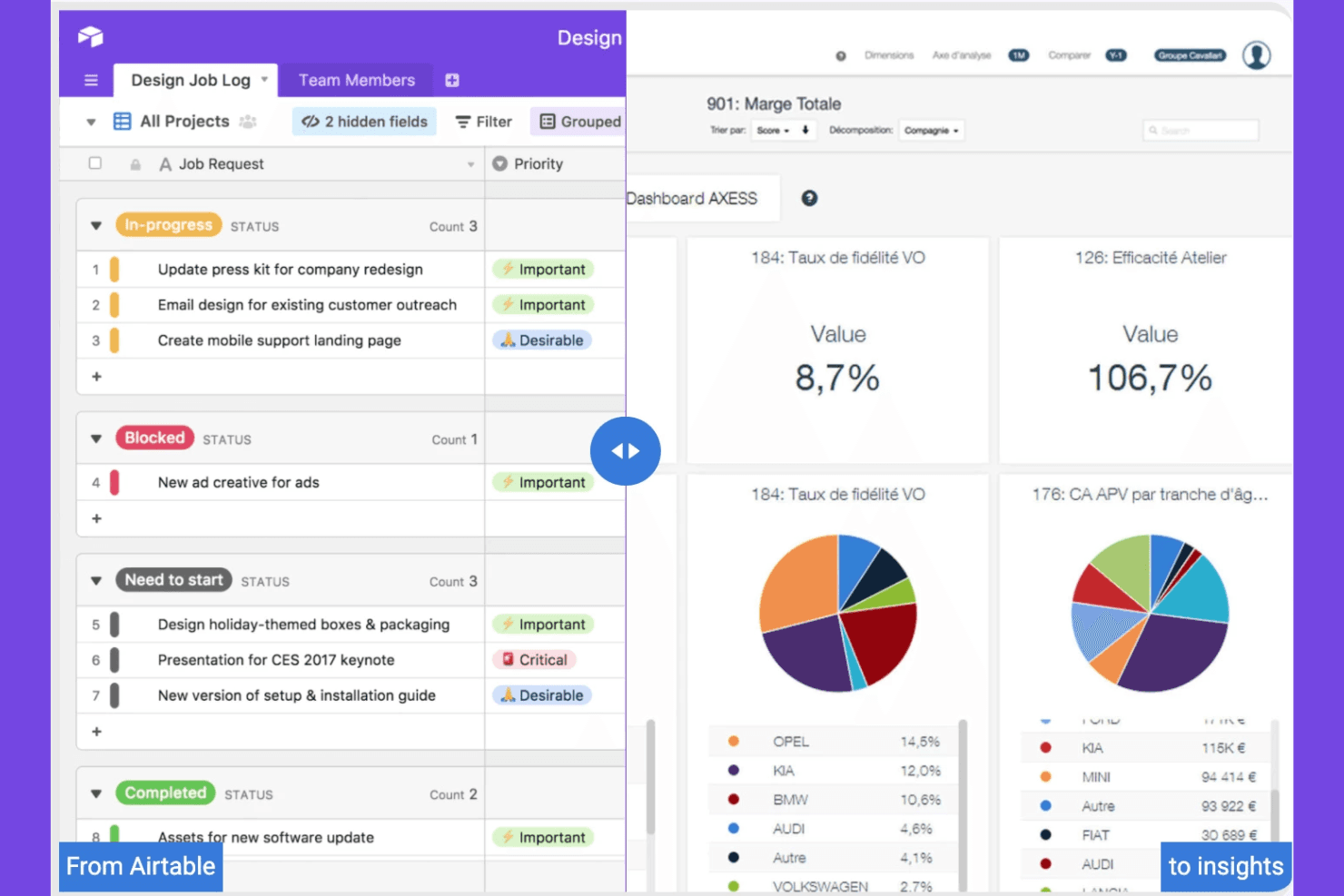
Airtable organizza progetti e flussi di lavoro con un'interfaccia flessibile. Airtable è una piattaforma di spazio di lavoro collaborativo per i team di prodotto e operativi che devono collegare i dati di pianificazione, ricerca ed esecuzione in un'unica alternativa flessibile a Notion.
Per chi è più adatto Airtable?
Team di operations di prodotto che hanno bisogno di record collegati, flussi di lavoro personalizzati e viste condivise per coordinare ricerca, pianificazione e distribuzione.
Perché Airtable è una buona alternativa a Notion per i CPO
Ho scelto Airtable perché il suo monitoraggio basato su un database relazionale collega la ricerca di prodotto, le priorità e i record di distribuzione in un unico spazio di lavoro. Utilizzo i record collegati per connettere gli insight dei clienti alle opportunità, agli elementi della roadmap e alle attività di lancio, mentre le viste filtrate forniscono a ogni team il contesto di cui ha bisogno. Le interfacce personalizzate aiutano gli stakeholder a esaminare i progressi senza modificare i dati sottostanti.
Funzionalità principali di Airtable
- Automazioni: Attiva azioni in base alle modifiche dei record e agli eventi pianificati.
- Generatore di moduli: Raccogli invii strutturati tramite moduli condivisibili.
- Vista calendario: Visualizza i record basati sulle date in un layout a calendario.
- Vista Gantt: Mappa le tempistiche e le dipendenze dei record tra i progetti.
Integrazioni di Airtable
Airtable documenta integrazioni native con Box, Google Drive, Dropbox e OneDrive, oltre a estensioni partner per Miro, Typeform, Formstack, Loom e Pexels. Si collega a Zapier e fornisce un'API Web per le integrazioni personalizzate.
Pros and Cons
Pros:
- Collega gli insight dei clienti ai record della roadmap
- Offre viste personalizzate per ogni stakeholder
- Acquisisce richieste strutturate tramite moduli personalizzabili
Cons:
- Richiede una progettazione deliberata dello schema fin dall'inizio
- I database complessi diventano difficili da gestire
Learn more about Airtable: Ideale per l'automazione basata sull'IA di attività e progetti
- Piano gratuito disponibile
- A partire da $10/utente/mese (con fatturazione annuale)
Visit WebsiteCustomer Rating:4.7/5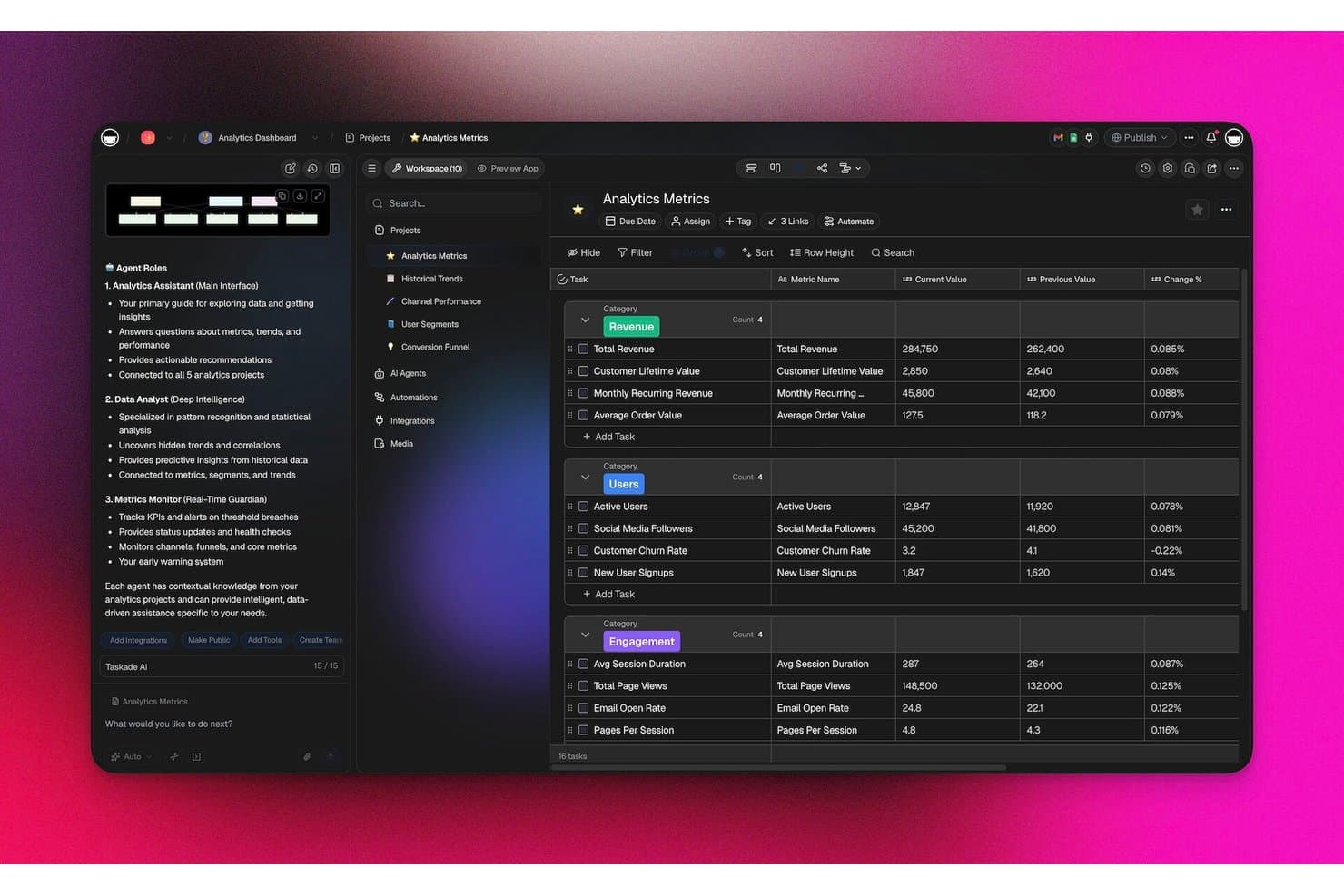
Taskade monitora le metriche analitiche con agenti IA in una dashboard strutturata. Taskade è una piattaforma collaborativa di gestione dei progetti per i team di prodotto che hanno bisogno di un'alternativa flessibile a Notion per organizzare roadmap, attività, flussi di lavoro e attività interfunzionali in un unico spazio di lavoro.
Per chi è più adatto Taskade?
Taskade è adatto ai team di prodotto e operativi che hanno bisogno di flussi di lavoro assistiti dall'IA, coordinamento delle attività e pianificazione dei progetti in un unico spazio di lavoro flessibile.
Perché Taskade è una buona alternativa a Notion per i CPO
Ho scelto Taskade perché l'automazione delle attività e dei progetti basata sull'IA aiuta il mio team a trasformare i piani di prodotto in flussi di lavoro eseguibili. Utilizzo agenti IA per creare elenchi di attività, riepilogare gli aggiornamenti dei progetti e coordinare i processi ricorrenti negli spazi di lavoro condivisi. Le sue strutture di attività nidificate e i modelli di flusso di lavoro ci aiutano a passare dalle decisioni sulla roadmap alle attività di consegna assegnate senza dover ricostruire il processo ogni volta.
Funzionalità principali di Taskade
- Visualizzazioni multiple dei progetti : Passa dalle visualizzazioni elenco, bacheca, calendario, mappa mentale e sequenza temporale.
- Campi personalizzati : Aggiungi stati, priorità, date, tag e altri dettagli del progetto.
- Commenti e menzioni : Discuti direttamente delle attività e invia notifiche a membri specifici del team.
- Integrazioni di terze parti : Collega Taskade a strumenti come Google Calendar, Slack e Zapier.
Integrazioni di Taskade
Taskade offre oltre 100 integrazioni bidirezionali, tra cui Slack, Microsoft Teams, GitHub, Google Calendar, Gmail, Google Sheets, HubSpot, Salesforce, Jira e Linear, e si collega a Zapier. Supporta inoltre webhook, richieste HTTP e un'API pubblica per le integrazioni personalizzate.
Pros and Cons
Pros:
- Gli agenti IA automatizzano i flussi di lavoro ricorrenti dei prodotti
- I progetti nidificati collegano le roadmap alle attività eseguibili
- Le visualizzazioni multiple supportano diversi rituali di pianificazione
Cons:
- Il lavoro offline non è supportato
- La documentazione approfondita appare meno sviluppata rispetto a Notion
Learn more about Taskade: Ideale per la documentazione tecnica collegata a Jira
- Prova gratuita + piano gratuito disponibili
- A partire da $5.42/utente/mese
Visit WebsiteCustomer Rating:4.1/5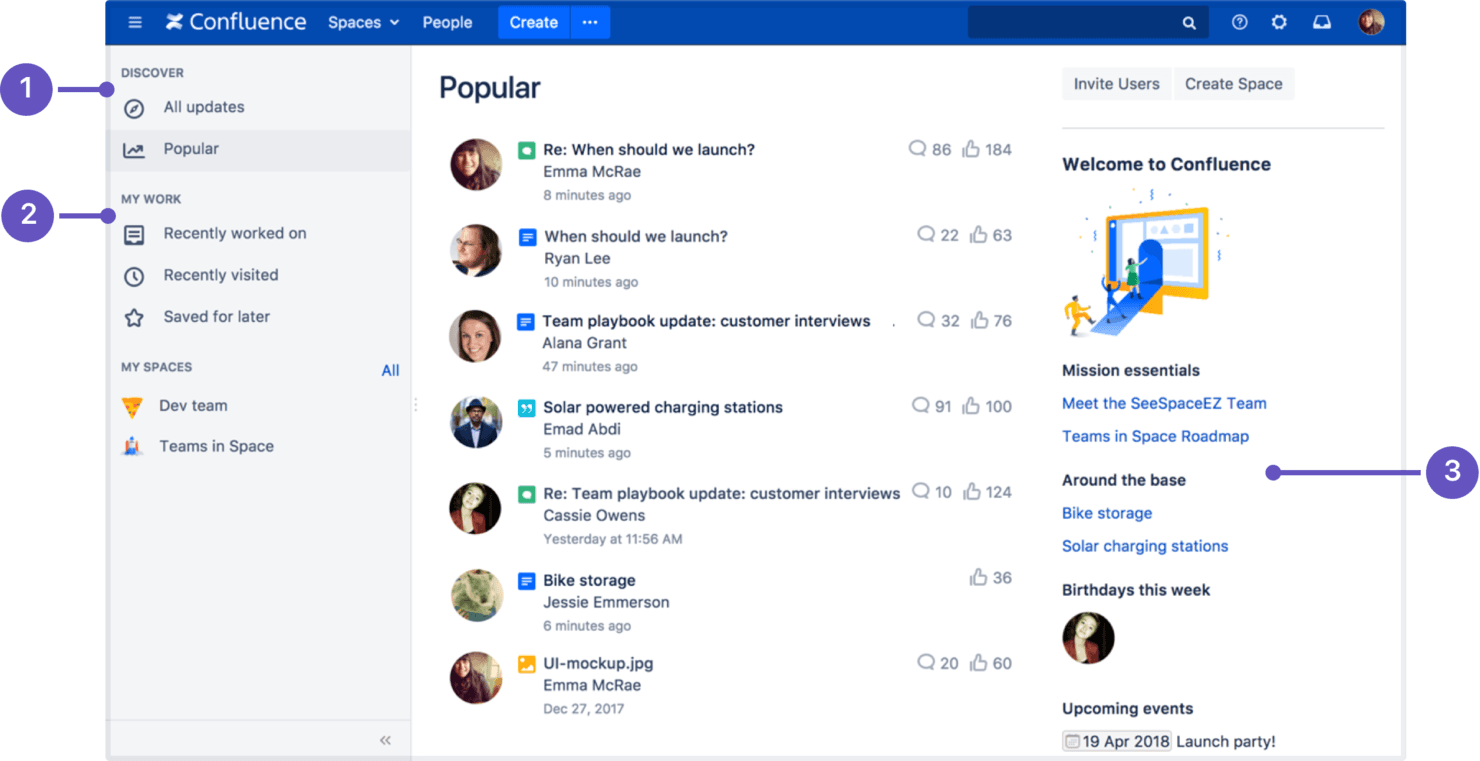
Confluence organizza la conoscenza, la documentazione e la collaborazione del team. Confluence è una piattaforma collaborativa per la gestione della conoscenza destinata ai team di prodotto e tecnici, che organizza strategia, requisiti, decisioni e contesto dei progetti in un unico spazio di lavoro consultabile.
Per chi è più adatto Confluence?
Confluence è adatto ai team di prodotto e di ingegneria che hanno bisogno di documentazione tecnica collegata a Jira, registri delle decisioni e conoscenze sui progetti in un unico spazio di lavoro.
Perché Confluence è una buona alternativa a Notion per i CPO
Ho scelto Confluence perché è progettato per la documentazione tecnica collegata a Jira. Utilizzo pagine collegate per i requisiti di prodotto e i registri delle decisioni, quindi le collego alle attività di Jira affinché il lavoro di ingegneria mantenga il contesto originale. In questo modo il mio team ha un unico luogo consultabile per seguire strategia, decisioni e aggiornamenti sulla consegna.
Funzionalità principali di Confluence
- Modelli: Inizia le pagine con formati predefiniti per piani, report e note delle riunioni.
- Lavagne bianche: Mappa idee, flussi di lavoro e concetti su lavagne visive collaborative.
- Autorizzazioni: Controlla l'accesso alla visualizzazione e alla modifica a livello di spazio o di pagina.
- Cronologia delle versioni: Esamina le modifiche e ripristina versioni precedenti delle pagine.
Integrazioni di Confluence
Confluence dispone di un'integrazione nativa con Jira e di integrazioni ufficiali con Slack e Microsoft Teams. Offre inoltre un'API per le integrazioni personalizzate, mentre le app del Marketplace di Atlassian estendono la connettività ad altri strumenti.
Pros and Cons
Pros:
- La cronologia delle versioni conserva decisioni di prodotto verificabili
- I modelli accelerano la documentazione dei requisiti e delle decisioni
- La gerarchia delle pagine supporta le basi di conoscenza tecniche
Cons:
- Le gerarchie delle pagine diventano difficili da gestire su larga scala
- Le specifiche complesse richiedono soluzioni alternative macchinose basate sulle tabelle
 Ideale per il monitoraggio integrato di attività e obiettivi
- Piano gratuito disponibile
- A partire da $7/utente/mese (con fatturazione annuale)
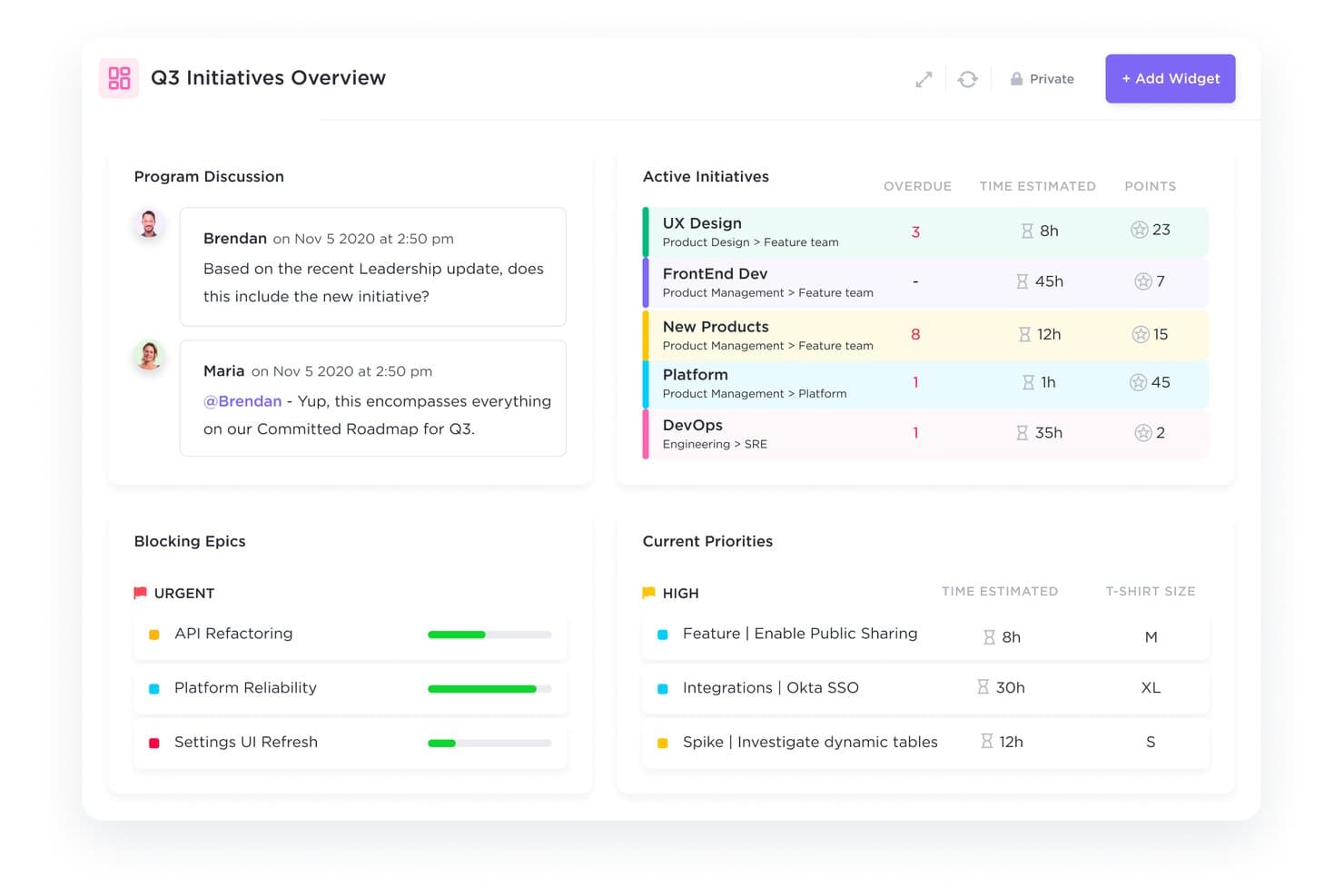
ClickUp riunisce il monitoraggio delle iniziative del terzo trimestre e le priorità in un unico pannello di controllo. ClickUp è una piattaforma di gestione dei progetti per i team di prodotto che riunisce attività, documenti, priorità e collaborazione in un unico spazio di lavoro, aiutando i CPO a sostituire i flussi di lavoro frammentati di Notion con un'esecuzione più chiara.
Per chi è più adatto ClickUp?
ClickUp è adatto ai team di operations di prodotto e ai team interfunzionali che devono gestire attività, obiettivi, documenti e priorità in uno spazio di lavoro condiviso.
Perché ClickUp è una buona alternativa a Notion per i CPO
Ho scelto ClickUp perché combina l'esecuzione delle attività con il monitoraggio degli obiettivi in un unico spazio di lavoro. Utilizzo stati personalizzati delle attività, dipendenze e Obiettivi per collegare le iniziative di prodotto a risultati misurabili. Il mio team può trasformare le priorità della roadmap in attività assegnate e poi verificare i progressi rispetto agli obiettivi trimestrali senza dover gestire tracker separati in Notion.
Funzionalità principali di ClickUp
- Pannelli di controllo: Crea visualizzazioni personalizzabili per le metriche dei progetti e i dati sul carico di lavoro.
- Automazioni: Imposta trigger e azioni per gli aggiornamenti ricorrenti dei flussi di lavoro.
- Monitoraggio del tempo: Registra il tempo dedicato alle attività con timer integrati.
- Moduli: Raccogli richieste strutturate e converti gli invii in attività.
Integrazioni di ClickUp
ClickUp dispone di integrazioni native con Slack, Microsoft Teams, GitHub, GitLab, Bitbucket, Google Drive, Google Calendar, Figma, Miro e Zoom e si collega a Zapier. Fornisce inoltre un'API per le integrazioni personalizzate.
Pros and Cons
Pros:
- Collega il lavoro della roadmap a obiettivi misurabili
- Gli stati personalizzati e le dipendenze chiariscono la responsabilità della consegna
- I pannelli di controllo mostrano il carico di lavoro e i progressi delle iniziative
Cons:
- Gli spazi di lavoro densi possono nascondere le informazioni chiave
- I documenti non offrono la stessa esperienza di pubblicazione leggera di Notion
Learn more about ClickUp : 5Ideale per flussi di lavoro basati sull'IA che trasformano le riunioni in documenti
Tana
- Piano gratuito disponibile
- A partire da $8/utente/mese (con fatturazione annuale)
Visit WebsiteCustomer Rating:4.7/5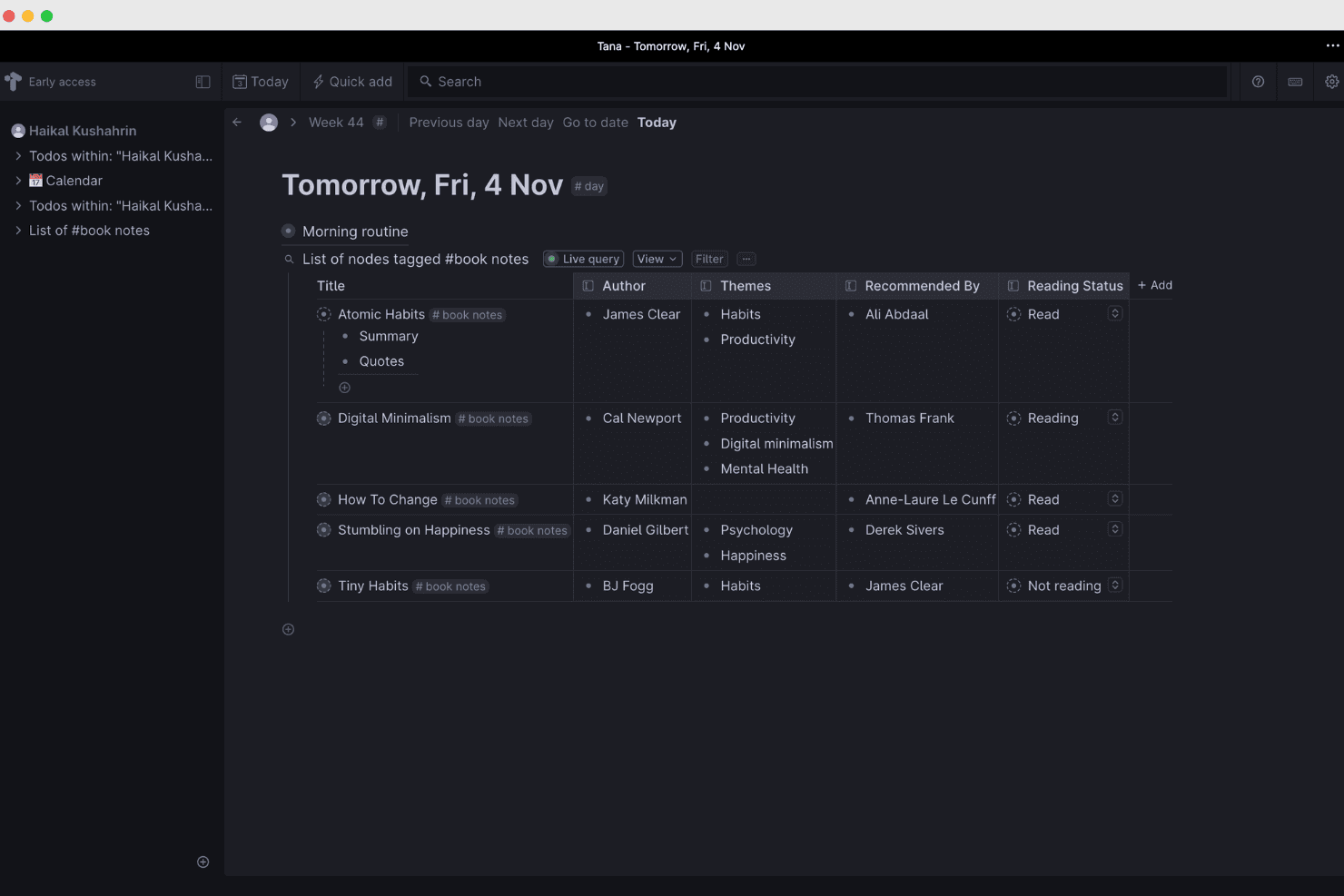
Tana organizza e collega la conoscenza con flussi di lavoro basati sull'IA. Tana è uno spazio di lavoro flessibile per la gestione della conoscenza, pensato per i responsabili di prodotto che hanno bisogno di collegare note delle riunioni, decisioni, ricerche e piani in un unico sistema strutturato, invece di perdere il contesto tra pagine e documenti sparsi di Notion.
Per chi è più adatto Tana?
I team di prodotto che trasformano le riunioni registrate in brief strutturati, decisioni e documenti di follow-up otterranno il massimo da Tana.
Perché Tana è una buona alternativa a Notion per i CPO
Ho scelto Tana perché i suoi flussi di lavoro basati sull'IA trasformano le discussioni registrate in note strutturate, decisioni e documenti di follow-up. Utilizzo la sua IA per estrarre le attività da svolgere e organizzarle come nodi collegati, così gli insight della fase di discovery del prodotto e le decisioni sulla roadmap rimangono collegati invece di essere sepolti nelle trascrizioni delle riunioni.
Funzionalità principali di Tana
- Supertag: applica tag strutturati per trasformare i nodi in modelli riutilizzabili.
- Campi personalizzati: aggiungi proprietà come stato, responsabile, priorità o data di scadenza.
- Note giornaliere: acquisisci informazioni in uno spazio di lavoro giornaliero organizzato automaticamente.
- Ricerche filtrate: trova i nodi per tag, campi, testo o altri criteri.
Integrazioni di Tana
Tana dispone di integrazioni native con Google Calendar, Microsoft Outlook, GitHub, Slack, Linear, Jira e HubSpot. Supporta inoltre server MCP personalizzati per collegare servizi aggiuntivi.
Pros and Cons
Pros:
- Trasforma le trascrizioni delle riunioni in attività collegate
- I Supertag preservano il contesto strutturato del prodotto
- La ricerca comprende note, campi e tag
Cons:
- La configurazione richiede di imparare il modello di Tana basato sui nodi
- L'acquisizione delle riunioni può interrompersi o bloccarsi
Learn more about Tana: Ideale per collegare dati di prodotto e documentazione
- Prova gratuita di 14 giorni
- Da $12/utente/mese (con fatturazione annuale)
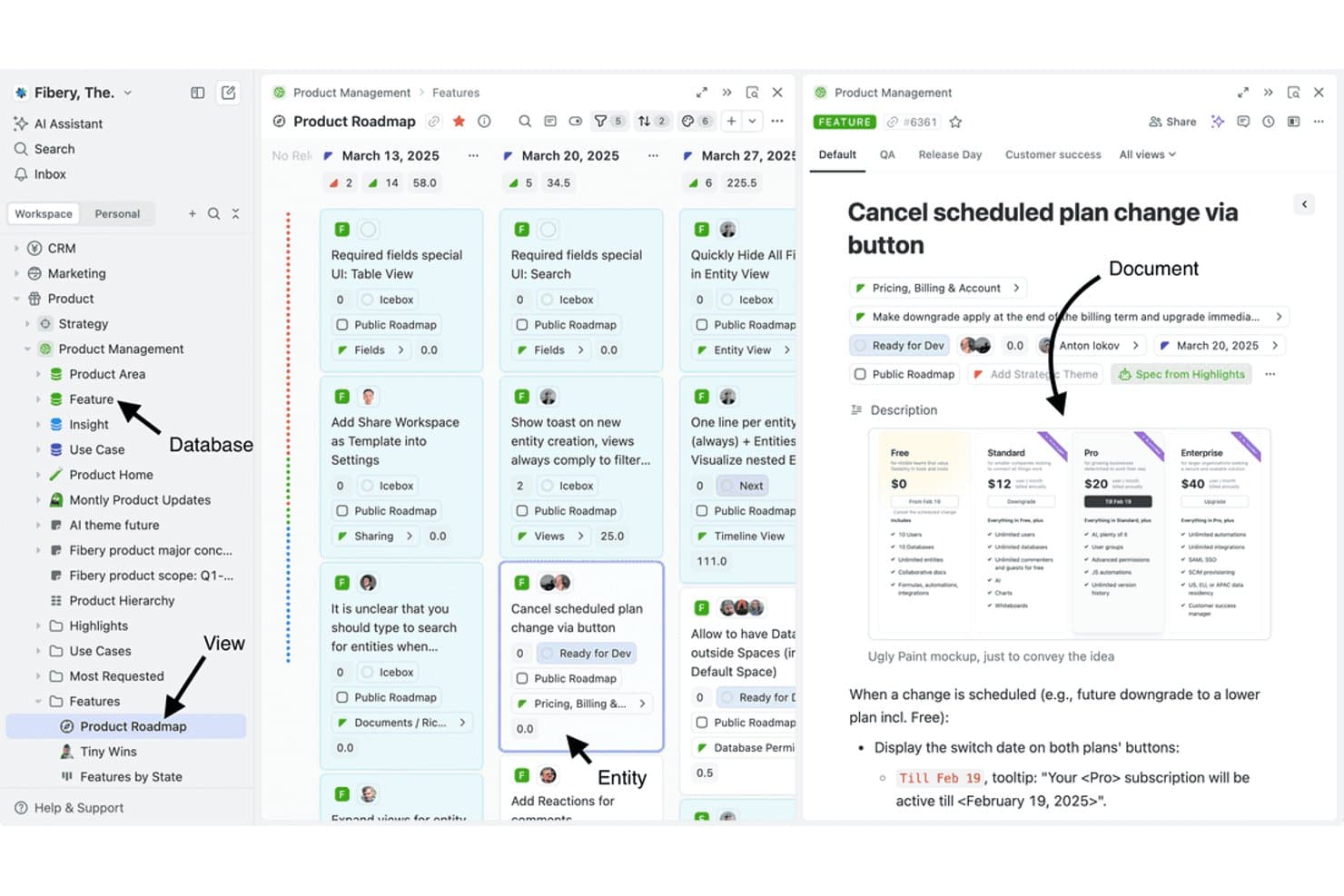
Fibery collega documenti, database e viste in un unico spazio di lavoro del prodotto. Fibery è una piattaforma flessibile di gestione della conoscenza per i team di prodotto che collega spazi di lavoro, dati di prodotto, documentazione e flussi di lavoro, rendendola una valida alternativa a Notion per i CPO che desiderano allineare strategia, scoperta e consegna.
Per chi è più adatto Fibery?
Fibery è adatto ai team di prodotto che hanno bisogno di collegare dati di prodotto, documentazione e flussi di lavoro in un unico spazio di lavoro flessibile.
Perché Fibery è una buona alternativa a Notion per i CPO
Ho scelto Fibery perché collega dati di prodotto e documentazione in un unico spazio di lavoro. Utilizzo database collegati per mettere in relazione clienti, informazioni, funzionalità e risultati, mentre i documenti collegati mantengono le decisioni di prodotto accanto ai record che le spiegano. Il mio team può seguire un'informazione della fase di scoperta attraverso la definizione delle priorità e la consegna senza duplicare il contesto.
Funzionalità principali di Fibery
- Viste personalizzate: Visualizza i record in disposizioni a tabella, Kanban, sequenza temporale o calendario.
- Automazioni dei flussi di lavoro: Attiva azioni quando i record cambiano o vengono soddisfatte determinate condizioni.
- Formule: Calcola i valori con espressioni e campi personalizzabili.
- Integrazioni: Collega Fibery a strumenti come Slack, GitHub e Google Drive.
Integrazioni di Fibery
Fibery si integra con Slack, GitHub e Google Drive, aiutando i team di prodotto a collegare conversazioni, attività di sviluppo e documentazione in un unico spazio di lavoro.
Pros and Cons
Pros:
- Collega direttamente i dati di prodotto alla documentazione
- I database personalizzati supportano flussi di lavoro di prodotto su misura
- Diverse viste collegano la strategia alla consegna
Cons:
- La configurazione dello spazio di lavoro richiede molto tempo
- Alcuni dettagli dell'interfaccia risultano ancora poco rifiniti
Learn more about Fibery: Ideale per spazi di lavoro autogestiti e con dati di proprietà del team
- Piano gratuito disponibile
- A partire da $12.50/utente/mese (con fatturazione annuale)
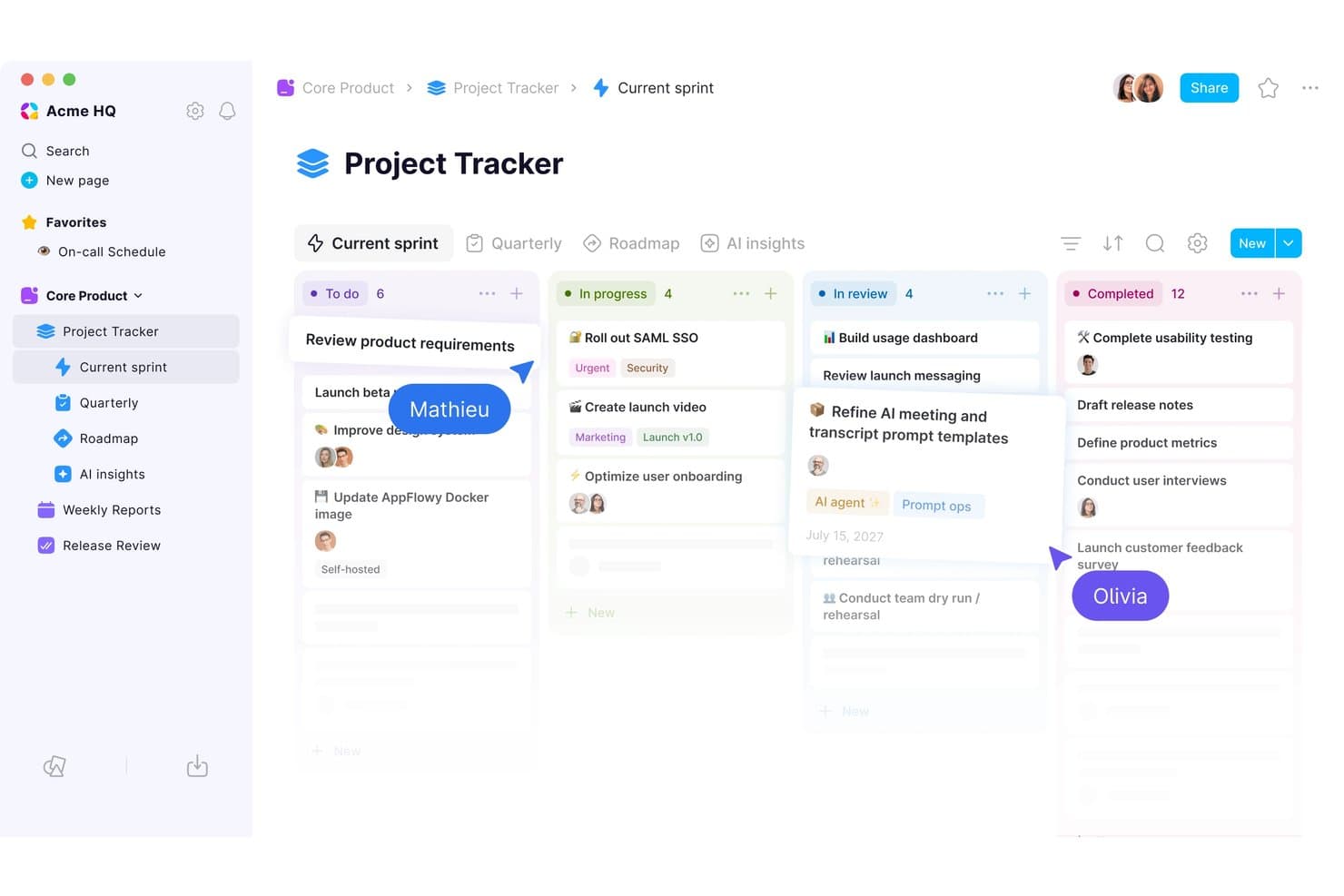
La bacheca kanban di AppFlowy mantiene organizzate le attività dello sprint in base allo stato. AppFlowy è uno spazio di lavoro a codice aperto per la gestione della conoscenza, pensato per i team di prodotto che hanno bisogno di organizzare strategia di prodotto, ricerca, documentazione e contesto dei progetti in un'unica alternativa flessibile a Notion.
Per chi è più adatto AppFlowy?
Team di prodotto e organizzazioni attente alla privacy che hanno bisogno di spazi di lavoro autogestiti con il controllo sui propri dati.
Perché AppFlowy è una buona alternativa a Notion per i CPO
Ho scelto AppFlowy perché i suoi spazi di lavoro autogestiti e con dati di proprietà del team offrono al mio team il controllo diretto sulla ricerca di prodotto, sui documenti strategici e sui registri delle decisioni. Essendo una piattaforma a codice aperto, ci consente di mantenere il contesto sensibile dei prodotti sulla nostra infrastruttura, adattando al contempo lo spazio di lavoro alle nostre pratiche di gestione della conoscenza.
Caratteristiche principali di AppFlowy
- Editor di testo avanzato: Crea documenti con titoli, tabelle, blocchi di codice e contenuti incorporati.
- Viste del database: Organizza i record in layout a tabella, bacheca, calendario o elenco.
- Pagine nidificate: Struttura i documenti correlati all'interno di gerarchie di pagine espandibili.
- Modelli: Avvia i progetti con layout riutilizzabili per le attività ricorrenti.
Integrazioni di AppFlowy
AppFlowy non documenta chiaramente le integrazioni native con gli strumenti di lavoro esterni. Supporta Zapier e fornisce un'API REST per le integrazioni personalizzate.
Pros and Cons
Pros:
- La distribuzione autogestita mantiene il controllo sui dati dei prodotti
- Il codice a codice aperto supporta la personalizzazione dello spazio di lavoro
- Le pagine nidificate organizzano il contesto della strategia e della ricerca
Cons:
- Le funzionalità di collaborazione sono inferiori a quelle delle alternative consolidate
- L'esperienza mobile è ancora meno matura rispetto a Notion
Learn more about AppFlowy:
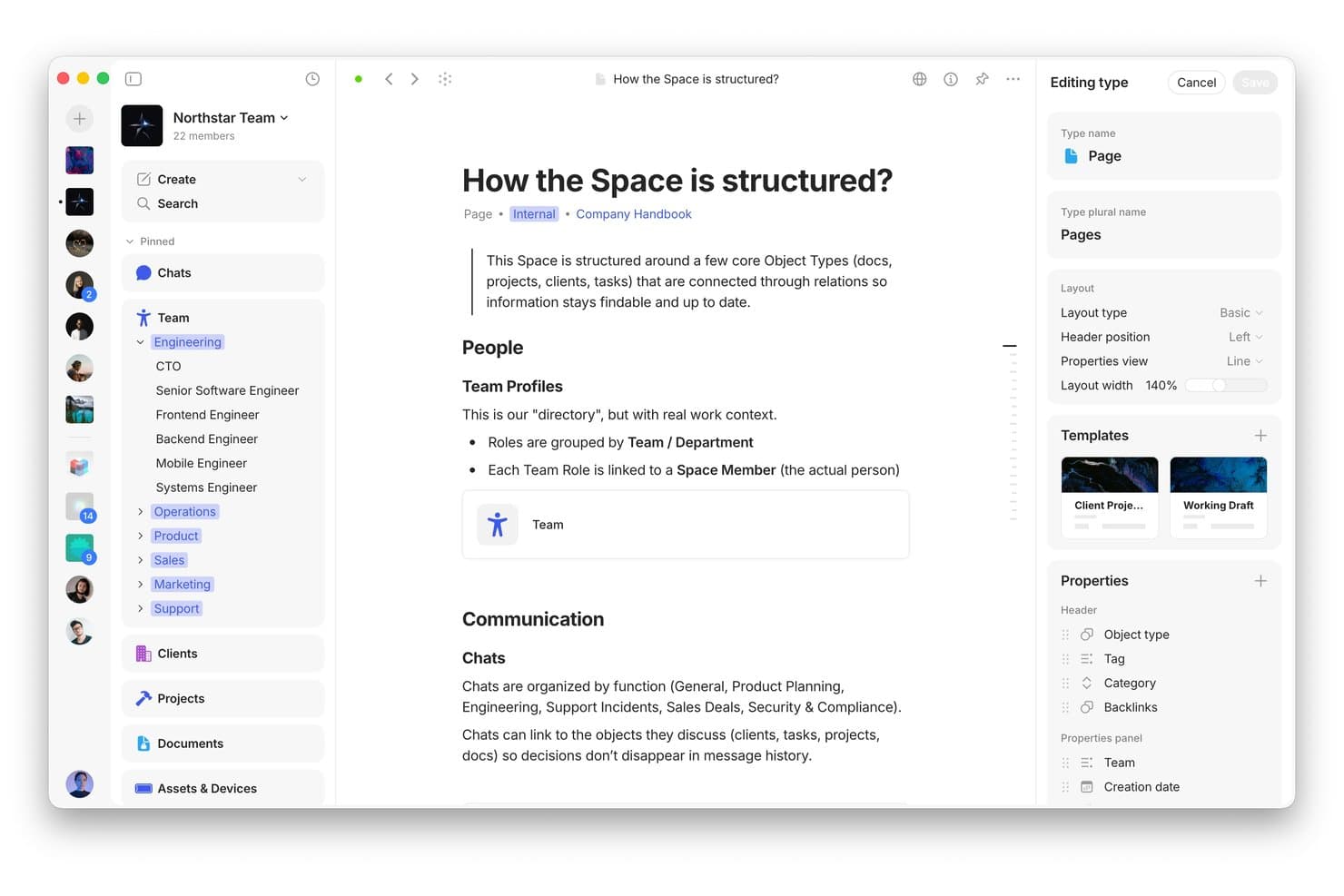
Anytype organizza le conoscenze del team con tipi di oggetti collegati e layout personalizzati. Anytype è uno spazio di lavoro flessibile per la gestione della conoscenza, pensato per i responsabili di prodotto che devono collegare strategia, ricerca, decisioni e documentazione senza disperdere le conoscenze sul prodotto tra strumenti non collegati.
Per chi è più indicato Anytype?
Anytype è adatto ai product manager e ai team di ricerca che hanno bisogno di uno spazio di lavoro privato e locale per collegare conoscenze sul prodotto, decisioni e documentazione.
Perché Anytype è una buona alternativa a Notion per i CPO
Ho scelto Anytype perché l'archiviazione locale e incentrata sulla privacy del suo spazio di lavoro mantiene le conoscenze sul prodotto sui tuoi dispositivi. Utilizzo oggetti collegati per connettere ricerca, decisioni, roadmap e documentazione senza affidarmi a uno spazio di lavoro cloud centralizzato. L'accesso offline consente inoltre al mio team di consultare il contesto del prodotto durante workshop o viaggi.
Funzionalità principali di Anytype
- Tipi di oggetti: Crea pagine strutturate per prodotti, progetti, persone e documenti.
- Proprietà: Aggiungi campi personalizzati per acquisire stato, responsabili, date e altri metadati.
- Raccolte: Raggruppa oggetti correlati in spazi di lavoro organizzati per facilitare la consultazione.
- Modelli: Riutilizza strutture predefinite quando crei documentazione ricorrente sul prodotto.
Integrazioni di Anytype
Le integrazioni native con strumenti di terze parti non sono documentate in modo chiaro. Anytype include un'API locale per creare integrazioni personalizzate, automazioni, plugin e strumenti per sviluppatori.
Pros and Cons
Pros:
- L'archiviazione locale mantiene private le conoscenze sul prodotto
- Gli oggetti collegati connettono ricerca, decisioni e roadmap
- L'accesso offline supporta workshop e viaggi
Cons:
- La collaborazione in tempo reale appare meno matura rispetto a Notion
- I flussi di lavoro basati sugli oggetti richiedono un'attenta modellazione dello spazio di lavoro
Learn more about Anytype: Ideale per i flussi di lavoro IA da riunione a documento
- Piano gratuito disponibile
- A partire da $14.16/utente/mese (con fatturazione annuale)
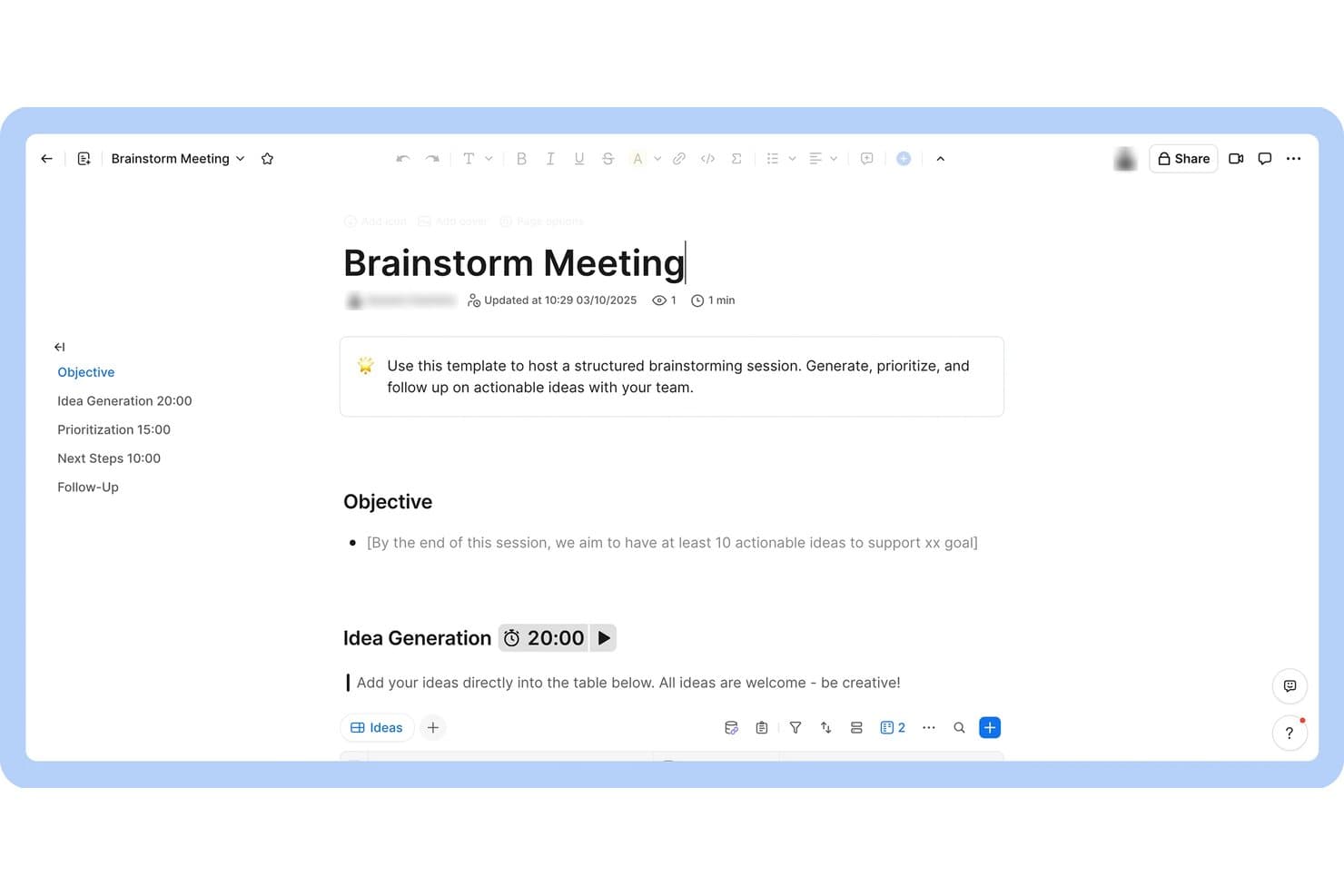
Zoom Docs struttura le sessioni di ideazione con agende a tempo e tabelle per le idee. Zoom Docs è una piattaforma collaborativa di gestione della conoscenza per le squadre di prodotto che trasforma il contesto delle riunioni in documentazione organizzata, decisioni ed elementi d'azione in un unico spazio di lavoro.
Per chi è più adatto Zoom Docs?
Zoom Docs è adatto alle squadre di prodotto che devono trasformare le discussioni delle riunioni in documentazione condivisa, decisioni e azioni successive.
Perché Zoom Docs è una buona alternativa a Notion per i CPO
Ho scelto Zoom Docs perché supporta direttamente il caso d'uso “Ideale per i flussi di lavoro IA da riunione a documento”. La mia squadra trasforma il contesto delle riunioni in documentazione organizzata, decisioni ed elementi d'azione in un unico spazio di lavoro collaborativo. Questo ci aiuta a registrare immediatamente le decisioni di prodotto dopo le revisioni della roadmap o le sessioni di ricerca.
Funzionalità principali di Zoom Docs
- Editor di testo avanzato : Formatta le pagine con titoli, elenchi, tabelle, immagini e contenuti incorporati.
- Modelli di pagina : Inizia nuovi documenti da modelli riutilizzabili per i flussi di lavoro ricorrenti.
- Commenti e menzioni : Aggiungi commenti in linea e menziona i membri della squadra con @ durante le revisioni.
- Controlli di accesso : Imposta autorizzazioni a livello di pagina per la visualizzazione o la modifica.
Integrazioni di Zoom Docs
Zoom Docs, ora con il marchio Zoom Canvas, dispone di un connettore Coda ufficiale per importare le pagine Coda e si collega a Zapier. Le integrazioni native oltre a queste non sono documentate chiaramente.
Pros and Cons
Pros:
- Il contesto delle riunioni diventa documentazione pronta per l'azione
- L'IA redige, riassume e perfeziona le pagine
- Commenti e menzioni supportano le revisioni delle decisioni
Cons:
- Architettura della conoscenza meno matura rispetto a Notion
- Lo spazio di lavoro sembra legato ai flussi di lavoro delle riunioni
Learn more about Zoom Docs: Ideale per il monitoraggio e l'automazione dei progetti basati sui documenti
- Piano gratuito disponibile
- A partire da $12/utente/mese (con fatturazione annuale)
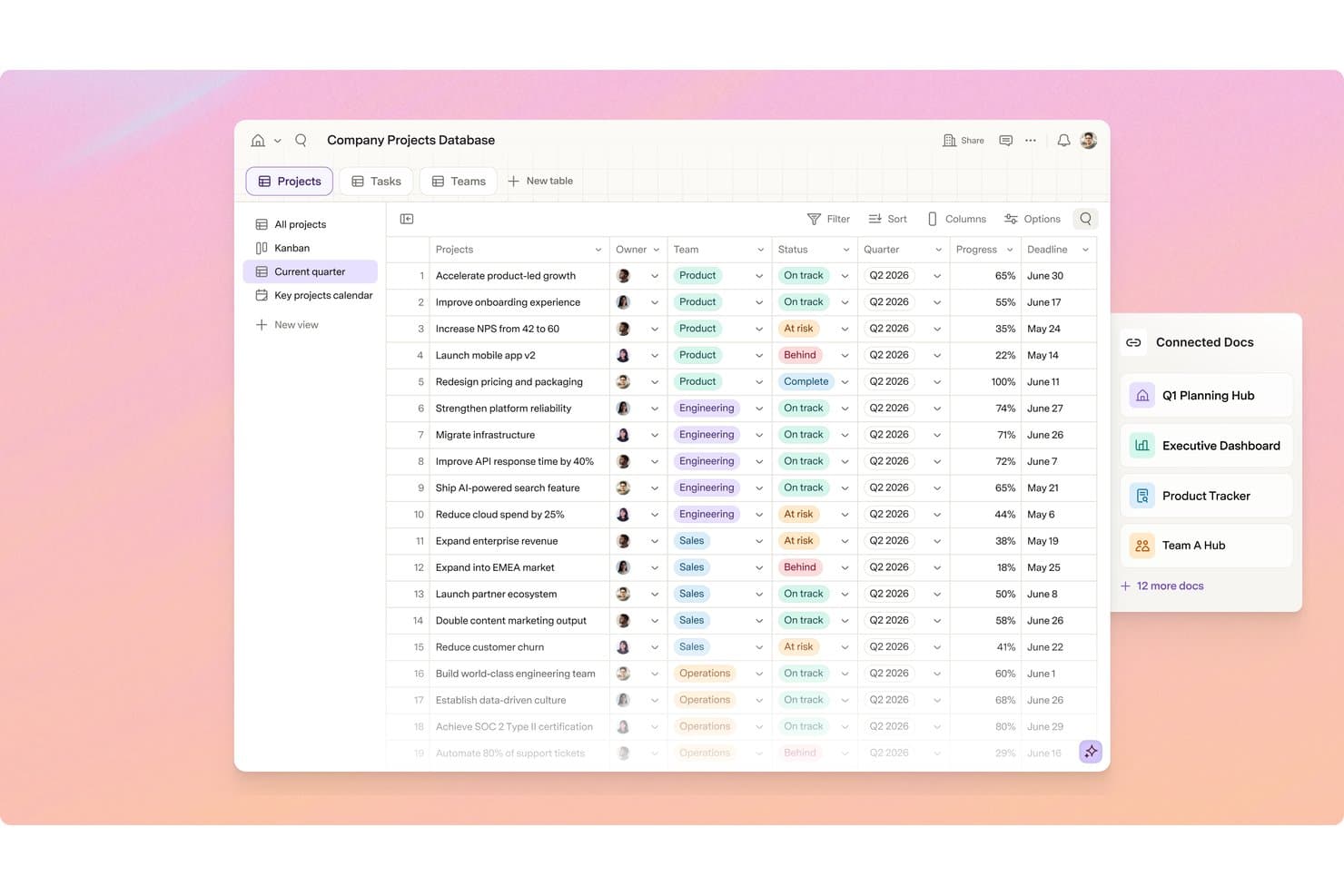
Superhuman Docs monitora i progetti interfunzionali con stato, avanzamento e scadenze. Superhuman Docs è una piattaforma per la documentazione e la gestione dei progetti destinata ai responsabili di prodotto che devono organizzare le conoscenze, coordinare il lavoro e automatizzare i flussi di lavoro senza la complessità degli strumenti tradizionali per la gestione dei progetti.
Per chi è più indicato Superhuman Docs?
I team di prodotto che desiderano monitoraggio dei progetti, documentazione e automazione dei flussi di lavoro in un unico spazio di lavoro basato sui documenti troveranno in Superhuman Docs una soluzione pratica.
Perché Superhuman Docs è una buona alternativa a Notion per i CPO
Ho scelto Superhuman Docs perché il suo monitoraggio dei progetti e la sua automazione basati sui documenti mantengono il contesto del prodotto accanto all'esecuzione. Utilizzo documenti strutturati per collegare le decisioni sulla roadmap, le note di ricerca e gli aggiornamenti sulla distribuzione in un unico spazio di lavoro. Le automazioni dei flussi di lavoro possono aggiornare le informazioni sui progetti e avvisare gli stakeholder quando cambiano le priorità o gli stati.
Funzionalità principali di Superhuman Docs
- Tabelle : Crea record strutturati con campi, filtri e ordinamento.
- Viste a scheda e cronologia : Passa dai dati del progetto a diversi layout visivi.
- Dipendenze tra attività : Collega gli elementi di lavoro per mostrare i vincoli di sequenza.
- Commenti ancorati : Lascia feedback accanto al contenuto pertinente del documento.
Integrazioni di Superhuman Docs
Superhuman Docs supporta oltre 800 integrazioni, tra cui Jira, Salesforce e Asana, con sincronizzazione bidirezionale tra gli strumenti collegati e Docs. Supporta inoltre le connessioni del Protocollo di contesto del modello (MCP) con ChatGPT, Claude e Cursor.
Pros and Cons
Pros:
- I documenti mantengono il contesto della roadmap accanto ai dati del progetto
- Le tabelle supportano le viste a scheda e cronologia dei progetti
- Le automazioni trasformano i cambiamenti di stato in aggiornamenti
Cons:
- I limiti dei documenti possono ostacolare i flussi di lavoro più ampi
- L'app mobile potrebbe presentare rallentamenti o bloccarsi
Learn more about Superhuman Docs:
Altre alternative a Notion
Ecco alcune alternative aggiuntive a Notion che non sono entrate nella mia selezione, ma che vale comunque la pena prendere in considerazione:
- 11MiroIdeale per il brainstorming e la pianificazione visivi
- 12monday AI WorkspaceIdeale per cruscotti di progetto con più bacheche
- 13ProductboardIdeale per la definizione delle priorità del feedback sui prodotti basata sull'IA
- 14NuclinoIdeale per documentazione in stile wiki senza la complessità
- 15ObsidianIdeale per creare grafi della conoscenza con archiviazione locale come priorità
- 16LinearIdeale per il monitoraggio dei problemi del team di sviluppo senza documentazione
- 17AsanaIdeale per il coordinamento di progetti interfunzionali
- 18AFFiNEIdeale per documenti e lavagna in un unico canvas
- 19DocmostIdeale per la collaborazione sui documenti in hosting autonomo
Come valuto le alternative a Notion
Divido la mia valutazione in tre parti. Innanzitutto — e questo è l'aspetto a cui attribuisco il peso maggiore — verifico se uno strumento è in grado di creare database strutturati e relazionali e di supportare la creazione di documenti basati su blocchi. Poi cerco funzionalità distintive come la scrittura assistita dall'IA e la sincronizzazione bidirezionale con gli strumenti di progettazione. Infine, considero il rapporto qualità-prezzo e il supporto durante l'avvio.
Funzionalità fondamentali (requisiti essenziali per questo elenco)
Quando seleziono gli strumenti da includere nel mio elenco, assegno a ciascuno un punteggio su una scala da 0 (non offre la funzionalità) a 5 (eccelle in quest'area) per ognuna delle funzionalità fondamentali elencate di seguito. Converto quindi il totale in una percentuale per aiutare a valutare l'idoneità complessiva di ciascuno strumento, attribuendo un peso maggiore a tutte le funzionalità che ho ritenuto essenziali.
- Database flessibili (essenziale): valuto le proprietà personalizzate, i record relazionali, le formule e le viste per le roadmap, gli arretrati delle funzionalità e la pianificazione dei lanci.
- Modifica dei documenti (essenziale): cerco pagine basate su blocchi che combinino requisiti, note di ricerca, contenuti incorporati, contenuti nidificati e articoli della base di conoscenza.
- Viste di attività e progetti: valuto schede, calendari, sequenze temporali, filtri e raggruppamenti collegati per la pianificazione degli sprint e il monitoraggio della consegna.
- Collaborazione in tempo reale: verifico la modifica simultanea, i commenti, le menzioni, gli indicatori di presenza e le autorizzazioni per le revisioni interfunzionali.
- Collegamenti e relazioni incrociati: cerco pagine e record collegati che mettano in relazione gli approfondimenti sui clienti, le decisioni, i requisiti e il lavoro di consegna.
- Modelli e struttura: valuto modelli riutilizzabili e spazi nidificati per brief di prodotto, note delle riunioni e documentazione del team coerenti.
Una volta ottenuto un elenco di strumenti che soddisfano i criteri, considero ciò che distingue ciascuna piattaforma.
Fattori distintivi (ciò che differenzia i fornitori)
Ecco come confronto i diversi fornitori:
Funzionalità distintive
Cerco un'IA integrata in grado di redigere PRD ed estrarre elementi d'azione dalle note delle riunioni: questo fa risparmiare ore di pulizia successiva alla riunione. La sincronizzazione bidirezionale con strumenti di monitoraggio dello sviluppo come Jira o Linear è altrettanto importante, perché le modifiche alla roadmap dovrebbero confluire nelle schede degli sprint senza aggiornamenti manuali. Valuto inoltre la raccolta nativa dei riscontri, in cui le richieste dei clienti confluiscono direttamente nei database di prioritizzazione invece di rimanere disperse in fogli di calcolo.
Oltre le funzionalità
Valuto la rapidità con cui i membri del team che non si occupano di gestione del prodotto — sviluppatori, progettisti e responsabili del marketing — possono adottare uno strumento senza un inserimento complesso. Se una piattaforma richiede una settimana di formazione prima che un progettista sia disposto ad aprirla, l'adozione si blocca. Anche il costo totale di proprietà è altrettanto importante. Verifico se le funzionalità di IA, le integrazioni o lo spazio di archiviazione comportano costi nascosti che fanno aumentare la spesa con la crescita del team. Considero inoltre il supporto alla migrazione, perché uno strumento che non riesce a importare correttamente database collegati e pagine nidificate da Notion aggiunge settimane di rielaborazione prima di poter vedere qualsiasi valore.
Perché cercare un'alternativa a Notion?
Sebbene Notion sia una buona scelta tra gli strumenti per la gestione dei prodotti, esistono diversi motivi per cui alcuni utenti cercano soluzioni alternative. Potresti cercare un'alternativa a Notion perché…
- Hai bisogno di autorizzazioni o controlli degli accessi più avanzati
- Il tuo team richiede integrazioni più approfondite con gli strumenti di sviluppo
- Desideri un sistema di documentazione più strutturato o gerarchico
- Hai bisogno di funzionalità migliori per la modifica offline
- La tua organizzazione ha requisiti rigorosi in materia di residenza dei dati
- Preferisci uno strumento con funzionalità integrate di monitoraggio dei progetti
Se ti riconosci in una di queste situazioni, sei nel posto giusto. Il mio elenco contiene diverse opzioni di strumenti per la gestione dei prodotti più adatte ai team che affrontano queste difficoltà con Notion e cercano soluzioni alternative.
Funzionalità principali di Notion
Ecco alcune delle funzionalità principali di Notion, per aiutarti a confrontare ciò che offrono le soluzioni alternative:
- Pagine e sottopagine: Crea un numero illimitato di pagine e nidificale per organizzare le informazioni in una gerarchia flessibile per wiki, documenti o spazi di progetto.
- Database: Crea tabelle, bacheche, calendari ed elenchi personalizzati per monitorare le attività, gestire i progetti o archiviare dati strutturati con filtri e ordinamento.
- Collaborazione in tempo reale: Modifica le pagine contemporaneamente con i membri del team, lascia commenti e menziona gli utenti per mantenere tutti allineati.
- Modelli: Accedi a una raccolta di modelli predefiniti per note delle riunioni, specifiche dei prodotti, roadmap e altro ancora, così da velocizzare la creazione di contenuti.
- Incorporamento di contenuti multimediali: Aggiungi direttamente a qualsiasi pagina immagini, video, frammenti di codice e contenuti incorporati da strumenti come Figma, Google Drive e Loom.
- Autorizzazioni e condivisione: Imposta controlli di accesso dettagliati per pagine e database, condividi i contenuti con singole persone o gruppi e gestisci i link pubblici.
- Funzionalità integrate di gestione dei progetti: Organizza l'elenco delle attività, imposta le scadenze e monitora i progressi utilizzando bacheche kanban, calendari o elenchi all'interno di qualsiasi spazio di lavoro.
- API e integrazioni: Collega Notion ad altri strumenti utilizzando la sua API pubblica o le integrazioni native con Slack, GitHub e altro ancora.
- Cronologia delle versioni: Esamina e ripristina le versioni precedenti di qualsiasi pagina per recuperare contenuti persi o monitorare le modifiche nel tempo.
- App per dispositivi mobili e computer: Accedi al tuo spazio di lavoro e modificalo dalle app dedicate per iOS, Android, Mac e Windows, per lavorare in modo produttivo anche in mobilità.