

10 alternative ad Adobe Illustrator per creativi nel 2026

Elenco ristretto delle alternative ad Adobe Illustrator


Una valida alternativa ad Adobe Illustrator offre funzionalità avanzate di modifica vettoriale, compatibilità con i formati di file più comuni e opzioni flessibili di prezzo o licenza. Se stai cercando alternative ad Adobe Illustrator, probabilmente cerchi strumenti in grado di eguagliarne la potenza creativa senza l'impegno di un abbonamento o con funzionalità più adatte al tuo flusso di lavoro. Questo elenco ti aiuterà a confrontare le opzioni principali, capire cosa distingue ciascuna soluzione e scegliere il software di progettazione vettoriale più adatto alle esigenze del tuo team nel 2026.
Che cos'è Adobe Illustrator?
Adobe Illustrator è un software di grafica vettoriale utilizzato per la progettazione dell'interfaccia utente, il lavoro sulle interfacce utente e la realizzazione di opere digitali scalabili. Supporta sia i flussi di lavoro delle app desktop sia l'integrazione nei più ampi processi di progettazione di app web, rendendolo una scelta comune per i progettisti web e i team creativi. Grazie a funzionalità avanzate come lo strumento penna, la modifica precisa delle forme e le scorciatoie da tastiera, consente agli utenti di creare grafiche dettagliate per progetti digitali e di stampa su Apple e altre piattaforme.
Riepilogo delle migliori alternative ad Adobe Illustrator
Questa tabella di confronto riassume i dettagli sui prezzi delle mie migliori alternative ad Adobe Illustrator selezionate per i contabili, per aiutarti a trovare quella più adatta al tuo budget e alle esigenze della tua attività.
| Tool | Best For | Trial Info | Price | ||
|---|---|---|---|---|---|
| 1 | Ideale per la modifica offline su Windows | Piano gratuito disponibile | Da $11.99/utente/mese (con fatturazione annuale) | Website | |
| 2 | Ideale per acquisto con licenza una tantum | Not available | Utilizzo gratuito | Website | |
| 3 | Ideale per accesso tramite browser multipiattaforma | Piano gratuito e prova gratuita di 14 giorni disponibili | From $7/user/month | Website | |
| 4 | Ideale per un'interfaccia nativa su macOS | Prova gratuita di 30 giorni | Da $12/editor/mese (fatturato annualmente) | Website | |
| 5 | Ideale per la personalizzazione open source | Not available | Gratuito e open source | Website | |
| 6 | Ideale per la generazione vettoriale con intelligenza artificiale | Piano gratuito disponibile | Da $10/mese (fatturati annualmente) | Website | |
| 7 | Ideale per strumenti avanzati di design per la stampa | Prova gratuita di 15 giorni | Da CA$349.00/ anno | Website | |
| 8 | Ideale per la collaborazione in tempo reale del team | Disponibile piano gratuito | Da $3/utente/mese (fatturato annualmente) | Website | |
| 9 | Ideale per l'integrazione con motion graphics | Piano gratuito e prova gratuita di 7 giorni disponibili | Da $6.58/mese (fatturato annualmente) | Website | |
| 10 | Ideale per la versatilità dei pennelli vettoriali | Piano gratuito e prova gratuita di 42 giorni disponibile per il download | A partire da $95, pagamento unico (licenza commerciale) | Website |
Perché Fidarsi delle Nostre Recensioni Software
Testiamo e recensiamo software per il product management dal 2020. Come product manager sappiamo quanto sia fondamentale e difficile fare la scelta giusta in termini di software. Investiamo in una ricerca approfondita per aiutare il nostro pubblico a prendere decisioni migliori sugli acquisti di software. Abbiamo testato oltre 2.000 strumenti per diversi casi d’uso e scritto più di 1.000 recensioni approfondite.Scopri come assicuriamo la trasparenza & la nostra metodologia di recensione software.
Recensioni delle alternative ad Adobe Illustrator
Di seguito trovi i miei riepiloghi dettagliati delle migliori alternative ad Adobe Illustrator incluse nel mio elenco ristretto. Le mie recensioni offrono uno sguardo approfondito alle funzionalità, ai casi d’uso migliori e ai prezzi di ciascun software, per aiutarti a trovare quello più adatto a te.

Lunacy
Ideale per la modifica offline su Windows

Se hai bisogno di uno strumento di progettazione vettoriale che funzioni completamente offline su Windows, vale la pena dare un'occhiata da vicino a Lunacy. Questa app è pensata per progettisti, illustratori e squadre che desiderano un'esperienza Windows nativa e veloce, senza dipendere dall'accesso al cloud. A differenza di Adobe Illustrator, Lunacy ti permette di lavorare offline, offre risorse integrate e supporta nativamente i file .sketch, rendendola una scelta pratica per i flussi di lavoro incentrati su Windows.
Perché Lunacy è una buona alternativa ad Adobe Illustrator
Lunacy si distingue per chiunque abbia bisogno di uno strumento di progettazione vettoriale che funzioni interamente offline su Windows. Ho scelto Lunacy perché offre un'esperienza Windows nativa, consentendoti di accedere a tutte le funzionalità di progettazione senza una connessione Internet. L'app include una libreria integrata di icone, foto e illustrazioni, così non devi cercare risorse altrove. Se cerchi un'alternativa ad Adobe Illustrator che non dipenda dal cloud e supporti i file .sketch, Lunacy è un'opzione valida.
Principali funzionalità di Lunacy
Alcune altre funzionalità che rendono Lunacy interessante per il lavoro di progettazione su Windows includono:
- Rimozione dello sfondo basata sull'IA: rimuovi istantaneamente gli sfondi dalle immagini all'interno del tuo progetto.
- Collaborazione in tempo reale: invita altre persone a modificare e commentare simultaneamente i tuoi file.
- Strumenti per testo e caratteri: accedi a opzioni avanzate di formattazione del testo e a un'ampia gamma di caratteri.
- Mercato dei plugin: estendi le funzionalità con una varietà di plugin scaricabili.
Integrazioni di Lunacy
Le integrazioni includono Figma, Sketch e Pixso.
Pros and Cons
Pros:
- App Windows nativa con funzionalità offline complete
- Libreria integrata di icone e illustrazioni
- Supporta nativamente il formato di file .sketch
Cons:
- Funzionalità avanzate di modifica vettoriale limitate
- Le prestazioni possono rallentare con i file complessi

Affinity
Ideale per acquisto con licenza una tantum
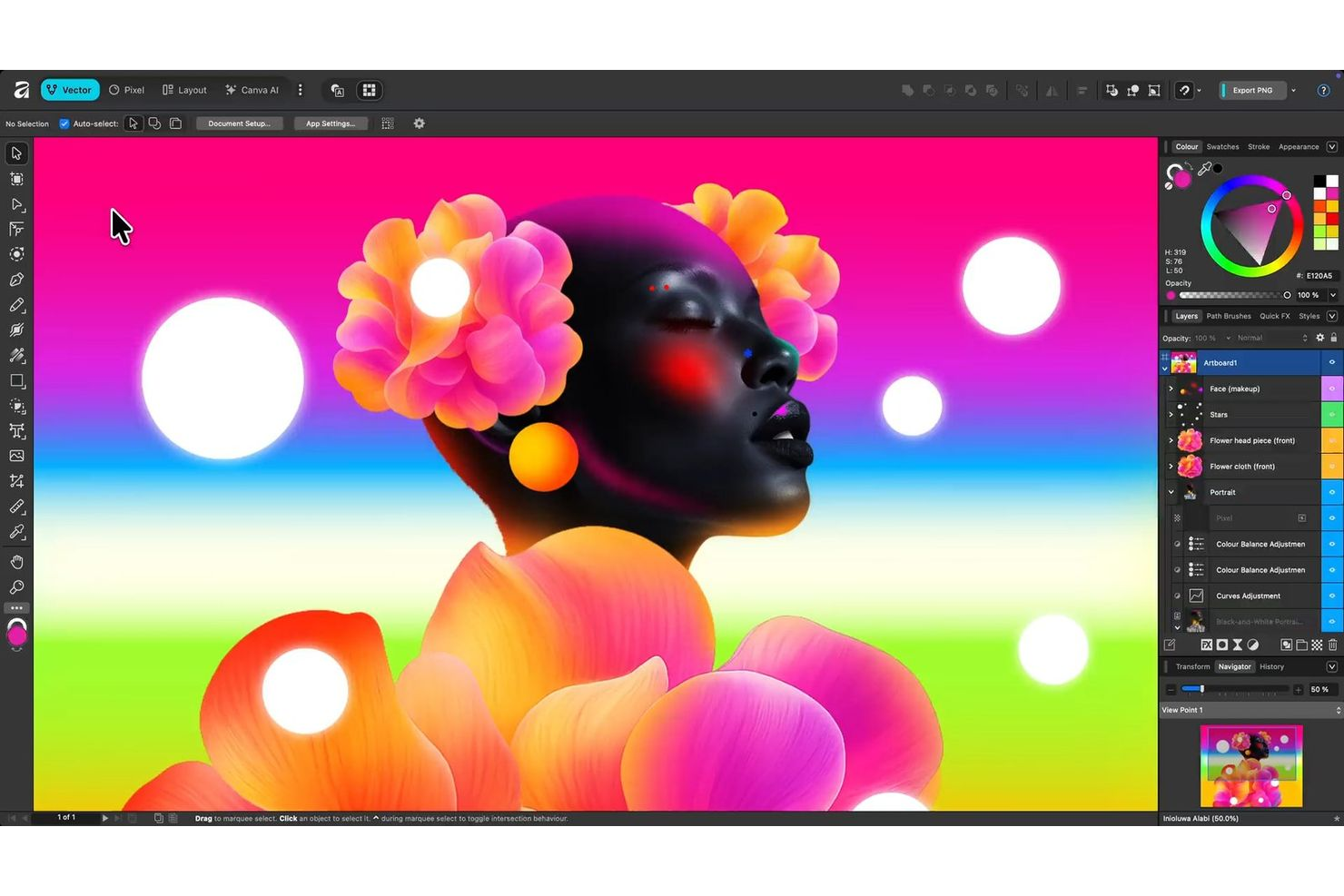
Se stai cercando uno strumento di design vettoriale senza abbonamento, Affinity di Canva merita considerazione. È progettato per professionisti creativi, agenzie e freelance che desiderano funzionalità avanzate di illustrazione e impaginazione con una licenza una tantum. Affinity si rivolge a chi vuole un software di design completo senza costi mensili ricorrenti o dipendenze dal cloud.
Perché Affinity è una valida alternativa ad Adobe Illustrator
Per i designer che vogliono evitare i costi di abbonamento continuativi, Affinity offre una soluzione completa per la grafica vettoriale con un unico acquisto di licenza. Ho scelto Affinity perché offre strumenti avanzati di editing vettoriale, tavole da disegno illimitate e supporto professionale per la stampa senza vincolarti a un pagamento mensile. Il software include strumenti precisi per penna e forme, oltre a effetti e regolazioni non distruttive per flussi di lavoro flessibili. Se per te è importante il possesso e l’accesso a lungo termine al tuo software di design, Affinity è una valida alternativa ad Adobe Illustrator.
Caratteristiche principali di Affinity
Altre funzionalità che rendono Affinity una scelta solida per il lavoro di design professionale:
- Pixel Persona: Passa tra le aree di lavoro vettoriale e raster per combinare illustrazione e fotoritocco in un unico file.
- Controlli tipografici avanzati: Accedi a una vasta gamma di stili di testo, legature e funzionalità OpenType per una progettazione tipografica dettagliata.
- Pannello di gestione delle risorse: Organizza e riutilizza risorse di design, icone ed elementi su più progetti.
- Importazione ed esportazione PSD: Apri, modifica e salva file Adobe Photoshop mantenendo livelli ed effetti.
Integrazioni di Affinity
Si integra con Canva.
Pros and Cons
Pros:
- Editing vettoriale avanzato con strumenti penna e forme precisi
- Supporta effetti e regolazioni non distruttive
- Gestisce flussi di lavoro sia vettoriali che raster in un unico file
Cons:
- L'accesso alle funzionalità di Canva AI richiede un piano Canva Premium
- Nessuna funzione di collaborazione in tempo reale

Penpot
Ideale per accesso tramite browser multipiattaforma
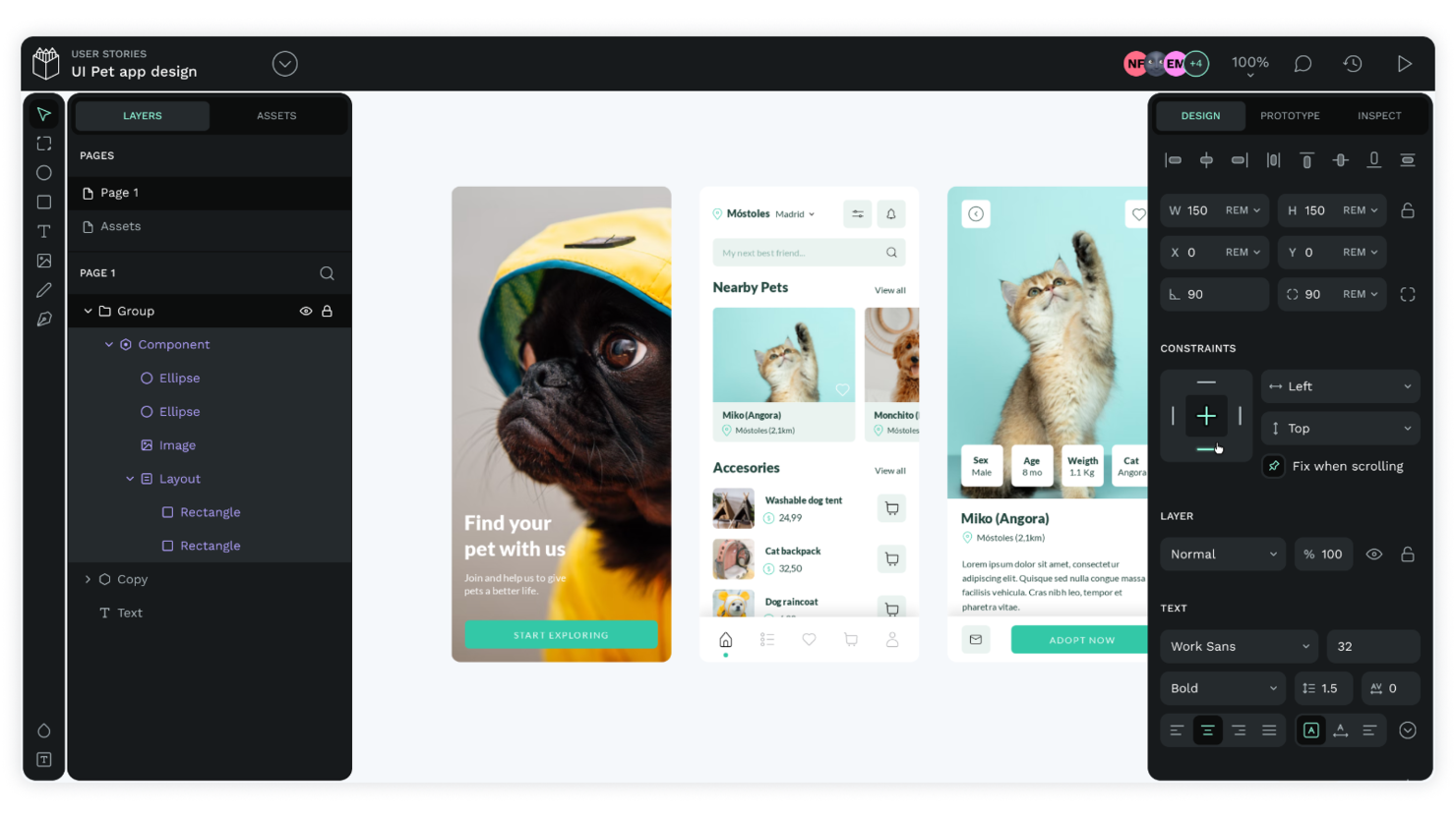
I team di progettazione che necessitano di uno strumento di design vettoriale basato su browser dovrebbero dare un'occhiata a Penpot. Questa piattaforma open source funziona su diversi sistemi operativi, risultando adatta per le organizzazioni con ambienti di dispositivi misti o team remoti. A differenza di Adobe Illustrator, Penpot funziona interamente nel browser e supporta la collaborazione in tempo reale senza richiedere alcun download.
Perché Penpot è una valida alternativa ad Adobe Illustrator
Penpot si distingue per il suo vero accesso cross-platform tramite browser, una caratteristica che apprezzo molto per i team che lavorano su diversi sistemi operativi. Puoi avviare Penpot in qualsiasi browser moderno, quindi non c'è bisogno di installare software o preoccuparsi delle incompatibilità tra Mac, Windows o Linux. La piattaforma supporta anche la collaborazione in tempo reale, permettendo a più utenti di lavorare simultaneamente allo stesso progetto. Se cerchi uno strumento di progettazione vettoriale accessibile ovunque e adatto a team distribuiti, Penpot è una solida alternativa ad Adobe Illustrator.
Caratteristiche principali di Penpot
Altre funzionalità che rendono Penpot interessante per il design vettoriale includono:
- Codice open source: Accedi e modifica il codice sorgente della piattaforma per adattarlo alle esigenze della tua organizzazione.
- Librerie di componenti: Crea, organizza e riutilizza componenti grafici su più progetti.
- Importazione ed esportazione SVG: Importa file SVG esistenti o esporta il tuo lavoro per utilizzarlo in altri strumenti.
- Prototipazione interattiva: Crea prototipi cliccabili con link, transizioni ed elementi interattivi.
Integrazioni Penpot
Penpot offre un'API ben documentata per integrazioni personalizzate e può essere ospitato autonomamente per un maggiore controllo sulla distribuzione. Inoltre, mette a disposizione webhook, token di accesso e componenti aggiuntivi tramite il suo sistema di plugin.
Pros and Cons
Pros:
- Funziona nel browser su tutti i principali sistemi operativi
- Open source con codice personalizzabile
- Collaborazione in tempo reale per team distribuiti
Cons:
- Strumenti vettoriali e mesh avanzati limitati
- Le prestazioni possono rallentare con progetti complessi
Sketch
Ideale per un'interfaccia nativa su macOS
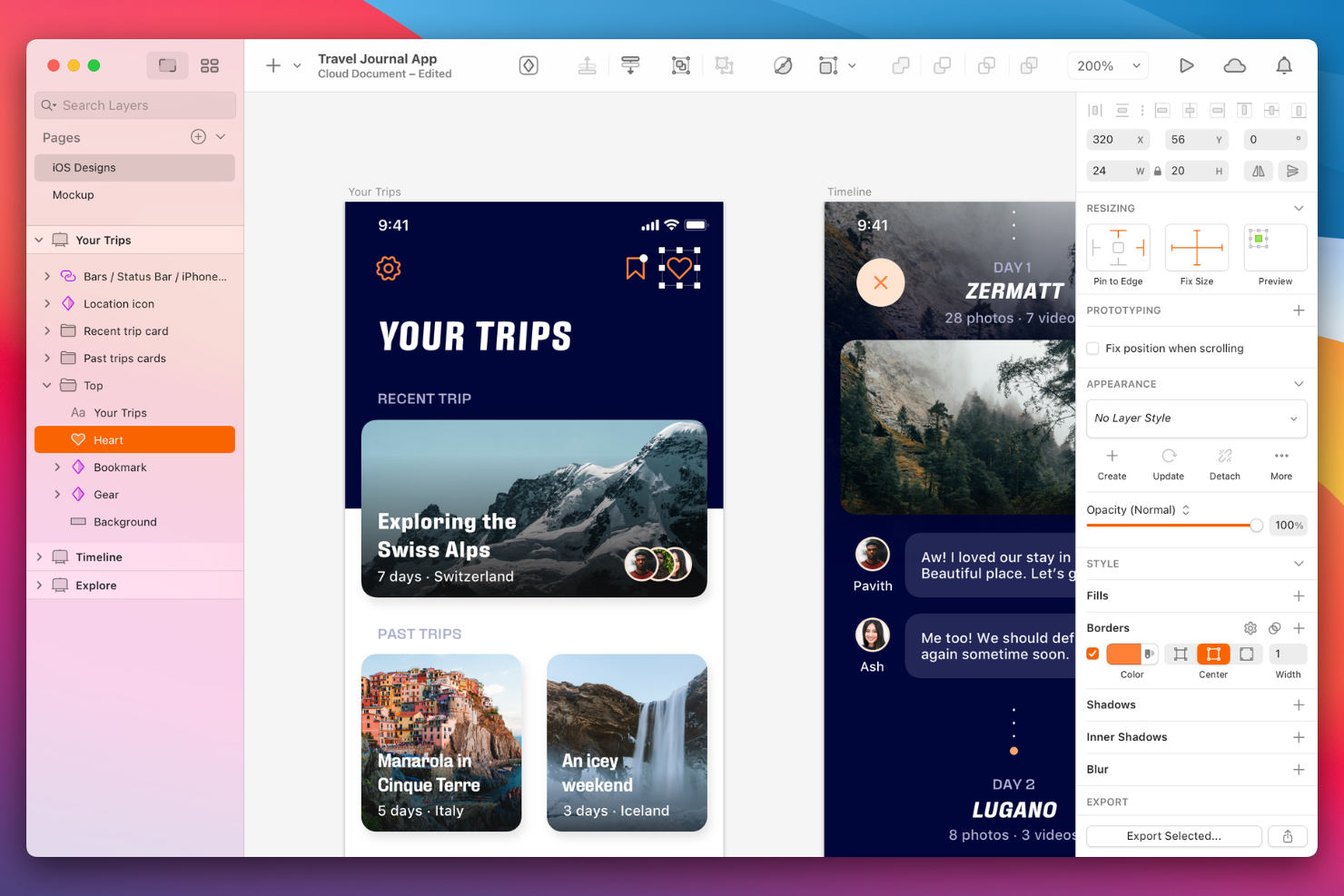
I designer che desiderano uno strumento vettoriale creato appositamente per macOS spesso scelgono Sketch. Questa piattaforma attira designer di prodotto e team UI/UX che apprezzano un'interfaccia nativa Mac e la collaborazione in tempo reale. Sketch si distingue da Adobe Illustrator grazie all'enfasi sul design di prodotti digitali, sui simboli riutilizzabili e sulle funzionalità integrate di handoff per sviluppatori.
Perché Sketch è una valida alternativa ad Adobe Illustrator
Se cerchi uno strumento di design vettoriale che sembra davvero 'di casa' su macOS, Sketch è una delle scelte migliori. Ho selezionato Sketch perché la sua interfaccia e le sue prestazioni sono ottimizzate specificamente per utenti Mac, rendendo l’esperienza veloce e familiare. La piattaforma supporta funzionalità native di macOS come la Modalità Scura, la resa dei font a livello di sistema e le gestualità fluide del trackpad, che aiutano i designer a lavorare in modo più naturale. Per chi dà valore a un'esperienza utente incentrata sul Mac nel proprio flusso di lavoro creativo, Sketch rappresenta un’alternativa mirata ad Adobe Illustrator.
Funzionalità principali di Sketch
Altre caratteristiche che rendono Sketch una scelta valida per i team di design includono:
- Simboli riutilizzabili: Crea e aggiorna componenti UI coerenti su più tavole da disegno e progetti.
- Librerie condivise: Archivia e distribuisci asset di design da utilizzare tra diversi membri del team o progetti.
- Strumenti di prototipazione: Realizza prototipi interattivi con transizioni e hotspot direttamente all'interno dei file di progetto.
- Handoff per sviluppatori: Genera snippet di codice, specifiche e asset che gli sviluppatori possono consultare e implementare.
Integrazioni di Sketch
Le integrazioni includono Slack, Notion e ProtoPie.
Pros and Cons
Pros:
- Interfaccia nativa macOS con prestazioni ottimizzate
- Simboli riutilizzabili e librerie condivise per la coerenza
- Prototipazione integrata per anteprime di design interattive
Cons:
- Assenza di supporto per Windows o Linux
- Strumenti limitati per illustrazioni vettoriali avanzate

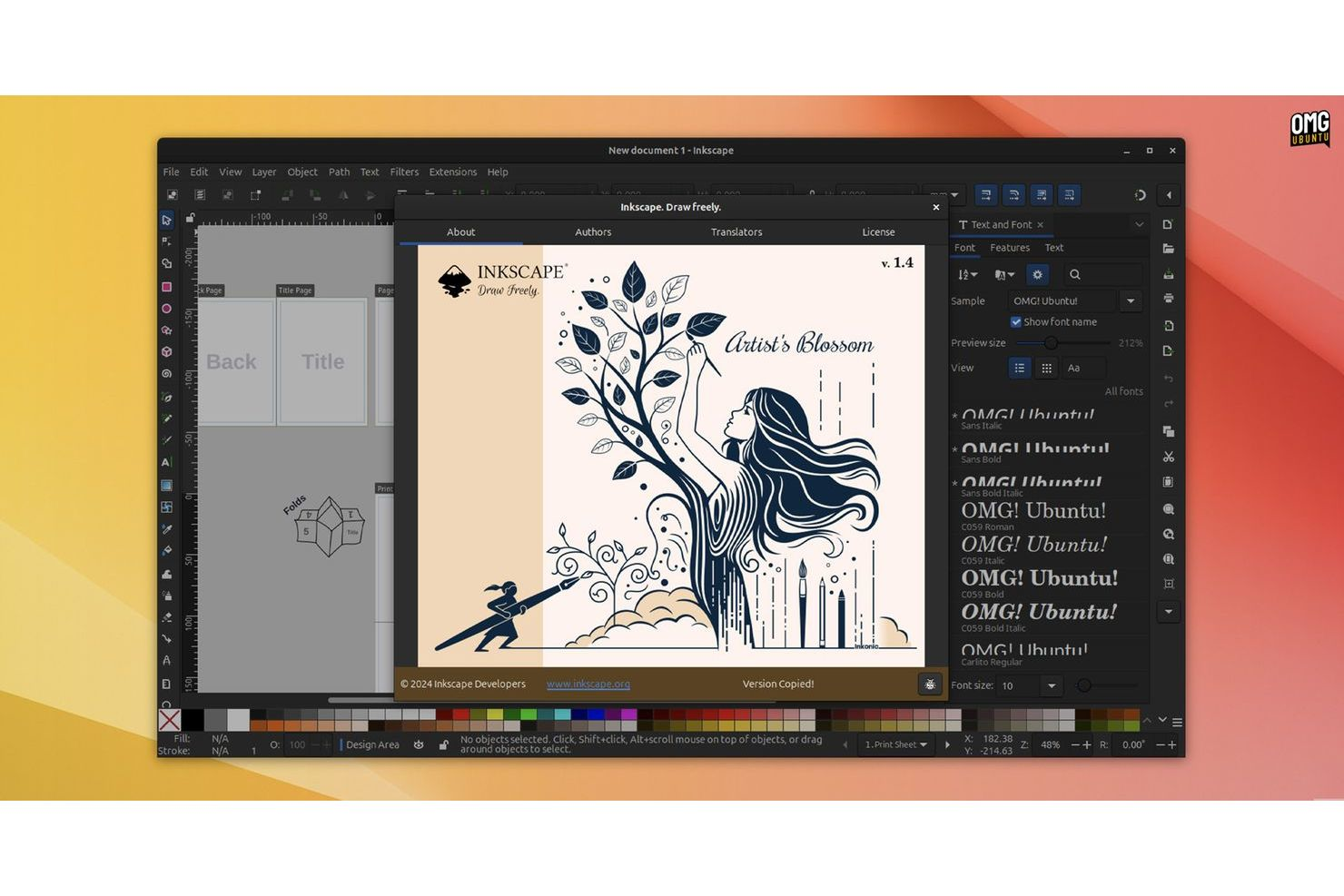
Gli appassionati dell'open source e i team che desiderano il pieno controllo sul proprio ambiente di progettazione vettoriale spesso scelgono Inkscape. Questo strumento è particolarmente attraente per designer, educatori e organizzazioni che necessitano di una profonda personalizzazione e della possibilità di modificare o estendere le funzionalità. Inkscape è una popolare alternativa gratuita ad Adobe Illustrator, offrendo una piattaforma trasparente e guidata dalla comunità con un ampio supporto di plugin e accesso al codice sorgente.
Perché Inkscape è una valida alternativa ad Adobe Illustrator
Se desideri uno strumento di progettazione vettoriale che puoi veramente personalizzare, Inkscape merita considerazione. Ho scelto Inkscape perché è open source, il che significa che puoi personalizzare il software, aggiungere plugin o persino modificare il codice sorgente per adattarlo al tuo flusso di lavoro. La piattaforma supporta una vasta gamma di estensioni e scripting, consentendo di automatizzare attività o introdurre nuove funzionalità man mano che le esigenze evolvono. Per chi dà valore alla flessibilità e allo sviluppo guidato dalla comunità, Inkscape offre un livello di controllo difficile da trovare in altre alternative ad Adobe Illustrator.
Funzionalità principali di Inkscape
Oltre alla personalizzazione open source, ho trovato utili anche queste funzionalità per i team creativi:
- Supporto multipiattaforma: Utilizza Inkscape su Windows, macOS e Linux senza problemi di compatibilità.
- Operazioni avanzate sui tracciati: Strumenti per la modifica dei nodi, la semplificazione dei tracciati e operazioni booleane sulle forme vettoriali.
- Supporto formato file SVG: Crea, modifica ed esporta grafica vettoriale scalabile nel formato SVG ampiamente utilizzato.
- Tracciamento bitmap: Converti immagini raster in tracciati vettoriali modificabili direttamente all'interno dell'applicazione.
Integrazioni Inkscape
Le integrazioni native non sono attualmente elencate.
Pros and Cons
Pros:
- Modifica ed esportazione SVG avanzate e complete
- Comunità attiva e ampio ecosistema di plugin
- Funziona nativamente su Windows, macOS e Linux
Cons:
- Nessun supporto nativo ai colori CMYK
- Le prestazioni rallentano con file complessi o di grandi dimensioni

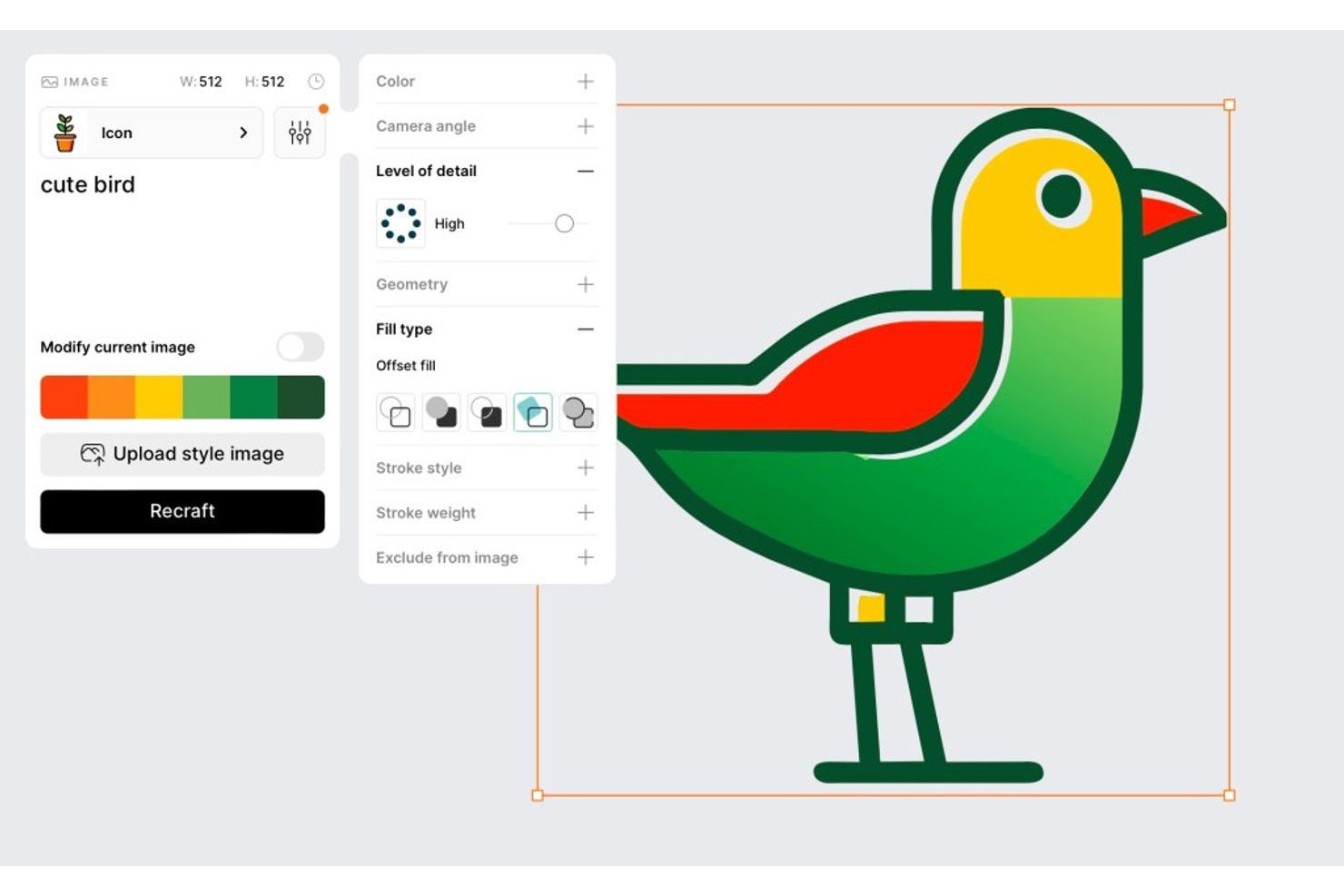
I designer che desiderano generare grafica vettoriale con l'IA dovrebbero prendere in considerazione Recraft. Questo strumento è ideale per professionisti creativi e team che vogliono produrre rapidamente illustrazioni, icone e pattern scalabili a partire da prompt testuali. A differenza di Adobe Illustrator, Recraft utilizza l'intelligenza artificiale generativa per automatizzare la creazione di asset vettoriali originali, velocizzando il processo di design per chi ha bisogno di nuove grafiche su richiesta.
Perché Recraft è una valida alternativa ad Adobe Illustrator
Recraft adotta un approccio diverso rispetto agli strumenti di progettazione vettoriale tradizionali, utilizzando l'IA per generare grafica vettoriale da prompt testuali. Ho scelto Recraft per la sua capacità di creare rapidamente illustrazioni, icone e pattern originali senza disegno manuale. La piattaforma consente di personalizzare e perfezionare gli asset generati dall'IA direttamente nell'editor, così puoi modificare i dettagli in base al tuo progetto. Se cerchi uno strumento che velocizza la creazione di asset e porta la creatività dell'IA nel tuo flusso di lavoro, Recraft è una valida alternativa ad Adobe Illustrator.
Caratteristiche principali di Recraft
Altre caratteristiche che rendono Recraft interessante per il design vettoriale includono:
- Opzioni di esportazione SVG e PNG: Esporta le tue grafiche finali in formato SVG e PNG, per un uso flessibile.
- Preimpostazioni di stile: Applica una varietà di stili visivi già pronti agli asset generati con un solo clic.
- Strumenti di modifica dei livelli: Modifica, riorganizza e perfeziona i singoli livelli all'interno dei tuoi progetti vettoriali.
- Gestione del kit di brand: Conserva e riutilizza colori, font e asset del tuo brand attraverso più progetti.
Integrazioni di Recraft
Recraft offre un'API per integrazioni personalizzate, anche se al momento non sono elencate integrazioni specifiche.
Pros and Cons
Pros:
- Grafica vettoriale generata dall'IA a partire da prompt testuali
- Livelli modificabili per affinare i design generati
- Preimpostazioni di stile per variazioni visive rapide
Cons:
- Strumenti limitati di disegno manuale e modifica dei tracciati
- Gli output dell'IA spesso richiedono aggiustamenti manuali

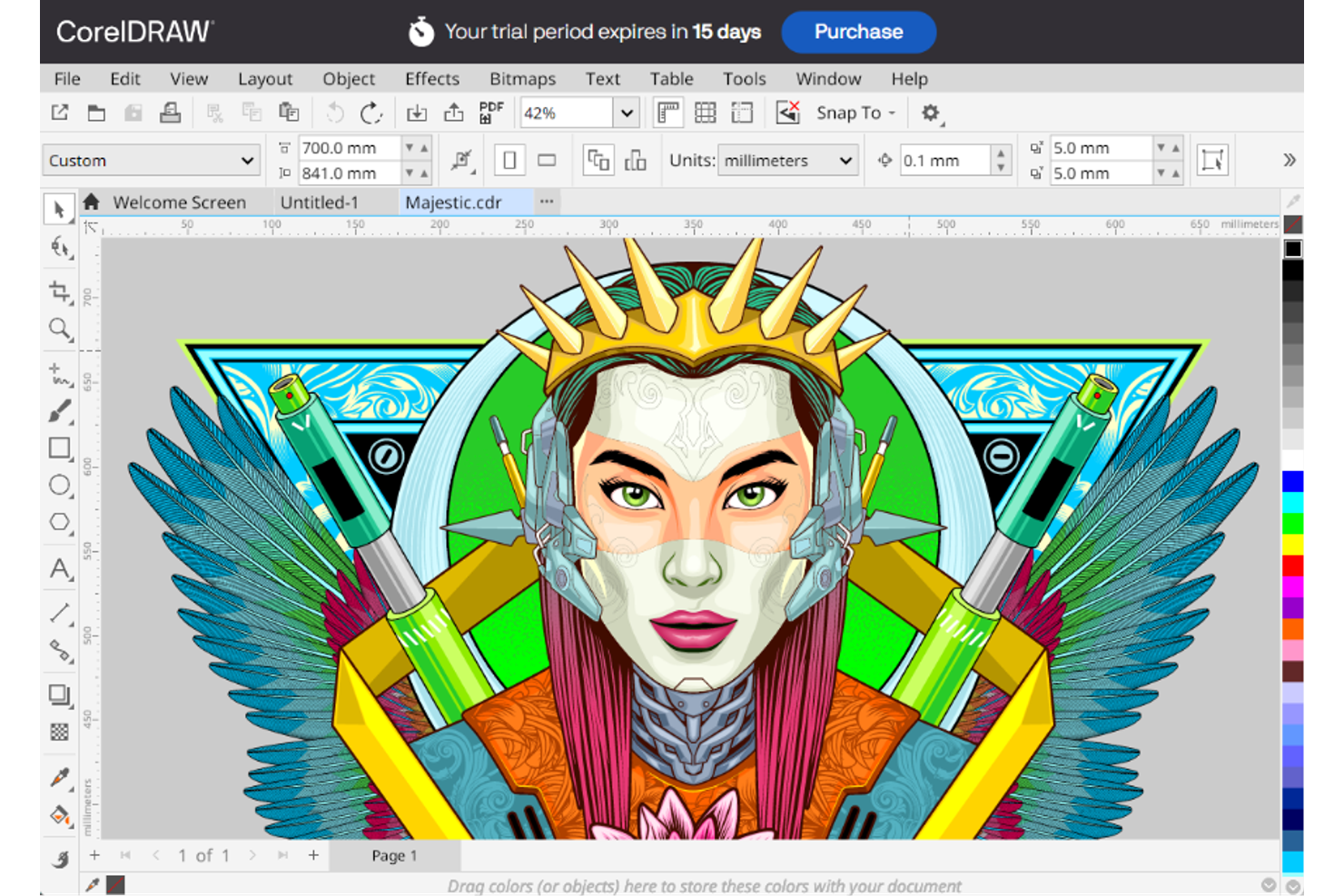
I designer e i team di produzione focalizzati sulla stampa spesso scelgono CorelDRAW per le sue capacità specializzate di prestampa e impaginazione. Il software è pensato per i professionisti che necessitano di una gestione avanzata del colore, supporto per i colori spot e controlli precisi sull’output di stampa. CorelDRAW si distingue tra gli utenti che richiedono strumenti su misura per progetti di stampa complessi, packaging e lavori di segnaletica.
Perché CorelDRAW è una valida alternativa ad Adobe Illustrator
Se il tuo lavoro ruota attorno al design per la stampa, CorelDRAW offre strumenti avanzati che vanno oltre quanto proposto da molte altre piattaforme di grafica vettoriale. Ho scelto CorelDRAW perché include funzioni come il supporto per i colori spot, strumenti di prestampa e una gestione precisa del colore, tutti elementi essenziali per una produzione di stampa professionale. Il software supporta inoltre compiti di impaginazione complessi, inclusi documenti multipagina e stampa dati variabili, fondamentali per progetti di packaging e segnaletica. Per chi necessita di controlli specializzati sull’output di stampa, CorelDRAW è una valida alternativa ad Adobe Illustrator.
Caratteristiche principali di CorelDRAW
Altre caratteristiche di CorelDRAW lo rendono una scelta versatile per i professionisti del design:
- Strumento LiveSketch: Disegna illustrazioni vettoriali a mano libera che vengono automaticamente convertite in curve precise.
- Gestore dei Font: Organizza, cerca e visualizza in anteprima i font senza doverli installare sul sistema.
- Tracciamento Bitmap in Vettoriale: Converte immagini raster in grafiche vettoriali modificabili grazie allo strumento PowerTRACE integrato.
- Riempimento a Maglia Interattivo: Applica gradienti di colore complessi e ombreggiature per illustrazioni dettagliate.
Integrazioni di CorelDRAW
Attualmente non sono elencate integrazioni native.
Pros and Cons
Pros:
- Avanzato supporto per colori spot e Pantone
- Strumenti integrati per la stampa dati variabili
- Gestione di layout multipagina per progetti di stampa
Cons:
- La versione Mac offre meno funzionalità rispetto a quella Windows
- Nessuna opzione di collaborazione cloud in tempo reale

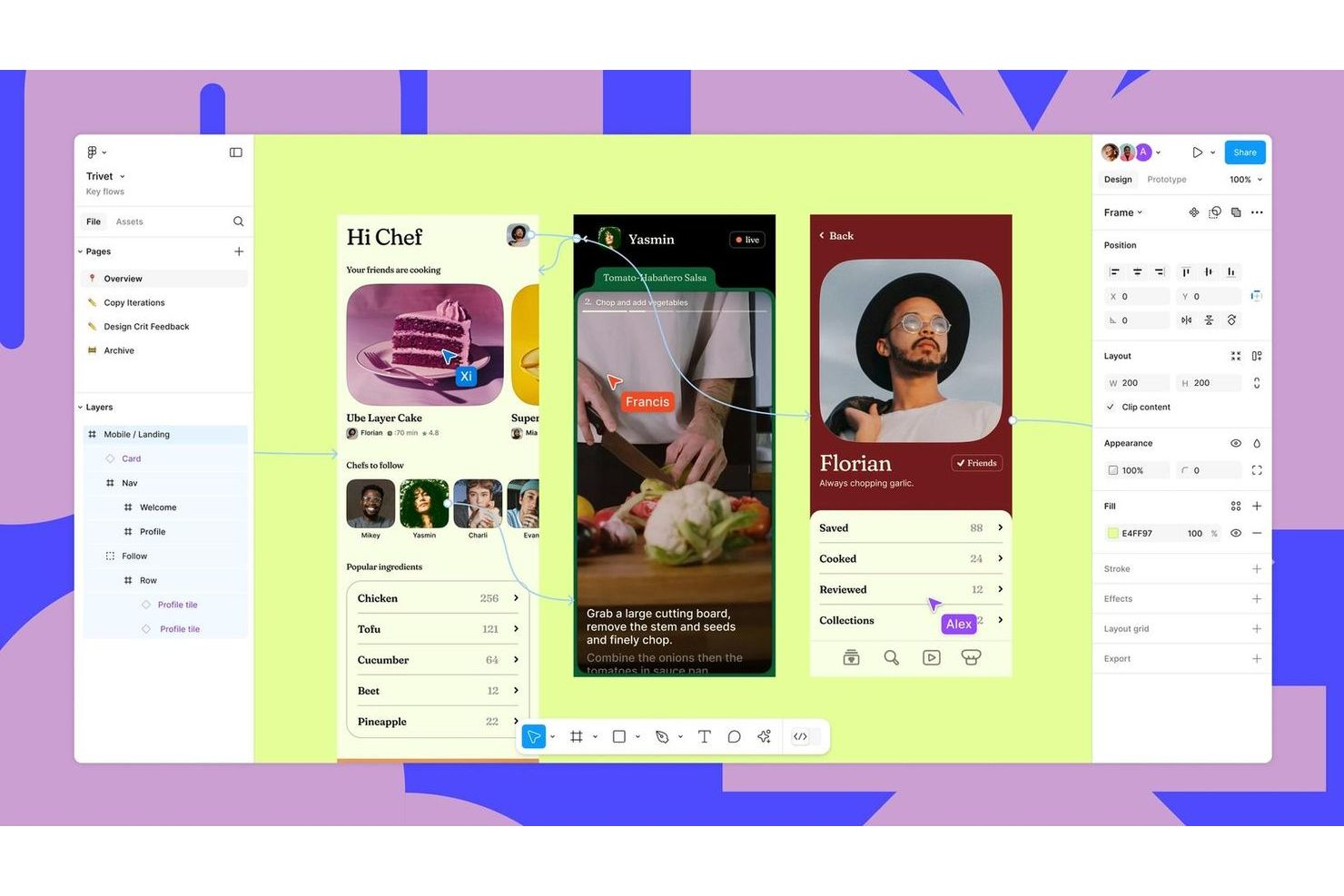
Figma Design è uno strumento vettoriale basato su browser progettato per i team che necessitano di collaborare in tempo reale. È particolarmente utile per designer di prodotto, professionisti UX e team creativi che vogliono lavorare insieme sullo stesso file senza problemi di gestione delle versioni. Se stai cercando una soluzione che dia priorità al feedback istantaneo e ai flussi di lavoro collaborativi, Figma Design si distingue rispetto alle alternative tradizionali basate su desktop.
Perché Figma Design è una buona alternativa ad Adobe Illustrator
Figma Design si distingue per i team che hanno bisogno di collaborare su grafica vettoriale in tempo reale. L'ho scelto come alternativa ad Adobe Illustrator perché consente a più utenti di modificare lo stesso file contemporaneamente, rendendo feedback e iterazioni molto più veloci. I commenti integrati e la cronologia delle versioni aiutano i team a rimanere allineati senza infiniti scambi di file. Se il tuo flusso di lavoro dipende dalla collaborazione in tempo reale, Figma Design offre un vantaggio unico rispetto agli strumenti desktop tradizionali.
Caratteristiche principali di Figma Design
Altre funzionalità di Figma Design lo rendono una scelta versatile per il lavoro di design vettoriale:
- Auto Layout: Regola automaticamente cornici e componenti mentre ridimensioni o aggiungi elementi, mantenendo i design coerenti.
- Librerie di Componenti: Ti permettono di creare e riutilizzare elementi di design su più progetti, garantendo coerenza del brand.
- Strumenti di Prototipazione: Consentono di creare prototipi interattivi direttamente all'interno dei tuoi file di design senza cambiare applicazione.
- Opzioni di Esportazione SVG: Esporta asset vettoriali in diversi formati, incluso SVG, per un facile utilizzo nello sviluppo web e app.
Integrazioni di Figma Design
Le integrazioni includono Slack, Microsoft Teams, Zoom, Asana, Jira, Notion, Dropbox, Trello, Confluence e GitLab.
Pros and Cons
Pros:
- Collaborazione in tempo reale con modifica multiutente
- Accesso da browser senza necessità di installazione
- Strumenti di prototipazione integrati per flussi di lavoro di design interattivo
Cons:
- Possibilità di modifica vettoriale avanzata limitata rispetto a Illustrator
- Le prestazioni possono risentirne con file grandi o complessi


I designer che desiderano collegare l'illustrazione vettoriale alla motion graphics spesso scelgono Linearity Curve. Questo strumento è apprezzato dalle squadre creative e dai professionisti del marketing che vogliono realizzare opere che si integrano senza soluzione di continuità nei flussi di lavoro dell'animazione. Linearity Curve si distingue per la sua integrazione diretta con strumenti di motion design, rendendo più semplice dare vita ai progetti statici.
Perché Linearity Curve è una valida alternativa ad Adobe Illustrator
Per i team focalizzati sulla motion graphics, Linearity Curve offre un vantaggio unico rispetto ai tradizionali strumenti di design vettoriale. Ho scelto Linearity Curve perché permette di esportare file vettoriali a livelli direttamente su piattaforme di animazione come Linearity Move, facilitando la transizione da contenuto statico ad animato. Il software supporta anche la modifica basata su timeline e asset pronti per i fotogrammi chiave, fondamentali per i flussi di lavoro dell’animazione. Se hai bisogno di uno strumento vettoriale progettato pensando all’animazione, Linearity Curve è una valida alternativa ad Adobe Illustrator.
Caratteristiche principali di Linearity Curve
Altre funzioni di Linearity Curve che lo fanno risaltare tra i professionisti creativi:
- Esportazione SVG e PDF: Esporta lavori in formati vettoriali ampiamente utilizzati per la compatibilità con altri strumenti di design.
- Libreria di asset: Accedi a una libreria integrata di forme, icone e modelli riutilizzabili per impostare i progetti più velocemente.
- Collaborazione in tempo reale: Invita i membri del team a visualizzare o modificare i progetti simultaneamente all'interno dell'app.
- Personalizzazione dei pennelli: Regola le impostazioni dei pennelli per creare tratti e texture unici per le illustrazioni.
Integrazioni di Linearity Curve
Le integrazioni includono Brandfetch, Unsplash, SF Symbols, Icons8, Figma, Adobe Illustrator, Sketch e Linearity Move.
Pros and Cons
Pros:
- Esportazione diretta verso flussi di lavoro di animazione per il motion design
- Libreria di asset integrata con elementi di design riutilizzabili
- Collaborazione in tempo reale per progetti di gruppo
Cons:
- Controlli tipografici avanzati limitati
- Meno opzioni di plugin rispetto ai principali strumenti di design
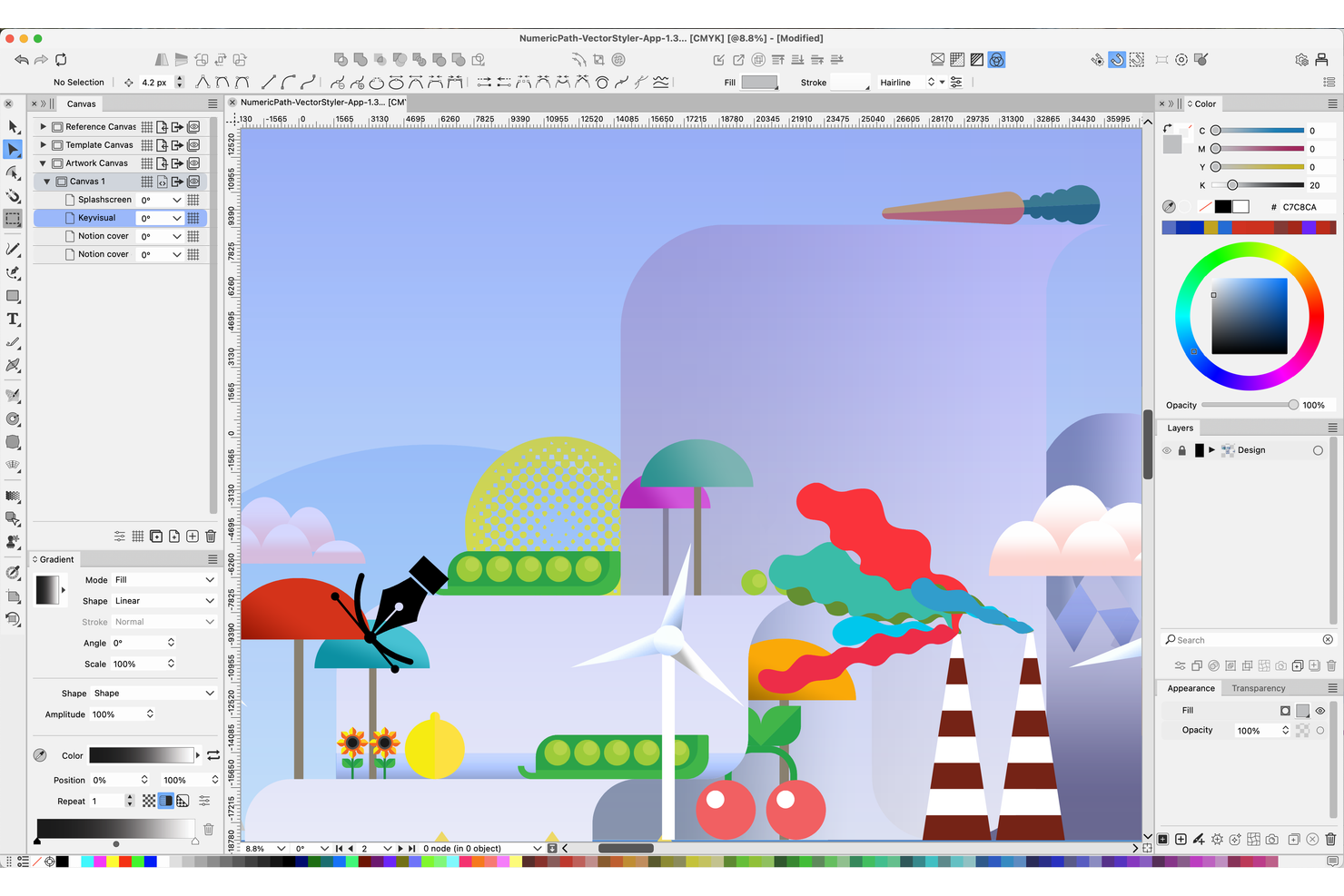
Artisti e illustratori che desiderano un controllo avanzato dei pennelli nel loro lavoro vettoriale spesso scelgono VectorStyler. Questo strumento è pensato per i professionisti creativi che hanno bisogno di un’ampia gamma di pennelli vettoriali personalizzabili ed effetti di disegno naturali. VectorStyler si distingue dagli altri alternativi ad Adobe Illustrator offrendo motori di pennello unici e opzioni di tratto dettagliate che supportano stili espressivi e disegnati a mano.
Perché VectorStyler è una buona alternativa ad Adobe Illustrator
VectorStyler si fa notare per chi desidera maggiore libertà creativa con i pennelli vettoriali. Ho scelto VectorStyler perché offre una vasta varietà di tipi di pennelli, inclusi pennelli a motivo, a dispersione e artistici, che permettono di creare tratti complessi e ricchi di texture. Il motore dei pennelli supporta la sensibilità alla pressione e la creazione di pennelli personalizzati, risultando particolarmente utile per illustratori che desiderano imitare gli effetti dei media naturali. Se cerchi un’alternativa ad Adobe Illustrator che ti dia più controllo sullo stile dei pennelli e sulle linee espressive, VectorStyler è una scelta solida.
Funzionalità principali di VectorStyler
Altre funzionalità che rendono VectorStyler interessante per i professionisti creativi includono:
- Effetti non distruttivi: Applica e regola effetti sugli oggetti senza modificare permanentemente il disegno vettoriale originale.
- Strumento avanzato di costruzione forme: Combina, unisci o sottrai forme in modo interattivo per un editing vettoriale preciso.
- Supporto per font variabili: Usa e personalizza font variabili per una tipografia flessibile nei tuoi progetti.
- Gestione di documenti multipagina: Crea e gestisci layout multipagina all’interno di un unico file di progetto.
Integrazioni di VectorStyler
VectorStyler non elenca pubblicamente integrazioni native, ma offre un’API ben documentata per integrazioni personalizzate e supporta la connettività no-code tramite strumenti di automazione di terze parti.
Pros and Cons
Pros:
- Ampia personalizzazione dei pennelli vettoriali con supporto della pressione
- Editing non distruttivo per modifiche di design flessibili
- Supporta progetti multipagina e con più tavole da disegno
Cons:
- Ecosistema di plugin di terze parti limitato
- Problemi di prestazioni con file grandi o complessi
Altre alternative ad Adobe Illustrator
Ecco alcune ulteriori opzioni alternative ad Adobe Illustrator che non sono state incluse nel mio elenco ristretto, ma che vale comunque la pena prendere in considerazione:
- Amadine
Ideale per i principianti che imparano l’arte vettoriale
- Xara Designer Pro+
Ideale come suite creativa completa
- Vecta
Ideale per la creazione collaborativa di diagrammi SVG


Come Valuto le Alternative ad Adobe Illustrator
Quando un product manager ha bisogno di disegnare un flusso utente o creare una presentazione senza il costo di Illustrator, valuto gli strumenti su due livelli: capacità vettoriale di base e ciò che distingue ogni strumento dagli altri.
Funzionalità di Base (Requisiti Fondamentali per Questa Lista)
Quando seleziono gli strumenti per la mia lista, valuto ciascuno su una scala da 0 (non offre la funzionalità) a 5 (eccelle in quest'area) per ciascuna funzionalità principale elencata di seguito. Poi, calcolo il punteggio totale dello strumento in percentuale. Ogni strumento deve raggiungere un punteggio totale minimo del 65% per essere preso in considerazione nell’elenco.
- Strumenti di editing vettoriale: Verifico se lo strumento offre una penna completa, modifica di tracciati e nodi per permettere di creare diagrammi di prodotto e icone personalizzate da zero, e non solo con formati drag-and-drop.
- Esportazione in più formati: Esportare in SVG, PDF e PNG è fondamentale quando il team condivide asset tra presentazioni, specifiche di sviluppo e pagine marketing in diversi formati.
- Gestione di livelli e tavole da disegno: Controllo se è possibile organizzare visual complessi su più tavole da disegno e livelli nidificati, come impostare il walkthrough di una funzionalità intera in un'unica area di lavoro.
- Controlli tipografici: Buoni strumenti di testo vanno oltre la selezione del carattere. Verifico la presenza di kerning, tracking e testo su tracciato per grafici di roadmap curati e materiali go-to-market professionali.
- Collaborazione e condivisione: Il lavoro di prodotto è trasversale. Valuto come ogni strumento gestisce la co-moderazione in tempo reale, discussioni tramite commenti e link condivisibili per le revisioni degli stakeholder.
- Compatibilità con file Illustrator: I team che migrano da Illustrator devono poter portare i file .AI o SVG esistenti. Verifico quanto bene ogni strumento preserva livelli ed effetti all’importazione.
Una volta che ho una lista di strumenti che soddisfano questi criteri, considero ciò che differenzia ogni piattaforma.
Fattori Differenzianti (Cosa Distingue i Fornitori)
Ecco come confronto e valuto i vari fornitori:
Funzionalità Distintive
Cerco strumenti con prototipazione integrata, dove puoi collegare tavole da disegno e aggiungere interazioni cliccabili per mostrare agli stakeholder il flusso funzionale proposto senza cambiare applicazione. Contano anche le librerie di componenti condivise. Consentono al tuo team di riutilizzare icone approvate, elementi UI e risorse di brand in tutte le visualizzazioni di prodotto. Un marketplace di template solido è un ulteriore vantaggio, soprattutto per i PM che devono produrre wireframe o diagrammi di journey rapidamente senza partire da una tela vuota.
Oltre alle Funzionalità
La struttura dei prezzi è un importante elemento di distinzione. Alcuni strumenti offrono piani gratuiti generosi adatti a un PM singolo, mentre altri richiedono abbonamenti per ogni utente, convenienti solo a livello di team. Valuto anche la curva di apprendimento, dato che molti product manager non sono designer e hanno bisogno di uno strumento facilmente utilizzabile senza settimane di tutorial. Le integrazioni con strumenti come Jira, Confluence o Slack sono anch’esse rilevanti perché determinano se il tuo lavoro di design resta connesso ai processi di prodotto esistenti o rimane isolato.
Perché cercare un'alternativa ad Adobe Illustrator?
Sebbene Adobe Illustrator sia una buona scelta tra le alternative ad Adobe Illustrator, ci sono diversi motivi per cui alcuni utenti cercano soluzioni alternative. Potresti essere alla ricerca di un'alternativa ad Adobe Illustrator perché…
- Hai bisogno di una soluzione gratuita o più economica
- Vuoi uno strumento con un'interfaccia più semplice
- Ti serve il supporto nativo per piattaforme diverse da Windows o Mac
- Hai bisogno di funzionalità di collaborazione migliori per i team
- Vuoi opzioni di licenza o abbonamento più flessibili
- Hai bisogno di uno strumento che funzioni bene su dispositivi meno recenti
Se ti riconosci in una di queste situazioni, sei nel posto giusto. Il mio elenco include diverse alternative ad Adobe Illustrator più adatte ai team che affrontano queste difficoltà con Adobe Illustrator e cercano soluzioni alternative.
Caratteristiche principali di Adobe Illustrator
Ecco alcune delle caratteristiche principali di Adobe Illustrator, per aiutarti a mettere a confronto le funzionalità offerte dalle soluzioni alternative:
- Strumenti avanzati per il disegno e la modifica vettoriale
- Controlli tipografici di precisione e gestione dei caratteri
- Gestione delle tavole da disegno per progetti multipagina
- Integrazione con le app Adobe Creative Cloud
- Vaste librerie di pennelli ed effetti
- Supporto per formati di file conformi agli standard del settore
- Area di lavoro e pannelli degli strumenti personalizzabili
- Strumenti Penna e Crea forme per tracciati complessi
- Opzioni per dati variabili ed esportazione delle risorse
- Anteprima e modifica delle illustrazioni in tempo reale