Sketch is a UX design tool offering various pricing plans tailored to different needs, including both subscription-based and flat rate options. UX and product designers use Sketch to create wireframes, prototypes, and collaborate on design projects efficiently. I find Sketch's pricing structure offers more flexibility compared to its competitors, providing good value for its range of features. This guide covers everything you need to know about Sketch pricing, plans, and costs to make an informed purchase decision with confidence.
How Much Does Sketch Cost?
Sketch’s paid plans start from $10 per month for small teams when billed yearly and go up to $22 per month for medium to large teams, also billed yearly. A free version of Sketch is available with a 30-day trial, best suited for users who want to explore its features before committing. Additionally, a custom pricing tier exists for enterprise needs, offering features like single sign-on and priority support.
Sketch Plans & Pricing Tiers
Here's an overview of the available Sketch plans:
| Plan Type | Price | What’s Included? |
| Standard Subscription | $10/editor/ month (billed annually) | Native Mac app, web app access, unlimited free viewers, version history, inspect designs, real-time collaboration, and mobile previewing. |
| Mac-only License | $120/editor/seat (billed annually) | Native Mac app, design and prototype tools, offline work, local saving, and lifetime access. |
| Business Subscription | $22/editor/ month (billed annually) | All standard features, Single Sign-On (SSO), unlimited online storage, invoice-based billing, permissions groups, and project archiving. |
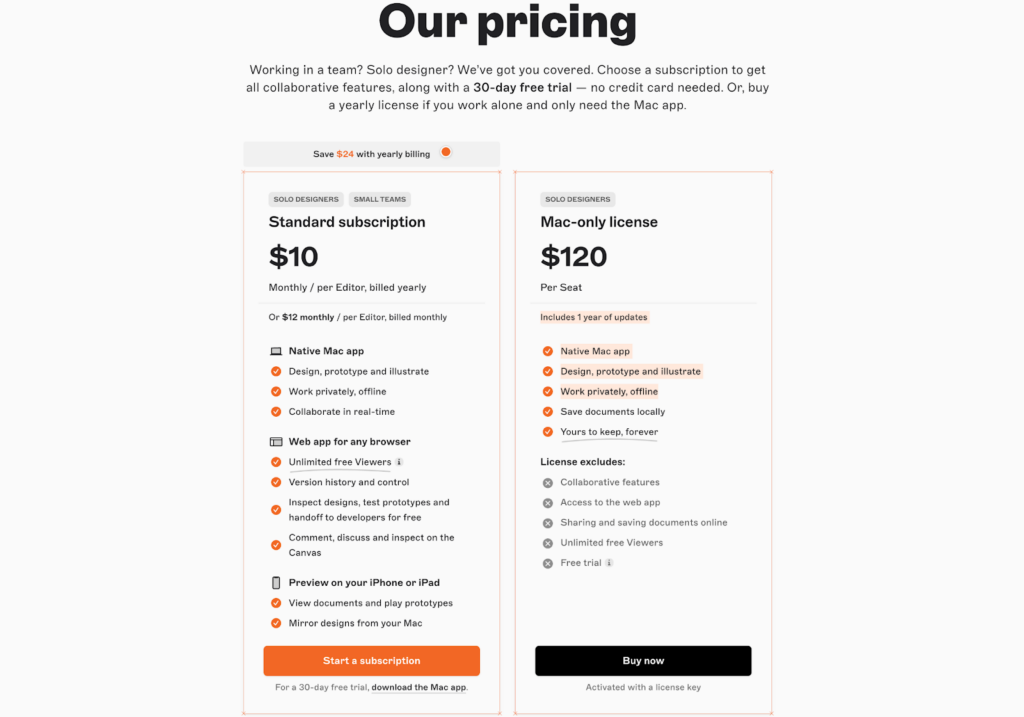
Let’s break down the available Sketch plans a bit further:
Sketch Standard Subscription Plan
The Standard subscription plan is ideal for solo designers and small teams seeking collaborative design tools. It includes access to the native Mac app, web app, version control, and real-time collaboration. This plan is perfect for freelancers or startups needing cross-platform accessibility. However, it lacks advanced team management features and dedicated support.
Have an account? Log In
Sketch Mac-only License Plan
The Mac-only license plan suits solo designers who prefer a one-time payment for lifetime access to essential design tools. It includes offline work, local saving, and permanent access to the native Mac app. Best for independent designers with minimal collaboration needs. However, it lacks web app access, collaborative features, and cloud storage.
Sketch Business Subscription Plan
The Business subscription plan caters to medium-sized teams and large organizations requiring advanced collaboration and management tools. It offers all standard features, plus SSO, unlimited storage, permissions groups, and project archiving. Ideal for enterprises with complex workflows. However, it requires annual billing and may be excessive for smaller teams or freelancers.
Sketch Pricing vs. Competitors
I find Sketch's pricing to be average compared to other UX design tools. With multiple pricing tiers, it offers flexibility for different user needs. The functionality and features, such as design tools and cloud collaboration, are included across plans, providing value at each level. Integrations are available without being locked to higher-tier plans, and the security safeguards in place cater to various organizational needs, making Sketch a balanced choice for many designers.
Sketch vs. Alternatives Comparison Table
This comparison table breaks down Sketch pricing alongside other UX design tools.
| Tool | Best For | Trial Info | Price | ||
|---|---|---|---|---|---|
| 1 | Best for offline design on Windows and Linux | Free plan + free demo available | From $11.99/user/month (billed annually) | Website | |
| 2 | Best for free real-time co-editing on any OS | Free plan available | From $24.90/user/month (billed annually) | Website | |
| 3 | Best for Creative Cloud users prototyping on Windows | Free trial available | From $22.99/month (billed annually) | Website | |
| 4 | Best for data-driven functional prototyping | Free plan available | From $19/user/month | Website | |
| 5 | Best for logic-heavy UX documentation | 30-day free trial | From $29/user/month (billed annually) | Website | |
| 6 | Best for browser-based design collaboration | Free plan available | From $3/user/month | Website | |
| 7 | Best for responsive web design and publishing | Free plan available | From $10/month (billed annually) | Website | |
| 8 | Best for code-based component prototyping | Free plan + 14-day free trial available | From $29/user/month (billed annually) | Website | |
| 9 | Best for open-source cross-platform UI design | Free plan + 14-day free trial available | From $7/user/month | Website | |
| 10 | Best for one-time lifetime design licensing | Free plan available | From $4/user/month | Website |


Alternatives to Sketch
Sketch is a solid UX design tool, but there are plenty of other options out there. Depending on your use case, budget, team size, and other factors, you might consider shopping around for a solution that’s better suited to your needs. If you’re looking for alternative UX design tools options to Sketch, here are a few worth checking out:
How to Choose the Right Sketch Plan
When deciding which Sketch plan to go with, you’ll want to consider the added value and potential drawbacks that come with each plan. Scrolling through long lists of features can quickly lead to confusion and uncertainty, so here are a few factors to keep in mind as you evaluate and assess your options:
Sketch Scalability and Team Size
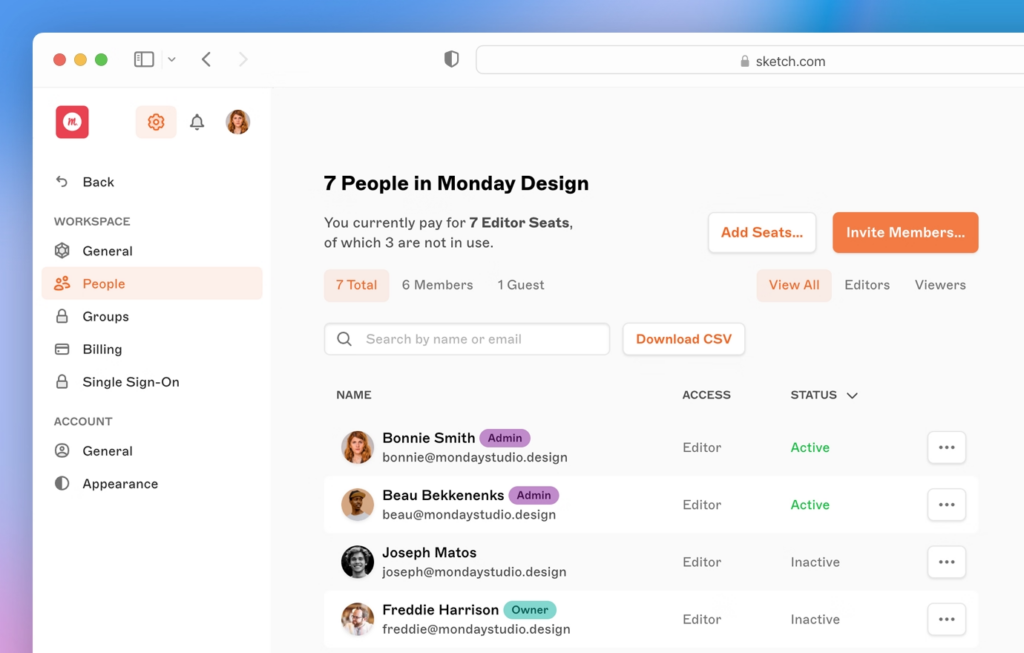
Evaluating Sketch’s scalability helps you choose a plan that suits your team’s size and growth. Freelancers and small teams often benefit from the Standard Subscription, which supports collaboration through the web app and unlimited viewers. Larger organizations needing advanced features like SSO, permissions groups, and unlimited storage should consider the Business subscription. Solo designers who prefer offline work and local saving may opt for the Mac-only license. Assessing your team’s structure and future growth helps ensure your plan aligns with your needs.
Industry-Specific Sketch Features
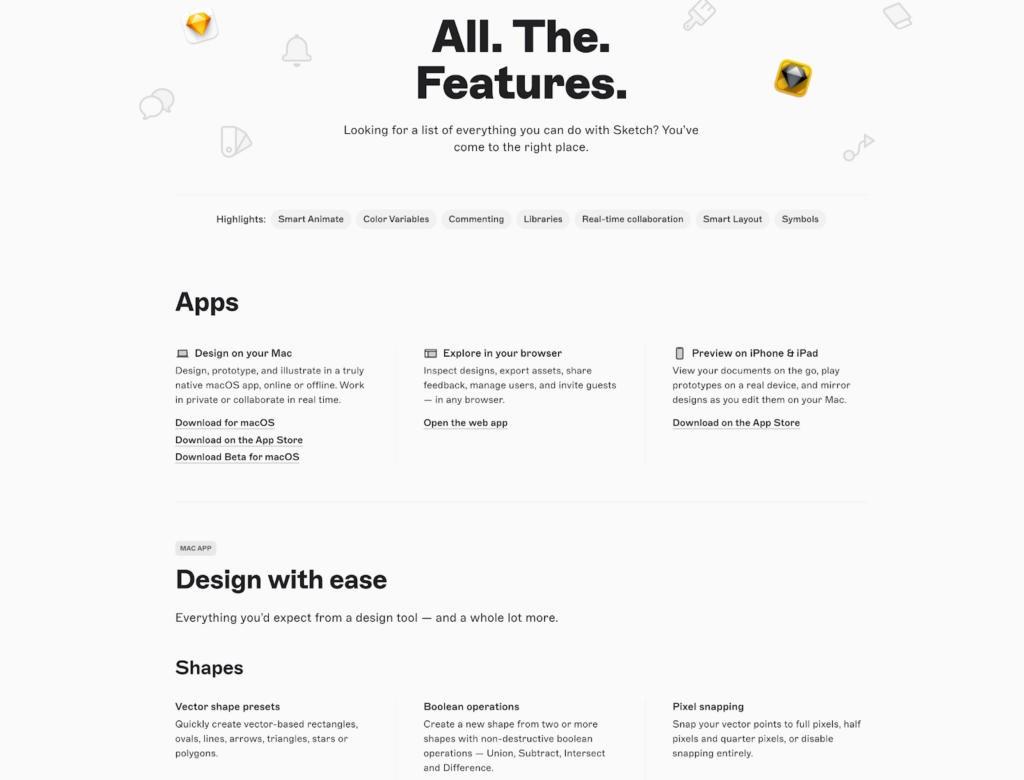
Evaluating whether Sketch aligns with your graphic design needs helps you choose the plan that supports your team and tools. Creative teams benefit from Sketch’s native macOS app, real-time collaboration, and version history—all included in the Standard subscription model. Agencies and enterprise users may require the Business plan, which adds SSO, permissions groups, and project archiving for better team management and security. For freelancers or independent designers who prefer working offline, the Mac-only License provides a one-time purchase option tailored to local workflows. Comparing plan features against your workflow ensures you select the right subscription tier for your setup.
More Articles
Sketch Integration Capabilities
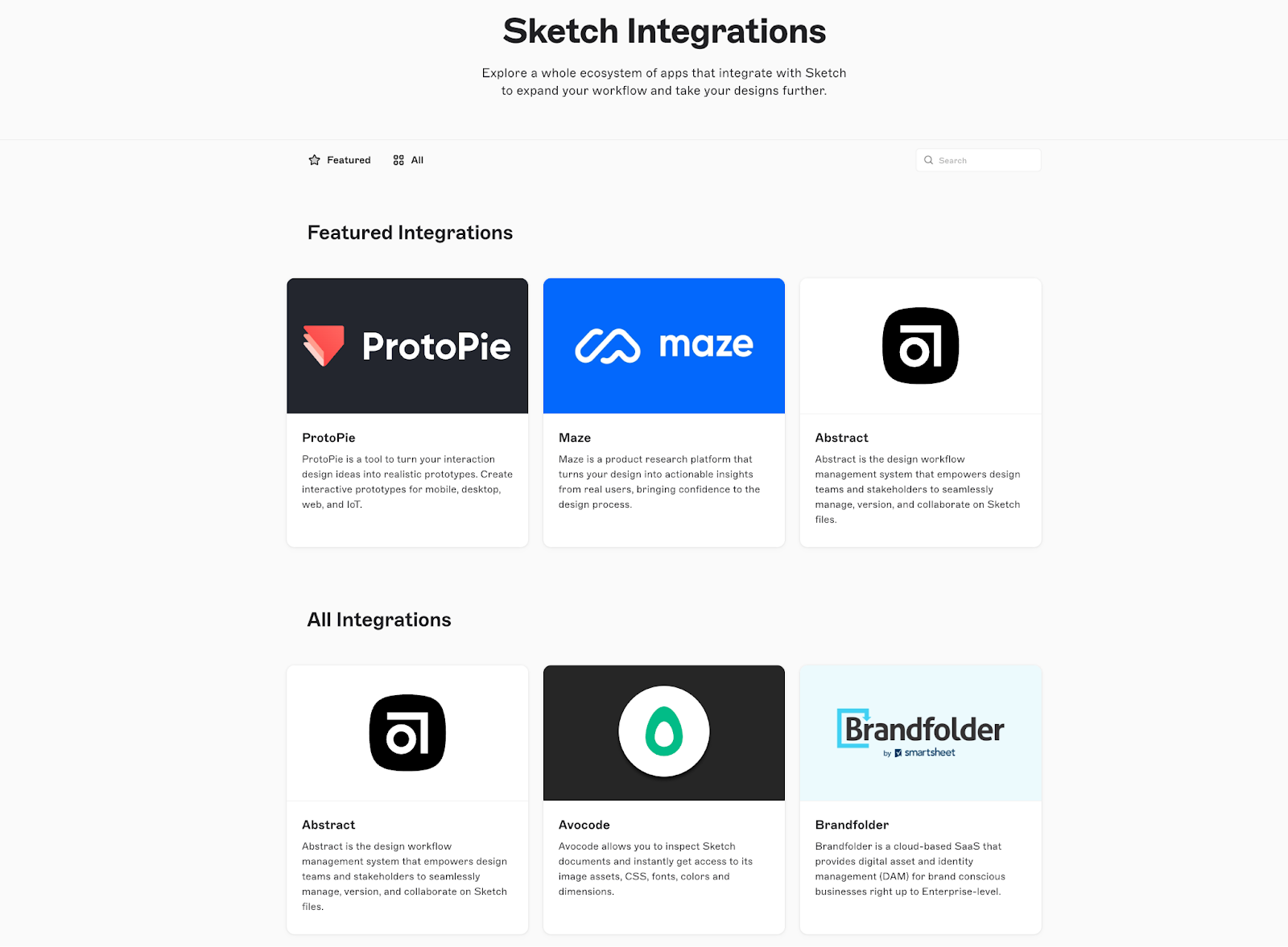
Sketch works well with many third-party providers, supporting tools like ProtoPie, Maze, Abstract, Avocode, and Brandfolder. These integrations help maintain efficiency across your SaaS stack and improve cross-platform project management. Sketch offers export options compatible with other design platforms and supports an API for custom integrations—ideal for teams using the Business plan. While Sketch doesn’t integrate directly with Zapier, its developer-friendly ecosystem makes it easy to build or extend plugin functionality to fit your needs.
Sketch Security Safeguards
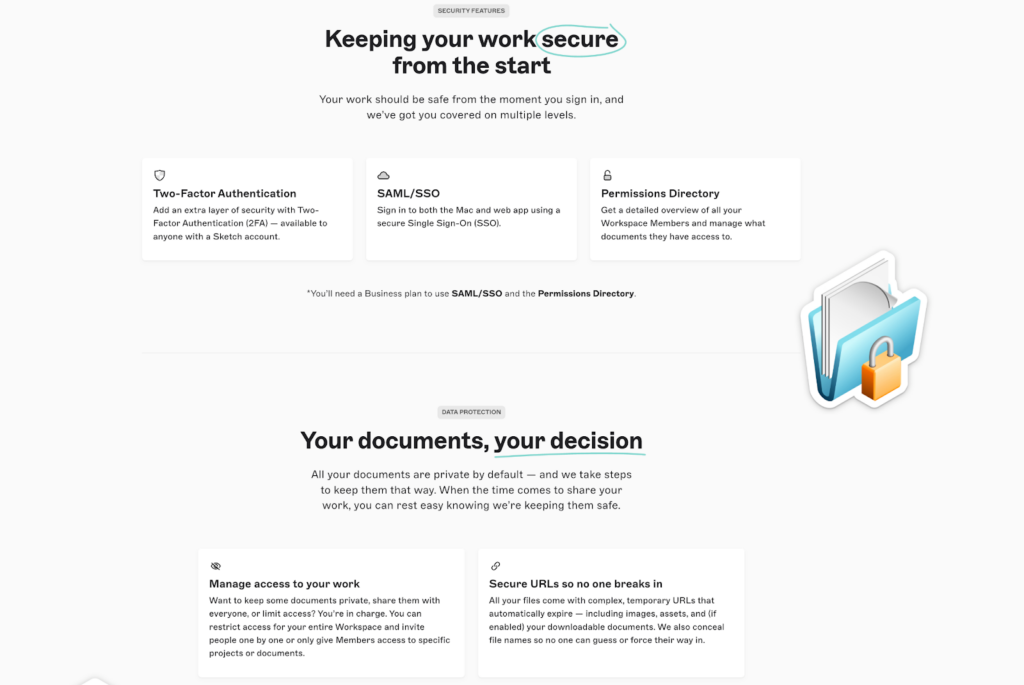
Sketch includes essential security operating system features like two-factor authentication (2FA), secure URLs, and permissions control to help safeguard your projects. The Business subscription adds advanced protections such as SAML-based SSO and team-level access settings. While all subscription tiers include secure cloud storage, the Mac-only license limits security to local file management. Understanding these options ensures your data and designs stay protected, no matter which plan you choose.
Sketch Pricing FAQs
Here are answers to a few common questions about Sketch pricing:
What additional costs should I anticipate with Sketch?
In addition to the monthly or annual subscription fees, you might incur costs for additional storage or integrations with third-party tools. While Sketch includes many features in each plan, expanding team sizes or needing more storage could lead to higher expenses.
Are there any discounts or promotions available for Sketch?
Sketch offers discounts for educational institutions and non-profit organizations. Students and teachers can access Sketch for free with a valid educational email address. Non-profits may receive discounts by contacting Sketch’s support team with appropriate documentation.
How often does Sketch change its pricing structure?
Sketch does not frequently change its pricing structure. The last update to the pricing was made to accommodate evolving user needs, but specific details on frequency and amounts are not regularly disclosed.
Is there a minimum contract length for Sketch subscriptions?
Sketch offers flexibility in subscription terms with both monthly and annual billing options. Users can choose the option that best suits their financial planning without being locked into long-term contracts.
Can I switch between Sketch plans easily?
Yes, you can switch between Sketch plans at any time. If you upgrade, the changes take effect immediately, and you pay a prorated amount. If you downgrade, the changes apply at the end of the current billing cycle.
What is Sketch's refund policy?
Sketch offers a 30-day money-back guarantee on annual subscriptions. If you’re not satisfied with the product, you can request a refund within this period. Monthly subscriptions, however, are generally non-refundable.
Is Sketch Good Value?
In my opinion, Stakeholders will find Sketch is good value for many UX and product designers, especially those working in small to medium-sized teams. The tool provides a strong set of features, including a friendly user interface, detailed design tools, cloud collaboration, and prototyping software, at a competitive price point. Its intuitive interface and ease of use make it accessible for both beginners and experienced designers.
The flexibility in pricing plans, from Standard to Enterprise, allows teams to choose a plan that suits their specific needs. Industries like tech startups and design agencies will benefit from Sketch's real-time collaboration and library management features, as well as pre-made templates, which enhance teamwork and project efficiency. While it lacks some advanced integrations seen in competitors, Sketch's API allows for custom integrations, making it adaptable to various workflows. The support and onboarding processes are straightforward, ensuring teams can quickly get up and running.
Verdict: Sketch provides strong value for teams seeking a versatile and cost-effective design tool.