

10 Best Adobe Captivate Alternatives in 2026

Best Adobe Captivate Alternatives Shortlist


A strong Adobe Captivate alternative gives you flexible course authoring, practical integrations, and reliable support for different eLearning formats. If you’re searching for Adobe Captivate alternatives, you want tools that make it easier to design interactive courses, support your content standards, and work well for teams in the real world.
I know it’s tough to find the right platform that balances authoring power, usability, and price—especially when you’ve outgrown Captivate or need something that just fits your workflow better. Here, you’ll get clear comparisons of top solutions so you can choose the tool that matches your eLearning goals.
What Is Adobe Captivate?
Adobe Captivate is an eLearning authoring tool that lets you create interactive online courses, software simulations, and responsive content. It supports a range of multimedia formats and built-in assessment features. Instructional designers, trainers, and learning teams use Adobe Captivate to build courses for employee onboarding, compliance, and professional development on their corporate learning platform. Its integration options and content flexibility make it a popular choice for digital training and education.
Best Adobe Captivate Alternatives Summary
Below are my detailed summaries of the best Adobe Captivate alternatives that made it onto my shortlist. My reviews offer a detailed look at the features, best use cases, and integrations of each eLearning authoring tool to help you find the best one for you.
| Tool | Best For | Trial Info | Price | ||
|---|---|---|---|---|---|
| 1 | Best for PowerPoint-based course development | 14-day free trial available | From $970/author (billed annually) | Website | |
| 2 | Best for course creation with prompts | Free plan available | From $49.99/user/month | Website | |
| 3 | Best for integrated authoring and delivery | Free plan available | From $100/month | Website | |
| 4 | Best for user-friendly course creation | Free trial + free demo available | From $116/author/month (billed annually) | Website | |
| 5 | Best for open-source extensibility | Free demo available | Free (open-source) | Website | |
| 6 | Best for rapid interactive content creation | 30-day free trial available | From $1,449/user (billed annually) | Website | |
| 7 | Best for enterprise-scale content management | 14-day free trial + free demo available | From $1,650/user (billed annually) | Website | |
| 8 | Best for robust accessibility support | 30-day free trial + free demo available | From $129/month (billed annually) | Website | |
| 9 | Best for collaborative authoring teams | 14-day free trial + free demo available | From $2,000/author (billed annually) | Website | |
| 10 | Best for advanced screen recording tools | Free edition available | From $249/license (one-time cost) | Website |
Why Trust Our Software Reviews
We’ve been testing and reviewing product management software since 2020. As product managers ourselves, we know how critical and difficult it is to make the right decision when selecting software.
We invest in deep research to help our audience make better software purchasing decisions. We’ve tested more than 2,000 tools for different product management use cases and written over 1,000 comprehensive software reviews. Learn how we stay transparent & our software review methodology.
Best Adobe Captivate Alternatives Reviews
Below are my detailed summaries of the best Adobe Captivate alternatives that made it onto my shortlist. My reviews offer a detailed look at the features, best use cases, and integrations of each eLearning authoring tool to help you find the best one for you.

Best for PowerPoint-based course development
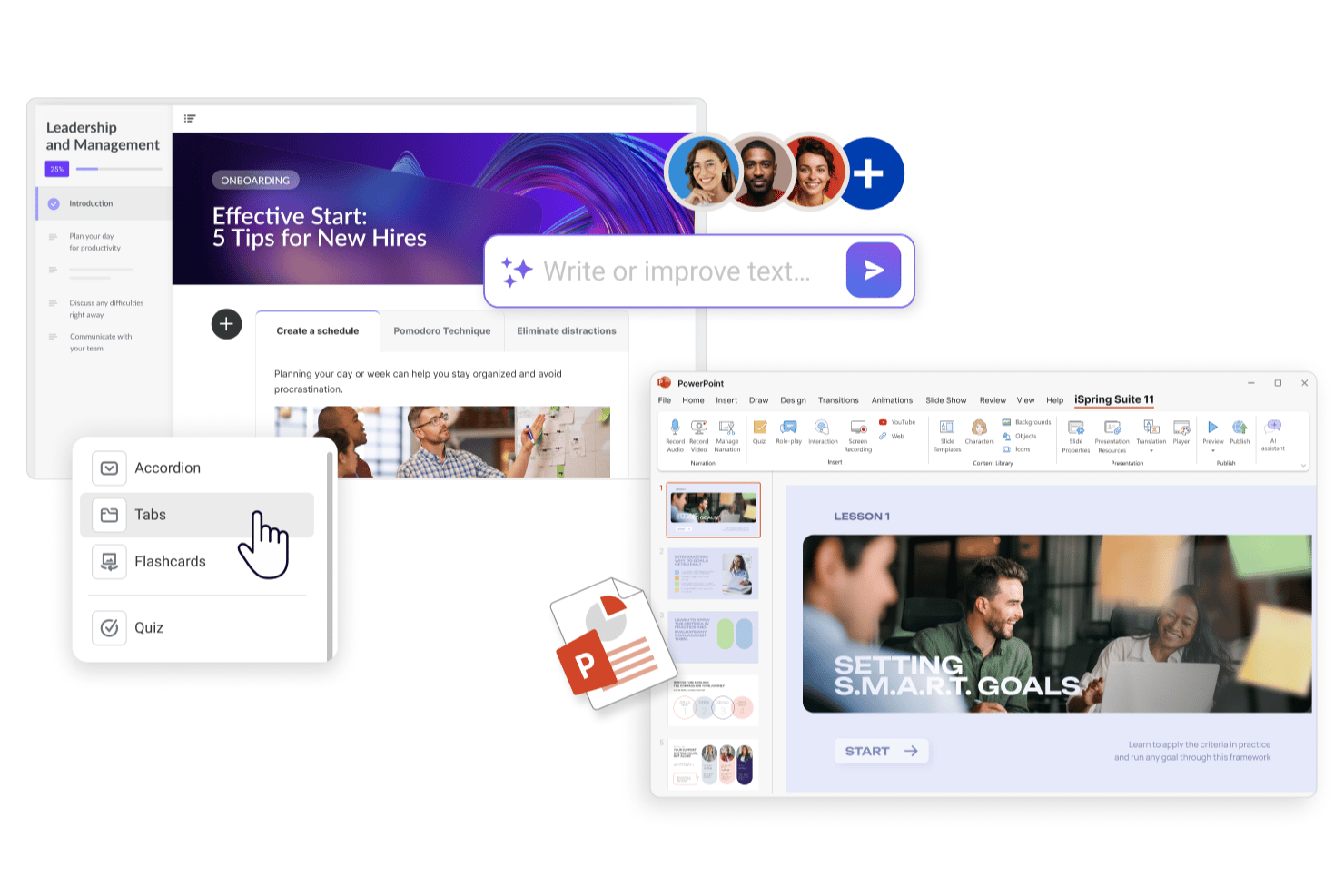
iSpring Suite is a PowerPoint-based eLearning authoring tool that lets instructional designers convert existing presentations into interactive e-learning modules and SCORM-compliant courses without rebuilding content from scratch.
Who Is iSpring Suite Best For?
iSpring Suite is a natural fit for corporate L&D teams that already build training content in PowerPoint and want to publish it as eLearning without switching tools.
Why iSpring Suite Is a Good Adobe Captivate Alternative
I picked iSpring Suite because it installs directly inside PowerPoint as an add-in, so my team authors courses entirely inside a tool we already know. Instead of rebuilding slides in a new environment, I can take existing decks and layer in quizzes, branching dialog simulations, and role-play scenarios without leaving PowerPoint. The AI text-to-speech feature also lets me add narration and sync it to slide animations in minutes, which cuts a lot of the production back-and-forth that slows teams down in Adobe Captivate.
iSpring Suite Key Features
- SCORM publishing: Exports courses as SCORM 1.2, SCORM 2004, xAPI, and cmi5 packages for deployment in any LMS.
- Content library: Provides pre-built templates, photorealistic characters, and illustrated scenes for building visually polished courses.
- AI course translation: Translates entire courses into 50+ languages directly inside the authoring environment.
- Review and approval workflow: Collects, threads, and resolves stakeholder feedback in a single web app alongside the course content.
iSpring Suite Integrations
iSpring Suite is primarily a PowerPoint add-in authoring tool, so it doesn't have a wide set of native integrations on its own. It publishes courses in SCORM 1.2, SCORM 2004, xAPI, and cmi5 formats, which means your output works with virtually any LMS. iSpring's companion product, iSpring LMS, offers integrations with Zoom, Microsoft Teams, Google Meet, BambooHR, Salesforce, Shopify, Microsoft Entra ID, and LinkedIn Learning, along with Albato for workflow automation and a REST API for custom integrations.
Pros and Cons
Pros:
- Converts existing PowerPoint decks into courses
- Content library includes 134,000+ eLearning assets
- Clean, reliable SCORM and xAPI output
Cons:
- Screen recording lacks advanced simulation features
- Windows-only with no native Mac support

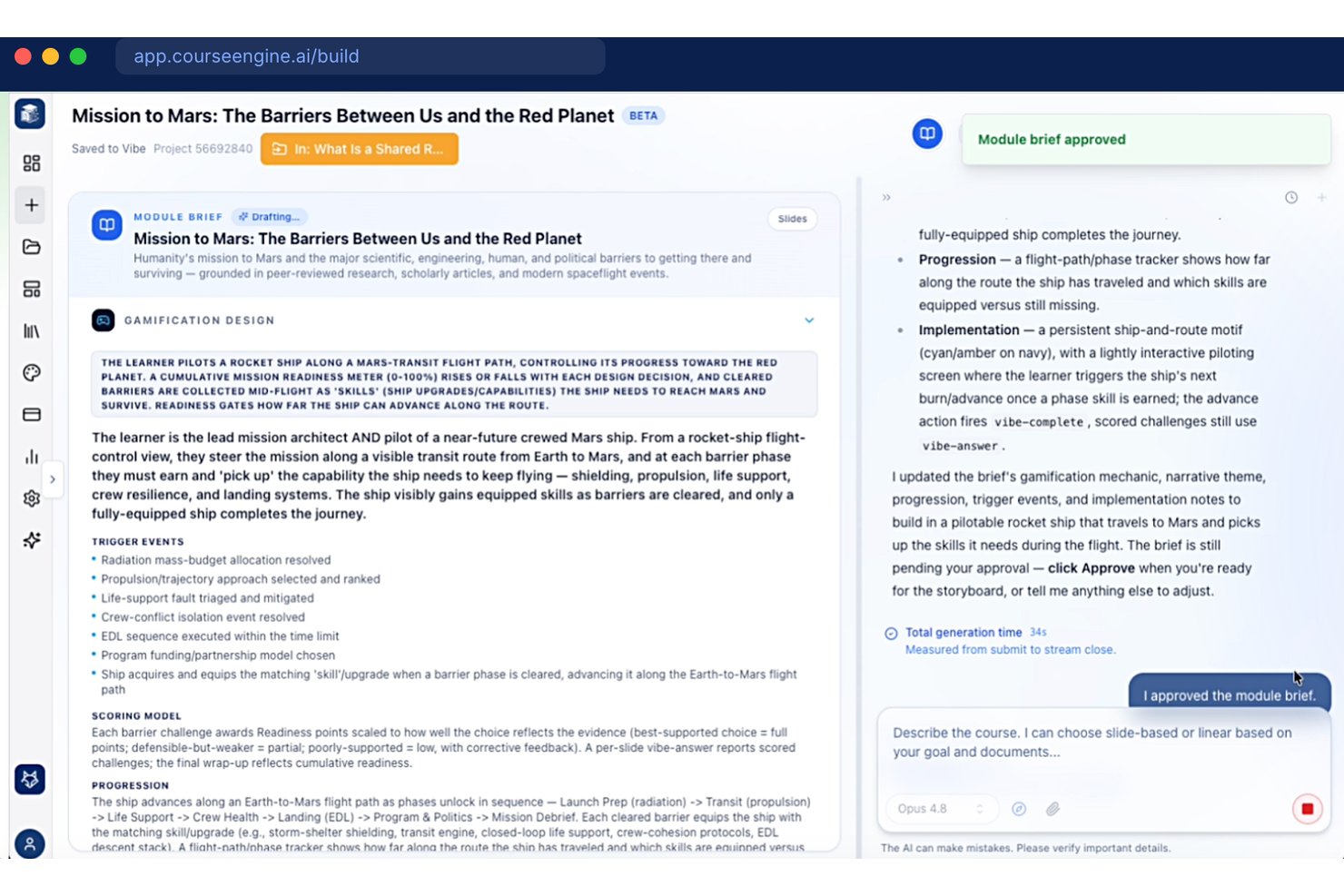
CourseEngine is a prompt-driven eLearning authoring tool that lets L&D teams and subject matter experts turn plain-language descriptions into fully structured courses — complete with voiceovers, animations, and SCORM exports — without manual slide-building.
Who Is CourseEngine Best For?
It's a strong fit for training teams at associations, healthcare organizations, and professional education providers that need to produce polished courses without dedicated instructional designers on staff.
Why CourseEngine Is a Good Adobe Captivate Alternative
I picked CourseEngine as one of the best because it replaces the manual build process entirely. Instead of assembling slides in a traditional editor, you describe your course topic and audience in plain language, and the AI generates a full storyboard, voiceover, and animations. I especially like how pedagogy is baked in: the agent applies Bloom's Taxonomy and knowledge-check gating automatically, so the output isn't just fast, it's structurally sound.
CourseEngine Key Features
- SCORM Dispatch: Deliver and update a single online course across multiple LMS platforms from one central workspace.
- Instructor-led training presenter view: Presenters run live sessions with a dedicated speaker screen that syncs with the participant view.
- Game-based learning environments: Let learners practice decisions and scenarios inside immersive, AI-built games integrated into course content.
- Automatic video-to-course conversion: Instantly turn recorded videos, webinars, or screencasts into interactive, SCORM-ready training modules.
CourseEngine Integrations
Native integrations are not clearly documented.
Pros and Cons
Pros:
- Converts existing videos into SCORM modules
- Bloom's Taxonomy applied automatically
- Generates full courses from plain-text prompts
Cons:
- No documented native integrations
- Limited simulation and screen recording capabilities

Best for integrated authoring and delivery
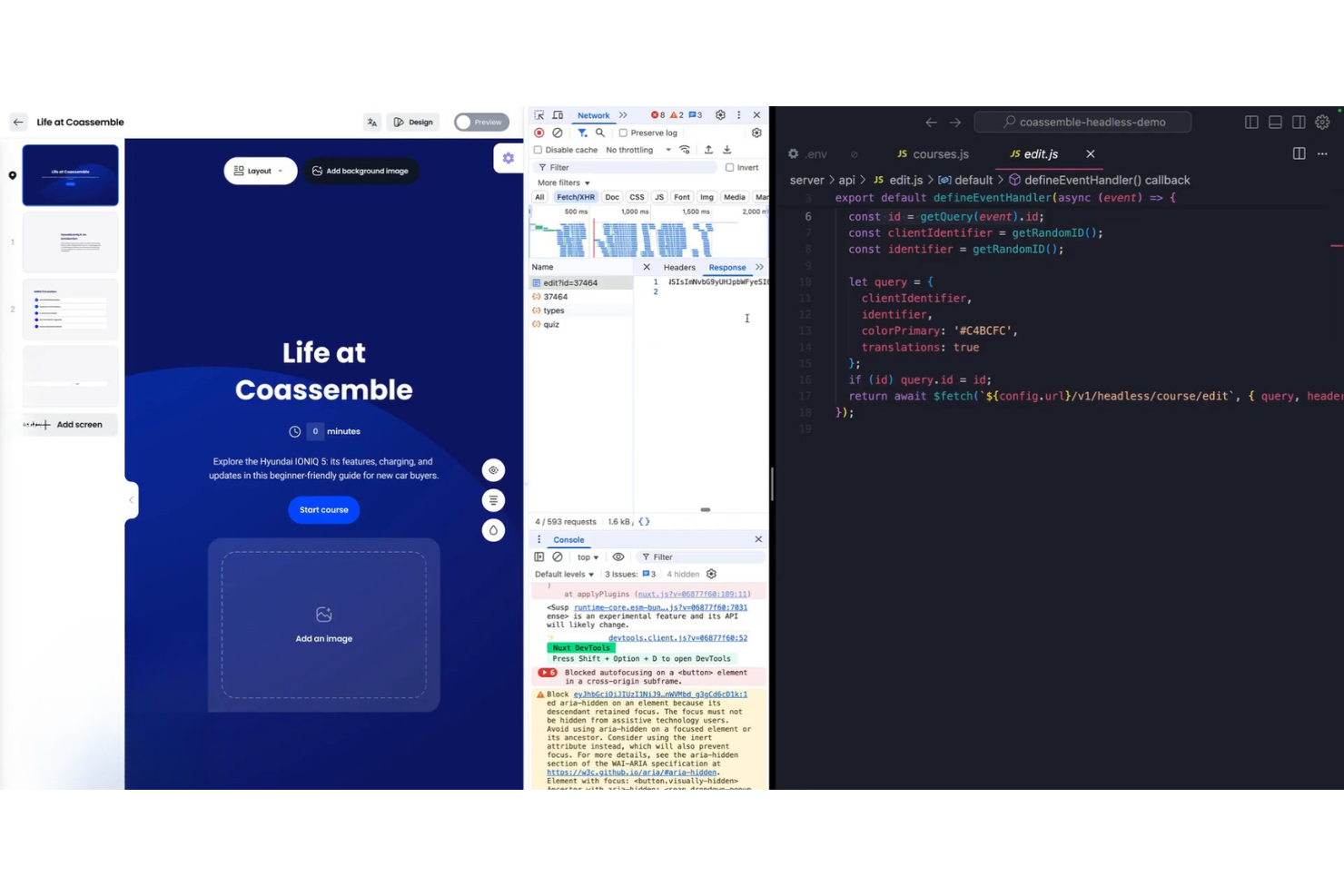
Coassemble is a course authoring and delivery platform that lets teams build, publish, and share interactive training content from one workspace, removing the need for a separate LMS.
Who Is Coassemble Best For?
Coassemble is a strong fit for small to mid-sized businesses that need to build and distribute training without managing a separate authoring tool and LMS.
Why Coassemble Is a Good Adobe Captivate Alternative
I've included Coassemble in my top picks because it handles authoring and delivery inside a single workflow, which most dedicated authoring tools don't do. What I appreciate most is its native Slack delivery, where learners get a direct ping and complete courses without logging into a separate platform. Pair that with AI course generation from uploaded PDFs or docs, and you can go from raw content to deployed training faster than almost any other tool on this list.
Coassemble Key Features
- Dynamic SCORM export: Export courses as SCORM 1.2 or 2004 packages that automatically update across connected LMS platforms when you edit source content in Coassemble.
- AI course translation: Translate full courses into multiple languages directly inside the platform without manual exports or copy-paste workflows.
- White-label API: Embed fully branded learning experiences into your own internal tools or website using Coassemble's white-label API.
- Drag-and-drop course builder: Edit AI-generated or manually built courses using a drag-and-drop editor that supports text, media, and quiz elements.
Coassemble Integrations
Coassemble doesn't have native integrations with third-party tools. It delivers courses to any SCORM-compliant LMS and offers a white-label API for embedding branded learning experiences into external platforms. It's also available on Zapier.
Pros and Cons
Pros:
- Built-in learner analytics and completion tracking
- AI generates courses from uploaded documents
- No undo button slows editing workflow
- Combined authoring and delivery in one workspace
Cons:
- No drip content or scheduled release feature
- Limited screen type and layout options
Best for user-friendly course creation

Easygenerator is a cloud-based eLearning authoring tool built for subject matter experts who need to create and publish courses without relying on a dedicated instructional designer or technical support.
Who Is Easygenerator Best For?
Easygenerator is a strong fit for mid-size to large organizations that want to shift course creation directly to employees and subject matter experts across departments.
Why Easygenerator Is a Good Adobe Captivate Alternative
I picked Easygenerator as one of the best because its employee-generated learning model genuinely sets it apart. Where Adobe Captivate is built for trained instructional designers, Easygenerator's EasyAI feature guides subject matter experts through course structure, turning a Word doc or PowerPoint deck into a first draft in minutes. I also like the dynamic SCORM feature, which lets you update a published course without re-exporting and re-uploading the SCORM file every time content changes.
Easygenerator Key Features
- EasyCoach: Build AI-powered roleplay simulations where learners practice real-world conversations using voice or text.
- Text-to-speech: Add AI-generated voiceovers to course slides directly in the editor, without recording audio.
- Co-authoring: Invite colleagues to contribute to a course simultaneously, with stakeholder review built into the workflow.
- Branding and customization: Apply your organization's logo, colors, and fonts globally so every course stays on brand regardless of who authors it.
Easygenerator Integrations
Easygenerator offers native integrations with LMS and LXP platforms, including Cornerstone, LearnUpon, HowNow, Blend LXP, Civica, Degreed, Disprz, EdCast, Mycademy, and Rise Up.
Pros and Cons
Pros:
- Scales distributed authoring across large teams
- Stakeholder review links with inline comments
- Built-in multi-language translation workflow
Cons:
- Lacks dynamic slide presentation layouts
- Limited animation and interaction options


Adapt Learning is a free, open-source eLearning authoring framework that lets developers and instructional designers build fully responsive HTML5 courses with deep control over course structure, interactivity, and functionality.
Who Is Adapt Learning Best For?
Adapt Learning is a strong fit for developer-led L&D teams and technical instructional designers who need full control over course architecture without licensing costs.
Why Adapt Learning Is a Good Adobe Captivate Alternative
I picked Adapt Learning because its plugin architecture gives you a level of extensibility that proprietary tools like Adobe Captivate simply can't match. Every interactive element, from question types to navigation patterns, is a plugin you can modify or replace entirely using the open plugin library. I also like that the Adapt Authoring Tool provides a browser-based GUI on top of the framework, so non-developers on my team can build courses while I handle custom plugin development in parallel.
Who Is Adapt Learning Best For?
Adapt Learning is a strong fit for developer-led L&D teams and technical instructional designers who need full control over course architecture without licensing costs.
Adapt Learning Key Features
- SCORM and stand-alone delivery: Publish courses to any SCORM-compliant LMS or host them independently on a web server.
- WAI AA accessibility compliance: The framework meets WAI AA standards out of the box, including right-to-left language compatibility.
- Step-locking and bookmarking: Control learner progression through content sequencing and let learners resume where they left off.
- Multi-language localization: Build courses that support multiple languages within a single course structure.
Adapt Learning Integrations
Adapt Learning doesn't have native integrations with third-party tools. It delivers courses to any SCORM-compliant LMS or web server and supports xAPI tracking through a community plugin.
Pros and Cons
Pros:
- Complete source code access for customization
- Outputs fully responsive multi-device HTML5
- Community-built plugin library grows over time
Cons:
- Requires technical skills for advanced theming
- Limited animation and timed interaction support

Best for rapid interactive content creation
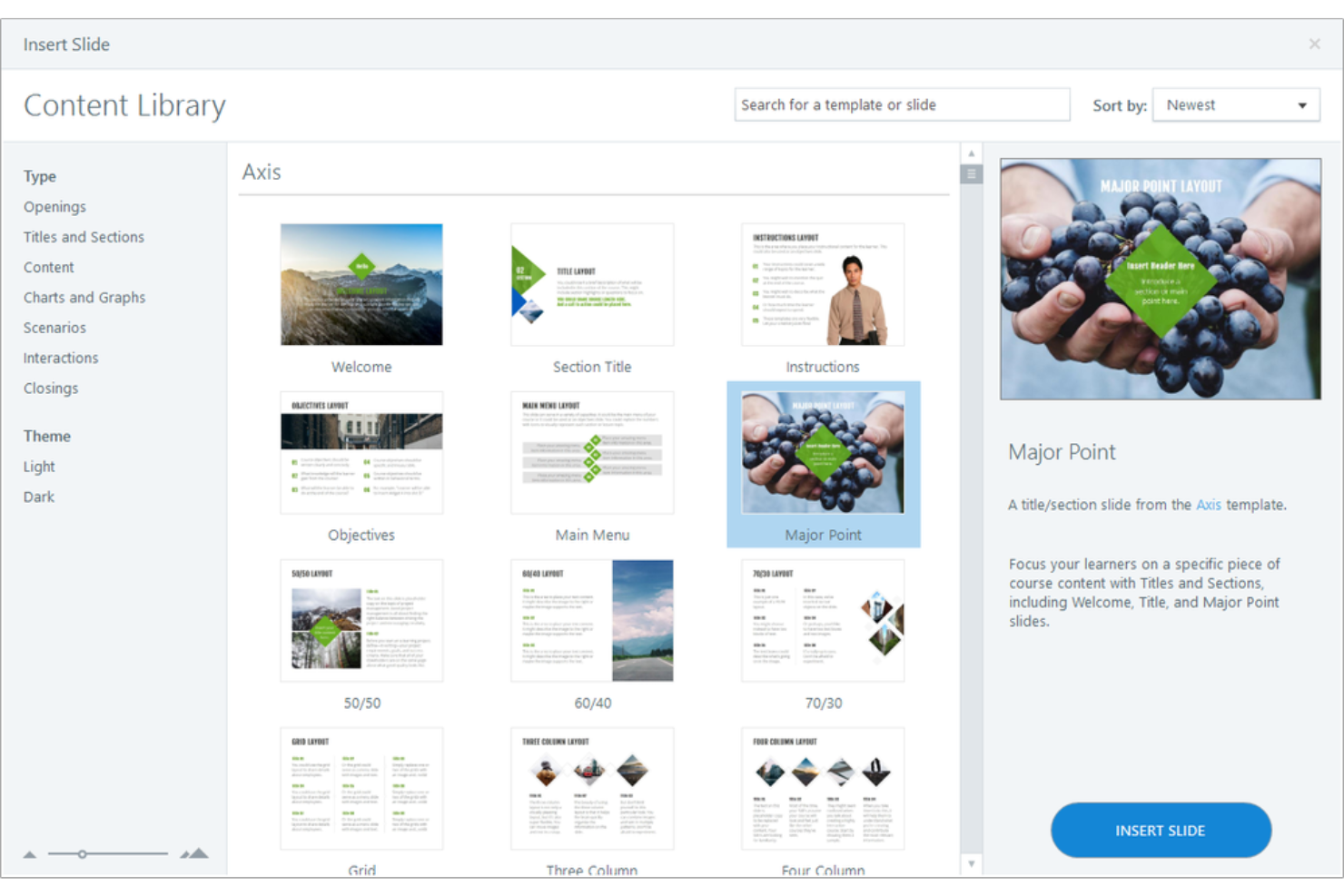
Articulate 360 is a suite-based eLearning authoring platform designed for instructional designers and L&D teams who prioritize ease of use but need to build interactive, media-rich courses without a steep learning curve or slow production cycle.
Who Is Articulate 360 Best For?
Articulate 360 is a strong fit for mid-size to enterprise L&D teams that need to produce professional-grade eLearning courses at scale.
Why Articulate 360 Is a Good Adobe Captivate Alternative
I picked Articulate 360 because it combines two dedicated authoring apps, Rise and Storyline, into one subscription. Rise's block-based authoring lets me stack interactive elements and build device-responsive courses without manual formatting. Storyline's trigger-and-state system lets me build custom branching scenarios, drag-and-drop activities, and screen simulations with granular control. Together, they cut course production time considerably, which is exactly what you need when Adobe Captivate's production workflow starts slowing your team down.
Articulate 360 Key Features
- AI-powered course authoring: Uses built-in AI to generate course content, quizzes, and learning objectives directly inside the authoring environment.
- Content Library 360: Gives you access to 13+ million royalty-free photos, characters, icons, and templates within the authoring apps.
- In-context review: Lets stakeholders leave feedback directly on course slides, which you can view and resolve without leaving the authoring app.
- Localization tools: Supports course translation and multi-language management across your content library from within the platform.
Articulate 360 Integrations
Articulate 360's Reach component integrates with Slack, Microsoft Teams, and Zapier and offers a custom API for automating training delivery, learner management, and analytics. Courses built in Storyline or Rise export to SCORM, xAPI, and cmi5, so they'll work with most LMS platforms.
Pros and Cons
Pros:
- Large eLearning Heroes community for peer support
- Built-in templates and assets speed up development
- Rise and Storyline cover different complexity levels
Cons:
- Storyline crashes on projects with 300+ slides
- Storyline is Windows-only with no Mac support

Elucidat
Best for enterprise-scale content management
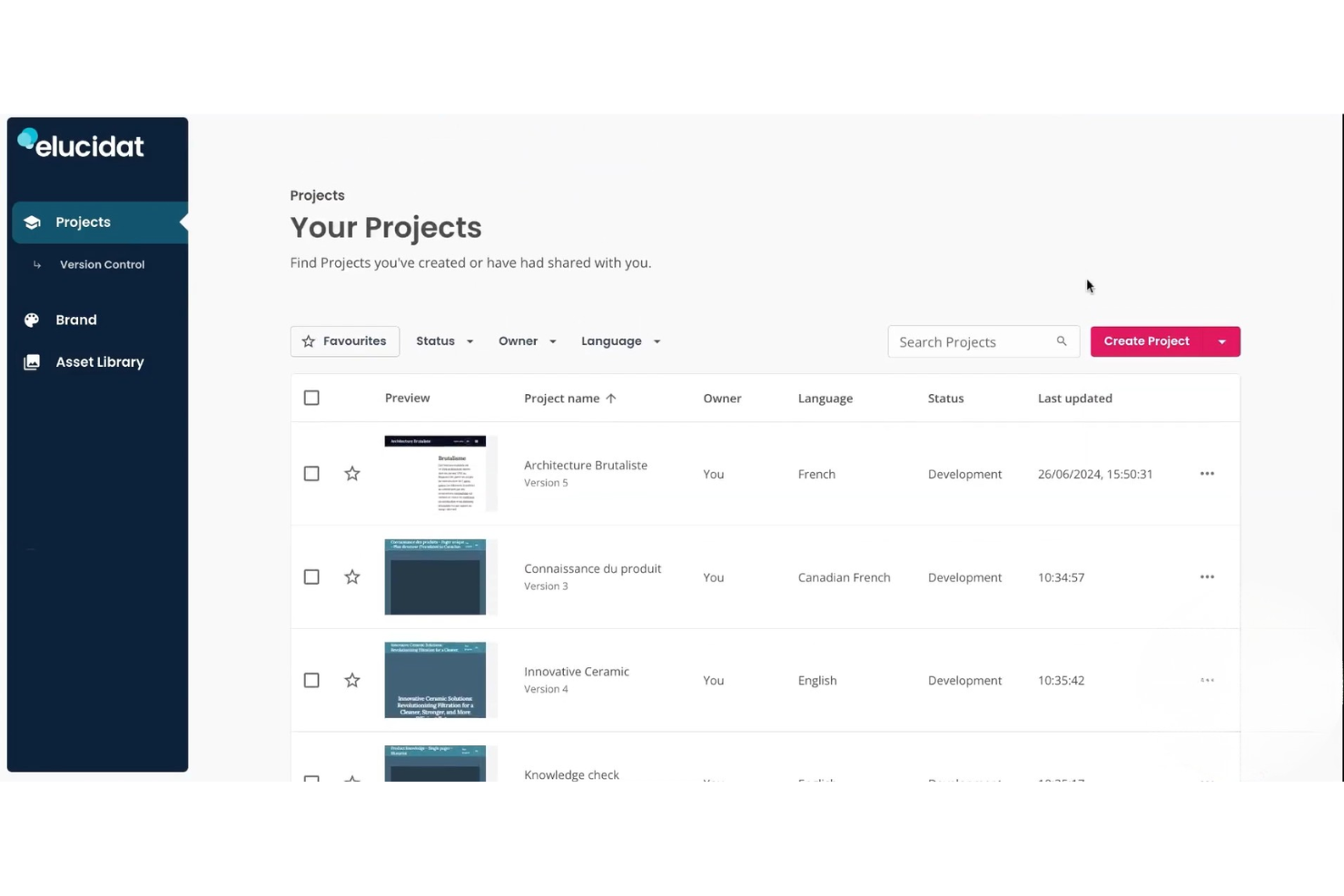
Elucidat is a cloud-based eLearning authoring platform built for enterprise L&D teams that need to distribute course creation across large, distributed workforces without losing brand consistency or content quality.
Who Is Elucidat Best For?
Elucidat is a strong fit for enterprise L&D teams that need to scale course production across multiple business units, regions, or subject matter experts.
Why Elucidat Is a Good Adobe Captivate Alternative
I picked Elucidat as one of the best because it's built from the ground up for enterprise L&D teams managing content at scale, which is where Adobe Captivate starts to show its limits. Its global branding controls let admins lock down approved colors, fonts, and logos centrally, so every course your distributed authors produce stays on brand without manual policing. I also like the mass content update feature, which replaces a single asset across every project in one action, a genuine time-saver when a logo or compliance disclaimer changes across a library of 200+ courses.
Elucidat Key Features
- Bulk translation: Translate a course into multiple languages in one action, with support for 75 languages via auto-translate and export/import for manual translations.
- Variations manager: Manage all language versions of a course from one parent project, so updates to the source automatically apply across every variant.
- Branching content: Build personalized learning paths that route learners through different content based on their choices or quiz results.
- Screen and camera recording: Record your screen and camera directly inside Elucidat to produce video content without a separate capture tool.
Elucidat Integrations
Elucidat offers native integrations with CrossKnowledge and Docebo, with direct course management inside those LMS platforms. It also connects to a wide range of LMS and LXP platforms through SCORM and xAPI publishing, including Cornerstone, Moodle, Workday, 360Learning, Totara, Canvas, and LearnUpon. An API is available for custom integrations.
Pros and Cons
Pros:
- Scales distributed authoring across large teams
- Stakeholder review links with inline comments
- Built-in multi-language translation workflow
Cons:
- Video upload file size cap feels restrictive
- Limited animation and interaction options

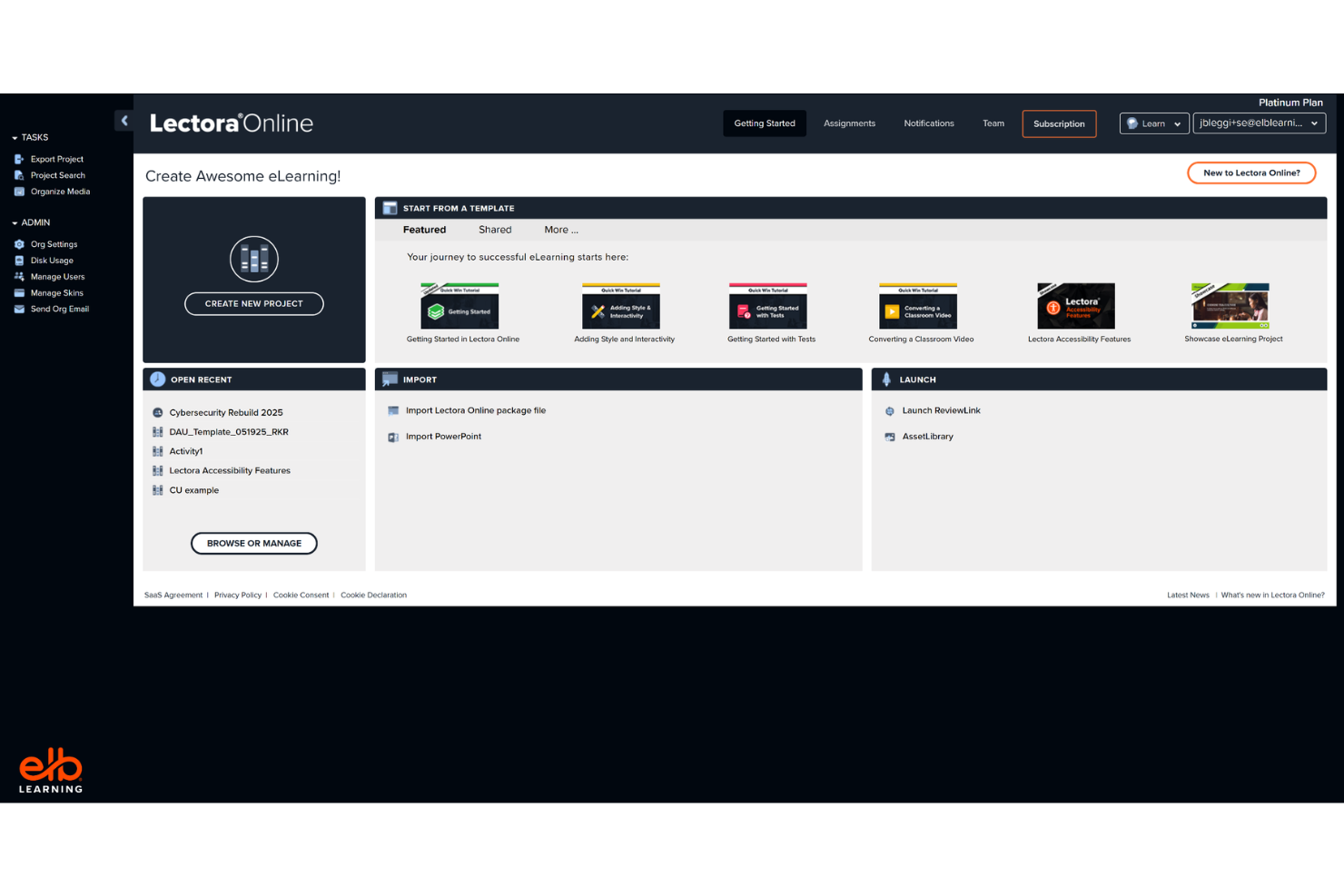
Lectora is an eLearning authoring tool from ELB Learning built for instructional designers and L&D teams who need to create WCAG-compliant, interactive courses for corporate compliance, DEI, and regulated industry training.
Who Is Lectora Best For?
Lectora is a strong fit for enterprise L&D teams in regulated industries like healthcare, government, and financial services.
Why Lectora Is a Good Adobe Captivate Alternative
I picked Lectora as one of the best because its accessibility tools go deeper than any other authoring tool I've used. It includes a built-in accessibility guide that walks you through Section 508 and WCAG 2.0 Level AA compliance as you build, covering things like predictable focus, layering and tabbing order, and accessible video and audio controls. I also like that its skip-navigation controls let you exclude as many elements as you need from the screen reader reading order, which Captivate can't match out of the box. For teams producing training for government agencies or regulated industries, that level of built-in compliance control makes a real difference at the authoring stage.
Lectora Key Features
- Branching scenarios: Build multi-path, decision-tree simulations using variables and conditional actions to trigger different content based on learner input.
- ReviewLink: Share courses with stakeholders for in-context feedback and revision comments without requiring a Lectora license.
- Multi-language publishing: Export course text for translation and reimport localized versions to produce multilingual course variants from a single project.
- SCORM, xAPI, and cmi5 publishing: Export courses in all major LMS-compatible standards directly from the authoring environment.
Lectora Integrations
Lectora doesn't offer traditional third-party native integrations. It connects to LMS platforms through SCORM 1.2, SCORM 2004, xAPI, and cmi5 exports, and includes built-in access to the ELB Learning Asset Library, BranchTrack for scenario simulations, ReviewLink for stakeholder feedback, and CenarioVR for embedded VR content.
Pros and Cons
Pros:
- Ready-made course frameworks and style packs included
- Variables, JavaScript, and custom actions supported
- Built-in Section 508 and WCAG compliance tools
- The desktop version is Windows-only, with a web alternative
- Complex interactions without extensive coding knowledge
- Built-in Section 508 and WCAG compliance tools
Cons:
- Desktop version only available on Windows
- The interface looks and feels dated


dominKnow | ONE is a cloud-based eLearning authoring platform built for L&D teams who need to co-author, review, and publish courses without the version control and file-sharing headaches that come with desktop-first tools like Adobe Captivate.
Who Is dominKnow | ONE Best For?
dominKnow | ONE is a strong fit for mid-to-large L&D teams where multiple authors, reviewers, and subject matter experts work on courses simultaneously.
Why dominKnow | ONE Is a Good Adobe Captivate Alternative
I picked dominKnow | ONE as one of the best because it solves the biggest friction point in team-based course development: simultaneous authoring. Where Adobe Captivate locks files to a single desktop user, dominKnow | ONE lets multiple authors work inside the same project in real time, with built-in review workflows that route SME feedback directly into tracked issues you can resolve without leaving the platform. I also like its LCMS-style content reuse model, where shared learning topics update across every project they're published to, so your team isn't manually pushing the same edit to a dozen separate course files.
dominKnow | ONE Key Features
- Adaptive interface: Switch between Essentials, Essential Plus, or Designer interface modes to match each author's skill level and role.
- Software simulation capture: Record screen captures with dominKnow's built-in Capture tool, then publish as Show Me, Try Me, Guide Me, or Test Me simulation modes.
- Single-source publishing: Tag pages or elements for specific audiences and publish the same project to LMS, web, instructor-led, or print formats simultaneously.
- Question banks with randomization: Build topic-based question banks and configure randomized question and answer order for each learner attempt.
dominKnow | ONE Integrations
dominKnow | ONE doesn't offer traditional third-party native integrations. It connects to LMS platforms through SCORM 1.2, SCORM 2004, AICC, xAPI, and PENS publishing standards, and supports SSO via SAML 2.0 as well as embedded media from YouTube and Vimeo. An API is available for custom integrations with content, user login, and mobile apps, and the team can build custom media library connections to services like Google Drive, Box, or Dropbox.
Pros and Cons
Pros:
- Built-in software simulation Capture tool
- Strong xAPI implementation and reporting
- True responsive design across devices
Cons:
- Requires stable internet to author content
- Container-based layouts limit freeform design
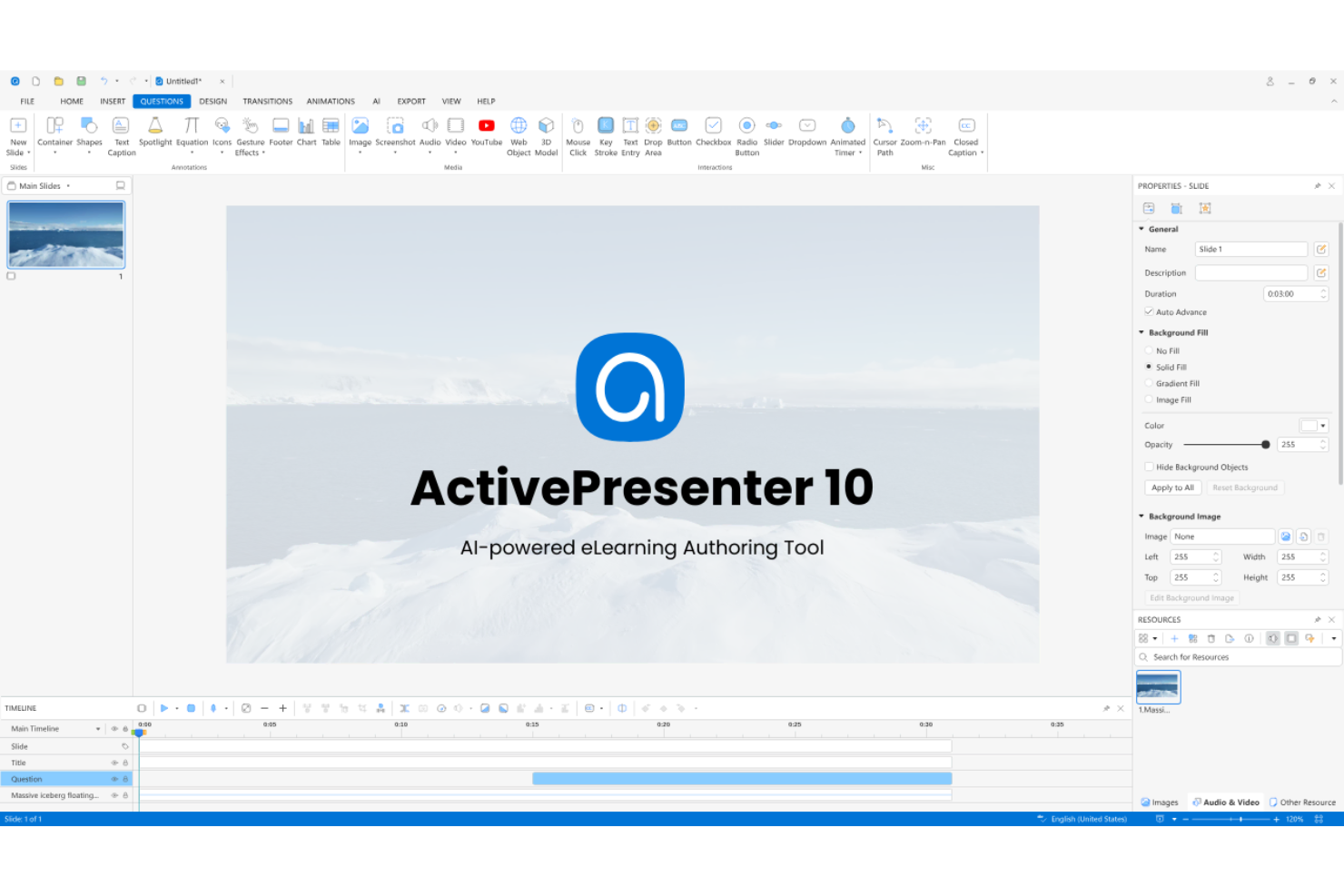
ActivePresenter is a desktop-based eLearning authoring tool for instructional designers who need advanced features to build software simulations, interactive tutorials, and video-based courses without the cost overhead of enterprise authoring platforms.
Why ActivePresenter Is a Good Adobe Captivate Alternative
I picked ActivePresenter because its screen recording capabilities go well beyond basic capture. When I record a software walkthrough, ActivePresenter simultaneously captures the screen, webcam, system audio, and microphone, then drops everything into a timeline editor where I can apply noise removal, auto-captions, and cursor customization in one pass. I also like its interactive simulation mode, which auto-generates click-through practice scenarios directly from a recorded session, something that takes significant manual effort in Adobe Captivate.
Who Is ActivePresenter Best For?
ActivePresenter is a strong fit for instructional designers and IT trainers who need to produce software simulation courses and screen-captured tutorials on a tight budget.
ActivePresenter Key Features
- Quiz builder: Supports 13 interactive question types, including pools with randomized shuffle and scoring feedback.
- PowerPoint import: Converts existing PowerPoint presentations into LMS-ready courses with SCORM and xAPI export.
- AI content generation: Generates learning materials, images, and text-to-speech audio directly inside the authoring environment.
- Gamification elements: Adds drag-and-drop interactions, timers, and game-style mechanics to course slides.
ActivePresenter Integrations
ActivePresenter doesn't have native integrations with third-party software tools. It connects to LMS platforms through SCORM 1.2, SCORM 2004, xAPI, and cmi5 package exports, and you can publish directly to its companion platform, uPresenter. It also supports custom JavaScript in HTML5 output for interacting with external web services.
Pros and Cons
Pros:
- Strong JavaScript support for custom interactions
- One-time perpetual license, no subscription
- Smart Capture auto-generates slide-based simulations
Cons:
- AI features require purchasing extra credits
- Transition and animation quality feels dated
Other Adobe Captivate Alternatives
Here are some additional Adobe Captivate alternatives that didn’t make it onto my shortlist, but are still worth checking out:
- Gomo Learning
For multi-device course delivery
- Evolve
For responsive content design
- SoftChalk
For education-focused content tools
- iSpring LMS
For integrated LMS and course analytics
- ProProfs Training Maker
For built-in quiz and assessment tools
- Visme
For interactive visual storytelling
- Tovuti LMS
For integrated virtual classroom features


How I Evaluate Adobe Captivate Alternatives
I split my evaluation into two layers: baseline must-haves like SCORM export and screen simulation, and differentiators that determine real fit for product training and enablement teams.
Core Functionality (Table Stakes For This List)
When I'm selecting tools for my list, I rank each one on a scale from 0 (does not offer the functionality) to 5 (excels in this area) for each core functionality listed below. Then, I calculate the tool's total score into a percentage. Each tool needs to achieve a minimum total score of 65% to be considered for inclusion.
- Interactive Course Authoring: I evaluate whether the tool supports branching scenarios, triggers, and variables—the building blocks for things like guided product walkthroughs where a learner's choices shape the path.
- Software Simulation: Screen capture paired with auto-generated click-through simulations matters here, especially for teams building try-it-yourself demos of new product features.
- SCORM/xAPI Export: I check which eLearning standards each tool supports, since most product enablement teams need at minimum SCORM 2004 and xAPI to track completions in their LMS.
- Responsive Design Output: Content should adapt across screen sizes from a single source, which is essential when training reaches field teams on tablets or remote users on mobile.
- Assessment & Quizzing: Tools need multiple question types, scoring, and learner feedback—question banks and randomization are what separate a basic quiz builder from a real assessment engine.
- Asset & Template Library: I look at the depth of built-in templates, characters, and stock media, since a strong library lets training managers ship polished modules without relying on a design team.
Once I have a list of tools that meet this criteria, I consider what sets each platform apart.
Differentiating Factors (What Sets Vendors Apart)
Here's how I compare and contrast different vendors:
Standout Features
AI-powered content generation is a major differentiator. Tools that auto-generate quiz questions or narration scripts from existing product documentation save hours per module. I also evaluate collaborative authoring, since most product training teams need stakeholder review cycles before content goes live. Visual branching logic builders are worth a close look too. When you're building a product simulation where the learner's path depends on which feature they select, dragging and dropping branch nodes beats writing conditional scripts every time.
Beyond Features
Authoring approach matters a lot when switching from Captivate. I evaluate whether a tool uses timeline-based, slide-based, or form-based workflows, since that determines how quickly your team adapts. Licensing structure is another key factor. Some tools charge per author seat while others offer unlimited authoring on a flat subscription, which changes the math for growing teams. I also check primary use case fit. A tool built for compliance training handles software simulations differently than one designed for product walkthroughs and demos.
Why Look For an Adobe Captivate Alternative?
While Adobe Captivate is a good choice of Adobe Captivate alternatives, there are a number of reasons why some users seek out alternative solutions. You might be looking for an Adobe Captivate alternative because…
- Upfront cost and renewal fees are too high
- Advanced animations require steep learning curves
- Limited support for out-of-the-box gamification
- Mac users experience feature limitations or compatibility issues
- Frequent updates disrupt existing workflows
- Accessibility compliance is inconsistent without manual work
If any of these sound like you, you’ve come to the right place. My list contains several adobe captivate alternatives options that are better suited for teams facing these challenges with Adobe Captivate and looking for alternative solutions.
Adobe Captivate Key Features
Here are some of the key features of Adobe Captivate to help you contrast and compare what alternative solutions offer:
- Responsive design: Create content that automatically adapts to any screen size or device, making courses mobile-friendly without additional builds.
- Slide-based authoring: Build interactive lessons using familiar slide layouts similar to Articulate Storyline, allowing granular control over presentation elements and sequencing.
- Advanced interactivity: Add interactive hotspots, drag-and-drop elements, branching scenarios, and simulations directly into lessons for engaging user participation.
- Software simulation: Capture and edit step-by-step software demos and training simulations, including automatic click and text entry recording.
- SCORM, xAPI, and AICC export: Publish content in widely used eLearning standards, enabling seamless integration with most learning management systems.
- Virtual reality (VR) support: Build 360-degree VR training and immersive scenarios using standard image or video assets and interactive question overlays.
- Video-based learning: Integrate, edit, and overlay interactive elements onto videos using built-in editors or external tools like Camtasia, turning passive viewing into active learning experiences.
- Built-in asset library: Access thousands of royalty-free images, icons, characters, templates, and backgrounds to enhance learning content visually.
- Multistate objects: Design complex user interactions and animated transitions by creating objects with switchable states triggered by learner actions.
- Automatic closed captioning: Generate or import closed captions for course media to ensure accessibility and global reach.