

10 Best Product Mockup Generator Tools in 2026

Product Mockup Generator Shortlist


A product mockup generator is a digital tool that helps you create realistic product visuals without physical samples. Many modern tools function as an AI mockup generator, allowing you to generate high-quality mockups and a polished mockup image in just one click. These platforms simulate real-life product environments, helping teams present designs more effectively, test branding, and speed up creative workflows without the need for manual design work. Choosing the right tool can help your team visualize concepts, collaborate faster, and deliver polished presentations that drive decisions. In this list, you’ll find a range of mockup generators suited for different design needs, so you can pick the one that fits your process and business goals.
Why Trust Our Software Reviews
We’ve been testing and reviewing product management software since 2020. As product managers ourselves, we know how critical and difficult it is to make the right decision when selecting software.
We invest in deep research to help our audience make better software purchasing decisions. We’ve tested more than 2,000 tools for different product management use cases and written over 1,000 comprehensive software reviews. Learn how we stay transparent & our software review methodology.
Best Product Mockup Generator Summary
This comparison chart summarizes pricing details for my top product mockup generator selections to help you find the best one for your budget and business needs.
| Tool | Best For | Trial Info | Price | ||
|---|---|---|---|---|---|
| 1 | Best for quick drag-and-drop mockup creation | Free plan available | From $15/user/month | Website | |
| 2 | Best for print-on-demand product previews | Free plan available | From $39/month | Website | |
| 3 | Best for apparel-focused mockup options | Free plan available; 14-day free trial | From $24.99/month | Website | |
| 4 | Best with AI-driven UX enhancement tools | Free plan available | From $14/month | Website | |
| 5 | Best for lifestyle scene mockup selection | Not available | From $14.95/month | Website | |
| 6 | Best for collaborative design workflows | Free plan available | From $7/user/month (billed annually) | Website | |
| 7 | Best for creative template variety | Free plan available | From $19/month | Website | |
| 8 | Best for desktop app integration | Free plan available | From $15/month | Website | |
| 9 | Best for instant browser-based mockups | Free plan available | Pricing upon request | Website | |
| 10 | Best for bulk mockup generation | Free plan available | From $15.83/month | Website |
Product Mockup Generator Reviews
Below are my detailed summaries of product mockup generators that made it onto my shortlist. My reviews offer a detailed look at the features, best use cases, and capabilities of each tool to help you find the best one for your needs.
Canva
Best for quick drag-and-drop mockup creation
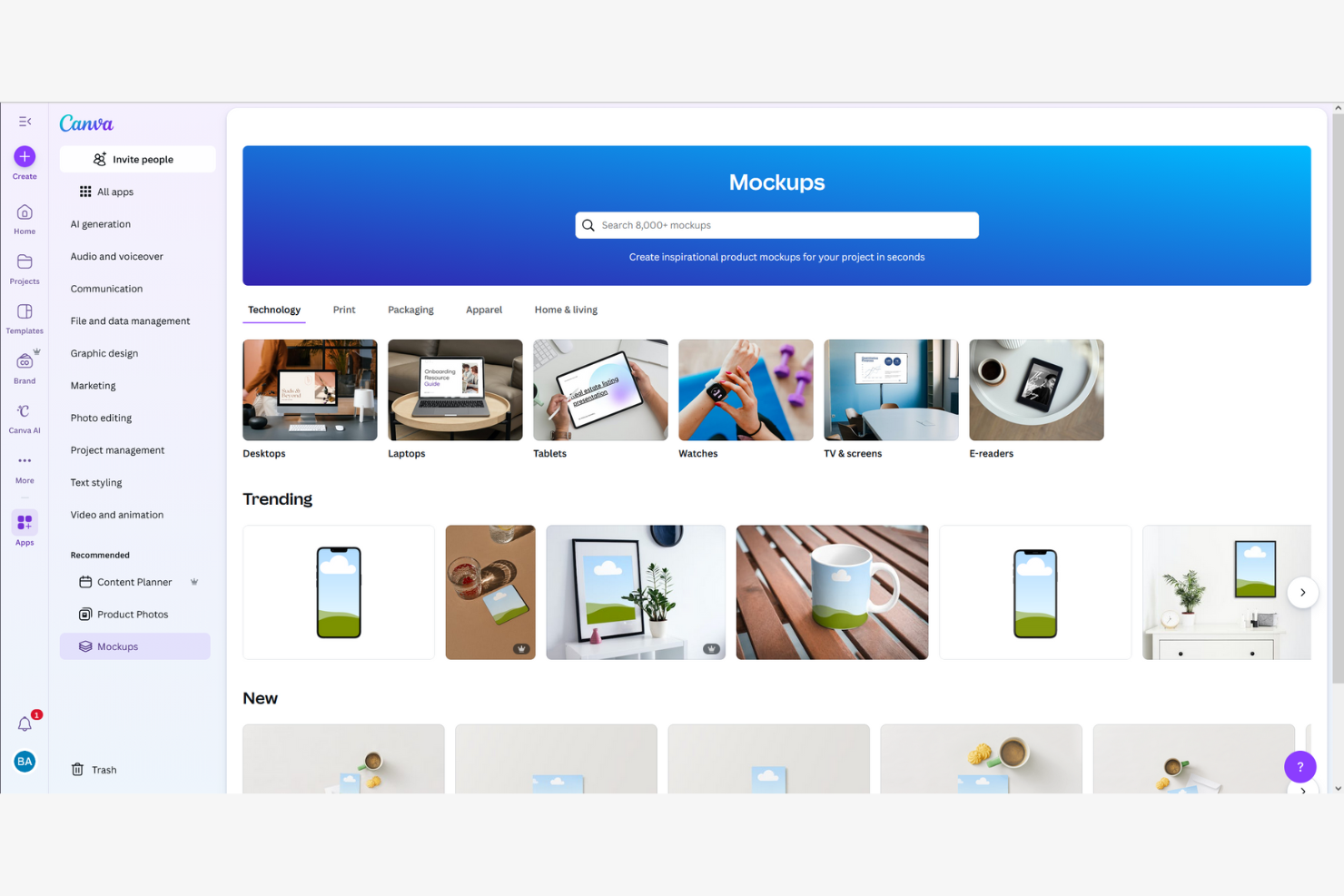
Canva is a browser-based design tool that combines a drag-and-drop editor, an AI mockup generator, and a library of over 400 mockup scenes and 3.6 million templates for creating visual product mockups, pitch decks, and marketing assets.
Who Is Canva Best For?
Canva is a strong fit for product managers, founders, and product marketers who need to turn rough concepts into polished visuals fast—without relying on a designer.
Why I Picked Canva
I picked Canva as one of the best because its drag-and-drop mockup creation genuinely removes the bottleneck of waiting on design resources. Its library of 400+ mockup scenes lets you drop a UI screenshot onto a phone frame or product surface in seconds, and the AI Mockup Generator can produce a polished website or app mockup from a single click. I also love that Magic Design generates full layouts from a text prompt, so you can go from concept to stakeholder-ready visual before your next standup.
Canva Key Features
- Brand Kit: Store your brand's colors, fonts, and logos in one place so every mockup your team produces stays on-brand without extra effort.
- Real-time co-editing: Multiple teammates can work on the same design simultaneously, with comments and to keep feedback in context.
- Magic Resize: Instantly reformat a design to fit different canvas dimensions, so one mockup can cover multiple presentation formats.
- 300+ app integrations: Connect Canva to tools like Slack, Asana, HubSpot, and Google Workspace directly from the editor.
Canva Integrations
Integrations include Slack, Asana, Microsoft Teams, and Google Workspace.
Pros and Cons
Pros:
- AI generates visuals from simple prompts
- Massive library of ready-made mockup templates
- Drag-and-drop mockup creation needs no training
Cons:
- No developer handoff or spec exports
- No interactive prototype or user flow support

Printify
Best for print-on-demand product previews
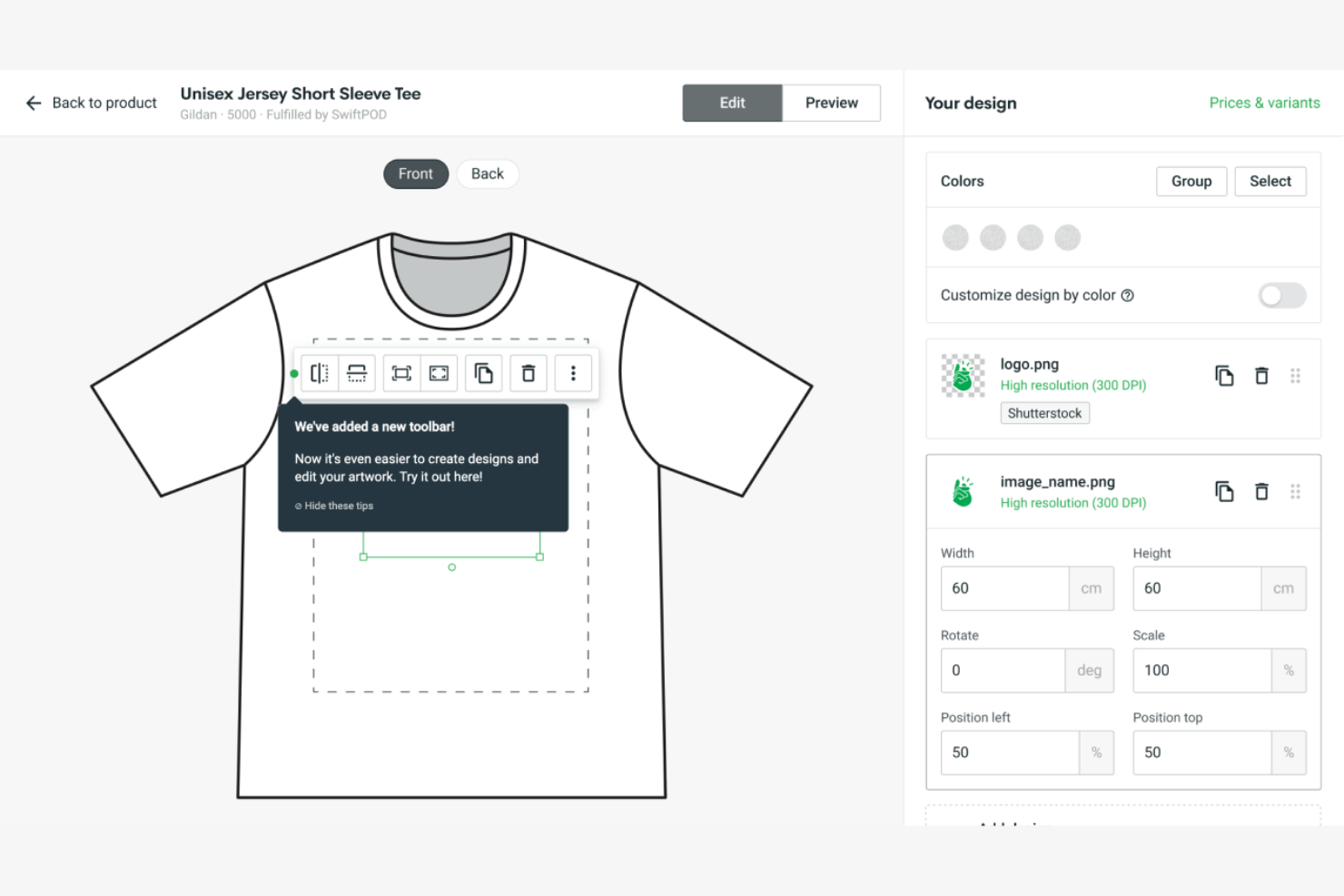
Printify is a print-on-demand mockup generator that lets you design and preview custom products—like apparel, drinkware, and accessories—using a drag-and-drop editor with AI-powered background removal, pattern tools, and lifestyle scene generation.
Who Is Printify Best For?
Printify suits ecommerce founders and independent sellers who need product mockups for physical merchandise like apparel, drinkware, and accessories—without hiring a designer.
Why I Picked Printify
I've included Printify in my top picks because it's the go-to mockup generator for print-on-demand product previews, covering everything from apparel to drinkware across 2,000+ product templates. I particularly like the AI Mockup feature, which lets you describe a lifestyle scene and instantly generates a custom setting with your product placed inside it. The pattern creation tool is also a standout for all-over-print designs, giving you grid and offset controls that most general mockup tools skip entirely.
Printify Key Features
- Background removal tool: A one-click, AI-powered tool that removes image backgrounds, with a manual brush option for fine-tuned edits.
- Pattern creation tool: Lets you build all-over-print designs using grid, horizontal, and vertical layouts with adjustable offset and spacing controls.
- Layer system: Supports up to 10 layers per print area, with SVG file compatibility for scalable, pixel-accurate design placement.
- Free graphics library: Includes 150+ high-resolution images and 32+ fonts you can apply directly within the drag-and-drop editor.
Printify Integrations
Integrations include Shopify, Etsy, WooCommerce, Wix, BigCommerce, Squarespace, and Amazon.
Pros and Cons
Pros:
- Extensive catalog of product mockup templates
- AI-powered lifestyle scene mockup feature
- Drag-and-drop editor for physical products
Cons:
- Lacks real-time multi-user collaboration features
- No interactive prototyping or UI mockups

Printful
Best for apparel-focused mockup options
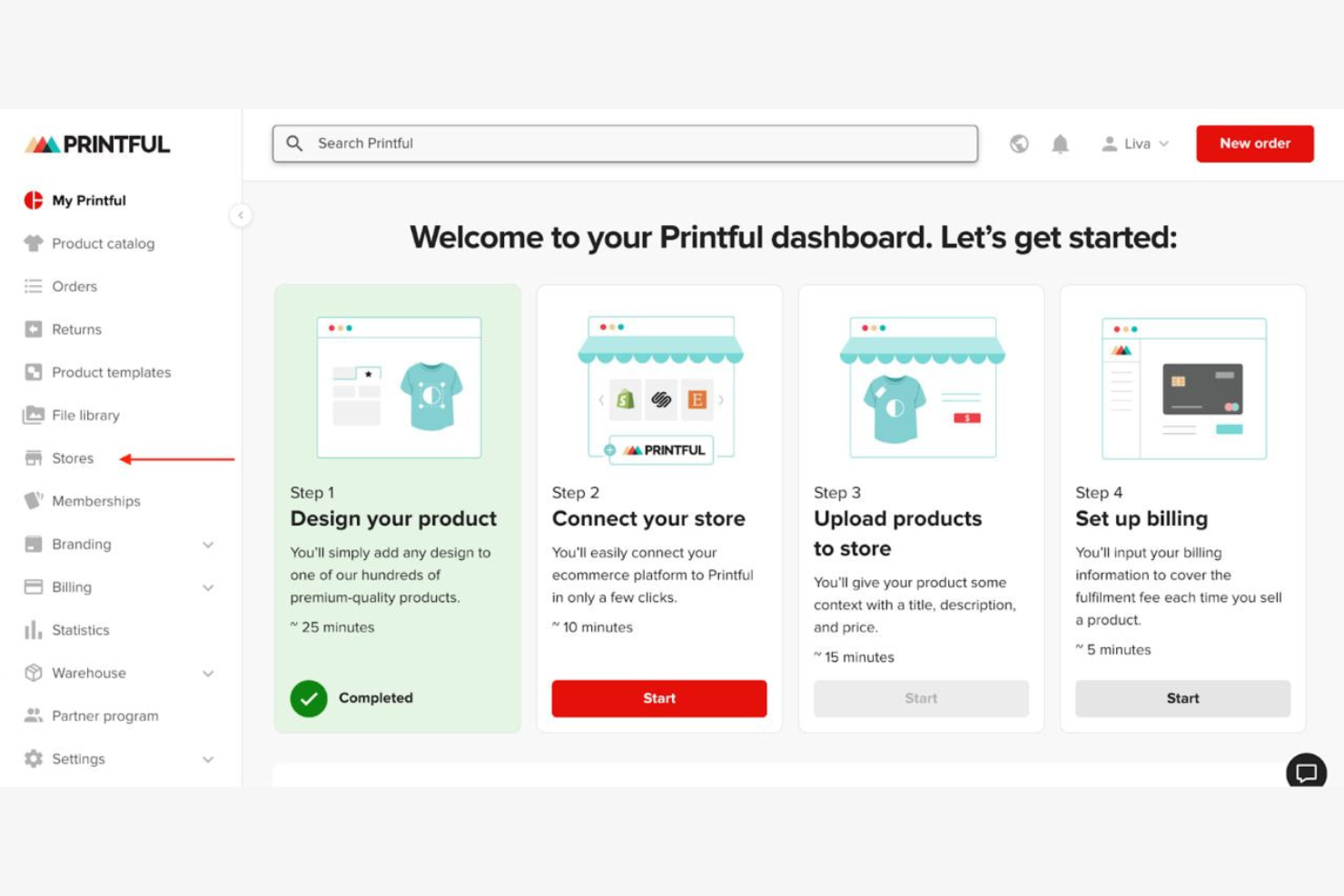
Printful is a print-on-demand mockup generator that lets you design and preview custom graphics on physical products—including apparel, accessories, and home goods—using a browser-based drag-and-drop editor with 550+ product templates.
Who Is Printful Best For?
Printful is a strong fit for ecommerce sellers and merchandise brand founders who need to preview and market custom apparel designs before placing a single order.
Why I Picked Printful
Printful earns its spot on my shortlist because no other mockup tool comes close to its depth of apparel-focused templates. I love that the Custom Mockup Maker lets you build reusable "Scenes" with 300+ backgrounds and 100+ props, so a hoodie or t-shirt mockup looks like a real product shoot. The Pattern Creator is another feature I keep coming back to, letting you wrap a repeating graphic across an entire garment surface in multiple layouts.
Printful Key Features
- Design Maker text editor: Customize fonts, letter spacing, arc, shadows, outlines, and color directly on your product template within the browser.
- Getty Images integration: Access and place premium stock imagery from Getty Images inside the Design Maker without leaving the platform.
- Background remover: Strip unwanted backgrounds from uploaded images directly within the design workflow, no third-party tool needed.
- Mockup Generator API: A RESTful API that lets developers programmatically generate product mockups using async task-based requests and webhook notifications.
Printful Integrations
Printful offers 22 documented ecommerce integrations, including Shopify, Etsy, WooCommerce, Wix, Squarespace, and Amazon. It also provides a REST API and supports integrations through Zapier, Make, and n8n.
Pros and Cons
Pros:
- Pattern creator supports all-over garment designs
- Reusable "Scenes" speed up mockup creation
- Direct-to-product mockups for physical apparel
Cons:
- Static image output only, no interactivity
- No device mockups or UI options

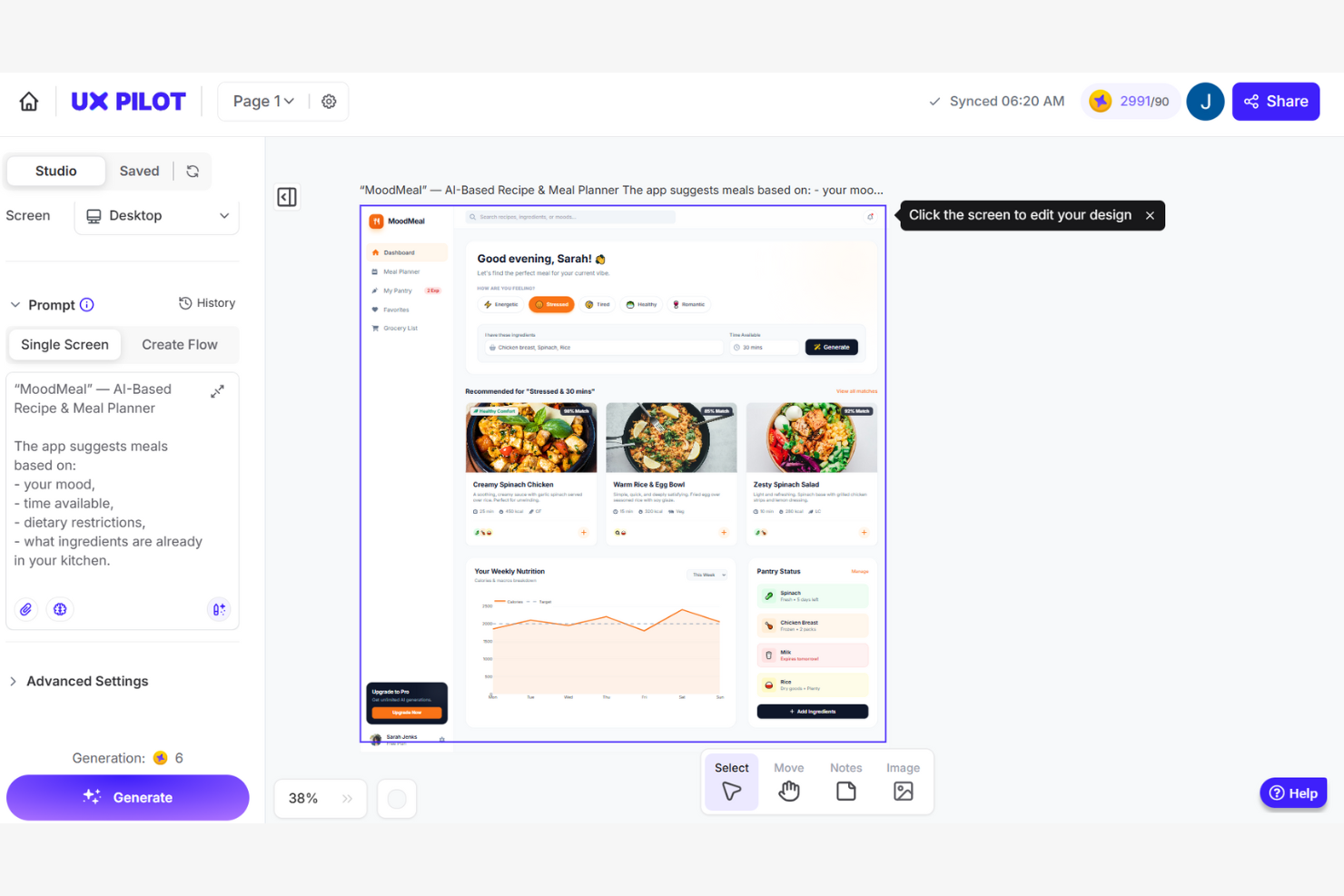
UX Pilot is an AI-powered mockup and UI generation platform that creates wireframes, high-fidelity screens, and multi-screen product flows from text prompts, PRDs, sketches, or reference screenshots.
Who Is UX Pilot Best For?
UX Pilot is a strong fit for product managers and non-designer founders who need to turn written specs or rough ideas into polished, multi-screen UI flows without a design background.
Why I Picked UX Pilot
I've included UX Pilot in my top picks because its AI-driven UX enhancement tools go beyond generation into validation. Predictive heatmaps simulate eye-tracking patterns on your screens before a single user sees them, surfacing hierarchy issues early. The automated design review then flags contrast, spacing, and platform-guideline conflicts across iOS, Android, and web in one pass—a combination I rarely see at this price point.
UX Pilot Key Features
- PRD-to-design automation: Upload a product requirements document and UX Pilot generates a complete, multi-screen UI flow directly from your written specs.
- Autoflow multi-screen generation: Describe a product concept in a text prompt and get a logically consistent, end-to-end user journey built across multiple linked screens.
- React Focus Mode: Build and publish fully interactive React prototypes with a visual editor, natural language chat edits, and one-click AI code fixes.
- GitHub sync: Export your full React codebase and sync it directly to a GitHub repository for a clean handoff to engineering.
UX Pilot Integrations
UX Pilot offers native integrations with Figma and GitHub for editable design exports and code handoff. Enterprise customers can access an API for custom integrations.
Pros and Cons
Pros:
- Figma plugin preserves layers and auto-layout
- PRD-to-design turns specs into screens fast
- Predictive heatmaps surface hierarchy issues early
Cons:
- Multi-screen flows can lack style consistency
- Credits deducted for failed or incomplete outputs

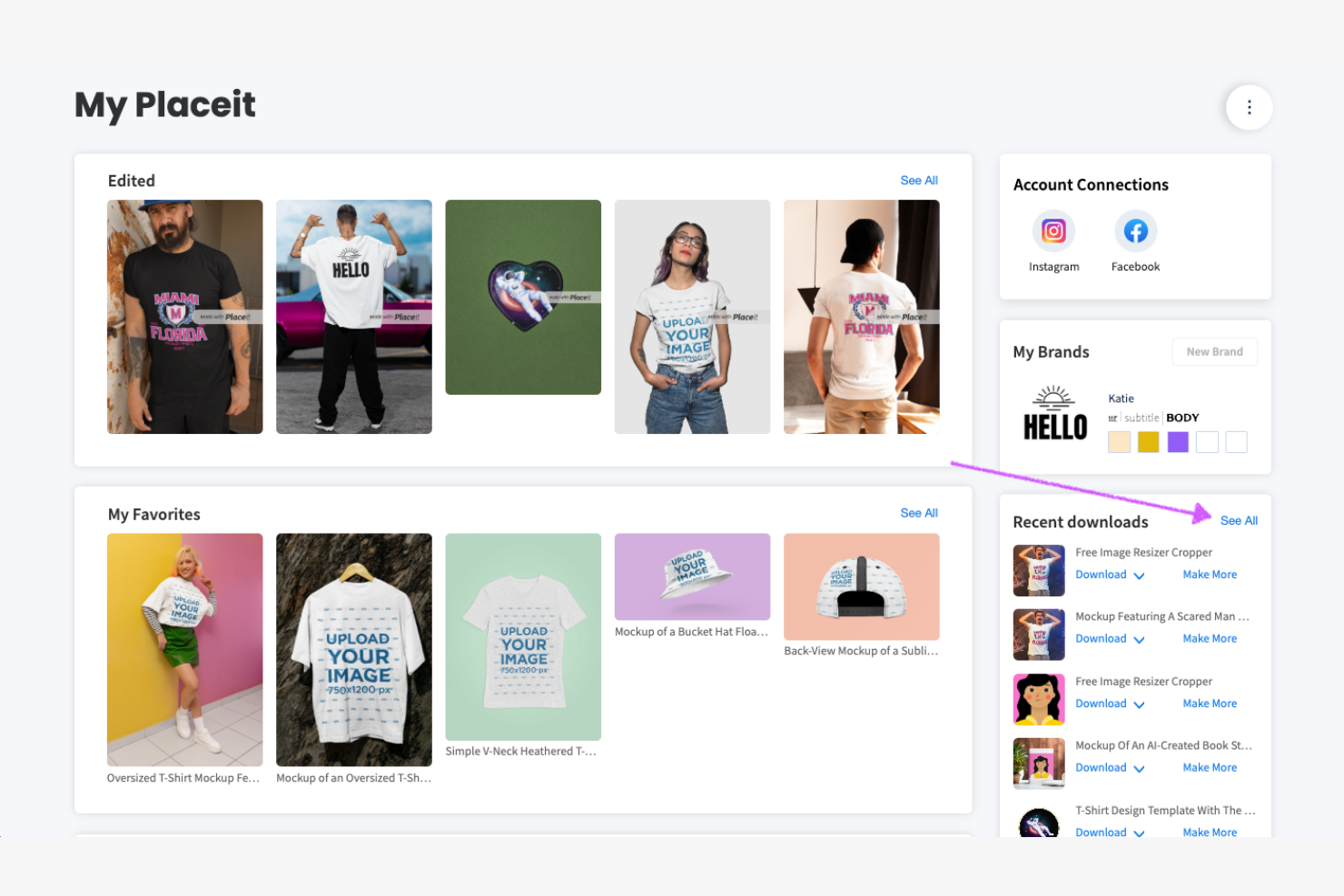
Placeit is a browser-based mockup generator that specializes in lifestyle scene imagery, offering a library of 40,000+ apparel, device, print, and promotional mockup templates alongside logo and video mockup creation tools.
Who Is Placeit Best For?
Placeit is a strong fit for product marketers and e-commerce founders who need polished lifestyle scene imagery for launches, campaigns, and product listings—without hiring a photographer.
Why I Picked Placeit
Placeit earns its spot on my shortlist because no other tool comes close to its lifestyle scene mockup library, which tops 40,000 templates across apparel, devices, print, and promotional categories. I'm particularly impressed by the model diversity filtering: you can narrow by age, ethnicity, body type, and occasion, so finding a scene that matches a specific campaign (a Pride collection launch or a Back to School drop, for example) takes seconds. The themed and seasonal mockup categories make it genuinely useful for product marketing timelines.
Placeit Key Features
- Video mockup templates: Create animated product previews for social media using pre-built video mockup templates—no video editing experience needed.
- AI-powered background remover: Automatically strips backgrounds from uploaded images so your designs drop cleanly onto any mockup scene.
- Canva app integration: Access Placeit's mockup library directly inside Canva through a dedicated app in the Canva App Marketplace.
- Commercial usage license: Every paid download includes a commercial license, covering product listings, client deliverables, and marketing campaigns.
Placeit Integrations
Placeit offers a marketplace integration via Canva, plus workflow compatibility with Printify and Printful. It has no native integrations with Jira, Figma, Notion, or other PM tools, and no public API.
Pros and Cons
Pros:
- Video mockup creation for social channels
- Diverse, inclusive model and scene representation
- Largest lifestyle scene mockup collection available
Cons:
- Lacks real-time collaboration or feedback tools
- No interactive prototyping or UI mockups

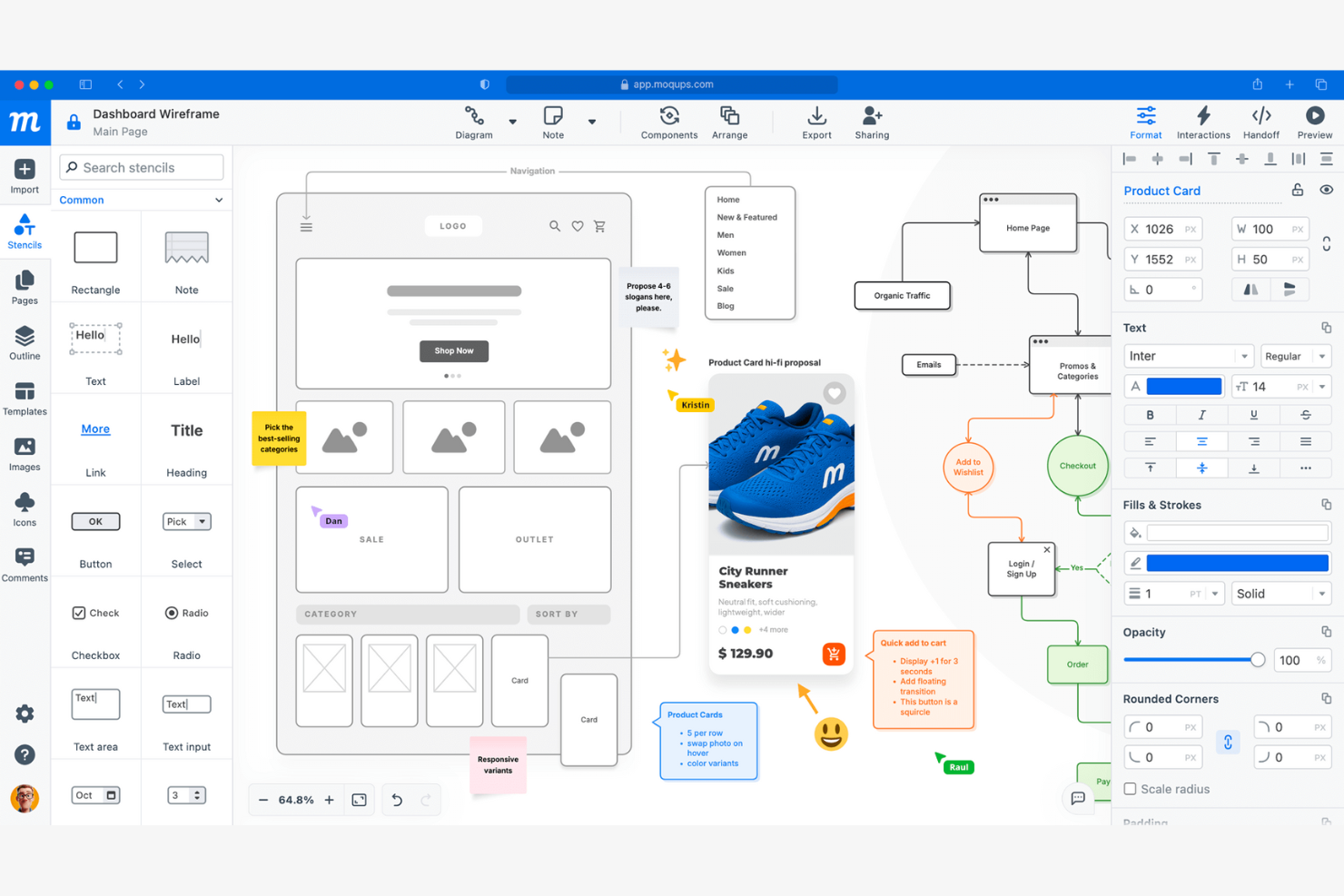
Moqups is a browser-based mockup and wireframing tool that combines drag-and-drop UI design, interactive prototyping, diagramming, and real-time collaboration in a single cloud platform.
Who Is Moqups Best For?
Moqups is a great fit for cross-functional product teams—especially product managers and founders—who need a browser-based tool that keeps design, feedback, and iteration in one shared space.
Why I Picked Moqups
Moqups earns its spot on my shortlist because of how well it keeps cross-functional teams aligned without anyone needing to leave their existing workflow. I love that product managers can embed live wireframes directly into Jira issues and Confluence pages, so engineers and stakeholders always see the current design alongside tickets. Real-time co-editing, threaded pinned comments, and in-app chat mean my team can give and receive feedback without bouncing between tools.
Moqups Key Features
- Synced components: Edit a component once and changes automatically apply across every page in your project.
- Developer handoff panel: Generates CSS and JSX code snippets alongside object specs like coordinates, fonts, and colors for engineering handoff.
- Browser extension: Converts live webpages or screenshots into fully editable Moqups layouts directly from Chrome or Firefox.
- Interactive prototype preview mode: Activates all hotspots and object interactions so stakeholders can click through flows before development begins.
Moqups Integrations
Moqups documents integrations with Jira Cloud, Confluence Cloud, Google Drive, Slack, Dropbox, Box, Trello, Figma via plugin, and Balsamiq import, plus Chrome and Firefox extensions. Jira and Confluence integrations require a Business plan or higher.
Pros and Cons
Pros:
- Drag-and-drop editor enables fast mockup creation
- Synced components update across all project pages
- Real-time co-editing supports team collaboration
Cons:
- Interactive prototypes lack conditional logic
- No version control or branching available

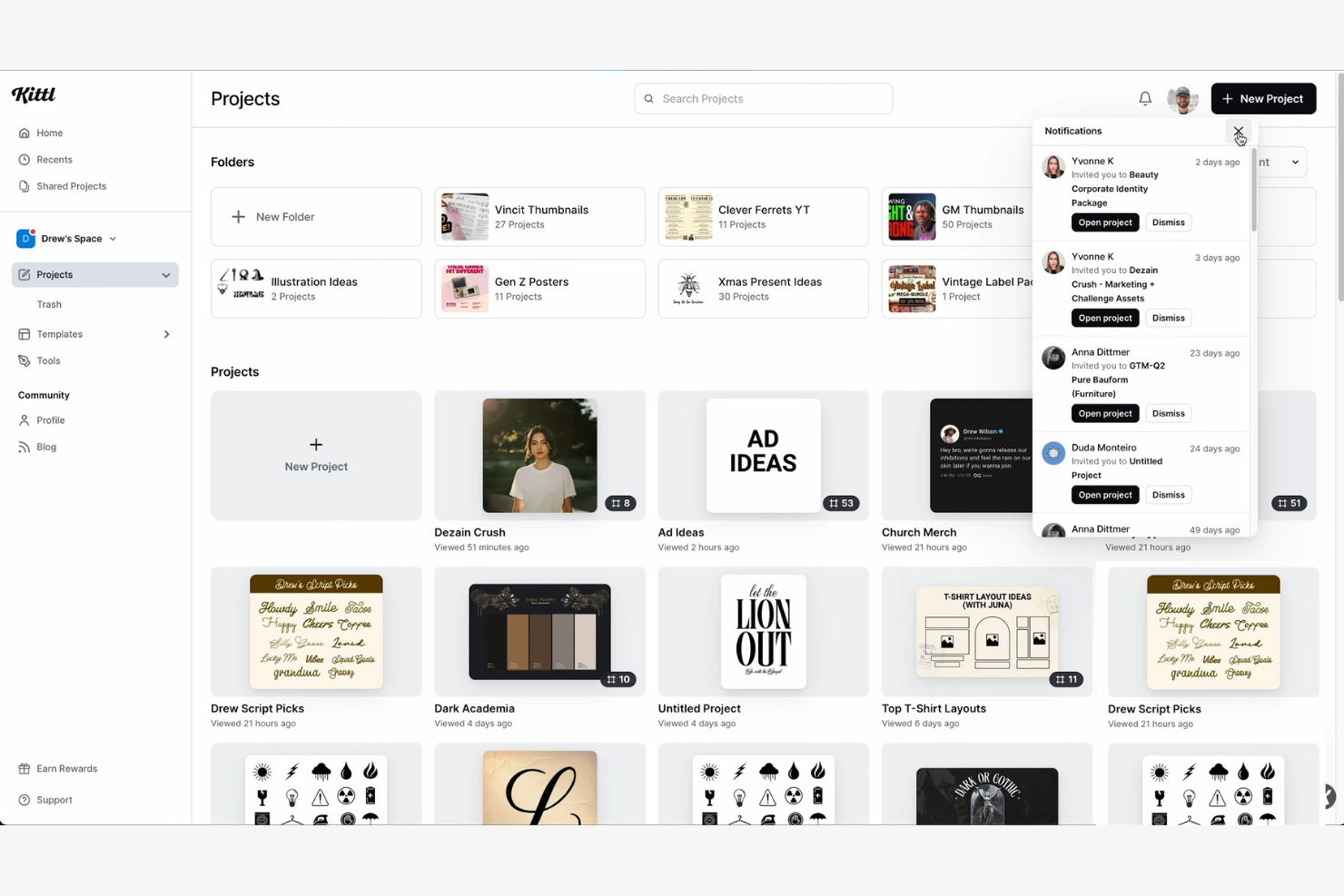
Kittl is a browser-based graphic design and mockup platform that combines a drag-and-drop editor, a large template library, a built-in physical product mockup generator, and AI-powered image and vector creation tools.
Who Is Kittl Best For?
Kittl is a strong fit for brand designers, merch creators, and product marketers who need a fast, template-rich tool for producing polished visual assets and physical product mockups.
Why I Picked Kittl
Kittl earns its spot on my shortlist because of its sheer template variety, with 10,000 to 40,000+ options spanning apparel, packaging, labels, posters, and marketing assets. I especially like the built-in mockup generator, which lets you attach physical product mockups directly to your canvas and watch them update in real time as you tweak the design. Pair that with AI vector generation and you can go from blank canvas to a print-ready product visual in minutes.
Kittl Key Features
- AI vector generator: Converts text prompts into fully editable vector artwork you can modify directly on the canvas.
- Real-time mockup refresh: Attached product mockups update automatically whenever you edit the underlying design.
- Brand kit: Store your brand fonts, colors, and effects in one place for consistent reuse across projects.
- CMYK export: Produces print-ready files in CMYK color format, available on Expert and Max plans.
Kittl Integrations
Kittl has documented integrations with Shopify, Etsy, Printful, Unsplash, and Flaticon, plus a Monotype font-library partnership. It has no documented Jira, Figma, Notion, or product management tool integrations.
Pros and Cons
Pros:
- AI generates editable artwork from text prompts
- Real-time refresh when designs update mockups
- Largest template library for branded product visuals
Cons:
- Lacks developer handoff and UI component tools
- No interactive prototyping or screen flows

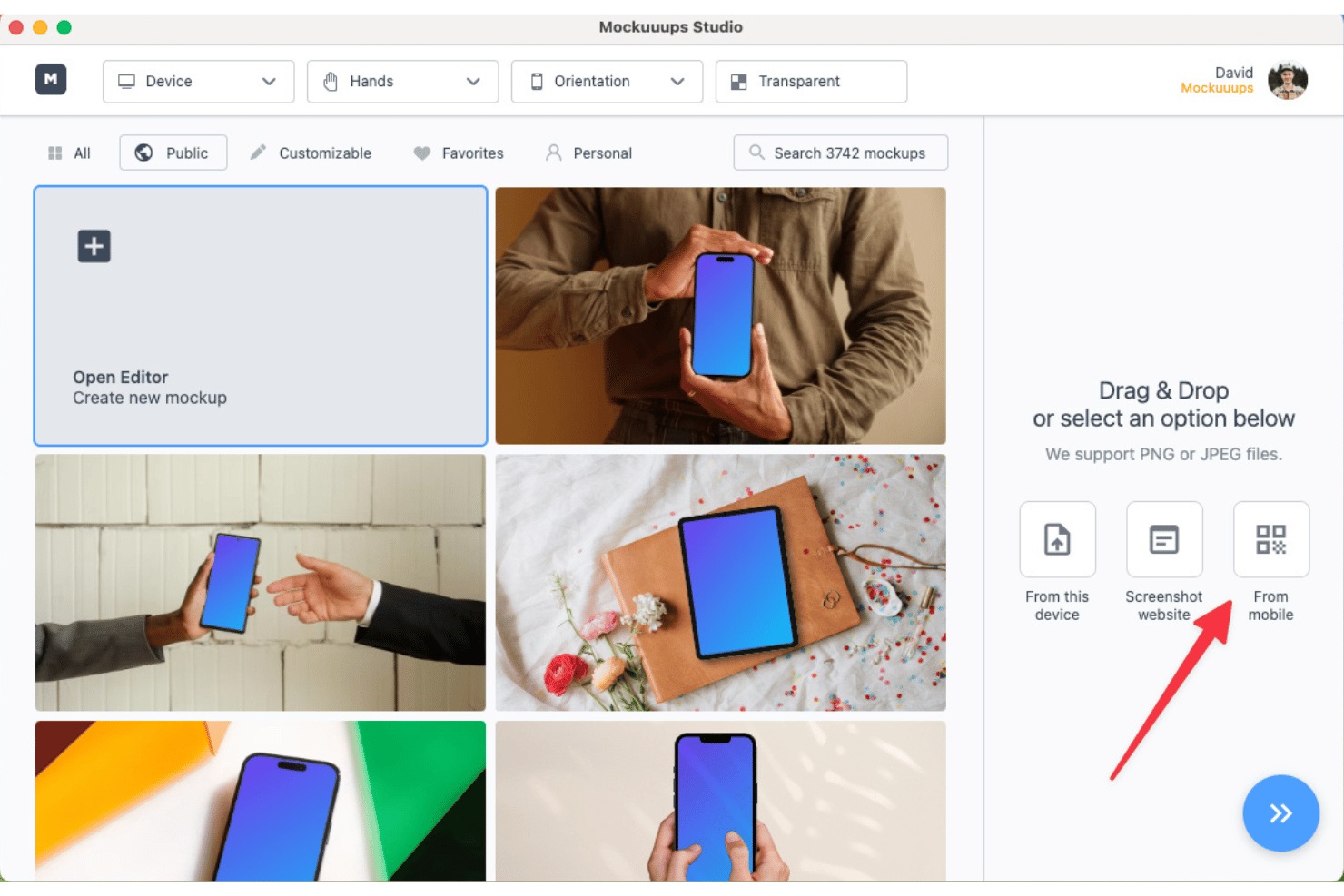
Mockuuups Studio is a photorealistic mockup generator with a library of 5,300+ device and print scenes, a drag-and-drop editor, and native plugins for Figma, Sketch, Penpot, and Adobe Express.
Who Is Mockuuups Studio Best For?
Mockuuups Studio is a strong fit for product marketers and designers who need photorealistic device mockups fast, without touching Figma or Photoshop separately.
Why I Picked Mockuuups Studio
Mockuuups Studio earns its spot on my shortlist because of how well it serves designers who live inside a desktop app all day. The native Mac, Windows, and Linux apps are genuinely polished, and the Figma and Sketch plugins let me drop a design into a photorealistic scene without ever switching tabs. I also love the custom editor's 788M+ scene combinations, which means I can pair specific hand types, device frames, and backgrounds to match the exact aesthetic a pitch deck or landing page needs.
Mockuuups Studio Key Features
- Website screenshot capture: Paste a live URL directly into the studio and Mockuuups Studio auto-captures the page and drops it into your chosen scene.
- Diverse hand and background library: The editor lets you pick from hand types that vary by age, ethnicity, and gesture, then pair them with a matching background environment.
- Commercial license on paid plans: Every export on Professional and Team plans includes a permanent commercial use license, even after cancellation.
- Zapier integration: Available on API Growth and Scale plans, this no-code connection links Mockuuups Studio to 4,000+ third-party apps for automated mockup workflows.
Mockuuups Studio Integrations
Mockuuups Studio offers five documented native integrations, including Figma, Sketch, Penpot, Adobe Express, and Frontify. It also provides a RESTful API for custom integrations and supports Zapier.
Pros and Cons
Pros:
- Native apps for Mac, Windows, and Linux
- Drag-and-drop editor with 788M+ combinations
- Huge mockup library across device categories
Cons:
- No real-time collaboration or commenting
- No interactive prototyping or user flows

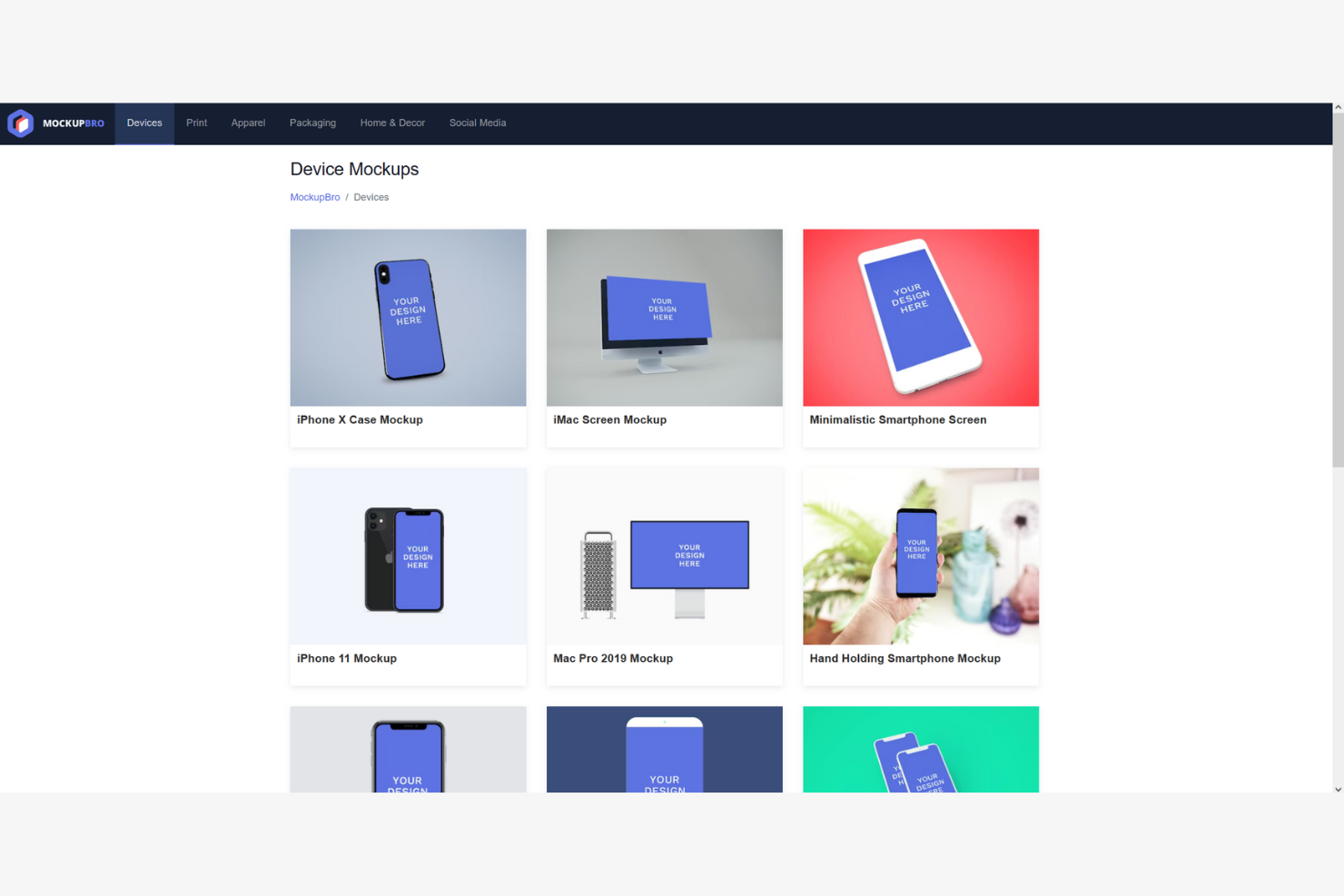
MockupBro is a browser-based mockup generator that lets you place your designs onto pre-built templates across device, print, apparel, packaging, and social media categories to produce static image assets.
Who Is MockupBro Best For?
MockupBro is a great fit for solo founders and product marketers who need quick, watermark-free mockup images without signing up or spending anything.
Why I Picked MockupBro
MockupBro earns its spot on my shortlist because it's the fastest way to get a clean, watermark-free mockup image into a pitch deck or product brief without creating an account or touching a design tool. I like that it covers six distinct categories, so whether I need a device frame for a roadmap slide or a packaging visual for a go-to-market deck, it's covered in one place. The browser-based workflow means I can upload a PNG and download a finished 2K image in under two minutes.
MockupBro Key Features
- Background color customization: A color picker lets you swap the mockup background to match your brand palette or presentation aesthetic.
- Multi-category template gallery: Templates span six categories—devices, print, apparel, packaging, home & decor, and social media—accessible from the top navigation.
- Shadow and reflection controls: Supported templates include toggle options to add shadows or reflections, giving static images more visual depth.
- Multi-language interface: The platform is available in English, German, Spanish, Portuguese, and Chinese for international users.
MockupBro Integrations
MockupBro doesn't have any native integrations with product management, design, collaboration, storage, or ecommerce platforms.
Pros and Cons
Pros:
- Finished images download in high resolution
- Multi-category templates for digital and print
- No watermark or sign-up required
Cons:
- No collaboration or team workflow features
- Only exports as PNG static images

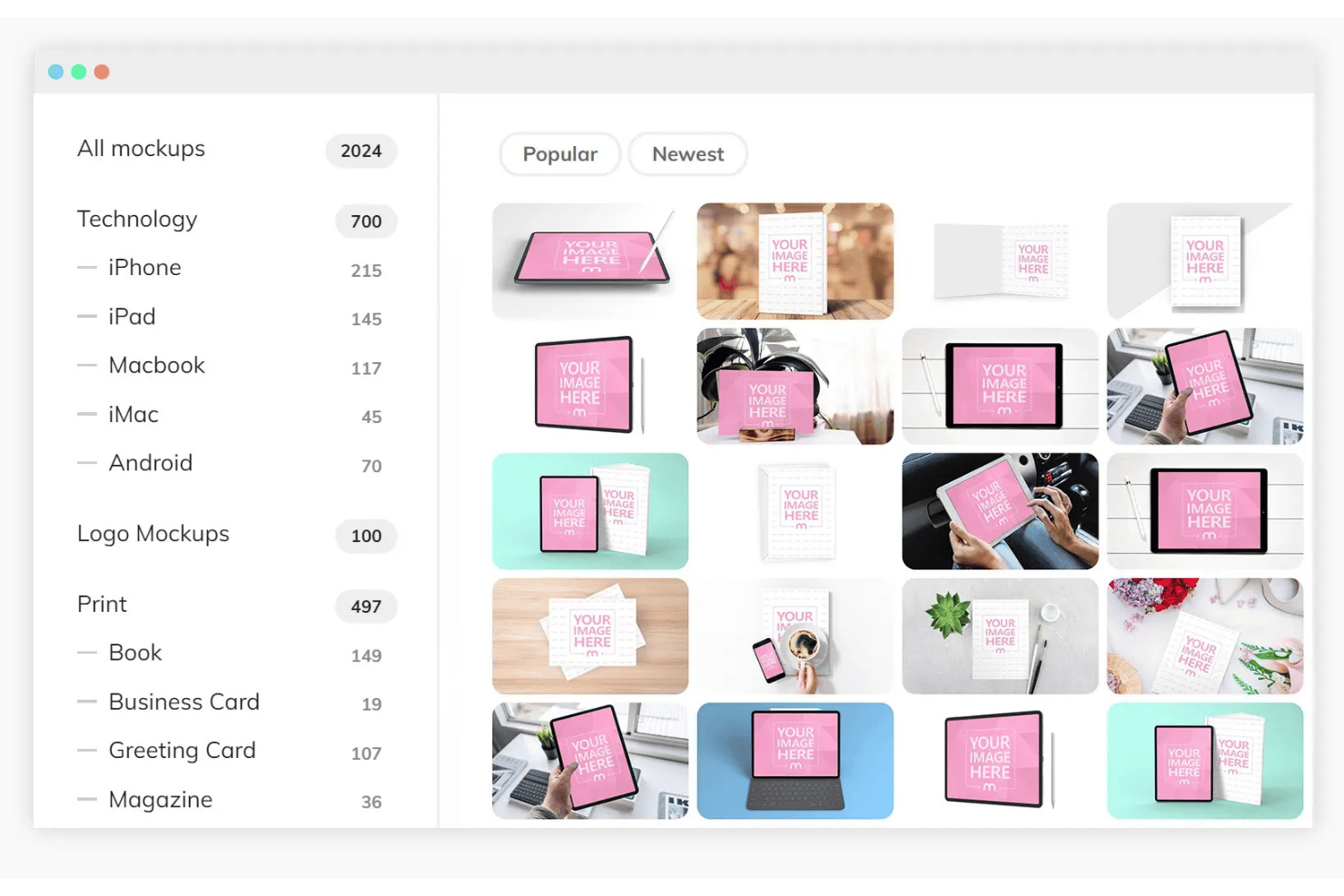
Mediamodifier is a browser-based mockup generator that lets you place designs into device, print, apparel, and product templates through a drag-and-drop editor, with a Mockup API for automated, large-scale rendering.
Who Is Mediamodifier Best For?
Mediamodifier suits product marketing managers and founders who need to generate large volumes of device, print, or apparel mockups quickly for launch campaigns and landing pages.
Why I Picked Mediamodifier
I picked Mediamodifier as one of the best because its Mockup API is genuinely built for scale, letting you render thousands of device, print, or apparel mockups programmatically at roughly one second per render. I've found this especially useful when a product launch requires populating an entire catalog of SKUs with consistent, on-brand visuals in one automated pass. The library of 15,000-plus templates, combined with PSD source file downloads, means you can generate at volume without sacrificing the ability to fine-tune individual outputs in Photoshop afterward.
Mediamodifier Key Features
- Custom PSD upload: Upload your own Photoshop mockup templates to use directly in the web editor or through the API.
- Video mockup editor: Create short video assets and animated social media ad banners within the same browser-based workspace.
- No-account watermarked preview: View full-sized watermarked mockup previews without creating an account or signing in.
- Commercial license inclusion: All paid plans include a commercial license covering client work, advertisements, and marketing materials.
Mediamodifier Integrations
Mediamodifier has four documented native integrations: Unsplash, GIPHY, Facebook, and Twitter. Its Mockup API supports custom integrations and bulk rendering, but it lacks native Jira, Figma, Notion, and e-commerce platform integrations.
Pros and Cons
Pros:
- Editable PSD source file downloads available
- Bulk mockup generation via dedicated API
- Massive template library across product categories
Cons:
- Lacks real-time collaboration or commenting tools
- No interactive or clickable prototype features
Other Product Mockup Generator
Here are some additional product mockup generator options that didn’t make it onto my shortlist, but are still worth checking out:
- Dynamic Mockups
For animated device mockups
- Mockey AI
With AI-powered image background removal
- Balsamiq
For wireframe-style mockup creation
- Pacdora
For packaging and dieline visualization
- Artboard Studio
With advanced scene customization


How I Evaluate Product Mockup Generators
I look at product mockup generators in two layers: the baseline every tool must clear to qualify, and differentiators—like AI generation or Jira embeds—that make tools work for product teams.
Core Functionality (Table Stakes For This List)
When I'm selecting tools for my list, I rank each one on a scale from 0 (does not offer the functionality) to 5 (excels in this area) for each core functionality listed below. Then, I calculate the tool's total score into a percentage. Each tool needs to achieve a minimum total score of 65% to be considered for inclusion.
- Mockup Creation Tools: I evaluate how easily a PM can drag and drop UI elements onto a canvas—like wireframing a new checkout flow during a sprint planning session.
- Pre-Built Template Library: A strong template library includes device frames, web layouts, and mobile UI kits so you can start from a realistic baseline instead of a blank canvas.
- Interactive Prototyping: I check whether you can link screens, add clickable hotspots, and simulate user flows—the kind of prototype you'd walk stakeholders through in a review.
- Collaboration & Sharing: Real-time co-editing, threaded comments, and shareable links matter here, especially when PMs need async feedback from distributed teams.
- Export & Handoff Options: I look at export formats (PNG, PDF, SVG) and whether the tool provides developer handoff with specs and downloadable assets for engineering.
- PM Tool Integrations: Connecting mockups to tools like Jira, Confluence, or Slack keeps visual context attached to tickets and discussions where teams already work.
Once I have a list of tools that meet the criteria, I consider what sets each platform apart.
Differentiating Factors (What Sets Vendors Apart)
Here's how I compare and contrast different vendors:
Standout Features
AI-powered mockup generation is a big differentiator—I look for tools that let PMs type a prompt or upload a rough sketch and get a workable screen layout in seconds. Design system support matters when your team maintains shared component libraries across multiple products, keeping mockups consistent without manual updates. Version control is equally important. When a feature concept evolves over three sprints, you want to trace how the mockup changed and revert if a stakeholder revisits an earlier direction.
Beyond Features
Learning curve is one of the first things I evaluate. PMs aren't designers, so tools that let a non-technical user build a low-fidelity wireframe in minutes—without watching a tutorial first—earn higher marks. Speed to first mockup ties directly into this. If you need to sketch a concept during a stakeholder call, the tool should get you there fast with cloud access and no install. I also consider cross-functional workflow fit, checking whether mockups can be embedded directly into Jira tickets or Confluence pages where engineering and design already collaborate.
How to Choose a Product Mockup Generator
It’s easy to get bogged down in long feature lists and complex pricing structures. To help you stay focused as you work through your unique software selection process, here’s a checklist of factors to keep in mind:
| Factor | What to Consider |
|---|---|
| Scalability | Will the tool support your growing product catalog or team size? Check for limits on projects, users, or storage. |
| Integrations | Does the tool connect with your ecommerce platform, design software, or asset management system? Confirm native integrations, not just API access. |
| Customizability | Can you tailor mockups to match your brand guidelines or unique product types? Assess template flexibility and editing controls. |
| Ease of use | How quickly can new users create mockups without training? Look for intuitive workflows and minimal steps from upload to export. |
| Implementation and onboarding | What resources are available to help your team get started? Consider tutorials, onboarding guides, and template libraries. |
| Cost | Does the pricing fit your budget and usage needs? Watch for hidden fees, pay-per-download models, or required upgrades for key features. |
| Security safeguards | How does the vendor protect your uploaded designs and data? Look for encryption, privacy policies, and data retention practices. |
| Support availability | What support channels are offered and during what hours? Consider if you need live chat, email, or phone support for urgent issues. |
What Is a Product Mockup Generator?
A product mockup generator is a digital tool that lets you place your designs onto realistic product templates, creating visual previews for marketing, ecommerce, or client presentations. These platforms help you quickly visualize how your artwork, branding, or packaging will appear on items like apparel, packaging, or tech devices—without needing physical samples or advanced design skills.
Features of Product Mockup Generator
When selecting a product mockup generator, keep an eye out for the following key features:
- Template library: A wide selection of pre-made product templates, covering categories like apparel, packaging, tech devices, and print materials, so you can quickly find a mockup that matches your needs.
- Design upload: The ability to upload your own artwork, logos, or branding files and apply them directly to mockup templates for instant visualization.
- Scene customization: Tools to adjust backgrounds, props, lighting, and product placement, allowing you to create unique and on-brand visuals.
- High-resolution export: Options to download finished mockups in high-resolution formats suitable for print, web, or presentations.
- Drag-and-drop editor: An intuitive interface that lets you position, resize, and rotate your designs on the product with simple drag-and-drop controls.
- Multi-format support: The ability to export mockups in various file types, such as PNG, JPG, or even video formats, to suit different use cases.
- Batch processing: Features that let you apply a single design to multiple mockups or products at once, saving time on repetitive tasks.
- Branding tools: Built-in options for adding watermarks, brand colors, or custom text to your mockups for a consistent look.
- Template filtering and search: Advanced search and filtering options to help you quickly locate the right template based on product type, style, or scene.
- Version history: The ability to track changes and revert to previous versions of your mockups, supporting collaboration and iterative design.
Benefits of Product Mockup Generator
Implementing a product mockup generator provides several benefits for your team and your business. Here are a few you can look forward to:
- Faster design validation: Quickly visualize how your artwork or branding will look on real products without waiting for physical samples.
- Cost savings: Eliminate the need for expensive prototypes or photo shoots by generating high-quality digital mockups.
- Improved client presentations: Present polished, realistic visuals to clients or stakeholders, making it easier to communicate design concepts and secure approvals.
- Greater creative flexibility: Experiment with different product types, colors, and scenes using a wide template library and customization tools.
- Consistent brand representation: Apply your brand assets and guidelines across all mockups, ensuring a unified look in marketing and ecommerce materials.
- Simplified workflow: Use batch processing and drag-and-drop editing to reduce repetitive tasks and speed up the creation of multiple mockups.
- Improved collaboration: Share editable mockups or version histories with team members, supporting feedback and iterative design processes.
Costs and Pricing of Product Mockup Generator
Selecting a product mockup generator requires an understanding of the various pricing models and plans available. Costs vary based on features, team size, add-ons, and more. The table below summarizes common plans, their average prices, and typical features included in product mockup generator solutions:
Plan Comparison Table for Product Mockup Generator
| Plan Type | Average Price | Common Features |
|---|---|---|
| Free Plan | $0 | Access to a limited template library, basic design uploads, watermarked downloads, and limited export options. |
| Personal Plan | $5-$20/user/month | Full template access, high-resolution downloads, basic scene customization, and personal use licensing. |
| Business Plan | $20-$50/user/month | Team collaboration tools, batch processing, advanced customization, priority support, and commercial use rights. |
| Enterprise Plan | $50-$100+/user/month | Custom integrations, dedicated account management, improved security, onboarding assistance, and SLA-backed support. |
Product Mockup Generator FAQs
Here are some answers to common questions about the product mockup generator:
Can I use product mockup generators for commercial projects?
Yes, most paid product mockup generators allow commercial use, but you should always review the licensing terms for each template and export. Some free plans may restrict usage or require attribution, so check the details before using mockups in marketing or ecommerce.
Do I need graphic design skills to use a product mockup generator?
No, most product mockup generators are designed for non-designers and offer intuitive drag-and-drop interfaces. You can upload your artwork, place it on templates, and customize scenes without advanced design knowledge or software.
What file formats can I export my mockups in?
Most product mockup generators support exporting in common formats like PNG and JPG, with some offering PDF or video exports. Check if the tool provides the file types you need for your intended use, such as print, web, or presentations.
Are there limits on how many mockups I can create or download?
Yes, many platforms set limits based on your subscription plan. Free plans often restrict the number of downloads or add watermarks, while paid plans typically offer higher or unlimited usage. Review plan details to ensure they match your workflow needs.
Can I customize the background or scene in my mockups?
Yes, most modern product mockup generators let you adjust backgrounds, props, and lighting to create unique scenes. However, the level of customization varies, so test the editor to see if it meets your creative requirements.