

As ferramentas de brainstorming online são plataformas digitais que ajudam a sua equipa a gerar, organizar e partilhar ideias em tempo real, independentemente do local onde esteja a trabalhar. Se procura formas de tornar a ideação em grupo mais estruturada, criativa ou inclusiva, a ferramenta certa pode fazer uma diferença mensurável. Com tantas opções disponíveis, é fácil perder-se ao comparar funcionalidades, integrações e casos de utilização. Esta lista ajudá-lo-á a identificar rapidamente quais as ferramentas de brainstorming online que se adequam ao fluxo de trabalho, ao estilo de colaboração e aos objetivos empresariais da sua equipa — para que possa passar das ideias à ação com confiança.
Why Trust Our Software Recommendations
6,700+
Reviews
20
Industry experts
16+
Evaluation factors
14
Years
Our team has been testing and reviewing software since 2012. As product managers ourselves, we know how difficult—and important—it is to choose the right software.
For this guide, we evaluated tools using hands-on testing and independent research, scoring tools using our selection criteria.
Our reviews reflect our human editorial judgment, not a sales pitch.
Expert reviewers:
- Andrew LumbySenior TPM
- Cristiano ValimSenior UI/UX Lead


Tabela comparativa de ferramentas de brainstorming online
Esta tabela comparativa resume os detalhes de preços da minha seleção das melhores ferramentas de brainstorming online:
| Tool | Best For | Trial Info | Price | ||
|---|---|---|---|---|---|
| 1 | Best for template-led visual idea capture | Free trial + free plan available | From $144/user/year (billed annually) | Website | |
| 2 | Best for design-focused collaboration | Free plan available | From $3/user/month | Website | |
| 3 | Best for ideation that feeds a product roadmap | 30-day free trial | From $9/user/month | Website | |
| 4 | Best for AI-grouped sticky note synthesis | Free plan + 30-day free trial + free demo available | Pricing upon request | Website | |
| 5 | Best for brainstorm-to-report data export | Free plan + 30-day trial + free demo available | Pricing upon request | Website | |
| 6 | Best for remote agile project planning | Free plan available | From $9.99/user/month (billed annually) | Website | |
| 7 | Best for regulated-sector whiteboard sessions | Free plan + 30-day trial available | From €5/user/month | Website | |
| 8 | Best for cross-functional team workshops | Free plan + 14-day free trial + free demo available | From $8/user/month (billed annually) | Website | |
| 9 | Best for workshop-to-backlog handoff | Free plan + trial + demo available | From $24.90/user/month (billed annually) | Website | |
| 10 | Best for visualizing complex workflows | Free plan + 7-day trial + demo available | From $9/user/month (billed annually) | Website |


Avaliações de ferramentas de brainstorming online
Apresentamos abaixo os meus resumos detalhados das ferramentas de brainstorming online que entraram na minha lista restrita. As minhas avaliações oferecem uma análise detalhada das funcionalidades, dos melhores casos de utilização e das integrações de cada plataforma, para o ajudar a encontrar a melhor opção para si.
 Best for template-led visual idea capture
- Free trial + free plan available
- From $144/user/year (billed annually)
Visit WebsiteCustomer Rating:4.6/5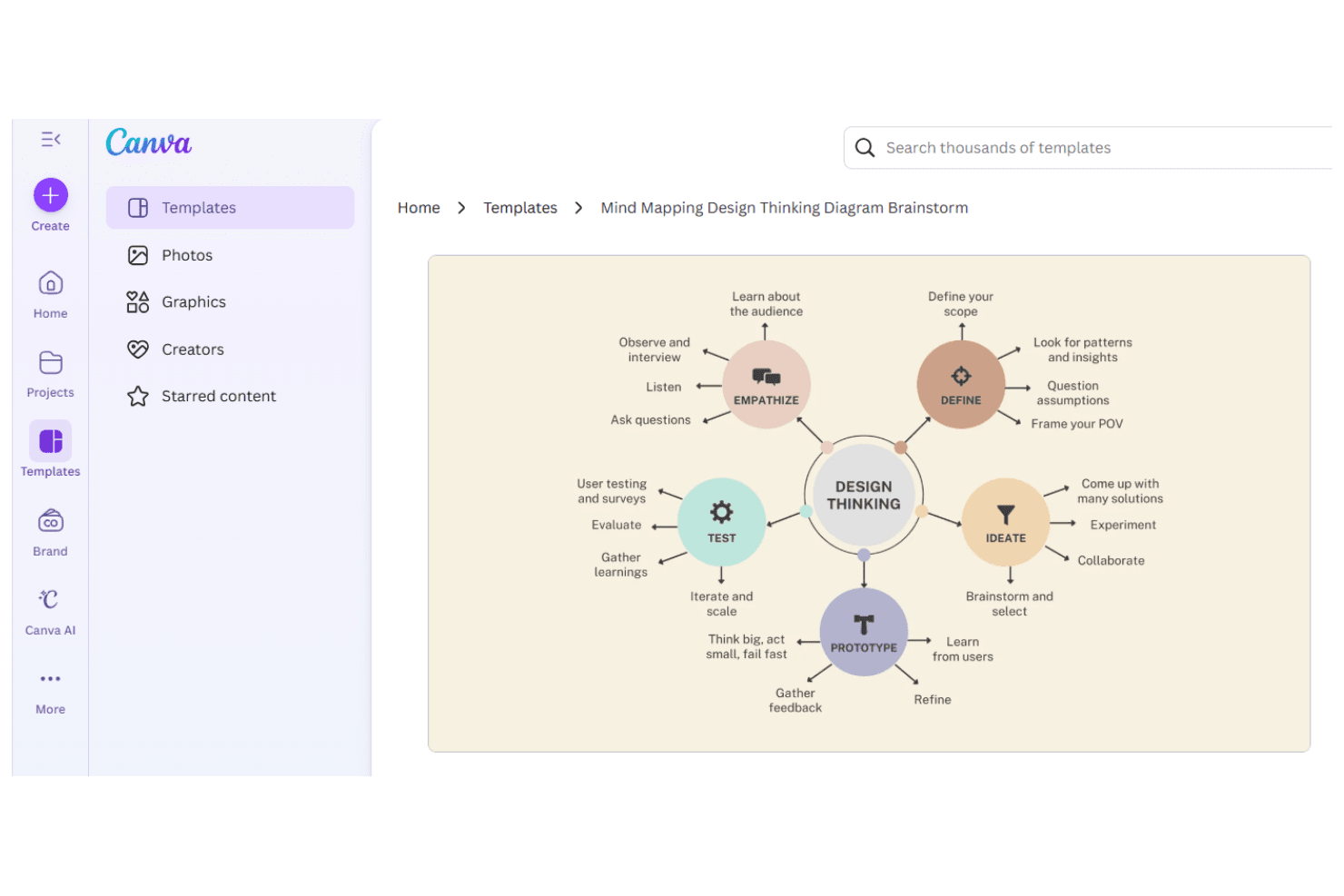
Canva creates visual content for teams and individuals across industries. Canva is a visual design platform that pairs a drag-and-drop editor with an extensive library of templates, whiteboards, and mind map layouts purpose-built for capturing and organizing ideas collaboratively.
Who Is Canva Best For?
Canva is a strong fit for product teams and cross-functional collaborators who think visually and want to turn early ideas into structured, shareable artifacts without starting from scratch.
Why I Picked Canva
Canva earns its spot on my shortlist because its template library does a lot of the heavy lifting when a brainstorming session needs structure fast. I particularly like the ready-made mind map and whiteboard layouts, which give teams a visual scaffold to drop ideas into without wrestling with blank-canvas paralysis. The drag-and-drop editor makes it easy to rearrange, label, and group concepts in real time during a session.
Canva Key Features
- Real-time multiplayer editing: Multiple team members can work on the same canvas simultaneously, making live brainstorming sessions more interactive.
- AI image and text generation: Canva's built-in AI tools let you generate visuals and written content directly within your brainstorm canvas.
- Comments and reactions: Teammates can leave threaded comments and emoji reactions on specific elements to give contextual feedback without disrupting the layout.
- Presentation mode: Convert your brainstorm board into a shareable presentation without leaving the platform.
Canva Integrations
Canva’s Apps Marketplace offers hundreds of apps, including Slack, Microsoft Teams, Asana, Monday.com, and Google Workspace. It also supports custom app development through the Canva Apps SDK.
Pros and Cons
Pros:
- Brainstorms can become shareable presentations
- Live co-editing keeps ideas visible
- Ready-made mind maps give sessions structure
Cons:
- Large boards can get harder to scan
- Complex boards can slow editing
Learn more about Canva: Best for design-focused collaboration
- Free plan available
- From $3/user/month
Visit WebsiteCustomer Rating:4.7/5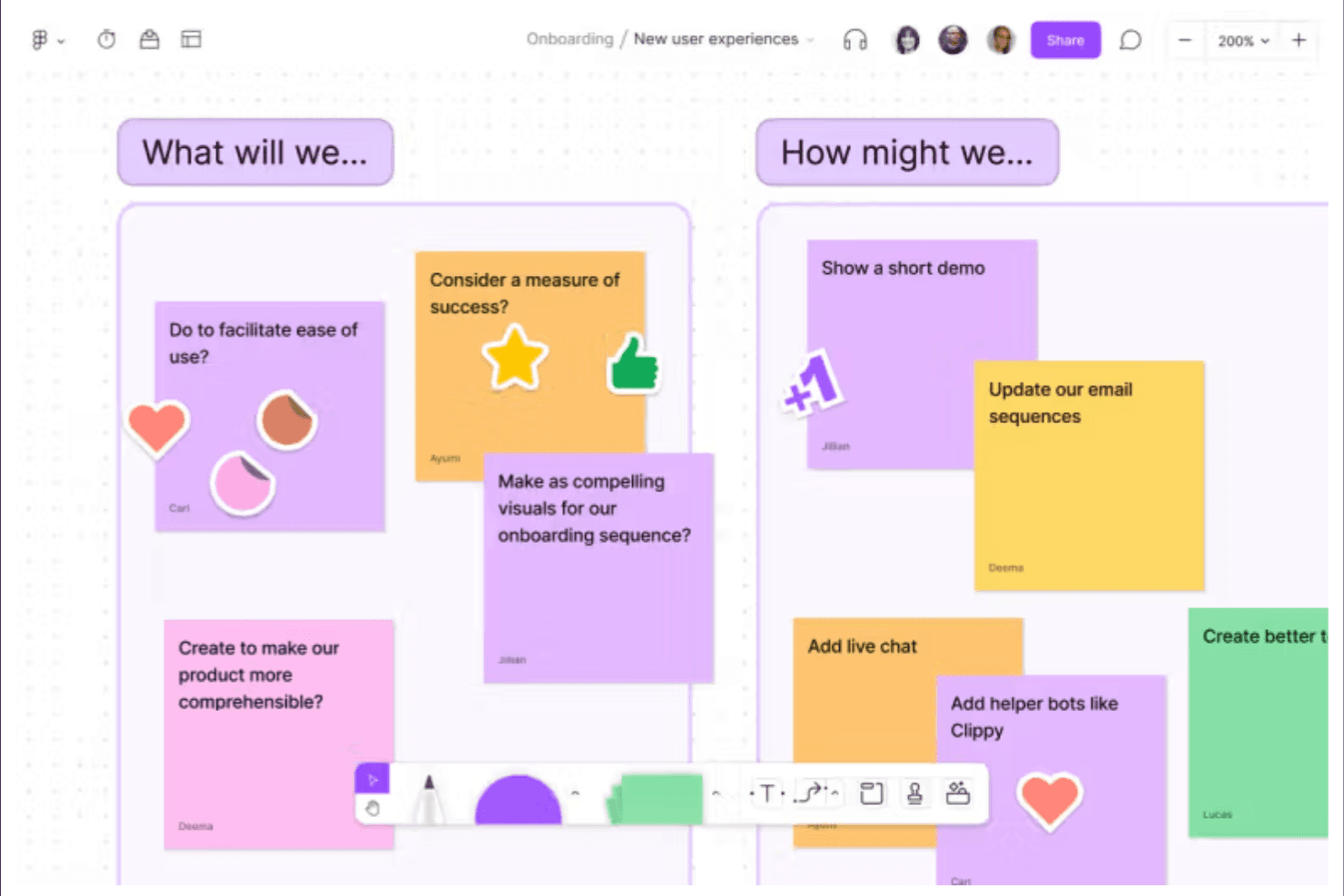
FigJam enables design and product teams to brainstorm, plan, and diagram together. FigJam is a collaborative online whiteboard tool from Figma that brings together sticky notes, mind maps, voting widgets, and drawing tools in a shared canvas built around design workflows.
Who Is FigJam Best For?
FigJam is a natural fit for product and design teams who already live in Figma and want their brainstorming sessions to connect directly to their design workflow.
Why I Picked FigJam
FigJam earns its spot on my shortlist because it's built from the ground up for design-adjacent collaboration, not just adapted for it. I love how FigJam boards connect directly to Figma files, so when a brainstorm produces a direction worth pursuing, my team can move it into an actual design without losing context. The voting widgets and cursor chat features make live ideation sessions feel genuinely interactive rather than passive.
FigJam Key Features
- FigJam AI: Automatically generates diagrams, mind maps, and summaries from prompts so your team can move from idea to structure faster.
- Template library: Offers hundreds of pre-built brainstorming and planning templates, including retrospectives, flowcharts, and journey maps.
- Stamp and reaction tools: Let participants express quick reactions or approvals directly on the canvas during live sessions.
- Widget integrations: Embed third-party widgets like polls, timers, and Jira cards directly into your board without leaving FigJam.
FigJam Integrations
FigJam supports widget integrations including Jira cards, polls, and timers, and connects directly with Figma files.
Pros and Cons
Pros:
- Templates support structured retrospectives and journey maps
- Live voting keeps ideation participatory
- Visual canvas suits product design workshops
Cons:
- Facilitation tools trail specialist whiteboards
- Large boards can become hard to navigate
Learn more about FigJam: 3Best for ideation that feeds a product roadmap
Aha!
- 30-day free trial
- From $9/user/month
Visit WebsiteCustomer Rating:4.6/5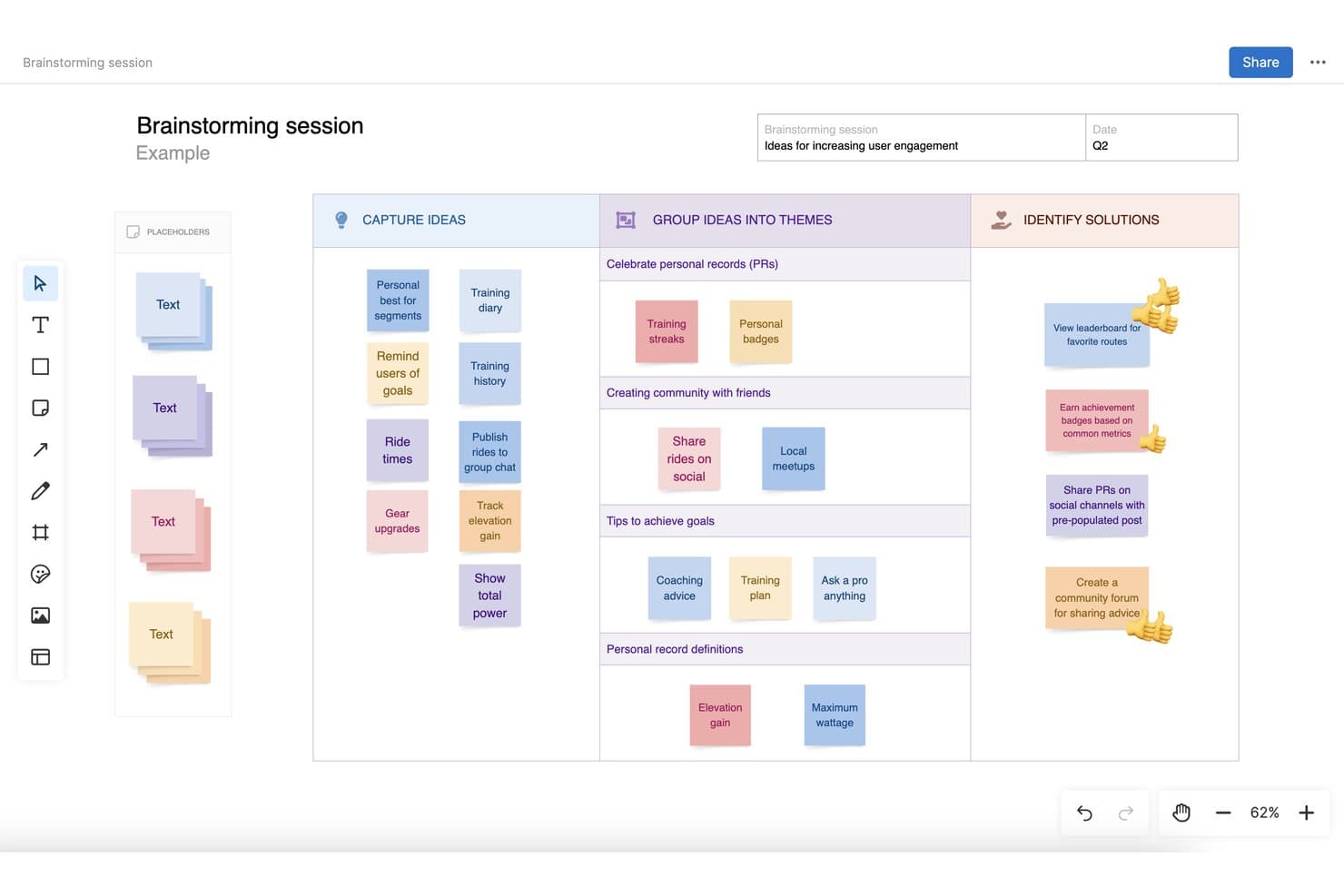
Aha! lets users capture, group, and identify solutions in brainstorming sessions. Aha! Whiteboards is a collaborative whiteboard tool built for product teams, offering an infinite canvas, 100+ templates, AI-powered wireframes, real-time co-editing, and direct conversion of whiteboard content into product roadmap records.
Who Is Aha! Best For?
Aha! Whiteboards is a strong fit for product managers who want to move ideas directly from a shared canvas into a structured product roadmap.
Why I Picked Aha!
I picked Aha! as one of the best because it's the only brainstorming tool where ideas don't just live on a canvas—they become actual roadmap records. You can sketch a flow, run a voting session with your team using planning poker or audience voting, and then convert those whiteboard shapes directly into Aha! Roadmaps items without copying anything by hand. For product teams who brainstorm with delivery in mind, that direct pipeline from ideation to structured planning is genuinely useful.
Aha! Key Features
- Real-time co-editing: Multiple users can navigate and edit the same whiteboard simultaneously, with presence avatars showing who's active.
- 100+ templates: Pre-built templates covering a range of ideation formats, each with best practices and an example to guide sessions.
- Infinite canvas with frames: The whiteboard expands as you add content, with titled frames you can navigate, pan, and zoom between.
- Inline comments and emoji reactions: Team members can leave threaded comments on specific objects and react to sticky notes with emoji, with reaction counts visible to all.
Aha! Integrations
Aha! Whiteboards offers native integrations with Aha! Roadmaps, Jira, and Azure DevOps. Aha! provides REST and JavaScript APIs for custom integrations, though Whiteboards-specific API resources aren't documented.
Pros and Cons
Pros:
- Live collaboration includes voting and reaction counts
- Expanding canvas organizes ideas into navigable frames
- More than 100 templates include examples
Cons:
- No documented whiteboard export or idea clustering
- Timer lacks agenda and participant controls
Learn more about Aha!: Best for AI-grouped sticky note synthesis
- Free plan + 30-day free trial + free demo available
- Pricing upon request
Visit WebsiteCustomer Rating:4.4/5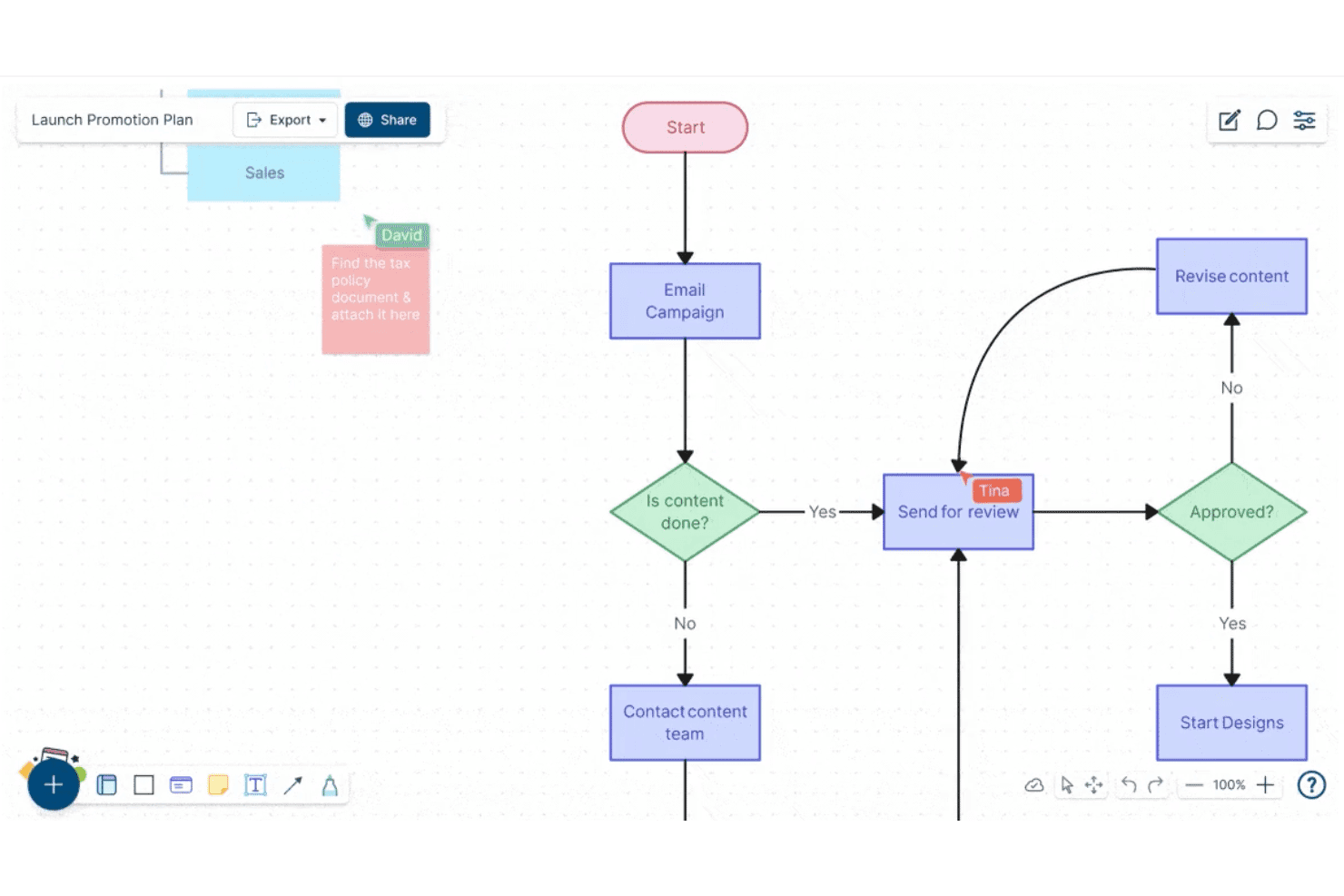
Creately lets users build and collaborate on flowcharts in real time. Creately is a visual collaboration and brainstorming platform that combines infinite canvases, sticky notes, mind maps, and AI-powered synthesis tools to help teams capture, organize, and structure ideas together.
Who Is Creately Best For?
Creately suits cross-functional teams that need to move quickly from raw brainstorming to organized, actionable insights without manually sorting through piles of sticky notes.
Why I Picked Creately
I've included Creately in my top picks because its AI-grouped sticky note synthesis genuinely changes how a brainstorm ends. After a session, Creately's AI clusters your sticky notes into themed groups automatically, so you're not spending an hour manually sorting "improve onboarding" next to "reduce churn" next to "fix the signup flow." I also love that the infinite canvas supports mind maps and diagrams in the same workspace, so raw ideas can evolve into structured frameworks without switching tools.
Creately Key Features
- Real-time multiplayer editing: Multiple team members can edit the same canvas simultaneously, with live cursors showing who's working where.
- Pre-built brainstorming templates: Creately offers ready-made templates for frameworks like SWOT, fishbone diagrams, and brainwriting sessions.
- Database-linked shapes: Objects on the canvas can store structured data fields, letting you attach metadata directly to brainstorm elements.
- Presentation mode: Teams can walk stakeholders through a canvas as a slideshow without leaving the workspace.
Creately Integrations
Creately offers documented integrations with Google Drive, Slack, Confluence, and Microsoft Teams. Zapier and Microsoft OneDrive are listed as coming soon.
Pros and Cons
Pros:
- Canvas turns ideas into mind maps
- Live cursors support simultaneous brainstorming
- AI groups sticky notes into themes
Cons:
- Large canvases can become visually crowded
- AI clusters may need manual review
Learn more about Creately: Best for brainstorm-to-report data export
- Free plan + 30-day trial + free demo available
- Pricing upon request
Visit WebsiteCustomer Rating:4.3/5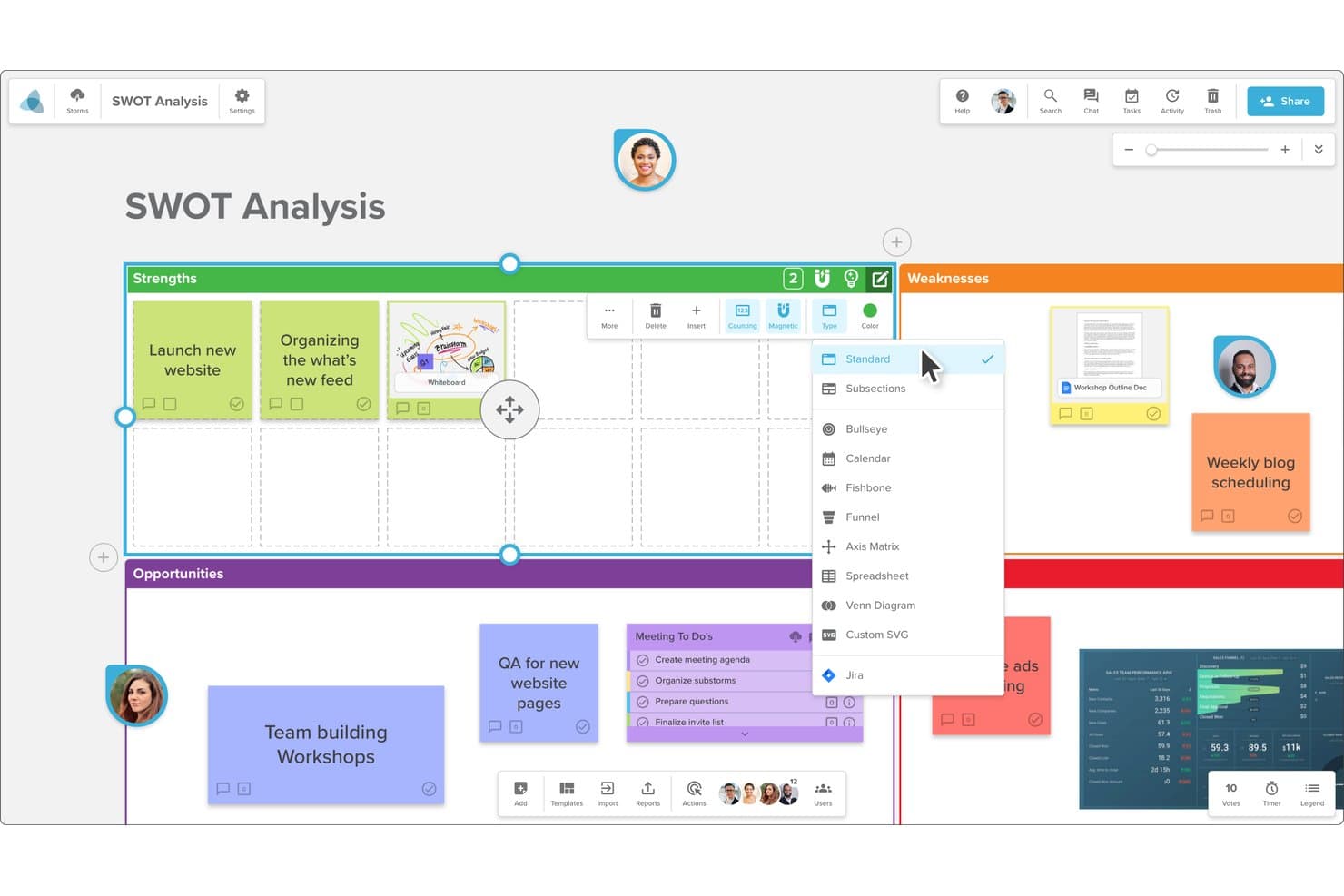
Stormboard lets users switch board layouts like Fishbone or Funnel. Stormboard is an online brainstorming and digital whiteboard tool that lets teams capture ideas on sticky notes, organize them into structured frameworks, and convert session output into shareable reports and presentations.
Who Is Stormboard Best For?
Stormboard suits teams that need to turn brainstorming sessions into structured, shareable reports without manual reformatting afterward.
Why I Picked Stormboard
Stormboard earns its spot on my shortlist because it closes the loop between brainstorming and deliverable output in a way most whiteboard tools don't. I love that every sticky note, comment, and vote in a session feeds directly into auto-generated reports you can export as Word documents, PDFs, or presentations. That means when my team wraps a discovery sprint, we're not manually reformatting raw ideas into stakeholder-ready documents. The Storm Report feature alone saves real hours.
Stormboard Key Features
- Sticky note canvas: Add, move, and group digital sticky notes across an open canvas to capture and organize ideas in real time.
- Voting and ranking tools: Team members can vote on ideas directly within a session to surface top priorities without leaving the board.
- Pre-built storm templates: Choose from a library of structured templates for common sessions like SWOT analyses, retrospectives, and sprint planning.
- Multi-board workspaces: Organize related brainstorming sessions into shared workspaces so teams can manage ongoing projects across multiple boards.
Stormboard Integrations
Stormboard offers documented integrations with Microsoft Teams, Google Drive, Jira, Rally, Azure DevOps, Webex, Zoom, Slack, Dropbox, and Box. It also supports custom integrations through its API and connects with 1,000+ apps through Zapier.
Pros and Cons
Pros:
- Structured templates support repeatable discovery sessions
- Built-in voting surfaces team priorities fast
- Turns brainstorms into exportable stakeholder reports
Cons:
- Sticky note color choices feel limited
- Users describe the interface as dated
Learn more about Stormboard: Best for remote agile project planning
- Free plan available
- From $9.99/user/month (billed annually)
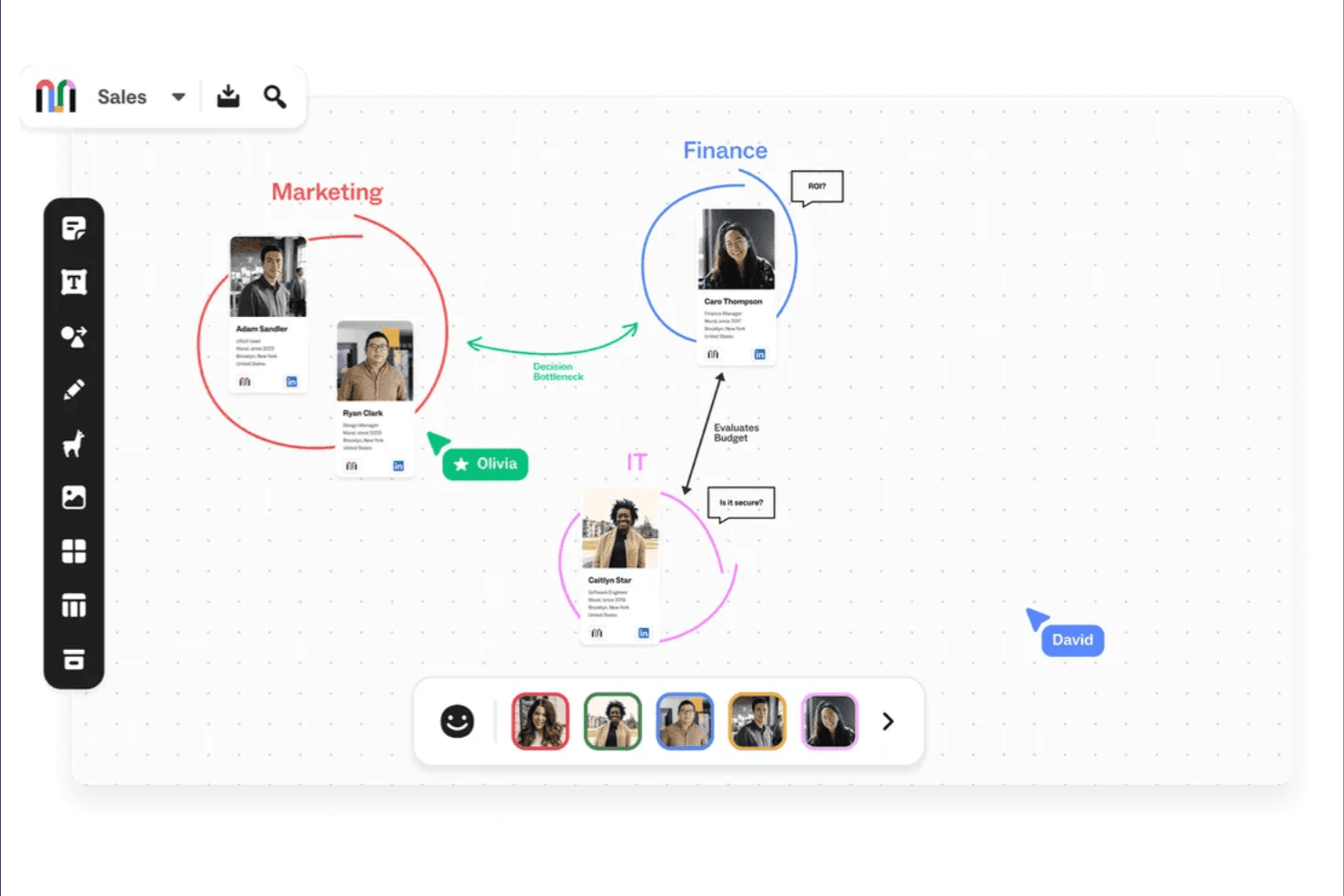
Mural supports visual collaboration for brainstorming, planning, and organizing. Mural is a visual collaboration platform built around infinite digital whiteboards, offering sticky notes, templates, mind mapping, and structured facilitation tools designed for distributed teams.
Who Is Mural Best For?
Mural is a strong fit for distributed agile teams that need a shared visual space for sprint planning, retrospectives, and backlog grooming.
Why I Picked Mural
Mural earns its spot on my shortlist because its facilitation features are purpose-built for agile ceremonies run across time zones. I especially like how Mural's pre-built sprint retrospective and planning poker templates give distributed teams a structured starting point rather than a blank canvas. Its timer and voting tools keep async brainstorming sessions on track, which I find essential when you're coordinating across multiple time zones without a facilitator in the room.
Mural Key Features
- Infinite canvas: An unlimited digital whiteboard where teams can sketch, diagram, and organize ideas without spatial constraints.
- Guest access: Invite external stakeholders or clients to collaborate on a mural without requiring them to create an account.
- Summon: A facilitation feature that moves all participants' views to a specific area of the canvas simultaneously.
- Private mode: Lets participants add sticky notes or ideas without others seeing their input until the facilitator reveals all responses.
Mural Integrations
Mural lists 47 integrations, including Microsoft Teams, Asana, Jira, Azure DevOps, Confluence, Figma, Slack, Zoom, Google Workspace, and Salesforce. It also supports custom integrations through the Mural API and Zapier.
Pros and Cons
Pros:
- Summon and timers guide remote facilitation
- Private mode supports independent idea generation
- Templates structure sprint planning and retrospectives
Cons:
- Facilitated sessions need advance board preparation
- Large canvases can become visually crowded
Learn more about Mural: Best for regulated-sector whiteboard sessions
- Free plan + 30-day trial available
- From €5/user/month
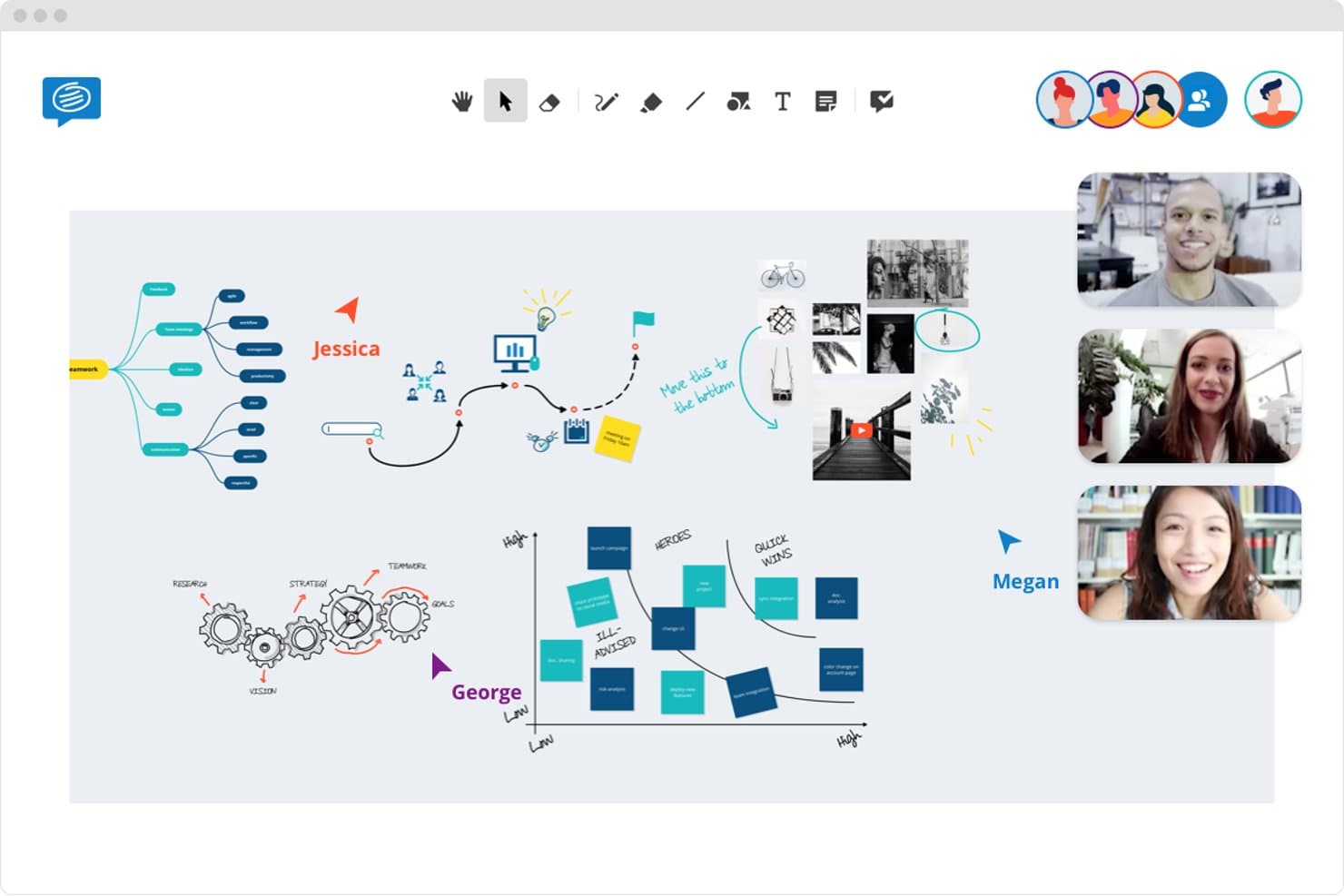
Conceptboard lets teams brainstorm together in real time on a shared whiteboard. Conceptboard is an online whiteboard tool built for visual collaboration, offering infinite canvas workspaces, real-time co-editing, structured templates, and advanced security controls suited to compliance-heavy environments.
Who Is Conceptboard Best For?
Conceptboard is a strong fit for teams in healthcare, finance, or government where data privacy and compliance requirements shape every tool decision.
Why I Picked Conceptboard
Conceptboard earns its spot on my shortlist because it's one of the few whiteboard tools built with compliance genuinely in mind, not bolted on as an afterthought. I like that it offers data residency options and granular access controls, which matter when you're running brainstorming sessions in healthcare or finance where information governance isn't optional. Its audit logs and permission-based sharing let teams collaborate on an infinite canvas without exposing sensitive data to the wrong eyes.
Conceptboard Key Features
- Infinite canvas: A boundless workspace where teams can freely add sticky notes, images, drawings, and documents without spatial limits.
- Pre-built templates: A library of ready-to-use brainstorming and planning templates, including mind maps, flowcharts, and retrospectives.
- Real-time cursor tracking: Live visibility of each participant's cursor and edits during collaborative sessions.
- Comment and annotation tools: Inline commenting and markup tools that let team members leave contextual feedback directly on canvas elements.
Conceptboard Integrations
Conceptboard offers integrations with Azure, Jira, Microsoft Teams, Webex, and Confluence, connecting brainstorming boards with planning, meetings, and documentation workflows. Availability varies by plan or deployment.
Pros and Cons
Pros:
- Granular permissions suit sensitive sessions
- Templates and comments support structured brainstorms
- Real-time co-editing suits workshops
Cons:
- Stylus drawing and PDF uploads feel clunky
- Large boards can feel slow to load
Learn more about Conceptboard: 8Best for cross-functional team workshops
Miro
- Free plan + 14-day free trial + free demo available
- From $8/user/month (billed annually)
Visit WebsiteCustomer Rating:4.8/5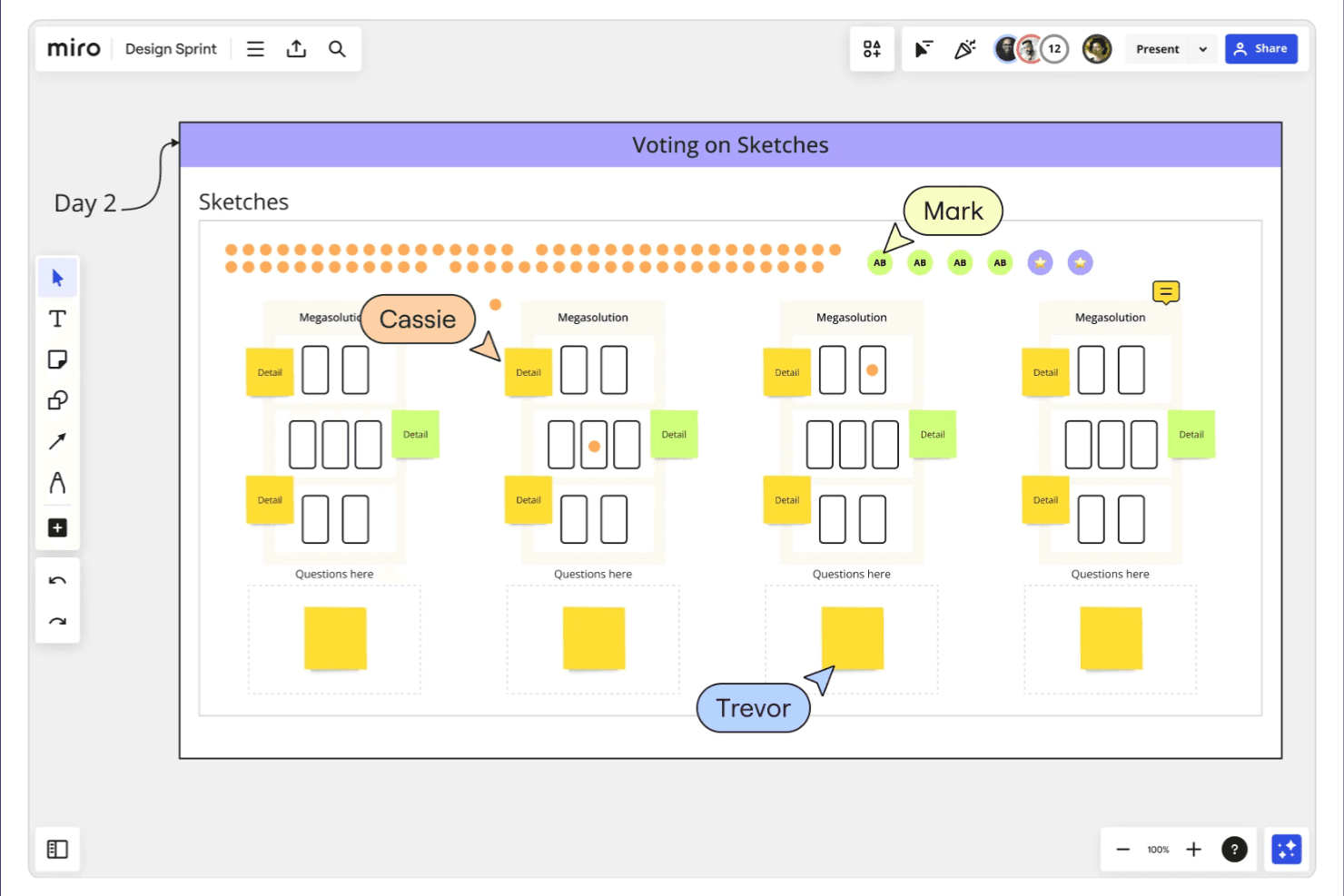
Miro supports remote teamwork through whiteboarding, planning, and ideation. Miro is a visual collaboration and online brainstorming platform built around an infinite canvas, offering sticky notes, mind maps, flowcharts, voting tools, and real-time whiteboarding.
Who Is Miro Best For?
Miro works well for cross-functional teams that need a shared visual space to run workshops, map workflows, and align stakeholders across disciplines.
Why I Picked Miro
Miro earns its spot on my shortlist because it's genuinely built for the kind of cross-functional workshops where product, design, and engineering need to think together in real time. I love how the infinite canvas keeps a full workshop session intact, from the initial sticky note dump to affinity mapping and dot-voting, without switching tools. Miro's facilitation features, like timed voting and pre-built workshop templates, make it easy to run structured sessions with distributed teams.
Miro Key Features
- Infinite canvas: A shared, scalable workspace where teams can add, move, and organize content without running out of space.
- Pre-built templates: A library of ready-to-use frameworks for retrospectives, user story mapping, and other structured sessions.
- Smart drawing: A freehand drawing tool that automatically converts rough sketches into clean shapes and diagrams.
- Asynchronous commenting: Team members can leave threaded comments and reactions directly on canvas elements, outside of live sessions.
Miro Integrations
Miro offers 160+ integrations, including Jira, Asana, Slack, Microsoft Teams, Zoom, Confluence, Notion, GitHub, and Azure DevOps. Its Developer Platform provides SDKs and APIs for custom integrations.
Pros and Cons
Pros:
- Built-in voting helps prioritize brainstormed ideas
- Live cursors support simultaneous team ideation
- Infinite canvas keeps workshop artifacts together
Cons:
- Crowded boards become difficult to navigate
- Large boards can lag with many editors
 Best for workshop-to-backlog handoff
- Free plan + trial + demo available
- From $24.90/user/month (billed annually)
Visit WebsiteCustomer Rating:4.7/5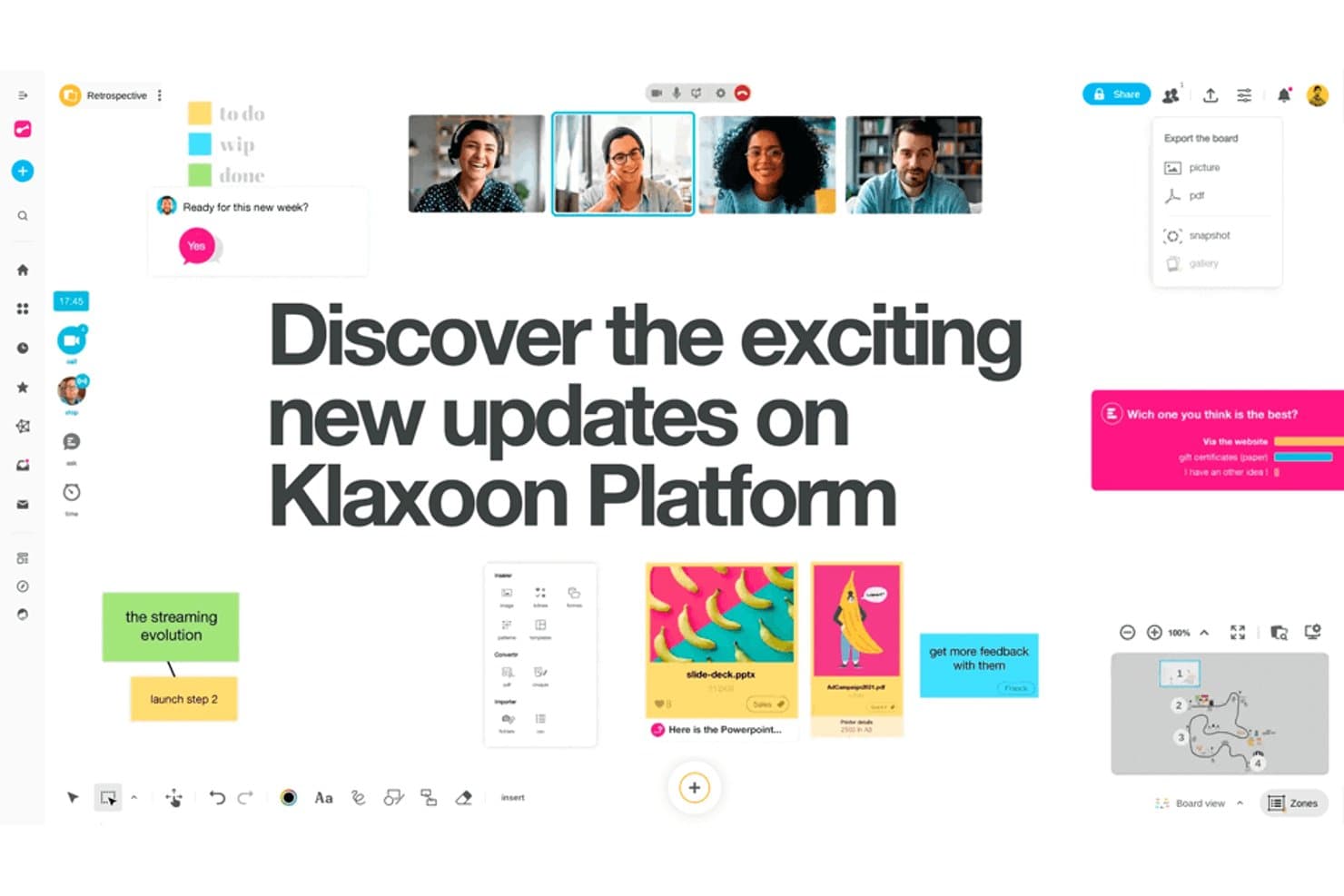
Klaxoon supports real-time collaboration with boards, polls, and video. Klaxoon is a visual collaboration and brainstorming platform that combines interactive boards, templates, surveys, and structured workshop formats into a single workspace for product and cross-functional teams.
Who Is Klaxoon Best For?
Klaxoon is a great fit for product teams that run structured workshops and need a clear path from facilitated sessions to actionable backlog items.
Why I Picked Klaxoon
Klaxoon earns its spot on my shortlist because it closes the gap between brainstorming and execution better than most tools I've used. I love how its Board format lets teams capture ideas during a workshop and then convert them directly into structured action items without switching contexts. The built-in activity templates (like SWOT or retrospectives) keep sessions focused, so the output is already organized when it's time to build your backlog.
Klaxoon Key Features
- Real-time polling and quizzes: Run live polls and quizzes during sessions to gather instant team input and surface group consensus quickly.
- Visual Board canvas: A freeform digital canvas where participants can post sticky notes, images, and links to map out ideas together.
- Pre-built workshop templates: A library of ready-to-use templates for formats like retrospectives, SWOT analyses, and ideation sessions.
- Meeting recap and export: Automatically generate session summaries and export board content to share with stakeholders after a session ends.
Klaxoon Integrations
Klaxoon offers native integrations with Jira, Wrike, Microsoft Teams, Google Workspace, Microsoft OneDrive, Google Drive, Dropbox, Confluence, and Moodle. It also supports custom integrations through its API and connects with 1,000+ apps via Zapier.
Pros and Cons
Pros:
- Polls surface consensus during live sessions
- Templates keep ideation sessions focused
- Turns workshop ideas into backlog actions
Cons:
- Freeform canvases can become cluttered
- Board-to-backlog handoff may need cleanup
Learn more about Klaxoon: Best for visualizing complex workflows
- Free plan + 7-day trial + demo available
- From $9/user/month (billed annually)
Visit WebsiteCustomer Rating:4.5/5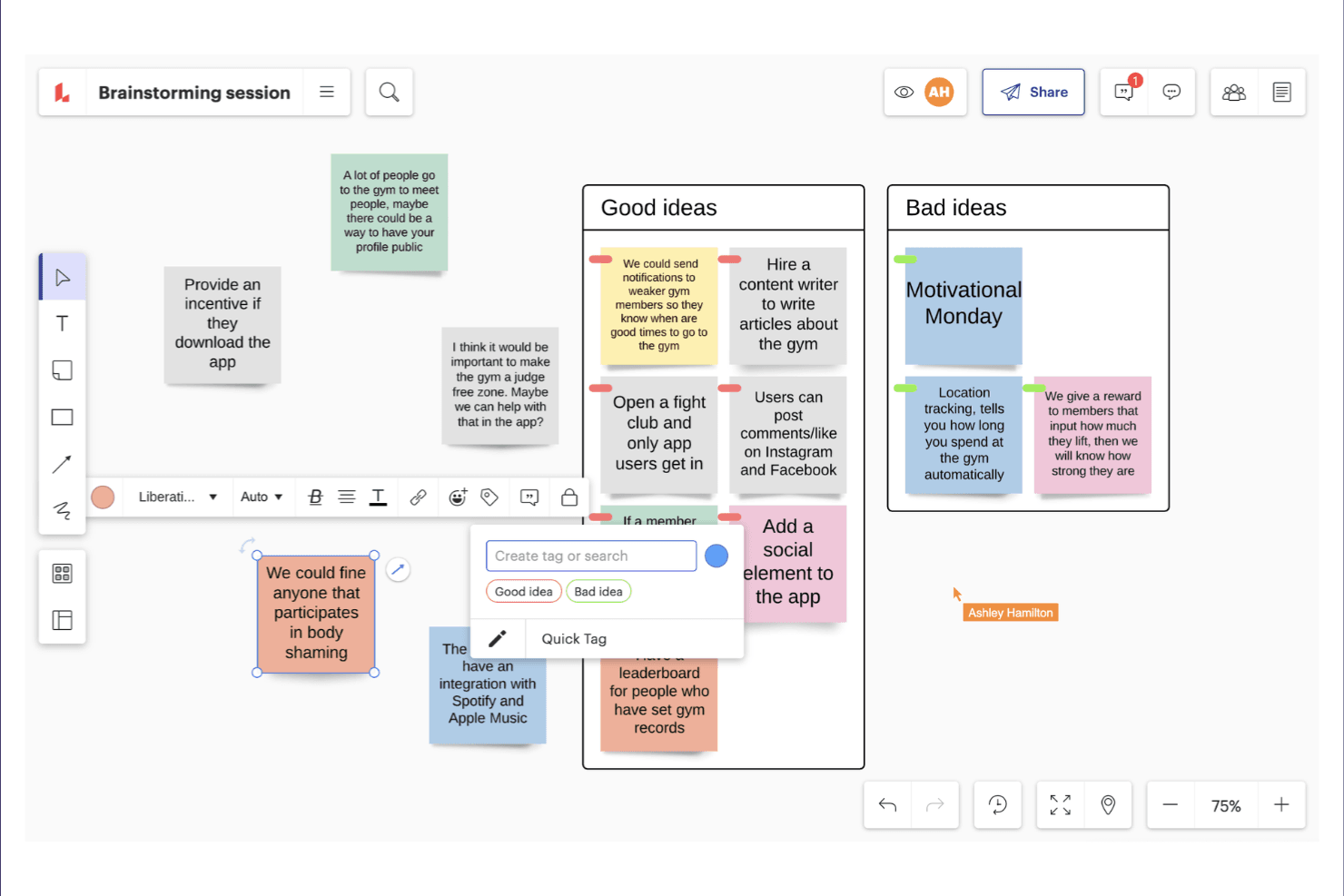
Lucidspark enables real-time whiteboarding for brainstorming and team planning. Lucidspark is an online whiteboard and brainstorming tool that combines freeform ideation with structured diagramming, mind mapping, and visual collaboration features.
Who Is Lucidspark Best For?
Lucidspark suits cross-functional product teams that need to move from messy brainstorming sessions into structured, visual workflows without switching tools.
Why I Picked Lucidspark
Lucidspark earns its spot on my shortlist because it bridges the gap between open brainstorming and structured process mapping in a single canvas. I love how its swimlane templates let my team sketch out a messy idea and immediately reshape it into a cross-functional workflow diagram without starting over. The built-in voting and grouping tools also help us move from scattered sticky notes to prioritized, visual structures fast.
Lucidspark Key Features
- AI-powered idea clustering: Lucidspark automatically groups related sticky notes and ideas into categories using AI, saving you the time of sorting manually.
- Freehand drawing canvas: A freeform drawing layer lets you sketch diagrams, annotate content, or map ideas by hand directly on the canvas.
- Timer and facilitation tools: Built-in session timers and facilitator controls help you run structured brainstorming workshops with distributed teams.
- Lucidchart integration: Native integration with Lucidchart lets you convert whiteboard content directly into detailed, shareable diagrams without rebuilding from scratch.
Lucidspark Integrations
Lucidspark has native integrations with Google Workspace, Microsoft 365, Slack, and Jira. Google Workspace support includes Drive, Docs, Sheets, Slides, Calendar, and Meet.
Pros and Cons
Pros:
- Freehand sketching supports flexible workshop exploration
- AI clustering and voting help prioritize ideas
- Swimlane templates turn ideas into workflows
Cons:
- Whiteboard focus limits detailed task execution
- Complex canvases can become visually crowded
Learn more about Lucidspark:
Outras ferramentas de brainstorming online
Eis algumas opções adicionais de ferramentas de brainstorming online que não entraram na minha lista restrita, mas que vale a pena conhecer:
- 11ZoomBest for real-time video collaboration
- 12LucidchartBest for diagram-based ideation
- 13MindMeisterBest for mind map-led team brainstorming
- 14WhimsicalBest for PM and UX team visual ideation
- 15IdeanoteBest for structured innovation management
- 16MentimeterBest for live audience participation
- 17Microsoft WhiteboardBest for Microsoft 365 integration
- 18PadletBest for facilitated open-submission sessions
- 19IdeamapBest for AI-powered idea generation
- 20Canva WhiteboardBest for ideation within a design workflow
How I Evaluate Online Brainstorming Tools
I split my evaluation into three parts, giving the most weight to core functions: capture and group ideas on a shared canvas, then vote on priorities. Next, I consider differentiators such as AI idea clustering. Finally, I weigh factors beyond features, including facilitator onboarding and guest-friendly pricing.
Core Functionality (Table Stakes For This List)
When I'm selecting tools for my list, I score each one on a scale from 0 (does not offer the functionality) to 5 (excels in this area) for each core functionality listed below. I then convert the total into a percentage to help assess each tool's overall fit, with extra weight on any functionalities I’ve deemed essential.
- Collaborative Canvas (Essential): I look for smooth, simultaneous editing with visible cursors, so distributed teams can add and arrange ideas during a live workshop.
- Idea Capture (Essential): I check whether sticky notes or cards make it easy to record, color-code, and group suggestions such as customer pain points.
- Voting and Prioritization: I assess whether participants can vote on ideas and review results to guide decisions about discovery or roadmap priorities.
- Ideation Templates: I look for useful formats such as mind maps and affinity diagrams that give sessions structure without dictating their outcomes.
- Facilitation Controls: I consider how hosts manage access, focus, and timing when guiding a retrospective or design sprint with varied participants.
- Output Handoff: I check whether teams can export or share organized workshop results for reports, backlogs, or follow-up planning.
Once I have a list of tools that meet the criteria, I consider what sets each platform apart.
Differentiating Factors (What Sets Vendors Apart)
Here's how I compare and contrast different vendors:
Standout Features
AI idea clustering is the feature I evaluate most closely. After a 20-person discovery workshop, manually grouping dozens of sticky notes burns time and invites bias. I check whether a tool's AI can surface themes and label clusters accurately enough to jumpstart synthesis. Asynchronous contribution mode matters just as much for distributed teams. I look for whether teammates in different time zones can add ideas, vote, and react outside a live session without losing context. Built-in timers and agenda builders round out my focus. Pre-sequenced activity stages with visible countdowns keep workshops on pace, which removes the need for a separate facilitation app.
Beyond Features
I check whether workshop outputs can flow into tools like Jira or Notion without manual re-entry, since ideas that stall after a session rarely reach the backlog. Pricing models matter too—per-seat licensing can spike costs when you invite cross-functional guests to a single workshop. I also evaluate facilitator onboarding resources, because a confusing interface will derail a live session with non-technical stakeholders faster than any missing feature.
Como escolher ferramentas de brainstorming online
É fácil ficar atolado em listas extensas de funcionalidades e estruturas de preços complexas. Para o ajudar a manter-se focado enquanto avalia o seu processo específico de seleção de software, apresentamos uma lista de verificação dos fatores a ter em conta:
| Fator | O que considerar |
|---|---|
| FatorEscalabilidade | O que considerarA ferramenta suportará o tamanho da sua equipa à medida que esta cresce? Verifique os limites de utilizadores, os limites do espaço de trabalho e os aumentos de preço para grupos maiores. |
| FatorIntegrações | O que considerarÉ compatível com as ferramentas que já utiliza (por exemplo, Slack, gestão de projetos e armazenamento de ficheiros)? A ausência de integrações pode criar silos no fluxo de trabalho. |
| FatorPersonalização | O que considerarPode adaptar modelos, fluxos de trabalho ou permissões ao estilo e aos processos de brainstorming da sua equipa? |
| FatorFacilidade de utilização | O que considerarTodos os membros da equipa — independentemente dos seus conhecimentos tecnológicos — conseguirão participar sem formação ou frustração? |
| FatorImplementação e integração inicial | O que considerarQuanto tempo será necessário para pôr a sua equipa a trabalhar? Procure instruções de configuração claras, apoio à migração e recursos de integração inicial. |
| FatorCusto | O que considerarExistem custos ocultos, atualizações obrigatórias ou encargos por utilizador que possam afetar o seu orçamento à medida que a utilização aumenta? |
| FatorMedidas de segurança | O que considerarA ferramenta oferece encriptação, controlos de acesso e conformidade com as políticas de dados da sua organização? |
| FatorDisponibilidade do apoio | O que considerarQue canais de apoio são disponibilizados e estão disponíveis durante o horário de trabalho da sua equipa ou apenas em determinadas regiões? |
O que são ferramentas de brainstorming online?
As ferramentas de brainstorming online são plataformas digitais que permitem a indivíduos ou equipas gerar, registar e organizar ideias de forma colaborativa num ambiente virtual. Estas ferramentas permitem a participação em tempo real e assíncrona, possibilitando que os utilizadores contribuam a partir de qualquer local. Incluem frequentemente funcionalidades para categorizar, discutir e partilhar ideias, facilitando a realização de sessões de brainstorming estruturadas e o acompanhamento da evolução dos conceitos ao longo do tempo.
Características
Ao selecionar ferramentas online de geração de ideias, procure as seguintes características essenciais:
- Colaboração em tempo real: Vários utilizadores podem contribuir com ideias e comentários em simultâneo, facilitando a geração conjunta de ideias, independentemente da localização.
- Organização de ideias: As ferramentas para agrupar, etiquetar ou categorizar ideias ajudam as equipas a ordenar e a definir prioridades para os contributos durante e após as sessões.
- Biblioteca de modelos: Os modelos pré-criados para diferentes métodos de geração de ideias, como mapas mentais ou análises SWOT, proporcionam estrutura e poupam tempo de configuração.
- Votação e definição de prioridades: Os mecanismos integrados que permitem aos membros da equipa votar ou ordenar ideias apoiam a tomada de decisões e destacam os conceitos mais promissores.
- Anexos de ficheiros e multimédia: A possibilidade de carregar documentos, imagens ou ligações permite aos utilizadores adicionar contexto e materiais de apoio às suas ideias.
- Exportação e partilha de sessões: As opções para exportar os resultados da geração de ideias para formatos como PDF, CSV ou para integração direta com outras ferramentas facilitam a partilha dos resultados.
- Comentários e discussão: Os comentários em cadeia ou as funcionalidades de conversação permitem uma discussão mais aprofundada e o esclarecimento de questões relacionadas com ideias específicas.
- Controlos de acesso e permissões: As definições para gerir quem pode ver, editar ou facilitar sessões ajudam a manter a privacidade e o controlo sobre temas sensíveis de geração de ideias.
- Pesquisa e filtragem: As barras de pesquisa e os filtros permitem aos utilizadores encontrar rapidamente ideias ou temas específicos em sessões de geração de ideias extensas.
- Integração com ferramentas de produtividade: As ligações diretas a plataformas de gestão de projetos, comunicação ou documentação ajudam as equipas a passar da geração de ideias à ação sem cópia manual.
Vantagens
A implementação de ferramentas online de geração de ideias proporciona várias vantagens à sua equipa e à sua empresa. Eis algumas das que pode esperar:
- Maior participação: Os membros da equipa podem contribuir com ideias a partir de qualquer localização e a qualquer momento, apoiando tanto a colaboração em tempo real como a colaboração assíncrona.
- Melhor organização das ideias: Funcionalidades como a etiquetagem, a categorização e a pesquisa facilitam a ordenação, a definição de prioridades e a consulta posterior das ideias.
- Tomada de decisões mais rápida: As ferramentas integradas de votação e definição de prioridades ajudam as equipas a identificar rapidamente os conceitos mais promissores e a avançar.
- Documentação melhorada: As opções de gravação automática e exportação garantem que todas as ideias e discussões são registadas e facilmente partilhadas ou consultadas mais tarde.
- Maior criatividade: O acesso a modelos, ferramentas visuais e sugestões baseadas em IA pode estimular novas perspetivas e incentivar um pensamento mais diversificado.
- Integrações: As ligações diretas a plataformas de gestão de projetos e comunicação ajudam as equipas a transformar ideias em tarefas concretas sem transferência manual.
- Maior transparência: O histórico das sessões, os comentários e os controlos de acesso fornecem um registo claro dos contributos e das decisões, apoiando a responsabilização e o acompanhamento.
Custos e preços
A seleção de ferramentas online de geração de ideias exige uma compreensão dos vários modelos de preços e planos disponíveis. Os custos variam consoante as funcionalidades, o tamanho da equipa, os complementos e outros fatores. A tabela abaixo resume os planos comuns, os respetivos preços médios e as funcionalidades normalmente incluídas nas soluções de ferramentas online de geração de ideias:
Tabela de comparação de planos para ferramentas online de geração de ideias
| Tipo de plano | Preço médio | Funcionalidades comuns |
|---|---|---|
| Tipo de planoPlano gratuito | Preço médio$0 | Funcionalidades comunsSessões básicas de geração de ideias, número limitado de colaboradores, modelos essenciais e opções básicas de exportação. |
| Tipo de planoPlano pessoal | Preço médio$5-$15/user/month | Funcionalidades comunsSessões ilimitadas, modelos melhorados, anexos de ficheiros, suporte prioritário e integrações básicas. |
| Tipo de planoPlano empresarial | Preço médio$15-$30/user/month | Funcionalidades comunsFerramentas de colaboração em equipa, integrações avançadas, funcionalidades de votação, controlos de administração e análise de dados. |
| Tipo de planoPlano empresarial avançado | Preço médio$30-$50/user/month | Funcionalidades comunsSegurança personalizada, suporte dedicado, permissões avançadas, funcionalidades de conformidade e serviços de integração inicial. |
Perguntas frequentes sobre ferramentas de geração de ideias online
Eis algumas respostas a perguntas comuns sobre ferramentas de geração de ideias online:
As ferramentas de geração de ideias online podem suportar a colaboração em tempo real e assíncrona?
Sim, a maioria dos softwares de geração de ideias suporta a colaboração em tempo real e assíncrona. Esta flexibilidade permite que os membros de uma equipa remota contribuam com as suas melhores ideias durante sessões em direto ou acrescentem contributos mais tarde, tornando a geração virtual de ideias acessível a participantes distribuídos por diferentes fusos horários.
Também abre caminho a técnicas estruturadas de geração assíncrona de ideias, como a escrita de ideias, em que cada pessoa regista os seus pensamentos de forma independente antes de os partilhar com o grupo.
Quão seguras são as ferramentas de geração de ideias online para discussões empresariais sensíveis?
A segurança varia consoante a plataforma, mas muitas ferramentas de geração de ideias em grupo oferecem encriptação, controlos de acesso e funcionalidades de conformidade. Consulte sempre a documentação de segurança de uma ferramenta e certifique-se de que cumpre os requisitos de proteção de dados da sua organização antes de partilhar informações sensíveis, abandonando folhas de cálculo ou documentos partilhados não seguros para proteger os conceitos exclusivos da sua empresa.
Que tipos de integrações devo procurar nas ferramentas de geração de ideias online?
Procure integrações com plataformas de gestão de projetos, comunicação, tomada de notas digitais e armazenamento de ficheiros. Alguns exemplos comuns incluem ligações ao Slack, ao Microsoft Teams, ao Trello ou ao Google Drive, que ajudam a simplificar os fluxos de trabalho e a transformar excelentes ideias em ações, sem perder o ímpeto após o fim da sessão.
Existem limitações quanto ao número de participantes ou sessões nos planos gratuitos?
Sim, os planos gratuitos limitam frequentemente o número de participantes, sessões ou funcionalidades disponíveis. Consulte a página de preços de cada ferramenta para compreender estas restrições e determinar se é necessária uma atualização para a dimensão da sua equipa ou para o seu caso de utilização.
Como ajudam as ferramentas de geração de ideias online a dar prioridade às ideias?
Muitas ferramentas incluem funcionalidades de votação, ordenação ou atribuição de pontuações que permitem aos membros da equipa avaliar e dar prioridade às ideias. Estes mecanismos ajudam a concentrar a atenção nos conceitos mais promissores e apoiam uma tomada de decisões mais estruturada, quer esteja a utilizar a ideação tradicional, quer métodos não convencionais, como a geração de ideias invertida, para encontrar soluções analisando os problemas ao contrário.