

Com tantas ferramentas diferentes de testes de usabilidade disponíveis, é difícil perceber qual é a mais adequada para si. Sabe que quer tomar decisões informadas com base no comportamento e nas preferências dos utilizadores, bem como validar escolhas de design e hipóteses, mas precisa de perceber qual é a melhor ferramenta para o efeito. Eu ajudo! Nesta publicação, vou facilitar a sua escolha, partilhando as minhas experiências pessoais com diferentes ferramentas, utilizadas por equipas numerosas e em dezenas de produtos, bem como as minhas escolhas das melhores ferramentas de testes de usabilidade.
Why Trust Our Software Recommendations
6,700+
Reviews
20
Industry experts
16+
Evaluation factors
14
Years
Our team has been testing and reviewing software since 2012. As product managers ourselves, we know how difficult—and important—it is to choose the right software.
For this guide, we evaluated tools using hands-on testing and independent research, scoring tools using our selection criteria.
Our reviews reflect our human editorial judgment, not a sales pitch.
Expert reviewers:
- Andrew LumbySenior TPM
- Cristiano ValimSenior UI/UX Lead


Tabela comparativa de ferramentas de testes de usabilidade
Esta tabela comparativa resume os detalhes de preços das minhas principais escolhas de ferramentas de testes de usabilidade:
| Tool | Best For | Trial Info | Price | ||
|---|---|---|---|---|---|
| 1 | Best for AI-driven synthesis of session findings | Free demo available | From $699/month (billed annually) | Website | |
| 2 | Best for multilingual panel testing | Free demo available | From $30/tester | Website | |
| 3 | Best for user-focused feedback collection | Free plan available | From $50/month | Website | |
| 4 | Best for Figma prototype testing at scale | Free plan + free demo available | Pricing upon request | Website | |
| 5 | Best for cross-study UX benchmarking at scale | Free demo available | Pricing upon request | Website | |
| 6 | Best for SDK-free native mobile app testing | Free plan available | From $80/month (billed annually) | Website | |
| 7 | Best for testing across the widest participant panel | Free demo available | Pricing upon request | Website | |
| 8 | Best for multi-method research on one platform | Free demo available | Pricing upon request | Website | |
| 9 | Best for mixed-method research in APAC markets | Free trial available | Pricing upon request | Website | |
| 10 | Best for IA-focused navigation and structure testing | Free plan available | From $208/user/month | Website |


Análise das 10 melhores ferramentas de testes de usabilidade
 Best for AI-driven synthesis of session findings
- Free demo available
- From $699/month (billed annually)
Visit WebsiteCustomer Rating:4.5/5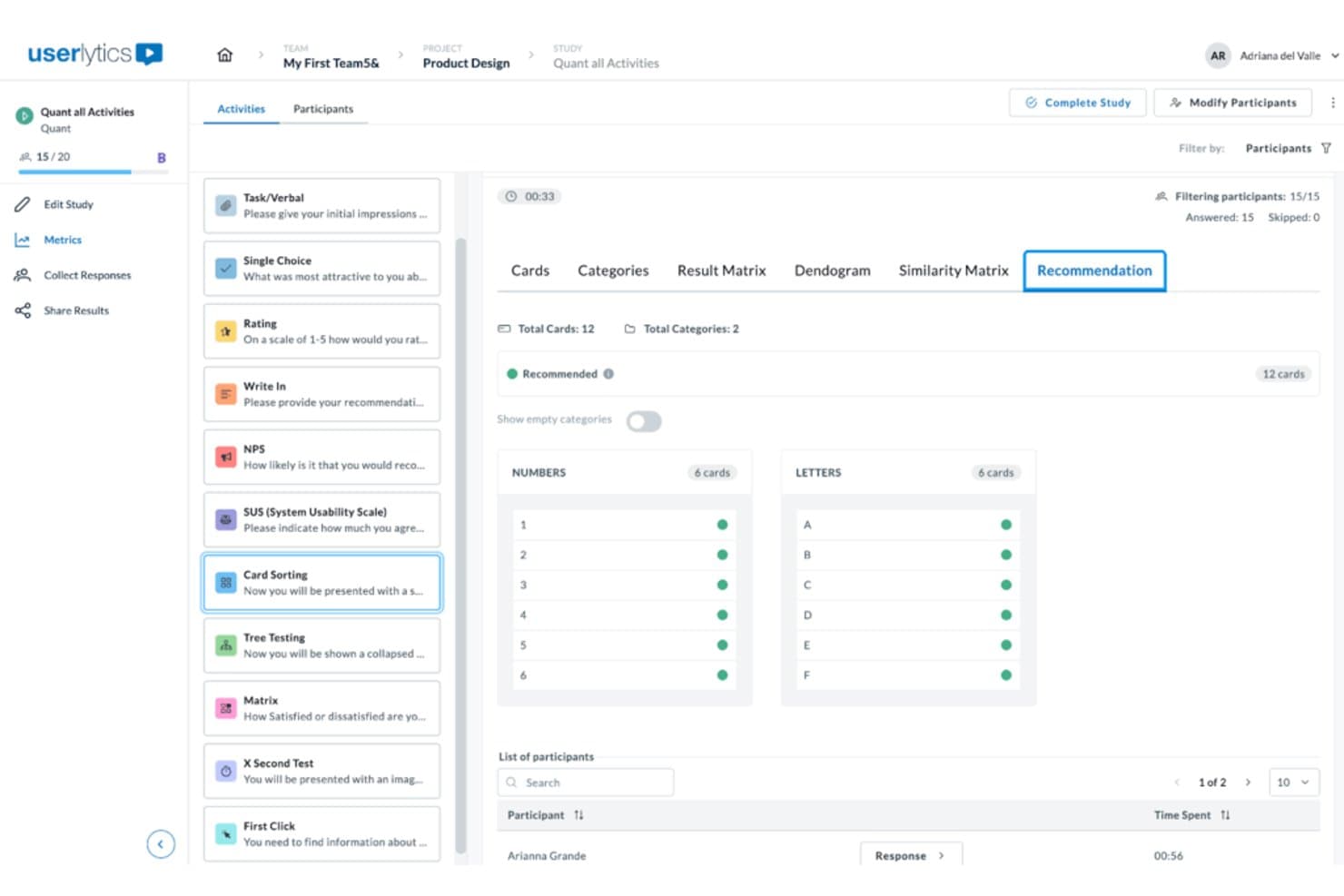
Userlytics surfaces card sorting recommendations grouped by category. Userlytics is a usability testing platform that supports moderated, unmoderated, and quantitative testing across websites, mobile apps, and prototypes, with built-in participant recruitment, session recording, and AI-powered analysis tools including card sorting, tree testing, and benchmarking.
Who Is Userlytics Best For?
Userlytics is a strong fit for UX researchers and product teams who need to run a wide range of remote studies—from moderated sessions to tree testing—and want AI to do the heavy lifting on synthesis.
Why I Picked Userlytics
I've included Userlytics in my top picks because its AI Insights feature genuinely changes how fast you can move from raw sessions to shareable findings. After sessions run, AI Insights auto-generates a summary across all recordings, lets you ask plain-language questions, and cites the exact session ID and timestamp behind every answer. Pair that with AI Annotations flagging key moments automatically, and you're not spending hours scrubbing through footage to find the part that matters.
Userlytics Key Features
- Live Conversations: Run browser-based moderated sessions with built-in scheduling, calendar sync, and a chat channel for moderators and up to 10 invisible observers.
- Tree testing: Measure navigation success rates, first-click paths, time spent, and directness, with AI recommendations and industry benchmarks built into the results view.
- Card sorting: Run open, closed, or hybrid card sort studies to evaluate how participants naturally group and label your content or features.
- ULX Benchmarking Score: Track a composite usability score across trust, appeal, usability, and performance, and compare results against competitive benchmarks over time.
Userlytics Integrations
Userlytics supports prototype links from Figma, Adobe XD, InVision, and Proto, plus app testing through TestFlight and Google Play. Moderated sessions sync with personal calendars; native Jira, Slack, analytics integrations, and a public API aren’t documented.
Pros and Cons
Pros:
- Moderated and unmoderated methods share one platform
- Global panel supports niche participant recruiting
- AI summaries cite session timestamps precisely
Cons:
- Reviewers report cumbersome study setup workflows
- First-click heatmaps exclude live-site behavior
Learn more about Userlytics: Best for multilingual panel testing
- Free demo available
- From $30/tester
Visit WebsiteCustomer Rating:4.5/5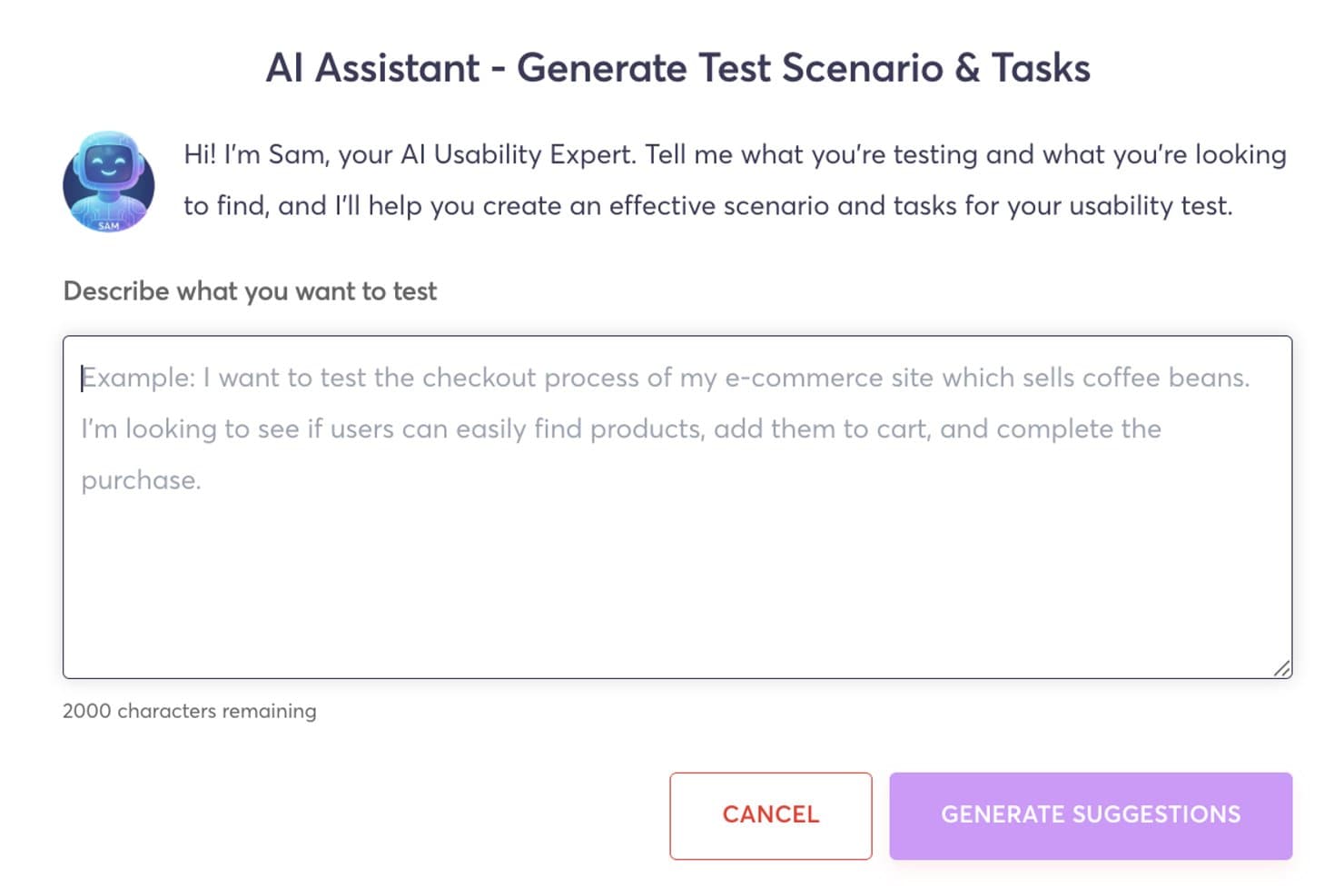
Userfeel's AI assistant generates usability test scenarios and tasks automatically. Userfeel is a remote usability testing platform that supports moderated and unmoderated sessions, prototype testing, card sorting, tree testing, and multilingual participant recruitment across 40+ languages.
Who Is Userfeel Best For?
Userfeel is a strong fit for UX researchers and designers who need to run usability studies across multiple languages and countries from a single platform.
Why I Picked Userfeel
I picked Userfeel as one of the best because its multilingual panel is genuinely unmatched for teams running research across regions. With over one million vetted testers spanning 40+ languages and countries, I can target French-speaking Canadian users or Japanese mobile shoppers from the same workflow. The built-in screener questions and User Lists let me lock in the right audience for repeat studies, and the AI Sentiment Analysis on the Team plan surfaces pain points across sessions without manual tagging.
Userfeel Key Features
- Prototype testing: Connect Figma or Adobe XD links directly to task-based studies to collect feedback on designs before development.
- System Usability Scale (SUS) scoring: Built-in SUS ratings let you track usability scores across multiple studies over time.
- Card sorting and tree testing: Run open or closed card sorts and tree tests to validate your information architecture with real participants.
- Searchable transcripts: Every session generates time-stamped, searchable transcripts so you can locate specific moments without rewatching full recordings.
Userfeel Integrations
Userfeel doesn't have any native integrations or a documented API. It supports prototype testing through Figma and Adobe XD links, moderated sessions through Google Meet, and exports results to CSV or Excel.
Pros and Cons
Pros:
- Vetted testers improve feedback consistency
- Fast participant recruitment and study turnaround
- Multilingual panel supports cross-market research
Cons:
- Moderated sessions exclude external observers
- No heatmaps or clickstream analysis
Learn more about Userfeel: Best for user-focused feedback collection
- Free plan available
- From $50/month
Visit WebsiteCustomer Rating:4.8/5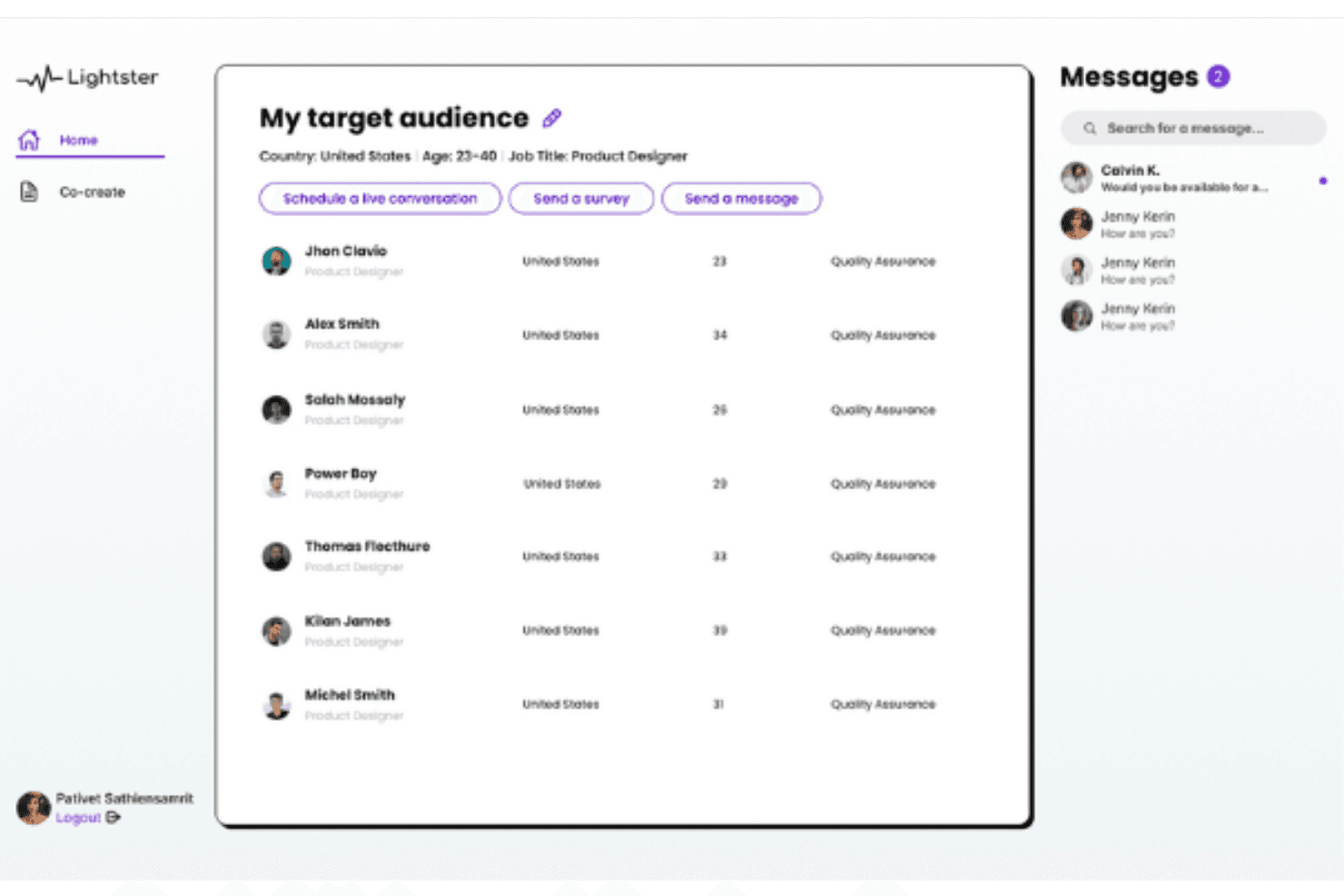
Lighter's comprehensive user matching system allows you to connect with your target audience with various criteria. Lightster is a user research platform that combines moderated video calls, unmoderated video recordings, and surveys with a built-in participant panel you can filter across 100+ targeting criteria.
Who Is Lightster Best for?
Lightster suits early-stage product teams and startups that need quick, affordable access to target users for lightweight qualitative feedback without a dedicated research budget.
Why I Picked Lightster
I picked Lightster as one of the best for user-focused feedback collection because its built-in participant panel lets you filter across 100+ targeting criteria, including job title, industry, and location, so you're hearing from the right people every time. I especially like that you can run moderated video calls, unmoderated recordings, and surveys all in one place, covering everything from early discovery to concept validation.
Lightster Key Features
- Built-in participant communities: You can follow pre-built communities or create your own with automatic criteria-based membership, then message participants in bulk before a session.
- Custom screening questions: Add unlimited multiple-choice and text screening questions to filter participants beyond the 100+ standard targeting criteria.
- LinkedIn-linked participant profiles: Each participant profile includes a LinkedIn link so you can verify professional backgrounds before committing to a session.
- Unlimited session observers: Invite unlimited guests or team members to any live session via a shareable link at no additional cost.
Lightster Integrations
Native integrations are not clearly documented. Lightster has a Figma Community plugin for recruiting and testing designs, plus LinkedIn profile links for participant verification.
Pros and Cons
Pros:
- Responsive support praised by reviewers
- Moderated and unmoderated testing in one platform
- Precise participant targeting with custom screeners
Cons:
- Limited task-building and results-reporting capabilities
- No heatmaps, click maps, or path analysis
Learn more about Lightster:
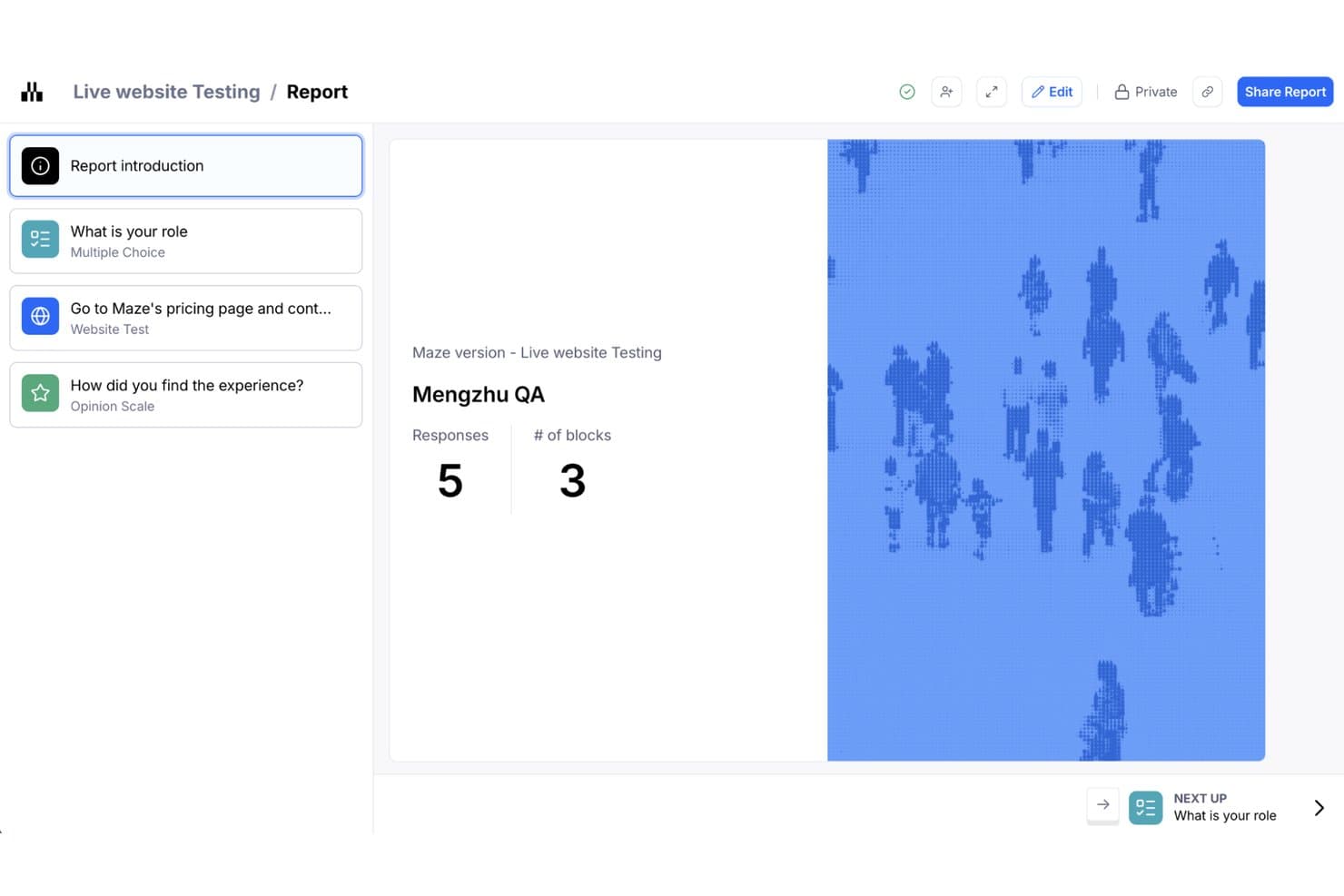
Maze organizes usability test results into a structured report with response metrics. Maze is an AI-first usability testing platform that supports prototype testing, live-website testing, native mobile testing, card sorting, tree testing, moderated and unmoderated interviews, panel-based recruitment, and automated reporting.
Who Is Maze Best For?
Maze is a strong fit for product teams and UX researchers who need to run frequent, fast prototype tests directly from Figma without leaning on a dedicated research ops function.
Why I Picked Maze
I picked Maze as one of the best because it makes Figma prototype testing genuinely fast to run at scale. One-click Figma import means I can have a study live in minutes, and built-in path analysis shows me exactly where testers deviate from my intended flow. When I need volume, the Maze Panel delivers responses from millions of participants across 150+ countries, with unmoderated studies filling in under five hours on average.
Maze Key Features
- AI study builder: Describe your research goal and Maze suggests methods and builds a ready-to-run study for you.
- Live website testing: Add Maze's tracking code to a live site to capture how users navigate and where they deviate from your intended path.
- Maze Panel recruitment: Access millions of B2B and B2C participants across 150+ countries using 400+ demographic and behavioral filters.
- Automated reports: Maze generates a shareable, editable report for every study, with AI-generated themes and sentiment from open-ended responses.
Maze Integrations
Maze integrates with Figma, FigJam, Axure, Notion, Miro, Confluence, Jira, Slack, Amplitude, and Zoom. It also connects with Google Meet, Microsoft Teams, and calendar tools for interview scheduling.
Pros and Cons
Pros:
- Automated reports synthesize mixed research data
- Built-in heatmaps and path analysis
- Fast Figma prototype testing at scale
Cons:
- Limited cross-study benchmarking for behavioral trends
- Advanced methods often require higher-tier plans
Learn more about Maze: Best for cross-study UX benchmarking at scale
- Free demo available
- Pricing upon request
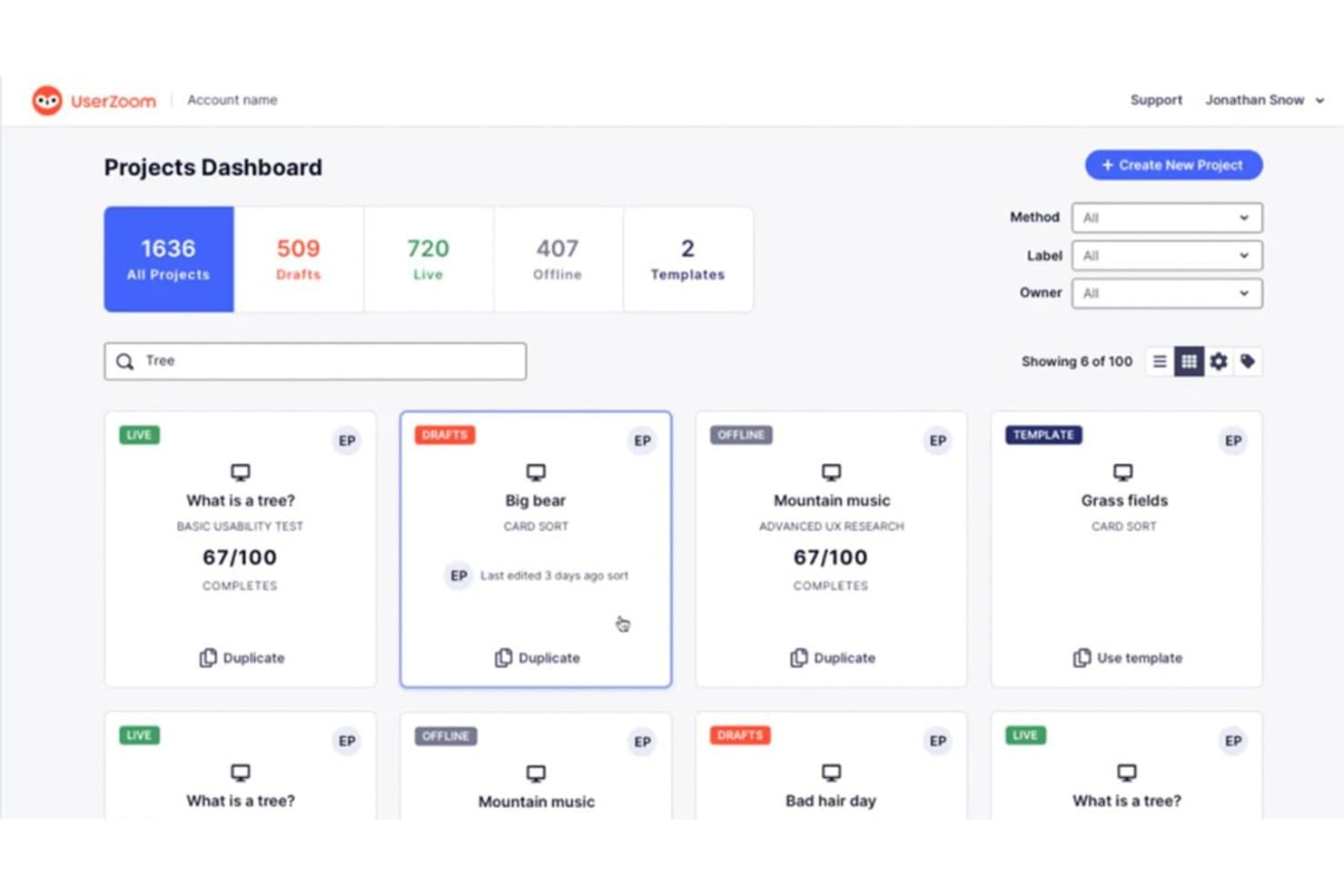
UserZoom organizes usability studies in a searchable project dashboard. UserZoom is an enterprise usability testing platform that supports moderated and unmoderated studies, tree testing, card sorting, click tests, live intercepts, and cross-study UX benchmarking through its QXscore metric.
Who Is UserZoom Best For?
UserZoom suits enterprise UX research teams that need to run benchmarking studies at scale and track experience quality across releases or competitors.
Why I Picked UserZoom
UserZoom earns its spot on my shortlist because of how seriously it takes cross-study UX benchmarking. Its QXscore metric combines behavioral data like task success rates with attitudinal signals like trust and ease of use into a single 0–100 score, so you can track experience quality across product releases or against competitors over time. I also like that the Advanced UX Research method lets you run A/B prototype comparisons and before/after benchmarks in one study type.
UserZoom Key Features
- Live intercepts: A pop-up recruits real visitors directly from your live website, letting you capture in-the-moment feedback without redirecting users to a separate study.
- Tree testing: Built-in tree tests let you evaluate your information architecture by tracking how participants navigate through a text-based site hierarchy.
- Card sorting: Open, closed, and hybrid card sort studies help you understand how users mentally group and label content or features.
- Virtual observation room: Team members can watch moderated sessions live from a hidden observation room, without the participant knowing they're being observed.
UserZoom Integrations
UserZoom lists integrations with Figma, FigJam, FullStory, Contentsquare, Quantum Metric, AWS, and Atlassian. The broader UserTesting platform documents integrations with Jira, Slack, Trello, Microsoft Teams, Miro, and EnjoyHQ.
Pros and Cons
Pros:
- Moderated sessions include hidden observation rooms
- Built-in tree tests and card sorts
- Cross-study QXscore benchmarking tracks UX changes
Cons:
- Reports cite freezing and patchy session audio
- Heatmaps exclude Figma and Adobe XD
Learn more about UserZoom: Best for SDK-free native mobile app testing
- Free plan available
- From $80/month (billed annually)
Visit WebsiteCustomer Rating:4.8/5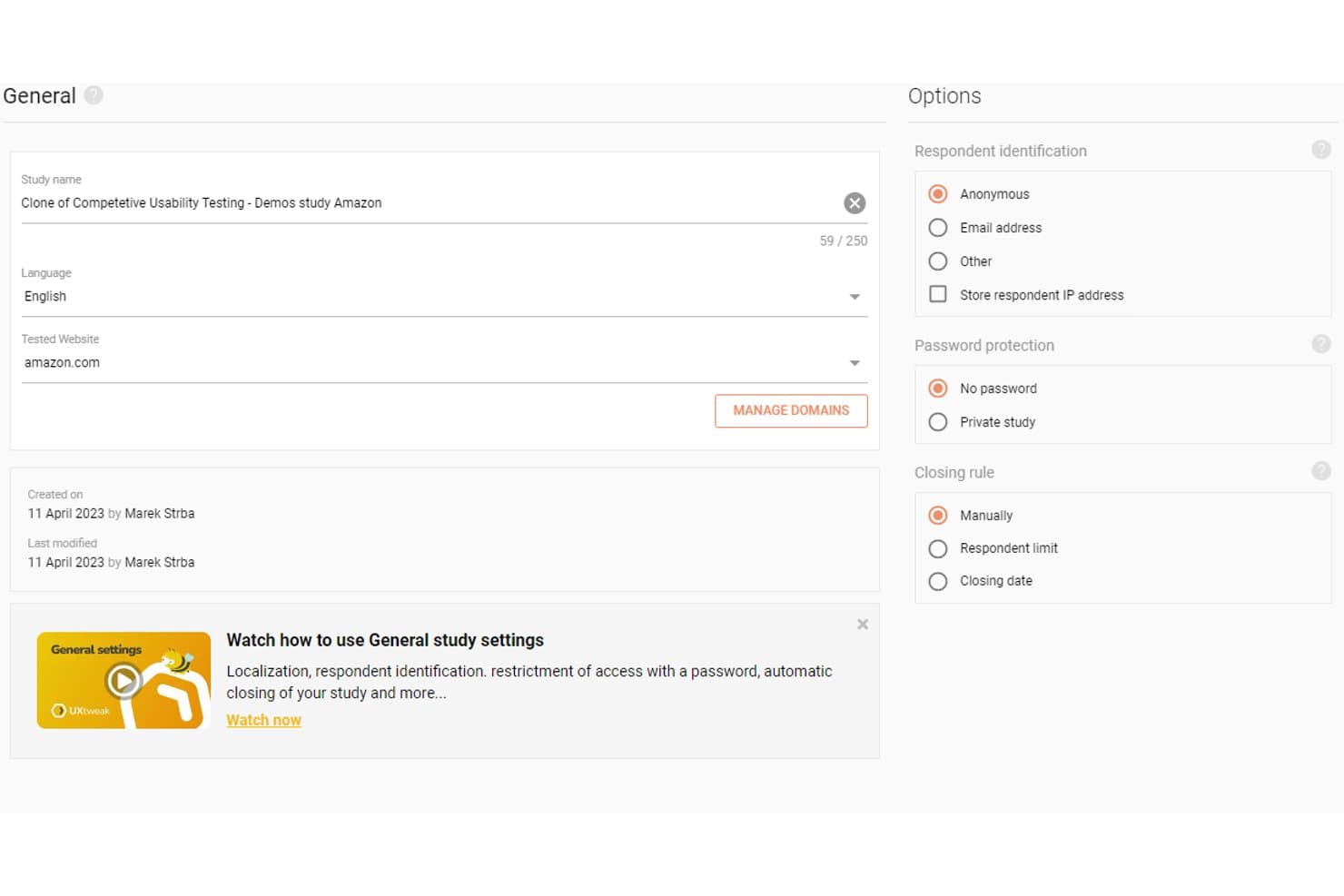
UXtweak lets users configure study settings, language, and respondent options. UXtweak is a UX research platform that covers moderated and unmoderated usability testing, session recording, behavioral analytics, card sorting, tree testing, and participant recruitment across websites, prototypes, and native mobile apps.
Who Is UXtweak Best For?
UXtweak is a strong fit for UX researchers and product teams who need an all-in-one research platform that handles everything from recruitment to synthesis.
Why I Picked UXtweak
I picked UXtweak as one of the best because its SDK-free native mobile app testing sets it apart from most tools in this category. Participants install UXtweak's companion app instead, so your team can test live App Store and Google Play builds, beta APKs, or TestFlight releases without touching the app's codebase. I also like that mobile sessions capture screen, voice, and face simultaneously, giving you the same behavioral depth you'd expect from desktop testing.
UXtweak Key Features
- Participant panel: Access a global pool of 130+ countries and 2,000+ targeting attributes, with fixed pricing and guaranteed delivery before you place an order.
- Behavioral analytics maps: Generate heatmaps, clickmaps, scroll maps, and movement maps from session data, segmentable by device or viewport.
- Insights Editor: Build collaborative research reports that embed video clips and highlight reels, then share them with stakeholders via password-protected links—no account required.
- Card sorting and tree testing: Run open, closed, or hybrid card sorts and tree tests, with results visualized as similarity matrices, dendrograms, and navigation path breakdowns.
UXtweak Integrations
UXtweak documents 10 native integrations, including Figma, Google Drive, Microsoft OneDrive, Condens, Marvin, Dovetail, Notion, Google Tag Manager, Marvel, and Axure. Adobe XD and Sketch connect through public links; no public API is documented.
Pros and Cons
Pros:
- Guaranteed participant delivery and replacements
- Pixel-perfect playback with synced transcripts
- SDK-free native mobile app testing
Cons:
- Complex studies may require another tool
- Cluttered interface can overwhelm beginners
Learn more about UXtweak: Best for testing across the widest participant panel
- Free demo available
- Pricing upon request
Visit WebsiteCustomer Rating:4.5/5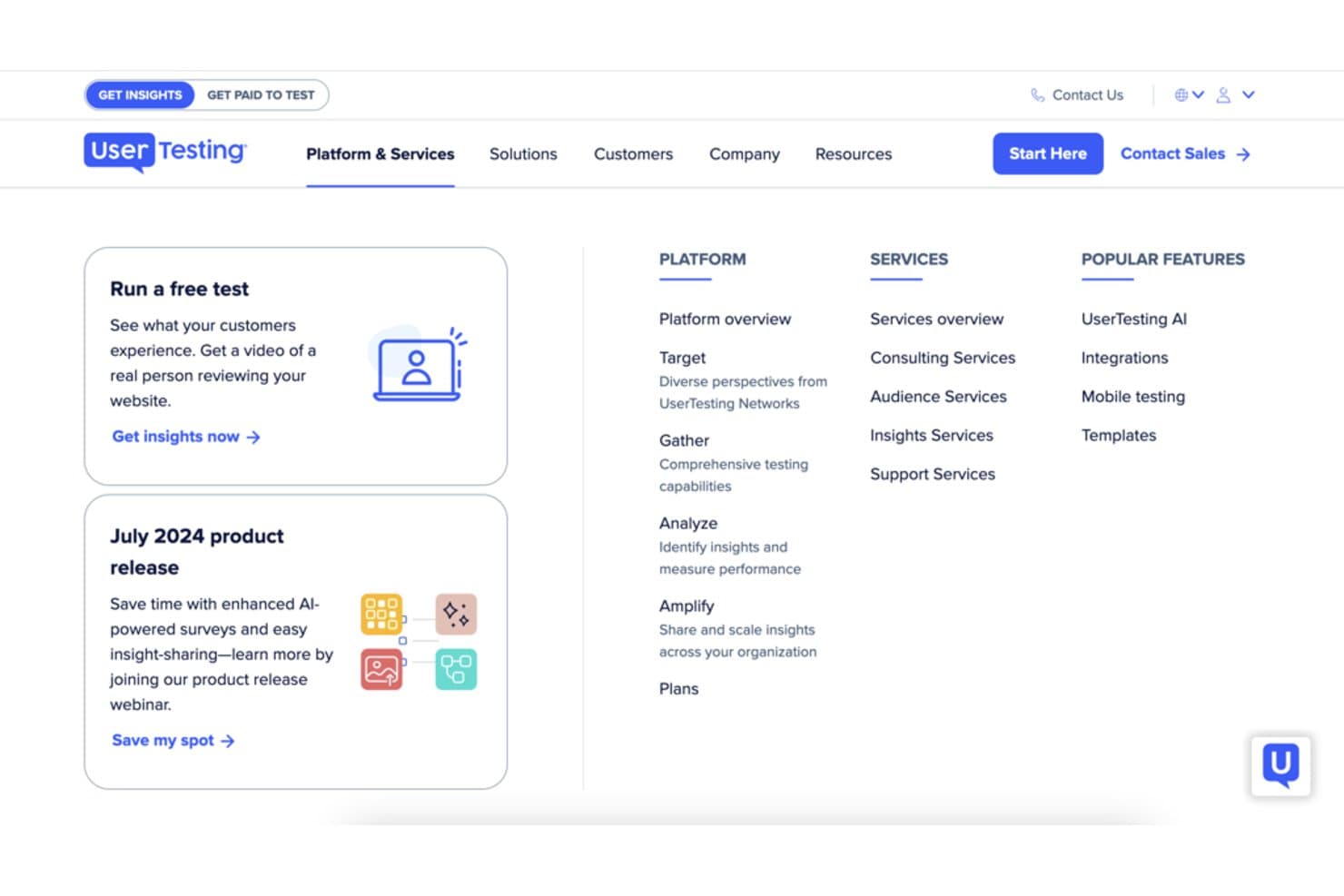
UserTesting organizes platform and services into a structured navigation menu. UserTesting is a usability testing platform that supports moderated and unmoderated research, participant recruitment from a global panel, session recording, behavioral analytics, and AI-driven insight synthesis across web, mobile, and emerging device environments.
Who Is UserTesting Best For?
UserTesting is a strong fit for UX research and product teams that need to recruit participants across a wide range of demographics, geographies, and professional profiles without juggling multiple tools.
Why I Picked UserTesting
I picked UserTesting as one of the best because its participant panel of 7.6M+ verified people across 34 core markets is the largest I've seen in this category. When I need to reach niche professionals like developers or financial analysts, the built-in Advanced Targeting pulls from the User Interviews network without switching platforms. AI-generated screeners and fraud detection mean the right participants actually show up.
UserTesting Key Features
- Live Conversation moderated sessions: Two-way video interviews with screen sharing that run on Zoom and automatically save recordings to your dashboard.
- QXscore benchmarking: A scoring system that tracks experience quality across studies over time, letting you measure progress and run competitive comparisons.
- Insights Hub: A centralized workspace where you can combine video clips, survey data, and third-party research, then use AI to surface themes across sessions.
- In-the-wild mobile testing: Participants use their phone camera to capture real-world experiences in-home, in-store, or in any environment outside a lab setting.
UserTesting Integrations
UserTesting offers native integrations with Figma, Jira, Confluence, Slack, Miro, Qualtrics, Contentsquare, FullStory, and Rally. Its open API and Results API support custom integrations.
Pros and Cons
Pros:
- Synthesizes video evidence with AI themes
- Combines moderated and unmoderated study formats
- Recruits niche professionals across broad markets
Cons:
- Panel quality can vary by audience
- Behavioral analytics omit classic scroll maps
Learn more about UserTesting: Best for multi-method research on one platform
- Free demo available
- Pricing upon request
Visit WebsiteCustomer Rating:5/5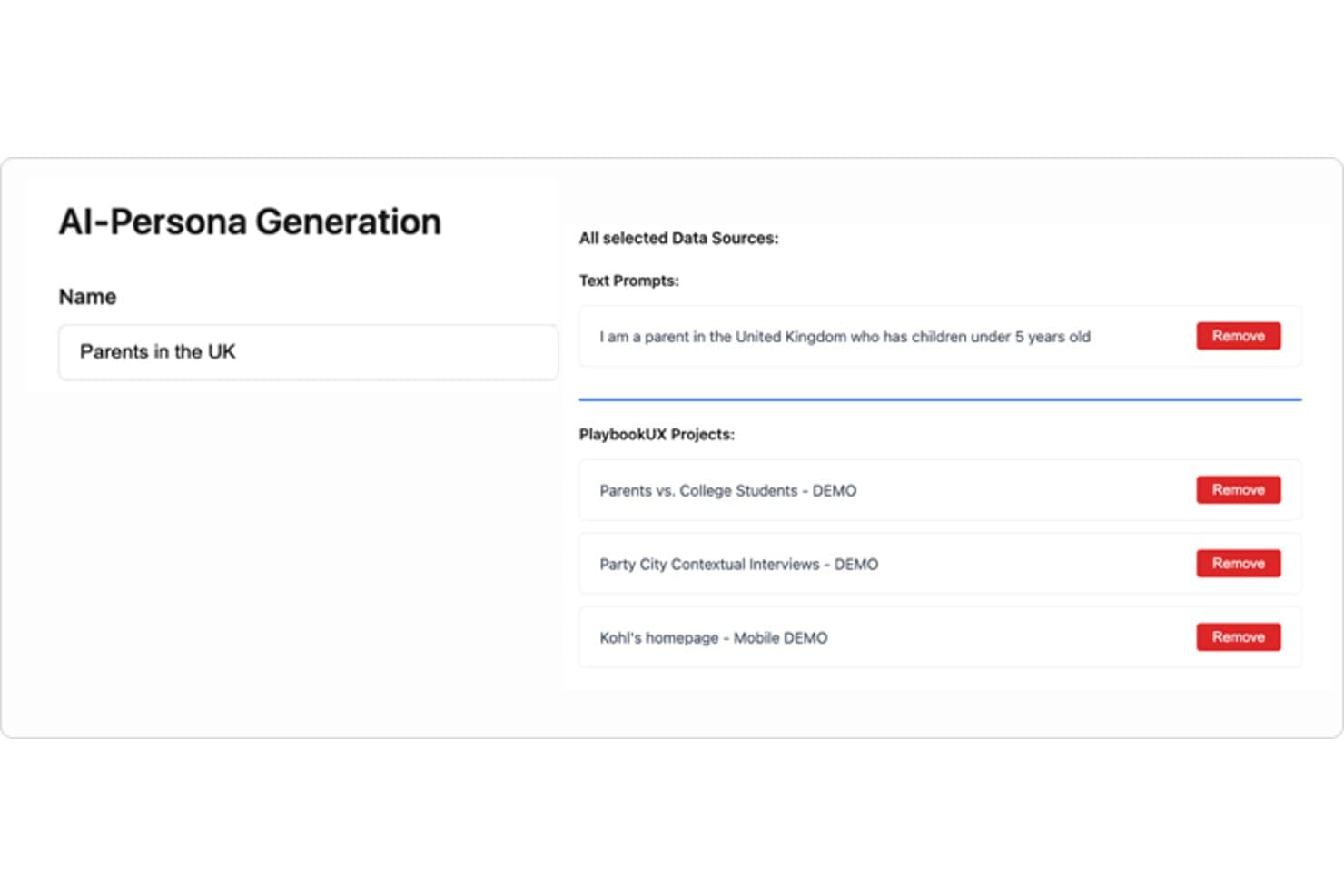
PlaybookUX lets users build AI personas from text prompts and research projects. PlaybookUX is a usability testing platform that supports moderated and unmoderated testing, card sorting, tree testing, surveys, prototype testing, and session replays, with AI-assisted analysis across methods.
Who Is PlaybookUX Best For?
PlaybookUX suits UX researchers and designers who need moderated interviews, unmoderated tests, card sorting, and tree testing all in one place.
Why I Picked PlaybookUX
I picked PlaybookUX as one of the best because it's the only platform where I can run moderated interviews, unmoderated tests, card sorting, and tree testing without stitching together separate tools. What I especially like is the card sorting analysis: similarity matrices and dendrograms give me real structural insight into how users group information, not just raw sort data. The tree testing results go just as deep, showing first-click analysis, path directness, and participant paths in one view.
PlaybookUX Key Features
- AI executive reports: AI generates a full study summary covering demographics, themes with supporting quotes, and ideas for next research steps.
- Built-in participant panel: Access a vetted pool of 7M+ consumers and professionals across 50+ countries, with fraud controls and live screener data.
- Figma prototype testing: Import Figma prototypes directly to track goal completion, misclicks, time per screen, and heatmaps.
- Unlimited seats: Every plan includes unlimited team members, so collaborators can comment, take notes, and review sessions without added cost.
PlaybookUX Integrations
PlaybookUX has one documented native integration with Figma for prototype testing. Its API with an MCP layer supports custom connections to AI assistants, CRMs, and data warehouses.
Pros and Cons
Pros:
- Generates AI summaries with supporting quotes
- Provides deep card-sort and tree-test analysis
- Combines moderated, unmoderated, and IA studies
Cons:
- Prototype analytics lack cross-segment comparisons
- Advanced methods require higher-tier access
Learn more about PlaybookUX: Best for mixed-method research in APAC markets
- Free trial available
- Pricing upon request
Visit WebsiteCustomer Rating:4.6/5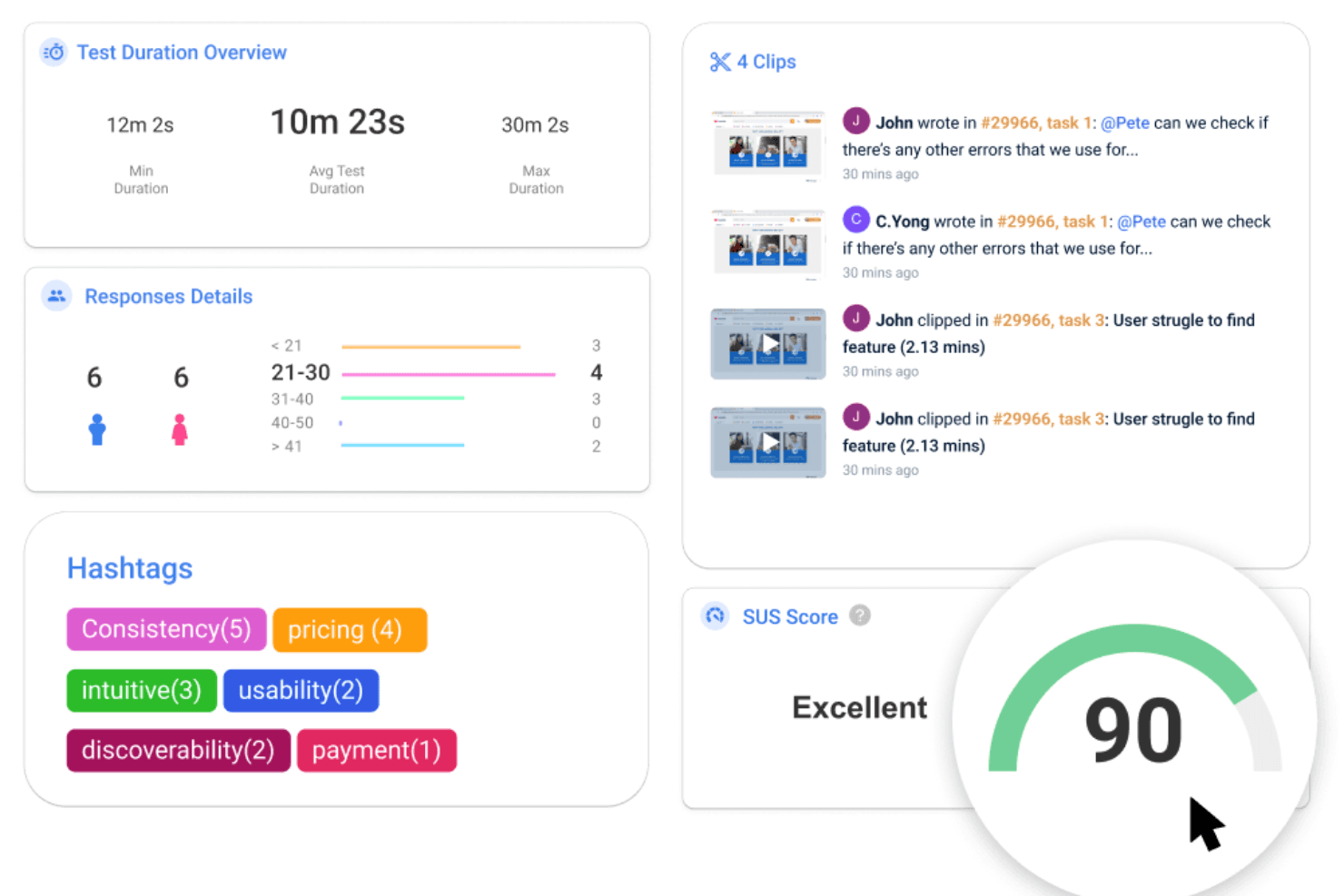
UXArmy offers various features and tools for conducting remote usability tests. UXArmy is a multi-method user research platform covering moderated and unmoderated usability testing, interviews, focus groups, card sorting, tree testing, and surveys, with built-in AI analysis and a native participant panel.
Who Is UXArmy Best For?
UXArmy is a strong fit for research teams that need to recruit and test with participants across Southeast Asia and the broader APAC region.
Why I Picked UXArmy
UXArmy earns its spot on my shortlist because its native participant panel (UserAdvocate) is specifically built around Southeast Asia and the broader APAC region, making it one of the few platforms where you can actually recruit and run studies with participants in Singapore, India, or Australia within about two days. I also like that it covers the full range of research methods, including moderated sessions via DeepDive, unmoderated app testing, card sorting, and tree testing, all in a single platform. The AI summaries that consolidate sentiment, quotes, and timestamps across sessions cut down analysis time considerably.
UXArmy Key Features
- DeepDive moderated sessions: Run 1:1 interviews, dyads, triads, or focus groups of up to 10 participants, with sessions lasting up to three hours and support for up to three shared screens simultaneously.
- Native mobile app testing: Test live iOS and Android apps, including TestFlight and Google Play beta builds, with full session recordings and no SDK or code changes required.
- Topic Anchors: Automatically split long interview recordings into labeled chapters, making it easier to navigate, annotate, and share specific moments across sessions.
- Slack notifications: Receive real-time test updates, new responses, and insight alerts directly in a Slack channel as studies run.
UXArmy Integrations
UXArmy has documented integrations with Figma, Slack, Miro, and FigJam, plus recording imports from Zoom, Microsoft Teams, and Google Meet. No public API documentation or confirmed Jira, Notion, Amplitude, or Mixpanel integrations is available.
Pros and Cons
Pros:
- Native mobile app testing needs no SDK
- Moderated sessions support groups of ten
- Strong APAC participant recruitment
Cons:
- Panel diversity skews toward APAC
- Native apps lack heatmaps and paths
Learn more about UXArmy: Best for IA-focused navigation and structure testing
- Free plan available
- From $208/user/month
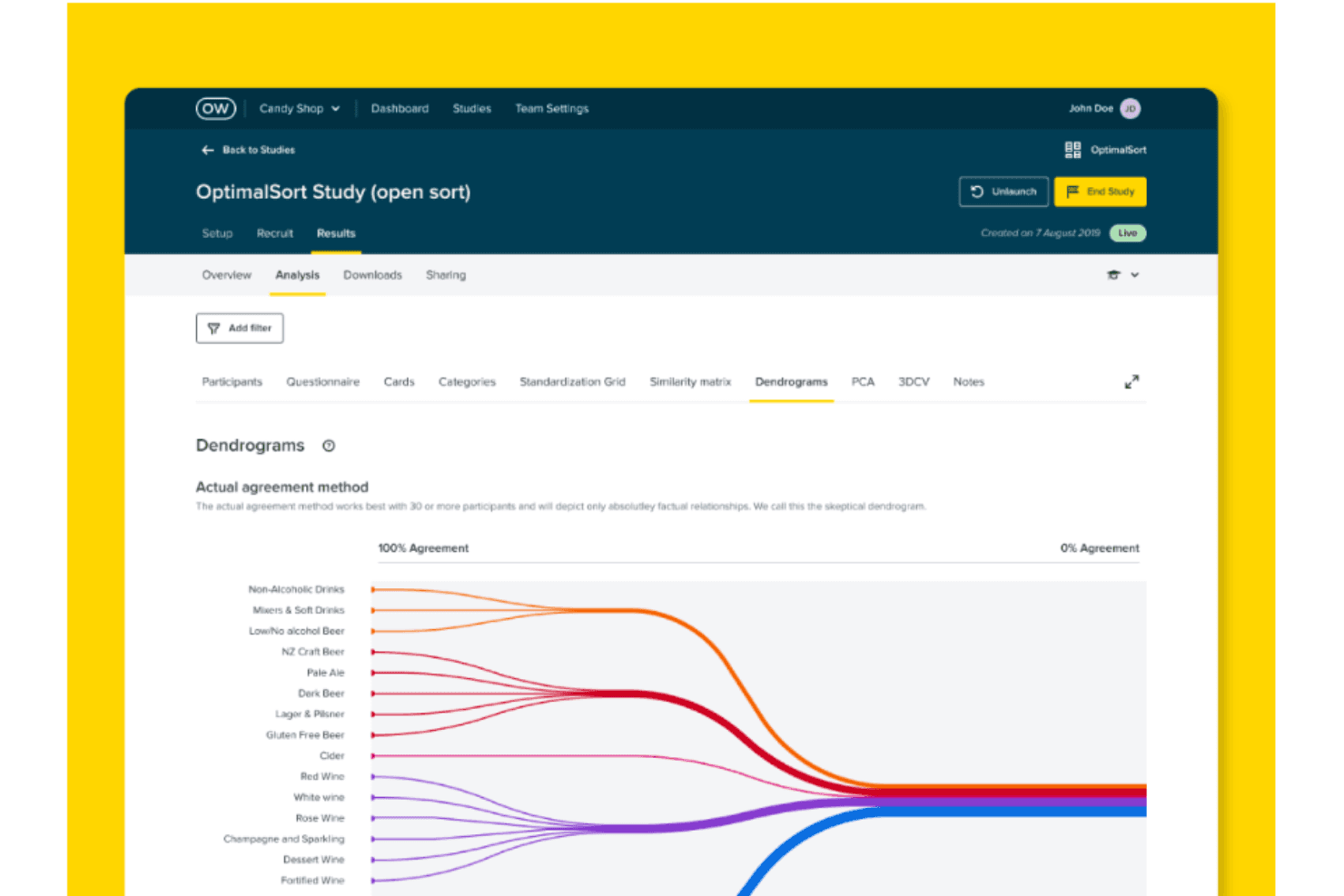
Take a look at Optimial Workshop's optimal sort dendrogram, which it depicts only factual relationships and provides the most useful data if over 30 participants have completed your study. Optimal Workshop is a usability testing platform specializing in information architecture research, offering tree testing, card sorting, first-click testing, prototype and live site testing, moderated interview logistics, and AI-powered synthesis.
Who Is Optimal Workshop Best For?
Optimal Workshop is a strong fit for UX researchers and product teams who run frequent information architecture research, including tree testing, card sorting, and navigation testing.
Why I Picked Optimal Workshop
Optimal Workshop earns its spot on my shortlist because of how deeply it specializes in information architecture research. I've done tree testing with other platforms, but Optimal's implementation is genuinely best in class: you get path analysis, directness metrics, and side-by-side IA variant comparisons in one place. I also love that card sorting includes session replays so you can see exactly how participants grouped content, not just the end result.
Optimal Workshop Key Features
- Mixed-methods study builder: Combine prototype testing, live site testing, and surveys into a single study, with branching logic and section-level randomization.
- AI-moderated follow-up questions: Set study goals and probe depth, and an AI moderator automatically asks follow-up questions when participants give short or off-topic answers in surveys.
- Multi-profile participant recruitment: Target multiple audience segments in one study with separate demographic filters, quotas, and automatic exclusion windows for recent participants.
- Research repository with AI Chat: Search across transcripts and studies using plain-language questions, with video evidence linked directly to AI-generated responses.
Optimal Workshop Integrations
Optimal Workshop integrates with Figma, Zoom, Google Meet, Microsoft Teams, Google Calendar, Outlook, User Interviews, Respondent, Prolific, and Cint. An Enterprise-only API supports custom connections to data warehouses, business intelligence tools, dashboards, and analytics tools.
Pros and Cons
Pros:
- Multi-profile quotas support niche B2B recruiting
- AI links themes to video evidence
- Best-in-class tree testing path analysis
Cons:
- No built-in live moderated session room
- Native mobile app testing remains unavailable
Learn more about Optimal Workshop:
Outras ferramentas de testes de usabilidade
Segue-se uma lista de ferramentas adicionais de testes de usabilidade que selecionei, mas que não chegaram ao topo da lista. Vale definitivamente a pena conhecê-las.
- 11Loop11Best for Agile sprint-cycle usability testing
- 12UseberryBest for tree testing and card sorting workflows
- 13UserbrainBest for continuous unmoderated testing schedules
- 14UXCamBest for mobile app behavioral analytics
- 15LookbackBest for live observer rooms in remote studies
- 16LyssnaBest for speed-to-insight with a vetted panel
- 17DscoutBest for video-screened panel recruitment
- 18TestBirdsBest for crowdsourced testing on real devices
How I Evaluate Usability Testing Tools
My evaluation starts with core functionality—specifically, whether a tool can run moderated and unmoderated tests and capture clear session recordings. From there, I look at standout features like AI-generated insights and native Figma integration, then consider panel quality and turnaround speed beyond the feature set.
Core Functionality (Table Stakes For This List)
When I'm selecting tools for my list, I score each one on a scale from 0 (does not offer the functionality) to 5 (excels in this area) for each core functionality listed below. I then convert the total into a percentage to help assess each tool's overall fit, with extra weight on any functionalities I've deemed essential.
- Test Creation & Execution (Essential): I check whether you can build branching tasks, set custom scenarios, and run both moderated and unmoderated sessions from one workspace.
- Participant Recruitment (Essential): Panel size, screening filters, and demographic targeting all matter here—I look at how quickly you can fill a study with qualified participants.
- Session Recording & Playback: I evaluate playback quality, timestamped navigation, and whether recordings sync screen activity with audio and interaction data for faster review.
- Behavioral Analytics: Heatmaps and click maps are table stakes, but I also look for scroll depth tracking and path analysis that let you compare segments side by side.
- Results Synthesis & Reporting: Tools like UserTesting and Maze approach reporting differently, so I check for auto-tagging, highlight reels, and shareable summaries you can hand to stakeholders.
- Device & Platform Coverage: Real users test on phones, tablets, and desktops, so I evaluate whether a tool supports mobile web and native app testing without extra configuration.
Once I have a list of tools that meet the criteria, I consider what sets each platform apart.
Differentiating Factors (What Sets Vendors Apart)
Here's how I compare and contrast different vendors:
Standout Features
I look for native Figma and prototype integration so teams can test clickable designs without exporting files—tools like Maze and UserTesting handle this differently, and the setup friction matters. AI-generated insights are equally important; I evaluate whether a tool can surface sentiment and themes from transcripts automatically, which cuts hours off synthesis after a large study. I also check for live observer rooms where PMs and engineers can tag moments in real time during moderated sessions.
Beyond Features
Panel quality matters just as much as feature depth. I check whether a vendor's built-in panel can reach niche audiences—like enterprise IT buyers or healthcare professionals—since generic consumer panels won't cut it for B2B research. Turnaround speed is another factor I evaluate closely; teams running weekly sprints need unmoderated results back in hours, not days. I also look at how each tool handles collaboration and stakeholder access, because a highlight reel that's easy to share with an executive will drive more buy-in than a raw session link buried in a dashboard.
Como escolher uma ferramenta de testes de usabilidade
É fácil perder-se em listas extensas de funcionalidades e estruturas de preços complexas. Para o ajudar a manter o foco enquanto percorre o seu processo específico de seleção de software, eis uma lista de verificação dos fatores a ter em conta:
| Fator | O que considerar |
|---|---|
| FatorEscalabilidade | O que considerarA ferramenta acompanhará o crescimento da sua equipa e do seu produto? Procure soluções que lidem tanto com testes pequenos como com implementações de grande dimensão em várias equipas, sem necessidade de novos contratos. |
| FatorIntegrações | O que considerarFunciona com as suas ferramentas atuais (por exemplo, Jira, Figma, Slack)? Evite ferramentas que obriguem a alterar os fluxos de trabalho ou exijam trabalho personalizado com API. |
| FatorPersonalização | O que considerarPode adaptar as tarefas, a imagem da marca ou os relatórios às suas necessidades? As ferramentas rígidas podem atrasar o trabalho ou confundir as partes interessadas. |
| FatorFacilidade de utilização | O que considerarCom que rapidez pode a sua equipa obter resultados sem precisar de formação aprofundada? Esteja atento a interfaces pouco intuitivas ou a processos de configuração complexos que consomem tempo. |
| FatorImplementação e integração inicial | O que considerarQuanto tempo é necessário até a ferramenta poder ser utilizada pela equipa? Pergunte qual é o tempo de configuração habitual e se estão incluídos apoio ou assistência à migração. |
| FatorCusto | O que considerarQual é o verdadeiro custo ao longo do tempo — licenças, participantes e atualizações? Evite ferramentas que parecem acessíveis, mas escondem funcionalidades essenciais atrás de pagamentos adicionais. |
| FatorMedidas de segurança | O que considerarCumpre as suas normas de segurança (por exemplo, SSO, encriptação de dados)? Isto é especialmente importante no caso de dados de clientes ou de setores regulamentados. |
O que são ferramentas de testes de usabilidade?
As ferramentas de testes de usabilidade são soluções de software utilizadas por investigadores de UX, programadores e designers de produtos para testar o seu público-alvo. Medem o grau de facilidade de utilização e a eficiência de um produto ou sistema, simulando interações de utilizadores reais ou monitorizando e recolhendo dados quantitativos de participantes reais nos testes.
Através de métodos como a análise de tarefas, a criação de compilações de momentos importantes, os inquéritos a utilizadores ou os mapas de calor, o software de testes revela como os utilizadores navegam num produto, onde encontram problemas e que aspetos melhoram ou prejudicam a experiência global do cliente. Muitas equipas também utilizam software de testes A/B para comparar diferentes versões e validar decisões de design. Isto ajuda as empresas a simplificar as suas interfaces de utilizador, tornando os produtos mais intuitivos, fáceis de utilizar e, em última análise, mais bem-sucedidos no mercado.
Funcionalidades do software de testes de usabilidade
Ao selecionar ferramentas de testes de usabilidade, esteja atento às seguintes funcionalidades essenciais:
- Gravação e reprodução de sessões: Permite às equipas visualizar detalhadamente as interações dos utilizadores, ajudando a identificar pontos de fricção no percurso do utilizador.
- Mapas de calor: Visualizam a atividade dos utilizadores, como cliques, toques e deslocamentos, para revelar áreas de interesse ou confusão numa página Web ou aplicação.
- Testes de utilizadores em direto: Permitem observar os utilizadores em tempo real enquanto concluem tarefas, fornecendo feedback imediato e informações qualitativas mais ricas.
- Análise de tarefas: Acompanha as taxas de conclusão das tarefas, o tempo despendido nas tarefas e a ocorrência de erros para medir quantitativamente o desempenho da usabilidade.
- Recrutamento de participantes: Disponibiliza acesso integrado a painéis de utilizadores diversificados ou permite selecionar dados demográficos específicos para obter resultados mais representativos.
- Integração de inquéritos: Combina testes de usabilidade com inquéritos para recolher feedback subjetivo dos utilizadores juntamente com dados comportamentais.
- Suporte para testes A/B: Facilita a comparação de diferentes versões de uma interface para determinar qual o design que apresenta melhor desempenho na utilização no mundo real.
- Testes em dispositivos móveis e multiplataforma: Permite realizar testes de usabilidade em vários dispositivos e plataformas, garantindo experiências consistentes.
- Ferramentas de colaboração e partilha: Disponibiliza funcionalidades para anotar, comentar e partilhar conclusões com as partes interessadas, simplificando os ciclos de feedback.
- Controlos de conformidade e privacidade: Garantem o cumprimento dos regulamentos de proteção de dados, salvaguardando as informações dos participantes durante os testes.
Benefícios das ferramentas de teste de usabilidade
A implementação de ferramentas de teste de usabilidade proporciona vários benefícios à sua equipa e à sua empresa. Eis alguns dos benefícios que pode esperar:
- Ciclos de feedback mais rápidos: Estas ferramentas permitem às equipas recolher rapidamente opiniões dos utilizadores durante a conceção ou o desenvolvimento, ajudando a detetar problemas antes que se agravem.
- Melhores decisões sobre o produto: Com informações sobre o comportamento real dos utilizadores, as equipas podem tomar decisões mais claras e baseadas em evidências, em vez de fazerem suposições.
- Maior satisfação dos utilizadores: Detetar precocemente interfaces confusas ou fluxos com falhas ajuda a criar experiências de utilização mais simples.
- Redução do desperdício no desenvolvimento: Ao identificar os problemas numa fase inicial, as equipas evitam gastar tempo e dinheiro a criar funcionalidades que os utilizadores não compreenderão nem utilizarão.
- Taxas de conversão mais elevadas: Os testes revelam pontos de fricção nos fluxos de registo, pagamento ou integração inicial, permitindo corrigir o que está a atrasar os utilizadores.
- Suporte para testes remotos: Muitas ferramentas permitem realizar testes com utilizadores em qualquer local, possibilitando obter opiniões diversificadas sem agendar sessões presenciais.
- Maior alinhamento entre as partes interessadas: As sessões gravadas e os relatórios ajudam as equipas e os responsáveis a ver os mesmos problemas dos utilizadores e a chegar a acordo sobre o que precisa de ser corrigido.
Custos e preços das ferramentas de teste de usabilidade
A seleção de ferramentas de teste de usabilidade exige uma compreensão dos vários modelos de preços e planos disponíveis. Os custos variam consoante as funcionalidades, o tamanho da equipa, os complementos, entre outros fatores. A tabela abaixo resume os planos mais comuns, os respetivos preços médios e as funcionalidades normalmente incluídas nas soluções de ferramentas de teste de usabilidade:
Tabela de comparação de planos para ferramentas de teste de usabilidade
| Tipo de plano | Preço médio | Funcionalidades comuns |
|---|---|---|
| Tipo de planoPlano gratuito | Preço médio$0 | Funcionalidades comunsAcesso a um número limitado de testes, análises básicas e suporte autónomo. |
| Tipo de planoPlano pessoal | Preço médio$25–$75/user/month | Funcionalidades comunsTestes ilimitados, análises avançadas, gravações de vídeo e integrações básicas. |
| Tipo de planoPlano empresarial | Preço médio$75–$150/user/month | Funcionalidades comunsFerramentas de colaboração em equipa, fluxos de trabalho personalizáveis, suporte prioritário e painel de informações. |
| Tipo de planoPlano empresarial avançado | Preço médio$150–$300+/user/month | Funcionalidades comunsGestor de conta dedicado, acesso total à API, personalização da marca, segurança reforçada e SLA personalizados. |
Perguntas frequentes sobre testes de usabilidade
Encontre respostas a perguntas comuns que outras pessoas fazem sobre testes de usabilidade.
Quais são as vantagens de utilizar ferramentas de testes de usabilidade?
As ferramentas de testes de usabilidade oferecem várias vantagens:
- Permitem às empresas obter uma compreensão mais profunda da forma como os seus produtos são utilizados, através da recolha das interações e do comportamento dos utilizadores. Isto pode ajudar a revelar problemas de usabilidade que podem estar a prejudicar a experiência do utilizador.
- Disponibilizam frequentemente representações visuais, como mapas de calor e gravações de sessões, para visualizar o comportamento dos utilizadores.
- Estas ferramentas também podem ajudar a realizar inquéritos e questionários para recolher opiniões diretas dos utilizadores.
- As empresas podem potencialmente poupar nos custos associados a alterações posteriores, identificando atempadamente os problemas de usabilidade.
O que é um teste de usabilidade básico?
Um teste de usabilidade básico envolveria duas pessoas: um testador e um observador. Para o preparar, seria necessário um computador onde o utilizador testaria o protótipo que lhe seria apresentado. Depois, à medida que navega pelo produto, o observador tomaria nota dos comportamentos e de outras observações de navegação consideradas importantes pela equipa de investigação.
Quanto custam normalmente as ferramentas de testes de usabilidade?
O preço das ferramentas de testes de usabilidade pode variar significativamente consoante as suas capacidades, a dimensão da base de utilizadores e a complexidade das tarefas que conseguem realizar.
Existem alguns modelos de preços comuns para estas ferramentas. Algumas funcionam com base numa subscrição, mediante o pagamento de uma taxa mensal ou anual pelo acesso. Outras utilizam um modelo por teste ou por participante, em que o pagamento é baseado na quantidade de testes realizados. Algumas ferramentas oferecem um modelo de preços por escalões, com mais funcionalidades e capacidades disponíveis nos escalões superiores.
O preço pode variar entre apenas $20 por mês e mais de $200 por mês para ferramentas mais avançadas. É importante notar que o custo é frequentemente proporcional ao número de funcionalidades e ao nível de informação que a ferramenta consegue fornecer.
Quais são os tipos de testes de usabilidade?
Os testes de usabilidade fornecem informações sobre o utilizador. No entanto, testes diferentes produzem dados diferentes para analisar. Eis 5 dos testes de usabilidade mais populares:
- Testes de usabilidade moderados: Quando duas pessoas, um moderador e um testador, interagem durante um teste. Este pode ser realizado presencialmente ou através de um software de videoconferência.
- Testes de usabilidade não moderados: Quando envia um teste ao seu público-alvo, mas não observa nem modera o processo. Em vez disso, recebe uma gravação da sessão depois de o teste ser concluído.
- Ordenação de cartões: Quando pede aos utilizadores que agrupem itens de acordo com o que faz sentido para eles. A ordenação de cartões é um excelente exercício para testar a taxonomia de um sítio Web.
- Teste do primeiro clique: Não surpreendentemente, o teste do primeiro clique é exatamente aquilo que o nome indica. Quando fornece instruções a um utilizador e regista o local onde este faz o primeiro clique.
- Teste de preferência: Quando apresenta ao utilizador variações do produto. O objetivo do teste de preferência é registar as opiniões dos utilizadores sobre o motivo pelo qual preferem uma opção em detrimento de outra.
Existem ferramentas gratuitas de testes de usabilidade?
Sim, existem algumas opções gratuitas. Ferramentas como o Chalkmark da Optimal Workshop oferecem um plano gratuito, mas este é frequentemente limitado em termos de funcionalidades e abrangência em comparação com as versões pagas.
Estas ferramentas podem ser utilizadas para testar aplicações móveis?
Sim, muitas destas ferramentas permitem realizar testes de usabilidade tanto em sítios Web como em aplicações móveis. Não se esqueça de consultar a ferramenta específica, uma vez que as capacidades podem variar.
Como é que os testes de usabilidade afetam a UX?
Os testes de usabilidade ajudam a melhorar positivamente a conceção da UX dos seus produtos digitais. Através dos testes de usabilidade, identifica os pontos problemáticos dos utilizadores, o que ajuda a implementar melhorias de conceção iterativas. Além disso, os testes de usabilidade permitem desenvolver empatia com os utilizadores e criar produtos tendo o cliente em mente.
Qual é a diferença entre testes de UX e testes UAT?
Os testes de UX avaliam a experiência do utilizador e a usabilidade dos seus produtos digitais. Por outro lado, os Testes de Aceitação pelo Utilizador (UAT) ajudam a determinar se os seus sistemas de software estão prontos para implementação. Os UAT dão ênfase à funcionalidade geral dos seus produtos, enquanto os testes de UX se centram mais na usabilidade.