
UserTesting Review: Pros, Cons, Features, and Pricing Explained
UserTesting stands out for fast, real-user feedback and robust UX insights, but its premium pricing and learning curve may suit larger teams better.

We review tools independently, and commissions help fund our testing. See our transparency policy, our methodology, or suggest a tool.
UserTesting is a user experience testing tool built for product teams that need video-based feedback from real users on prototypes, live products, and concepts. I'd mainly consider it if you need on-demand access to a large, vetted participant panel without recruiting your own testers—which is where it pulls ahead of tools like Maze, where you're typically expected to supply your own audience to run studies.
UserTesting Evaluation Summary
4.5/5
- Pricing upon request
- Free demo available
Why Trust Our Software Recommendations
6,700+
Reviews
20
Industry experts
16+
Evaluation factors
14
Years
Our team has been testing and reviewing software since 2012. As product managers ourselves, we know how difficult—and important—it is to choose the right software.
For this guide, we evaluated tools using hands-on testing and independent research, scoring tools using our selection criteria.
Our reviews reflect our human editorial judgment, not a sales pitch.
Expert reviewers:
- Andrew LumbySenior TPM
- Cristiano ValimSenior UI/UX Lead


UserTesting Overview
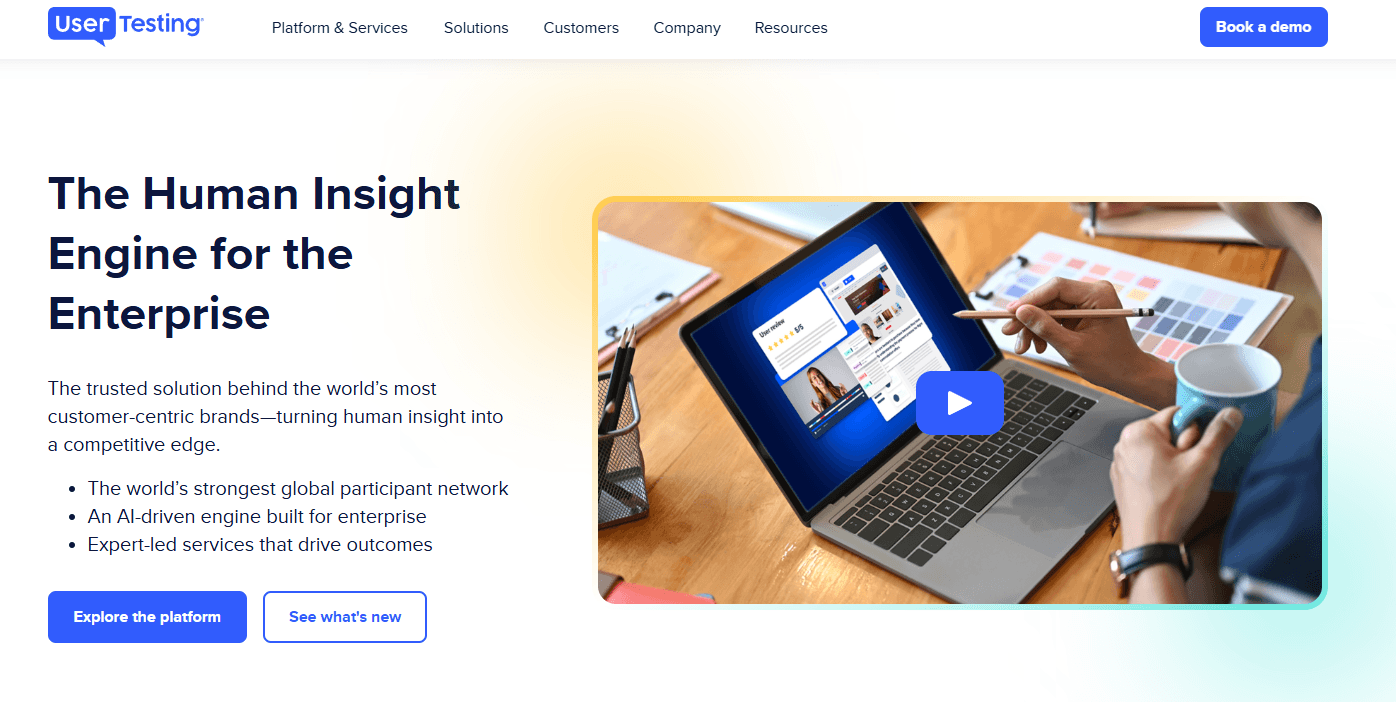
UserTesting offers a polished interface, broad participant pool, and advanced video feedback features, making it a top choice for teams prioritizing speed and depth in user research. Its pricing is higher than many alternatives, and onboarding can feel complex for new users, but the platform's support and integrations help offset these challenges. If you're judging tools for enterprise-scale research or need to compare nuanced user reactions across prototypes, UserTesting stands out. Smaller teams or those with limited budgets may find it less accessible, but for high-stakes projects, its capabilities often justify the investment.
Pros
- Access to a large, diverse participant panel of testers.
- Video feedback captures real user reactions and pain points.
- Advanced targeting for specific demographics and user segments.
Cons
- High pricing compared to most alternatives.
- Limited control over participant quality and screening.
- Session scheduling can be inflexible for international teams.


How We Test & Score Tools
We’ve spent years building, refining, and improving our software testing and scoring system. The rubric is designed to capture the nuances of software selection and what makes a tool effective, focusing on critical aspects of the decision-making process.
Below, you can see exactly how our testing and scoring works across seven criteria. It allows us to provide an unbiased evaluation of the software based on core functionality, standout features, ease of use, onboarding, customer support, integrations, customer reviews, and value for money.
Core Functionality (25% of final scoring)
The starting point of our evaluation is always the core functionality of the tool. Does it have the basic features and functions that a user would expect to see? Are any of those core features locked to higher-tiered pricing plans? At its core, we expect a tool to stand up against the baseline capabilities of its competitors.
Standout Features (25% of final scoring)
Next, we evaluate uncommon standout features that go above and beyond the core functionality typically found in tools of its kind. A high score reflects specialized or unique features that make the product faster, more efficient, or offer additional value to the user.
We also evaluate how easy it is to integrate with other tools typically found in the tech stack to expand the functionality and utility of the software. Tools offering plentiful native integrations, 3rd party connections, and API access to build custom integrations score best.
Ease of Use (10% of final scoring)
We consider how quick and easy it is to execute the tasks defined in the core functionality using the tool. High scoring software is well designed, intuitive to use, offers mobile apps, provides templates, and makes relatively complex tasks seem simple.
Onboarding (10% of final scoring)
We know how important rapid team adoption is for a new platform, so we evaluate how easy it is to learn and use a tool with minimal training. We evaluate how quickly a team member can get set up and start using the tool with no experience. High scoring solutions indicate little or no support is required.
Customer Support (10% of final scoring)
We review how quick and easy it is to get unstuck and find help by phone, live chat, or knowledge base. Tools and companies that provide real-time support score best, while chatbots score worst.
Customer Reviews (10% of final scoring)
Beyond our own testing and evaluation, we consider the net promoter score from current and past customers. We review their likelihood, given the option, to choose the tool again for the core functionality. A high scoring software reflects a high net promoter score from current or past customers.
Value for Money (10% of final scoring)
Lastly, in consideration of all the other criteria, we review the average price of entry level plans against the core features and consider the value of the other evaluation criteria. Software that delivers more, for less, will score higher.
Core Features
Live Conversation Interviews
Schedule and conduct moderated live conversations with real people for direct feedback. Capture nuanced reactions and probe deeper into user behaviors.
Unmoderated User Tests
Set up new tests and tasks for testers to complete independently on your website or app. Gather video, audio, and written responses at scale, on demand.
Participant Targeting
Filter and recruit users based on demographics, behaviors, or custom criteria. Reach specific audiences, such as mobile shoppers or enterprise buyers.
Video Session Recording
Record user interactions with your product, including screen and voice. Review playback to identify usability issues and user pain points.
Sentiment Analysis
Automatically analyze user feedback for positive, negative, or neutral sentiment. Spot trends and prioritize issues using built-in analytics.
Highlight Reels
Create shareable video clips of key user moments and insights. Use these reels to communicate findings with stakeholders quickly.

Ease of Use
UserTesting offers a polished, user-friendly dashboard, but new users often report that the platform's advanced features and test setup options can feel overwhelming at first. The guided workflows and template library help flatten the learning curve, yet managing participant targeting and interpreting video feedback still requires some onboarding. Once familiar, teams appreciate the streamlined process for launching studies and reviewing results, especially when handling multiple projects or collaborating across departments.
Integrations
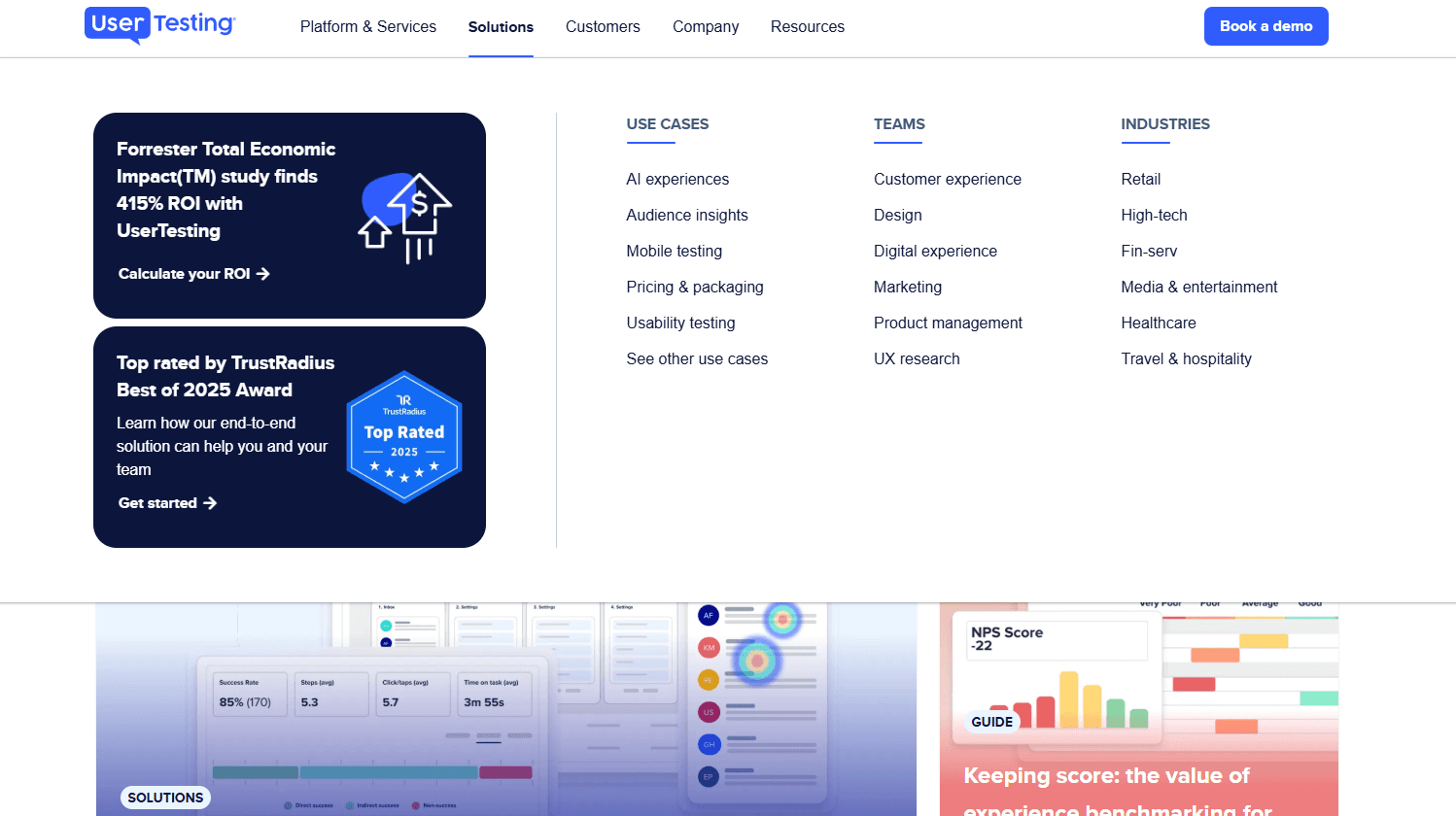
UserTesting integrates with Figma, Jira, Miro, Canva, FullStory, Qualtrics, Trello, Slack, and Microsoft Teams, among others.
UserTesting also offers an API and connects with third-party integration tools for expanded workflow automation.
UserTesting Specs
- Analytics: Yes
- API: Yes
- Calendar Management: Yes
- Chat: Yes
- Click-to-Dial: No
- CRM Integration: No
- Customer Management: Yes
- Customer Service: No
- Dashboard: Yes
- Dashboards: Yes
- Data Export: Yes
- Data Import: Yes
- Data Visualization: Yes
- External Integrations: Yes
- Feedback Management: Yes
- Knowledge Base: Yes
- Lead Management: No
- Lead Scoring: No
- Multi-Source Feedback: Yes
- Multi-User: Yes
- Net Promoter Score: Yes
- Notifications: Yes
- Omnichannel Referrals: No
- Online Surveys: Yes
- Review Moderation: Yes
- Scheduling: Yes
- Sentiment Analysis: Yes
- Social Media Monitoring: No


