

Med så mange ulike verktøy for brukervennlighetstesting tilgjengelig er det vanskelig å finne ut hvilket som passer for deg. Du vet at du ønsker å ta informerte beslutninger basert på brukeratferd og preferanser, samt validere designvalg og hypoteser, men må finne ut hvilket verktøy som egner seg best til oppgaven. Jeg hjelper deg! I dette innlegget gjør jeg valget enklere ved å dele mine personlige erfaringer med bruk av ulike verktøy i store team og med dusinvis av produkter, sammen med mine anbefalinger av de beste verktøyene for brukervennlighetstesting.
Hvorfor du kan stole på våre programvareanbefalinger
6,700+
Reviews
20
Industry experts
16+
Evaluation factors
14
Years
Teamet vårt har testet og anmeldt programvare siden 2012. Vi er selv produktledere, så vi vet hvor vanskelig og hvor viktig det er å velge riktig programvare.
I denne guiden har vi vurdert verktøyene gjennom praktisk testing og uavhengig research og gitt dem poeng ut fra våre utvelgelseskriterier.
Anmeldelsene våre bygger på vår egen redaksjonelle vurdering. De er ikke et salgsargument.
Ekspertanmeldere:
- Andrew LumbySenior TPM
- Cristiano ValimSenior UI/UX Lead


Sammenligningstabell for verktøy for brukervennlighetstesting
Denne sammenligningstabellen oppsummerer prisopplysningene for mine utvalgte toppverktøy for brukervennlighetstesting:
| Tool | Best For | Trial Info | Price | ||
|---|---|---|---|---|---|
| 1 | Best for user-focused feedback collection | Free plan available | From $50/month | Website | |
| 2 | Best for AI-driven synthesis of session findings | Free demo available | From $699/month (billed annually) | Website | |
| 3 | Best for multilingual panel testing | Free demo available | From $30/tester | Website | |
| 4 | Best for Figma prototype testing at scale | Free plan + free demo available | Pricing upon request | Website | |
| 5 | Best for cross-study UX benchmarking at scale | Free demo available | Pricing upon request | Website | |
| 6 | Best for SDK-free native mobile app testing | Free plan available | From $80/month (billed annually) | Website | |
| 7 | Best for testing across the widest participant panel | Free demo available | Pricing upon request | Website | |
| 8 | Best for multi-method research on one platform | Free demo available | Pricing upon request | Website | |
| 9 | Best for mixed-method research in APAC markets | Free trial available | Pricing upon request | Website | |
| 10 | Best for IA-focused navigation and structure testing | Free plan available | From $208/user/month | Website |


Oversikt over de 10 beste verktøyene for brukervennlighetstesting
 Best for user-focused feedback collection
- Free plan available
- From $50/month
Visit WebsiteCustomer Rating:4.8/5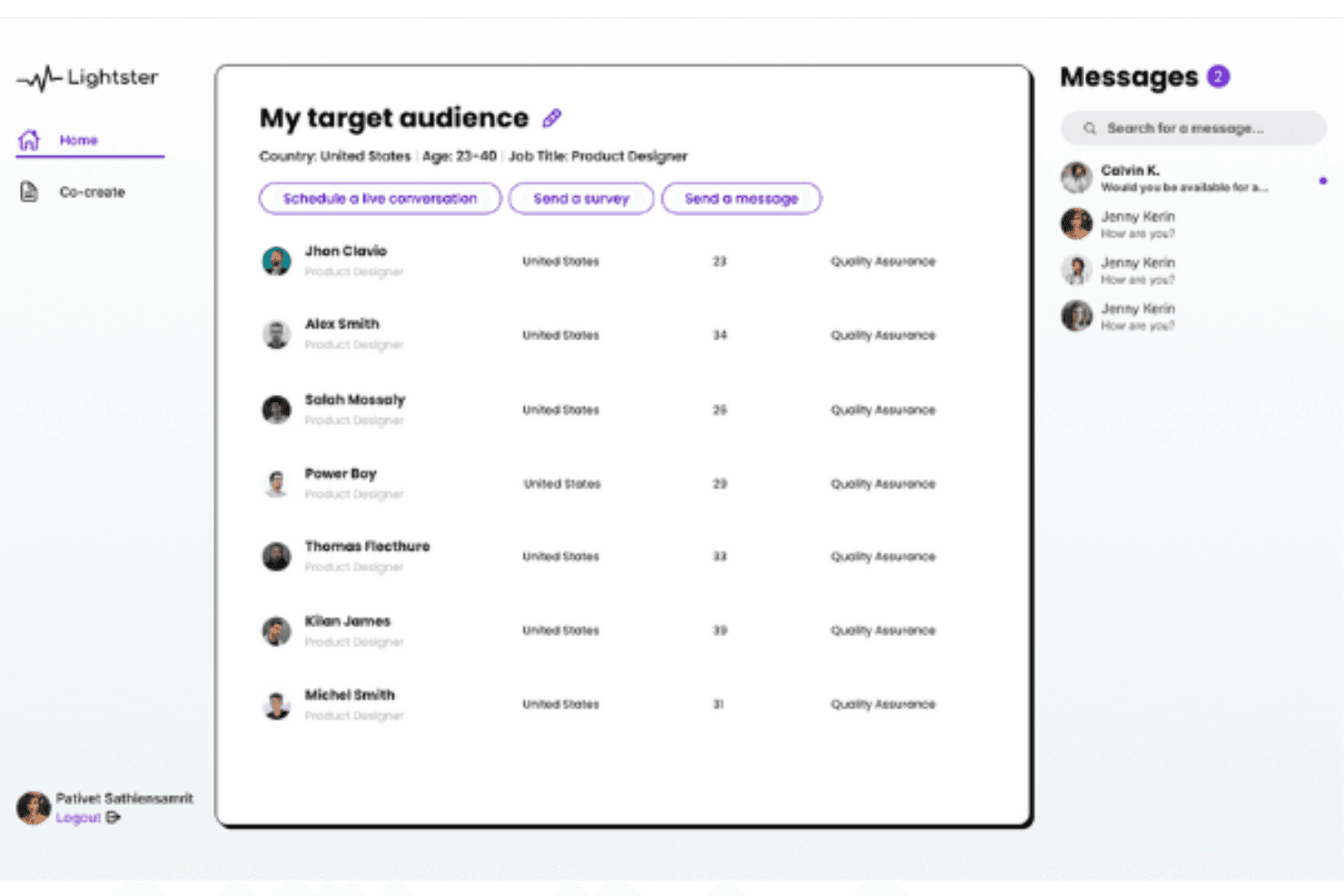
Lighter's comprehensive user matching system allows you to connect with your target audience with various criteria. Lightster is a user research platform that combines moderated video calls, unmoderated video recordings, and surveys with a built-in participant panel you can filter across 100+ targeting criteria.
Who Is Lightster Best for?
Lightster suits early-stage product teams and startups that need quick, affordable access to target users for lightweight qualitative feedback without a dedicated research budget.
Why I Picked Lightster
I picked Lightster as one of the best for user-focused feedback collection because its built-in participant panel lets you filter across 100+ targeting criteria, including job title, industry, and location, so you're hearing from the right people every time. I especially like that you can run moderated video calls, unmoderated recordings, and surveys all in one place, covering everything from early discovery to concept validation.
Lightster Key Features
- Built-in participant communities: You can follow pre-built communities or create your own with automatic criteria-based membership, then message participants in bulk before a session.
- Custom screening questions: Add unlimited multiple-choice and text screening questions to filter participants beyond the 100+ standard targeting criteria.
- LinkedIn-linked participant profiles: Each participant profile includes a LinkedIn link so you can verify professional backgrounds before committing to a session.
- Unlimited session observers: Invite unlimited guests or team members to any live session via a shareable link at no additional cost.
Lightster Integrations
Native integrations are not clearly documented. Lightster has a Figma Community plugin for recruiting and testing designs, plus LinkedIn profile links for participant verification.
Pros and Cons
Pros:
- Responsive support praised by reviewers
- Moderated and unmoderated testing in one platform
- Precise participant targeting with custom screeners
Cons:
- Limited task-building and results-reporting capabilities
- No heatmaps, click maps, or path analysis
Learn more about Lightster: Best for AI-driven synthesis of session findings
- Free demo available
- From $699/month (billed annually)
Visit WebsiteCustomer Rating:4.5/5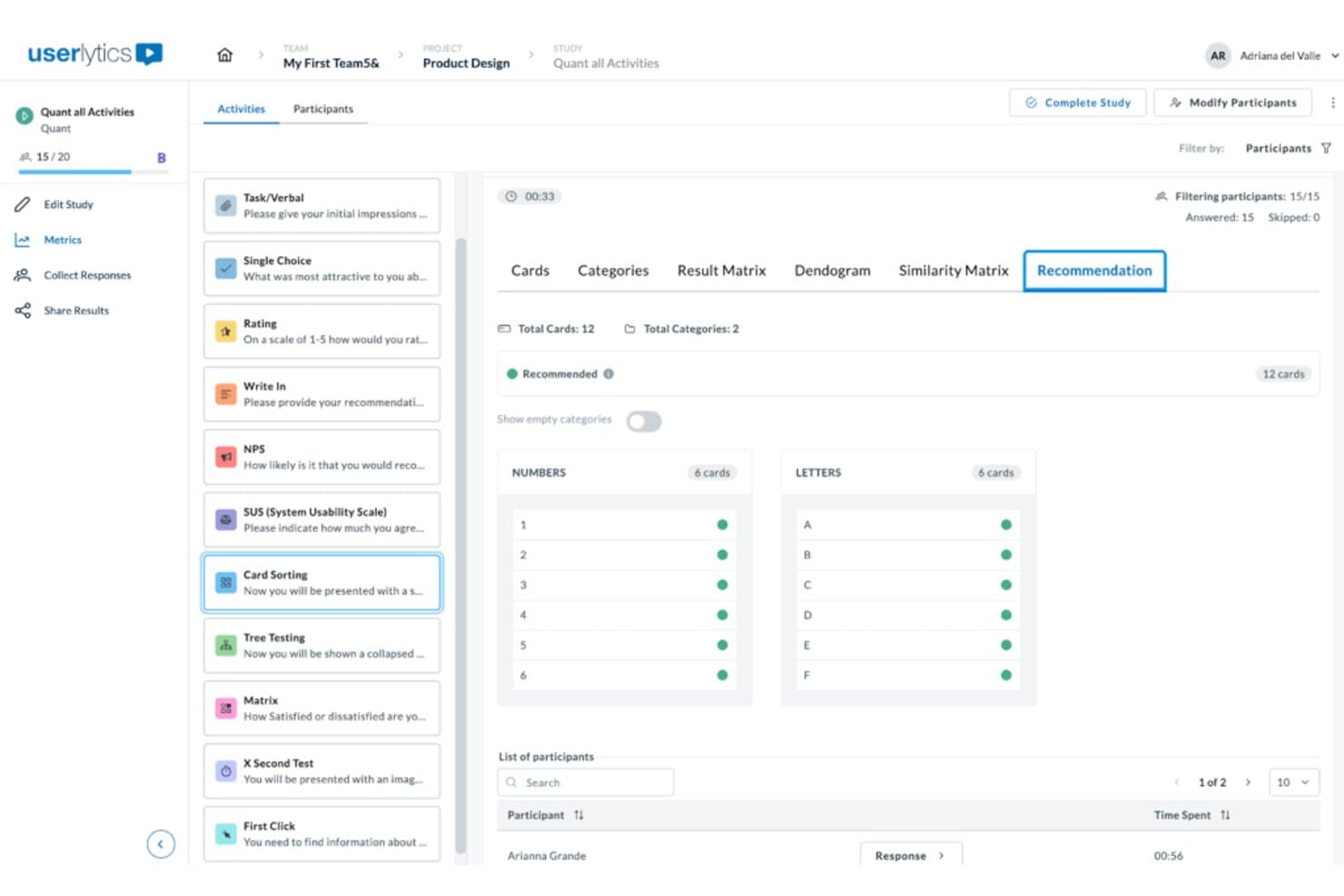
Userlytics surfaces card sorting recommendations grouped by category. Userlytics is a usability testing platform that supports moderated, unmoderated, and quantitative testing across websites, mobile apps, and prototypes, with built-in participant recruitment, session recording, and AI-powered analysis tools including card sorting, tree testing, and benchmarking.
Who Is Userlytics Best For?
Userlytics is a strong fit for UX researchers and product teams who need to run a wide range of remote studies—from moderated sessions to tree testing—and want AI to do the heavy lifting on synthesis.
Why I Picked Userlytics
I've included Userlytics in my top picks because its AI Insights feature genuinely changes how fast you can move from raw sessions to shareable findings. After sessions run, AI Insights auto-generates a summary across all recordings, lets you ask plain-language questions, and cites the exact session ID and timestamp behind every answer. Pair that with AI Annotations flagging key moments automatically, and you're not spending hours scrubbing through footage to find the part that matters.
Userlytics Key Features
- Live Conversations: Run browser-based moderated sessions with built-in scheduling, calendar sync, and a chat channel for moderators and up to 10 invisible observers.
- Tree testing: Measure navigation success rates, first-click paths, time spent, and directness, with AI recommendations and industry benchmarks built into the results view.
- Card sorting: Run open, closed, or hybrid card sort studies to evaluate how participants naturally group and label your content or features.
- ULX Benchmarking Score: Track a composite usability score across trust, appeal, usability, and performance, and compare results against competitive benchmarks over time.
Userlytics Integrations
Userlytics supports prototype links from Figma, Adobe XD, InVision, and Proto, plus app testing through TestFlight and Google Play. Moderated sessions sync with personal calendars; native Jira, Slack, analytics integrations, and a public API aren’t documented.
Pros and Cons
Pros:
- Moderated and unmoderated methods share one platform
- Global panel supports niche participant recruiting
- AI summaries cite session timestamps precisely
Cons:
- Reviewers report cumbersome study setup workflows
- First-click heatmaps exclude live-site behavior
Learn more about Userlytics: Best for multilingual panel testing
- Free demo available
- From $30/tester
Visit WebsiteCustomer Rating:4.5/5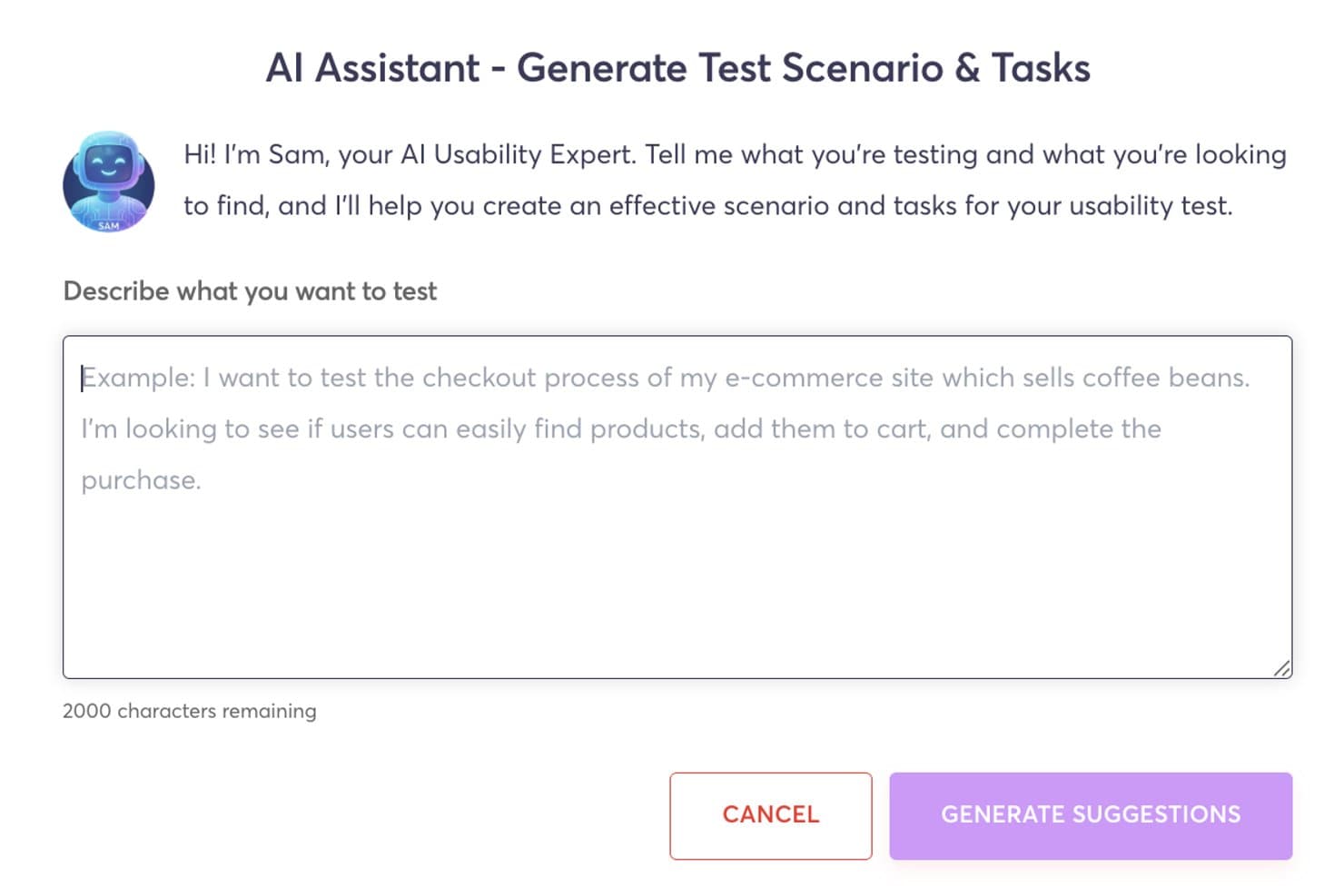
Userfeel's AI assistant generates usability test scenarios and tasks automatically. Userfeel is a remote usability testing platform that supports moderated and unmoderated sessions, prototype testing, card sorting, tree testing, and multilingual participant recruitment across 40+ languages.
Who Is Userfeel Best For?
Userfeel is a strong fit for UX researchers and designers who need to run usability studies across multiple languages and countries from a single platform.
Why I Picked Userfeel
I picked Userfeel as one of the best because its multilingual panel is genuinely unmatched for teams running research across regions. With over one million vetted testers spanning 40+ languages and countries, I can target French-speaking Canadian users or Japanese mobile shoppers from the same workflow. The built-in screener questions and User Lists let me lock in the right audience for repeat studies, and the AI Sentiment Analysis on the Team plan surfaces pain points across sessions without manual tagging.
Userfeel Key Features
- Prototype testing: Connect Figma or Adobe XD links directly to task-based studies to collect feedback on designs before development.
- System Usability Scale (SUS) scoring: Built-in SUS ratings let you track usability scores across multiple studies over time.
- Card sorting and tree testing: Run open or closed card sorts and tree tests to validate your information architecture with real participants.
- Searchable transcripts: Every session generates time-stamped, searchable transcripts so you can locate specific moments without rewatching full recordings.
Userfeel Integrations
Userfeel doesn't have any native integrations or a documented API. It supports prototype testing through Figma and Adobe XD links, moderated sessions through Google Meet, and exports results to CSV or Excel.
Pros and Cons
Pros:
- Vetted testers improve feedback consistency
- Fast participant recruitment and study turnaround
- Multilingual panel supports cross-market research
Cons:
- Moderated sessions exclude external observers
- No heatmaps or clickstream analysis
Learn more about Userfeel:
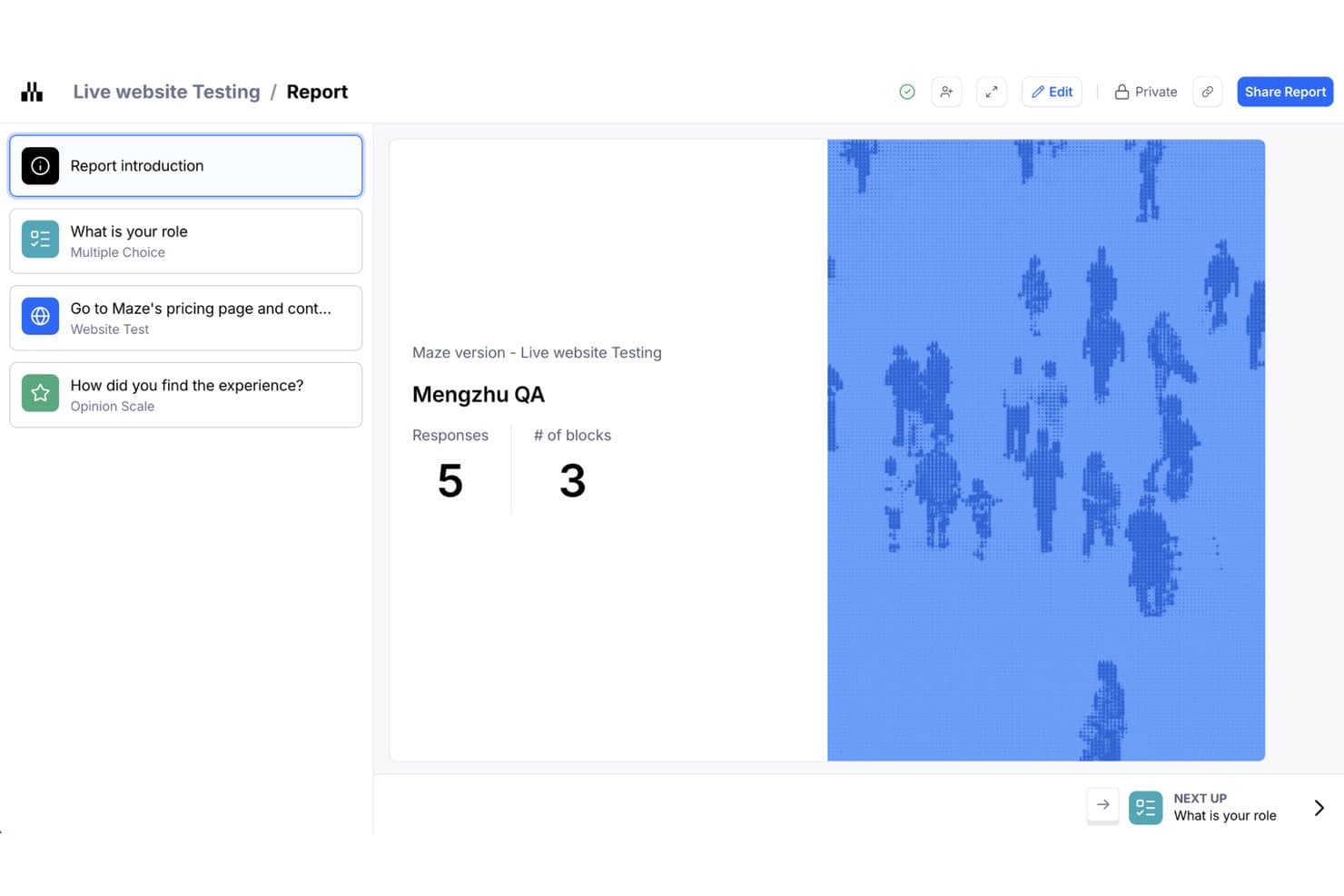
Maze organizes usability test results into a structured report with response metrics. Maze is an AI-first usability testing platform that supports prototype testing, live-website testing, native mobile testing, card sorting, tree testing, moderated and unmoderated interviews, panel-based recruitment, and automated reporting.
Who Is Maze Best For?
Maze is a strong fit for product teams and UX researchers who need to run frequent, fast prototype tests directly from Figma without leaning on a dedicated research ops function.
Why I Picked Maze
I picked Maze as one of the best because it makes Figma prototype testing genuinely fast to run at scale. One-click Figma import means I can have a study live in minutes, and built-in path analysis shows me exactly where testers deviate from my intended flow. When I need volume, the Maze Panel delivers responses from millions of participants across 150+ countries, with unmoderated studies filling in under five hours on average.
Maze Key Features
- AI study builder: Describe your research goal and Maze suggests methods and builds a ready-to-run study for you.
- Live website testing: Add Maze's tracking code to a live site to capture how users navigate and where they deviate from your intended path.
- Maze Panel recruitment: Access millions of B2B and B2C participants across 150+ countries using 400+ demographic and behavioral filters.
- Automated reports: Maze generates a shareable, editable report for every study, with AI-generated themes and sentiment from open-ended responses.
Maze Integrations
Maze integrates with Figma, FigJam, Axure, Notion, Miro, Confluence, Jira, Slack, Amplitude, and Zoom. It also connects with Google Meet, Microsoft Teams, and calendar tools for interview scheduling.
Pros and Cons
Pros:
- Automated reports synthesize mixed research data
- Built-in heatmaps and path analysis
- Fast Figma prototype testing at scale
Cons:
- Limited cross-study benchmarking for behavioral trends
- Advanced methods often require higher-tier plans
Learn more about Maze: Best for cross-study UX benchmarking at scale
- Free demo available
- Pricing upon request
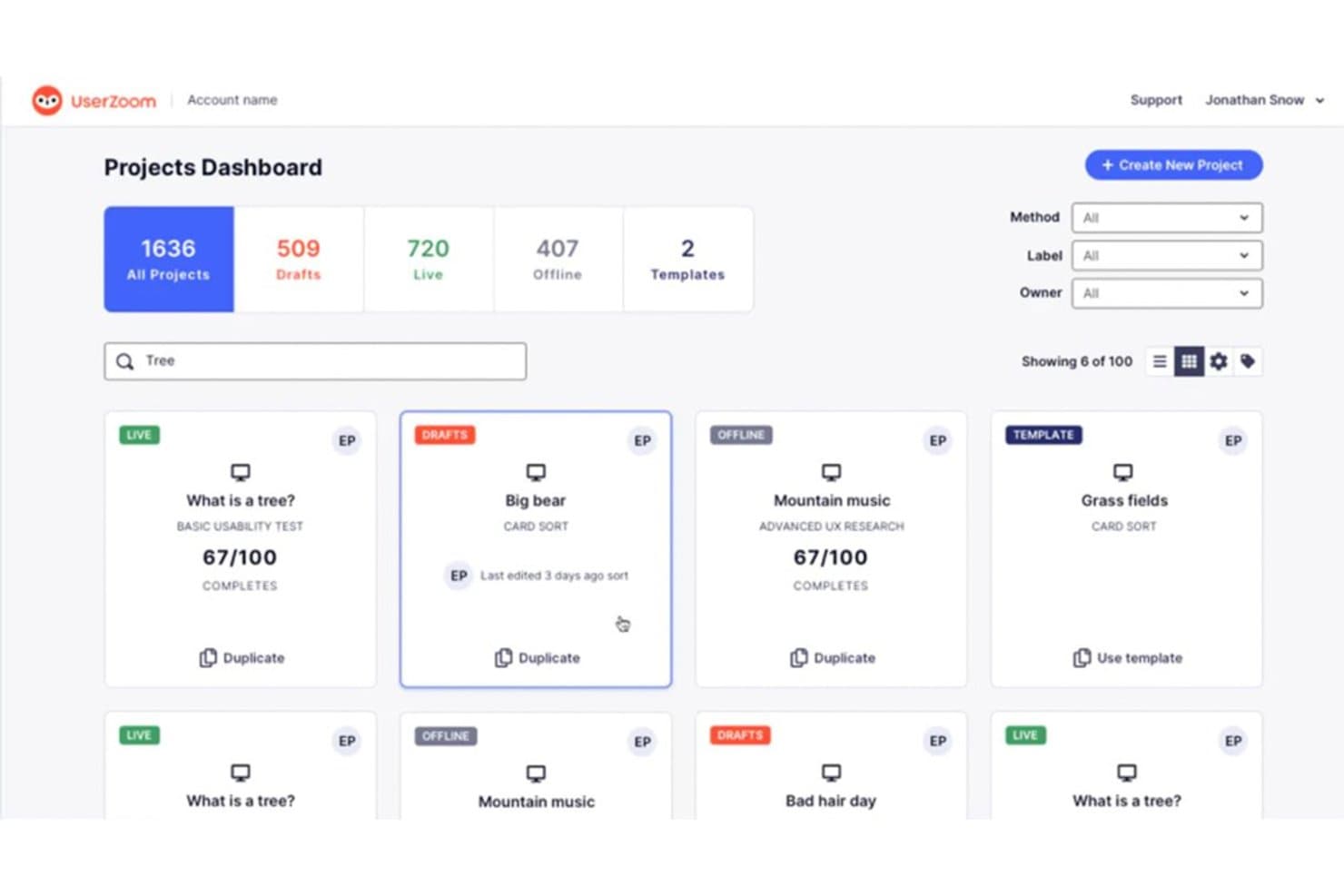
UserZoom organizes usability studies in a searchable project dashboard. UserZoom is an enterprise usability testing platform that supports moderated and unmoderated studies, tree testing, card sorting, click tests, live intercepts, and cross-study UX benchmarking through its QXscore metric.
Who Is UserZoom Best For?
UserZoom suits enterprise UX research teams that need to run benchmarking studies at scale and track experience quality across releases or competitors.
Why I Picked UserZoom
UserZoom earns its spot on my shortlist because of how seriously it takes cross-study UX benchmarking. Its QXscore metric combines behavioral data like task success rates with attitudinal signals like trust and ease of use into a single 0–100 score, so you can track experience quality across product releases or against competitors over time. I also like that the Advanced UX Research method lets you run A/B prototype comparisons and before/after benchmarks in one study type.
UserZoom Key Features
- Live intercepts: A pop-up recruits real visitors directly from your live website, letting you capture in-the-moment feedback without redirecting users to a separate study.
- Tree testing: Built-in tree tests let you evaluate your information architecture by tracking how participants navigate through a text-based site hierarchy.
- Card sorting: Open, closed, and hybrid card sort studies help you understand how users mentally group and label content or features.
- Virtual observation room: Team members can watch moderated sessions live from a hidden observation room, without the participant knowing they're being observed.
UserZoom Integrations
UserZoom lists integrations with Figma, FigJam, FullStory, Contentsquare, Quantum Metric, AWS, and Atlassian. The broader UserTesting platform documents integrations with Jira, Slack, Trello, Microsoft Teams, Miro, and EnjoyHQ.
Pros and Cons
Pros:
- Moderated sessions include hidden observation rooms
- Built-in tree tests and card sorts
- Cross-study QXscore benchmarking tracks UX changes
Cons:
- Reports cite freezing and patchy session audio
- Heatmaps exclude Figma and Adobe XD
Learn more about UserZoom: Best for SDK-free native mobile app testing
- Free plan available
- From $80/month (billed annually)
Visit WebsiteCustomer Rating:4.8/5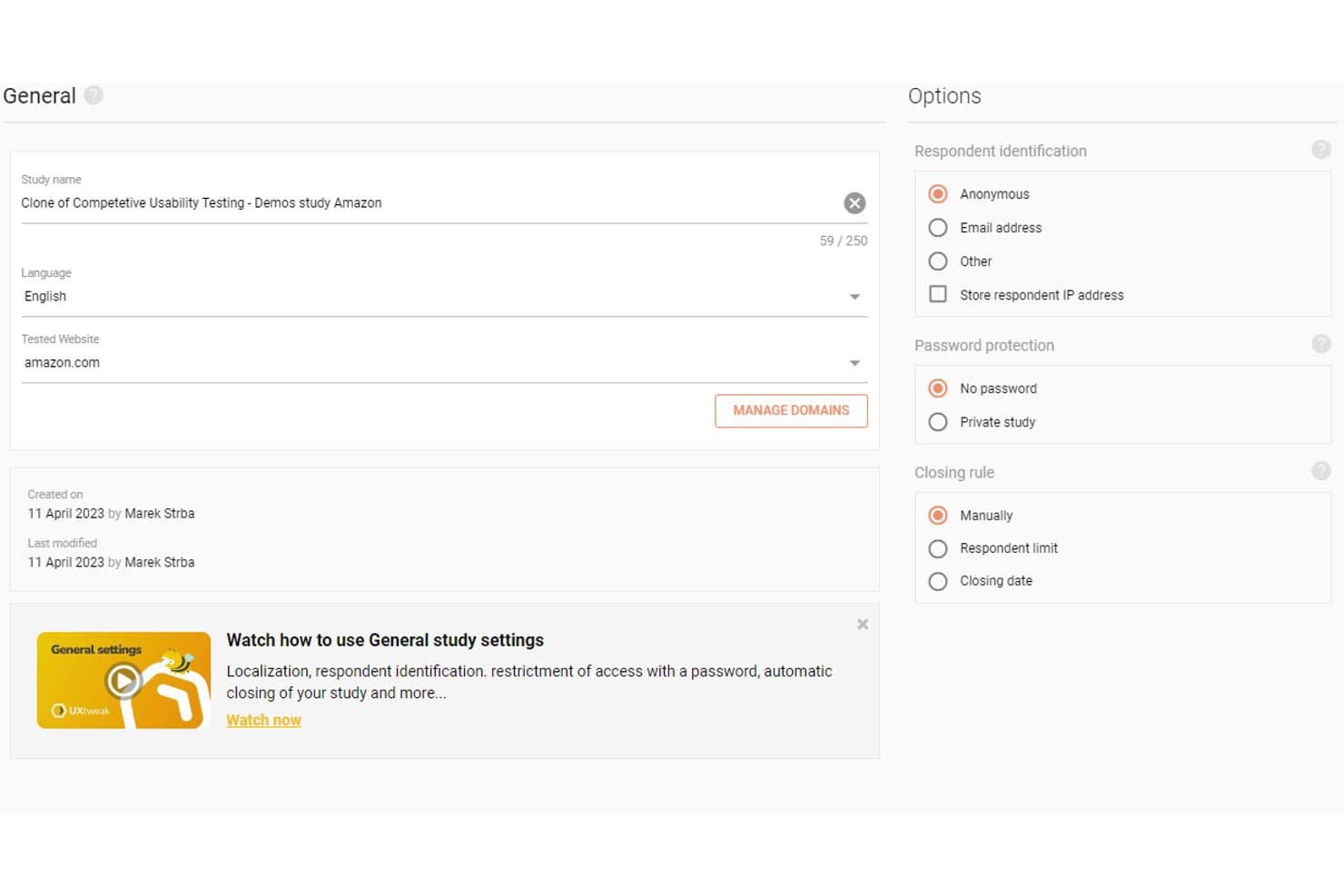
UXtweak lets users configure study settings, language, and respondent options. UXtweak is a UX research platform that covers moderated and unmoderated usability testing, session recording, behavioral analytics, card sorting, tree testing, and participant recruitment across websites, prototypes, and native mobile apps.
Who Is UXtweak Best For?
UXtweak is a strong fit for UX researchers and product teams who need an all-in-one research platform that handles everything from recruitment to synthesis.
Why I Picked UXtweak
I picked UXtweak as one of the best because its SDK-free native mobile app testing sets it apart from most tools in this category. Participants install UXtweak's companion app instead, so your team can test live App Store and Google Play builds, beta APKs, or TestFlight releases without touching the app's codebase. I also like that mobile sessions capture screen, voice, and face simultaneously, giving you the same behavioral depth you'd expect from desktop testing.
UXtweak Key Features
- Participant panel: Access a global pool of 130+ countries and 2,000+ targeting attributes, with fixed pricing and guaranteed delivery before you place an order.
- Behavioral analytics maps: Generate heatmaps, clickmaps, scroll maps, and movement maps from session data, segmentable by device or viewport.
- Insights Editor: Build collaborative research reports that embed video clips and highlight reels, then share them with stakeholders via password-protected links—no account required.
- Card sorting and tree testing: Run open, closed, or hybrid card sorts and tree tests, with results visualized as similarity matrices, dendrograms, and navigation path breakdowns.
UXtweak Integrations
UXtweak documents 10 native integrations, including Figma, Google Drive, Microsoft OneDrive, Condens, Marvin, Dovetail, Notion, Google Tag Manager, Marvel, and Axure. Adobe XD and Sketch connect through public links; no public API is documented.
Pros and Cons
Pros:
- Guaranteed participant delivery and replacements
- Pixel-perfect playback with synced transcripts
- SDK-free native mobile app testing
Cons:
- Complex studies may require another tool
- Cluttered interface can overwhelm beginners
Learn more about UXtweak: Best for testing across the widest participant panel
- Free demo available
- Pricing upon request
Visit WebsiteCustomer Rating:4.5/5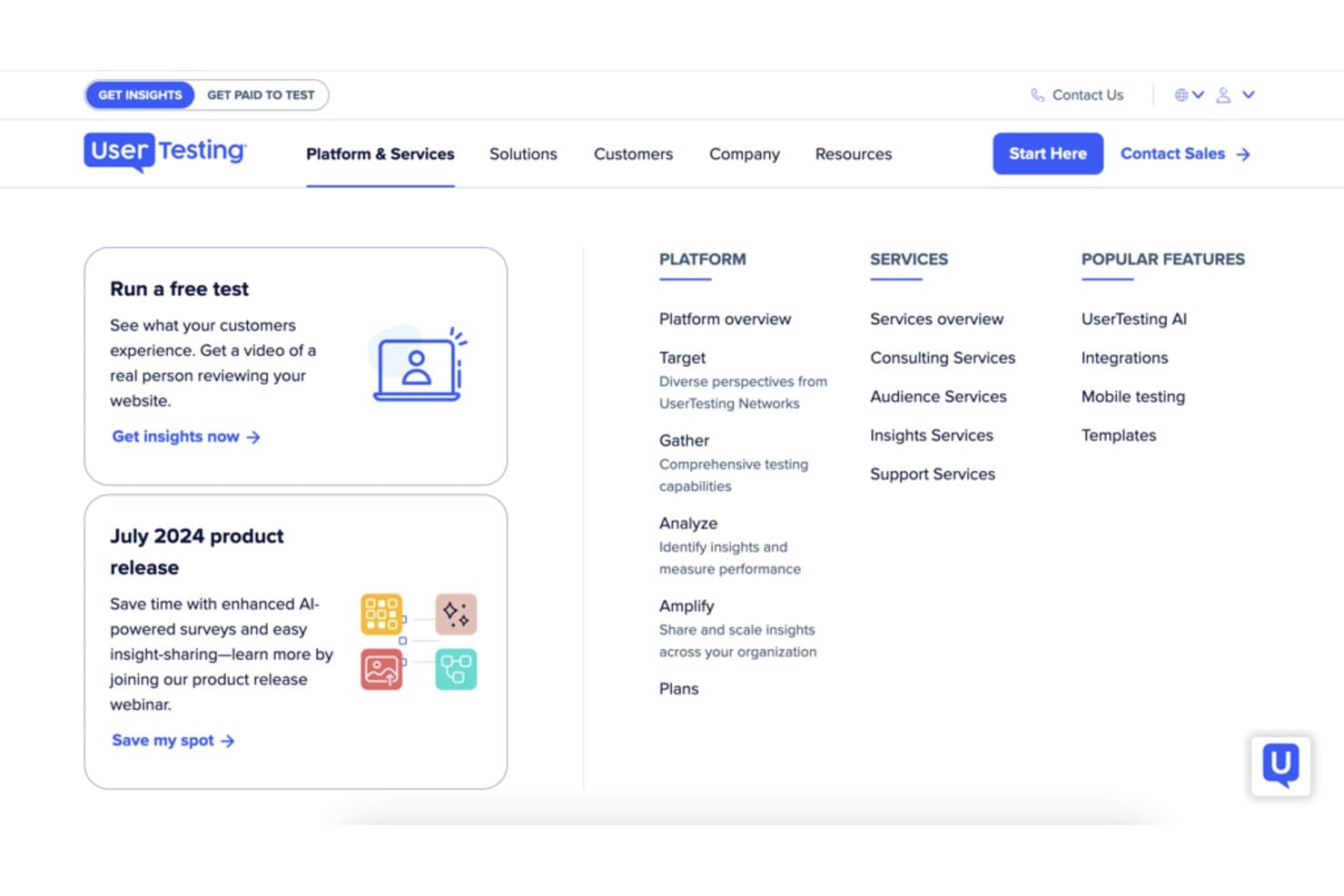
UserTesting organizes platform and services into a structured navigation menu. UserTesting is a usability testing platform that supports moderated and unmoderated research, participant recruitment from a global panel, session recording, behavioral analytics, and AI-driven insight synthesis across web, mobile, and emerging device environments.
Who Is UserTesting Best For?
UserTesting is a strong fit for UX research and product teams that need to recruit participants across a wide range of demographics, geographies, and professional profiles without juggling multiple tools.
Why I Picked UserTesting
I picked UserTesting as one of the best because its participant panel of 7.6M+ verified people across 34 core markets is the largest I've seen in this category. When I need to reach niche professionals like developers or financial analysts, the built-in Advanced Targeting pulls from the User Interviews network without switching platforms. AI-generated screeners and fraud detection mean the right participants actually show up.
UserTesting Key Features
- Live Conversation moderated sessions: Two-way video interviews with screen sharing that run on Zoom and automatically save recordings to your dashboard.
- QXscore benchmarking: A scoring system that tracks experience quality across studies over time, letting you measure progress and run competitive comparisons.
- Insights Hub: A centralized workspace where you can combine video clips, survey data, and third-party research, then use AI to surface themes across sessions.
- In-the-wild mobile testing: Participants use their phone camera to capture real-world experiences in-home, in-store, or in any environment outside a lab setting.
UserTesting Integrations
UserTesting offers native integrations with Figma, Jira, Confluence, Slack, Miro, Qualtrics, Contentsquare, FullStory, and Rally. Its open API and Results API support custom integrations.
Pros and Cons
Pros:
- Synthesizes video evidence with AI themes
- Combines moderated and unmoderated study formats
- Recruits niche professionals across broad markets
Cons:
- Panel quality can vary by audience
- Behavioral analytics omit classic scroll maps
Learn more about UserTesting: Best for multi-method research on one platform
- Free demo available
- Pricing upon request
Visit WebsiteCustomer Rating:5/5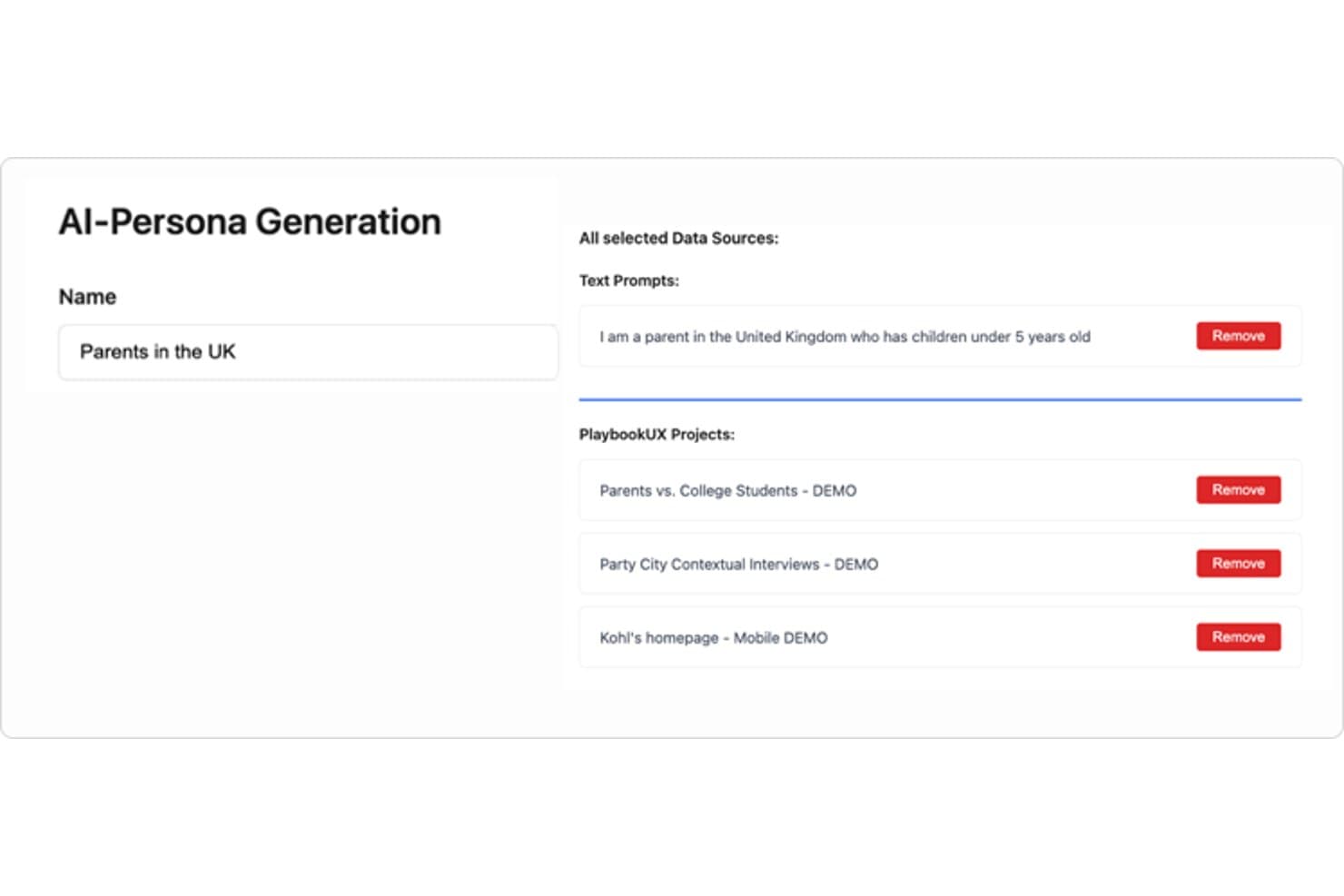
PlaybookUX lets users build AI personas from text prompts and research projects. PlaybookUX is a usability testing platform that supports moderated and unmoderated testing, card sorting, tree testing, surveys, prototype testing, and session replays, with AI-assisted analysis across methods.
Who Is PlaybookUX Best For?
PlaybookUX suits UX researchers and designers who need moderated interviews, unmoderated tests, card sorting, and tree testing all in one place.
Why I Picked PlaybookUX
I picked PlaybookUX as one of the best because it's the only platform where I can run moderated interviews, unmoderated tests, card sorting, and tree testing without stitching together separate tools. What I especially like is the card sorting analysis: similarity matrices and dendrograms give me real structural insight into how users group information, not just raw sort data. The tree testing results go just as deep, showing first-click analysis, path directness, and participant paths in one view.
PlaybookUX Key Features
- AI executive reports: AI generates a full study summary covering demographics, themes with supporting quotes, and ideas for next research steps.
- Built-in participant panel: Access a vetted pool of 7M+ consumers and professionals across 50+ countries, with fraud controls and live screener data.
- Figma prototype testing: Import Figma prototypes directly to track goal completion, misclicks, time per screen, and heatmaps.
- Unlimited seats: Every plan includes unlimited team members, so collaborators can comment, take notes, and review sessions without added cost.
PlaybookUX Integrations
PlaybookUX has one documented native integration with Figma for prototype testing. Its API with an MCP layer supports custom connections to AI assistants, CRMs, and data warehouses.
Pros and Cons
Pros:
- Generates AI summaries with supporting quotes
- Provides deep card-sort and tree-test analysis
- Combines moderated, unmoderated, and IA studies
Cons:
- Prototype analytics lack cross-segment comparisons
- Advanced methods require higher-tier access
Learn more about PlaybookUX: Best for mixed-method research in APAC markets
- Free trial available
- Pricing upon request
Visit WebsiteCustomer Rating:4.6/5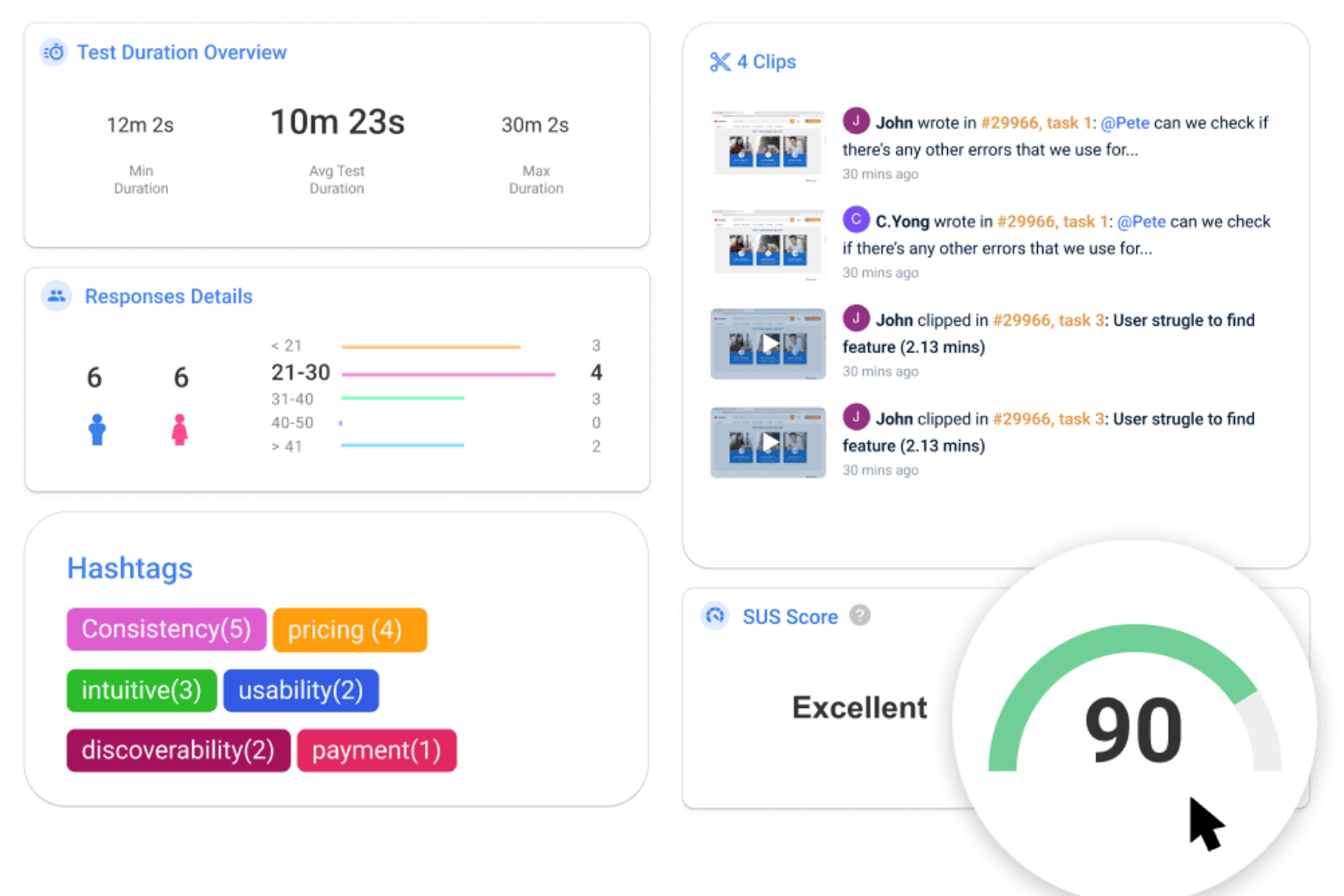
UXArmy offers various features and tools for conducting remote usability tests. UXArmy is a multi-method user research platform covering moderated and unmoderated usability testing, interviews, focus groups, card sorting, tree testing, and surveys, with built-in AI analysis and a native participant panel.
Who Is UXArmy Best For?
UXArmy is a strong fit for research teams that need to recruit and test with participants across Southeast Asia and the broader APAC region.
Why I Picked UXArmy
UXArmy earns its spot on my shortlist because its native participant panel (UserAdvocate) is specifically built around Southeast Asia and the broader APAC region, making it one of the few platforms where you can actually recruit and run studies with participants in Singapore, India, or Australia within about two days. I also like that it covers the full range of research methods, including moderated sessions via DeepDive, unmoderated app testing, card sorting, and tree testing, all in a single platform. The AI summaries that consolidate sentiment, quotes, and timestamps across sessions cut down analysis time considerably.
UXArmy Key Features
- DeepDive moderated sessions: Run 1:1 interviews, dyads, triads, or focus groups of up to 10 participants, with sessions lasting up to three hours and support for up to three shared screens simultaneously.
- Native mobile app testing: Test live iOS and Android apps, including TestFlight and Google Play beta builds, with full session recordings and no SDK or code changes required.
- Topic Anchors: Automatically split long interview recordings into labeled chapters, making it easier to navigate, annotate, and share specific moments across sessions.
- Slack notifications: Receive real-time test updates, new responses, and insight alerts directly in a Slack channel as studies run.
UXArmy Integrations
UXArmy has documented integrations with Figma, Slack, Miro, and FigJam, plus recording imports from Zoom, Microsoft Teams, and Google Meet. No public API documentation or confirmed Jira, Notion, Amplitude, or Mixpanel integrations is available.
Pros and Cons
Pros:
- Native mobile app testing needs no SDK
- Moderated sessions support groups of ten
- Strong APAC participant recruitment
Cons:
- Panel diversity skews toward APAC
- Native apps lack heatmaps and paths
Learn more about UXArmy: Best for IA-focused navigation and structure testing
- Free plan available
- From $208/user/month
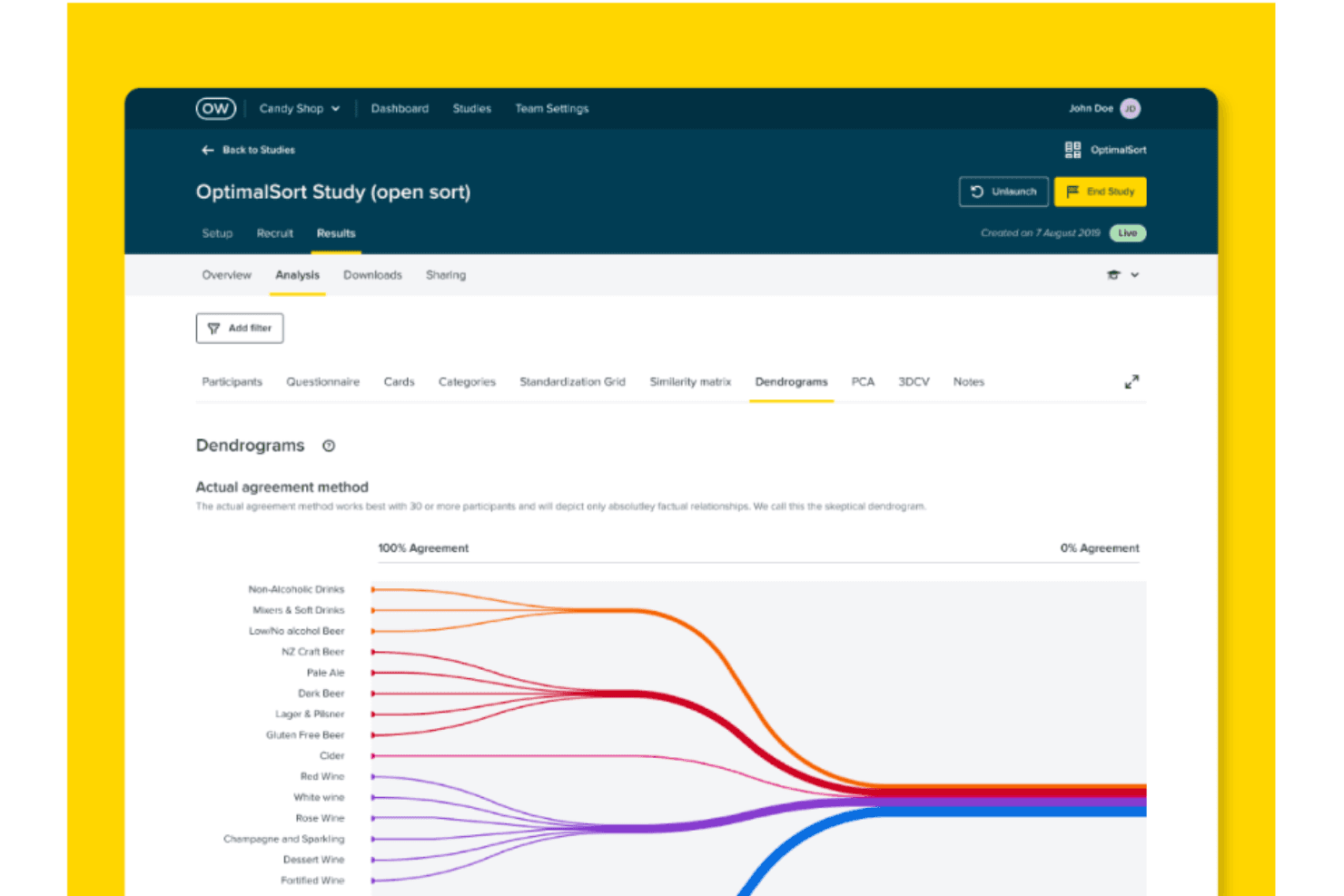
Take a look at Optimial Workshop's optimal sort dendrogram, which it depicts only factual relationships and provides the most useful data if over 30 participants have completed your study. Optimal Workshop is a usability testing platform specializing in information architecture research, offering tree testing, card sorting, first-click testing, prototype and live site testing, moderated interview logistics, and AI-powered synthesis.
Who Is Optimal Workshop Best For?
Optimal Workshop is a strong fit for UX researchers and product teams who run frequent information architecture research, including tree testing, card sorting, and navigation testing.
Why I Picked Optimal Workshop
Optimal Workshop earns its spot on my shortlist because of how deeply it specializes in information architecture research. I've done tree testing with other platforms, but Optimal's implementation is genuinely best in class: you get path analysis, directness metrics, and side-by-side IA variant comparisons in one place. I also love that card sorting includes session replays so you can see exactly how participants grouped content, not just the end result.
Optimal Workshop Key Features
- Mixed-methods study builder: Combine prototype testing, live site testing, and surveys into a single study, with branching logic and section-level randomization.
- AI-moderated follow-up questions: Set study goals and probe depth, and an AI moderator automatically asks follow-up questions when participants give short or off-topic answers in surveys.
- Multi-profile participant recruitment: Target multiple audience segments in one study with separate demographic filters, quotas, and automatic exclusion windows for recent participants.
- Research repository with AI Chat: Search across transcripts and studies using plain-language questions, with video evidence linked directly to AI-generated responses.
Optimal Workshop Integrations
Optimal Workshop integrates with Figma, Zoom, Google Meet, Microsoft Teams, Google Calendar, Outlook, User Interviews, Respondent, Prolific, and Cint. An Enterprise-only API supports custom connections to data warehouses, business intelligence tools, dashboards, and analytics tools.
Pros and Cons
Pros:
- Multi-profile quotas support niche B2B recruiting
- AI links themes to video evidence
- Best-in-class tree testing path analysis
Cons:
- No built-in live moderated session room
- Native mobile app testing remains unavailable
Learn more about Optimal Workshop:
Andre verktøy for brukervennlighetstesting
Nedenfor finner du en liste over flere verktøy for brukervennlighetstesting som jeg vurderte, men som ikke nådde opp blant de beste. De er absolutt verdt å sjekke ut.
- 11Loop11Best for Agile sprint-cycle usability testing
- 12UseberryBest for tree testing and card sorting workflows
- 13UserbrainBest for continuous unmoderated testing schedules
- 14UXCamBest for mobile app behavioral analytics
- 15LookbackBest for live observer rooms in remote studies
- 16LyssnaBest for speed-to-insight with a vetted panel
- 17DscoutBest for video-screened panel recruitment
- 18TestBirdsBest for crowdsourced testing on real devices
How I Evaluate Usability Testing Tools
My evaluation starts with core functionality—specifically, whether a tool can run moderated and unmoderated tests and capture clear session recordings. From there, I look at standout features like AI-generated insights and native Figma integration, then consider panel quality and turnaround speed beyond the feature set.
Core Functionality (Table Stakes For This List)
When I'm selecting tools for my list, I score each one on a scale from 0 (does not offer the functionality) to 5 (excels in this area) for each core functionality listed below. I then convert the total into a percentage to help assess each tool's overall fit, with extra weight on any functionalities I've deemed essential.
- Test Creation & Execution (Essential): I check whether you can build branching tasks, set custom scenarios, and run both moderated and unmoderated sessions from one workspace.
- Participant Recruitment (Essential): Panel size, screening filters, and demographic targeting all matter here—I look at how quickly you can fill a study with qualified participants.
- Session Recording & Playback: I evaluate playback quality, timestamped navigation, and whether recordings sync screen activity with audio and interaction data for faster review.
- Behavioral Analytics: Heatmaps and click maps are table stakes, but I also look for scroll depth tracking and path analysis that let you compare segments side by side.
- Results Synthesis & Reporting: Tools like UserTesting and Maze approach reporting differently, so I check for auto-tagging, highlight reels, and shareable summaries you can hand to stakeholders.
- Device & Platform Coverage: Real users test on phones, tablets, and desktops, so I evaluate whether a tool supports mobile web and native app testing without extra configuration.
Once I have a list of tools that meet the criteria, I consider what sets each platform apart.
Differentiating Factors (What Sets Vendors Apart)
Here's how I compare and contrast different vendors:
Standout Features
I look for native Figma and prototype integration so teams can test clickable designs without exporting files—tools like Maze and UserTesting handle this differently, and the setup friction matters. AI-generated insights are equally important; I evaluate whether a tool can surface sentiment and themes from transcripts automatically, which cuts hours off synthesis after a large study. I also check for live observer rooms where PMs and engineers can tag moments in real time during moderated sessions.
Beyond Features
Panel quality matters just as much as feature depth. I check whether a vendor's built-in panel can reach niche audiences—like enterprise IT buyers or healthcare professionals—since generic consumer panels won't cut it for B2B research. Turnaround speed is another factor I evaluate closely; teams running weekly sprints need unmoderated results back in hours, not days. I also look at how each tool handles collaboration and stakeholder access, because a highlight reel that's easy to share with an executive will drive more buy-in than a raw session link buried in a dashboard.
Slik velger du et verktøy for brukervennlighetstesting
Det er lett å gå seg vill i lange funksjonslister og komplekse prismodeller. For å hjelpe deg med å holde fokus mens du går gjennom din unike prosess for valg av programvare, får du her en sjekkliste over faktorer du bør ha i tankene:
| Faktor | Hva du bør vurdere |
|---|---|
| FaktorSkalerbarhet | Hva du bør vurdereVil verktøyet vokse sammen med teamet og produktet ditt? Se etter løsninger som håndterer både små tester og store utrullinger på tvers av flere team uten nye kontrakter. |
| FaktorIntegrasjoner | Hva du bør vurdereFungerer det med verktøyene du allerede bruker (f.eks. Jira, Figma, Slack)? Unngå verktøy som tvinger frem endringer i arbeidsflyten eller krever tilpasset API-arbeid. |
| FaktorTilpasningsmuligheter | Hva du bør vurdereKan du tilpasse oppgaver, profilering eller rapporter etter behovene dine? Rigide verktøy kan gjøre arbeidet tregere eller forvirre interessenter. |
| FaktorBrukervennlighet | Hva du bør vurdereHvor raskt kan teamet ditt få verdi uten omfattende opplæring? Vær oppmerksom på klønete grensesnitt eller kompliserte oppsettsprosesser som tar mye tid. |
| FaktorImplementering og innføring | Hva du bør vurdereHvor lang tid tar det før teamet kan bruke verktøyet? Spør om vanlig oppsettstid, og om støtte eller hjelp til migrering er inkludert. |
| FaktorKostnad | Hva du bør vurdereHva er den reelle kostnaden over tid – lisenser, deltakere og oppgraderinger? Unngå verktøy som virker rimelige, men skjuler viktige funksjoner bak betalingsmurer. |
| FaktorSikkerhetstiltak | Hva du bør vurdereOppfyller det sikkerhetsstandardene dine (f.eks. SSO og datakryptering)? Dette er spesielt viktig for kundedata eller regulerte bransjer. |
Hva er verktøy for brukervennlighetstesting?
Verktøy for brukervennlighetstesting er programvareløsninger som brukes av UX-forskere, utviklere og produktdesignere til å teste målgruppen sin. De måler hvor brukervennlig og effektivt et produkt eller system er, enten ved å simulere interaksjoner med ekte brukere eller ved å overvåke og samle inn kvantitative data fra ekte testdeltakere.
Ved hjelp av metoder som oppgaveanalyse, høydepunktsklipp, brukerundersøkelser eller varmekart viser testprogramvaren hvordan brukere navigerer i et produkt, hvor de støter på problemer, og hvilke aspekter som forbedrer eller svekker den helhetlige kundeopplevelsen. Mange team benytter også programvare for A/B-testing for å sammenligne ulike versjoner og validere designbeslutninger. Dette hjelper virksomheter med å effektivisere brukergrensesnittene sine, slik at produktene blir mer intuitive, enklere å bruke og til syvende og sist mer vellykkede i markedet.
Funksjoner i programvare for brukervennlighetstesting
Når du velger verktøy for brukervennlighetstesting, bør du se etter følgende viktige funksjoner:
- Opptak og avspilling av økter: Gjør det mulig for team å se brukerinteraksjoner i detalj, noe som bidrar til å identifisere friksjonspunkter i brukerreisen.
- Varmekart: Visualiserer brukeraktivitet som klikk, trykk og rulling for å avdekke områder med interesse eller forvirring på en nettside eller i en app.
- Direkte brukertesting: Gjør det mulig å observere brukere i sanntid mens de utfører oppgaver, og gir umiddelbare tilbakemeldinger og mer omfattende kvalitative innsikter.
- Oppgaveanalyse: Sporer fullføringsgrad for oppgaver, tidsbruk på oppgaver og forekomsten av feil for å måle brukervennlighet kvantitativt.
- Rekruttering av deltakere: Gir innebygd tilgang til mangfoldige brukerpaneler eller gjør det mulig å målrette mot bestemte demografiske grupper for mer representative resultater.
- Integrasjon med spørreundersøkelser: Kombinerer brukervennlighetstester med spørreundersøkelser for å samle inn subjektive tilbakemeldinger fra brukere sammen med atferdsdata.
- Støtte for A/B-testing: Forenkler sammenligning av ulike grensesnittversjoner for å avgjøre hvilket design som fungerer best ved bruk i virkeligheten.
- Testing på mobil og på tvers av plattformer: Støtter brukervennlighetstesting på ulike enheter og plattformer, slik at opplevelsene blir konsekvente.
- Verktøy for samarbeid og deling: Tilbyr funksjoner for å legge til merknader, kommentere og dele funn med interessenter for å effektivisere tilbakemeldingssløyfene.
- Kontroller for samsvar og personvern: Sikrer overholdelse av personvernforordninger og beskytter deltakernes informasjon under testingen.
Fordeler med verktøy for brukervennlighetstesting
Implementering av verktøy for brukervennlighetstesting gir flere fordeler for teamet og virksomheten din. Her er noen av fordelene du kan se frem til:
- Raskere tilbakemeldingssløyfer: Disse verktøyene gjør det mulig for team å samle inn brukerinndata raskt under design eller utvikling, slik at problemer kan oppdages før de vokser.
- Bedre produktbeslutninger: Med innsikt i reell brukeratferd kan team ta tydeligere, evidensbaserte beslutninger i stedet for å gjette.
- Økt brukertilfredshet: Ved å oppdage forvirrende design eller ødelagte brukerflyter tidlig blir det enklere å skape smidigere brukeropplevelser.
- Mindre sløsing med utviklingsressurser: Ved å finne problemer tidlig unngår team å bruke tid og penger på å bygge funksjoner brukerne ikke vil forstå eller bruke.
- Høyere konverteringsfrekvenser: Testing avdekker friksjonspunkter i registrerings-, betalings- eller introduksjonsflyter, slik at du kan løse det som hindrer brukerne.
- Støtte for fjernbasert testing: Mange verktøy gjør det mulig å teste med brukere hvor som helst, slik at du kan få innspill fra ulike grupper uten å planlegge fysiske økter.
- Tydeligere samkjøring av interessenter: Opptak av økter og rapporter hjelper team og ledere med å se de samme brukerproblemene og bli enige om hva som må løses.
Kostnader og priser for verktøy for brukervennlighetstesting
Valg av verktøy for brukervennlighetstesting krever en forståelse av de ulike prismodellene og abonnementene som er tilgjengelige. Kostnadene varierer basert på funksjoner, teamstørrelse, tillegg og mer. Tabellen nedenfor oppsummerer vanlige abonnementer, gjennomsnittsprisene deres og typiske funksjoner som er inkludert i løsninger for brukervennlighetstesting:
Sammenligningstabell for abonnementer for verktøy for brukervennlighetstesting
| Abonnementstype | Gjennomsnittspris | Vanlige funksjoner |
|---|---|---|
| AbonnementstypeGratisabonnement | Gjennomsnittspris$0 | Vanlige funksjonerTilgang til et begrenset antall tester, grunnleggende analyse og selvbetjent brukerstøtte. |
| AbonnementstypePersonlig abonnement | Gjennomsnittspris$25–$75/bruker/måned | Vanlige funksjonerUbegrenset antall tester, avansert analyse, videoopptak og grunnleggende integrasjoner. |
| AbonnementstypeBedriftsabonnement | Gjennomsnittspris$75–$150/bruker/måned | Vanlige funksjonerVerktøy for teamsamarbeid, tilpassbare arbeidsflyter, prioritert brukerstøtte og innsiktsoversikt. |
| AbonnementstypeForetaksabonnement | Gjennomsnittspris$150–$300+/bruker/måned | Vanlige funksjonerDedikert kundeansvarlig, full API-tilgang, profilering uten leverandørens merkevare, forbedret sikkerhet og tilpassede SLA-er. |
Vanlige spørsmål om brukertesting
Finn svar på vanlige spørsmål som andre stiller om brukertesting.
Hva er fordelene ved å bruke verktøy for brukertesting?
Verktøy for brukertesting gir en rekke fordeler:
\u003cul\u003e
\t\u003cli\u003eDe gjør det mulig for virksomheter å få en dypere forståelse av hvordan produktene deres brukes, ved å registrere brukerinteraksjoner og -atferd. Dette kan bidra til å avdekke brukervennlighetsproblemer som kan være til hinder for brukeropplevelsen.\u003c/li\u003e
\t\u003cli\u003eDe gir ofte visuelle fremstillinger, som varmekart og øktopptak, for å visualisere brukeratferd.\u003c/li\u003e
\t\u003cli\u003eDisse verktøyene kan også hjelpe med å gjennomføre undersøkelser og spørreskjemaer for å samle inn direkte tilbakemeldinger fra brukerne.\u003c/li\u003e
\t\u003cli\u003eVirksomheter kan potensielt spare kostnader knyttet til endringer på et senere stadium ved å identifisere brukervennlighetsproblemer tidlig.\u003c/li\u003e
\u003c/ul\u003e
Hva er en grunnleggende brukertest?
En grunnleggende brukertest involverer to personer: en testleder og en observatør. For å sette den opp trenger du en datamaskin der brukeren skal teste prototypen som du legger frem for dem. Mens brukeren navigerer i produktet, noterer observatøren atferd og andre navigasjonsobservasjoner som forskningsteamet anser som viktige.
Hvor mye koster verktøy for brukertesting vanligvis?
\u003cp class=\u0022p1\u0022\u003ePrisen på verktøy for brukertesting kan variere betydelig avhengig av funksjonene, størrelsen på brukerbasen og kompleksiteten til oppgavene de kan utføre.\u003c/p\u003e
\u003cp class=\u0022p1\u0022\u003eDet finnes noen vanlige prismodeller for disse verktøyene. Noen fungerer på abonnementsbasis, der du betaler en månedlig eller årlig avgift for tilgang. Andre bruker en modell per test eller deltaker, der du betaler basert på hvor mye testing du gjennomfører. Enkelte verktøy tilbyr en trinnvis prismodell, med flere funksjoner og muligheter tilgjengelig på høyere nivåer.\u003c/p\u003e
\u003cp class=\u0022p1\u0022\u003ePrisen kan variere fra så lite som $20 per måned til over $200 per måned for mer avanserte verktøy. Det er viktig å merke seg at kostnaden ofte står i forhold til antallet funksjoner og hvor mye innsikt verktøyet kan gi.\u003c/p\u003e
Hvilke typer brukertester finnes?
Brukertesting gir deg informasjon om brukeren. Ulike tester gir deg imidlertid ulike data å analysere. Her er 5 av de mest populære brukertestene:
\u003col\u003e
\t\u003cli\u003e\u003cstrong\u003eModererte brukertester:\u003c/strong\u003e Når to mennesker, en moderator og en testperson, samhandler under en test. Dette kan foregå personlig eller gjennom programvare for videokonferanser.\u003c/li\u003e
\t\u003cli\u003e\u003cstrong\u003eUmoderererte brukertester:\u003c/strong\u003e Når du sender en test til målgruppen din, men ikke observerer eller modererer. I stedet mottar du et opptak av økten etter at de har fullført testen.\u003c/li\u003e
\t\u003cli\u003e\u003cstrong\u003eKortsortering:\u003c/strong\u003e Når du ber brukerne gruppere elementer etter hva som gir mening for dem. Kortsortering er en god metode for å teste taksonomien på et nettsted.\u003c/li\u003e
\t\u003cli\u003e\u003cstrong\u003eFørsteklikkstest:\u003c/strong\u003e Ikke overraskende er førsteklikkstesting akkurat det det høres ut som. Du gir en bruker instruksjoner og registrerer hvor vedkommende klikker for første gang.\u003c/li\u003e
\t\u003cli\u003e\u003cstrong\u003ePreferansetesting:\u003c/strong\u003e Når du presenterer brukeren for ulike varianter av produktet. Hensikten med preferansetesting er å registrere tilbakemeldingene brukerne gir om hvorfor de foretrekker ett alternativ fremfor et annet.\u003c/li\u003e
\u003c/ol\u003e
Finnes det gratis verktøy for brukertesting?
Ja, det finnes noen gratis alternativer. Verktøy som Chalkmark fra Optimal Workshop tilbyr en gratis plan, men disse har ofte begrensede funksjoner og et mer begrenset bruksområde sammenlignet med de betalte alternativene.
Kan disse verktøyene brukes til testing av mobilapper?
Ja, mange av disse verktøyene tilbyr muligheten til å gjennomføre brukertesting av både nettsteder og mobilapper. Sørg for å sjekke det aktuelle verktøyet, ettersom funksjonene kan variere.
Hvordan påvirker brukertesting UX?
Brukertesting hjelper deg med å forbedre UX-designet til de digitale produktene dine. Gjennom brukertesting avdekker du brukernes utfordringer, noe som bidrar til trinnvise designforbedringer. I tillegg gjør brukertesting det mulig å utvikle empati med brukerne og bygge produkter med kunden i tankene.
Hva er forskjellen mellom UX-testing og UAT-testing?
UX-testing evaluerer brukeropplevelsen og brukervennligheten til de digitale produktene dine. Brukerakseptansetesting (UAT) bidrar derimot til å avgjøre om programvaresystemene dine er klare for utrulling. UAT legger vekt på den samlede funksjonaliteten til produktene dine, mens UX-testing i større grad fokuserer på brukervennlighet.