

Som produktansvarlig møter du utfordringer med å balansere kreative designbehov med praktiske forretningsmål. Sketch har vært et foretrukket verktøy, men det passer kanskje ikke til dine unike krav. Det kan skyldes kompatibilitetsproblemer, behov for teamsamarbeid eller manglende spesifikke funksjoner.
Etter min erfaring kan det å finne det riktige designverktøyet endre arbeidsflyten din og øke produktiviteten. Derfor har jeg testet og vurdert ulike alternativer til Sketch på egen hånd. Målet mitt er å gi deg objektiv innsikt i verktøy som kanskje passer bedre til teamets behov.
I denne artikkelen deler jeg de beste alternativene til Sketch og fremhever deres unike funksjoner og fordeler. Målet mitt er å hjelpe deg med å ta et velinformert valg som knytter designprosessen din til forretningsmålene dine.
Hva er Sketch?
Sketch er et produktdesignverktøy som brukes til å lage brukergrensesnitt og digital kunst. Det er populært blant designere, UX/UI-fagfolk og produktansvarlige som trenger å utvikle engasjerende og brukervennlige digitale opplevelser. Funksjoner som vektorredigering, prototyping og støtte for samarbeidende design støtter teamets kreative prosess og forbedrer effektiviteten. Alt i alt tilbyr Sketch verdifulle funksjoner for å gjøre designideene dine til virkelighet.
Hvorfor du kan stole på våre programvareanbefalinger
6,700+
Reviews
20
Industry experts
16+
Evaluation factors
14
Years
Teamet vårt har testet og anmeldt programvare siden 2012. Vi er selv produktledere, så vi vet hvor vanskelig og hvor viktig det er å velge riktig programvare.
I denne guiden har vi vurdert verktøyene gjennom praktisk testing og uavhengig research og gitt dem poeng ut fra våre utvelgelseskriterier.
Anmeldelsene våre bygger på vår egen redaksjonelle vurdering. De er ikke et salgsargument.
Ekspertanmeldere:
- Andrew LumbySenior TPM
- Cristiano ValimSenior UI/UX Lead


Sammenligningstabell for Sketch-alternativer
Denne sammenligningstabellen oppsummerer prisopplysningene for mine beste utvalgte alternativer til Sketch.
| Tool | Best For | Trial Info | Price | ||
|---|---|---|---|---|---|
| 1 | Best for offline design on Windows and Linux | Free plan + free demo available | From $11.99/user/month (billed annually) | Website | |
| 2 | Best for free real-time co-editing on any OS | Free plan available | From $24.90/user/month (billed annually) | Website | |
| 3 | Best for Creative Cloud users prototyping on Windows | Free trial available | From $22.99/month (billed annually) | Website | |
| 4 | Best for data-driven functional prototyping | Free plan available | From $19/user/month | Website | |
| 5 | Best for logic-heavy UX documentation | 30-day free trial | From $29/user/month (billed annually) | Website | |
| 6 | Best for browser-based design collaboration | Free plan available | From $3/user/month | Website | |
| 7 | Best for responsive web design and publishing | Free plan available | From $10/month (billed annually) | Website | |
| 8 | Best for code-based component prototyping | Free plan + 14-day free trial available | From $29/user/month (billed annually) | Website | |
| 9 | Best for open-source cross-platform UI design | Free plan + 14-day free trial available | From $7/user/month | Website | |
| 10 | Best for one-time lifetime design licensing | Free plan available | From $4/user/month | Website |


Vi har testet og vurdert programvare for produktstyring siden 2020. Som produktansvarlige selv vet vi hvor avgjørende og vanskelig det er å ta den riktige beslutningen ved valg av programvare. Vi investerer i grundig research for å hjelpe målgruppen vår med å ta bedre beslutninger om programvarekjøp.
Vi har testet mer enn 2 000 verktøy for ulike bruksområder innen produktstyring og skrevet over 1 000 omfattende programvareanmeldelser. Finn ut hvordan vi opprettholder åpenhet & se vår metode for programvareanmeldelser.
Anmeldelser av de beste Sketch-alternativene
Nedenfor finner du mine detaljerte sammendrag av de beste alternativene til Sketch som kom med på kortlisten min. Anmeldelsene mine gir et detaljert innblikk i de viktigste funksjonene, fordeler & ulemper, integrasjoner og ideelle bruksområder for hvert verktøy, slik at du kan finne det beste alternativet for deg.
 Best for offline design on Windows and Linux
- Free plan + free demo available
- From $11.99/user/month (billed annually)
Visit WebsiteCustomer Rating:4.4/5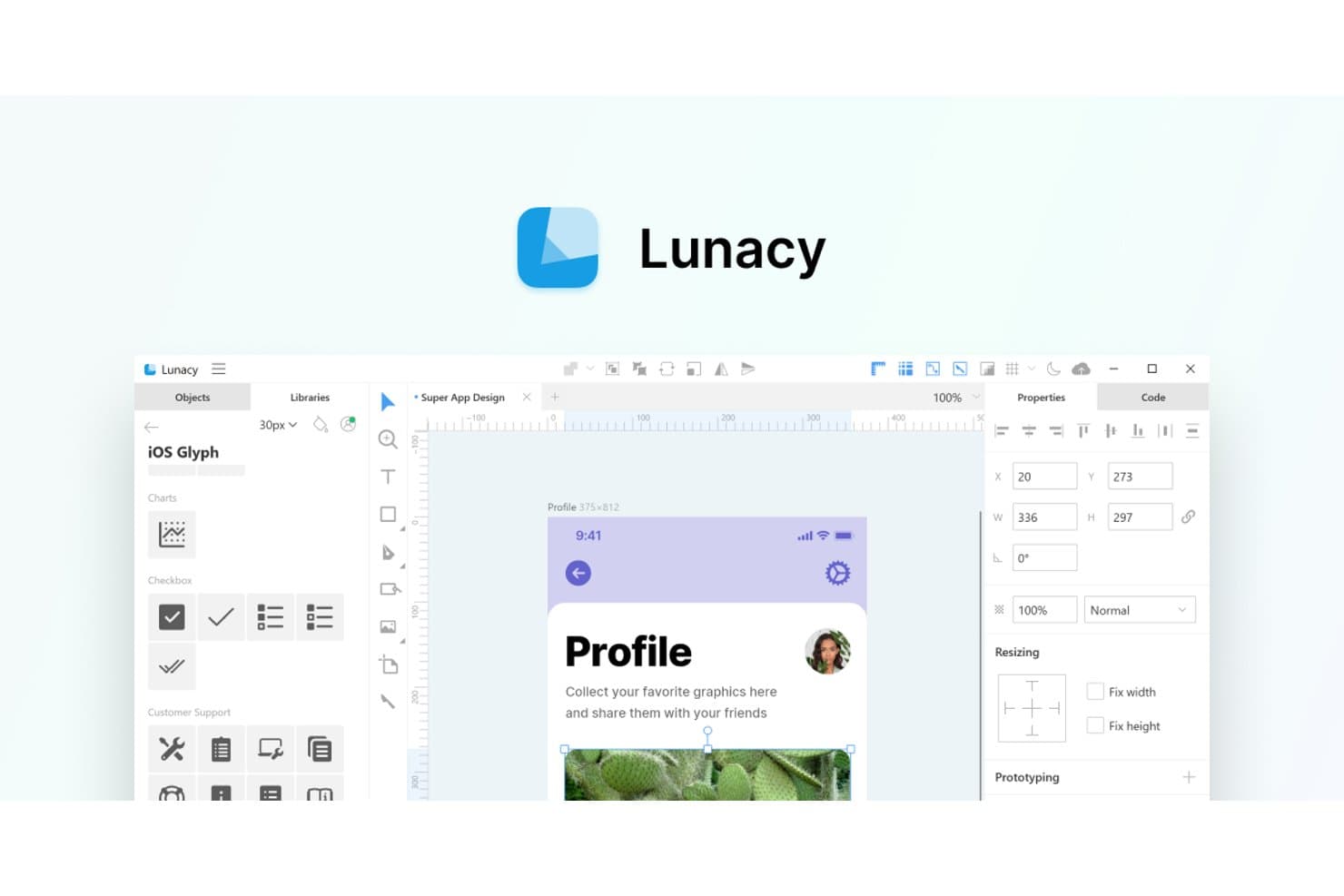
Lunacy offers a Sketch-like UI with built-in icon libraries and design tools. Lunacy is a UI/UX design platform for product teams that need a practical Sketch alternative for creating interfaces, collaborating on prototypes, and keeping design work accessible across Windows and Linux.
Who Is Lunacy Best For?
Lunacy suits UX and product design teams that need an offline-capable interface design tool on Windows or Linux.
Why Lunacy Is A Good Best Sketch Alternatives
I picked Lunacy because I can open and edit Sketch files offline on Windows and Linux. Its desktop app lets my team continue refining interface files during travel or restricted-network sessions, without relying on a browser connection.
Lunacy Key Features
- Auto layout: Create responsive interface layouts with adjustable spacing and alignment.
- Reusable components: Build shared elements for consistent screens and design systems.
- Vector editing: Draw and modify shapes, paths, text, and interface elements.
- Built-in assets: Access icons, photos, illustrations, and UI kits within the editor.
Lunacy Integrations
Lunacy doesn’t have clearly documented native integrations, Zapier support, or an API for custom integrations.
Pros and Cons
Pros:
- Supports reusable components and responsive auto layout
- Includes built-in icons, photos, and illustrations
- Edits Sketch files offline on Windows and Linux
Cons:
- Collaboration feels less mature than Figma’s ecosystem
- Large files can cause performance slowdowns
Learn more about Lunacy: Best for free real-time co-editing on any OS
- Free plan available
- From $24.90/user/month (billed annually)
Visit WebsiteCustomer Rating:4.5/5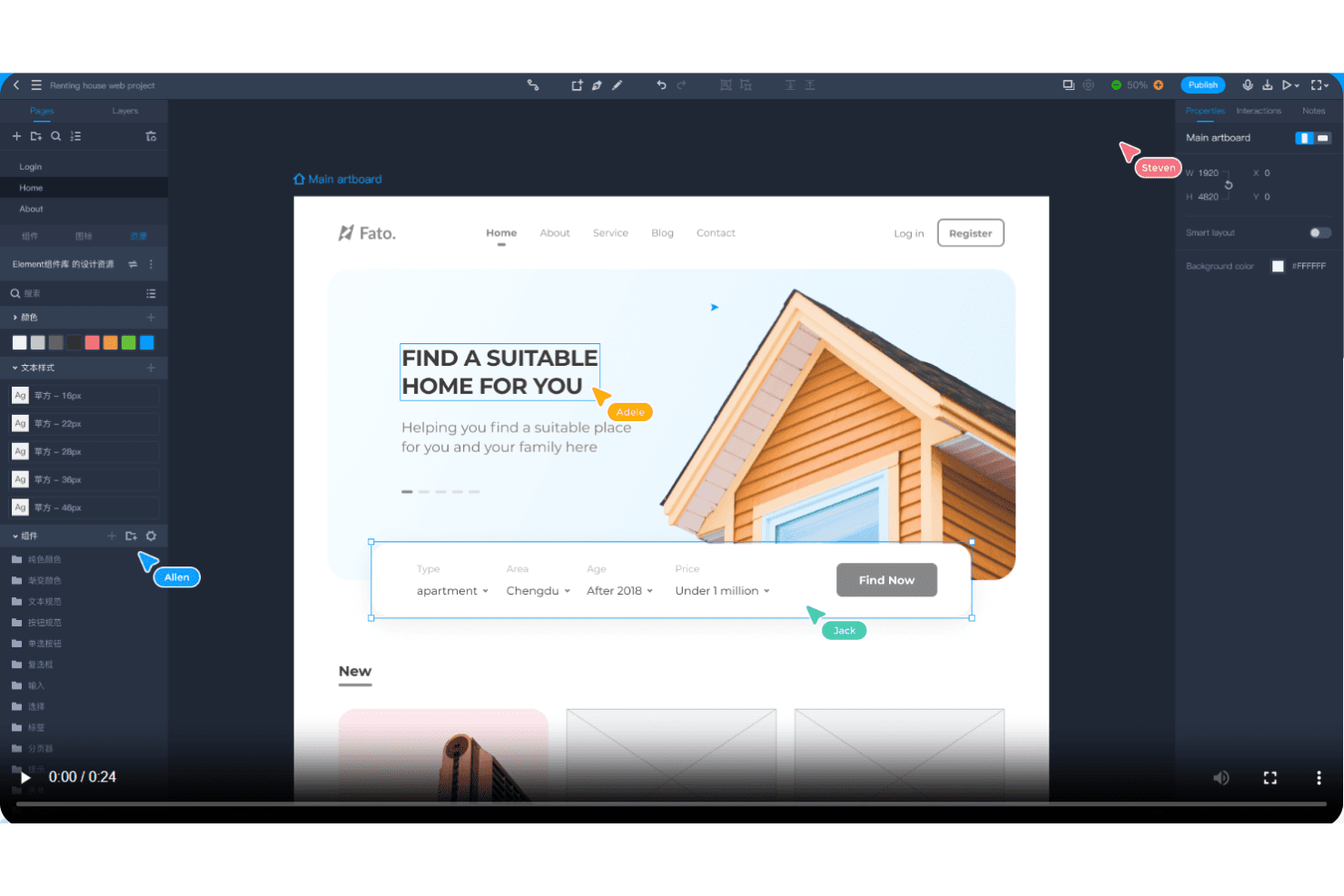
Mockplus enables real-time collaboration with instant feedback and rapid prototyping. Mockplus is a UX prototyping and design collaboration tool for product teams seeking a practical Sketch alternative to create interactive interfaces, share feedback, and align design decisions across operating systems.
Who Is Mockplus Best For?
Mockplus suits distributed product and design teams that need real-time prototype co-editing across Windows, macOS, Linux, and other operating systems.
Why Mockplus Is a Good Best Sketch Alternatives
I picked Mockplus because it supports free real-time co-editing on any OS, making cross-platform prototype work practical. My team uses interactive prototypes to review flows together across Windows, macOS, and Linux. Shared feedback keeps design decisions visible while product and engineering teams refine screens.
Mockplus Key Features
- Component libraries: Reuse ready-made interface elements across prototype screens.
- Design systems: Define reusable styles, components, and documentation for consistent interfaces.
- Design specs: Inspect measurements, colors, typography, and assets for implementation.
- Prototype animations: Add transitions and motion effects to individual screen elements.
Mockplus Integrations
Mockplus Cloud documents integrations and plugins for Figma, Sketch, Axure, Adobe XD, Photoshop, Slack, Jira, Confluence, and Lark. These connections support design imports, prototype reviews, team notifications, issue context, and embedded collaboration.
Pros and Cons
Pros:
- Reusable components speed up repeated screen design
- Drag-and-drop prototyping supports rapid interface exploration
- Real-time co-editing works across operating systems
Cons:
- Advanced interactions require more manual configuration
- Responsive behavior remains limited for adaptive layouts
Learn more about Mockplus: Best for Creative Cloud users prototyping on Windows
- Free trial available
- From $22.99/month (billed annually)
Visit WebsiteCustomer Rating:4.3/5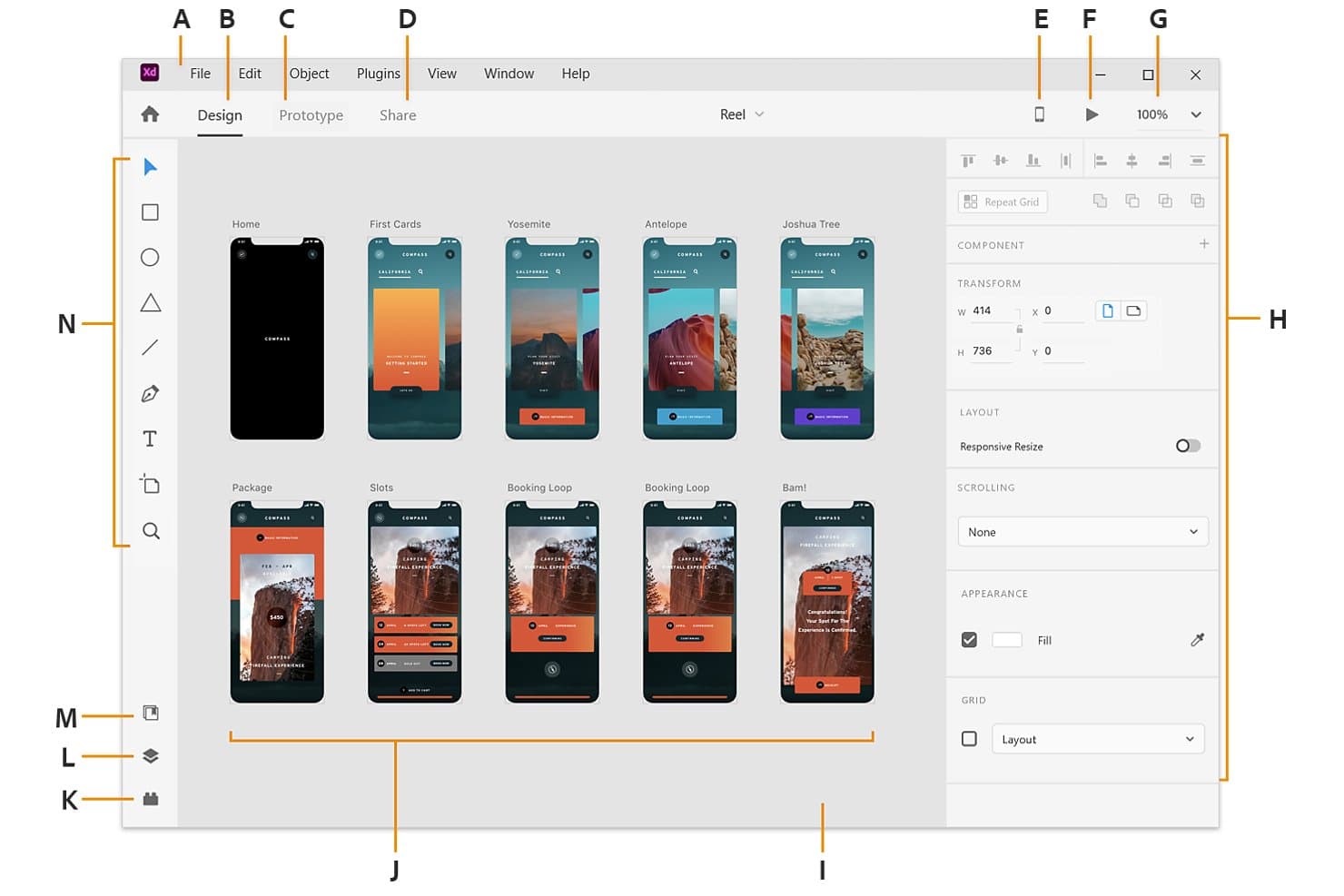
Adobe XD displays multiple artboards in a visual workspace for app design. Adobe XD is a UI/UX design and prototyping tool for Windows teams, especially those already in Creative Cloud, that need to turn wireframes into interactive product concepts and test user flows.
Who Is Adobe XD Best For?
Product designers and UX teams on Windows can use Adobe XD to create wireframes, clickable prototypes, and polished interface concepts in one workspace.
Why Adobe XD Is a Good Best Sketch Alternatives
I picked Adobe XD because my Windows-based team can turn wireframes into clickable prototypes without leaving the design workspace. I use component states to model buttons and menus, while Auto-Animate demonstrates transitions between screens. Its Creative Cloud workflow also fits teams already designing product concepts in Adobe tools.
Adobe XD Key Features
- Repeat Grid: Duplicate lists, galleries, and other repeated layouts.
- Responsive Resize: Adjust objects when their containers change size.
- Voice prototyping: Add voice commands and speech playback to prototypes.
- Design specs: Share layout measurements, colors, assets, and CSS snippets.
Adobe XD Integrations
Adobe XD supports official integrations with Jira Cloud and Slack through add-ons and plugins, plus Creative Cloud Libraries for sharing assets with Photoshop and Illustrator.
Pros and Cons
Pros:
- Voice prototyping tests conversational flows
- Auto-Animate previews screen transitions clearly
- Repeat Grid handles repeated layouts quickly
Cons:
- Plugin ecosystem trails Sketch’s depth
- Adobe discontinued active XD development
 Best for data-driven functional prototyping
- Free plan available
- From $19/user/month
Visit WebsiteCustomer Rating:4.2/5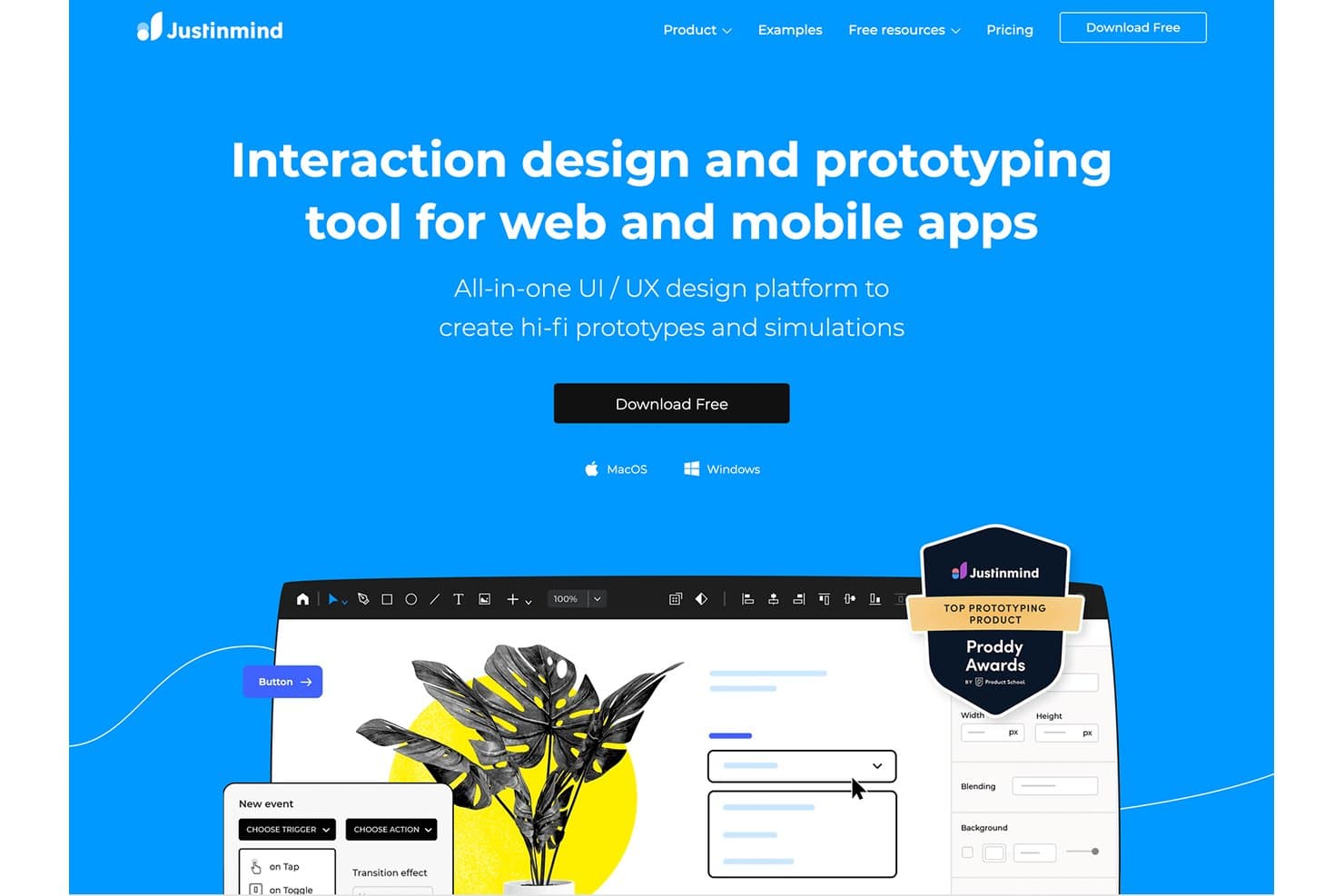
Justinmind lets users build hi-fi prototypes with interactions for web and mobile. Justinmind is a UX design and prototyping platform for product teams that need interactive web and mobile mockups, usability testing, and collaboration beyond Sketch’s interface design workflows.
Who Is Justinmind Best For?
Product managers, UX designers, and researchers who need data-driven prototypes to validate complex web and mobile workflows.
Why Justinmind Is a Good Best Sketch Alternatives
I picked Justinmind because its data-driven functional prototyping supports realistic product testing beyond static interface mockups. I use its data lists, variables, and conditional logic to model workflows such as filtered catalogs, account dashboards, and multi-step forms. That lets my team validate behavior and usability before engineering begins.
Justinmind Key Features
- UI widget library: Add reusable interface components from built-in libraries.
- Responsive layouts: Create designs that adapt across screen sizes and devices.
- Interactive gestures: Prototype taps, swipes, scrolling, and other touch interactions.
- Comments and collaboration: Collect feedback directly on shared prototype screens.
Justinmind Integrations
Justinmind has a native integration with Atlassian Jira, plus official integrations and plugins for Sketch, Adobe Photoshop, Adobe Illustrator, Adobe XD, Figma, Confluence, and Azure DevOps. Its API and SDK support custom plugins, prototype data extraction, UI code generation, and connections to internal tools.
Pros and Cons
Pros:
- Supports realistic usability testing before development
- Simulates conditional logic and dynamic states
- Models data-driven workflows with variables
Cons:
- Complex prototypes require substantial setup time
- Interface design feels slower than Sketch
Learn more about Justinmind: Best for logic-heavy UX documentation
- 30-day free trial
- From $29/user/month (billed annually)
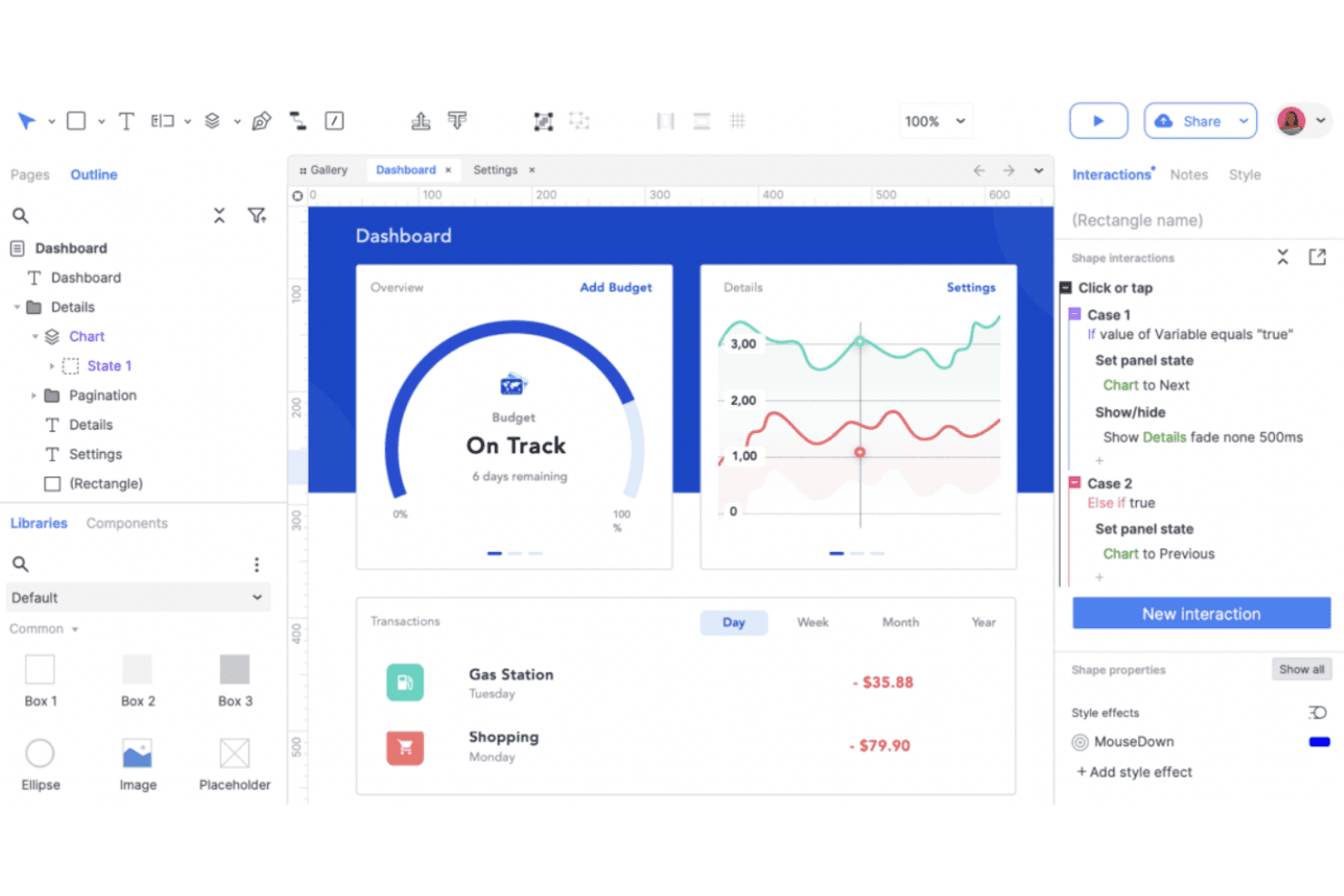
Axure RP creates detailed UX prototypes with dynamic content and conditional logic. Axure RP is a UX design and prototyping tool for product teams that need interactive wireframes, documented behaviors, and stakeholder alignment before development.
Who Is Axure RP Best For?
Axure RP suits UX designers and product teams documenting complex interactions, conditional logic, and detailed prototype behavior before development.
Why Axure RP Is a Good Best Sketch Alternatives
I picked Axure RP because I can document complex UX logic alongside interactive wireframes. Conditional logic and dynamic panels let my team model multi-step onboarding, permissions, and error states before development. Built-in annotations keep the rationale and behavior details connected to each prototype.
Axure RP Key Features
- Adaptive views:** Create breakpoint-specific layouts for responsive prototypes.
- Repeater widgets:** Build data-driven tables, lists, and grids.
- Master widgets:** Reuse shared headers, footers, and navigation.
- Widget libraries:** Add reusable controls and interface elements.
Axure RP Integrations
Axure RP offers integrations with Jira, Confluence, Slack, and Microsoft Teams, plus design-import plugins for Figma, Sketch, and Adobe XD. It also supports SAML integration with Okta for Axure Cloud for Business.
Pros and Cons
Pros:
- Annotations keep behavior specs beside wireframes
- Data-driven repeaters support realistic prototypes
- Conditional logic models complex product flows
Cons:
- High-fidelity visuals require more manual work
- Interface feels dated beside newer competitors
Learn more about Axure RP : Best for browser-based design collaboration
- Free plan available
- From $3/user/month
Visit WebsiteCustomer Rating:4.7/5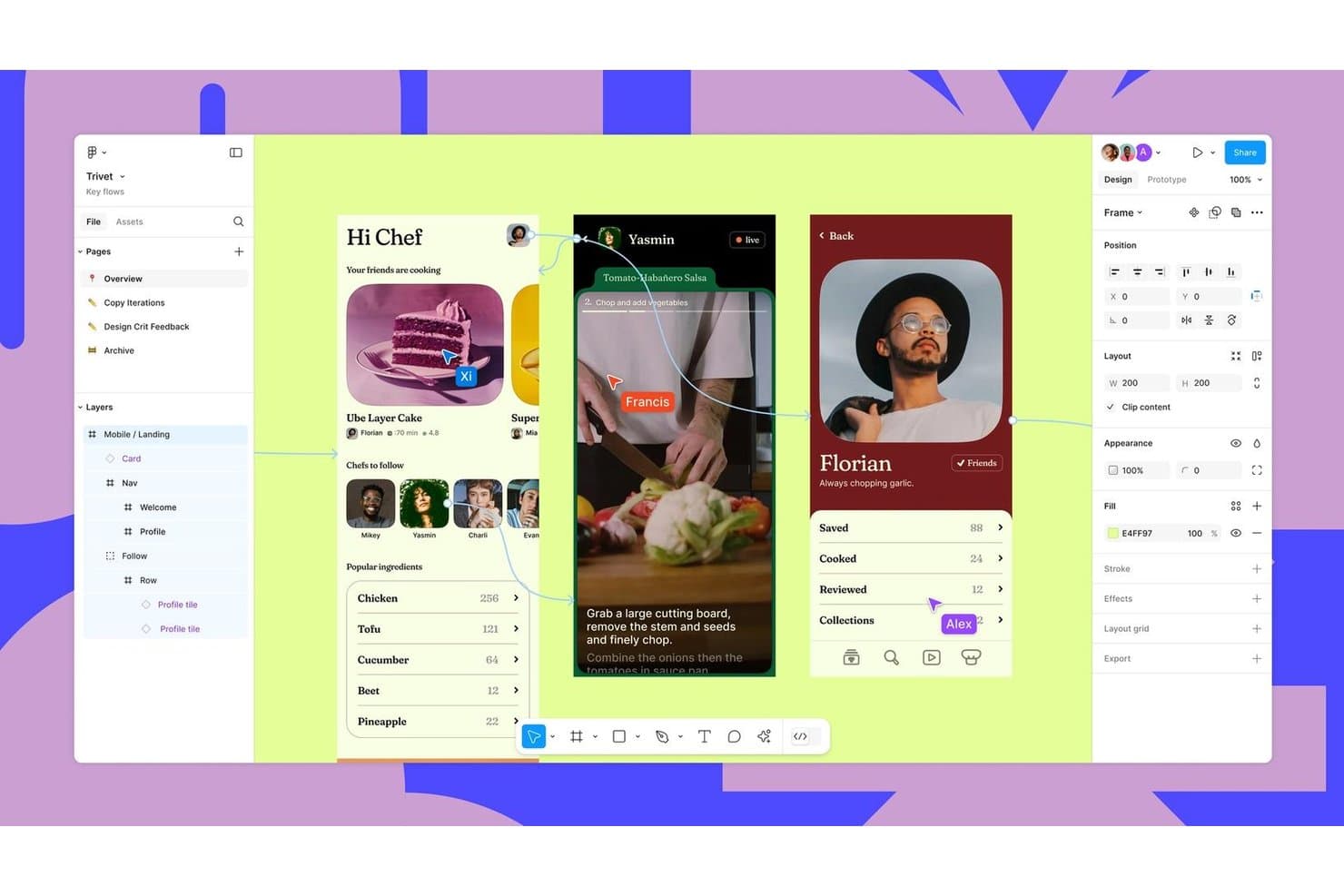
Figma supports real-time collaboration across mobile UI design flows. Figma is a collaborative UX design platform for product teams seeking a Sketch alternative with shared tools for wireframing, prototyping, feedback, and design handoffs.
Who Is Figma Best For?
Figma suits distributed product teams that need designers, engineers, and stakeholders to review and refine interfaces in one shared workspace.
Why Figma Is a Good Best Sketch Alternatives
I picked Figma because its browser-based design collaboration lets my team edit the same interface files together during workshops and reviews. Multiplayer editing, comments, and branching help us resolve design decisions while product, engineering, and stakeholders watch changes live. Its interactive prototypes also let us test user flows before handoff.
Figma Key Features
- Auto layout: Adjusts spacing and alignment as frames change.
- Components and variants: Stores reusable interface elements with configurable states.
- Variables: Defines reusable values for colors, spacing, and typography.
- Version history: Restores earlier file versions and reviews recorded changes.
Figma Integrations
Figma offers integrations with Jira, Confluence, Slack, Google Workspace, Microsoft Teams, Zoom, Notion, GitLab, Storybook, and Zeplin, plus Zapier. It also provides the Figma API for custom integrations.
Pros and Cons
Pros:
- Components and variables support scalable design systems
- Interactive prototypes validate flows before handoff
- Real-time multiplayer editing supports live workshops
Cons:
- Offline workflows remain less capable than Sketch
- Browser performance drops in complex files
 Best for responsive web design and publishing
- Free plan available
- From $10/month (billed annually)
Visit WebsiteCustomer Rating:4.4/5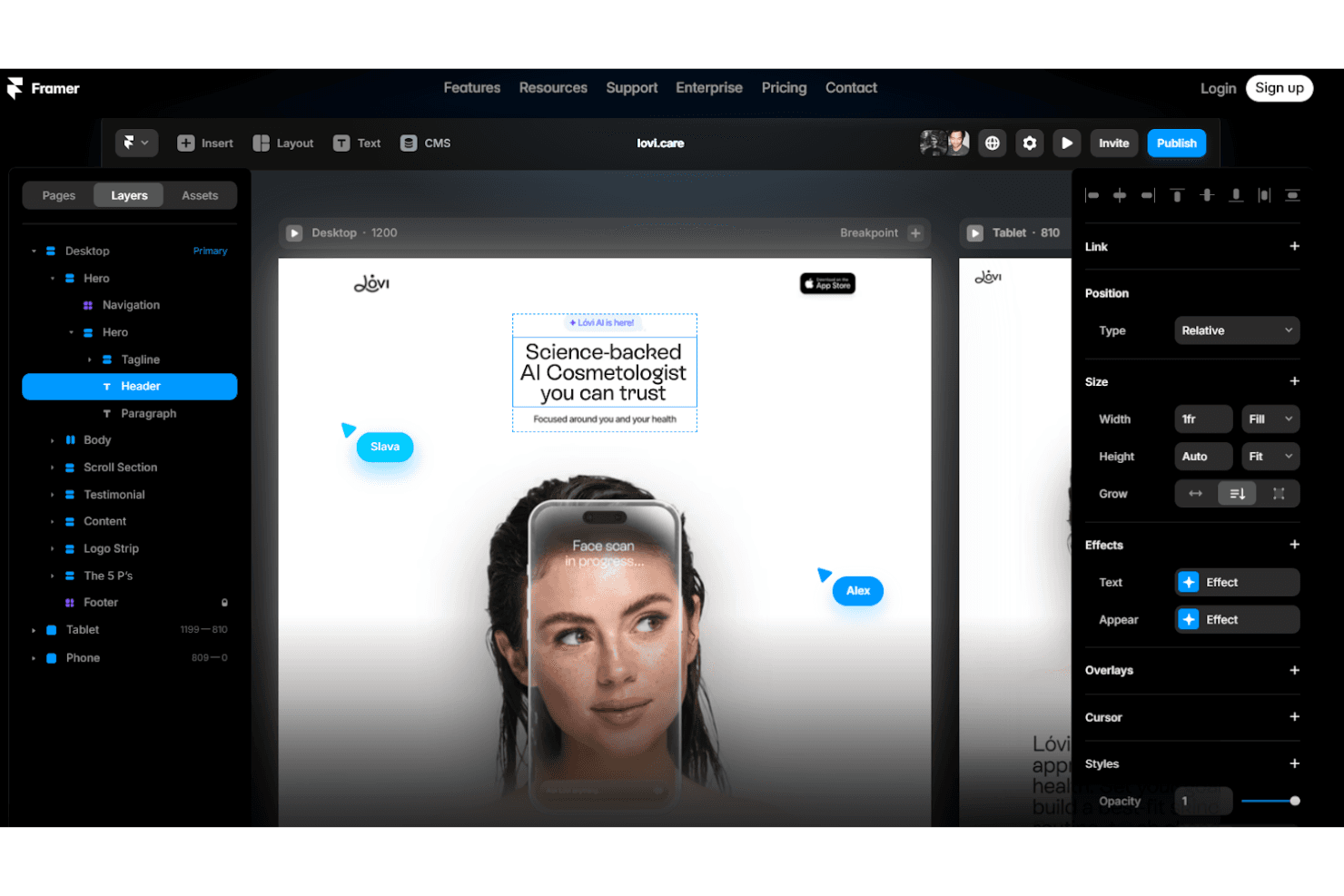
Framer designs responsive web prototypes with animations and custom interactions. Framer is a visual web design platform for product designers, marketers, and creative teams that need to turn polished concepts into responsive, publishable websites without stitching together separate tools.
Who Is Framer Best For?
Framer suits product designers and marketing teams that need to turn high-fidelity concepts into responsive, published websites without relying on developers for every update.
Why Framer Is a Good Best Sketch Alternatives
I picked Framer because its visual canvas turns Sketch-style interface concepts into responsive, published websites. I use breakpoints and reusable components to shape landing pages that adapt across screen sizes, then connect CMS collections for case studies or product updates. This makes Framer a strong choice for responsive web design and publishing.
Framer Key Features
- Interactions: Add scroll effects, hover states, and page transitions.
- Forms: Build and publish customizable forms without external tools.
- Localization: Create localized versions of pages for different audiences.
- Analytics: Connect site analytics to monitor visitor behavior.
Framer Integrations
Framer documents integrations with Google Tag Manager, Google Analytics, Hotjar, HubSpot, Intercom, Mailchimp, Marketo, Typeform, and Clay. It also supports form webhooks, custom integrations through its Plugin API, and project updates through its Server API.
Pros and Cons
Pros:
- Built-in CMS supports content-driven pages
- Reusable components support responsive breakpoints
- Publishes responsive sites from the design canvas
Cons:
- Editor control can feel limited for developers
- Less suited to complex app prototypes
 Best for code-based component prototyping
- Free plan + 14-day free trial available
- From $29/user/month (billed annually)
Visit WebsiteCustomer Rating:4.2/5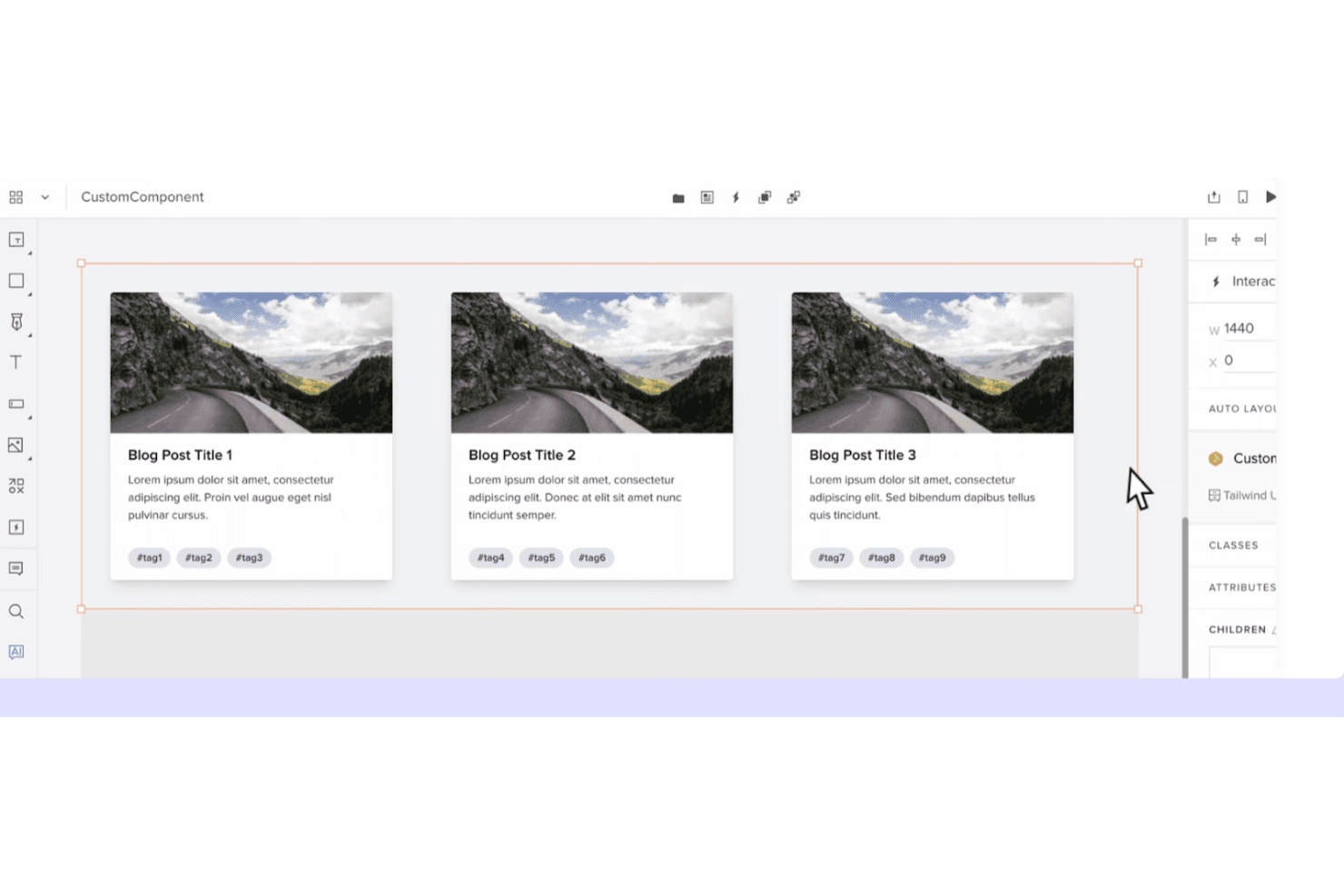
UXPin creates dynamic prototypes with code-based components and interactive logic. UXPin is a UX design platform for product teams that need interactive prototypes, shared component libraries, and closer collaboration between designers, engineers, and stakeholders.
Who Is UXPin Best For?
UXPin suits product design and engineering teams that need to prototype with reusable, code-based components before development.
Why UXPin Is a Good Best Sketch Alternatives
I picked UXPin because its code-based component prototyping keeps designs aligned with production UI. I use shared component libraries, interactive states, and real code components to test flows such as onboarding or checkout before development. That makes UXPin a practical Sketch alternative when design fidelity and engineering alignment matter.
UXPin Key Features
- Responsive layouts: Set rules for screens that adapt across device sizes.
- Variables: Store values that update across prototype elements.
- Conditional logic: Create if/then interactions for realistic user flows.
- Comments: Add, reply to, and resolve feedback inside projects.
UXPin Integrations
UXPin lists nine official integrations, including Fullstory, Figma, Sketch, Git, Storybook, Jira, Adobe Fonts, Google Fonts, and Slack. These connections support importing Sketch and Figma work, using code repositories and Storybook libraries, accessing Jira issues, and sharing feedback through Slack.
Pros and Cons
Pros:
- Reusable libraries support responsive prototypes
- Advanced variables support realistic interactions
- Code components improve design-development parity
Cons:
- Large prototypes can become sluggish
- Code components require technical preparation
Learn more about UXPin: Best for open-source cross-platform UI design
- Free plan + 14-day free trial available
- From $7/user/month
Visit WebsiteCustomer Rating:4.5/5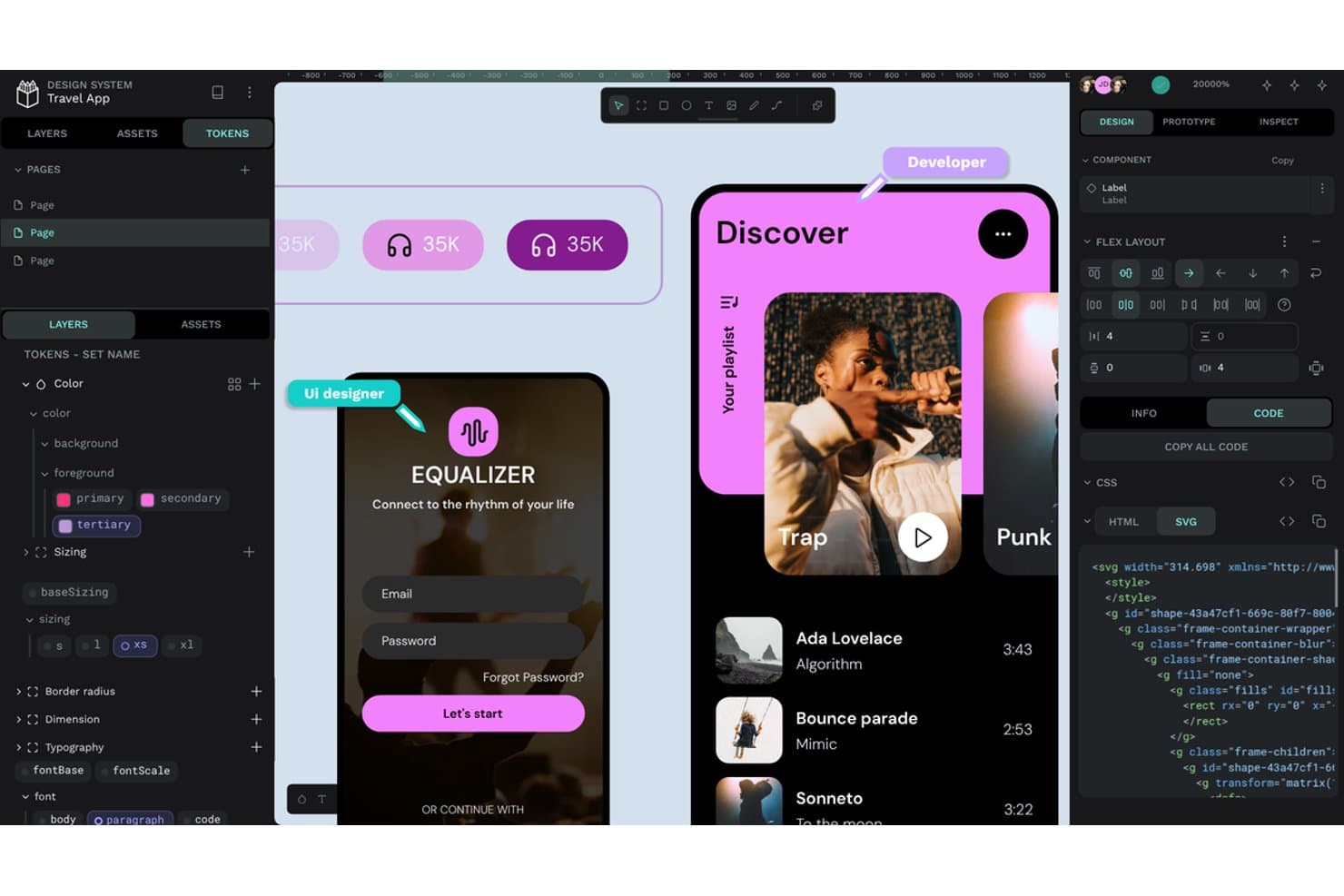
Penpot offers design tokens, flex layout, and SVG code export. Penpot is an open-source UI/UX design platform for product teams seeking a collaborative Sketch alternative that connects interface design with development across platforms.
Who Is Penpot Best For?
Penpot suits product and design teams that need open-source, cross-platform collaboration with the option to self-host their design workspace.
Why Penpot Is a Good Best Sketch Alternatives
I picked Penpot because its open-source, browser-based workspace supports cross-platform UI design without locking my team into one operating system. I use its SVG-based design tools and CSS flex and grid layouts to create interfaces that engineers can translate into production code. Self-hosting also lets my team keep product files within its own infrastructure.
Penpot Key Features
- Interactive prototyping: Link screens and define transitions for clickable product flows.
- Design tokens: Create reusable variables for colors, typography, spacing, and other styles.
- Components and variants: Build reusable interface elements with configurable states.
- Developer handoff: Inspect designs and access measurements, properties, and CSS details.
Penpot Integrations
Penpot supports integrations with GitHub Actions, GitLab CI/CD, and Slack through its API, access tokens, and webhooks. It also provides an API for custom integrations, asset exports, design-token synchronization, and automated developer workflows.
Pros and Cons
Pros:
- Cross-platform browser workspace avoids macOS lock-in
- Self-hosting keeps design files under team control
- SVG and CSS layouts support developer handoff
Cons:
- Large files can trigger performance complaints
- Smaller plugin ecosystem limits extensions
Learn more about Penpot:
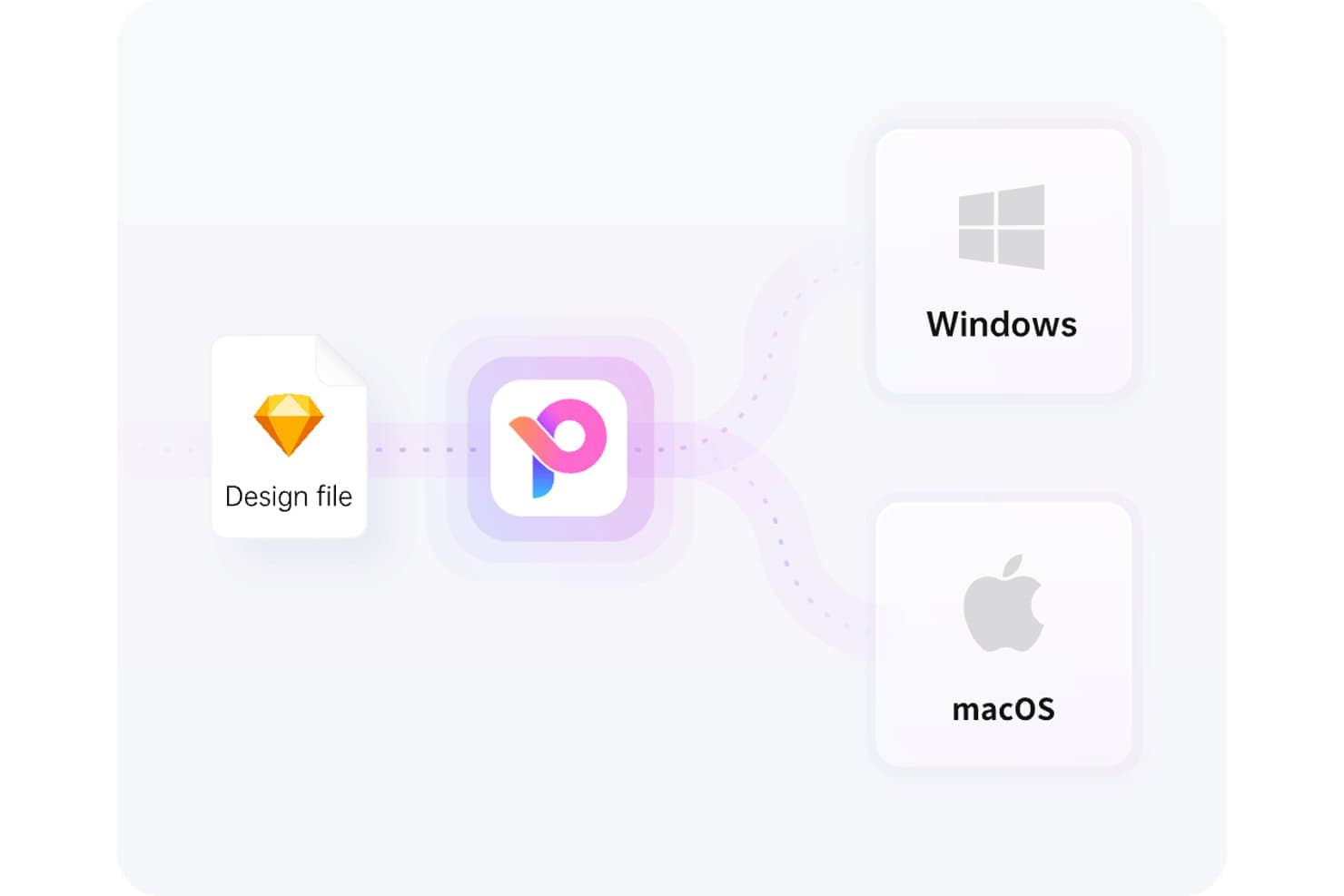
Pixso supports both Windows and macOS from a single design file. Pixso is a collaborative UX design platform for product teams that need to create wireframes, high-fidelity prototypes, and developer-ready designs while exploring alternatives to Sketch.
Who Is Pixso Best For?
Pixso suits startups, agencies, and product teams seeking collaborative design software with a one-time licensing option.
Why Pixso Is a Good Best Sketch Alternatives
I picked Pixso because its USP is “Best for one-time lifetime design licensing.” I use its shared canvas to turn wireframes into high-fidelity prototypes while designers and stakeholders review the same file. Developer-ready design outputs also help my team hand off interface details without rebuilding screens elsewhere.
Pixso Key Features
- Auto layout: Arrange elements with responsive spacing and padding rules.
- Components and variants: Create reusable UI elements with configurable states.
- Plugins: Extend Pixso with additional tools and integrations.
- Version history: Review earlier file versions and restore selected changes.
Pixso Integrations
Pixso’s native integrations are not clearly documented. It provides a Plugin API for custom extensions and supports importing and running Figma plugins, but no Zapier integration or general-purpose API is clearly documented.
Pros and Cons
Pros:
- Rapid updates address user-requested design needs
- Shared canvas supports smooth team collaboration
- Familiar interface eases migration from Figma
Cons:
- Advanced workflows have fewer mature capabilities
- File imports can introduce unexpected bugs
Learn more about Pixso:
Andre alternativer til Sketch
Her er noen flere alternativer til Sketch som ikke kom med på kortlisten min, men som likevel er verdt å se nærmere på:
How I Evaluate a Sketch Alternative
I split my evaluation into three parts. Core functionality carries the most weight: a tool must handle precise vector drawing and editing, and support multiple artboards with device presets. From there, I look at auto-layout responsiveness and design tokens. I also consider pricing clarity and how well the tool fits into a dev handoff workflow.
Core Functionality (Table Stakes For This List)
When I'm selecting tools for my list, I score each one on a scale from 0 (does not offer the functionality) to 5 (excels in this area) for each core functionality listed below. I then convert the total into a percentage to help assess each tool's overall fit, with extra weight on any functionalities I’ve deemed essential.
- Vector Editing (Essential): I look for precise path editing, boolean operations, and alignment controls for icons, scalable UI elements, and detailed interface mockups.
- Artboards & Frames (Essential): Can I organize multiple screens with device presets, resize variations, and constraints for a flow spanning mobile and desktop?
- Design Systems: I check whether reusable components and shared libraries keep buttons, typography, and color styles consistent across files.
- Real-Time Collaboration: I consider live editing, cursors, comments, and version history for design reviews with product and engineering teammates.
- Prototyping: I look for linked screens, transitions, and interactive states that let teams review a user flow before development.
- Plugins & Integrations: I assess whether plugins and integrations support practical tasks such as exporting assets or handing designs to development.
Once I have a list of tools that meet the criteria, I consider what sets each platform apart.
Differentiating Factors (What Sets Vendors Apart)
Here's how I compare and contrast different vendors:
Standout Features
Auto-layout responsiveness matters when I'm reviewing how a tool handles content reflow across breakpoints. I check whether resizing a frame updates padding, spacing, and child elements without manual fixes—something that saves hours on responsive design reviews. Design tokens and variables are just as important: I evaluate whether a tool lets teams manage color, spacing, and typography values centrally and sync them across themes or platforms. Native code export is another factor I weigh. Tools like Framer and Anima generate front-end code directly, which shortens handoff cycles when engineering needs production-ready output instead of redlines.
Beyond Features
I check how each tool handles file imports from Sketch and Figma, since a migration that drops symbols or layer styles costs the team days of cleanup. Pricing clarity matters just as much—I look at whether viewer and commenter seats are free, because locking product managers behind paid editor licenses inflates costs fast. I also evaluate integrations with tools like Jira and Linear to confirm design work stays connected to sprint and roadmap workflows.
Hvorfor se etter et alternativ til Sketch?
Selv om Sketch er et godt valg av programvare for produktdesign, finnes det flere grunner til at noen brukere ser etter alternative løsninger. Du kan for eksempel være på utkikk etter et alternativ til Sketch av en av følgende grunner.
- Du trenger Windows-kompatibilitet
- Teamet ditt trenger samarbeid i sanntid
- Du ser etter et rimeligere alternativ
- Du ønsker mer avanserte funksjoner for prototyping
- Du trenger integrasjon med andre verktøy
- Teamet ditt foretrekker skybaserte løsninger
Hvis noe av dette høres kjent ut, har du kommet til rett sted. Listen min inneholder flere alternativer for programvare til produktdesign som passer bedre for team som møter disse utfordringene med Sketch og ser etter alternative løsninger.
Viktige funksjoner i Sketch
Her er noen av de viktigste funksjonene i Sketch, slik at du kan sette opp mot hverandre og sammenligne hva alternative løsninger tilbyr:
- Smarte animasjoner: Forbedrer animasjoner mellom tegneflater ved å legge til jevne overganger i designene dine.
- Fargevariabler: Gir mulighet for konsekvent fargehåndtering på tvers av design, slik at det blir enkelt å opprettholde merkevarefarger.
- Samarbeid i sanntid: Gjør det mulig for flere brukere å arbeide med et prosjekt samtidig, noe som forbedrer samarbeid og effektivitet.
- Symboler: Gjenbrukbare designelementer som sikrer konsekvens og sparer tid ved at du kan oppdatere flere forekomster med én endring.
- Prototyping: Lag interaktive prototyper med lag, overlegg og animasjoner for å teste brukerflyter og interaksjoner.
- Biblioteker: Støtter håndtering og deling av ressurser, slik at teamet ditt kan bruke delte komponenter og stiler.
- Smart layout: Justerer automatisk oppsett basert på endringer i innholdet, slik at designene dine forblir organiserte og responsive.
- Eksportalternativer: Tilbyr flere filformater og forhåndsinnstillinger for eksport av ressurser, slik at det blir enkelt å dele arbeidet ditt med utviklere.
- Kommentering: Legger til rette for tilbakemeldinger direkte på design, slik at kommunikasjonen innad i teamet blir tydelig.
- Lagbehandling: Tilbyr verktøy for å organisere, låse og justere lag, slik at du kan opprettholde et ryddig arbeidsområde. Det ser ut som meldingen din kan ha blitt avbrutt. Kan du gi flere detaljer eller fortelle meg hvordan jeg kan hjelpe deg videre?