

10 migliori strumenti di test di usabilità per i team di prodotto nel 2026

10 La selezione dei migliori strumenti per i test di usabilità


Con così tanti strumenti diversi per i test di usabilità disponibili, capire quale sia quello giusto per te è difficile. Sai di voler prendere decisioni informate basate sul comportamento e sulle preferenze degli utenti, oltre a convalidare scelte progettuali e ipotesi, ma devi capire quale strumento sia più adatto allo scopo. Ci penso io! In questo articolo ti aiuterò a rendere semplice la tua scelta, condividendo le mie esperienze personali nell'utilizzo di strumenti diversi con gruppi numerosi e decine di prodotti, insieme alle mie scelte dei migliori strumenti per i test di usabilità.
Perché Fidarsi delle Nostre Recensioni Software
Testiamo e recensiamo software per il product management dal 2020. Come product manager sappiamo quanto sia fondamentale e difficile fare la scelta giusta in termini di software. Investiamo in una ricerca approfondita per aiutare il nostro pubblico a prendere decisioni migliori sugli acquisti di software. Abbiamo testato oltre 2.000 strumenti per diversi casi d’uso e scritto più di 1.000 recensioni approfondite.Scopri come assicuriamo la trasparenza & la nostra metodologia di recensione software.
Riepilogo dei migliori strumenti per i test di usabilità
| Tool | Best For | Trial Info | Price | ||
|---|---|---|---|---|---|
| 1 | Ideale per la raccolta di feedback focalizzati sull’utente | Versione gratuita disponibile | Da $50/mese | Website | |
| 2 | Ideale per una base utenti ampia, che copre varie demografie | Demo gratuita disponibile | Prezzi su richiesta | Website | |
| 3 | Miglior strumento per visualizzare l’attività degli utenti tramite heatmap | Prova gratuita di 30 giorni disponibile | A partire da $29/mese | Website | |
| 4 | Migliore per la sua vasta community di tester professionisti | Not available | Website | ||
| 5 | Ideale per test moderati e non moderati | Prova gratuita disponibile | Prezzo su richiesta | Website | |
| 6 | Ideale per test di usabilità multilingue in oltre 40 lingue | Demo gratuita disponibile | A partire da $30/tester | Website | |
| 7 | Ideale per test continui con video settimanali degli utenti | Not available | Da $0/mese | Website | |
| 8 | Ideale per i test di usabilità relativi all'architettura dell'informazione | Piano gratuito disponibile | Da $208/utente/mese | Website | |
| 9 | Ideale per funzionalità complete di test di usabilità e ricerca UX | Demo gratuita disponibile | Prezzi su richiesta | Website | |
| 10 | Ideale per feedback utente in tempo reale con interviste approfondite | Prova gratuita di 60 giorni | Da $299/anno (fatturati annualmente) | Website |
Panoramica dei 10 migliori strumenti per i test di usabilità

Ideale per la raccolta di feedback focalizzati sull’utente
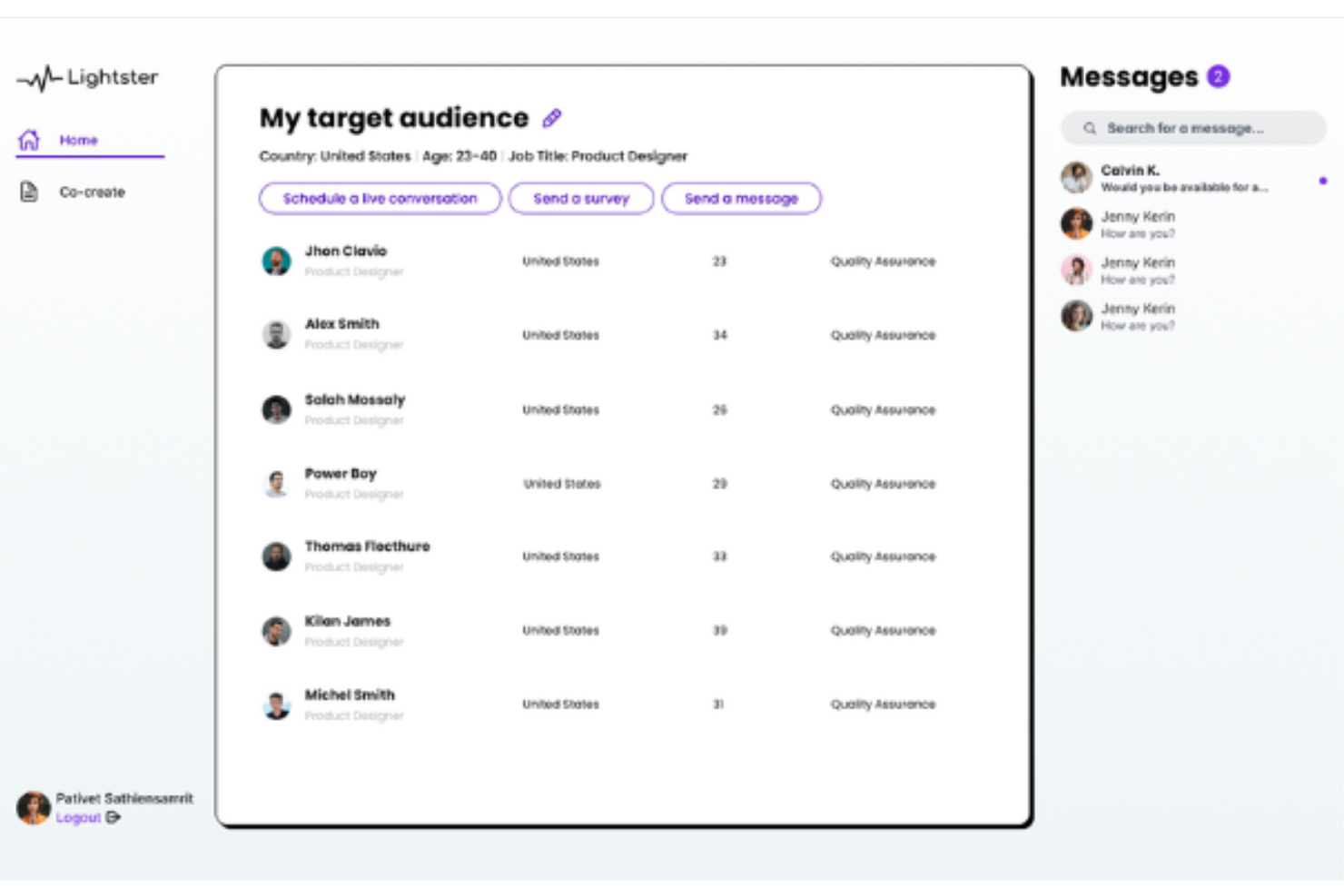
Lightster è uno strumento di user testing e una piattaforma di sondaggi che consente agli utenti di raccogliere rapidamente dati cruciali dalla propria audience di riferimento tramite sondaggi e conversazioni. È uno strumento ideale per i team che desiderano raccogliere feedback focalizzati sugli utenti grazie alla possibilità di facilitare interazioni dirette con il pubblico, offrendo reazioni, idee e approfondimenti in tempo reale, fondamentali per prendere decisioni sul prodotto.
Perché ho scelto Lightster:
Apprezzo il fatto che Lightster offra un’interfaccia intuitiva e un set di strumenti completo per raccogliere feedback centrati sull’utente. La piattaforma consente sessioni di feedback live sotto forma di chiamate audio, video e chat. Inoltre, il software dispone di un solido sistema di matching che mette a disposizione una selezione dettagliata dell’audience sulla base di criteri estesi, tra cui dati demografici, interessi e background professionale.
Funzionalità e integrazioni principali di Lightster
Le funzionalità includono sondaggi e test non moderati per raccogliere feedback dalla propria audience di riferimento, oltre a funzioni di test UX per osservare in tempo reale le reazioni al prodotto e alla sua usabilità. Lightster facilita anche la collaborazione tra membri del team grazie a funzionalità di accesso che permettono ad altri di partecipare ad ogni sessione.
Le integrazioni includono Google Calendar, Outlook Calendar e altro ancora.
Pros and Cons
Pros:
- Criteri dettagliati per l’audience di riferimento
- Interazioni dirette con la propria audience di riferimento
- Molteplici opzioni per raccogliere feedback
Cons:
- Limitazioni nelle integrazioni
- Il software non può garantire engagement

Ideale per una base utenti ampia, che copre varie demografie

UserTesting è una piattaforma leader per il testing di usabilità che ti permette di ricevere feedback video dagli utenti mentre interagiscono con il tuo design. È particolarmente efficace se hai bisogno di una vasta gamma di prospettive, grazie all’ampia varietà demografica dei partecipanti.
Perché ho scelto UserTesting:
Ho selezionato UserTesting per questa lista proprio per il suo vasto e diversificato pool di partecipanti. Si distingue perché ti dà la possibilità di comprendere come utenti diversi interagiscono con il tuo design, garantendo che il tuo prodotto sia interessante per un pubblico ampio. Quando si tratta di avere una base utenti completa che copre varie demografie, questo strumento non ha rivali, rendendolo il migliore per una base utenti ampia tra gli strumenti di testing di usabilità.
Funzionalità e integrazioni distintive di UserTesting
Le funzionalità includono 'Live Conversation', che permette di interagire in tempo reale con i partecipanti, e 'Longitudinal Study' per osservare i cambiamenti nel comportamento degli utenti nel tempo.
Per quanto riguarda le integrazioni, UserTesting funziona bene con le principali piattaforme di gestione dei prodotti come Jira, Trello e Slack, facilitando la coordinazione e aggiornamenti tempestivi.
Pros and Cons
Pros:
- Fornisce una vasta demografica di utenti tester
- Offre interazione dal vivo con i partecipanti
- Integrazione con i principali strumenti di project management
Cons:
- Il prezzo si basa sul numero di video, il che potrebbe non essere adatto a tutti i budget
- Un po’ di curva di apprendimento per i nuovi utenti
- Le funzionalità avanzate richiedono piani tariffari più costosi
Miglior strumento per visualizzare l’attività degli utenti tramite heatmap
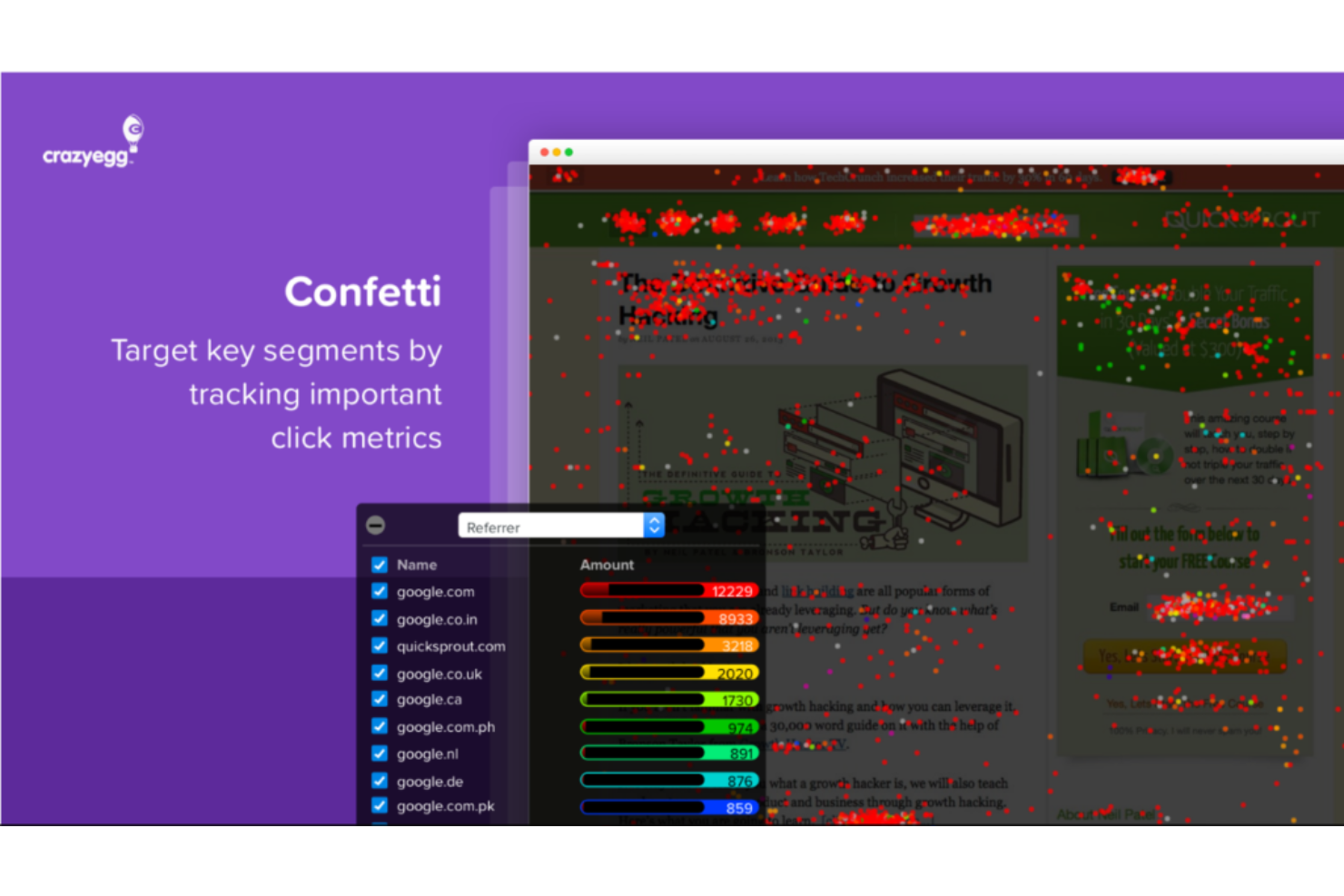
Crazy Egg è uno strumento di ottimizzazione dei siti web che consente di comprendere l’attività degli utenti sul tuo sito attraverso heatmap, mappe di scorrimento e altri report visivi. Il suo punto di forza principale è la potente funzionalità di heatmap, che ti offre una rappresentazione visiva dei clic, degli scroll e dei movimenti del mouse degli utenti.
Perché ho scelto Crazy Egg:
Ho selezionato questo strumento per la sua straordinaria capacità di visualizzare l’interazione degli utenti su un sito web. Molti strumenti offrono il monitoraggio del comportamento degli utenti, ma Crazy Egg si distingue per le sue heatmap chiare e di facile comprensione, che forniscono un accesso diretto alle aree più coinvolgenti del sito. Di conseguenza, è la mia prima scelta per visualizzare l’attività degli utenti attraverso le heatmap.
Caratteristiche distintive e integrazioni di Crazy Egg
Le funzionalità includono la tecnologia di heatmap, che ti permette di vedere con precisione dove gli utenti cliccano, scorrono e anche dove si muove il loro mouse. Questo consente una comprensione visiva del coinvolgimento degli utenti e può aiutare a prendere decisioni su design e posizionamento dei contenuti. Altre caratteristiche degne di nota includono strumenti per effettuare test A/B e ottimizzare il tasso di conversione.
Per quanto riguarda le integrazioni, Crazy Egg si integra con una varietà di piattaforme popolari come WordPress, Shopify e Joomla, facilitando l’inserimento nei flussi di lavoro esistenti.
Pros and Cons
Pros:
- Potente funzionalità di heatmap per comprendere l’interazione degli utenti
- Integrazione con popolari piattaforme web come WordPress e Shopify
- Funzionalità complete di test A/B e ottimizzazione del tasso di conversione
Cons:
- Il prezzo potrebbe essere troppo elevato per piccole imprese o singoli utenti
- Funzionalità limitate oltre alle heatmap e ai test A/B
- La fatturazione annuale potrebbe non essere ideale per tutti gli utenti

Applause
Migliore per la sua vasta community di tester professionisti
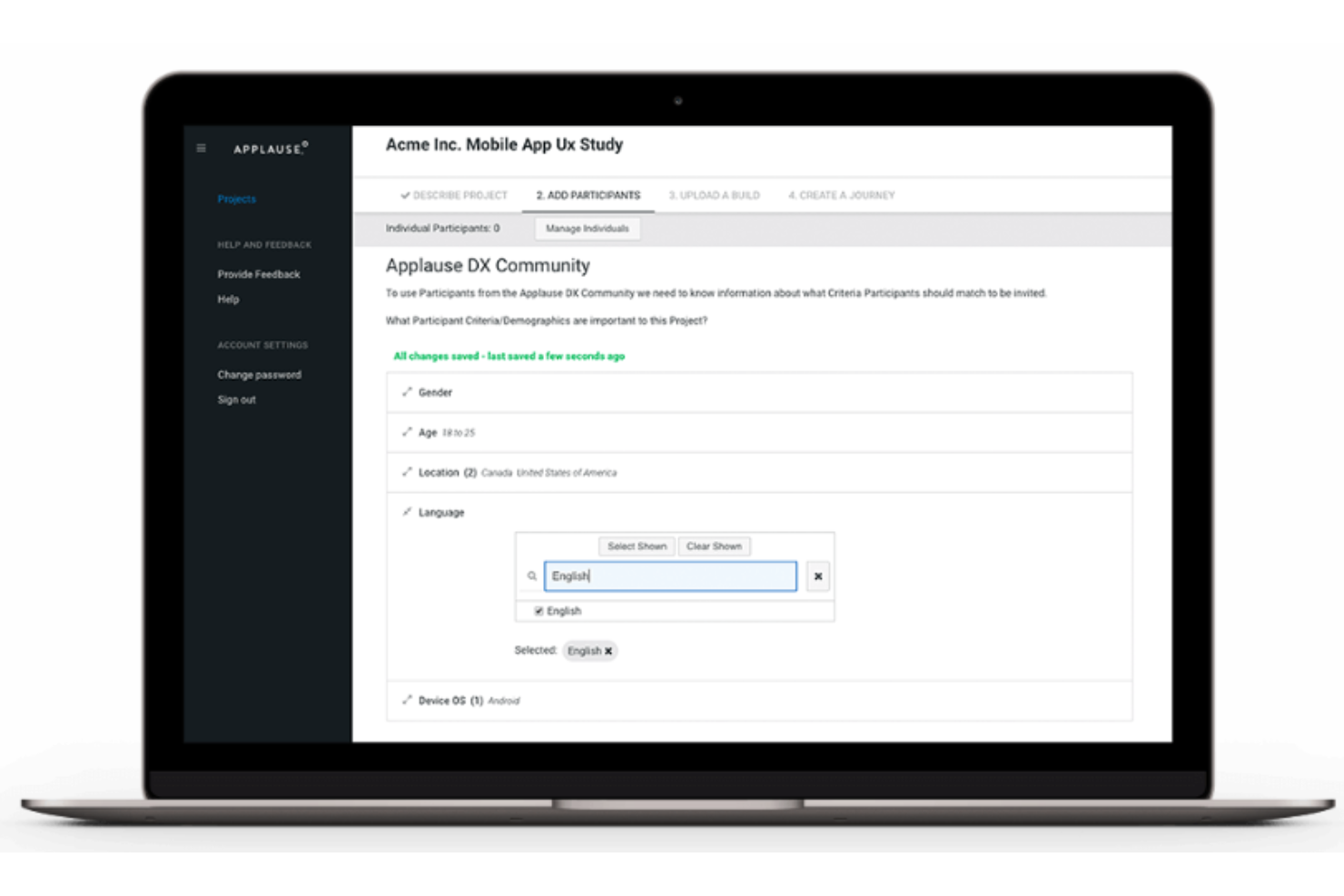
Applause è uno strumento completo per il test di usabilità che impiega una community globale di tester qualificati per valutare le tue esperienze digitali. Questo approccio unico si adatta particolarmente a chi desidera beneficiare di una vasta gamma di opinioni professionali, individuando problemi di usabilità che potrebbero passare inosservati con altri strumenti.
Perché ho scelto Applause:
Ho inserito Applause nella mia lista grazie alla sua ampia community globale di tester professionisti. Sono attivi nel settore del crowd-sourcing dal 2007 e questo aspetto li distingue, rendendo lo strumento unico rispetto ai concorrenti. Le intuizioni ricche e diversificate raccolte da tester di diversi background migliorano notevolmente il valore del processo di test di usabilità. Ecco perché credo che Applause sia il migliore per la sua vasta community di tester professionisti.
Funzionalità e integrazioni distintive di Applause
Le funzionalità includono la configurazione di test in condizioni reali, che consente ai tester di esaminare le applicazioni in situazioni di effettivo utilizzo. Questo offre una comprensione più realistica dell'esperienza utente. Inoltre, Applause permette il testing su diversi dispositivi, piattaforme e località, rivolgendosi a prodotti digitali su scala globale.
Applause si integra con vari strumenti popolari di bug tracking, gestione progetti e comunicazione come JIRA, Slack e Asana. Queste integrazioni garantiscono un flusso di lavoro fluido, facilitando la gestione e l'implementazione del feedback proveniente dai test di usabilità.
Pros and Cons
Pros:
- Community globale di tester professionisti
- Condizioni di test reali
- Si integra con i principali strumenti di project management
Cons:
- Il prezzo personalizzato può essere un ostacolo per le piccole imprese
- Nessuna versione di prova gratuita disponibile
- La vastità della community di tester può portare a una certa incoerenza nei feedback

UXArmy
Ideale per test moderati e non moderati
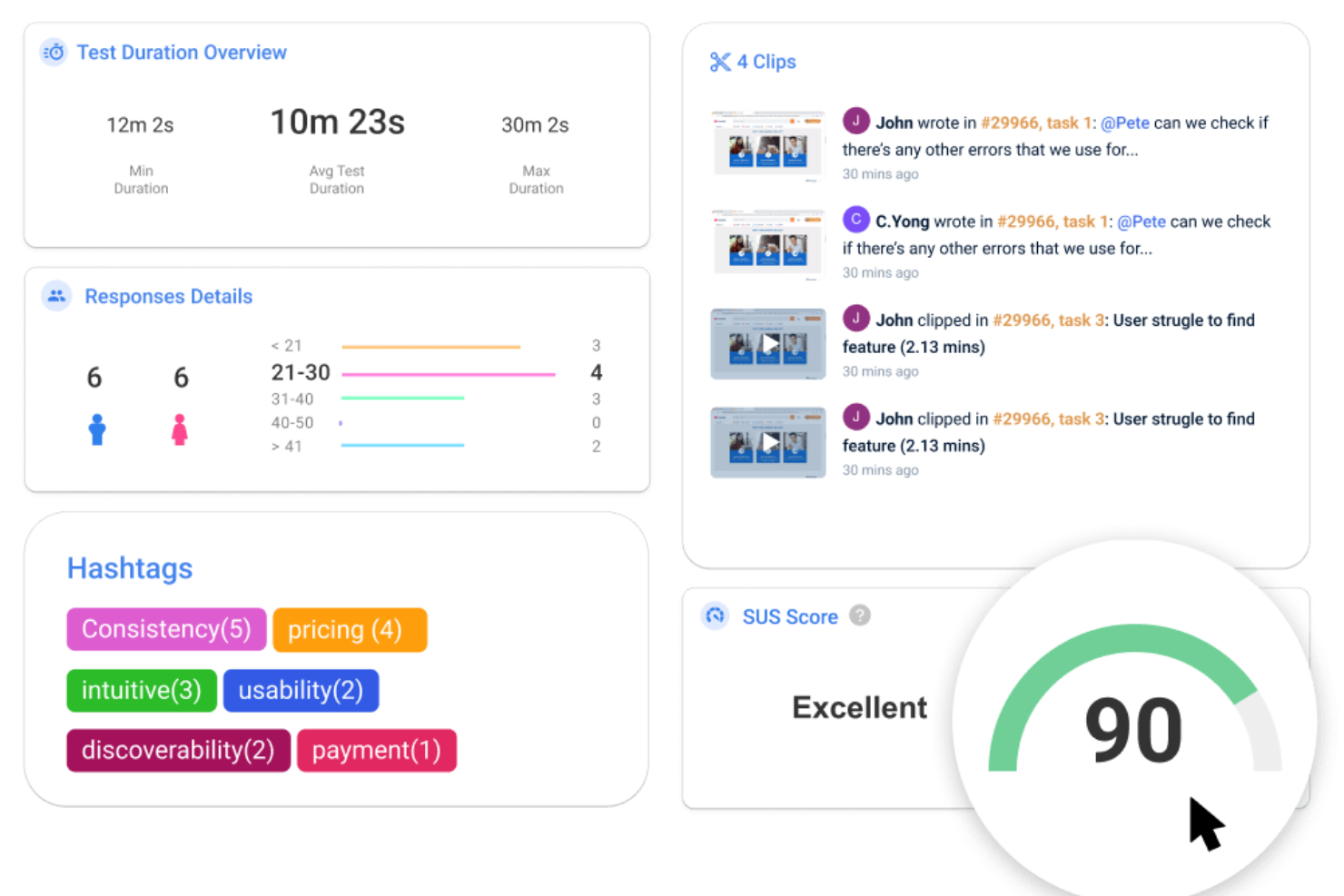
UXArmy è una piattaforma cloud per la ricerca utenti da remoto, progettata per supportare designer, ricercatori UX e sviluppatori di prodotto nel migliorare l’esperienza utente dei loro prodotti digitali.
Perché ho scelto UXArmy:
Apprezzo il supporto sia ai test di usabilità moderati che a quelli non moderati. I test non moderati consentono la valutazione di prototipi, siti web e app mobili senza la necessità di un facilitatore. Al contrario, la funzionalità di ricerca moderata prevede conversazioni video dal vivo con gli utenti, fornendo approfondimenti dettagliati e la possibilità di indagare più a fondo sui comportamenti e sulle preferenze degli utenti.
Caratteristiche e integrazioni distintive di UXArmy
Le funzionalità includono strumenti specializzati come il card sorting e il tree testing, fondamentali per progettare architetture dell’informazione e sistemi di navigazione intuitivi. La piattaforma offre anche registrazioni video in tempo reale dello schermo, heat map e tracciamento dei percorsi di navigazione, offrendo visualizzazioni chiare delle interazioni degli utenti. UXArmy automatizza persino il reclutamento dei partecipanti ai test da un pannello di utenti diversificato e indipendente, garantendo feedback imparziali e affidabili.
Le integrazioni includono Figma e Zoom.
Pros and Cons
Pros:
- Ampia gamma di opzioni per i test di usabilità
- Interfaccia intuitiva
- Dispone di un buon database di partecipanti
Cons:
- Integrazione limitata con i social media per un coinvolgimento utente più ampio
- I report potrebbero essere più flessibili

Userfeel
Ideale per test di usabilità multilingue in oltre 40 lingue
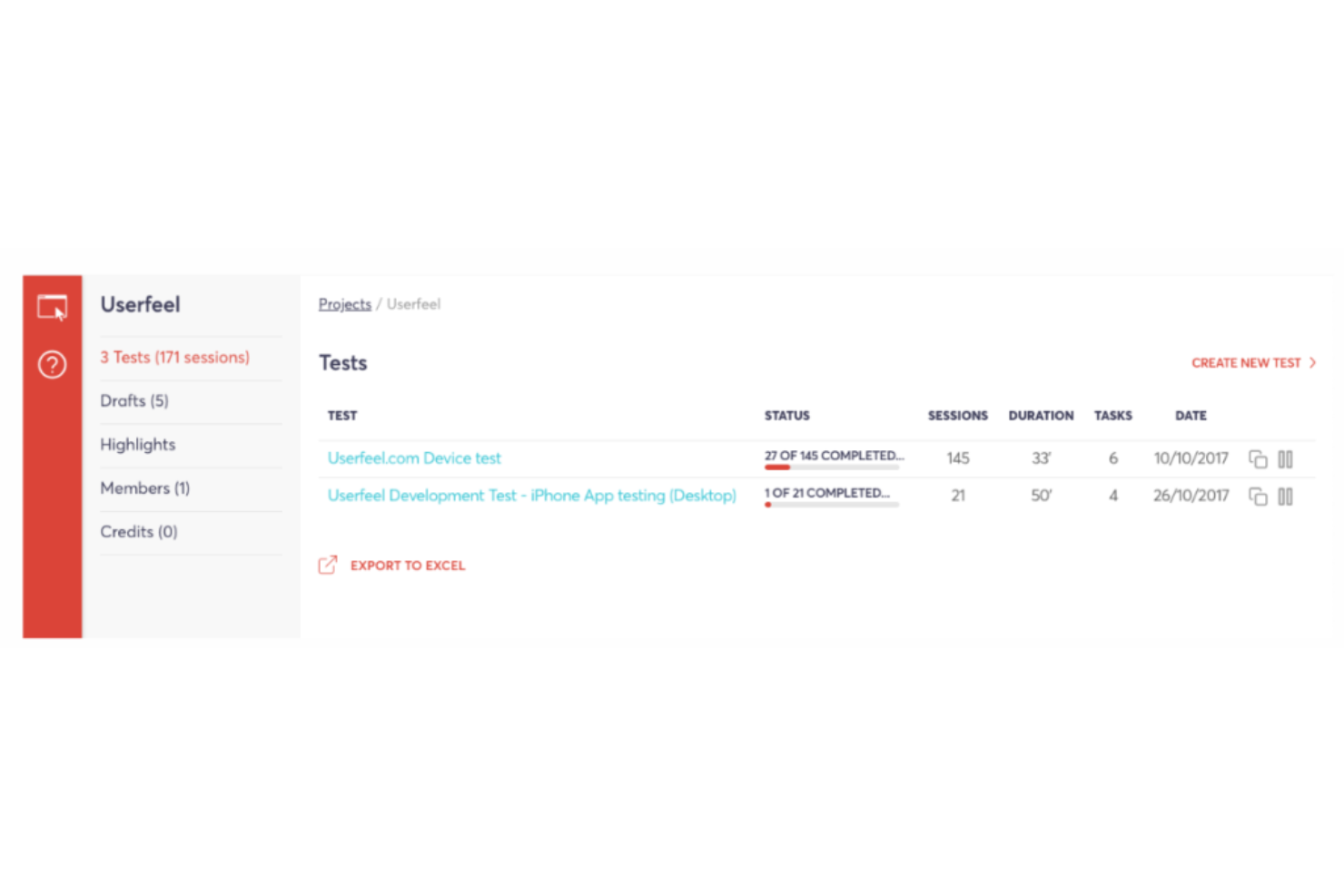
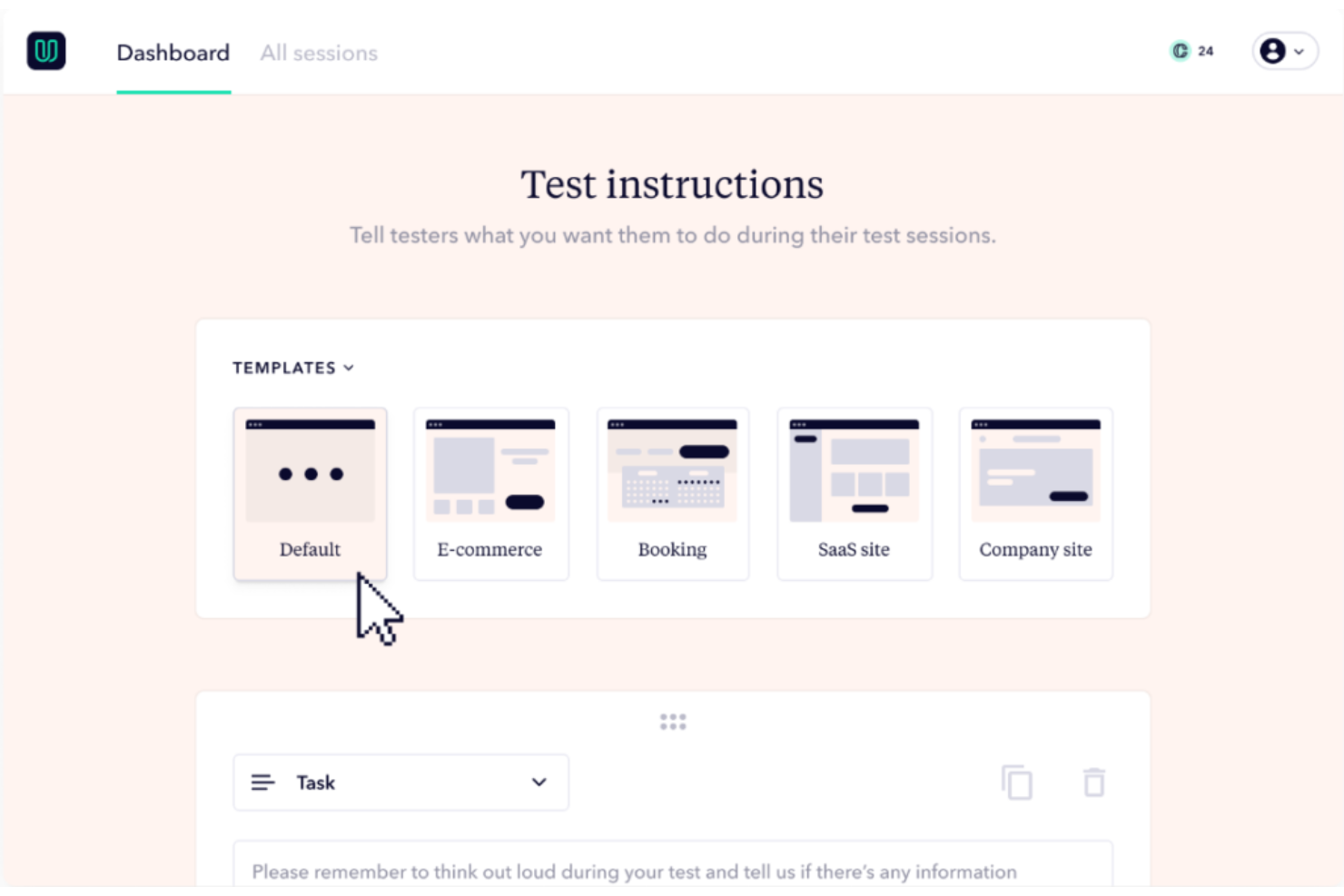
Userfeel è una piattaforma di test di usabilità con un punto di forza chiave: la sua capacità di supportare test multilingue in oltre 40 lingue. Questo strumento facilita il processo di test di usabilità a distanza, fornendoti video di utenti reali che esprimono a voce alta i loro pensieri mentre utilizzano il tuo sito web o la tua app.
Perché ho scelto Userfeel:
Grazie all'esteso supporto linguistico, Userfeel si distingue quando devi condurre test di usabilità su scala multilingue o globale. È proprio questo approccio multilingue che mi ha portato a sceglierlo. Con il supporto per oltre 40 lingue, si distingue rispetto a molte altre piattaforme di test di usabilità che ne supportano solo alcune. Ho inoltre considerato come le aziende abbiano spesso bisogno di raggiungere pubblici che parlano lingue differenti, e questo strumento soddisfa perfettamente questa esigenza.
Caratteristiche e integrazioni principali di Userfeel
Le funzionalità includono video in evidenza che ti aiutano a presentare i risultati dei tuoi test di usabilità al tuo team, come le problematiche critiche. Lo strumento offre anche una dashboard avanzata per un'analisi chiara ed efficiente dei risultati dei test.
Userfeel offre l'integrazione con Slack per la comunicazione e aggiornamenti in tempo reale sul processo di test.
Pros and Cons
Pros:
- Supporta test di usabilità multilingue in oltre 40 lingue
- Dashboard avanzata per un'analisi efficiente dei risultati dei test
- Offre integrazione con Slack per una comunicazione semplificata
Cons:
- Il modello di prezzo per test potrebbe non essere adatto ad aziende con esigenze di test frequenti
- Manca di un'ampia gamma di integrazioni con altri strumenti di project management
- Il supporto in tempo reale è limitato all'orario lavorativo

Ideale per test continui con video settimanali degli utenti
Userbrain è un servizio di test di usabilità che ti fornisce video di persone reali che esprimono ad alta voce i propri pensieri mentre utilizzano il tuo sito web o la tua app. Il punto di forza principale di Userbrain risiede nel suo impegno a fornire un feedback utente continuo e settimanale, mantenendoti costantemente connesso con l’esperienza dell’utente.
Perché ho scelto Userbrain:
La sua proposta unica di fornire video settimanali di feedback utente ha attirato la mia attenzione. Questo sistema di feedback costante e regolare offre un flusso continuo di informazioni su esperienza utente e design dell’interfaccia, cosa rara in molti strumenti per test di usabilità.
Caratteristiche distintive & Integrazioni di Userbrain
Le funzionalità includono il ciclo di test settimanale che garantisce feedback regolare dagli utenti. Offre anche test di usabilità remoti, il che significa che otterrai tester imparziali che esprimono liberamente la propria opinione. Lo strumento consegna video di utenti che navigano sul tuo sito o app, fornendo informazioni fondamentali su come gli utenti interagiscono con il tuo prodotto digitale.
Userbrain non offre integrazioni specifiche con terze parti, ma si concentra nel fornire una piattaforma di test dedicata che può essere utilizzata insieme ad altri strumenti per l’analisi e la gestione del feedback.
Pros and Cons
Pros:
- Video settimanali degli utenti per un feedback continuo
- Test di usabilità remoto e imparziale
- Modello ad abbonamento che permette di prevedere i costi
Cons:
- Mancanza di integrazioni specifiche con terze parti
- Il servizio potrebbe essere troppo costoso per piccole imprese o singoli utenti
- Non è l’ideale per test occasionali a causa del modello ad abbonamento

Ideale per i test di usabilità relativi all'architettura dell'informazione

Optimal Workshop è una piattaforma di ricerca sugli utenti specializzata in strumenti per la creazione e l'analisi di card sorting, tree test e altri metodi per comprendere come gli utenti categorizzano e trovano le informazioni sui siti web. È eccellente quando si desidera ottimizzare l'architettura e la struttura di navigazione del proprio sito.
Perché ho scelto Optimal Workshop:
Optimal Workshop si è distinto per me quando stavo selezionando i migliori strumenti da includere in questo elenco. Il suo focus specifico sull'architettura dell'informazione e il testing di usabilità lo differenzia da molti altri strumenti di user testing disponibili sul mercato. Offre funzionalità uniche che permettono un esame approfondito di come gli utenti navigano e interagiscono con le informazioni di un sito web. Per questo motivo, è la mia scelta principale per il testing di usabilità relativo all'architettura dell'informazione.
Funzionalità e integrazioni distintive di Optimal Workshop
Le funzionalità includono Treejack per il tree testing, OptimalSort per il card sorting e Chalkmark per il first-click testing, tutti strumenti appositamente progettati per comprendere e migliorare l'architettura dell'informazione del sito web. Questa suite di strumenti rende più semplice ottimizzare la navigazione e la struttura del proprio sito.
Optimal Workshop si integra con una vasta gamma di servizi, tra cui Slack, Google Drive e altri popolari strumenti di produttività, consentendo di incorporare la ricerca sugli utenti all'interno del proprio flusso di lavoro.
Pros and Cons
Pros:
- Strumenti specializzati per comprendere e ottimizzare l'architettura dell'informazione
- Si integra con i principali strumenti di produttività come Slack e Google Drive
- Suite completa di strumenti in un'unica piattaforma
Cons:
- Il costo è elevato rispetto ad alcune altre piattaforme di test utente
- Potrebbero esserci più funzionalità di quante ne servano per siti più piccoli o progetti semplici
- Il focus sull'architettura dell'informazione potrebbe non essere utile per altri aspetti dei test di usabilità

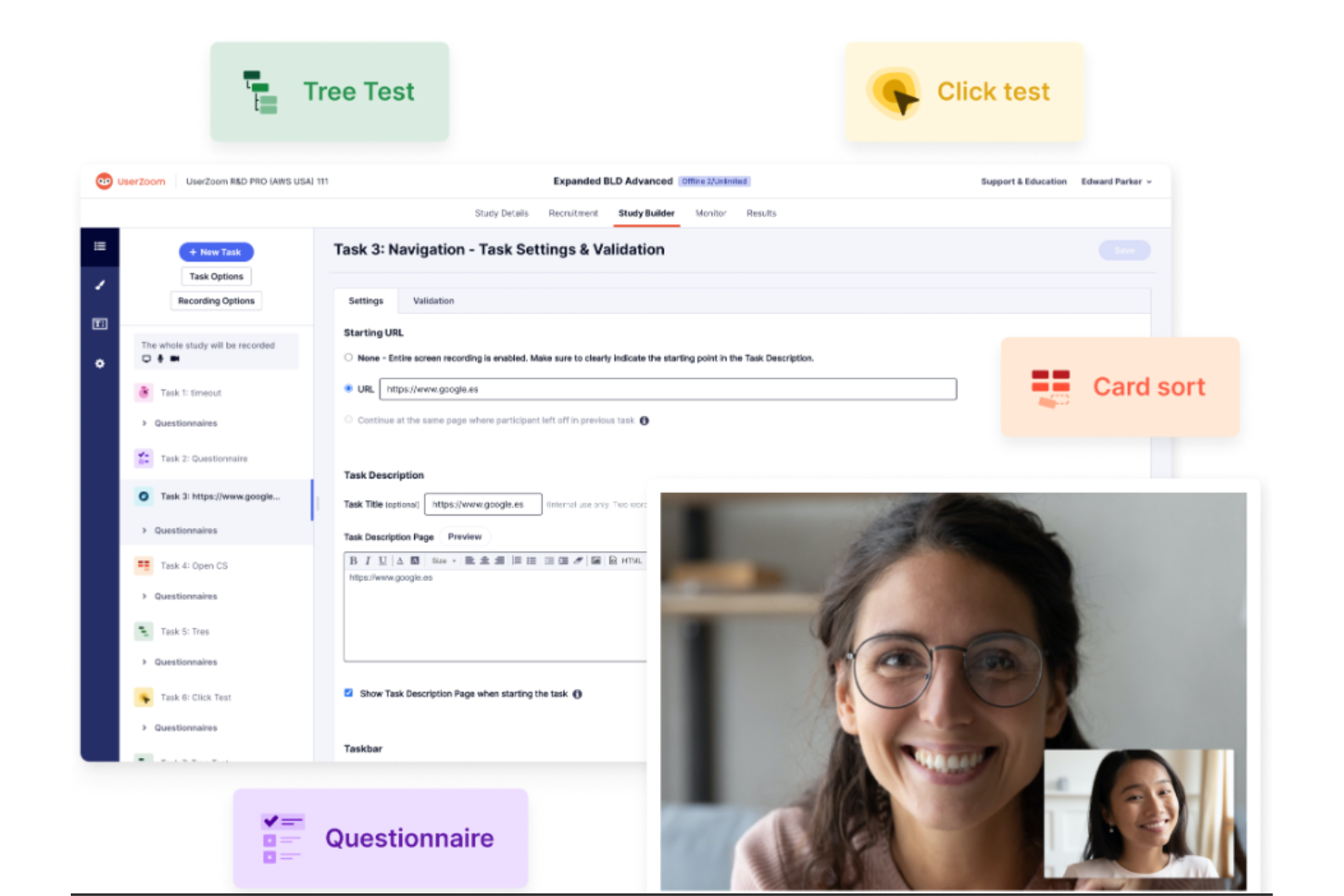
UserZoom è uno strumento versatile per il test di usabilità progettato per la ricerca UX. Offre una vasta gamma di funzionalità per aiutarti a comprendere il comportamento degli utenti e ottimizzare l'esperienza utente. Grazie alle sue approfondite capacità di ricerca, è perfetto per chi ha bisogno di uno strumento completo per test di usabilità e ricerche UX.
Perché ho scelto UserZoom:
Ho scelto questo strumento per le sue capacità complete che coprono sia i test di usabilità che la ricerca UX. Offre una varietà di metodi di ricerca, dal card sorting al tree testing, che pochi altri strumenti propongono. L'ho considerato il migliore per funzionalità complete di test di usabilità e ricerca UX perché garantisce non solo la verifica della facilità d'uso, ma anche una comprensione approfondita dell'esperienza utente.
Caratteristiche e integrazioni principali di UserZoom
Funzionalità come 'Card Sorting', 'Click Testing' e 'Heatmaps'. Queste opzioni ti permettono di avere un'idea chiara delle preferenze degli utenti, della loro interazione con il tuo design e delle aree del sito che ricevono maggiore attenzione.
UserZoom si integra perfettamente con le piattaforme di analisi più diffuse come Google Analytics, oltre che con strumenti di project management come Jira e perfino con alcuni sistemi CRM, assicurando così la connessione tra i dati UX e gli altri indicatori di business.
Pros and Cons
Pros:
- Strumento completo per test di usabilità e ricerca UX
- Varietà di metodi di test disponibili
- Integrazione fluida con strumenti di analisi e project management
Cons:
- Costo superiore rispetto ad altri strumenti
- Può risultare impegnativo per i principianti a causa dell'ampia gamma di funzionalità
- Opzioni di personalizzazione limitate nel piano base

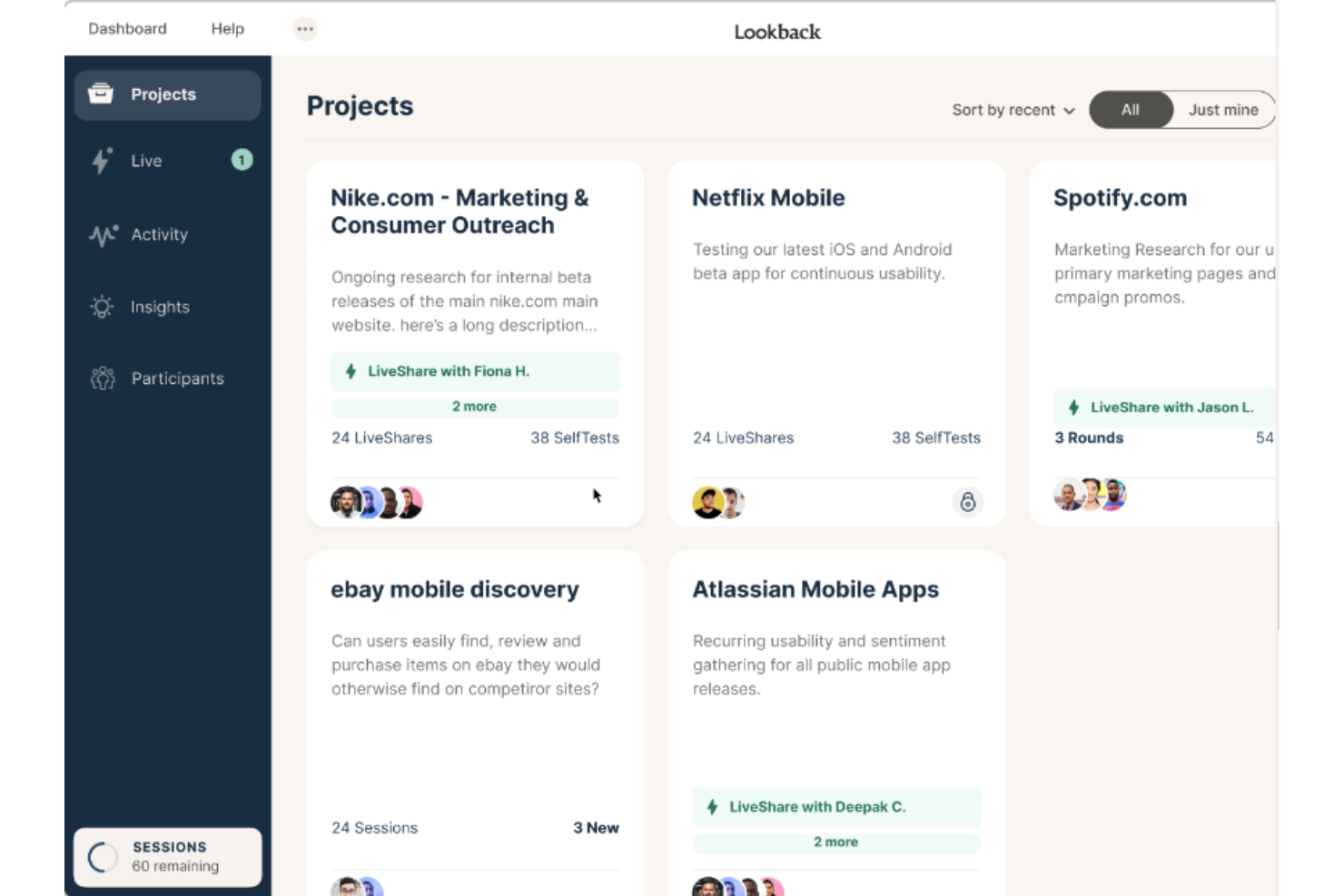
Lookback è una piattaforma di ricerca sugli utenti che ti mette direttamente in contatto con i tuoi utenti, permettendoti di registrare e analizzare le esperienze utente. Si distingue per la capacità di catturare feedback in tempo reale attraverso interviste approfondite e coinvolgenti, rappresentando una scelta eccellente per chi desidera dati qualitativi e ricchi.
Perché ho scelto Lookback:
Ho selezionato questo strumento per il suo approccio unico al test di usabilità. Fornisce una comprensione senza pari degli utenti concentrandosi su interviste interattive. Questo approccio diretto alla raccolta dei feedback rende Lookback diverso da tutti gli altri. Infine, permette di approfondire i processi mentali degli utenti in tempo reale, migliorando la comprensione del percorso utente.
Caratteristiche e integrazioni principali di Lookback
Caratteristiche includono la funzione 'Remote LiveShare', che offre sessioni interattive dal vivo con gli utenti. Inoltre, la funzione 'SelfTest with Scheduling' consente agli utenti di partecipare ai test quando è più comodo per loro.
Per quanto riguarda le integrazioni, Lookback si integra bene con popolari strumenti di analisi dati come Dovetail e EnjoyHQ, rendendo fluido il passaggio dalla raccolta all'analisi dei dati.
Pros and Cons
Pros:
- Consente l'interazione in tempo reale con gli utenti
- Supporta test sia da remoto che in presenza
- Permette agli utenti di partecipare ai test quando desiderano
Cons:
- Potrebbe richiedere una curva di apprendimento per essere utilizzato al meglio
- Fascia di prezzo superiore per funzionalità aggiuntive
- Integrazione limitata con strumenti di project management
Altri strumenti per i test di usabilità
Di seguito è riportato un elenco di ulteriori strumenti per i test di usabilità che ho selezionato, ma che non sono entrati nella lista dei migliori. Vale sicuramente la pena dare loro un’occhiata.
- Loop11
Ideale per integrare il testing dell'usabilità nei cicli Agile
- Trymata (formerly TryMyUI)
Ideale per catturare le emozioni degli utenti e i punti di confusione
- UsabilityHub
Le funzionalità avanzate richiedono livelli di prezzo più elevati
- UserBob
Ideale per test utente economici tramite crowdsourcing
- UserGuiding
Ideale per comprendere l'usabilità dei contenuti di onboarding


Come Valuto gli Strumenti di Usability Testing
Divido la mia valutazione in requisiti fondamentali—registrazione delle sessioni, creazione delle attività e accesso al panel—e fattori differenzianti che mostrano se uno strumento si adatta al modo in cui il tuo team effettua effettivamente la ricerca.
Funzionalità Principali (Requisiti di Base per Questa Lista)
Quando seleziono gli strumenti per la mia lista, valuto ciascuno di essi su una scala da 0 (non offre la funzionalità) a 5 (eccelle in quest'area) per ogni funzionalità principale elencata di seguito. Poi, converto il punteggio totale dello strumento in una percentuale. Ogni strumento deve raggiungere un punteggio totale minimo del 65% per essere considerato per l'inclusione.
- Test Moderati e Non Moderati: Verifico se uno strumento supporta sia sessioni dal vivo sia attività autoguidate, poiché i team spesso necessitano di interviste moderate per l'esplorazione e test non moderati per una rapida validazione.
- Progettazione di Test Basati su Attività: Un buon creatore di test consente di definire le attività, scrivere scenari e fissare criteri di successo. Cerco logiche ramificate e vari tipi di domande al di là di semplici prompt.
- Registrazione e Riproduzione delle Sessioni: Valuto come ogni strumento cattura schermo, audio e webcam. Funzionalità come marcatura con timestamp e creazione di clip sono importanti quando devi condividere un momento chiave con gli stakeholder.
- Opzioni di Reclutamento dei Partecipanti: Trovare gli utenti giusti è metà della sfida. Valuto la dimensione del panel, i filtri demografici e le opzioni di screening per capire quanto bene uno strumento ti aiuta a raggiungere il tuo pubblico target.
- Analisi Comportamentale: Oltre alle semplici registrazioni, verifico se una piattaforma offre metriche quantitative come tempo sull'attività, tassi di successo, heatmap o percorsi di clic per supportare le osservazioni qualitative.
- Test su Prototipi e Siti Live: I team testano in diverse fasi, dai primi mockup in Figma alle app in produzione. Controllo la presenza di integrazioni native con prototipi e il supporto per ambienti web e mobile.
Una volta che dispongo di una lista di strumenti che soddisfano i criteri, considero ciò che distingue ciascuna piattaforma.
Fattori Differenzianti (Cosa Rende un Fornitore Unico)
Ecco come confronto e metto a confronto i diversi fornitori:
Funzionalità Distintive
La generazione di insight basata sull'IA è un fattore differenziante principale. Quando si rivedono dozzine di registrazioni di sessione, gli strumenti che taggano automaticamente i temi e generano highlight reel riducono la sintesi da giorni a ore. Cerco anche un archivio di ricerca dove i team possano archiviare e ricercare le scoperte precedenti—questo evita di ripetere studi già completati da qualcun altro il trimestre scorso. Anche le funzionalità di card sorting e tree testing fanno la differenza, poiché portano una piattaforma oltre il classico test di usabilità verso la ricerca dell'architettura dell'informazione.
Oltre le Funzionalità
Le integrazioni con il tuo stack di prodotto e design sono molto importanti qui. Valuto se le evidenze fluiscono in strumenti come Jira o Productboard, così che gli insight non rimangano isolati. La trasparenza del modello di prezzo è un altro fattore chiave—alcune piattaforme fanno pagare per studio, altre per utente, e il modello sbagliato può rendere i costi imprevedibili mentre aumenti la ricerca nei vari team. Considero anche la rapidità d'accesso agli insight, in particolare quanto velocemente uno strumento consegna sessioni completate dal proprio panel dopo l’avvio di un test.
Come scegliere uno strumento per i test di usabilità
È facile perdersi in lunghi elenchi di funzionalità e strutture tariffarie complesse. Per aiutarti a rimanere concentrato mentre porti avanti il tuo processo di selezione del software, ecco una lista di controllo dei fattori da tenere a mente:
| Fattore | Cosa considerare |
|---|---|
| Scalabilità | Lo strumento crescerà insieme al tuo gruppo e al tuo prodotto? Cerca soluzioni in grado di gestire sia test piccoli sia implementazioni grandi e con più gruppi, senza dover stipulare nuovi contratti. |
| Integrazioni | Funziona con gli strumenti che utilizzi attualmente (ad es. Jira, Figma, Slack)? Evita gli strumenti che impongono modifiche al flusso di lavoro o richiedono interventi personalizzati sulle API. |
| Personalizzazione | Puoi adattare le attività, l'identità del marchio o i rapporti alle tue esigenze? Gli strumenti rigidi possono rallentarti o confondere le parti interessate. |
| Facilità d'uso | Quanto velocemente il tuo gruppo può ottenere risultati senza bisogno di una formazione approfondita? Fai attenzione alle interfacce macchinose o ai processi di configurazione complessi che fanno perdere tempo. |
| Implementazione e inserimento | Quanto tempo occorre prima che lo strumento possa essere utilizzato dal gruppo? Informati sui tempi di configurazione tipici e verifica se sono inclusi il supporto o l'assistenza alla migrazione. |
| Costo | Qual è il costo reale nel tempo: licenze, partecipanti e aggiornamenti? Evita gli strumenti che sembrano convenienti, ma nascondono funzionalità essenziali dietro un pagamento. |
| Misure di sicurezza | Soddisfa i tuoi standard di sicurezza (ad es. SSO, crittografia dei dati)? Questo è particolarmente importante per i dati dei clienti o per i settori regolamentati. |
Cosa sono gli strumenti per i test di usabilità?
Gli strumenti per i test di usabilità sono soluzioni software utilizzate da ricercatori UX, sviluppatori e progettisti di prodotto per testare il proprio pubblico di riferimento. Misurano quanto un prodotto o un sistema sia intuitivo ed efficiente, simulando le interazioni di utenti reali oppure monitorando e raccogliendo dati quantitativi da partecipanti reali ai test.
Attraverso metodi come l'analisi delle attività, le raccolte di momenti salienti, i sondaggi per gli utenti o le mappe di calore, il software per i test mostra come gli utenti navigano all'interno di un prodotto, dove incontrano problemi e quali aspetti migliorano o peggiorano la loro esperienza complessiva come clienti. Molti gruppi utilizzano anche software per i test A/B per confrontare versioni diverse e convalidare le decisioni progettuali. Questo aiuta le aziende a ottimizzare le proprie interfacce utente, rendendo i prodotti più intuitivi, facili da usare e, in definitiva, più efficaci sul mercato.
Funzionalità del software per i test di usabilità
Quando scegli gli strumenti per i test di usabilità, presta attenzione alle seguenti funzionalità chiave:
- Registrazione e riproduzione delle sessioni: consente ai team di visualizzare in dettaglio le interazioni degli utenti, aiutando a individuare i punti di attrito nel percorso dell'utente.
- Mappe di calore: visualizzano l'attività degli utenti, come clic, tocchi e scorrimenti, per evidenziare le aree di interesse o di confusione in una pagina web o in un'app.
- Test degli utenti in tempo reale: consente di osservare gli utenti in tempo reale mentre completano le attività, fornendo un feedback immediato e approfondimenti qualitativi più ricchi.
- Analisi delle attività: monitora i tassi di completamento delle attività, il tempo impiegato per ciascuna attività e il verificarsi degli errori per misurare quantitativamente le prestazioni in termini di usabilità.
- Reclutamento dei partecipanti: offre accesso integrato a panel di utenti diversificati o consente di rivolgersi a specifici gruppi demografici per ottenere risultati più rappresentativi.
- Integrazione dei sondaggi: combina i test di usabilità con i sondaggi per raccogliere il feedback soggettivo degli utenti insieme ai dati comportamentali.
- Supporto ai test A/B: facilita il confronto tra diverse versioni dell'interfaccia per determinare quale design offre prestazioni migliori nell'utilizzo reale.
- Test su dispositivi mobili e multipiattaforma: supporta i test di usabilità su vari dispositivi e piattaforme, garantendo esperienze coerenti.
- Strumenti di collaborazione e condivisione: offre funzionalità per annotare, commentare e condividere i risultati con gli stakeholder, semplificando i cicli di feedback.
- Controlli di conformità e privacy: garantisce il rispetto delle normative sulla protezione dei dati, salvaguardando le informazioni dei partecipanti durante i test.
Vantaggi degli strumenti di test di usabilità
L'implementazione di strumenti di test di usabilità offre diversi vantaggi al tuo team e alla tua azienda. Eccone alcuni:
- Cicli di feedback più rapidi: questi strumenti consentono ai team di raccogliere rapidamente i commenti degli utenti durante la progettazione o lo sviluppo, aiutando a individuare i problemi prima che si aggravino.
- Decisioni migliori sul prodotto: grazie agli approfondimenti sul comportamento reale degli utenti, i team possono prendere decisioni più chiare e basate su dati concreti invece di procedere per supposizioni.
- Maggiore soddisfazione degli utenti: individuare tempestivamente design poco chiari o percorsi non funzionanti aiuta a creare esperienze utente più fluide.
- Riduzione degli sprechi nello sviluppo: individuando i problemi in anticipo, i team evitano di spendere tempo e denaro per sviluppare funzionalità che gli utenti non comprenderanno o non utilizzeranno.
- Tassi di conversione più elevati: i test rivelano i punti di attrito nei percorsi di registrazione, pagamento o onboarding, consentendo di correggere ciò che rallenta gli utenti.
- Supporto per i test da remoto: molti strumenti consentono di effettuare test con utenti ovunque si trovino, permettendo di ottenere opinioni diversificate senza organizzare sessioni in presenza.
- Maggiore allineamento tra gli stakeholder: le sessioni registrate e i report aiutano i team e i dirigenti a vedere gli stessi problemi degli utenti e a concordare ciò che deve essere corretto.
Costi e prezzi degli strumenti di test di usabilità
La scelta degli strumenti di test di usabilità richiede la comprensione dei vari modelli e piani tariffari disponibili. I costi variano in base alle funzionalità, alle dimensioni del team, ai componenti aggiuntivi e ad altri fattori. La tabella seguente riassume i piani più comuni, i relativi prezzi medi e le funzionalità generalmente incluse nelle soluzioni di strumenti di test di usabilità:
Tabella comparativa dei piani per gli strumenti di test di usabilità
| Tipo di piano | Prezzo medio | Funzionalità comuni |
|---|---|---|
| Piano gratuito | $0 | Accesso a un numero limitato di test, analisi di base e assistenza autonoma. |
| Piano personale | $25–$75/utente/mese | Test illimitati, analisi avanzate, registrazioni video e integrazioni di base. |
| Piano aziendale | $75–$150/utente/mese | Strumenti di collaborazione del team, flussi di lavoro personalizzabili, assistenza prioritaria e pannelli di controllo degli approfondimenti. |
| Piano aziendale avanzato | $150–$300+/utente/mese | Account manager dedicato, accesso completo all'API, personalizzazione con marchio personalizzato, sicurezza avanzata e SLA personalizzati. |
Domande frequenti sui test di usabilità
Trova le risposte alle domande più comuni che altre persone pongono sui test di usabilità.
Quali sono i vantaggi dell'utilizzo degli strumenti per i test di usabilità?
Gli strumenti per i test di usabilità offrono numerosi vantaggi:
\u003cul\u003e
\u003cli\u003eConsentono alle aziende di comprendere più a fondo come vengono utilizzati i loro prodotti, acquisendo le interazioni e il comportamento degli utenti. Questo può aiutare a individuare problemi di usabilità che potrebbero ostacolare l’esperienza dell’utente.\u003c/li\u003e
\u003cli\u003eSpesso forniscono rappresentazioni visive, come mappe di calore e registrazioni delle sessioni, per visualizzare il comportamento degli utenti.\u003c/li\u003e
\u003cli\u003eQuesti strumenti possono anche aiutare a realizzare sondaggi e questionari per raccogliere direttamente il feedback degli utenti.\u003c/li\u003e
\u003cli\u003eLe aziende possono potenzialmente risparmiare sui costi associati alle modifiche nelle fasi successive, identificando tempestivamente i problemi di usabilità.\u003c/li\u003e
\u003c/ul\u003e
Che cos'è un test di usabilità di base?
Un test di usabilità di base coinvolgerebbe due persone: un tester e un osservatore. Per configurarlo, servirebbe un computer sul quale l’utente possa testare il prototipo che gli verrà presentato. Quindi, mentre l’utente naviga nel prodotto, l’osservatore annoterebbe i comportamenti e le altre osservazioni sulla navigazione ritenute importanti dal team di ricerca.
Quanto costano in genere gli strumenti per i test di usabilità?
\u003cp class=\u0022p1\u0022\u003eIl prezzo degli strumenti per i test di usabilità può variare notevolmente in base alle loro funzionalità, alle dimensioni della base di utenti e alla complessità delle attività che possono svolgere.\u003c/p\u003e
\u003cp class=\u0022p1\u0022\u003eEsistono alcuni modelli di prezzo comuni per questi strumenti. Alcuni funzionano in abbonamento, con il pagamento di una tariffa mensile o annuale per l’accesso. Altri utilizzano un modello per test o per partecipante, in cui il pagamento dipende dalla quantità di test effettuati. Alcuni strumenti offrono un modello di prezzo a livelli, con più funzionalità e capacità disponibili ai livelli superiori.\u003c/p\u003e
\u003cp class=\u0022p1\u0022\u003eIl prezzo può variare da soli $20 al mese a oltre $200 al mese per gli strumenti più avanzati. È importante notare che il costo è spesso proporzionale al numero di funzionalità e al livello di informazioni che lo strumento può fornire.\u003c/p\u003e
Quali sono i tipi di test di usabilità?
I test di usabilità forniscono informazioni sull’utente. Tuttavia, test diversi producono dati diversi da analizzare. Ecco 5 dei test di usabilità più diffusi:
\u003col\u003e
\u003cli\u003e\u003cstrong\u003eTest di usabilità moderati:\u003c/strong\u003e si verificano quando due persone, un moderatore e un tester, interagiscono durante un test. Il test può svolgersi di persona o tramite un software per videoconferenze.\u003c/li\u003e
\u003cli\u003e\u003cstrong\u003eTest di usabilità non moderati:\u003c/strong\u003e si verificano quando si invia un test al proprio pubblico di riferimento senza osservarlo o moderarlo. Al termine del test, si riceve invece una registrazione della sessione.\u003c/li\u003e
\u003cli\u003e\u003cstrong\u003eOrdinamento delle schede:\u003c/strong\u003e consiste nel chiedere agli utenti di raggruppare gli elementi secondo criteri per loro logici. L’ordinamento delle schede è un ottimo esercizio per testare la tassonomia di un sito web.\u003c/li\u003e
\u003cli\u003e\u003cstrong\u003eTest del primo clic:\u003c/strong\u003e come suggerisce il nome, il test del primo clic è esattamente ciò che sembra. Si forniscono istruzioni a un utente e si registra il punto in cui effettua il primo clic.\u003c/li\u003e
\u003cli\u003e\u003cstrong\u003eTest delle preferenze:\u003c/strong\u003e consiste nel presentare all’utente diverse varianti del prodotto. L’obiettivo è registrare il feedback degli utenti sul motivo per cui preferiscono un’opzione rispetto a un’altra.\u003c/li\u003e
\u003c/ol\u003e
Esistono strumenti gratuiti per i test di usabilità?
Sì, sono disponibili alcune opzioni gratuite. Strumenti come Chalkmark di Optimal Workshop offrono un piano gratuito, ma spesso hanno funzionalità e ambito più limitati rispetto alle versioni a pagamento.
Questi strumenti possono essere utilizzati per testare le app mobili?
Sì, molti di questi strumenti consentono di condurre test di usabilità sia su siti web sia su app mobili. È bene verificare con lo strumento specifico, poiché le funzionalità possono variare.
In che modo i test di usabilità influenzano l'UX?
I test di usabilità aiutano a migliorare il design UX dei prodotti digitali. Attraverso i test di usabilità, si individuano i punti critici degli utenti, che aiutano a introdurre miglioramenti iterativi del design. Inoltre, i test di usabilità consentono di sviluppare empatia verso gli utenti e di creare prodotti tenendo conto delle loro esigenze.
Qual è la differenza tra i test UX e i test UAT?
I test UX valutano l’esperienza utente e l’usabilità dei prodotti digitali. I test di accettazione da parte dell’utente (UAT), invece, aiutano a determinare se i sistemi software sono pronti per la distribuzione. Gli UAT pongono l’accento sulla funzionalità complessiva dei prodotti, mentre i test UX sono maggiormente incentrati sull’usabilità.
Recensioni di altri strumenti per i test di usabilità
- Software per la gestione dell'esperienza del prodotto
- Software per la progettazione del prodotto
- Strumenti per modelli per responsabili di prodotto
E adesso?
Se stai cercando strumenti per i test di usabilità, contatta gratuitamente un consulente di SoftwareSelect per ricevere consigli.
Compili un modulo e fai una breve chiacchierata durante la quale il consulente approfondirà le tue esigenze specifiche. In seguito riceverai una selezione ristretta di software da valutare. Ti supporterà anche durante l'intero processo di acquisto, comprese le trattative sul prezzo.