

I 10 migliori strumenti per modelli dimostrativi per condividere idee di design nel 2026

10 I migliori strumenti per modelli grafici


Gli strumenti per modelli grafici possono aiutare a risparmiare una quantità enorme di tempo. In qualità di ex responsabile di prodotto, ricordo di aver partecipato a diverse riunioni di ideazione o di definizione del prodotto. Preparare modelli grafici del prodotto prima di queste riunioni mi ha aiutato ad aggiungere concretezza alle mie idee. Inoltre, i modelli grafici del prodotto aiutano a raccogliere riscontri preziosi da varie parti interessate prima dell’inizio del processo di sviluppo.
Indipendentemente dal tipo di prodotto che gestisci, che si tratti di un sito web, di un’applicazione mobile o di qualcosa di fisico come l’abbigliamento, un modello grafico aiuta a definire con precisione le tue aspettative per la versione finale del prodotto.
Ti aiuterò a migliorare le tue competenze e a fare un figurone nella tua prossima riunione di ideazione del prodotto. Esistono molti strumenti per modelli grafici e scegliere quello giusto può risultare complicato. Per questo motivo, ho creato questo elenco dei dieci migliori strumenti per modelli grafici per responsabili di prodotto. Continua a leggere mentre analizzo ogni strumento e ti aiuto a scegliere quello più adatto.
Se hai domande generali sul funzionamento degli strumenti per modelli grafici, dai un’occhiata alla sezione Domande frequenti qui sotto. Oppure, se vuoi sapere come ho creato questo elenco, consulta invece la sezione Come ho selezionato i migliori strumenti per modelli grafici qui sotto.
Perché Fidarsi delle Nostre Recensioni Software
Testiamo e recensiamo software per il product management dal 2020. Come product manager sappiamo quanto sia fondamentale e difficile fare la scelta giusta in termini di software. Investiamo in una ricerca approfondita per aiutare il nostro pubblico a prendere decisioni migliori sugli acquisti di software. Abbiamo testato oltre 2.000 strumenti per diversi casi d’uso e scritto più di 1.000 recensioni approfondite.Scopri come assicuriamo la trasparenza & la nostra metodologia di recensione software.
Riepilogo dei migliori strumenti per modelli grafici
Questa tabella comparativa riassume i dettagli dei prezzi degli strumenti per modelli grafici che ho selezionato tra i migliori, per aiutarti a trovare quello più adatto al tuo budget e alle esigenze della tua attività.
| Tool | Best For | Trial Info | Price | ||
|---|---|---|---|---|---|
| 1 | Ideale per il design collaborativo di interfacce | Piano gratuito disponibile | A partire da $16/utente/mese (fatturato annualmente) | Website | |
| 2 | Miglior strumento per mockup per la creazione di packaging e progetti per la stampa | Prova gratuita di 14 giorni + piano gratuito disponibile | Da $12.25/utente/mese (fatturati annualmente) | Website | |
| 3 | Ideale per una collaborazione efficace tra stakeholder di prodotto e tecnici | Piano gratuito disponibile | Da $12,45/utente/mese (fatturazione annuale) | Website | |
| 4 | Ideale per ottimizzare i processi di raccolta feedback sul design | Piano gratuito + demo gratuita disponibile | A partire da $12/mese (fatturazione annuale) | Website | |
| 5 | Miglior strumento di mockup per product manager focalizzati sulle applicazioni mobile | Piano gratuito disponibile | Da $14/utente/mese (fatturato annualmente) | Website | |
| 6 | Ideale per generare mockup basati su siti web o applicazioni esistenti | Prova gratuita di 14 giorni + demo gratuita disponibile | Da $49/mese (fatturato annualmente) | Website | |
| 7 | Ideale per progettare mockup di siti web responsive | Piano gratuito disponibile | Da $19/utente/mese | Website | |
| 8 | Miglior strumento di mockup per costruire prototipi con schermate collegate | Piano gratuito + demo gratuita disponibile | Da $8.25/mese (fatturazione annuale) | Website | |
| 9 | Il miglior strumento di mockup per creare diagrammi di flusso e mappe mentali visive | Piano gratuito disponibile | Da $6/utente/mese (fatturato annualmente) | Website | |
| 10 | Miglior strumento di mockup per implementare eventi di interazione e logica condizionale | Prova gratuita di 30 giorni | A partire da $29/utente/mese | Website |
Recensione dei migliori strumenti per modelli grafici
Di seguito trovi i miei riepiloghi dettagliati dei migliori strumenti per modelli grafici entrati nella mia selezione. Le mie recensioni offrono un’analisi approfondita delle funzionalità principali, dei pro e dei contro, delle integrazioni e dei casi d’uso ideali di ogni strumento, per aiutarti a trovare quello più adatto a te.

Figma
Ideale per il design collaborativo di interfacce
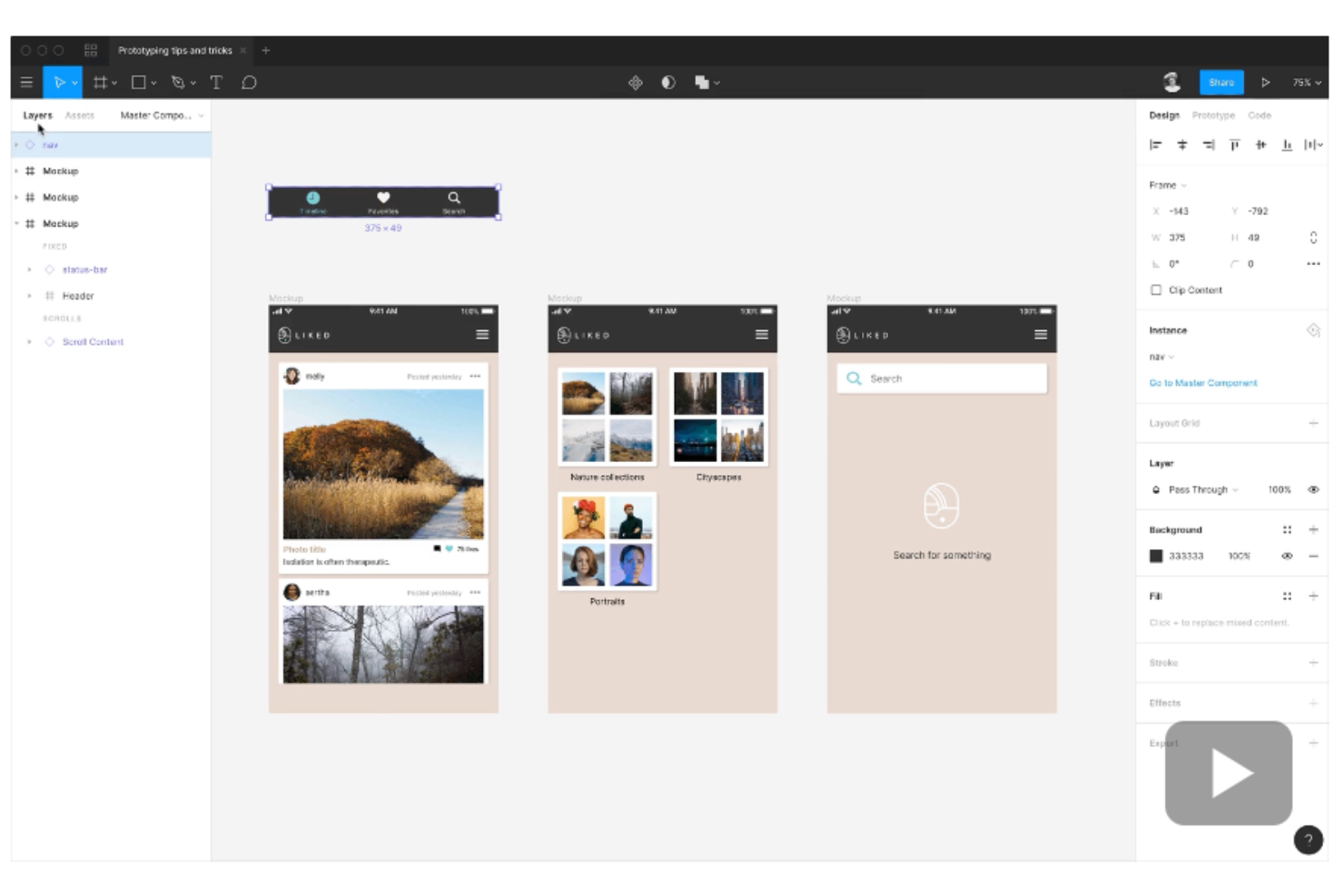
Figma è uno strumento collaborativo per il design delle interfacce che funziona come una piattaforma di progettazione tutto-in-uno, offrendo funzionalità per design, prototipazione, sistemi di design e sviluppo. È stato creato con l'obiettivo di rendere gli strumenti di design accessibili a più persone utilizzando il web, consentendo la collaborazione in tempo reale ed eliminando la necessità di gestire più versioni dei file di progettazione.
Figma è stato sviluppato nel 2015 come il primo strumento di design a combinare l'accessibilità del web con la funzionalità di un'applicazione nativa, diventando da allora una scelta popolare per i team che desiderano ottimizzare il processo creativo e lavorare insieme in modo più efficiente.
Perché ho scelto Figma: Figma offre una piattaforma per creare e condividere wireframe di mockup web e mobile. Lo strumento è pensato per supportare design UI e UX, wireframing, diagrammi, brainstorming e collaborazione in team, rendendolo una scelta versatile per i professionisti del design.
Figma facilita la collaborazione permettendo agli utenti di condividere wireframe e raccogliere feedback, sia in tempo reale che in modalità asincrona, semplicemente condividendo un link. La possibilità di inserire commenti direttamente sui wireframe aggiunge un livello di feedback contestuale che può essere cruciale durante il processo di progettazione. Gli utenti possono anche trasformare i wireframe in componenti dettagliati ad alta fedeltà, adatti sia per principianti che per designer esperti.
Caratteristiche e integrazioni principali di Figma
Le funzionalità includono prototipazione interattiva, sistemi di design con componenti UI collegati e librerie di stili, plugin e widget per automatizzare attività ripetitive, aggregare dati e altro, oltre a strumenti per organizzare i file di design, inclusi spazi di team, cartelle di progetto e navigazione tra i file.
Le integrazioni includono Dropbox, Trello, Jira, Confluence, GitLab, Storybook, Notion, Slack, Asana e Zoom.
Pros and Cons
Pros:
- Interfaccia intuitiva per la progettazione UI e la prototipazione
- Supporta un approccio al design atomico
- Supporto della community disponibile
Cons:
- Funzionalità di lingua e traduzione limitate
- La visualizzazione in tempo reale dei prototipi può essere lenta con molte schermate

Visme
Miglior strumento per mockup per la creazione di packaging e progetti per la stampa

Visme offre strumenti per realizzare presentazioni professionali, annunci sui social media e diversi tipi di mockup. Puoi anche utilizzare Visme per creare modelli di infografiche, loghi, grafici e altre grafiche per blog e social media.
Perché ho scelto Visme: Ho scelto Visme per la straordinaria semplicità offerta dallo strumento. Se desideri creare mockup di prodotto di un oggetto fisico, Visme applica in modo intelligente i tuoi elementi (logo, testo, ecc.) sull’oggetto. Puoi anche preparare mockup di design per mostrare il packaging del tuo marchio su una borsa di carta o su una scatola.
Inoltre, dal punto di vista del personal branding, Visme ti aiuta a creare brochure, volantini e biglietti da visita personalizzati. Visme supporta anche mockup per capi di abbigliamento come t-shirt, felpe e polo.
Funzionalità e integrazioni distintive di Visme
Funzionalità includono eleganti template per mockup, un editor drag-and-drop, modelli di dispositivi, capacità di design personalizzabili e ridimensionamento facile.
Integrazioni includono oltre 10 strumenti, tra cui GIPHY, Google Drive, HubSpot, Jotform, Loom, One Drive, Salesforce, Vimeo, Wistia, YouTube, Zapier e altri.
Pros and Cons
Pros:
- Modelli di presentazioni aziendali di forte impatto
- Buon servizio clienti
- Facile da usare
Cons:
- Nessun supporto per collaboratori ospiti
- Bug di formattazione e layout

Mockplus
Ideale per una collaborazione efficace tra stakeholder di prodotto e tecnici
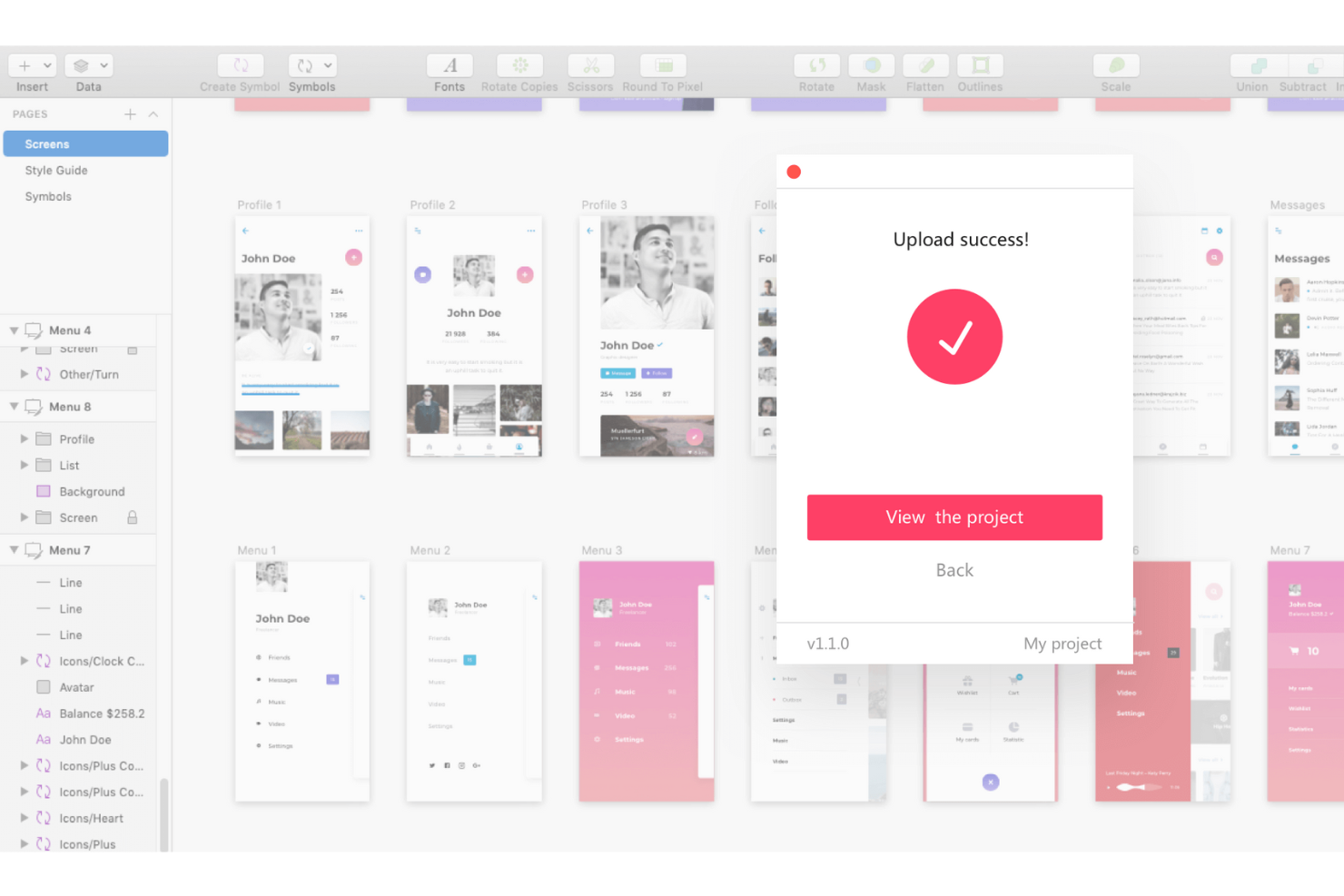
Mockplus vanta oltre dieci anni di esperienza nel settore dei software per mockup. Mockplus è specializzato in software di prototipazione e collaborazione efficace. Alcuni dei marchi più importanti, tra cui IBM, Microsoft e Huawei, garantiscono per Mockplus.
Mockplus offre tre prodotti chiamati Mockplus Cloud (incentrato sulla collaborazione), Mockplus RP (per la progettazione di prototipi) e Mockplus DS (per la messa a punto delle sfumature di design). La soluzione Mockplus Cloud consente ai product manager di fare brainstorming e revisionare le modifiche a wireframe, prototipi e mockup. È inoltre importante notare che Mockplus supporta diversi strumenti di design come Photoshop, Adobe XD, ecc., il che significa che i designer possono importare risorse da vari software in Mockplus Cloud.
Perché ho scelto Mockplus: Come ex product manager, mi sono sempre impegnato per una collaborazione efficace del team, e Mockplus aiuta a raggiungere questo obiettivo. Con Mockplus, i product manager possono coinvolgere sviluppatori e designer fin dalle prime fasi della generazione di idee. Di conseguenza, tutti i principali stakeholder sono allineati fin dal primo giorno.
Mockplus possiede tutte le funzionalità di cui gli sviluppatori hanno bisogno in termini di compatibilità del codice e versatilità nel download delle risorse. Inoltre, tenere traccia delle “user story” o del progresso dello sviluppo è fondamentale per i product manager. Con Mockplus, puoi dare priorità e tracciare visivamente i progressi.
Funzionalità e integrazioni distintive di Mockplus
Funzionalità includono progettazione UI vettoriale, progettazione tramite drag-and-drop, collaborazione remota, consegna ottimizzata del design, codici personalizzati, prototipazione rapida, test utenti sui prototipi e controllo delle versioni.
Integrazioni includono oltre 10 strumenti, come Adobe XD, Axure, Confluence, Figma, Jira, Lark, Photoshop, Sketch, Slack, Symbol e altri.
Pros and Cons
Pros:
- Funzionalità drag-and-drop intuitiva
- Ottimizza il flusso di lavoro del design
- Ottimi plugin per la consegna del design
Cons:
- Il caricamento dei design richiede plugin Adobe Flash
- Curva di apprendimento leggermente ripida

Marvel
Ideale per ottimizzare i processi di raccolta feedback sul design
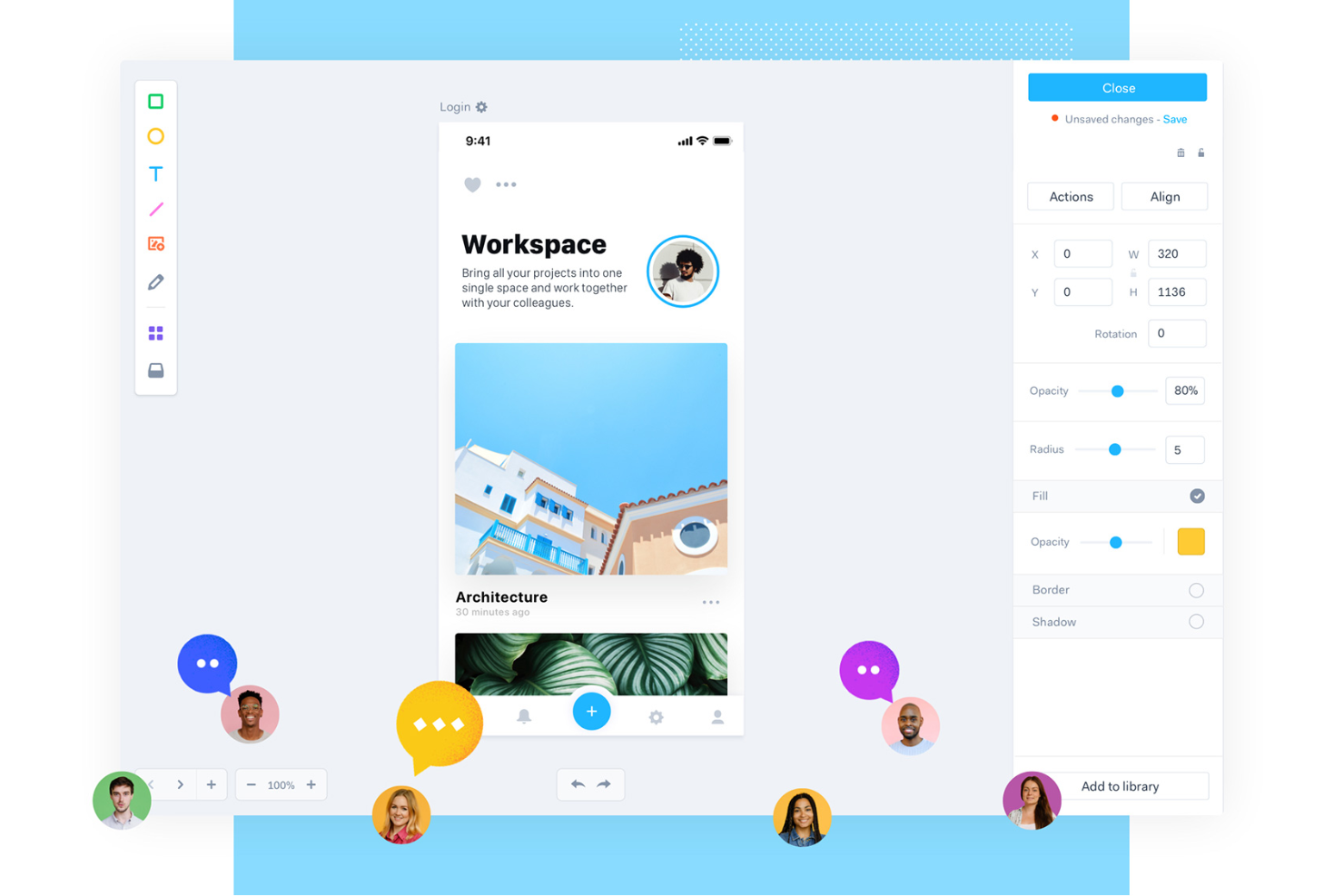
Marvel è nato come un progetto secondario nel 2013 e si è rapidamente imposto nel settore della progettazione di mockup e wireframe. La potente piattaforma collaborativa di Marvel aiuta a ridurre gli attriti dovuti alle molteplici iterazioni con gli stakeholder per ottenere le approvazioni sulle idee di prodotto.
Perché ho scelto Marvel: Secondo me, Marvel è davvero 'maraviglioso' soprattutto per le funzionalità avanzate di collaborazione e handoff. Come product manager, ottenere le approvazioni sulle idee per avviare lo sviluppo richiede tempo ed energie. Con Marvel, puoi favorire una collaborazione efficace tra i vari reparti e ridurre il tempo di go-to-market (GTM) per una nuova funzionalità o prodotto.
Con cartelle condivise e notifiche di attività in tempo reale, tutti gli stakeholder rimangono sempre aggiornati per chiudere i punti aperti e avanzare verso le approvazioni. Inoltre, mantenere librerie di team su Marvel ti aiuta a migliorare la coerenza del brand all'interno della tua azienda.
Funzionalità e integrazioni principali di Marvel
Funzionalità includono un'interfaccia di progettazione drag-and-drop, modifica dei design Sketch, librerie di team, un vasto archivio di immagini e risorse predefinite e strumenti efficaci per l'handoff del design.
Integrazioni includono oltre 5 strumenti come Ballpark, Dropbox Paper, Jira, Sketch, Slack, Userflows e altri.
Pros and Cons
Pros:
- Link ai prototipi facilmente condivisibili
- Interfaccia pulita e semplice
- Ottima integrazione con Slack
Cons:
- Le animazioni non sono molto fluide
- Le risorse potrebbero essere più complete

MockFlow
Miglior strumento di mockup per product manager focalizzati sulle applicazioni mobile
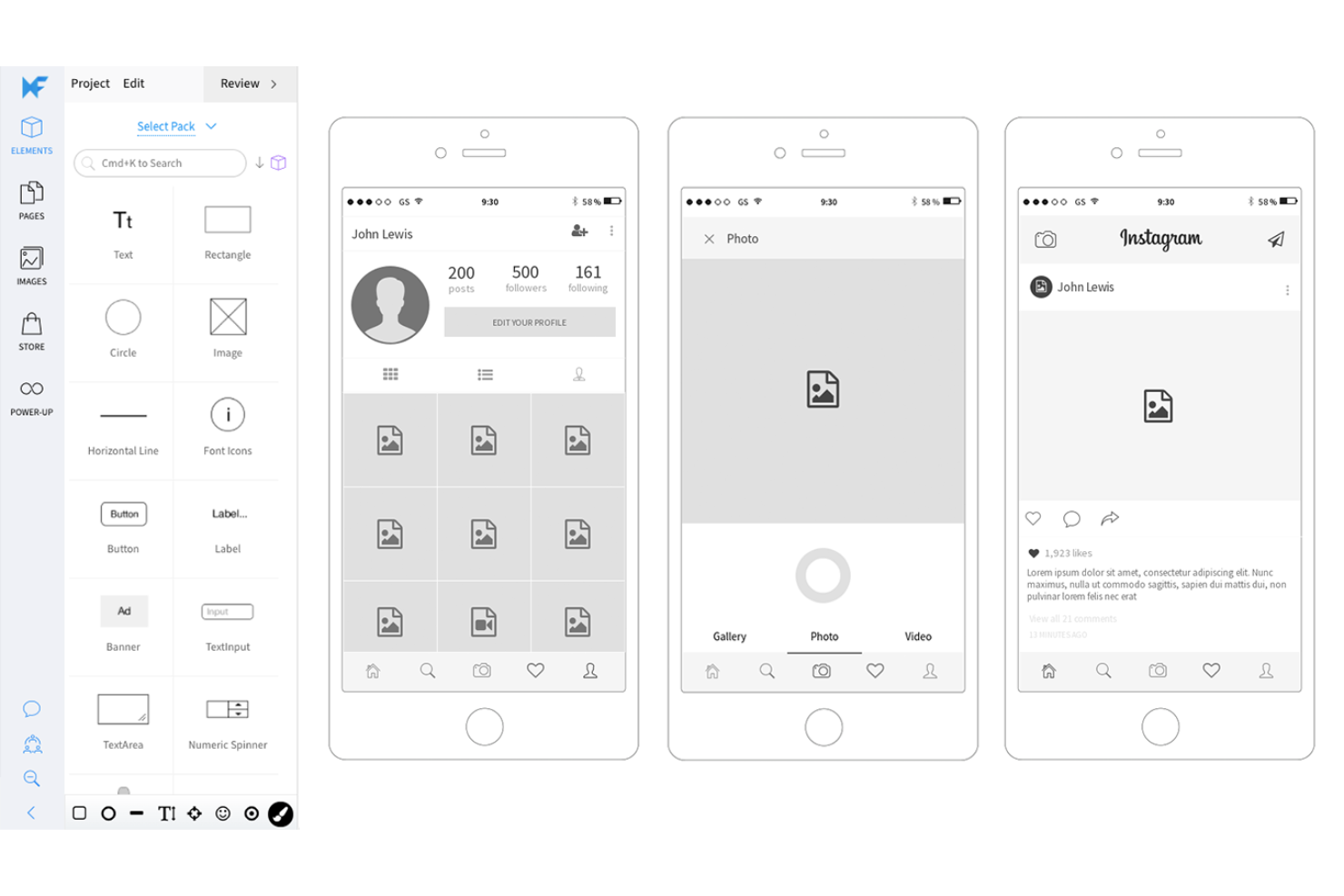
MockFlow aiuta i professionisti di prodotto e sviluppo a raggiungere il flusso di lavoro ideale. MockFlow offre diversi strumenti per wireframe e progettazione di prodotto che ti permettono di definire rapidamente design a bassa fedeltà e processi aziendali.
Se sei un product manager che si occupa del lancio di un'applicazione mobile, MockFlow è il tuo alleato! Con MockFlow puoi disegnare UI per molti dispositivi mobili. Lo strumento mette a disposizione diverse librerie di wireframe UI per progettare rapidamente un wireframe visivamente accattivante a bassa fedeltà.
Perché ho scelto MockFlow: Come product manager, ti capita spesso di essere sommerso da molte idee. Essere in grado di trasformare queste idee in qualcosa di presentabile velocemente è fondamentale. MockFlow offre strumenti preziosi per visualizzare l'interfaccia utente di un'app mobile o di un sito web in modo semplice.
MockFlow supporta anche direttamente CSS, il che aiuta ad aggiungere un ulteriore livello di personalizzazione ai tuoi wireframe e mockup. La funzione di annotazione è molto utile per inserire suggerimenti e spunti.
Funzionalità principali e integrazioni di MockFlow
Funzionalità includono uno storico completo delle modifiche UI, documentazione UX, un creatore di proposte, gestione file, mappa di calore dell'interfaccia, gestione del tempo e feedback video. La funzione lavagna aiuta a presentare efficacemente i design UI durante le riunioni.
Integrazioni includono oltre 10 strumenti tra cui Adobe Photoshop, Azure, Confluence, Google Drive, GSuite, Jira, Microsoft Office, Microsoft Teams, Okta, Slack, Trello e altri.
Pros and Cons
Pros:
- Aggiornamenti frequenti del prodotto
- Facile da imparare
- Numerosi template UI predefiniti
Cons:
- Richiede un plugin Adobe Flash per funzionare
- Difficile da usare per utenti non anglofoni

UXPin
Ideale per generare mockup basati su siti web o applicazioni esistenti
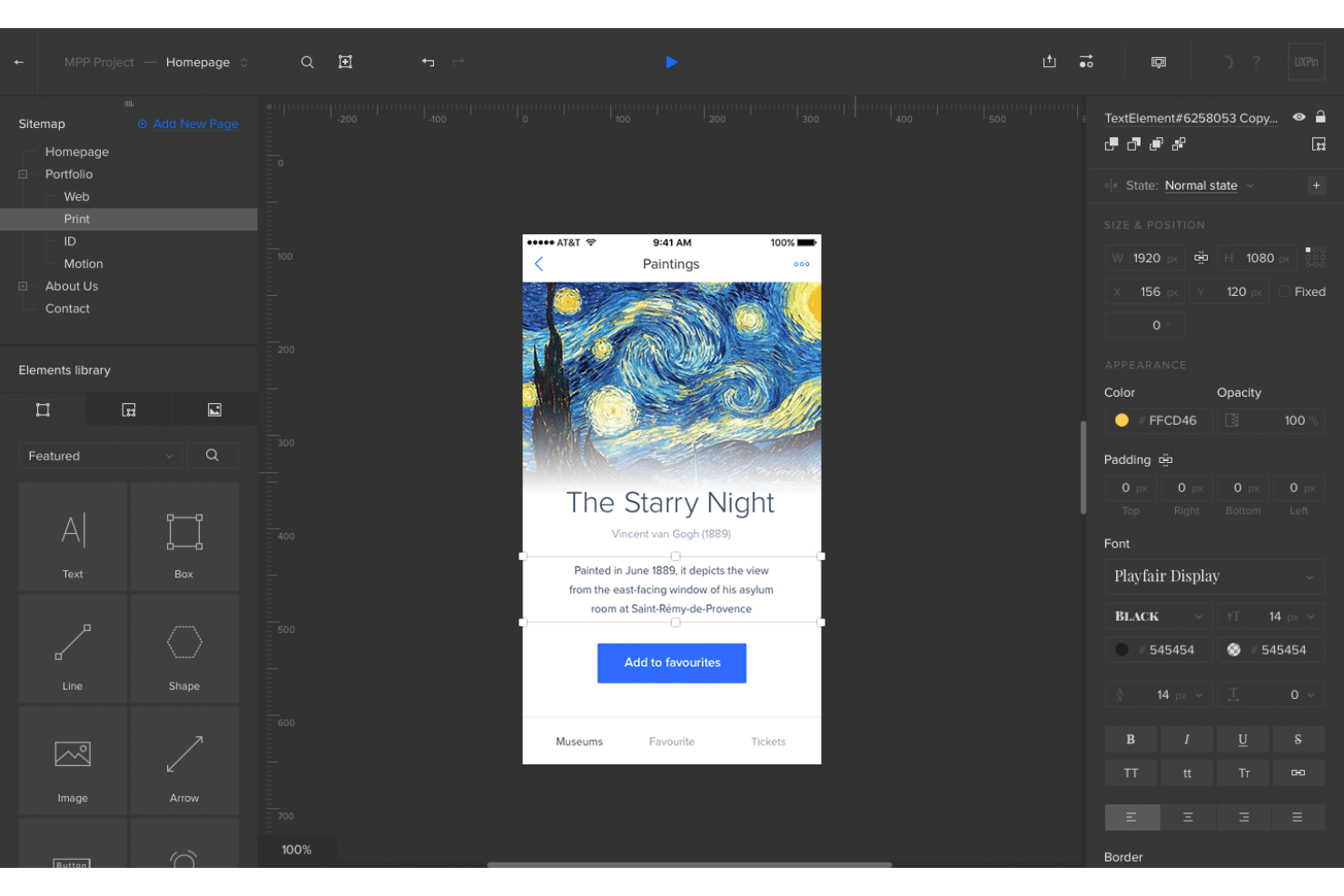
UXPin è presente nell'industria della prototipazione e della creazione di wireframe da oltre un decennio. Fondata nel 2010 in Polonia, l'azienda è stata acquisita da Xenon Partners nel 2020. UXPin offre una tecnologia rivoluzionaria chiamata Merge, che consente di importare e mantenere sincronizzati elementi ReactJS.
UXPin promuove un design guidato dai componenti. Ciò significa che puoi costruire sui tuoi componenti UI esistenti e realizzare mockup di design utilizzando questi stessi elementi.
Perché ho scelto UXPin: Ho incluso UXPin nella mia selezione per l'attenzione che lo strumento dedica alle personalizzazioni del design. Puoi progettare mockup inclusivi in linea con gli standard delle Linee guida per l'accessibilità dei contenuti Web (WCAG). Funzionalità come il simulatore di daltonismo e il controllo del contrasto aiutano a testare i tuoi prototipi. UXPin ti permette di costruire una struttura UI personalizzata concentrandoti sull'uso dei colori, il layout dei contenuti e la tipografia.
Il design guidato dai componenti è una caratteristica importante che ti consente di creare facilmente mockup coerenti con le linee guida di stile del tuo brand. Non devi reinventare la ruota: sfrutta i design esistenti utilizzando lo strumento di prototipazione di UXPin.
Caratteristiche principali e integrazioni di UXPin
Caratteristiche includono percorsi utente, test di usabilità, ricerca sugli utenti, animazione, collaborazione remota e prototipazione basata sulla logica con definizione di variabili e interazioni condizionali. Heat Mapping è una funzione utile che ti permette di visualizzare dove gli utenti cliccano o scorrono e quanto lontano scorrono.
Integrazioni comprendono oltre 10 strumenti, come Asana, Google Sheets, Microsoft Dynamics 365, NPM, Salesforce, Storybook, Zendesk e altri.
Pros and Cons
Pros:
- Prototipi protetti da password
- Caricamento di font personalizzati
- Prototipazione rapida
Cons:
- Numerose email di spam marketing
- Assistenza clienti scarsa

Ideale per progettare mockup di siti web responsive
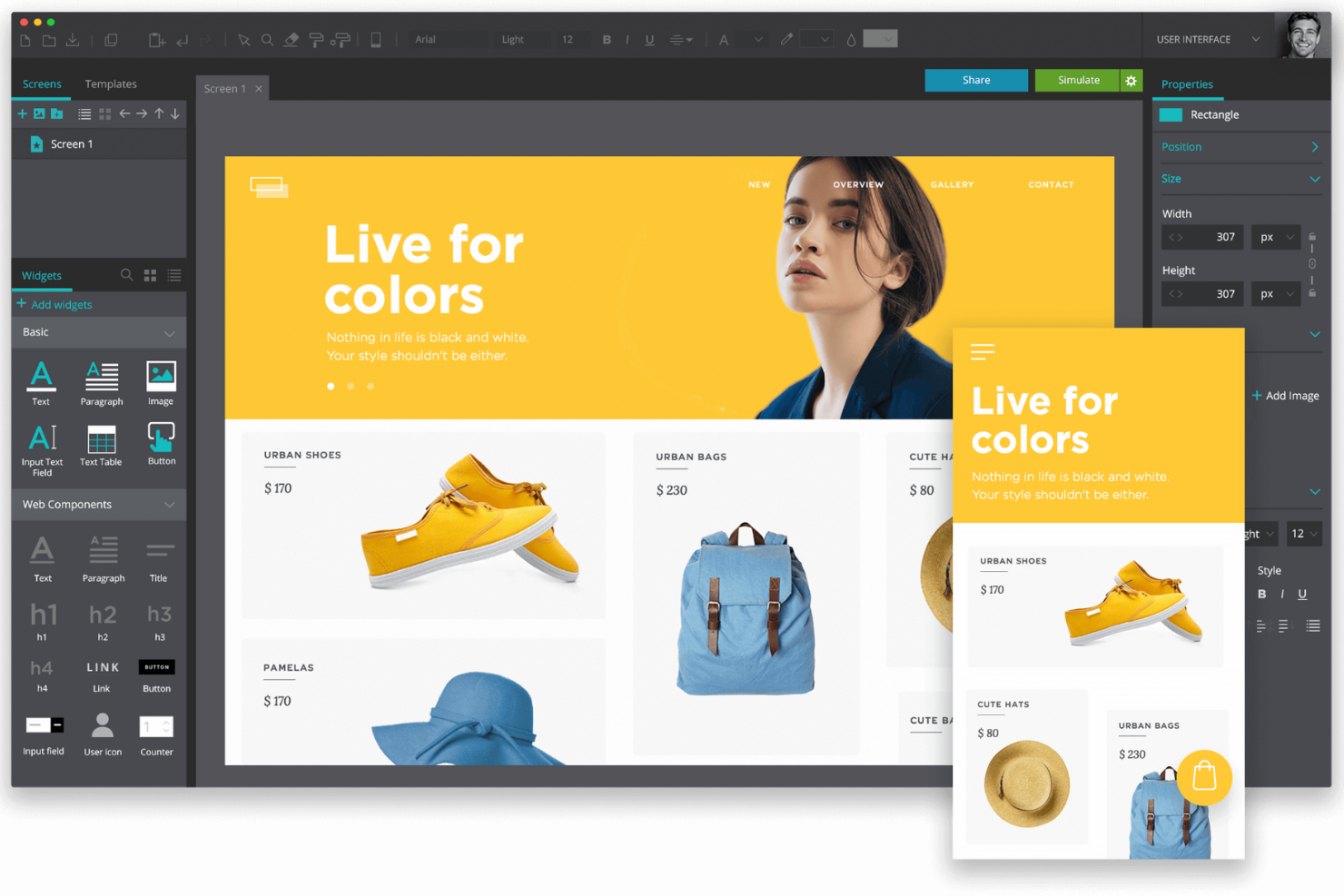
Justinmind è un'azienda di software di prototipazione con sede a San Francisco, California. L'azienda si specializza in simulazioni software e strumenti di wireframe dal 2005.
Justinmind aiuta i product manager a creare in pochi minuti mockup di siti web altamente reattivi. Anche se non conosci i comandi HTML di base, Justinmind ti permette di creare mockup estetici e interattivi.
Perché ho scelto Justinmind: Sono rimasto colpito dai layout fluidi che Justinmind offre. Puoi usare i layout fluidi per creare prototipi interattivi che si adattano dinamicamente a diverse risoluzioni dello schermo. Justinmind ti facilita nei concetti complicati del web design come il fissare elementi in una posizione specifica e il ridimensionamento automatico degli elementi. Se lavori con un'applicazione mobile, Justinmind offre fantastiche transizioni come pop, flip, fade o slide per migliorare il coinvolgimento.
La funzionalità di test è anche piuttosto utile. Usando Justinmind, puoi testare rapidamente un mockup e assicurarti che il flusso sia fluido con il minimo attrito. Lo strumento ti permette di simulare applicazioni e siti web su vari dispositivi. Justinmind ti consente anche di importare diversi formati di file da applicazioni come Photoshop, Illustrator e Sketch per aggiungerli come livelli o immagini ai tuoi mockup.
Sebbene alcune funzionalità responsive tipicamente rientrino nella prototipazione, Justinmind sfuma il confine (in senso positivo) tra mockup e prototipazione - permettendoti di collaborare meglio con i team tecnici.
Caratteristiche principali e integrazioni di Justinmind
Caratteristiche includono oltre 4.000 elementi in una libreria di kit UI, template intelligenti, web design responsive e adattivo, plugin per Adobe e Sketch, gesture mobile, animazioni e variabili basate sui dati. Puoi anche impostare condizioni e regole per una determinata interazione (ad esempio, puoi definire come l’app deve reagire a un passaggio del mouse).
Integrazioni includono oltre 10 strumenti, come Azure, Confluence, Figma, Hotjar, Illustrator, JIRA, Photoshop, Sketch, UserZoom, XD e altri.
Pros and Cons
Pros:
- L’app gratuita è piuttosto completa
- Prototipazione responsive
- App mobile disponibile
Cons:
- Mancanza di tutorial completi
- Blocchi occasionali dell’app

Fluid UI
Miglior strumento di mockup per costruire prototipi con schermate collegate
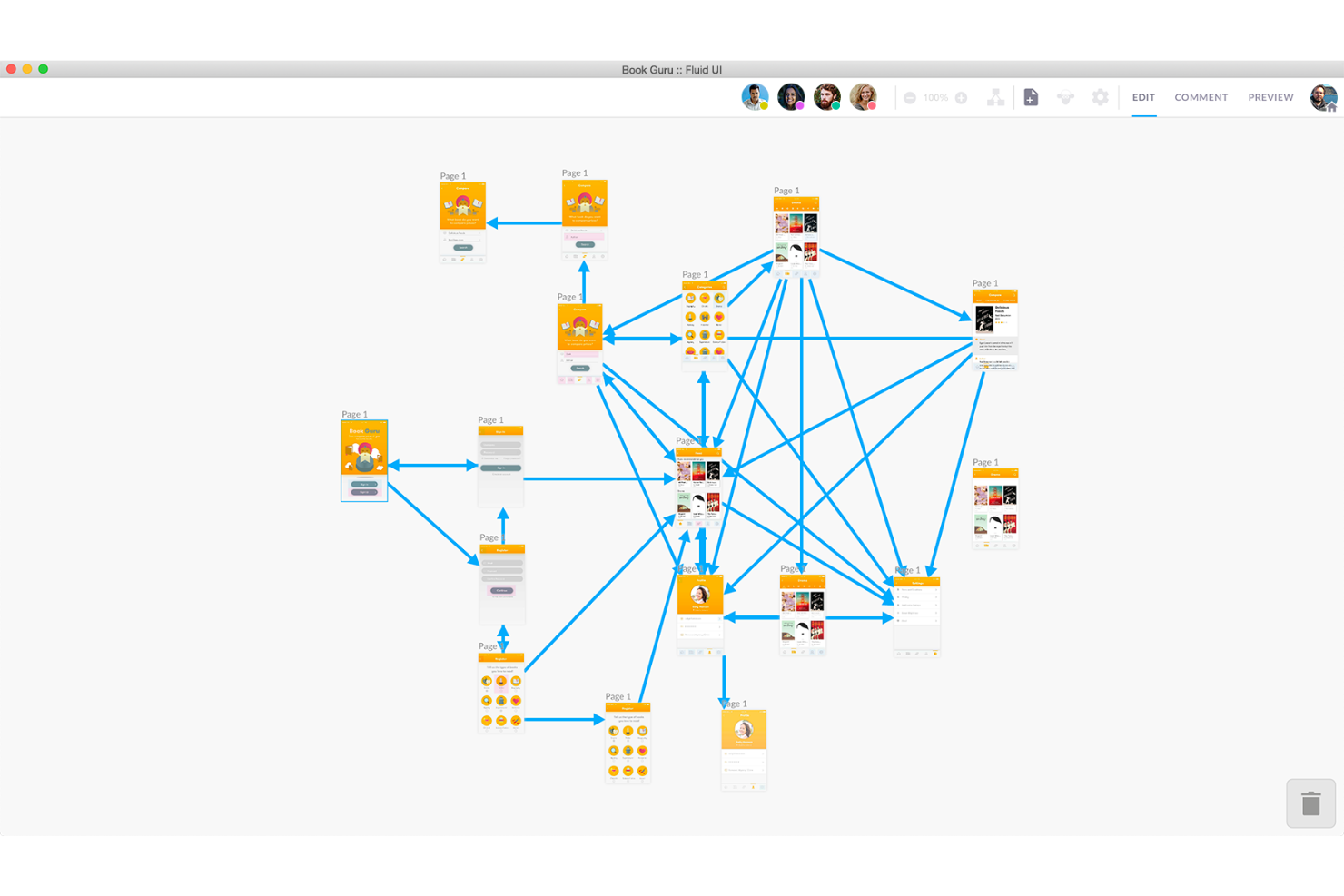
Fluid UI è una piattaforma di progettazione che aiuta i team a pianificare, creare e condividere mockup interattivi. È utilizzata da chi desidera trasformare idee in schermate cliccabili senza la necessità di configurazioni complesse. Lo strumento consente di collegare le schermate tra loro per mostrare il flusso di un'app o di un sito web.
Perché ho scelto Fluid UI: Puoi utilizzare il piano gratuito per creare prototipi che collegano le schermate, rendendo facile mostrare come funzionano i tuoi design. Lo strumento offre l'accesso a librerie pre-costruite, così non devi partire da zero. Permette inoltre di aggiungere semplici interazioni, consentendo al tuo team di eseguire una panoramica del flusso. La condivisione è integrata, così tutti possono vedere e commentare il tuo design.
Caratteristiche principali e integrazioni di Fluid UI
Le funzionalità includono la collaborazione in tempo reale così tu e il tuo team potete lavorare sullo stesso progetto insieme, videochiamate dal vivo direttamente all'interno dello strumento e opzioni di feedback rapido per la revisione dei mockup. Puoi anche organizzare le schermate in pagine per mantenere ordinati i progetti più grandi.
Integrazioni includono Google Drive, Dropbox e Slack.
Pros and Cons
Pros:
- Collaborazione in tempo reale per i team di progettazione
- Videochat integrata durante le revisioni di design
- Basato su cloud, quindi i progetti rimangono sempre aggiornati
Cons:
- I progetti complessi risultano difficili da gestire
- Animazioni avanzate non supportate
Il miglior strumento di mockup per creare diagrammi di flusso e mappe mentali visive
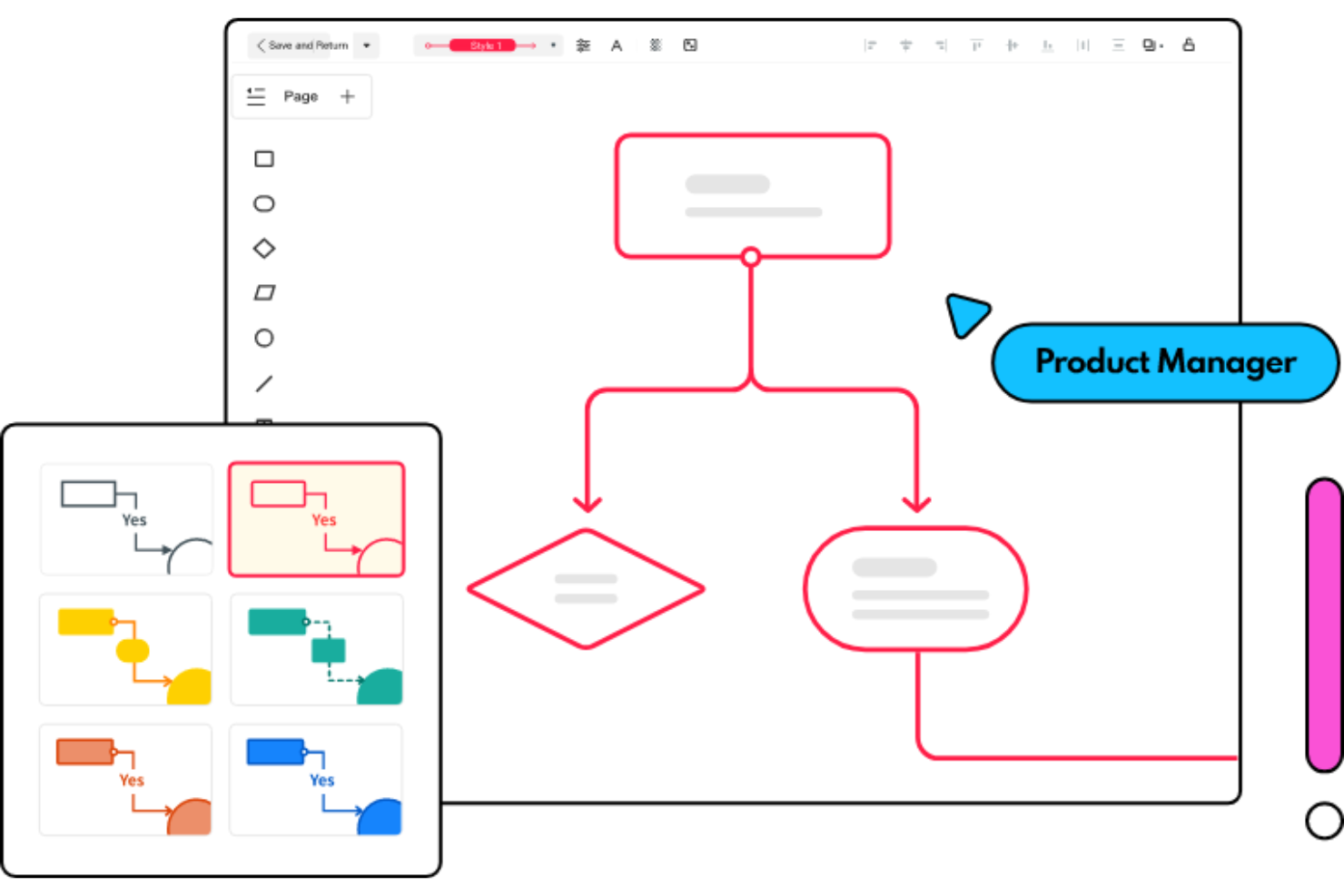
Mockitt di Wondershare è una vera manna per i product manager. Puoi trasformare idee di alto livello in mockup utilizzando i modelli e gli strumenti di Mockitt. Inoltre, per designer e sviluppatori web, Mockitt aiuta a creare prototipi dinamici e funzionali a partire dai mockup realizzati dal product manager.
I product manager devono rappresentare i processi aziendali e le operazioni tramite un diagramma di flusso o una mappa mentale per sessioni di brainstorming o presentazioni ai dirigenti. Mockitt offre numerosi modelli che consentono di iniziare rapidamente.
Perché ho scelto Mockitt: Amo i diagrammi di flusso e il concetto di esprimere i miei pensieri in modo diagrammatico. Mockitt aiuta a creare splendidi diagrammi di flusso e dispone di una pratica funzionalità di collaborazione in tempo reale. Che si tratti di processi aziendali autonomi o di un diagramma di idee usando screenshot o mockup, Mockitt ti permette di articolare chiaramente pensieri e suggerimenti.
La libreria di modelli è ampia, con numerosi punti di partenza per diagrammi di flusso e mappe mentali. Alcuni modelli di diagrammi di flusso popolari includono il diagramma del percorso utente, sistema di gestione dei progetti, diagramma decisionale e processo di correzione dei bug.
Funzionalità e integrazioni principali di Mockitt
Funzionalità includono prototipazione rapida, modelli di diagrammi di flusso, collaborazione in tempo reale, progettazione grafica vettoriale e auto-handoff.
Integrazioni includono Sketch e altri.
Pros and Cons
Pros:
- Controllo delle versioni
- Prototipazione rapida
- Oltre 500 modelli e widget
Cons:
- Nessuna funzione di riempimento gradiente
- Lo strumento contagocce non è disponibile nella versione web

Axure
Miglior strumento di mockup per implementare eventi di interazione e logica condizionale
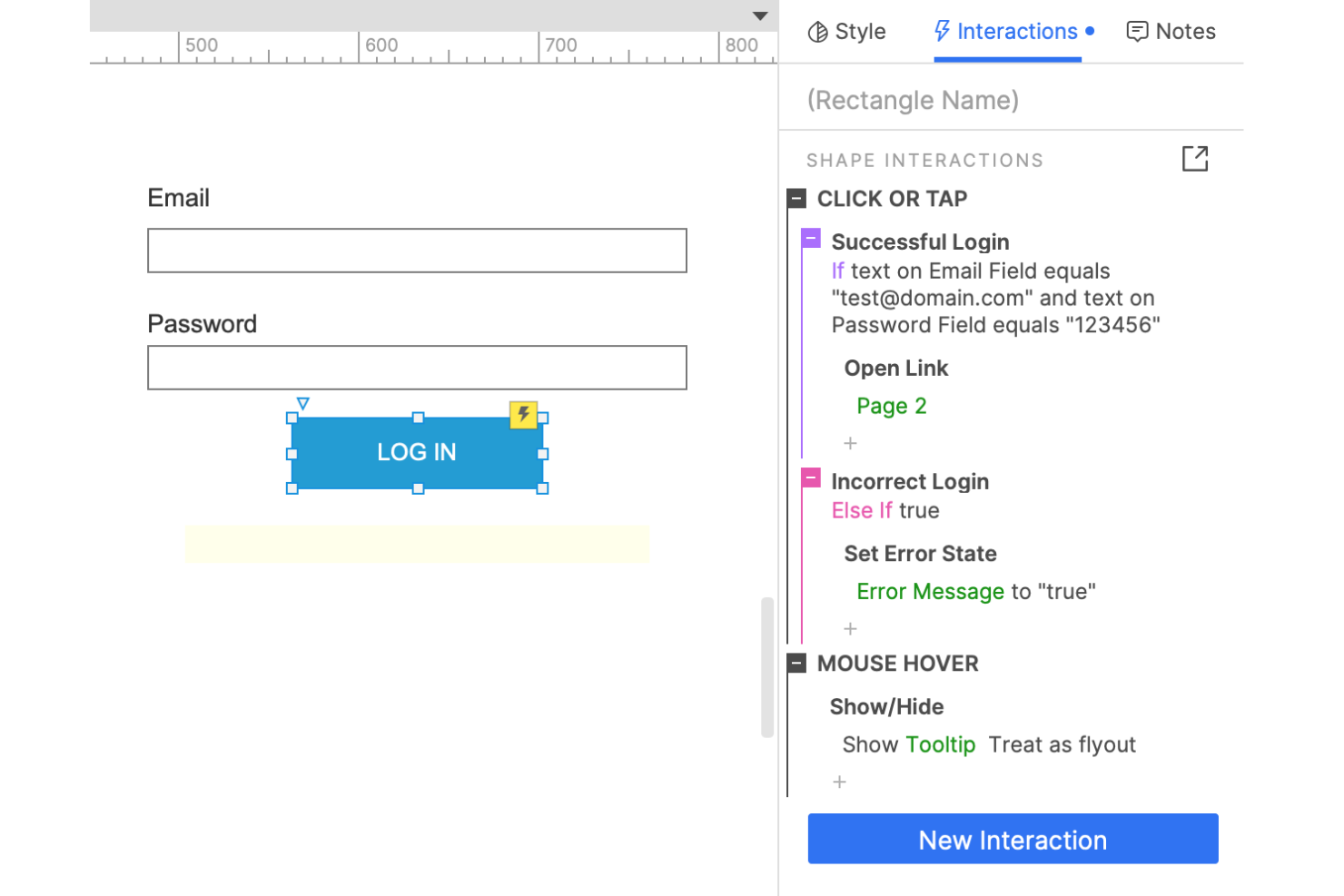
Axure è un potente software di design ricco di funzionalità per mockup web. Come product manager, l'obiettivo ideale è ridurre al minimo il tempo speso a occuparsi degli aspetti tecnici e concentrarsi di più sul valore o sui bisogni dei clienti. Axure ti permette di trasformare rapidamente idee brillanti in mockup unici e interattivi.
Axure fa tutto: diagrammi, wireframe, customer journey e prototipi. Inoltre, il livello di dettaglio nella prototipazione è impressionante. Puoi creare risposte personalizzate agli eventi degli utenti come OnMouseOver o OnClick.
Perché ho scelto Axure: Ho scelto Axure per la straordinaria potenza che questo strumento offre. Con una conoscenza minima di codice, puoi applicare logiche complesse condizionali if-then-else ai tuoi mockup. Inoltre, puoi creare contenuti dinamici per un'esperienza utente finale più coinvolgente.
Come product manager, desideri offrire un certo livello di unicità ai tuoi clienti. Con Axure, puoi facilmente personalizzare i comportamenti dell'interfaccia, ad esempio mostrando un elemento quando l'utente scorre la pagina.
Funzionalità e integrazioni distintive di Axure
Funzionalità includono logica condizionale, eventi di interazione, contenuti dinamici, moduli funzionanti drag-and-drop (elenco a discesa, pulsanti radio, campi di testo, ecc.), visualizzazioni adattive, collaborazione remota, diagrammi di flusso e molto altro.
Integrazioni includono oltre 5 strumenti come Adobe XD, Confluence, Figma, Jira, Microsoft Teams, Sketch, Slack, e altri.
Pros and Cons
Pros:
- Livelli di fedeltà variabili
- Consegna al team di sviluppo
- Prototipazione rapida
Cons:
- Tabelle soggette a bug
- Talvolta richiede conoscenze tecniche avanzate
Altri strumenti per modelli grafici
Ecco alcune opzioni aggiuntive di strumenti per modelli grafici che non sono entrate nella mia selezione, ma che vale comunque la pena prendere in considerazione:
- Moqups
Il miglior strumento di mockup per ricerca UX e mind mapping
- Smartmockups
Il miglior strumento di mockup per packaging e abbigliamento
- Mockuuups Studio
Ideale per generare mockup Android e iOS
- Lucidchart
Miglior strumento di mockup per definire roadmap di prodotto e percorsi d'acquisto dei clienti
- Framer
Il miglior strumento per mockup per creare design interattivi


Come Valuto gli Strumenti per Mockup
Valuto gli strumenti per mockup su due livelli: le capacità di base—come la possibilità per un PM di costruire un flusso cliccabile prima che inizi lo sviluppo—e i fattori che distinguono un buon strumento da quello giusto.
Funzionalità Principali (Requisiti Minimi per Questa Lista)
Quando seleziono gli strumenti per la mia lista, valuto ciascuno su una scala da 0 (non offre la funzionalità) a 5 (eccelle in quest'area) per ogni funzionalità principale elencata qui sotto. Poi, calcolo il punteggio totale dello strumento come percentuale. Ogni strumento deve raggiungere un punteggio totale minimo del 65% per essere preso in considerazione.
- Editor Visivo Drag-and-Drop: Valuto quanto sia fluido e preciso il posizionamento degli elementi—cose come snap-to-grid, guide di allineamento automatico e gestione dei livelli quando si costruiscono i layout delle schermate.
- Libreria di Componenti UI Pronta all'Uso: Una buona libreria dovrebbe coprire i pattern comuni di web e mobile (bottoni, modali, barre di navigazione, campi modulo) così i PM possono assemblare schermate senza doverle progettare da zero.
- Prototipazione Interattiva: Controllo se è possibile collegare schermate, definire aree cliccabili e aggiungere transizioni per simulare un flusso utente realistico, pronto da mostrare agli stakeholder.
- Supporto Multi-Fidelity: Lo strumento dovrebbe permettere di partire da un wireframe grezzo durante la fase di scoperta e trasformarlo in un mockup rifinito man mano che il concept si evolve—senza cambiare piattaforma.
- Collaborazione in Tempo Reale: Guardo se più membri del team possono co-modificare, lasciare commenti contestuali e taggare i colleghi direttamente su elementi specifici durante i cicli di revisione.
- Opzioni di Esportazione e Condivisione: Valuto i formati di output disponibili (PNG, PDF, SVG) e se è possibile generare link condivisibili con controlli sui permessi per revisioni asincrone degli stakeholder.
Una volta che ho una lista di strumenti che rispettano questi criteri, considero cosa distingue ciascuna piattaforma.
Fattori di Differenziazione (Cosa Distingue i Fornitori)
Ecco come confronto e metto a confronto i diversi fornitori:
Funzionalità di Spicco
La consegna agli sviluppatori è molto importante per me—controllo se uno strumento offre la modalità ispezione e frammenti di codice così gli ingegneri possono ottenere le specifiche senza continue interazioni. Il supporto ai design system è un altro elemento distintivo, specialmente per i team che gestiscono più prodotti, dove le librerie di componenti condivise mantengono la coerenza delle schermate. Valuto anche la cronologia delle versioni e i branch, perché i PM spesso iterano dopo diversi cicli di feedback e devono poter confrontare o annullare senza perdere il lavoro svolto.
Oltre le Funzionalità
Valuto quanto bene uno strumento si integra con il resto dello stack di prodotto — integrazioni native con Jira, Linear o Asana fanno davvero la differenza quando i PM devono collegare direttamente i mockup agli item del backlog. Anche la curva di apprendimento è importante; uno strumento che permette a un product owner di disegnare una schermata già dalla prima sessione offre valore più rapidamente rispetto a uno che richiede una formazione da designer. I modelli di prezzo meritano attenzione, in particolare su come i fornitori gestiscono le licenze editor vs. viewer, visto che spesso i PM condividono i mockup con stakeholder che devono solo revisionare e commentare.
Come scegliere gli strumenti per modelli grafici
È facile perdersi in lunghi elenchi di funzionalità e strutture di prezzo complesse. Per aiutarti a rimanere concentrato mentre affronti il tuo esclusivo processo di selezione del software, ecco una lista di fattori da tenere a mente:
| Fattore | Cosa considerare |
|---|---|
| Scalabilità | Valuta se lo strumento può crescere insieme al tuo team. Sarà in grado di gestire un numero maggiore di utenti o progetti più grandi con l’espansione della tua azienda? Verifica se esistono limitazioni sulle dimensioni dei progetti o sul numero di utenti. |
| Integrazioni | Valuta quanto bene lo strumento si collega al tuo ecosistema software esistente. Si integra con piattaforme come Slack, Jira o Google Drive per semplificare i flussi di lavoro? |
| Personalizzazione | Verifica se lo strumento ti consente di adattare le funzionalità alle tue esigenze. Puoi personalizzare modelli o flussi di lavoro in modo che corrispondano ai processi specifici del tuo team? |
| Facilità d’uso | Cerca uno strumento con un’interfaccia semplice che il tuo team possa imparare rapidamente. Evita gli strumenti che richiedono una formazione approfondita o competenze tecniche per le attività quotidiane. |
| Implementazione e avvio | Esamina il processo di configurazione e il supporto disponibile. Sono presenti risorse come tutorial o team di supporto per aiutare il tuo team a iniziare senza interruzioni? |
| Costo | Confronta i modelli di prezzo e assicurati che rientrino nel tuo budget. Sono previsti costi nascosti o costi aggiuntivi per determinate funzionalità? Valuta se la fatturazione annuale offre un risparmio. |
| Misure di sicurezza | Verifica se lo strumento soddisfa i tuoi standard di sicurezza. Offre funzionalità come la crittografia dei dati e aggiornamenti di sicurezza regolari per proteggere le tue informazioni? |
| Disponibilità del supporto | Determina il livello di supporto fornito. È disponibile un servizio clienti 24 ore su 24, 7 giorni su 7? Puoi contattarlo attraverso più canali, come chat o telefono? |
Cosa sono gli strumenti per modelli grafici?
Gli strumenti per mockup sono applicazioni che consentono di creare rapidamente modelli visivi di un prodotto o di una pagina web prima che vengano realizzati. Designer, sviluppatori e clienti li utilizzano per visualizzare i layout, testare le idee e ricevere feedback in anticipo, invece di dover immaginare l'aspetto finale a partire da uno schizzo. Grazie alle semplici funzionalità di trascinamento e rilascio e agli spazi di lavoro condivisi, è possibile modificare i progetti insieme, evitando sorprese e problemi a tutti una volta iniziato lo sviluppo reale.
Funzionalità
Quando selezioni gli strumenti per mockup, presta attenzione alle seguenti funzionalità chiave:
- Creazione di wireframe: consente di creare layout e strutture di base per i tuoi progetti, aiutandoti a visualizzare l'interfaccia utente nelle prime fasi del processo di progettazione.
- Prototipazione: consente di creare modelli interattivi dei tuoi progetti, utili per testare i flussi utente e raccogliere feedback prima dello sviluppo.
- Collaborazione: offre strumenti per il lavoro di squadra in tempo reale, consentendo a più utenti di lavorare contemporaneamente a un progetto e condividere immediatamente i feedback.
- Gestione del sistema di progettazione: aiuta a mantenere la coerenza tra i progetti gestendo componenti riutilizzabili e guide di stile.
- Strumenti di animazione: offrono la possibilità di aggiungere transizioni e animazioni ai prototipi, rendendoli più realistici e coinvolgenti.
- Test con gli utenti: consente di raccogliere feedback diretto dagli utenti all'interno della piattaforma, aiutando a perfezionare i progetti sulla base delle interazioni effettive degli utenti.
- Passaggio dalla progettazione allo sviluppo: colma il divario tra progettazione e sviluppo generando specifiche per il codice e garantendo una transizione più fluida alla fase di realizzazione.
- Verificatore dell'accessibilità: garantisce che i progetti soddisfino gli standard di accessibilità del settore, rendendo il prodotto utilizzabile da un pubblico più ampio.
- Accesso offline: consente di lavorare ai progetti senza una connessione Internet, garantendo la produttività anche in situazioni di connettività limitata.
- Integrazione dei dati in tempo reale: utilizza dati reali per creare prototipi dinamici, offrendo una rappresentazione più realistica del prodotto finale.
Vantaggi
L'implementazione di strumenti per mockup offre diversi vantaggi al tuo team e alla tua azienda. Ecco alcuni dei benefici che puoi aspettarti:
- Collaborazione migliorata: le funzionalità di collaborazione in tempo reale consentono ai membri del team di lavorare insieme in modo efficiente, riducendo i problemi di comunicazione e migliorando il lavoro di squadra.
- Iterazione più rapida: le funzionalità di prototipazione e test con gli utenti consentono di raccogliere rapidamente feedback e apportare revisioni, accelerando il processo di progettazione e migliorando il prodotto finale.
- Progettazione coerente: la gestione del sistema di progettazione aiuta a mantenere l'uniformità tra i progetti, garantendo il rispetto costante delle linee guida del marchio e di progettazione.
- Creatività potenziata: funzionalità come gli strumenti di animazione e l'integrazione dei dati in tempo reale consentono di creare progetti più creativi e realistici, rendendo i prototipi più coinvolgenti.
- Risparmio sui costi: identificando tempestivamente i problemi di progettazione tramite la creazione di wireframe e la prototipazione, puoi evitare errori costosi e rilavorazioni durante la fase di sviluppo.
- Maggiore accessibilità: i verificatori dell'accessibilità garantiscono che i progetti soddisfino gli standard, ampliando il pubblico e rendendo il prodotto più inclusivo.
- Passaggio più efficiente: gli strumenti per il passaggio dalla progettazione allo sviluppo forniscono specifiche chiare agli sviluppatori, facilitando una transizione più fluida dalla progettazione allo sviluppo.
Costi e prezzi
La selezione degli strumenti per mockup richiede la comprensione dei vari modelli di prezzo e dei piani disponibili. I costi variano in base alle funzionalità, alle dimensioni del team, agli extra e ad altri fattori. La tabella seguente riassume i piani più comuni, i relativi prezzi medi e le funzionalità tipicamente incluse nelle soluzioni per strumenti di mockup:
Tabella comparativa dei piani per gli strumenti di mockup
| Tipo di piano | Prezzo medio | Funzionalità comuni |
|---|---|---|
| Piano gratuito | $0 | Creazione di wireframe di base, prototipazione limitata e collaborazione di base. |
| Piano personale | $5-$15/user/month | Prototipazione avanzata, accesso ai modelli e integrazioni di base. |
| Piano aziendale | $20-$50/user/month | Collaborazione in tempo reale, gestione del sistema di progettazione e funzionalità di sicurezza avanzate. |
| Piano aziendale avanzato | $60-$100/user/month | Flussi di lavoro personalizzabili, assistenza dedicata per l'account, analisi avanzate e funzionalità complete di integrazione. |
Domande frequenti sugli strumenti per mockup
Ecco alcune risposte alle domande comuni sugli strumenti per mockup:
In che modo gli strumenti per mockup si inseriscono nel processo di progettazione complessivo?
Gli strumenti per mockup vengono solitamente utilizzati dopo gli schizzi iniziali e prima dello sviluppo completo. Aiutano a visualizzare i layout e a perfezionare l’interfaccia utente prima di iniziare a scrivere il codice. Usarli nelle fasi iniziali può aiutarti a individuare i problemi di progettazione quando è ancora facile apportare modifiche.
Gli strumenti per mockup possono sostituire la programmazione nelle prime fasi della progettazione?
Sì, gli strumenti per mockup permettono di mostrare idee visive senza dover scrivere codice. Sono ideali per comunicare le scelte relative a layout, colori e stile prima dell’inizio dello sviluppo. In questo modo puoi concentrarti sulla chiarezza del design senza preoccuparti ancora degli aspetti tecnici.
Quanto sono fedeli i mockup rispetto ai design finali?
I mockup offrono una rappresentazione molto simile all’aspetto che avrà il prodotto finale. Tuttavia, possono comunque emergere piccole differenze quando vengono aggiunti dati e funzionalità reali. Considerali una guida per comunicare l’intento, non una versione finale perfetta al pixel.
Quando è necessario aggiornare o rivedere i mockup durante un progetto?
Dovresti rivedere i mockup ogni volta che cambiano l’ambito del progetto, il branding o il feedback degli utenti. Mantenerli aggiornati garantisce che tutti siano sulla stessa lunghezza d’onda. Gli aggiornamenti regolari prevengono la confusione e rendono molto più fluido il passaggio allo sviluppo.
Cosa succede ora:
Se stai cercando strumenti per mockup, contatta gratuitamente un consulente SoftwareSelect per ricevere consigli personalizzati.
Compili un modulo e fai una breve conversazione durante la quale il consulente approfondisce le tue esigenze specifiche. Poi riceverai una selezione ristretta di software da valutare. Ti supporterà anche durante l'intero processo di acquisto, comprese le negoziazioni sul prezzo.