
Wondershare Mockitt Review: Pros, Cons, Features, and Pricing
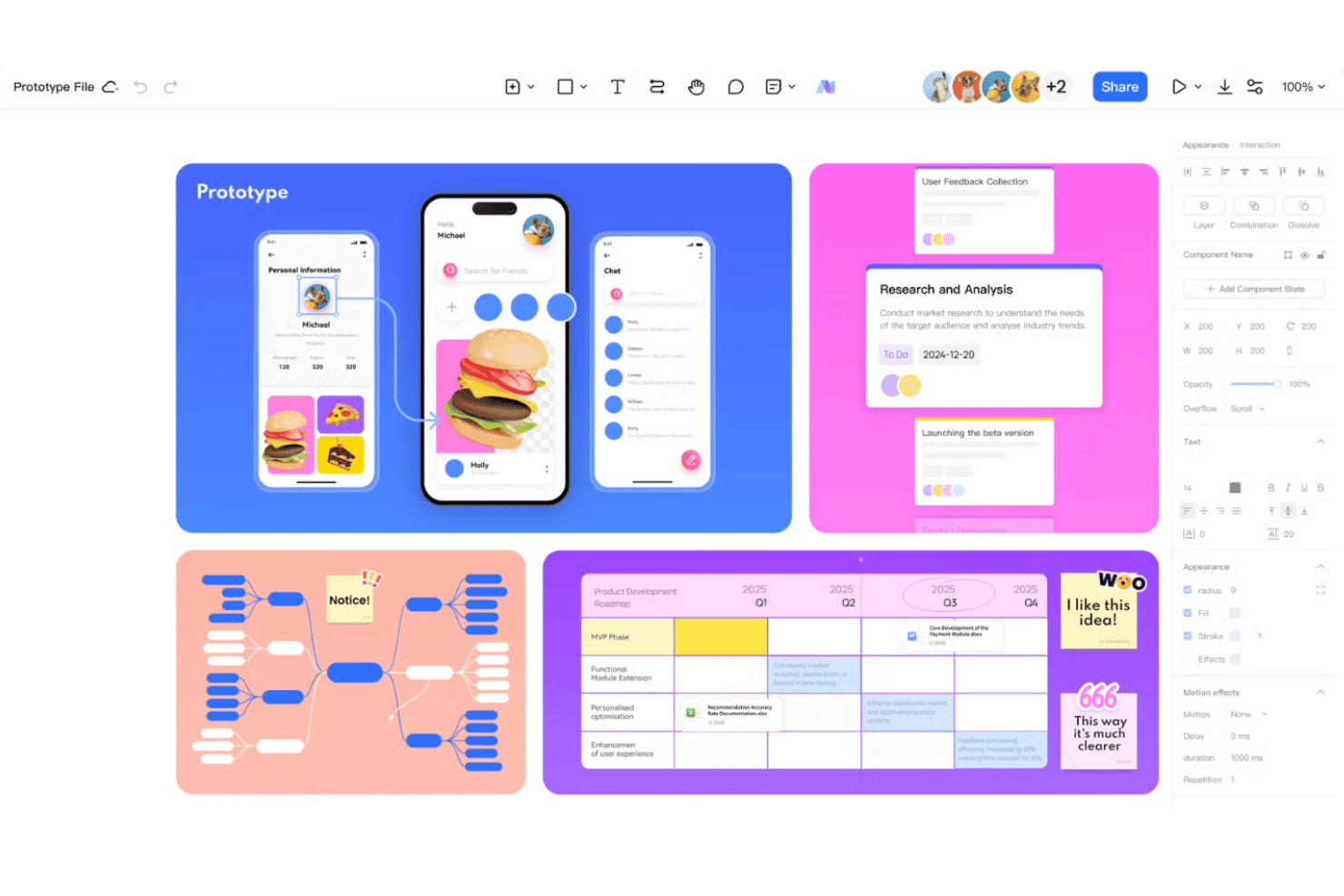
Wondershare Mockitt brings UX design and prototyping into one platform, from wireframing and collaboration to interactive prototypes, design systems, and user flow creation.

We review tools independently, and commissions help fund our testing. See our transparency policy, our methodology, or suggest a tool.
Wondershare Mockitt is web design software for designers and product teams who need to create interactive prototypes and wireframes quickly—without getting bogged down in complex workflows. I’d look at Mockitt if you want something more intuitive than Figma, especially for rapid prototyping and simple collaboration without a steep learning curve.
Wondershare Mockitt Evaluation Summary
4.5/5
- From $6/user/month (billed annually)
- Free plan available
Why Trust Our Software Recommendations
6,700+
Reviews
20
Industry experts
16+
Evaluation factors
14
Years
Our team has been testing and reviewing software since 2012. As product managers ourselves, we know how difficult—and important—it is to choose the right software.
For this guide, we evaluated tools using hands-on testing and independent research, scoring tools using our selection criteria.
Our reviews reflect our human editorial judgment, not a sales pitch.
Expert reviewers:
- Andrew LumbySenior TPM
- Cristiano ValimSenior UI/UX Lead


Wondershare Mockitt Overview
When judging Wondershare Mockitt as a UX design tool, its clean interface and fast onboarding make prototyping easy for new users. Its pricing is accessible, and real-time collaboration suits small teams. However, advanced users may find its integrations and design system features limited.
For quick wireframes, interactive prototypes, and simple team projects, Mockitt is a strong choice, especially for startups and educators seeking speed and simplicity.
Pros
- You can easily create interactive prototypes with its intuitive interface.
- Teams love the real-time collaboration tools for seamless project sharing.
- It offers a vast library of templates to jumpstart your design projects.
Cons
- Some users find the advanced features lacking compared to competitors.
- It can be less effective for very large projects due to performance issues.
- The offline functionality is limited, requiring a stable internet connection.
Is Wondershare Mockitt Right For Your Needs?
Who Would be a Good Fit for Wondershare Mockitt?
Wondershare Mockitt is perfect for small to medium-sized tech startups and creative agencies that need efficient collaboration and quick prototyping. Your team will benefit from its intuitive interface and real-time collaboration tools, which make it easy to share ideas and iterate designs.
It’s particularly suited for teams that value speed and simplicity in creating interactive prototypes without a steep learning curve.
- Tech StartupsYour startup can leverage Mockitt’s quick prototyping to accelerate product development cycles.
- Creative AgenciesAgencies benefit from Mockitt’s vast template library, which helps jumpstart your design projects.
- Freelance DesignersFreelancers love Mockitt for its user-friendly interface that simplifies client presentations.
- Product TeamsMockitt helps your product team with real-time collaboration, streamlining feedback and revisions.
- EducationMockitt is great for educational institutions teaching design, thanks to its easy-to-learn platform.
- Non-ProfitsNon-profits can use Mockitt to create engaging presentations and prototypes without extensive resources.
Who Would be a Bad Fit for Wondershare Mockitt?
Large enterprises with complex design needs might find Wondershare Mockitt lacking due to its limited advanced features and performance issues with large projects. If your team relies heavily on offline functionality or requires extensive integrations with other software, Mockitt might not meet those needs effectively. It’s less suited for industries that demand high-end customization and scalability in their design tools.
- Enterprise CorporationsYour corporation might struggle with Mockitt’s limitations on handling large-scale projects efficiently.
- Advanced UX TeamsTeams needing advanced features for complex designs might find Mockitt’s offerings too basic.
- Offline-Dependent TeamsIf your team works offline frequently, you’ll find Mockitt’s limited offline functionality a hindrance.
- Highly Regulated IndustriesIndustries needing strict data security might find Mockitt’s cloud reliance a concern.
- Custom Software DevelopersDevelopers requiring extensive customization and integration options might feel restricted by Mockitt.
- Heavy Data UsersTeams that handle large volumes of data in design projects might experience performance issues with Mockitt.
How We Test & Score Tools
We’ve spent years building, refining, and improving our software testing and scoring system. The rubric is designed to capture the nuances of software selection and what makes a tool effective, focusing on critical aspects of the decision-making process.
Below, you can see exactly how our testing and scoring works across seven criteria. It allows us to provide an unbiased evaluation of the software based on core functionality, standout features, ease of use, onboarding, customer support, integrations, customer reviews, and value for money.
Core Functionality (25% of final scoring)
The starting point of our evaluation is always the core functionality of the tool. Does it have the basic features and functions that a user would expect to see? Are any of those core features locked to higher-tiered pricing plans? At its core, we expect a tool to stand up against the baseline capabilities of its competitors.
Standout Features (25% of final scoring)
Next, we evaluate uncommon standout features that go above and beyond the core functionality typically found in tools of its kind. A high score reflects specialized or unique features that make the product faster, more efficient, or offer additional value to the user.
We also evaluate how easy it is to integrate with other tools typically found in the tech stack to expand the functionality and utility of the software. Tools offering plentiful native integrations, 3rd party connections, and API access to build custom integrations score best.
Ease of Use (10% of final scoring)
We consider how quick and easy it is to execute the tasks defined in the core functionality using the tool. High scoring software is well designed, intuitive to use, offers mobile apps, provides templates, and makes relatively complex tasks seem simple.
Onboarding (10% of final scoring)
We know how important rapid team adoption is for a new platform, so we evaluate how easy it is to learn and use a tool with minimal training. We evaluate how quickly a team member can get set up and start using the tool with no experience. High scoring solutions indicate little or no support is required.
Customer Support (10% of final scoring)
We review how quick and easy it is to get unstuck and find help by phone, live chat, or knowledge base. Tools and companies that provide real-time support score best, while chatbots score worst.
Customer Reviews (10% of final scoring)
Beyond our own testing and evaluation, we consider the net promoter score from current and past customers. We review their likelihood, given the option, to choose the tool again for the core functionality. A high scoring software reflects a high net promoter score from current or past customers.
Value for Money (10% of final scoring)
Lastly, in consideration of all the other criteria, we review the average price of entry level plans against the core features and consider the value of the other evaluation criteria. Software that delivers more, for less, will score higher.
Core Features
Interactive Prototyping
Create dynamic, clickable prototypes that mimic real user interactions. This feature helps you visualize your designs and test user flows seamlessly.
Wireframing Tools
Use Mockitt's intuitive wireframing tools to sketch out your ideas quickly. It provides you with easy-to-use shapes and elements to set up your design structure.
Template Library
Access a wide range of templates that speed up your design process. These ready-to-use templates help you start your projects without building from scratch.
Collaboration Tools
Work with your team in real-time, sharing feedback and making edits together. This feature ensures everyone stays on the same page throughout the design process.
Design Components
Use reusable design components to maintain consistency across your projects. This saves time and ensures uniformity in your design elements.
AI Design Tools
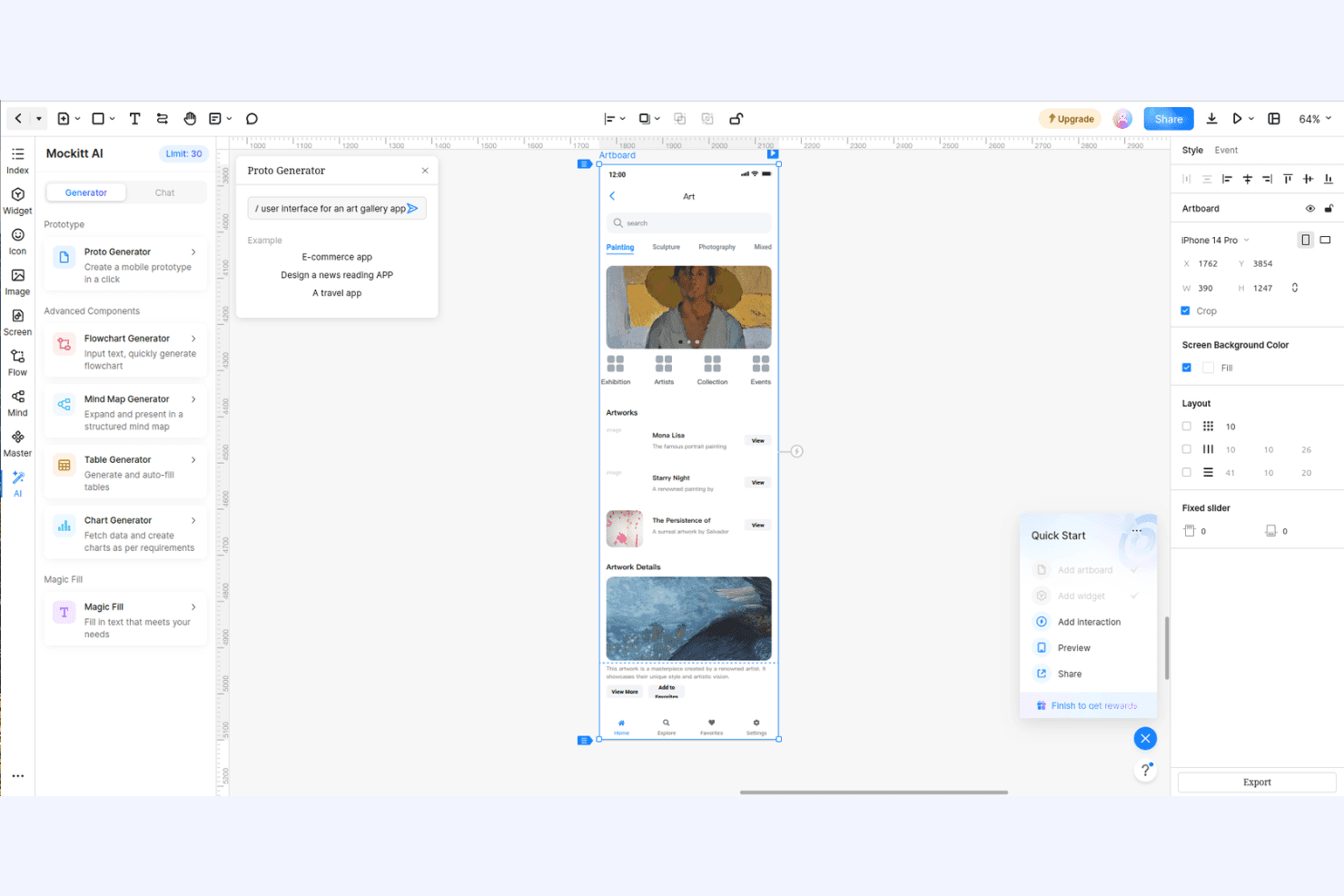
AI-powered features help generate layouts and design suggestions. These tools speed up ideation and reduce manual work for common UI patterns.
Standout Features
AI-Powered Flowchart Generator
This tool automatically creates flowcharts from text prompts or user stories. It helps teams visualize user journeys and logic flows without manual diagramming.
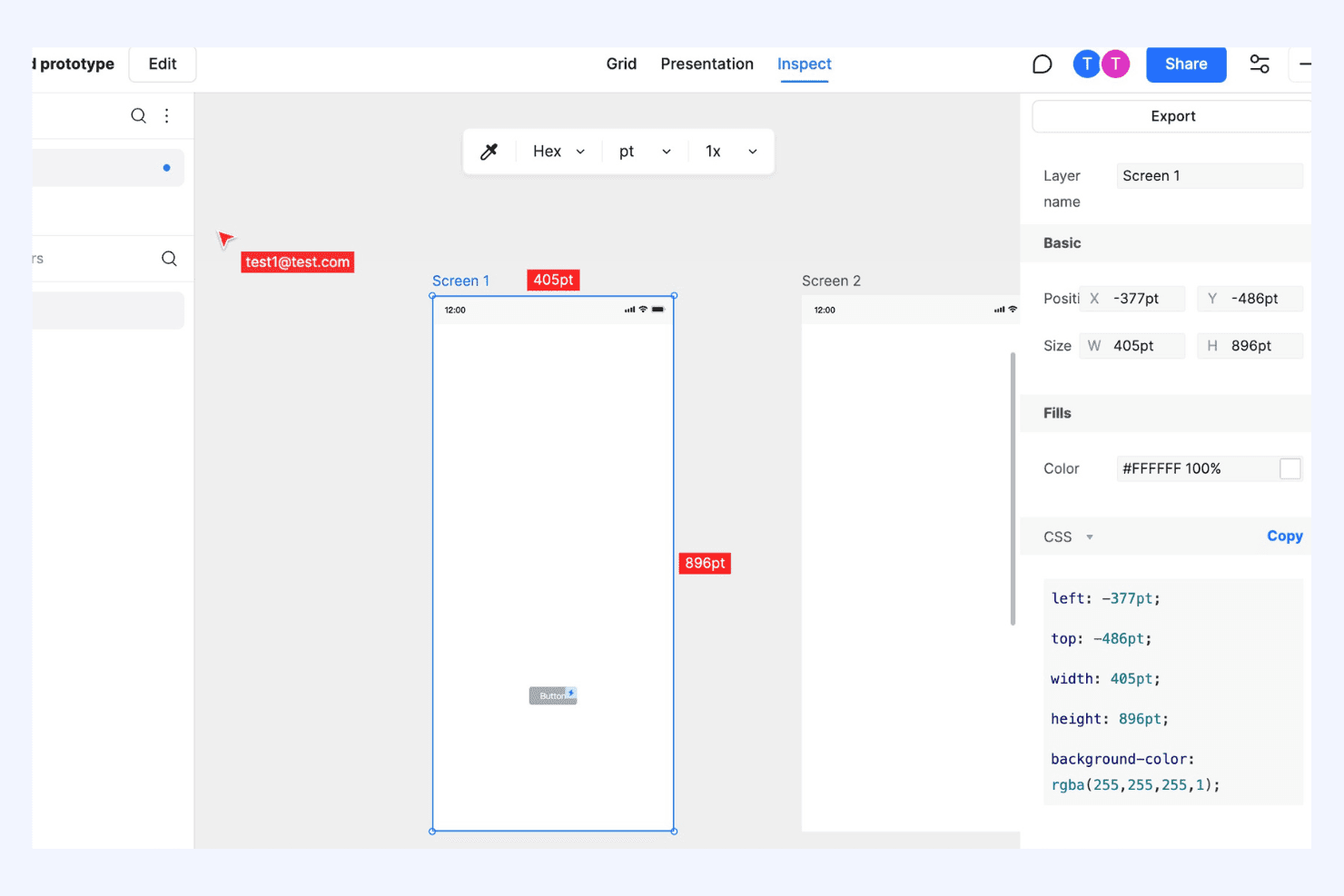
Handoff Mode for Developers
Mockitt provides a dedicated handoff mode that generates specs, assets, and CSS code for developers. This streamlines the transition from design to development and reduces miscommunication.
Ease of Use
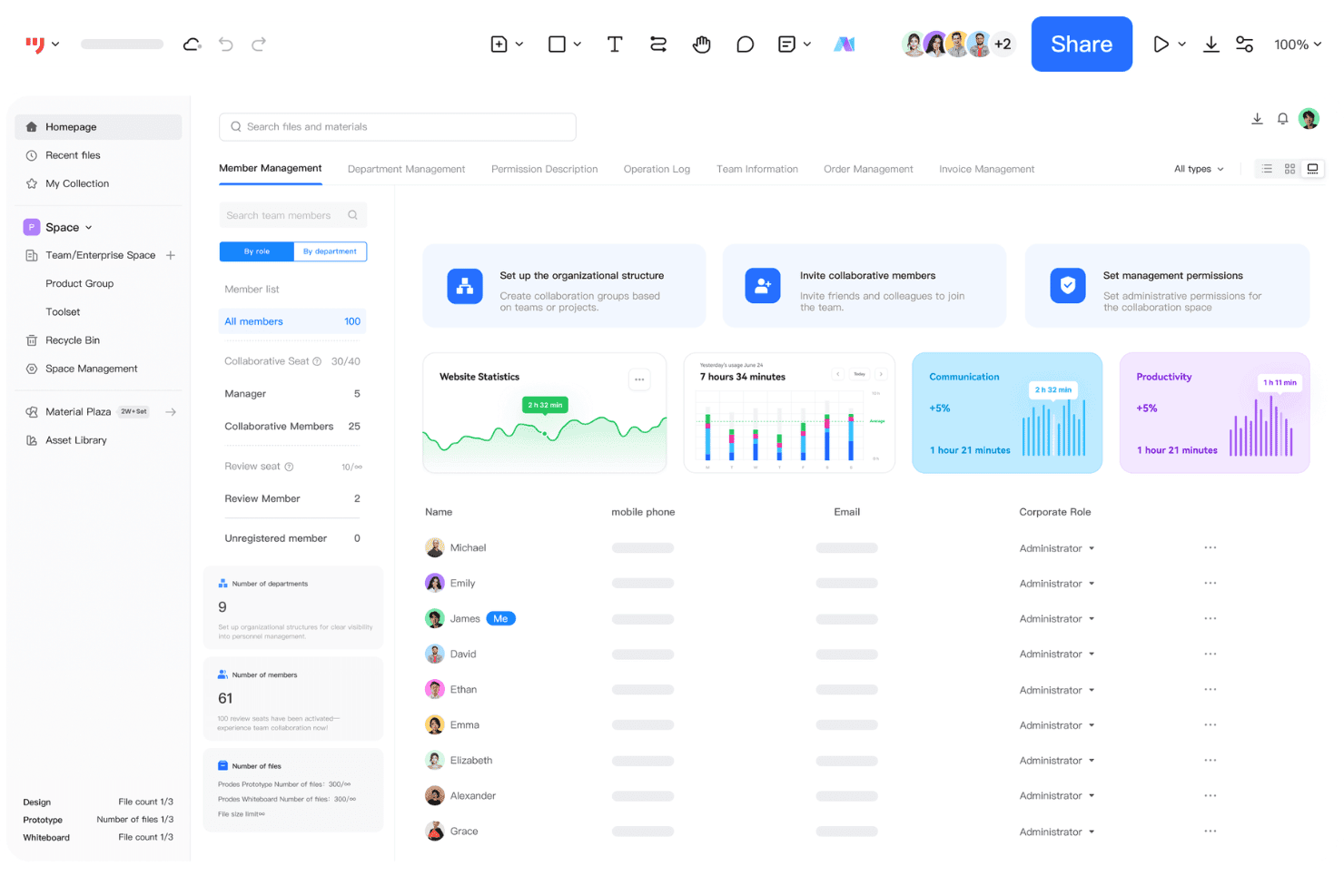
Wondershare Mockitt is widely recognized for its clean interface and straightforward navigation, making it approachable for both beginners and non-designers. Users often highlight how quickly they can create interactive prototypes without extensive onboarding or training.
The drag-and-drop editor, built-in templates, and real-time collaboration features reduce friction in the design process. While advanced designers may want more customization, most users find Mockitt’s usability a strong advantage for fast, collaborative prototyping.
Onboarding
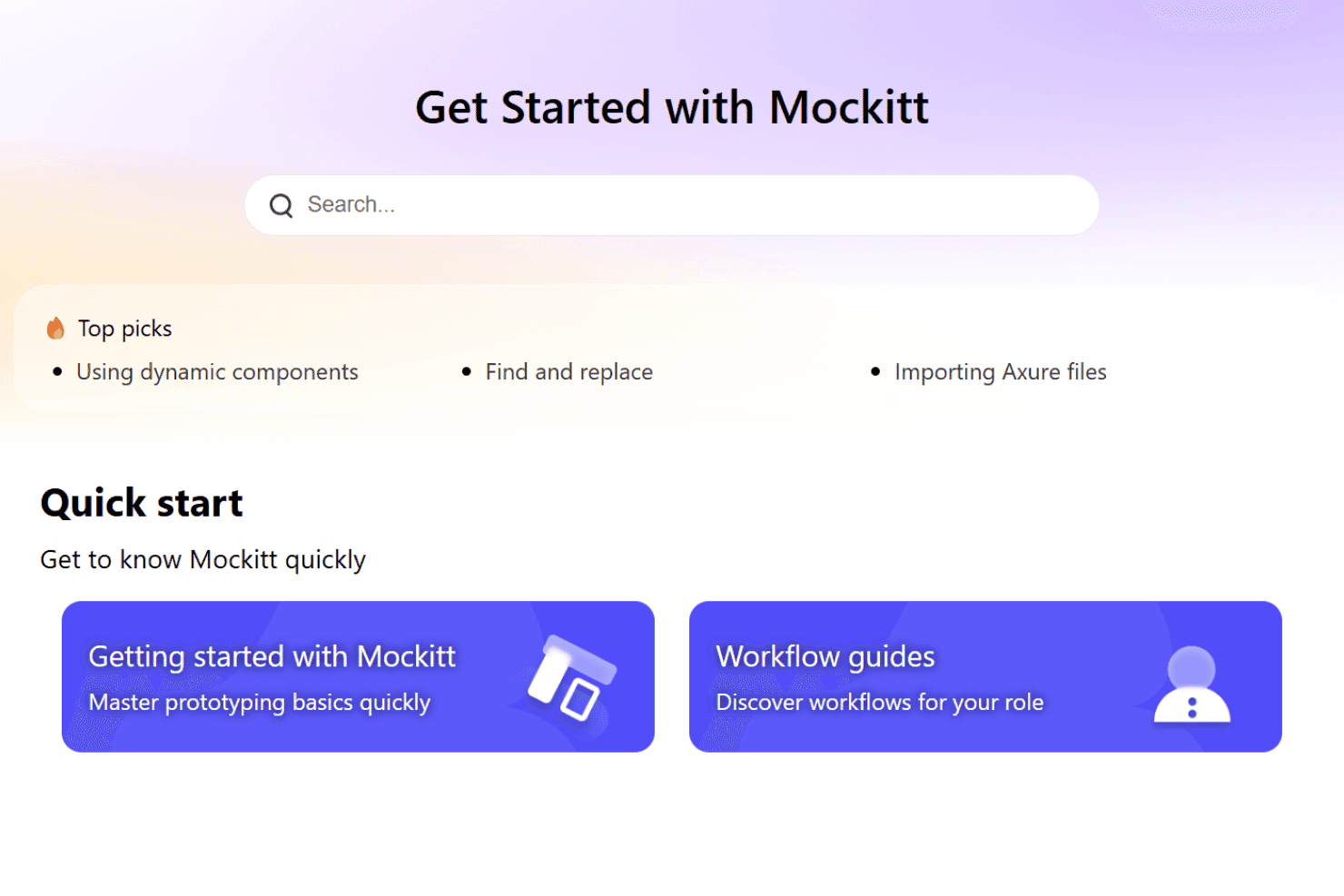
Wondershare Mockitt offers a fast onboarding experience, with most users able to start prototyping within minutes. The platform provides guided tutorials, tooltips, and a resource-rich help center that covers common questions and workflows.
User reviews often mention the clarity of the onboarding flow and the helpfulness of video guides. Live chat and email support are available, making it easy for new users to resolve issues and reach value quickly.
Customer Support
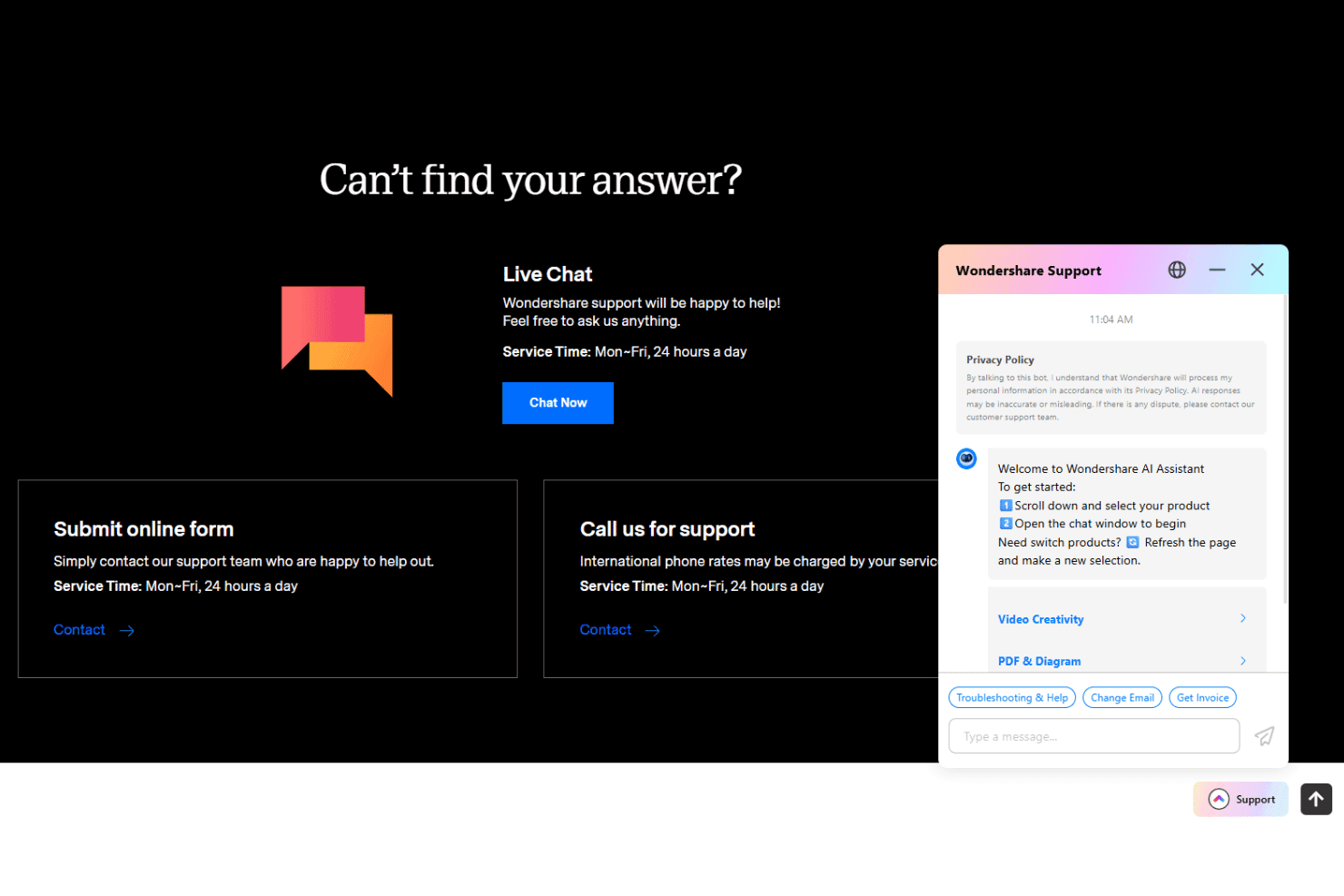
Wondershare Mockitt provides responsive customer support through live chat, email, and a detailed online help center. Users frequently mention quick response times and knowledgeable assistance, especially for troubleshooting and account issues. The platform also offers a library of tutorials and FAQs, which helps users solve problems independently.
While some users would like more advanced technical support, most find the available channels sufficient for typical design tool questions and challenges.
Integrations
Wondershare Mockitt integrates with Slack, Jira, Trello, Sketch, Figma, Axure, Adobe XD, Photoshop, Google Drive, and Dropbox.
Wondershare Mockitt does not currently offer a public API or direct connections with third-party integration tools.
Value for Money
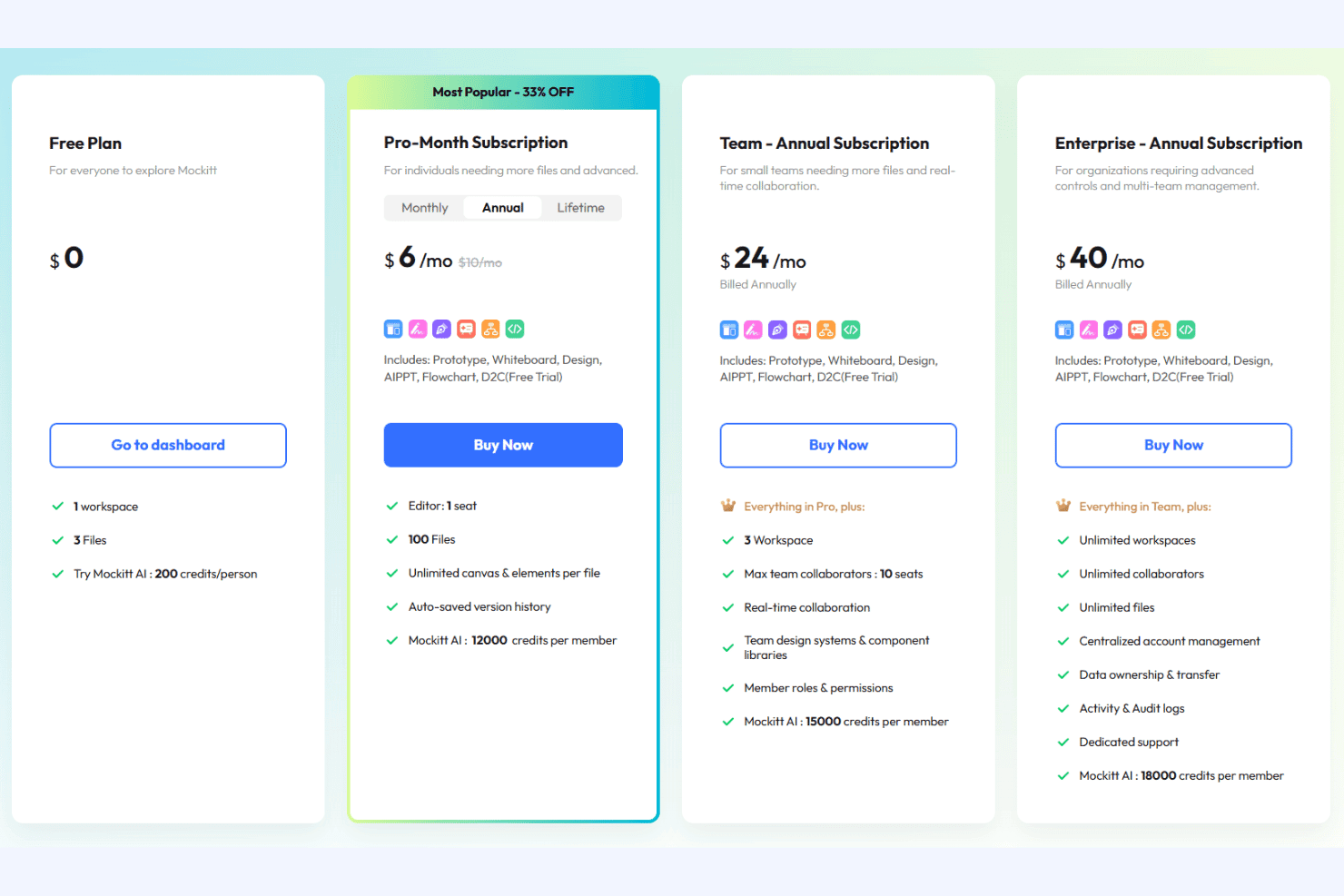
Wondershare Mockitt is often praised for its affordable pricing and flexible plans, making it accessible to freelancers, small teams, and educational users. User reviews highlight the generous free tier and transparent upgrade options, with paid plans unlocking advanced collaboration, asset management, and export features without hidden costs.
- Free: Basic prototyping and limited projects for individuals or students.
- Pro: Unlimited projects, more assets, and advanced export options.
- Team: Team collaboration, shared libraries, and project management features.
- Enterprise: Advanced security, admin controls, and priority support for larger organizations.
Wondershare Mockitt Specs
- A/B Testing: No
- API: No
- Data Export: Yes
- Data Import: Yes
- External Integrations: Yes
- Multi-User: Yes
- Third-Party Plugins/Add-Ons: No
Wondershare Mockitt FAQs
Wondershare Mockitt Company Overview & History
Wondershare Mockitt is a cloud-based prototyping and UX design platform developed by Wondershare Technology Group Co., Ltd., a global software company headquartered in Shenzhen, China. Wondershare, founded in 2003, is known for a broad portfolio of creative and productivity software, including Filmora and PDFelement.
The company employs over 1,200 people worldwide and serves millions of users, including individuals, teams, and enterprises. Wondershare is publicly listed on the Shenzhen Stock Exchange and is recognized for its innovation and user-focused product development.
Wondershare Mockitt Major Milestones
- 2003: Wondershare Technology Group Co., Ltd. was founded in Shenzhen, China.
- 2020: Wondershare Mockitt officially launched as a cloud-based prototyping tool.
- 2021: Major product update introduces AI-powered flowchart and design features.
- 2021: Wondershare listed on the Shenzhen Stock Exchange.
- 2023: Wondershare Mockitt expands global user base and adds new enterprise features.