

10 migliori software per la generazione di mockup recensiti nel 2026

Elenco dei migliori generatori di mockup


In qualità di responsabile di prodotto, affronti una pressione costante per trasformare rapidamente ed efficacemente le idee in realtà. I generatori di mockup possono aiutare il tuo team a visualizzare i concetti senza dover ricorrere a strumenti di progettazione complessi. Rendono più semplice comunicare le idee e raccogliere feedback nelle prime fasi del processo.
Ho testato e recensito in modo indipendente diversi generatori di mockup per trovare quelli migliori e più adatti alle tue esigenze. Mi baso su informazioni imparziali e accuratamente documentate per aiutarti a orientarti.
In questo articolo scoprirai le migliori opzioni per ottimizzare il tuo flusso di lavoro e aiutare il tuo team a creare mockup in modo efficiente. Che tu stia cercando soluzioni facili da usare o funzionalità avanzate, troverai qualcosa di adatto alle tue esigenze.
Perché Fidarsi delle Nostre Recensioni Software
Testiamo e recensiamo software per il product management dal 2020. Come product manager sappiamo quanto sia fondamentale e difficile fare la scelta giusta in termini di software. Investiamo in una ricerca approfondita per aiutare il nostro pubblico a prendere decisioni migliori sugli acquisti di software. Abbiamo testato oltre 2.000 strumenti per diversi casi d’uso e scritto più di 1.000 recensioni approfondite.Scopri come assicuriamo la trasparenza & la nostra metodologia di recensione software.
Riepilogo dei migliori generatori di mockup
Questa tabella comparativa riassume i dettagli sui prezzi delle mie migliori selezioni di generatori di mockup, per aiutarti a trovare quello più adatto al tuo budget e alle esigenze della tua attività.
| Tool | Best For | Trial Info | Price | ||
|---|---|---|---|---|---|
| 1 | Ideale per principianti | Piano gratuito disponibile | Da $12/mese (fatturazione annuale) | Website | |
| 2 | Ideale per la collaborazione tra team | Prova gratuita di 14 giorni + piano gratuito disponibile | Da $12,25/utente/mese (fatturato annualmente) | Website | |
| 3 | Ideale per funzionalità basate sull'IA | Piano gratuito disponibile | Da $24.50/mese (fatturato annualmente) | Website | |
| 4 | Ideale per effetti fotografici IA e mockup in stile lifestyle | Piano gratuito disponibile | Da $5/utente/mese (fatturazione annuale) | Website | |
| 5 | Ideale per la tipografia personalizzata | Piano gratuito disponibile | Da $12/mese (fatturazione annuale) | Website | |
| 6 | Ideale per la prototipazione rapida | Piano gratuito disponibile | Da $10/mese (fatturazione annuale) | Website | |
| 7 | Ideale per design futuristici | Piano gratuito disponibile | Da $15/mese (fatturato annualmente) | Website | |
| 8 | Ideale per mockup di dispositivi generati dall'IA | Piano gratuito disponibile | Da $5.7/mese (fatturato annualmente) | Website | |
| 9 | Ideale per design intuitivo | Piano gratuito disponibile | Da $12/mese | Website | |
| 10 | Ideale per template social media | Piano gratuito disponibile | Da $9.99/mese (fatturazione annuale) | Website |
Recensioni dei migliori generatori di mockup
Di seguito trovi i miei riepiloghi dettagliati dei migliori generatori di mockup entrati nel mio elenco. Le mie recensioni offrono un’analisi approfondita delle funzionalità principali, dei pro e dei contro, delle integrazioni e dei casi d’uso ideali di ogni strumento, per aiutarti a trovare quello più adatto a te.
Canva
Ideale per principianti
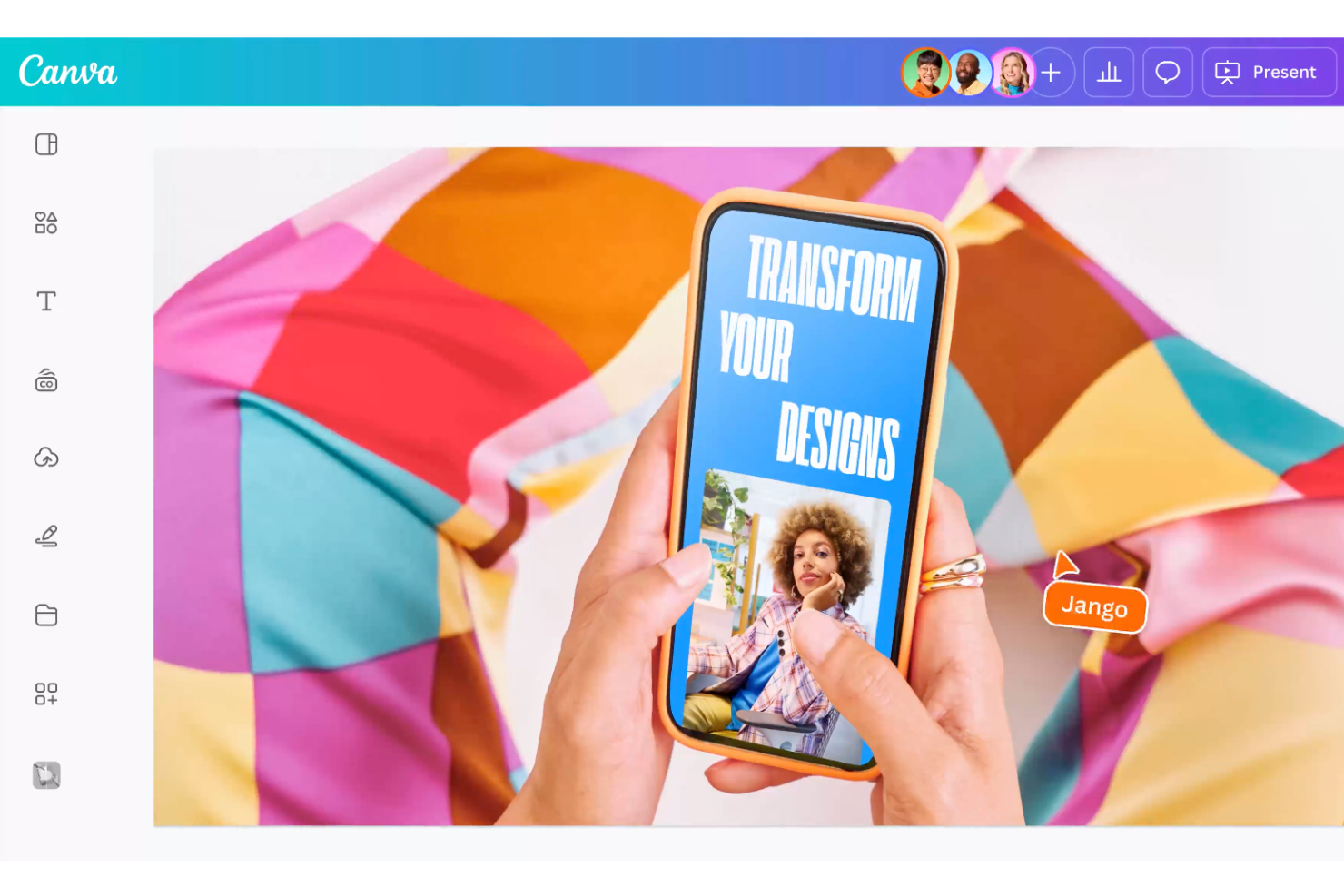
Canva è una piattaforma di design online pensata per singoli utenti e team che desiderano creare contenuti visivi, inclusi mockup. È particolarmente popolare tra i principianti e le piccole imprese per la sua facilità d'uso e l'ampia gamma di modelli disponibili.
Perché ho scelto Canva: È perfetto per i principianti grazie alla sua interfaccia intuitiva drag-and-drop e all'estesa libreria di template. Puoi accedere a diverse opzioni di mockup per vari prodotti e materiali di marketing. Gli strumenti di design di Canva sono facili da usare e non richiedono alcuna esperienza precedente. La piattaforma offre anche opzioni di personalizzazione per garantire che i tuoi mockup siano in linea con il tuo marchio.
Caratteristiche principali & integrazioni:
Caratteristiche includono una vasta gamma di template per diversi tipi di mockup, permettendoti di creare contenuti visivi in modo rapido e semplice. Puoi personalizzare i tuoi progetti tramite l'editor drag-and-drop, aggiungendo immagini, testo e colori. Canva offre anche esportazioni di alta qualità, rendendolo adatto sia per il digitale che per la stampa su richiesta.
Integrazioni includono Dropbox, Google Drive, HubSpot, Mailchimp, Slack, Pexels, Pixabay, Bitmoji, Instagram e Facebook.
Pros and Cons
Pros:
- Facile da usare per principianti
- Ampia selezione di template
- Opzioni di design personalizzabili
Cons:
- Strumenti di design avanzati limitati
- Meno adatto per design complessi

Visme
Ideale per la collaborazione tra team
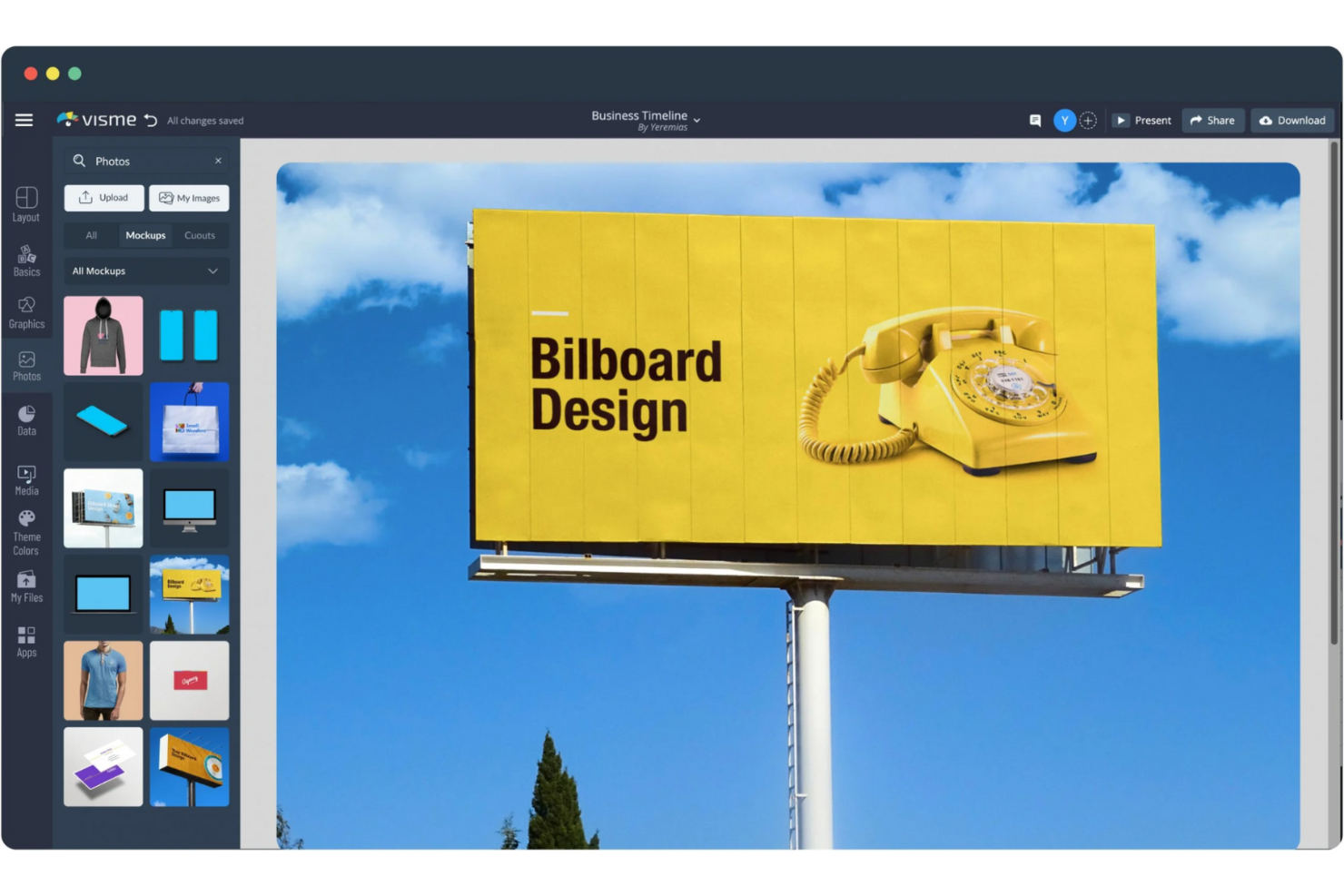
Visme Mockup Generator è uno strumento versatile progettato per creare mockup di prodotto di alta qualità. È ideale per team di marketing e designer che desiderano mostrare i prodotti attraverso immagini coinvolgenti.
Perché ho scelto Visme Mockup Generator: Questo strumento eccelle nella collaborazione di squadra, consentendo a più utenti di lavorare sui progetti contemporaneamente. Offre una vasta gamma di modelli per dispositivi, branding e social media. L'interfaccia drag-and-drop semplifica il processo di design, rendendolo accessibile a tutti i membri del team. Puoi personalizzare facilmente i modelli con le tue immagini, colori e font per adattarli al tuo marchio.
Funzionalità principali & integrazioni:
Funzionalità includono una vasta libreria di modelli, un'interfaccia drag-and-drop facile da usare e download ad alta risoluzione. Puoi creare mockup per dispositivi, packaging e materiali di marketing. Lo strumento offre anche download illimitati, permettendoti di condividere i tuoi progetti online o offline.
Integrazioni includono Salesforce, HubSpot, Google Drive, Dropbox, Slack, Trello, Mailchimp e Canva.
Pros and Cons
Pros:
- Collaborazione facile con i team
- Ampia libreria di modelli
- Opzioni di mockup personalizzabili
Cons:
- Leggera curva di apprendimento per le funzionalità avanzate
- Costo elevato per i piani premium

PromeAI
Ideale per funzionalità basate sull'IA
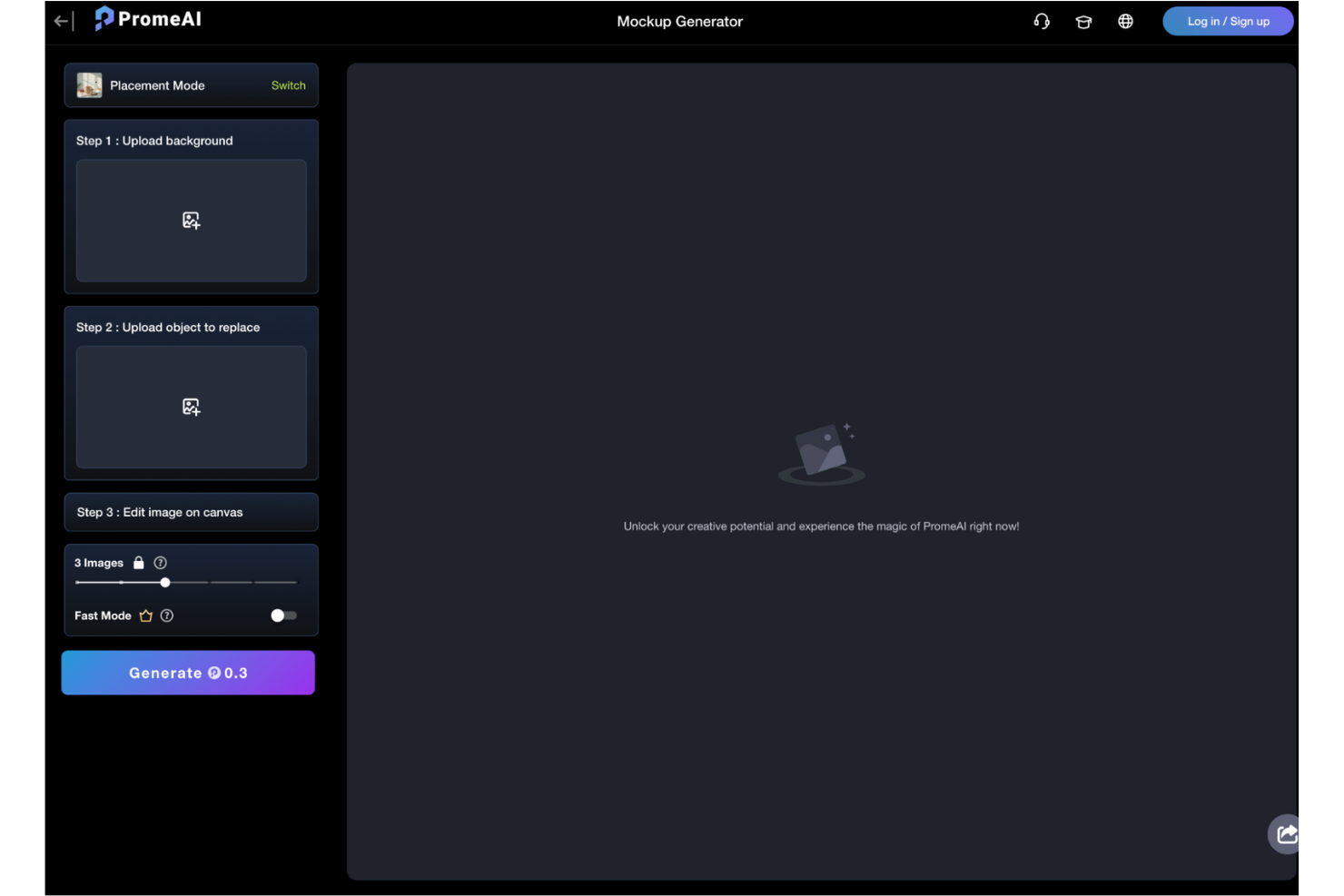
PromeAI Mockup Generator è uno strumento basato sull'intelligenza artificiale progettato per creare mockup realistici per diversi settori, come l'e-commerce e il design. Si rivolge sia ai principianti che ai professionisti che desiderano sfruttare l'IA per progetti creativi.
Perché ho scelto PromeAI Mockup Generator: Si distingue per le sue funzionalità basate sull'IA che migliorano il processo di design. Puoi trasformare schizzi in immagini realistiche e generare arte a partire da testo, risparmiando tempo e stimolando la creatività. Lo strumento offre l'upscaling in HD e la rimozione dello sfondo, rendendolo versatile per diverse esigenze di design. L'attenzione alle funzionalità basate sull'IA lo rende ideale per chi cerca innovazione nei propri mockup.
Caratteristiche e integrazioni principali:
Caratteristiche includono l'upscaling in HD, che migliora la qualità delle immagini per risultati professionali. Puoi rimuovere facilmente gli sfondi, ottenendo design più puliti e mirati. Lo strumento supporta anche la generazione di arte da testo, offrendo un modo unico per creare elementi visivi.
Integrazioni includono Adobe Photoshop, Canva, Figma, Sketch, InVision, Google Drive, Dropbox, Slack, Trello e Asana.
Pros and Cons
Pros:
- Miglioramenti del design tramite IA
- Supporta la generazione di arte da testo
- Adatto a diversi settori
Cons:
- Alcune funzionalità richiedono l’accesso premium
- Non ottimale per mockup tradizionali

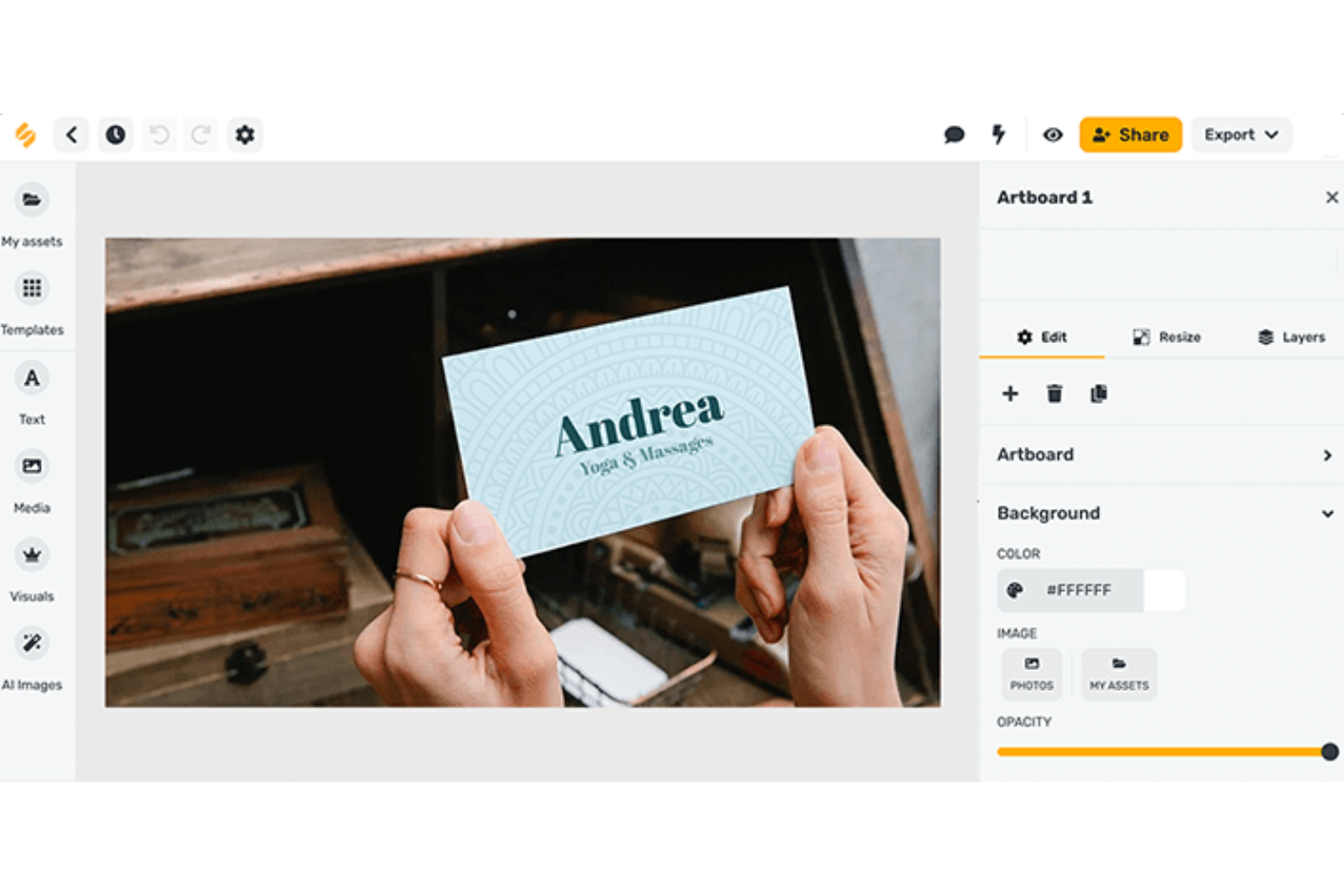
Picsart AI Mockup Generator è uno strumento creativo progettato per aiutare gli utenti a generare mockup visivamente accattivanti grazie a funzionalità basate sull'IA. È rivolto a designer e marketer che desiderano migliorare i propri contenuti visivi con il minimo sforzo.
Perché ho scelto Picsart AI Mockup Generator: Offre miglioramenti guidati dall'intelligenza artificiale che semplificano il processo di design. Puoi utilizzare l'IA per generare automaticamente mockup, risparmiando tempo ed energie. Lo strumento consente la personalizzazione, quindi puoi regolare colori e stili per adattarli al tuo brand. Le sue capacità di IA offrono un vantaggio unico per creare mockup rifiniti e professionali in modo rapido.
Funzionalità e integrazioni principali:
Funzionalità includono avanzate capacità IA che assistono nella creazione automatica dei mockup. Puoi personalizzare i design con una varietà di strumenti di modifica, rendendo semplice l'allineamento al tuo marchio. Lo strumento supporta anche esportazioni ad alta risoluzione per visual professionali di alta qualità.
Integrazioni includono Adobe Photoshop, Figma, Sketch, Canva, Google Drive, Dropbox, Slack, Mailchimp, Instagram e Facebook.
Pros and Cons
Pros:
- Miglioramenti al design guidati dall'IA
- Creazione di mockup rapida e semplice
- Risparmia tempo nelle attività di design
Cons:
- Controllo manuale del design limitato
- Non adatto a design molto dettagliati

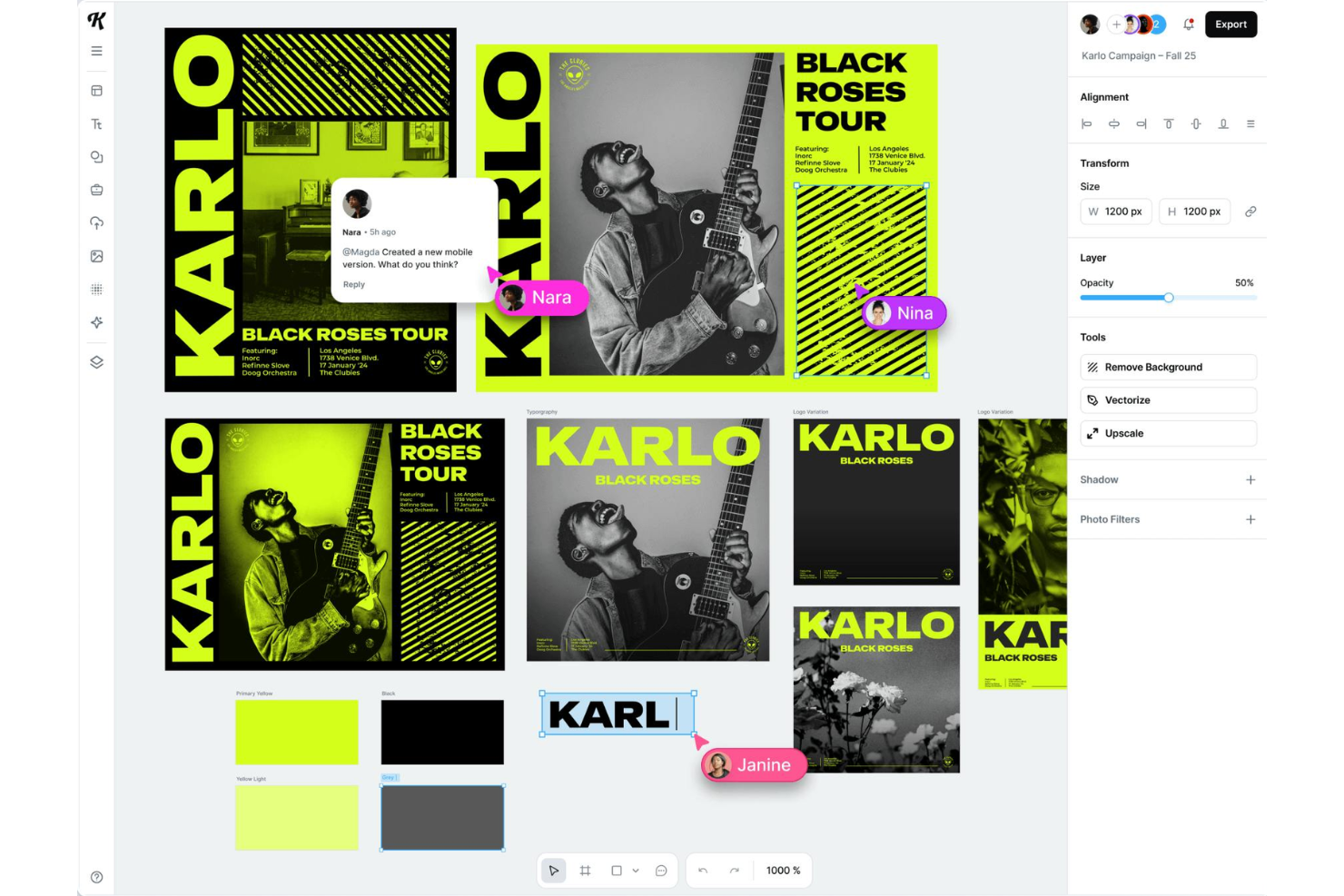
Kittl Mockup Generator è uno strumento versatile rivolto a designer e professionisti creativi che danno priorità alla tipografia nei loro contenuti visivi. Permette agli utenti di creare mockup visivamente accattivanti con un'enfasi su elementi di testo personalizzati.
Perché ho scelto Kittl Mockup Generator: Il suo focus sulla tipografia personalizzata lo rende unico. Puoi facilmente incorporare stili di testo unici nei tuoi mockup, migliorando così l'impatto visivo. Lo strumento offre una varietà di opzioni di font e funzioni di personalizzazione, permettendoti di adattare il testo alle tue esigenze specifiche di design. Nella mia esperienza, questa attenzione alla tipografia aggiunge una dimensione unica ai tuoi mockup.
Caratteristiche distintive e integrazioni:
Caratteristiche includono una vasta gamma di stili di font e opzioni di personalizzazione del testo. Puoi modificare l'allineamento, il colore e gli effetti del testo per adattarli alla tua visione creativa. Lo strumento supporta anche l'esportazione ad alta risoluzione, assicurando che la tipografia risulti sempre nitida e professionale.
Integrazioni includono Adobe Illustrator, Photoshop, Figma, Sketch, Canva, Google Drive, Dropbox, Slack, Trello e Asana.
Pros and Cons
Pros:
- Rendering del testo di alta qualità
- Supporta progetti creativi di tipografia
- Facile manipolazione del testo
Cons:
- Limitato a progetti focalizzati sulla tipografia
- Non ideale per mockup complessi

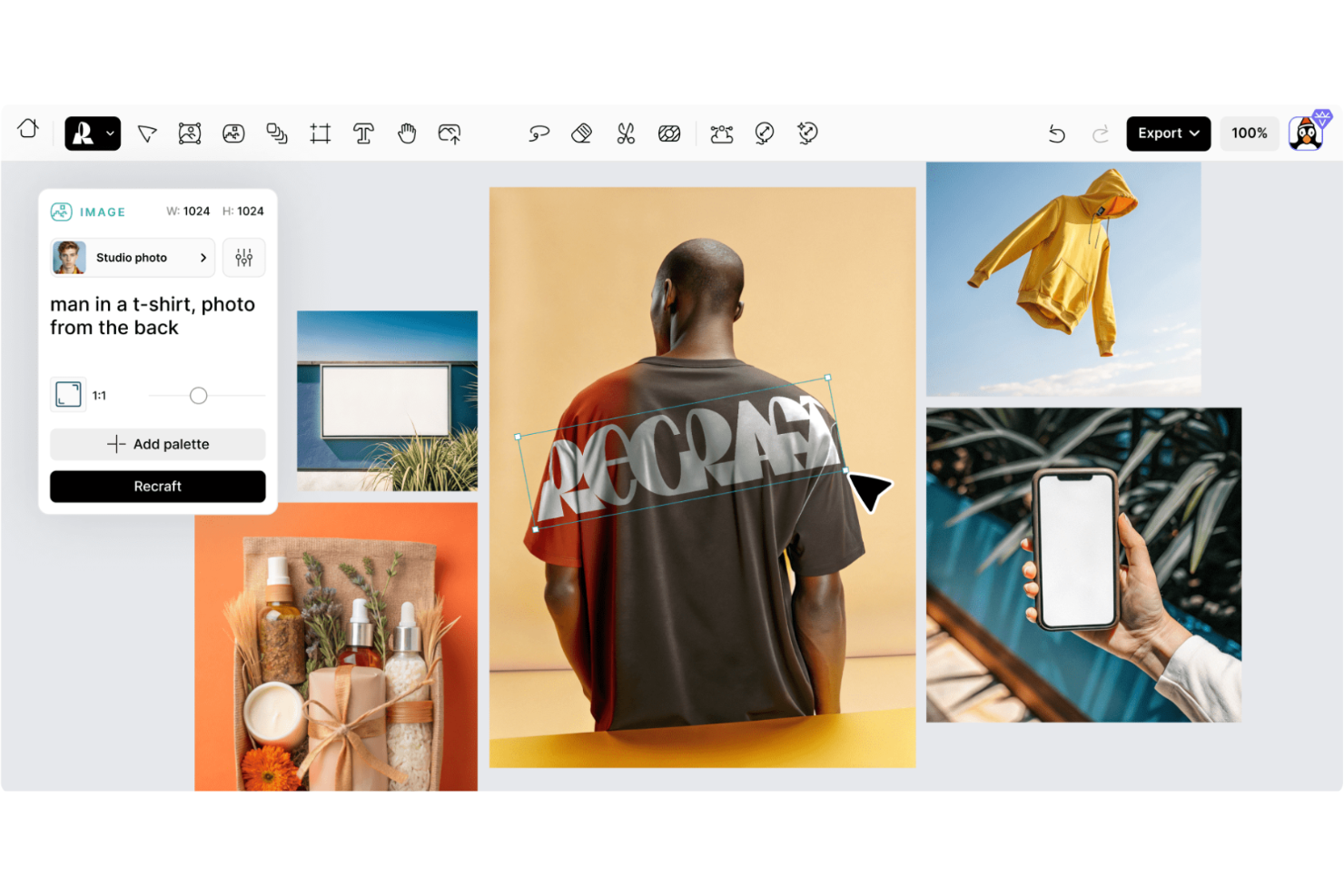
Recraft AI Mockup Generator è uno strumento innovativo progettato per una prototipazione rapida ed efficiente. È pensato per designer e team di prodotto che hanno bisogno di visualizzare concetti in tempi brevi.
Perché ho scelto Recraft AI Mockup Generator: Si distingue nella prototipazione veloce, permettendo di trasformare rapidamente le idee in mockup visivi. Lo strumento offre funzionalità come il design drag-and-drop e la collaborazione in tempo reale, che aumentano la produttività. Puoi personalizzare i mockup con vari modelli per adattarli alle esigenze del tuo progetto. Il suo focus su velocità ed efficienza lo rende perfetto per i team che desiderano iterare rapidamente sui design.
Funzionalità e integrazioni principali:
Funzionalità includono la collaborazione in tempo reale, che consente al tuo team di lavorare insieme senza problemi. Puoi sfruttare la funzionalità drag-and-drop per creare e modificare facilmente i mockup. Lo strumento offre anche una vasta gamma di modelli, assicurando le risorse necessarie per progetti diversi.
Integrazioni includono Adobe Photoshop, Figma, Sketch, Canva, Google Drive, Dropbox, Slack, Trello e Asana.
Pros and Cons
Pros:
- Ampia libreria di template
- Interfaccia drag-and-drop intuitiva
- Ideale per processi di design iterativi
Cons:
- Non adatto a progetti di design complessi
- Può richiedere conoscenze tecniche

Ideale per design futuristici
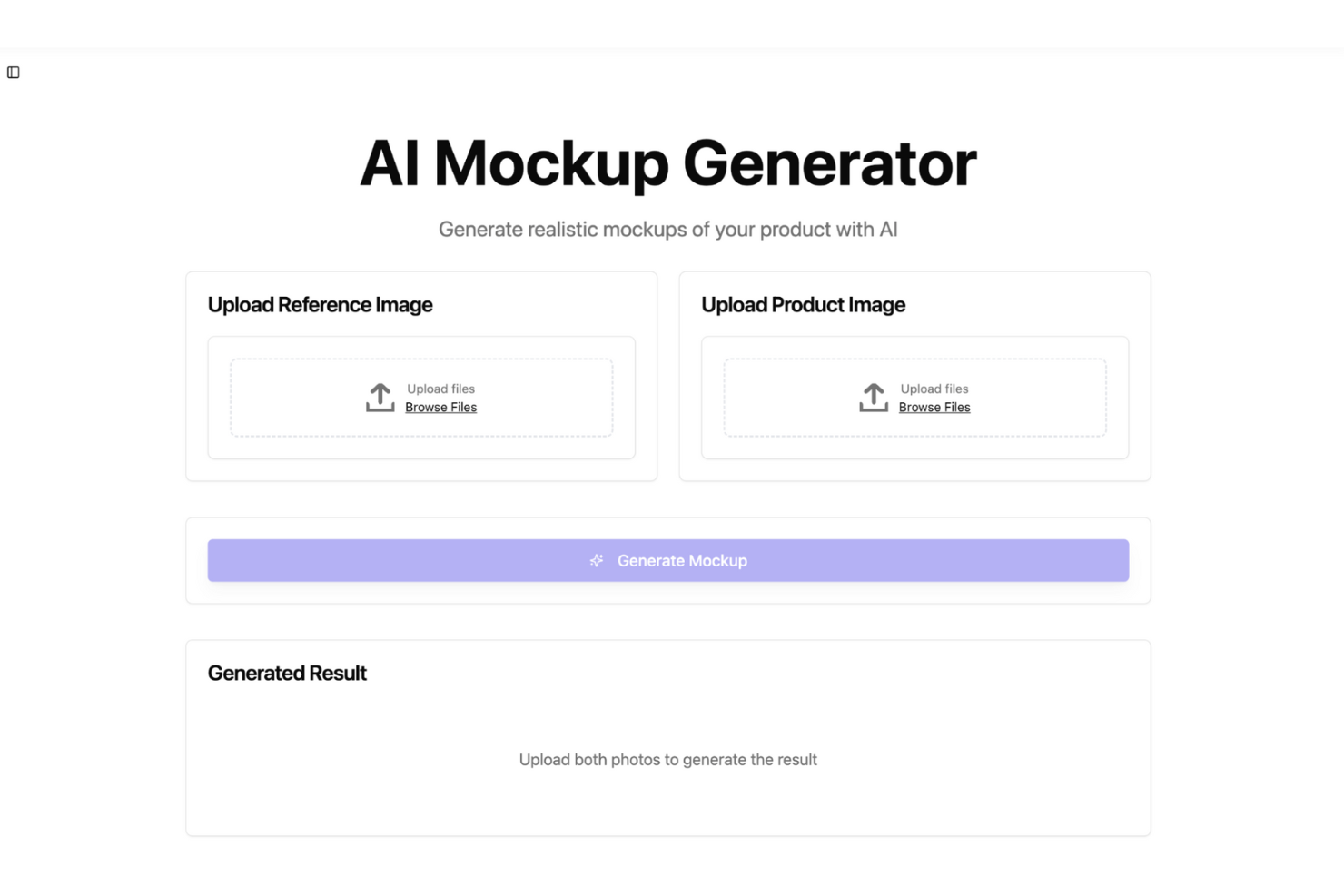
Galaxy.ai Mockup Generator è uno strumento all’avanguardia progettato per creare mockup innovativi e di grande impatto visivo. È rivolto a designer ed appassionati di tecnologia desiderosi di sperimentare elementi di design futuristici.
Perché ho scelto Galaxy.ai Mockup Generator: Lo strumento offre una gamma di opzioni di design futuristici che lo distinguono dagli altri. Puoi esplorare e implementare effetti visivi avanzati solitamente non disponibili nei generatori di mockup standard. La possibilità di personalizzare questi effetti garantisce che i tuoi design siano unici e coinvolgenti. Il suo focus sulle soluzioni di design futuristico lo rende una scelta ideale per progetti all’avanguardia.
Funzionalità e integrazioni principali:
Funzionalità includono una varietà di template di design futuristici che ti aiutano a creare mockup di grande impatto visivo. Puoi applicare effetti visivi avanzati per arricchire l'aspetto finale dei tuoi design. Lo strumento supporta anche esportazioni in alta risoluzione, garantendo risultati professionali e curati.
Integrazioni prevedono Adobe Photoshop, Sketch, Figma, InVision, Canva, Google Drive, Dropbox, Slack, Trello e Asana.
Pros and Cons
Pros:
- Funzionalità altamente personalizzabili
- Supporta esportazioni in alta risoluzione
- Ideale per progetti tecnologici
Cons:
- Limitato a temi futuristici
- Non adatto a design tradizionali

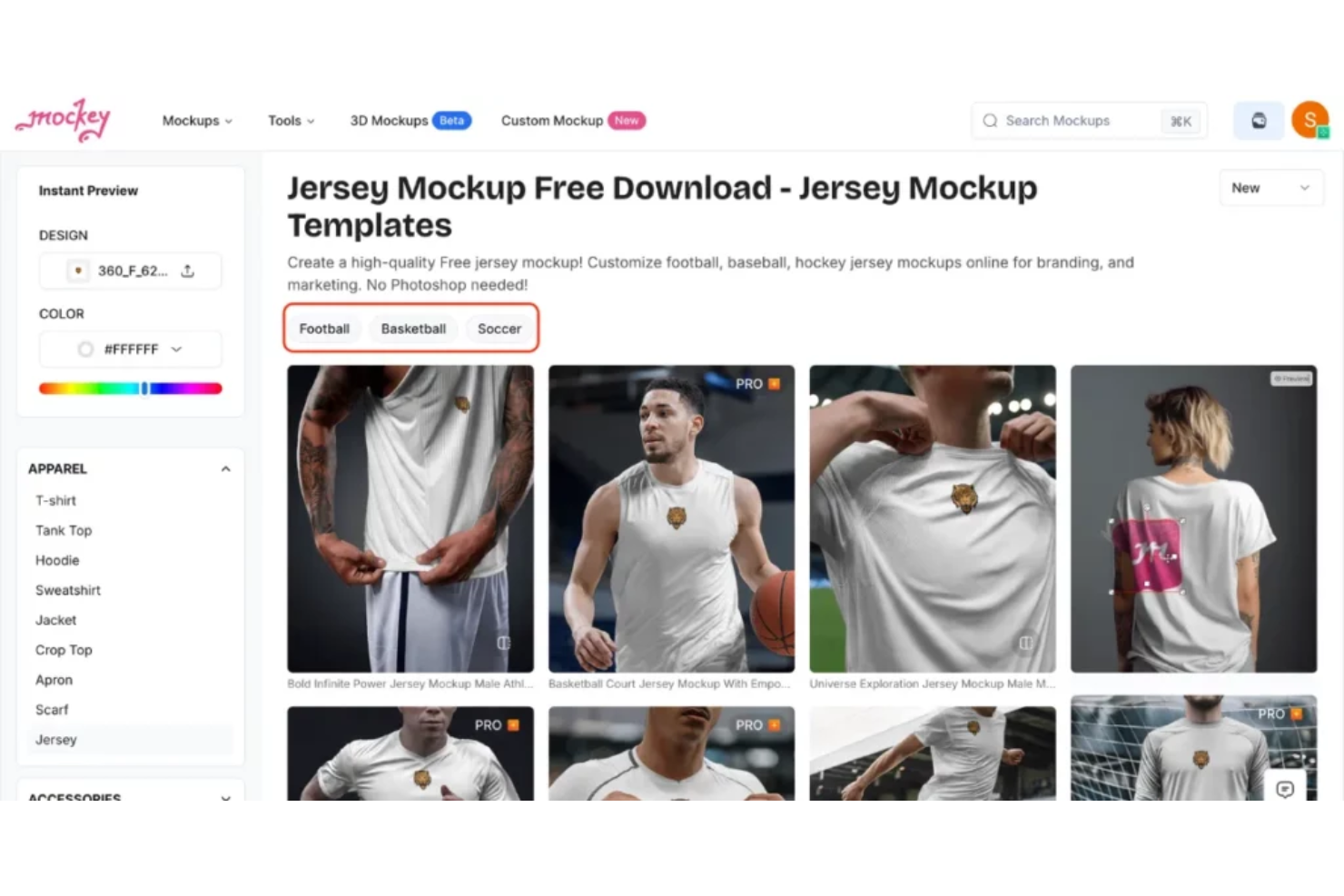
Mockey è uno strumento di design basato sull'IA che permette di generare mockup di prodotti utilizzando template predefiniti e posizionamento intelligente delle immagini. Si tratta di un generatore di mockup online pensato per designer, marketer e creatori che vogliono mostrare visivamente i loro prodotti su diversi dispositivi e formati.
Perché ho scelto Mockey: Mockey offre oltre 1.000 template di mockup gratuiti per un'ampia gamma di applicazioni, tra cui abbigliamento, packaging, dispositivi e branding. Puoi caricare la tua immagine e lo strumento la inserirà automaticamente nel mockup senza bisogno di modifiche aggiuntive. Permette anche al tuo team di scegliere tra stili 2D e 3D per diversi casi d'uso. Tutto è ospitato nel browser, quindi non c'è nulla da installare. Il rimuovi sfondo con IA e l'allineamento automatico velocizzano ulteriormente il processo quando si lavora su più file.
Caratteristiche principali & integrazioni:
Funzionalità includono la creazione batch di mockup affinché il tuo team possa generare più design in una volta sola, la rimozione dello sfondo con un clic per pulire le immagini dei prodotti e strumenti di allineamento intelligenti che regolano automaticamente il posizionamento. Supporta anche la generazione di mockup per formati non standard come finestre browser o cartelloni pubblicitari. È possibile scaricare i mockup in alta risoluzione con sfondi trasparenti.
Integrazioni: Figma, Canva, Google Drive, Dropbox, Unsplash, Adobe Express e Zapier.
Pros and Cons
Pros:
- L'IA gestisce automaticamente l'allineamento dei mockup
- Offre sia stili 2D che 3D
- Funziona interamente dal browser
Cons:
- Non supporta dimensioni canvas personalizzate
- Alcuni mockup non includono una varietà di dispositivi

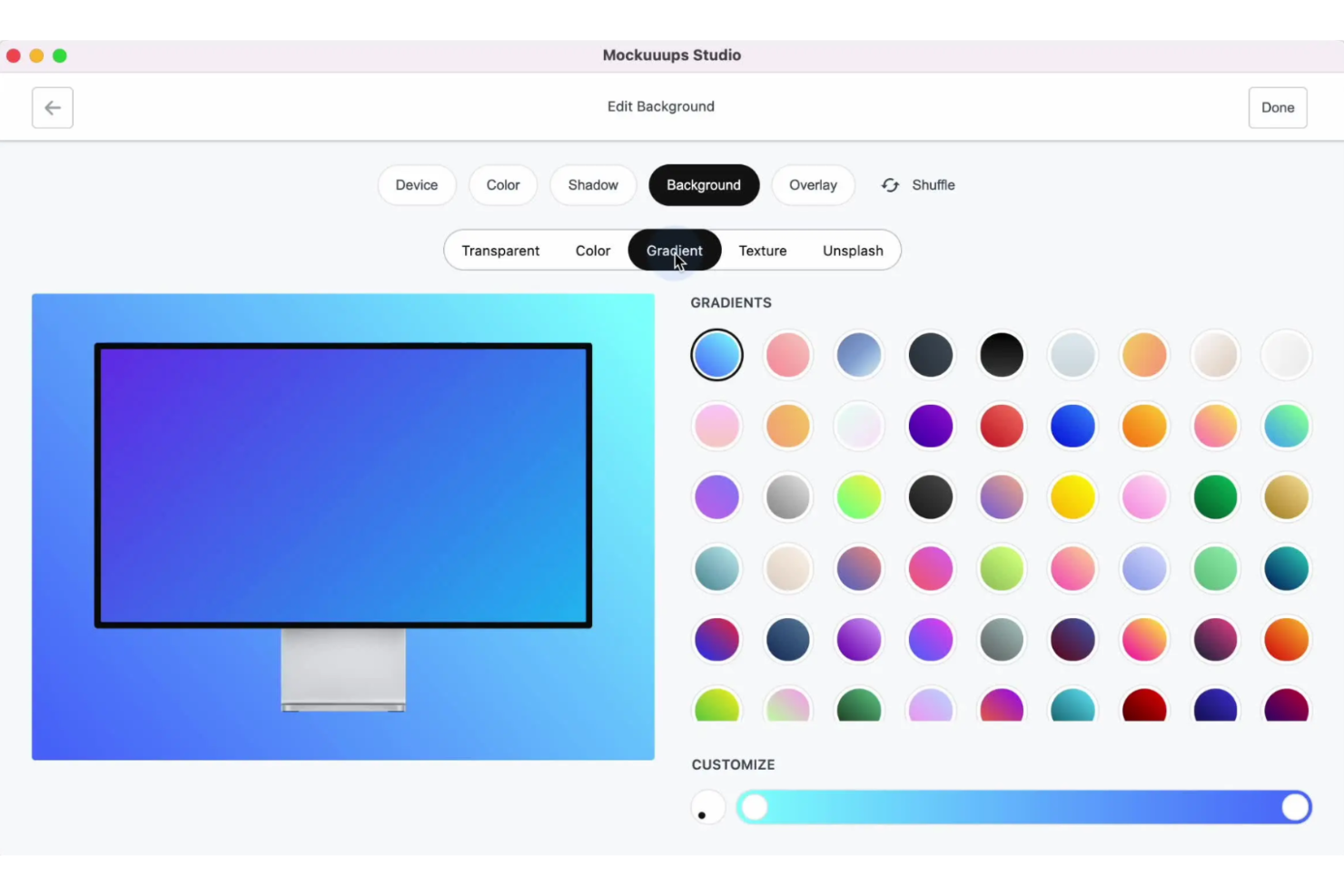
Mockuuups Studio è uno strumento per mockup facile da usare, pensato per creare mockup di prodotto straordinari in modo semplice. È utilizzato principalmente da designer e marketer che hanno bisogno di presentare visivamente i propri prodotti.
Perché ho scelto Mockuuups Studio: Questo creatore di mockup offre un'esperienza di design intuitiva grazie alla sua funzionalità di trascinamento, rendendolo accessibile a utenti di tutti i livelli. La vasta libreria comprende oltre 1.000 scene di mockup, permettendoti di creare presentazioni variegate. La generazione automatica di mockup accelera il processo di design, facendo risparmiare tempo prezioso al tuo team. La sua attenzione al design intuitivo lo rende ideale per una creazione di mockup rapida e semplice.
Caratteristiche di rilievo & integrazioni:
Funzionalità includono la generazione automatica di mockup, che semplifica il processo di creazione per qualsiasi prodotto. Puoi creare mockup personalizzati con diversi sfondi e colori. Lo strumento supporta anche esportazioni ad alta risoluzione, assicurando che le presentazioni abbiano un aspetto professionale.
Integrazioni includono Adobe Photoshop, Figma, Sketch, Canva e InVision.
Pros and Cons
Pros:
- Configurazione e utilizzo rapidi
- Esportazione di immagini di alta qualità
- Generazione automatica di mockup
Cons:
- Nessuno strumento avanzato di modifica
- Potrebbe mancare di modelli specifici per settore

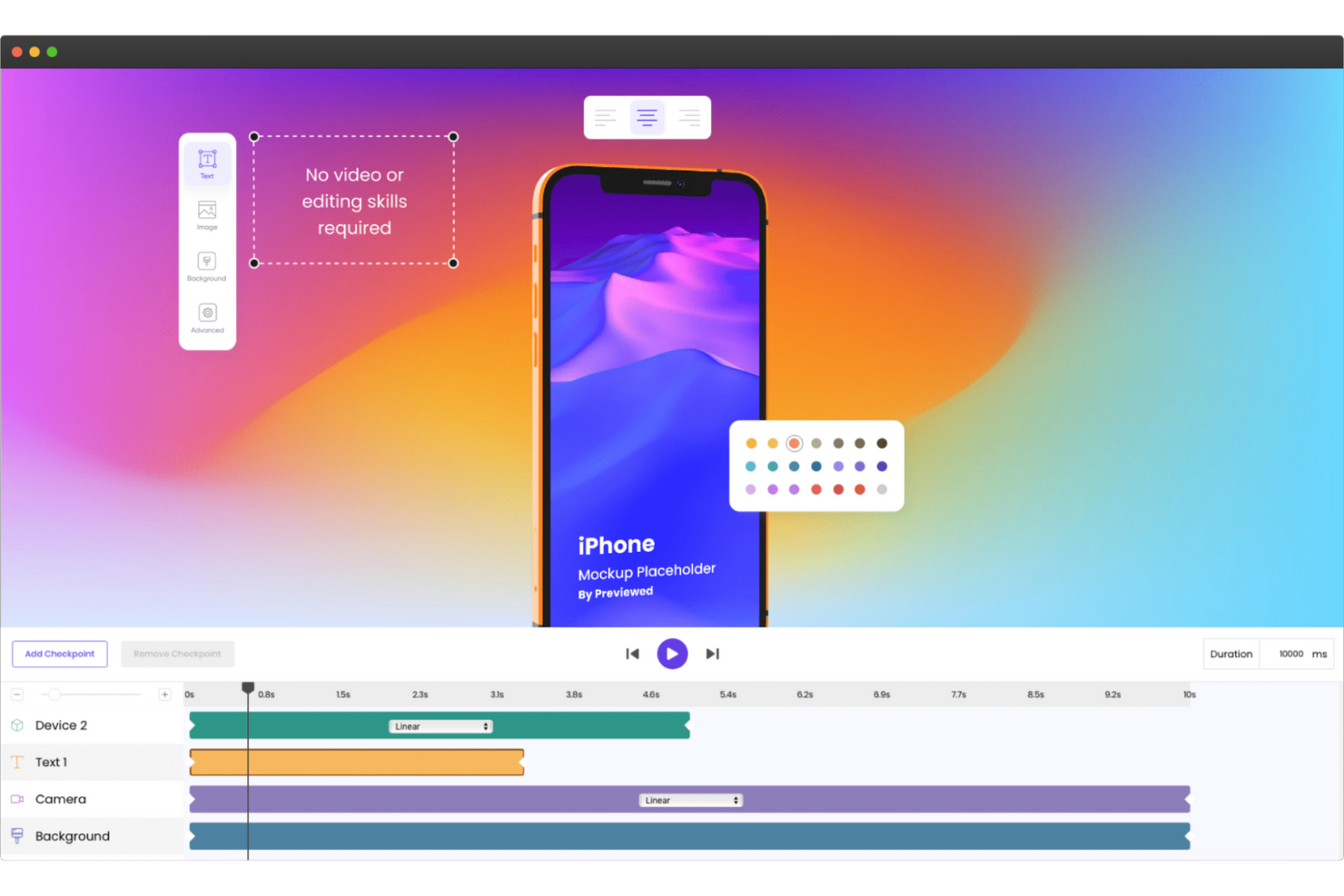
Previewed è uno strumento online progettato per creare mockup specificamente per i social media e il marketing. È molto apprezzato tra i marketer e i social media manager che desiderano migliorare i loro contenuti visivi.
Perché ho scelto Previewed: Si distingue per l'offerta di una vasta gamma di template per i social media, rendendolo ideale per creare post accattivanti. Puoi personalizzare i mockup con vari dispositivi, sfondi e colori per adattarli al tuo brand. La piattaforma permette anche modifiche rapide, perfette per ambienti di marketing dinamici. Il suo focus sui template social consente al tuo team di mantenere una presenza online coerente e professionale.
Funzionalità e integrazioni principali:
Funzionalità includono un'ampia selezione di template personalizzabili per diverse piattaforme social. Puoi modificare rapidamente colori e sfondi per abbinarli all'estetica del brand. Lo strumento supporta anche download in alta risoluzione, assicurando che i tuoi post risultino nitidi e professionali.
Integrazioni includono Adobe XD, Figma, Sketch, Photoshop, Illustrator, InVision, Canva, Dropbox, Google Drive e Slack.
Pros and Cons
Pros:
- Ampia libreria di template per social media
- Personalizzazione rapida
- Supporto ai download in alta risoluzione
Cons:
- Limitato al focus sui social media
- Non adatto a mockup complessi
Altri generatori di mockup
Ecco alcune opzioni aggiuntive di generatori di mockup che non sono entrate nel mio elenco, ma che vale comunque la pena valutare:
- Rotato
Ideale per presentazioni 3D
- Free Mockup Ai
Ideale per soluzioni economiche
- MockupsJar
Ideale per modelli personalizzabili


Come Valuto i Generatori di Mockup
Guardo a due livelli: gli elementi imprescindibili che uno strumento deve offrire—un vero editor, flussi cliccabili, condivisione con il team—e i fattori differenzianti, come la generazione tramite IA o l'handoff per gli sviluppatori, che si adattano a diversi team di prodotto.
Funzionalità di Base (Requisiti Fondamentali per Questa Lista)
Quando seleziono gli strumenti per la mia lista, assegno a ciascuno un punteggio da 0 (non offre la funzionalità) a 5 (eccelle in quest'area) per ogni funzione fondamentale elencata di seguito. Poi calcolo il punteggio totale dello strumento in percentuale. Ogni strumento deve raggiungere un punteggio totale minimo del 65% per essere considerato per l'inclusione.
- Editor Visivo Drag-and-Drop: Valuto quanto sia fluido posizionare, ridimensionare e sovrapporre elementi UI sulla tela—ad esempio snap automatici, guide di allineamento e controlli reattivi.
- Librerie di Componenti UI Predefiniti: Una solida libreria di template e componenti significa che un project manager può realizzare uno user flow di checkout su mobile o una dashboard SaaS senza dover progettare ogni elemento da zero.
- Prototipazione Interattiva: Verifico se è possibile collegare schermate, aggiungere aree cliccabili e simulare veri flussi utente—come passare click dopo click in una sequenza di onboarding da mostrare agli stakeholder.
- Collaborazione in Tempo Reale: I team di prodotto devono poter co-modificare e commentare insieme. Guardo se più editor possono lavorare sullo stesso file e lasciare feedback contestuali in linea.
- Esportazione e Condivisione in Più Formati: Valuto le opzioni di esportazione (PNG, PDF, link condivisibili, codici da incorporare) e se si possono presentare i mockup direttamente agli stakeholder senza strumenti aggiuntivi.
- Integrazione con Sistemi di Design: Strumenti come Figma, Sketch e Jira sono comuni nei flussi di lavoro di prodotto. Cerco supporto per componenti riutilizzabili e integrazioni native con gli stack esistenti.
Una volta che ho una lista di strumenti che soddisfano questi criteri, considero ciò che distingue ciascuna piattaforma.
Fattori Differenzianti (Cosa Distingue i Fornitori)
Ecco come confronto e metto a confronto i diversi fornitori:
Funzionalità Distintive
La generazione di mockup tramite IA è un grande fattore di differenziazione. Alcuni strumenti permettono di incollare uno schizzo grezzo o digitare un prompt e ottenere un layout modificabile in pochi secondi. Quella velocità è fondamentale quando si esplorano molteplici direzioni durante la fase di discovery. Valuto anche le specifiche di handoff agli sviluppatori—un mockup che genera automaticamente misure, asset e frammenti di codice riduce l'attrito tra prodotto e ingegneria. Anche la cronologia delle versioni e i branch sono importanti, soprattutto quando si confrontano concetti A/B affiancati prima di una revisione con gli stakeholder.
Oltre alle Funzionalità
La curva di apprendimento conta molto in questa categoria. I product manager e i founder non sono designer, quindi verifico quanto velocemente un non-designer possa produrre un mockup utilizzabile dopo la registrazione. L'integrazione con tutto l'ecosistema del prodotto è altrettanto importante—gli strumenti che si collegano a Jira, Confluence o Slack mantengono i mockup associati a ticket e decisioni reali invece che isolati. Considero anche i modelli di pricing, in particolare se i posti come "solo visualizzatore" sono gratuiti, dato che i PM spesso condividono i mockup con grandi gruppi di stakeholder che devono solo commentare.
Come scegliere un generatore di mockup
È facile perdersi in lunghi elenchi di funzionalità e strutture tariffarie complesse. Per aiutarti a rimanere concentrato mentre affronti il tuo particolare processo di selezione del software, ecco una lista di controllo dei fattori da tenere presenti:
| Fattore | Cosa considerare |
| Scalabilità | Assicurati che lo strumento possa crescere insieme alle tue esigenze, supportando un numero maggiore di progetti o utenti man mano che il tuo team si espande. Cerca piani flessibili e una capacità adeguata alla gestione di grandi volumi. |
| Integrazioni | Verifica se si integra con gli strumenti che già utilizzi, come Adobe o Slack. Integrazioni fluide con il tuo stack tecnologico esistente possono farti risparmiare tempo e migliorare l'efficienza del flusso di lavoro del tuo team. |
| Personalizzazione | Cerca strumenti che ti consentano di adattare modelli e progettazioni allo stile unico del tuo marchio. Le opzioni di personalizzazione possono favorire la creatività e la coerenza del marchio. |
| Semplicità d'uso | Scegli un'interfaccia intuitiva che riduca al minimo la curva di apprendimento. Un design intuitivo aiuta il tuo team a iniziare rapidamente a creare senza bisogno di una formazione approfondita. |
| Budget | Valuta se il prezzo è in linea con i tuoi vincoli finanziari. Considera il valore a lungo termine e se le funzionalità giustificano il costo per la tua organizzazione. |
| Misure di sicurezza | Assicurati che lo strumento offra protezione dei dati e sia conforme agli standard del settore. Le misure di sicurezza proteggono gli elementi di progettazione sensibili e contribuiscono a mantenere la fiducia dei clienti. |
| Assistenza | Valuta il livello di assistenza clienti disponibile, ad esempio tramite chat dal vivo o una base di conoscenze. Un'assistenza affidabile può risolvere rapidamente i problemi e mantenere i tuoi progetti sulla buona strada. |
| Set di funzionalità | Determina se lo strumento offre funzionalità essenziali come esportazioni ad alta risoluzione e una vasta scelta di modelli. Un set di funzionalità completo può soddisfare esigenze di progettazione diverse. |
Tendenze nei generatori di mockup
Durante la mia ricerca, ho raccolto innumerevoli aggiornamenti di prodotto, comunicati stampa e registri delle versioni di diversi fornitori di generatori di mockup. Ecco alcune delle tendenze emergenti che sto tenendo d'occhio:
- Progettazione basata sull'AI: l'AI viene utilizzata per automatizzare i processi di progettazione, rendendo più semplice creare rapidamente immagini mockup. Strumenti come Picsart AI Mockup Generator integrano l'AI per migliorare la creatività con funzionalità come la generazione automatica di immagini e la rimozione dello sfondo.
- Mockup 3D: la domanda di mockup 3D è in crescita perché offrono un'esperienza più immersiva. Rotato è all'avanguardia in questo settore, consentendo agli utenti di creare presentazioni 3D dinamiche che danno vita ai prodotti.
- Collaborazione in tempo reale: con la crescente diffusione del lavoro da remoto, le funzionalità di collaborazione in tempo reale sono sempre più richieste. Gli strumenti stanno aggiungendo funzionalità che consentono ai team di lavorare contemporaneamente sugli stessi progetti, migliorando produttività e creatività.
- Tipografia personalizzabile: la possibilità di personalizzare gli stili del testo sta diventando sempre più importante. Molti strumenti si concentrano sulle funzionalità tipografiche, consentendo agli utenti di creare elementi testuali unici che valorizzano le loro progettazioni.
- Esportazioni ad alta risoluzione: le esportazioni di alta qualità sono essenziali per presentazioni professionali e materiali stampati. I fornitori stanno migliorando le opzioni di esportazione per garantire che le progettazioni mantengano nitidezza e dettaglio, rispondendo alle esigenze delle aziende che necessitano di elementi visivi di altissimo livello.
Che cos'è un generatore di mockup?
Un generatore di mockup è uno strumento utilizzato per creare rappresentazioni visive di prodotti o progettazioni. Designer, esperti di marketing e responsabili di prodotto utilizzano generalmente questi strumenti per visualizzare concetti e presentare idee a clienti o stakeholder. Funzionalità come la progettazione basata sull'AI, i mockup 3D e la collaborazione in tempo reale aiutano a creare rapidamente e in modo efficiente elementi visivi accattivanti e professionali. Nel complesso, questi strumenti stimolano la creatività e migliorano la comunicazione fornendo contenuti visivi chiari e attraenti.
Funzionalità dei generatori di mockup
Quando scegli un generatore di mockup, vale la pena concentrarsi sulle funzionalità che ti aiutano a dare vita alle tue progettazioni in diversi formati—da modelli di magliette a biglietti da visita, felpe con cappuccio, adesivi e molto altro.
- Supporto alla progettazione generato dall'IA: Risparmia tempo e stimola la creatività con l'IA, che aiuta a generare elementi visivi raffinati e a suggerire stili di modello adattati ai tuoi contenuti.
- Creazione di modelli 3D: Perfetti per mostrare prodotti come confezioni o dispositivi, i modelli 3D aggiungono profondità e movimento alle tue presentazioni, ideali per creare anteprime immersive della vita reale.
- Spazio di lavoro collaborativo: Gli strumenti con collaborazione in tempo reale consentono al tuo team di modificare insieme i progetti, migliorando sia la produttività sia l'esperienza utente.
- Opzioni tipografiche personalizzate: Vai oltre i caratteri standard con elementi testuali personalizzabili, ideali per articoli specifici o di nicchia incentrati sul marchio, come modelli di libri, borse di tela o poster promozionali.
- Output ad alta risoluzione: Che tu stia esportando un modello di maglietta disposto in piano o preparando un biglietto da visita pronto per la stampa, avrai bisogno di dettagli nitidi e immagini chiare per ottenere risultati professionali.
- Diversi modelli predefiniti: Una varietà di modelli già pronti può contribuire ad accelerare il processo creativo e fornire ispirazione visiva.
- Strumenti di modifica con trascinamento: Prova rapidamente le idee progettuali, sostituisci gli sfondi o regola gli elementi del layout senza dover possedere competenze avanzate.
- Strumenti per la rimozione dello sfondo: Utile per ripulire le foto dei prodotti o isolare gli elementi grafici, questa funzione ti aiuta a mantenere l'attenzione su ciò che conta.
- Ingrandimento delle immagini: Gli strumenti di ingrandimento in HD rendono più nitidi e migliorano i tuoi elementi visivi, preparandoli per presentazioni di grande impatto o stampe di grandi dimensioni.
- Risorse per l'apprendimento: Cerca piattaforme con tutorial, dimostrazioni e guide creative, particolarmente utili se sei agli inizi o vuoi migliorare le tue competenze di progettazione.
Vantaggi degli strumenti per la generazione di modelli
Un generatore di modelli potrebbe offrire diversi vantaggi al tuo team e alla tua azienda. Eccone alcuni che puoi aspettarti:
- Maggiore creatività: Le funzioni di progettazione basate sull'IA aiutano i team a generare rapidamente idee innovative ed esplorare nuove possibilità progettuali.
- Collaborazione migliorata: Gli strumenti di collaborazione in tempo reale consentono ai membri del team di lavorare insieme in modo efficiente, portando a risultati migliori per i progetti.
- Risparmio di tempo: Funzioni come il trascinamento e la varietà di modelli accelerano il processo di progettazione, consentendo ai team di concentrarsi su altre attività.
- Qualità professionale: Le esportazioni ad alta risoluzione garantiscono modelli nitidi e chiari, adatti alle presentazioni per i clienti e ai materiali di marketing.
- Coerenza del marchio: La tipografia e gli elementi di progettazione personalizzabili aiutano a mantenere un'immagine coerente del marchio in tutti i contenuti visivi.
- Soluzioni convenienti: I generatori di modelli riducono la necessità di software e risorse di progettazione costosi, offrendo le funzioni essenziali a un costo inferiore.
- Formazione e supporto migliorati: L'accesso alle risorse formative aiuta i team a imparare rapidamente e a sfruttare al meglio lo strumento, aumentando la produttività complessiva.
Costi e prezzi dei generatori di modelli
La scelta di uno strumento per la generazione di modelli richiede la comprensione dei vari modelli di prezzo e dei piani disponibili. I costi variano in base alle funzioni, alle dimensioni del team, agli extra e ad altri fattori. La tabella seguente riassume i piani più comuni, i relativi prezzi medi e le funzioni tipicamente incluse nelle soluzioni per la generazione di modelli:
Tabella comparativa dei piani per i generatori di modelli
| Tipo di piano | Prezzo medio | Funzioni comuni |
| Piano gratuito | $0 | Accesso ai modelli di base, esportazioni limitate e filigrana sui progetti. |
| Piano personale | $5-$25/utente/ mese | Accesso ai modelli premium, esportazioni ad alta risoluzione e opzioni di personalizzazione di base. |
| Piano aziendale | $30-$75/ utente/mese | Funzioni di collaborazione del team, personalizzazione avanzata, esportazioni ad alta risoluzione e assistenza prioritaria. |
| Piano enterprise | $100+/utente/ mese | Accesso a tutte le funzioni, esportazioni illimitate, responsabile dedicato dell'account, integrazioni personalizzate e sicurezza avanzata. |
Domande frequenti sui generatori di mockup
Ecco alcune risposte alle domande più comuni sui generatori di mockup:
Come si usa un generatore di mockup?
Per usare un generatore di mockup, inizia selezionando un modello adatto alle tue esigenze. Carica il tuo design e modificalo utilizzando gli strumenti disponibili. Personalizza elementi come testo e colori in modo che siano in linea con il tuo brand. Quando sei soddisfatto, scarica il mockup finale per utilizzarlo nelle presentazioni o nel marketing.
Qual è il miglior generatore di mockup gratuito senza filigrana?
Mockey è spesso consigliato come il miglior generatore di mockup gratuito senza filigrane. Ti consente di creare mockup e scaricarli senza alcun marchio. Sebbene esistano molte piattaforme gratuite, di solito aggiungono filigrane al prodotto finale, rendendo Mockey una scelta di spicco.
Mockup AI è gratuito?
Sì, Mockup AI offre opzioni gratuite per creare mockup. Puoi utilizzare il suo strumento di trascinamento per personalizzare i design ed esportare immagini ad alta risoluzione senza alcun costo. È un ottimo modo per sperimentare il design basato sull’intelligenza artificiale senza sottoscrivere un piano a pagamento.
Cosa rende valido un mockup?
Un buon mockup integra con efficacia un’ambientazione creativa con l’inserimento realistico del design. Dovrebbe mettere in risalto le caratteristiche del prodotto e renderlo interessante per potenziali clienti o stakeholder. I mockup di qualità migliorano le presentazioni e i materiali di marketing offrendo una rappresentazione visiva chiara.
I generatori di mockup possono migliorare la collaborazione del team?
Sì, molti generatori di mockup includono funzionalità che migliorano la collaborazione del team. Le opzioni di modifica e condivisione in tempo reale consentono a più utenti di lavorare contemporaneamente allo stesso progetto. Questo può portare a flussi di lavoro più efficienti e a una migliore comunicazione tra i membri del team.
Con quale frequenza i generatori di mockup aggiornano i loro modelli?
I generatori di mockup aggiornano in genere regolarmente i loro modelli per stare al passo con le tendenze del design e le esigenze degli utenti. Gli aggiornamenti possono includere nuove categorie, stili e funzionalità per offrire maggiore varietà e creatività. Restare aggiornati su queste novità può aiutarti a mantenere un portfolio di design fresco e attuale.
Qual è il prossimo passo?
Non dimenticare di iscriverti alla nostra newsletter per ricevere ulteriori risorse e guide sulla gestione dei prodotti, oltre agli ultimi podcast, alle interviste e ad altri approfondimenti da parte dei leader e degli esperti del settore.