

10 Costruttori di interfacce utente con trascinamento selezionati per 2026

Elenco dei principali strumenti per creare interfacce utente con trascinamento


Uno strumento per creare interfacce utente con trascinamento è un tipo specifico di strumento visivo che consente di progettare interfacce spostando e disponendo gli elementi su una tela, senza bisogno di scrivere codice. Se stai cercando il miglior strumento per creare interfacce utente con trascinamento, probabilmente vuoi velocizzare la progettazione delle interfacce, ridurre i colli di bottiglia nello sviluppo e dare al tuo team un maggiore controllo sull’aspetto e sul funzionamento delle tue app o dei tuoi siti web. Questo elenco ti aiuterà a confrontare le principali opzioni, capire cosa distingue ogni strumento e scegliere la piattaforma più adatta al tuo prossimo progetto.
Perché Fidarsi delle Nostre Recensioni Software
Testiamo e recensiamo software per il product management dal 2020. Come product manager sappiamo quanto sia fondamentale e difficile fare la scelta giusta in termini di software. Investiamo in una ricerca approfondita per aiutare il nostro pubblico a prendere decisioni migliori sugli acquisti di software. Abbiamo testato oltre 2.000 strumenti per diversi casi d’uso e scritto più di 1.000 recensioni approfondite.Scopri come assicuriamo la trasparenza & la nostra metodologia di recensione software.
Riepilogo dei migliori strumenti per creare interfacce utente con trascinamento
\u003cspan style=\u0022font-weight: 400;\u0022\u003eQuesta tabella comparativa riassume i dettagli dei prezzi delle mie migliori selezioni di strumenti per creare interfacce utente con trascinamento, per aiutarti a trovare quello più adatto al tuo budget e alle esigenze della tua azienda.\u003c/span\u003e
| Tool | Best For | Trial Info | Price | ||
|---|---|---|---|---|---|
| 1 | Ideale per opzioni di personalizzazione open source | Prova gratuita di 15 giorni + piano gratuito + demo gratuita disponibile | A partire da $15/utente/mese | Website | |
| 2 | Ideale per layout reattivi e pixel-perfect | Piano gratuito disponibile | Da $15/mese (fatturazione annuale) | Website | |
| 3 | Ideale per lo sviluppo di interfacce basate su Python | Disponibile piano gratuito | Da $14/mese (fatturazione annuale) | Website | |
| 4 | Ideale per la creazione di app web senza codice | Piano gratuito disponibile | Da $20/mese (fatturazione annuale) | Website | |
| 5 | Ideale per l'editing visivo con headless CMS | Piano gratuito + demo gratuita disponibili | Da $24/utente/mese (fatturato annualmente) | Website | |
| 6 | Ideale per collegarsi a più fonti di dati | Piano gratuito + demo gratuita disponibile | Da $24/utente/mese | Website | |
| 7 | Ideale per l'esportazione di design React e React Native | Piano gratuito disponibile | Da $15/utente/mese | Website | |
| 8 | Ideale per generare codice Flutter in modo visuale | Piano gratuito disponibile per sempre | Gratuito | Website | |
| 9 | Ideale per creare rapidamente strumenti aziendali interni | Piano gratuito disponibile | Da $20/sviluppatore/mese | Website | |
| 10 | Ideale per il prototipaggio interattivo con animazioni | Prova gratuita + piano gratuito disponibile | Da $10/mese (fatturato annualmente) | Website |
Recensioni degli strumenti per creare interfacce utente con trascinamento
\u003cspan style=\u0022font-weight: 400;\u0022\u003eDi seguito trovi i miei riepiloghi dettagliati degli strumenti per creare interfacce utente con trascinamento inclusi nel mio elenco. Le mie recensioni offrono una panoramica dettagliata delle funzionalità, dei casi d’uso migliori e delle integrazioni di ogni strumento, per aiutarti a trovare quello più adatto a te.\u003c/span\u003e

Appsmith
Ideale per opzioni di personalizzazione open source

Appsmith si distingue tra i team che desiderano il pieno controllo sui propri strumenti interni grazie alla flessibilità open source. È particolarmente adatto a sviluppatori, team IT e aziende che hanno la necessità di personalizzare ogni aspetto delle proprie dashboard o dei pannelli di amministrazione. Con il suo builder drag and drop basato su widget e l'accesso al codice sorgente, Appsmith permette di creare soluzioni altamente personalizzate che vanno oltre quanto offerto dalla maggior parte delle piattaforme no-code.
Perché ho scelto Appsmith
Ciò che mi ha attratto di Appsmith è l'approccio open source, che offre una flessibilità senza pari nella personalizzazione degli strumenti interni. Se vuoi andare oltre i builder drag and drop standard, Appsmith consente di modificare i widget, scrivere codice JavaScript personalizzato e persino effettuare il self-hosting delle applicazioni. Mi piace il fatto che si possa accedere ed estendere il codice sorgente, rendendo possibile adattare ogni dettaglio alle esigenze aziendali. Questo livello di controllo è particolarmente prezioso per i team con flussi di lavoro unici o requisiti di sicurezza rigorosi.
Funzionalità principali di Appsmith
Altre funzionalità di Appsmith particolarmente utili per creare interfacce personalizzate includono:
- Widget pronti all'uso: Scegli da una libreria di widget come tabelle, moduli, grafici e selettori di file per assemblare velocemente la tua interfaccia.
- Integrazione con il controllo di versione: Connettiti a repository Git per gestire le versioni delle app e collaborare con il tuo team.
- Controllo degli accessi basato sui ruoli: Assegna permessi a utenti e gruppi per controllare chi può visualizzare o modificare specifiche applicazioni.
- Connettori database integrati: Collegati direttamente a database popolari come PostgreSQL, MongoDB e MySQL senza configurazioni aggiuntive.
Integrazioni Appsmith
Attualmente Appsmith non elenca integrazioni native.
Pros and Cons
Pros:
- Piattaforma open source con controllo totale della personalizzazione
- Supporta JavaScript personalizzato per logiche avanzate
- Integrazione Git integrata per il controllo di versione
Cons:
- Le opzioni di design dell'interfaccia sono meno rifinite rispetto ai concorrenti
- Problemi di prestazioni con applicazioni complesse

Webflow
Ideale per layout reattivi e pixel-perfect

Webflow offre ai designer e ai team front-end la possibilità di creare siti web reattivi e pixel-perfect senza scrivere codice. È particolarmente utile per agenzie creative, team di marketing e freelance che necessitano del pieno controllo su layout e interazioni. Con la sua tela visiva e i controlli di stile dettagliati, puoi trasformare idee di design complesse in siti live pronti per la produzione.
Perché ho scelto Webflow
Ciò che distingue Webflow è la capacità di ottenere layout reattivi e pixel-perfect che rispettano anche le specifiche di design più dettagliate. Ho scelto Webflow perché il suo editor visivo permette di controllare ogni aspetto delle spaziature, dei breakpoint e della tipografia, così il tuo sito appare esattamente come desideri su qualsiasi dispositivo. I controlli del modello a riquadri dello strumento e le opzioni CSS personalizzate offrono la flessibilità necessaria per perfezionare i layout ben oltre il semplice drag and drop. Se devi convertire mockup ad alta fedeltà in pagine web pronte per la produzione, la precisione e la fedeltà al design di Webflow lo rendono un'ottima scelta.
Funzionalità principali di Webflow
Altre funzionalità di Webflow degne di nota includono:
- CMS per contenuti dinamici: Crea e gestisci raccolte come blog, portfolio o elenchi di prodotti direttamente all'interno della piattaforma.
- Simboli riutilizzabili: Crea componenti come barre di navigazione o piè di pagina una sola volta e riutilizzali su più pagine.
- Interazioni e animazioni: Aggiungi trigger personalizzati, transizioni e micro-interazioni senza scrivere JavaScript.
- Hosting integrato e SSL: Pubblica siti istantaneamente con hosting sicuro e ad alte prestazioni gestito da Webflow.
Integrazioni Webflow
Attualmente Webflow non offre integrazioni native. Tuttavia, mette a disposizione un'API per integrazioni personalizzate.
Pros and Cons
Pros:
- Controllo preciso su layout reattivi e stili
- CMS integrato per la gestione di contenuti dinamici
- Animazioni avanzate senza codice personalizzato
Cons:
- Richiede codice personalizzato per funzionalità avanzate
- Funzionalità di collaborazione limitate per team numerosi

Anvil
Ideale per lo sviluppo di interfacce basate su Python
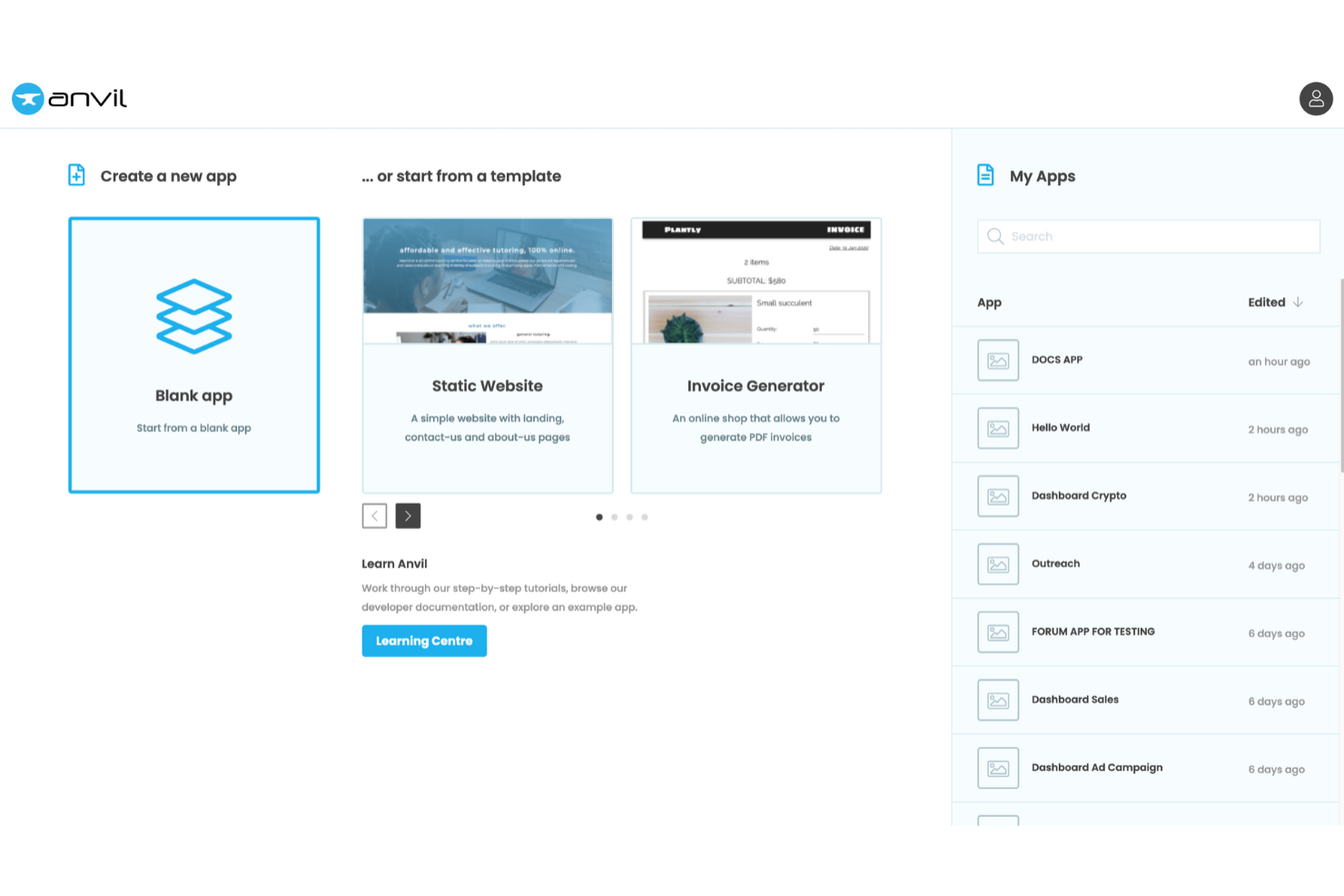
Se vuoi creare app web utilizzando Python sia per il front end che per il back end, Anvil mette a disposizione un editor UI drag-and-drop pensato appositamente per sviluppatori Python. È una soluzione ideale per data scientist, ingegneri e team che desiderano realizzare interfacce interattive senza dover passare tra diversi linguaggi. Anvil si distingue perché consente di scrivere tutta la logica della tua applicazione in Python, semplificando così la prototipazione e il rilascio rapido di strumenti data-driven.
Perché ho scelto Anvil
Ciò che differenzia Anvil è l'attenzione nel consentire di costruire sia l'interfaccia che la logica della tua web app interamente in Python. Questo è particolarmente prezioso per gli sviluppatori Python che desiderano un editor UI drag-and-drop senza dover imparare JavaScript o HTML. Apprezzo molto il fatto che l'editor di Anvil permette di progettare visivamente l'applicazione e collegare subito gli elementi UI al codice Python. Questo approccio semplifica il flusso di lavoro per chiunque sviluppi applicazioni scientifiche o basate sui dati, rappresentando una soluzione unica per lo sviluppo di interfacce in Python.
Funzionalità principali di Anvil
Altre funzionalità interessanti disponibili in Anvil includono:
- Autenticazione utenti integrata: Aggiungi login, registrazione e gestione utenti alle tue app senza configurazioni extra.
- Tabelle dati: Archivia e gestisci i dati dell'app direttamente in Anvil utilizzando tabelle di database integrate.
- Moduli server: Esegui codice Python sicuro lato server per gestire operazioni sensibili o collegarti a servizi esterni.
- Supporto per HTML e CSS personalizzati: Estendi il design della tua app aggiungendo elementi e stili HTML personalizzati quando necessario.
Integrazioni di Anvil
Attualmente Anvil non elenca integrazioni native. Tuttavia, Anvil supporta integrazioni personalizzate tramite la sua API.
Pros and Cons
Pros:
- Full-stack development utilizzando solo Python
- Interfaccia drag-and-drop per una prototipazione rapida
- Tabelle dati integrate per la gestione dei dati delle app
Cons:
- Componenti UI predefiniti limitati
- Richiede una gestione manuale dello stile per layout complessi

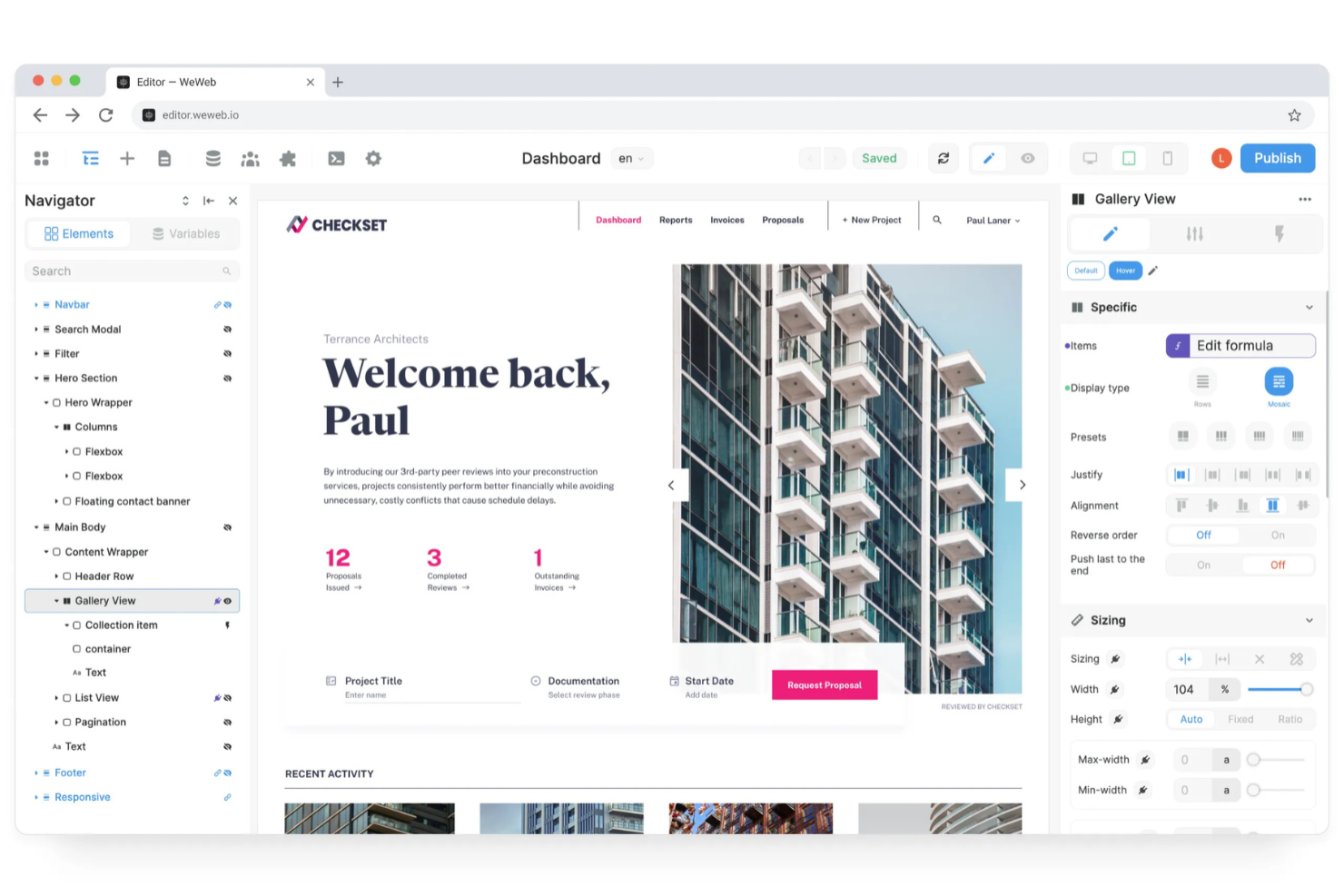
Se vuoi creare app web senza scrivere codice, WeWeb offre un builder UI drag and drop flessibile, pensato sia per startup sia per team affermati. È particolarmente utile per product manager, fondatori e agenzie che hanno bisogno di lanciare rapidamente app web personalizzate e collegarle a diverse fonti di dati. Grazie al suo editor visuale per la logica e agli strumenti di design responsivo, WeWeb ti aiuta a creare app interattive e pronte per la produzione, funzionanti su qualsiasi dispositivo.
Perché ho scelto WeWeb
Quello che mi ha colpito di WeWeb è il modo in cui permette agli utenti di creare app web completamente funzionali senza scrivere codice. Il suo editor visuale della logica consente di costruire flussi di lavoro dinamici e interazioni direttamente nell’interfaccia, caratteristica essenziale per la creazione di app web no-code. Mi piace che sia possibile progettare layout responsivi e collegarsi a fonti dati esterne, tutto tramite un’interfaccia drag and drop. Questo rende WeWeb una scelta solida per i team che desiderano lanciare app pronte per la produzione rapidamente, senza dover dipendere dagli sviluppatori per ogni aggiornamento.
Funzionalità principali di WeWeb
Altre funzionalità di WeWeb che meritano di essere evidenziate includono:
- Componenti riutilizzabili: Crea e salva componenti personalizzati da usare in più progetti.
- Controllo accessi basato sui ruoli: Assegna permessi diversi agli utenti in base ai ruoli.
- Storico delle versioni: Tieni traccia delle modifiche e torna alle versioni precedenti della tua app.
- Blocchi di codice personalizzati: Inserisci codice JavaScript per logiche avanzate o integrazioni quando necessario.
Integrazioni di WeWeb
Le integrazioni includono Airtable, Google Sheets, Stripe, Mailchimp, HubSpot, Zapier, Integromat, Twilio, Shopify e Firebase.
Pros and Cons
Pros:
- Editor visuale della logica per flussi di lavoro dinamici
- Strumenti di design responsivo per tutti i tipi di dispositivi
- Supporta codice personalizzato per funzionalità avanzate
Cons:
- Libreria di template limitata rispetto ai concorrenti
- Problemi di prestazioni con progetti di grandi dimensioni

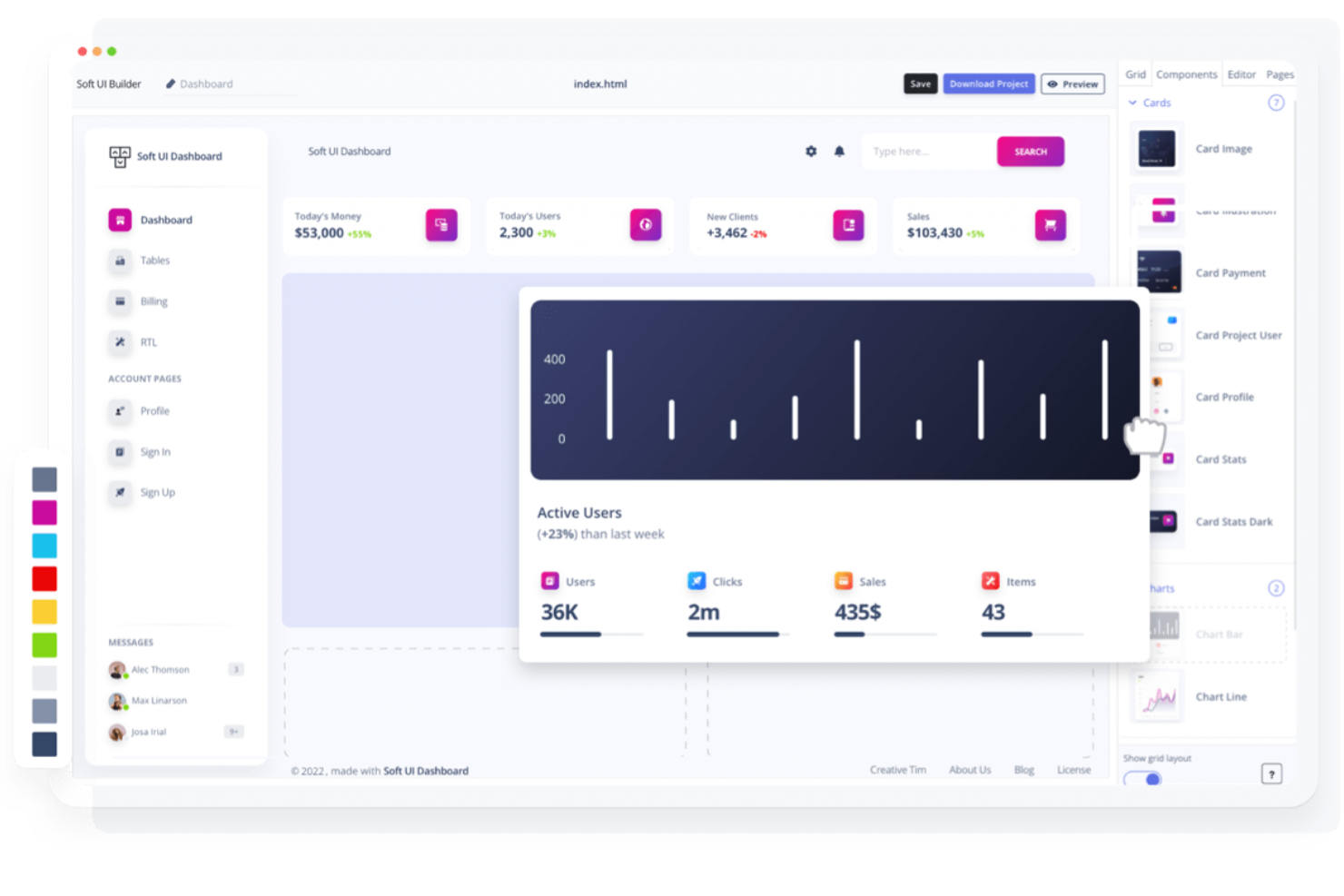
Builder.io offre una piattaforma di editing visivo progettata per i team che desiderano gestire contenuti e design in un ambiente headless CMS. È particolarmente utile per i marketer, i team di e-commerce e gli sviluppatori che hanno bisogno di collaborare su siti dinamici senza rinunciare a flessibilità o prestazioni. Builder si distingue perché consente di creare e aggiornare visivamente le pagine collegate direttamente al tuo stack tecnologico, permettendo di offrire esperienze ricche di contenuti senza un intenso coinvolgimento degli sviluppatori.
Perché ho scelto Builder.io
Builder.io si distingue per la capacità di combinare l'editing visivo con la flessibilità di un headless CMS. Questo lo rende una scelta ideale per i team che vogliono progettare e aggiornare pagine web in modo visuale mantenendo contenuti e layout separati dal backend. Ho scelto Builder.io perché consente di trascinare e rilasciare i componenti direttamente sul sito e di gestire modelli di contenuto strutturato senza i colli di bottiglia dello sviluppo. La funzione di anteprima in tempo reale e le opzioni di targetizzazione granulare dei contenuti aiutano anche i team a offrire esperienze personalizzate e dinamiche su larga scala.
Funzionalità principali di Builder.io
Altre funzionalità di Builder.io che meritano attenzione includono:
- Componenti di codice personalizzati: Aggiungi direttamente i tuoi componenti React, Vue o Angular nell'editor visivo.
- Strumenti di A/B testing: Esegui esperimenti su varianti di pagina per ottimizzare le prestazioni dei contenuti.
- Permessi basati sui ruoli: Controlla l'accesso alla modifica e alla pubblicazione per i diversi membri del team.
- Pianificazione dei contenuti: Imposta date e orari specifici per la pubblicazione o la scadenza automatica dei contenuti.
Integrazioni di Builder.io
Le integrazioni includono Shopify, BigCommerce, Contentful, Sanity, Prismic, WordPress, Salesforce Commerce Cloud, Algolia e Google Analytics.
Pros and Cons
Pros:
- Editor visivo abbinato alla flessibilità dell'headless CMS
- Anteprima in tempo reale per modifiche a contenuto e layout
- Supporta componenti di codice personalizzati per maggiore flessibilità
Cons:
- La configurazione avanzata può richiedere l'intervento di sviluppatori
- Selezione limitata di template per avvii rapidi

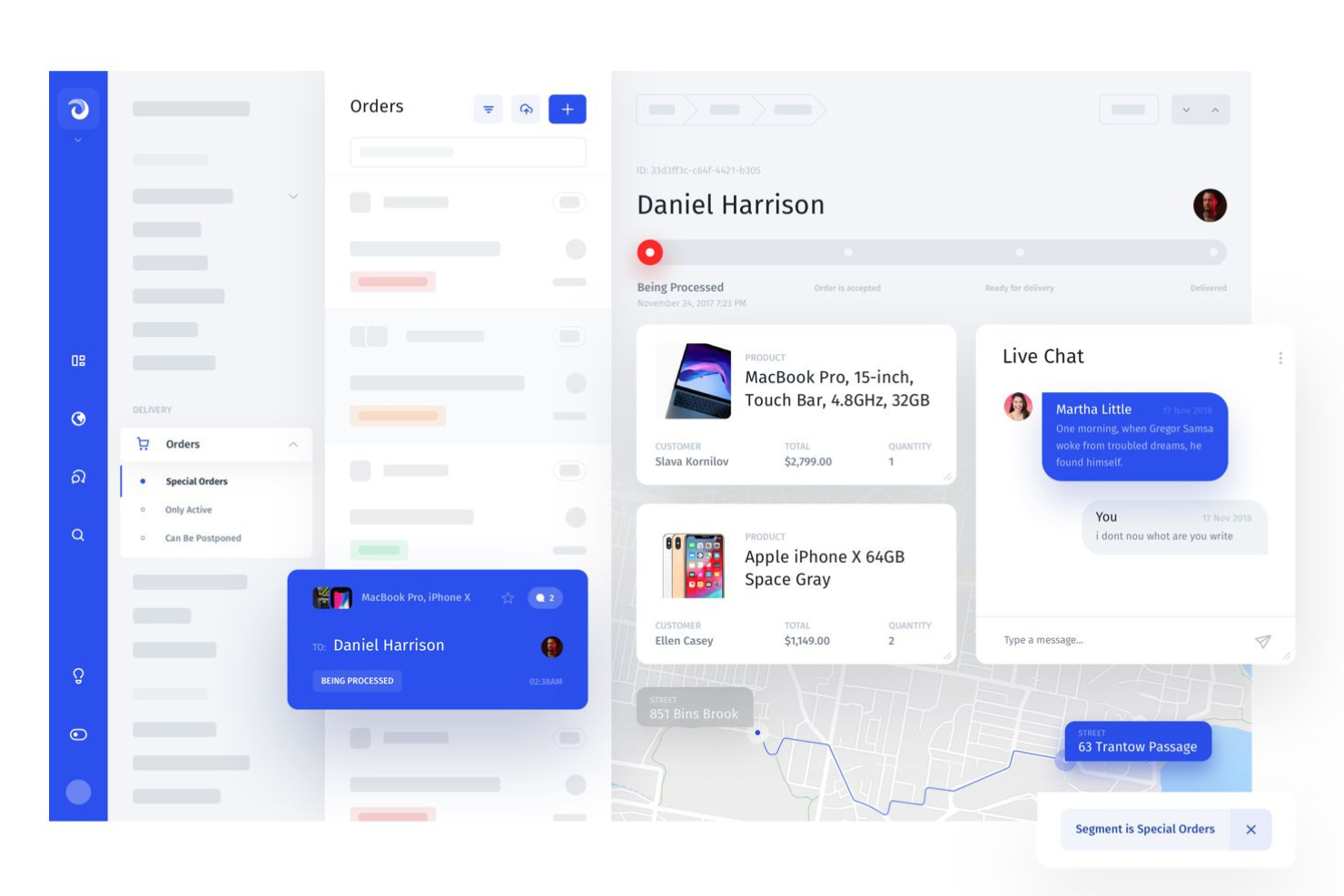
Jet Admin è pensato per i team che devono unire dati da molte fonti in un'unica interfaccia interattiva. È particolarmente utile per i team di operations, supporto e prodotto che desiderano creare dashboard personalizzate o pannelli di amministrazione senza dover scrivere molto codice. Con il suo costruttore drag and drop e la forte connettività ai dati, Jet Admin ti permette di unificare i flussi di lavoro tra database, strumenti SaaS e API.
Perché ho scelto Jet Admin
Ciò che distingue Jet Admin, secondo me, è il modo in cui gestisce le connessioni a più fonti di dati in un unico ambiente drag and drop. Puoi collegare database, archivi cloud e piattaforme SaaS direttamente alla tua interfaccia utente, rendendo facile costruire strumenti che recuperano dati in tempo reale da tutta l’azienda. Apprezzo il fatto che Jet Admin supporti relazioni dati complesse e ti consenta di creare viste o flussi di lavoro personalizzati che attraversano diversi sistemi. Questo lo rende una scelta solida per i team che devono centralizzare e interagire con dati provenienti da molteplici fonti senza scrivere codice personalizzato per ogni integrazione.
Funzionalità principali di Jet Admin
Altre funzionalità interessanti di Jet Admin per costruire interfacce personalizzate includono:
- Componenti UI predefiniti: Accedi a una libreria di tabelle, grafici, moduli e pulsanti per assemblare rapidamente la tua applicazione.
- Strumenti di automazione dei flussi di lavoro: Imposta trigger e azioni per automatizzare attività ripetitive all’interno delle tue dashboard.
- Gestione dei permessi utente: Definisci controlli di accesso granulari per diversi utenti e team.
- Opzioni di personalizzazione del branding: Modifica colori, loghi e temi per abbinare l’identità visiva della tua azienda.
Integrazioni di Jet Admin
Le integrazioni includono PostgreSQL, MySQL, MongoDB, Firebase, Airtable, Google Sheets, REST API, GraphQL e Snowflake. Jet Admin supporta anche integrazioni personalizzate tramite API.
Pros and Cons
Pros:
- Collega più fonti di dati in un’unica interfaccia
- Componenti predefiniti per un assemblaggio UI rapido
- Automazione dei flussi di lavoro con trigger e azioni
Cons:
- Le prestazioni possono diminuire con grandi set di dati
- Limitate opzioni di personalizzazione avanzata del design


BuilderX è uno strumento di progettazione creato per i team che desiderano realizzare interfacce utente in modo visuale ed esportare codice pronto per la produzione per progetti React e React Native. È particolarmente utile per designer di prodotto e sviluppatori front-end che devono colmare il divario tra design e sviluppo senza passaggi manuali. BuilderX si distingue perché permette di progettare interfacce con strumenti drag and drop e generare istantaneamente codice pulito e utilizzabile per i framework moderni di app.
Perché ho scelto BuilderX
Ciò che rende unico BuilderX è la sua esportazione diretta dal design al codice sia per React che per React Native, una capacità rara tra i costruttori di UI drag and drop. Ho scelto BuilderX perché consente di progettare interfacce in modo visivo e poi generare immediatamente codice pronto per la produzione, eliminando la necessità di una traduzione manuale tra design e sviluppo. Lo strumento supporta controlli di layout avanzati e personalizzazione dei componenti, consentendo di creare design pixel-perfect che si traducono fedelmente in codice. Questo lo rende particolarmente prezioso per i team che costruiscono app multipiattaforma e vogliono accelerare il flusso di lavoro e ridurre le frizioni durante il passaggio tra i reparti.
Caratteristiche principali di BuilderX
Altre funzionalità degne di nota di BuilderX includono:
- Supporto alle librerie di componenti: Importa e utilizza il tuo sistema di design o la tua libreria di componenti direttamente nell'editor.
- Strumenti di auto-layout: Dispone e ridimensiona automaticamente gli elementi per mantenere spaziatura e allineamento coerenti.
- Gestione delle risorse SVG e delle immagini: Carica, modifica e gestisci SVG e immagini direttamente nei tuoi progetti.
- Anteprima multipiattaforma: Visualizza e testa la tua UI su diversi tipi di dispositivi e dimensioni dello schermo direttamente nello strumento.
Integrazioni di BuilderX
BuilderX è uno strumento di progettazione basato su browser, attualmente non sono elencate integrazioni native.
Pros and Cons
Pros:
- Esporta codice React e React Native pronto per la produzione
- Supporto per librerie di componenti personalizzate nei sistemi di design
- Strumenti di auto-layout per spaziatura e allineamento coerenti
Cons:
- Funzionalità di collaborazione limitate per i team
- Bug occasionali durante l'esportazione del codice

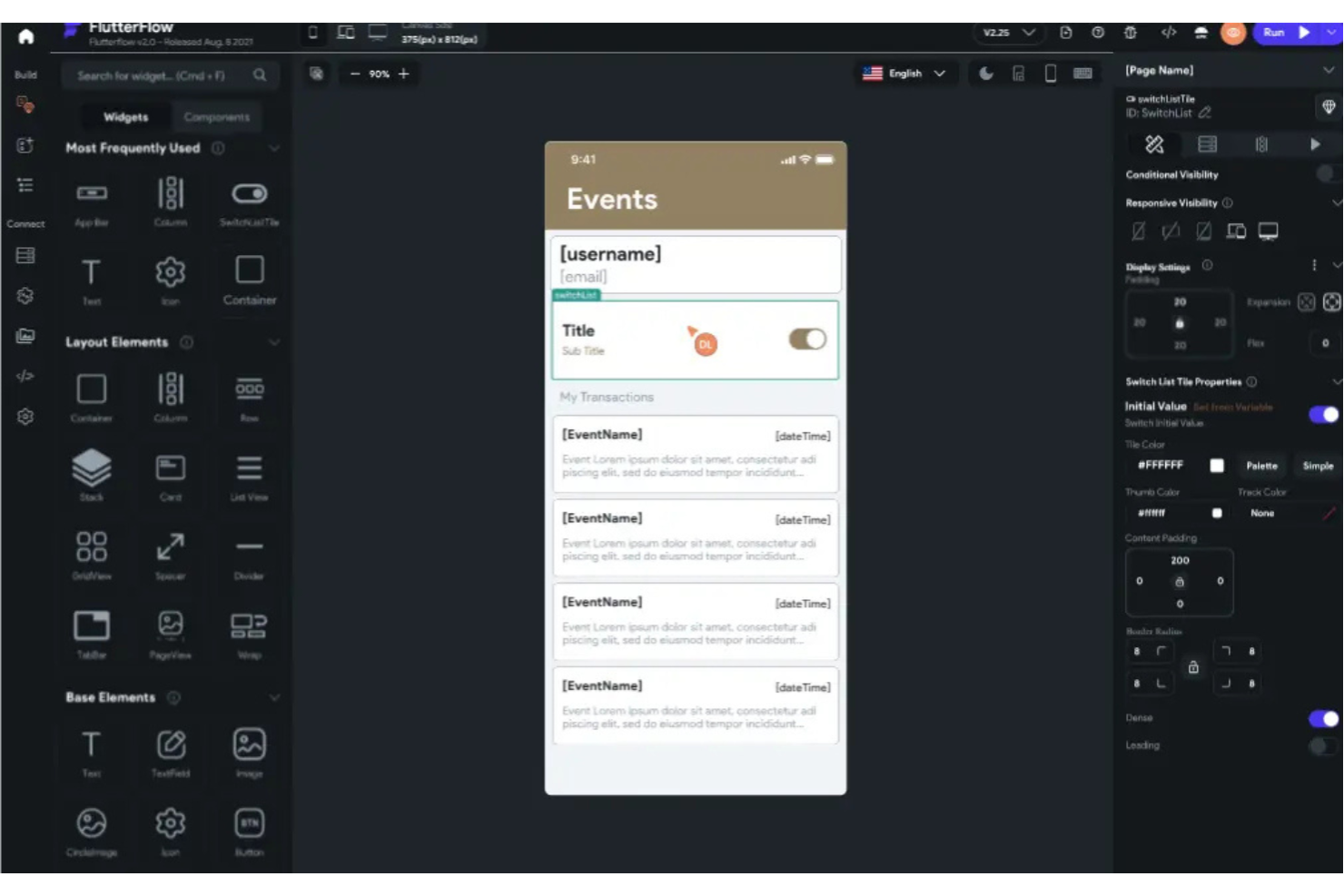
FlutterViz ti offre un modo per progettare visivamente le interfacce delle app Flutter e generare istantaneamente codice Flutter pulito. È particolarmente adatto a sviluppatori di app mobile, agenzie e team di prodotto che vogliono velocizzare la prototipazione e ridurre il codice manuale. Grazie al suo builder drag and drop specifico per Flutter, puoi trasformare rapidamente idee di interfaccia in codice funzionante senza dover passare da strumenti di design a strumenti di sviluppo.
Perché ho scelto FlutterViz
FlutterViz si distingue per la sua capacità di generare codice Flutter pronto per la produzione direttamente da un'interfaccia visuale drag and drop. Ho scelto FlutterViz perché è stato creato appositamente per Flutter, quindi ogni widget e opzione di layout è progettata in base alla struttura unica del framework. Lo strumento consente di personalizzare le proprietà, vedere l'anteprima dell'interfaccia in tempo reale ed esportare codice subito pronto per essere utilizzato nei tuoi progetti Flutter. Questo lo rende particolarmente interessante se vuoi passare rapidamente dal design allo sviluppo senza tradurre o rielaborare manualmente il codice.
Funzionalità principali di FlutterViz
Altre funzionalità di FlutterViz che hanno attirato la mia attenzione includono:
- Libreria di widget predefiniti: Accedi a una vasta gamma di widget Flutter pronti all'uso per assemblare più velocemente le interfacce.
- Personalizzazione del tema: Modifica colori, font e stili per adattarli al tuo brand o alle esigenze del progetto.
- Esportazione su più piattaforme: Genera codice che funziona sia per Android che per iOS.
- Anteprima sui dispositivi in tempo reale: Visualizza aggiornamenti immediati dell’interfaccia sui frame di diversi dispositivi mentre progetti.
Integrazioni di FlutterViz
Attualmente FlutterViz non indica integrazioni native.
Pros and Cons
Pros:
- Genera codice Flutter direttamente dai design delle interfacce
- Ampia libreria di widget Flutter predefiniti
- Anteprima in tempo reale su diversi tipi di dispositivi mobili
Cons:
- Supporto limitato per animazioni avanzate
- Funzionalità di collaborazione basilari per i team

Ideale per creare rapidamente strumenti aziendali interni
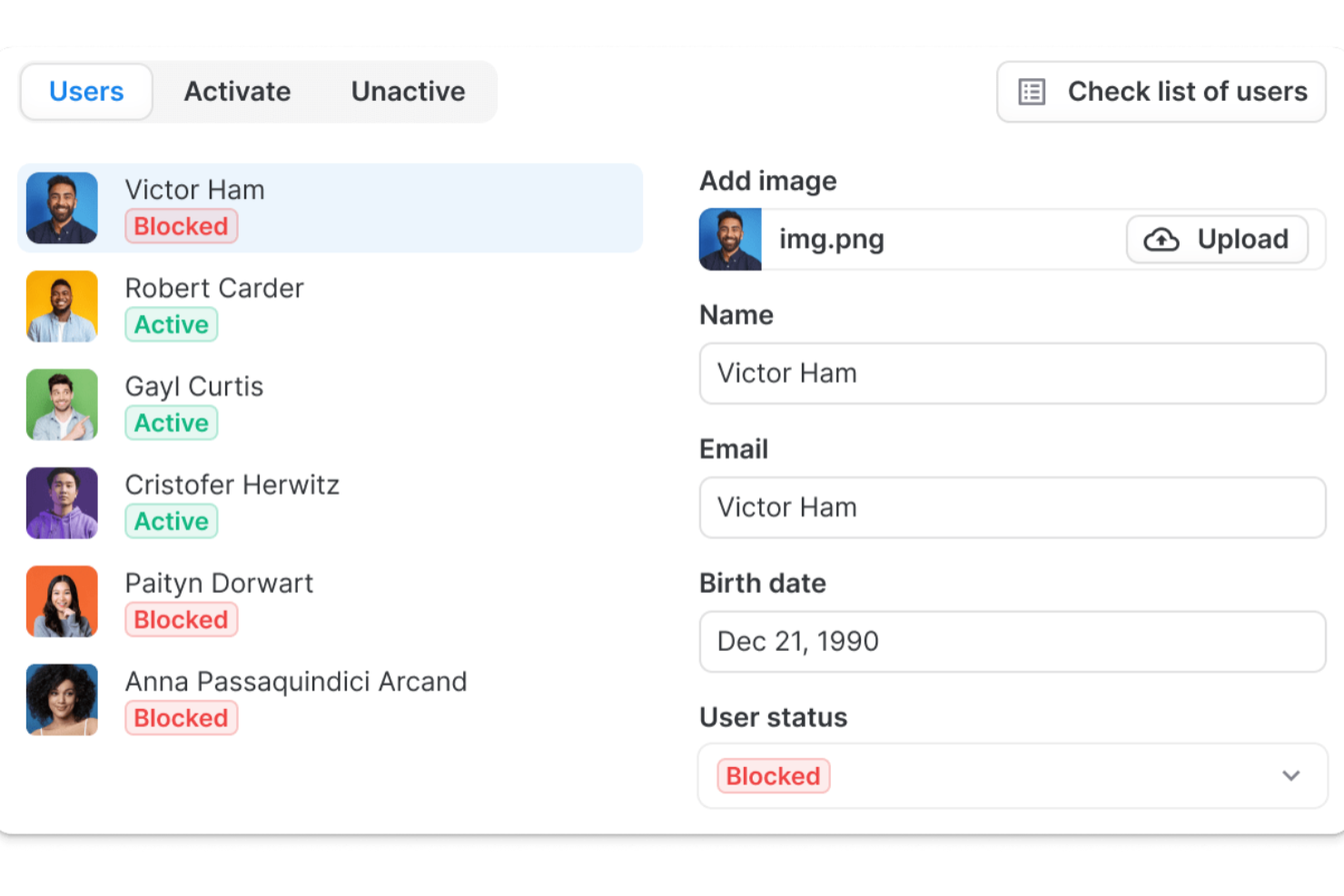
Se hai bisogno di creare rapidamente strumenti aziendali interni senza dover scrivere molto codice, UI Bakery è pensato per te. Questa piattaforma si distingue per la sua attenzione alla creazione rapida di app, risultando particolarmente adatta per team operativi, dipartimenti IT e startup che vogliono automatizzare flussi di lavoro o gestire dati in modo visivo. UI Bakery ti aiuta a collegarti alle tue fonti di dati e a comporre interfacce con componenti drag and drop, così puoi fornire rapidamente soluzioni personalizzate.
Perché ho scelto UI Bakery
Ho scelto UI Bakery perché è progettato appositamente per team che devono lanciare strumenti aziendali interni in tempi rapidi. L'interfaccia drag and drop della piattaforma ti permette di creare dashboard, pannelli amministrativi e app per la gestione dei dati senza dover scrivere codice, il che è ideale per i team operativi e IT. Mi piace che UI Bakery offra componenti predefiniti pensati per i flussi di lavoro aziendali, come tabelle, moduli e grafici, così puoi concentrarti sulla risoluzione dei veri problemi invece che costruire tutto da zero. La sua capacità di collegarsi direttamente a database e API significa anche che puoi creare strumenti che lavorano in tempo reale con i tuoi dati esistenti.
Funzionalità principali di UI Bakery
Altre funzionalità di UI Bakery che si distinguono per i team che costruiscono interfacce personalizzate includono:
- Controllo degli accessi basato sui ruoli: Imposta permessi per utenti diversi per gestire chi può visualizzare o modificare parti specifiche delle tue applicazioni.
- Branding personalizzato: Applica i colori, i loghi e lo stile della tua organizzazione per mantenere un aspetto coerente su tutti gli strumenti interni.
- Log di audit: Traccia le azioni degli utenti e le modifiche all'interno delle applicazioni per un maggiore controllo e conformità.
- Automazione dei flussi di lavoro: Crea logiche e automatizza compiti ripetitivi direttamente dalla tua interfaccia utilizzando flussi di lavoro visuali.
Integrazioni di UI Bakery
UI Bakery attualmente non elenca integrazioni native.
Pros and Cons
Pros:
- Componenti predefiniti per strumenti interni e dashboard
- Connessioni dirette a database e API per dati in tempo reale
- Automazione visuale del flusso di lavoro per processi aziendali
Cons:
- Integrazioni di terze parti limitate disponibili
- La reattività mobile richiede regolazioni manuali
New Product Updates from UI Bakery
UI Bakery Improves MCP Editing and AI Setup
UI Bakery improves MCP with changed-file updates and faster setup for Claude, ChatGPT, and Cursor. It also adds multi-value table filtering for more flexible data views. For more information, visit UI Bakery’s official site.
 .
.
Framer
Ideale per il prototipaggio interattivo con animazioni

Framer si distingue per i team e i designer che vogliono creare prototipi altamente interattivi con animazioni avanzate. È una scelta ideale per designer di prodotto, professionisti UX e agenzie che hanno bisogno di comunicare visivamente il movimento, le transizioni e i flussi utente. Con il suo canvas in tempo reale e gli strumenti per le animazioni, puoi dare rapidamente vita a idee di interfacce complesse e testarle prima dello sviluppo.
Perché ho scelto Framer
A differenza di molti altri builder UI drag and drop, Framer è pensato specificamente per il prototipaggio interattivo con l’animazione come elemento centrale. Ho scelto Framer perché ti consente di progettare e visualizzare in anteprima complesse transizioni, gesture e micro-interazioni direttamente sul canvas. L’editor di animazione basato su timeline e i componenti interattivi permettono di simulare veri flussi utente e stati dinamici. Se hai bisogno di comunicare esattamente come deve muoversi e rispondere un’interfaccia, gli strumenti di animazione e prototipazione di Framer sono difficili da eguagliare.
Caratteristiche principali di Framer
Altre funzionalità di Framer che vale la pena evidenziare includono:
- Libreria di componenti: Accesso a una vasta gamma di componenti interattivi predefiniti per velocizzare il prototipaggio.
- Collaborazione in tempo reale: Più membri del team possono lavorare insieme sullo stesso progetto in simultanea.
- Importazione da Figma: Importa i design direttamente da Figma per iniziare il prototipaggio senza dover ricreare le risorse.
- Supporto al codice personalizzato: Aggiungi codice React per comportamenti avanzati e integrazioni quando necessario.
Integrazioni di Framer
Le integrazioni includono Figma, Slack, GitHub, Airtable, Google Sheets, Notion, Trello, Asana e Jira.
Pros and Cons
Pros:
- Strumenti di animazione avanzati per prototipi interattivi
- Collaborazione in tempo reale per i team di design
- Importazione da Figma per flussi di lavoro di prototipazione più rapidi
Cons:
- Supporto limitato per l’esportazione di codice pronto per la produzione
- Le prestazioni possono diminuire con prototipi complessi
Altri strumenti per creare interfacce utente con trascinamento
\u003cspan style=\u0022font-weight: 400;\u0022\u003eEcco alcune opzioni aggiuntive di strumenti per creare interfacce utente con trascinamento che non sono state incluse nel mio elenco, ma che vale comunque la pena valutare:\u003c/span\u003e
- Pinegrow
Ideale per la modifica di più pagine in tempo reale
- Webstudio
Ideale per flussi di lavoro collaborativi di progettazione di siti web
- Visual Composer
Ideale per la personalizzazione dei siti WordPress


Come Valuto i Drag and Drop UI Builders
Quando un PM ha bisogno di un prototipo cliccabile prima di una revisione con gli stakeholder, lo strumento o funziona o non funziona—quindi valuto su due livelli: capacità di base e ciò che distingue i vari fornitori.
Funzionalità di Base (Requisiti Fondamentali per Questa Lista)
Quando seleziono gli strumenti per la mia lista, valuto ciascuno su una scala da 0 (non offre la funzionalità) a 5 (eccelle in questa area) per ogni funzionalità di base elencata di seguito. Poi, calcolo il punteggio totale dello strumento e lo trasformo in una percentuale. Ogni strumento deve raggiungere un punteggio totale minimo del 65% per essere considerato per l'inclusione.
- Canvas Visuale Drag-and-Drop: Valuto quanto sia fluido il posizionamento, lo spostamento e il ridimensionamento degli elementi—specialmente quando si creano flussi multi-schermo per una revisione di sprint.
- Libreria di Componenti Predefiniti: La libreria dovrebbe coprire pattern comuni come form, modali e barre di navigazione così che un PM possa simulare rapidamente un checkout realistico o un flusso di onboarding.
- Prototipazione Interattiva: Verifico se lo strumento supporta stati cliccabili, transizioni e logica di base affinché i prototipi risultino sufficientemente funzionali da raccogliere feedback utente significativi.
- Controlli di Layout Responsivo: Breakpoint e auto-layout sono fondamentali quando il prodotto deve funzionare sia su mobile che su desktop—cerco strumenti che permettano di visualizzare in anteprima e regolare i layout su varie dimensioni di schermo.
- Collaborazione e Condivisione: L'input degli stakeholder guida ogni iterazione, quindi valuto thread di commenti, link condivisibili e co-editing in tempo reale tra PM, designer e ingegneri.
- Handoff di Design ed Export: Il valore di un prototipo cala se gli sviluppatori non possono estrarne le specifiche—cerco modalità di ispezione, esportazione del codice o integrazioni con strumenti come Storybook o GitHub.
Una volta raccolta una lista di strumenti che soddisfano i criteri, considero ciò che differenzia ciascuna piattaforma.
Fattori Differenzianti (Cosa Distingue i Fornitori)
Ecco come confronto e metto a confronto i vari fornitori:
Caratteristiche Distintive
La generazione del layout assistita dall'IA è davvero un fattore differenziante. Quando un PM può descrivere un'idea di dashboard con testo in linguaggio naturale ed ottenere un punto di partenza utilizzabile, la fase di ideazione accelera. Cerco anche integrazioni con piattaforme di user testing come Maze o UserTesting. Questa connessione accorcia la distanza tra prototipo e apprendimento validato. Il supporto ai design system è rilevante per i team che gestiscono prodotti multipli, dove componenti coerenti riducono il lavoro ripetitivo per ogni nuovo prototipo.
Oltre le Funzionalità
La curva di apprendimento conta quando il team include PM che non sono designer esperti. Verifico se uno strumento offre template e onboarding guidato che permette a chiunque di creare e condividere un prototipo in una sola sessione. L'adattamento all'ecosistema è altrettanto importante—uno strumento che si integra con Jira, Linear o Figma si inserisce nei flussi di lavoro esistenti invece di creare nuovi silos. Anche la struttura dei prezzi influisce sulla mia valutazione. Esamino se i piani gratuiti supportano la vera collaborazione e se i costi per utente restano sostenibili man mano che si aggiungono membri cross-funzionali.
Come scegliere uno strumento per creare interfacce utente con trascinamento
È facile perdersi in lunghi elenchi di funzionalità e strutture tariffarie complesse. Per aiutarti a rimanere concentrato mentre affronti il tuo particolare processo di selezione del software, ecco un elenco di fattori da tenere presenti:
| Fattore | Cosa valutare |
|---|---|
| Scalabilità | Lo strumento supporterà il tuo team con la crescita dei progetti o della base utenti? Verifica i limiti relativi agli utenti, i limiti dei progetti e le prestazioni con file di grandi dimensioni. |
| Integrazioni | Si connette nativamente al tuo insieme di strumenti per progettazione, sviluppo o analisi? Verifica la compatibilità con strumenti come Figma, GitHub o Slack. |
| Personalizzazione | Puoi adattare lo strumento al tuo flusso di lavoro? Cerca opzioni per aggiungere codice personalizzato, modelli o elementi del marchio con l’evolversi delle tue esigenze. |
| Facilità d’uso | Quanto rapidamente i nuovi utenti possono diventare operativi? Valuta la curva di apprendimento, la chiarezza dell’interfaccia e la disponibilità di indicazioni nell’app. |
| Implementazione e onboarding | Quali risorse sono necessarie per iniziare? Considera il supporto alla migrazione, i materiali di formazione e il tempo richiesto per inserire il tuo team. |
| Costo | I livelli tariffari sono in linea con il tuo budget e il tuo utilizzo? Fai attenzione ai costi nascosti, agli extra obbligatori o ai prezzi basati sugli utenti, che possono aumentare rapidamente. |
| Misure di sicurezza | Lo strumento soddisfa gli standard di sicurezza della tua organizzazione? Cerca l’accesso SSO, la crittografia dei dati e la conformità alle normative pertinenti. |
| Disponibilità dell’assistenza | Quali canali di assistenza sono disponibili e in quali orari? Valuta se hai bisogno di chat dal vivo, assistenza telefonica o solo via email, soprattutto per i problemi urgenti. |
Che cos’è uno strumento per creare interfacce utente con trascinamento?
Uno strumento per creare interfacce con trascinamento è uno strumento visivo che aiuta i team a progettare e creare interfacce disponendo gli elementi su un'area di lavoro invece di scrivere codice. Questi strumenti supportano lo sviluppo di app semplificando la creazione di layout per applicazioni web e progetti realizzati con strumenti per la creazione di siti web, senza dipendere eccessivamente dagli sviluppatori. Semplificando il processo di sviluppo, gli strumenti per creare interfacce con trascinamento consentono ai team di concentrarsi sulla realizzazione più rapida delle app, sulla verifica delle idee e sull'iterazione dei progetti con un minore sforzo tecnico.
Funzionalità
Quando scegli uno strumento per creare interfacce con trascinamento, presta attenzione alle seguenti funzionalità principali:
- Area di lavoro visiva: consente di disporre, ridimensionare e organizzare gli elementi dell'interfaccia direttamente in uno spazio di lavoro digitale, rendendo le modifiche al layout intuitive e immediate.
- Libreria di componenti: offre una raccolta di elementi dell'interfaccia riutilizzabili, come pulsanti, moduli e barre di navigazione, che puoi trascinare nel tuo progetto.
- Strumenti per la progettazione adattiva: consentono di creare layout che si adattano automaticamente a schermi e dispositivi di dimensioni diverse, garantendo un'esperienza utente coerente.
- Prototipazione interattiva: consente di aggiungere collegamenti, transizioni e interazioni di base per simulare i flussi degli utenti e testare la logica dell'interfaccia.
- Editor degli stili: offre controlli per modificare colori, caratteri, spaziature e altre proprietà visive senza dover scrivere CSS o codice.
- Modalità anteprima: consente di visualizzare e utilizzare il progetto come farebbe un utente finale, aiutandoti a individuare i problemi prima dello sviluppo.
- Opzioni di esportazione e consegna: supporta l'esportazione di risorse, frammenti di codice o specifiche di progettazione da condividere con gli sviluppatori o altri soggetti interessati.
- Storico delle versioni: tiene traccia delle modifiche apportate al progetto nel tempo, consentendo di ripristinare stati precedenti o esaminare le modifiche effettuate dai collaboratori.
- Strumenti di collaborazione: facilitano il lavoro di squadra in tempo reale o asincrono, con funzionalità come commenti, condivisione e modifica multiutente.
- Libreria di modelli: include layout predefiniti o kit per le interfacce per aiutarti ad avviare rapidamente nuovi progetti e mantenere la coerenza del design.
Funzionalità comuni dell'IA
Oltre alle funzionalità standard degli strumenti per creare interfacce con trascinamento elencate sopra, molte di queste soluzioni stanno integrando l'IA con funzionalità come:
- Suggerimenti di layout basati sull'IA: analizzano il tuo progetto e consigliano automaticamente la posizione, la spaziatura e l'allineamento ottimali degli elementi per migliorare l'usabilità e l'equilibrio visivo.
- Componenti generati dall'IA: creano nuovi elementi dell'interfaccia o intere sezioni in base ai requisiti del progetto o a istruzioni testuali, riducendo il lavoro di progettazione manuale.
- Compilazione automatica dei contenuti: utilizza l'IA per generare testi segnaposto, immagini o icone coerenti con il contesto del progetto, aiutandoti a visualizzare più rapidamente prototipi realistici.
- Controlli di accessibilità: analizzano l'interfaccia alla ricerca di potenziali problemi di accessibilità e suggeriscono correzioni basate sull'IA per migliorare la conformità agli standard di accessibilità.
- Analisi della coerenza del design: esamina il progetto alla ricerca di stili, colori o caratteri incoerenti e consiglia modifiche basate sull'IA per mantenere un aspetto uniforme.
Vantaggi
L'implementazione di uno strumento per creare interfacce con trascinamento offre diversi vantaggi al tuo team e alla tua attività. Ecco alcuni dei vantaggi che puoi aspettarti:
- Prototipazione più rapida: le aree di lavoro visive e le librerie di componenti consentono di creare e testare rapidamente idee per le interfacce senza scrivere codice.
- Processo di progettazione accessibile: gli strumenti di trascinamento rendono possibile la creazione di interfacce per i membri del team con diversi livelli di competenza tecnica.
- Collaborazione migliorata: le funzionalità di modifica in tempo reale, commento e condivisione aiutano i team a lavorare insieme e a raccogliere feedback in modo efficiente.
- Esperienze utente coerenti: le librerie di modelli e gli editor degli stili favoriscono la coerenza del marchio e degli standard di progettazione tra i progetti.
- Minori difficoltà nella consegna: le opzioni di esportazione e consegna facilitano la condivisione di specifiche e risorse con gli sviluppatori, riducendo al minimo le incomprensioni.
- Supporto per la progettazione adattiva: gli strumenti adattivi integrati garantiscono che le interfacce abbiano un aspetto gradevole e funzionino correttamente su qualsiasi dispositivo.
- Minori ostacoli all'inserimento: tour guidati, modelli e interfacce intuitive aiutano i nuovi utenti a diventare rapidamente produttivi.
Costi e prezzi
La scelta di uno strumento per creare interfacce con trascinamento richiede la comprensione dei diversi modelli e piani tariffari disponibili. I costi variano in base alle funzionalità, alle dimensioni del team, agli extra e ad altri fattori. La tabella seguente riassume i piani più comuni, i relativi prezzi medi e le funzionalità generalmente incluse nelle soluzioni per creare interfacce con trascinamento:
Tabella di confronto dei piani per gli strumenti di creazione dell'interfaccia utente con trascinamento
| Tipo di piano | Prezzo medio | Funzionalità comuni |
|---|---|---|
| Piano gratuito | $0 | Accesso ai componenti di base, progetti limitati, supporto per un singolo utente e risorse di assistenza della comunità. |
| Piano personale | $10–$25/utente/mese | Progetti illimitati, componenti avanzati, strumenti di progettazione adattivi e supporto via e-mail. |
| Piano aziendale | $25–$50/utente/mese | Collaborazione tra team, cronologia delle versioni, opzioni di esportazione, supporto prioritario e funzionalità di integrazione. |
| Piano aziendale | $50–$100+/utente/mese | Sicurezza personalizzata, inserimento dedicato, controlli amministrativi avanzati, supporto coperto da SLA e registri di controllo. |
Domande frequenti
Ecco alcune risposte alle domande comuni sugli strumenti di creazione dell’interfaccia utente con trascinamento:
Posso utilizzare uno strumento di creazione dell'interfaccia utente con trascinamento senza alcuna esperienza di programmazione?
Sì, la maggior parte degli strumenti di creazione dell’interfaccia utente con trascinamento è progettata per utenti con poca o nessuna esperienza di programmazione. È possibile disporre visivamente gli elementi, personalizzare gli stili e creare prototipi interattivi utilizzando interfacce intuitive, rendendoli accessibili a progettisti, responsabili di prodotto e altri utenti non sviluppatori.
In che modo gli strumenti di creazione dell'interfaccia utente senza codice supportano la collaborazione tra team?
Molti strumenti di creazione dell’interfaccia utente con trascinamento offrono funzionalità di modifica e commenti in tempo reale, oltre alla condivisione. Questi strumenti consentono a più membri del team di lavorare simultaneamente allo stesso progetto, fornire riscontri direttamente sui progetti e gestire le autorizzazioni per ruoli diversi, contribuendo a mantenere tutti allineati.
Quali tipi di progetti sono più adatti a questo tipo di strumento di creazione dell'interfaccia utente?
Gli strumenti di creazione dell’interfaccia utente con trascinamento sono ideali per la prototipazione di interfacce web e mobile, la creazione di sistemi di progettazione e lo sviluppo di siti di marketing o pannelli di controllo. Sono particolarmente utili per i progetti che richiedono iterazioni rapide, riscontri delle parti interessate o collaborazione tra progettisti e membri del team non tecnici.
Posso esportare i miei progetti o il codice da uno strumento di creazione dell'interfaccia utente con trascinamento?
Sì, la maggior parte delle soluzioni consente di esportare risorse, specifiche di progettazione o frammenti di codice da trasferire agli sviluppatori. Alcuni strumenti offrono l’integrazione diretta con le piattaforme di sviluppo o generano codice pronto per la produzione, mentre altri si concentrano sulla fornitura di documentazione chiara e file di progettazione.