

In qualità di responsabile di prodotto, devi affrontare la sfida di bilanciare le esigenze della progettazione creativa con gli obiettivi aziendali pratici. Sketch è stato uno strumento di riferimento, ma potrebbe non soddisfare le tue esigenze specifiche. Potrebbero esserci problemi di compatibilità, necessità di collaborazione del team o funzionalità specifiche mancanti.
In base alla mia esperienza, trovare lo strumento di progettazione giusto può trasformare il tuo flusso di lavoro e migliorare la produttività. Ecco perché ho testato e recensito in modo indipendente diverse alternative a Sketch. Il mio obiettivo è offrirti informazioni imparziali sugli strumenti che potrebbero adattarsi meglio alle esigenze del tuo team.
In questo articolo condividerò le migliori alternative a Sketch, evidenziandone funzionalità e vantaggi distintivi. Il mio obiettivo è aiutarti a fare una scelta informata, allineando il processo di progettazione ai tuoi obiettivi aziendali.
Che cos'è Sketch?
Sketch è uno strumento di progettazione di prodotti utilizzato per creare interfacce utente e opere d'arte digitali. È molto diffuso tra designer, professionisti UX/UI e responsabili di prodotto che devono sviluppare esperienze digitali coinvolgenti e facili da usare. Funzionalità come la modifica vettoriale, la prototipazione e il supporto alla progettazione collaborativa sostengono il processo creativo del tuo team e ne migliorano l'efficienza. Nel complesso, Sketch offre funzionalità preziose per trasformare le tue idee progettuali in realtà.
Perché fidarsi dei nostri consigli sui software
6,700+
Reviews
20
Industry experts
16+
Evaluation factors
14
Years
Il nostro team testa e recensisce software dal 2012. In quanto product manager noi stessi, sappiamo quanto sia difficile — e importante — scegliere il software giusto.
Per questa guida, abbiamo valutato gli strumenti attraverso test pratici e ricerche indipendenti, assegnando un punteggio agli strumenti in base ai nostri criteri di selezione.
Le nostre recensioni riflettono il nostro giudizio editoriale umano, non un discorso di vendita.
Revisori esperti:
- Andrew LumbySenior TPM
- Cristiano ValimSenior UI/UX Lead


Tabella di confronto delle alternative a Sketch
Questa tabella di confronto riassume i dettagli dei prezzi delle mie migliori alternative selezionate a Sketch.
| Tool | Best For | Trial Info | Price | ||
|---|---|---|---|---|---|
| 1 | Ideale per la progettazione offline su Windows e Linux | Piano gratuito disponibile | Prezzi su richiesta | Website | |
| 2 | Ideale per la co-modifica gratuita in tempo reale su qualsiasi sistema operativo | Piano gratuito disponibile | Da $8.25/mese (fatturato annualmente) | Website | |
| 3 | Ideale per la prototipazione funzionale basata sui dati | Piano gratuito disponibile | A partire da $19/utente/mese | Website | |
| 4 | Ideale per gli utenti Creative Cloud che realizzano prototipi su Windows | Prova gratuita disponibile | A partire da $22.99/mese (con fatturazione annuale) | Website | |
| 5 | Ideale per la documentazione UX basata sulla logica | Piano gratuito disponibile | A partire da $29/utente/mese (con fatturazione annuale) | Website | |
| 6 | Ideale per la collaborazione alla progettazione tramite browser | Piano gratuito disponibile | A partire da $16/utente/mese | Website | |
| 7 | Ideale per la progettazione e la pubblicazione web reattiva | Piano gratuito disponibile | A partire da $10/mese (fatturato annualmente) | Website | |
| 8 | Ideale per la prototipazione di componenti basata sul codice | Piano gratuito + prova gratuita di 14 giorni disponibile | A partire da $29/utente/mese (con fatturazione annuale) | Website | |
| 9 | Ideale per la progettazione UI open source e multipiattaforma | Piano gratuito + prova gratuita di 14 giorni disponibile | A partire da $7/utente/mese | Website | |
| 10 | Ideale per una licenza di progettazione a vita con pagamento una tantum | Piano gratuito disponibile | Prezzi su richiesta | Website |


Testiamo e recensiamo software per la gestione dei prodotti dal 2020. Essendo anche noi responsabili di prodotto, sappiamo quanto sia fondamentale e difficile prendere la decisione giusta quando si sceglie un software. Investiamo in ricerche approfondite per aiutare il nostro pubblico a prendere decisioni migliori sull'acquisto di software.
Abbiamo testato più di 2.000 strumenti per diversi casi d'uso della gestione dei prodotti e scritto oltre 1.000 recensioni complete di software. Scopri come garantiamo la trasparenza & consulta la nostra metodologia di recensione dei software.
Recensioni delle migliori alternative a Sketch
Di seguito sono riportati i miei riepiloghi dettagliati delle migliori alternative a Sketch che sono entrate nella mia selezione. Le mie recensioni offrono uno sguardo approfondito alle funzionalità principali, ai pro e & contro, alle integrazioni e ai casi d’uso ideali di ogni strumento, per aiutarti a trovare quello più adatto a te.
 Ideale per la progettazione offline su Windows e Linux
- Piano gratuito disponibile
- Prezzi su richiesta
Visit WebsiteCustomer Rating:4.4/5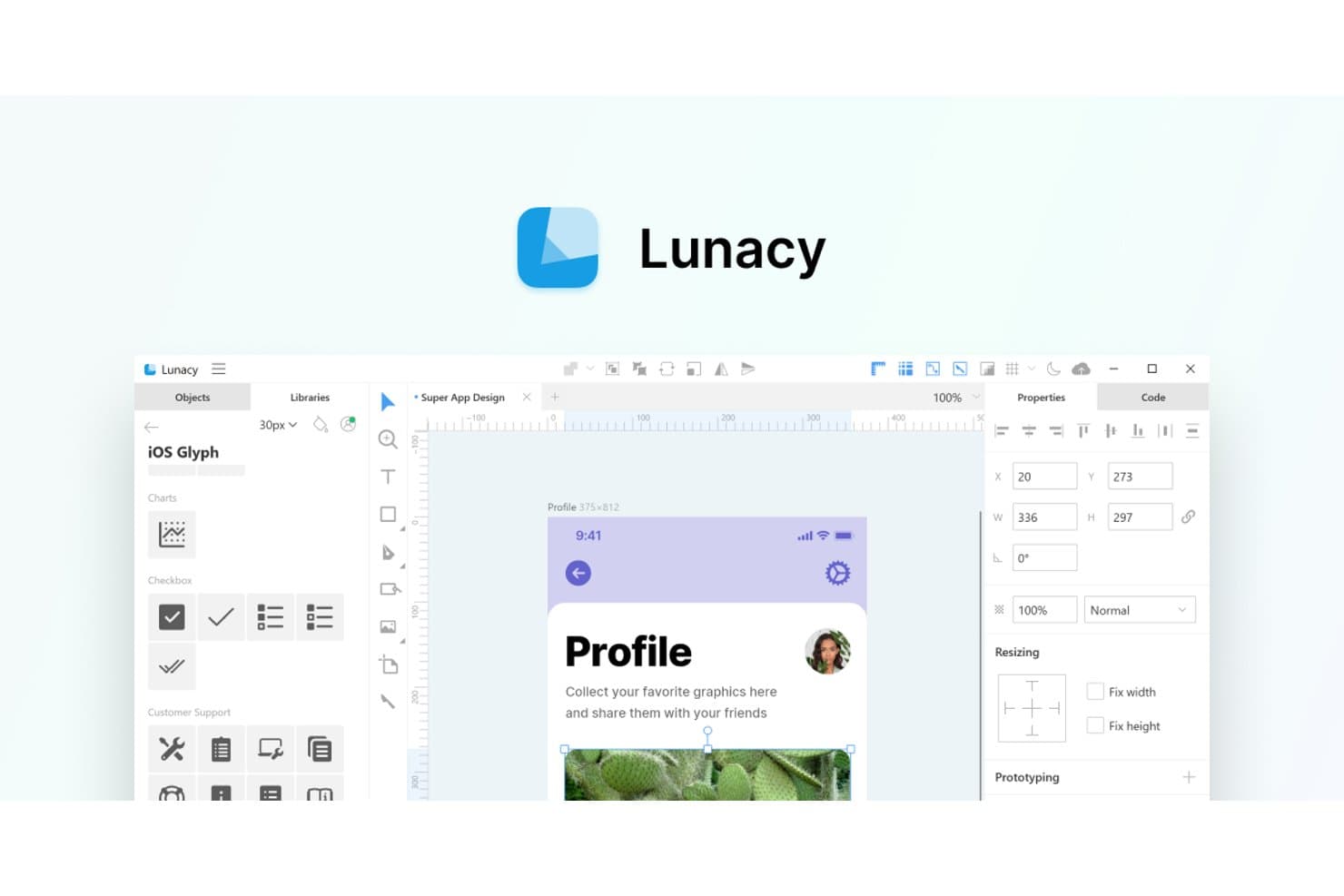
Lunacy offre un'interfaccia simile a Sketch con librerie di icone e strumenti di progettazione integrati. Lunacy è una piattaforma di progettazione UI/UX per i team di prodotto che hanno bisogno di un'alternativa pratica a Sketch per creare interfacce, collaborare sui prototipi e mantenere accessibile il lavoro di progettazione su Windows e Linux.
Per chi è più adatta Lunacy?
Lunacy è adatta ai team di progettazione UX e di prodotto che hanno bisogno di uno strumento di progettazione delle interfacce utilizzabile offline su Windows o Linux.
Perché Lunacy è una delle migliori alternative a Sketch
Ho scelto Lunacy perché posso aprire e modificare offline i file Sketch su Windows e Linux. La sua app desktop permette al mio team di continuare a perfezionare i file delle interfacce durante i viaggi o nelle sessioni su reti con accesso limitato, senza dipendere da una connessione al browser.
Caratteristiche principali di Lunacy
- Layout automatico: Crea layout di interfacce reattivi con spaziatura e allineamento regolabili.
- Componenti riutilizzabili: Crea elementi condivisi per mantenere coerenti le schermate e i sistemi di progettazione.
- Modifica vettoriale: Disegna e modifica forme, tracciati, testi ed elementi dell'interfaccia.
- Risorse integrate: Accedi a icone, foto, illustrazioni e kit UI direttamente nell'editor.
Integrazioni di Lunacy
Lunacy non dispone di integrazioni native chiaramente documentate, del supporto per Zapier o di un'API per integrazioni personalizzate.
Pros and Cons
Pros:
- Modifica offline i file Sketch su Windows e Linux
- Include icone, foto e illustrazioni integrate
- Supporta componenti riutilizzabili e layout automatici reattivi
Cons:
- I file di grandi dimensioni possono causare rallentamenti delle prestazioni
- La collaborazione sembra meno evoluta rispetto all'ecosistema di Figma
Learn more about Lunacy: Ideale per la co-modifica gratuita in tempo reale su qualsiasi sistema operativo
- Piano gratuito disponibile
- Da $8.25/mese (fatturato annualmente)
Visit WebsiteCustomer Rating:4.5/5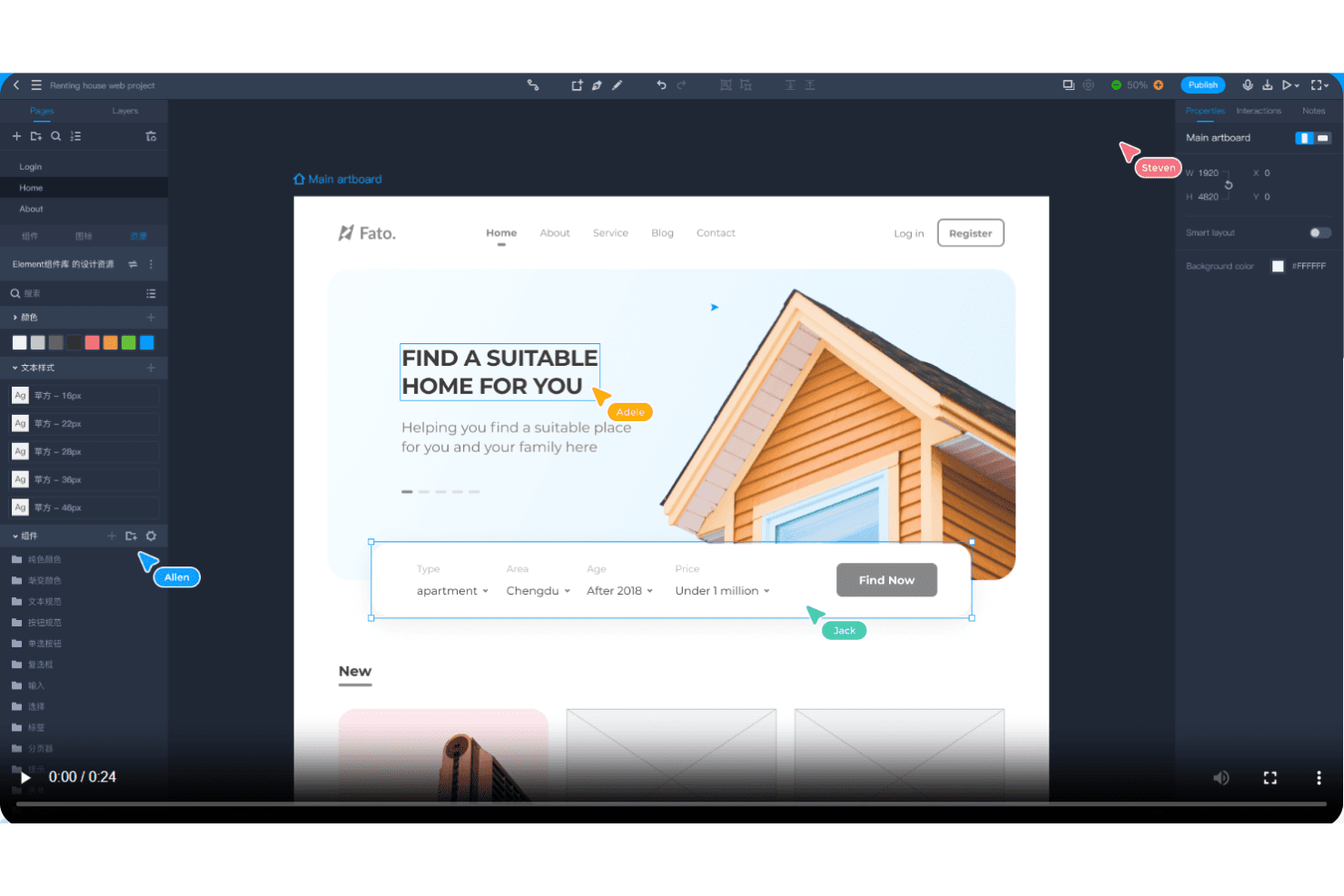
Mockplus consente la collaborazione in tempo reale con feedback immediato e prototipazione rapida. Mockplus è uno strumento per la prototipazione UX e la collaborazione alla progettazione destinato ai team di prodotto che cercano una valida alternativa pratica a Sketch per creare interfacce interattive, condividere feedback e allineare le decisioni di progettazione su diversi sistemi operativi.
Per chi è più adatto Mockplus?
Mockplus è adatto ai team distribuiti di prodotto e progettazione che necessitano della co-modifica dei prototipi in tempo reale su Windows, macOS, Linux e altri sistemi operativi.
Perché Mockplus è una buona alternativa a Sketch
Ho scelto Mockplus perché supporta la co-modifica gratuita in tempo reale su qualsiasi sistema operativo, rendendo pratica la collaborazione sui prototipi multipiattaforma. Il mio team utilizza prototipi interattivi per esaminare insieme i flussi su Windows, macOS e Linux. Il feedback condiviso mantiene visibili le decisioni di progettazione mentre i team di prodotto e ingegneria perfezionano le schermate.
Funzionalità principali di Mockplus
- Librerie di componenti: riutilizza elementi di interfaccia pronti all'uso nelle diverse schermate del prototipo.
- Sistemi di progettazione: definisci stili, componenti e documentazione riutilizzabili per interfacce coerenti.
- Specifiche di progettazione: analizza misure, colori, tipografia e risorse per l'implementazione.
- Animazioni dei prototipi: aggiungi transizioni ed effetti di movimento ai singoli elementi delle schermate.
Integrazioni di Mockplus
Mockplus Cloud documenta integrazioni e plugin per Figma, Sketch, Axure, Adobe XD, Photoshop, Slack, Jira, Confluence e Lark. Queste connessioni supportano l'importazione dei progetti, le revisioni dei prototipi, le notifiche al team, il contesto delle problematiche e la collaborazione integrata.
Pros and Cons
Pros:
- La co-modifica in tempo reale funziona su diversi sistemi operativi
- La prototipazione con trascinamento supporta l'esplorazione rapida delle interfacce
- I componenti riutilizzabili velocizzano la progettazione di schermate ripetitive
Cons:
- Il comportamento reattivo resta limitato per i layout adattivi
- Le interazioni avanzate richiedono una configurazione più manuale
Learn more about Mockplus: Ideale per la prototipazione funzionale basata sui dati
- Piano gratuito disponibile
- A partire da $19/utente/mese
Visit WebsiteCustomer Rating:4.2/5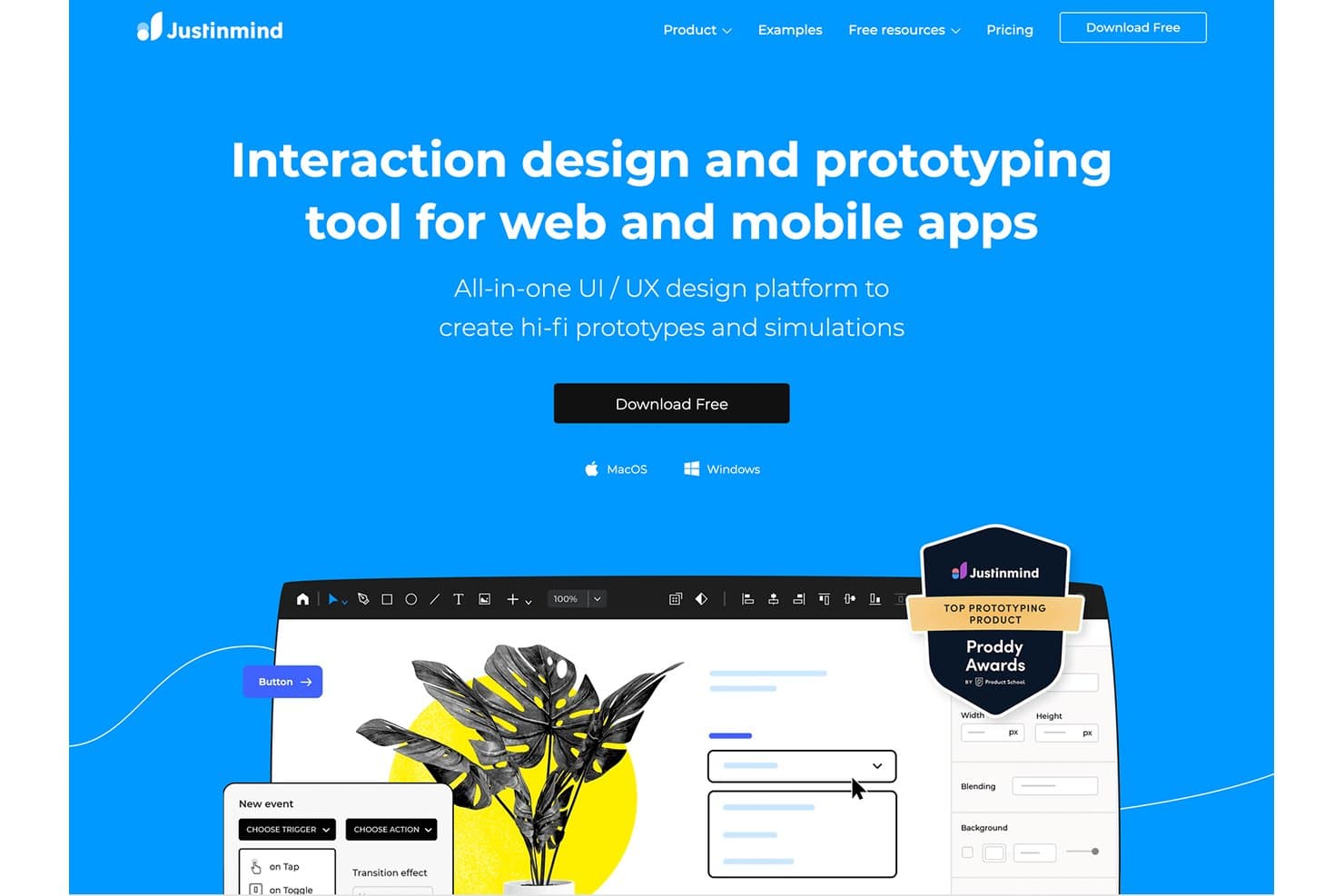
Justinmind consente agli utenti di creare prototipi ad alta fedeltà con interazioni per il web e i dispositivi mobili. Justinmind è una piattaforma di progettazione UX e prototipazione per team di prodotto che necessitano di mockup interattivi per il web e dispositivi mobili, test di usabilità e collaborazione oltre i flussi di lavoro di progettazione delle interfacce di Sketch.
Per chi è più adatto Justinmind?
Responsabili di prodotto, designer UX e ricercatori che necessitano di prototipi basati sui dati per convalidare flussi di lavoro web e mobili complessi.
Perché Justinmind è una buona alternativa a Sketch
Ho scelto Justinmind perché la sua prototipazione funzionale basata sui dati supporta test realistici dei prodotti, oltre i mockup statici delle interfacce. Uso i suoi elenchi di dati, le variabili e la logica condizionale per modellare flussi di lavoro come cataloghi filtrati, dashboard degli account e moduli in più passaggi. Questo consente al mio team di convalidare il comportamento e l'usabilità prima dell'inizio dello sviluppo.
Funzionalità principali di Justinmind
- Libreria di widget dell'interfaccia: aggiungi componenti dell'interfaccia riutilizzabili dalle librerie integrate.
- Layout reattivi: crea design che si adattano a diverse dimensioni dello schermo e dispositivi.
- Gesti interattivi: prototipa tocchi, scorrimenti, scorrimento e altre interazioni tattili.
- Commenti e collaborazione: raccogli feedback direttamente sulle schermate condivise del prototipo.
Integrazioni di Justinmind
Justinmind dispone di un'integrazione nativa con Atlassian Jira, oltre a integrazioni e plugin ufficiali per Sketch, Adobe Photoshop, Adobe Illustrator, Adobe XD, Figma, Confluence e Azure DevOps. La sua API e il suo SDK supportano plugin personalizzati, l'estrazione dei dati dei prototipi, la generazione di codice dell'interfaccia e le connessioni agli strumenti interni.
Pros and Cons
Pros:
- Modella flussi di lavoro basati sui dati con variabili
- Simula la logica condizionale e gli stati dinamici
- Supporta test di usabilità realistici prima dello sviluppo
Cons:
- La progettazione dell'interfaccia risulta più lenta rispetto a Sketch
- I prototipi complessi richiedono tempi di configurazione considerevoli
Learn more about Justinmind: Ideale per gli utenti Creative Cloud che realizzano prototipi su Windows
- Prova gratuita disponibile
- A partire da $22.99/mese (con fatturazione annuale)
Visit WebsiteCustomer Rating:4.2/5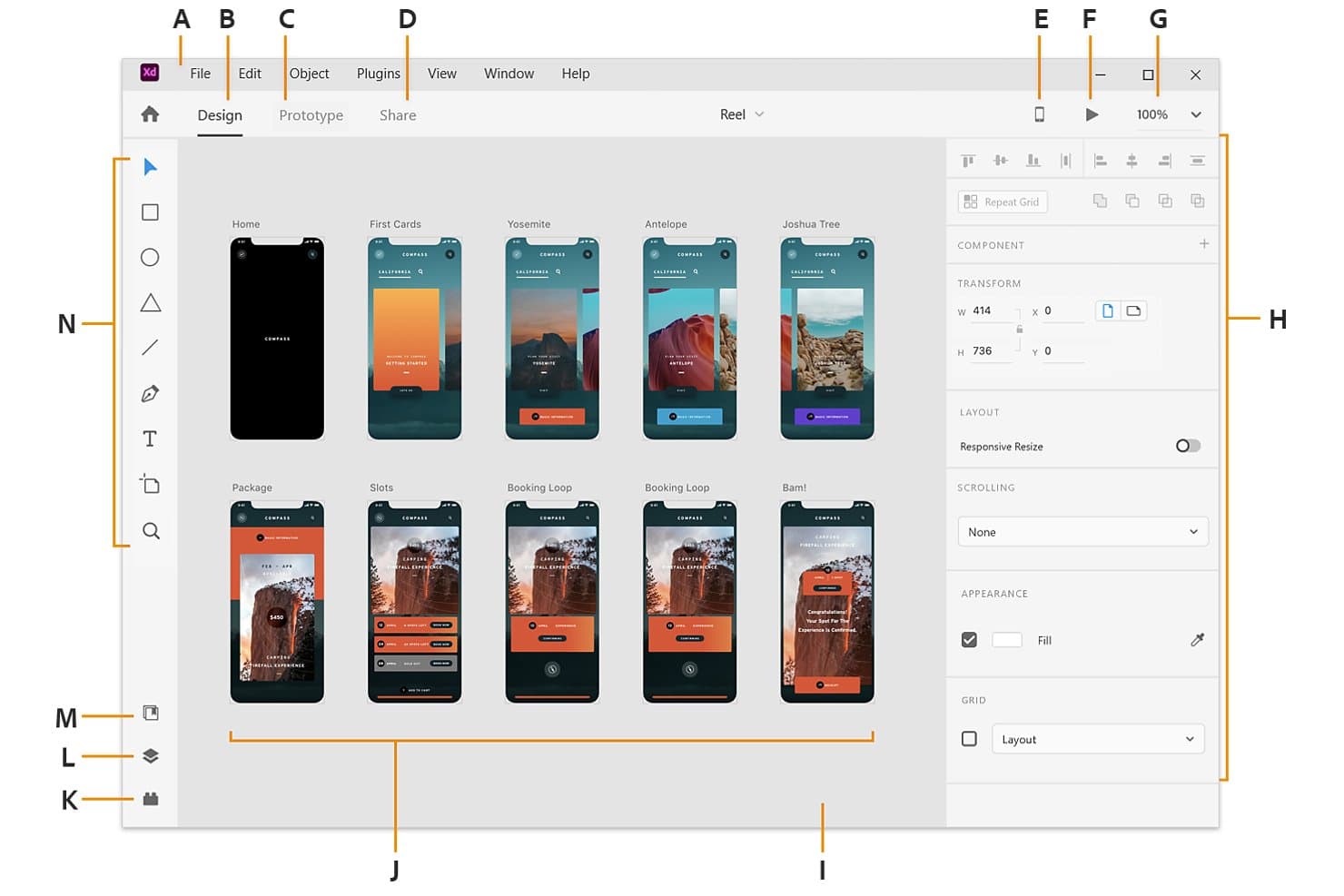
Adobe XD mostra più tavole da disegno in uno spazio di lavoro visivo per la progettazione di app. Adobe XD è uno strumento di progettazione e prototipazione UI/UX per i team che utilizzano Windows, soprattutto quelli che usano già Creative Cloud e hanno bisogno di trasformare i wireframe in concetti di prodotto interattivi e testare i flussi utente.
Per chi è più indicato Adobe XD?
I designer di prodotto e i team UX che utilizzano Windows possono usare Adobe XD per creare wireframe, prototipi interattivi e concetti di interfaccia rifiniti in un unico spazio di lavoro.
Perché Adobe XD è una valida alternativa a Sketch
Ho scelto Adobe XD perché il mio team che utilizza Windows può trasformare i wireframe in prototipi interattivi senza lasciare lo spazio di lavoro di progettazione. Utilizzo gli stati dei componenti per modellare pulsanti e menu, mentre Auto-Animate mostra le transizioni tra le schermate. Il suo flusso di lavoro Creative Cloud si adatta inoltre ai team che progettano già concetti di prodotto con gli strumenti Adobe.
Funzionalità principali di Adobe XD
- Griglia ripetuta: Duplica elenchi, gallerie e altri layout ripetuti.
- Ridimensionamento reattivo: Regola gli oggetti quando cambiano le dimensioni dei relativi contenitori.
- Prototipazione vocale: Aggiunge comandi vocali e riproduzione vocale ai prototipi.
- Specifiche di progettazione: Condivide misure del layout, colori, risorse e frammenti CSS.
Integrazioni di Adobe XD
Adobe XD supporta integrazioni ufficiali con Jira Cloud e Slack tramite componenti aggiuntivi e plugin, oltre alle librerie Creative Cloud per condividere risorse con Photoshop e Illustrator.
Pros and Cons
Pros:
- La griglia ripetuta gestisce rapidamente i layout ripetitivi
- Auto-Animate visualizza chiaramente le transizioni tra le schermate
- La prototipazione vocale testa i flussi conversazionali
Cons:
- Adobe ha interrotto lo sviluppo attivo di XD
- L'ecosistema dei plugin è meno sviluppato di quello di Sketch
 Ideale per la documentazione UX basata sulla logica
- Piano gratuito disponibile
- A partire da $29/utente/mese (con fatturazione annuale)
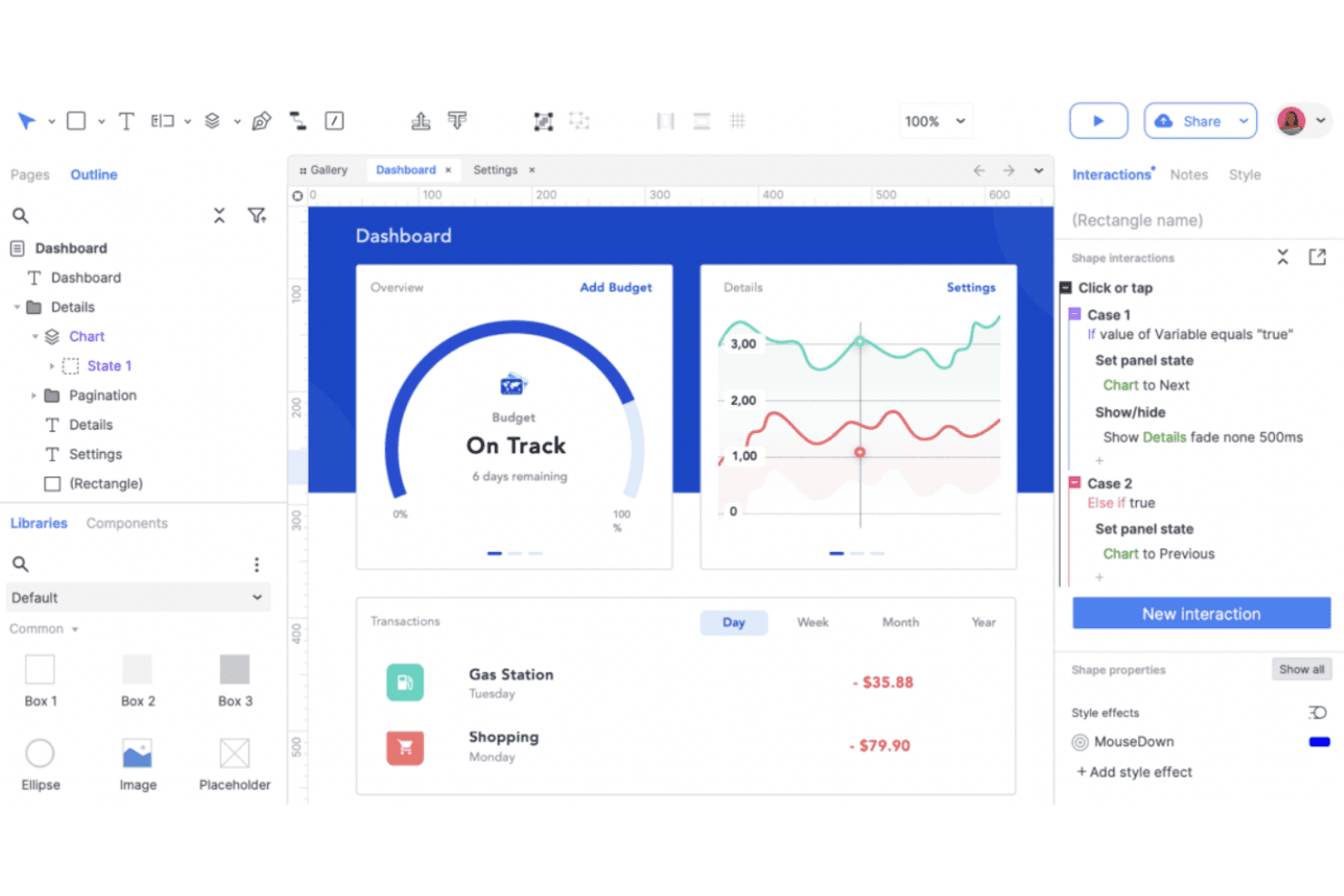
Axure RP crea prototipi UX dettagliati con contenuti dinamici e logica condizionale. Axure RP è uno strumento di progettazione UX e prototipazione per team di prodotto che necessitano di wireframe interattivi, comportamenti documentati e allineamento degli stakeholder prima dello sviluppo.
A chi è più adatto Axure RP?
Axure RP è adatto ai designer UX e ai team di prodotto che documentano interazioni complesse, logica condizionale e comportamenti dettagliati dei prototipi prima dello sviluppo.
Perché Axure RP è una buona alternativa a Sketch
Ho scelto Axure RP perché posso documentare la logica UX complessa insieme ai wireframe interattivi. La logica condizionale e i pannelli dinamici consentono al mio team di modellare procedure di onboarding in più passaggi, autorizzazioni e stati di errore prima dello sviluppo. Le annotazioni integrate mantengono collegati a ogni prototipo la motivazione e i dettagli sul comportamento.
Caratteristiche principali di Axure RP
- Viste adattive: Crea layout specifici per i punti di interruzione per prototipi reattivi.
- Widget ripetitore: Crea tabelle, elenchi e griglie basati sui dati.
- Widget modello: Riutilizza intestazioni, piè di pagina e navigazione condivisi.
- Librerie di widget: Aggiungi controlli ed elementi dell'interfaccia riutilizzabili.
Integrazioni di Axure RP
Axure RP offre integrazioni con Jira, Confluence, Slack e Microsoft Teams, oltre a plugin per l'importazione dei progetti da Figma, Sketch e Adobe XD. Supporta inoltre l'integrazione SAML con Okta per Axure Cloud for Business.
Pros and Cons
Pros:
- La logica condizionale modella flussi di prodotto complessi
- I ripetitori basati sui dati supportano prototipi realistici
- Le annotazioni mantengono le specifiche del comportamento accanto ai wireframe
Cons:
- L'interfaccia appare datata rispetto ai concorrenti più recenti
- Le immagini ad alta fedeltà richiedono più lavoro manuale
Learn more about Axure RP : Ideale per la collaborazione alla progettazione tramite browser
- Piano gratuito disponibile
- A partire da $16/utente/mese
Visit WebsiteCustomer Rating:4.7/5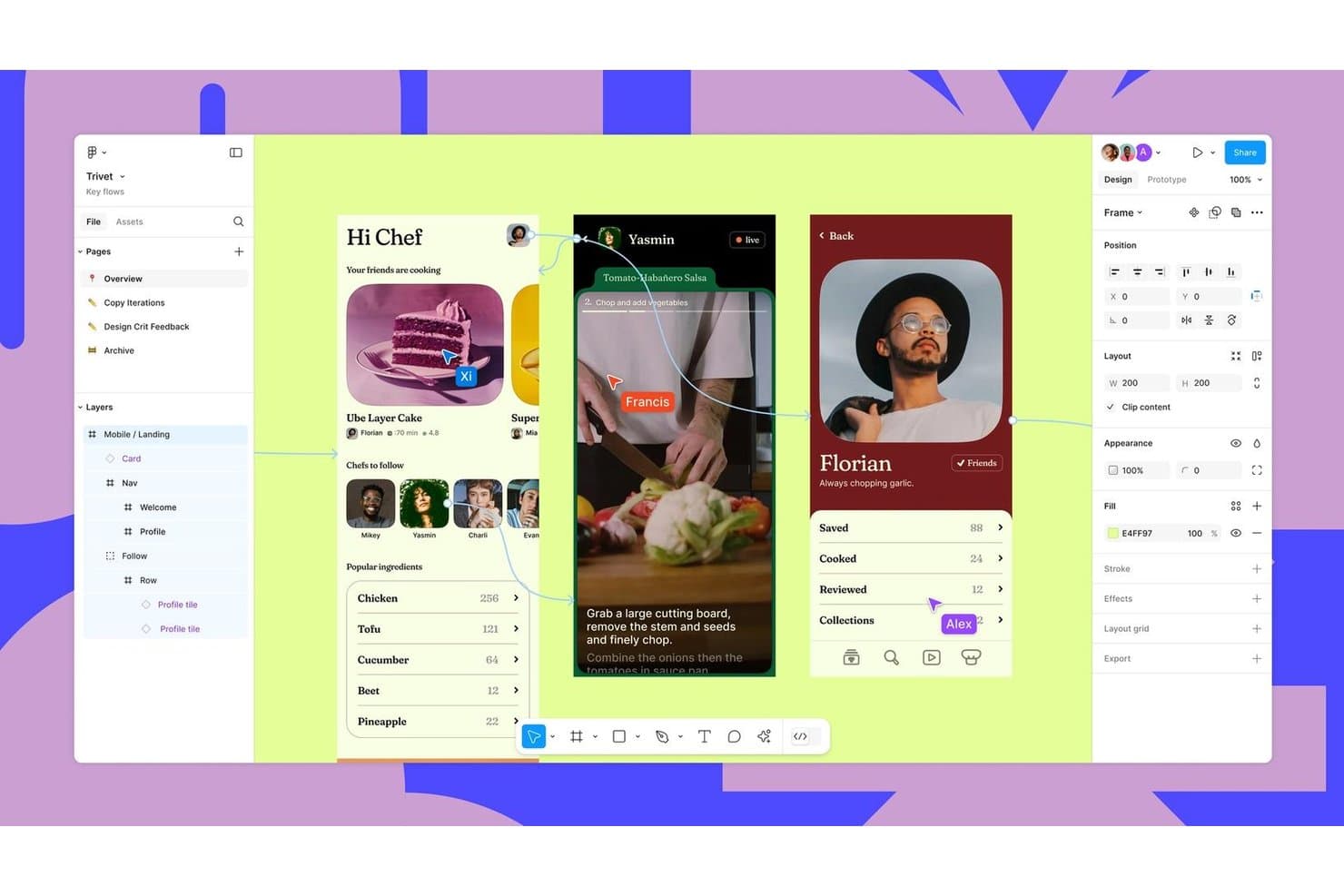
Figma supporta la collaborazione in tempo reale nei flussi di progettazione di interfacce mobili. Figma è una piattaforma collaborativa per la progettazione UX destinata ai team di prodotto che cercano un'alternativa a Sketch con strumenti condivisi per la creazione di schemi, la prototipazione, i riscontri e il passaggio alla fase di sviluppo.
Per chi è più indicato Figma?
Figma è adatto ai team di prodotto distribuiti che hanno bisogno che progettisti, ingegneri e parti interessate esaminino e perfezionino le interfacce in un unico spazio di lavoro condiviso.
Perché Figma è una valida alternativa a Sketch
Ho scelto Figma perché la collaborazione alla progettazione basata sul browser permette al mio team di modificare insieme gli stessi file di interfaccia durante laboratori e revisioni. La modifica collaborativa, i commenti e la ramificazione ci aiutano a risolvere le decisioni di progettazione mentre prodotto, ingegneria e parti interessate osservano le modifiche in tempo reale. I suoi prototipi interattivi ci permettono inoltre di testare i flussi utente prima del passaggio alla fase di sviluppo.
Funzionalità principali di Figma
- Layout automatico: Regola spaziatura e allineamento man mano che cambiano i riquadri.
- Componenti e varianti: Memorizza elementi di interfaccia riutilizzabili con stati configurabili.
- Variabili: Definisce valori riutilizzabili per colori, spaziatura e tipografia.
- Cronologia delle versioni: Ripristina versioni precedenti dei file e consente di esaminare le modifiche registrate.
Integrazioni di Figma
Figma offre integrazioni con Jira, Confluence, Slack, Google Workspace, Microsoft Teams, Zoom, Notion, GitLab, Storybook e Zeplin, oltre a Zapier. Fornisce inoltre l'API di Figma per le integrazioni personalizzate.
Pros and Cons
Pros:
- La modifica collaborativa in tempo reale supporta i laboratori dal vivo
- I prototipi interattivi convalidano i flussi prima del passaggio alla fase di sviluppo
- Componenti e variabili supportano sistemi di progettazione scalabili
Cons:
- Le prestazioni del browser diminuiscono nei file complessi
- I flussi di lavoro senza connessione restano meno efficaci rispetto a Sketch
 Ideale per la progettazione e la pubblicazione web reattiva
- Piano gratuito disponibile
- A partire da $10/mese (fatturato annualmente)
Visit WebsiteCustomer Rating:4.4/5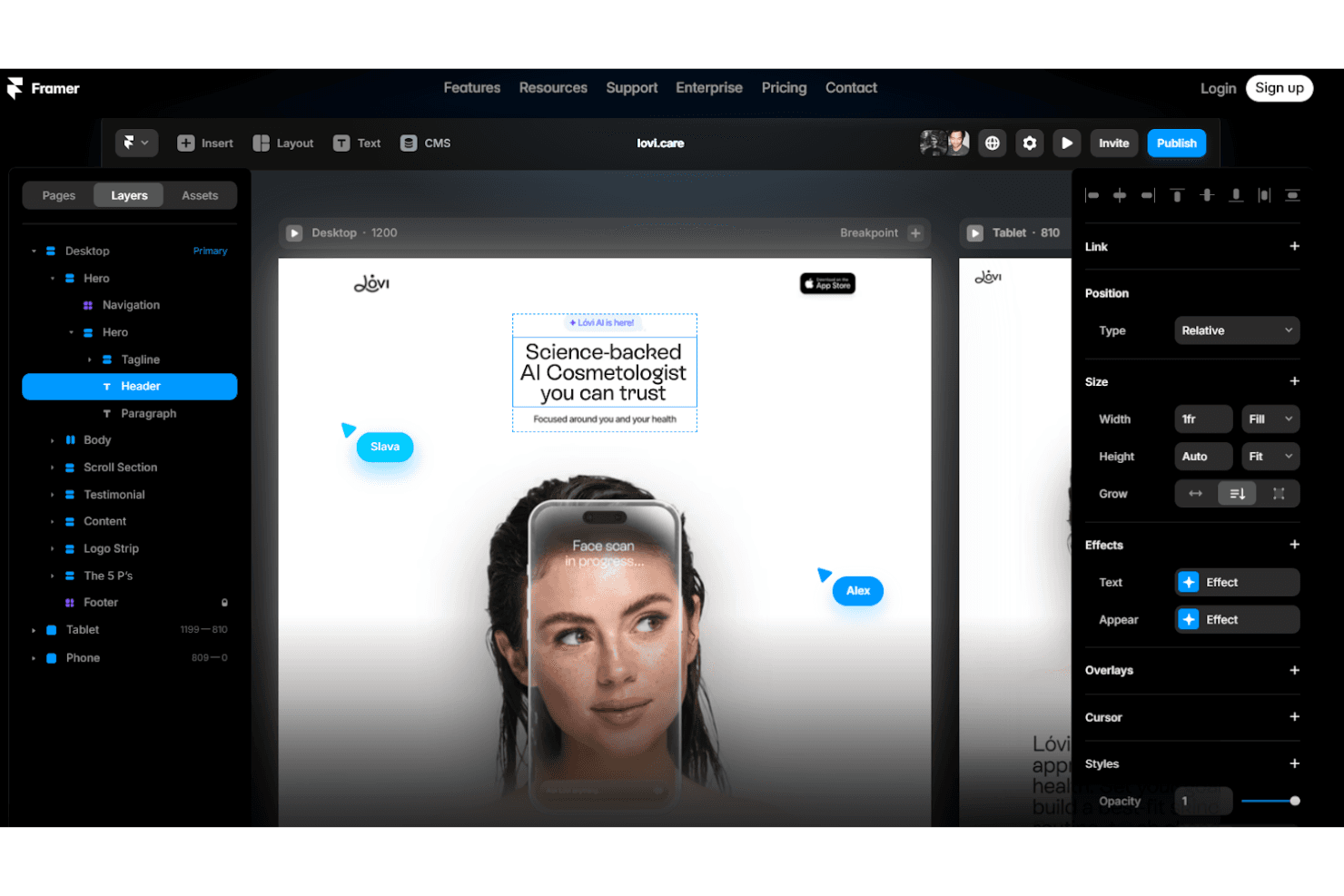
Framer progetta prototipi web reattivi con animazioni e interazioni personalizzate. Framer è una piattaforma di progettazione web visiva per designer di prodotto, professionisti del marketing e team creativi che devono trasformare concetti perfezionati in siti web reattivi e pubblicabili senza dover unire strumenti separati.
Per chi è più adatto Framer?
Framer è adatto a designer di prodotto e team di marketing che devono trasformare concetti ad alta fedeltà in siti web reattivi e pubblicati senza dover ricorrere agli sviluppatori per ogni aggiornamento.
Perché Framer è una buona alternativa a Sketch
Ho scelto Framer perché la sua tela visiva trasforma i concetti di interfaccia in stile Sketch in siti web reattivi e pubblicati. Utilizzo punti di interruzione e componenti riutilizzabili per creare pagine di destinazione che si adattano a diverse dimensioni dello schermo, quindi collego raccolte CMS per casi di studio o aggiornamenti sui prodotti. Questo rende Framer una scelta eccellente per la progettazione e la pubblicazione web reattiva.
Funzionalità principali di Framer
- Interazioni: Aggiungi effetti di scorrimento, stati al passaggio del mouse e transizioni tra pagine.
- Moduli: Crea e pubblica moduli personalizzabili senza strumenti esterni.
- Localizzazione: Crea versioni localizzate delle pagine per pubblici diversi.
- Analisi: Collega gli strumenti di analisi del sito per monitorare il comportamento dei visitatori.
Integrazioni di Framer
Framer documenta le integrazioni con Google Tag Manager, Google Analytics, Hotjar, HubSpot, Intercom, Mailchimp, Marketo, Typeform e Clay. Supporta inoltre i webhook per i moduli, le integrazioni personalizzate tramite la sua API dei plugin e gli aggiornamenti dei progetti tramite la sua API del server.
Pros and Cons
Pros:
- Pubblica siti reattivi direttamente dalla tela di progettazione
- I componenti riutilizzabili supportano i punti di interruzione reattivi
- Il CMS integrato supporta pagine basate sui contenuti
Cons:
- Meno adatto ai prototipi di app complesse
- Il controllo dell'editor può sembrare limitato agli sviluppatori
 Ideale per la prototipazione di componenti basata sul codice
- Piano gratuito + prova gratuita di 14 giorni disponibile
- A partire da $29/utente/mese (con fatturazione annuale)
Visit WebsiteCustomer Rating:4.2/5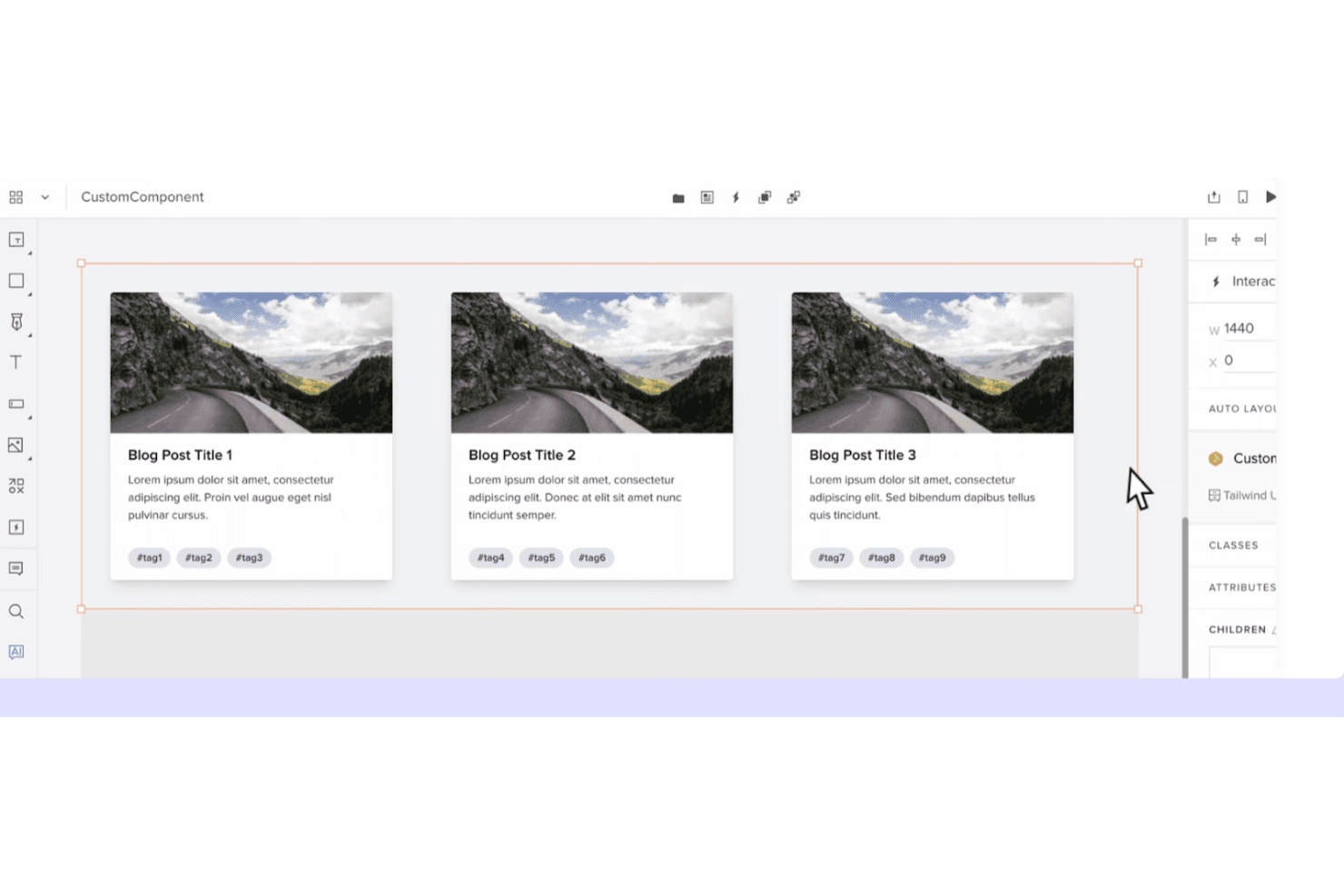
UXPin crea prototipi dinamici con componenti basati sul codice e logica interattiva. UXPin è una piattaforma di progettazione UX per i team di prodotto che hanno bisogno di prototipi interattivi, librerie di componenti condivise e una collaborazione più stretta tra designer, ingegneri e stakeholder.
Per chi è più adatto UXPin?
UXPin è adatto ai team di progettazione e ingegneria di prodotto che hanno bisogno di creare prototipi con componenti riutilizzabili e basati sul codice prima dello sviluppo.
Perché UXPin è una buona alternativa a Sketch
Ho scelto UXPin perché la prototipazione dei componenti basata sul codice mantiene i progetti allineati all'interfaccia utente di produzione. Utilizzo librerie di componenti condivise, stati interattivi e componenti di codice reali per testare flussi come l'inserimento o la procedura di pagamento prima dello sviluppo. Questo rende UXPin un'alternativa pratica a Sketch quando la fedeltà del design e l'allineamento con l'ingegneria sono importanti.
Funzionalità principali di UXPin
- Layout responsivi: Imposta regole per schermate che si adattano alle diverse dimensioni dei dispositivi.
- Variabili: Memorizza valori che si aggiornano negli elementi del prototipo.
- Logica condizionale: Crea interazioni if/then per flussi utente realistici.
- Commenti: Aggiungi, rispondi e risolvi i feedback all'interno dei progetti.
Integrazioni di UXPin
UXPin elenca nove integrazioni ufficiali, tra cui Fullstory, Figma, Sketch, Git, Storybook, Jira, Adobe Fonts, Google Fonts e Slack. Queste connessioni supportano l'importazione di progetti Sketch e Figma, l'utilizzo di repository di codice e librerie Storybook, l'accesso ai problemi Jira e la condivisione dei feedback tramite Slack.
Pros and Cons
Pros:
- I componenti di codice migliorano la parità tra progettazione e sviluppo
- Le variabili avanzate supportano interazioni realistiche
- Le librerie riutilizzabili supportano prototipi responsivi
Cons:
- I componenti di codice richiedono una preparazione tecnica
- I prototipi di grandi dimensioni possono diventare lenti
Learn more about UXPin: Ideale per la progettazione UI open source e multipiattaforma
- Piano gratuito + prova gratuita di 14 giorni disponibile
- A partire da $7/utente/mese
Visit WebsiteCustomer Rating:4.5/5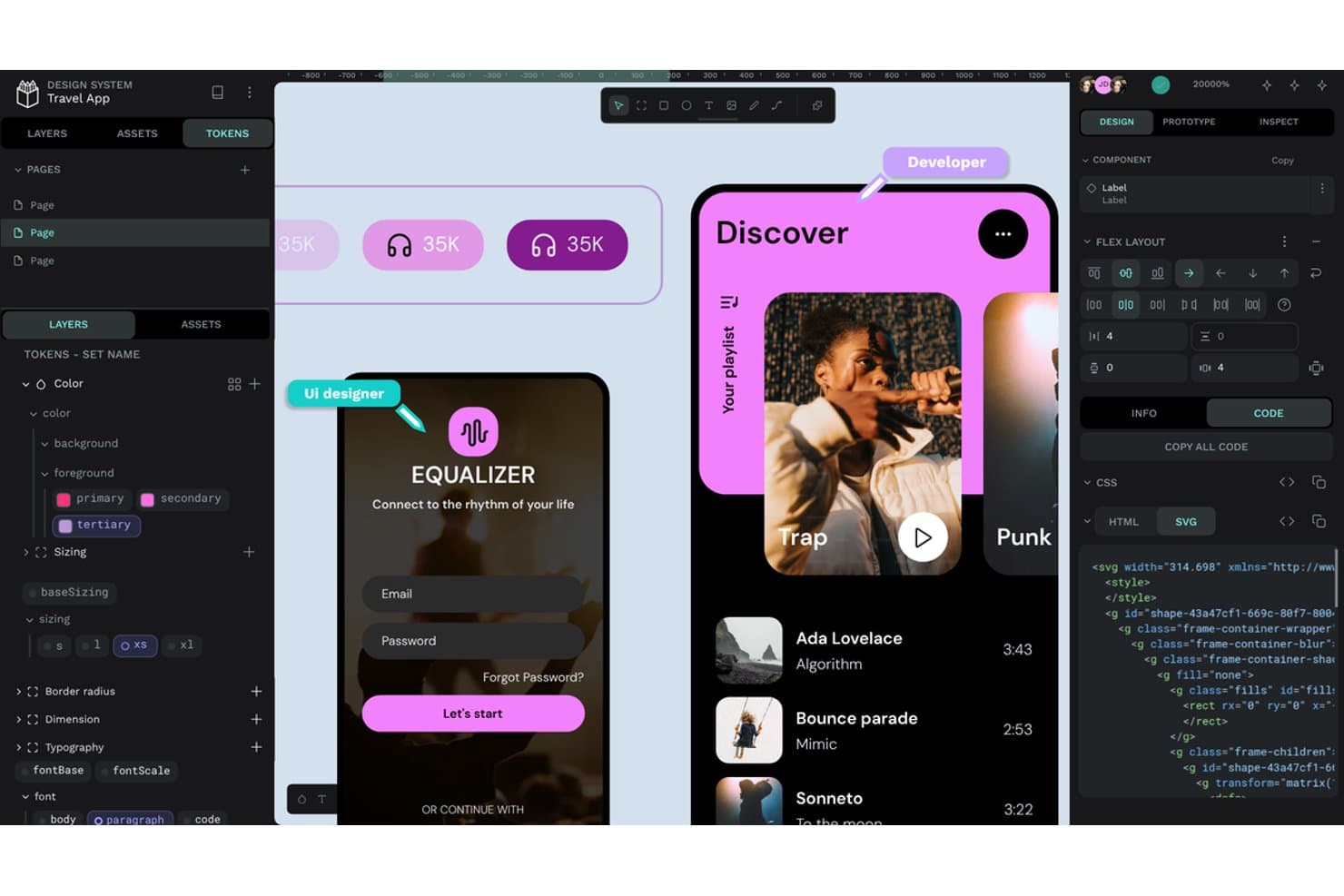
Penpot offre token di progettazione, layout flex ed esportazione del codice SVG. Penpot è una piattaforma di progettazione UI/UX open source per i team di prodotto alla ricerca di un'alternativa collaborativa a Sketch, che collega la progettazione delle interfacce allo sviluppo su più piattaforme.
Per chi è più adatto Penpot?
Penpot è adatto ai team di prodotto e progettazione che necessitano di una collaborazione open source e multipiattaforma, con la possibilità di ospitare autonomamente il proprio spazio di lavoro per la progettazione.
Perché Penpot è una buona alternativa a Sketch
Ho scelto Penpot perché il suo spazio di lavoro open source basato sul browser supporta la progettazione UI multipiattaforma senza vincolare il mio team a un unico sistema operativo. Utilizzo i suoi strumenti di progettazione basati su SVG e i layout CSS flex e grid per creare interfacce che gli sviluppatori possono tradurre in codice pronto per la produzione. L'hosting autonomo consente inoltre al mio team di mantenere i file del prodotto all'interno della propria infrastruttura.
Caratteristiche principali di Penpot
- Prototipazione interattiva: Collega le schermate e definisci le transizioni per creare flussi di prodotto interattivi.
- Token di progettazione: Crea variabili riutilizzabili per colori, tipografia, spaziatura e altri stili.
- Componenti e varianti: Crea elementi dell'interfaccia riutilizzabili con stati configurabili.
- Condivisione con gli sviluppatori: Ispeziona i progetti e accedi a misure, proprietà e dettagli CSS.
Integrazioni di Penpot
Penpot supporta integrazioni con GitHub Actions, GitLab CI/CD e Slack tramite la sua API, token di accesso e webhook. Fornisce inoltre un'API per integrazioni personalizzate, esportazioni di risorse, sincronizzazione dei token di progettazione e flussi di lavoro automatizzati per gli sviluppatori.
Pros and Cons
Pros:
- I layout SVG e CSS facilitano la condivisione con gli sviluppatori
- L'hosting autonomo mantiene i file di progettazione sotto il controllo del team
- Lo spazio di lavoro multipiattaforma nel browser evita il vincolo a macOS
Cons:
- Un ecosistema di plugin più ridotto limita le estensioni
- I file di grandi dimensioni possono causare problemi di prestazioni
Learn more about Penpot: 10Ideale per una licenza di progettazione a vita con pagamento una tantum
Pixso
- Piano gratuito disponibile
- Prezzi su richiesta
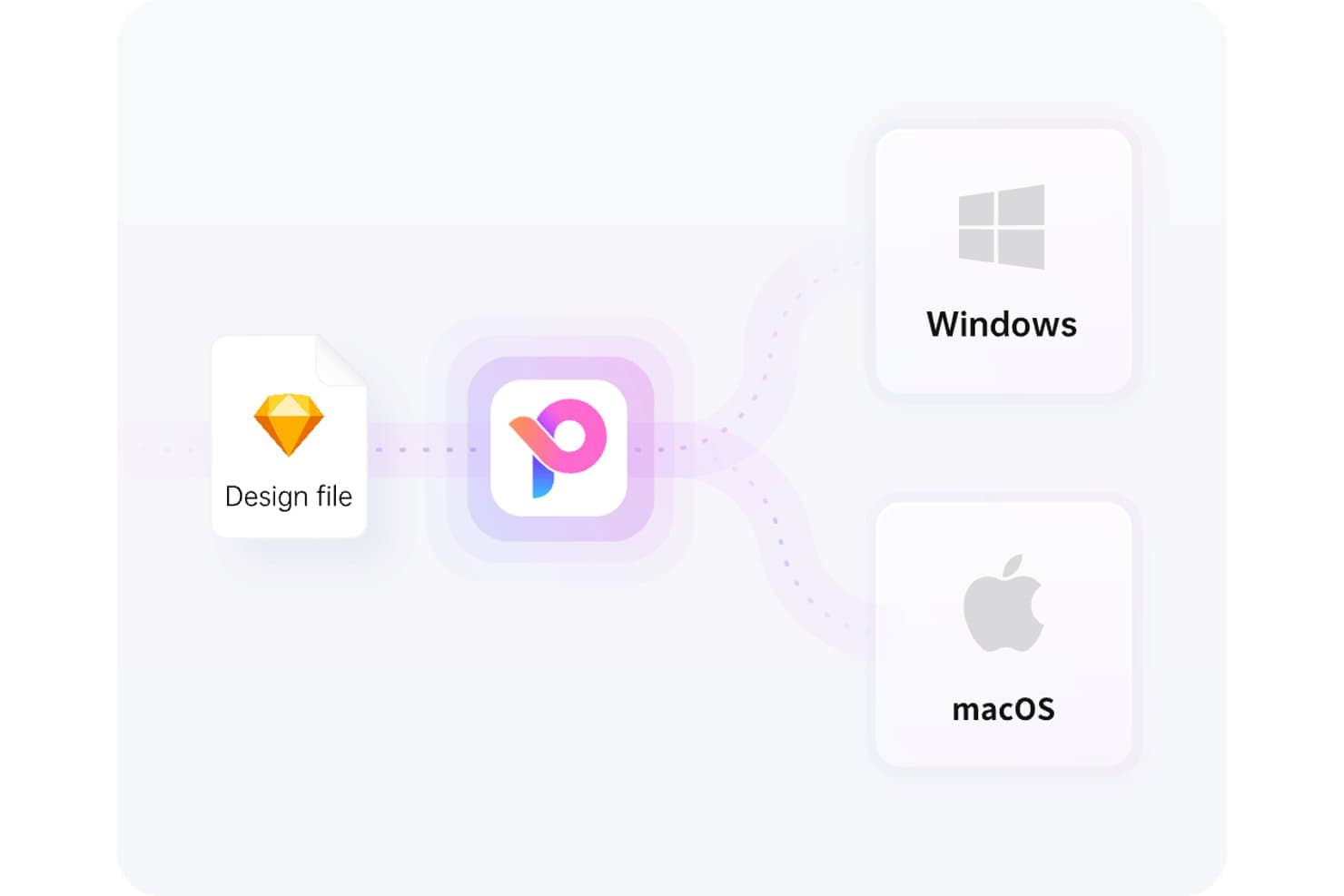
Pixso supporta sia Windows sia macOS da un unico file di progettazione. Pixso è una piattaforma collaborativa per la progettazione UX destinata ai team di prodotto che devono creare wireframe, prototipi ad alta fedeltà e progetti pronti per gli sviluppatori, esplorando al contempo alternative a Sketch.
Per chi è più adatto Pixso?
Pixso è adatto a startup, agenzie e team di prodotto alla ricerca di software di progettazione collaborativa con un'opzione di licenza una tantum.
Perché Pixso è una buona alternativa a Sketch
Ho scelto Pixso perché il suo punto di forza unico è “La soluzione migliore per una licenza di progettazione a vita con pagamento una tantum”. Utilizzo la sua area di lavoro condivisa per trasformare i wireframe in prototipi ad alta fedeltà, mentre designer e parti interessate esaminano lo stesso file. Gli output di progettazione pronti per gli sviluppatori aiutano inoltre il mio team a trasferire i dettagli dell'interfaccia senza ricostruire le schermate altrove.
Funzionalità principali di Pixso
- Layout automatico: Organizza gli elementi con regole di spaziatura e imbottitura adattive.
- Componenti e varianti: Crea elementi dell'interfaccia utente riutilizzabili con stati configurabili.
- Plugin: Estendi Pixso con strumenti e integrazioni aggiuntivi.
- Cronologia delle versioni: Esamina le versioni precedenti dei file e ripristina le modifiche selezionate.
Integrazioni di Pixso
Le integrazioni native di Pixso non sono documentate chiaramente. Offre un'API per i plugin per estensioni personalizzate e supporta l'importazione e l'esecuzione dei plugin di Figma, ma non sono documentate chiaramente né un'integrazione con Zapier né un'API per uso generale.
Pros and Cons
Pros:
- L'interfaccia familiare facilita la migrazione da Figma
- L'area di lavoro condivisa favorisce una collaborazione fluida tra i team
- Gli aggiornamenti rapidi rispondono alle esigenze di progettazione richieste dagli utenti
Cons:
- L'importazione dei file può introdurre bug imprevisti
- I flussi di lavoro avanzati offrono meno funzionalità mature
Learn more about Pixso:
Altre alternative a Sketch
Ecco alcune ulteriori alternative a Sketch che non sono entrate nella mia selezione, ma che vale comunque la pena prendere in considerazione:
Come valuto le alternative a Sketch
Divido la mia valutazione in tre parti. Innanzitutto, cerco strumenti che consentano di disegnare vettori precisi e organizzare le schermate in tavole—questo aspetto ha il peso maggiore. Poi verifico la reattività del layout automatico e, infine, considero la chiarezza dei prezzi e il supporto durante la configurazione iniziale.
Funzionalità principali (Requisiti fondamentali per questo elenco)
Quando seleziono gli strumenti per il mio elenco, assegno a ciascuno un punteggio su una scala da 0 (non offre la funzionalità) a 5 (eccelle in quest’area) per ogni funzionalità principale elencata di seguito. Converto quindi il totale in una percentuale per aiutare a valutare l’idoneità complessiva di ciascuno strumento, attribuendo un peso aggiuntivo alle funzionalità che ho ritenuto essenziali.
- Modifica vettoriale (Essenziale): Cerco tracciati precisi, operazioni booleane e strumenti di allineamento per elementi dell’interfaccia, icone e illustrazioni scalabili.
- Tavole da disegno e cornici (Essenziale): Valuto i preset dei dispositivi, le schermate nidificate e il ridimensionamento reattivo per organizzare layout web, mobili e tablet.
- Sistemi di progettazione e componenti: Le librerie condivise, i componenti riutilizzabili, le varianti e gli stili sincronizzati sono importanti per mantenere coerenti le interfacce dei prodotti.
- Collaborazione in tempo reale: Verifico la modifica collaborativa in diretta, i commenti, gli indicatori di presenza, le autorizzazioni e la cronologia delle versioni per le revisioni progettuali interfunzionali.
- Prototipazione e interazione: Cerco schermate collegate, transizioni, sovrapposizioni e flussi condizionali che supportino le revisioni con gli stakeholder e i test di usabilità.
- Plugin e integrazioni: Valuto le estensioni per l’esportazione delle risorse, il passaggio di consegne agli sviluppatori, la sostituzione dei contenuti e le connessioni con i flussi di lavoro dei prodotti esistenti.
Una volta ottenuto un elenco di strumenti che soddisfano i criteri, considero ciò che distingue ciascuna piattaforma.
Fattori distintivi (Ciò che distingue i fornitori)
Ecco come confronto i diversi fornitori e ne metto in evidenza le differenze:
Funzionalità distintive
La reattività del layout automatico è la prima cosa che verifico. Quando cambia l’etichetta di un pulsante o una scheda acquisisce un nuovo campo, la cornice dovrebbe ridistribuirsi senza doverla spostare manualmente. Valuto come ogni strumento gestisce i layout automatici nidificati tra diversi punti di interruzione, poiché ciò influisce direttamente sulla rapidità con cui il team lavora sulle schermate reattive. Anche i token e le variabili di progettazione sono altrettanto importanti. Cerco valori centralizzati per colori, spaziatura e tipografia che si sincronizzino tra i temi chiaro e scuro—strumenti come Figma e Tokens Studio gestiscono questo aspetto in modo diverso, quindi confronto il modo in cui ciascuna piattaforma propaga gli aggiornamenti dei token alle librerie condivise. L’esportazione nativa del codice è un altro elemento distintivo. Se uno strumento è in grado di produrre codice React o CSS pronto per la produzione, gli sviluppatori dedicano meno tempo a tradurre le specifiche grafiche in markup.
Oltre le funzionalità
La chiarezza dei prezzi è importante: verifico se gli account per visualizzatori e commentatori sono gratuiti o inclusi nelle licenze degli editor, poiché nei team di prodotto spesso i membri superano numericamente i designer. Anche la compatibilità dei file è altrettanto importante; valuto quanto bene ogni strumento importi i file .sketch e interagisca con i formati di Figma o Adobe XD, perché una migrazione con perdita di dati può bloccare un team per settimane. Cerco inoltre integrazioni native con strumenti come Jira o Linear che mantengano il lavoro di progettazione collegato ai flussi di lavoro degli sprint.
Perché cercare un'alternativa a Sketch?
Sebbene Sketch sia una buona scelta per la progettazione di prodotti, ci sono diversi motivi per cui alcuni utenti cercano soluzioni alternative. Ad esempio, potresti cercare un'alternativa a Sketch per uno dei seguenti motivi.
- Hai bisogno della compatibilità con Windows
- Il tuo team richiede la collaborazione in tempo reale
- Stai cercando un'opzione più economica
- Desideri funzionalità di prototipazione più avanzate
- Hai bisogno dell'integrazione con altri strumenti
- Il tuo team preferisce soluzioni basate sul cloud
Se ti riconosci in una di queste situazioni, sei nel posto giusto. Il mio elenco contiene diverse opzioni di software per la progettazione di prodotti più adatte ai team che affrontano queste difficoltà con Sketch e cercano soluzioni alternative.
Funzionalità principali di Sketch
Ecco alcune delle funzionalità principali di Sketch, per aiutarti a mettere a confronto e comparare ciò che offrono le soluzioni alternative:
- Animazione intelligente: migliora le animazioni tra le tavole da disegno, aggiungendo transizioni fluide ai tuoi progetti.
- Variabili di colore: consentono una gestione coerente dei colori nei progetti, facilitando il mantenimento dei colori del brand.
- Collaborazione in tempo reale: consente a più utenti di lavorare contemporaneamente su un progetto, migliorando il lavoro di squadra e l'efficienza.
- Simboli: elementi di progettazione riutilizzabili che garantiscono la coerenza e fanno risparmiare tempo, permettendo di aggiornare più istanze con una sola modifica.
- Prototipazione: crea prototipi interattivi con livelli, sovrapposizioni e animazioni per testare i flussi e le interazioni degli utenti.
- Librerie: supportano la gestione e la condivisione delle risorse, consentendo al tuo team di utilizzare componenti e stili condivisi.
- Layout intelligente: regola automaticamente i layout in base alle modifiche dei contenuti, mantenendo i tuoi progetti organizzati e reattivi.
- Opzioni di esportazione: offre diversi formati di file e preimpostazioni per esportare le risorse, facilitando la condivisione del lavoro con gli sviluppatori.
- Commenti: facilita il feedback direttamente sui progetti, consentendo una comunicazione chiara all'interno del team.
- Gestione dei livelli: offre strumenti per organizzare, bloccare e allineare i livelli, aiutandoti a mantenere un'area di lavoro ordinata. Sembra che il tuo messaggio possa essere stato troncato. Potresti fornire maggiori dettagli o farmi sapere come posso assisterti ulteriormente?