

Bu kılavuz, ürün yöneticilerinin, tasarımcıların ve farklı işlevlerden oluşan ekiplerin daha verimli bir şekilde birlikte çalışmasına, kararları net bir şekilde iletişim kurmasına ve ortak proje vizyonunu korumasına yardımcı olmak üzere tasarlanmış yazılım platformları olan en iyi UX iş birliği araçlarını ayrıntılı olarak ele alır.
Buradaysanız, mevcut sürecinizde iletişim kopuklukları, araç yorgunluğu veya yalnızca çok fazla hareketli parça gibi sorunlarla karşılaşıyor olabilirsiniz. Sizi anlıyorum. Deneme yanılma sürecini atlayabilmeniz için bu araçları uygulamalı olarak test ettim.
Bu kılavuzda kullanılabilirlik, iş birliği özellikleri ve gerçek dünyadaki performans hakkında ayrıntılı bilgiler bulacaksınız; böylece zamandan tasarruf sağlayan, yeniden çalışmayı azaltan ve ekibinizin harika ürünler geliştirmeye odaklanmasına yardımcı olan aracı seçebilirsiniz.
Why Trust Our Software Recommendations
6,700+
Reviews
20
Industry experts
16+
Evaluation factors
14
Years
Our team has been testing and reviewing software since 2012. As product managers ourselves, we know how difficult—and important—it is to choose the right software.
For this guide, we evaluated tools using hands-on testing and independent research, scoring tools using our selection criteria.
Our reviews reflect our human editorial judgment, not a sales pitch.
Expert reviewers:
- Andrew LumbySenior TPM
- Cristiano ValimSenior UI/UX Lead


UX İş Birliği Araçları Karşılaştırma Tablosu
Aşağıdaki tabloda en iyi UX iş birliği araçları seçimlerimin fiyatlandırma ayrıntılarını karşılaştırın.
Score legend (out of 5)
- Excellent4.5–5
- Good4–4.4
- Average3–3.9
- Below average2–2.9
- Poor1–1.9
Sorted by: Default
| Tool | Starting Price | Website | |||||||
|---|---|---|---|---|---|---|---|---|---|
Best for collaborative boards | Not rated | Not rated | 1 | 1 | Not rated | 2 | 1 | $10/month Free plan available | Website |
Best for UI planning with non-designers | 3.0 out of 5 | 3 | 2 | 3 | 4 | 4 | 2 | $9/user/month Free plan available | Website |
Best for code-backed design systems | 3.8 out of 5 | 4 | 4 | 3 | 3 | 4 | 5 | $49/user/month Free plan + 14-day free trial + demo available | Website |
Best for code-free, data-driven prototypes | 3.2 out of 5 | 3 | 3 | 2 | 3 | 3 | 5 | $19/user/month Free plan + 10-day trial available | Website |
Best for code-free conditional logic prototypes | 3.2 out of 5 | 4 | 2 | 3 | 2 | 3 | 5 | $29/user/month Free plan + 30-day free trial available | Website |
Best for design collaboration and feedback | 4.7 out of 5 | 5 | 4 | 4 | 5 | 5 | 5 | $3/user/month Free plan available | Website |
Best for non-designers creating UX drafts with AI | 3.5 out of 5 | 4 | 3 | 3 | 4 | 4 | 3 | $14/user/month Free plan available | Website |
Best for open-source design and dev handoff | 3.7 out of 5 | 4 | 4 | 3 | 4 | 4 | 3 | $7/user/month Free plan + 14-day free trial + free demo available | Website |
Best for macOS-native design teams | 3.5 out of 5 | 4 | 4 | 3 | 3 | 4 | 3 | $12/user/month Free plan + 30-day free trial available | Website |
Best for logic-driven prototype handoff to devs | 3.0 out of 5 | 4 | 3 | 3 | 1 | 2 | 5 | $25/user/month Free plan + free demo available | Website |


En İyi UX İş Birliği Araçları İncelemeleri
Aşağıda, kısa listeme giren en iyi UX iş birliği araçlarının ayrıntılı özetlerini bulabilirsiniz. İncelemelerim, size en uygun aracı bulmanıza yardımcı olmak için her aracın temel özelliklerine, artılarına ve eksilerine, entegrasyonlarına ve ideal kullanım alanlarına ayrıntılı bir bakış sunar.
 Best for collaborative boards
- Free plan available
- From $10/month (billed annually)
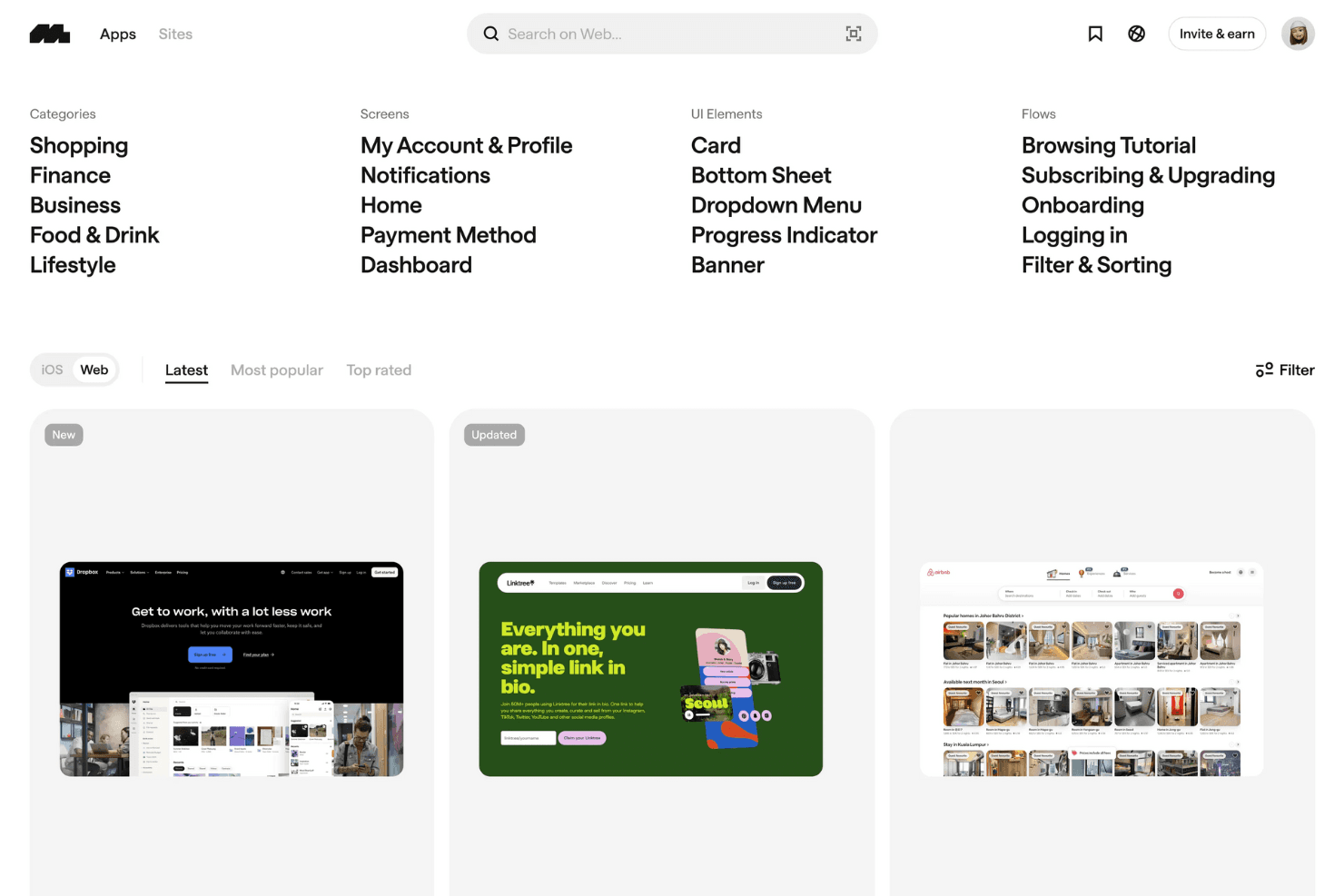
Mobbin showcases categorized web UI examples, from dashboards to onboarding flows to helping designers explore and compare real-world interface patterns efficiently. Mobbin is a design reference library that gives teams access to a curated collection of real app screenshots, user flows, and marketing pages, organized into shared boards for collaborative research and UI inspiration.
Who Is Mobbin Best For?
Mobbin suits UX and product teams that spend significant time on competitive research and UI inspiration, and want one shared space to save and discuss real-app references.
Why I Picked Mobbin
I've included Mobbin in my top picks because its shared collections make it the go-to tool for teams that run regular UI research and want one place to save, organize, and discuss real-app references together. I love that you can capture entire user flows, not just single screens, so your team can comment on a full onboarding sequence or checkout path in context. Public comments and mentions on saved screens keep the conversation tied directly to the reference, which cuts down on scattered Slack threads during early-stage design exploration.
Mobbin Key Features
- AI-powered deep search: Search across more than 600,000 real app screens using natural language, with results ranked by recency and filtered for animated screens or in-screenshot text.
- Flow capture and playback: Browse complete multi-screen user flows from real apps, clicking through each step or watching micro-interactions as short video recordings.
- Figma and FigJam export plugin: Copy selected screens or entire flows directly into Figma or FigJam in bulk using the Mobbin community plugin.
- Team activity reporting: Admins can view when each team member was last active and download full team activity reports to track workspace engagement.
Mobbin Integrations
Mobbin offers a Figma Community plugin for copying screens and flows into Figma and FigJam. Team and Enterprise plans include API access, while Pro and Team support MCP connections with Claude, Cursor, v0, and custom clients.
Pros and Cons
Pros:
- Large library supports competitive research
- Full user flows reveal interaction patterns
- Shared boards centralize reference discussions
Cons:
- No prototype builder or handoff specs
- No editing canvas for team designs
Learn more about Mobbin: Best for UI planning with non-designers
- Free plan available
- From $9/user/month (billed annually)
Visit WebsiteCustomer Rating:4.3/5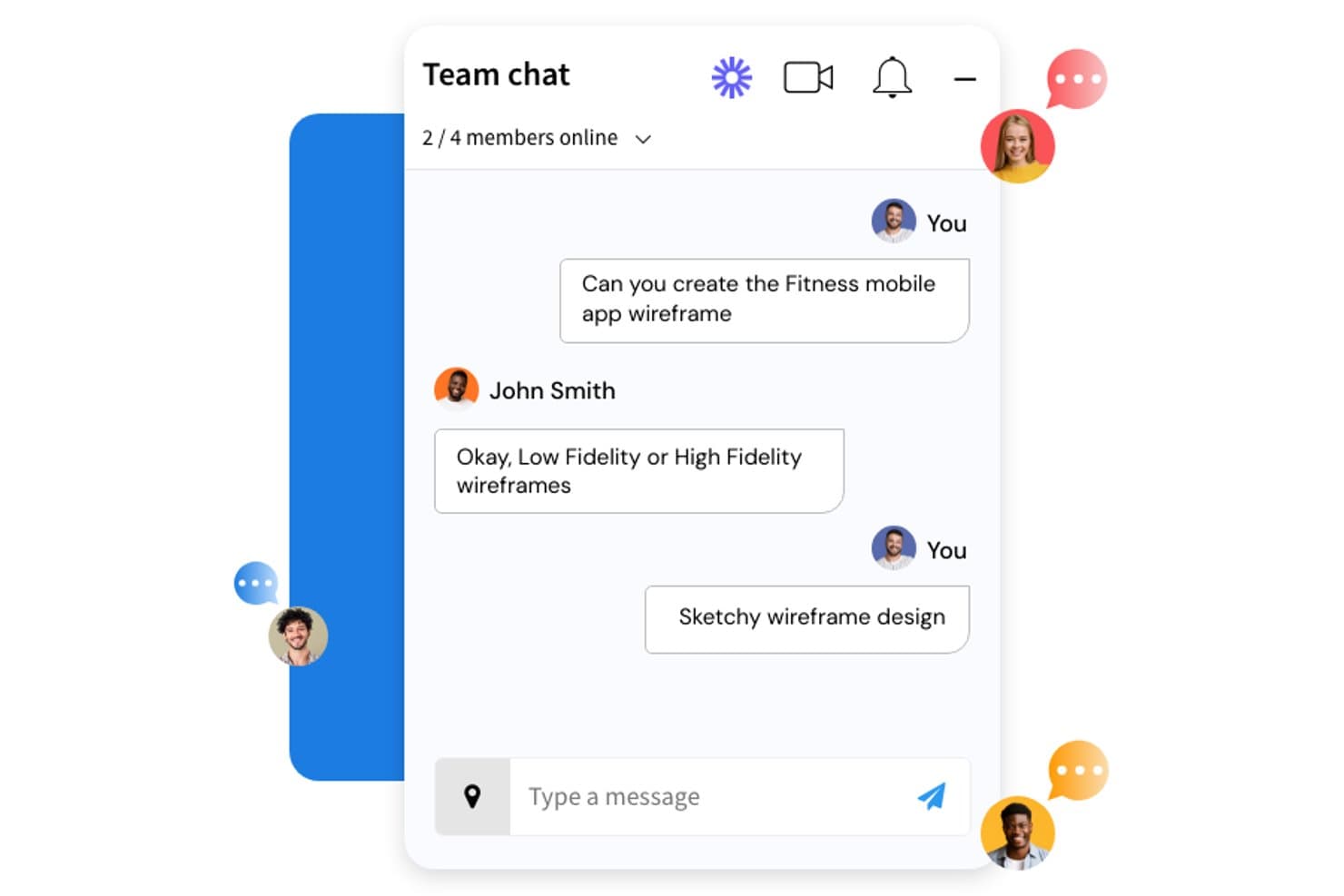
MockFlow lets teams discuss wireframe tasks in real time via built-in chat. MockFlow is a browser-based wireframing and visual collaboration platform that combines UI wireframing, lightweight prototyping, AI-assisted design generation, and whiteboard-style ideation tools in one workspace.
Who Is MockFlow Best For?
MockFlow is a strong fit for product managers and founders who need to turn ideas into structured UI plans without relying on a dedicated designer.
Why I Picked MockFlow
I picked MockFlow as one of the best because it's built around the reality that most wireframing happens before a designer is in the room. Its AI wireframe generator lets a product manager describe a screen in plain text and get a structured, multi-screen layout back instantly. Pair that with Design Suggestions, where reviewers can propose changes directly on the wireframe and owners apply them in one click, and you get a feedback loop that doesn't require anyone to open Figma.
MockFlow Key Features
- Smart comments: Threaded commenting lets reviewers leave contextual feedback directly on wireframes, with a "resolved" status to track what's been addressed.
- Real-time co-editing: Multiple team members can edit wireframes simultaneously, with live cursors and a built-in messenger for chat, voice notes, and video calls.
- IdeaBoard brainstorming tools: A whiteboard-style space with mind maps, live polls, voting, and timers built for structured ideation sessions with distributed teams.
- Specs mode style guide: Automatically generates a style guide from your wireframe's colors, fonts, and assets, exportable as CSS variables, JSON design tokens, or a Tailwind config.
MockFlow Integrations
MockFlow supports 20+ business-app connectors, including Slack, Jira, Notion, GitHub, Linear, Microsoft Teams, Google Drive, Trello, and HubSpot. It also integrates with Figma, Confluence, Google Meet, and Microsoft 365 for design collaboration.
Pros and Cons
Pros:
- Design Suggestions shorten feedback cycles
- Live co-editing supports cross-functional planning
- AI-assisted wireframing helps non-designers contribute
Cons:
- Shared component packs lack cross-project syncing
- Prototyping lacks variables and conditional logic
Learn more about MockFlow: Best for code-backed design systems
- Free plan + 14-day free trial + demo available
- From $49/user/month
Visit WebsiteCustomer Rating:4.2/5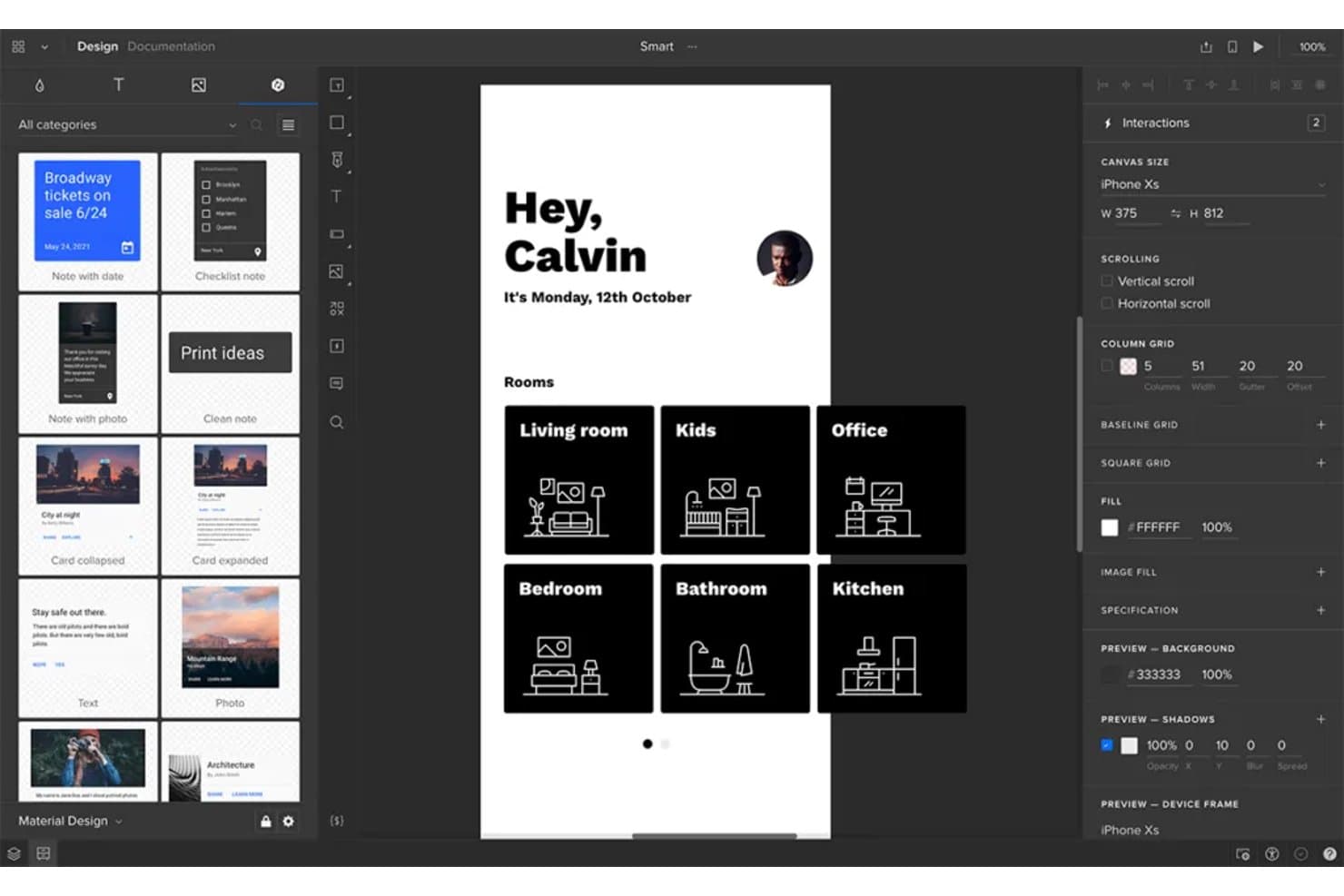
UXPin lets users prototype and design mobile app interfaces collaboratively. UXPin is a UX design and prototyping platform that combines real-time collaborative editing, high-fidelity interactive prototyping, shared design system libraries, and built-in developer handoff through its code-backed Merge technology.
Who Is UXPin Best For?
UXPin is a strong fit for design teams that maintain a shared component library and need their prototypes to reflect production-ready code.
Why I Picked UXPin
UXPin earns its spot on my shortlist because of Merge, its code-backed design system technology that lets designers prototype with real React components instead of static imitations. When your team syncs a component library via Storybook or Git, every prototype automatically reflects production behavior, so what stakeholders approve is what developers actually build. I also like that the built-in Get Code mode auto-updates specs the moment a design changes, giving developers accurate CSS and JSX without a separate handoff step.
UXPin Key Features
- Approval workflow: Send stakeholders a private preview link to formally request approvals or rejections, without requiring them to have a UXPin account.
- Commenting and annotation: Pin threaded comments to specific canvas elements, assign them to teammates, and mark them resolved directly within the editor or preview.
- Real-time presence indicators: See teammates' avatars in the top bar and track which page or element each person is actively editing.
- Jira integration: Attach prototype cards to Jira Cloud issues, giving developers direct access to previews, comments, and spec mode from within their existing workflow.
UXPin Integrations
UXPin offers documented integrations with Storybook, npm, GitHub, Bitbucket, Jira Cloud, Slack, FullStory, StackBlitz, CodeSandbox, and Figma. Git integration requires Enterprise, while Storybook, Jira, and FullStory require Growth or higher.
Pros and Cons
Pros:
- Approval workflows simplify stakeholder feedback
- Conditional logic supports realistic product behavior
- Production components reduce design-to-code drift
Cons:
- Full code export remains beta-limited
- Element locking limits simultaneous editing
Learn more about UXPin: Best for code-free, data-driven prototypes
- Free plan + 10-day trial available
- From $19/user/month
Visit WebsiteCustomer Rating:4.2/5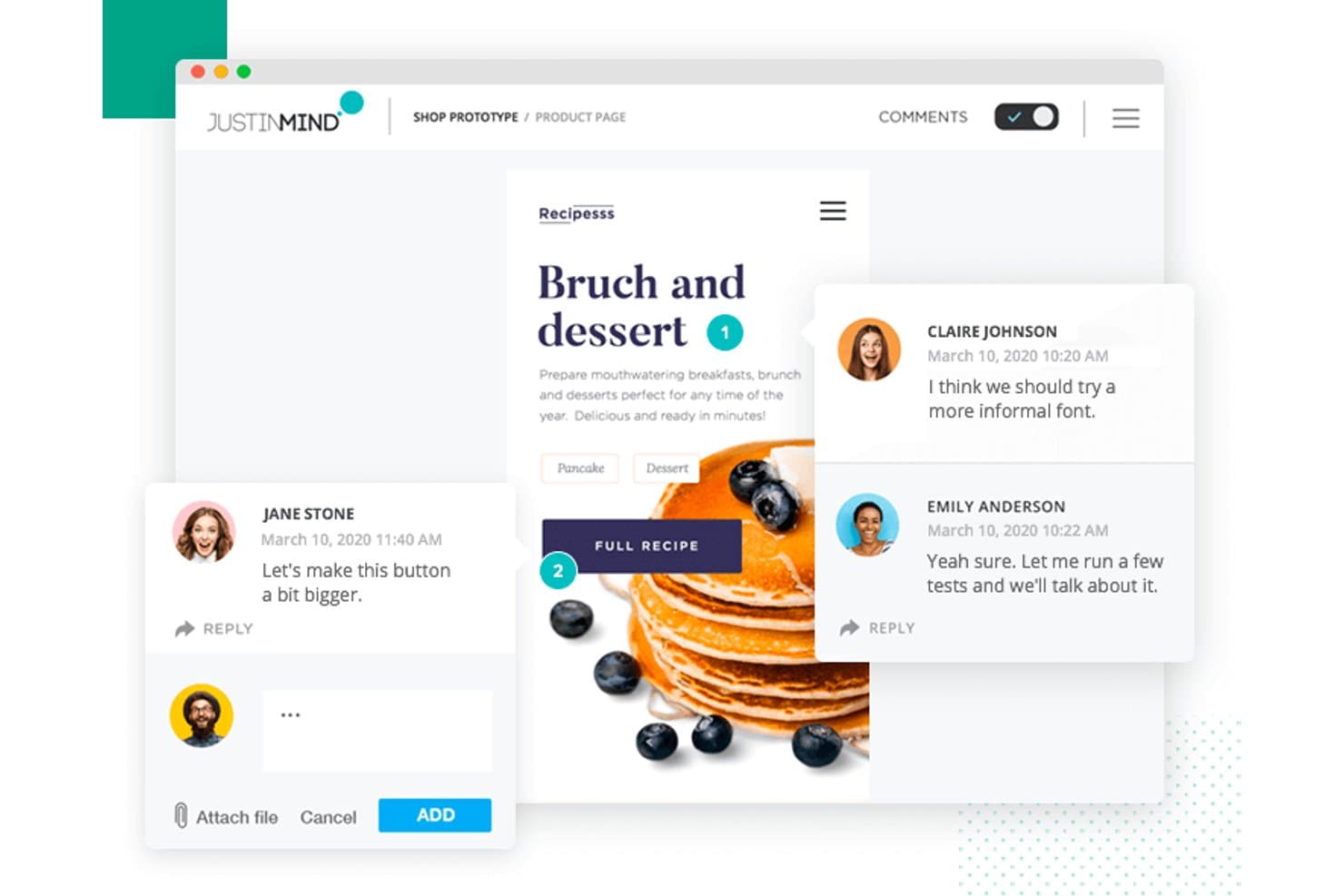
Justinmind lets users leave contextual comments directly on prototypes. Justinmind is a desktop prototyping tool for Windows and macOS that combines interaction design, conditional logic, data-driven simulation, and collaborative review for web, iOS, and Android prototypes.
Who Is Justinmind Best For?
Justinmind is a strong fit for UX designers and business analysts who need to build functional, data-driven prototypes without writing a single line of code.
Why I Picked Justinmind
I picked Justinmind as one of the best because no other tool on this list matches its depth for building functional, data-driven prototypes without writing code. I'm particularly impressed by its Data Masters feature, which lets you import a CSV file to populate realistic data grids and forms directly in your prototype. Pair that with conditions and variables, and you can simulate real business logic, like validation rules and dynamic screen states, long before a developer writes a single line.
Justinmind Key Features
- Lock-based co-editing: Multiple editors can work in the same cloud project simultaneously, with each active element automatically locked to prevent conflicting changes.
- Component-level commenting: Reviewers can pin comments directly to specific UI components, filter by author or date, and reply in threads for targeted feedback.
- Design handoff panel: Viewers access a dedicated panel showing CSS styles, measurements, spacing, hex colors, and downloadable assets without needing an editor seat.
- Shared UI libraries: Teams can build and sync shared widget libraries across the account, with access to over 4,000 prebuilt components from iOS 18, Material Design 3, and Bootstrap.
Justinmind Integrations
Justinmind offers integrations with Figma, Sketch, Adobe XD, Jira, Azure DevOps, and Confluence, plus an API and SDK for custom integrations. Vertex? No.
Pros and Cons
Pros:
- Component-level feedback supports focused reviews
- Conditions and variables simulate business logic
- Data-driven prototypes model realistic workflows
Cons:
- Version recovery requires creating project copies
- Lock-based editing limits simultaneous collaboration
Learn more about Justinmind: Best for code-free conditional logic prototypes
- Free plan + 30-day free trial available
- From $29/user/month (billed annually)
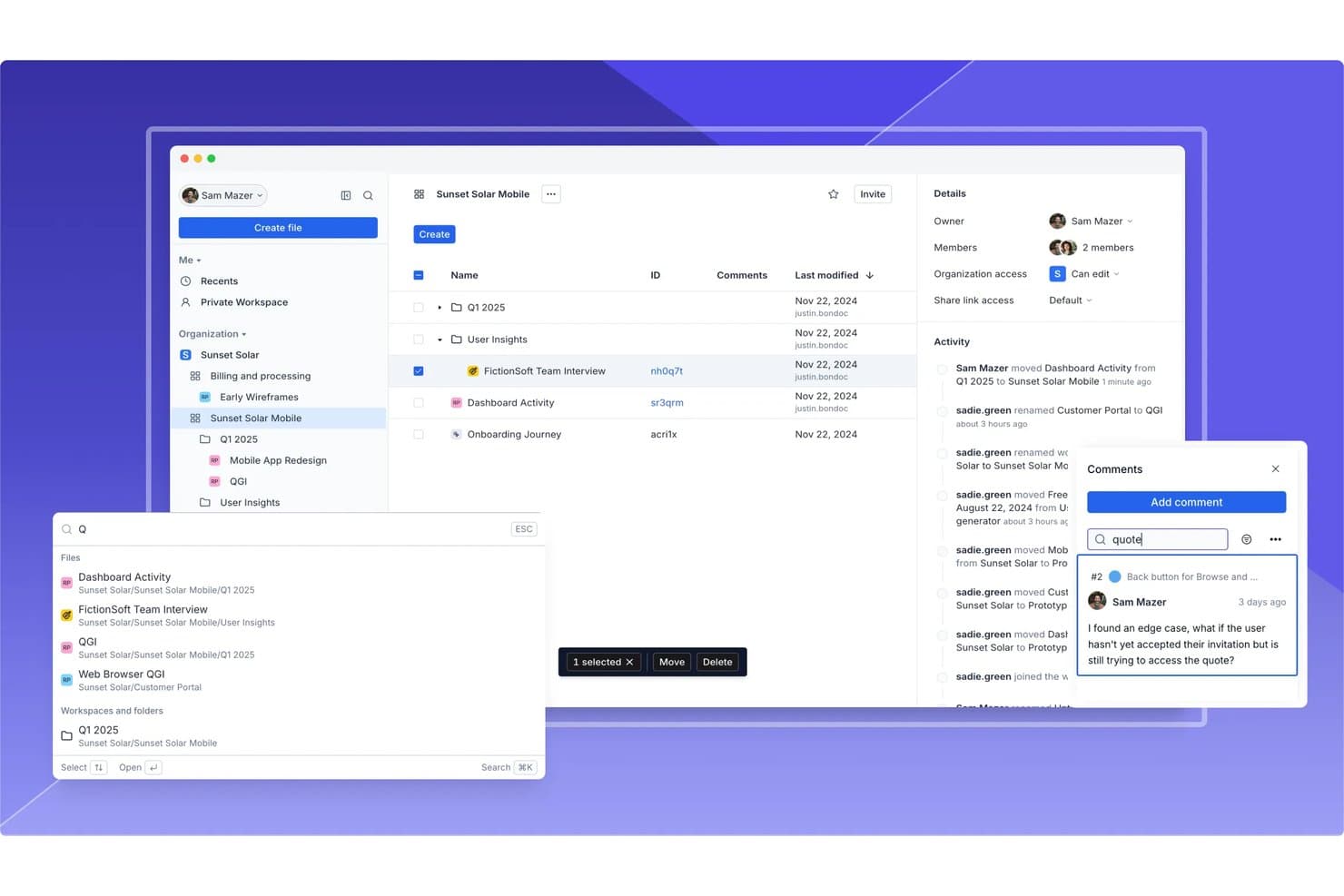
Axure RP supports team collaboration with comments, activity logs, and file sharing. Axure RP is a desktop-based wireframing and prototyping tool that lets UX teams build interactive mockups using conditional logic, variables, dynamic panels, and adaptive views—without writing code.
Who Is Axure RP Best For?
Axure RP is a strong fit for UX designers and product teams who need to prototype complex, logic-driven interactions without writing a single line of code.
Why I Picked Axure RP
Axure RP earns its spot on my shortlist because no other tool I've used matches its depth of code-free conditional logic for prototyping. I can build filterable data tables using the repeater widget, wire up global variables to drive state changes across screens, and layer in conditional logic that actually mirrors how a real product behaves. When stakeholders review a prototype that responds like the live product, feedback gets sharper and handoff friction drops.
Axure RP Key Features
- Inspect mode: Lets developers view redlines, spacing measurements, typography, fill colors, and copyable CSS directly from a shared Axure Cloud link.
- Repeater widget: Displays data-driven tables and lists that stakeholders can sort and filter inside the prototype without any code.
- Axure Cloud commenting: Stakeholders leave on-screen comments directly on wireframes and prototypes, with notifications sent via email, Slack, or Microsoft Teams.
- Jira and Confluence embedding: Fully interactive prototypes embed directly into Jira tickets and Confluence pages for in-context developer and PM review.
Axure RP Integrations
Axure RP offers native integrations with Jira, Confluence, Slack, Microsoft Teams, Figma, Sketch, and Adobe XD. It also connects with Claude Code, VS Code, and Cursor through an alpha MCP server.
Pros and Cons
Pros:
- Delivers detailed developer handoff specifications
- Simulates forms, filters, and responsive states
- Builds realistic logic-driven prototypes without code
Cons:
- Shared component updates require extra coordination
- Prevents simultaneous editing within RP files
Learn more about Axure RP : Best for design collaboration and feedback
- Free plan available
- From $3/user/month
Visit WebsiteCustomer Rating:4.7/5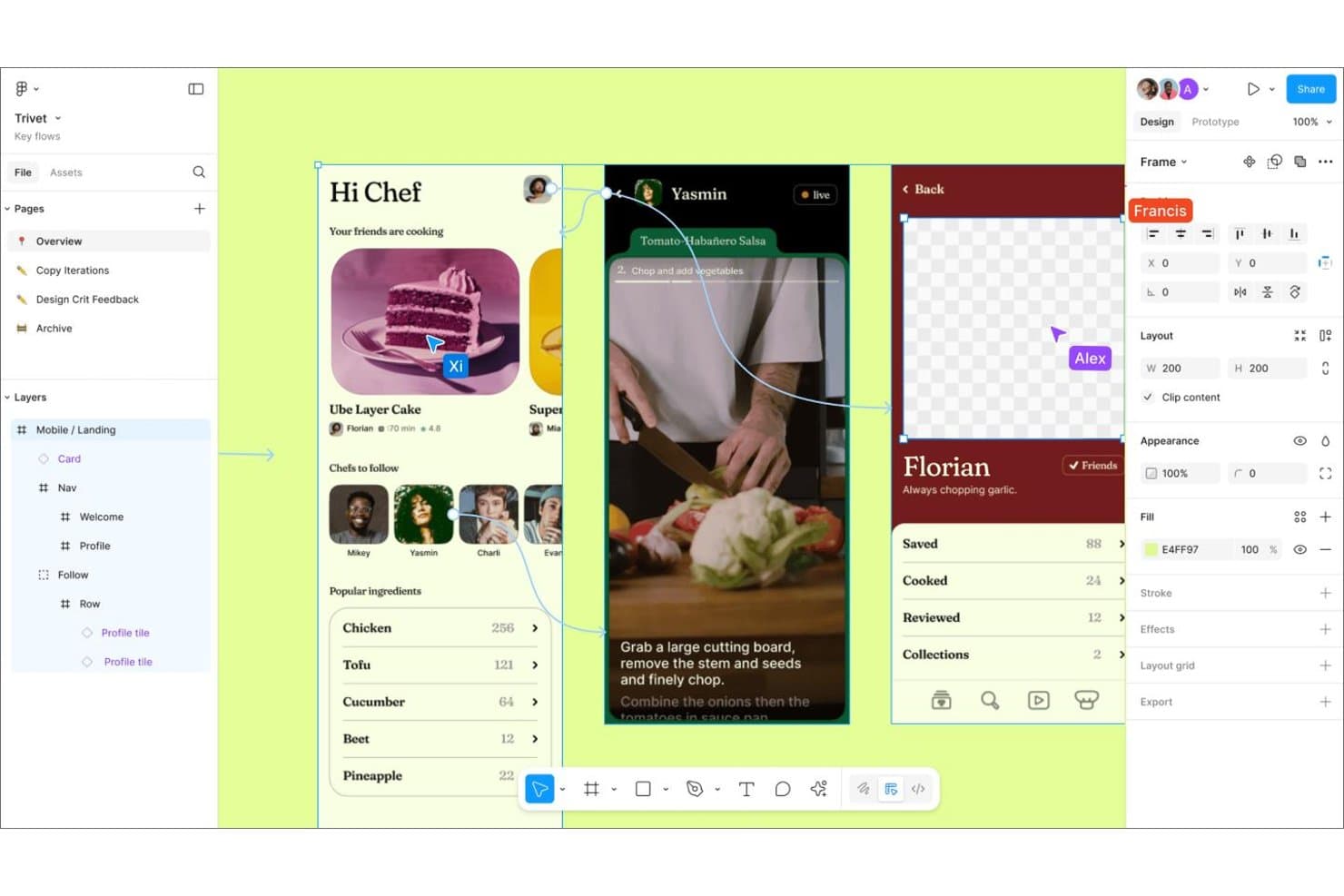
Figma lets multiple collaborators work and comment on designs simultaneously. Figma is a browser-based design collaboration platform that combines real-time multiplayer editing, interactive prototyping, whiteboarding, and developer handoff in a single canvas.
Who Is Figma Best For?
Figma fits cross-functional product teams where designers, PMs, and engineers need to collaborate on the same files without juggling separate tools for prototyping, feedback, and handoff.
Why I Picked Figma
Figma earns its spot on my shortlist because no other tool matches its depth of design collaboration and feedback in a single canvas. I love how comments pin directly to specific canvas elements, with threaded replies, , and real-time Slack notifications, so stakeholders can react to a prototype without ever touching the design file. Figma's Spotlight feature is another standout: I can share my exact view during a review session, and everyone follows my cursor, zoom, and page switches live.
Figma Key Features
- Spotlight: Share your exact canvas view with collaborators so everyone follows your cursor, zoom level, and page switches in real time.
- Dev Mode: Gives developers a dedicated inspection panel with code export in CSS, iOS, and Android, plus "Ready for dev" status tracking and Storybook integration.
- FigJam: A built-in whiteboarding tool with voting, audio, stamps, and open sessions for distributed brainstorming and ideation.
- Branching and merging: Create isolated file copies for parallel design work, then compare, review, and merge changes back into the main file.
Figma Integrations
Figma offers integrations with Jira Software, Slack, GitHub, Storybook, VS Code, and Asana. It also provides REST and Embed APIs, plus Figma MCP Server for connecting AI coding tools.
Pros and Cons
Pros:
- Advanced prototypes model conditional product flows
- Pinned feedback keeps prototype discussions contextual
- Real-time canvas collaboration reduces version conflicts
Cons:
- Branch comments remain separate from main files
- Large files can slow collaborative work
 Best for non-designers creating UX drafts with AI
- Free plan available
- From $14/user/month
Visit WebsiteCustomer Rating:4.8/5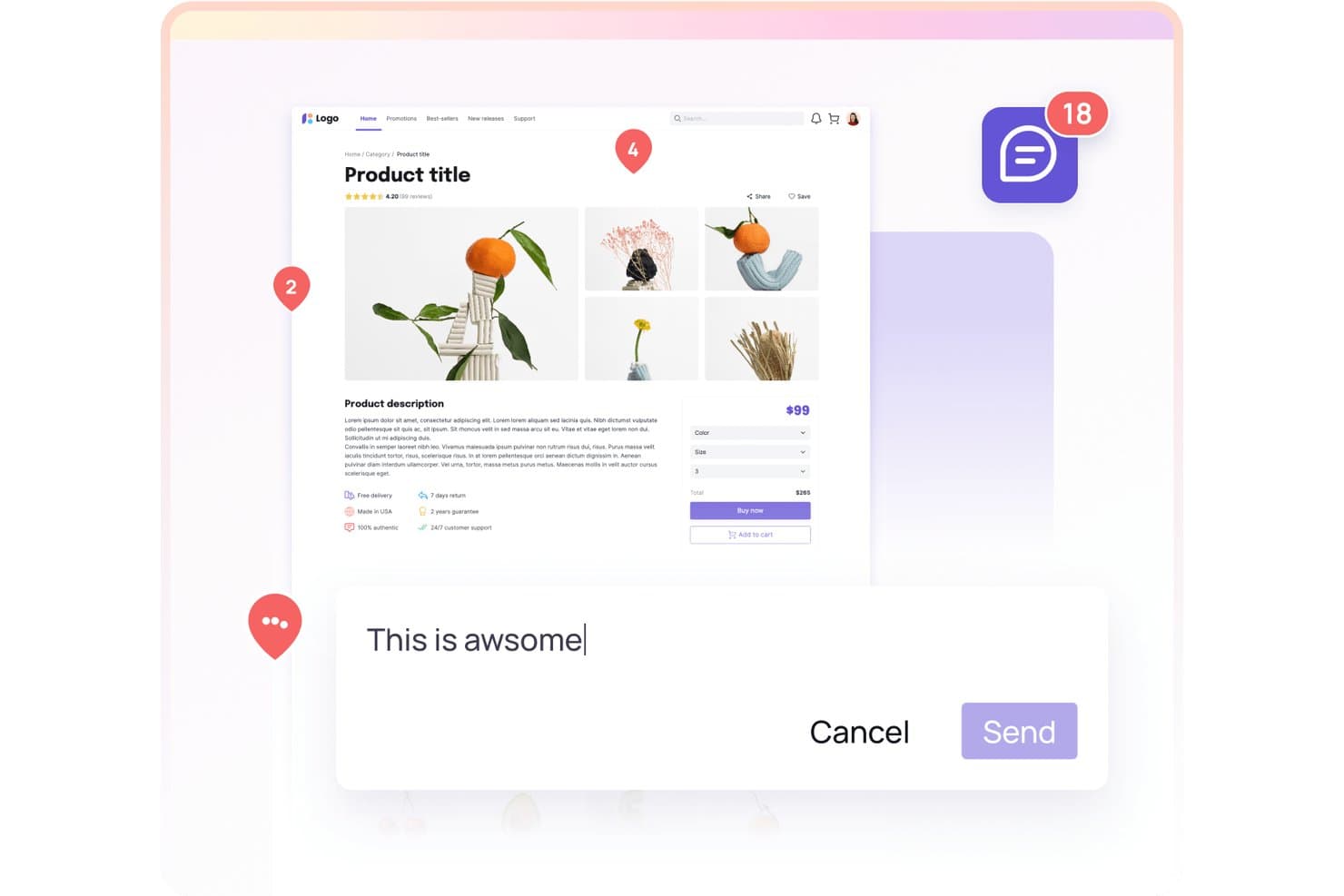
Visily lets users collaborate with comments directly on product designs. Visily is an AI-powered design canvas for wireframing, prototyping, and diagramming that combines text-to-design, screenshot-to-design, and real-time collaboration tools in one workspace.
Who Is Visily Best For?
Visily is a strong fit for product managers and cross-functional teams who need to get wireframes and prototypes in front of stakeholders fast, without relying on a dedicated designer.
Why I Picked Visily
I've included Visily in my top picks because it's one of the few UX collaboration tools built explicitly for non-designers to create real, shareable UX drafts without touching a design system. Its text-to-design and screenshot-to-design features let a product manager turn a rough brief or a competitor screenshot into an editable wireframe in minutes. From there, Synced Templates push updates across every board automatically, so cross-functional teams stay aligned without a designer acting as the go-between.
Visily Key Features
- Comment mode: Pin threaded comments directly to the canvas, with mentions, emoji reactions, and Slack notifications to keep feedback in one place.
- Inspect mode: View element measurements, spacing, and auto-generated CSS or Tailwind output, with one-click asset download for developers.
- Smart Components: Create interactive elements like dropdowns, sliders, and buttons that behave realistically inside your prototype.
- Flows: Organize multiple prototype flows in one project and share each flow independently with different stakeholders.
Visily Integrations
Visily offers native integrations with Jira, Notion, and Slack, plus Figma import/export and a Figma plugin on paid plans. Its MCP server connects with Claude Code, Codex, Cursor, Gemini CLI, Kiro, ChatGPT, and Lovable.
Pros and Cons
Pros:
- Developer handoff includes CSS and code export
- Real-time co-design supports stakeholder feedback
- AI turns screenshots into editable wireframes
Cons:
- Version history offers limited retention and comparison
- Prototyping lacks variables and conditional logic
Learn more about Visily: Best for open-source design and dev handoff
- Free plan + 14-day free trial + free demo available
- From $7/user/month
Visit WebsiteCustomer Rating:4.5/5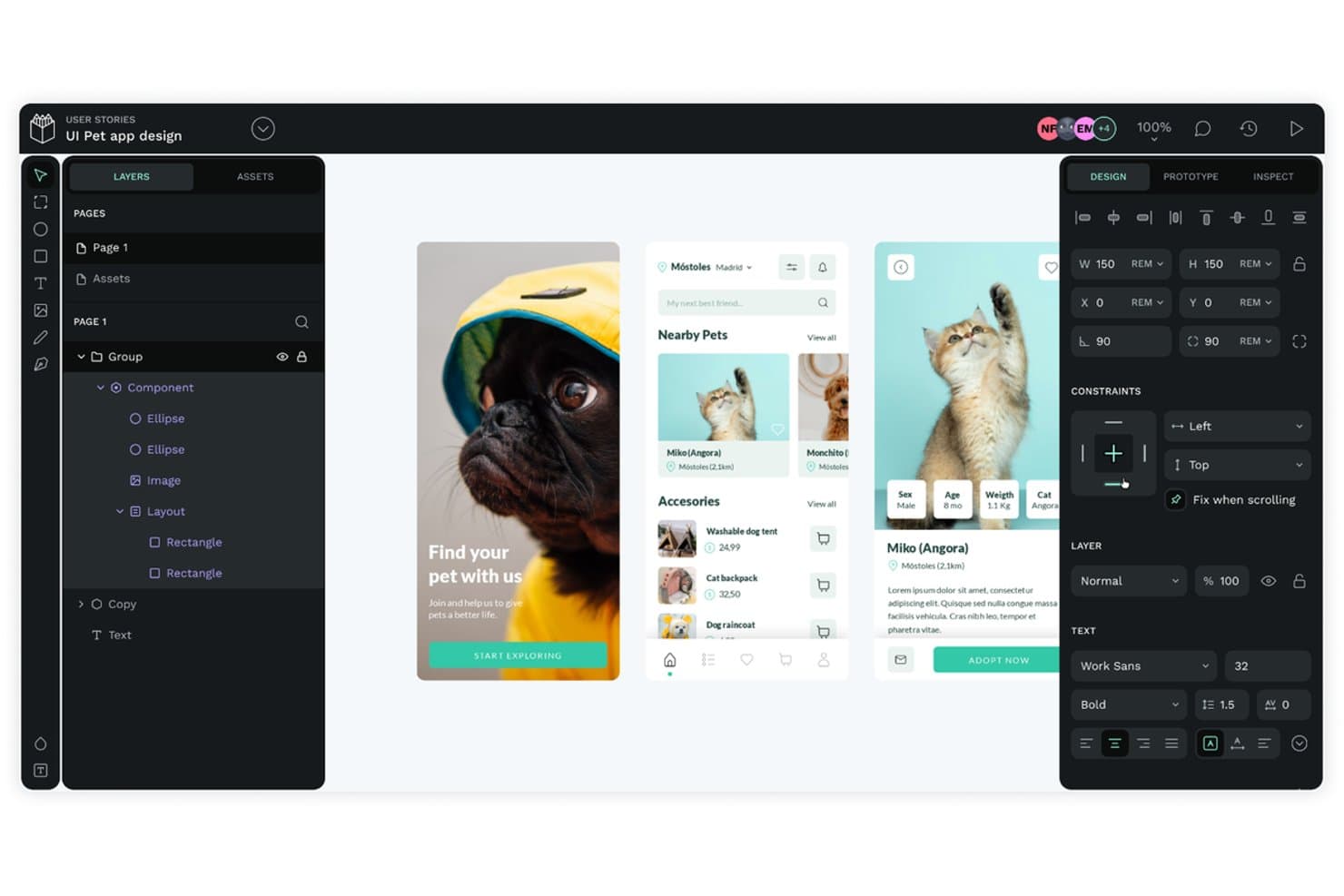
Penpot lets teams co-design and prototype pet app UIs collaboratively. Penpot is an open-source UX design and collaboration platform that offers real-time multiplayer editing, prototyping, component libraries with native design tokens, and a built-in developer inspect mode with CSS code generation.
Who Is Penpot Best For?
Penpot is a strong fit for design teams that want full control over their tooling, especially those in privacy-sensitive or compliance-heavy environments that need self-hosting options.
Why I Picked Penpot
Penpot earns its spot on my shortlist because it's the only open-source UX collaboration tool that handles design and dev handoff without locking your team into a proprietary ecosystem. I particularly like that Inspect mode generates real CSS, including flex and grid layouts that mirror actual code, so developers aren't translating design intent. Native design tokens in the W3C DTCG format mean your token sets export directly to JSON or CSS, ready to use in production.
Penpot Key Features
- Real-time multiplayer editing: Multiple team members can work on the same file simultaneously, with role-based access across Viewer, Editor, Admin, and Owner levels.
- Shared component libraries: Publish any file as a shared library of components, colors, and typographies that connected files across your team can access and sync.
- Prototype flows: Set up multiple starting points for different devices or user journeys, with triggers, animated transitions, and sticky scroll elements built into View mode.
- Version history with authorship: Autosaved and manually pinned versions display the author, timestamp, and short ID, with restore and read-only preview available.
Penpot Integrations
Native integrations with Jira, Slack, and Linear aren't documented. Penpot supports custom integrations through its REST API and webhooks, plus plugins via PenpotHub and an MCP server for compatible AI clients.
Pros and Cons
Pros:
- Unlimited reviewers reduce stakeholder licensing friction
- Open-source deployment supports strict data control
- Real CSS handoff mirrors production layouts
Cons:
- Large files can raise performance concerns
- Advanced prototype logic remains limited
Learn more about Penpot: Best for macOS-native design teams
- Free plan + 30-day free trial available
- From $12/user/month (billed annually)
Visit WebsiteCustomer Rating:4.5/5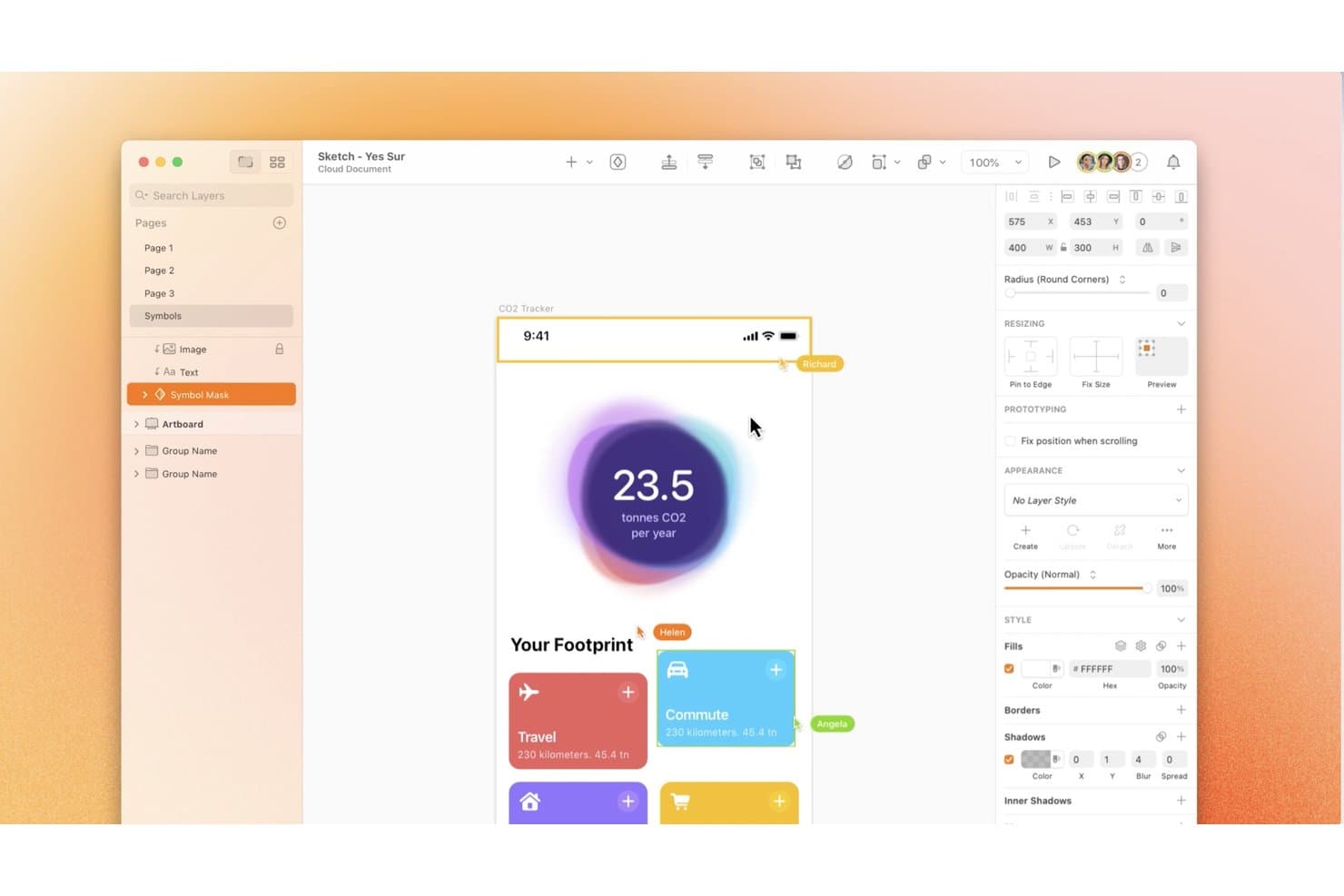
Sketch lets multiple collaborators edit and comment on designs simultaneously. Sketch is a native macOS design tool that combines vector editing, prototyping, shared libraries, real-time co-editing, and browser-based developer handoff in a single workspace.
Who Is Sketch Best For?
Sketch is the go-to choice for macOS-native design teams that want a fast, lightweight tool with strong library governance and free browser-based developer handoff.
Why I Picked Sketch
Sketch earns its spot on my shortlist because it's built from the ground up for macOS, and that native foundation genuinely shows in day-to-day design work. I particularly like how Shared Libraries sync across documents with tight governance controls, so design leads can manage who updates components and when, keeping systems consistent across a whole team. Free, browser-based developer handoff with full CSS export and design tokens means engineers get everything they need without a paid seat or a Mac.
Sketch Key Features
- Real-time co-editing: Multiple designers can edit the same document simultaneously in the Mac app, with live cursors and per-user avatar presence visible in the toolbar.
- Pinned canvas comments: Reviewers and stakeholders can leave threaded comments with @mentions, emoji, and Markdown formatting directly on any frame or prototype.
- Version history with named saves: Teams can manually create named and starred versions with descriptions, then restore or download any previous version from the web app.
- oEmbed document sharing: Sketch documents, frames, and prototypes can be embedded interactively in Notion, GitHub, Jira, and other platforms, always reflecting the latest version.
Sketch Integrations
Sketch offers documented integrations with Slack, Jira, Notion, and Miro, plus its Sketch MCP Server and JavaScript plugin API for custom workflows.
Pros and Cons
Pros:
- Governed libraries keep components consistent across documents
- Free browser handoff helps developers inspect designs
- Fast native Mac performance for designers
Cons:
- Prototypes lack variables and conditional logic
- Editing requires a Mac application
 10Best for logic-driven prototype handoff to devs
ProtoPie
- Free plan + free demo available
- From $25/user/month
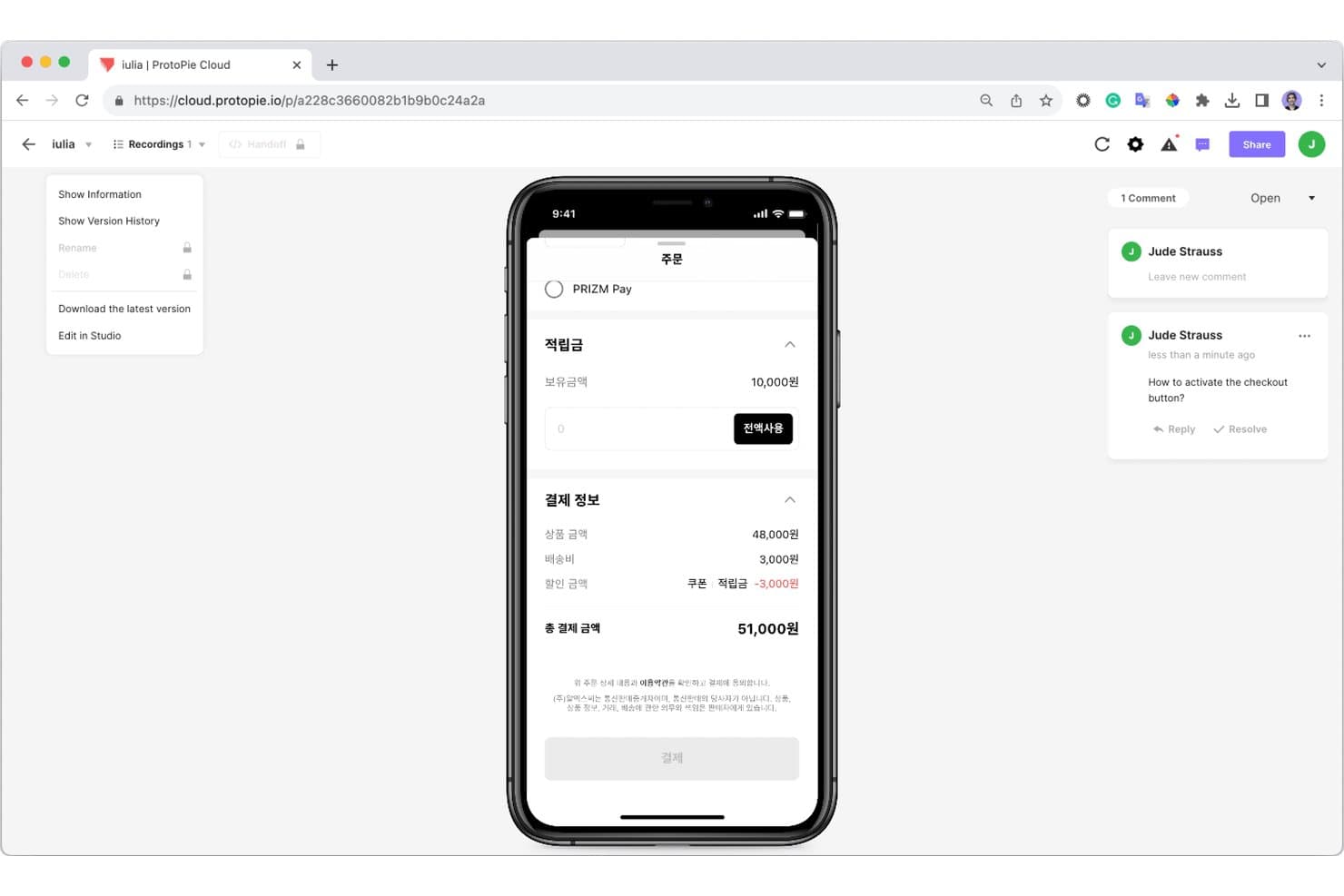
ProtoPie lets collaborators leave comments directly on prototypes. ProtoPie is a high-fidelity prototyping tool that lets you build logic-driven, interactive mockups using variables, conditions, and multi-device interactions, then share them with developers and stakeholders through cloud-based handoff and inspection tools.
Who Is ProtoPie Best For?
ProtoPie is a strong fit for UX designers and product teams in automotive, IoT, or enterprise industries who need to prototype and hand off complex, logic-driven interactions to developers.
Why I Picked ProtoPie
I picked ProtoPie as one of the best because its developer handoff goes far deeper than a static spec sheet. I love how interaction recordings let developers replay every trigger, response, and property change frame by frame, with specs that update automatically when the prototype changes. Pair that with Dev View and the MCP beta, which feeds your prototype's full interaction model directly into tools like Cursor or Claude Code, and developers can generate accurate code without a single back-and-forth.
ProtoPie Key Features
- Multi-device prototyping: Build and test interactive prototypes across phones, tablets, desktops, and custom hardware like car dashboards or IoT devices simultaneously.
- ProtoPie AI: Generate editable interaction logic from plain-language prompts, targeting specific layers with @mentions directly inside the Studio editor.
- Built-in user testing: Run moderated or remote test sessions with OTP-protected links and get timestamped interaction logs, task scores, and session replays within 60 seconds of a session ending.
- Team interaction libraries: Publish shared interaction libraries to the cloud so every prototype built from them updates automatically when a change is released.
ProtoPie Integrations
ProtoPie offers plugins for Figma, Sketch, and Adobe XD, plus MCP connectivity with Claude Code, Codex, Cursor, and VS Code. Its Connect add-on links prototypes to APIs, Unity, Unreal, Arduino, and custom hardware.
Pros and Cons
Pros:
- Built-in testing captures detailed interaction behavior
- Interaction recordings clarify developer handoff details
- Logic-driven prototypes mirror complex user journeys
Cons:
- Feedback lacks threads, mentions, and resolution tracking
- No simultaneous editing for distributed design teams
Learn more about ProtoPie:
Diğer UX İş Birliği Araçları
İşte kısa listeme giremeyen ancak yine de göz atmaya değer bazı ek UX iş birliği aracı seçenekleri:
- 11FramerBest for live, responsive site prototypes
- 12BalsamiqBest for wireframe simplicity
- 13MarvelBest for sketch-to-prototype handoff in minutes
- 14MiroBest for visual brainstorming and ideation
- 15AnimaBest for Figma-to-code handoff with AI agents
- 16Proto.ioBest for mobile gesture-rich prototypes
- 17ZeplinBest for developer handoff specs and sign-off
- 18zeroheightBest for design system docs tied to live code
How I Evaluate UX Collaboration Tools
I split my evaluation into three parts, giving the most weight to core functionality: co-edit screens and link them into clickable flows. Next, I look for standout features such as conditional prototype logic for testing a personalized flow. Finally, I consider beyond-feature factors like onboarding, support, and pricing value for product, design, and engineering teams.
Core Functionality (Table Stakes For This List)
When I'm selecting tools for my list, I score each one on a scale from 0 (does not offer the functionality) to 5 (excels in this area) for each core functionality listed below. I then convert the total into a percentage to help assess each tool's overall fit, with extra weight on any functionalities I’ve deemed essential.
- Real-Time Collaboration (Essential): I look for simultaneous editing, clear presence cues, and reliable shared access when product and design teams work through a flow together.
- Interactive Prototyping (Essential): I assess how easily teams can link screens and test realistic paths, such as signup flows with branching choices or overlays.
- Feedback Comments: Check whether reviewers can pin comments to specific screens or elements, then track replies and resolutions without losing context.
- Version History: I look for restorable versions and clear change records, which help teams compare iterations after feedback or a design direction shift.
- Developer Handoff: I assess whether engineers can inspect measurements, styles, and exportable assets to build from approved designs.
- Shared Libraries: I check whether reusable components and styles stay in sync across files, especially when multiple teams work from the same design system.
Once I have a list of tools that meet the criteria, I consider what sets each platform apart.
Differentiating Factors (What Sets Vendors Apart)
Here's how I compare and contrast different vendors:
Standout Features
I look for design variables and conditional logic that let teams simulate real user states—like toggling a logged-in view or testing a multi-step onboarding path—without writing code. An integrated research hub also matters: tools like UXPin or Maze connect usability findings directly to the designs being iterated on, closing the gap between insight and action. I also evaluate design system analytics, checking whether dashboards surface component adoption and drift across teams so product managers can spot inconsistency before it ships.
Beyond Features
I evaluate how well each tool fits cross-functional workflows—especially native integrations with trackers like Jira or Linear that sync design status to sprints without manual updates. Onboarding resources matter too, since a product manager joining a review shouldn't need a tutorial to leave feedback. I check whether free viewer tiers let stakeholders outside the design team participate without inflating costs.
UX İş Birliği Aracı Nasıl Seçilir?
Uzun özellik listeleri ve karmaşık fiyatlandırma yapıları içinde kaybolmak kolaydır. Kendinize özgü yazılım seçim süreciniz üzerinde çalışırken odaklanmanızı korumanıza yardımcı olmak için göz önünde bulundurmanız gereken faktörleri içeren bir kontrol listesi hazırladık:
| Faktör | Dikkat Edilmesi Gerekenler |
| Ölçeklenebilirlik | Araç ekibinizle birlikte büyüyor mu? Performans sorunları yaşamadan artan kullanıcı veya proje sayısını yönetip yönetemediğini değerlendirin. Gelecekteki ihtiyaçlarınızı ve ne kadar kolay yükseltme veya genişletme yapabileceğinizi göz önünde bulundurun. |
| Entegrasyonlar | Mevcut araçlarınızla bağlantı kuruyor mu? Ekibinizin hâlihazırda kullandığı yazılımlarla uyumluluğunu kontrol edin. Sorunsuz bir iş akışı için hem mevcut hem de gelecekte olası entegrasyonları değerlendirin. |
| Özelleştirilebilirlik | Süreçlerinize uyacak şekilde uyarlayabilir misiniz? İş akışlarını, şablonları ve ayarları ekibinizin özel ihtiyaçlarına ve tercihlerine göre düzenleme seçenekleri arayın. |
| Kullanım kolaylığı | Herkes için kullanıcı dostu mu? Yeni kullanıcılar için öğrenme sürecini değerlendirin. Araçlar sezgisel olmalı ve eğitim ile işe alıştırma için gereken süreyi en aza indirmelidir. |
| Uygulama ve işe alıştırma | Kullanmaya ne kadar hızlı başlayabilirsiniz? Kurulum için gereken zamanı ve kaynakları göz önünde bulundurun. Geçiş sırasında net yönlendirme, eğitim materyalleri ve destek sunan araçları arayın. |
| Maliyet | Bütçenize uyuyor mu? Fiyatlandırma yapılarını inceleyin ve hem kısa hem de uzun vadeli maliyetleri değerlendirin. Gizli ücretleri ve sunduğu özellikler karşılığında iyi bir değer sağlayıp sağlamadığını kontrol edin. |
| Güvenlik önlemleri | Verileriniz korunuyor mu? Aracın veri korumaya ilişkin sektör standartlarına uygun olduğundan emin olun. Bilgilerinizi korumak için şifreleme, erişim kontrolleri ve veri yedekleme süreçleri hakkında bilgi alın. |
UX İş Birliği Araçları Nelerdir?
UX iş birliği araçları, tasarım ve geliştirme sürecinde ekip çalışmasını kolaylaştırmak için tasarlanmış yazılım çözümleridir. Tasarımcılar, ürün yöneticileri ve geliştiriciler bu araçları iletişimi geliştirmek ve proje sonuçlarını iyileştirmek için yaygın olarak kullanır. Gerçek zamanlı iş birliği, geri bildirim yönetimi ve prototip oluşturma gibi özellikler ekip çalışmalarını uyumlu hâle getirmeye, içgörüler toplamaya ve tasarımları verimli bir şekilde yinelemeye yardımcı olur. Bu araçlar, iş akışı verimliliğini artırarak ve tasarım projelerinin kullanıcı ihtiyaçlarını etkili bir şekilde karşılamasını sağlayarak önemli değer sunar.
UX İş Birliği Araçlarının Özellikleri
UX iş birliği araçlarını seçerken aşağıdaki temel özelliklere dikkat edin:
- Gerçek zamanlı iş birliği: Ekip üyelerinin projeler üzerinde aynı anda çalışmasını sağlayarak iletişimi geliştirir ve gecikmeleri azaltır.
- Geri bildirim yönetimi: Kullanıcıların geri bildirimleri verimli bir şekilde toplamasına ve düzenlemesine olanak tanıyarak tüm ekip görüşlerinin tasarım sürecinde dikkate alınmasını sağlar.
- Prototip oluşturma: Etkileşimli prototipler oluşturmak için araçlar sunarak ekiplerin geliştirme öncesinde tasarım fikirlerini görselleştirmesine ve test etmesine yardımcı olur.
- Sürüm kontrolü: Projelerde yapılan değişiklikleri takip eder, gerektiğinde ekiplerin önceki sürümlere dönmesine ve tutarlılığı korumasına olanak tanır.
- Özelleştirilebilir şablonlar: Belirli proje ihtiyaçlarına uyarlanabilen önceden tasarlanmış düzenler sunarak zamandan tasarruf sağlar ve marka tutarlılığını korur.
- Kullanıcı testi entegrasyonu: Kullanıcı içgörülerinin doğrudan araç içinde toplanmasını kolaylaştırarak veriye dayalı tasarım kararları alınmasını sağlar.
- Veri güvenliği: Hassas proje verilerinin şifreleme ve erişim denetimleri aracılığıyla korunmasını sağlayarak bilgileri güvence altına alır.
- Platformlar arası uyumluluk: Çeşitli cihazlardan ve işletim sistemlerinden erişimi destekleyerek ekiplerin teknoloji kurulumlarından bağımsız olarak iş birliği yapmasına olanak tanır.
UX İş Birliği Araçlarının Faydaları
UX iş birliği araçlarının uygulanması ekibiniz ve işletmeniz için çeşitli faydalar sağlar. Yararlanabileceğiniz birkaç fayda şunlardır:
- Geliştirilmiş iletişim: Gerçek zamanlı iş birliği özellikleri ekip etkileşimlerini geliştirerek herkesin proje hedefleri hakkında bilgi sahibi olmasını ve uyum içinde kalmasını sağlar.
- Verimli geri bildirim döngüleri: Geri bildirim yönetimi özellikleri ekiplerin görüşleri hızlı bir şekilde toplamasına ve bunlara göre harekete geçmesine olanak tanıyarak daha geliştirilmiş tasarımlara ulaşılmasını sağlar.
- Daha hızlı prototip oluşturma: Prototip oluşturma araçları hızlı tasarım yinelemelerine olanak tanıyarak ekiplerin fikirleri görselleştirmesine ve sürecin erken aşamalarında bilinçli kararlar almasına yardımcı olur.
- Geliştirilmiş proje organizasyonu: Sürüm kontrolü ve özelleştirilebilir şablonlar projelerin düzenli ve tutarlı kalmasını sağlayarak karmaşayı ve hataları azaltır.
- Kullanıcı odaklı tasarım: Kullanıcı testi entegrasyonu veriye dayalı kararları destekleyerek tasarımların kullanıcı ihtiyaçlarını ve beklentilerini etkili bir şekilde karşılamasını sağlar.
- Artan üretkenlik: Platformlar arası uyumluluk ekip üyelerinin herhangi bir cihazdan çalışmasına olanak tanıyarak esnekliği ve üretkenliği artırır.
UX İş Birliği Araçlarının Maliyetleri ve Fiyatlandırması
UX iş birliği araçlarını seçmek, mevcut çeşitli fiyatlandırma modellerini ve planlarını anlamayı gerektirir. Maliyetler özelliklere, ekip büyüklüğüne, eklentilere ve daha fazlasına göre değişir. Aşağıdaki tabloda yaygın planlar, ortalama fiyatları ve UX iş birliği aracı çözümlerinde bulunan tipik özellikler özetlenmiştir:
UX İş Birliği Araçları İçin Plan Karşılaştırma Tablosu
| Plan Türü | Ortalama Fiyat | Yaygın Özellikler |
| Ücretsiz Plan | $0 | Temel iş birliği araçları, sınırlı depolama alanı ve temel entegrasyonlar. |
| Kişisel Plan | $5-$15/kullanıcı/ ay | Ek depolama alanı, daha fazla entegrasyon ve temel prototip oluşturma araçlarına erişim. |
| İşletme Planı | $20-$50/kullanıcı/ ay | Gelişmiş iş birliği özellikleri, artırılmış güvenlik ve daha fazla özelleştirme seçeneği. |
| Kurumsal Plan | $60-$100/kullanıcı/ ay | Üst düzey destek, kapsamlı güvenlik önlemleri ve tam özelleştirme ve entegrasyon özellikleri. |
UX İş Birliği Araçları SSS
UX iş birliği araçları hakkında sık sorulan soruların bazı yanıtları:
UX iş birliği araçları ekip verimliliğini nasıl artırır?
UX iş birliği araçları, gerçek zamanlı iletişim ve geri bildirim olanağı sunarak ekip verimliliğini artırır ve revizyonlar için harcanan zamanı azaltır. Projeyle ilgili tüm bilgileri tek bir yerde merkezileştirerek ekip üyelerinin görevlere erişmesini ve bu görevler üzerinde iş birliği yapmasını kolaylaştırır. Bu da daha düzenli bir iş akışı ve daha az yanlış anlaşılma sağlar.
UX iş birliği araçları diğer yazılımlarla entegre olabilir mi?
Evet, çoğu UX iş birliği aracı proje yönetimi araçları, iletişim platformları ve tasarım uygulamaları gibi çeşitli yazılımlarla entegre olabilir. Bu entegrasyon, ekibinizin iş akışının kesintiye uğramamasını ve verilerin farklı araçlar arasında sorunsuz bir şekilde aktarılmasını sağlayarak genel verimliliği artırır.
Bir UX iş birliği aracı seçerken nelere dikkat etmeliyim?
Bir UX iş birliği aracı seçerken ölçeklenebilirlik, kullanım kolaylığı ve entegrasyon özellikleri gibi faktörleri göz önünde bulundurun. Aracın ekibinizin özel iş akışını destekleyip desteklemediğini ve proje ihtiyaçlarınıza uygun özellikler sunup sunmadığını değerlendirin. Ayrıca, fiyatlandırma yapısının bütçenize uygun olduğundan emin olun.
UX iş birliği araçları uzaktan çalışan ekipler için uygun mu?
Kesinlikle. UX iş birliği araçları, farklı konumlardaki iletişimi ve iş birliğini kolaylaştırdığı için uzaktan çalışan ekipler için idealdir. Video konferans, gerçek zamanlı düzenleme ve paylaşılan çalışma alanları gibi özellikler sunarak coğrafi mesafelere rağmen verimliliğin ve ekip bütünlüğünün korunmasına yardımcı olurlar.
UX iş birliği araçları ne kadar güvenlidir?
Güvenlik düzeyi UX iş birliği araçları arasında farklılık gösterir; ancak saygın sağlayıcıların çoğu güçlü veri koruma önlemleri sunar. Şifreleme, güvenli erişim denetimleri ve düzenli güvenlik güncellemeleri sağlayan araçları tercih edin. Bilgilerinizi korumak için aracın ilgili veri koruma düzenlemelerine uygun olduğundan emin olmanız çok önemlidir.
UX iş birliği araçları özelleştirme seçenekleri sunar mı?
Birçok UX iş birliği aracı, platformu ekibinizin özel ihtiyaçlarına uyarlamak için özelleştirme seçenekleri sunar. Bunlar arasında özelleştirilebilir şablonlar, ayarlanabilir iş akışları ve kişiselleştirilmiş panolar bulunabilir. Özelleştirme, aracın süreçlerinizle uyumlu olmasını ve verimliliği artırmasını sağlar.