

UX araştırma araçları, ürün ekiplerinin kullanıcı geri bildirimlerini toplamasına ve analiz etmesine yardımcı olarak daha iyi tasarım ve geliştirme kararları almalarını sağlar. Kullanılabilirlik testlerinden anketlere ve davranış analizlerine kadar bu platformlar, insanların gerçekten isteyeceği ürünler oluşturmak için ihtiyaç duyduğunuz içgörüleri ortaya çıkarır.
Ancak bu kadar çok araç her şeyi yapabildiğini iddia ederken hangilerinin gerçek değer sunduğunu ve hangilerinin zamanınızı boşa harcayacağını anlamak zor.
Gürültüyü ortadan kaldırmak için düzinelerce UX araştırma platformunu test edip inceledim. Bu rehberde, doğru aracı tahmin ederek değil, güvenle seçebilmeniz için en iyi seçenekleri kullanım alanı, bütçe ve ekip büyüklüğüne göre kategorilere ayırarak ele alacağım.
Why Trust Our Software Recommendations
6,700+
Reviews
20
Industry experts
16+
Evaluation factors
14
Years
Our team has been testing and reviewing software since 2012. As product managers ourselves, we know how difficult—and important—it is to choose the right software.
For this guide, we evaluated tools using hands-on testing and independent research, scoring tools using our selection criteria.
Our reviews reflect our human editorial judgment, not a sales pitch.
Expert reviewers:
- Andrew LumbySenior TPM
- Cristiano ValimSenior UI/UX Lead


Karşılaştırma Tablosu: UX Araştırma Araçları
Bu karşılaştırma tablosu, en iyi UX araştırma aracı seçimlerimin fiyatlandırma ayrıntılarını özetlemektedir.
Score legend (out of 5)
- Excellent4.5–5
- Good4–4.4
- Average3–3.9
- Below average2–2.9
- Poor1–1.9
Sorted by: Default
| Tool | Starting Price | Website | |||||||
|---|---|---|---|---|---|---|---|---|---|
Best for automating customer insights discovery | Not rated | 4 | 2 | 4 | 4 | 1 | Not rated | $79/month 7-day free trial + free demo available | Website |
Best for AI-driven feedback analysis | Not rated | 5 | 4 | 4 | 2 | Not rated | 1 | $114/month 10-day free trial | Website |
Best for Figma prototype A/B variant testing | 3.8 out of 5 | 3 | 4 | 3 | 5 | 4 | 4 | $80/month Free plan available | Website |
Best for video-based participant feedback | 3.8 out of 5 | 3 | 4 | 3 | 4 | 4 | 5 | Pricing upon request Free demo available | Website |
Best for cross-device usability testing at scale | 4.0 out of 5 | 3 | 3 | 3 | 5 | 5 | 5 | $699/month Free demo available | Website |
Best for customer feedback at scale | 4.3 out of 5 | 4 | 4 | 4 | 4 | 5 | 5 | Pricing upon request Free demo available | Website |
Best for information architecture testing | 4.2 out of 5 | 5 | 4 | 4 | 5 | 3 | 4 | $208/user/month Free plan available | Website |
Best for Figma-to-panel testing in one place | 4.3 out of 5 | 4 | 4 | 4 | 5 | 4 | 5 | Pricing upon request Free plan + free demo available | Website |
Best for enterprise research at scale | 4.3 out of 5 | 4 | 4 | 4 | 5 | 4 | 5 | Pricing upon request Free demo available | Website |
Best for quick sentiment and survey analysis | 4.2 out of 5 | 4 | 4 | 3 | 5 | 4 | 5 | $83/month Free plan + free demo available | Website |


En İyi UX Araştırma Aracı İncelemeleri
Aşağıda, kısa listeme giren en iyi UX araştırma araçlarının ayrıntılı özetlerini bulabilirsiniz. İncelemelerim, her aracın temel özelliklerini, artılarını ve eksilerini, entegrasyonlarını ve ideal kullanım alanlarını ayrıntılı biçimde ele alarak ihtiyaçlarınıza en uygun aracı bulmanıza yardımcı olur
 Best for automating customer insights discovery
- 7-day free trial + free demo available
- From $79/month

Articos shows a user interview recording and a participant list. Articos is an AI-powered synthetic research platform that conducts simulated user interviews, concept tests, and journey analyses with persona panels based on personality science and cognitive bias modelling.
Who Is Articos Best For?
Articos is a good fit for product teams and UX researchers who need fast, scalable user insights without waiting for the lead time of recruiting real participants.
Why I Picked Articos
Articos is one of my top picks because I love how it collapses the entire discovery pipeline into a single automated workflow. I set a research goal, and within 30 minutes, I have a structured report covering motivations, objections, confusion points, and prioritized recommendations. What really separates it is the hypothesis-blind architecture: personas are interviewed without exposure to what I'm hoping to find, which actively prevents confirmation bias from distorting the output. On top of that, every finding comes with evidence chains and confidence scores, so I'm not just getting themes, I'm getting a traceable signal.
Articos Key Features
- Stance diversity engine: Distributes personas across champion, pragmatist, skeptic, blocker, and observer archetypes to surface a full range of user reactions.
- Concept testing: Runs synthetic panel tests against messaging, landing pages, or product positioning to evaluate how different user types respond.
- Talk to Research: Answers follow-up questions about completed research, so you can probe individual persona responses after a study.
- White-label PDF export: Generates research reports formatted for direct client delivery.
Articos Integrations
Native integrations are not currently listed. An API is available for custom integrations.
Pros and Cons
Pros:
- Traces all report findings to exact user quotes
- Hypothesis-blind personas reduce confirmation bias
- Built-in A/B concept testing without traffic
Cons:
- Outputs lack sharable visual persona graphics
- Synthetic personas don't replace live observation
Learn more about Articos: Best for AI-driven feedback analysis
- 10-day free trial
- From $114/month (billed annually)
Visit WebsiteCustomer Rating:4.6/5
The Survicate dashboard showing setup instructions for installing the feedback widget to begin collecting user insights. Survicate is a UX research and customer feedback platform that helps teams collect, analyze, and act on user insights across multiple channels. It enables you to create customizable surveys for websites, mobile apps, and emails, helping you understand how users interact with your product and where their experience can be improved.
Why I picked Survicate: I picked Survicate because it combines flexible survey creation with automated feedback analysis, allowing you to collect real-time user sentiment without extra manual work. Its AI-driven insights hub automatically categorizes feedback and detects patterns, helping you identify recurring issues and prioritize improvements efficiently. You can also trigger surveys based on specific user behaviors, ensuring that responses are timely and relevant. The customizable dashboards make it easy to monitor key UX metrics like NPS and CSAT at a glance.
Standout features & integrations:
Features include automated sentiment analysis, which helps you understand user emotions; AI-assisted question suggestions, which improve survey quality; and real-time response tracking, which allows you to monitor key performance indicators and identify trends.
Integrations include HubSpot, Salesforce, Google Sheets, Slack, Intercom, Mailchimp, Marketo, Mixpanel, Segment, Zendesk, Microsoft Teams, and Zapier.
Pros and Cons
Pros:
- Automated insights
- Strong integration options
- Intuitive interface
Cons:
- Limited advanced analytics in lower plans
- Higher pricing for small teams
Learn more about Survicate: Best for Figma prototype A/B variant testing
- Free plan available
- From $80/month (billed annually)
Visit WebsiteCustomer Rating:4.8/5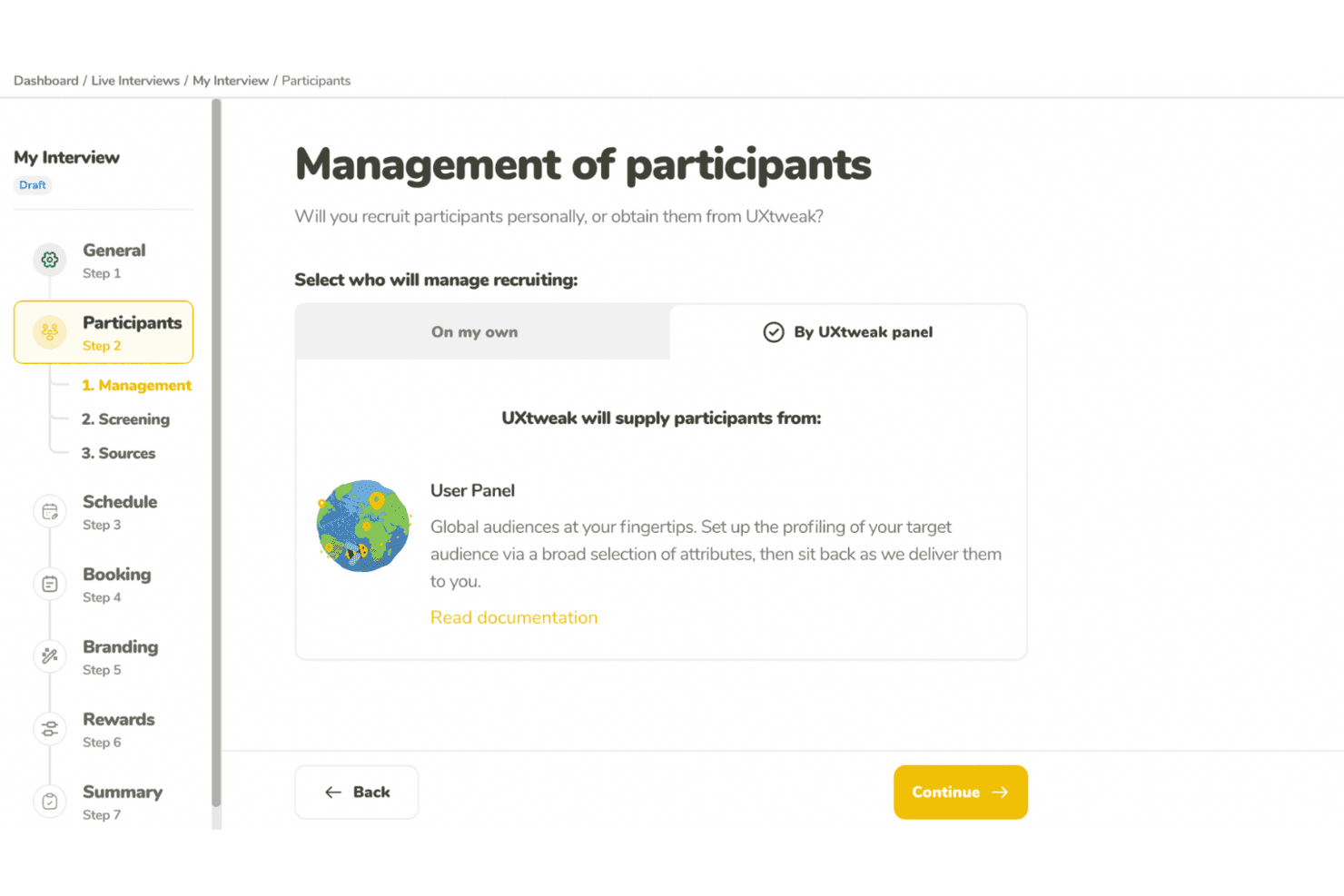
UXtweak supports UX research with usability tests and participant recruitment. UXtweak is a multi-method UX research platform covering prototype testing, usability testing, card sorting, tree testing, surveys, session recording, and moderated interviews.
Who Is UXtweak Best For?
UXtweak is a strong fit for UX researchers and product designers who need deep prototype testing capabilities alongside a full suite of research methods in one platform.
Why I Picked UXtweak
UXtweak earns its spot on my shortlist because of how far its prototype testing goes beyond basic click-through validation. I love that you can import a Figma prototype directly, run A/B variant tests across two different design directions, and then compare lostness scores and clickmaps side by side to see exactly where users diverge. That level of specificity, especially the lostness metric that quantifies how disoriented a user gets navigating a flow, is something I rarely see paired with A/B variant support in a single tool.
UXtweak Key Features
- Multi-method research suite: UXtweak combines card sorting, tree testing, surveys, session recording, five-second tests, and first-click tests in one platform.
- Own Database participant CRM: Import your own contacts via CSV or XLSX, build reusable segments, and send automated study invitations at no extra cost.
- Global User Panel: Access a managed participant panel spanning 130+ countries, with a fixed upfront price and guaranteed delivery of responses within two business days.
- Moderated interview tools: Run freeform or study-based interviews with built-in scheduling, observer streaming, timestamped notes, and AI-generated transcript highlights.
UXtweak Integrations
UXtweak offers native integrations with Figma, Google Drive, Microsoft OneDrive, Condens, Marvin, Dovetail, Notion, and Google Tag Manager. It has no documented public API, Jira, Slack, Microsoft Teams, or Zoom integrations.
Pros and Cons
Pros:
- Global panel delivers screened participants quickly
- Lostness scores reveal confusing navigation paths
- Figma prototypes support A/B variant testing
Cons:
- Dashboard navigation can overwhelm new researchers
- Cross-study insight synthesis remains unavailable
Learn more about UXtweak: Best for video-based participant feedback
- Free demo available
- Pricing upon request
Visit WebsiteCustomer Rating:5/5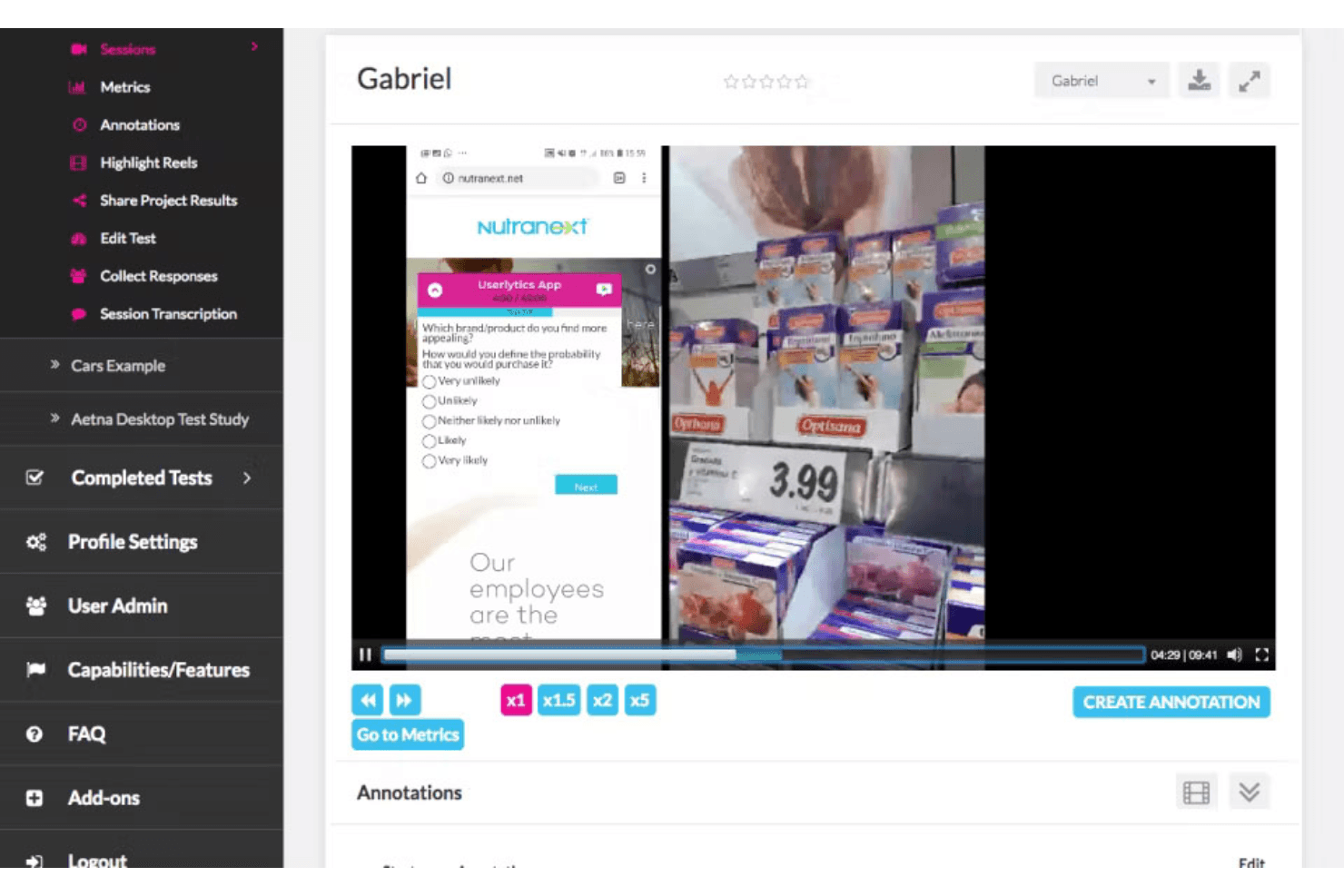
PlaybookUX captures video feedback and surveys to guide product improvements. PlaybookUX is a UX research platform that combines moderated and unmoderated usability testing, built-in participant recruitment, video-based session recording, and AI-assisted analysis and reporting.
Who Is PlaybookUX Best For?
PlaybookUX is a strong fit for UX researchers and product managers who need a single platform to recruit participants, run video-based studies, and share findings without juggling multiple tools.
Why I Picked PlaybookUX
PlaybookUX earns its spot on my shortlist because its patented recorder captures face, voice, and screen simultaneously across desktop and mobile, so you get the full picture of how participants react, not just what they click. I love that moderated interviews have video calls, timestamped notes, and invisible observers all built in, removing the need for separate recording software. AI task summaries then pull themes, sentiment, and friction points from those sessions automatically, cutting the time between raw video and shareable findings.
PlaybookUX Key Features
- Built-in participant panel: Access a pool of 7M+ vetted participants across 50+ countries, with demographic filters, screener logic, quota controls, and real-time disqualification tracking.
- Multi-method research support: Run card sorting, tree testing, five-second tests, preference tests, surveys, and session replays alongside usability tests from a single platform.
- AI-generated screeners and bias checks: Automatically draft screener questions and flag issues like leading language, vague answer options, or missing "none of the above" choices before a study goes live.
- Custom reports with password-protected sharing: Combine clips, highlight reels, tags, and notes into shareable reports you can distribute to stakeholders without requiring a login.
PlaybookUX Integrations
PlaybookUX has a native Figma integration for prototype imports, click tracking, task metrics, and heatmaps. Its public API and MCP layer support custom connections to AI tools, data warehouses, CRMs, and internal tools.
Pros and Cons
Pros:
- Responsive support helps resolve study issues
- Video captures reveal reactions beyond clicks
- Fast participant recruitment for consumer studies
Cons:
- Some participant recordings reportedly fail to upload
- Advanced synthesis across studies remains limited
Learn more about PlaybookUX: Best for cross-device usability testing at scale
- Free demo available
- From $699/month (billed annually)
Visit WebsiteCustomer Rating:4.5/5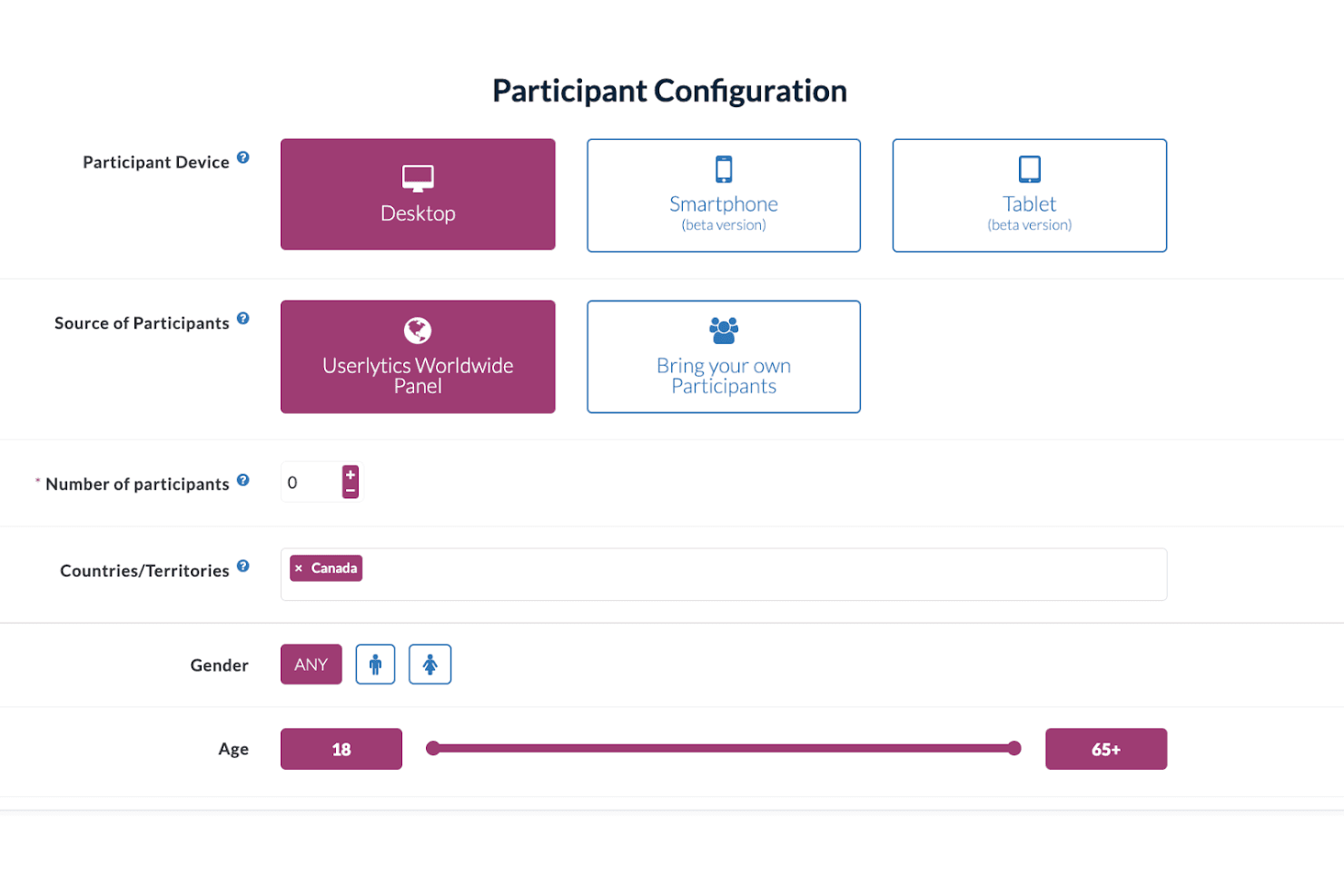
Userlytics enables multi-device user testing to improve user experience. Userlytics is a UX research platform that supports moderated and unmoderated usability testing, quantitative studies, card sorting, tree testing, and participant recruitment across desktop, iOS, and Android devices.
Who Is Userlytics Best For?
Userlytics is a strong fit for UX research teams running studies across desktop, iOS, and Android who need a large built-in panel and support for multiple research methods in one place.
Why I Picked Userlytics
Userlytics earns its spot on my shortlist because of how thoroughly it covers cross-device usability testing, from responsive mobile sites to unreleased iOS and Android builds tested via TestFlight and Google Play, all without requiring an SDK. I love that mobile moderated sessions let the participant use their phone while I observe from desktop, with up to 10 invisible observers joining live. The 2M+ global panel with niche targeting (think neurosurgeons or C-suite executives) means I can run studies at real scale across any device type.
Userlytics Key Features
- AI Study Designer: Drafts a complete unmoderated or quantitative study, including the screener, from a plain-language description you type in.
- ULX® Benchmarking Score: Combines eight dimensions—trust, appeal, usability, adequacy, performance, appearance, affinity, and distinction—into a single proprietary benchmark score.
- Card sorting and tree testing: Built-in card sort and tree test task types with dedicated analysis views, including a result matrix, dendrogram, similarity matrix, and AI category recommendations.
- Quant Reporting: Turns a finished study's metrics into a presentation-ready DOC report with charts and AI summaries in one click.
Userlytics Integrations
Userlytics offers documented integrations with Figma and Adobe XD, plus link-based support for Proto.io, InVision, Marvel, Axure, JustInMind, UXPin, Framer, and Sketch. It also supports TestFlight and Google Play for mobile builds, but no public API or native Jira, Slack, or Notion integrations are documented.
Pros and Cons
Pros:
- Supports moderated, unmoderated, and quantitative studies
- Recruits niche audiences across 150+ countries
- Tests iOS, Android, and desktop experiences
Cons:
- Reviewers report slow processes and confusing screens
- Study-level analysis limits cross-study synthesis
Learn more about Userlytics: Best for customer feedback at scale
- Free demo available
- Pricing upon request
Visit WebsiteCustomer Rating:4.5/5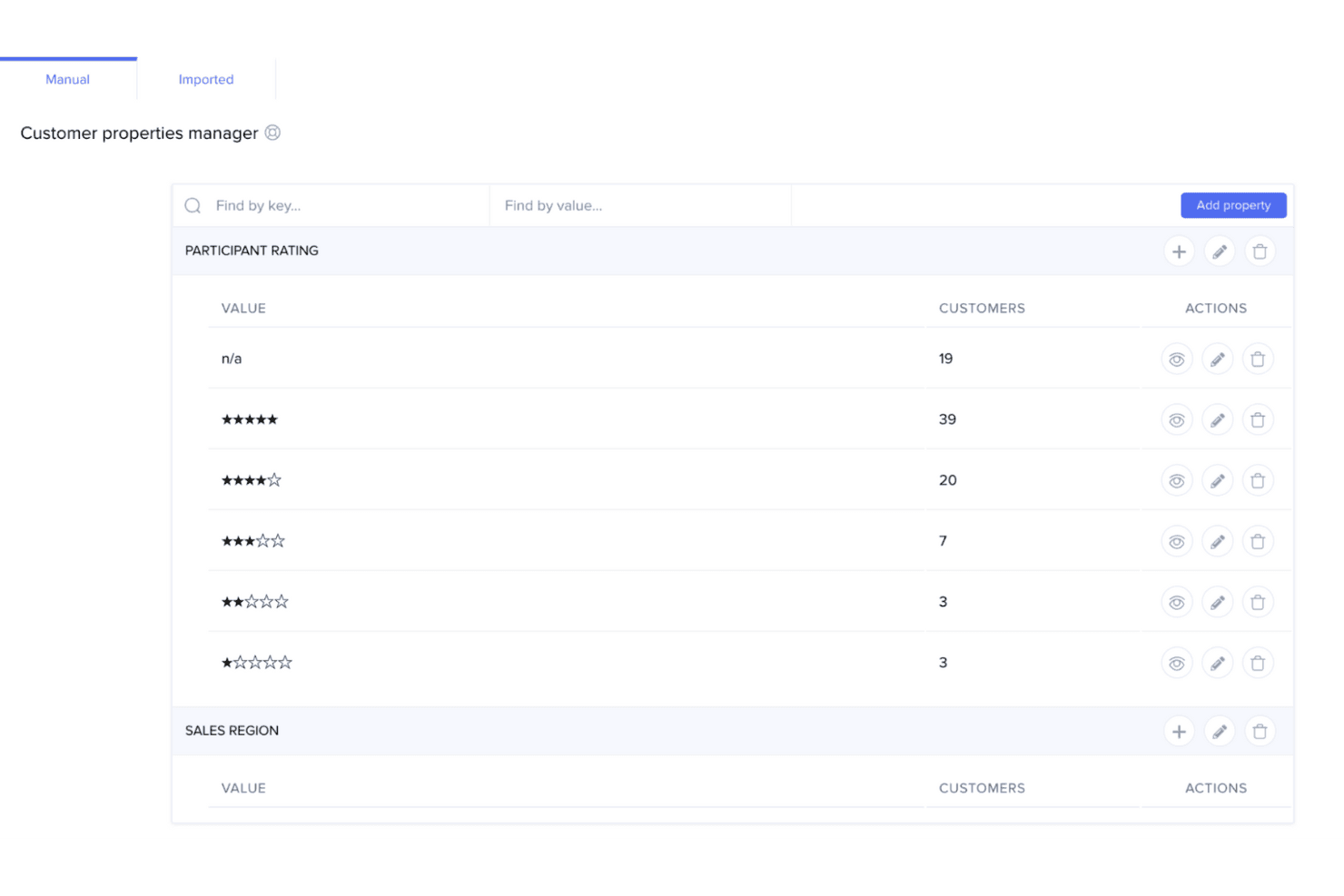
UserTesting helps teams quickly capture customer feedback to guide product decisions. UserTesting is a UX research platform that combines moderated and unmoderated usability testing, a global participant panel, AI-assisted analysis, and insight-sharing tools in one place.
Who Is UserTesting Best For?
UserTesting is a strong fit for enterprise teams that need to run customer feedback research at high volume across a large, diverse participant base.
Why I Picked UserTesting
I picked UserTesting as one of the best because its panel size and screening depth are genuinely hard to replicate at scale. With 7 million participants across 60+ countries and filters covering 73,000 occupations and 140 industries, you can run broad generative studies and niche B2B tests from the same platform. AI Insight Summaries automatically surface themes across sessions and link every finding back to the source video, which means I can move from raw recordings to a stakeholder-ready highlight reel without a lengthy manual synthesis pass.
UserTesting Key Features
- Live Conversation moderated testing: Record, transcribe, and auto-highlight key moments from moderated interview sessions with real participants.
- Figma plugin: Generate a usability test directly from a Figma prototype and view success metrics, AI themes, and clips without leaving your design file.
- QXscore benchmarking: Measure and track experience quality with a standardized score that lets you compare results across studies over time.
- Insights Hub: A centralized workspace that organizes UserTesting studies and third-party research data with tagging and AI-powered theme discovery.
UserTesting Integrations
UserTesting offers integrations with Figma, Jira, Slack, Microsoft Teams, Miro, User Interviews, Google Calendar, Qualtrics, and Contentsquare. Its Results API and open API ecosystem support custom integrations.
Pros and Cons
Pros:
- AI summaries link findings to source videos
- Moderated and unmoderated testing cover diverse studies
- Large participant panel supports niche B2B recruitment
Cons:
- Advanced analysis requires higher-tier editions
- Specialized recruiting can produce inconsistent panel quality
Learn more about UserTesting: Best for information architecture testing
- Free plan available
- From $208/user/month
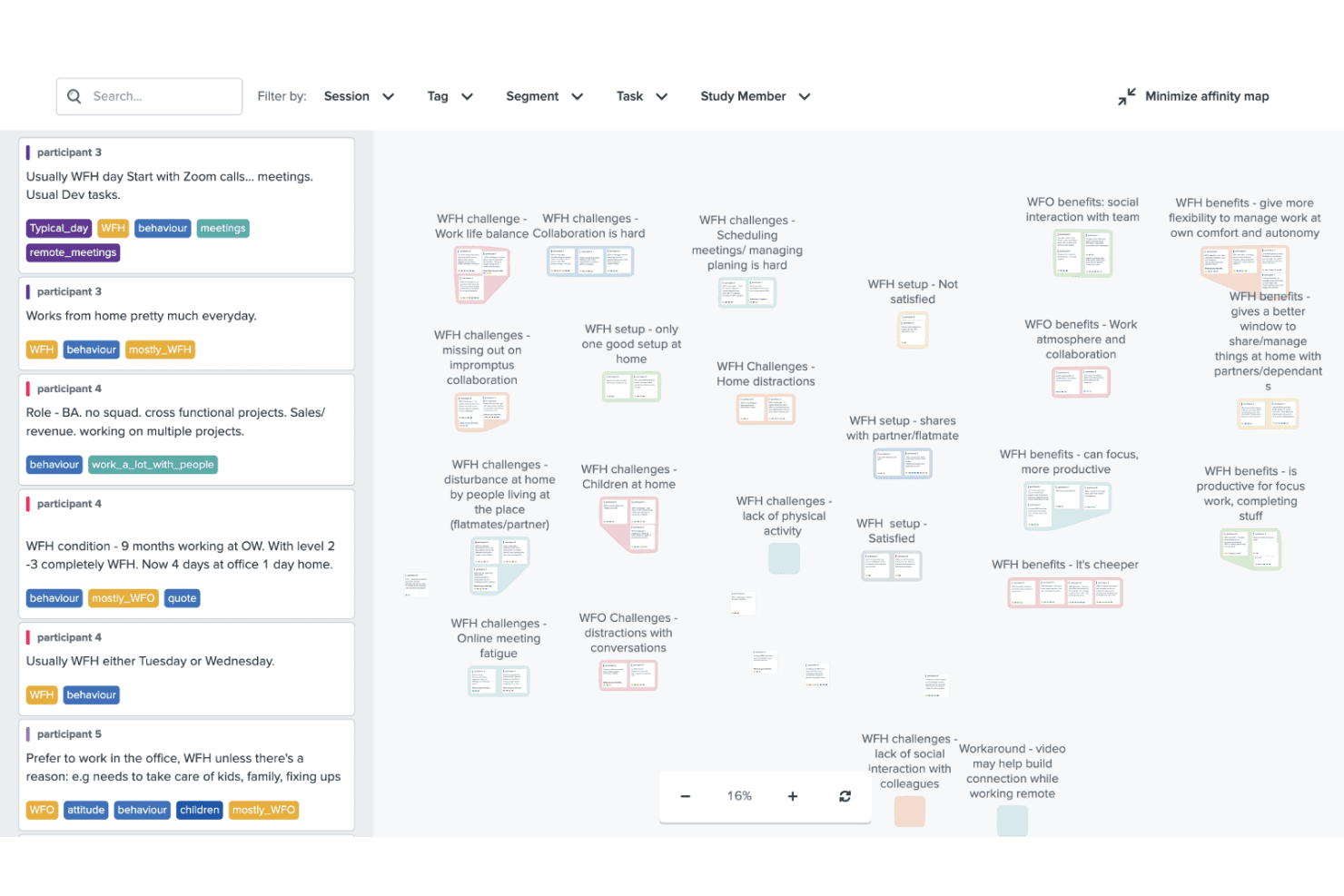
Optimal Workshop helps improve design with usability, card, and tree testing. Optimal Workshop is a UX research platform that combines information architecture testing, usability testing, prototype and live site testing, card sorting, tree testing, surveys, and AI-analyzed interviews in one tool.
Who Is Optimal Workshop Best For?
Optimal Workshop is a strong fit for UX researchers and product teams who need a dedicated information architecture testing tool alongside a broad range of complementary research methods.
Why I Picked Optimal Workshop
Optimal Workshop earns its spot as one of the best on my shortlist because its card sorting and tree testing tools are genuinely best-in-class. I've used tree testing to validate navigation structures before launch, and Optimal's dendrograms and task-success metrics make it easy to pinpoint exactly where users lose their way. Its AI-assisted thematic analysis and automated transcription across 13 languages round out a research suite that covers everything from early IA decisions to post-launch usability testing.
Optimal Workshop Key Features
- AI-assisted interview analysis: Optimal automatically transcribes sessions in 13 languages and generates thematic and sentiment analysis with timestamped evidence.
- Live site testing: Paste any URL—including staging or competitor sites—to capture session recordings that show where users hesitate or drop off.
- Built-in participant recruitment panel: Access a verified panel of 10M+ participants across 150+ countries, with screening, scheduling, and fraud prevention built in.
- Research repository with MCP search: Store and search insights across studies, with an MCP connector that lets AI tools like Claude and ChatGPT query your research library directly.
Optimal Workshop Integrations
Optimal Workshop integrates with Figma, Zoom, Google Meet, Microsoft Teams, Slack, Miro, Notion, Confluence, Jira, and Linear. It offers an Enterprise API, an MCP server for AI tools, and Zapier through MCP.
Pros and Cons
Pros:
- Unlimited seats support cross-functional research
- AI analysis includes timestamped evidence
- Best-in-class card sorting and tree testing
Cons:
- Five launched studies limit frequent testing
- Moderated usability testing lacks a dedicated environment
Learn more about Optimal Workshop: 8Best for Figma-to-panel testing in one place
Maze
- Free plan + free demo available
- Pricing upon request
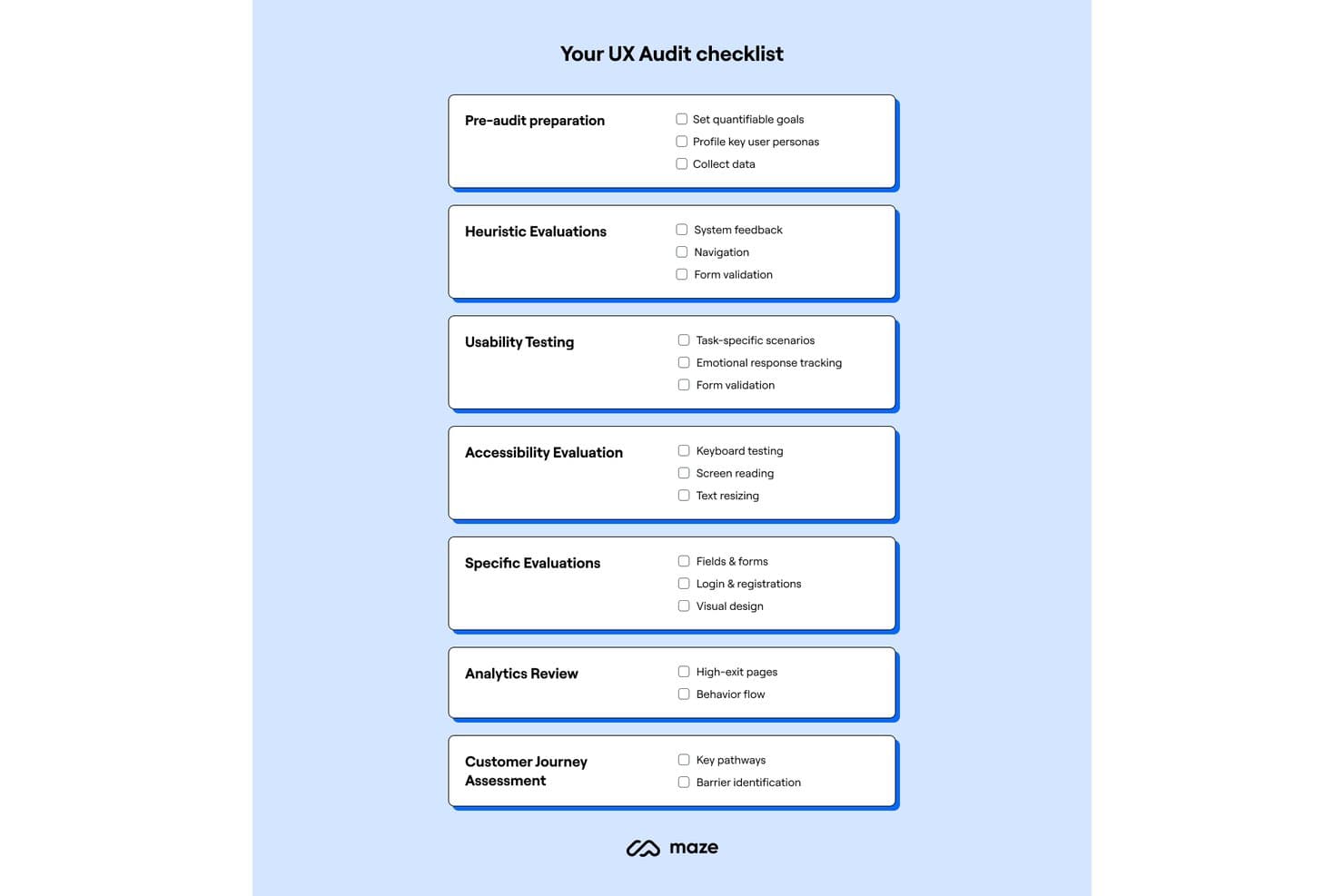
Maze provides a structured UX audit checklist across seven key areas. Maze is a UX research platform that combines unmoderated and moderated usability testing, participant recruitment, card sorting, tree testing, surveys, and AI-assisted analysis in one place.
Who Is Maze Best For?
Maze is a strong fit for product designers and PMs who want to test Figma prototypes with real users without handing off to a dedicated research team.
Why I Picked Maze
Maze earns its spot on my shortlist because it collapses the Figma-to-panel pipeline into a single workflow. I love that one-click Figma import means a designer can pull in a live prototype, including Interactive Components and animations, and have it in front of screened panel participants within hours. The built-in Maze Panel handles recruiting, incentives, and screener questions without leaving the platform, so there's no stitching together separate tools to go from prototype to validated findings.
Maze Key Features
- AI Study Builder: Turns a research question into a ready-to-launch study, with built-in bias detection that flags leading questions before you go live.
- Mobile app testing: Participants join via QR code on iOS or Android to complete tasks across real apps, mobile websites, and competitor sites, with full-screen, audio, and face recording.
- Card sorting and tree testing: Supports both open and closed card sorts alongside tree testing, giving you dedicated methods for validating information architecture decisions.
- Automatic study reports: Every study with at least one tester generates a report with heatmaps, path analysis, task metrics, and open-question highlights that you can edit and share via live link, PDF, or embed.
Maze Integrations
Maze offers native integrations with Figma, FigJam, Axure, Figma Make, Slack, Jira, Confluence, Notion, Miro, and Amplitude. It also connects with Zoom, Google Meet, Microsoft Teams, and AI tools through MCP.
Pros and Cons
Pros:
- Automatic reports include actionable task metrics
- Strong mobile app testing coverage
- Rapid prototype validation with real participants
Cons:
- Reporting flexibility can feel limited
- Moderated research requires Enterprise access
Learn more about Maze:
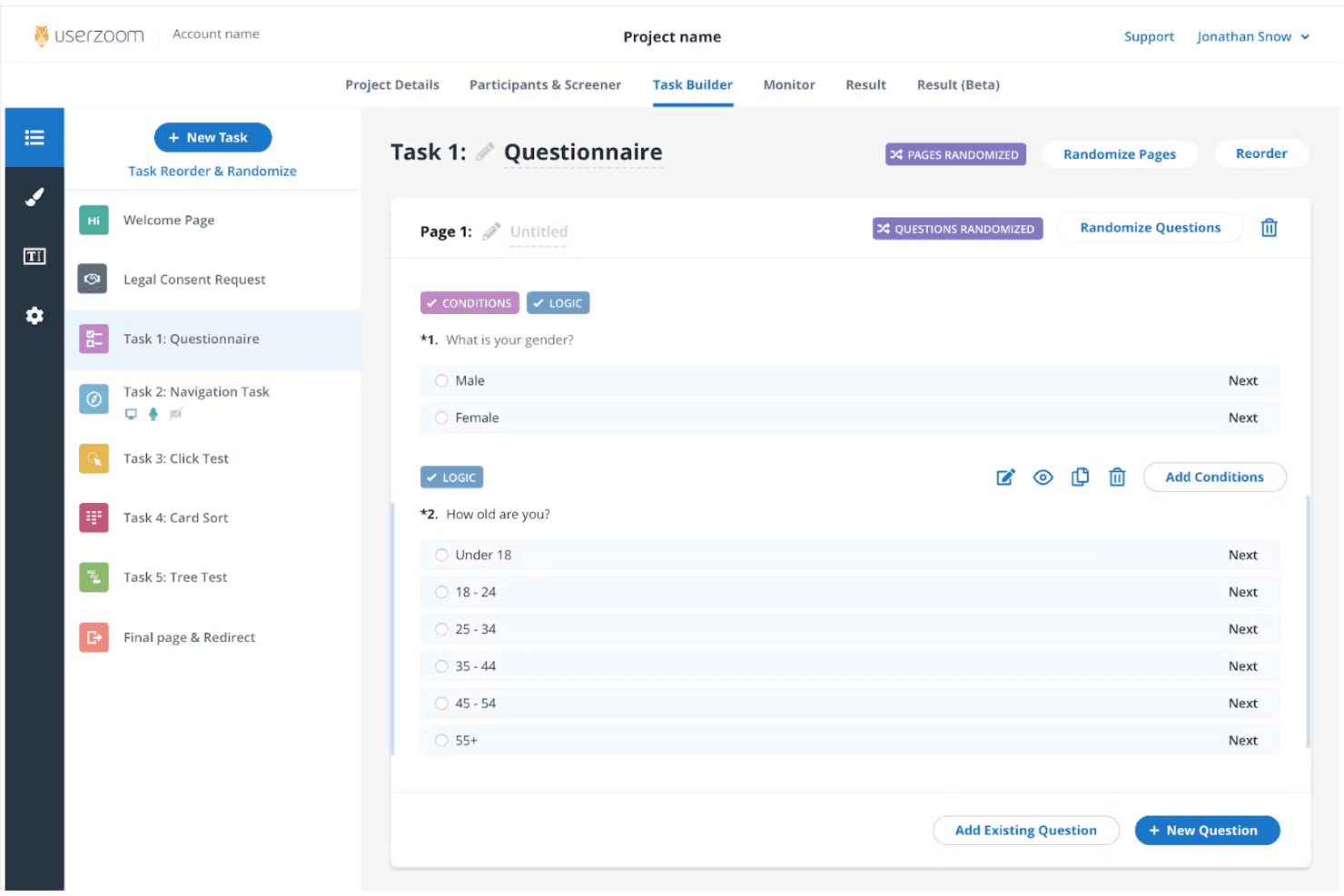
UserZoom supports enterprise UX research with in-depth testing and analytics. UserZoom is a mixed-method UX research platform that covers moderated and unmoderated usability testing, participant recruitment, information architecture testing, surveys, and research repository management through its integrated EnjoyHQ tool.
Who Is UserZoom Best For?
UserZoom fits dedicated UX research teams at large organizations that need to run moderated and unmoderated studies, manage a research repository, and recruit participants at scale.
Why I Picked UserZoom
UserZoom earns its spot on my shortlist because no other platform matches its depth for running enterprise-scale UX research across moderated and unmoderated studies in a single environment. I particularly like how its virtual observation rooms let entire research teams watch moderated sessions live without participants knowing, which changes how stakeholders engage with research. Pair that with a panel of 7M+ authenticated participants filtered across 200+ demographic criteria, and you can recruit precisely the right audience for studies that actually need statistical weight behind them.
UserZoom Key Features
- Virtual observation room: Teammates can watch moderated sessions live without participants knowing, letting stakeholders engage with research in real time.
- Information architecture testing: You can run card sorting and tree testing studies to evaluate how users navigate and understand your product's structure.
- EnjoyHQ research repository: A built-in repository lets you store, tag, and search past research findings to connect new insights to existing evidence.
- AI-generated summaries: The platform automatically generates summaries of sessions and imported videos, reducing manual synthesis time after studies conclude.
UserZoom Integrations
Documented integrations include Figma, FigJam, Jira, Jira Product Discovery, FullStory, Contentsquare, Quantum Metric, Slack, Trello, and EnjoyHQ. The UserTesting platform also offers a Results API, though availability for the legacy UserZoom manager isn't confirmed.
Pros and Cons
Pros:
- Moderated sessions support live observation
- Enterprise-scale participant recruitment and screening
- Mixed-method studies include IA testing
Cons:
- Complex setup slows one-off studies
- Reported audio and screen reliability issues
Learn more about UserZoom: 10Best for quick sentiment and survey analysis
Lyssna
- Free plan + free demo available
- From $83/month (billed annually)
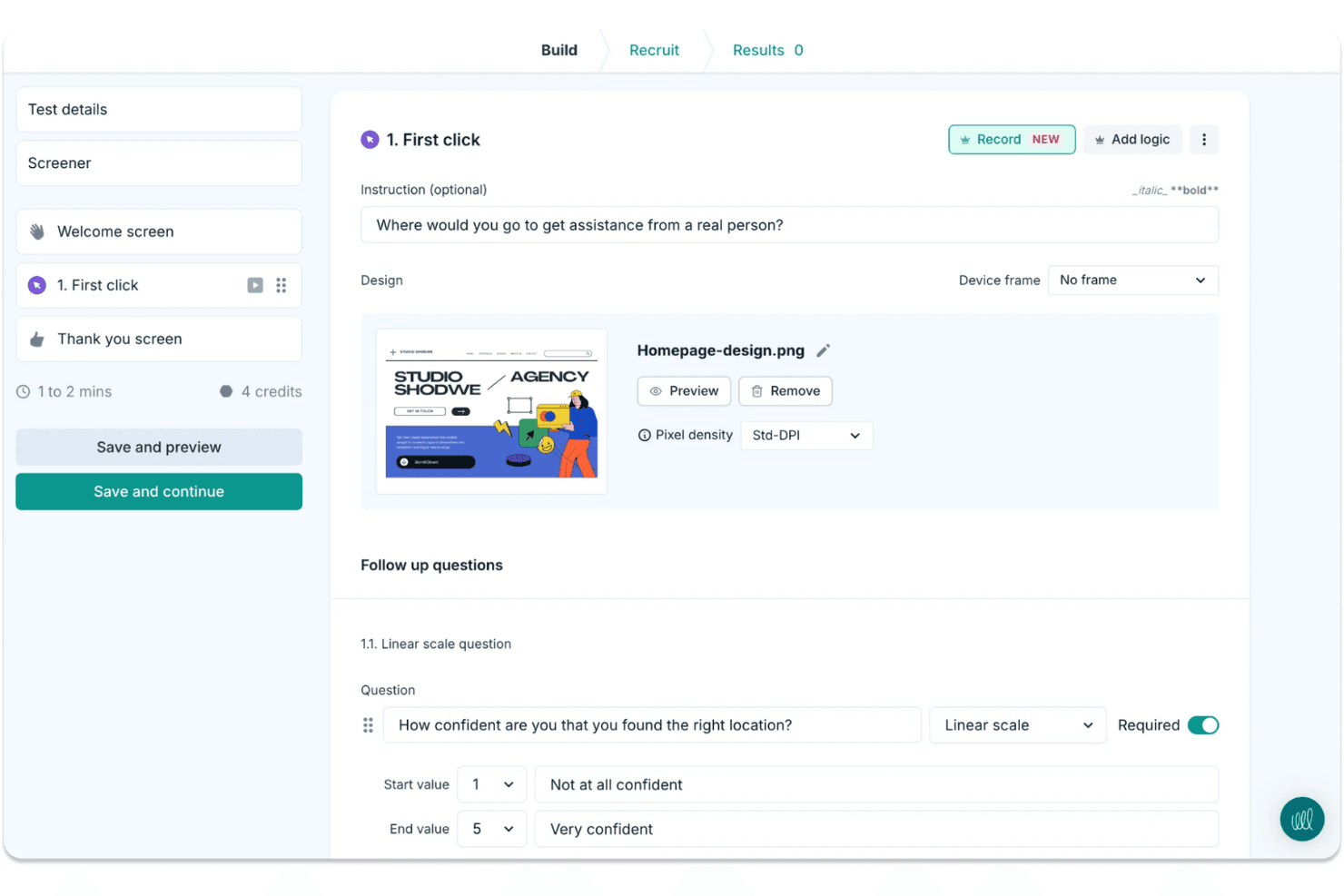
Lyssna makes it easy to run quick design tests and gather user feedback. Lyssna is a UX research platform that supports unmoderated and moderated usability testing, surveys, card sorting, tree testing, Figma prototype testing, and participant recruitment through a built-in panel of 690,000+ vetted participants.
Who Is Lyssna Best For?
Lyssna works well for product teams and UX researchers who need to run studies fast and get answers the same day.
Why I Picked Lyssna
I picked Lyssna as one of the best because of how fast it turns raw responses into usable sentiment data. Its AI Synthesize feature automatically generates summaries across every question type, including NPS, Likert, and open-text answers, so I can see where sentiment clusters without manually reading hundreds of responses. Paired with word clouds and tagging, I can spot recurring themes across a study in minutes rather than hours.
Lyssna Key Features
- Built-in participant panel: Access 690,000+ vetted B2C and B2B participants across 124 countries, with 395+ targeting filters and custom screeners to reach the right audience.
- Figma prototype testing: Connect directly to Figma and run task-based tests that track completion rate, time on task, and misclicks without exporting assets.
- Multi-method study support: Run card sorting, tree testing, five-second tests, first-click tests, preference tests, and think-aloud studies from a single platform.
- MCP server: Connect AI assistants like Claude or ChatGPT to your study data and query findings across multiple studies using plain language.
Lyssna Integrations
Lyssna offers native integrations with Figma, Zoom, Google Meet, Microsoft Teams, Google Calendar, and Microsoft Outlook. Paid plans also connect to Claude, ChatGPT, Copilot, Gemini, and Cursor through its MCP server.
Pros and Cons
Pros:
- Broad methods cover prototypes, surveys, and interviews
- AI summaries reveal sentiment across survey responses
- Rapid panel responses support same-day research
Cons:
- Reporting lacks an insight repository and highlight reels
- Study costs become hard to predict
Learn more about Lyssna:
Diğer UX Araştırma Araçları
Kısa listeme giremeyen ancak yine de göz atmaya değer bazı ek UX araştırma aracı seçenekleri şunlardır:
- 11Trymata (formerly TryMyUI)Best for multi-method usability test analysis
- 12DscoutBest for diary and longitudinal field studies
- 13SprigBest for in-product survey research at scale
- 14UXArmyBest for multi-method research in Asia-Pacific
- 15LookbackBest for live moderated interview research
- 16CondensBest for qualitative research repositories
- 17UseberryBest for Figma prototype testing workflows
- 18MarvinBest for AI-driven research synthesis and sharing
How I Evaluate UX Research Tools
I split my evaluation into three parts, giving the most weight to core functions: run recorded usability tests and recruit and screen participants. Next, I look for differentiators such as AI highlight reels. Finally, I consider what’s beyond features, including onboarding, support, and pricing value.
Core Functionality (Table Stakes For This List)
When I'm selecting tools for my list, I score each one on a scale from 0 (does not offer the functionality) to 5 (excels in this area) for each core functionality listed below. I then convert the total into a percentage to help assess each tool's overall fit, with extra weight on any functionalities I’ve deemed essential.
- Usability Testing (Essential): I look for moderated and unmoderated sessions with task flows, recordings, and device coverage, such as testing checkout on mobile and desktop.
- Participant Recruitment (Essential): I assess panel reach, screening, and participant management, such as recruiting people who match a specific workflow or experience.
- Research Data Analysis: Can researchers tag clips, notes, or transcripts across sessions to spot recurring confusion, such as users missing the same navigation label?
- Insight Synthesis: I check whether teams can turn evidence into shareable highlights or reports that connect a finding to the session behind it.
- Research Methods: Look for several approaches, such as usability tests, surveys, interviews, card sorting, or tree testing, to match the method to the question.
- Team Collaboration: I evaluate shared project access, comments, and permissions so design, product, and engineering can review findings together.
Once I have a list of tools that meet the criteria, I consider what sets each platform apart.
Differentiating Factors (What Sets Vendors Apart)
Here's how I compare and contrast different vendors:
Standout Features
I look for cross-study pattern detection because spotting a recurring theme across six months of studies beats re-watching old sessions. AI-generated highlight reels also matter—tools like Maze and UserTesting let you share a two-minute clip instead of a full recording, which keeps stakeholders engaged. I evaluate whether dashboards present findings in formats product managers and executives can act on without researcher hand-holding.
Beyond Features
I check whether a tool connects to Jira, Slack, or Notion so findings reach the backlog instead of sitting in a separate platform. Turnaround speed matters too—teams on sprint cycles need same-day panel access and automated analysis to close the gap between a research question and a decision. I also evaluate onboarding quality, because product managers running studies without a dedicated researcher need templates and in-app guidance that lower the learning curve fast.
UX Araştırma Araçları Nasıl Seçilir?
Uzun özellik listeleri ve karmaşık fiyatlandırma yapıları içinde kaybolmak kolaydır. Benzersiz yazılım seçimi sürecinizi yürütürken odağınızı korumanıza yardımcı olmak için göz önünde bulundurmanız gereken faktörleri aşağıda bir kontrol listesi hâlinde bulabilirsiniz:
| Faktör | Nelere Dikkat Edilmeli? |
| Ölçeklenebilirlik | Aracın ekibinizle birlikte büyüyebildiğinden emin olun. Performanstan ödün vermeden artan kullanıcı ve veri miktarlarını destekleyen seçenekleri arayın. |
| Entegrasyonlar | İş akışlarını ve veri paylaşımını kolaylaştırmak için aracın Slack, Trello veya Google Analytics gibi mevcut yazılımlarınızla entegre olup olmadığını kontrol edin. |
| Özelleştirilebilirlik | Özellikleri ve panoları ekibinizin özel ihtiyaçlarına ve tercihlerine göre uyarlamanıza olanak tanıyan araçları arayın. |
| Kullanım Kolaylığı | Ekibinizin aracı hızlı ve etkili biçimde benimseyebilmesi için sezgisel bir arayüze ve kısa bir öğrenme eğrisine sahip bir araç seçin. |
| Bütçe | Fiyatlandırma yapısının bütçenize uyduğundan emin olmak için değerlendirme yapın. Uzun vadeli maliyetleri göz önünde bulundurun ve esnek abonelik planlarını arayın. |
| Güvenlik Önlemleri | Aracın, GDPR veya diğer ilgili düzenlemelere uygunluk da dâhil olmak üzere hassas kullanıcı verilerini korumak için güçlü güvenlik özellikleri sunduğunu doğrulayın. |
| Destek | Gerektiğinde ekibinize yardımcı olmak için canlı sohbet, e-posta ve topluluk forumları gibi mevcut müşteri desteği düzeyini göz önünde bulundurun. |
| Özellik Seti | Aracın, ekibinizin araştırma ihtiyaçlarını karşılamak için kullanılabilirlik testi, anketler ve kullanıcı geri bildirimi toplama gibi temel işlevleri kapsadığından emin olun. |
UX Araştırma Araçlarındaki Trendler
Araştırmam sırasında farklı UX araştırma araçları sağlayıcılarından sayısız ürün güncellemesi, basın bülteni ve sürüm günlüğü derledim. Takip ettiğim yeni ortaya çıkan trendlerden bazıları şunlar:
- Yapay Zekâ Destekli İçgörüler: Daha fazla araç, kullanıcı verilerini analiz etmek ve eyleme geçirilebilir içgörüler sağlamak için yapay zekâ kullanıyor. Bu, ekiplerin kullanıcı davranışını daha hızlı anlamasına yardımcı oluyor. Örneğin bazı sağlayıcılar, kullanıcıların duygularını değerlendirmek için yapay zekâ destekli duygu analizi sunuyor.
- Uzaktan İş Birliği: Uzaktan çalışma daha yaygın hâle geldikçe araçlar, ekip iş birliğine yönelik özelliklerini geliştiriyor. Buna, test oturumları sırasında gerçek zamanlı notlar ve canlı geri bildirim de dâhil; böylece ekipler her yerden birlikte çalışabiliyor.
- Gelişmiş Erişilebilirlik Testleri: Ürünlerin tüm kullanıcılar için erişilebilir olmasını sağlamaya yardımcı olan özelliklere giderek daha fazla odaklanılıyor. Araçlar artık erişilebilirlik sorunlarını belirlemek için özel testler sunuyor ve ekiplerin daha kapsayıcı tasarımlar oluşturmasına yardımcı oluyor.
- Ses ve Jest Tanıma: Sesle etkinleştirilen cihazların ve jest tabanlı arayüzlerin yükselişiyle birlikte araçlar, bu etkileşimler için test desteği sunmaya başlıyor. Bu, ekiplerin ürünlerinin en yeni teknolojiyle sorunsuz çalışmasını sağlamasına olanak tanıyor.
- Entegre Kullanıcı Geri Bildirimi Döngüleri: Araçlar, devam eden geri bildirim mekanizmalarını doğrudan ürünlere entegre ediyor. Bu, ekiplerin kullanıcı deneyimini kesintiye uğratmadan sürekli olarak kullanıcı geri bildirimi toplaması ve daha çevik tasarım iyileştirmeleri yapabilmesi anlamına geliyor.
UX Araştırma Araçları Nelerdir?
UX araştırma araçları, ekiplerin kullanıcı davranışını anlamasına ve ürün tasarımını geliştirmesine yardımcı olan yazılım çözümleridir. Bu araçlar genellikle UX tasarımcıları, ürün yöneticileri ve daha iyi kullanıcı deneyimleri sağlayan içgörüler toplamak için araştırmacılar tarafından kullanılır. Kullanılabilirlik testleri, anketler ve duygu analizi gibi özellikler, kullanıcı ihtiyaçlarını ve tercihlerini anlamaya yardımcı olur. Genel olarak bu araçlar, ürün geliştirmeye yön veren ve kullanıcı memnuniyetini artıran değerli veriler sağlar.
UX Araştırma Araçlarının Özellikleri
UX araştırma araçlarını değerlendirirken pratik kullanıcı testlerini ve eyleme geçirilebilir içgörüleri destekleyen özelliklere odaklanmak önemlidir:
- Kullanılabilirlik testi araçları: Arayüzünüzle gerçek zamanlı etkileşimleri gözlemleyerek kullanıcıların takıldığı noktaları belirleyin.
- Anketler ve tercih testleri: Ürün kararlarına yön vermek için kullanıcı görüşlerini toplayın ve tercihleri ölçün.
- Isı haritaları ve ilk tıklama testleri: Kullanıcı davranışını görselleştirin ve hangi öğelerin ilk olarak dikkat çektiğini anlayın.
- Duygu analizi: Belirli mesajlara veya tasarım öğelerine verilen duygusal tepkileri ortaya çıkarın.
- A/B testi: Hedef kitlenizde hangisinin en iyi performansı gösterdiğini görmek için iki veya daha fazla tasarım seçeneğini karşılaştırın.
- Oturum kayıtları ve dökümler: Kullanıcı oturumlarını ayrıntılı şekilde inceleyin ve otomatik olarak yazıya dökülmüş geri bildirimlere yeniden başvurun.
- Erişilebilirlik testleri: Ürününüzün kapsayıcı olup olmadığını ve farklı kullanıcı yetenekleri arasında işlevsel çalışıp çalışmadığını değerlendirin.
- Ekip üyeleri için gerçek zamanlı iş birliği: Ürün, tasarım ve araştırma ekiplerinin testler ilerlerken bulguları görüntülemesini ve yorum yapmasını sağlayın.
- Araştırma katılımcısı bulma: Her test veya odak grubu için nitelikli kullanıcıları hızlıca bulun ve yönetin.
- Geri bildirim döngüleri ve takip testleri: Sürekli kullanıcı girdisini araştırma sürecinize entegre edin ve zaman içinde iyileştirmeleri test edin.
UX Araştırma Araçlarının Faydaları
UX araştırma yöntemlerini benimsemek, ekibinizin tahmine dayalı kararlardan içgörü odaklı kararlara geçmesine yardımcı olur. Başlıca faydalardan bazıları şunlardır:
- Daha iyi müşteri deneyimi: Tasarım sorunlarını erken belirlemek, ürününüzün genel akışını ve işlevselliğini geliştirmeye yardımcı olur.
- Daha bilinçli kararlar: Anketlerden, duygu analizinden ve kullanılabilirlik oturumlarından elde edilen doğrudan veriler, güvenle yineleme yapmayı destekler.
- Daha fazla erişilebilirlik: Kapsayıcılığa odaklanan testler, yetenekleri ne olursa olsun daha fazla kullanıcının ürününüzle etkileşim kurabilmesini sağlar.
- Paydaşlar arasında daha güçlü iş birliği: Gerçek zamanlı özellikler ve merkezî veriler, tel kafes geri bildirimlerinden mobil uygulama deneyimi tasarımı metriklerine kadar tüm ekip üyelerinin uyum içinde kalmasını sağlar.
- Daha hızlı yineleme döngüleri: Oturum verilerine, tercih testlerine ve kullanıcı geri bildirimlerine erişim sayesinde ekibiniz hızlıca test edip değişiklik yapabilir.
- Araştırma katılımcılarını bulma ve yönetmede verimlilik: Kullanıcı bulmaya daha az, onlardan öğrenmeye daha fazla zaman ayırın.
- Erken kıyaslama yoluyla maliyet tasarrufu: Sorunları lansmandan önce tespit edip çözmek, daha sonra yapılacak pahalı yeniden tasarımların riskini azaltır.
UX Araştırma Araçlarının Maliyetleri ve Fiyatlandırması
UX araştırma araçlarını seçmek, mevcut çeşitli fiyatlandırma modellerinin ve planların anlaşılmasını gerektirir. Maliyetler özelliklere, ekip büyüklüğüne, eklentilere ve daha fazlasına göre değişir. Aşağıdaki tablo, UX araştırma aracı çözümlerindeki yaygın planları, ortalama fiyatlarını ve genellikle dahil edilen özellikleri özetlemektedir:
UX Araştırma Araçları İçin Plan Karşılaştırma Tablosu
| Plan Türü | Ortalama Fiyat | Yaygın Özellikler |
| Ücretsiz Plan | $0 | Temel kullanılabilirlik testi, sınırlı anketler ve temel analizler. |
| Kişisel Plan | $5-$30/kullanıcı/ ay | Kullanılabilirlik testi, anketler, ısı haritaları ve temel duygu analizi. |
| İşletme Planı | $30-$100/ kullanıcı/ay | Gelişmiş analizler, A/B testi, katılımcı bulma ve iş birliği araçları. |
| Kurumsal Plan | $100+/kullanıcı/ ay | Özelleştirilebilir özellikler, özel destek, gelişmiş güvenlik ve tam entegrasyon seçenekleri. |
UX Araştırma Araçları Hakkında SSS
UX araştırma araçları hakkında sık sorulan bazı soruların yanıtlarını burada bulabilirsiniz
En iyi UX araştırma araçları hangileridir?
En iyi UX araştırma araçları, ekibinizin özel ihtiyaçlarına ve bütçesine bağlıdır. Isı haritalama için Hotjar, video geri bildirimleri için UserTesting ve kullanılabilirlik testi için Optimal Workshop popüler seçeneklerdir. Gereksinimlerinize uygun bir araç seçerken özellikleri, entegrasyonları ve fiyatlandırmayı göz önünde bulundurun.
İyi UX araştırma soruları nelerdir?
İyi UX araştırma soruları, kullanıcı hedeflerine, motivasyonlarına ve sorunlarına odaklanır. “Hangi görevleri zor buluyorsunuz?” veya “Hangi özelliklere en çok değer veriyorsunuz?” gibi sorular sorun. Bu sorular, kullanıcı deneyimini iyileştiren ve tasarım kararlarını yönlendiren içgörülerin ortaya çıkarılmasına yardımcı olur.
UX'te ne tür araştırma yöntemleri kullanılır?
UX’te araştırma yöntemleri arasında kullanıcı görüşmeleri, kullanılabilirlik testleri, anketler ve saha çalışmaları yer alır. Her yöntem farklı içgörüler sunarak ekibinizin kullanıcı davranışlarını ve tercihlerini anlamasına yardımcı olur. Yöntemleri araştırma hedeflerinize ve ürün geliştirme aşamasına göre seçin.
UX araştırması için en iyi anket aracı hangisidir?
UX araştırması için en iyi anket aracı ihtiyaçlarınıza bağlıdır. Maze, Typeform ve SurveyMonkey kullanım kolaylıkları ve entegrasyon seçenekleri nedeniyle popülerdir. Değerli geri bildirimler toplamak için özelleştirme, analiz ve kullanıcı dostu arayüzler sunan araçları arayın.
UX araştırması için doğru katılımcıları nasıl seçersiniz?
Doğru katılımcıları seçmek, hedef kitlenizi tanımlamayı ve katılımcı profilleri oluşturmayı gerektirir. Demografik özellikleri, kullanıcı davranışlarını ve benzer ürünlere aşinalığı göz önünde bulundurun. Katılımcı bulma araçları, kriterlerinize uyan katılımcıları bulmanıza ve yönetmenize yardımcı olabilir.
UX araştırması ne sıklıkla yapılmalıdır?
Değişen kullanıcı ihtiyaçlarına ve pazar trendlerine ayak uydurmak için UX araştırması düzenli olarak yapılmalıdır. Ürününüzün kullanıcı odaklı ve rekabetçi kalmasını sağlamak amacıyla, ilk konsept testlerinden lansman sonrası değerlendirmelere kadar tasarım sürecinin farklı aşamalarına entegre edilebilir.