

Web tasarımı dünyasında yol almak, özellikle bütçeler kısıtlı olduğunda zor olabilir. Birden fazla projeyle ilgileniyor ve giderlerinize ek yük getirmeyecek bir çözüme ihtiyaç duyuyor olabilirsiniz. Ücretsiz web tasarım yazılımları tam da bu noktada devreye girer. Bu yazılımlar, yüksek maliyetler olmadan web sitelerinizi oluşturmanız ve yönetmeniz için gereken araçları sunar.
Deneyimlerime göre doğru ücretsiz aracı bulmak, yaratıcılığa ve işlevselliğe odaklanmanıza olanak tanırken zamandan ve emekten tasarruf etmenizi sağlayabilir. Ekibinizin ihtiyaçlarına en uygun seçeneğe karar verebilmeniz için her biri ücretsiz bir plan veya deneme sürümü sunan en iyi seçimlerimi paylaşacağım. Bütçenizi zorlamadan tasarım zorluklarınızın üstesinden gelmenize yardımcı olabilecek seçenekleri birlikte inceleyelim.
Why Trust Our Software Recommendations
6,700+
Reviews
20
Industry experts
16+
Evaluation factors
14
Years
Our team has been testing and reviewing software since 2012. As product managers ourselves, we know how difficult—and important—it is to choose the right software.
For this guide, we evaluated tools using hands-on testing and independent research, scoring tools using our selection criteria.
Our reviews reflect our human editorial judgment, not a sales pitch.
Expert reviewers:
- Andrew LumbySenior TPM
- Cristiano ValimSenior UI/UX Lead


Ücretsiz Web Tasarım Yazılımları Karşılaştırma Tablosu
Bu karşılaştırma tablosu, en iyi ücretsiz web tasarımı yazılımı seçimlerimin fiyatlandırma ayrıntılarını özetlemektedir:
Score legend (out of 5)
- Excellent4.5–5
- Good4–4.4
- Average3–3.9
- Below average2–2.9
- Poor1–1.9
Sorted by: Default
| Tool | Starting Price | Website | |||||||
|---|---|---|---|---|---|---|---|---|---|
Best for design-to-prototype team handoff | Not rated | 3 | 4 | 3 | Not rated | 4 | 4 | $3/user/month Free plan available | Website |
Best for template-based sites without coding | 3.2 out of 5 | 5 | 4 | 1 | 3 | 2 | 4 | $144/user/year Free trial + free plan available | Website |
Best for designer-quality website templates | Not rated | 5 | 5 | 1 | Not rated | 4 | 4 | $25/month 14-day free trial available | Website |
Best for all-in-one site building without coding | 3.0 out of 5 | 4 | 3 | 1 | 3 | 4 | 3 | Pricing upon request Free plan + Free demo available | Website |
Best for HTML5 interactive ad design | Not rated | 2 | 4 | 4 | Not rated | 4 | 4 | Free to use Free demo available | Website |
Best for AI-generated site setup from a prompt | Not rated | 5 | 4 | Not rated | 2 | 3 | 4 | $17.77/month Free plan + free demo available | Website |
Best for CRM-connected site building | 3.2 out of 5 | 3 | 4 | 3 | 3 | 3 | 3 | Pricing upon request Free plan available | Website |
Best for visual coding without writing code | 3.5 out of 5 | 4 | 5 | 1 | 2 | 4 | 5 | $15/month Free plan available | Website |
Best for per-device responsive layout control | 3.7 out of 5 | 5 | 5 | 3 | 2 | 4 | 3 | $6.75/month Free plan available | Website |
Best for scroll-driven visual storytelling | 3.3 out of 5 | 4 | 5 | 1 | 2 | 4 | 4 | $15/month Free plan available | Website |


En İyi Ücretsiz Web Tasarım Yazılımları İncelemeleri
Aşağıda, kısa listeme giren en iyi ücretsiz web tasarım yazılımı seçeneklerinin özetlerini bulabilirsiniz. İncelemelerim, sizin için en uygun seçeneği bulmanıza yardımcı olmak amacıyla her aracın temel özelliklerine, avantajlarına ve dezavantajlarına, entegrasyonlarına ve ideal kullanım alanlarına ayrıntılı bir bakış sunuyor. Bu araçlardan bazıları tamamen ücretsiz bir sürüm sunarken bazıları ücretsiz deneme süresi sunuyor. İncelemelerimin her birine hangi özelliklerin ücretsiz olduğuna dair bir not ekledim.
 Best for design-to-prototype team handoff
- Free plan available
- From $3/user/month
Visit WebsiteCustomer Rating:4.7/5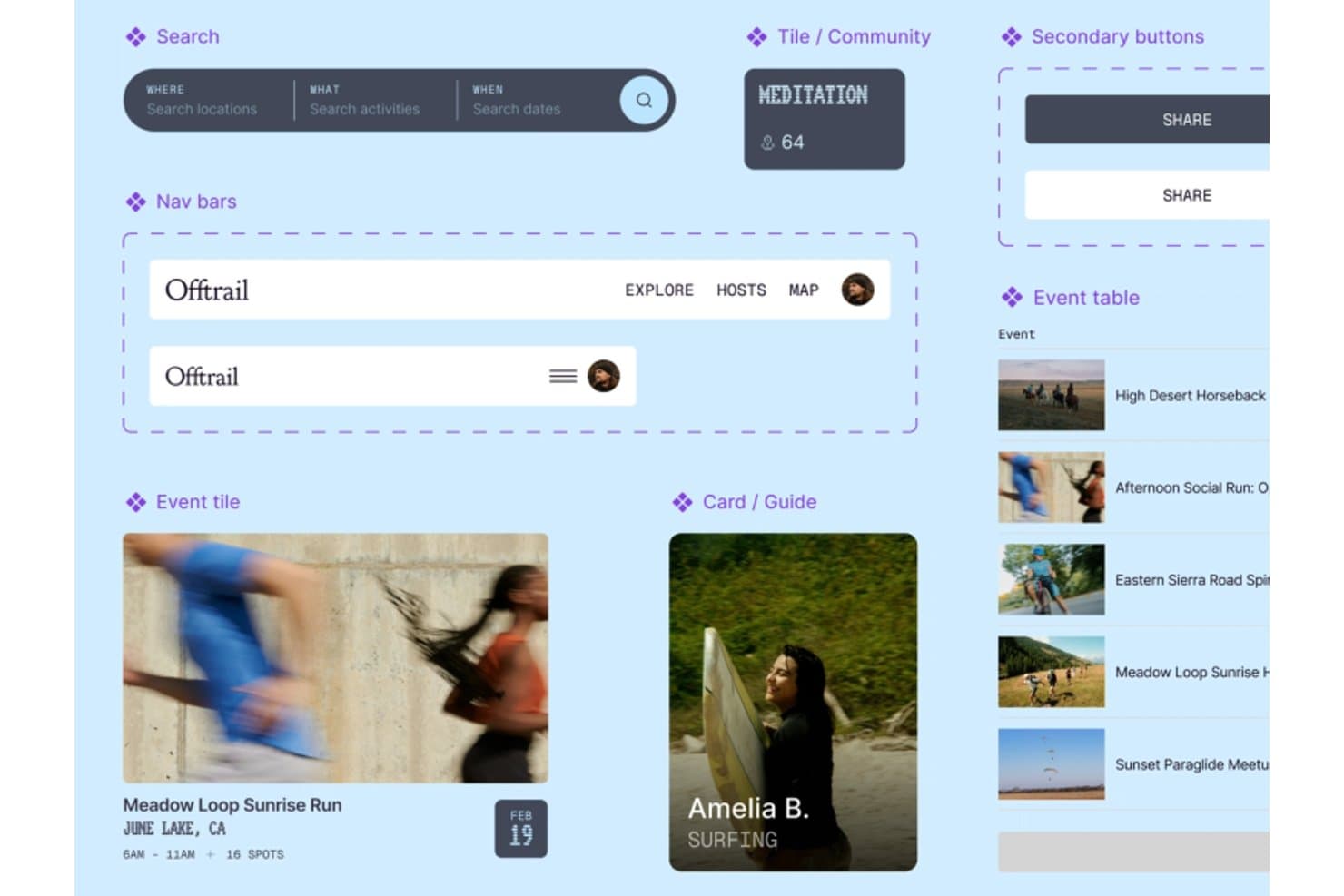
Figma organizes reusable UI components for smooth web design workflows. Figma is web design and prototyping software with a canvas editor, responsive layouts, interactive prototypes, CMS tools, code layers, and Figma Sites publishing through paid plans.
Who Is Figma Best For?
Product teams that need collaborative design, responsive prototypes, and clear handoffs between designers, developers, and stakeholders.
Why I Picked Figma
I picked Figma because my team can turn responsive page designs into interactive prototypes before development starts. Auto layout, breakpoint controls, reusable components, and animated transitions make designer-to-developer handoff clear. The free Starter plan supports design and prototyping, though publishing a live Figma Sites website requires a paid plan.
Figma Key Features
- CMS collections: Create multi-page sites with collections, lists, and item pages.
- Code layers: Add React, TypeScript, and Tailwind code blocks to Sites.
- Website settings: Configure metadata, favicons, analytics IDs, and custom code.
- Community templates: Start from website templates for portfolios, landing pages, and businesses.
Figma Integrations
Figma supports Supabase in Make for login and APIs, plus GitHub repository cloning in its code-layer beta. Plugin and REST APIs support custom integrations, while MCP Server is available on Professional and higher.
What's Free?
Figma has a free-forever Starter plan with unlimited drafts and unlimited viewers. You can collaborate with unlimited users on up to three shared files, while advanced features and Figma Sites publishing require a paid plan.
Pros and Cons
Pros:
- Interactive prototypes validate designs before development
- Responsive breakpoints support desktop and mobile layouts
- Real-time collaboration clarifies stakeholder feedback
Cons:
- Canvas workflow overwhelms non-designers building quickly
- Free plan cannot publish live websites
 Best for template-based sites without coding
- Free trial + free plan available
- From $144/user/year (billed annually)
Visit WebsiteCustomer Rating:4.6/5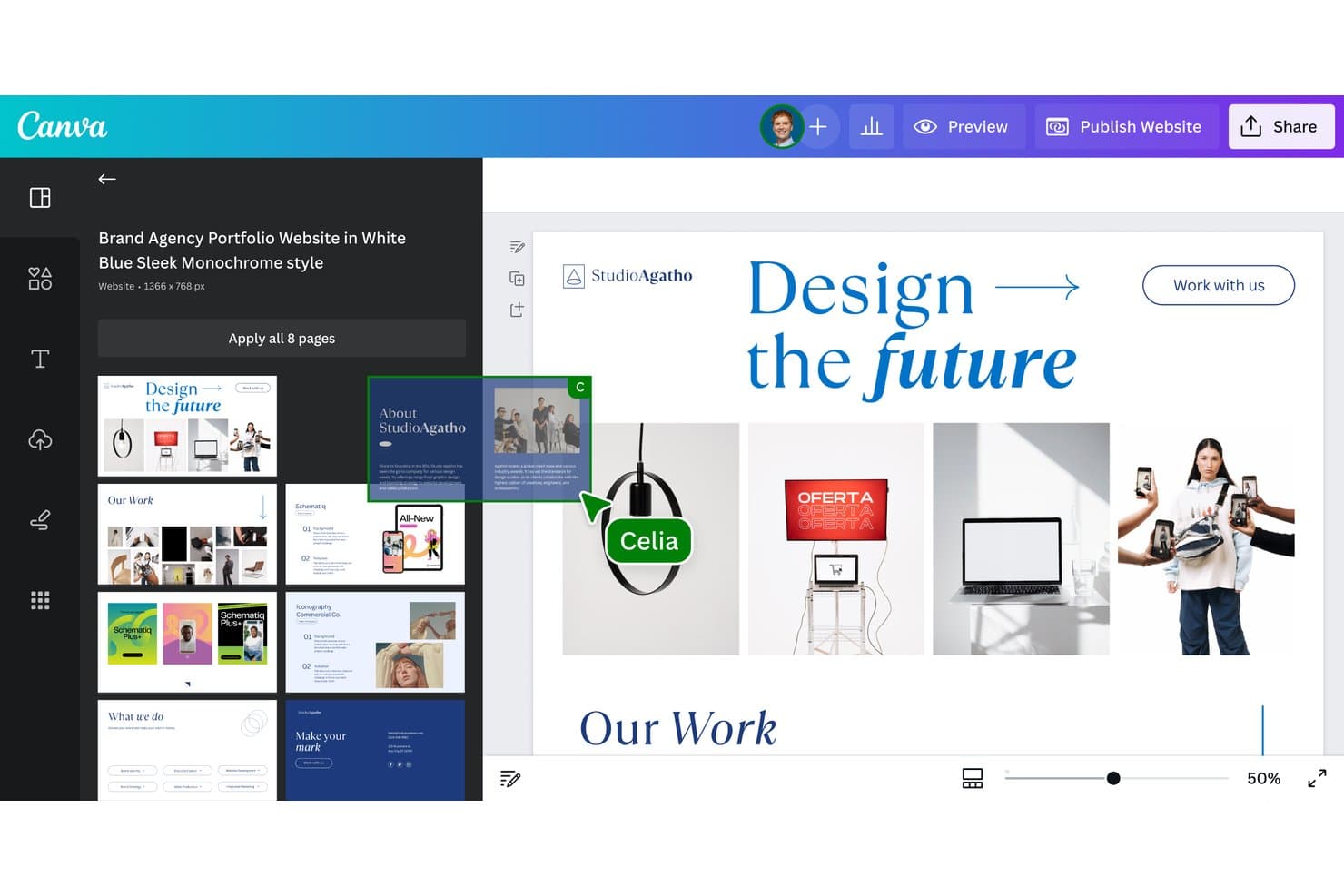
Canva lets users build websites from multi-page templates visually. Canva is free web design software with a drag-and-drop editor for template-based websites, multi-page layouts, responsive publishing, forms, animations, and hosted sites on Canva domains.
Who Is Canva Best For?
Small businesses, startup founders, and freelance creatives can launch polished landing pages or portfolio sites without coding or paying for hosting.
Why I Picked Canva
I picked Canva because its template-based sites let me launch polished landing pages, portfolios, or event sites without coding. I use its drag-and-drop editor to customize layouts, then publish up to 45-page sites with SSL on Canva hosting. Responsive templates and mobile previews help me prepare designs for different screens.
Canva Key Features
- Native forms: Add polls, quizzes, and forms with up to 10 questions.
- Website analytics: Pro users can track visits, page views, devices, and traffic sources.
- SEO settings: Edit page titles, meta descriptions, URL paths, and social preview details.
- Canva Code: Generate interactive elements such as calculators, quizzes, charts, and dashboards.
Canva Integrations
Canva offers marketplace integrations including FluidForms, Giphy, and Magic Icons, plus documented integrations with Google Workspace, Hootsuite, Mailchimp, Zapier, Make, and Workato. It also provides an Apps SDK and REST API for custom integrations.
What's Free?
Canva offers a free-forever plan, with 5 GB of storage and access to basic templates, design tools, and limited AI features. Premium templates, media, advanced exports, and some AI tools require a paid plan, while premium elements can display watermarks on free designs.
Pros and Cons
Pros:
- Hosted publishing includes SSL
- Thousands of templates speed initial launches
- Publishes polished sites without coding
Cons:
- Standard websites lack HTML and CSS export
- Mobile layouts can break without grouping
Learn more about Canva: Best for designer-quality website templates
- 14-day free trial available
- From $25/month
Visit WebsiteCustomer Rating:4.6/5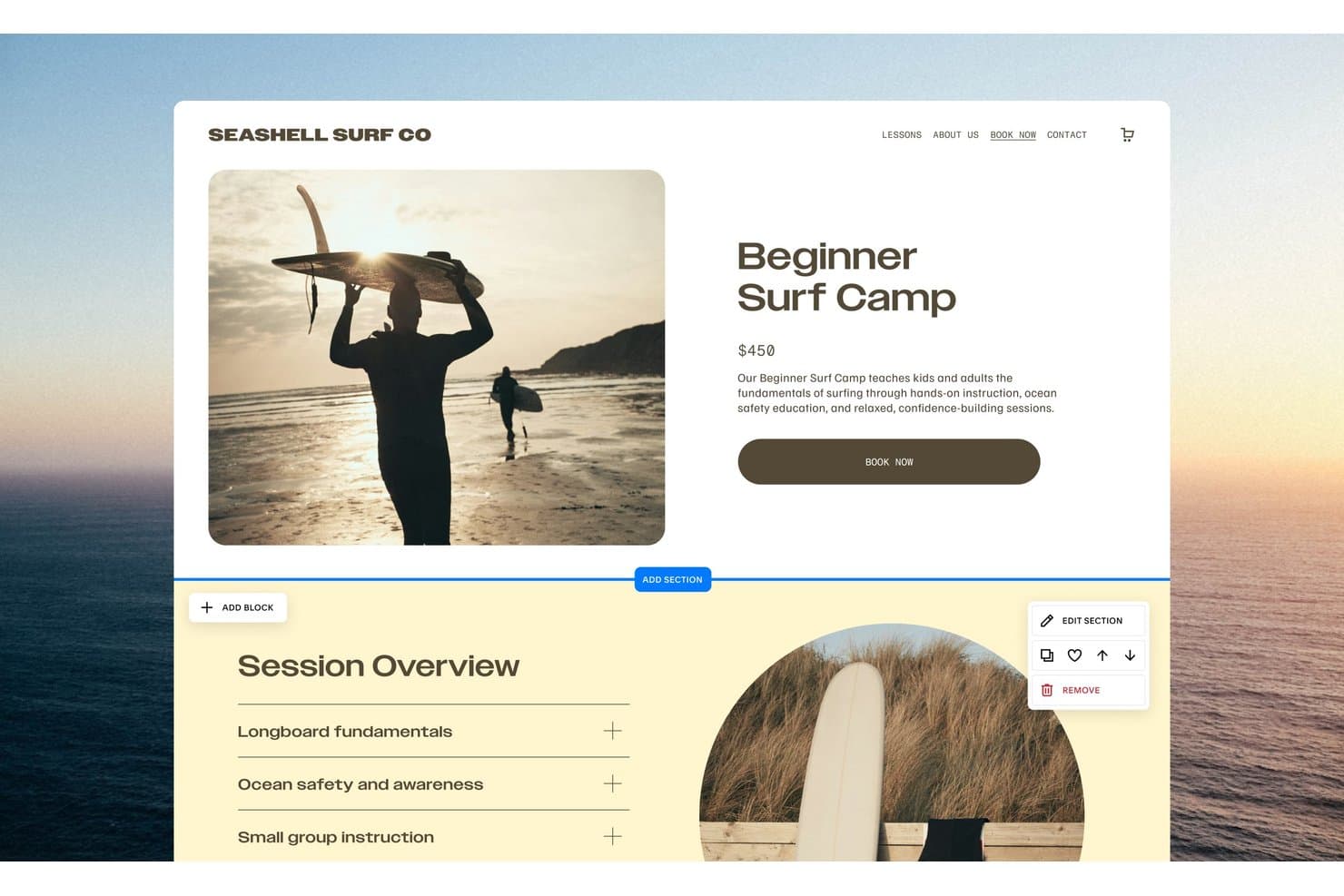
Squarespace lets users edit product pages with drag-and-drop section tools. Squarespace is a website design platform with Fluid Engine drag-and-drop editing, responsive mobile layouts, designer templates, integrated hosting, and a 14-day trial instead of free-forever publishing.
Who Is Squarespace Best For?
Squarespace suits small businesses, creative professionals, and founders who need a polished website and can pay after the trial.
Why I Picked Squarespace
I picked Squarespace because its designer-quality website templates give trial users a polished starting point for portfolios, service sites, and launch concepts. Fluid Engine lets me resize and position blocks on a grid, while Mobile View supports separate mobile adjustments. It’s a strong design benchmark, though public publishing requires a paid plan.
Squarespace Key Features
- Password-protected trial sharing: Share private trial sites with reviewers through a site-wide password.
- Form blocks: Create contact forms, surveys, polls, and applications with up to 30 fields.
- Built-in analytics: Track website activity, with advanced analytics available on Core and higher.
- Third-party integrations: Connect services such as Mailchimp, Zapier, Google Analytics, and Stripe.
Squarespace Integrations
Squarespace offers native integrations with Google Analytics, Mailchimp, Stripe, PayPal, Google Workspace, and Unsplash. It also supports marketplace extensions, Zapier, and API integrations on the Core plan and higher.
What's Free?
Squarespace offers a 14-day free trial, not a free-forever plan. You can build and share a password-protected trial site, but you’ll need a paid plan to publish it publicly.
Pros and Cons
Pros:
- Mobile View enables separate responsive adjustments
- Fluid Engine supports precise visual layout control
- Designer-made templates create polished starting points
Cons:
- Export omits styles and custom CSS
- Trial sites cannot publish publicly
Learn more about Squarespace: Best for all-in-one site building without coding
- Free plan + Free demo available
- Pricing upon request
Visit WebsiteCustomer Rating:4.4/5
SITE123 lets users build professional business websites with ease. SITE123 is free web design software with a section-based editor, responsive templates, landing pages, online stores, blogs, booking tools, forms, and built-in marketing integrations.
Who Is SITE123 Best For?
SITE123 suits small businesses and startup teams that need responsive marketing sites, landing pages, or booking pages without technical staff.
Why I Picked SITE123
I picked SITE123 because it’s best for all-in-one site building without coding. I can assemble a business site with section-based pages, booking tools, forms, blogs, or an online store from one dashboard. Its responsive layouts and mobile-specific settings also help me prepare a site for desktop, tablet, and mobile visitors.
SITE123 Key Features
- AI content tools: Generate text, images, layouts, and SEO suggestions.
- Access modes: Set pages to public, password-protected, under construction, or members-only.
- App Market: Add Google Analytics, Google Tag Manager, pixels, chat, and external forms.
- Free SSL hosting: Publish sites with SSL, CDN hosting, and 250 MB of storage.
SITE123 Integrations
SITE123 offers marketplace integrations with Google Analytics 4, Google Tag Manager, Facebook Pixel, JotForm, Tidio, Hotjar, Stripe, and PayPal.
What's Free?
SITE123 offers a free-forever plan rather than a limited-time trial. It includes 250 MB of storage, 250 MB of bandwidth, a free SITE123 subdomain, and access to its website builder and templates; connecting a custom domain requires a paid plan.
Pros and Cons
Pros:
- Mobile-specific settings refine responsive layouts
- Built-in booking and store tools
- Section-based setup publishes sites quickly
Cons:
- Sites cannot be exported elsewhere
- Free sites retain platform branding
Learn more about SITE123:
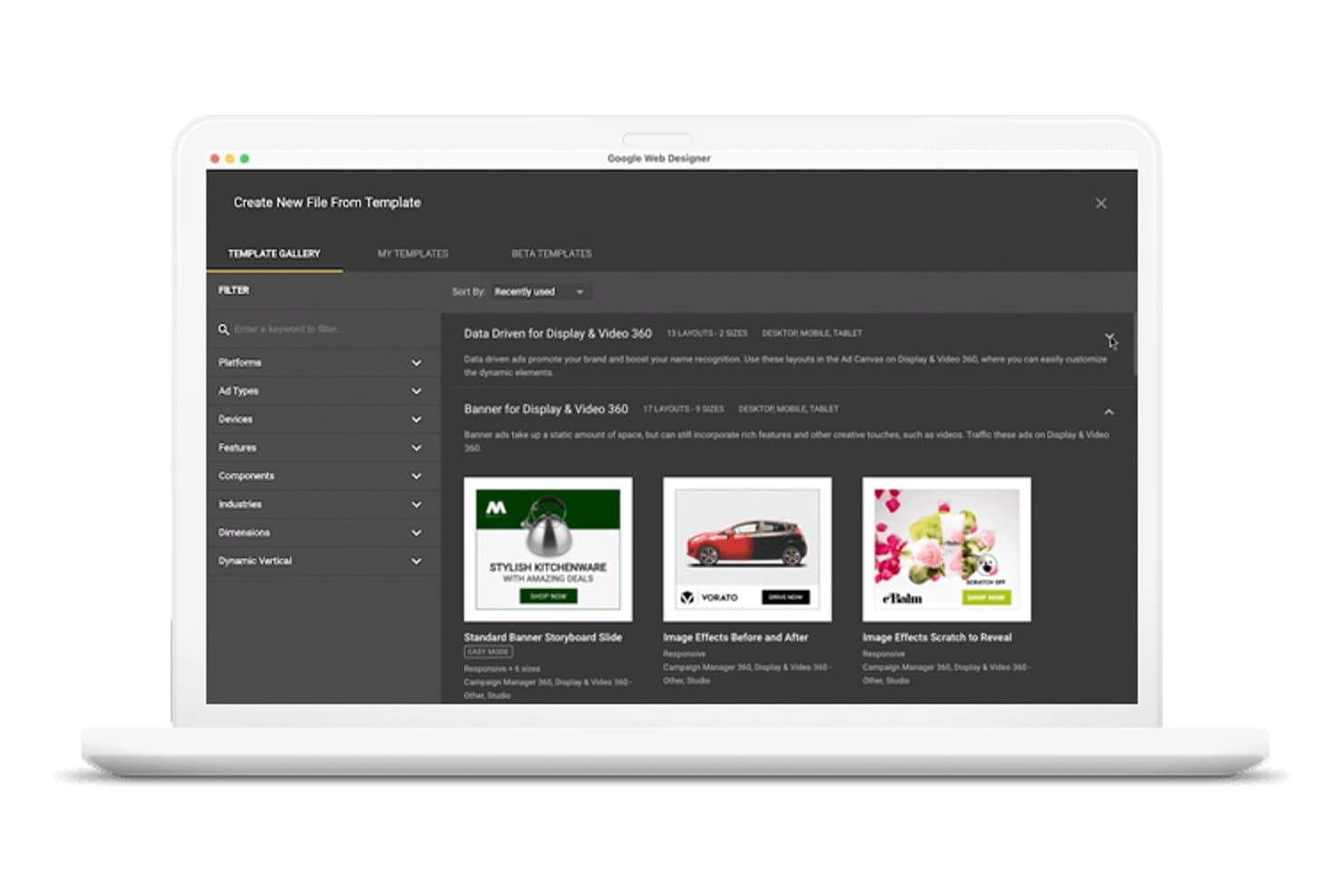
Google Web Designer lets users browse ad templates by platform and type. Google Web Designer is free desktop web design software for creating HTML5 pages and interactive creatives with visual and code editors, animation timelines, responsive layouts, reusable components, and export tools.
Who Is Google Web Designer Best For?
Marketing teams creating responsive, interactive HTML5 ads for Google Ads, AdMob, and other advertising platforms.
Why I Picked Google Web Designer
I picked Google Web Designer because it turns HTML5 interactive ad design into a visual, code-accessible workflow. I use timeline animation, responsive media rules, and interactive components to create rich ads for Google Ads and AdMob. Its Code view also lets me fine-tune HTML, CSS, and JavaScript before exporting the creative.
Google Web Designer Key Features
- Template Gallery: Browse display and video ad templates by platform, device, format, and industry.
- Easy mode: Replace images, edit copy, and adjust colors across multiple ad sizes.
- Ad platform validation: Check creatives for Google Ads, AdMob, and other supported environments.
- Preview links: Generate shareable URLs and QR codes for supported ad environments.
Google Web Designer Integrations
Google Web Designer has native integrations with Google Drive, Google Ads, Google AdMob, Display & Video 360, Campaign Manager 360, Studio Asset Library, and Ads Creative Studio. It also includes YouTube, Google Maps, and Street View components.
What's Free?
Google Web Designer is free desktop software with no time-limited trial. You can create HTML5 pages and interactive ads, but some ad platform features and validation tools support Google products and selected environments.
Pros and Cons
Pros:
- Design and code views work together
- Responsive controls cover multiple screen sizes
- HTML5 ad animation supports rich interactions
Cons:
- Published files need separate hosting
- Templates target ads rather than websites
Learn more about Google Web Designer: 6Best for AI-generated site setup from a prompt
Wix
- Free plan + free demo available
- From $17.77/month (billed annually)
Visit WebsiteCustomer Rating:4.2/5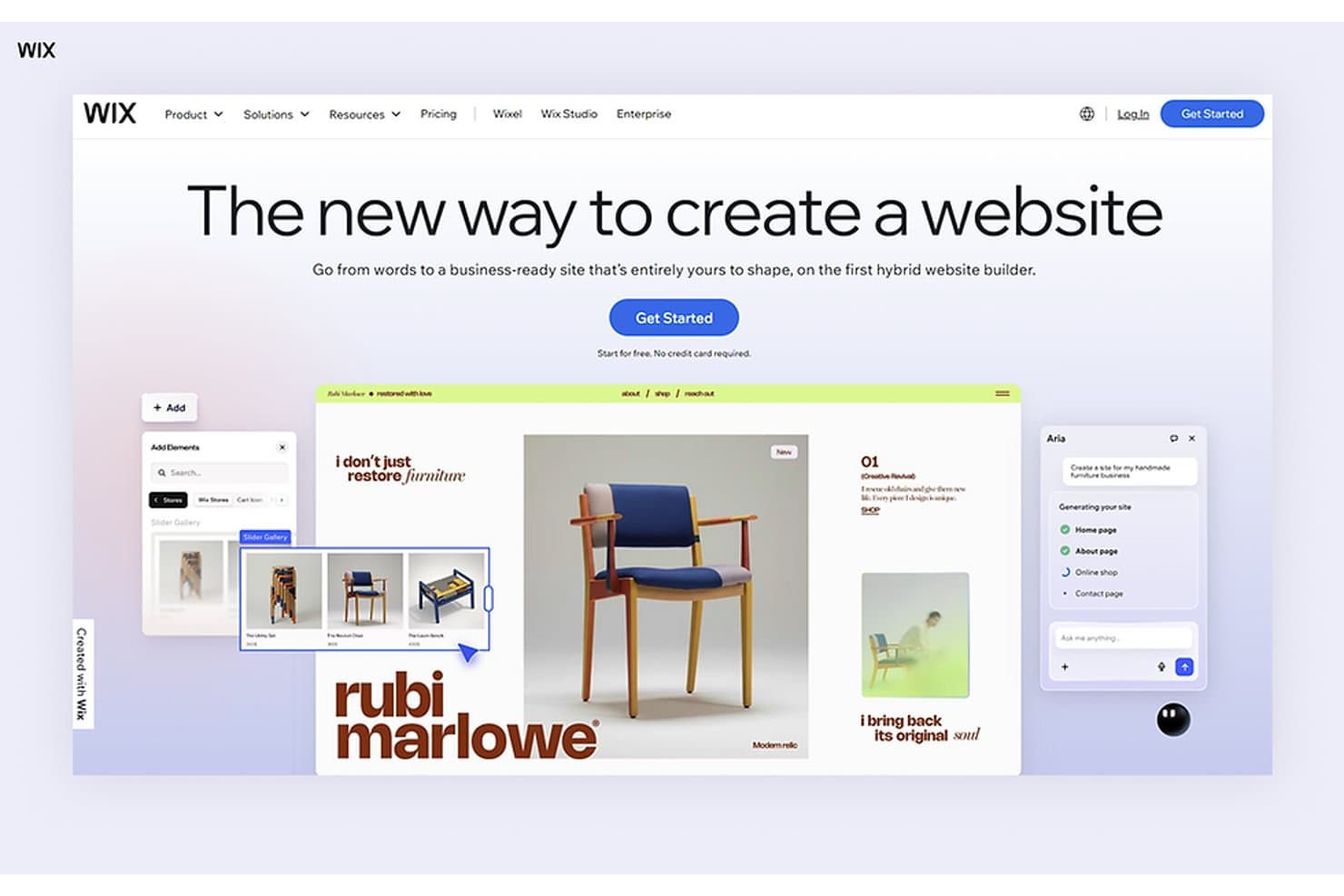
Wix lets users build websites using AI and a drag-and-drop editor. Wix is free web design software with AI-assisted and drag-and-drop editors, industry templates, responsive layout tools, hosting, forms, analytics, SEO features, and ecommerce capabilities.
Who Is Wix Best For?
Small business owners, startup founders, and marketers needing AI-generated site setup from a prompt can launch without coding.
Why I Picked Wix
I picked Wix because its AI-generated site setup from a prompt turns a business description into pages, copy, structure, and visuals through the Harmony Editor and Aria. I can then adjust the generated design on the canvas, choose from 2,000+ templates, and publish a working prototype on Wix’s free plan.
Wix Key Features
- Built-in analytics: Track visitors and site activity with Wix Analytics.
- Form builder: Create up to four forms on the free plan.
- SEO tools: Connect Google Search Console and create AI-generated meta tags.
- App Market: Add integrations for ecommerce, bookings, consent, reviews, and social feeds.
Wix Integrations
Wix offers marketplace integrations through the Wix App Market, including QuickBooks Online, Instagram, TikTok Ads, Fera Reviews, Consentik, Usercentrics, and WhatsApp. It also connects with Google Search Console, Google Analytics, Google Tag Manager, Facebook, and TikTok, plus headless APIs for custom integrations.
What's Free?
Wix offers a free-forever plan, so you can create and publish a website without a time-limited trial. The plan includes Wix branding, a Wix subdomain, limited storage and bandwidth, and no custom domain connection; premium features require an upgrade.
Pros and Cons
Pros:
- Free hosting includes SSL and CDN
- 2,000-plus templates support launch pages
- Prompt-to-site setup accelerates validation
Cons:
- Sites cannot be exported elsewhere
- Free sites display Wix branding
Learn more about Wix: Best for CRM-connected site building
- Free plan available
- Pricing upon request
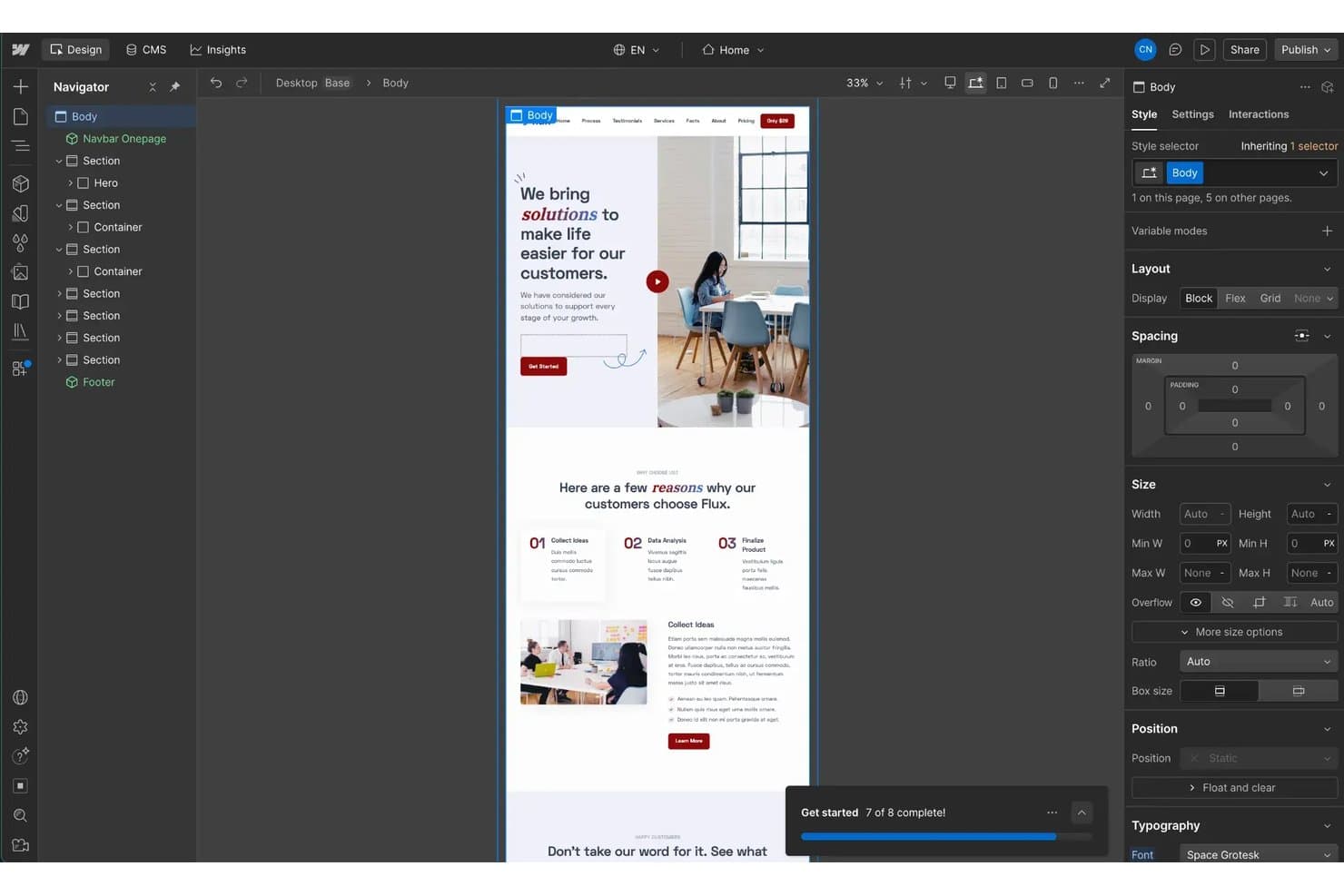
HubSpot CMS lets users visually design and edit web pages with a drag-and-drop interface. HubSpot CMS is free web design software with drag-and-drop editing, themes, AI site generation, hosting, forms, analytics, and built-in CRM tools for creating multi-page websites and landing pages.
Who Is HubSpot CMS Best For?
Marketing teams that need to build lead-generating websites with native forms, CRM integration, analytics, and a free multi-page site plan.
Why I Picked HubSpot CMS
I picked HubSpot CMS because it connects website design directly to lead capture and customer records. Its native forms, CTAs, live chat, and CRM store prospect activity alongside site analytics. I can use its free multi-page setup to publish campaign pages, capture submissions, and measure conversions from one workspace.
HubSpot CMS Key Features
- Drag-and-drop editor: Build pages with visual modules and WYSIWYG text formatting.
- AI Website Generator: Create an editable starter page from business prompts.
- Responsive editing: Adjust mobile visibility, spacing, and margins separately.
- Custom domain connection: Publish on your domain with free hosting and SSL.
HubSpot CMS Integrations
HubSpot CMS connects natively with HubSpot CRM, Marketing, Sales, Service, Data, Revenue, and Agent Hubs. Its marketplace offers 2,000+ integrations, including Adobe Express, Microsoft Teams, LinkedIn, Jira, Aircall, and Amplitude.
What's Free?
HubSpot CMS offers a free-forever plan for building multi-page websites and landing pages. Advanced features may require a paid plan, which starts at $20 per user per month.
Pros and Cons
Pros:
- Hosted SSL and custom domains included
- AI generator drafts editable starter layouts
- Free plan supports multi-page websites
Cons:
- Mobile controls omit tablet breakpoints
- HubSpot branding appears across published content
Learn more about HubSpot CMS: Best for visual coding without writing code
- Free plan available
- From $15/month (billed annually)
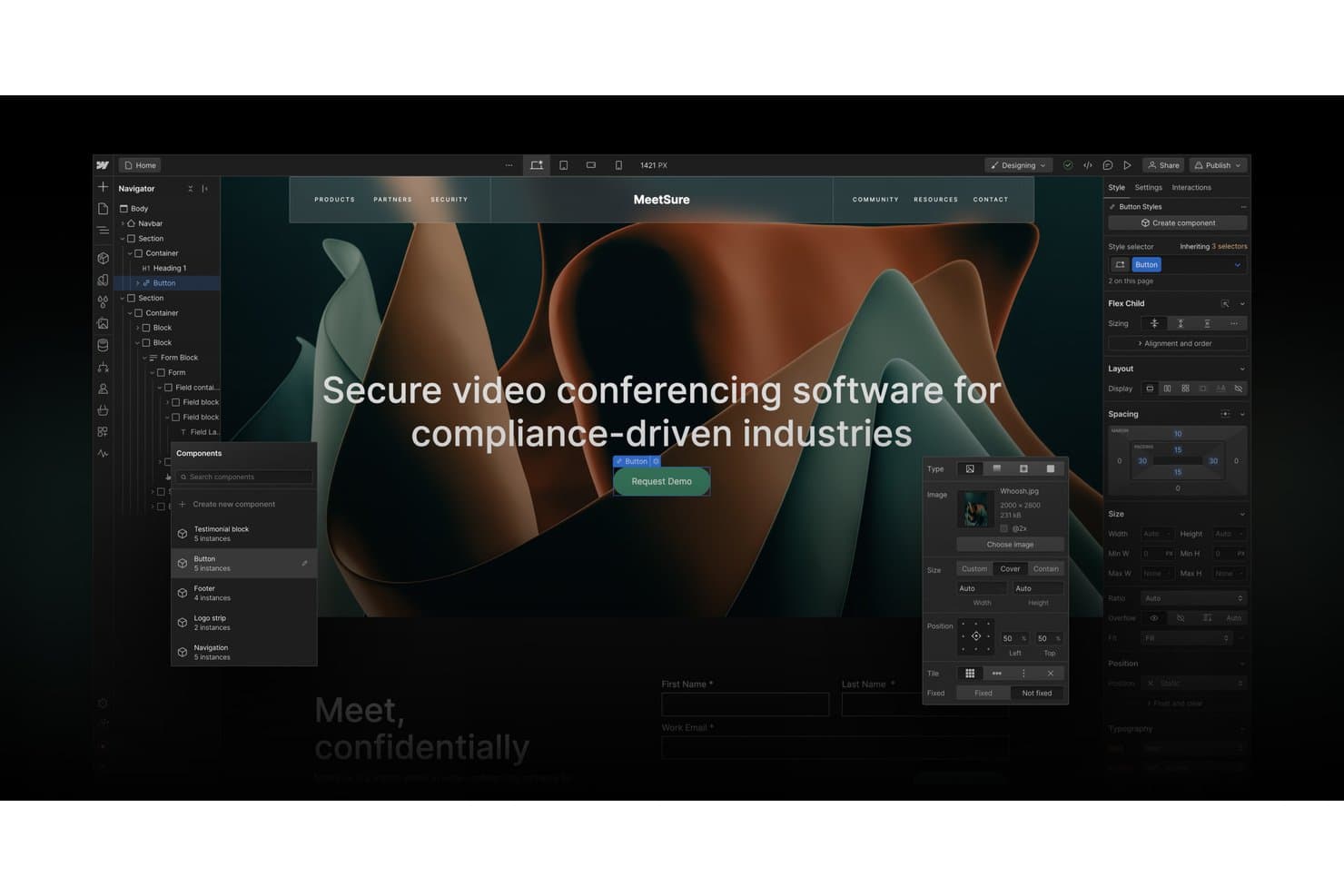
Webflow's visual designer lets users build and style web pages without code. Webflow is free web design software with a visual Designer for responsive layouts, customizable templates, CMS content, forms, interactions, and publishing to a webflow.io subdomain through its Starter plan.
Who Is Webflow Best For?
Freelance designers and startup founders who need precise visual control, responsive layouts, and a clear path from prototype to production site.
Why I Picked Webflow
Webflow earns its spot because it supports visual coding without writing code. I use its Designer to build precise layouts with classes, Flexbox, Grid, and responsive breakpoints. GSAP-powered interactions let me turn a two-page Starter site into a polished landing page or prototype on a webflow.io subdomain.
Webflow Key Features
- Template library: Choose from one-page, multi-page, and multi-layout templates.
- CMS collections: Organize dynamic content with structured collections.
- Native forms: Collect up to 50 submissions on the free plan.
- Reviewer comments: Share read-only sites and gather pinned feedback.
Webflow Integrations
Webflow’s documented integrations include Google Sheets, Airtable, Google site tools, and Zapier. Its APIs and Webflow MCP support custom connections and AI-assisted site management.
What's Free?
Webflow’s Starter plan is free forever, with hosting on a
webflow.iosubdomain. It includes two static pages, limited CMS and form features, and up to 50 form submissions, while custom domains require a paid plan.Pros and Cons
Pros:
- Responsive breakpoints support detailed mobile tuning
- Free reviewer seats support design feedback
- Pixel-level control with Flexbox and Grid
Cons:
- Code export requires a paid Workspace
- Free sites publish only two static pages
Learn more about Webflow: Best for per-device responsive layout control
- Free plan available
- From $6.75/month (billed annually)
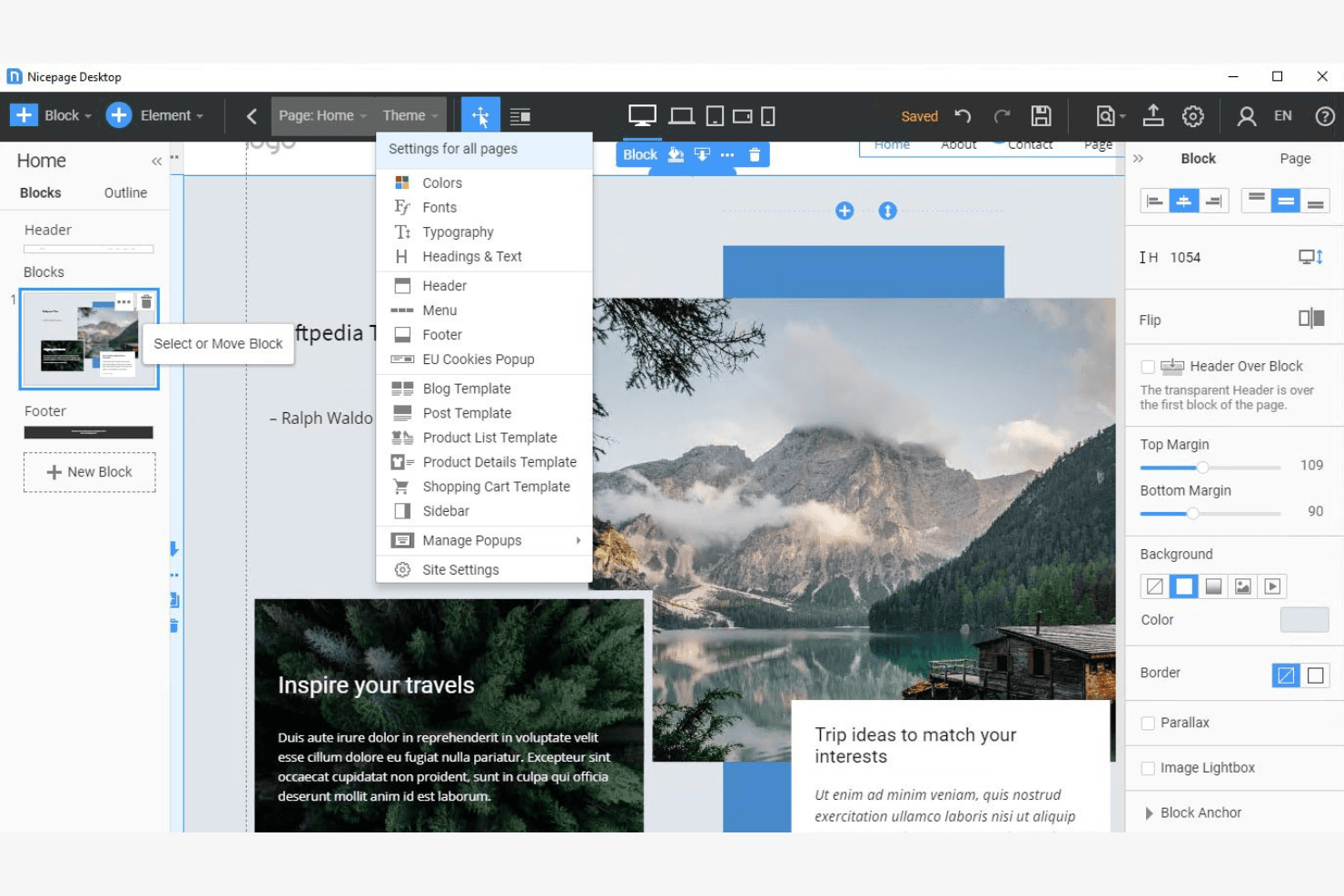
Nicepage lets users customize site-wide theme settings via a dropdown menu. Nicepage is free web design software with a freehand visual editor, AI page and content builders, extensive templates and blocks, multi-page site tools, forms, and HTML, WordPress, and Joomla export.
Who Is Nicepage Best For?
Nicepage suits small businesses, marketing teams, and startup founders who need precise desktop-to-mobile layouts without coding.
Why I Picked Nicepage
I picked Nicepage because it gives free users unusually precise control over responsive layouts. I can edit five device views separately, hide elements on selected devices, and set content widths for each screen size. That helps me adapt a campaign page from desktop to mobile without rebuilding its structure. The free Starter plan also supports two projects and nicepage.io hosting.
Nicepage Key Features
- AI page builder: Generates editable pages from a topic or prompt.
- Template library: Includes 1,000+ page templates and 9,000+ block designs.
- Form builder: Supports multi-step forms, conditional fields, reCAPTCHA, and lead review.
- CMS export: Exports sites to HTML, WordPress, and Joomla formats.
Nicepage Integrations
Documented integrations include WordPress, Joomla, WooCommerce, VirtueMart, Google Sheets, Mailchimp, Contact Form 7, Google Analytics, and Google Tag Manager. Nicepage has no public API for custom integrations.
What's Free?
Nicepage offers a free-forever Starter plan, so you can build without a time-limited trial. It supports two projects and includes nicepage.io hosting, while paid plans unlock additional capabilities.
Pros and Cons
Pros:
- AI builders accelerate editable page drafts
- Freehand positioning enables pixel-level page control
- Five device views support precise responsive layouts
Cons:
- Free HTML export requires desktop app
- Free hosting imposes strict traffic limits
Learn more about Nicepage:
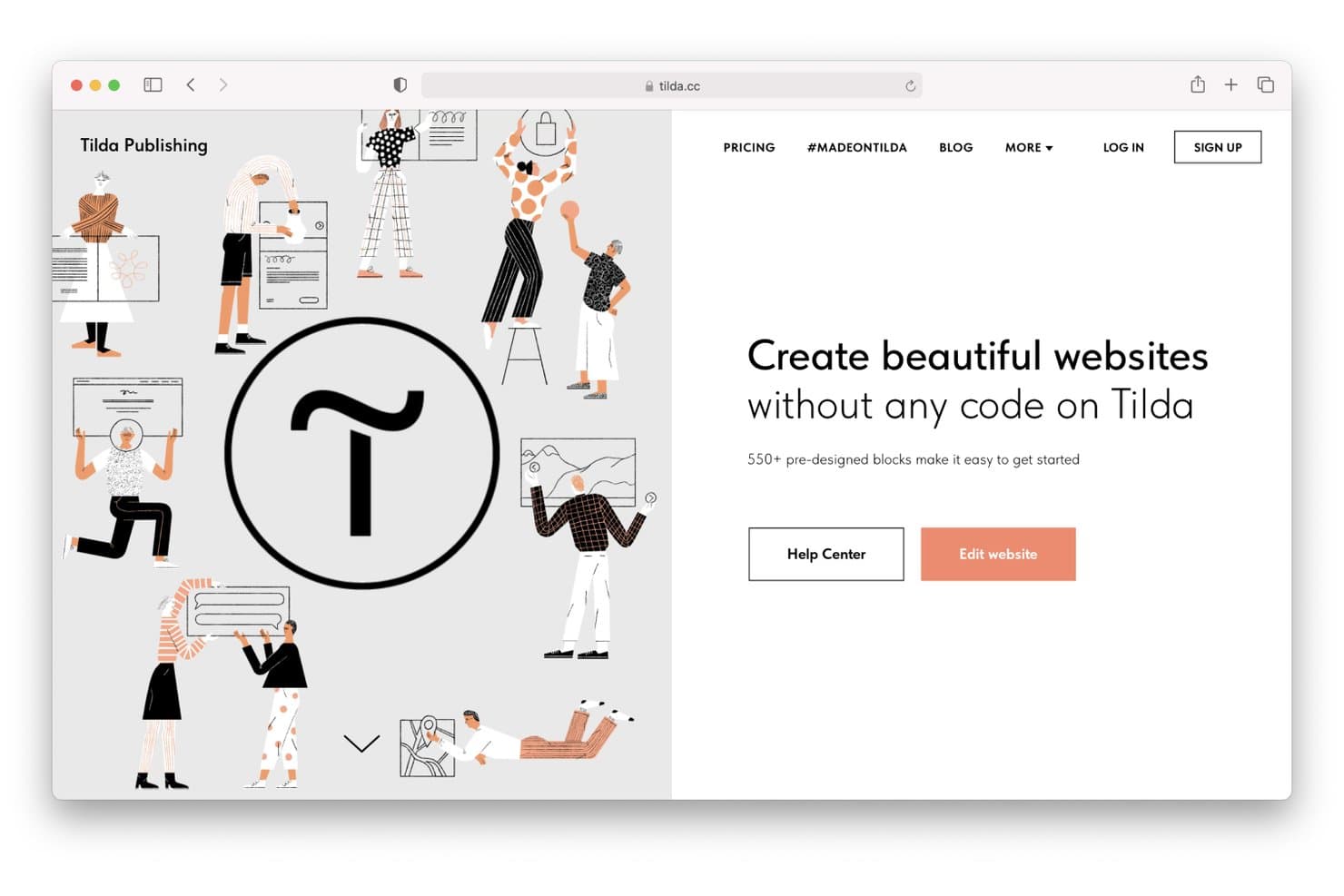
Tilda lets users build websites visually without writing any code. Tilda is free web design software with a block-based editor, responsive templates, Zero Block for custom layouts, animation controls, and hosting on a tilda.ws subdomain.
Who Is Tilda Best For?
Tilda suits freelance designers, marketers, and small businesses that need animated, story-led landing pages without writing code.
Why I Picked Tilda
I picked Tilda because it turns scroll-driven visual storytelling into a practical website workflow. Zero Block gives me layered layouts, parallax, triggers, and fix-on-scroll controls for interactive portfolios or longform campaigns. Its free plan supports multi-page sites on a tilda.ws subdomain, so I can publish a 50-page visual project without paying.
Tilda Key Features
- Block library: Choose from 550+ blocks and 210+ templates.
- Responsive breakpoints: Adjust layouts from 320px to 1920px.
- Form builder: Create multi-step forms and branching quizzes.
- Built-in analytics: Track visits, leads, clicks, and conversions.
Tilda Integrations
Tilda documents integrations with 50+ payment services, including Stripe and PayPal, plus HubSpot, Google Sheets, Mailchimp, and Google Analytics. It also supports Zapier and provides an API, though many connections require a paid plan.
What's Free?
Tilda offers a free-forever plan with up to 50 pages on a tilda.ws subdomain. Custom domains and many integrations require a paid plan.
Pros and Cons
Pros:
- Templates support portfolios and longform articles
- Zero Block enables pixel-level layouts
- Scroll animations support visual storytelling
Cons:
- Code export limits migration flexibility
- Free sites retain Tilda branding
Learn more about Tilda:
Diğer Ücretsiz Web Tasarım Yazılımları
Ücretsiz planlar veya deneme sürümleri sunan bazı ek web tasarım yazılımı seçeneklerini burada bulabilirsiniz. Bu araçlar kısa listeme girememiş olsa da yine de göz atmaya değer:
- 11CarrdBest for one-page sites built in minutes
- 12FramerBest for animated and interactive site design
- 13WeeblyBest for free e-commerce site building
- 14Google SitesBest for Google Workspace-connected site building
- 15StrikinglyBest for quick no-code business landing pages
Related Reviews
How I Evaluate Free Web Design Software
First, I define what counts as free. A qualifying web design tool has a genuine free-forever plan, not just a trial, though publishing or features can be limited. From there, I weigh building pages visually and adapting them for mobile most, collaborative feedback tools next, and whether code export supports a path from a quick signup-page test to a production site.
Core Functionality (Table Stakes For This List)
In addition to my free plan requirements, I use a scoring system to select tools for my list. I score each one on a scale from 0 (does not offer the functionality) to 5 (excels in this area) for each core functionality listed below, based on what's available on the free plan. I then convert the total into a percentage to help assess each tool's overall fit, with extra weight on any functionalities I've deemed essential.
- Visual Page Editor (Essential): I look for drag-and-drop controls that let you arrange a signup page or portfolio without code and adjust its layout.
- Template Library (Essential): I consider the variety of customizable starting points for common needs, such as a small business site, portfolio, or campaign page.
- Responsive Design: I check how layouts adapt to mobile and tablet screens and whether you can fine-tune key elements at smaller sizes.
- Free Publishing: I evaluate whether you can publish a working site on a free hosted address and what branding or publishing limits apply.
- Design Customization: I look for control over fonts, colors, images, and page structure so a template can match your brand and content.
- Code Access Or Export: I check whether free-plan users can view, edit, or export HTML and CSS when a project needs further customization.
Once I have a list of tools that meet the criteria, I consider what sets each platform apart.
Differentiating Factors (What Sets Vendors Apart)
Here's how I compare and contrast different vendors:
Standout Features
I look for native form blocks that handle waitlist or beta signups without adding a third-party tool. A PM testing positioning for a new feature shouldn't need to wire up an external form service just to capture interest. I also evaluate collaborative feedback options like shareable preview links, since stakeholders reviewing a launch page need a fast way to leave comments before go-live. Multi-page microsite support matters too; tools like Wix and Webflow let you link several free pages, which is useful when a validation experiment needs more than a single landing page.
Beyond Features
I evaluate how quickly a PM can go from signup to a live URL. Tools like Carrd and Google Sites let you publish a validation page in minutes, which matters when you're testing positioning ahead of a launch. I also check whether free tiers show heavy platform branding, since a watermark on an investor demo undermines credibility. Finally, I look at code export or clear upgrade paths so a prototype built during discovery doesn't become throwaway work when the project moves to production.
Ücretsiz Web Tasarım Yazılımı Nasıl Seçilir?
Karmaşık özellik listeleri ve fiyatlandırma yapıları, ücretsiz web tasarım yazılımlarından gerçekte ne elde ettiğinizi anlamanızı zorlaştırabilir. Yazılım seçim sürecinizde ilerlerken odağınızı korumanıza yardımcı olmak için göz önünde bulundurmanız gereken bazı faktörleri aşağıda bulabilirsiniz:
| Faktör | Dikkat Edilmesi Gerekenler |
|---|---|
| FaktörÜcretsiz Teklifin Kapsamı | Dikkat Edilmesi GerekenlerÜcretsiz planda nelerin bulunduğunu kontrol edin. Temel ihtiyaçlarınızı karşılıyor mu, yoksa kısa süre içinde yükseltme yapmanız mı gerekecek? Özellikler ve destek konusundaki sınırlamaları göz önünde bulundurun. |
| FaktörÖlçeklenebilirlik | Dikkat Edilmesi GerekenlerGelecekteki büyümeyi düşünün. Araç işletmenizle birlikte büyüyebilir mi? Gerektiğinde daha fazla özellik veya kullanıcı ekleme seçenekleri arayın. |
| FaktörEntegrasyonlar | Dikkat Edilmesi GerekenlerYazılımın mevcut araçlarınızla çalıştığından emin olun. Google Analytics, Mailchimp ve güvendiğiniz diğer platformlarla uyumluluğunu kontrol edin. |
| FaktörKullanım Kolaylığı | Dikkat Edilmesi GerekenlerAracı ne kadar hızlı öğrenebileceğinizi değerlendirin. Sezgisel bir arayüz sunuyor mu? Sürükle ve bırak özellikleri ile anlaşılır bir gezinme yapısı arayın. |
| FaktörÖzelleştirme | Dikkat Edilmesi GerekenlerTasarımı ne ölçüde kendinize uyarlayabileceğinizi değerlendirin. Şablonları markanızın görünümüne ve tarzına uyacak şekilde değiştirebilir misiniz? |
| FaktörDestek | Dikkat Edilmesi GerekenlerMevcut destek seçeneklerine bakın. Sorunlarla karşılaştığınızda size yardımcı olacak eğitimler, topluluk forumları veya canlı sohbet var mı? |
| FaktörPerformans | Dikkat Edilmesi GerekenlerAracın hızını ve güvenilirliğini değerlendirin. Hızlı yükleniyor ve trafiği iyi yönetebiliyor mu? Web sitenizi yavaşlatmadığından emin olun. |
| FaktörMobil Optimizasyon | Dikkat Edilmesi GerekenlerAracın mobil uyumlu tasarımlar sunup sunmadığını kontrol edin. Siteniz ekstra çaba gerektirmeden tüm cihazlarda iyi görünmelidir. |
Ücretsiz Web Tasarım Yazılımı Nedir?
Ücretsiz web tasarımı yazılımı, kullanıcıların önceden ödeme yapmalarına gerek kalmadan web siteleri oluşturmalarına yardımcı olan bir araçtır. Bu ürünler genellikle temel özelliklere sahip ücretsiz planlar veya deneme sürümleri sunar. Ücretsiz web tasarımı seçenekleri tarayıcı tabanlı olabilir ya da çevrimdışı web sitesi oluşturma yazılımı olarak kullanılabilir.
Genellikle küçük işletme sahipleri, serbest çalışanlar ve hobi amaçlı kullanıcılar, çevrimiçi varlıklarını oluşturmak ve yönetmek için bu araçları kullanır. Bu araçlar, yeni başlayanlar da dâhil olmak üzere kullanıcıların teknik becerilere ihtiyaç duymadan web siteleri tasarlayıp yayımlamalarına olanak tanıyarak değer sunar. Sürükle ve bırak düzenleyicileri, özelleştirilebilir şablonlar ve mobil optimizasyon gibi özellikler, kullanıcıların profesyonel web sitelerini verimli bir şekilde oluşturmasına yardımcı olur.
Özellikler
Web tasarımı yazılımlarında yaygın olarak bulunan özellikleri ve bunlardan hangilerinin genellikle ücretsiz veya ücretli planlara dâhil edildiğini inceleyelim.
Genellikle Ücretsiz Web Tasarımı Yazılımı Özellikleri
- Sürükle ve bırak düzenleyicisi: Site ögelerini kodlama yapmadan düzenlemenizi sağlar.
- Özelleştirilebilir şablonlar: Önceden tasarlanmış düzenler sunar.
- Mobil optimizasyon: Mobil kullanıcılara ulaşabilmeniz için sitenizin tüm cihazlarda iyi görünmesini sağlar.
- Temel SEO araçları: Sitenizin arama motorlarındaki görünürlüğünü artırmaya ve daha fazla ziyaretçi çekmeye yardımcı olur.
- Alt alan adında barındırma: Bir platformun alt alan adında ücretsiz barındırma sunarak sitenizi ek maliyet olmadan yayımlamanıza olanak tanır.
- Çok dilli destek: Birden fazla dilde siteler oluşturmanızı sağlayarak küresel bir kitleye erişiminizi genişletir.
- Blog oluşturma özellikleri: Blog gönderileri oluşturup yönetmenize ve düzenli içeriklerle kitlenizin ilgisini çekmenize olanak tanır.
Genellikle Ücretli Web Tasarımı Yazılımı Özellikleri
- Gelişmiş e-ticaret araçları: Ödeme ağ geçitleri ve alışveriş sepetleri gibi özellikler sunar.
- Özel alan adı desteği: Kişiselleştirilmiş bir alan adı kullanmanızı sağlar.
- Analiz ve raporlama: Site performansına ilişkin ayrıntılı bilgiler sunarak bilinçli kararlar almanıza yardımcı olur.
- Öncelikli müşteri desteği: Daha hızlı yanıt sürelerine ve özel destek hizmetine erişmenizi sağlar.
- Sınırsız depolama: Depolama alanı kısıtlamalarını kaldırarak sitenizde daha fazla içerik ve medya bulundurmanıza olanak tanır.
- Gelişmiş özelleştirme seçenekleri: Tasarım ögeleri üzerinde daha kapsamlı denetim sunarak daha kişiselleştirilmiş bir site deneyimi sağlar.
- Üçüncü taraf uygulamalarla entegrasyon: Sitenizi CRM ve e-posta pazarlama platformları gibi diğer araçlara bağlar.
Faydalar
Ücretsiz web tasarımı yazılımını kullanıma sunmak, ekibiniz ve işletmeniz için çeşitli faydalar sağlar. Yararlanabileceğiniz birkaç fayda şunlardır:
- Maliyet tasarrufu: Para harcamadan web siteleri oluşturup yayımlayabilirsiniz; bu da çözümü yeni girişimler ve küçük işletmeler için ideal hâle getirir.
- Kullanım kolaylığı: Sürükle ve bırak düzenleyicileri ile şablonlar tasarım sürecini basitleştirerek herkesin teknik becerilere ihtiyaç duymadan site oluşturmasına olanak tanır.
- Hızlı kurulum: Önceden tasarlanmış şablonlar ve barındırma seçenekleri, bir siteyi hızlı bir şekilde çalışır hâle getirmenizi sağlar.
- Küresel erişim: Çok dilli destek, daha geniş bir kitleyle bağlantı kurmanıza yardımcı olur.
- Temel SEO: Yerleşik araçlar, sitenizin arama motoru görünürlüğünü artırarak ek maliyet olmadan daha fazla ziyaretçi çekmenize yardımcı olur.
- Etkileşim araçları: Blog oluşturma özellikleri, kitlenizi düzenli olarak güncellemenize, etkileşimi ve marka bağlılığını güçlendirmenize olanak tanır.
- Ölçeklenebilirlik: Ücretsiz planlar küçük başlamanıza ve ihtiyaçlarınız büyüdükçe genişlemenize olanak tanıyarak gelecekteki büyüme için esneklik sunar.
Maliyetler ve Fiyatlandırma
Bu makaleye ücretsiz olarak sunulan en iyi web tasarımı yazılımı seçeneklerini aradığınız için geldiğinizi biliyorum. Ancak ücretsiz planlar yalnızca sınırlı özellikler sunduğundan, gelecekte planınızı yükseltmeniz gerekme ihtimali yüksektir.
Aşağıdaki tablo, web tasarımı yazılımı çözümlerinde yaygın planları, bunların ortalama fiyatlarını ve genellikle sunulan özellikleri özetlemektedir:
Web Tasarımı Yazılımı İçin Plan Karşılaştırma Tablosu
| Plan Türü | Ortalama Fiyat | Yaygın Özellikler |
|---|---|---|
| Plan TürüÜcretsiz Plan | Ortalama Fiyat$0 | Yaygın ÖzelliklerTemel şablonlar, sınırlı depolama alanı ve alt alan adı barındırma. |
| Plan TürüKişisel Plan | Ortalama Fiyat$3-$149/month | Yaygın ÖzelliklerÖzel alan adı, reklamların kaldırılması ve ek şablonlar. |
| Plan Türüİşletme Planı | Ortalama Fiyat$5-$199/month | Yaygın ÖzelliklerE-ticaret araçları, SEO özellikleri ve gelişmiş analizler. |
| Plan TürüProfesyonel Plan | Ortalama Fiyat$9-$599/month | Yaygın ÖzelliklerÖzel çözümler, tahsis edilmiş destek ve sınırsız kullanıcı ile depolama alanı. |
Ücretsiz Web Tasarım Yazılımları Hakkında SSS
Ücretsiz web tasarım yazılımları hakkında sık sorulan bazı soruların yanıtları:
Ücretsiz web tasarım yazılımını ticari amaçlarla kullanabilir miyim?
Evet, ücretsiz web tasarım yazılımını ticari amaçlarla kullanabilirsiniz, ancak lisans koşullarını kontrol edin. Bazı araçların ticari kullanımla ilgili kısıtlamaları olabilir. Bu nedenle bir işletme sitesi yayınlamadan önce tüm ayrıntıları okumanız önemlidir.
Ücretsiz web tasarım yazılımları nasıl para kazanır?
Ücretsiz web tasarım yazılımları genellikle ücret karşılığında gelişmiş özellikler veya ek depolama alanı sunarak premium yükseltmeler yoluyla para kazanır. Ayrıca ücretsiz sürümlerde reklam yayınlayabilir veya özel alan adları için ücret talep edebilirler.
Ücretsiz planlarda depolama alanı ve bant genişliği sınırlamaları var mı?
Evet, ücretsiz planlarda genellikle depolama alanı ve bant genişliği sınırlamaları bulunur. Bu, sınırlı miktarda içeriği barındırabileceğiniz ve belirli düzeyde trafiği karşılayabileceğiniz anlamına gelir. Siteniz büyürse bu kısıtlamalardan kaçınmak için ücretli bir plana yükseltmeniz gerekebilir.
Ücretsiz bir planla başladıktan sonra sitemi başka bir platforma taşıyabilir miyim?
Bazı ücretsiz web tasarım araçları kolay dışa aktarma seçenekleri sunmadığından sitenizi taşımak zor olabilir. Başlamadan önce platformun site dışa aktarma veya taşıma işlemine izin verip vermediğini kontrol edin.
Ücretsiz web tasarım yazılımlarında müşteri desteği mevcut mu?
Ücretsiz planlarda müşteri desteği sınırlı olabilir ve genellikle topluluk forumlarına veya bilgi bankalarına dayanır. Bazı platformlar yalnızca ücretli kullanıcılara e-posta veya canlı sohbet desteği sunar.
Ücretsiz web tasarım yazılımlarında gizli maliyetler var mı?
Yazılımın kendisi ücretsiz olsa da alan adı kaydı veya premium özellik yükseltmeleri gibi gizli maliyetler olabilir. Olası masrafları anlamak ve bunların bütçenize uygun olduğundan emin olmak için fiyatlandırma ayrıntılarını her zaman inceleyin.