

UX research tools help product teams collect and analyze user feedback so they can make better design and development decisions. From usability testing to surveys to behavior analytics, these platforms surface the insights you need to build products people actually want.
But with so many tools claiming to do it all, it’s hard to tell which ones deliver real value—and which ones will waste your time.
I’ve tested and reviewed dozens of UX research platforms to cut through the noise. In this guide, I’ll walk you through the top options—categorized by use case, budget, and team size—so you can pick the right tool with confidence, not guesswork.
Why Trust Our Software Recommendations
6,700+
Reviews
20
Industry experts
16+
Evaluation factors
14
Years
Our team has been testing and reviewing software since 2012. As product managers ourselves, we know how difficult—and important—it is to choose the right software.
For this guide, we evaluated tools using hands-on testing and independent research, scoring tools using our selection criteria.
Our reviews reflect our human editorial judgment, not a sales pitch.
Expert reviewers:
- Andrew LumbySenior TPM
- Cristiano ValimSenior UI/UX Lead


Comparison Table: UX Research Tools
This comparison table summarizes pricing details for my top UX research tool selections.
Score legend (out of 5)
- Excellent4.5–5
- Good4–4.4
- Average3–3.9
- Below average2–2.9
- Poor1–1.9
Sorted by: Default
| Tool | Starting Price | Website | |||||||
|---|---|---|---|---|---|---|---|---|---|
Best for automating customer insights discovery | Not rated | 4 | 2 | 4 | 4 | 1 | Not rated | $79/month 7-day free trial + free demo available | Website |
Best for AI-driven feedback analysis | Not rated | 5 | 4 | 4 | 2 | Not rated | 1 | $114/month 10-day free trial | Website |
Best for Figma prototype A/B variant testing | 3.8 out of 5 | 3 | 4 | 3 | 5 | 4 | 4 | $80/month Free plan available | Website |
Best for video-based participant feedback | 3.8 out of 5 | 3 | 4 | 3 | 4 | 4 | 5 | Pricing upon request Free demo available | Website |
Best for cross-device usability testing at scale | 4.0 out of 5 | 3 | 3 | 3 | 5 | 5 | 5 | $699/month Free demo available | Website |
Best for customer feedback at scale | 4.3 out of 5 | 4 | 4 | 4 | 4 | 5 | 5 | Pricing upon request Free demo available | Website |
Best for information architecture testing | 4.2 out of 5 | 5 | 4 | 4 | 5 | 3 | 4 | $208/user/month Free plan available | Website |
Best for Figma-to-panel testing in one place | 4.3 out of 5 | 4 | 4 | 4 | 5 | 4 | 5 | Pricing upon request Free plan + free demo available | Website |
Best for enterprise research at scale | 4.3 out of 5 | 4 | 4 | 4 | 5 | 4 | 5 | Pricing upon request Free demo available | Website |
Best for quick sentiment and survey analysis | 4.2 out of 5 | 4 | 4 | 3 | 5 | 4 | 5 | $83/month Free plan + free demo available | Website |


Best UX Research Tool Reviews
Below are my detailed summaries of the best UX research tools that made it onto my shortlist. My reviews provide a detailed examination of the key features, pros and cons, integrations, and ideal use cases for each tool, helping you find the best one for your needs
 Best for automating customer insights discovery
- 7-day free trial + free demo available
- From $79/month

Articos shows a user interview recording and a participant list. Articos is an AI-powered synthetic research platform that conducts simulated user interviews, concept tests, and journey analyses with persona panels based on personality science and cognitive bias modelling.
Who Is Articos Best For?
Articos is a good fit for product teams and UX researchers who need fast, scalable user insights without waiting for the lead time of recruiting real participants.
Why I Picked Articos
Articos is one of my top picks because I love how it collapses the entire discovery pipeline into a single automated workflow. I set a research goal, and within 30 minutes, I have a structured report covering motivations, objections, confusion points, and prioritized recommendations. What really separates it is the hypothesis-blind architecture: personas are interviewed without exposure to what I'm hoping to find, which actively prevents confirmation bias from distorting the output. On top of that, every finding comes with evidence chains and confidence scores, so I'm not just getting themes, I'm getting a traceable signal.
Articos Key Features
- Stance diversity engine: Distributes personas across champion, pragmatist, skeptic, blocker, and observer archetypes to surface a full range of user reactions.
- Concept testing: Runs synthetic panel tests against messaging, landing pages, or product positioning to evaluate how different user types respond.
- Talk to Research: Answers follow-up questions about completed research, so you can probe individual persona responses after a study.
- White-label PDF export: Generates research reports formatted for direct client delivery.
Articos Integrations
Native integrations are not currently listed. An API is available for custom integrations.
Pros and Cons
Pros:
- Traces all report findings to exact user quotes
- Hypothesis-blind personas reduce confirmation bias
- Built-in A/B concept testing without traffic
Cons:
- Outputs lack sharable visual persona graphics
- Synthetic personas don't replace live observation
Learn more about Articos: Best for AI-driven feedback analysis
- 10-day free trial
- From $114/month (billed annually)
Visit WebsiteCustomer Rating:4.6/5
The Survicate dashboard showing setup instructions for installing the feedback widget to begin collecting user insights. Survicate is a UX research and customer feedback platform that helps teams collect, analyze, and act on user insights across multiple channels. It enables you to create customizable surveys for websites, mobile apps, and emails, helping you understand how users interact with your product and where their experience can be improved.
Why I picked Survicate: I picked Survicate because it combines flexible survey creation with automated feedback analysis, allowing you to collect real-time user sentiment without extra manual work. Its AI-driven insights hub automatically categorizes feedback and detects patterns, helping you identify recurring issues and prioritize improvements efficiently. You can also trigger surveys based on specific user behaviors, ensuring that responses are timely and relevant. The customizable dashboards make it easy to monitor key UX metrics like NPS and CSAT at a glance.
Standout features & integrations:
Features include automated sentiment analysis, which helps you understand user emotions; AI-assisted question suggestions, which improve survey quality; and real-time response tracking, which allows you to monitor key performance indicators and identify trends.
Integrations include HubSpot, Salesforce, Google Sheets, Slack, Intercom, Mailchimp, Marketo, Mixpanel, Segment, Zendesk, Microsoft Teams, and Zapier.
Pros and Cons
Pros:
- Automated insights
- Strong integration options
- Intuitive interface
Cons:
- Limited advanced analytics in lower plans
- Higher pricing for small teams
Learn more about Survicate: Best for Figma prototype A/B variant testing
- Free plan available
- From $80/month (billed annually)
Visit WebsiteCustomer Rating:4.8/5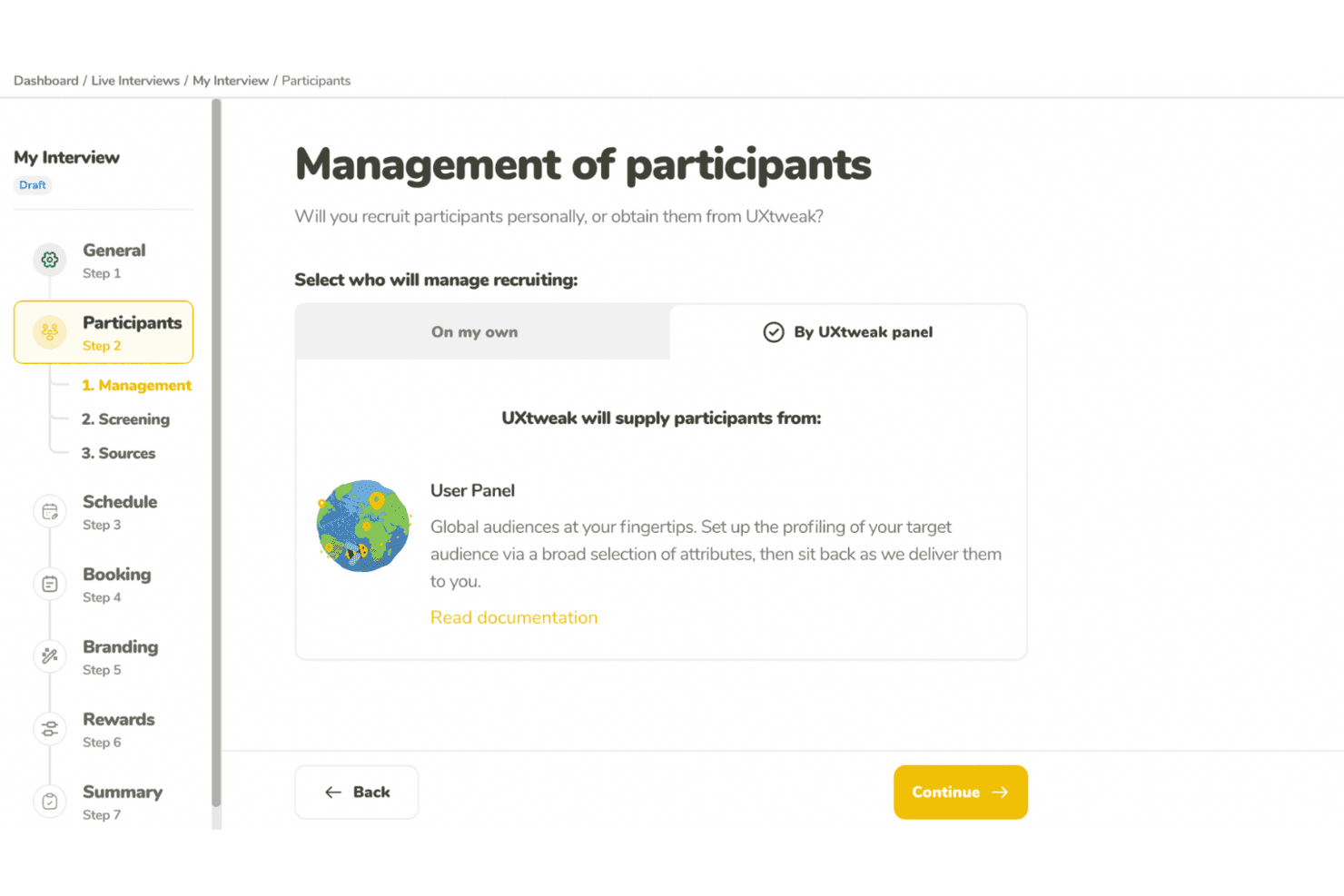
UXtweak supports UX research with usability tests and participant recruitment. UXtweak is a multi-method UX research platform covering prototype testing, usability testing, card sorting, tree testing, surveys, session recording, and moderated interviews.
Who Is UXtweak Best For?
UXtweak is a strong fit for UX researchers and product designers who need deep prototype testing capabilities alongside a full suite of research methods in one platform.
Why I Picked UXtweak
UXtweak earns its spot on my shortlist because of how far its prototype testing goes beyond basic click-through validation. I love that you can import a Figma prototype directly, run A/B variant tests across two different design directions, and then compare lostness scores and clickmaps side by side to see exactly where users diverge. That level of specificity, especially the lostness metric that quantifies how disoriented a user gets navigating a flow, is something I rarely see paired with A/B variant support in a single tool.
UXtweak Key Features
- Multi-method research suite: UXtweak combines card sorting, tree testing, surveys, session recording, five-second tests, and first-click tests in one platform.
- Own Database participant CRM: Import your own contacts via CSV or XLSX, build reusable segments, and send automated study invitations at no extra cost.
- Global User Panel: Access a managed participant panel spanning 130+ countries, with a fixed upfront price and guaranteed delivery of responses within two business days.
- Moderated interview tools: Run freeform or study-based interviews with built-in scheduling, observer streaming, timestamped notes, and AI-generated transcript highlights.
UXtweak Integrations
UXtweak offers native integrations with Figma, Google Drive, Microsoft OneDrive, Condens, Marvin, Dovetail, Notion, and Google Tag Manager. It has no documented public API, Jira, Slack, Microsoft Teams, or Zoom integrations.
Pros and Cons
Pros:
- Global panel delivers screened participants quickly
- Lostness scores reveal confusing navigation paths
- Figma prototypes support A/B variant testing
Cons:
- Dashboard navigation can overwhelm new researchers
- Cross-study insight synthesis remains unavailable
Learn more about UXtweak: Best for video-based participant feedback
- Free demo available
- Pricing upon request
Visit WebsiteCustomer Rating:5/5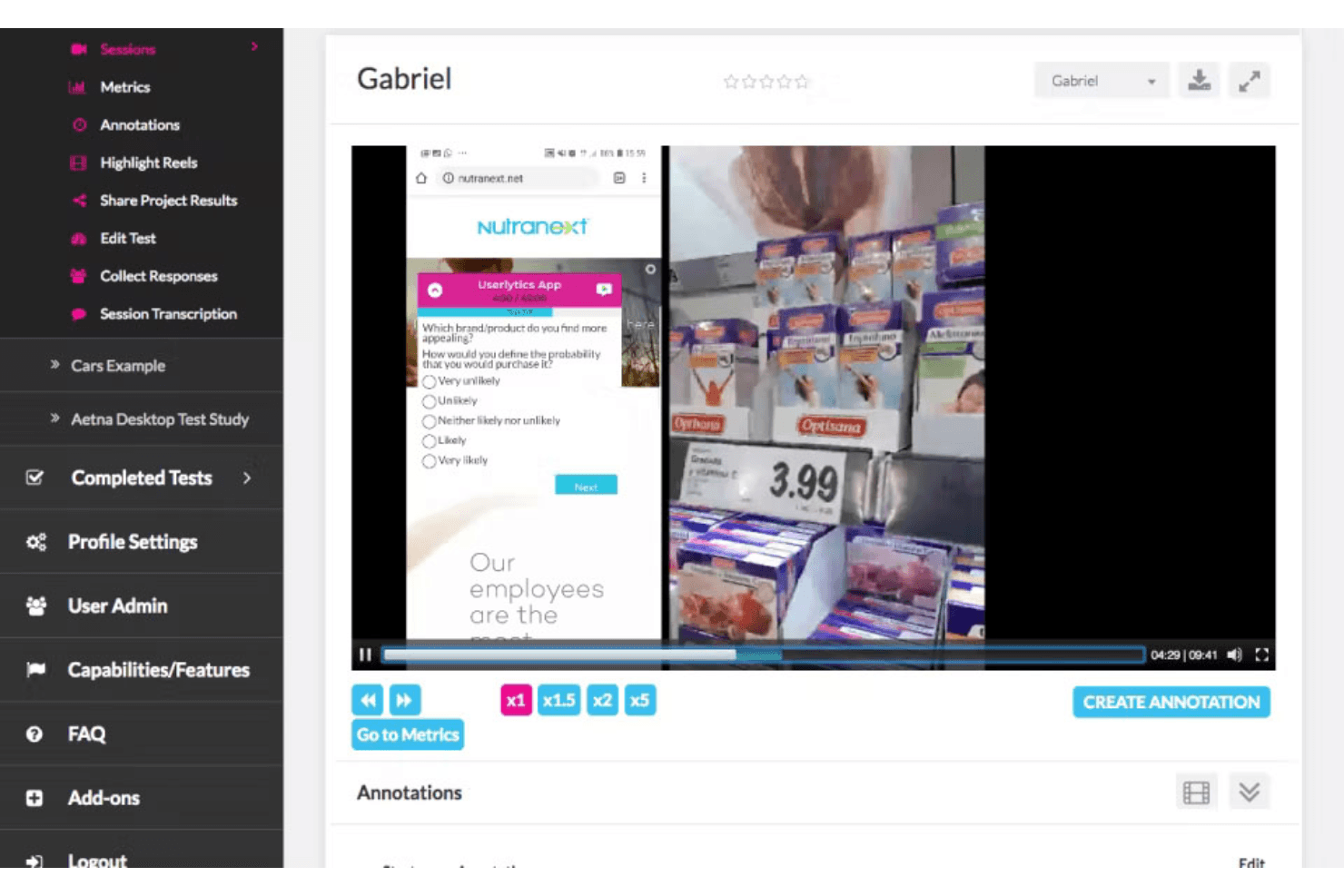
PlaybookUX captures video feedback and surveys to guide product improvements. PlaybookUX is a UX research platform that combines moderated and unmoderated usability testing, built-in participant recruitment, video-based session recording, and AI-assisted analysis and reporting.
Who Is PlaybookUX Best For?
PlaybookUX is a strong fit for UX researchers and product managers who need a single platform to recruit participants, run video-based studies, and share findings without juggling multiple tools.
Why I Picked PlaybookUX
PlaybookUX earns its spot on my shortlist because its patented recorder captures face, voice, and screen simultaneously across desktop and mobile, so you get the full picture of how participants react, not just what they click. I love that moderated interviews have video calls, timestamped notes, and invisible observers all built in, removing the need for separate recording software. AI task summaries then pull themes, sentiment, and friction points from those sessions automatically, cutting the time between raw video and shareable findings.
PlaybookUX Key Features
- Built-in participant panel: Access a pool of 7M+ vetted participants across 50+ countries, with demographic filters, screener logic, quota controls, and real-time disqualification tracking.
- Multi-method research support: Run card sorting, tree testing, five-second tests, preference tests, surveys, and session replays alongside usability tests from a single platform.
- AI-generated screeners and bias checks: Automatically draft screener questions and flag issues like leading language, vague answer options, or missing "none of the above" choices before a study goes live.
- Custom reports with password-protected sharing: Combine clips, highlight reels, tags, and notes into shareable reports you can distribute to stakeholders without requiring a login.
PlaybookUX Integrations
PlaybookUX has a native Figma integration for prototype imports, click tracking, task metrics, and heatmaps. Its public API and MCP layer support custom connections to AI tools, data warehouses, CRMs, and internal tools.
Pros and Cons
Pros:
- Responsive support helps resolve study issues
- Video captures reveal reactions beyond clicks
- Fast participant recruitment for consumer studies
Cons:
- Some participant recordings reportedly fail to upload
- Advanced synthesis across studies remains limited
Learn more about PlaybookUX: Best for cross-device usability testing at scale
- Free demo available
- From $699/month (billed annually)
Visit WebsiteCustomer Rating:4.5/5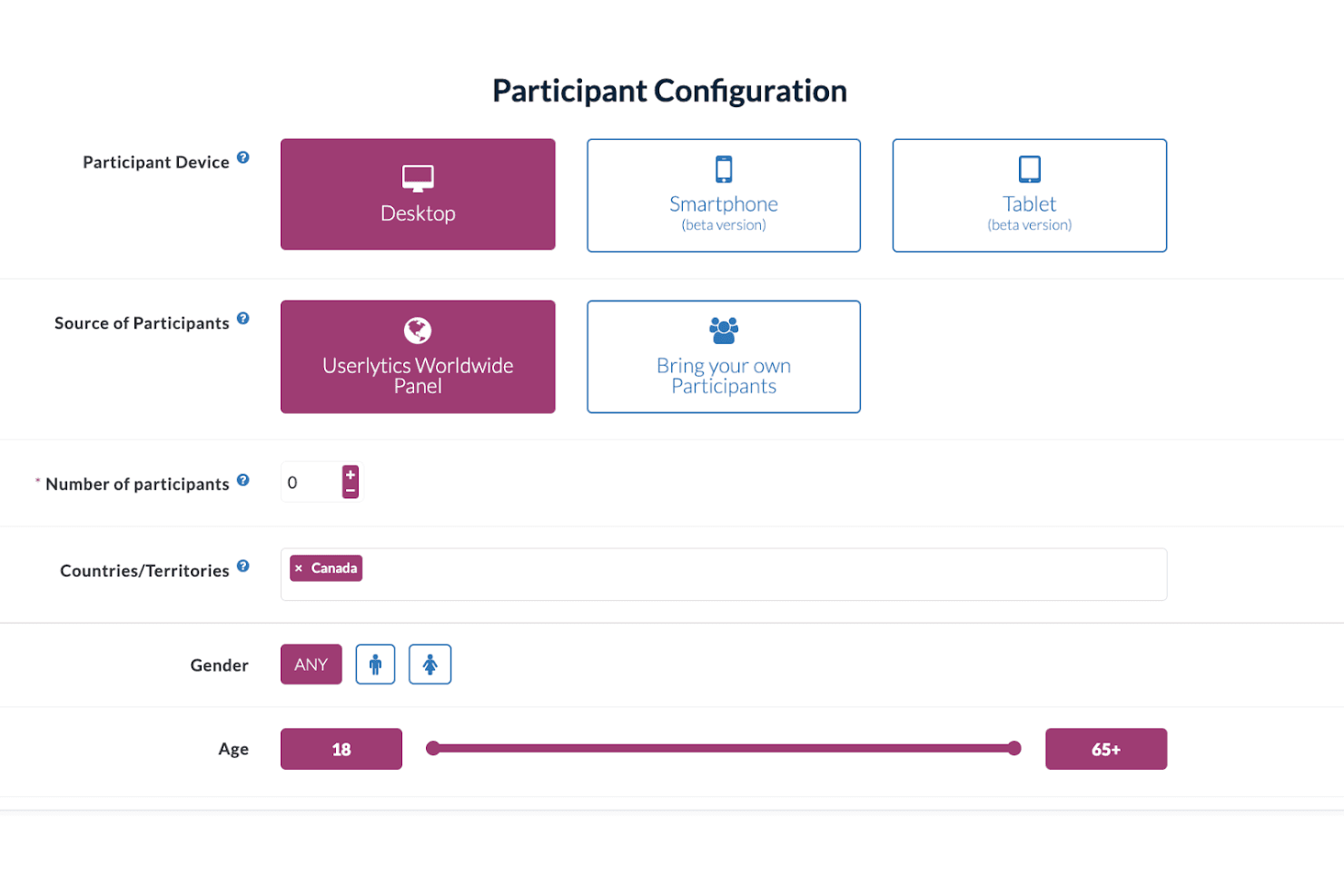
Userlytics enables multi-device user testing to improve user experience. Userlytics is a UX research platform that supports moderated and unmoderated usability testing, quantitative studies, card sorting, tree testing, and participant recruitment across desktop, iOS, and Android devices.
Who Is Userlytics Best For?
Userlytics is a strong fit for UX research teams running studies across desktop, iOS, and Android who need a large built-in panel and support for multiple research methods in one place.
Why I Picked Userlytics
Userlytics earns its spot on my shortlist because of how thoroughly it covers cross-device usability testing, from responsive mobile sites to unreleased iOS and Android builds tested via TestFlight and Google Play, all without requiring an SDK. I love that mobile moderated sessions let the participant use their phone while I observe from desktop, with up to 10 invisible observers joining live. The 2M+ global panel with niche targeting (think neurosurgeons or C-suite executives) means I can run studies at real scale across any device type.
Userlytics Key Features
- AI Study Designer: Drafts a complete unmoderated or quantitative study, including the screener, from a plain-language description you type in.
- ULX® Benchmarking Score: Combines eight dimensions—trust, appeal, usability, adequacy, performance, appearance, affinity, and distinction—into a single proprietary benchmark score.
- Card sorting and tree testing: Built-in card sort and tree test task types with dedicated analysis views, including a result matrix, dendrogram, similarity matrix, and AI category recommendations.
- Quant Reporting: Turns a finished study's metrics into a presentation-ready DOC report with charts and AI summaries in one click.
Userlytics Integrations
Userlytics offers documented integrations with Figma and Adobe XD, plus link-based support for Proto.io, InVision, Marvel, Axure, JustInMind, UXPin, Framer, and Sketch. It also supports TestFlight and Google Play for mobile builds, but no public API or native Jira, Slack, or Notion integrations are documented.
Pros and Cons
Pros:
- Supports moderated, unmoderated, and quantitative studies
- Recruits niche audiences across 150+ countries
- Tests iOS, Android, and desktop experiences
Cons:
- Reviewers report slow processes and confusing screens
- Study-level analysis limits cross-study synthesis
Learn more about Userlytics: Best for customer feedback at scale
- Free demo available
- Pricing upon request
Visit WebsiteCustomer Rating:4.5/5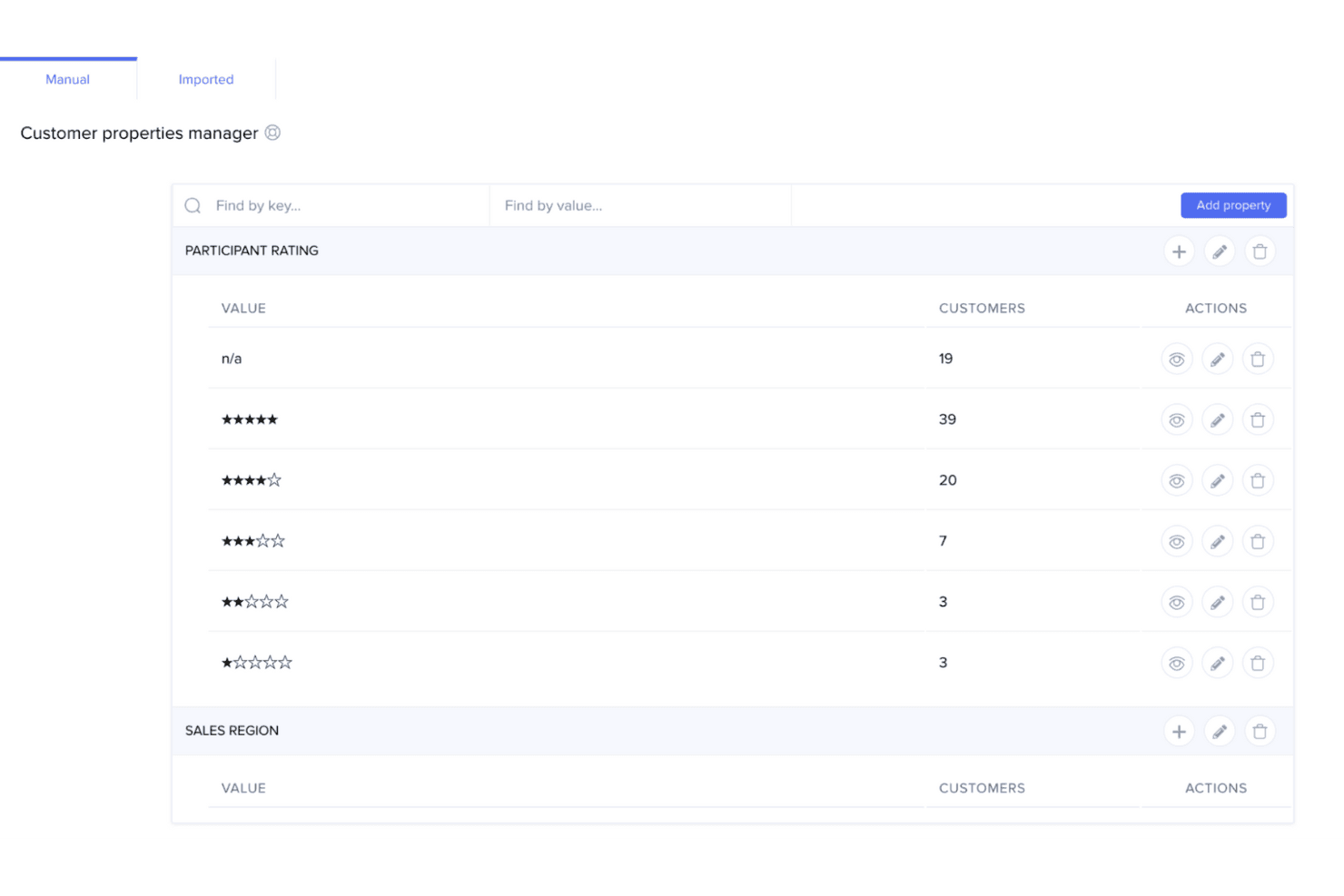
UserTesting helps teams quickly capture customer feedback to guide product decisions. UserTesting is a UX research platform that combines moderated and unmoderated usability testing, a global participant panel, AI-assisted analysis, and insight-sharing tools in one place.
Who Is UserTesting Best For?
UserTesting is a strong fit for enterprise teams that need to run customer feedback research at high volume across a large, diverse participant base.
Why I Picked UserTesting
I picked UserTesting as one of the best because its panel size and screening depth are genuinely hard to replicate at scale. With 7 million participants across 60+ countries and filters covering 73,000 occupations and 140 industries, you can run broad generative studies and niche B2B tests from the same platform. AI Insight Summaries automatically surface themes across sessions and link every finding back to the source video, which means I can move from raw recordings to a stakeholder-ready highlight reel without a lengthy manual synthesis pass.
UserTesting Key Features
- Live Conversation moderated testing: Record, transcribe, and auto-highlight key moments from moderated interview sessions with real participants.
- Figma plugin: Generate a usability test directly from a Figma prototype and view success metrics, AI themes, and clips without leaving your design file.
- QXscore benchmarking: Measure and track experience quality with a standardized score that lets you compare results across studies over time.
- Insights Hub: A centralized workspace that organizes UserTesting studies and third-party research data with tagging and AI-powered theme discovery.
UserTesting Integrations
UserTesting offers integrations with Figma, Jira, Slack, Microsoft Teams, Miro, User Interviews, Google Calendar, Qualtrics, and Contentsquare. Its Results API and open API ecosystem support custom integrations.
Pros and Cons
Pros:
- AI summaries link findings to source videos
- Moderated and unmoderated testing cover diverse studies
- Large participant panel supports niche B2B recruitment
Cons:
- Advanced analysis requires higher-tier editions
- Specialized recruiting can produce inconsistent panel quality
Learn more about UserTesting: Best for information architecture testing
- Free plan available
- From $208/user/month
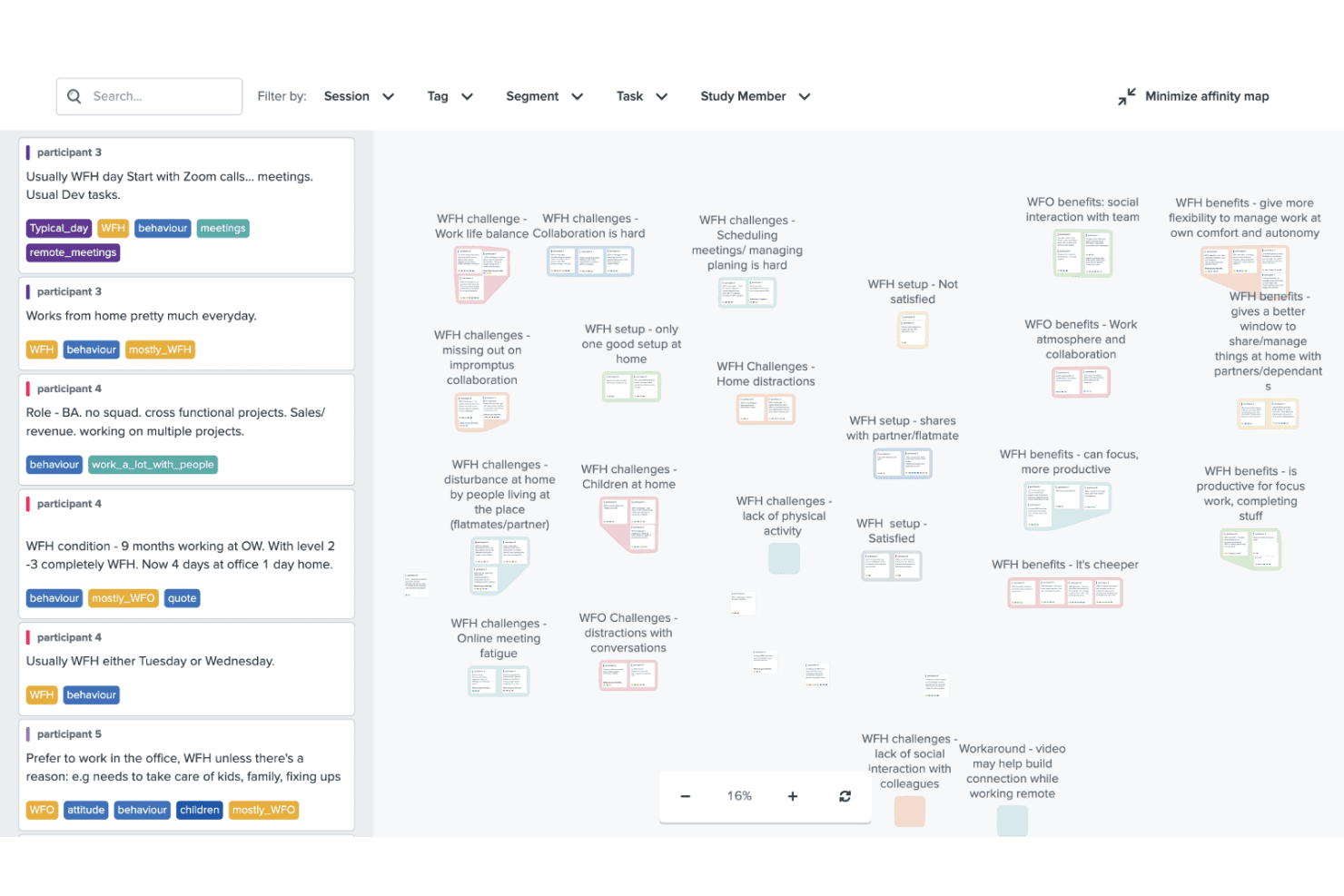
Optimal Workshop helps improve design with usability, card, and tree testing. Optimal Workshop is a UX research platform that combines information architecture testing, usability testing, prototype and live site testing, card sorting, tree testing, surveys, and AI-analyzed interviews in one tool.
Who Is Optimal Workshop Best For?
Optimal Workshop is a strong fit for UX researchers and product teams who need a dedicated information architecture testing tool alongside a broad range of complementary research methods.
Why I Picked Optimal Workshop
Optimal Workshop earns its spot as one of the best on my shortlist because its card sorting and tree testing tools are genuinely best-in-class. I've used tree testing to validate navigation structures before launch, and Optimal's dendrograms and task-success metrics make it easy to pinpoint exactly where users lose their way. Its AI-assisted thematic analysis and automated transcription across 13 languages round out a research suite that covers everything from early IA decisions to post-launch usability testing.
Optimal Workshop Key Features
- AI-assisted interview analysis: Optimal automatically transcribes sessions in 13 languages and generates thematic and sentiment analysis with timestamped evidence.
- Live site testing: Paste any URL—including staging or competitor sites—to capture session recordings that show where users hesitate or drop off.
- Built-in participant recruitment panel: Access a verified panel of 10M+ participants across 150+ countries, with screening, scheduling, and fraud prevention built in.
- Research repository with MCP search: Store and search insights across studies, with an MCP connector that lets AI tools like Claude and ChatGPT query your research library directly.
Optimal Workshop Integrations
Optimal Workshop integrates with Figma, Zoom, Google Meet, Microsoft Teams, Slack, Miro, Notion, Confluence, Jira, and Linear. It offers an Enterprise API, an MCP server for AI tools, and Zapier through MCP.
Pros and Cons
Pros:
- Unlimited seats support cross-functional research
- AI analysis includes timestamped evidence
- Best-in-class card sorting and tree testing
Cons:
- Five launched studies limit frequent testing
- Moderated usability testing lacks a dedicated environment
Learn more about Optimal Workshop: 8Best for Figma-to-panel testing in one place
Maze
- Free plan + free demo available
- Pricing upon request
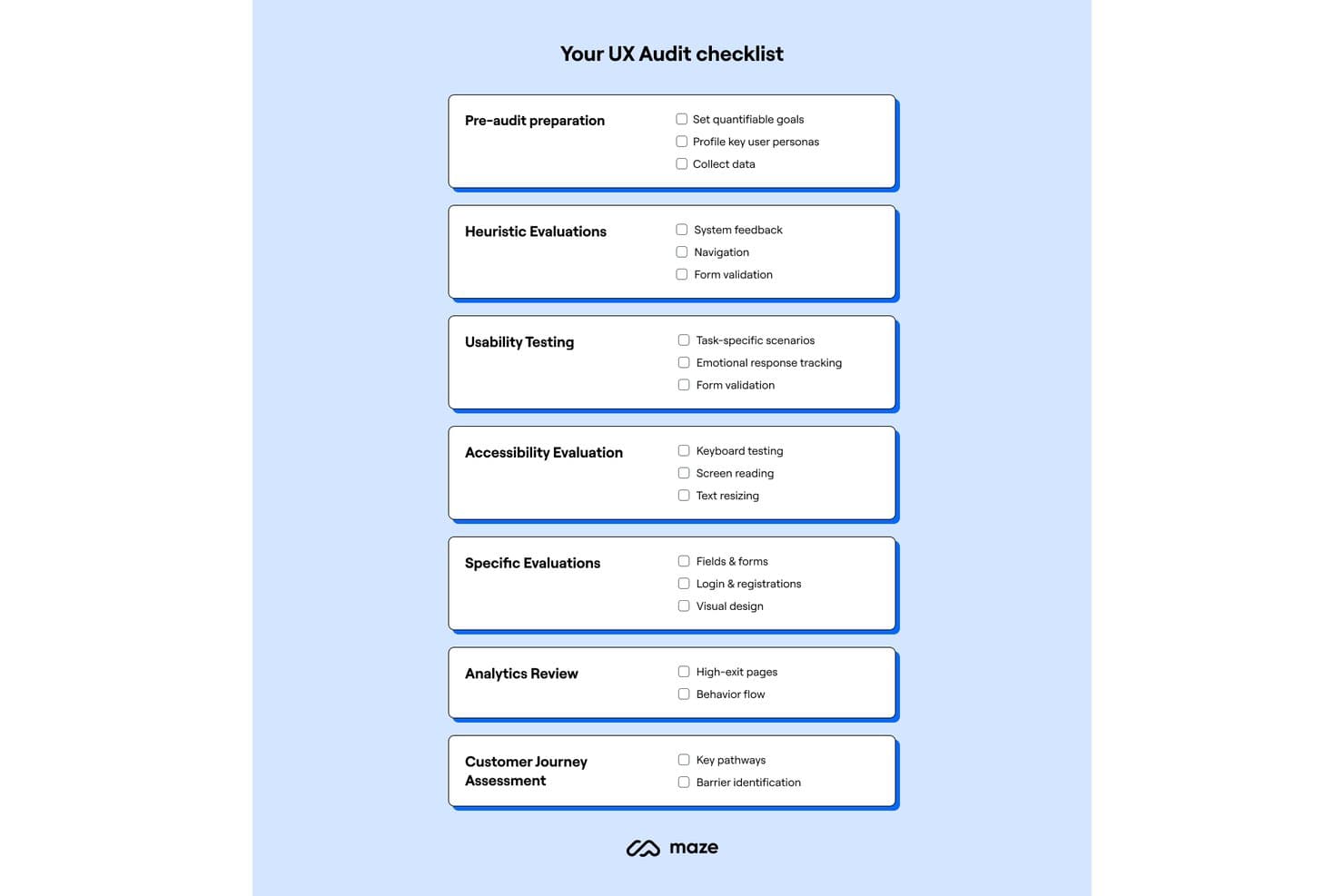
Maze provides a structured UX audit checklist across seven key areas. Maze is a UX research platform that combines unmoderated and moderated usability testing, participant recruitment, card sorting, tree testing, surveys, and AI-assisted analysis in one place.
Who Is Maze Best For?
Maze is a strong fit for product designers and PMs who want to test Figma prototypes with real users without handing off to a dedicated research team.
Why I Picked Maze
Maze earns its spot on my shortlist because it collapses the Figma-to-panel pipeline into a single workflow. I love that one-click Figma import means a designer can pull in a live prototype, including Interactive Components and animations, and have it in front of screened panel participants within hours. The built-in Maze Panel handles recruiting, incentives, and screener questions without leaving the platform, so there's no stitching together separate tools to go from prototype to validated findings.
Maze Key Features
- AI Study Builder: Turns a research question into a ready-to-launch study, with built-in bias detection that flags leading questions before you go live.
- Mobile app testing: Participants join via QR code on iOS or Android to complete tasks across real apps, mobile websites, and competitor sites, with full-screen, audio, and face recording.
- Card sorting and tree testing: Supports both open and closed card sorts alongside tree testing, giving you dedicated methods for validating information architecture decisions.
- Automatic study reports: Every study with at least one tester generates a report with heatmaps, path analysis, task metrics, and open-question highlights that you can edit and share via live link, PDF, or embed.
Maze Integrations
Maze offers native integrations with Figma, FigJam, Axure, Figma Make, Slack, Jira, Confluence, Notion, Miro, and Amplitude. It also connects with Zoom, Google Meet, Microsoft Teams, and AI tools through MCP.
Pros and Cons
Pros:
- Automatic reports include actionable task metrics
- Strong mobile app testing coverage
- Rapid prototype validation with real participants
Cons:
- Reporting flexibility can feel limited
- Moderated research requires Enterprise access
Learn more about Maze:
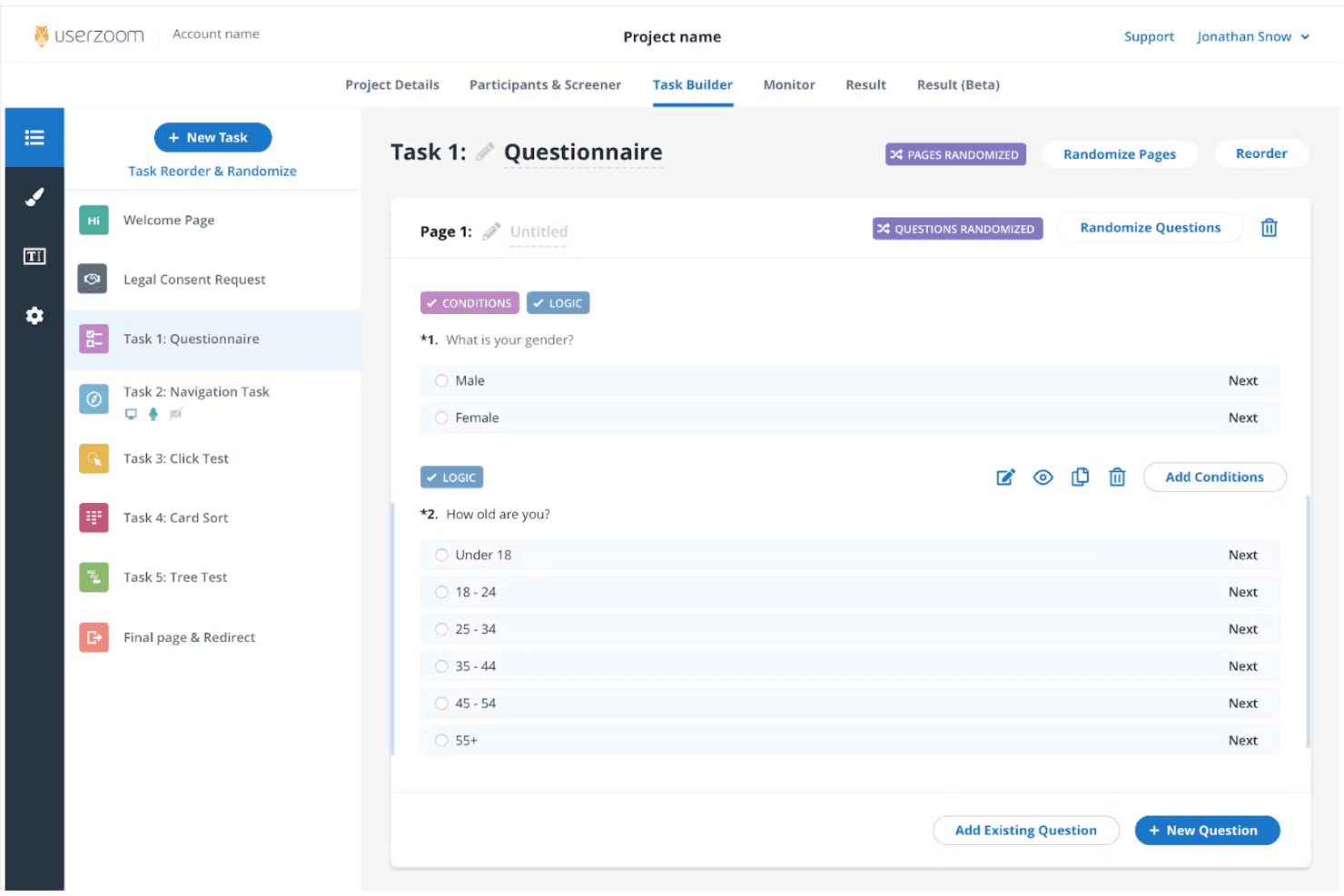
UserZoom supports enterprise UX research with in-depth testing and analytics. UserZoom is a mixed-method UX research platform that covers moderated and unmoderated usability testing, participant recruitment, information architecture testing, surveys, and research repository management through its integrated EnjoyHQ tool.
Who Is UserZoom Best For?
UserZoom fits dedicated UX research teams at large organizations that need to run moderated and unmoderated studies, manage a research repository, and recruit participants at scale.
Why I Picked UserZoom
UserZoom earns its spot on my shortlist because no other platform matches its depth for running enterprise-scale UX research across moderated and unmoderated studies in a single environment. I particularly like how its virtual observation rooms let entire research teams watch moderated sessions live without participants knowing, which changes how stakeholders engage with research. Pair that with a panel of 7M+ authenticated participants filtered across 200+ demographic criteria, and you can recruit precisely the right audience for studies that actually need statistical weight behind them.
UserZoom Key Features
- Virtual observation room: Teammates can watch moderated sessions live without participants knowing, letting stakeholders engage with research in real time.
- Information architecture testing: You can run card sorting and tree testing studies to evaluate how users navigate and understand your product's structure.
- EnjoyHQ research repository: A built-in repository lets you store, tag, and search past research findings to connect new insights to existing evidence.
- AI-generated summaries: The platform automatically generates summaries of sessions and imported videos, reducing manual synthesis time after studies conclude.
UserZoom Integrations
Documented integrations include Figma, FigJam, Jira, Jira Product Discovery, FullStory, Contentsquare, Quantum Metric, Slack, Trello, and EnjoyHQ. The UserTesting platform also offers a Results API, though availability for the legacy UserZoom manager isn't confirmed.
Pros and Cons
Pros:
- Moderated sessions support live observation
- Enterprise-scale participant recruitment and screening
- Mixed-method studies include IA testing
Cons:
- Complex setup slows one-off studies
- Reported audio and screen reliability issues
Learn more about UserZoom: 10Best for quick sentiment and survey analysis
Lyssna
- Free plan + free demo available
- From $83/month (billed annually)
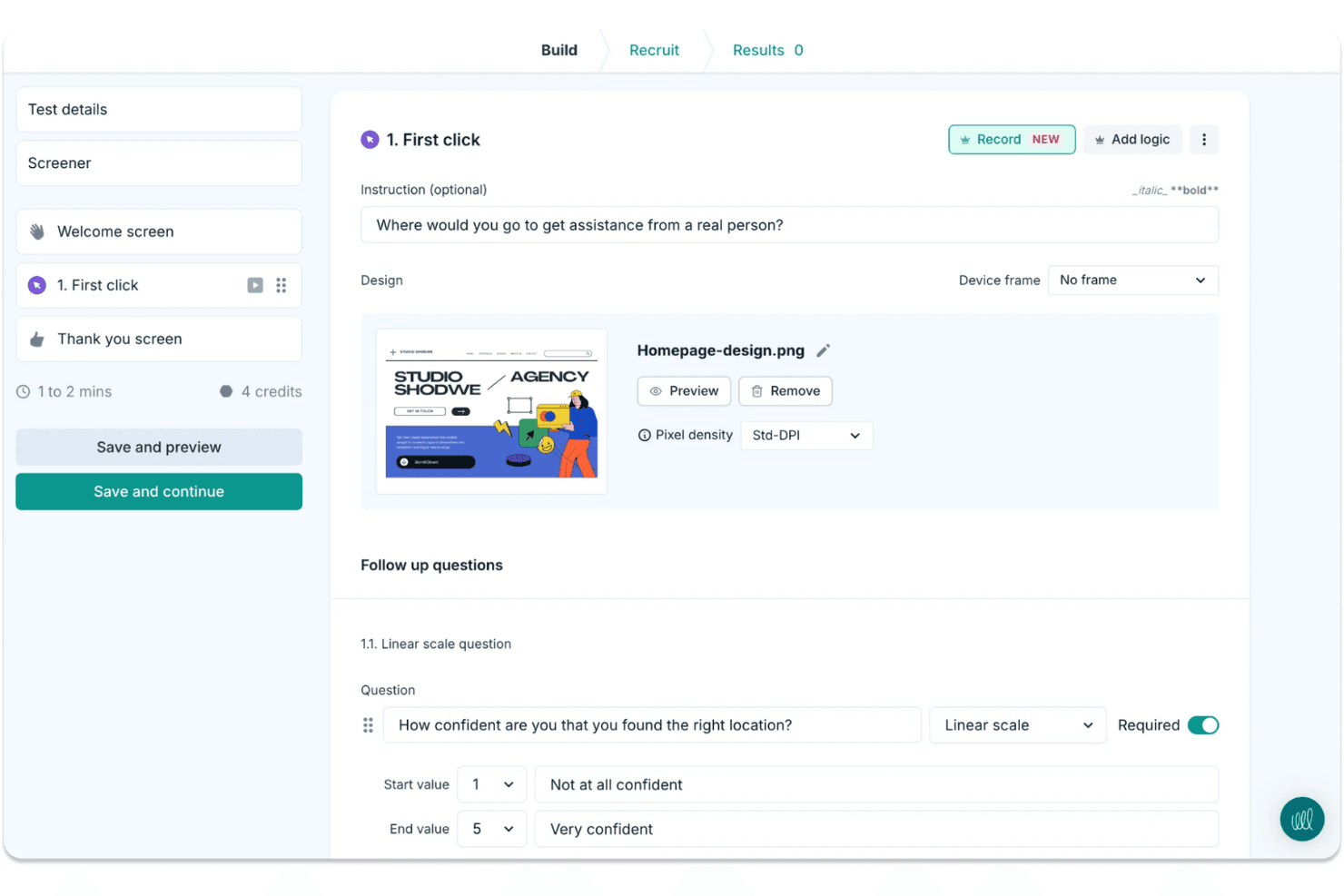
Lyssna makes it easy to run quick design tests and gather user feedback. Lyssna is a UX research platform that supports unmoderated and moderated usability testing, surveys, card sorting, tree testing, Figma prototype testing, and participant recruitment through a built-in panel of 690,000+ vetted participants.
Who Is Lyssna Best For?
Lyssna works well for product teams and UX researchers who need to run studies fast and get answers the same day.
Why I Picked Lyssna
I picked Lyssna as one of the best because of how fast it turns raw responses into usable sentiment data. Its AI Synthesize feature automatically generates summaries across every question type, including NPS, Likert, and open-text answers, so I can see where sentiment clusters without manually reading hundreds of responses. Paired with word clouds and tagging, I can spot recurring themes across a study in minutes rather than hours.
Lyssna Key Features
- Built-in participant panel: Access 690,000+ vetted B2C and B2B participants across 124 countries, with 395+ targeting filters and custom screeners to reach the right audience.
- Figma prototype testing: Connect directly to Figma and run task-based tests that track completion rate, time on task, and misclicks without exporting assets.
- Multi-method study support: Run card sorting, tree testing, five-second tests, first-click tests, preference tests, and think-aloud studies from a single platform.
- MCP server: Connect AI assistants like Claude or ChatGPT to your study data and query findings across multiple studies using plain language.
Lyssna Integrations
Lyssna offers native integrations with Figma, Zoom, Google Meet, Microsoft Teams, Google Calendar, and Microsoft Outlook. Paid plans also connect to Claude, ChatGPT, Copilot, Gemini, and Cursor through its MCP server.
Pros and Cons
Pros:
- Broad methods cover prototypes, surveys, and interviews
- AI summaries reveal sentiment across survey responses
- Rapid panel responses support same-day research
Cons:
- Reporting lacks an insight repository and highlight reels
- Study costs become hard to predict
Learn more about Lyssna:
Other UX Research Tools
Here are some additional UX research tools options that didn’t make it onto my shortlist, but are still worth checking out:
- 11Trymata (formerly TryMyUI)Best for multi-method usability test analysis
- 12DscoutBest for diary and longitudinal field studies
- 13SprigBest for in-product survey research at scale
- 14UXArmyBest for multi-method research in Asia-Pacific
- 15LookbackBest for live moderated interview research
- 16CondensBest for qualitative research repositories
- 17UseberryBest for Figma prototype testing workflows
- 18MarvinBest for AI-driven research synthesis and sharing
How I Evaluate UX Research Tools
I split my evaluation into three parts, giving the most weight to core functions: run recorded usability tests and recruit and screen participants. Next, I look for differentiators such as AI highlight reels. Finally, I consider what’s beyond features, including onboarding, support, and pricing value.
Core Functionality (Table Stakes For This List)
When I'm selecting tools for my list, I score each one on a scale from 0 (does not offer the functionality) to 5 (excels in this area) for each core functionality listed below. I then convert the total into a percentage to help assess each tool's overall fit, with extra weight on any functionalities I’ve deemed essential.
- Usability Testing (Essential): I look for moderated and unmoderated sessions with task flows, recordings, and device coverage, such as testing checkout on mobile and desktop.
- Participant Recruitment (Essential): I assess panel reach, screening, and participant management, such as recruiting people who match a specific workflow or experience.
- Research Data Analysis: Can researchers tag clips, notes, or transcripts across sessions to spot recurring confusion, such as users missing the same navigation label?
- Insight Synthesis: I check whether teams can turn evidence into shareable highlights or reports that connect a finding to the session behind it.
- Research Methods: Look for several approaches, such as usability tests, surveys, interviews, card sorting, or tree testing, to match the method to the question.
- Team Collaboration: I evaluate shared project access, comments, and permissions so design, product, and engineering can review findings together.
Once I have a list of tools that meet the criteria, I consider what sets each platform apart.
Differentiating Factors (What Sets Vendors Apart)
Here's how I compare and contrast different vendors:
Standout Features
I look for cross-study pattern detection because spotting a recurring theme across six months of studies beats re-watching old sessions. AI-generated highlight reels also matter—tools like Maze and UserTesting let you share a two-minute clip instead of a full recording, which keeps stakeholders engaged. I evaluate whether dashboards present findings in formats product managers and executives can act on without researcher hand-holding.
Beyond Features
I check whether a tool connects to Jira, Slack, or Notion so findings reach the backlog instead of sitting in a separate platform. Turnaround speed matters too—teams on sprint cycles need same-day panel access and automated analysis to close the gap between a research question and a decision. I also evaluate onboarding quality, because product managers running studies without a dedicated researcher need templates and in-app guidance that lower the learning curve fast.
How to Choose UX Research Tools
It’s easy to get bogged down in long feature lists and complex pricing structures. To help you stay focused as you work through your unique software selection process, here’s a checklist of factors to keep in mind:
| Factor | What to Consider |
| Scalability | Ensure the tool can grow with your team. Look for options that support increasing users and data without compromising performance. |
| Integrations | Check if the tool integrates with your existing software, like Slack, Trello, or Google Analytics, to streamline workflows and data sharing. |
| Customizability | Look for tools that allow you to tailor features and dashboards to fit your team's specific needs and preferences. |
| Ease of Use | Choose a tool with an intuitive interface and minimal learning curve to ensure your team can adopt it quickly and effectively. |
| Budget | Evaluate the pricing structure to ensure it fits within your budget. Consider long-term costs and look for flexible subscription plans. |
| Security Safeguards | Verify the tool offers robust security features to protect sensitive user data, including compliance with GDPR or other relevant regulations. |
| Support | Consider the level of customer support available, such as live chat, email, and community forums, to assist your team when needed. |
| Feature Set | Ensure the tool covers essential functions like usability testing, surveys, and user feedback collection to meet your team's research needs. |
Trends in UX Research Tools
In my research, I sourced countless product updates, press releases, and release logs from different UX research tools vendors. Here are some of the emerging trends I’m keeping an eye on:
- AI-Powered Insights: More tools are using AI to analyze user data and provide actionable insights. This helps teams understand user behavior faster. For example, some vendors offer AI-driven sentiment analysis to gauge user emotions.
- Remote Collaboration: As remote work becomes more common, tools are enhancing features for team collaboration. This includes real-time notes and live feedback during testing sessions, allowing teams to work together from anywhere.
- Enhanced Accessibility Testing: There's a growing focus on features that help ensure products are accessible to all users. Tools now offer specialized tests to identify accessibility issues, helping teams create more inclusive designs.
- Voice and Gesture Recognition: With the rise of voice-activated devices and gesture-based interfaces, tools are starting to support testing for these interactions. This allows teams to ensure their products work well with the latest technology.
- Integrated User Feedback Loops: Tools are integrating ongoing feedback mechanisms directly into products. This means teams can continuously gather user feedback without interrupting the user experience, enabling more Agile design improvements.
What Are UX Research Tools?
UX research tools are software solutions that help teams understand user behavior and improve product design. These tools are typically used by UX designers, product managers, and researchers to gather insights that drive better user experiences. Features like usability testing, surveys, and sentiment analysis help with understanding user needs and preferences. Overall, these tools provide valuable data that guides product development and enhances user satisfaction.
Features of UX Research Tools
When evaluating UX research tools, it's important to focus on the features that support practical user testing and actionable insights:
- Usability testing tools: Identify friction points by observing real-time interactions with your interface.
- Surveys and preference tests: Gather user opinions and measure preferences to inform product decisions.
- Heatmaps and first-click testing: Visualize user behavior and understand which elements attract attention first.
- Sentiment analysis: Uncover emotional responses to specific messaging or design elements.
- A/B testing: Compare two or more design options to see which performs best with your audience.
- Session recordings and transcripts: Review user sessions in detail and refer back to auto-transcribed feedback.
- Accessibility testing: Evaluate whether your product is inclusive and functional across user abilities.
- Real-time collaboration for team members: Enable product, design, and research teams to view findings and comment as tests unfold.
- Research participant recruitment: Quickly locate and manage qualified users for each test or focus group.
- Feedback loops and follow-up testing: Integrate continuous user input into your research process and test improvements over time.
Benefits of UX Research Tools
Adopting UX research methods helps your team move from guesswork to insight-led decisions. Here are some of the top benefits:
- Better customer experience: Identifying design issues early helps improve the overall flow and functionality of your product.
- More informed decisions: First-hand data from surveys, sentiment analysis, and usability sessions supports confident iteration.
- Greater accessibility: Testing with a focus on inclusion ensures more users can interact with your product, regardless of ability.
- Stronger collaboration among stakeholders: Real-time features and centralized data allow all team members to stay aligned from wireframe feedback to metrics on mobile app experience design metrics.
- Faster iteration cycles: With access to session data, preference tests, and user feedback, your team can test and revise quickly.
- Efficient recruitment and management of research participants: Spend less time finding users and more time learning from them.
- Cost savings through early benchmarking: Catching and resolving issues before launch reduces the risk of expensive redesigns later.
Costs and Pricing of UX Research Tools
Selecting UX research tools requires an understanding of the various pricing models and plans available. Costs vary based on features, team size, add-ons, and more. The table below summarizes common plans, their average prices, and typical features included in UX research tools solutions:
Plan Comparison Table for UX Research Tools
| Plan Type | Average Price | Common Features |
| Free Plan | $0 | Basic usability testing, limited surveys, and basic analytics. |
| Personal Plan | $5-$30/user/ month | Usability testing, surveys, heatmaps, and basic sentiment analysis. |
| Business Plan | $30-$100/ user/month | Advanced analytics, A/B testing, participant recruitment, and collaboration tools. |
| Enterprise Plan | $100+/user/ month | Customizable features, dedicated support, enhanced security, and full integration options. |
UX Research Tools FAQs
Here are some answers to common questions about UX research tools
What are the best UX research tools?
The best UX research tools depend on your team’s specific needs and budget. Popular choices include Hotjar for heatmapping, UserTesting for video feedback, and Optimal Workshop for usability testing. Consider features, integrations, and pricing when selecting a tool that fits your requirements.
What are good UX research questions?
Good UX research questions focus on user goals, motivations, and pain points. Ask questions like “What tasks do you find difficult?” or “What features do you value most?” These questions help uncover insights that improve user experience and inform design decisions.
What kind of research methods do you use in UX?
In UX, research methods include user interviews, usability testing, surveys, and field studies. Each method provides different insights, helping your team understand user behavior and preferences. Choose methods based on your research goals and the stage of product development.
What is the best survey tool for UX research?
The best survey tool for UX research depends on your needs. Maze, Typeform, and SurveyMonkey are popular for their ease of use and integration options. Look for tools that offer customization, analytics, and user-friendly interfaces to gather valuable feedback.
How do you choose the right participants for UX research?
Choosing the right participants involves defining your target audience and creating participant profiles. Consider demographics, user behavior, and familiarity with similar products. Recruitment tools can help find and manage participants that match your criteria.
How often should UX research be conducted?
UX research should be conducted regularly to keep up with changing user needs and market trends. It can be integrated into the design process at different stages, from initial concept testing to post-launch evaluations, ensuring your product remains user-focused and competitive.