

With so many different free product management software available, figuring out which is right for you is tough. You need all of the essential features for roadmap planning, task management, documentation, team collaboration, and integration with other tools, but you still have to stick to a limited budget. I've got you! In this post I'll help make your choice easy, sharing my personal experiences using multiple free tools with larger teams and dozens of product launches on a tight budget, with my picks of the best free product management software.
What is free product management software?
Free product management software is a type of tool that helps teams to plan, organize, and optimize the product development process.
Free product management software will offer limitations in its features unless you are dealing with open-source software. Expect limitations in the level of customer support, the number of products you can build roadmaps for, users who can access the software, and available integrations. Most of the tools on this list offer the ability to join for free, and then upgrade to a paid plan as your needs change or your team grows.
Why Trust Our Software Recommendations
6,700+
Reviews
20
Industry experts
16+
Evaluation factors
14
Years
Our team has been testing and reviewing software since 2012. As product managers ourselves, we know how difficult—and important—it is to choose the right software.
For this guide, we evaluated tools using hands-on testing and independent research, scoring tools using our selection criteria.
Our reviews reflect our human editorial judgment, not a sales pitch.
Expert reviewers:
- Andrew LumbySenior TPM
- Cristiano ValimSenior UI/UX Lead


Product Management Software Comparison Table
Here is a table where you can compare all the tools we just covered in the overviews.
| Tool | Best For | Trial Info | Price | ||
|---|---|---|---|---|---|
| 1 | Best for customizable work management | 14-day free trial | Pricing upon request | Website | |
| 2 | Best for seamless collaboration and visualization | Free plan + 14-day free trial available | From $8/user/month (billed annually) | Website | |
| 3 | Best for all-in-one docs, wikis, and roadmaps | Free plan + Free trial + Free demo available | From $10/user/month | Website | |
| 4 | Best for software development teams | Free plan + 7-day free trial available | From $8.48/user/month | Website | |
| 5 | Best free open source product management software | Free plan available | From $38.90/user/month | Website | |
| 6 | Best for sprint planning with built-in cycle rollover | Free plan available | From $10/user/month (billed annually) | Website | |
| 7 | Best for self-hosted agile sprint planning | Free plan available | From $4.50/user/month (billed annually) | Website | |
| 8 | Best for formula-based backlog prioritization | Free plan available; 14-day free trial; free demo available | From $12/user/month (billed annually) | Website | |
| 9 | Best for discovery-to-delivery in Jira teams | Free plan available | From $10/user/month | Website | |
| 10 | Best product management software for integrations | Free plan available | From $12/user/month (billed annually) | Website |


Overviews of the Best Free Product Management Software
Here’s a brief description of the best software and free version of paid tools that can help you get started.
 Best for customizable work management
- 14-day free trial
- Pricing upon request
Visit WebsiteCustomer Rating:4.3/5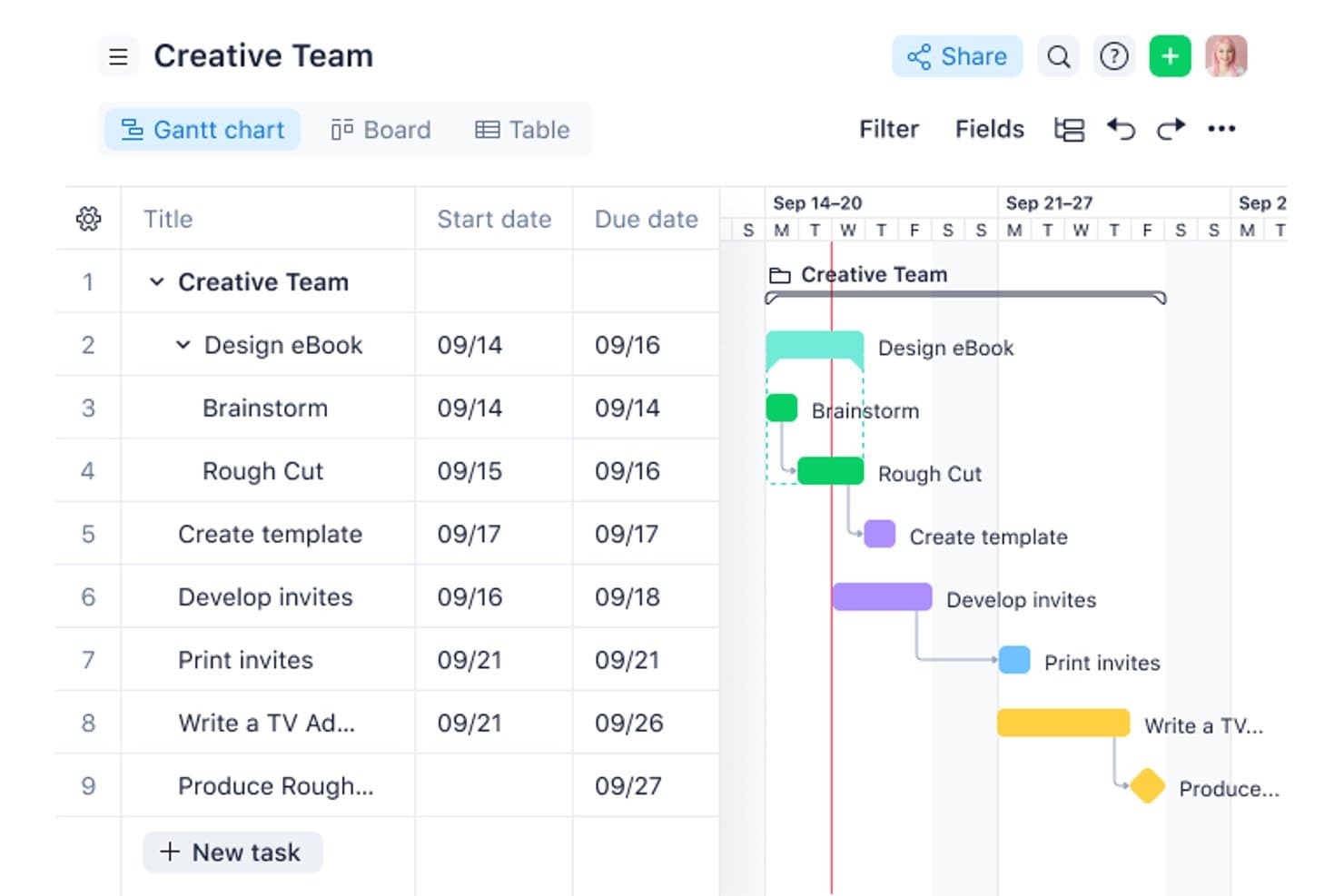
Wrike helps teams plan projects with Gantt charts that visualize task schedules, dependencies, milestones, and deadlines. Wrike is a free project management platform with Board, Table, and Chart views for organizing tasks and subtasks, plus comments, mentions, file sharing, and one shared space capped at 200 active tasks.
Who Is Wrike Best For?
Small cross-functional teams that need customizable task tracking and basic collaboration without upfront costs.
Why I Picked Wrike
I picked Wrike for customizable work management when product teams need flexible task organization without a complex setup. I use its Board, Table, and Chart views to track discovery tasks, design dependencies, and delivery progress. Subtasks, custom statuses, comments, mentions, and file version history keep cross-functional work connected, although it lacks roadmaps and sprint planning.
Wrike Key Features
- Bulk task updates: Change statuses or move multiple tasks at once.
- Task filters: Filter work by status, assignee, or date.
- Real-time activity stream: Review updates and changes across your workspace.
- Email integration: Connect email workflows with your Wrike tasks.
Wrike Integrations
Wrike advertises 400+ integrations, including Jira, GitHub, GitLab, Slack, Microsoft Teams, Google Workspace, and Zoom. The free plan is limited to email and cloud storage integrations, while two-way Jira and GitHub sync requires paid options.
What's Free?
Wrike offers a free-forever plan with Board, Table, and Chart views, plus task collaboration features. It supports one shared space capped at 200 active tasks, while integrations are limited to email and cloud storage.
Pros and Cons
Pros:
- Bulk updates reduce repetitive task maintenance
- Comments and mentions connect cross-functional work
- Board, table, and chart views included
Cons:
- 200 active tasks constrain growing backlogs
- No roadmap or timeline visualization
 2Best for seamless collaboration and visualization
Miro
- Free plan + 14-day free trial available
- From $8/user/month (billed annually)
Visit WebsiteCustomer Rating:4.8/5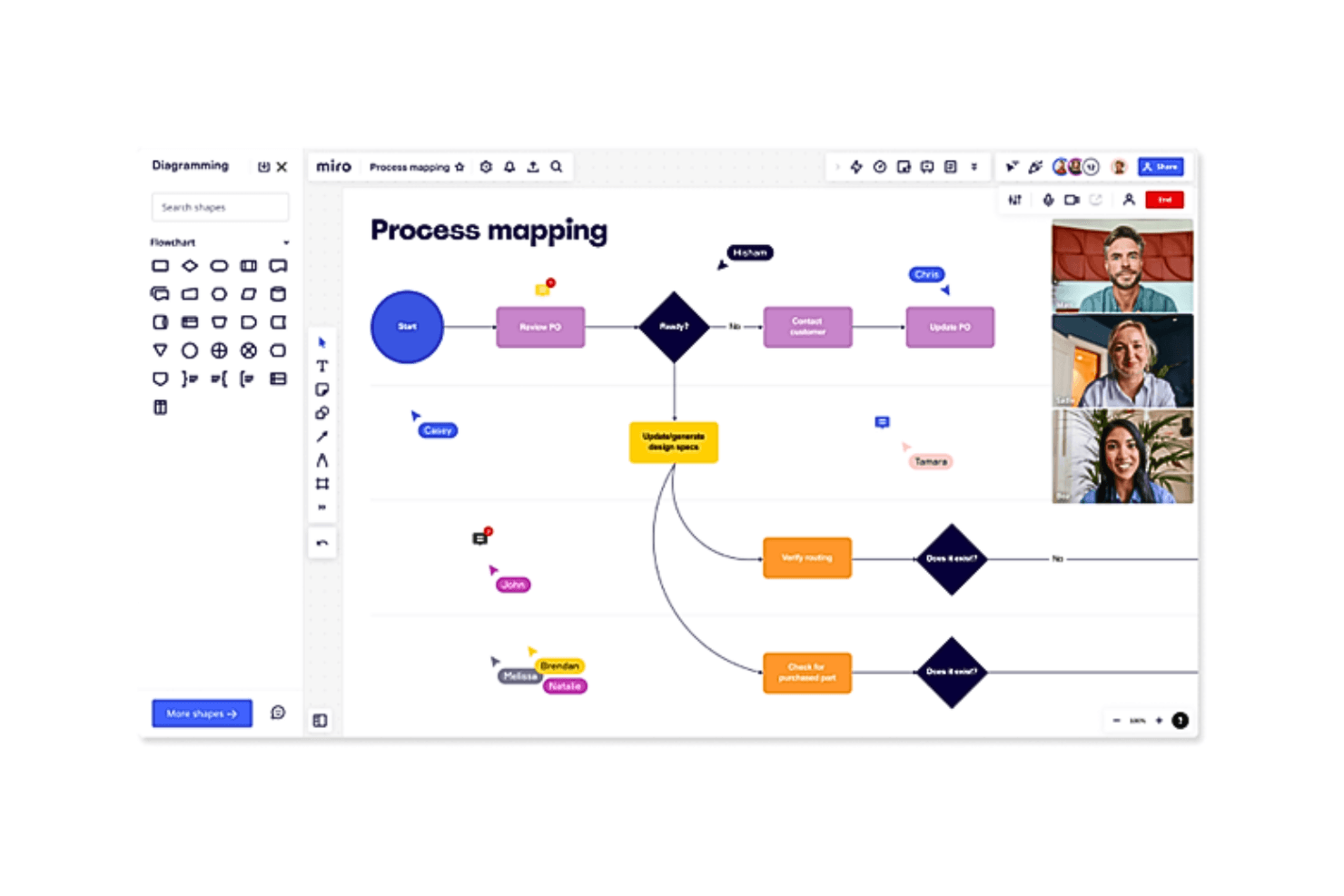
Miro helps teams map product development processes and visualize workflows, decisions, and dependencies in a shared workspace. Miro is a visual product management platform with a free plan for building roadmaps, organizing backlogs in tables and timelines, planning sprints with templates, collecting feedback on boards, and collaborating through comments and shared workspaces.
Who Is Miro Best For?
Miro suits startup founders and cross-functional product teams that need visual sprint planning, lightweight backlog organization, and shared workshops without upfront cost.
Why I Picked Miro
I picked Miro for its “Best for seamless collaboration and visualization” fit. I use roadmap templates to map milestones, Kanban boards to organize work, and comments to align engineering, design, and stakeholders around decisions. Its visual sprint planning helps turn workshops and release discussions into shared product plans.
Miro Key Features
- AI roadmap and PRD generators: Create initial planning documents with AI.
- Docs, Tables, and Slides: Build product artifacts in multiple formats.
- 250+ integrations: Connect Miro with tools such as Slack and Google.
- Voice-of-customer boards: Capture user research insights and interview notes.
Miro Integrations
Miro supports 250+ integrations, including Jira, Azure DevOps, Asana, Linear, ClickUp, CA Rally, Slack, Google, Microsoft, and Adobe. Business and Enterprise plans add two-way sync with Jira, Azure DevOps, Asana, Linear, ClickUp, and CA Rally.
What's Free?
Miro has a free-forever plan with unlimited team members and three active editable boards. All team members can access those boards, but private boards, visitor roles, and some collaboration features require a paid plan.
Pros and Cons
Pros:
- Real-time collaboration suits remote product teams
- Unlimited members support cross-functional planning
- Visual roadmap templates support stakeholder alignment
Cons:
- Manual boards replace structured backlog tracking
- Three editable boards restrict ongoing workflows
 Best for all-in-one docs, wikis, and roadmaps
- Free plan + Free trial + Free demo available
- From $10/user/month
Visit WebsiteCustomer Rating:4.6/5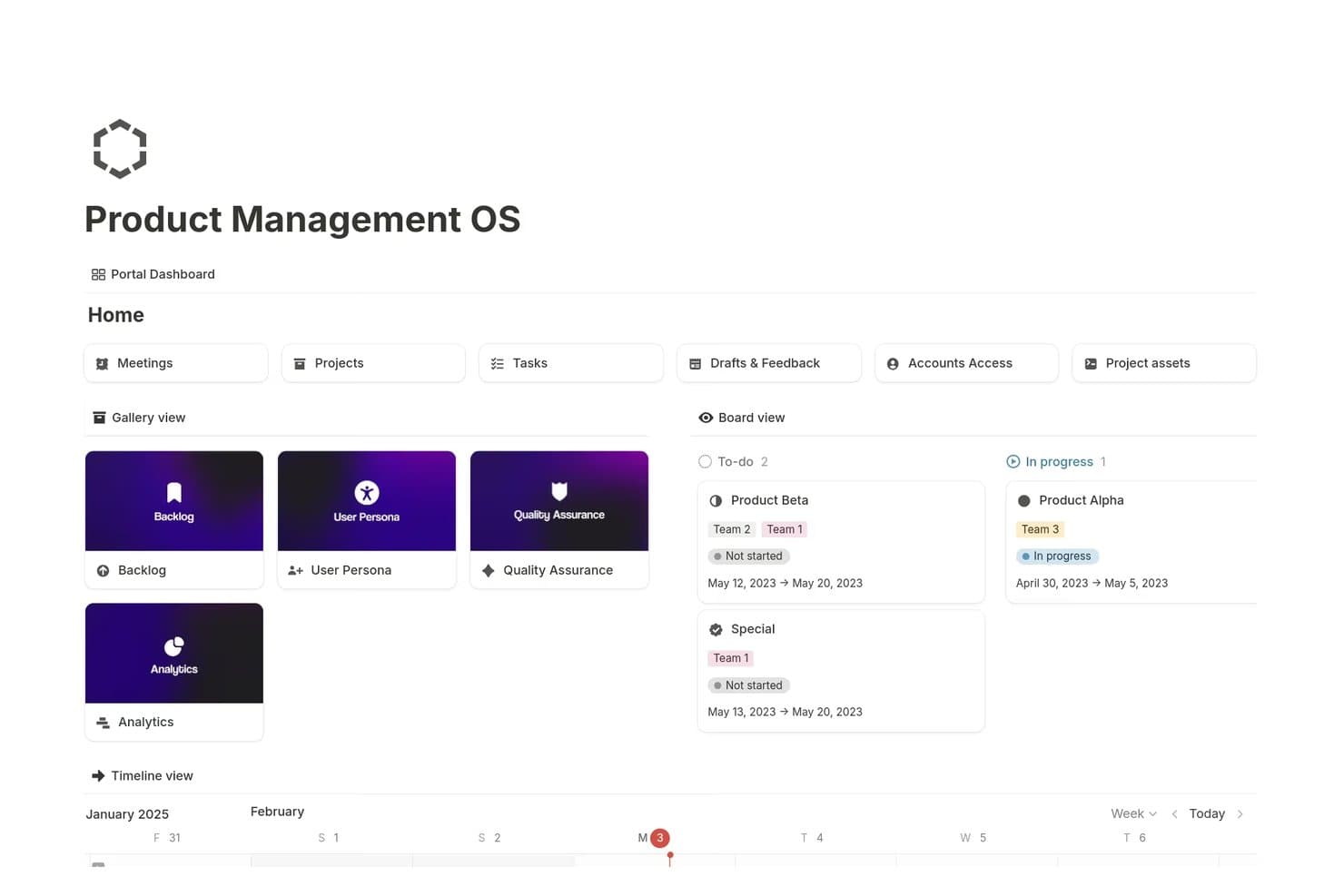
Notion centralizes product tasks, projects, and timelines in one dashboard. Notion is a free product management workspace that combines connected docs, wikis, roadmaps, backlogs, databases, task views, and basic feedback forms in one customizable platform.
Who Is Notion Best For?
Product managers and startup founders who want docs, wikis, backlogs, and roadmaps in one customizable workspace will find Notion a practical fit.
Why I Picked Notion
I picked Notion because it combines product docs, wikis, backlogs, and roadmaps in one workspace. I use linked databases to connect PRDs and feature requests to Timeline, Board, Calendar, or Table views. Basic forms also send customer feedback directly into an idea database, while published pages support stakeholder roadmap sharing.
Notion Key Features
- Subtasks and dependencies: Break work into smaller tasks and map relationships between items.
- Progress bars: Monitor completion status across project tasks.
- AI Autofill: Draft user stories, key results, and project updates.
- Page permissions: Control who can view or edit individual pages.
Notion Integrations
Notion integrations include Figma, Slack, GitHub, Amplitude, Jira, and Asana, with some connections and sync features limited to paid plans. It also provides a public API, webhooks, embeds, and link previews for custom integrations.
What's Free?
Notion offers a free-forever plan for creating docs, wikis, roadmaps, databases, and task views. Some integrations and sync features, including connections with tools such as Figma, Slack, and GitHub, require a paid plan.
Pros and Cons
Pros:
- Linked docs connect PRDs and tasks
- Free forms capture feedback into databases
- Roadmaps switch between five database views
Cons:
- No native voting or prioritization scoring
- Free team workspaces face block limits
Learn more about Notion: 4Best for software development teams
Jira
- Free plan + 7-day free trial available
- From $8.48/user/month
Visit WebsiteCustomer Rating:4.4/5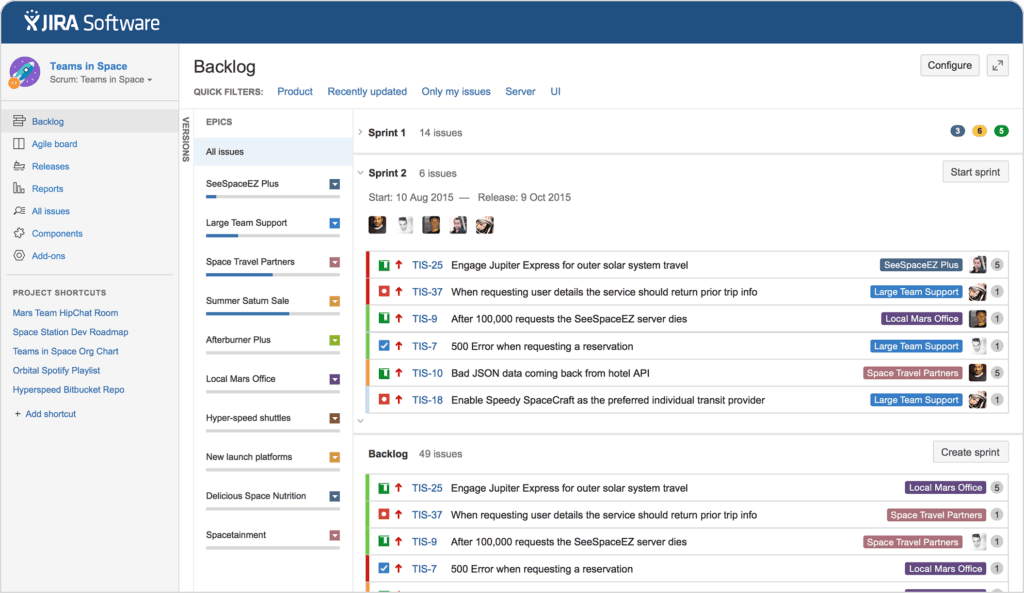
Software dev teams will appreciate flexible backlog tracking, sprint planning, and agile boards. Jira is a product management and agile project tracking platform with backlogs, Scrum and Kanban boards, sprint planning, timelines, dashboards, release management, and request forms.
Who Is Jira Best For?
Jira suits software development teams that need free sprint planning, backlogs, boards, release tracking, and task views.
Why I Picked Jira
I picked Jira because it gives software development teams a free home for Scrum and Kanban work. My team can shape backlogs, plan sprints, review burndown reports, and track releases from one workspace. Its timeline and task views also connect delivery work to broader product milestones, while Jira Product Discovery adds idea capture and prioritization when those needs grow.
Jira Key Features
- Request forms: Collect structured work requests with a drag-and-drop form builder.
- Custom fields: Add text, dropdown, date, label, and user-picker fields to issues.
- Automation rules: Automate repetitive actions with 150 monthly steps on the Free plan.
- App integrations: Connect Jira with Confluence, Slack, Figma, Gmail, and 3,000+ Marketplace apps.
Jira Integrations
Jira offers 3,000+ Marketplace integrations, including Confluence, Slack, Figma, Gmail, and Google and Microsoft products. It also provides APIs for custom integrations.
What's Free?
Jira’s Free plan is free forever for up to 10 users and includes 2 GB of file storage. It limits automation to 150 steps per month and email notifications to 100 per day, excludes Rovo AI, and provides community support.
Pros and Cons
Pros:
- Custom fields support tailored backlog workflows
- Multiple views connect tasks with milestones
- Strong sprint planning and release tracking
Cons:
- Free collaboration lacks role-based permissions
- Idea prioritization requires separate product tooling

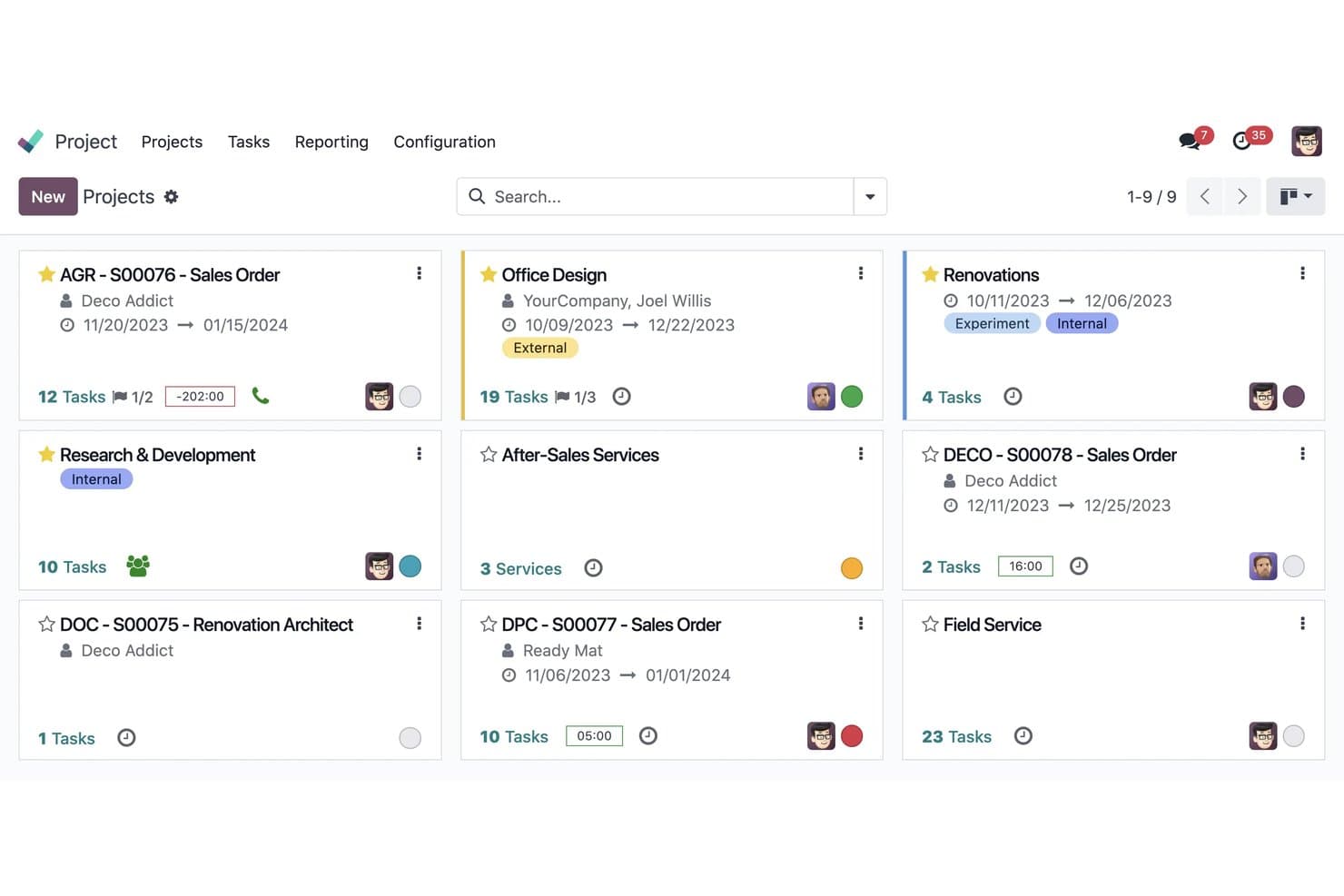
Odoo organizes all projects in a visual card-based dashboard. Odoo is an open-source business suite with a Project app for managing product tasks, backlogs, milestones, dependencies, and collaboration through Kanban, Gantt, calendar, and list views.
Who Is Odoo Best For?
Odoo suits product operations teams that need open-source, self-hosted project tracking with flexible views and cross-functional collaboration.
Why I Picked Odoo
I picked Odoo because it brings open-source flexibility to free product management software. I use its Project app to connect backlog tasks with Kanban, Gantt, milestone, and dependency views. Its self-hosted Community edition also lets teams adapt workflows, fields, and data structures for product work without vendor lock-in.
Odoo Key Features
- In-task chat : Use Chatter for mentions, activity logs, and task discussions.
- Recurring tasks : Schedule repeat work without recreating tasks manually.
- Feedback forms : Collect requests through web forms, email aliases, and surveys.
- Batch editing : Filter, group, import, export, and update tasks from list view.
Odoo Integrations
Odoo has native integrations with Sales, Planning, Timesheets, Helpdesk, Invoicing, and Knowledge. Custom integrations require the external API on the paid Custom plan, while self-hosted Community users can access the open codebase.
What's Free?
Odoo offers a free, self-hosted Community edition with open-source code and no subscription fee. Hosted plans may limit you to one application, while features such as external API access require the paid Custom plan.
Pros and Cons
Pros:
- Portal collaboration includes external stakeholders
- Multiple views support flexible task tracking
- Open-source self-hosting preserves data control
Cons:
- Single-app cloud use limits workflows
- No dedicated roadmap or scoring framework
Learn more about Odoo: Best for sprint planning with built-in cycle rollover
- Free plan available
- From $10/user/month (billed annually)
Visit WebsiteCustomer Rating:4.6/5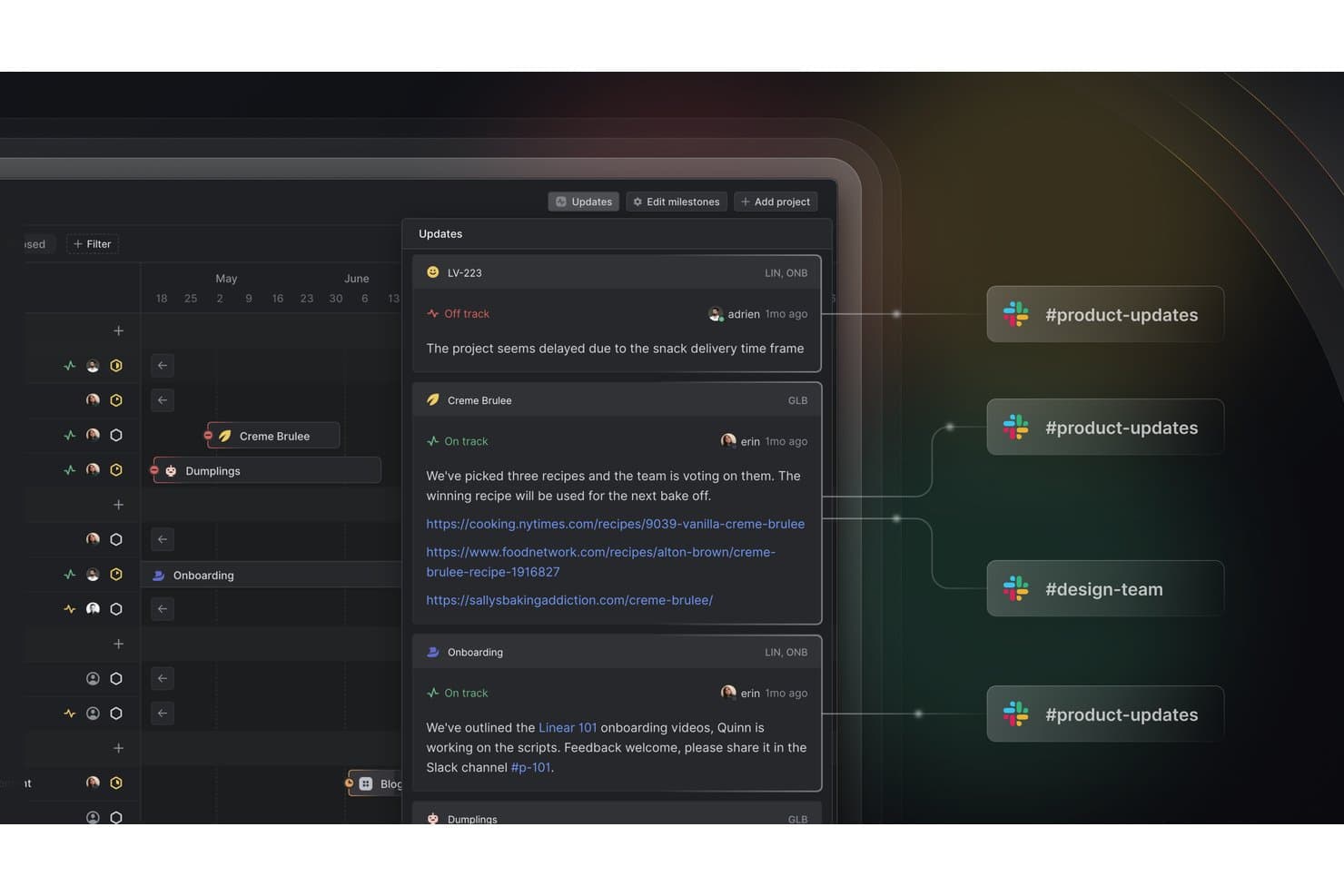
Linear syncs project status updates directly to Slack channels. Linear is a product management platform with a free plan for managing issues, projects, initiatives, cycles, and customer requests, plus API, webhook, import, and export tools.
Who Is Linear Best For?
Linear suits agile product teams that need sprint planning with built-in cycle rollover, especially startups coordinating delivery without per-member costs.
Why I Picked Linear
I picked Linear because its Cycles support sprint planning with built-in cycle rollover. I use capacity forecasting to size upcoming work, while unfinished issues move automatically into the next cycle. Customer Requests also connects user feedback, revenue, and account tiers to backlog decisions.
Linear Key Features
- Issue tracking: Create and organize up to 250 issues on the Free plan.
- Projects and initiatives: Group related work into projects and higher-level initiatives.
- API and webhooks: Connect Linear with external tools through GraphQL and webhooks.
- Import and export: Move workspace data into or out of Linear.
Linear Integrations
Linear offers a native Slack integration for creating customer requests. Its Free plan also includes a GraphQL API, webhooks, import and export tools, and CSV export for custom connectivity and data portability.
What's Free?
Linear offers a free-forever plan for unlimited members, with core issues, projects, cycles, initiatives, API access, webhooks, import, and export. The plan limits you to two teams and 250 issues; unlimited issues, private teams, and additional integrations require a paid plan.
Pros and Cons
Pros:
- Customer requests connect feedback to revenue
- Capacity forecasting guides realistic cycle commitments
- Sprint rollover reduces manual reassignment
Cons:
- No built-in RICE or Kano scoring
- 250-issue cap constrains growing backlogs
Learn more about Linear: Best for self-hosted agile sprint planning
- Free plan available
- From $4.50/user/month (billed annually)
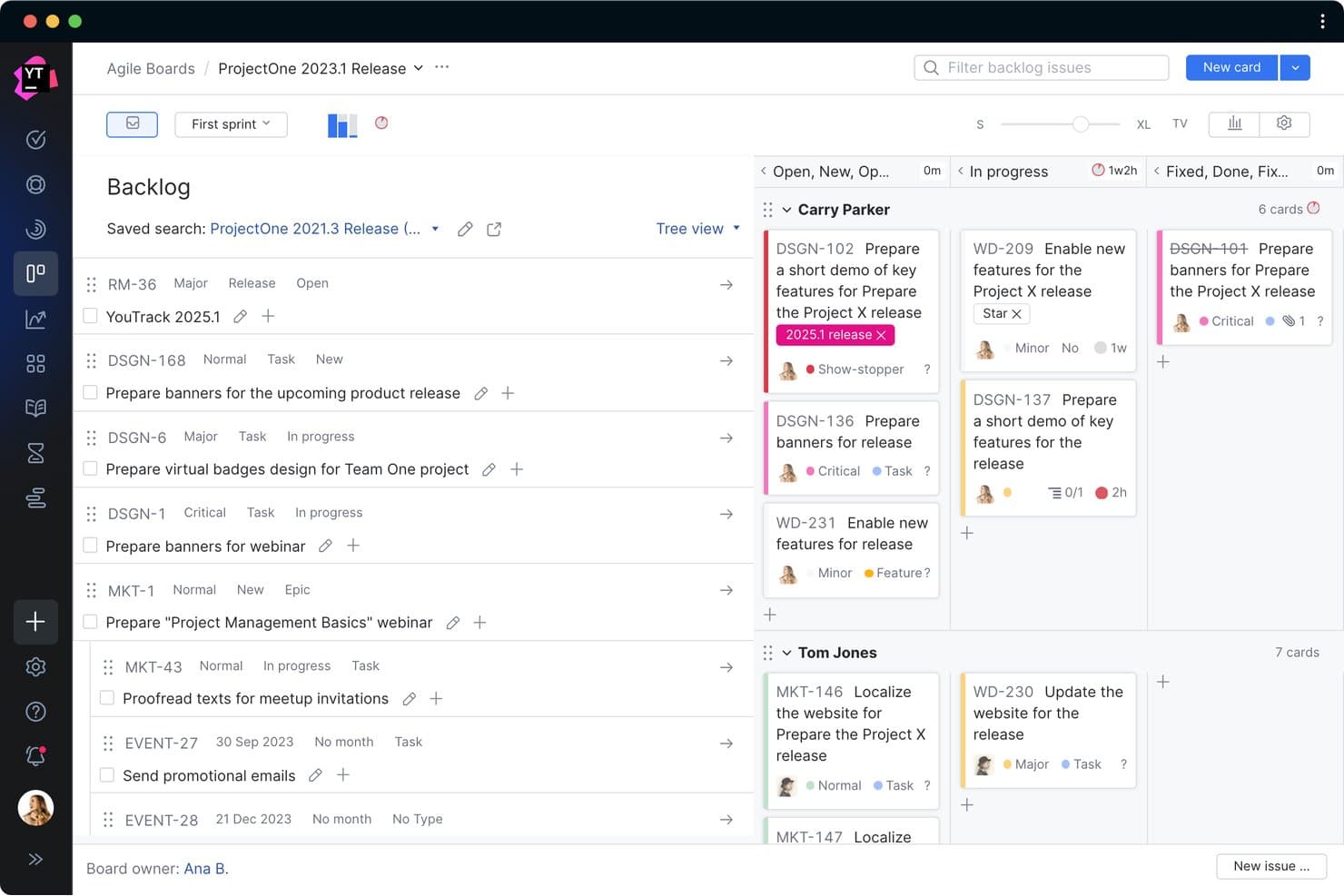
YouTrack organizes sprint tasks across backlog and kanban board views. YouTrack is product management software for agile teams, combining customizable backlogs, Scrum and Kanban boards, Gantt charts, sprint reports, knowledge bases, and helpdesk projects.
Who Is YouTrack Best For?
Agile teams that need self-hosted sprint planning, customizable boards, and full product delivery features for up to 10 users.
Why I Picked YouTrack
I picked YouTrack because it brings self-hosted agile sprint planning into a free product management workspace. My team can run Scrum or Kanban boards, plan sprints, track dependencies, and review burndown reports alongside backlogs and Gantt timelines. I especially value the Server option when product data needs to stay within our own environment.
YouTrack Key Features
- Helpdesk projects: Collect tickets through email or web forms with SLAs and automation.
- Knowledge Base: Create articles with embedded designs, documents, calendars, videos, and issue lists.
- Whiteboards: Turn notes into tasks while keeping linked dependencies synchronized.
- AI Assistant: Summarize tasks, articles, and tickets, then suggest replies.
YouTrack Integrations
YouTrack integrates with JetBrains IDEs and TeamCity, while JetBrains Marketplace provides additional integrations and custom apps for automation, reporting, and connectivity.
What's Free?
YouTrack has a free-forever plan for teams of up to 10 users, with access to its core product management features. Larger teams need a paid plan, and self-hosted Server deployment may require a separate license.
Pros and Cons
Pros:
- Whiteboards connect ideas to executable tasks
- Full sprint reporting supports burndown reviews
- Self-hosted agile planning keeps data onsite
Cons:
- Ten-user cap constrains cross-functional collaboration
- No dedicated themes-based product roadmap
Learn more about YouTrack: Best for formula-based backlog prioritization
- Free plan available; 14-day free trial; free demo available
- From $12/user/month (billed annually)
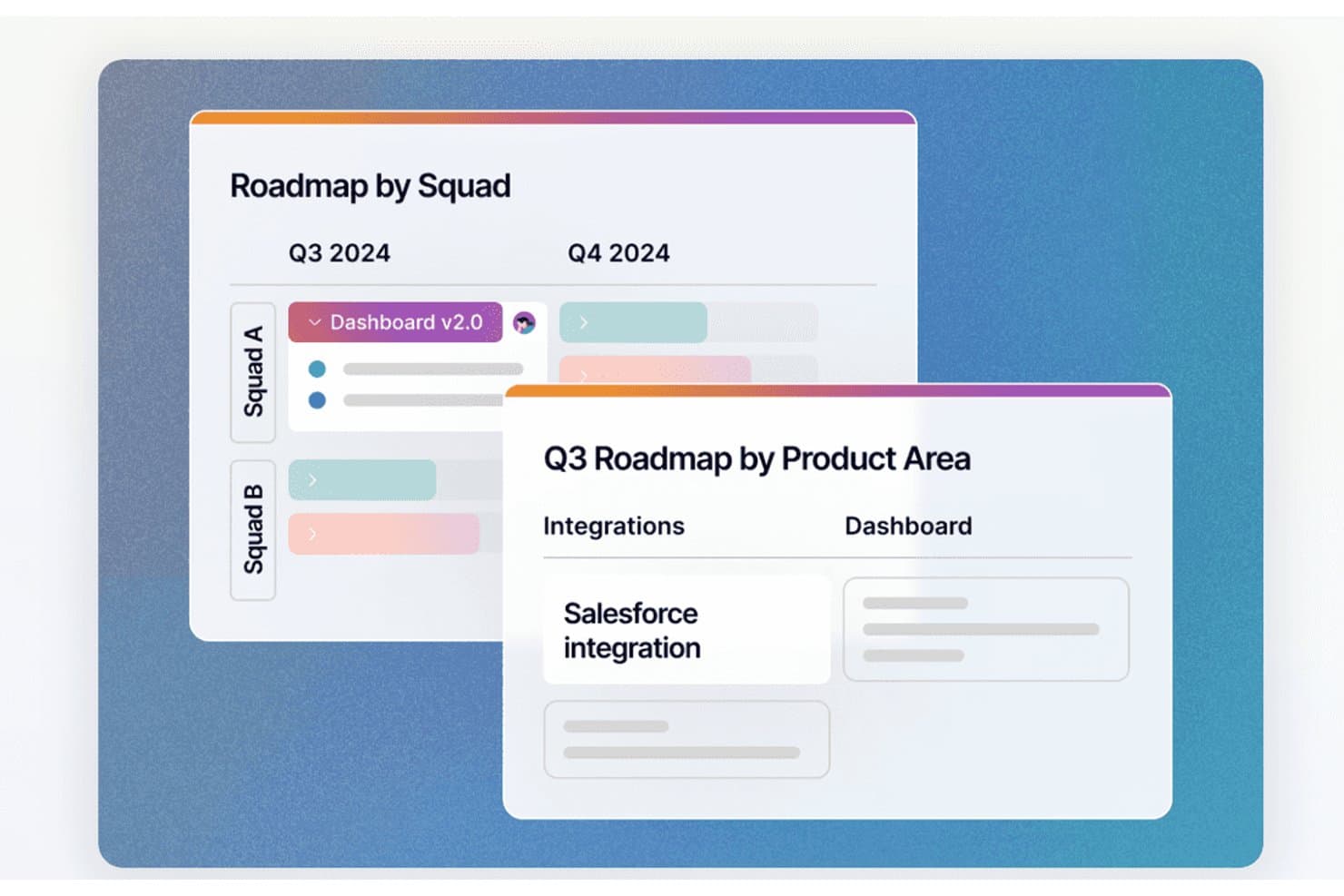
Fibery lets users view roadmaps by squad or product area in one tool. Fibery is a product management platform with a free plan that connects customer feedback, backlogs, roadmaps, sprint planning, product documentation, and engineering integrations in one workspace.
Who Is Fibery Best For?
Product managers, product owners, and startup founders who need formula-based backlog prioritization across feedback, roadmaps, and sprint planning.
Why I Picked Fibery
I picked Fibery because its formula-based backlog prioritization connects customer feedback to product decisions. I use weighted formulas for factors such as pain level, ideal customer profile, and request volume, then filter results by customer segment. Linked feedback, product areas, and tasks keep prioritization grounded in evidence.
Fibery Key Features
- Sprint workflows: Configure Scrum or Kanban workflows for development teams.
- Progress reports: Track velocity, burn-up, burn-down, and cumulative flow.
- Git integrations: Sync GitHub or GitLab pull requests, branches, and commits.
- Collaborative docs: Create PRDs with diagrams, mockups, charts, and comments.
Fibery Integrations
Fibery offers native integrations with GitHub and GitLab, syncing pull requests, branches, and commits with product work. Integrations are included on the Free plan, with a limit of 5,000 synced records.
What's Free?
Fibery offers a $0 Free plan that remains available after the 14-day Pro trial ends. It supports up to 10 users and 10 guests, with 10 databases, 1 GB of file storage, 14-day version history, and 5,000 synced entity updates per month.
Pros and Cons
Pros:
- Linked workflows connect discovery through delivery
- Customer segments sharpen roadmap decisions
- Formula-based prioritization connects feedback to backlogs
Cons:
- Free views limit stakeholder roadmap sharing
- Initial setup demands substantial configuration
Learn more about Fibery: Best for discovery-to-delivery in Jira teams
- Free plan available
- From $10/user/month
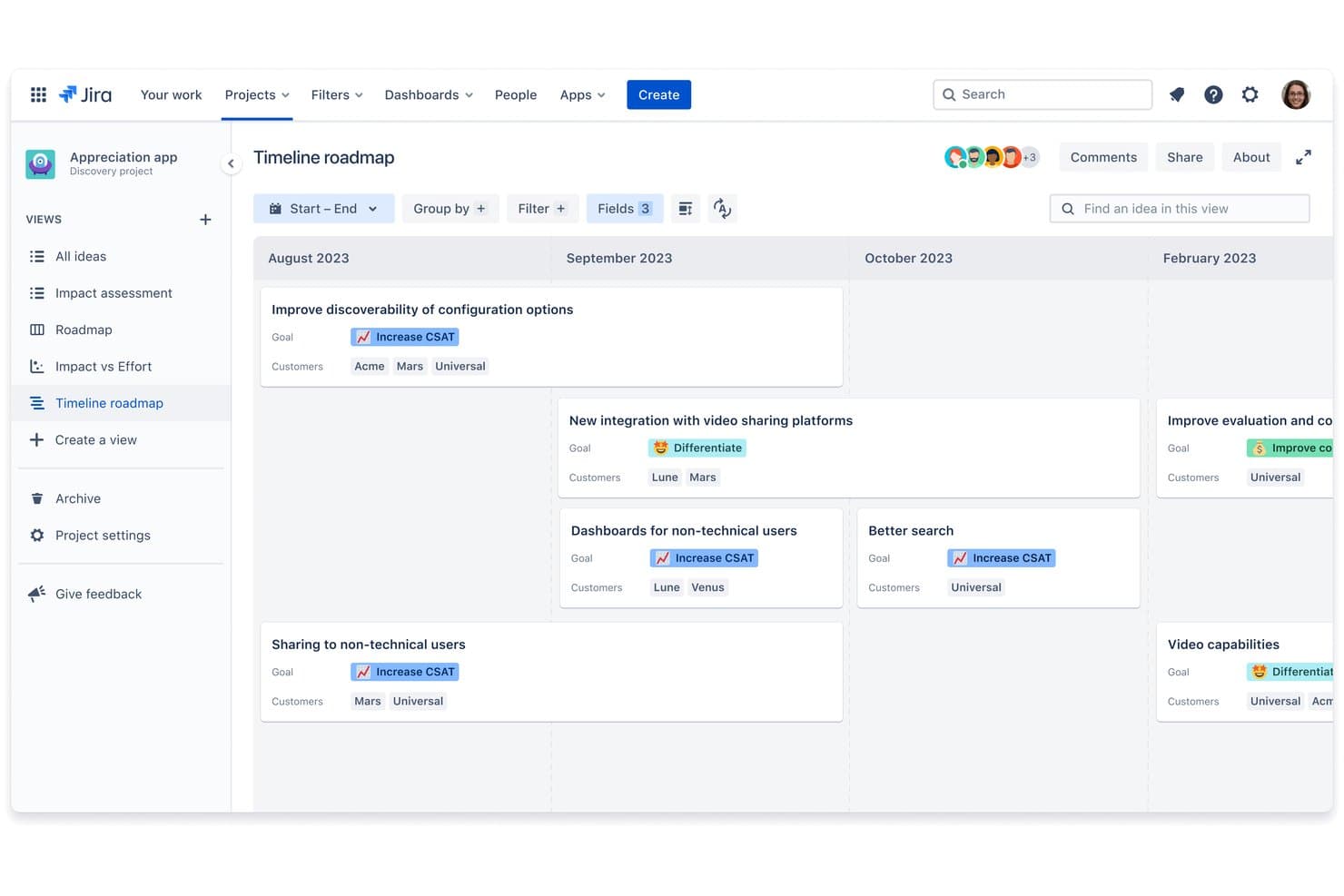
Jira Product Discovery visualizes ideas on a timeline roadmap by goal and customer. Jira Product Discovery is free product management software for collecting feedback, organizing ideas, scoring priorities, building roadmaps, and linking discovery work to Jira issues.
Who Is Jira Product Discovery Best For?
Product managers, product owners, and Agile teams already using Jira to connect customer discovery with delivery.
Why I Picked Jira Product Discovery
I picked Jira Product Discovery because it connects product discovery to delivery for Jira teams. I use idea scoring, feedback insights, and roadmap views to turn customer requests into prioritized work. Linking ideas directly to Jira epics and issues keeps product decisions connected to delivery progress.
Jira Product Discovery Key Features
- Custom fields: Add structured data to ideas and projects.
- Formula fields: Calculate values for product analysis.
- Idea templates: Create repeatable formats for new ideas.
- Voting and reactions: Let stakeholders vote and react to ideas.
Jira Product Discovery Integrations
Jira Product Discovery includes native integrations with Jira, Jira Service Management, Confluence, and Atlassian Goals and Projects. These connections link discovery, feedback, documentation, and delivery in one Atlassian workflow.
What's Free?
Jira Product Discovery has a free-forever plan for up to three creators, with free contributors, 2GB of storage, and Community Support. If you exceed three creators, Atlassian automatically starts a 14-day Standard plan trial; the product is cloud-only.
Pros and Cons
Pros:
- Board, matrix, timeline, and list views
- Native voting supports stakeholder prioritization
- Links discovery ideas to delivery work
Cons:
- External roadmap sharing has plan restrictions
- No native sprint planning workflows
Learn more about Jira Product Discovery: Best product management software for integrations
- Free plan available
- From $12/user/month (billed annually)
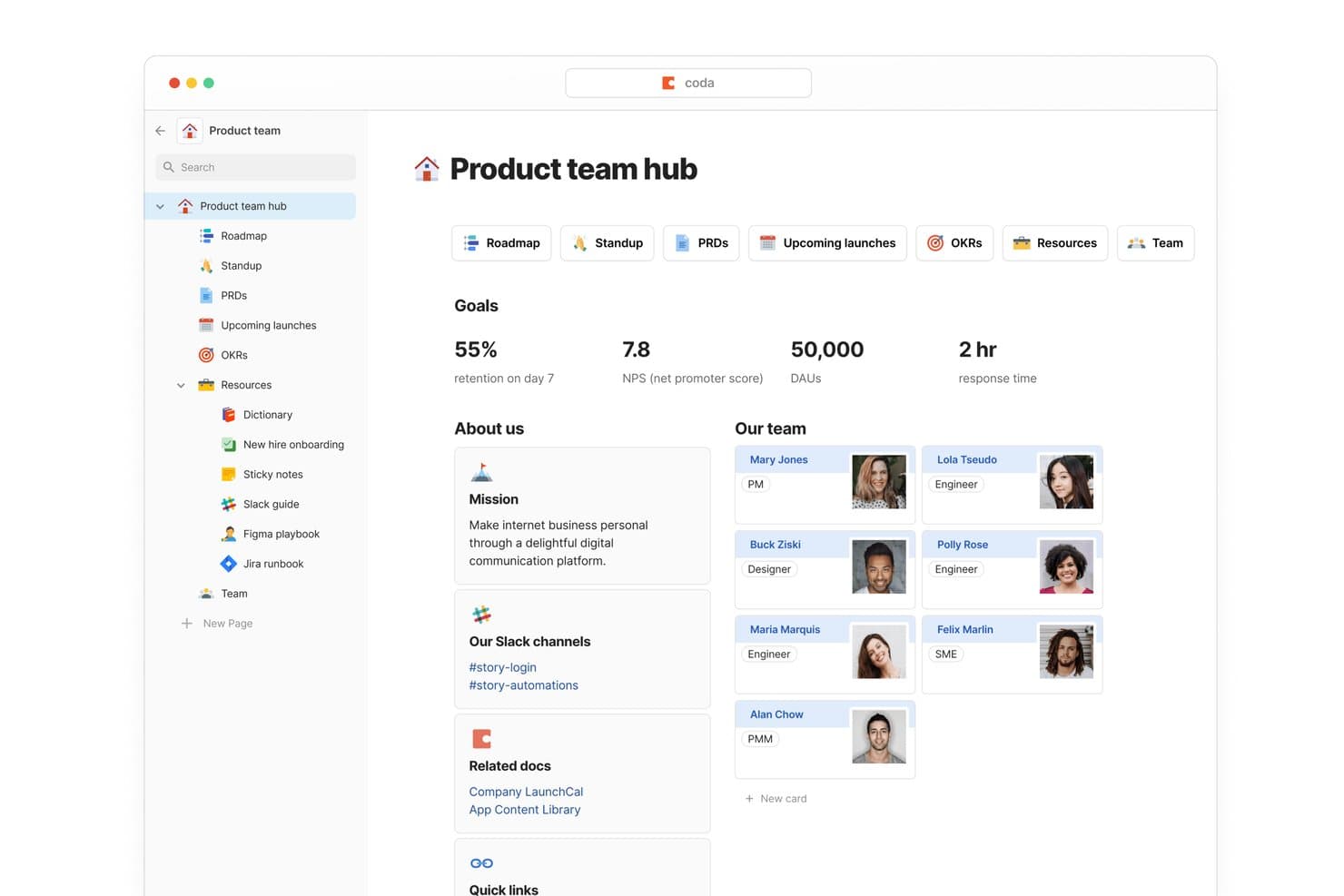
Superhuman Docs centralizes team goals, members, and resources in one hub. Superhuman Docs is a free product management workspace that combines connected docs, customizable tables, roadmaps, backlogs, forms, formulas, and board, calendar, and timeline views.
Who Is Superhuman Docs Best For?
Startup founders and lean product teams that need flexible product workflows, broad integrations, and free collaboration for cross-functional stakeholders.
Why I Picked Superhuman Docs
I picked Superhuman Docs for product teams that need connected workflows across their existing tools. Its Jira, GitHub, Slack, Figma, and Salesforce Packs can feed delivery updates, customer feedback, and design context into linked roadmap and backlog tables. Free users get access to 36+ Packs, although connected data refreshes manually.
Superhuman Docs Key Features
- Unlimited forms: Collect product feedback and requests directly into tables.
- Board views: Display work as Kanban cards with filters and grouping.
- Formula columns: Create custom scoring, progress, and status calculations.
- Automations: Trigger actions from row changes, schedules, or button clicks.
Superhuman Docs Integrations
Superhuman Docs offers 36+ integrations on its Free plan through Packs, including Jira, GitHub, Slack, Figma, Google Calendar, Gmail, Intercom, Zendesk, and Salesforce. Free connected data refreshes manually.
What's Free?
Superhuman Docs offers a free plan with unlimited forms, board views, formulas, and automations. Free users can access 36+ Packs, including Jira, GitHub, Slack, and Figma, but connected data refreshes manually.
Pros and Cons
Pros:
- Unlimited forms capture product requests
- Custom scoring supports flexible prioritization
- Connected tables unify roadmaps and feedback
Cons:
- Roadmaps and sprints require manual setup
- Shared documents cap rows and objects
Learn more about Superhuman Docs:
Other Free Product Management Software Options
Here are a few more that didn’t make the top list but are worth your consideration.
- 11PlaneBest for free sprint and Gantt planning
- 12PathProBest for community-driven development
- 13ProductboardBest for AI-driven feedback-to-roadmap planning
- 14ClickUpBest for unlimited free cross-functional task tracking
- 15AirtableBest for flexible, AI-assisted backlog management
- 16NuclinoBest for docs-based product workspace setup
- 17ShortcutBest for agile dev teams on a free plan
- 18YodizBest product backlog analytics for agile teams
- 19ProductRoadmap.aiBest for revenue-linked roadmap and feedback voting
- 20ONES ProjectBest for free sprint and release team planning
How I Evaluate Free Product Management Software
First, I define what counts as free. For product management software, that means a genuine free-forever plan—not a trial—since roadmapping and backlog work are ongoing, not one-off. From there, I split my evaluation into core functionality every tool must cover and the differentiators that separate a good free option from a great one.
Core Functionality (Table Stakes for This List)
In addition to my free offer requirements, I also use a scoring system to select tools for my list. Here's how it works:
When I'm selecting tools for my list, I rank each one on a scale from 0 (does not offer the functionality) to 5 (excels in this area) for each core functionality listed below. I then calculate the tool's total score into a percentage, and use that to help me assess its overall fit for the list.
- Roadmap visualization: I check whether the free plan lets you build a shareable visual roadmap with multiple item types, not just a static list standing in for one.
- Backlog & prioritization: I look for structured backlogs where you can tag, sort, and rank items—tools like Airfocus and Productboard approach this differently, so I evaluate flexibility.
- Sprint or release planning: The ability to group work into sprints or releases with assigned items matters, especially for teams shipping on a regular cadence.
- Feedback & idea collection: I evaluate whether you can centralize feature requests and link them back to backlog items, since scattered feedback defeats the purpose.
- Collaboration & sharing: Free plans vary widely here, so I check how many collaborators can view, comment, and edit plans without triggering a paywall.
- Board or task views: I look for Kanban boards or list views with customizable status columns so your team can track work-in-progress at a glance.
Once I have a list of tools that meet the criteria, I consider what sets each platform apart.
Differentiating Factors (What Sets Vendors Apart)
Here's how I compare and contrast different vendors:
Standout Features
I look for native voting boards that let users upvote feature requests directly—tools like Frill and Productboard handle this differently, but either way, it replaces guesswork with real demand signals. Public roadmap portals matter too, since sharing a live link with customers builds trust without a separate communications tool. I also check for cross-tool templates covering frameworks like RICE or Kano, which give newer PMs a structured starting point for prioritization.
Beyond Features
I check whether free plans let you export backlog and roadmap data as CSV or through an open API, since tools like Frill and Chisel handle this differently—and losing that data during a platform switch is a real setback. I also evaluate how cleanly a vendor's free-tier workflows migrate to paid plans, because a forced rebuild mid-growth kills momentum. Seat caps and guest-role limits matter too; cross-functional work stalls fast when a designer or engineer can't comment without triggering an upgrade.
Free Product Management Software FAQs
Find answers to common questions other people ask about this topic.
Why are product management tools important?
Product management tools help teams structure their product strategy. Within these solutions you can house all the tools, documents, and presentations pertaining to product information. Free production manager software provides a single repository to house all of this up-to-date information, without having to pay a monthly or annual fee.
How is free product management software used in small businesses?
Small businesses have small teams. Workloads can easily become overwhelming as a company grows, without dedicated team members to complete each task. Free team management tools help small businesses organize the myriad tasks involved in the product development life cycle, including timelines, customer analytics, and strategy.
In addition to these tools, we suggest checking out these free product management resources to help your small team achieve more in less time!
What are the benefits of free product management software?
Product management software ensures that development teams are making strategic decisions and optimizing task completion times. These tools help development teams to understand and remain up to date on customer needs, and to use real-time data to improve the contribution of product lines.
What is the difference between product management software and project management software?
Product management software helps product managers and their teams to develop, organize, and communicate the product strategy throughout the product life cycle. Project management software helps project managers and their teams track the execution of a product strategy.
What are some open source product management tools?
As listed above, Odoo is a great option for open source product management software. However, it’s not the only one. Here are some open source product management apps you can pick from:
- Akeneo PIM Software (Paid)
- StrikeTru (Paid)
- OpenProject (Free Community Edition)
- OpenPLM (Free)
Can I integrate free product management software with other tools we use?
Integration capabilities in free product management software may vary. While the free versions generally support basic integrations, it’s essential to assess whether they align with your team’s specific needs. Look for compatibility with tools crucial to your workflow, such as version control systems (e.g., Git), communication platforms (e.g., Slack), or document sharing services (e.g., Google Drive). Some free versions might have limitations on the number or types of integrations available, so it’s crucial to verify that the software can seamlessly work with your existing toolset. This ensures a smoother and more efficient workflow for your team.
If advanced integrations are critical to your processes, you may need to consider whether upgrading to a paid plan offers more comprehensive integration options.