

O software de código aberto para design web refere-se a ferramentas de criação e edição de websites cujo código-fonte pode ser consultado, modificado e partilhado por qualquer pessoa. Se procura formas flexíveis e económicas de conceber, criar ou gerir websites, estas plataformas permitem-lhe personalizar funcionalidades, colaborar com outras pessoas e evitar a dependência de um fornecedor. Esta lista ajudá-lo-á a comparar as principais opções de código aberto para tudo, desde a edição visual à gestão de sites baseada em código, para que possa escolher a solução mais adequada ao seu fluxo de trabalho e às necessidades do seu projeto.
Why Trust Our Software Recommendations
6,700+
Reviews
20
Industry experts
16+
Evaluation factors
14
Years
Our team has been testing and reviewing software since 2012. As product managers ourselves, we know how difficult—and important—it is to choose the right software.
For this guide, we evaluated tools using hands-on testing and independent research, scoring tools using our selection criteria.
Our reviews reflect our human editorial judgment, not a sales pitch.
Expert reviewers:
- Andrew LumbySenior TPM
- Cristiano ValimSenior UI/UX Lead


Tabela comparativa de software de código aberto para design web
Esta tabela comparativa resume os detalhes de preços das minhas principais escolhas de software de código aberto para design web.
| Tool | Best For | Trial Info | Price | ||
|---|---|---|---|---|---|
| 1 | Best for headless, API-first flat-file sites | Free plan available | From $140 | Website | |
| 2 | Best for enterprise multisite agency deployments | Free plan available | From $44.50/month (billed annually) | Website | |
| 3 | Best for .NET-based headless and traditional CMS | Free plan available | From €45/month | Website | |
| 4 | Best for security-focused open source CMS hosting | Free plan available | From $4.99/month (billed annually) | Website | |
| 5 | Best with integrated business app modules | Free demo available | Pricing upon request | Website | |
| 6 | Best for plugin extensibility | Free plan available | From $4/month (billed annually) | Website | |
| 7 | Best for multilingual site management | Free download available | Free and open-source | Website | |
| 8 | Best for complex content structuring | Free forever plan | Free and open-source | Website | |
| 9 | Best for WordPress visual design at scale | Free plan available | From $5/month (billed annually) | Website | |
| 10 | Best for on-page live editing without plugins | Free demo available | From $10/website/month ($1 for the first month) | Website |


Avaliações de software de código aberto para design web
Seguem-se os meus resumos detalhados do software de código aberto para design web que entrou na minha lista restrita. As minhas avaliações apresentam uma análise detalhada das funcionalidades, dos melhores casos de utilização e das capacidades de cada plataforma, para o ajudar a encontrar a melhor opção para si.
 1Best for headless, API-first flat-file sites
Grav
- Free plan available
- From $140
Visit WebsiteCustomer Rating:4.9/5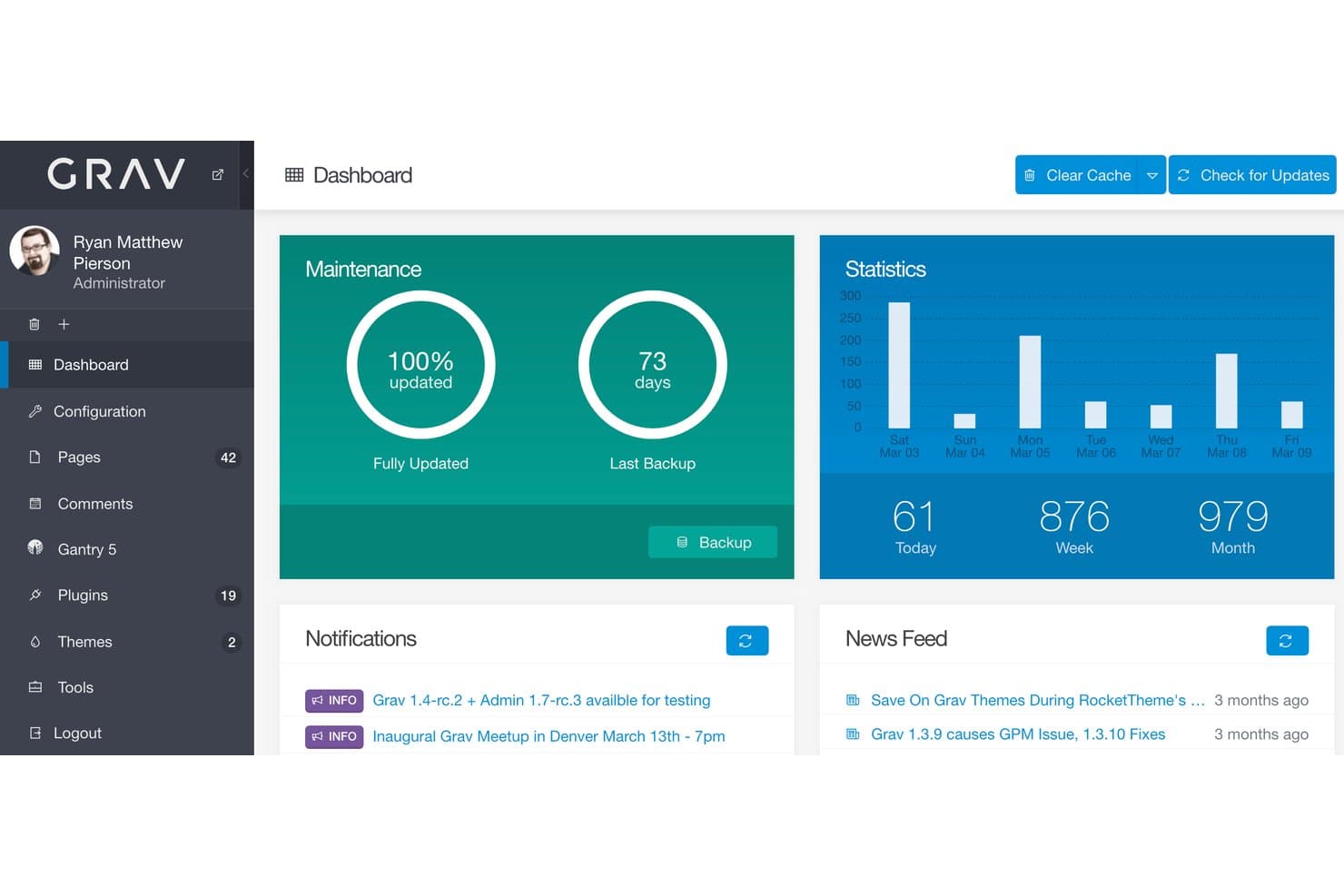
Grav is an open source, flat-file CMS built on PHP and Twig that covers content management, REST API access, theme customization, and plugin extensibility—all without a database.
Who Is Grav Best For?
Grav is a strong fit for web developers and digital agencies who want a database-free, Git-friendly CMS they can deploy, extend, and connect to any front-end stack.
Why I Picked Grav
Grav earns its spot on my shortlist because it's the only flat-file CMS I've worked with that pairs a fully versioned REST API with an MCP server, making it genuinely built for headless, API-first deployments from the ground up. I love that the entire content layer lives as Markdown and YAML files, so connecting a Next.js or SvelteKit front end via the TypeScript SDK (
@grav/sdk) is straightforward rather than bolted on. Its MIT-licensed core also gives me full access to the PHP and Twig source, which I rely on when customizing theme logic or registering custom API endpoints through the plugin event system.Grav Key Features
- Grav Package Manager (GPM): A CLI-based package manager that lets you install, update, and manage plugins and themes directly from the official index.
- Modular page composition: Build long-form pages from reusable content modules, such as hero sections, feature blocks, and text modules, without duplicating templates.
- Multi-site support: Run multiple distinct sites from a single Grav install, with per-environment YAML configuration overrides for each.
- Built-in asset pipeline: Handles CSS and JavaScript minification, ordering, and caching out of the box, without requiring a separate build tool.
Grav Integrations
Grav supports headless integrations with SvelteKit, Next.js, and React Native through its versioned REST API and
@grav/sdk. It also supports GitHub and GitLab deployment workflows and real-time updates through Mercure-compatible sync plugins.Pros and Cons
Pros:
- Twig inheritance enables precise theme control
- File-based content fits Git-based workflows
- MIT-licensed core supports unrestricted modifications
Cons:
- Grav 2 breaks compatibility with Grav 1.x
- Layout building requires Twig, HTML, and CSS
Learn more about Grav: Best for enterprise multisite agency deployments
- Free plan available
- From $44.50/month (billed annually)
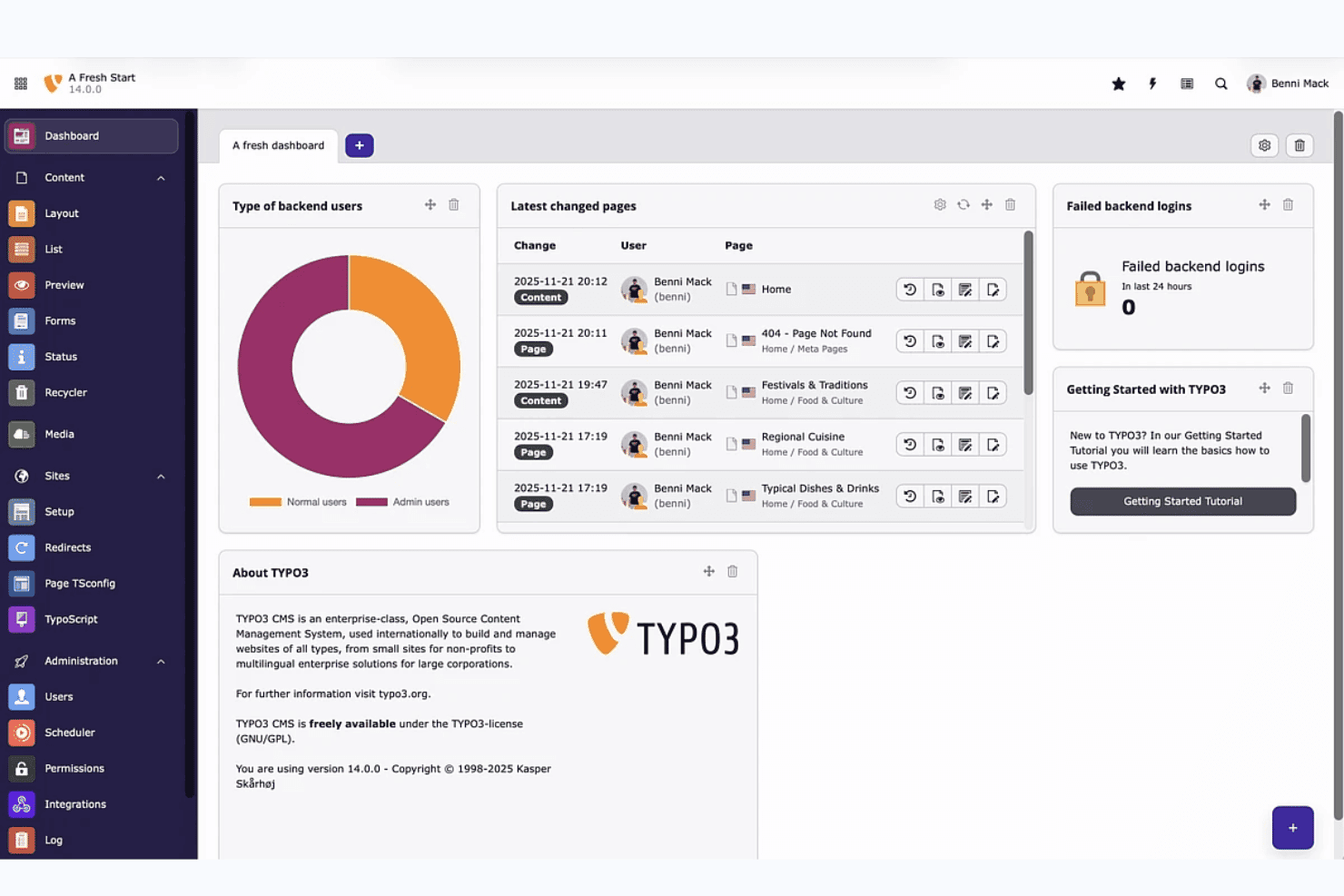
TYPO3 dashboard gives editors a real-time overview of site activity. TYPO3 is a GPL-licensed, self-hosted CMS built on PHP and Symfony that supports multisite deployments, multilingual content, role-based permissions, and a large extension ecosystem for custom web design.
Who Is TYPO3 Best For?
TYPO3 is a strong fit for digital agencies and enterprise teams managing multiple client sites across different languages and regions.
Why I Picked TYPO3
I've included TYPO3 in my top picks because it's genuinely built for agency teams managing multiple client sites from a single installation, with unlimited sites and languages supported out of the box. I love how site packages keep all theme configuration version-controlled in Git, making client handoffs and deployments far cleaner than patching files manually. Role-based permissions let you lock each client's editors to their own content area, which is exactly what agency workflows require.
TYPO3 Key Features
- GPL open-source licensing: TYPO3 is fully GPL v2+ licensed with no paid tiers, feature gates, or per-seat charges, so you get the complete platform for free.
- TYPO3 Extension Repository (TER): TER hosts thousands of extensions for adding functionality, with additional packages available via Packagist and GitHub.
- Site Package Builder: A dedicated tool at get.typo3.org generates a starter theme package you can version-control in Git from day one.
- Content Blocks editor: A visual backend module lets you build custom content elements and page types without writing YAML or PHP by hand.
TYPO3 Integrations
TYPO3 documents integrations with React, Vue.js, Nuxt, Bootstrap, Shopify, Salesforce, Matomo, Solr, AWS, and Cloudflare. Its open API, Composer ecosystem, and GitLab CI/CD templates support custom integrations and deployment workflows.
Pros and Cons
Pros:
- Offers granular editorial permissions
- Enables Git-controlled site configuration
- Supports unlimited sites and languages
Cons:
- Documentation challenges slow new adopters
- Layout creation remains developer-dependent
Learn more about TYPO3: Best for .NET-based headless and traditional CMS
- Free plan available
- From €45/month
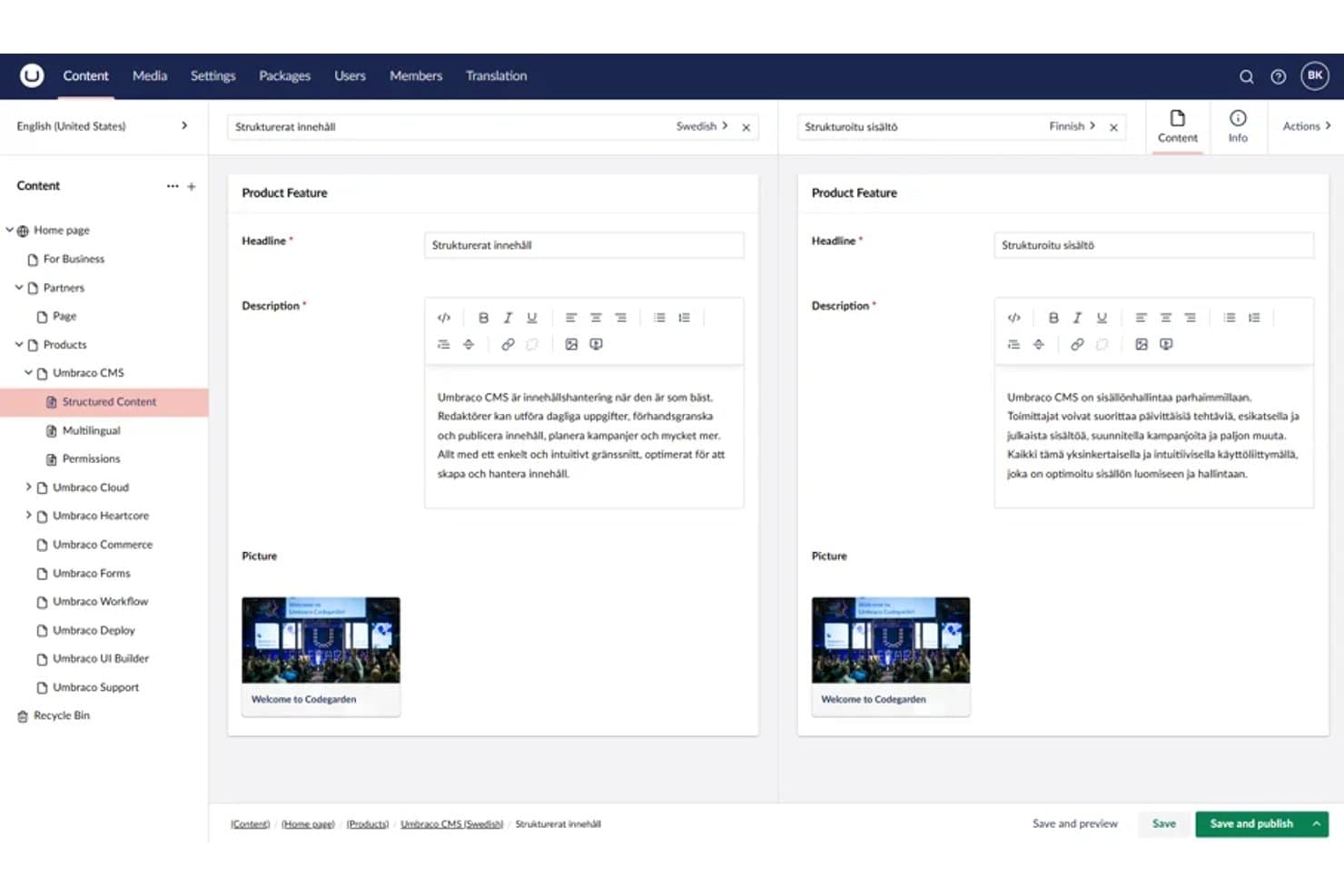
Umbraco lets users edit multilingual content side by side in split view. Umbraco is a .NET-based, MIT-licensed open-source CMS that combines traditional content authoring with headless API delivery, a Block Grid editor for visual layout arrangement, and a fully extensible backoffice built on an extension registry.
Who Is Umbraco Best For?
Umbraco is a strong fit for .NET developers and digital agencies building content-driven sites that need both traditional CMS editing and headless API delivery without licensing costs.
Why I Picked Umbraco
I've included Umbraco in my top picks because it's the only MIT-licensed CMS on this list built natively on .NET, making it the go-to choice for .NET developers who want full markup control without licensing fees. I particularly like its Block Grid editor, which lets content editors arrange and resize blocks visually while developers write the Razor views behind each block. The free Content Delivery API is also a standout inclusion, outputting Block Grid content as structured JSON so teams can run a traditional CMS and a headless front end from a single install.
Umbraco Key Features
- Content Delivery API: A built-in REST API that outputs structured JSON, supporting filtering, sorting, paging, and multilingual content for headless front-end delivery.
- Backoffice extension registry: A system where every UI element is an extension, letting developers add, replace, or remove dashboards, editors, and panels without modifying core code.
- uSync package: A community package that syncs Umbraco schema, settings, and content through source control, enabling version-controlled deployments across environments.
- Webhook support: Built-in webhooks that trigger on content events, letting you connect Umbraco to external services and automation tools without custom middleware.
Umbraco Integrations
Umbraco Forms connects to Zapier, Make, and n8n, while marketplace integrations include Google Maps. Its Content Delivery API, webhooks, and Heartcore REST and GraphQL APIs support custom integrations.
Pros and Cons
Pros:
- Razor templates provide precise markup control
- Block Grid supports visual layout arrangement
- MIT license permits unrestricted customization
Cons:
- Ready-made themes remain relatively limited
- Developers must build each visual block
Learn more about Umbraco: Best for security-focused open source CMS hosting
- Free plan available
- From $4.99/month (billed annually)
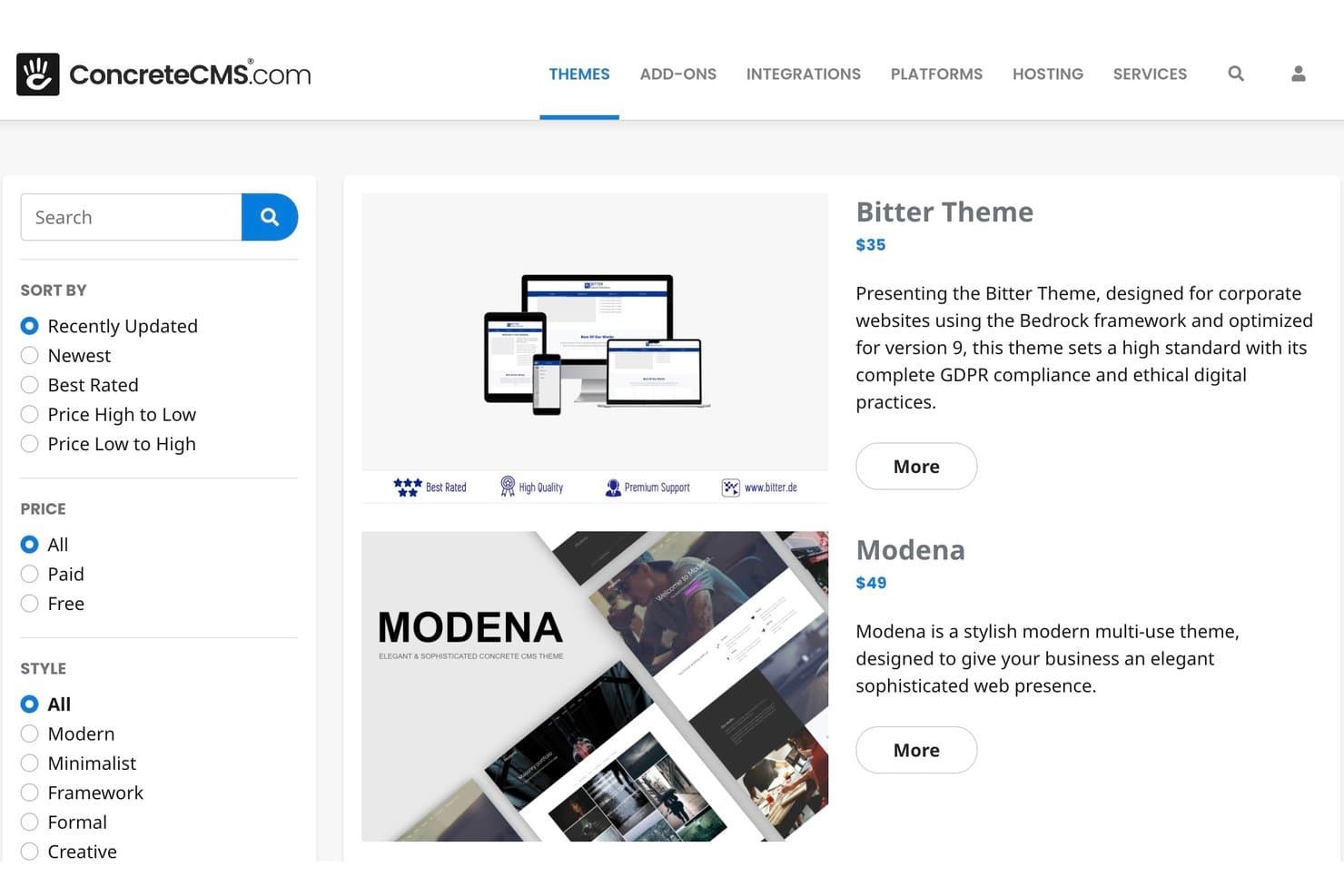
Concrete CMS offers a marketplace with filterable, styled themes. Concrete CMS is a PHP-based, MIT-licensed open source CMS with in-context drag-and-drop editing, a style editor, multisite support, a REST API, and a built-in form builder.
Who Is Concrete CMS Best For?
Concrete CMS is a strong fit for IT teams and digital agencies that need a self-hosted CMS with built-in compliance credentials, granular permissions, and low-overhead managed hosting.
Why I Picked Concrete CMS
I've included Concrete CMS in my top picks because its security credentials set it apart from most open-source CMS options. It backs a HackerOne bug bounty program, ships with Site Health and Production Mode audits, and supports ISO 27001, SOC 2, and HIPAA-compliant hosting. I also like that granular permissions extend down to the block level, so IT teams can lock down exactly who edits what across a multisite setup.
Concrete CMS Key Features
- In-context drag-and-drop editor: Edit content directly on the live page with draggable blocks, reusable stacks, and a WYSIWYG editor—no preview toggle needed.
- Twig templating: Build block views and page templates using Twig, added in v9.5.0 alongside continued support for standard PHP templates.
- Multisite and multilingual support: Manage multiple sites and languages from a single Concrete CMS install, with these capabilities built into the core product.
- REST API with OAuth2: Access and extend site content programmatically through a built-in REST API that supports OAuth2 and OpenID Connect authentication.
Concrete CMS Integrations
Marketplace integrations include Vimeo, AnveVoice, and Mailchimp add-ons. Concrete CMS also provides a REST API with OAuth2 and OpenID Connect, plus GitLab CI/CD workflows for custom SLA hosting.
Pros and Cons
Pros:
- MIT licensing preserves source ownership
- Block-level permissions suit regulated teams
- In-context editing needs little training
Cons:
- No simultaneous co-editing for teams
- Smaller theme ecosystem limits choices
Learn more about Concrete CMS:
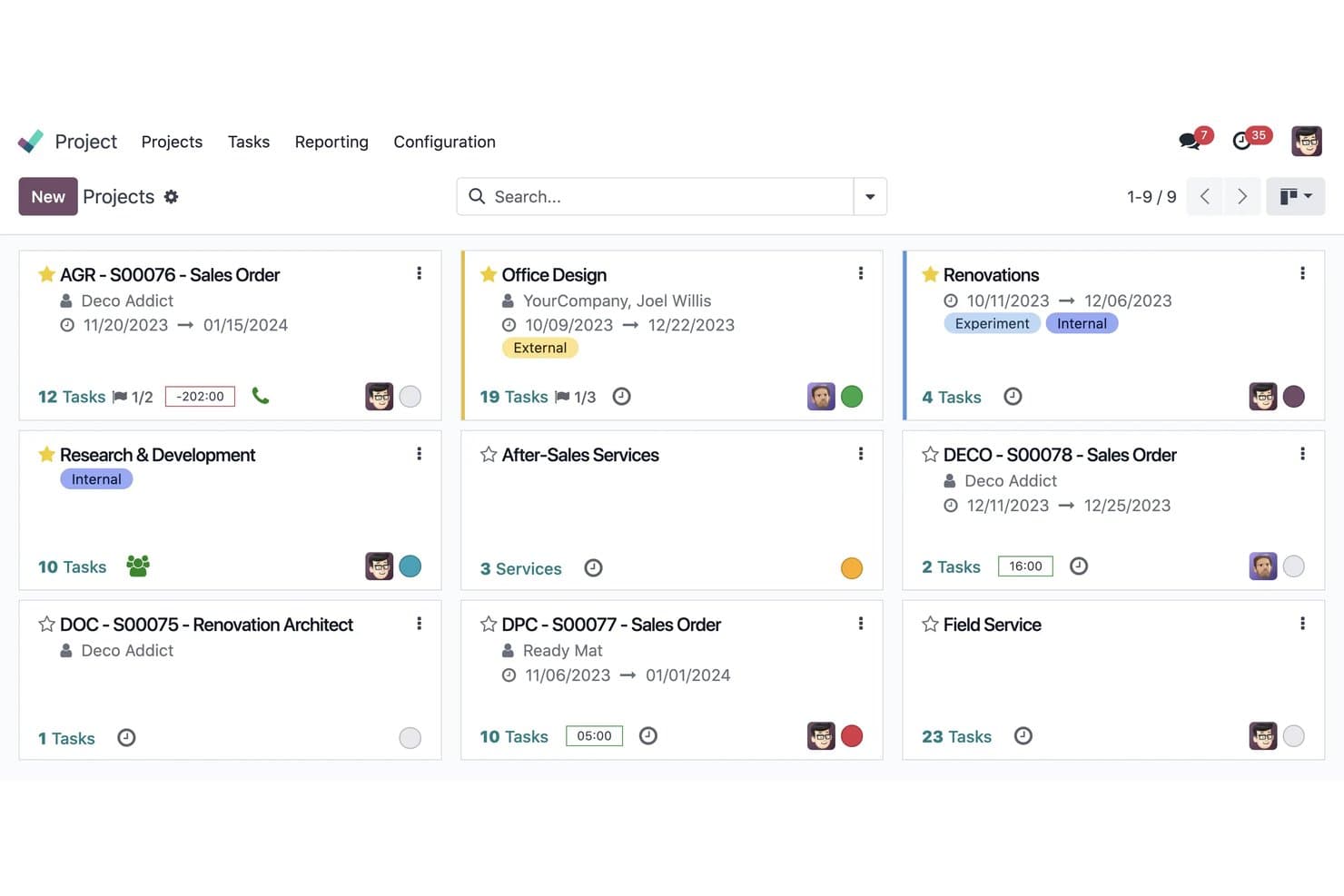
Odoo organizes all projects in a visual kanban card layout. Odoo is an open-source website builder and business suite that combines drag-and-drop page design, theme customization, and native integrations with ecommerce, CRM, and other business apps.
Who Is Odoo Best For?
Odoo suits small businesses and digital agencies that want a website built into the same platform handling their CRM, ecommerce, and back-office operations.
Why I Picked Odoo
I've included Odoo in my top picks because it's the only open-source website builder I know that shares a live database with your CRM, ecommerce catalog, and inventory. Build a lead form in the drag-and-drop editor and it creates a CRM opportunity automatically, no integration required. For teams already running Odoo's business suite, the LGPL-licensed Website app and roughly 37 free official themes mean your site and back office evolve from a single codebase.
Odoo Key Features
- Multi-site management: Run multiple websites from a single database, each with its own domain, theme, pages, and language settings.
- Bootstrap 5 theme development: Build custom themes using QWeb templates, SCSS, and XML inheritance on top of a Bootstrap 5 foundation.
- AI-assisted page creation: Generate page content, custom blocks, and SEO metadata from text prompts directly inside the editor.
- Website form routing: Create forms that automatically generate CRM opportunities, Helpdesk tickets, or project tasks without any third-party integration.
Odoo Integrations
Odoo offers native connections across its business apps, including CRM, eCommerce, Events, eLearning, Helpdesk, and Recruitment, plus Google Calendar and Outlook calendars. Its XML-RPC API supports custom integrations, with hosted API access available on the Custom plan.
Pros and Cons
Pros:
- QWeb enables deep theme customization
- Bootstrap themes deliver responsive layouts
- LGPL Community code supports self-hosting
Cons:
- Theme development requires XML and SCSS
- Visual editor limits fine-grained layout control
Learn more about Odoo: Best for plugin extensibility
- Free plan available
- From $4/month (billed annually)
Visit WebsiteCustomer Rating:4.6/5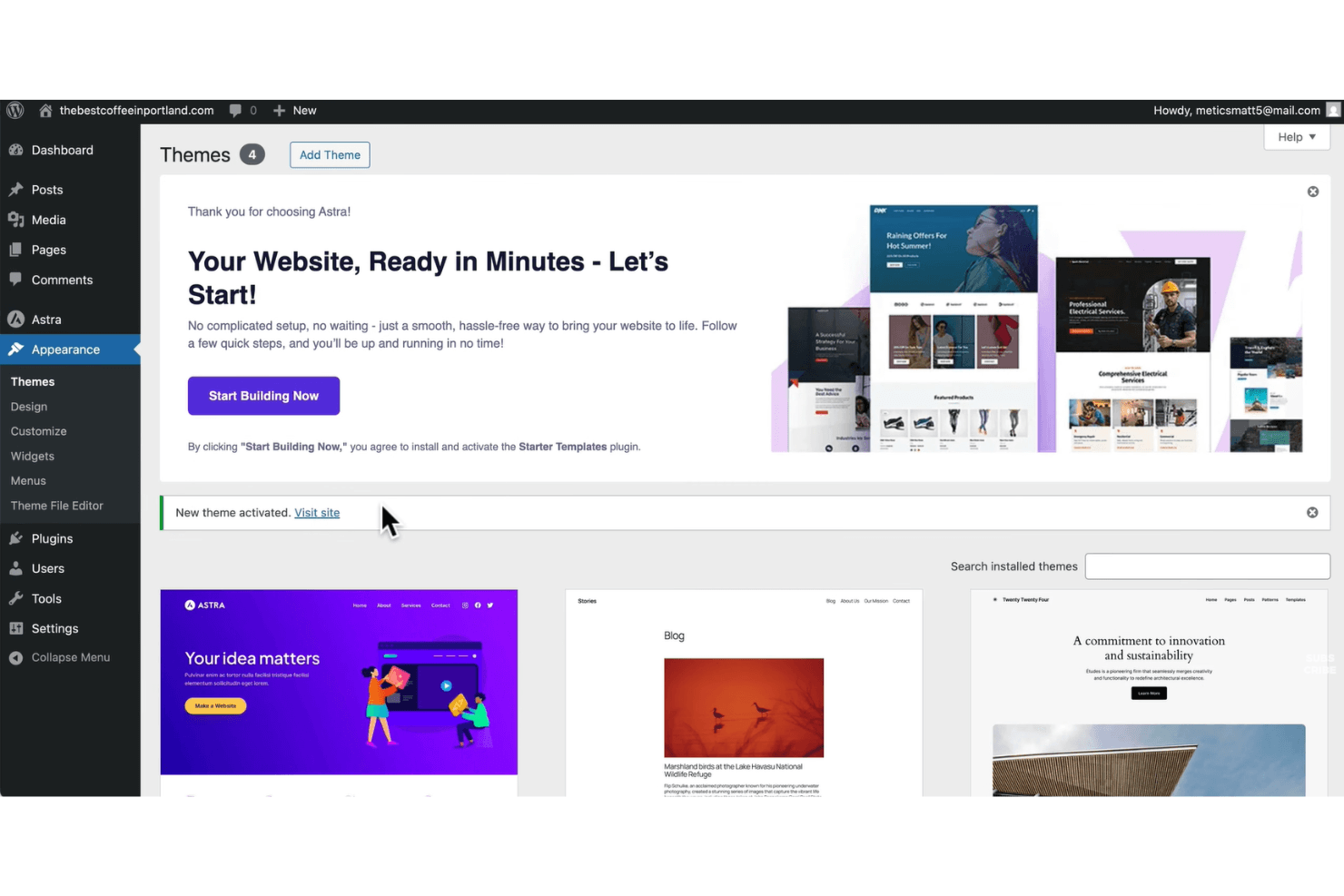
WordPress offers a Themes screen that supports managing and activating site designs. WordPress is an open-source web design and content management platform that combines a visual block-based editor, thousands of themes, and an extensive plugin ecosystem for building and customizing websites.
Who Is WordPress Best For?
WordPress is a strong fit for developers and agencies who need to extend site functionality through a deep library of plugins and custom code.
Why I Picked WordPress
WordPress earns its spot on my shortlist because no other open source platform comes close to its plugin ecosystem. With 60,000+ plugins in the repository, including tools like Elementor (10M+ installs) and WooCommerce, I can extend a site's functionality in almost any direction without writing custom code from scratch. I also rely on the REST API and WP-CLI for headless builds and automated workflows, which makes WordPress a genuinely developer-extensible platform, not just a visual builder.
WordPress Key Features
- Site Editor: Customize colors, fonts, layouts, and templates across your entire site from a single visual interface.
- theme.json design tokens: Centralize color, typography, and spacing settings in a single file, with support for style variations across block themes.
- GitHub deployments: Connect your theme or plugin repository to WordPress.com and trigger deploys on every commit or manually, with support for custom build steps.
- Device-level block visibility: Show or hide individual blocks per device type—desktop, tablet, or mobile—directly in the editor without CSS or plugins.
WordPress Integrations
WordPress supports integrations with WooCommerce, Stripe, PayPal, Google Analytics 4, Google Site Kit, HubSpot CRM, MailPoet, and GitHub. Its REST API also supports custom integrations and headless website builds.
Pros and Cons
Pros:
- Combines visual editing with deep theming
- Supports self-hosting with GPL code access
- Extends functionality through 60,000-plus plugins
Cons:
- Self-hosting shifts maintenance onto your team
- Plugin updates can introduce compatibility problems
Learn more about WordPress: Best for multilingual site management
- Free download available
- Free and open-source
Visit WebsiteCustomer Rating:4.1/5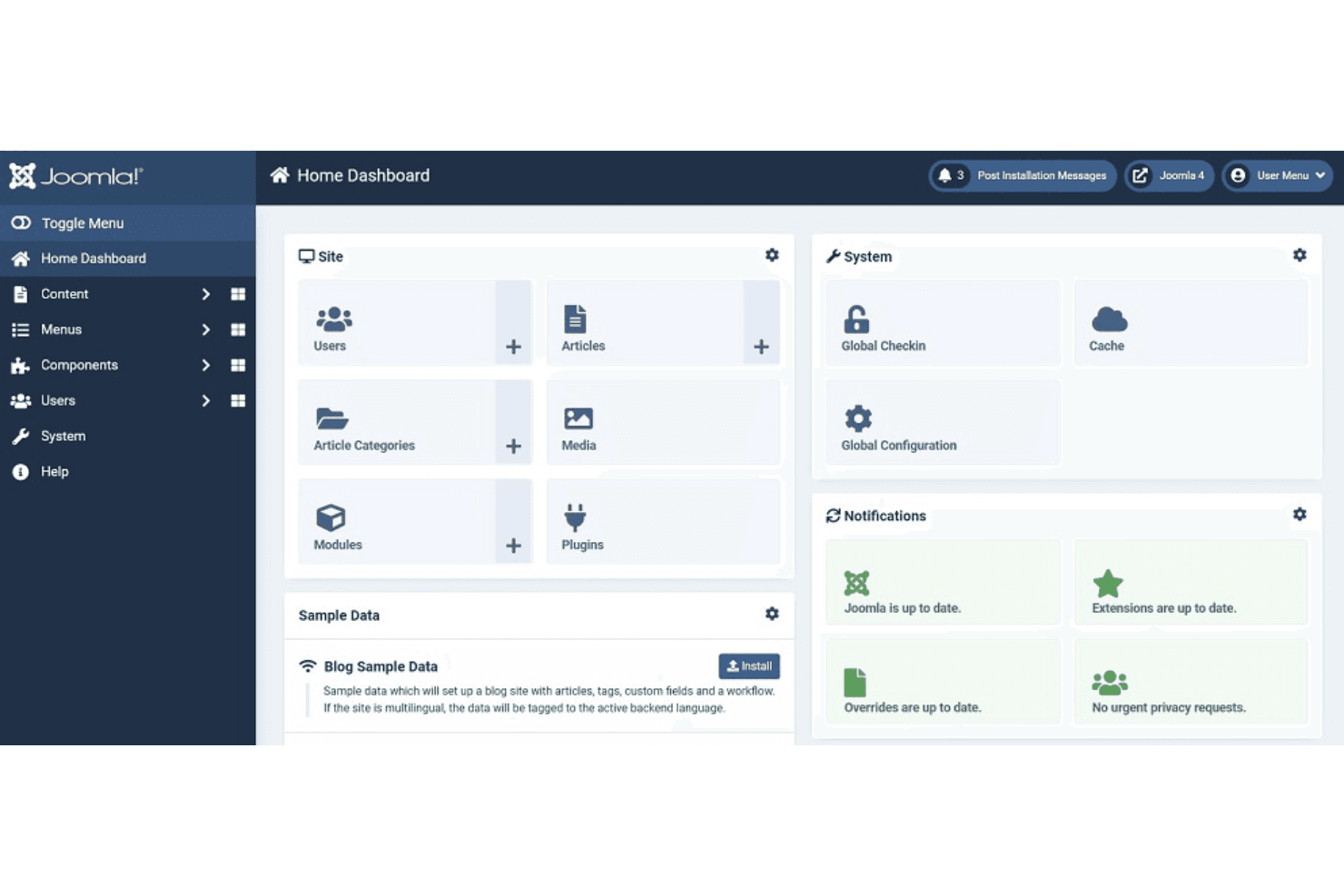
Joomla! offers a centralized dashboard that supports content, user, and system management. Joomla is an open-source CMS that combines multilingual content management, a template override system, access control, and a REST API to support building and managing websites across complex, content-heavy use cases.
Who Is Joomla Best For?
Joomla is a strong fit for developers and digital agencies managing content-heavy sites that need to serve audiences in multiple languages.
Why I Picked Joomla
I picked Joomla as one of the best because its multilingual capabilities are built directly into the core, with no third-party plugin required. The Multilingual Associations component lets you link and edit translated content side by side, and the Language Filter plugin handles language routing automatically. Joomla 6.1 extended this to modules, so every layer of a site can be translated and managed in one place.
Joomla Key Features
- Template override system: Customize the output of any core or extension template file without editing source code, so your changes survive updates.
- Child templates: Create a child template that inherits all parent files except the ones you override, letting you add custom CSS and layouts independently.
- REST Web Services API: Access and manage site content programmatically through built-in API endpoints covering articles, menus, modules, categories, and languages.
- Access control list (ACL): Set granular view, edit, create, and delete permissions for any user group across content, components, and administrative functions.
Joomla Integrations
Joomla offers marketplace integrations via JED extensions, including MailChimp, AWeber, GetResponse, ActiveCampaign, Google Analytics, DeepL, Google Translate, and Azure. Its REST Web Services API supports custom integrations.
Pros and Cons
Pros:
- Self-hosting supports infrastructure control
- Template overrides preserve customizations
- Core multilingual content management
Cons:
- Module-based layouts complicate visual iteration
- No native drag-and-drop page builder
Learn more about Joomla: Best for complex content structuring
- Free forever plan
- Free and open-source
Visit WebsiteCustomer Rating:4.1/5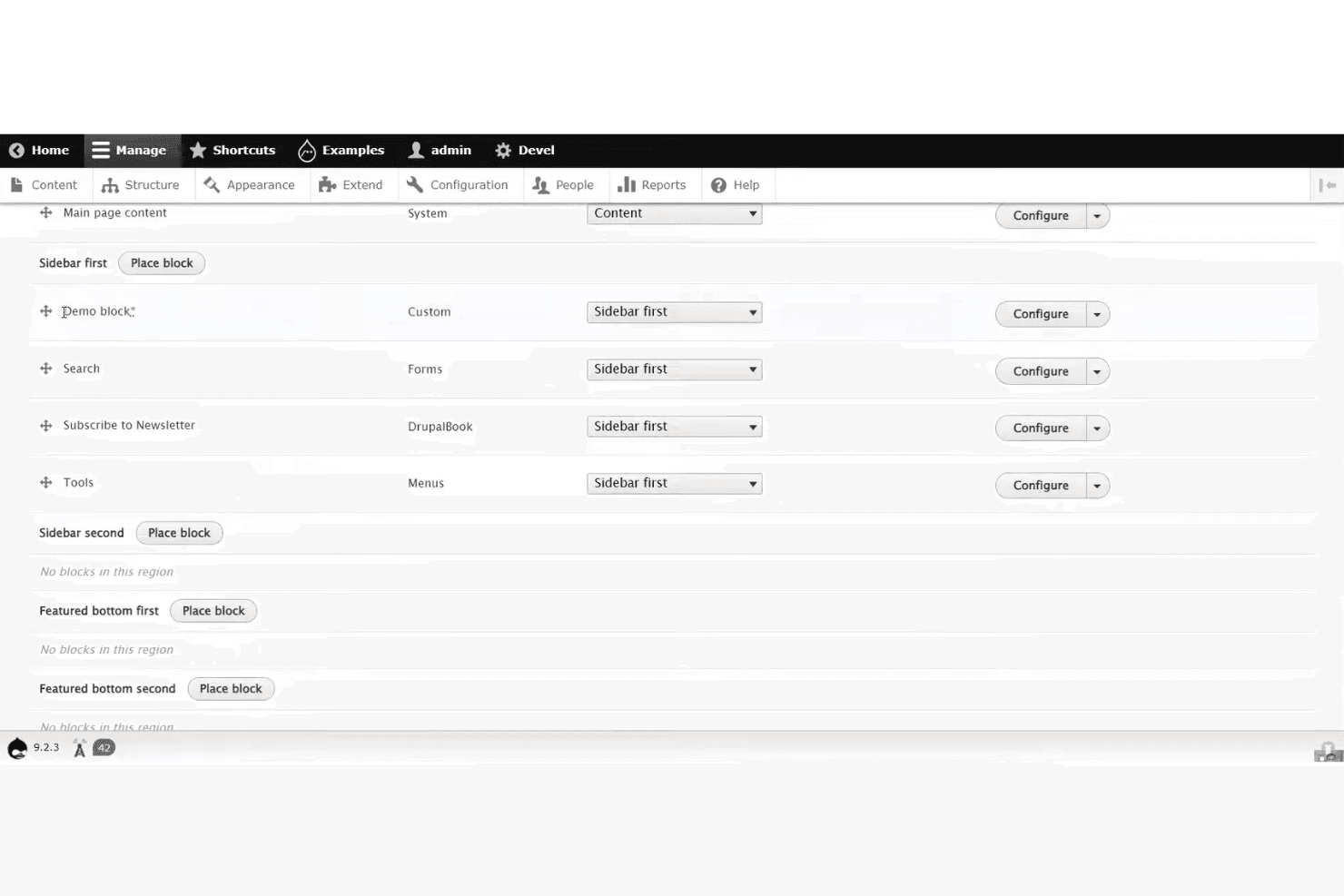
Drupal admin layout showing block placement controls across sidebar regions. Drupal is an open-source CMS built on a modular architecture that combines visual page building via Canvas, a theme and template ecosystem with thousands of contributed options, and headless API access through JSON:API and GraphQL.
Who Is Drupal Best For?
Drupal is a strong fit for developers and digital agencies building content-heavy sites that require structured data, granular access control, and deep extensibility.
Why I Picked Drupal
I've included Drupal in my top picks because no other open-source CMS matches its ability to model and govern complex content at scale. Its content type system, combined with 56,000+ contributed modules, lets you define structured data relationships that persist across channels, from a traditional front end to a React or Astro build via its built-in JSON:API. I also like that site templates like Byte ship with full content models and editorial workflows, not just visual skins.
Drupal Key Features
- JSON:API module: Ships in Drupal core and provides standards-compliant REST operations with zero configuration, enabling headless builds with React, Vue, or Astro frontends.
- Single-Directory Components (SDC): Packages HTML, CSS, and JS into reusable UI components defined with YAML props, letting developers build consistent design systems across the site.
- Automatic security updates: Built into Drupal CMS, this feature applies security patches without manual intervention, reducing the maintenance burden on site owners.
- Multisite support: Runs multiple sites from a single codebase, each with its own database and configuration, making it practical for agencies managing several client properties.
Drupal Integrations
Drupal connects with amazee.ai, OpenAI, Anthropic, Mailchimp, React, Vue, Astro, Tailwind CSS, Bootstrap 5, and ZURB Foundation. Its JSON:API and GraphQL support enables custom integrations, while Composer, Drush, DDEV, and Git/GitLab support development workflows.
Pros and Cons
Pros:
- Granular permissions support governed team publishing
- JSON:API supports headless design workflows
- Structured content models scale across channels
Cons:
- Module quality varies across contributed projects
- Canvas remains limited for global layouts
Learn more about Drupal: Best for WordPress visual design at scale
- Free plan available
- From $5/month (billed annually)
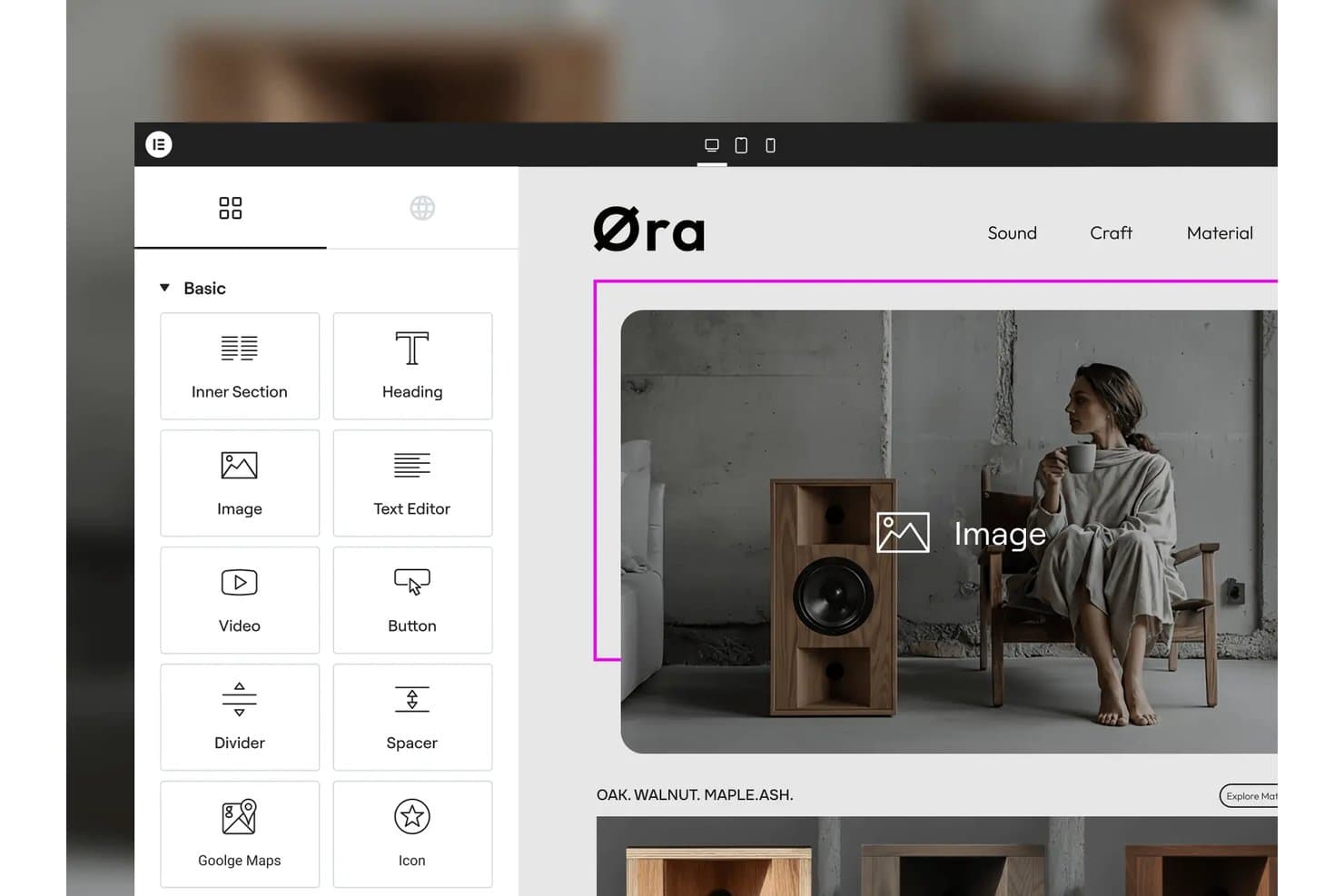
Elementor lets users drag and drop widgets onto pages visually. Elementor is a WordPress page builder plugin with a GPL-3.0-licensed core that includes a drag-and-drop visual editor, 40+ widgets, responsive design controls, and an extensible developer API.
Who Is Elementor Best For?
Elementor is a strong fit for WordPress designers and developers who need to build visually complex, multi-page sites without writing markup from scratch.
Why I Picked Elementor
Elementor earns its spot on my shortlist because the GPL-3.0 core plugin gives you a genuinely open-source foundation you can self-host on any WordPress-compatible server, with no vendor lock-in. I love how the Atomic Editor in v4 lets you set every style property per device, which makes building pixel-precise, responsive layouts across dozens of pages far more manageable than hand-coding breakpoints. The Class Manager and Variables system work like site-wide design tokens, so when a client changes a brand color, one edit propagates across the entire site instantly.
Elementor Key Features
- GPL-3.0 core plugin: The core editor is publicly available on GitHub under a GPL-3.0 license, so you can inspect, fork, and modify the codebase freely.
- WooCommerce builder: Dedicated widgets let you design product pages, cart layouts, checkout flows, and account pages directly inside the visual editor.
- Developer API: Custom widgets, dynamic tags, form actions, hooks, and a CLI give developers structured extension points beyond what the UI exposes.
- Per-breakpoint interactions: You can set motion effects and interaction behaviors independently for each device breakpoint, not just globally.
Elementor Integrations
Elementor integrates with WooCommerce, PayPal, Stripe, WPML, Polylang, TranslatePress, Weglot, Google Analytics, and Google Search Console. Its Developer API supports custom widgets, dynamic tags, form actions, and other extensions.
Pros and Cons
Pros:
- Developer API extends widgets, controls, and workflows
- Per-device styling handles responsive layouts precisely
- GPL-3.0 core supports self-hosted control
Cons:
- No white-label or Git-based version control
- Pro features remain outside the open core
Learn more about Elementor: Best for on-page live editing without plugins
- Free demo available
- From $10/website/month ($1 for the first month)

Microweber offers built-in eCommerce tools that support product and content management. Microweber is an open-source CMS and website builder with a live, on-page drag-and-drop editor, built-in e-commerce, blogging, and multilingual tools, all running on a PHP/Laravel foundation.
Who Is Microweber Best For?
Microweber is a strong fit for freelance designers and small agencies who want to build and deliver client sites without assembling a plugin stack.
Why I Picked Microweber
I've included Microweber in my top picks because its live, on-page editor lets you click directly on any element and edit it in place, with no admin panel switching required. Every change, from text to layout repositioning, renders instantly on the actual page. I also like that the drag-and-drop system supports free-draggable elements and reusable blocks, so you can build and rearrange layouts without touching a single line of code or installing a single plugin.
Microweber Key Features
- MIT-licensed open source core: The full codebase is publicly available on GitHub under the MIT License, so you can modify, redistribute, and use it commercially without restrictions.
- Built-in e-commerce engine: Product management, inventory, multi-currency support, tax zones, coupons, and order workflows are included out of the box with no sales commission.
- White-label licensing: You can remove Microweber branding, apply your own domain and logo, and integrate with WHMCS, Plesk, or cPanel for agency and hosting reseller setups.
- Template Style Editor: A global editor lets you control fonts, colors, spacing, heading styles, and button styles across your entire site from one place.
Microweber Integrations
Documented integrations include Stripe, PayPal, FedEx, UPS, DHL, WHMCS, Plesk, cPanel, Okta, and Azure. Microweber also offers API and webhook access for custom integrations, although public API documentation is limited.
Pros and Cons
Pros:
- Built-in ecommerce avoids plugin stacking
- MIT licensing permits commercial customization
- Live editing happens directly on-page
Cons:
- Sparse releases raise maintenance concerns
- Recent CVEs require careful patch management
Learn more about Microweber:
Outro software de código aberto para design web
Eis algumas opções adicionais de software de código aberto para design web que não entraram na minha lista restrita, mas que vale a pena conhecer:
- 11GrapesJSBest for embedding a custom white-label builder
- 12PubliiBest for privacy-first static site publishing
- 13GhostBest for newsletter and membership site builds
- 14SilverstripeBest for developer-led agency site builds
- 15HugoBest for high-speed static site generation
- 16PenpotBest for design-to-dev handoff via open source
- 17SilexBest for clean static HTML/CSS export
- 18WebstudioBest for collaborative visual editing
- 19PlasmicBest for React-native codegen and design tokens
- 20JekyllBest for Git-based static site deployment
How I Evaluate Open Source Web Design Software
I split my evaluation into three parts, giving the most weight to core functionality: inspect and modify open code, then build responsive pages visually. Next, I look for standout features such as Git-based version control for branching site changes. Finally, I consider factors beyond features, including community support and the hosting and maintenance costs of self-hosting.
Core Functionality (Table Stakes For This List)
When I'm selecting tools for my list, I score each one on a scale from 0 (does not offer the functionality) to 5 (excels in this area) for each core functionality listed below. I then convert the total into a percentage to help assess each tool's overall fit, with extra weight on any functionalities I’ve deemed essential.
- Open-Source License (Essential): I check that the public license permits code inspection, modification, and redistribution, including commercial use, and review the project’s public repository.
- Visual Page Design (Essential): I look for ways to arrange and style page elements visually, such as building a landing page from sections without coding the full layout.
- Themes & Templates: I assess the variety and customizability of themes, including whether a team can revise a site’s structure and styling without rebuilding its content.
- Self-Hosting: I check whether teams can deploy on infrastructure they control, using documented setup guidance and common server requirements.
- Extensibility: I evaluate available plugins, modules, APIs, or code hooks for adding features such as forms, search, or custom content types.
- Responsive Output: I consider how themes and templates adapt to different screens, including whether navigation and content remain usable on mobile devices.
Once I have a list of tools that meet the criteria, I consider what sets each platform apart.
Differentiating Factors (What Sets Vendors Apart)
Here's how I compare and contrast different vendors:
Standout Features
I evaluate whether a platform exposes REST or GraphQL APIs so content and front-end layers stay independent. That matters when your product stack spans a mobile app and a marketing site pulling from one content hub. I also look at Git-based version control—tools like Strapi and Ghost let teams branch and roll back site changes alongside code, which keeps designers and engineers in a shared workflow instead of working in silos.
Beyond Features
I evaluate total cost of ownership because "free" gets expensive fast—self-hosting WordPress or Ghost means budgeting for server uptime, security patches, and DevOps hours that SaaS alternatives bundle in. Data privacy control matters just as much, especially when teams need to meet data residency or GDPR requirements; self-hosting Strapi or Directus, for example, lets you run audits against your own source code. I also check community health—active GitHub repos, plugin ecosystems, and responsive forums signal a project won't stall when you need a fix.
Como escolher software de código aberto para design web
É fácil perder-se em listas extensas de funcionalidades e estruturas de preços complexas. Para o ajudar a manter-se focado enquanto percorre o seu processo específico de seleção de software, eis uma lista de verificação dos fatores a ter em conta:
| Fator | O que considerar |
|---|---|
| FatorEscalabilidade | O que considerarA ferramenta suportará o seu site à medida que este aumenta em dimensão, complexidade ou tráfego de utilizadores? Considere as necessidades futuras, não apenas os projetos atuais. |
| FatorIntegrações | O que considerarO software liga-se às ferramentas que já utiliza (CMS, análise, controlo de versões)? Verifique se existem integrações nativas ou APIs disponíveis. |
| FatorPersonalização | O que considerarPode modificar a base de código ou adicionar plug-ins para adaptar a ferramenta ao seu fluxo de trabalho? Avalie de quanta flexibilidade necessita para o design e a funcionalidade. |
| FatorFacilidade de utilização | O que considerarCom que rapidez pode a sua equipa aprender a utilizar a ferramenta? Procure documentação clara, interfaces intuitivas e comunidades de utilizadores ativas. |
| FatorImplementação e integração inicial | O que considerarQue recursos são necessários para começar? Considere as etapas de migração, as necessidades de formação e a disponibilidade de guias ou modelos para a integração inicial. |
| FatorCusto | O que considerarExistem custos ocultos relacionados com complementos, suporte ou atualizações? Compare o custo total de propriedade, não apenas o preço inicial ou o plano gratuito. |
| FatorMedidas de segurança | O que considerarA ferramenta disponibiliza atualizações de segurança regulares e permite-lhe gerir permissões? Avalie a forma como lida com vulnerabilidades e dados dos utilizadores. |
| FatorDisponibilidade de suporte | O que considerarQue canais de suporte existem (fóruns, e-mail, chat em direto)? Considere os tempos de resposta e se o suporte é assegurado pela comunidade ou pelo fornecedor. |
O que é o software de código aberto para design web?
O software de design web de código aberto é um tipo de ferramenta que permite aos utilizadores criar, editar e gerir websites com acesso ao código-fonte subjacente. Estas ferramentas são normalmente gratuitas para utilizar, modificar e distribuir, o que as torna populares entre programadores e designers que procuram flexibilidade e controlo. As opções de código aberto permitem frequentemente a colaboração, a personalização e a integração com outras tecnologias web, ajudando as equipas a criar websites que respondem às suas necessidades específicas.
Funcionalidades do software de design web de código aberto
Ao selecionar software de design web de código aberto, procure as seguintes funcionalidades principais:
- Editor visual: Permite criar e organizar elementos de páginas web utilizando uma interface de arrastar e largar ou WYSIWYG, para que possa ver as alterações à medida que as efetua.
- Editor de código: Disponibiliza um espaço para escrever, editar e realçar HTML, CSS e JavaScript, proporcionando controlo direto sobre a estrutura e o estilo do seu website.
- Ferramentas de design responsivo: Permitem pré-visualizar e ajustar esquemas para diferentes tamanhos de ecrã, garantindo que o seu website tem um bom aspeto em computadores, tablets e telemóveis.
- Biblioteca de modelos: Disponibiliza uma coleção de esquemas e temas pré-criados que pode personalizar, ajudando-o a iniciar projetos rapidamente e a manter a consistência do design.
- Integração com controlo de versões: Liga-se a sistemas como o Git para acompanhar alterações, gerir revisões e colaborar com outras pessoas sem perder trabalho.
- Gestão de recursos: Organiza imagens, tipos de letra e outros ficheiros multimédia no seu projeto, facilitando a atualização e a reutilização de recursos em várias páginas.
- Pré-visualização em tempo real: Mostra atualizações em tempo real do seu website enquanto edita, para que possa ver imediatamente o impacto das alterações antes de publicar.
- Suporte para plug-ins ou extensões: Permite adicionar novas funcionalidades ou ferramentas ao software, expandindo as suas capacidades para se adequar ao seu fluxo de trabalho ou às necessidades do projeto.
- Suporte multilingue: Permite criar e gerir conteúdos em vários idiomas, o que é útil para criar websites internacionais ou localizados.
Benefícios do software de design web de código aberto
A implementação de software de design web de código aberto proporciona vários benefícios à sua equipa e à sua empresa. Eis alguns dos benefícios que pode esperar:
- Acesso total ao código: Pode modificar o código-fonte para responder exatamente aos seus requisitos, suportando fluxos de trabalho específicos e funcionalidades personalizadas.
- Sem custos de licenciamento: A maioria das ferramentas de código aberto é gratuita, ajudando-o a reduzir os custos de software e a afetar o orçamento a outras áreas.
- Melhorias impulsionadas pela comunidade: As atualizações frequentes, as correções de erros e as novas funcionalidades são frequentemente fornecidas por uma comunidade global de programadores.
- Integrações flexíveis: As soluções de código aberto suportam frequentemente plug-ins, extensões e APIs, facilitando a ligação a outras ferramentas da sua infraestrutura.
- Colaboração otimizada: Muitas ferramentas disponibilizam funcionalidades como controlo de versões e anotações, permitindo que as equipas trabalhem em conjunto e acompanhem as alterações de forma eficiente.
- Suporte para normas modernas: Os projetos de código aberto tendem a adotar rapidamente novas tecnologias web, ajudando-o a criar websites que cumprem as melhores práticas atuais.
- Transparência e segurança: Com código aberto, pode auditar vulnerabilidades e garantir que o software cumpre os requisitos de segurança da sua organização.
Custos e preços do software de design web de código aberto
A seleção de software de design web de código aberto exige uma compreensão dos vários modelos de preços e planos disponíveis. Os custos variam consoante as funcionalidades, a dimensão da equipa, os complementos e outros fatores, sendo que algumas equipas optam por ferramentas gratuitas de design web para minimizar os custos. A tabela abaixo resume os planos comuns, os respetivos preços médios e as funcionalidades normalmente incluídas nas soluções de software de design web de código aberto:
Tabela de comparação de planos para software de design web de código aberto
| Tipo de plano | Preço médio | Funcionalidades comuns |
|---|---|---|
| Tipo de planoPlano gratuito | Preço médio$0 | Funcionalidades comunsAcesso às funcionalidades principais, suporte da comunidade, modelos básicos e código-fonte aberto. |
| Tipo de planoPlano pessoal | Preço médio$4-$20/mês | Funcionalidades comunsModelos adicionais, atualizações prioritárias, suporte por e-mail e acesso a plug-ins ou extensões. |
| Tipo de planoPlano empresarial | Preço médio$25-$75/mês | Funcionalidades comunsFerramentas de colaboração em equipa, integrações avançadas, gestão de recursos e opções de segurança reforçadas. |
| Tipo de planoPlano empresarial de grande escala | Preço médio$950+/mês | Funcionalidades comunsIntegração inicial personalizada, suporte dedicado, ferramentas de conformidade, análise avançada e garantias de SLA. |
Perguntas frequentes sobre software de design de sites de código aberto
Eis algumas respostas a perguntas comuns sobre software de design de sites de código aberto:
Posso utilizar software de design de sites de código aberto em projetos comerciais?
Sim, a maioria dos softwares de design de sites de código aberto pode ser utilizada em projetos comerciais. Reveja sempre os termos específicos da licença para garantir a conformidade, mas as licenças de código aberto permitem normalmente tanto a utilização pessoal como empresarial sem custos adicionais.
Como posso saber se o software de design de sites de código aberto é seguro?
Verifique se existem atualizações regulares, uma comunidade de programadores ativa e documentação transparente sobre as práticas de segurança. Consulte o sistema de acompanhamento de problemas do projeto para saber com que rapidez as vulnerabilidades são corrigidas e considere se o software suporta permissões de utilizador e funcionalidades de proteção de dados.
Que competências técnicas são necessárias para utilizar software de design de sites de código aberto?
A maioria das ferramentas exige conhecimentos básicos de HTML, CSS e, por vezes, JavaScript. Algumas disponibilizam editores visuais para principiantes, mas a personalização de modelos ou a adição de funcionalidades avançadas envolve normalmente a edição de código ou de ficheiros de configuração.
Como funciona o suporte para software de design de sites de código aberto?
O suporte é frequentemente disponibilizado através de fóruns da comunidade, documentação e grupos de utilizadores. Alguns projetos oferecem suporte pago ou serviços de consultoria, mas a maioria depende da ajuda entre pares e dos contributos de programadores voluntários.
Posso personalizar o software de design de sites de código aberto para o adaptar ao meu fluxo de trabalho?
Sim, o software de design de sites de código aberto foi concebido para ser personalizado. Pode modificar o código-fonte, instalar extensões ou desenvolver as suas próprias extensões para adaptar a ferramenta às necessidades e aos processos específicos da sua equipa.