

As melhores alternativas ao FigJam oferecem ferramentas flexíveis de quadro branco que permitem realizar sessões complexas de debate de ideias, planear projetos visualmente e colaborar em tempo real, sem as lacunas de funcionalidades ou os limites de integração que poderá estar a enfrentar atualmente.
Se teve dificuldades com uma variedade limitada de modelos, problemas em estabelecer ligação às suas plataformas preferidas de gestão de projetos ou de conceção, ou uma interface que abranda discussões rápidas, a alternativa certa pode eliminar estes obstáculos.
Depois de testar e comparar várias plataformas em primeira mão, identifiquei opções que se adaptam a diferentes fluxos de trabalho, integram-se facilmente com outras ferramentas e ajudam as equipas a transformar ideias em planos concretizáveis mais rapidamente.
O que é o FigJam?
O FigJam é um quadro branco colaborativo online criado pela Figma para debate de ideias, criação de diagramas e facilitação de workshops em tempo real.
É utilizado por gestores de produto, designers e responsáveis de equipa para mapear fluxos de utilizador, delinear roteiros de produto e realizar sessões de planeamento interativas. A plataforma combina ferramentas intuitivas de arrastar e largar, como notas autocolantes, formas, conectores e funcionalidades de votação. Também disponibiliza edição em direto por vários utilizadores, facilitando a recolha e organização visual de ideias. Com integrações com a Figma e outras ferramentas de gestão de trabalho, o FigJam ajuda as equipas a transformar discussões não estruturadas em planos concretizáveis sem perder o contexto.
Why Trust Our Software Recommendations
6,700+
Reviews
20
Industry experts
16+
Evaluation factors
14
Years
Our team has been testing and reviewing software since 2012. As product managers ourselves, we know how difficult—and important—it is to choose the right software.
For this guide, we evaluated tools using hands-on testing and independent research, scoring tools using our selection criteria.
Our reviews reflect our human editorial judgment, not a sales pitch.
Expert reviewers:
- Andrew LumbySenior TPM
- Cristiano ValimSenior UI/UX Lead


Tabela comparativa: alternativas ao FigJam
Esta tabela comparativa resume os detalhes de preços das minhas principais escolhas de alternativas ao FigJam.
| Tool | Best For | Trial Info | Price | ||
|---|---|---|---|---|---|
| 1 | Best for linking diagrams inside docs | Free plan available | From $10/user/month (billed annually) | Website | |
| 2 | Best for diagram-led visual collaboration | Free plan + 30-day free trial + free demo available | Pricing upon request | Website | |
| 3 | Best for agile teams syncing boards to Jira | Free plan + 30-day trial + free demo available | Pricing upon request | Website | |
| 4 | Best for whiteboarding inside Zoom Meetings | Free plan available | From $7/user/month | Website | |
| 5 | Best for EU-hosted whiteboard compliance | Free plan + 30-day trial available | From €5/user/month | Website | |
| 6 | Best for remote team collaboration | Free plan + 14-day free trial + free demo available | From $8/user/month (billed annually) | Website | |
| 7 | Best for live facilitation and session tools | Free plan + trial + demo available | From $24.90/user/month (billed annually) | Website | |
| 8 | Best for structured workshop facilitation | Free plan + free demo available | From $9.99/user/month (billed annually) | Website | |
| 9 | Best for AI-assisted boards | Free plan + 7-day trial + demo available | From $9/user/month (billed annually) | Website | |
| 10 | Best for brainstorming and diagramming in one suite | Free plan + 7-day trial available | From $9/user/month (billed annually) | Website |


Avaliações das melhores alternativas ao FigJam
Seguem-se os meus resumos detalhados das melhores alternativas ao FigJam que entraram na minha lista restrita. As minhas avaliações apresentam uma análise detalhada das principais funcionalidades, vantagens e desvantagens, integrações e casos de utilização ideais de cada ferramenta, para o ajudar a encontrar a melhor opção para si.
 Best for linking diagrams inside docs
- Free plan available
- From $10/user/month (billed annually)
Visit WebsiteCustomer Rating:4.6/5
Whimsical organizes project tasks across Backlog, Up Next, In Progress, and Done stages. Whimsical is a visual workspace built for product teams who need to move quickly from idea to alignment—combining flowcharts, wireframes, mind maps, and docs in one place with AI-assisted diagram generation and real-time collaboration.
Who Is Whimsical Best For?
Whimsical is a great fit for product teams who need to move quickly from concept to alignment using flowcharts, wireframes, and mind maps in a single shared workspace.
Why I Picked Whimsical
I picked Whimsical as one of the best because of how naturally it connects diagrams to living documentation. When I embed a Whimsical board in a Notion page or Google Doc, it stays live, so teammates reading a spec see the actual flowchart or wireframe, not a stale screenshot. I also rely on Whimsical Agent to generate flowcharts and mind maps from a prompt, which cuts the time between a rough idea and a shareable visual down considerably.
Whimsical Key Features
- Voting on sticky notes: Facilitators can set per-person vote limits, start and stop a voting session, and display results directly on sticky notes.
- Board timer: A shared timer with five presets and custom durations up to 99 minutes and 59 seconds is visible to all board viewers and controllable by any editor.
- Wireframe components: Drag-and-drop wireframe components with adjustable properties and states, thousands of icons, and device frames for browsers, phones, and tablets.
- FigJam file import: Import a
.jamfile by dragging or pasting it onto a Whimsical board, bringing in shapes, sticky notes, connectors, tables, and other supported content.
Whimsical Integrations
Whimsical offers native integrations with Notion, Google Docs, Jira, Linear, Slack, GitHub, Asana, ClickUp, Coda, and Confluence. Its beta API uses OAuth 2.1 and provides read-only POST endpoints for custom integrations.
Pros and Cons
Pros:
- Built-in voting and timers support retrospectives
- Fast wireframes and mind maps support discovery
- Prompt-generated flowcharts speed early product mapping
Cons:
- Dense boards can slow during facilitation
- No offline mode interrupts disconnected workshops
Learn more about Whimsical: Best for diagram-led visual collaboration
- Free plan + 30-day free trial + free demo available
- Pricing upon request
Visit WebsiteCustomer Rating:4.4/5
Creately lets teams brainstorm, plan, and track launches on one visual board. Creately is a visual collaboration platform that blends diagramming, whiteboarding, and project tracking on a shared canvas—making it a strong fit for product managers and Agile teams who need more structure than a freeform whiteboard can offer.
Who Is Creately Best For?
Creately is a strong fit for Agile teams and product managers who need structured diagramming and process mapping alongside whiteboarding—not just a freeform canvas.
Why I Picked Creately
I picked Creately as one of the best because it brings genuine diagramming depth to a whiteboard surface, which most FigJam alternatives don't. I love that you can move between a flowchart, a BPMN process map, or a sprint retrospective board without leaving the canvas. Creately's AI can also cluster sticky notes by theme or sentiment automatically, which is a real time-saver when you're sorting through a wall of feedback after a discovery session.
Creately Key Features
- Real-time voting: Run timed anonymous or public voting sessions directly on canvas items to prioritize ideas during workshops and retrospectives.
- Data views: Arrange canvas items as Kanban boards, timelines, or grids, with multiple views backed by a connected database.
- Presentation mode: Turn selected canvas content into slides that automatically stay updated as the underlying canvas changes.
- Granular sharing permissions: Set folder- and workspace-level roles, password-protect workspaces, and control guest access, link sharing, and embedding from a central admin panel.
Creately Integrations
Creately has documented integrations with Microsoft Teams, Slack, Google Drive, and Confluence, plus connections with Jira, GitHub, and Azure DevOps. The vendor doesn’t state a total count, but an API is available for custom integrations.
Pros and Cons
Pros:
- Reviewers praise templates and live collaboration
- Clusters sticky-note feedback by theme or sentiment
- Maps complex workflows beyond freeform boards
Cons:
- Dense interface can make canvas navigation harder
- Large diagrams can lag as boards grow
Learn more about Creately: Best for agile teams syncing boards to Jira
- Free plan + 30-day trial + free demo available
- Pricing upon request
Visit WebsiteCustomer Rating:4.3/5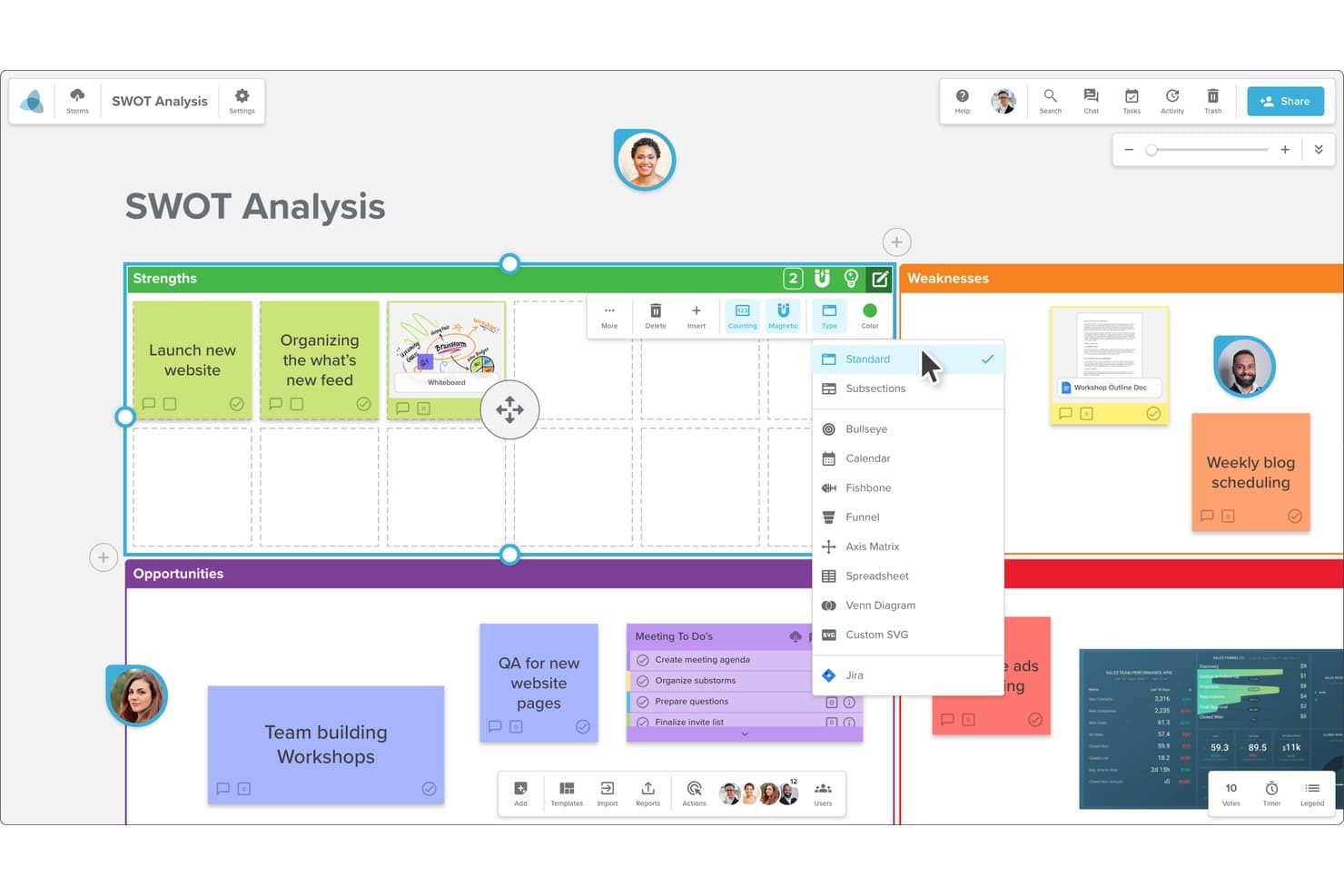
Stormboard lets users switch between multiple board layout types. Stormboard is a digital whiteboard and collaborative workspace built for structured workshops, agile planning, and distributed teams who need more than a simple canvas—including built-in voting, task tracking, and deep reporting tools.
Who Is Stormboard Best For?
Stormboard is a strong fit for agile teams that need structured workshop facilitation alongside live Jira sync for sprint planning and retrospectives.
Why I Picked Stormboard
I picked Stormboard as one of the best because it's the only whiteboard tool I've used that treats Jira as a true two-way sync partner, not just a one-way export. During sprint planning, my team can pull a Jira backlog directly into a Storm, turn issues into live-synced sticky notes, and update story points or sprint assignments without ever leaving the board. The voting tools and agile templates make it easy to run retrospectives that feed directly back into the same Jira issues we're tracking.
Stormboard Key Features
- StormAI idea generation: Generate ideas, expand on a single concept, or summarize and group sticky notes by theme or sentiment directly within your workspace.
- 250+ pre-built templates: Choose from templates covering brainstorming, strategy, retrospectives, and sprint planning, with customizable section types including matrices, spreadsheets, and shapes.
- Editable workshop reports: Export session outcomes to Microsoft Word, PowerPoint, or Excel—or Google Docs, Slides, or Sheets—as fully editable files.
- Built-in voting tools: Run structured votes on sticky-note content with configurable vote counts per participant and a downloadable vote-results report.
Stormboard Integrations
Stormboard lists dozens of integration options, including native integrations with Jira, Azure DevOps, Rally, Google Drive, Slack, Zoom, Figma, and Microsoft tools. It also offers an API for custom integrations and Zapier connectivity.
Pros and Cons
Pros:
- Voting turns brainstorms into assigned follow-up
- Editable reports preserve decisions after sessions
- Live workshops keep remote participants engaged
Cons:
- Interface feels busier than FigJam
- Large sessions can lag or freeze
Learn more about Stormboard: Best for whiteboarding inside Zoom Meetings
- Free plan available
- From $7/user/month
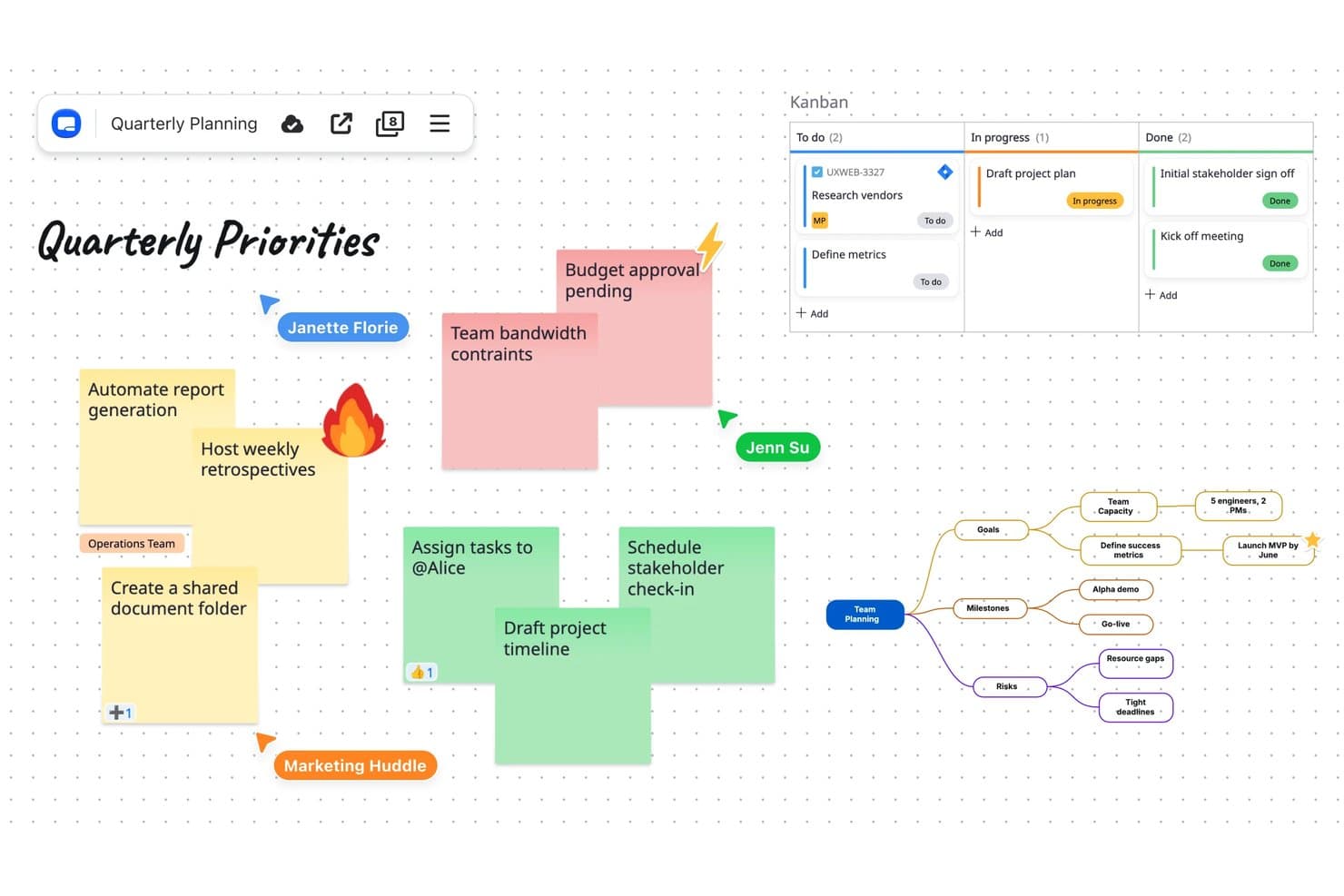
Zoom Whiteboard combines sticky notes, Kanban, and mind maps on one canvas. Zoom Whiteboard is an infinite canvas tool built into the Zoom ecosystem, designed for teams that want to brainstorm, plan, and diagram without leaving their existing meeting workflow.
Who Is Zoom Whiteboard Best For?
Zoom Whiteboard is a natural fit for teams already running meetings in Zoom who want to brainstorm and plan visually without switching tools.
Why I Picked Zoom Whiteboard
I picked Zoom Whiteboard because it's the only tool on this list that lives natively inside Zoom Meetings, so my team can jump from a call directly into a shared canvas without opening another app. I particularly like how AI Companion clusters sticky notes by theme and generates mind maps mid-session, keeping the momentum of a live brainstorm going. The persistent boards also mean that what we sketch during a sprint planning call stays organized and ready for follow-up.
Zoom Whiteboard Key Features
- Diagramming mode: A dedicated mode for building flowcharts, process diagrams, and structured visuals directly on the canvas.
- Jira and Asana integration: Create, import, and manage Jira issues or Asana tasks without leaving the whiteboard.
- Figma file embedding: Embed live Figma designs into your board so they stay interactive and update as the source file changes.
- Offline editing: Edit boards without an internet connection, with changes stored locally and synced automatically when you reconnect.
Zoom Whiteboard Integrations
Zoom Whiteboard integrates with Jira, Asana, and Azure DevOps, and supports interactive Figma file embedding. It also provides a Whiteboard API with REST and webhook support for custom integrations.
Pros and Cons
Pros:
- AI clusters brainstorm notes into themes
- Persistent boards retain hybrid-session ideas
- Meeting-native canvas keeps sessions together
Cons:
- Whiteboard glitches sometimes interrupt sessions
- External collaborators need Zoom accounts
Learn more about Zoom Whiteboard: Best for EU-hosted whiteboard compliance
- Free plan + 30-day trial available
- From €5/user/month

Conceptboard lets teams manage product roadmaps with collaborative sticky notes. Conceptboard is an online whiteboard built for teams that need a visual workspace for brainstorming, sprint facilitation, and project planning—with deep compliance and data-residency controls that make it a natural fit for regulated industries and public-sector organizations.
Who Is Conceptboard Best For?
Conceptboard is a strong fit for teams in regulated industries or public-sector organizations that need a GDPR-compliant, EU-hosted whiteboard with built-in governance controls.
Why I Picked Conceptboard
I picked Conceptboard as one of the best FigJam alternatives because it's the only whiteboard on this list built with EU data residency and GDPR compliance as core features, not afterthoughts. I appreciate that it's certified to ISO 27001, ISO 27017, and ISO 27018, and that teams can choose to host their data exclusively in Germany through AWS, IONOS, or StackIT. For product teams in regulated industries or public-sector organizations, that level of data governance is genuinely hard to replicate with FigJam.
Conceptboard Key Features
- Moderation mode: Facilitators can lock all participants to follow their cursor in real time, keeping distributed teams focused during workshops and sprint ceremonies.
- Comment-to-task conversion: Any comment on a board can be marked as a task, assigned to a team member, given a deadline, and filtered by status or assignee.
- Voting tools: Boards support regular voting and approve/reject voting, with options for anonymous votes, a timed session, or closing when all editors and reviewers are done.
- Template library: Over 150 pre-built templates span categories including Agile Methodology, Brainstorming, Meetings, and Product Development, with search and preview before inserting.
Conceptboard Integrations
Conceptboard has documented integrations with Microsoft Teams, Google Drive, Dropbox, OneDrive, Confluence, Webex, and Jira. It also offers an API-first approach for custom extensions, though specific protocols aren’t documented.
Pros and Cons
Pros:
- Moderator cursor-following guides sprint workshops
- Comments convert directly into assigned tasks
- EU-hosted governance suits regulated product teams
Cons:
- Older reviews report delayed board updates
- Video calls cap at 25 participants
Learn more about Conceptboard: 6Best for remote team collaboration
Miro
- Free plan + 14-day free trial + free demo available
- From $8/user/month (billed annually)
Visit WebsiteCustomer Rating:4.8/5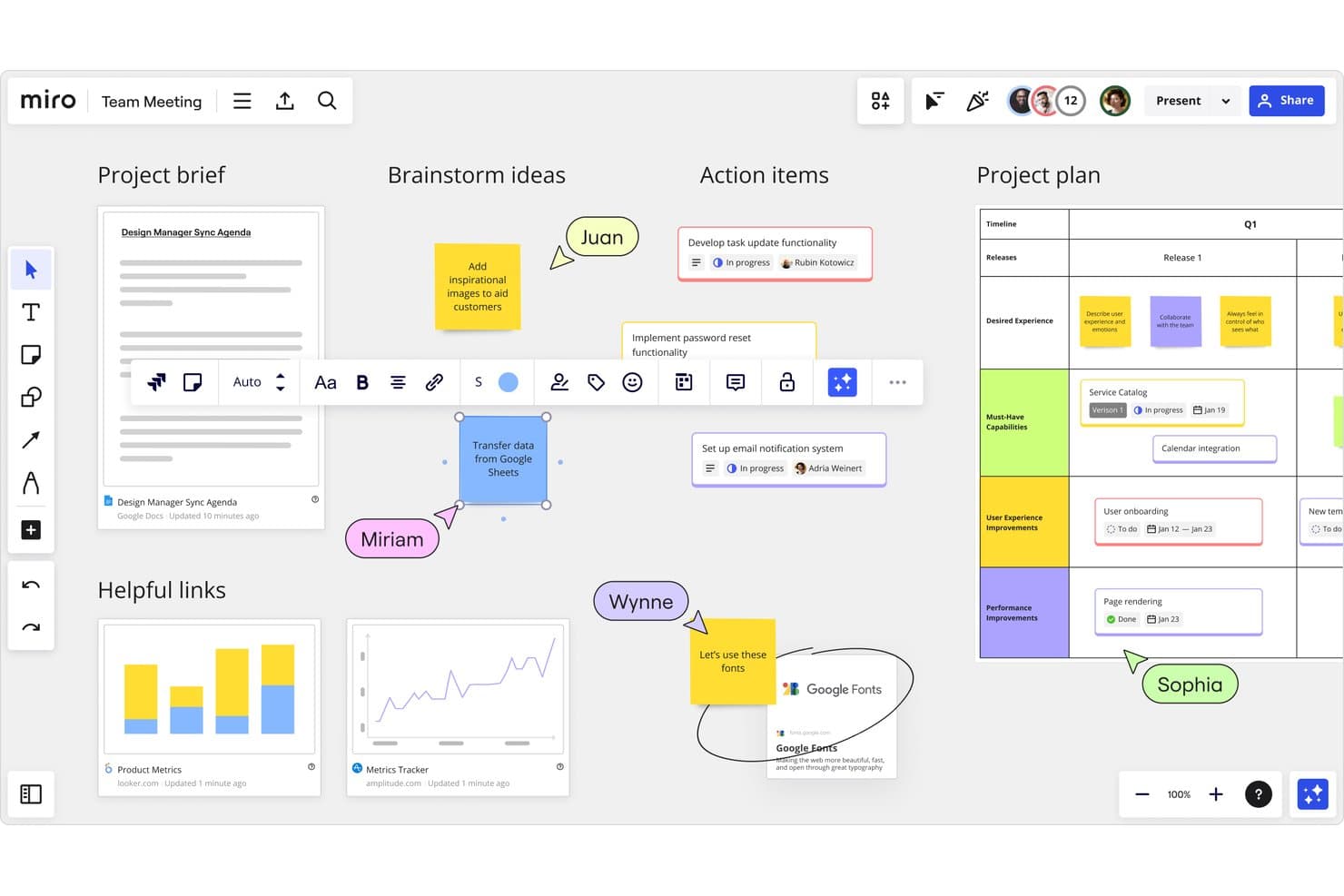
Miro supports real-time team collaboration across boards and project plans. Miro is a visual collaboration workspace built for cross-functional teams who need more than a simple whiteboard—spanning brainstorming, sprint facilitation, journey mapping, wireframing, and product planning in one shared canvas.
Who Is Miro Best For?
Miro is a strong fit for cross-functional teams—product managers, Agile facilitators, and remote leads—who need a shared visual workspace that goes beyond whiteboarding into roadmapping, sprint planning, and journey mapping.
Why I Picked Miro
Miro earns its spot on my shortlist because it's the most capable shared canvas I've used for distributed teams who need to do more than sketch ideas. I appreciate how embedded video huddles let my team run live workshops without switching apps, and the AI-assisted sticky note clustering makes it genuinely fast to surface themes from a messy brainstorm. For remote retrospectives and sprint ceremonies especially, the voting and timer tools keep sessions structured even when participants are spread across time zones.
Miro Key Features
- AI sticky note clustering: Miro AI groups selected sticky notes by keyword or sentiment automatically, surfacing patterns from large brainstorms without manual sorting.
- 7,000+ pre-built templates: A broad template library spans Agile rituals, retrospectives, journey mapping, and product planning to get sessions started quickly.
- Two-way Jira and Asana sync: Cards from Jira, Asana, Linear, and ClickUp sync bidirectionally, letting teams plan sprints and roadmaps directly on the canvas.
- Interactive prototyping: Teams can generate clickable prototypes from screenshots, HTML, code, prompts, or existing board content on the Business plan.
Miro Integrations
Miro offers 250+ integrations, including native two-way sync with Jira, Asana, Linear, ClickUp, and Azure for sprint and roadmap planning. Marketplace integrations include Slack and Google Drive, while its REST API, Web SDK, Enterprise APIs, SCIM API, oEmbed API, and MCP server support custom connectivity.
Pros and Cons
Pros:
- Canvas supports journey mapping through roadmap planning
- 7,000+ templates cover product and Agile workflows
- AI clusters brainstorm notes into themes
Cons:
- Offline editing isn’t available
- Large boards can lag and clutter
 Best for live facilitation and session tools
- Free plan + trial + demo available
- From $24.90/user/month (billed annually)
Visit WebsiteCustomer Rating:4.7/5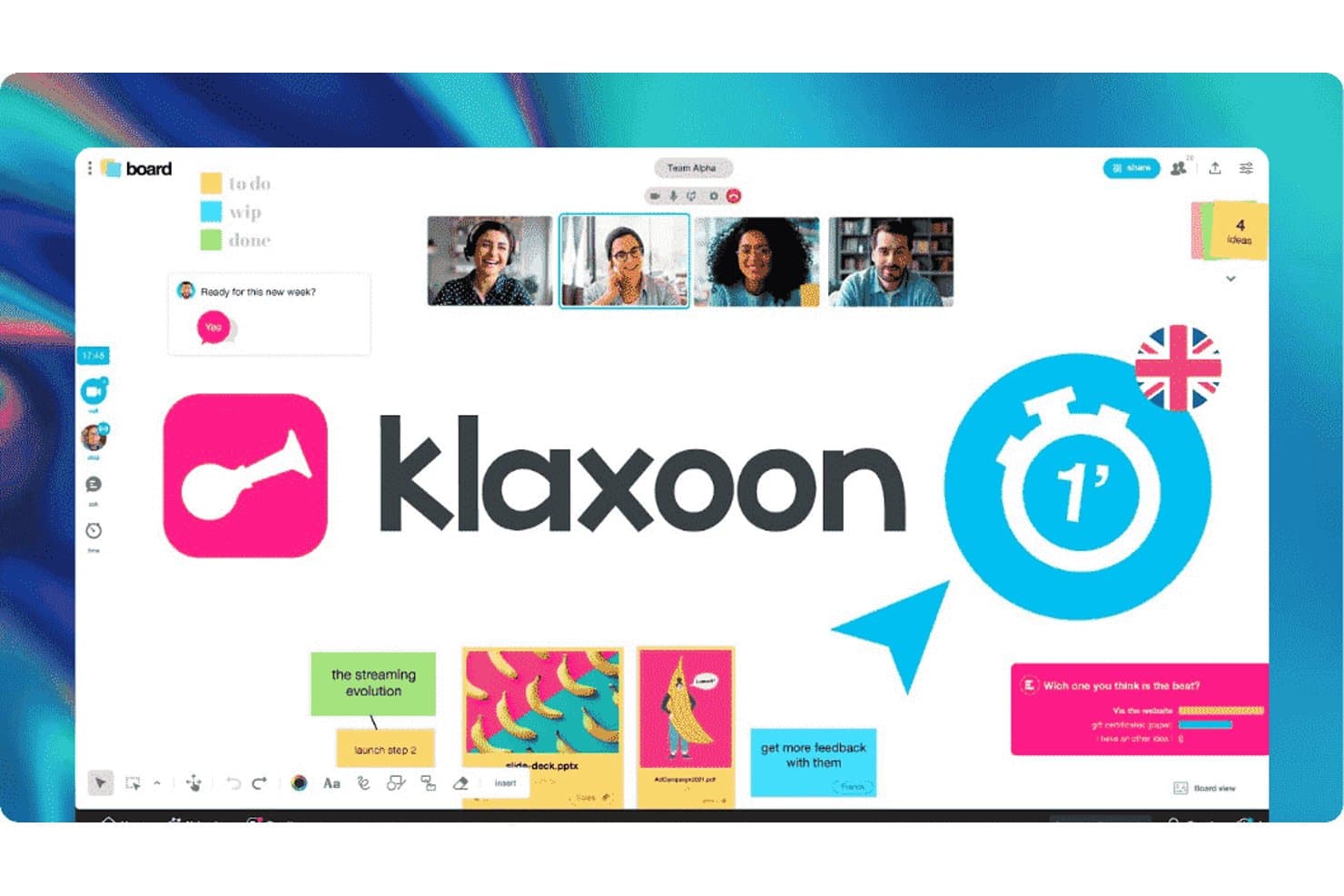
Klaxoon lets teams collaborate with boards, video, and sticky notes. Klaxoon is a visual collaboration platform built around live facilitation, offering interactive boards, session sequencing, and engagement tools that make it a strong fit for teams who run a lot of workshops, retrospectives, or training sessions.
Who Is Klaxoon Best For?
Klaxoon is a strong fit for facilitators and team leads who run frequent live workshops, retrospectives, or training sessions and need more than a basic whiteboard.
Why I Picked Klaxoon
I picked Klaxoon as one of the best because its live facilitation tools go well beyond a standard whiteboard. I love that you can run dot votes, word clouds, and timed polls directly on a Board while using Board Sync to pull every participant into the same view at the same moment. Sessions let you chain those activities into a sequenced agenda, so a sprint retrospective flows from brainstorm to vote to action plan without anyone leaving the room or switching tabs.
Klaxoon Key Features
- AI-assisted template generation: Klaxoon's AI creates a ready-to-use, structured Board template with sections and suggested ideas from a natural-language prompt.
- Jira and Wrike two-way sync: Board ideas convert directly into Jira or Wrike tasks, with status changes reflected in both tools in real time.
- Threaded comments on Board objects: Participants can start comment threads, react, edit posts, and mark threads resolved on most Board objects.
- Account-free guest access: Activity owners can share a Board via link, QR code, or access code, letting guests join with just a nickname and no account required.
Klaxoon Integrations
Klaxoon offers native integrations with Jira, Wrike, Microsoft Teams, Google Meet, Confluence, and Adobe Creative Cloud. It also provides APIs for custom integrations and connects to 1,000+ apps through Zapier.
Pros and Cons
Pros:
- Shared boards support simultaneous team contributions
- Templates help structure brainstorming and retrospectives
- Facilitates workshops with live polls and voting
Cons:
- Switching views and editing content can frustrate users
- Large, crowded boards can become slow
Learn more about Klaxoon: Best for structured workshop facilitation
- Free plan + free demo available
- From $9.99/user/month (billed annually)
Visit WebsiteCustomer Rating:4.6/5
Mural's home screen helps users access and organize murals and templates. Mural is a visual collaboration platform designed for teams that run structured workshops, agile ceremonies, and cross-functional planning sessions on a shared digital canvas.
Who Is Mural Best For?
Mural is a strong fit for agile teams and workshop facilitators who run recurring structured sessions like sprint planning, retrospectives, and cross-functional workshops.
Why I Picked Mural
I picked Mural as one of the best because its Facilitation Superpowers suite goes well beyond what FigJam offers for running structured sessions. Tools like private mode (which hides contributions during ideation to reduce groupthink) and configurable voting sessions let me shape exactly how a sprint retrospective or cross-functional workshop unfolds. I also appreciate how Mural's 250+ templates come with built-in prompts and instructions, so participants aren't staring at a blank canvas wondering what to do next.
Mural Key Features
- Real-time sticky note clustering: Group and recluster sticky notes by topic or theme directly on the canvas to surface patterns across team input.
- Two-way Jira sync: Import Jira issues as cards and create new Jira issues from sticky notes, with changes syncing in both directions.
- Mural AI ideation and synthesis: Generate ideas, mind maps, and summaries, and classify sticky notes by sentiment or topic to accelerate insight-gathering.
- Visitor share links: Invite external collaborators to a specific mural via link, without requiring them to create a Mural account.
Mural Integrations
Mural offers native integrations with Figma, Jira, Asana, Linear, Microsoft Teams, Zoom, Webex, Slack, and Microsoft 365. It also supports Zapier and provides a beta API and canvas embed SDK for custom integrations.
Pros and Cons
Pros:
- Sticky-note clustering surfaces themes across team input
- Template prompts help structure sprint retrospectives
- Private ideation and configurable voting guide workshops
Cons:
- Static Figma exports complicate ongoing design reviews
- Users report lag and occasional collaboration bugs
Learn more about Mural: Best for AI-assisted boards
- Free plan + 7-day trial + demo available
- From $9/user/month (billed annually)
Visit WebsiteCustomer Rating:4.5/5
Lucidspark lets users vote and tally sprint planning results visually. Lucidspark is a virtual whiteboard from Lucid Software that helps teams brainstorm, plan, and facilitate workshops on an infinite canvas—making it a strong fit for Agile teams, remote leads, and product managers who need more than a basic whiteboard.
Who Is Lucidspark Best For?
Lucidspark is a strong fit for Agile teams and remote leads who need structured facilitation tools—voting, timers, and guided activities—alongside AI-assisted ideation on a shared canvas.
Why I Picked Lucidspark
I picked Lucidspark as one of the best because its AI features are genuinely woven into the brainstorming flow, not bolted on. I can prompt Lucid AI to generate ideas, automatically sort sticky notes into themes, and summarize an entire session, all without leaving the canvas. What I appreciate most is that this is available on the Free plan, so my whole team gets it from day one.
Lucidspark Key Features
- Facilitation tools: Run timer-controlled voting sessions, use a laser pointer, and broadcast messages to all participants from a single facilitator panel.
- Visual Activities: Launch structured interactive activities to gather feedback, gauge sentiment, and prioritize ideas directly on the canvas.
- Lucid Cards: Create, assign, and organize tasks on the canvas and sync them with tools like Asana, Jira, and monday.com.
- Breakout boards: Spin up separate boards for small-group work during a session, then bring ideas back to the main canvas.
Lucidspark Integrations
Lucidspark has more than 100 custom-built integrations across the Lucid platform, including native integrations with Jira, Azure DevOps, Asana, Confluence, Google, Microsoft, and FigJam. Marketplace integrations include Figma and Zoom, while REST, Extension, and SCIM APIs plus an SDK support custom connectivity.
Pros and Cons
Pros:
- Live cursors keep remote teams aligned
- Templates support retrospectives and sprint planning
- AI groups and summarizes workshop ideas
Cons:
- Large boards can lag on modest devices
- Editable statistical charts require other tools
Learn more about Lucidspark: Best for brainstorming and diagramming in one suite
- Free plan + 7-day trial available
- From $9/user/month (billed annually)

Lucid lets users build FMEA flowcharts with RPN scoring and hyperlinks. Lucidspark is Lucid Software's virtual whiteboard that blends freeform brainstorming with structured diagramming—making it a natural fit for product teams and Agile facilitators who need to move from raw ideation to organized plans without switching tools.
Who Is Lucid Visual Collaboration Suite Best For?
Lucidspark is a strong fit for Agile teams and product managers who need to move from open brainstorming to structured sprint planning without leaving the canvas.
Why I Picked Lucid Visual Collaboration Suite
I've included Lucid Visual Collaboration Suite because it's the only tool on this list that lets you brainstorm on a freeform whiteboard and then build a polished diagram without ever switching apps. I particularly like how Lucidspark's Visual Activities and team estimation run directly on the same canvas where sticky notes live, so a sprint planning session can move from raw ideation to structured backlog work in one flow. The Auto Cluster feature also stands out: it automatically groups sticky notes into themes, which saves real time when you're synthesizing a messy brainstorm into something actionable.
Lucid Visual Collaboration Suite Key Features
- Guest Collaborator access: Invite external participants to join a board via shared link—with Edit, Comment, or View permissions—without requiring a Lucid account.
- Voting sessions: Run structured, private voting activities with up to 99 votes per person, multiple rounds, facilitator controls, and exportable results.
- Team estimation: Conduct effort-estimation activities directly on the canvas alongside your sprint planning content.
- FigJam board import: Migrate existing FigJam boards into Lucidspark to continue working without rebuilding your content from scratch.
Lucid Visual Collaboration Suite Integrations
Lucidspark has 60 listed marketplace integrations, including Figma, Asana, Jira, Azure DevOps, Confluence, Google Docs, Slack, Zoom, airfocus, and monday.com. Lucid also reports more than 100 custom-built integrations and offers an API for custom embeds and data integrations.
Pros and Cons
Pros:
- Auto Cluster groups brainstorm notes into themes
- Templates and voting support sprint ceremonies
- Live cursors make shared editing visible
Cons:
- Polished diagrams require switching to Lucidchart
- Large boards can lag on modest devices
Learn more about Lucid Visual Collaboration Suite:
Outras alternativas ao FigJam
Eis algumas alternativas adicionais ao FigJam que não entraram na minha lista restrita, mas que ainda vale a pena conhecer:
- 11BluescapeBest for defense-grade canvas security
- 12Canva WhiteboardBest for whiteboarding within a design suite
- 13LucidchartBest for data-linked diagramming at scale
- 14CacooBest for diagramming on a shared canvas
- 15Confluence WhiteboardsBest for Jira-connected canvas brainstorming
Related Reviews
How I Evaluate a FigJam Alternative
I split my evaluation into three parts. First, core functionality: any alternative must support a shared infinite canvas and real-time multi-user editing—this carries the most weight. Second, I look for standout features like AI-assisted ideation or embedded video huddles. Third, I consider pricing model and guest access friction.
Core Functionality (Table Stakes For This List)
When I'm selecting tools for my list, I score each one on a scale from 0 (does not offer the functionality) to 5 (excels in this area) for each core functionality listed below. I then convert the total into a percentage to help assess each tool's overall fit, with extra weight on any functionalities I’ve deemed essential.
- Infinite Canvas (Essential): I look for a shared space that expands as teams map a user journey, explore flows, or group workshop ideas.
- Real-Time Editing (Essential): I assess how clearly people can edit together, see collaborators’ presence, and follow updates during live planning.
- Sticky Notes & Shapes: I check for notes, shapes, text, and drawing tools that help a team sort research themes or sketch a process.
- Workshop Templates: I look for ready-to-use formats for activities such as retrospectives, brainstorming, and journey mapping.
- Async Feedback: I consider whether comments or reactions attach to board content, so teammates can review decisions after a workshop.
- Facilitation Tools: I check for tools such as voting, timers, or cursor-following to guide a group through prioritization and discussion.
Once I have a list of tools that meet the criteria, I consider what sets each platform apart.
Differentiating Factors (What Sets Vendors Apart)
Here's how I compare and contrast different vendors:
Standout Features
I check whether a tool offers AI-assisted ideation that can cluster sticky notes or generate starter content. This cuts workshop prep time, especially when synthesizing large discovery sessions. Video huddles embedded in the canvas matter too. Switching between a conferencing app and the board breaks focus during live prioritization. Tools like Miro and FigJam handle this differently, so I evaluate how natural the in-canvas chat feels. I also look at granular permission controls, since cross-functional workshops often include external stakeholders who need view-only or frame-limited access.
Beyond Features
I evaluate how easily non-technical guests can join a live session without creating an account, since discovery workshops often include clients or executives who won't install another app. Pricing structure matters too—per-editor models suit small teams, but a free-viewer tier decides whether your whole product org can actually access the board. I also check integration depth with tools like Jira, Figma, and Slack, because a two-way sync turns a whiteboard into a living artifact instead of a one-off brainstorm.
Por que razão procurar uma alternativa ao FigJam?
Embora o FigJam seja uma boa escolha de software de quadro branco, existem várias razões pelas quais alguns utilizadores procuram soluções alternativas. Poderá estar à procura de uma alternativa ao FigJam porque…
- Precisa de opções de integração mais avançadas
- A sua equipa necessita de acesso offline
- Pretende uma ferramenta com funcionalidades de segurança reforçadas
- Os seus projetos exigem mais opções de personalização
- Precisa de um suporte melhor para equipas grandes
- A sua equipa trabalha em regiões com acesso limitado ao FigJam
Se alguma destas situações lhe é familiar, veio ao lugar certo. A minha lista inclui várias opções de software de quadro branco mais adequadas para equipas que enfrentam estes desafios com o FigJam e procuram soluções alternativas.
Principais funcionalidades do FigJam
Eis algumas das principais funcionalidades do FigJam, para o ajudar a comparar as ofertas das soluções alternativas:
- Colaboração em tempo real: Permite que a sua equipa trabalhe em conjunto de forma integrada num espaço de trabalho digital.
- Modelos e widgets: Disponibiliza opções personalizáveis para aumentar a produtividade da sua equipa.
- Integração com o Figma: Funciona na perfeição com as ferramentas de design do Figma para fluxos de trabalho coesos.
- Funções de utilizador: Suporta várias funções, incluindo designers e gestores de produto, para responder às necessidades da sua equipa.
- Recursos da comunidade: Proporciona acesso a eventos e a uma biblioteca de recursos sobre boas práticas.
- Notas autocolantes: Permite tomar notas e desenvolver ideias rapidamente.
- Ferramentas de desenho: Inclui opções de desenho à mão livre para esboçar e anotar ideias.
- Tela infinita: Dá à sua equipa espaço ilimitado para fazer brainstorming e planear projetos.
- Votação e emojis: Permite à sua equipa votar em ideias e expressar pensamentos de forma criativa.
- Chat de áudio: Facilita a comunicação com um chat de voz integrado para uma colaboração mais dinâmica.