

InVision, en populær plattform for designsamarbeid, kunngjorde at de ville avslutte programvaretjenestene sine 31. desember 2024. InVision er kjent for plattformen sin for produktdesign, med fokus på prototyping, designsamarbeid og tilbakemeldinger for UX/UI-arbeidsflyter. Denne avviklingen kan føre til at InVision-brukere ser etter et nytt verktøy, og at andre som vurderte denne programvaren, føler seg usikre på hvilke alternativer som finnes. Derfor har jeg testet, vurdert og samlet de beste verktøyene for designsamarbeid, slik at du kan velge det som passer deg.
I denne artikkelen deler jeg mine beste anbefalinger blant InVision-alternativene. Du får innsikt i funksjonene, fordelene, ulempene og prisene deres. Denne veiledningen skal hjelpe deg med å ta et informert valg for teamets designbehov.
Hvorfor du kan stole på våre programvareanbefalinger
6,700+
Reviews
20
Industry experts
16+
Evaluation factors
14
Years
Teamet vårt har testet og anmeldt programvare siden 2012. Vi er selv produktledere, så vi vet hvor vanskelig og hvor viktig det er å velge riktig programvare.
I denne guiden har vi vurdert verktøyene gjennom praktisk testing og uavhengig research og gitt dem poeng ut fra våre utvelgelseskriterier.
Anmeldelsene våre bygger på vår egen redaksjonelle vurdering. De er ikke et salgsargument.
Ekspertanmeldere:
- Andrew LumbySenior TPM
- Cristiano ValimSenior UI/UX Lead


Sammenligningstabell for InVision-alternativer
Bruk denne sammenligningstabellen til å sammenligne prisdetaljer for mine beste InVision-alternativer.
| Tool | Best For | Trial Info | Price | ||
|---|---|---|---|---|---|
| 1 | Best for designers in the Adobe ecosystem | Free trial available | From $22.99/month (billed annually) | Website | |
| 2 | Best for self-hosted design with no lock-in | Free plan + 14-day free trial available | From $7/user/month | Website | |
| 3 | Best for data-driven prototype simulations | Free plan available | From $19/user/month | Website | |
| 4 | Best for high-fidelity conditional prototypes | 30-day free trial | From $29/user/month (billed annually) | Website | |
| 5 | Best for hardware and sensor-based prototyping | Free plan available | From $25/month (billed annually) | Website | |
| 6 | Best for cross-functional team collaboration | Free plan available | From $3/user/month | Website | |
| 7 | Best for all-in-one design-to-handoff workflows | Free plan available | From $24.90/user/month (billed annually) | Website | |
| 8 | Best for code-backed design systems | Free plan + 14-day free trial available | From $29/user/month (billed annually) | Website | |
| 9 | Best for macOS-native design workflows | 30-day free trial | From $12/user/month (billed annually) | Website | |
| 10 | Best for design-to-developer handoff | Free plan available | From $13.75/project/month (billed annually) | Website |


Anmeldelser av de beste InVision-alternativene
Nedenfor finner du mine detaljerte sammendrag av de beste InVision-alternativene som kom med på kortlisten. Anmeldelsene mine gir en detaljert gjennomgang av de viktigste funksjonene, fordelene og ulempene, integrasjonene og de ideelle bruksområdene for hvert verktøy, slik at du kan finne det som passer best for deg.
 Best for designers in the Adobe ecosystem
- Free trial available
- From $22.99/month (billed annually)
Visit WebsiteCustomer Rating:4.3/5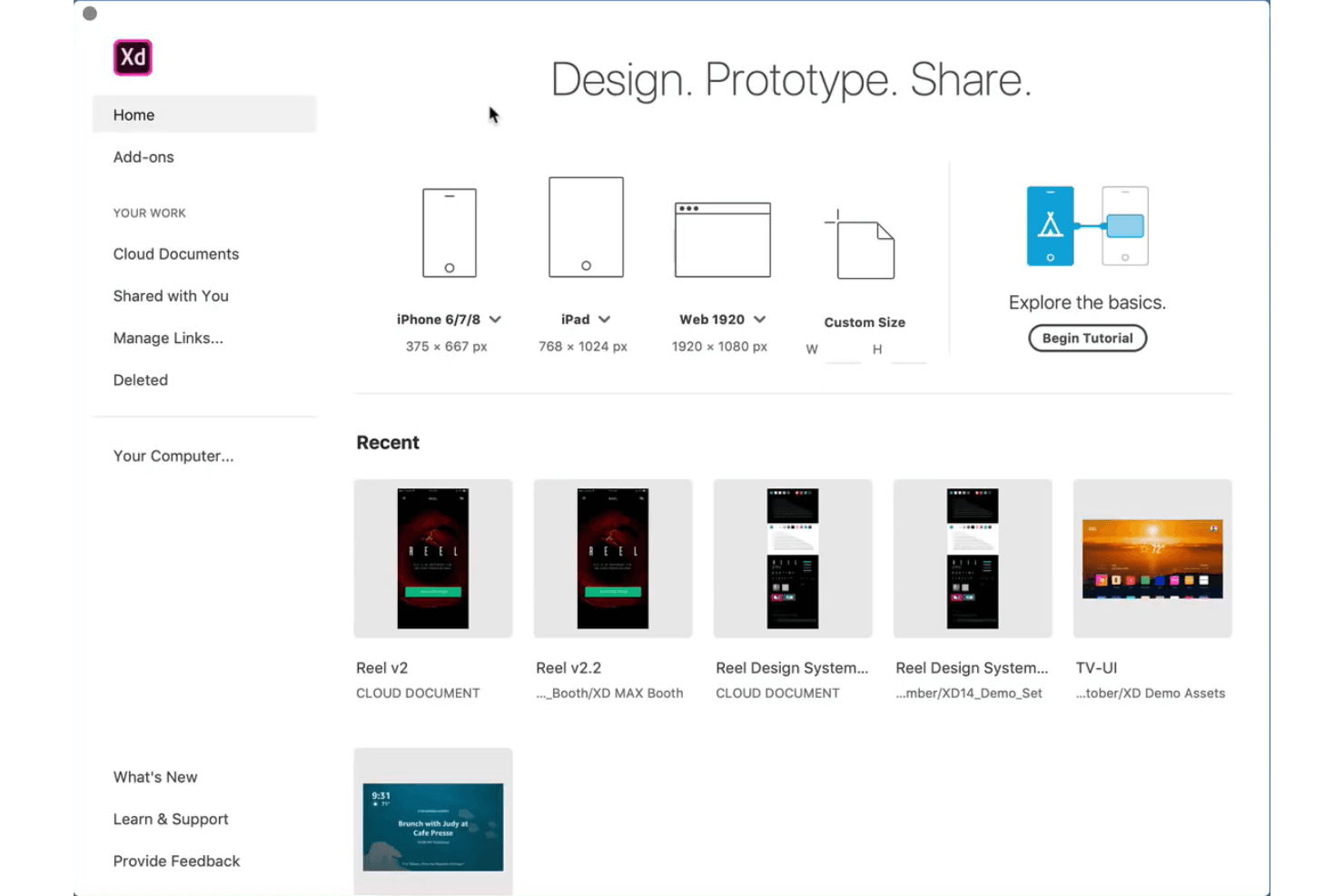
Adobe XD offers wireframing, prototyping, and design within Creative Cloud. Adobe XD is a UX design and prototyping platform for designers who need to create interfaces, test user flows, and collaborate with product teams within the Adobe ecosystem.
Who Is Adobe XD Best For?
Adobe XD suits UX and UI designers who already work in Adobe Creative Cloud and need to create prototypes, test flows, and share designs.
Why Adobe XD Is a Good Best InVision Competitors
I picked Adobe XD because it fits designers already working in the Adobe ecosystem. My team can bring Photoshop and Illustrator assets into interface prototypes, then use components and Auto-Animate to test responsive states and transitions. That makes it practical for validating product flows before engineering starts.
Adobe XD Key Features
- Repeat Grid: Duplicate lists, galleries, and card layouts with adjustable spacing.
- Responsive Resize: Keep objects aligned when you change artboard dimensions.
- Voice Prototyping: Add voice triggers and spoken responses to prototype interactions.
- Design Specs: Share measurements, colors, assets, and CSS snippets with developers.
Adobe XD Integrations
Adobe XD supports native workflows with Adobe Photoshop, Illustrator, and Creative Cloud Libraries, making it a practical choice for teams already using Adobe products. Its plugin ecosystem adds connections to other tools, but Adobe XD doesn’t offer a broad catalog of native integrations or a general-purpose API for custom integrations.
Pros and Cons
Pros:
- Voice triggers support conversational prototype testing
- Responsive Resize adapts changing artboards quickly
- Repeat Grid accelerates repeated interface layouts
Cons:
- Large files can trigger sluggish editing
- Maintenance mode limits future feature development
 Best for self-hosted design with no lock-in
- Free plan + 14-day free trial available
- From $7/user/month
Visit WebsiteCustomer Rating:4.5/5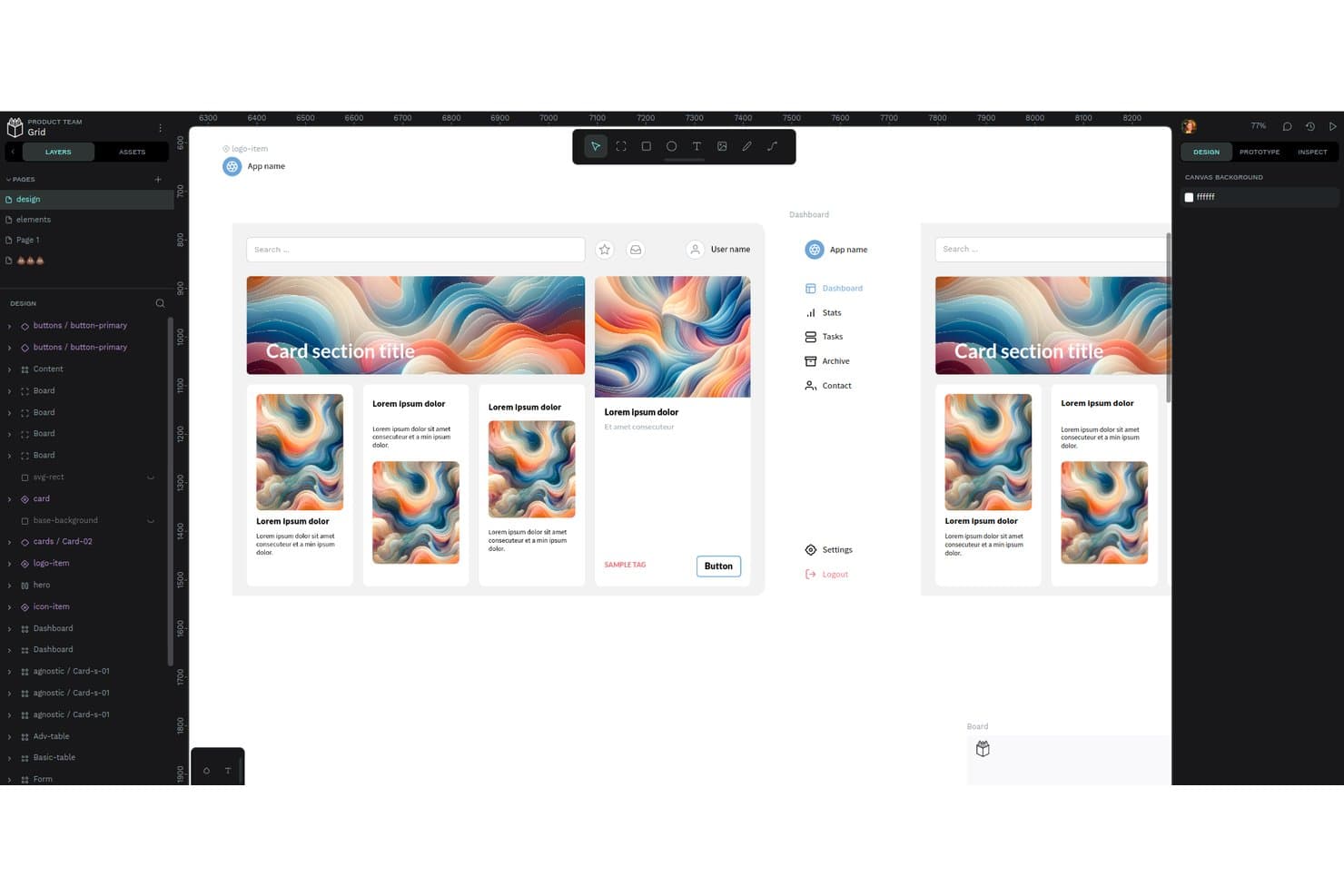
Penpot's workspace lets users design and prototype UI components collaboratively. Penpot is an open-source UX design platform for product and design teams that need collaborative interface design, prototyping, and design systems without restricting how they manage their work.
Who Is Penpot Best For?
Penpot suits product and design teams that need collaborative UX work while keeping design data self-hosted or portable.
Why Penpot Is a Good Best InVision Competitors
I picked Penpot because its open-source foundation gives my team control over where design work lives. We self-host projects, retain ownership of files, and use SVG-based workflows without vendor lock-in. Its CSS Grid, Flex Layout, and inspect features help us turn interface designs into practical developer handoffs.
Penpot Key Features
- Interactive prototypes: Link screens with transitions and user flows.
- Boolean operations: Combine, subtract, and intersect vector shapes.
- Design comments: Add threaded feedback directly to design files.
- Typography controls: Adjust fonts, weights, spacing, and line height.
Penpot Integrations
Penpot doesn’t have clearly documented native integrations with third-party tools. It supports custom integrations through plugins, outbound webhooks, and an API accessed with personal access tokens.
Pros and Cons
Pros:
- CSS layouts improve developer handoff
- Self-hosting supports organizational data control
- Open-source files avoid vendor lock-in
Cons:
- Fewer mature tutorials than Figma
- Browser-only workflow limits offline access
Learn more about Penpot: Best for data-driven prototype simulations
- Free plan available
- From $19/user/month
Visit WebsiteCustomer Rating:4.2/5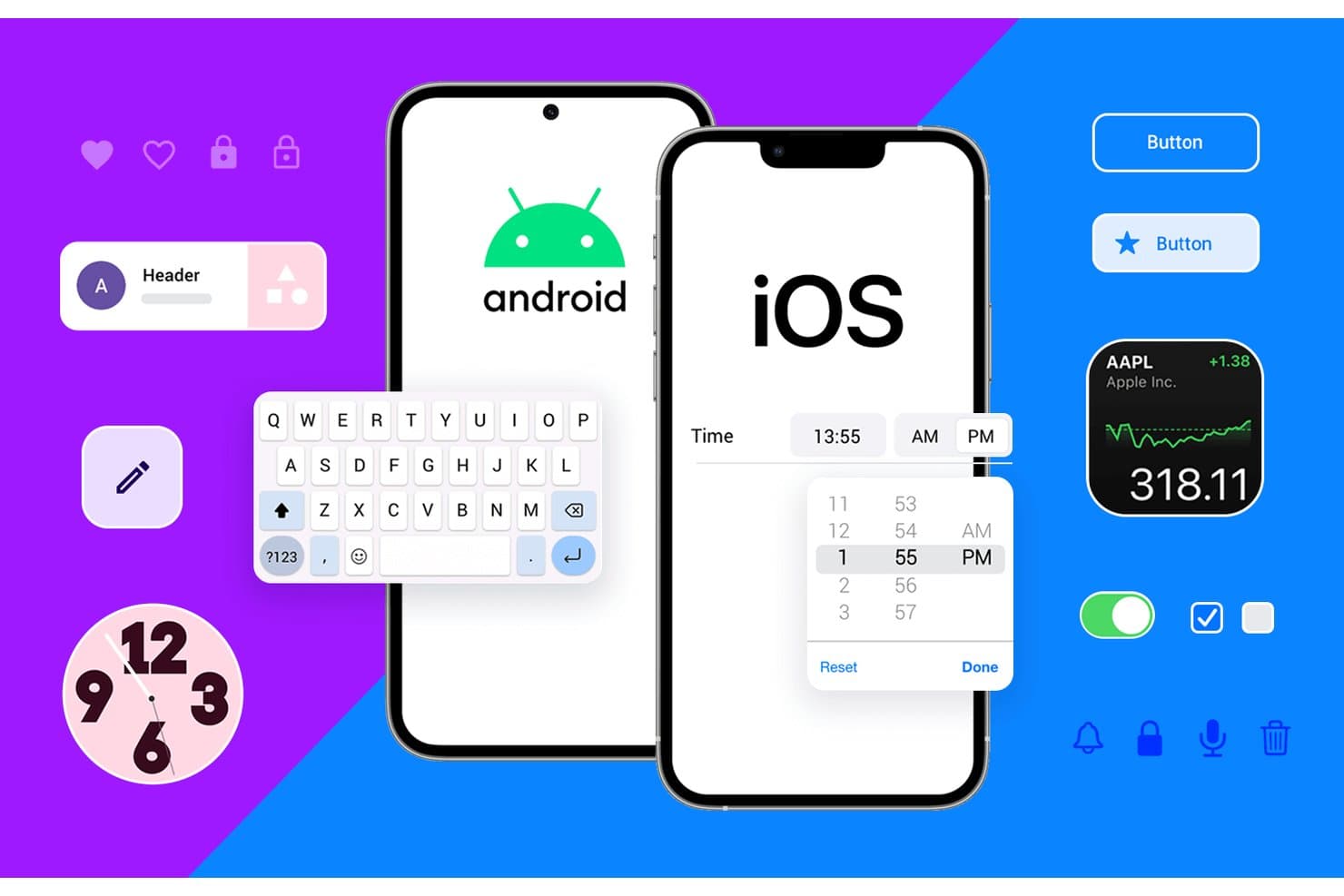
Justinmind supports both Android and iOS UI component prototyping. Justinmind is a UX design and prototyping platform for product teams that need realistic interactive experiences, reusable components, and closer collaboration across design, product, and engineering.
Who Is Justinmind Best For?
Justinmind suits UX designers and product teams that need realistic, data-driven simulations for validating complex user flows before development.
Why Justinmind Is a Good Best InVision Competitors
I picked Justinmind because it excels at data-driven prototype simulations. I use data lists, variables, and conditional logic to model search, filtering, account states, and personalized dashboards before development. Its interactive simulations help me validate complex product flows with realistic content rather than static screens.
Justinmind Key Features
- UI widget library : Drag web and mobile controls into wireframes.
- Masters : Create reusable screen elements for repeated layouts.
- Responsive layouts : Define how screens adapt across device sizes.
- Comments and review : Add feedback directly to shared prototypes.
Justinmind Integrations
Justinmind offers a native Atlassian Jira integration, plus officially supported plugins and connections for Sketch, Adobe Photoshop, Adobe Illustrator, Adobe XD, Figma, Confluence, and Azure DevOps.
Pros and Cons
Pros:
- Masters reduce repetitive screen-building work
- Conditional logic supports complex user flows
- Data-driven simulations model realistic product states
Cons:
- Advanced prototypes require considerable setup time
- Interface feels dated beside newer competitors
Learn more about Justinmind: Best for high-fidelity conditional prototypes
- 30-day free trial
- From $29/user/month (billed annually)
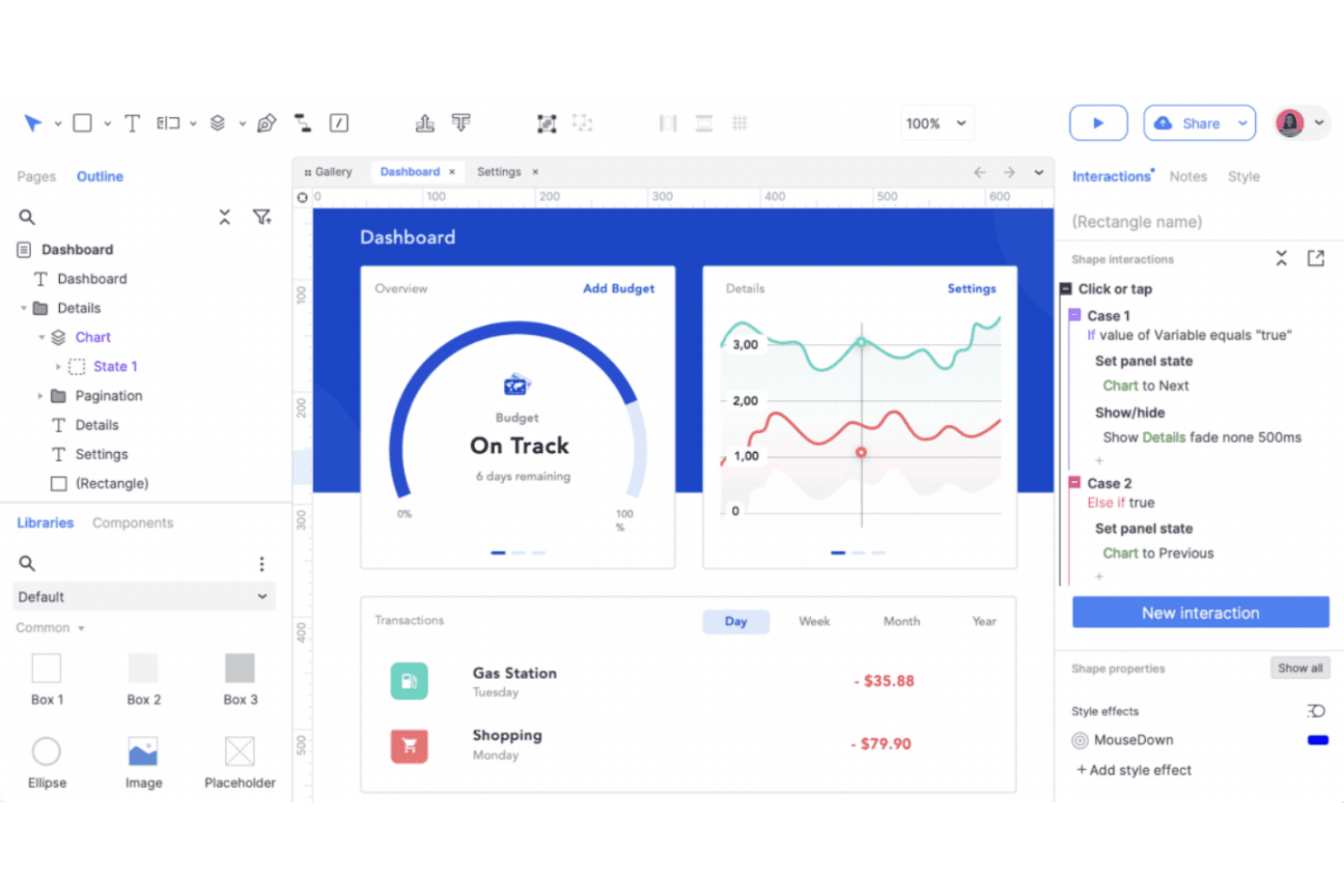
Axure RP builds high-fidelity, interactive wireframes for UX design. Axure RP is a UX design and prototyping platform for product teams that need to validate complex user flows, communicate requirements, and align stakeholders before development begins.
Who Is Axure RP Best For?
Product and UX teams that need to model complex interactions, conditional logic, and detailed user flows before development.
Why Axure RP Is a Good Best InVision Competitors
I picked Axure RP because it supports Best InVision Competitors that need high-fidelity conditional prototypes. I use dynamic panels, variables, and conditional logic to model flows such as account permissions, validation states, and checkout paths. Stakeholders can test realistic interactions before engineering starts.
Axure RP Key Features
- Adaptive views: Create responsive layouts for different screen sizes.
- Masters: Reuse shared headers, footers, and navigation elements.
- Rich text editing: Format text with headings, lists, links, and inline styles.
- Prototype publishing: Share prototypes through Axure Cloud or export HTML files.
Axure RP Integrations
Axure RP supports official integrations with Jira, Confluence, Slack, and Microsoft Teams for embedding prototypes and receiving project activity notifications. It also provides plugins or import workflows for Figma, Sketch, and Adobe XD.
Pros and Cons
Pros:
- HTML publishing supports realistic stakeholder testing
- Dynamic panels capture complex interface states
- Conditional logic models production-like user flows
Cons:
- Advanced interactions require manual configuration
- Visual design feels dated beside modern competitors
Learn more about Axure RP : Best for hardware and sensor-based prototyping
- Free plan available
- From $25/month (billed annually)
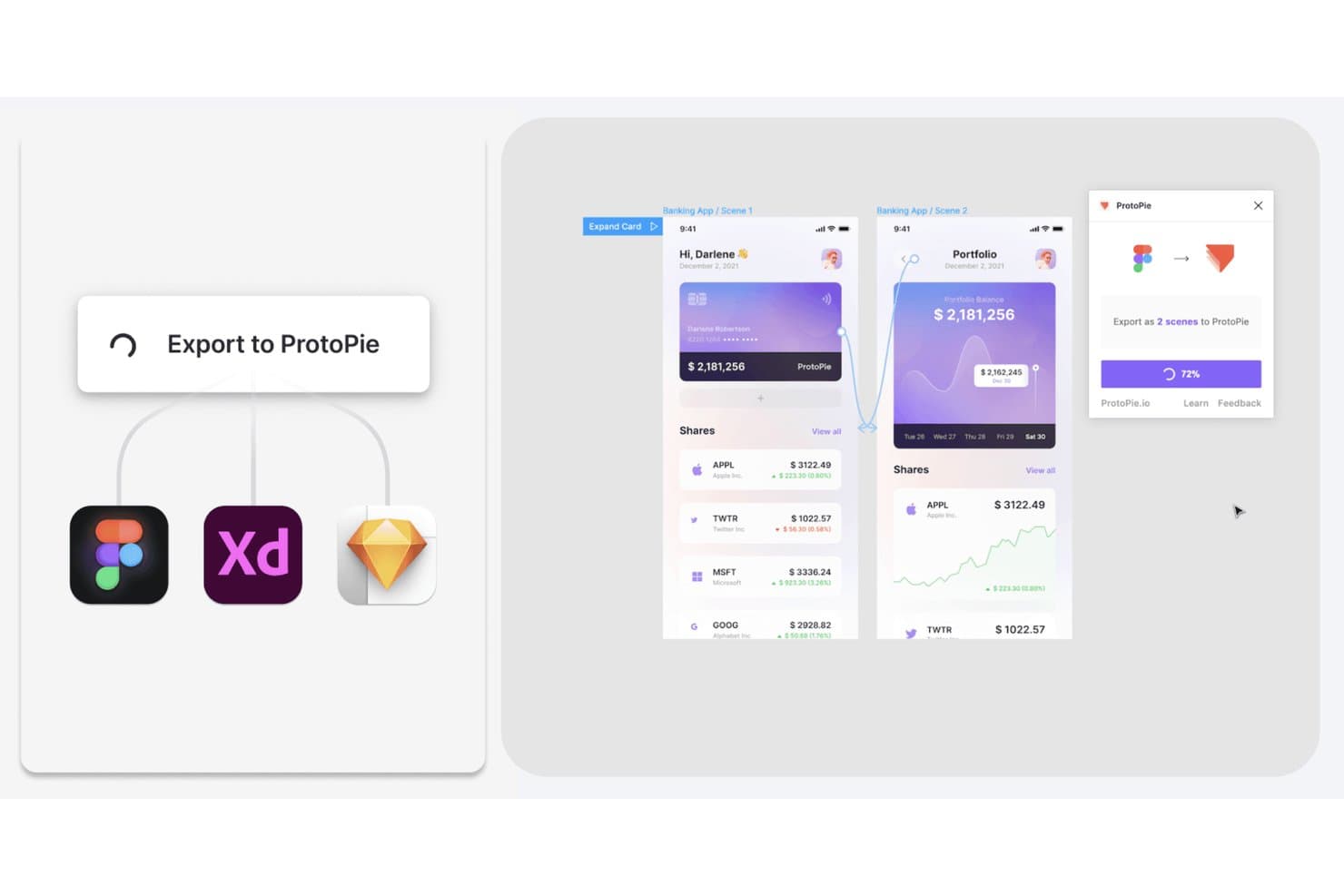
ProtoPie lets users export Figma, XD, and Sketch designs as interactive prototypes. ProtoPie is an interaction design and prototyping platform for UX teams that need to create realistic, high-fidelity experiences, validate complex user flows, and communicate product behavior before development.
Who Is ProtoPie Best For?
ProtoPie suits UX and product designers prototyping sensor-driven interactions for connected devices, wearables, automotive interfaces, and other hardware products.
Why ProtoPie Is a Good Best InVision Competitors
I picked ProtoPie because it handles hardware and sensor-based prototyping beyond standard screen flows. I use sensors, variables, formulas, and conditional triggers to model interactions such as a smartwatch responding to motion or a car display reacting to physical controls. This helps my team test connected-device behavior before development.
ProtoPie Key Features
- Component libraries: Create reusable interaction components for consistent prototypes.
- Team collaboration: Share prototypes and gather feedback in one workspace.
- Prototype recording: Capture prototype sessions as videos for review and documentation.
- Figma import: Bring Figma designs into ProtoPie for interactive prototyping.
ProtoPie Integrations
ProtoPie has official plugins for Figma, Sketch, and Adobe XD, plus ProtoPie Connect plugins for API, IFTTT, Logitech G29, Arduino, Gamepad, blokdots, and Unity. ProtoPie Connect also supports API-based connections and custom plugins for additional hardware or services.
Pros and Cons
Pros:
- Reusable components keep complex prototypes consistent
- Supports realistic connected-device behavior testing
- Models sensor-driven hardware interactions before development
Cons:
- Hardware testing adds setup beyond screen prototypes
- Advanced prototypes require careful interaction logic setup
Learn more about ProtoPie: Best for cross-functional team collaboration
- Free plan available
- From $3/user/month
Visit WebsiteCustomer Rating:4.7/5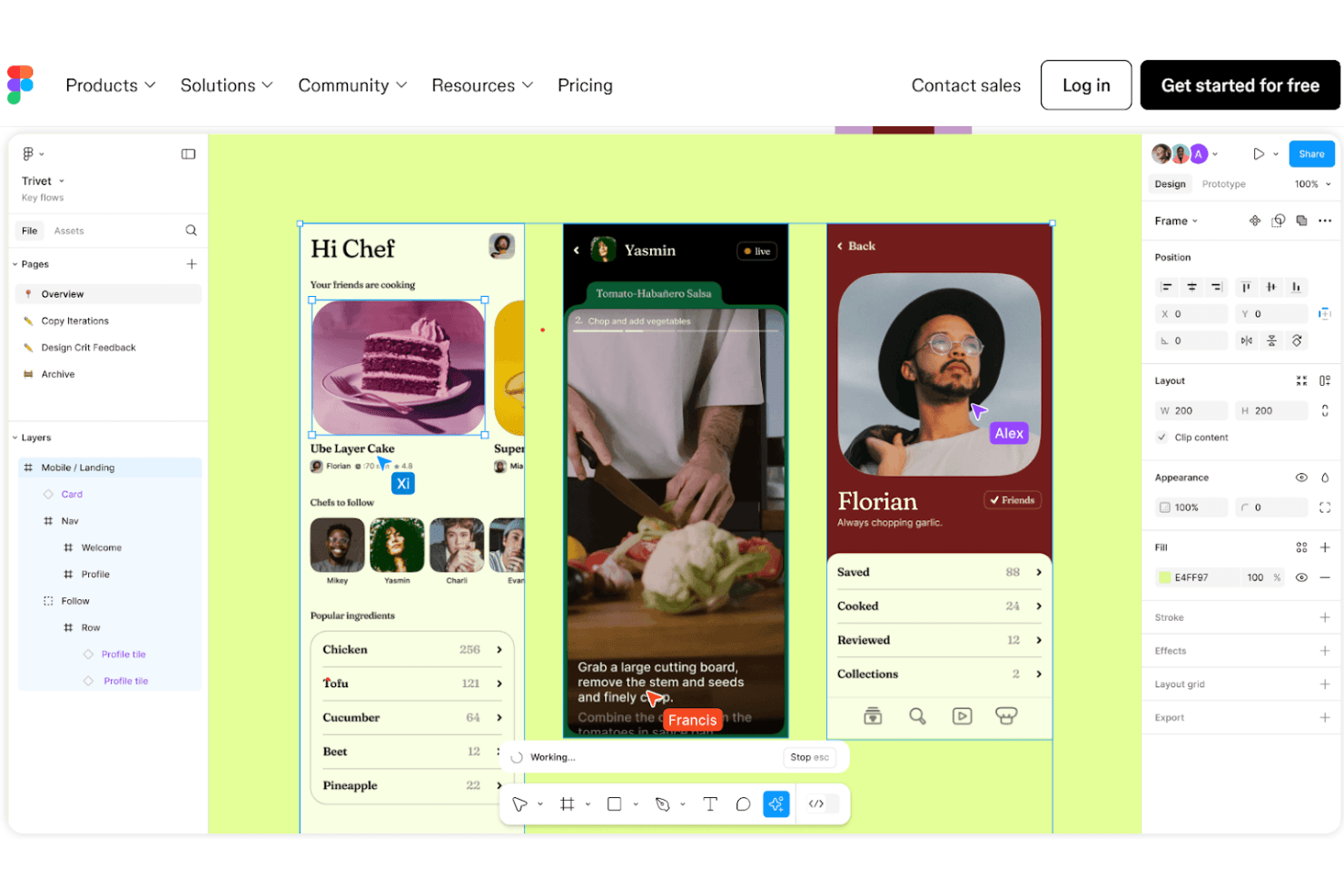
Figma is a collaborative tool for real-time UI/UX design and sharing. Figma is a browser-based UX design platform for product teams that need to create interfaces, test ideas, and maintain shared design systems without limiting work to a single desktop app.
Who Is Figma Best For?
Figma suits product managers, designers, and engineers who need to shape, review, and refine product experiences together.
Why Figma Is a Good Best InVision Competitors
I picked Figma because its multiplayer canvas lets my team design, review, and resolve interface questions together. Shared components, variables, and libraries keep product decisions aligned across screens. Comments and Dev Mode let engineers inspect designs and discuss implementation details without leaving the file.
Figma Key Features
- Interactive prototypes: Connect frames to simulate user flows and interactions.
- Auto layout: Arrange and resize interface elements according to defined rules.
- Version history: Review earlier file versions and restore selected changes.
- Plugin ecosystem: Add specialized tools for research, accessibility, content, and design.
Figma Integrations
Figma officially supports integrations with Jira, Confluence, Slack, Microsoft Teams, Google Workspace, Zoom, Asana, Notion, and Linear, including live design embeds and collaboration notifications. It also connects with Zapier and provides an API for custom integrations.
Pros and Cons
Pros:
- Shared libraries maintain consistency across product surfaces
- Dev Mode connects design decisions to implementation
- Real-time multiplayer editing reduces review delays
Cons:
- Complex permissions confuse occasional collaborators
- Large files can become sluggish
 Best for all-in-one design-to-handoff workflows
- Free plan available
- From $24.90/user/month (billed annually)
Visit WebsiteCustomer Rating:4.5/5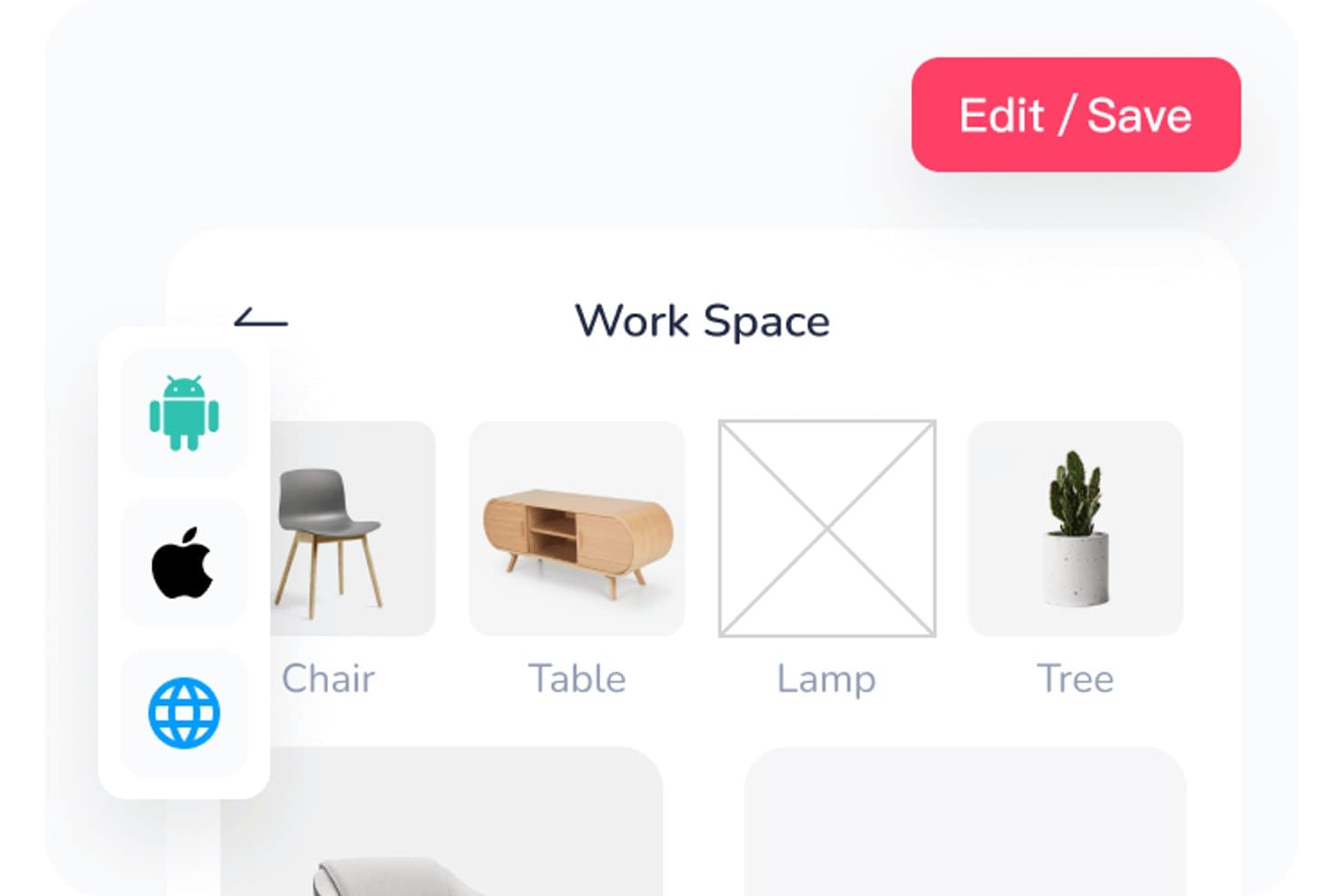
Mockplus lets users organize workspace assets in a visual grid layout. Mockplus is a UX design and prototyping platform for product teams that combines wireframing, interactive prototypes, collaboration, and developer-ready specs in one workspace.
Who Is Mockplus Best For?
Product managers and UX teams that need to connect early concepts, interactive prototypes, and developer handoff in one workspace.
Why Mockplus Is a Good Best InVision Competitors
I picked Mockplus because it connects wireframes, interactive prototypes, and developer-ready specs in one workspace. My team uses its collaboration tools to refine flows with stakeholders, then shares precise handoff details with engineers. That supports all-in-one design-to-handoff workflows for product work.
Mockplus Key Features
- Component library: Includes reusable UI controls, containers, shapes, and markup elements.
- Icon library: Provides ready-to-use icons for interface layouts.
- Auto layout: Adjusts element positions and spacing when layouts change.
- Design templates: Offers templates for web, iOS, Android, and Material Design.
Mockplus Integrations
Mockplus documents nine official integrations with Figma, Sketch, Axure, Adobe XD, Photoshop, Slack, Jira, Confluence, and Lark. Its Jira integration is available through the Atlassian Marketplace, while supported design-tool plugins connect Figma, Sketch, Axure, Adobe XD, and Photoshop workflows.
Pros and Cons
Pros:
- Developer-ready specs connect design with handoff
- On-screen comments keep stakeholder feedback in context
- Reusable components speed initial prototype creation
Cons:
- Network dependence can interrupt collaborative work
- Complex prototypes expose fewer advanced interactions
Learn more about Mockplus: Best for code-backed design systems
- Free plan + 14-day free trial available
- From $29/user/month (billed annually)
Visit WebsiteCustomer Rating:4.2/5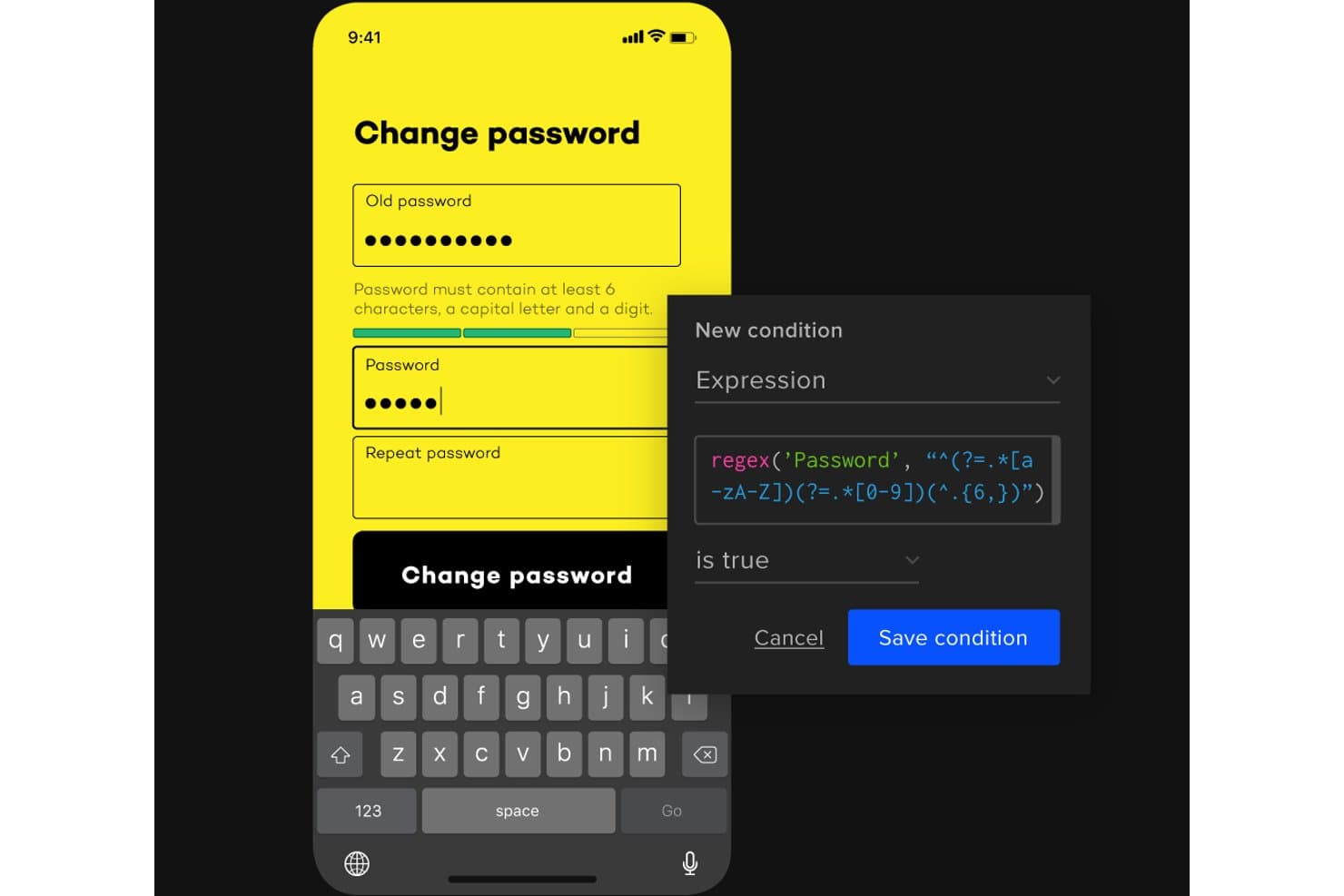
UXPin lets users add conditional logic with regex to password fields. UXPin is a UX design and prototyping platform for product teams that need to create high-fidelity experiences, align designers and engineers, and reduce gaps between design decisions and implementation.
Who Is UXPin Best For?
UXPin suits product teams that need designers and engineers to build and maintain code-backed design systems together.
Why UXPin Is a Good Best InVision Competitors
I picked UXPin because its code-backed design systems connect design decisions with working interface components. I use UXPin Merge to bring React components into prototypes, then apply states, variables, and design tokens for realistic product flows. That helps my team test interactions with the same building blocks engineers use.
UXPin Key Features
- Interactive prototyping: Link screens and add clickable interactions.
- Responsive layouts: Create designs that adapt across screen sizes.
- Comments and mentions: Add feedback directly to specific design elements.
- Preview and sharing: Share prototypes through browser-based preview links.
UXPin Integrations
UXPin Merge connects directly to Git repositories, Storybook, and npm packages, letting teams import and sync React or web components. An API for custom integrations and Zapier support aren’t clearly documented.
Pros and Cons
Pros:
- Stakeholders can review shared prototypes easily
- Interactive prototypes support realistic product flows
- Code-backed components improve design-development alignment
Cons:
- Merge setup often requires engineering involvement
- Complex projects can experience performance issues
Learn more about UXPin: Best for macOS-native design workflows
- 30-day free trial
- From $12/user/month (billed annually)
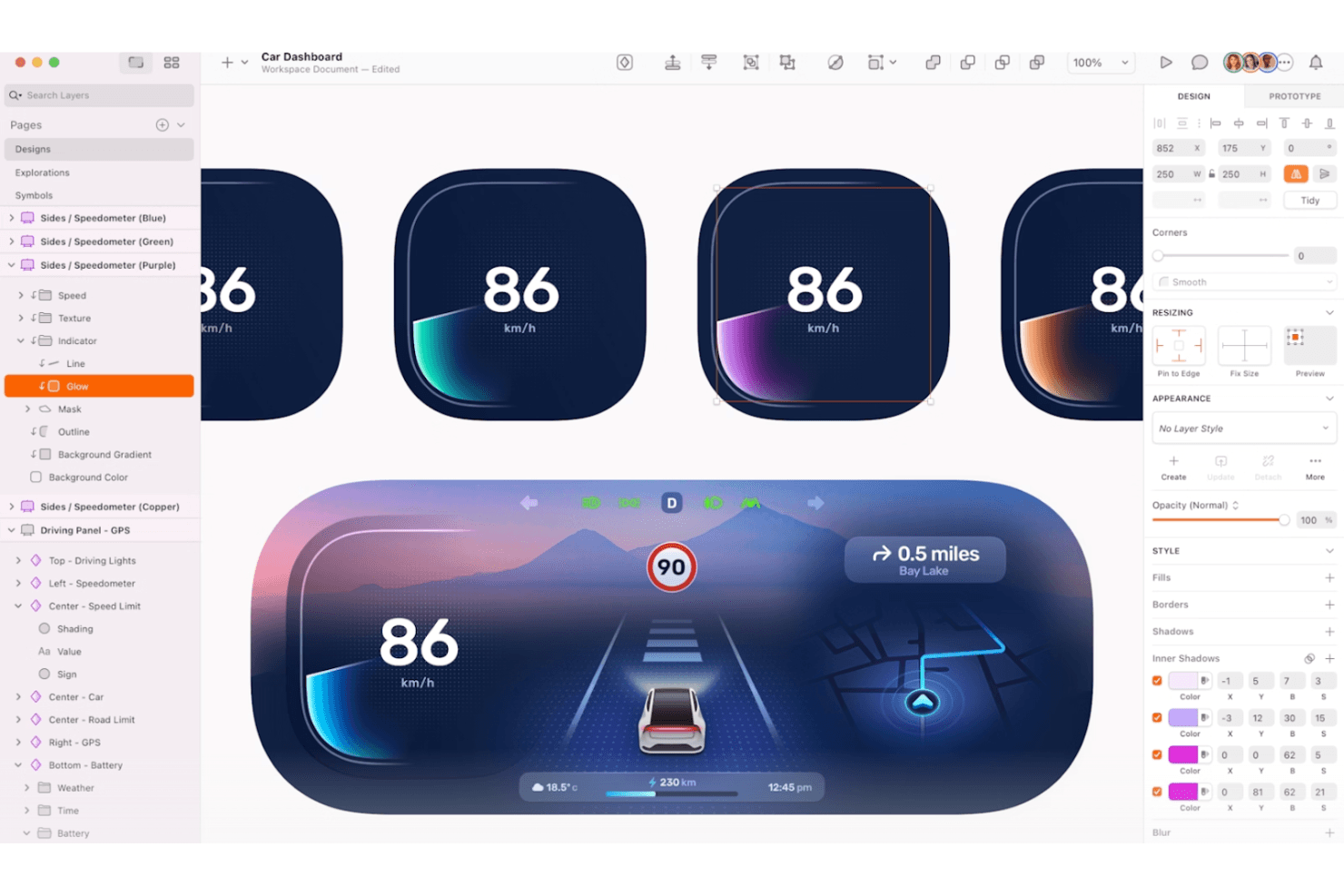
Sketch is a macOS tool for wireframes, prototypes, and UI/UX design. Sketch is a UX design platform for product teams that need collaborative prototyping, interface design, and developer handoff in a focused alternative to InVision.
Who Is Sketch Best For?
Sketch suits product designers and small-to-mid-sized teams that want a native macOS workspace for interface design and prototyping.
Why Sketch Is a Good Best InVision Competitors
I picked Sketch as a strong InVision alternative because its native macOS editor supports detailed interface design, interactive prototypes, and reusable Symbols without leaving the desktop workspace. I use its browser-based workspace to collect feedback and its handoff tools to share inspectable designs with developers. That combination suits product teams that keep core UX work on Mac while collaborators review in a browser.
Sketch Key Features
- Smart Layout: Set flexible resizing rules for symbols and layers.
- Color Variables: Define reusable colors and update them across documents.
- Text Styles: Save typography settings for consistent interface content.
- Boolean Operations: Combine, subtract, intersect, and exclude vector shapes.
Sketch Integrations
Sketch offers one native Workspace integration, Slack, which lets teams share documents, pages, frames, and previews in Slack channels and conversations. It also supports embeds in platforms such as Notion, GitHub, and Jira.
Pros and Cons
Pros:
- Browser handoff supports inspectable developer specifications
- Reusable Symbols maintain consistent product interfaces
- Native macOS editor supports detailed interface design
Cons:
- Browser workspace offers limited editing depth
- Core editing requires macOS
Learn more about Sketch: 10Best for design-to-developer handoff
Zeplin
- Free plan available
- From $13.75/project/month (billed annually)
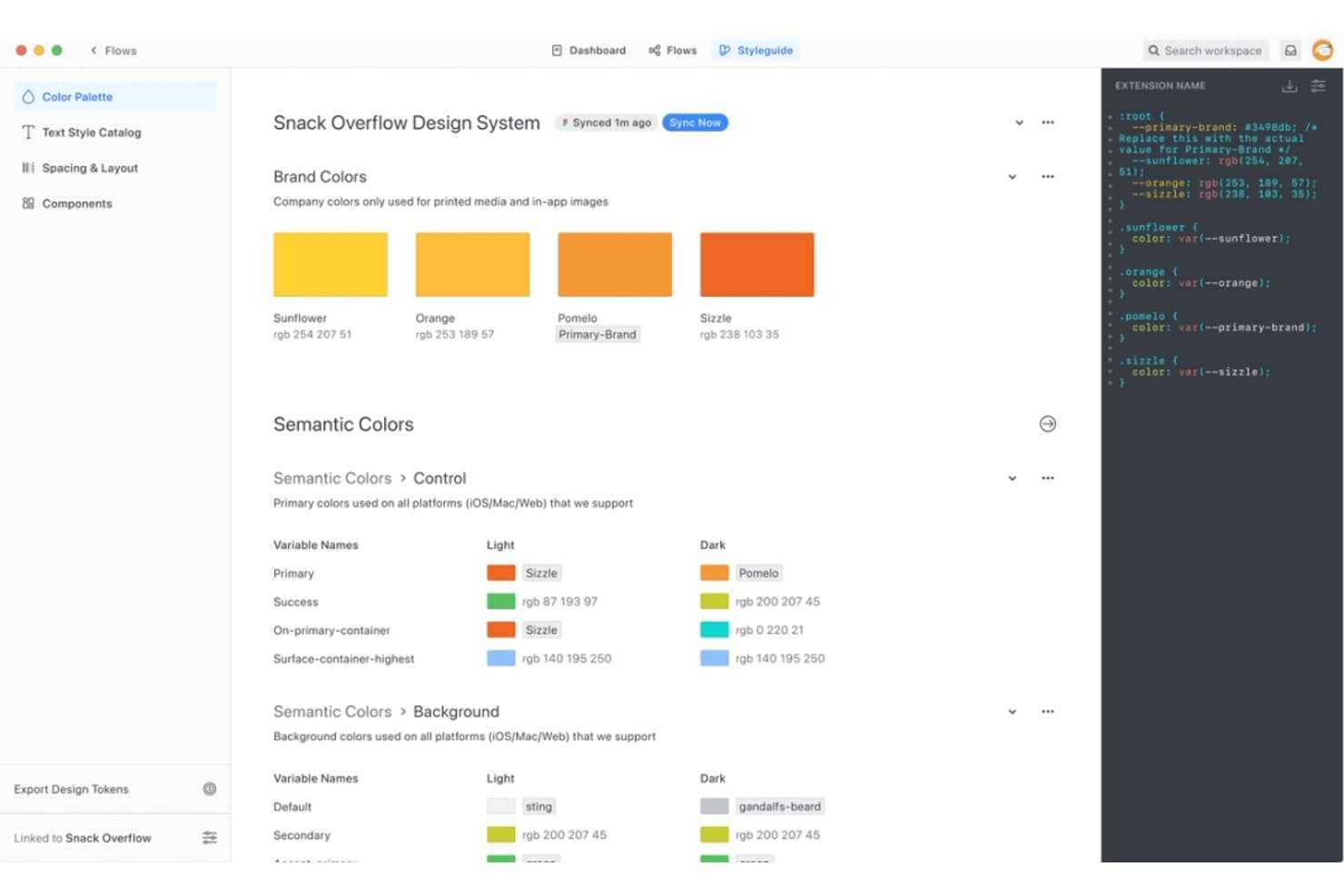
Zeplin centralizes design tokens and color systems for dev handoff. Zeplin is a collaboration platform for product, design, and engineering teams that organizes design work, clarifies implementation details, and reduces friction between creative decisions and product delivery.
Who Is Zeplin Best For?
Zeplin suits product teams that need to turn approved designs into clear, developer-ready specifications across design and engineering.
Why Zeplin Is a Good Best InVision Competitors
I picked Zeplin because it turns approved designs into developer-ready handoff materials. I use its generated code snippets, measurements, assets, and platform-specific guidance to clarify implementation details without sending developers through design files. Shared styleguides also keep colors, typography, and reusable components aligned across projects, making it a strong choice for design-to-developer handoff.
Zeplin Key Features
- Project dashboards: Organize screens, flows, and project activity in one workspace.
- Version history: Review earlier screen versions and track design updates.
- Annotations: Add notes and discussions directly to screens.
- Integrations: Connect Zeplin with tools such as Jira, Slack, and Microsoft Teams.
Zeplin Integrations
Zeplin integrates with Figma, Sketch, Jira, Storybook, VS Code, Azure DevOps, Slack, Microsoft Teams, Trello, Photoshop, and Adobe XD. It also provides an API and webhooks for custom workflows.
Pros and Cons
Pros:
- Supports annotations and screen-level discussions
- Keeps design tokens aligned through styleguides
- Generates precise developer handoff specifications
Cons:
- Requires design exports before developer review
- Focuses on handoff rather than interactive prototyping
Learn more about Zeplin:
Andre InVision-alternativer
Her er noen flere alternativer til InVision som ikke kom med på kortlisten min, men som likevel er verdt å sjekke ut:
How I Evaluate InVision Competitors
My evaluation splits into three parts, with core functionality weighted most. Every alternative must link screens into clickable, navigable flows and let teams comment and resolve feedback directly on designs. Beyond that, I look for design token pipelines and check how pricing holds up for mixed teams of designers, PMs, and engineers.
Core Functionality (Table Stakes For This List)
When I'm selecting tools for my list, I score each one on a scale from 0 (does not offer the functionality) to 5 (excels in this area) for each core functionality listed below. I then convert the total into a percentage to help assess each tool's overall fit, with extra weight on any functionalities I’ve deemed essential.
- Interactive Prototyping (Essential): I look for clickable, multi-screen flows with interactions such as overlays or conditional steps to help teams explore and validate product journeys.
- Design Collaboration (Essential): I assess whether teams can comment on designs and prototypes, discuss feedback in context, and track which review items have been resolved.
- Design Creation & Import: I check for native editing or reliable imports that preserve layouts and components when teams bring in work from other design tools.
- Developer Handoff: I look for inspectable measurements and exportable assets or code that give developers practical implementation details.
- Design Systems: I assess how teams create and reuse shared components and styles, and whether updates carry across project files.
- Version & Asset Management: I check whether teams can review earlier versions, restore prior work, and keep design assets organized as flows evolve.
Once I have a list of tools that meet the criteria, I consider what sets each platform apart.
Differentiating Factors (What Sets Vendors Apart)
Here's how I compare and contrast different vendors:
Standout Features
I evaluate each tool's plugin and API ecosystem because teams often need to connect design work to internal pipelines or tools like Storybook. A rich extension marketplace signals long-term flexibility. I also check for design token pipelines that sync variables directly into code, cutting manual translation between design and engineering. AI-assisted design generation matters too; I look at whether a tool can produce layout drafts from prompts, which speeds up early concepting before a team commits to detailed work.
Beyond Features
I check how easily non-designers can access files. PMs and engineers who only join during review cycles shouldn't need a paid design seat just to leave comments. Free viewer tiers in tools like Figma or Penpot keep total licensing costs reasonable as cross-functional teams grow. I also evaluate integration depth with tools like Jira and Slack, since connecting design decisions to sprint workflows cuts context-switching. Vendor stability matters too—I look at release cadence and community size to gauge whether a tool will still be supported two years into a migration.
Slik velger du et InVision-alternativ
Det er lett å gå seg vill i lange funksjonslister og komplekse prisstrukturer. For å hjelpe deg med å holde fokus mens du går gjennom den unike prosessen med å velge programvare, har jeg laget en sjekkliste over faktorer du bør ha i bakhodet:
| Faktor | Hva du bør vurdere |
| Skalerbarhet | Forsikre deg om at verktøyet kan vokse sammen med teamet ditt, enten du utvider antallet brukere eller legger til funksjoner. |
| Integrasjoner | Kontroller at det er kompatibelt med den eksisterende programvarestakken din, slik at arbeidsflytene fungerer problemfritt. |
| Tilpasningsmuligheter | Se etter alternativer som lar deg tilpasse grensesnittet og funksjonene til teamets behov. |
| Brukervennlighet | Velg et verktøy som teamet raskt kan lære seg og ta i bruk uten omfattende opplæring. |
| Budsjett | Tilpass kostnadene for verktøyet til budsjettet ditt, samtidig som du tar hensyn til den langsiktige verdien. |
| Sikkerhetstiltak | Kontroller at verktøyets tiltak for databeskyttelse oppfyller kravene til samsvar. |
Trender blant InVision-alternativer
I arbeidet med undersøkelsen hentet jeg inn utallige produktoppdateringer, pressemeldinger og lanseringslogger fra ulike leverandører av InVision-alternativer. Her er noen av de nye trendene jeg følger med på:
- Samarbeid i sanntid: Flere verktøy tilbyr funksjoner for samarbeid i sanntid, noe som gjør det enklere for team å jobbe sammen fra ulike steder.
- Integrasjon av designsystemer: Verktøy fokuserer i økende grad på å integrere designsystemer for å opprettholde konsistens på tvers av prosjekter. Dette er viktig for team som håndterer store prosjekter med flere bidragsytere.
- Utvidet prototyping: Noen plattformer tilbyr nå utvidede prototypingsfunksjoner, slik at designere kan skape mer interaktive og oppslukende opplevelser. Denne trenden får stadig større utbredelse ettersom brukere ønsker å lage naturtro prototyper.
- Tilgjengelighetsfunksjoner: Det legges stadig større vekt på å bygge tilgjengelighetsfunksjoner inn i designverktøy for å sikre inkludering. Denne trenden hjelper team med å lage design som passer for ulike målgrupper.
- Fokus på bærekraft: Noen verktøy begynner å integrere funksjoner som hjelper brukere med å ta hensyn til bærekraft i designarbeidet. Denne trenden får økt oppslutning etter hvert som virksomheter blir mer miljøbevisste.
Hva er InVision?
InVision var et design- og prototypingsverktøy som ble brukt av designere, produktledere og utviklere til å lage, teste og forbedre digitale produkter. Denne typen programvare har ofte funksjoner som samarbeid i sanntid, integrasjon av designsystemer og utvidede prototypingsfunksjoner for å støtte samarbeid, konsistens og utvikling av naturtro opplevelser. Samlet sett gir disse verktøyene verdi ved å forbedre designprosessen og øke teamets produktivitet.
Funksjoner hos InVision-konkurrenter
Når du velger InVision-konkurrenter, bør du se etter følgende viktige funksjoner:
- Samarbeid i sanntid: Gjør det mulig for flere brukere å jobbe med et prosjekt samtidig, noe som forbedrer samarbeid og effektivitet.
- Integrasjon av designsystemer: Sikrer konsistens på tvers av prosjekter ved å integrere omfattende designsystemer.
- Utvidet prototyping: Lager interaktive og naturtro prototyper for bedre testing og validering av brukeropplevelsen.
- Tilgjengelighetsverktøy: Bidrar til å utforme inkluderende produkter ved å kontrollere og forbedre tilgjengelighetsfunksjoner.
- Uendelig lerret: Gir ubegrenset plass til idémyldring og organisering av ideer, noe som er ideelt for omfattende prosjekter.
- Interaktive komponenter: Gjør det mulig å lage dynamiske og engasjerende elementer i design.
- Funksjoner for responsivt design: Justerer automatisk design for ulike skjermstørrelser og visningsretninger, noe som sparer tid og arbeid.
- Integrasjon av oppgavehåndtering: Effektiviserer prosjektarbeidsflyten ved å inkludere funksjoner for oppgavehåndtering direkte i designverktøyet.
- Eksportalternativer: Tilbyr ulike måter å eksportere design på for deling og utvikling.
- Presentasjonsmodus: Gjør det enkelt å dele design med interessenter gjennom innebygde presentasjonsverktøy.
Fordeler med InVision-konkurrenter
Implementering av InVision-konkurrenter gir flere fordeler for teamet og virksomheten din. Her er noen av fordelene du kan se frem til:
- Forbedret samarbeid: Funksjoner for samarbeid i sanntid lar teamet jobbe effektivt sammen, uavhengig av hvor medlemmene befinner seg.
- Ensartede design: Integrasjon av designsystemer sikrer at prosjektene dine opprettholder et ensartet utseende og uttrykk.
- Forbedret brukertesting: Utvidet prototyping muliggjør realistisk og interaktiv testing av brukeropplevelsen.
- Inkluderende produkter: Tilgjengelighetsverktøy bidrar til å lage design som passer for alle brukere, og forbedrer inkluderingen.
- Effektiv prosjektstyring: Integrasjon av oppgavehåndtering effektiviserer arbeidsflyten ved å samle alt på ett sted.
- Tilpasningsdyktige design: Funksjoner for responsivt design sparer tid ved å justere oppsett automatisk for ulike enheter.
- Engasjerende presentasjoner: Presentasjonsmodus gjør det enkelt å dele design med interessenter og bidrar til bedre beslutninger.
Kostnader og priser for InVision-konkurrenter
Ved valg av InVision-konkurrenter er det nødvendig å forstå de ulike prismodellene og abonnementene som er tilgjengelige. Kostnadene varierer basert på funksjoner, teamstørrelse, tillegg og mer. Tabellen nedenfor oppsummerer vanlige abonnementer, gjennomsnittsprisene deres og typiske funksjoner som er inkludert i løsninger fra InVision-konkurrenter:
Sammenligningstabell for abonnementer hos InVision-konkurrenter
| Plantype | Gjennomsnittspris | Vanlige funksjoner |
| Gratisabonnement | $0 | Grunnleggende prototyping, begrenset lagringsplass og gratis maler. |
| Personlig abonnement | $5-$25/bruker/måned | Ubegrenset antall prosjekter, grunnleggende samarbeidsverktøy og egendefinerte maler. |
| Bedriftsabonnement | $25-$50/bruker/måned | Avansert samarbeid, integrasjon med designsystemer og forbedret sikkerhet. |
| Enterprise-abonnement | $50-$100/bruker/måned | Egendefinerte arbeidsflyter, dedikert brukerstøtte og omfattende analyseverktøy. |
Vanlige spørsmål om InVision-konkurrenter
Her er noen svar på vanlige spørsmål om InVision-konkurrenter:
Hva erstatter InVision?
Selv om det finnes ulike programvarealternativer med forskjellige styrker og bruksområder, er Figma, Adobe XD og Miro sannsynligvis de nærmeste direkte erstatningene – alle er populære alternativer med funksjonalitet som ligner på InVision. De tilbyr kjernefunksjoner som prototyping og designsamarbeid, og noen tilbyr også tilleggsfunksjoner som redigering i sanntid og skylagring. Disse alternativene sikrer kontinuitet i designprosessene dine når InVision avvikler tjenestene sine.
Hvorfor avvikles InVision?
InVisions plattform møtte utfordringer på grunn av høye vedlikeholdskostnader og et marked i stadig utvikling. Disse faktorene bidro til beslutningen om å avvikle tjenesten. Mange brukere går over til andre plattformer som tilbyr moderne funksjoner og bedre oppfyller dagens designbehov.
Kan InVision-alternativer håndtere store prosjekter?
Ja, mange InVision-alternativer som Sketch og UXPin er utstyrt for å håndtere prosjekter i stor skala. De tilbyr funksjoner som designsystemer og versjonskontroll, noe som bidrar til å holde prosjektene organiserte og effektive. Disse verktøyene er utviklet for å støtte komplekse arbeidsflyter og store team.
Hva bør man ta hensyn til når det gjelder kostnadene for InVision-alternativer?
InVision-alternativer tilbyr en rekke prisalternativer, fra gratisabonnementer til abonnementer på bedriftsnivå. Kostnadene varierer vanligvis basert på antall brukere og inkluderte funksjoner. Det er viktig å vurdere prisstrukturen til hvert verktøy for å sikre at den samsvarer med teamets budsjett og behov.