

Med så mange ulike gratis alternativer for prototyping tilgjengelig, er det vanskelig å finne ut hvilket som passer for deg. Du trenger alle de viktigste funksjonene for å lage interaktive og visuelle representasjoner av produkter i designfasen og unngå kostbart omarbeid under produktutviklingen, men du må fortsatt holde deg til et begrenset budsjett. Jeg hjelper deg! I dette innlegget gjør jeg valget enklere ved å dele erfaringene mine med å bruke flere gratisverktøy sammen med større team og dusinvis av produktlanseringer på et stramt budsjett, samt mine anbefalinger av de beste gratis prototypverktøyene.
Hvorfor du kan stole på våre programvareanbefalinger
6,700+
Reviews
20
Industry experts
16+
Evaluation factors
14
Years
Teamet vårt har testet og anmeldt programvare siden 2012. Vi er selv produktledere, så vi vet hvor vanskelig og hvor viktig det er å velge riktig programvare.
I denne guiden har vi vurdert verktøyene gjennom praktisk testing og uavhengig research og gitt dem poeng ut fra våre utvelgelseskriterier.
Anmeldelsene våre bygger på vår egen redaksjonelle vurdering. De er ikke et salgsargument.
Ekspertanmeldere:
- Andrew LumbySenior TPM
- Cristiano ValimSenior UI/UX Lead


Sammenligningstabell for gratis prototypverktøy
Her er grunnkostnadene for hvert av verktøyene som kom med på kortlisten min:
| Tool | Best For | Trial Info | Price | ||
|---|---|---|---|---|---|
| 1 | Best with direct prototyping on your codebase | Free plan + free demo available | From $20/user/month | Website | |
| 2 | Best for UX flows grounded in real product context | Free plan available | From $16/month | Website | |
| 3 | Best for AI-powered prototyping workflows | Free plan + 14-day free trial available | From $8/user/month (billed annually) | Website | |
| 4 | Best for infinite canvas brainstorming | Free plan available | From $9/month (billed annually) | Website | |
| 5 | Best for prototyping without a design background | Free plan available | From $24.90/user/month (billed annually) | Website | |
| 6 | For designers who follow the latest trends | Free plan available | From $3/user/month | Website | |
| 7 | Best for non-designers who prototype with AI | Free plan available | From $14/user/month | Website | |
| 8 | Best for prototyping with coded components | Free plan + 14-day free trial available | From $29/user/month (billed annually) | Website | |
| 9 | Best for open-source design and dev handoff | Free plan + 14-day free trial available | From $7/user/month | Website | |
| 10 | Best for no-code logic and gesture-rich prototypes | 15-day free trial + free plan available | From $29/month | Website |


Anmeldelse av de beste gratis prototypverktøyene
Nedenfor finner du mine detaljerte sammendrag av de beste gratis prototypverktøyene som kom med på kortlisten min. Anmeldelsene mine gir en detaljert gjennomgang av de viktigste funksjonene, fordelene & ulempene, integrasjonene og ideelle bruksområdene for hvert verktøy, slik at du kan finne det beste alternativet for deg. Mens noen av disse verktøyene tilbyr en helt gratis versjon, tilbyr andre en gratis prøveperiode. Jeg har lagt til en merknad om hva som er gratis i hver anmeldelse.
 Best with direct prototyping on your codebase
- Free plan + free demo available
- From $20/user/month
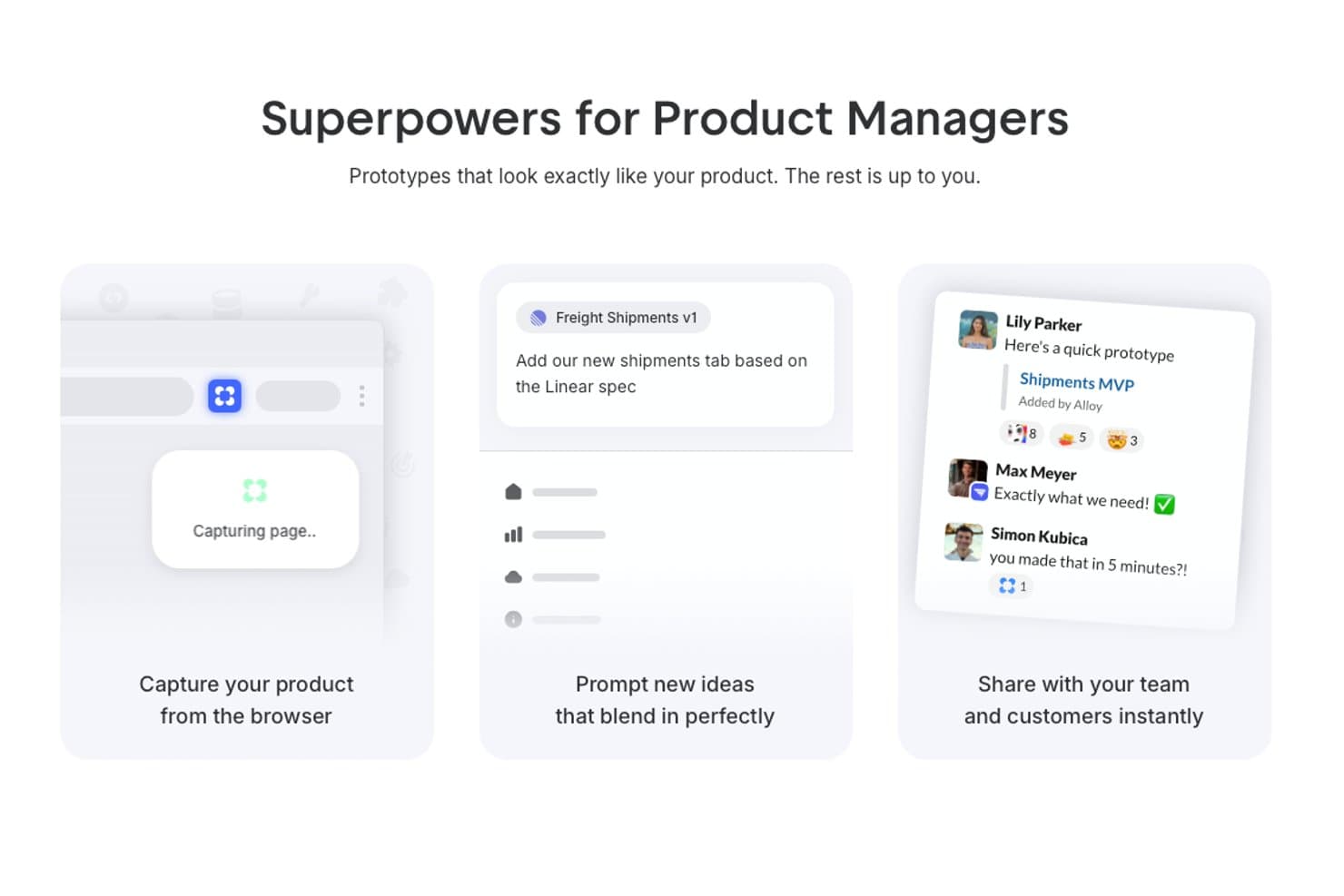
Alloy offers product managers a browser capture tool, AI-powered prototyping prompts, and instant team sharing features for realistic UI prototypes. Alloy is an AI prototyping tool that captures web apps or connects codebases, then generates interactive running prototypes through chat-based edits, visual changes, sharing, comments, and GitHub handoff.
Who Is Alloy Best For?
Product managers and startup founders who need to prototype changes directly on an existing web product.
Why I Picked Alloy
I picked Alloy for direct prototyping on your codebase, where chat prompts modify a running web app instead of static frames. I use its codebase connection to preserve real components, design tokens, and assets, then share previews with inline comments. GitHub pull request export connects validated product changes to development.
Alloy Key Features
- Browser capture extension: Capture existing web pages to start a prototype.
- Visual edits: Adjust generated interfaces manually without prompts.
- Version history: Review and restore earlier prototype versions.
- Figma export: Export prototypes to Figma from any plan.
Alloy Integrations
Alloy includes 30+ integrations, including Linear, Jira, Slack, and Intercom. It also connects with GitHub for pull requests, supports Figma export, and offers API access on Enterprise.
What's Free?
Alloy offers a free-forever plan, so you can explore its prototyping features without a time-limited trial. Paid plans start at $20 per user per month, while advanced needs such as larger teams or enterprise API access may require an upgrade.
Pros and Cons
Pros:
- Inline feedback stays pinned to interface elements
- Prompt-based edits help PMs skip wireframing
- Realistic prototypes inherit existing product components
Cons:
- Poor fit for blank-slate mobile concepts
- No traditional canvas for precise layout control
Learn more about Alloy:
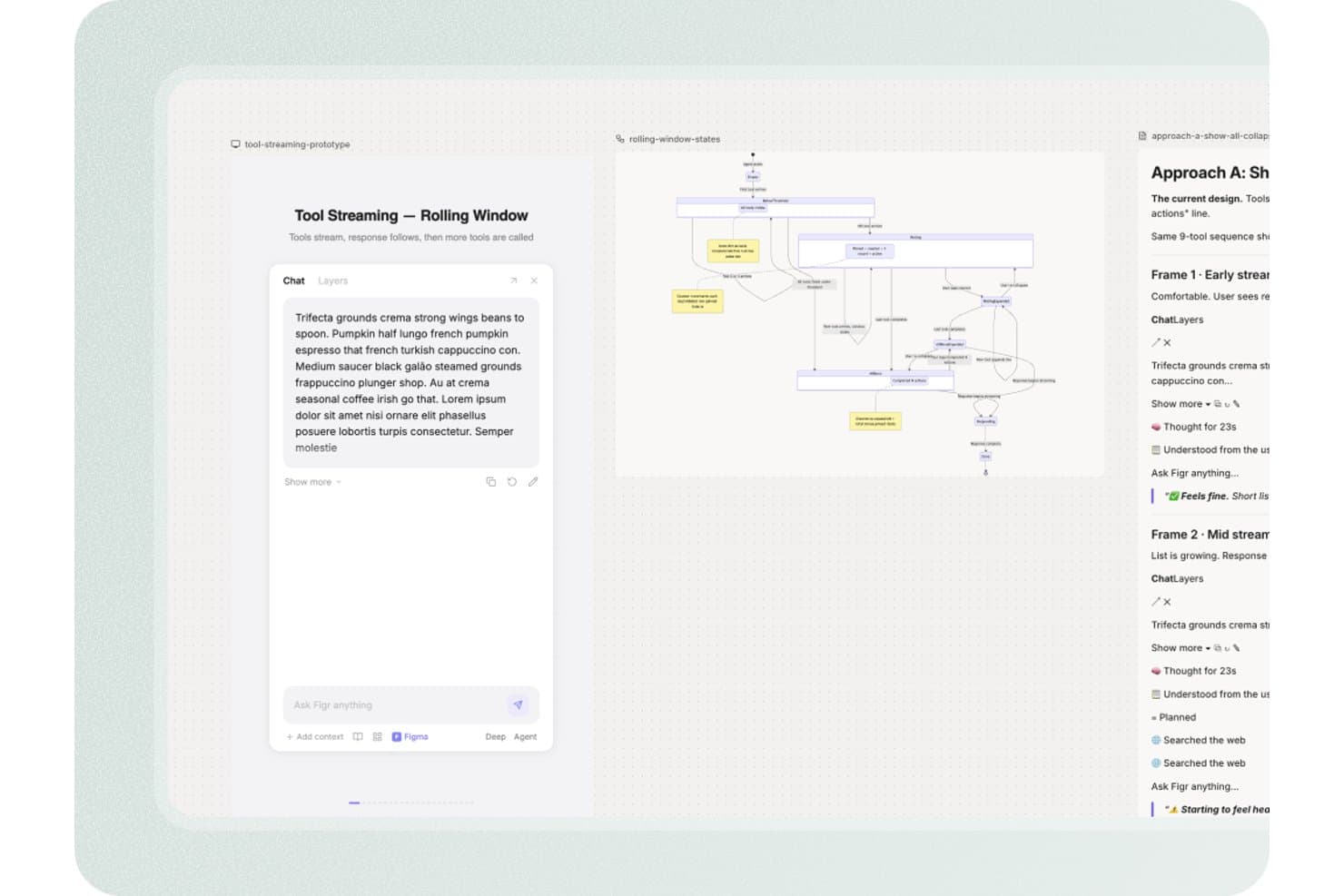
Figr offers a tool streaming rolling window prototype interface with a chat panel, state diagram, and design approach documentation for product design workflows. Figr is an AI-assisted prototyping and product design platform that turns PRDs, live product context, analytics, code, and Figma systems into UX flows, high-fidelity screens, interactive prototypes, edge-case maps, and UX reviews.
Who Is Figr Best For?
Figr suits product managers and startup founders who need to turn PRDs and live product context into UX flows without a dedicated design team.
Why I Picked Figr
I picked Figr because it is best for UX flows grounded in real product context. I use its Live Product Capture and Context Pods to connect existing screens, PRDs, analytics, and code before generating a flow. Its UX reasoning also maps edge cases and links requirements to high-fidelity prototypes, helping my team review product scenarios before development.
Figr Key Features
- Figma sync: Import and export designs between Figr and Figma.
- Analytics CSV uploads: Add product data as CSV files for design input.
- Version history: Review earlier work with 24 hours of history on Free.
- Image exports: Download screens as PNG or JPG files.
Figr Integrations
Figr offers native two-way integration with Figma. It also supports Chrome-based live product capture, Storybook and GitHub through Enterprise custom integrations, plus custom MCPs from Starter.
What's Free?
Figr has a free-forever plan with 10 monthly credits and no paid seats. It limits you to three canvases, one read-only Context Pod, 24-hour version history, and Figma or PNG exports.
Pros and Cons
Pros:
- Helps PMs create high-fidelity concepts
- Links PRDs to edge cases
- Grounds flows in real product context
Cons:
- Manual canvas controls remain limited
- Interactive behavior remains poorly documented
Learn more about Figr: 3Best for AI-powered prototyping workflows
Miro
- Free plan + 14-day free trial available
- From $8/user/month (billed annually)
Visit WebsiteCustomer Rating:4.8/5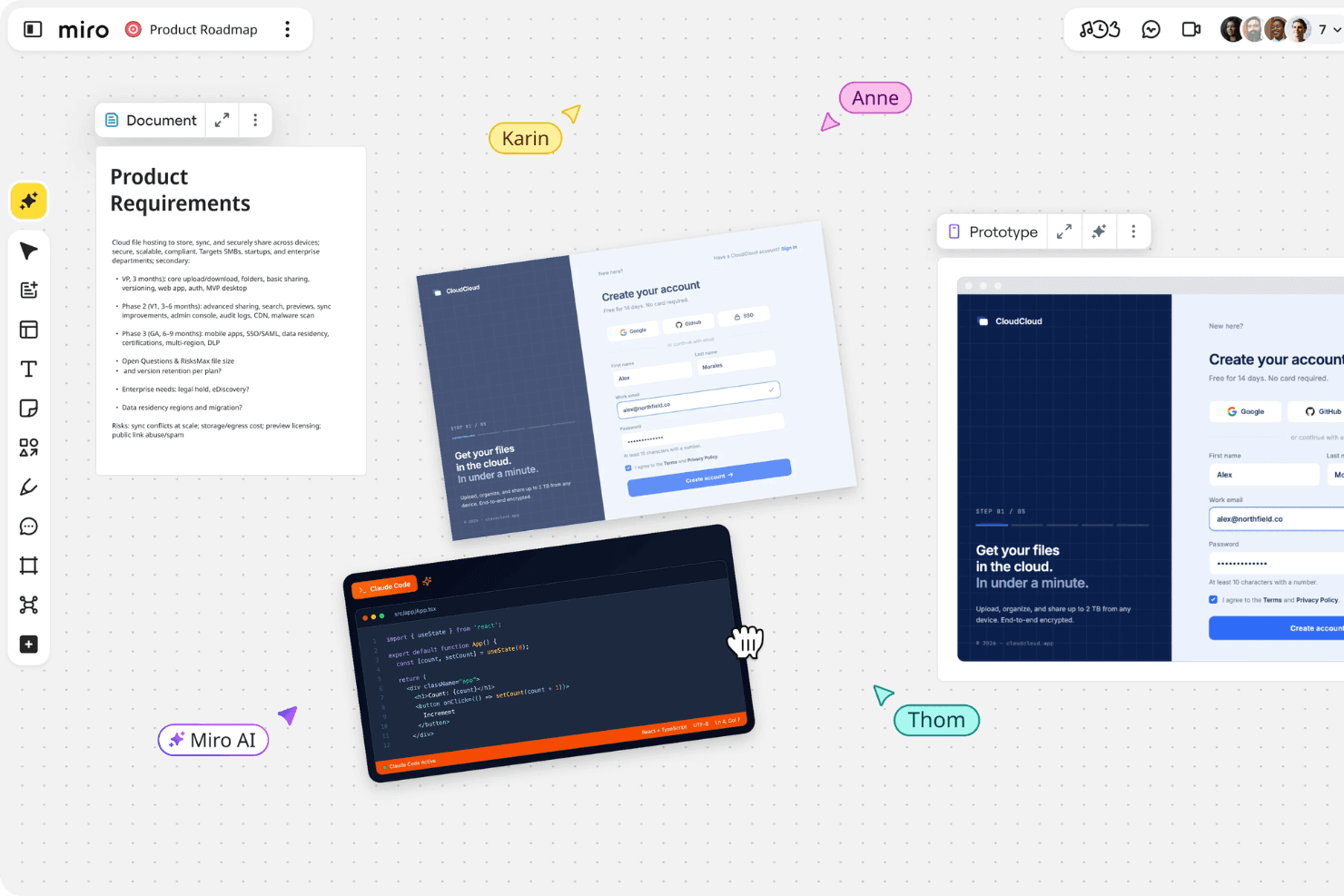
Miro brings product planning, design, and team collaboration together in one shared workspace. Miro is a prototyping and collaborative whiteboard platform that turns prompts, screenshots, sketches, and PRDs into editable, clickable flows alongside canvas-based wireframes, comments, templates, and stakeholder annotations.
Who Is Miro Best For?
Product managers and startup founders who need to turn rough ideas into low-fidelity clickable flows and align stakeholders quickly.
Why I Picked Miro
I picked Miro for AI-powered prototyping workflows because I can turn PRDs, sketches, screenshots, or sticky notes into editable, clickable flows. I use Explore to compare screen variations and Validate to identify usability gaps before testing. Comments and annotations stay beside the prototype, giving product teams one shared space for critique and iteration.
Miro Key Features
- Infinite canvas: Drag, drop, resize, layer, and edit prototype elements on a flexible workspace.
- Public preview links: Share prototypes for no-account viewing and commenting.
- Real-time co-editing: Work together with comments, reactions, and voting.
- Template library: Choose from more than 7,000 community and Miro templates.
Miro Integrations
Miro supports 250+ integrations, including Jira, Linear, Confluence, Notion, Slack, Microsoft, Google, and Adobe. Business adds two-way Jira and Linear sync, while the MCP server connects Claude, Cursor, and Copilot for developer handoff.
What's Free?
Miro offers a free-forever plan with unlimited team members and three editable boards; additional boards remain view-only unless they become one of the three most recent. It includes 10 AI credits per month, but excludes private board sharing, visitor editing, and guest access.
Pros and Cons
Pros:
- Offers mobile, desktop, and tablet concepts
- Keeps stakeholder feedback beside prototypes
- Turns rough notes into clickable flows
Cons:
- Interactions stop at basic navigation
- Core prototyping sits outside free access
 Best for infinite canvas brainstorming
- Free plan available
- From $9/month (billed annually)
Visit WebsiteCustomer Rating:4.5/5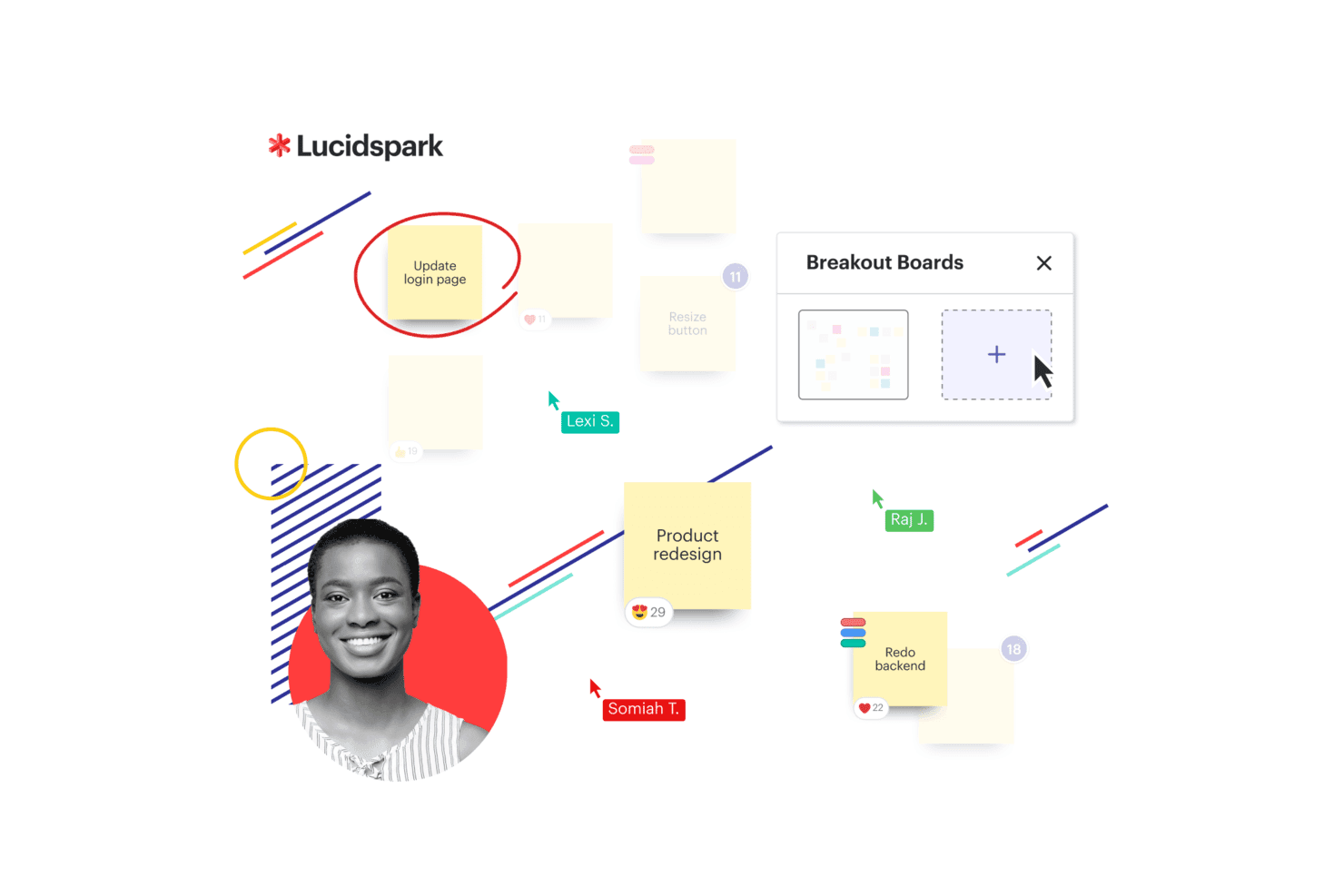
Lucidspark presents a Kanban board with workflow columns and task cards to help teams organize and track work visually. Lucidspark is a collaborative whiteboard for product design ideation, combining an infinite canvas with frames, templates, sticky notes, freehand drawing, presentation mode, and basic frame-to-frame links rather than full interactive prototyping.
Who Is Lucidspark Best For?
Product managers and startup founders who need a collaborative canvas for early discovery, brainstorming, and stakeholder alignment.
Why I Picked Lucidspark
I picked Lucidspark because it is Best for infinite canvas brainstorming when product ideas are still taking shape. Frames, sticky notes, and templates help my team map user flows, cluster research themes, and sketch rough concepts together. I also use frame links and presentation mode to walk stakeholders through early flows, though it suits discovery better than interactive prototype testing.
Lucidspark Key Features
- Lucid AI: Generates ideas, groups themes, and summarizes sessions.
- Visual Activities: Provides voting and structured feedback exercises.
- Lucid Cards: Connects ideas to Jira and Azure DevOps work items.
- Guest collaboration: Lets people contribute without a Lucid account.
Lucidspark Integrations
Lucidspark offers 100+ purpose-built integrations, including Jira and Azure DevOps through Lucid Cards, plus marketplace integrations such as Okta and GRID. Its developer platform supports custom integrations.
What's Free?
Lucidspark has a free-forever plan with three editable boards, unlimited shapes, Lucid AI, and basic Visual Activities. Paid plans unlock unlimited boards, premium Visual Activities, and additional collaboration features.
Pros and Cons
Pros:
- Templates help non-designers sketch concepts
- Live voting captures stakeholder feedback
- Infinite canvas supports early flow mapping
Cons:
- No device previews or reusable components
- Frame links replace true interactions
Learn more about Lucidspark: Best for prototyping without a design background
- Free plan available
- From $24.90/user/month (billed annually)
Visit WebsiteCustomer Rating:4.5/5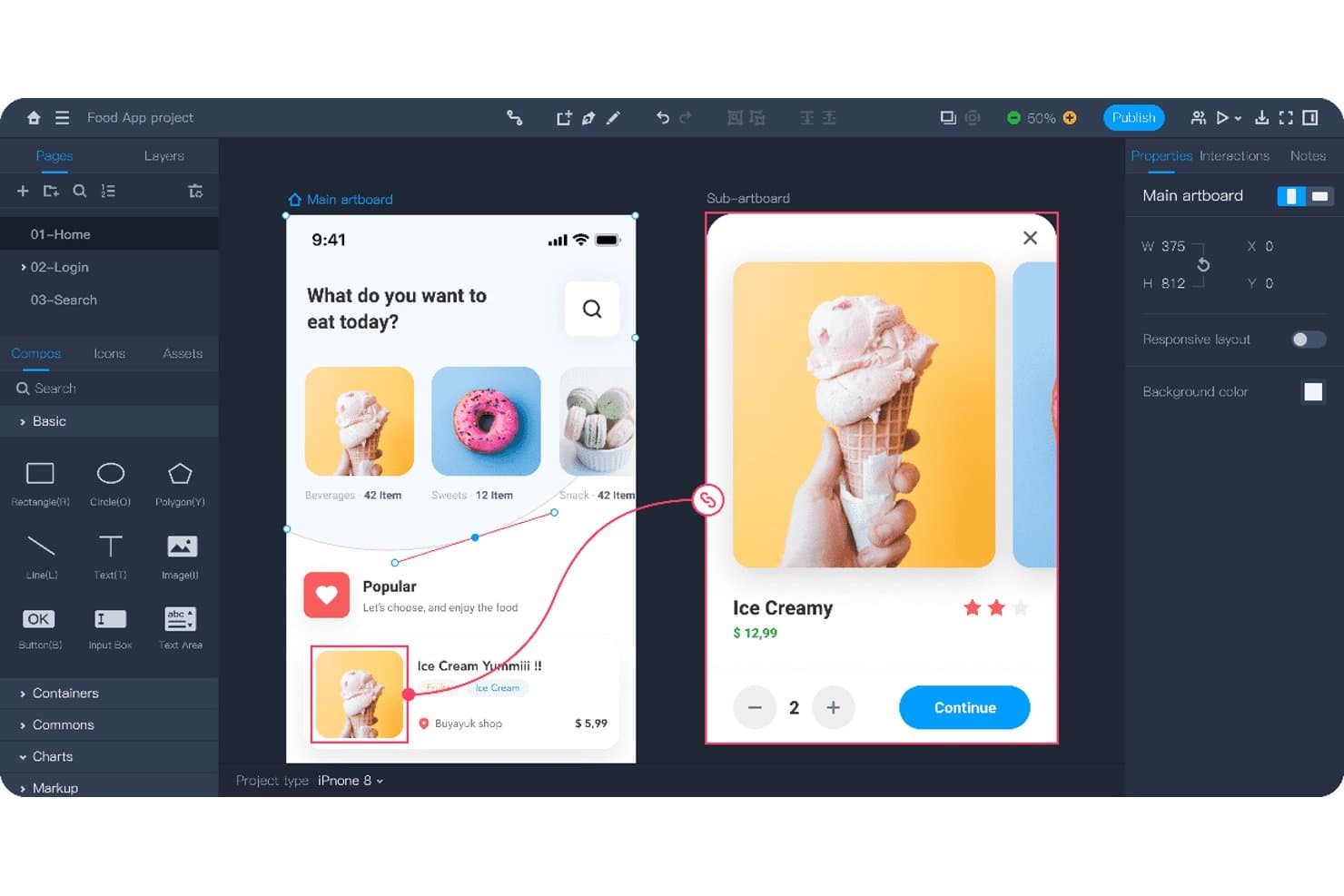
Mockplus lets users prototype interactive app flows with linked screens. Mockplus RP is a no-code prototyping tool for product design with drag-and-drop screens, interactive states, animations, responsive artboards, templates, annotations, and real-time co-design.
Who Is Mockplus Best For?
Product managers and startup founders who need to create and share interactive prototypes without formal design or development skills.
Why I Picked Mockplus
I picked Mockplus because it supports prototyping without a design background. I use drag-and-drop interactions, responsive artboards, and 500+ templates to map mobile onboarding flows or test web layouts quickly. Notes, flowcharts, and markup widgets keep product decisions clear when I share prototypes with stakeholders.
Mockplus Key Features
- Component states: Create pop-ups, overlays, and dynamic content variations.
- Interaction triggers: Add tap, swipe, slide, and time-based transitions.
- Axure import: Import Axure files while preserving interface and interaction details.
- Password-protected links: Secure shared prototypes with custom preview links.
Mockplus Integrations
Mockplus doesn't have any native integrations. It connects with Axure through RP file import and Mockplus Cloud for review and developer handoff.
What's Free?
Mockplus offers a free-forever plan with up to three prototypes and 10 pages per prototype. The plan supports one individual user or up to 10 team users, limits Axure imports to 10MB, and includes seven-day revision history.
Pros and Cons
Pros:
- Extensive templates accelerate stakeholder-ready prototypes
- Real-time co-design supports small product teams
- Drag-and-drop prototyping suits non-designers
Cons:
- Review comments require a paid upgrade
- Free limits restrict multi-flow validation
Learn more about Mockplus: For designers who follow the latest trends
- Free plan available
- From $3/user/month
Visit WebsiteCustomer Rating:4.7/5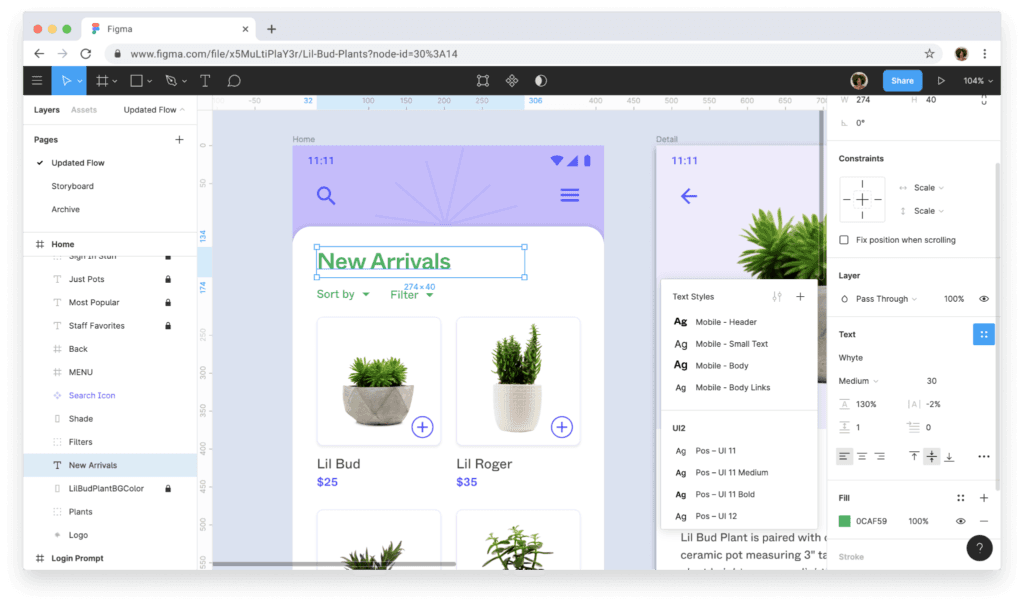
Figma helps you create high-fidelity prototypes from start to finish. Figma is a collaborative design and prototyping platform with vector tools, clickable flows, components, no-code logic, real-time editing, and developer handoff through Dev Mode.
Who Is Figma Best For?
Figma suits UX/UI designers and product teams that need collaborative, browser-based design, prototyping, and developer handoff.
Why I Picked Figma
I picked Figma for designers who follow the latest trends because Figma Draw brings custom brushes and text on a path into product concepts. Figma Motion adds timeline animation with keyframes, while Figma Make turns prompts into working web prototypes.
Figma Key Features
- Interactive triggers: Add overlays, transitions, animations, and multiple actions to prototype flows.
- Auto Layout: Arrange responsive elements that adapt as content or screen sizes change.
- Device frames: Preview prototypes inside phone, tablet, and desktop frames.
- Community resources: Browse user-created templates, UI kits, plugins, and widgets.
Figma Integrations
Figma offers marketplace integrations through Figma Community plugins and widgets. Figma Make supports Supabase and custom connectors for connecting prototypes to backend data.
What's Free?
Figma offers a free-forever Starter plan with unlimited draft files and unlimited viewers. Teams can co-edit up to three files, each limited to three pages, while advanced features require a paid plan.
Pros and Cons
Pros:
- Community templates speed early concept testing
- Browser-based co-editing keeps feedback immediate
- Interactive flows support variables and conditions
Cons:
- Advanced prototype logic requires a paid plan
- Free teams get only three shared files
 Best for non-designers who prototype with AI
- Free plan available
- From $14/user/month
Visit WebsiteCustomer Rating:4.8/5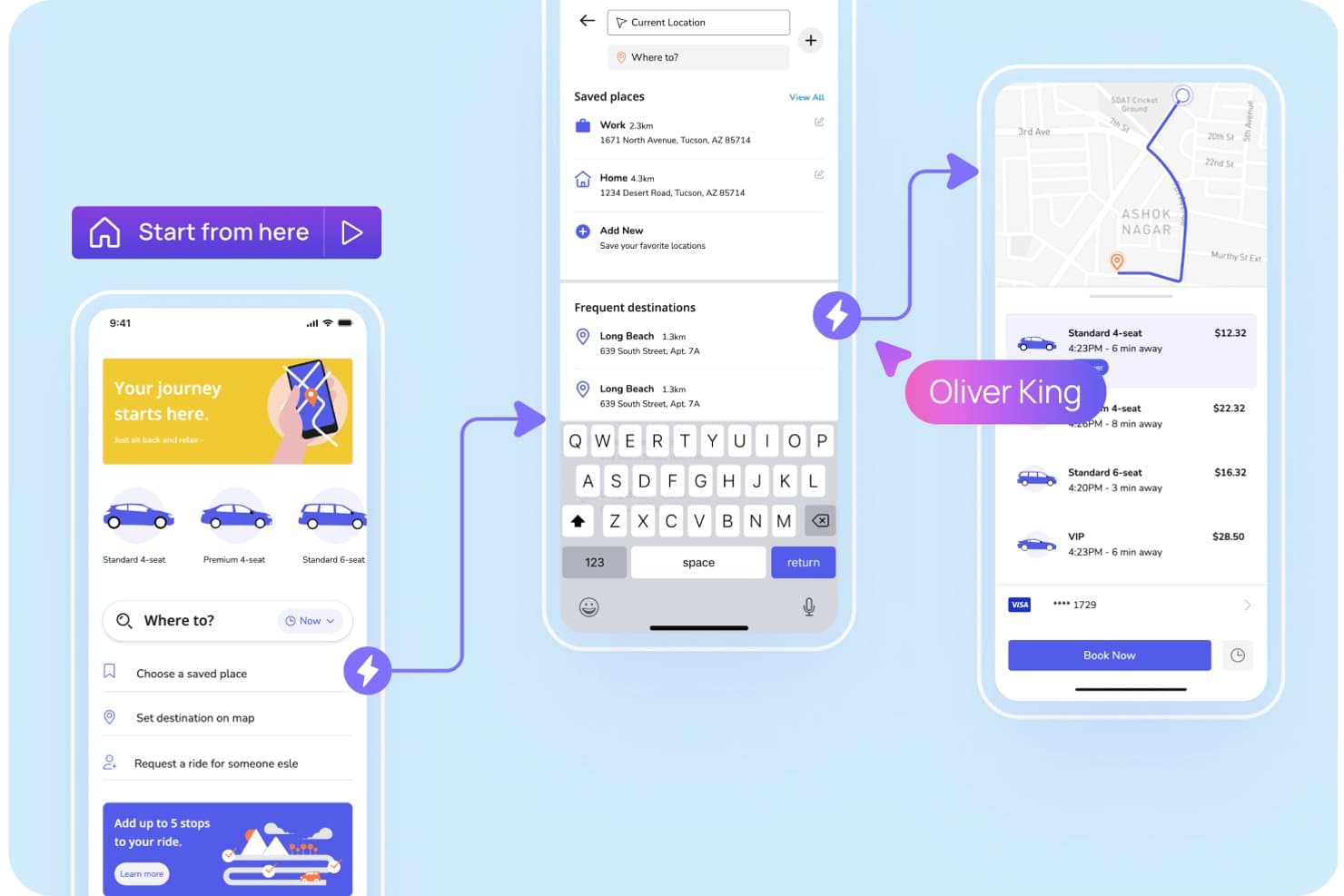
Visily lets users prototype ride-booking app flows with interactive screens. Visily is an AI-assisted prototyping platform with text, screenshot, and diagram-to-design tools, a drag-and-drop canvas, clickable flows, reusable templates, and real-time collaboration for low- and high-fidelity product designs.
Who Is Visily Best For?
Product managers and startup founders can use Visily to turn rough ideas into clickable app or website prototypes without design or coding experience.
Why I Picked Visily
I picked Visily because it’s best for non-designers who prototype with AI. I use text-to-design, Screenshot to Design, and Diagram to Design to turn product briefs, existing apps, or user flows into editable screens. Auto-Prototype then links those screens into clickable journeys for stakeholder reviews or early usability sessions.
Visily Key Features
- Layout grids: Add grid rows, gridlines, gradients, blur, and custom shadows.
- Public preview links: Share view-only boards without requiring Visily accounts.
- Presentation mode: Present prototypes as clickable simulations or slide decks.
- Design integrations: Embed boards in Jira, Notion, Google Docs, and other tools.
Visily Integrations
Visily offers native integrations with Figma, Slack, Jira, Notion, and Google Docs for design workflows, feedback, embeds, and handoff. It also supports a browser extension for Chrome, Edge, and Firefox.
What's Free?
Visily’s Starter plan is free forever, with no time-limited trial. It includes two editable boards per workspace, 2,500 elements per board, 300 AI credits monthly, and up to 50 workspace members; exports are low-resolution and watermarked, and private boards, Figma export, and code export aren’t included.
Pros and Cons
Pros:
- Free collaboration supports stakeholder feedback
- Auto-Prototype creates clickable flows quickly
- AI generates editable screens from rough ideas
Cons:
- Device-specific preview options remain limited
- Complex interactions lack conditional logic
Learn more about Visily: Best for prototyping with coded components
- Free plan + 14-day free trial available
- From $29/user/month (billed annually)
Visit WebsiteCustomer Rating:4.2/5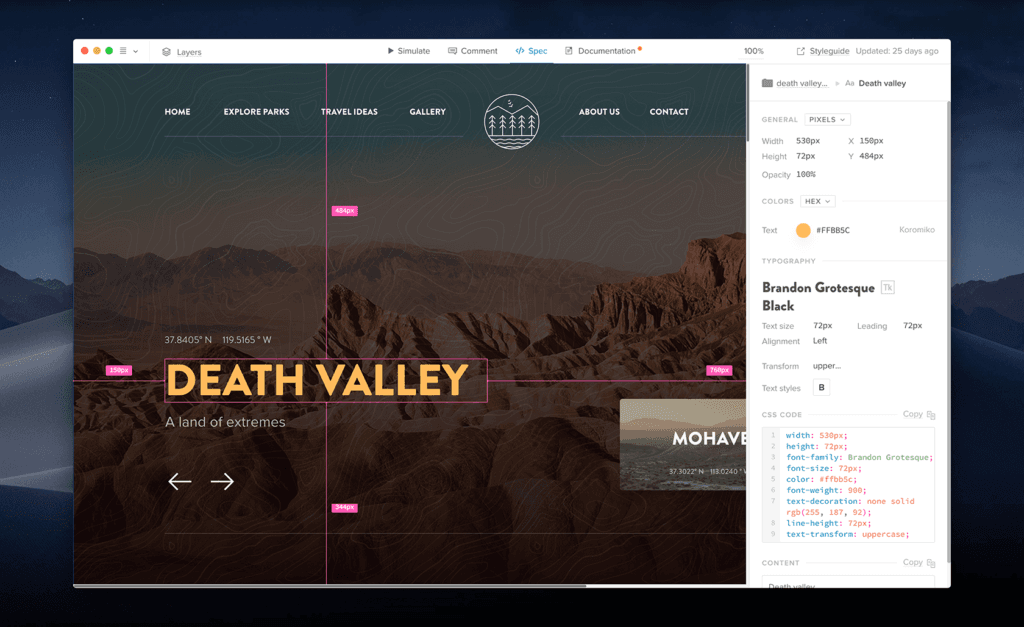
UXPin is a code-heavy prototyping tool that’s similar to web development. UXPin is a product design prototyping platform that combines a visual canvas, responsive layouts, conditional logic, variables, and interactive React or Web components.
Who Is UXPin Best For?
UXPin suits UX/UI designers and front-end developers who need interactive prototypes built with coded components.
Why I Picked UXPin
I picked UXPin for product teams that need prototypes built from real coded components. I use React or Web components to model responsive interfaces, then apply conditional logic, variables, and expressions to test realistic flows. Its developer handoff link includes specifications and production-ready code, helping engineers build from the same components designers tested.
UXPin Key Features
- AI prototyping assistant: Generate prototype elements with monthly AI credits across available plans.
- Built-in component libraries: Access MUI, Bootstrap, Tailwind, and Ant Design libraries by plan.
- Design file imports: Import Sketch files and use the Figma plugin on every plan.
- Version history: Restore earlier work with seven, 30, or unlimited days of history by plan.
UXPin Integrations
UXPin integrates with Figma, Sketch, Storybook, Git, and npm. Storybook supports public or private components from 15+ frameworks, while Git integration is available on Enterprise.
What's Free?
UXPin has a free-forever plan limited to two prototypes, 50 monthly AI credits, GPT-5-mini, and 20 MUI components. It also offers a 14-day free trial with full features and no credit card required, after which you can continue on the limited plan or upgrade.
Pros and Cons
Pros:
- Unlimited reviewers simplify stakeholder feedback
- Advanced logic supports realistic product flows
- Coded components improve developer handoff
Cons:
- Large projects can experience slowdowns
- Free plan limits active prototype work
Learn more about UXPin: Best for open-source design and dev handoff
- Free plan + 14-day free trial available
- From $7/user/month
Visit WebsiteCustomer Rating:4.5/5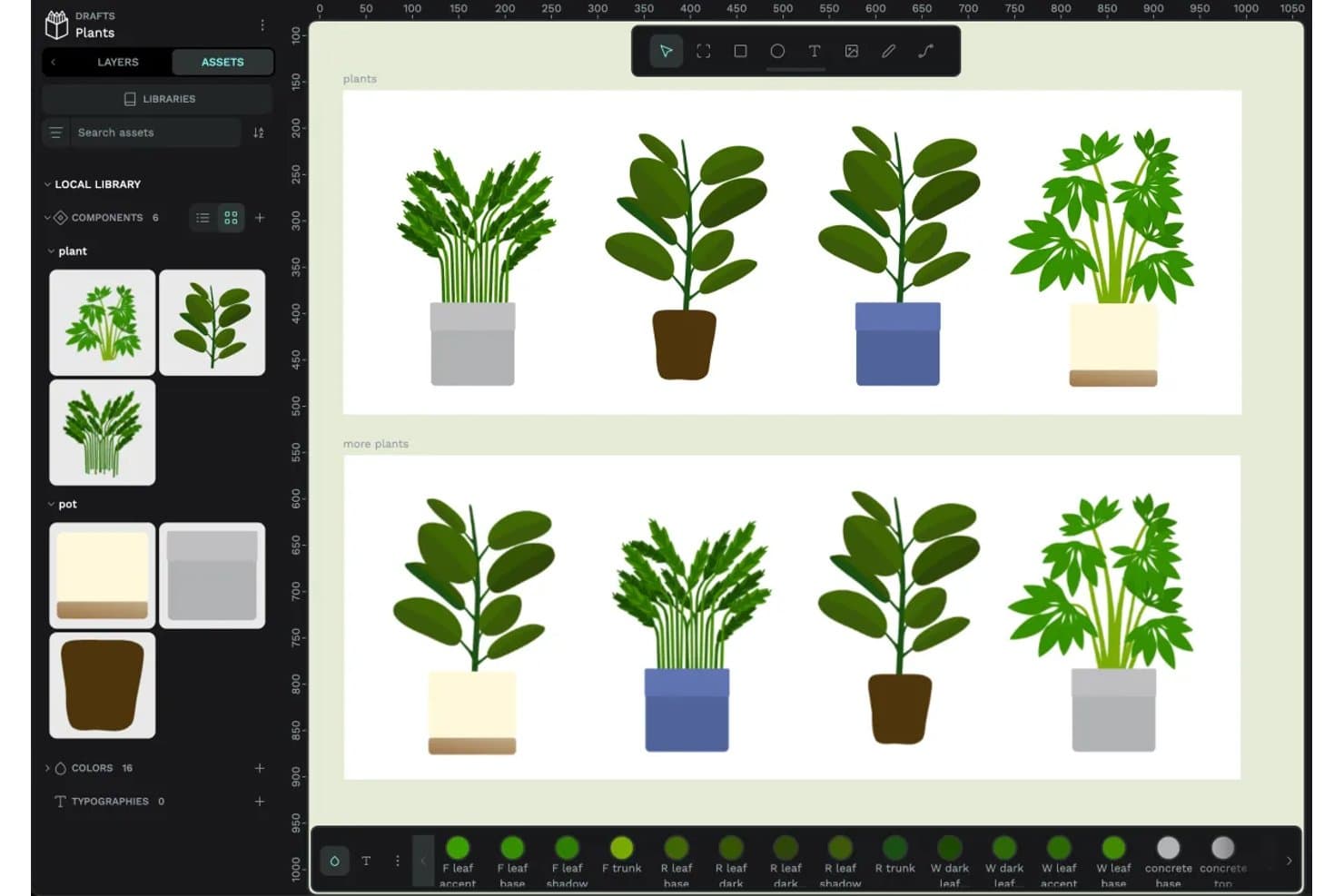
Penpot lets users create and reuse plant components across designs. Penpot is an open-source prototyping and product design platform with a responsive design canvas, clickable flows, real-time collaboration, shared libraries, and CSS, HTML, and SVG inspection.
Who Is Penpot Best For?
Penpot suits UX/UI designers and front-end developers who need collaborative prototypes, CSS-based handoff, and an open-source, self-hostable foundation.
Why I Picked Penpot
I picked Penpot because it combines clickable prototypes with open-source design and dev handoff. I use CSS Grid and Flex layouts, design tokens, and Code/Inspect mode to give developers matching CSS, HTML, and SVG. Its self-hostable, open file format also supports teams that need control over their design workflow.
Penpot Key Features
- Prototype triggers: Add click, hover, and delay triggers to boards and layers.
- Overlay actions: Create menus, dialogs, and hover effects with configurable overlays.
- Multiple flows: Build separate user journeys with individual starting boards and links.
- Fixed scrolling elements: Keep navigation bars, headers, and floating buttons visible while scrolling.
Penpot Integrations
Native integrations are not clearly documented. Penpot supports custom connectivity through its public API, plugin system, and MCP server for AI agents and LLM tools.
What's Free?
Penpot’s Professional plan is free forever, fully featured, and includes unlimited teams, files, and viewers. The hosted plan supports up to eight editors, provides 10 GB of storage, and retains version history and file recovery for seven days.
Pros and Cons
Pros:
- Overlays and hover triggers build realistic flows
- Shared libraries support consistent design systems
- CSS-based layouts support developer handoff
Cons:
- Cross-device simulation remains relatively limited
- Conditional logic and variables remain unavailable
Learn more about Penpot: 10Best for no-code logic and gesture-rich prototypes
Proto.io
- 15-day free trial + free plan available
- From $29/month

Proto.io makes it easy to share your prototype in order to receive feedback. Proto.io is a browser-based prototyping tool for product design with no-code interactions, variables, gestures, animations, reusable components, templates, design-tool imports, and cross-device previews.
Who Is Proto.io Best For?
UX/UI designers and product teams that need to validate gesture-rich mobile and web experiences before development will find a strong fit here.
Why I Picked Proto.io
I picked Proto.io because it brings no-code logic and gesture-rich prototypes to product design. I use variables, conditional actions, and multi-touch gestures to model app flows such as onboarding, drag-and-drop tools, and orientation changes. Timeline animations and native-style components help my team test interactions that static mockups can’t capture.
Proto.io Key Features
- Design-tool imports: Bring in files from Sketch, Figma, Adobe XD, and Photoshop.
- Shareable preview links: Create password-protected links with snapshots, analytics, and reviewer access.
- Cross-device previews: Test prototypes in web browsers and native iOS or Android player apps.
- Version history: Restore earlier project versions from automatic backups.
Proto.io Integrations
Proto.io integrates with Sketch, Figma, Adobe XD, Photoshop, Jira, Confluence, Trello, UserTesting, UserZoom, Userlytics, Lookback, and UXArmy through plugins, embeds, Power-Ups, and share links.
What's Free?
Proto.io offers a 15-day free trial with full access to its prototyping features and no credit card required. After the trial, you can downgrade to a free plan with limited features, or upgrade to a paid subscription.
Pros and Cons
Pros:
- Reusable components accelerate iterative design work
- Variables support conditional prototype logic
- Gesture interactions model realistic mobile behaviors
Cons:
- Real-time co-editing isn’t documented
- Large projects can load slowly
Learn more about Proto.io:
Andre gratis prototypverktøy
Her er noen flere alternativer for prototypverktøy som også tilbyr gratis abonnementer eller prøveperioder. Selv om disse verktøyene ikke kom med på kortlisten min, er de likevel verdt å ta en titt på:
- 11JustinmindBest for prototyping with 4,000+ UI components
- 12Axure RP Best for high-fidelity logic-driven prototypes
- 13MockFlowBest for wireframing across web and mobile apps
How I Evaluate Prototyping Tools
First, I define what counts as free. A prototyping tool qualifies if it offers a free-forever plan or a full-featured trial of at least 14 days, with access to core prototyping and sharing features. From there, I split my evaluation into three parts: core functionality, which carries the most weight, like linking screens into interactive flows and building on a visual design canvas; standout features, like no-code logic builders; and what a tool offers beyond its feature set, like how well the free tier scales for small agile teams.
Core Functionality (Table Stakes for This List)
In addition to my free plan requirements, I use a scoring system to select tools for my list. I score each one on a scale from 0 (does not offer the functionality) to 5 (excels in this area) for each core functionality listed below, based on what's available on the free plan. I then convert the total into a percentage to help assess each tool's overall fit, with extra weight on any functionalities I've deemed essential.
- Interactive Prototyping (Essential): I check whether linked screens support multiple trigger types like tap, hover, and swipe—enough to simulate a realistic onboarding or checkout flow.
- Design Canvas (Essential): A workspace with layering, grouping, and alignment tools matters. I look for layout controls that let you build screens quickly without fighting the editor.
- Shareable Preview Links: Sharing a clickable prototype with a stakeholder who doesn't have the tool installed is a core use case. I evaluate how easy it is to generate a link and control viewer access.
- Real-Time Collaboration: I look at whether teammates can comment, co-edit, or leave feedback directly in the file. Tools like Figma and Penpot handle this differently, so I compare the depth of multi-user support.
- Component and Template Reuse: Reusable components save hours when you're iterating on a multi-screen flow. I evaluate whether updating one component pushes changes across every instance in the file.
- Cross-Device Preview: Prototypes need to look right on mobile and desktop alike. I check whether the tool lets you preview across common device sizes and orientations before sharing with testers.
Once I have a list of tools that meet the criteria, I consider what sets each platform apart.
Differentiating Factors (What Sets Vendors Apart)
Here's how I compare and contrast different vendors:
Standout Features
I look for a no-code logic builder that lets you add conditional navigation—like showing different screens based on a user's selection—without writing any code. This matters when you're simulating a signup flow with branching paths for a sprint review. I also evaluate feedback capture in preview mode, where stakeholders comment directly inside the shared prototype link. Tools like Figma and Marvel handle this differently, but the goal is the same: fewer meetings, faster alignment. Version history snapshots round things out by letting you roll back safely mid-experiment.
Beyond Features
I evaluate whether a tool lets someone without design training build and share a prototype within a single work session. Guided onboarding and simplified toolbars—like those in Marvel and Justinmind—cut ramp-up time so a PM can go from idea to sprint review artifact in hours. I also check how far the free tier scales for small teams, since hitting a file or collaborator cap mid-validation cycle forces an unplanned upgrade and stalls feedback loops.
Slik velger du et gratis prototypverktøy
Komplekse funksjonslister og prisstrukturer kan gjøre det vanskelig å finne ut hva du egentlig får med et gratis prototypverktøy. For å hjelpe deg med å holde fokus mens du går gjennom prosessen med å velge programvare, er det noen faktorer du bør ha i bakhodet:
| Faktor | Hva du bør vurdere |
|---|---|
| FaktorOmfanget av gratistilbudet | Hva du bør vurdereVurder hvilke funksjoner som er inkludert i gratisabonnementet. Sjekk om det finnes begrensninger på prosjekter, brukere eller lagring som kan påvirke arbeidsflyten til teamet ditt. |
| FaktorSkalerbarhet | Hva du bør vurdereVurder om verktøyet kan vokse sammen med teamet ditt. Se etter alternativer som gjør det enkelt å oppgradere til betalte abonnementer etter hvert som behovene dine øker. |
| FaktorIntegrasjoner | Hva du bør vurdereSørg for at verktøyet er kompatibelt med verktøyene teamet ditt allerede bruker. Se etter integrasjoner med plattformer som Slack, Trello eller Google Drive for å effektivisere prosessene dine. |
| FaktorBrukervennlighet | Hva du bør vurdereVurder hvor intuitivt verktøyet er for deg og teamet ditt. Velg et verktøy med et brukervennlig grensesnitt for å minimere læringskurven og øke produktiviteten. |
| FaktorSamarbeid | Hva du bør vurdereVurder hvor godt verktøyet støtter samarbeid i teamet. Funksjoner som redigering i sanntid og tilbakemeldinger kan forbedre samarbeidet og prosjektresultatene. |
| FaktorTilpasning | Hva du bør vurdereSe på hvor gode tilpasningsmulighetene er. Muligheten til å tilpasse verktøyet til de spesifikke designbehovene dine kan være avgjørende for at prosjektet skal lykkes. |
| FaktorStøtte | Hva du bør vurdereVurder nivået på kundestøtten som tilbys. Rask og nyttig støtte kan spare deg for tid og frustrasjon når problemer oppstår. |
| FaktorSikkerhet | Hva du bør vurdereKontroller hvilke sikkerhetstiltak som er på plass, spesielt hvis du arbeider med sensitive data. Sørg for at verktøyet overholder relevante regler for databeskyttelse. |
Hva er gratis prototypverktøy?
Gratis prototypingsverktøy er programvare som lar deg lage interaktive designmodeller uten å betale noe. Designere, studenter og små oppstartsbedrifter bruker disse verktøyene til raskt å teste og dele ideer med et begrenset budsjett. Du kan lage grunnleggende klikkbare prototyper og få tilbakemeldinger før du bruker penger på mer avansert programvare.
Funksjoner
La oss gå gjennom funksjonene som vanligvis finnes i prototypingsverktøy, og se hvilke som vanligvis er inkludert i gratis- og betalingsabonnementer.
Funksjoner som vanligvis er gratis i prototypingsverktøy
- Dra-og-slipp-grensesnitt: Lar brukere enkelt lage og justere design uten behov for avanserte tekniske ferdigheter.
- Samarbeid i sanntid: Gjør det mulig for teammedlemmer å arbeide sammen på design samtidig, noe som forbedrer kommunikasjonen og effektiviteten.
- Malbibliotek: Tilbyr ferdiglagde designmaler som hjelper brukere med å starte prosjekter raskt og opprettholde en konsekvent stil.
- Kommentering: Lar teammedlemmer legge igjen tilbakemeldinger direkte på design, noe som legger til rette for tydelig kommunikasjon og videreutvikling.
- Versjonskontroll: Holder oversikt over endringer i design, slik at det er enkelt å gå tilbake til tidligere versjoner ved behov.
- Grunnleggende vektorredigering: Tilbyr viktige verktøy for å lage og redigere vektorgrafikk, noe som er nyttig for logoer og ikoner.
- Tilgang på tvers av plattformer: Lar brukere arbeide med designene sine fra hvilken som helst enhet, noe som gir større fleksibilitet og bekvemmelighet.
Funksjoner som vanligvis er betalingsbelagte i prototypingsverktøy
- Avansert prototyping: Inkluderer funksjoner som interaktive tilstander og animasjoner for å skape mer dynamiske brukeropplevelser.
- Tilpassbare designsystemer: Lar team opprette og opprettholde et konsekvent uttrykk på tvers av prosjekter ved å fastsette designstandarder.
- Utvidede eksportalternativer: Gir fleksibilitet til å eksportere design i ulike formater for forskjellige plattformer og interessenter.
- Integrasjon med avanserte verktøy: Kobler seg til andre profesjonelle verktøy som Adobe XD og Sketch for en mer helhetlig arbeidsflyt.
- Analyse og brukertesting: Gir innsikt i brukerinteraksjoner og tilbakemeldinger for å videreutvikle og forbedre design.
- Ubegrensede prosjekter: Fjerner begrensninger på antallet prosjekter du kan arbeide med, og støtter større team og pågående prosjekter.
- Prioritert brukerstøtte: Gir raskere og mer dedikert kundestøtte for å løse problemer og besvare spørsmål raskt.
Fordeler
Å ta i bruk gratis prototypingsverktøy gir flere fordeler for teamet og virksomheten din. Her er noen av fordelene du kan se frem til:
- Kostnadseffektivt design: Få tilgang til viktige design- og prototypingsverktøy uten økonomiske forpliktelser, slik at teamet ditt kan innovere uten budsjettbegrensninger.
- Forbedret samarbeid: Funksjoner for samarbeid i sanntid gjør det mulig for teamet ditt å arbeide effektivt sammen, forbedre kommunikasjonen og korte ned prosjektplanene.
- Rask prosjektstart: Malbiblioteker hjelper deg med å komme raskt i gang med prosjekter, spare tid og sikre konsekvens på tvers av designene dine.
- Fleksibilitet og bekvemmelighet: Tilgang på tvers av plattformer lar deg og teamet ditt arbeide med design fra hvilken som helst enhet, noe som gir større tilpasningsevne og bekvemmelighet.
- Forbedret tilbakemeldingssløyfe: Kommenteringsfunksjoner gjør direkte tilbakemeldinger mulig, slik at teamet ditt enklere kan videreutvikle og forbedre design basert på innspill fra interessenter.
- Utforsking av design: Eksperimenter med ulike designideer og prototyper uten å bekymre deg for kostnader, og frem kreativitet og innovasjon i teamet ditt.
- Versjonshåndtering: Versjonskontroll hjelper deg med å spore endringer og gå tilbake til tidligere design ved behov, slik at prosjektene dine holder seg på rett spor.
Kostnader & priser
Jeg forstår at du kom til denne artikkelen på jakt etter de beste prototypingsverktøyene som er tilgjengelige gratis. Siden gratisabonnementer bare tilbyr begrensede funksjoner, er det imidlertid en god sjanse for at du må oppgradere abonnementet ditt i fremtiden.
Tabellen nedenfor oppsummerer vanlige abonnementer, gjennomsnittsprisene deres og typiske funksjoner som er inkludert i løsninger for prototypingsverktøy:
Sammenligningstabell for abonnementer til prototypingsverktøy
| Plantype | Gjennomsnittlig pris | Vanlige funksjoner |
|---|---|---|
| PlantypeGratisplan | Gjennomsnittlig pris$0 | Vanlige funksjonerGrunnleggende prototypeutvikling, begrenset antall prosjekter og grunnleggende samarbeid. |
| PlantypePersonlig plan | Gjennomsnittlig pris$5-$15/bruker/måned | Vanlige funksjonerEkstra lagringsplass, flere prosjekter og forbedrede samarbeidsverktøy. |
| PlantypeForretningsplan | Gjennomsnittlig pris$20-$50/bruker/måned | Vanlige funksjonerAvanserte funksjoner for prototypeutvikling, integrasjoner med profesjonelle verktøy og analyse. |
| PlantypeForetaksplan | Gjennomsnittlig pris$50+/bruker/måned | Vanlige funksjonerTilpasningsmuligheter, prioritert brukerstøtte og forbedrede sikkerhetsfunksjoner. |
Vanlige spørsmål om gratisverktøy for prototypeutvikling
Her er noen svar på vanlige spørsmål om gratisverktøy for prototypeutvikling:
Hvordan sammenlignes gratisverktøy for prototypeutvikling med betalte verktøy?
Gratisverktøy for prototypeutvikling har ofte begrensninger når det gjelder funksjoner, lagringsplass og brukerstøtte sammenlignet med betalte versjoner. De tilbyr likevel viktige funksjoner som grunnleggende prototypeutvikling og samarbeid. De passer godt for små team eller enkeltpersoner som skal komme i gang, men etter hvert som behovene dine vokser, kan en betalt plan være nødvendig for å få tilgang til avanserte funksjoner.
Kan jeg bruke gratisverktøy for prototypeutvikling til store prosjekter?
Selv om gratisverktøy kan håndtere grunnleggende prosjekter, støtter de kanskje ikke store prosjekter på grunn av begrensninger i lagringsplass, samarbeid og avanserte funksjoner. For omfattende prosjekter bør du vurdere å oppgradere til en betalt plan for å sikre at du har ressursene og funksjonaliteten som trengs for å lykkes.
Hvilke begrensninger har gratisverktøy for prototypeutvikling?
Gratisverktøy for prototypeutvikling begrenser ofte antallet prosjekter, samarbeidspartnere og mengden lagringsplass. Avanserte funksjoner som detaljert analyse, egendefinerte integrasjoner og omfattende eksportmuligheter er vanligvis forbeholdt betalte planer. Vurder behovene dine for å sikre at gratisversjonen av verktøyet samsvarer med prosjektkravene dine.
Er gratisverktøy for prototypeutvikling enkle å lære?
Mange gratisverktøy for prototypeutvikling er utformet med brukervennlige grensesnitt og tilbyr veiledninger eller guider som hjelper deg med å komme i gang. Selv om de kan ha en læringskurve, spesielt hvis du er ny innen design, opplever de fleste brukere at verktøyene er tilgjengelige og enkle å håndtere med litt øvelse.
Tilbyr gratisverktøy for prototypeutvikling kundestøtte?
Brukerstøtten for gratisbrukere er vanligvis mer begrenset enn for betalte planer. Du kan ha tilgang til brukerfora eller hjelpesentre, men direkte støtte som chat i sanntid eller telefonassistanse er ofte forbeholdt betalende kunder. Ta hensyn til dette når du velger et verktøy, dersom brukerstøtte er viktig for deg.