

10 migliori software gratuiti per la gestione dei prodotti che ho provato nel 2026

Elenco dei migliori software gratuiti per la gestione dei prodotti
- 8. Fibery


Con così tanti software gratuiti diversi per la gestione dei prodotti disponibili, capire quale sia quello giusto per te è difficile. Hai bisogno di tutte le funzionalità essenziali per la pianificazione della roadmap, la gestione delle attività, la documentazione, la collaborazione del team e l'integrazione con altri strumenti, ma devi comunque rispettare un budget limitato. Ci penso io! In questo articolo ti aiuterò a rendere semplice la tua scelta, condividendo le mie esperienze personali nell'utilizzo di diversi strumenti gratuiti con team più numerosi e decine di lanci di prodotto con un budget ristretto, insieme alle mie scelte dei migliori software gratuiti per la gestione dei prodotti.
Che cos'è un software gratuito per la gestione dei prodotti?
Il software gratuito per la gestione dei prodotti è un tipo di strumento che aiuta i team a pianificare, organizzare e ottimizzare il processo di sviluppo del prodotto.
Il software gratuito per la gestione dei prodotti presenterà delle limitazioni nelle sue funzionalità, a meno che non si tratti di software open source. Sono previste limitazioni nel livello di assistenza clienti, nel numero di prodotti per i quali è possibile creare roadmap, negli utenti che possono accedere al software e nelle integrazioni disponibili. La maggior parte degli strumenti presenti in questo elenco offre la possibilità di iscriversi gratuitamente e di passare successivamente a un piano a pagamento quando cambiano le tue esigenze o cresce il tuo team.
Perché fidarsi dei nostri consigli sui software
Il nostro team testa e recensisce software dal 2012. In quanto product manager noi stessi, sappiamo quanto sia difficile — e importante — scegliere il software giusto.
Per questa guida, abbiamo valutato gli strumenti attraverso test pratici e ricerche indipendenti, assegnando un punteggio agli strumenti in base ai nostri criteri di selezione.
Le nostre recensioni riflettono il nostro giudizio editoriale umano, non un discorso di vendita.
Tabella comparativa dei migliori software gratuiti per la gestione dei prodotti
Ecco una tabella in cui puoi confrontare tutti gli strumenti appena descritti nelle panoramiche.
| Tool | Best For | Trial Info | Price | ||
|---|---|---|---|---|---|
| 1 | Ideale per la gestione personalizzabile del lavoro | Piano gratuito + prova gratuita di 14 giorni + demo gratuita disponibile | Da $10/utente/mese (con fatturazione annuale) | Website | |
| 2 | Ideale per una collaborazione e una visualizzazione senza interruzioni | Piano gratuito + prova gratuita disponibili | A partire da $8/utente/mese (con fatturazione annuale) | Website | |
| 3 | Ideale per documenti, wiki e tabelle di marcia tutto-in-uno | Piano gratuito + demo gratuita disponibile | A partire da $10/utente/mese (con fatturazione annuale) | Website | |
| 4 | Ideale per i team di sviluppo software | Piano gratuito + demo gratuita + prova di 14 giorni disponibile | A partire da $9.05/utente/mese | Website | |
| 5 | Miglior software gratuito open source per la gestione dei prodotti | Piano gratuito + prova gratuita disponibili | Prezzi su richiesta | Website | |
| 6 | Ideale per la pianificazione degli sprint con passaggio automatico al ciclo successivo integrato | Piano gratuito disponibile | A partire da $10/utente/mese (con fatturazione annuale) | Website | |
| 7 | Ideale per la pianificazione agile delle iterazioni ospitata autonomamente | Piano gratuito + prova gratuita di 14 giorni + demo gratuita disponibile | A partire da $4.5/utente/mese (con fatturazione annuale) | Website | |
| 8 | Piano gratuito + prova gratuita + dimostrazione gratuita disponibili | A partire da $12/utente/mese (con fatturazione annuale) | Website | ||
| 9 | Ideale per collegare esplorazione e distribuzione nei team Jira | Piano gratuito e prova gratuita disponibili | A partire da $10/utente/mese | Website | |
| 10 | Il miglior software per la gestione dei prodotti con integrazioni | Piano gratuito disponibile | A partire da $12/mese (con fatturazione annuale) | Website |


Panoramiche dei migliori software gratuiti per la gestione dei prodotti
Ecco una breve descrizione dei migliori software e delle versioni gratuite degli strumenti a pagamento che possono aiutarti a iniziare.

Wrike
Ideale per la gestione personalizzabile del lavoro
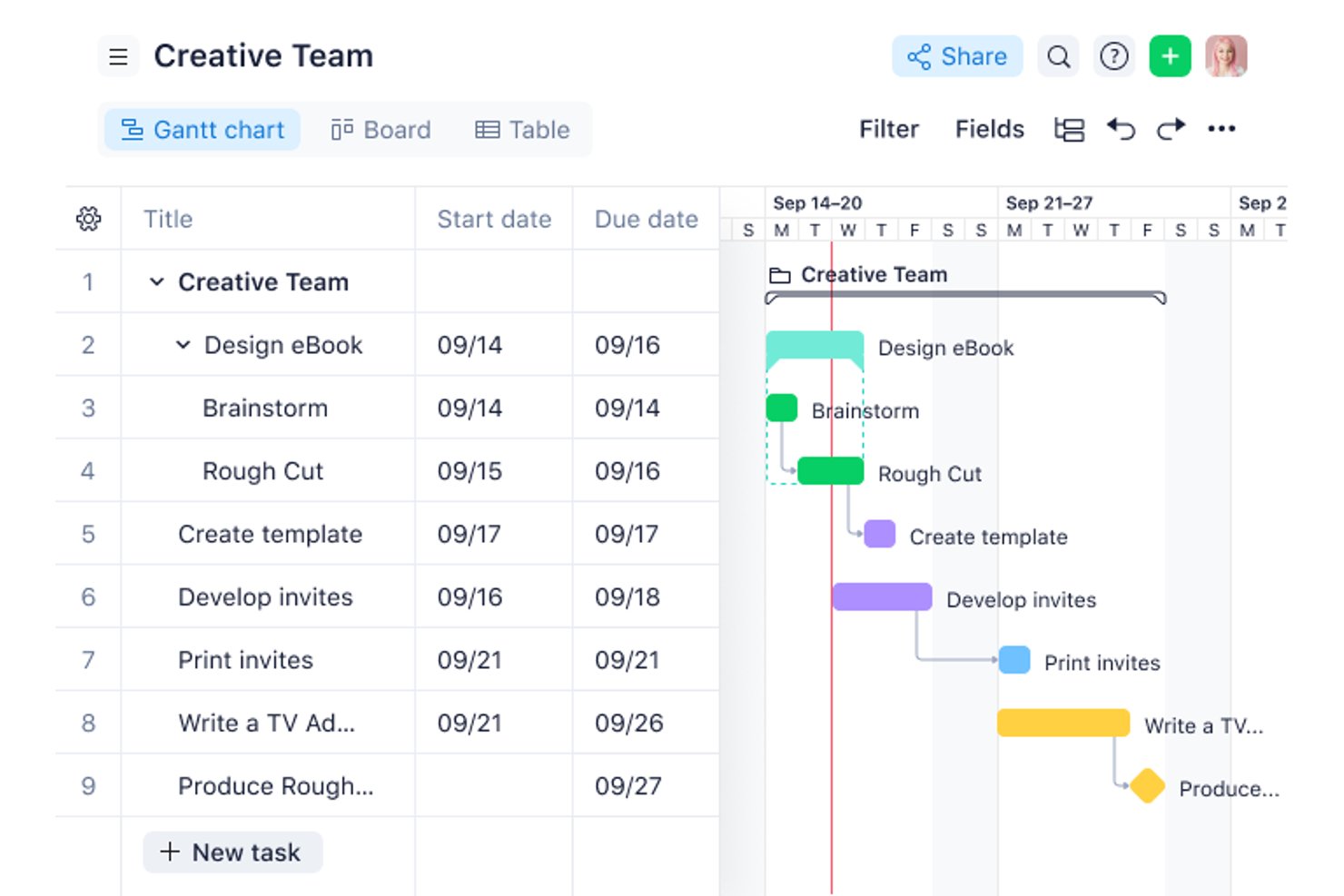
Wrike è una piattaforma gratuita per la gestione dei progetti con viste Bacheca, Tabella e Grafico per organizzare attività e sottoattività, oltre a commenti, menzioni, condivisione di file e uno spazio condiviso con un limite di 200 attività attive.
Per chi è più indicato Wrike?
Piccoli team interfunzionali che necessitano di un monitoraggio personalizzabile delle attività e di una collaborazione di base senza costi iniziali.
Perché ho scelto Wrike
Ho scelto Wrike per la gestione personalizzabile del lavoro, quando i team di prodotto hanno bisogno di organizzare le attività in modo flessibile senza una configurazione complessa. Utilizzo le viste Bacheca, Tabella e Grafico per monitorare le attività di analisi, le dipendenze di progettazione e i progressi della consegna. Le sottoattività, gli stati personalizzati, i commenti, le menzioni e la cronologia delle versioni dei file mantengono collegato il lavoro interfunzionale, anche se mancano le roadmap e la pianificazione degli sprint.
Funzionalità principali di Wrike
- Aggiornamenti collettivi delle attività: Modifica gli stati o sposta più attività contemporaneamente.
- Filtri delle attività: Filtra il lavoro in base allo stato, all'assegnatario o alla data.
- Flusso di attività in tempo reale: Esamina gli aggiornamenti e le modifiche nel tuo spazio di lavoro.
- Integrazione con le email: Collega i flussi di lavoro delle email alle tue attività di Wrike.
Integrazioni di Wrike
Wrike pubblicizza oltre 400 integrazioni, tra cui Jira, GitHub, GitLab, Slack, Microsoft Teams, Google Workspace e Zoom. Il piano gratuito è limitato alle integrazioni con email e archiviazione cloud, mentre la sincronizzazione bidirezionale con Jira e GitHub richiede opzioni a pagamento.
Cosa è gratuito?
Wrike offre un piano gratuito senza scadenza con viste Bacheca, Tabella e Grafico, oltre a funzionalità di collaborazione sulle attività. Supporta uno spazio condiviso con un limite di 200 attività attive, mentre le integrazioni sono limitate a email e archiviazione cloud.
Pros and Cons
Pros:
- Viste Bacheca, Tabella e Grafico incluse
- Commenti e menzioni collegano il lavoro interfunzionale
- Gli aggiornamenti collettivi riducono la manutenzione ripetitiva delle attività
Cons:
- Nessuna visualizzazione della roadmap o della sequenza temporale
- Le 200 attività attive limitano gli arretrati in crescita
New Product Updates from Wrike

Wrike Activity Reports Add Actor Type Details
Wrike’s Activity Report now displays actor type details, helping admins identify whether changes came from the UI, Automation, Wrike Agents, API, or AI via MCP. For more information, visit Wrike's official site.

Miro
Ideale per una collaborazione e una visualizzazione senza interruzioni
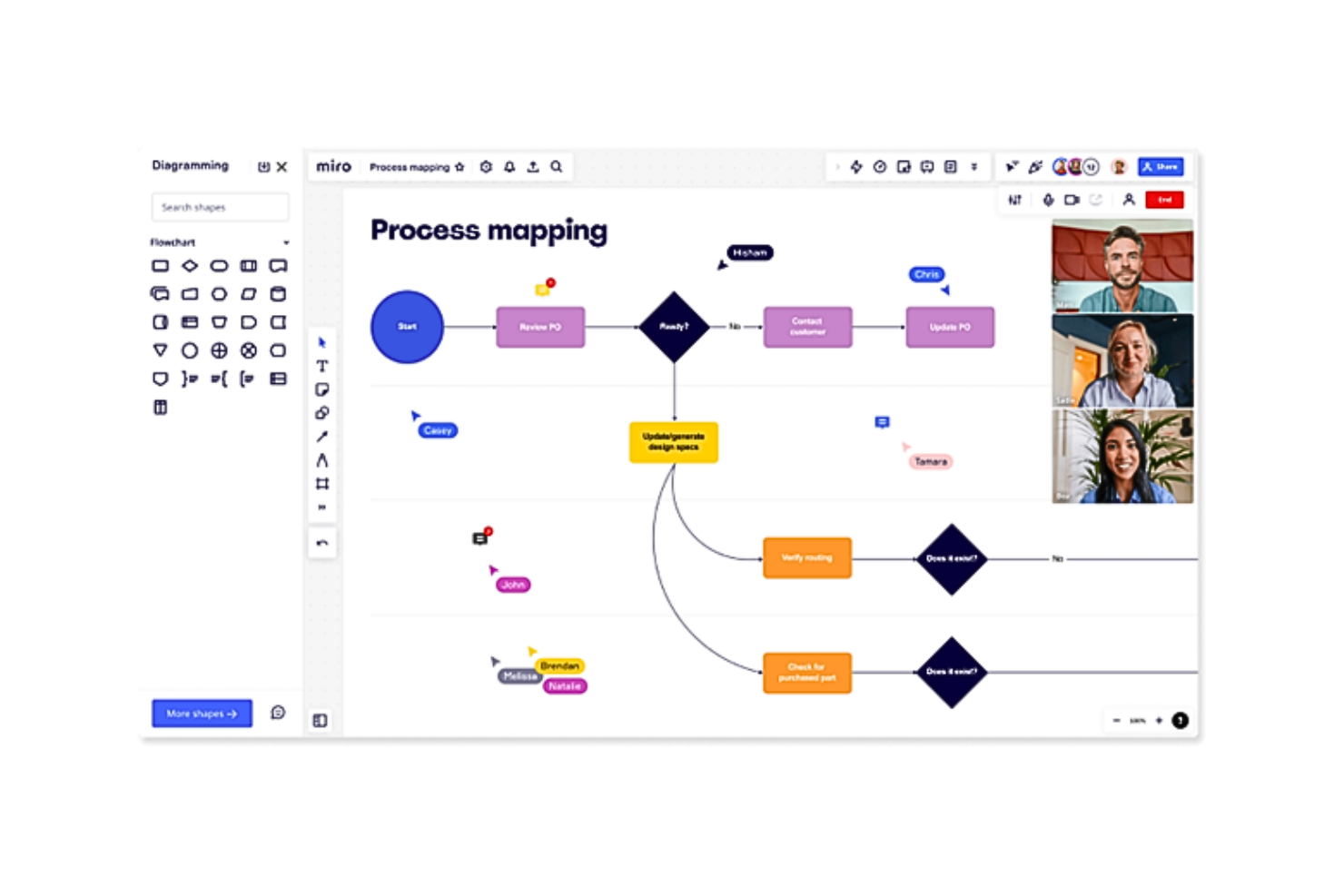
Miro è una piattaforma visiva per la gestione dei prodotti con un piano gratuito per creare roadmap, organizzare i backlog in tabelle e sequenze temporali, pianificare gli sprint con modelli, raccogliere feedback sulle bacheche e collaborare tramite commenti e spazi di lavoro condivisi.
Per chi è più adatto Miro?
Miro è adatto ai fondatori di startup e ai team di prodotto interfunzionali che necessitano di una pianificazione visiva degli sprint, di un'organizzazione leggera dei backlog e di workshop condivisi senza costi iniziali.
Perché ho scelto Miro
Ho scelto Miro perché è “ideale per una collaborazione e una visualizzazione senza interruzioni”. Utilizzo i modelli di roadmap per mappare le tappe fondamentali, le bacheche Kanban per organizzare il lavoro e i commenti per allineare ingegneria, design e stakeholder sulle decisioni. La sua pianificazione visiva degli sprint aiuta a trasformare i workshop e le discussioni sulle release in piani di prodotto condivisi.
Funzionalità principali di Miro
- Generatori AI di roadmap e PRD: crea documenti di pianificazione iniziali con l'AI.
- Documenti, tabelle e presentazioni: crea risorse di prodotto in diversi formati.
- Oltre 250 integrazioni: collega Miro a strumenti come Slack e Google.
- Bacheche per la voce del cliente: raccogli insight dalla ricerca degli utenti e note delle interviste.
Integrazioni di Miro
Miro supporta oltre 250 integrazioni, tra cui Jira, Azure DevOps, Asana, Linear, ClickUp, CA Rally, Slack, Google, Microsoft e Adobe. I piani Business ed Enterprise aggiungono la sincronizzazione bidirezionale con Jira, Azure DevOps, Asana, Linear, ClickUp e CA Rally.
Cosa include il piano gratuito?
Miro offre un piano gratuito permanente con membri del team illimitati e tre bacheche attive modificabili. Tutti i membri del team possono accedere a queste bacheche, ma le bacheche private, i ruoli dei visitatori e alcune funzionalità di collaborazione richiedono un piano a pagamento.
Pros and Cons
Pros:
- I modelli visivi di roadmap favoriscono l'allineamento degli stakeholder
- I membri illimitati supportano la pianificazione interfunzionale
- La collaborazione in tempo reale è adatta ai team di prodotto remoti
Cons:
- Tre bacheche modificabili limitano i flussi di lavoro continuativi
- Le bacheche manuali sostituiscono il monitoraggio strutturato del backlog
New Product Updates from Miro
Miro Adds Japan Data Residency for Enterprise Customers
Miro has introduced Japan data residency for enterprise customers, offering in-region storage for production data, backups, and metadata, plus in-region compute infrastructure. For more information, visit Miro's official site.

Notion
Ideale per documenti, wiki e tabelle di marcia tutto-in-uno
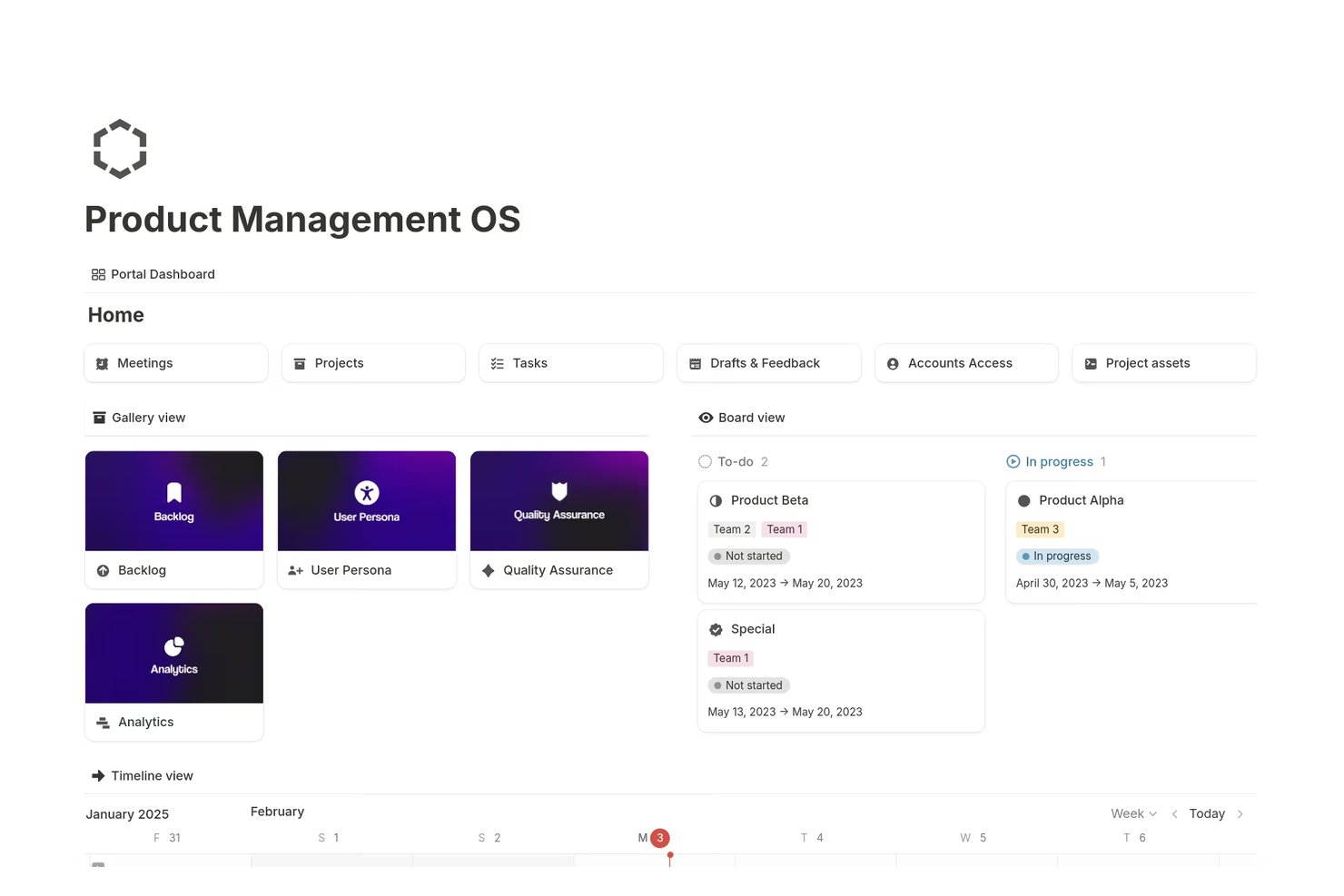
Notion è uno spazio di lavoro gratuito per la gestione dei prodotti che combina documenti collegati, wiki, tabelle di marcia, elenchi delle attività, banche dati, visualizzazioni delle attività e moduli di riscontro di base in un'unica piattaforma personalizzabile.
Per chi è più adatto Notion?
I responsabili di prodotto e i fondatori di startup che desiderano documenti, wiki, elenchi delle attività e tabelle di marcia in un unico spazio di lavoro personalizzabile troveranno Notion una soluzione pratica.
Perché ho scelto Notion
Ho scelto Notion perché combina documentazione di prodotto, wiki, elenchi delle attività e tabelle di marcia in un unico spazio di lavoro. Utilizzo banche dati collegate per connettere PRD e richieste di funzionalità alle visualizzazioni Sequenza temporale, Bacheca, Calendario o Tabella. I moduli di base inviano inoltre il riscontro dei clienti direttamente a una banca dati delle idee, mentre le pagine pubblicate supportano la condivisione della tabella di marcia con i portatori di interesse.
Funzionalità principali di Notion
- Sottoattività e dipendenze: suddividi il lavoro in attività più piccole e mappa le relazioni tra gli elementi.
- Barre di avanzamento: monitora lo stato di completamento delle attività del progetto.
- Compilazione automatica con l'IA: crea bozze di storie utente, risultati chiave e aggiornamenti del progetto.
- Autorizzazioni delle pagine: controlla chi può visualizzare o modificare le singole pagine.
Integrazioni di Notion
Le integrazioni di Notion includono Figma, Slack, GitHub, Amplitude, Jira e Asana, con alcune connessioni e funzionalità di sincronizzazione limitate ai piani a pagamento. Offre inoltre un'API pubblica, webhook, incorporamenti e anteprime dei collegamenti per le integrazioni personalizzate.
Cosa è gratuito?
Notion offre un piano gratuito senza scadenza per creare documenti, wiki, tabelle di marcia, banche dati e visualizzazioni delle attività. Alcune integrazioni e funzionalità di sincronizzazione, incluse le connessioni con strumenti come Figma, Slack e GitHub, richiedono un piano a pagamento.
Pros and Cons
Pros:
- Le tabelle di marcia possono essere visualizzate in cinque modalità del database
- I moduli gratuiti raccolgono il riscontro nelle banche dati
- I documenti collegati connettono PRD e attività
Cons:
- Gli spazi di lavoro gratuiti per i team sono soggetti a limiti dei blocchi
- Nessuna funzionalità nativa di votazione o assegnazione di punteggi per la definizione delle priorità

Jira
Ideale per i team di sviluppo software

Jira è una piattaforma di gestione dei prodotti e monitoraggio agile dei progetti con backlog, bacheche Scrum e Kanban, pianificazione degli sprint, tempistiche, dashboard, gestione dei rilasci e moduli di richiesta.
Per chi è più indicato Jira?
Jira è adatto ai team di sviluppo software che necessitano di pianificazione gratuita degli sprint, backlog, bacheche, monitoraggio dei rilasci e visualizzazioni delle attività.
Perché ho scelto Jira
Ho scelto Jira perché offre ai team di sviluppo software uno spazio gratuito per il lavoro Scrum e Kanban. Il mio team può organizzare i backlog, pianificare gli sprint, esaminare i report burndown e monitorare i rilasci da un unico spazio di lavoro. Le visualizzazioni della timeline e delle attività collegano inoltre il lavoro di sviluppo a traguardi di prodotto più ampi, mentre Jira Product Discovery aggiunge la raccolta e la definizione delle priorità delle idee quando queste esigenze aumentano.
Funzionalità principali di Jira
- Moduli di richiesta: Raccogli richieste di lavoro strutturate con un generatore di moduli drag-and-drop.
- Campi personalizzati: Aggiungi ai ticket campi di testo, menu a discesa, data, etichetta e selezione utente.
- Regole di automazione: Automatizza le azioni ripetitive con 150 passaggi mensili nel piano gratuito.
- Integrazioni con app: Collega Jira a Confluence, Slack, Figma, Gmail e oltre 3.000 app del Marketplace.
Integrazioni di Jira
Jira offre oltre 3.000 integrazioni del Marketplace, tra cui Confluence, Slack, Figma, Gmail e prodotti Google e Microsoft. Fornisce inoltre API per integrazioni personalizzate.
Cosa include il piano gratuito?
Il piano gratuito di Jira è gratuito per sempre per un massimo di 10 utenti e include 2 GB di spazio di archiviazione per i file. Limita l'automazione a 150 passaggi al mese e le notifiche via email a 100 al giorno, esclude Rovo AI e offre assistenza tramite la community.
Pros and Cons
Pros:
- Pianificazione degli sprint e monitoraggio dei rilasci efficaci
- Le visualizzazioni multiple collegano le attività ai traguardi
- I campi personalizzati supportano flussi di lavoro del backlog su misura
Cons:
- La definizione delle priorità delle idee richiede strumenti separati per i prodotti
- La collaborazione gratuita non include autorizzazioni basate sui ruoli

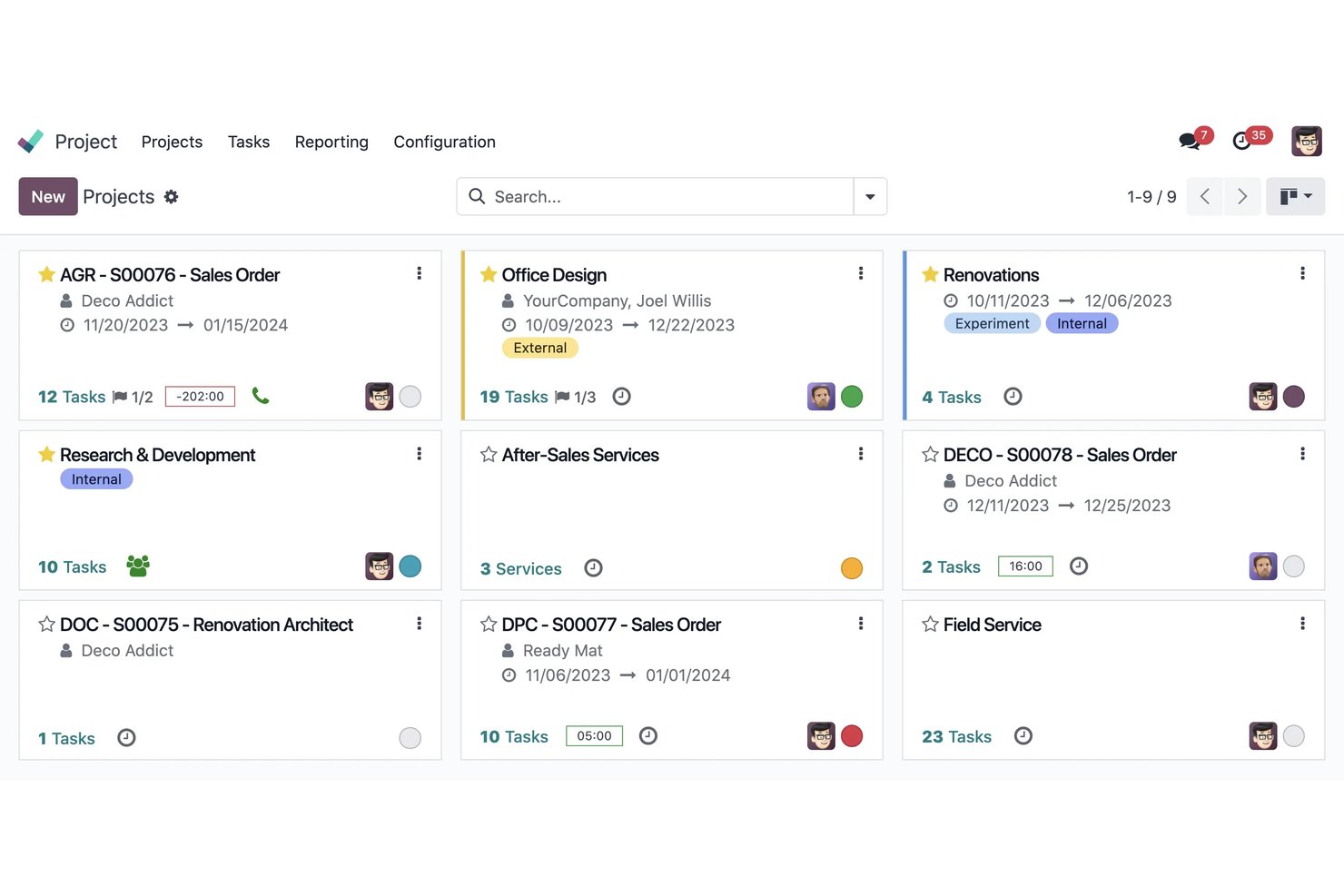
Odoo è una suite aziendale open source con un'app Progetti per gestire attività di prodotto, backlog, milestone, dipendenze e collaborazione tramite viste Kanban, Gantt, calendario ed elenco.
Per chi è più adatto Odoo?
Odoo è adatto ai team operativi di prodotto che necessitano di un sistema open source e autogestito per il monitoraggio dei progetti, con viste flessibili e collaborazione interfunzionale.
Perché ho scelto Odoo
Ho scelto Odoo perché porta la flessibilità dell'open source nel software gratuito per la gestione dei prodotti. Utilizzo la sua app Progetti per collegare le attività del backlog alle viste Kanban, Gantt, delle milestone e delle dipendenze. La sua edizione Community autogestita consente inoltre ai team di adattare flussi di lavoro, campi e strutture dei dati alle attività di prodotto senza vincoli rispetto al fornitore.
Funzionalità principali di Odoo
- Chat nelle attività : Utilizza Chatter per menzioni, registri delle attività e discussioni sulle attività.
- Attività ricorrenti : Pianifica il lavoro ripetitivo senza ricreare manualmente le attività.
- Moduli di feedback : Raccogli richieste tramite moduli web, alias email e sondaggi.
- Modifica in blocco : Filtra, raggruppa, importa, esporta e aggiorna le attività dalla vista elenco.
Integrazioni di Odoo
Odoo dispone di integrazioni native con Vendite, Pianificazione, Fogli presenze, Helpdesk, Fatturazione e Knowledge. Le integrazioni personalizzate richiedono l'API esterna del piano Custom a pagamento, mentre gli utenti della Community autogestita possono accedere al codice open source.
Cosa è gratuito?
Odoo offre un'edizione Community gratuita e autogestita, con codice open source e senza costi di abbonamento. I piani in hosting possono limitare l'utilizzo a una sola applicazione, mentre funzionalità come l'accesso all'API esterna richiedono il piano Custom a pagamento.
Pros and Cons
Pros:
- L'hosting autonomo open source mantiene il controllo dei dati
- Più viste supportano un monitoraggio flessibile delle attività
- La collaborazione tramite portale include gli stakeholder esterni
Cons:
- Nessun framework dedicato per roadmap o scoring
- L'utilizzo cloud di una singola app limita i flussi di lavoro

Linear
Ideale per la pianificazione degli sprint con passaggio automatico al ciclo successivo integrato
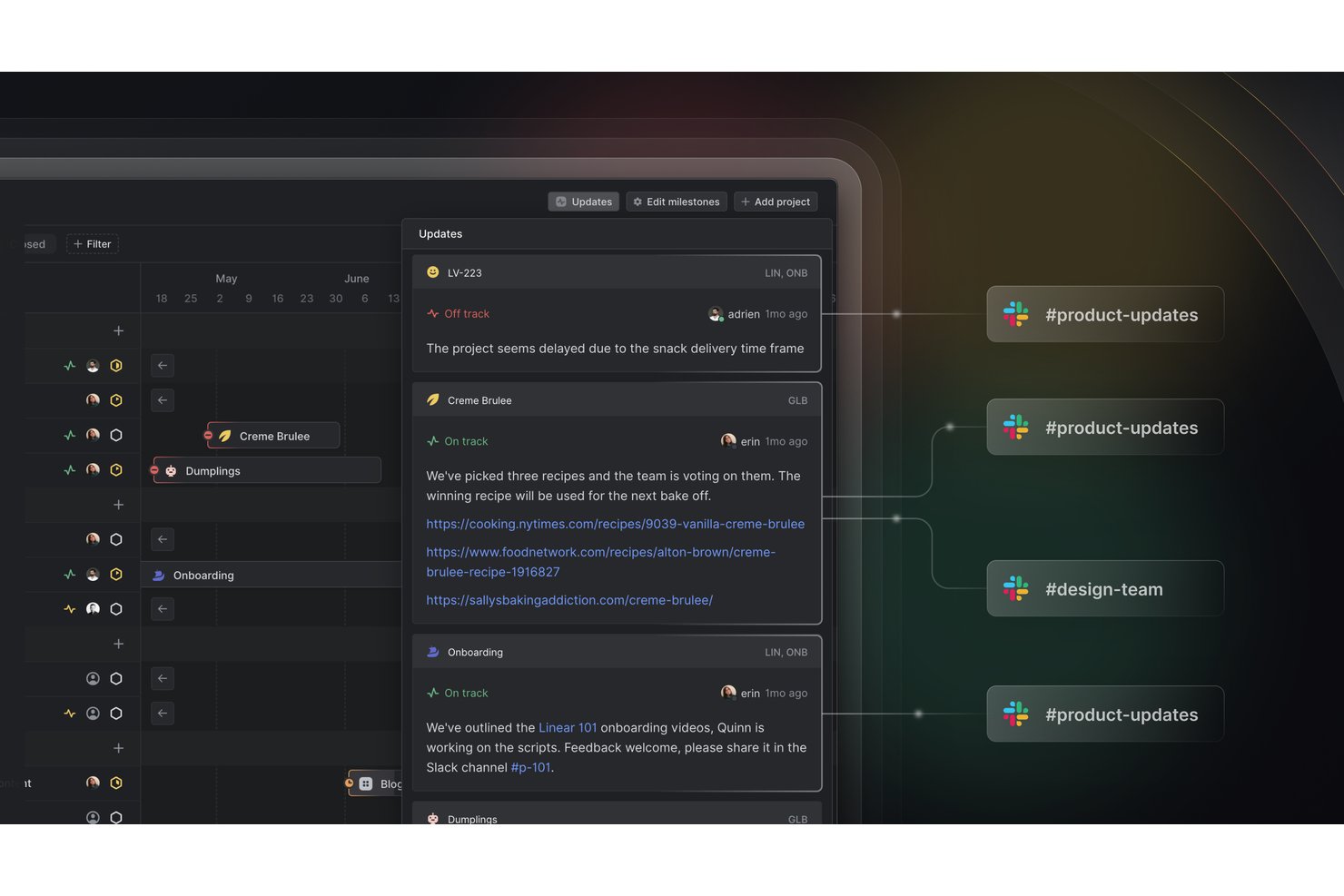
Linear è una piattaforma di gestione dei prodotti con un piano gratuito per gestire problemi, progetti, iniziative, cicli e richieste dei clienti, oltre a strumenti per API, webhook, importazione ed esportazione.
A chi è più adatto Linear?
Linear è adatto ai team di prodotto agili che necessitano di una pianificazione degli sprint con passaggio automatico al ciclo successivo integrato, soprattutto alle startup che coordinano le consegne senza costi per membro.
Perché ho scelto Linear
Ho scelto Linear perché i suoi cicli supportano la pianificazione degli sprint con il passaggio automatico al ciclo successivo integrato. Uso la previsione della capacità per dimensionare il lavoro imminente, mentre i problemi non completati passano automaticamente al ciclo successivo. Le richieste dei clienti collegano inoltre il feedback degli utenti, i ricavi e i livelli degli account alle decisioni sul backlog.
Funzionalità principali di Linear
- Gestione dei problemi: crea e organizza fino a 250 problemi con il piano gratuito.
- Progetti e iniziative: raggruppa il lavoro correlato in progetti e iniziative di livello superiore.
- API e webhook: collega Linear agli strumenti esterni tramite GraphQL e webhook.
- Importazione ed esportazione: trasferisci i dati dell'area di lavoro dentro o fuori da Linear.
Integrazioni di Linear
Linear offre un'integrazione nativa con Slack per creare richieste dei clienti. Il suo piano gratuito include anche un'API GraphQL, webhook, strumenti di importazione ed esportazione e l'esportazione in CSV per una connettività personalizzata e la portabilità dei dati.
Cosa include il piano gratuito?
Linear offre un piano gratuito senza scadenza per membri illimitati, con gestione di base dei problemi, progetti, cicli, iniziative, accesso alle API, webhook, importazione ed esportazione. Il piano limita a due i team e a 250 i problemi; i problemi illimitati, i team privati e le integrazioni aggiuntive richiedono un piano a pagamento.
Pros and Cons
Pros:
- Il passaggio al ciclo successivo riduce la riassegnazione manuale
- La previsione della capacità guida impegni realistici per i cicli
- Le richieste dei clienti collegano il feedback ai ricavi
Cons:
- Il limite di 250 problemi limita i backlog in crescita
- Nessun punteggio RICE o Kano integrato
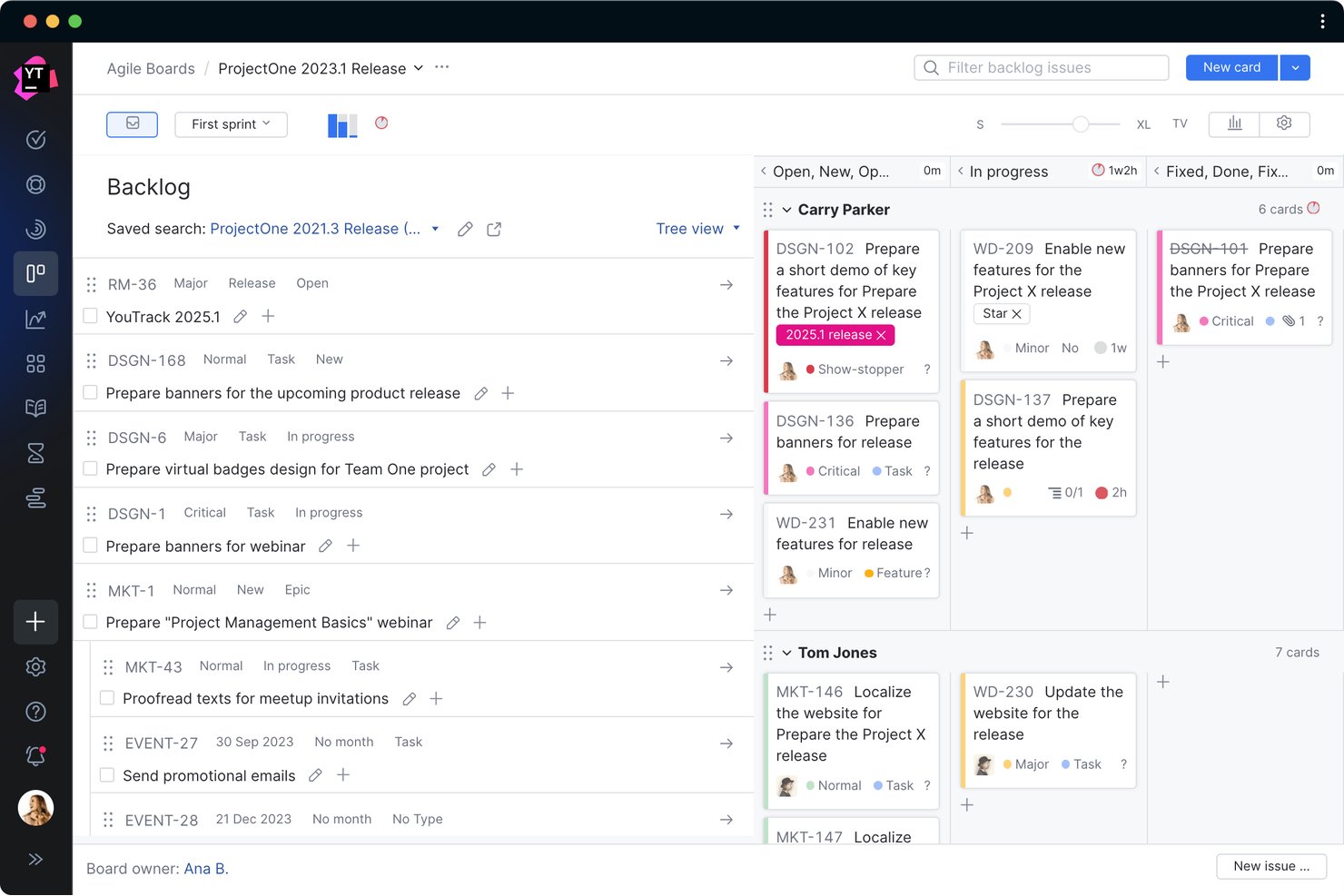
YouTrack è un software per la gestione dei prodotti destinato ai team agili, che combina arretrati personalizzabili, bacheche Scrum e Kanban, diagrammi di Gantt, report sulle iterazioni, basi di conoscenza e progetti di assistenza.
Per chi è più adatto YouTrack?
Team agili che necessitano di una pianificazione delle iterazioni ospitata autonomamente, bacheche personalizzabili e funzionalità complete per la distribuzione dei prodotti per un massimo di 10 utenti.
Perché ho scelto YouTrack
Ho scelto YouTrack perché porta la pianificazione delle iterazioni agili ospitata autonomamente in uno spazio di lavoro gratuito per la gestione dei prodotti. Il mio team può gestire bacheche Scrum o Kanban, pianificare le iterazioni, monitorare le dipendenze e analizzare i report sul decremento insieme agli arretrati e alle tempistiche dei diagrammi di Gantt. Apprezzo particolarmente l'opzione server quando i dati dei prodotti devono rimanere all'interno del nostro ambiente.
Funzionalità principali di YouTrack
- Progetti di assistenza: Raccogli segnalazioni tramite e-mail o moduli web con SLA e automazione.
- Base di conoscenza: Crea articoli con progetti, documenti, calendari, video ed elenchi di problemi incorporati.
- Bacheche: Trasforma le note in attività mantenendo sincronizzate le dipendenze collegate.
- Assistente AI: Riassumi attività, articoli e segnalazioni, quindi suggerisci risposte.
Integrazioni di YouTrack
YouTrack si integra con gli IDE JetBrains e TeamCity, mentre JetBrains Marketplace offre ulteriori integrazioni e applicazioni personalizzate per l'automazione, la reportistica e la connettività.
Cosa è gratuito?
YouTrack offre un piano gratuito senza limiti di tempo per team fino a 10 utenti, con accesso alle sue funzionalità principali di gestione dei prodotti. I team più grandi necessitano di un piano a pagamento e l'implementazione su server potrebbe richiedere una licenza separata.
Pros and Cons
Pros:
- La pianificazione agile ospitata autonomamente mantiene i dati in sede
- La reportistica completa delle iterazioni supporta le revisioni del decremento
- Le bacheche collegano le idee alle attività eseguibili
Cons:
- Nessuna tabella di marcia dei prodotti dedicata basata sui temi
- Il limite di dieci utenti ostacola la collaborazione tra funzioni diverse

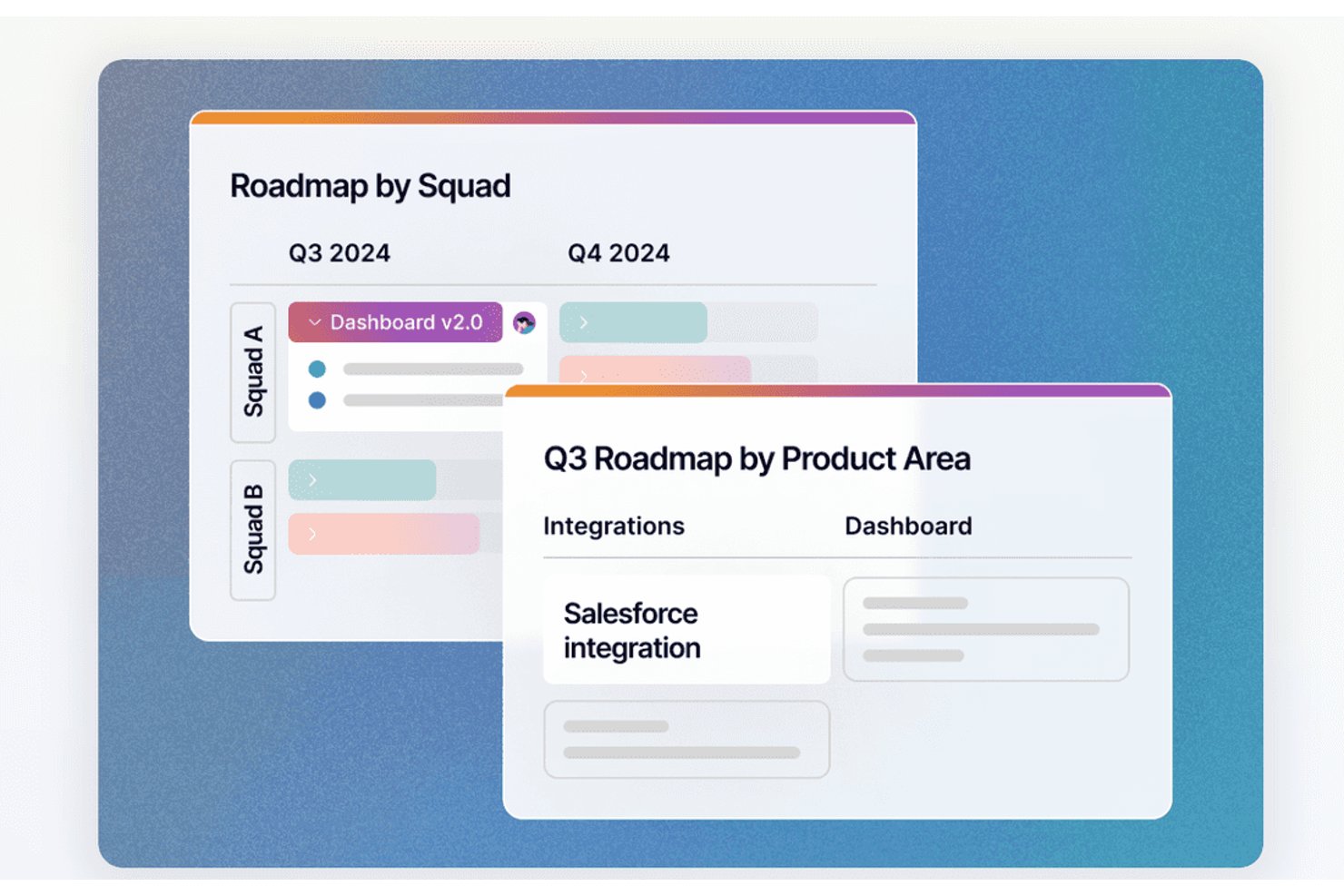
Fibery è una piattaforma di gestione dei prodotti con un piano gratuito che collega il feedback dei clienti, gli elenchi delle attività, le tabelle di marcia, la pianificazione dei cicli di lavoro, la documentazione del prodotto e le integrazioni con gli strumenti di ingegneria in un unico spazio di lavoro.
Per chi è più adatto Fibery?
Responsabili di prodotto, proprietari del prodotto e fondatori di startup che necessitano di una definizione delle priorità degli elenchi delle attività basata su formule per gestire feedback, tabelle di marcia e pianificazione dei cicli di lavoro.
Perché ho scelto Fibery
Ho scelto Fibery perché la definizione delle priorità degli elenchi delle attività basata su formule collega il feedback dei clienti alle decisioni sul prodotto. Utilizzo formule ponderate per fattori come il livello di criticità, il profilo del cliente ideale e il volume delle richieste, quindi filtro i risultati per segmento di clientela. Il collegamento tra feedback, aree del prodotto e attività mantiene la definizione delle priorità fondata su dati concreti.
Funzionalità principali di Fibery
- Flussi di lavoro per i cicli di sviluppo: Configura flussi di lavoro Scrum o Kanban per i team di sviluppo.
- Report sul progresso: Monitora velocità, grafici di avanzamento e completamento e flusso cumulativo.
- Integrazioni Git: Sincronizza richieste pull, rami e conferme di GitHub o GitLab.
- Documenti collaborativi: Crea PRD con diagrammi, modelli grafici, grafici e commenti.
Integrazioni di Fibery
Fibery offre integrazioni native con GitHub e GitLab, sincronizzando richieste pull, rami e conferme con il lavoro sul prodotto. Le integrazioni sono incluse nel piano gratuito, con un limite di 5.000 elementi sincronizzati.
Cosa è gratuito?
Fibery offre un piano gratuito da $0 che rimane disponibile al termine della prova Pro di 14 giorni. Supporta fino a 10 utenti e 10 ospiti, con 10 database, 1 GB di spazio di archiviazione per i file, cronologia delle versioni di 14 giorni e 5.000 aggiornamenti mensili delle entità sincronizzate.
Pros and Cons
Pros:
- La definizione delle priorità basata su formule collega il feedback agli elenchi delle attività
- I segmenti di clientela rendono più precise le decisioni sulla tabella di marcia
- I flussi di lavoro collegati connettono la fase di scoperta alla distribuzione
Cons:
- La configurazione iniziale richiede un notevole lavoro
- Le viste del piano gratuito limitano la condivisione della tabella di marcia con le parti interessate
Ideale per collegare esplorazione e distribuzione nei team Jira
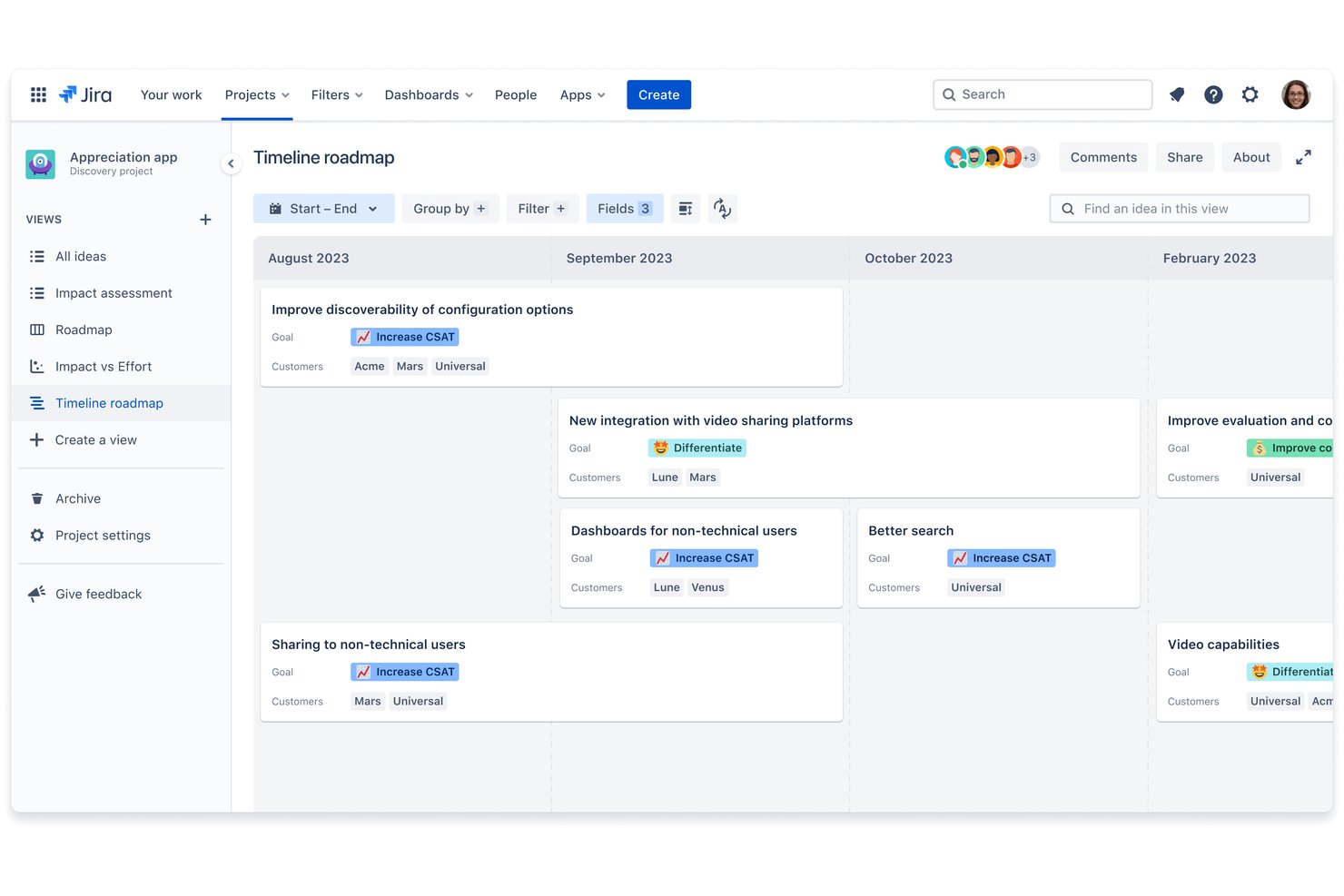
Jira Product Discovery è un software gratuito per la gestione dei prodotti, utile a raccogliere riscontri, organizzare idee, valutare le priorità, creare piani temporali e collegare il lavoro di esplorazione ai problemi Jira.
Per chi è più adatto Jira Product Discovery?
Responsabili di prodotto, proprietari di prodotto e team agili che già utilizzano Jira per collegare l'esplorazione dei clienti alla distribuzione.
Perché ho scelto Jira Product Discovery
Ho scelto Jira Product Discovery perché collega l'esplorazione del prodotto alla distribuzione per i team che utilizzano Jira. Utilizzo la valutazione delle idee, le informazioni sui riscontri e le visualizzazioni dei piani temporali per trasformare le richieste dei clienti in attività prioritarie. Collegare direttamente le idee alle epiche e ai problemi Jira mantiene le decisioni sul prodotto connesse all'avanzamento della distribuzione.
Caratteristiche principali di Jira Product Discovery
- Campi personalizzati: Aggiungi dati strutturati alle idee e ai progetti.
- Campi formula: Calcola valori per l'analisi del prodotto.
- Modelli di idee: Crea formati ripetibili per le nuove idee.
- Votazioni e reazioni: Consenti alle parti interessate di votare e reagire alle idee.
Integrazioni di Jira Product Discovery
Jira Product Discovery include integrazioni native con Jira, Jira Service Management, Confluence e Obiettivi e progetti Atlassian. Queste connessioni collegano esplorazione, riscontri, documentazione e distribuzione in un unico flusso di lavoro Atlassian.
Cosa è gratuito?
Jira Product Discovery offre un piano gratuito permanente per un massimo di tre creatori, con collaboratori gratuiti, 2 GB di spazio di archiviazione e supporto della community. Se superi i tre creatori, Atlassian avvia automaticamente una prova di 14 giorni del piano Standard; il prodotto è disponibile solo nel cloud.
Pros and Cons
Pros:
- Collega le idee di esplorazione alle attività di distribuzione
- La votazione nativa supporta la definizione delle priorità da parte delle parti interessate
- Visualizzazioni a scheda, matrice, sequenza temporale ed elenco
Cons:
- Nessun flusso di lavoro nativo per la pianificazione degli sprint
- La condivisione di piani temporali esterni è soggetta a restrizioni del piano

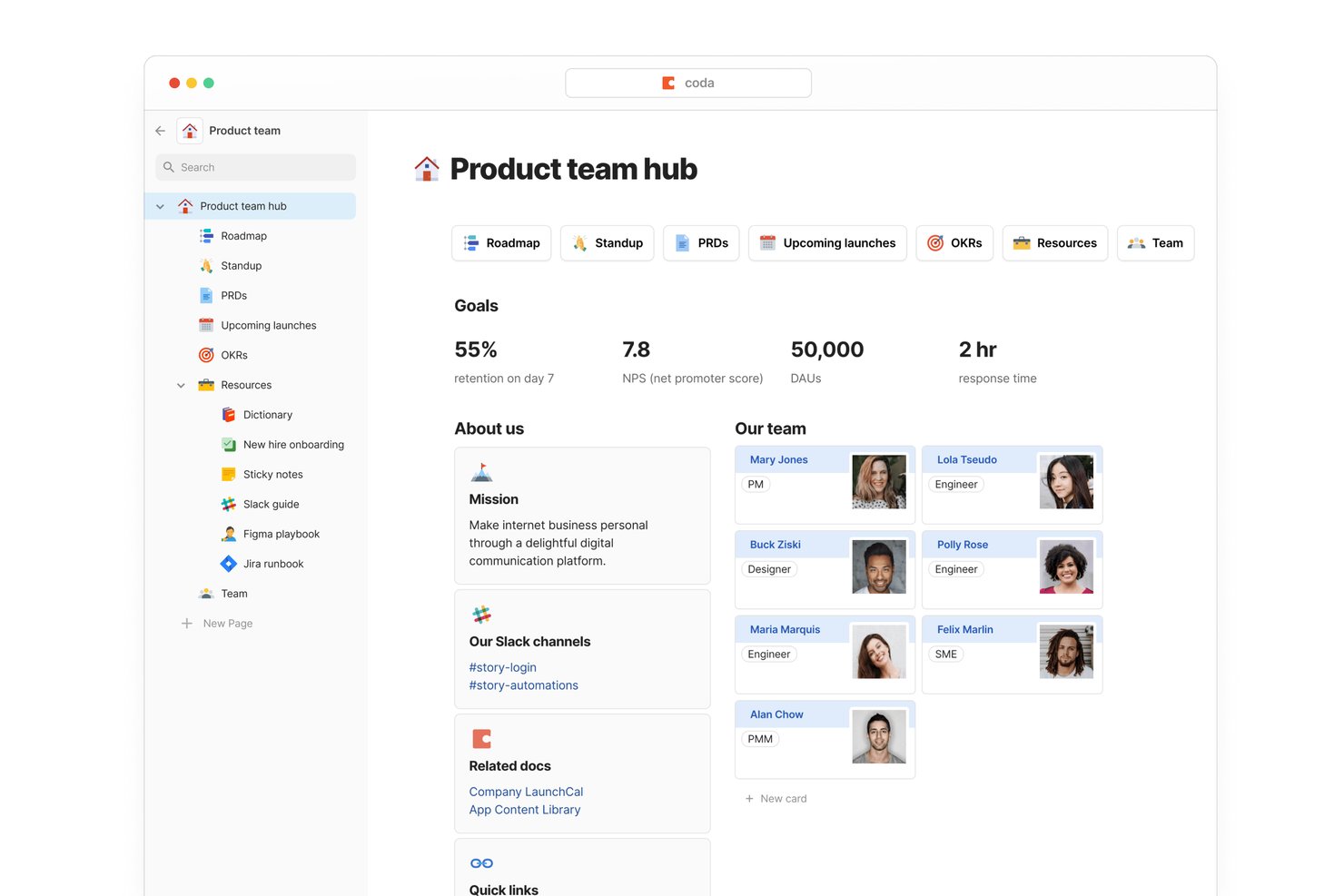
Superhuman Docs è uno spazio di lavoro gratuito per la gestione dei prodotti che combina documenti connessi, tabelle personalizzabili, roadmap, backlog, moduli, formule e viste a tabella, calendario e sequenza temporale.
Per chi è più adatto Superhuman Docs?
Fondatori di startup e team di prodotto snelli che necessitano di flussi di lavoro flessibili per i prodotti, numerose integrazioni e collaborazione gratuita per gli stakeholder interfunzionali.
Perché ho scelto Superhuman Docs
Ho scelto Superhuman Docs per i team di prodotto che necessitano di flussi di lavoro connessi tra gli strumenti già in uso. I suoi Pack per Jira, GitHub, Slack, Figma e Salesforce possono trasferire aggiornamenti sulle attività, feedback dei clienti e contesto progettuale nelle tabelle collegate di roadmap e backlog. Gli utenti del piano gratuito hanno accesso a oltre 36 Pack, anche se i dati connessi vengono aggiornati manualmente.
Funzionalità principali di Superhuman Docs
- Moduli illimitati: Raccogli feedback e richieste sui prodotti direttamente nelle tabelle.
- Viste a tabella: Visualizza il lavoro come schede Kanban con filtri e raggruppamenti.
- Colonne con formule: Crea calcoli personalizzati per punteggi, avanzamento e stato.
- Automazioni: Attiva azioni in base alle modifiche delle righe, alle pianificazioni o ai clic sui pulsanti.
Integrazioni di Superhuman Docs
Superhuman Docs offre oltre 36 integrazioni nel piano gratuito tramite i Pack, tra cui Jira, GitHub, Slack, Figma, Google Calendar, Gmail, Intercom, Zendesk e Salesforce. I dati connessi del piano gratuito vengono aggiornati manualmente.
Cosa è incluso gratuitamente?
Superhuman Docs offre un piano gratuito con moduli illimitati, viste a tabella, formule e automazioni. Gli utenti del piano gratuito possono accedere a oltre 36 Pack, tra cui Jira, GitHub, Slack e Figma, ma i dati connessi vengono aggiornati manualmente.
Pros and Cons
Pros:
- Le tabelle connesse riuniscono roadmap e feedback
- Il punteggio personalizzato supporta una prioritizzazione flessibile
- I moduli illimitati raccolgono le richieste sui prodotti
Cons:
- I documenti condivisi limitano righe e oggetti
- Le roadmap e gli sprint richiedono una configurazione manuale
Altre opzioni di software gratuiti per la gestione dei prodotti
Ecco alcune altre soluzioni che non sono entrate nella classifica principale, ma che meritano la tua attenzione.
- Plane
Ideale per la pianificazione gratuita di sprint e diagrammi Gantt
- PathPro
Ideale per lo sviluppo guidato dalla community
- ClickUp
Ideale per il monitoraggio illimitato e gratuito delle attività tra team
- Airtable
Ideale per la gestione flessibile del backlog con assistenza dell'IA
- Nuclino
Ideale per configurare spazi di lavoro di prodotti basati sulla documentazione
- Yodiz
Le migliori analisi del backlog di prodotto per team agili
- ONES Project
Ideale per la pianificazione gratuita degli sprint e dei rilasci del team


Come Valuto il Software Gratuito di Product Management
Valuto i tool gratuiti di PM su due livelli: se il piano gratuito supporta davvero il lavoro di PM—roadmap, backlog, prioritizzazione—e i fattori distintivi che rendono un tool più adatto di un altro.
Funzionalità di Base (Criteri Necessari per Questa Lista)
Quando seleziono gli strumenti per la mia lista, valuto ciascuno su una scala da 0 (non offre la funzionalità) a 5 (eccelle in quest'area) per ogni funzionalità base elencata qui sotto. Poi calcolo il punteggio totale dello strumento in percentuale. Ogni tool deve ottenere un punteggio totale minimo del 65% per poter essere considerato.
- Pianificazione della Roadmap: Cerco visualizzazioni di roadmap interattive—timeline, kanban board, swimlane—che permettano a un PM di tracciare le iniziative trimestrali e condividerle con il management.
- Backlog & Gestione delle Funzionalità: Un backlog strutturato dove è possibile registrare idee per le feature, etichettarle per tema e seguirne lo stato conta più di una semplice to-do list.
- Framework di Prioritizzazione: Controllo se il tool supporta modelli di scoring come RICE o matrici valore vs sforzo invece di affidarsi solo al riordino manuale drag-and-drop.
- Disponibilità del Piano Gratuito: Il piano gratuito deve supportare reali flussi di lavoro di PM—not solo una prova da 14 giorni—così un PM singolo o una startup può usarlo ogni giorno.
- Collaborazione & Condivisione: Valuto come i team interagiscono all'interno dello strumento: commenti, menzioni, visualizzazioni condivise, e se gli stakeholder possono accedere alla roadmap senza dover acquistare una licenza.
- Integrazioni con Tool di Sviluppo & Lavoro: È importante poter collegare strumenti come Jira, GitHub o Slack anche nel piano gratuito, perché raramente i PM lavorano isolati da ingegneria e design.
Dopo aver individuato gli strumenti che rispettano questi criteri, considero cosa distingue ciascuna piattaforma dalle altre.
Fattori Differenzianti (Cosa Distingue i Fornitori)
Ecco come confronto e metto a paragone i diversi fornitori:
Funzionalità Distintive
I portali pubblici della roadmap sono una vera differenza per i founder di startup che vogliono mostrare agli early adopter quali funzionalità stanno per essere rilasciate e raccogliere voti sulle feature pianificate. Cerco anche la presenza di una raccolta feedback integrata che colleghi direttamente le richieste agli elementi del backlog—questo risparmia al PM la fatica di copiare manualmente i messaggi di supporto in un foglio di calcolo. Anche i flussi di lavoro assistiti dall’IA meritano attenzione, soprattutto per i PM singoli che hanno bisogno di aiuto per redigere user stories o riassumere un backlog pieno di feedback in temi concreti e attuabili.
Oltre le Funzionalità
La generosità del piano gratuito pesa molto. Verifico quanti utenti, progetti e integrazioni vengono effettivamente offerti prima di incontrare un paywall—alcuni tool bloccano le roadmap o le priorità dietro livelli a pagamento, vanificando lo scopo. Anche la dimensione e il livello di maturità del team sono elementi che considero. Un PM da solo cerca qualcosa di leggero, mentre un team di startup di cinque persone necessita la possibilità di crescere senza dover migrare su un’altra piattaforma dopo sei mesi. Conto anche le opzioni di esportazione dati, soprattutto per chi vede lo strumento gratuito come un trampolino di lancio—serve l’accesso a CSV o API per esportare facilmente il backlog se si decide di cambiare piattaforma.
Domande frequenti sui software gratuiti per la gestione dei prodotti
Trova le risposte alle domande comuni che altre persone pongono su questo argomento.
Perché gli strumenti di gestione dei prodotti sono importanti?
Gli strumenti di gestione dei prodotti aiutano i team a strutturare la propria strategia di prodotto. All’interno di queste soluzioni puoi raccogliere tutti gli strumenti, i documenti e le presentazioni relativi alle informazioni sul prodotto. Un software gratuito per la gestione della produzione fornisce un unico archivio in cui conservare tutte queste informazioni aggiornate, senza dover pagare una tariffa mensile o annuale.
Come viene utilizzato il software gratuito per la gestione dei prodotti nelle piccole imprese?
Le piccole imprese hanno team ridotti. I carichi di lavoro possono diventare facilmente schiaccianti man mano che un’azienda cresce, in assenza di membri del team dedicati a completare ogni attività. Gli strumenti gratuiti per la gestione dei team aiutano le piccole imprese a organizzare la miriade di attività coinvolte nel ciclo di vita dello sviluppo del prodotto, comprese tempistiche, analisi dei clienti e strategia.
Oltre a questi strumenti, ti consigliamo di dare un’occhiata a queste risorse gratuite sulla gestione dei prodotti, che possono aiutare il tuo piccolo team a ottenere di più in meno tempo!
Quali sono i vantaggi del software gratuito per la gestione dei prodotti?
Il software per la gestione dei prodotti garantisce che i team di sviluppo prendano decisioni strategiche e ottimizzino i tempi di completamento delle attività. Questi strumenti aiutano i team di sviluppo a comprendere e mantenersi aggiornati sulle esigenze dei clienti, nonché a utilizzare dati in tempo reale per migliorare il contributo delle linee di prodotto.
Qual è la differenza tra il software per la gestione dei prodotti e il software per la gestione dei progetti?
Il software per la gestione dei prodotti aiuta i responsabili di prodotto e le loro squadre a sviluppare, organizzare e comunicare la strategia di prodotto durante tutto il ciclo di vita del prodotto. Il software per la gestione dei progetti aiuta i responsabili di progetto e le loro squadre a monitorare l’esecuzione di una strategia di prodotto.
Quali sono alcuni strumenti open source per la gestione dei prodotti?
Come indicato sopra, Odoo è un’ottima opzione per il software open source per la gestione dei prodotti. Tuttavia, non è l’unica. Ecco alcune applicazioni open source per la gestione dei prodotti tra cui puoi scegliere:
- Software PIM Akeneo (A pagamento)
- StrikeTru (A pagamento)
- OpenProject (Edizione gratuita della comunità)
- OpenPLM (Gratuito)
Posso integrare il software gratuito per la gestione dei prodotti con altri strumenti che utilizziamo?
Le funzionalità di integrazione del software gratuito per la gestione dei prodotti possono variare. Sebbene le versioni gratuite supportino generalmente le integrazioni di base, è essenziale valutare se siano in linea con le esigenze specifiche del tuo team. Cerca la compatibilità con gli strumenti fondamentali per il tuo flusso di lavoro, come i sistemi di controllo versione (ad es. Git), le piattaforme di comunicazione (ad es. Slack) o i servizi di condivisione dei documenti (ad es. Google Drive). Alcune versioni gratuite potrebbero avere limitazioni sul numero o sui tipi di integrazioni disponibili, quindi è fondamentale verificare che il software possa funzionare senza problemi con il set di strumenti che già utilizzi. Questo garantisce al tuo team un flusso di lavoro più fluido ed efficiente.
Se le integrazioni avanzate sono fondamentali per i tuoi processi, potresti dover valutare se il passaggio a un piano a pagamento offra opzioni di integrazione più complete.
Qual è il prossimo passo?
Scopri le fasi della gestione del ciclo di vita del prodotto e 15 modelli per la definizione delle priorità delle funzionalità di prodotto che possono aiutarti a diventare più competente nella gestione dei prodotti. Tuttavia, se cerchi qualcosa di più avanzato, abbiamo un ottimo articolo sulla strategia di prodotto in cui evidenziamo 5 elementi chiave di una strategia di sviluppo del prodotto che non puoi trascurare.
Elenchi di strumenti correlati:
- Migliori software per la tabella di marcia del prodotto
- Strumenti gratuiti di analisi del prodotto
- Strumenti per la prototipazione rapida
- Software gratuiti per l'inserimento degli utenti
Per rimanere aggiornato sulle opinioni degli esperti nella gestione dei prodotti, assicurati di iscriverti alla newsletter di The CPO Club.