

I 10 migliori generatori di modelli dimostrativi con IA recensiti nel 2026

Elenco dei migliori generatori di mockup con IA


I mockup svolgono un ruolo importante quando sviluppi idee, condividi concetti o dai forma a un progetto. Trovare un modo semplice per crearli può rendere più agevole l’intero processo. I generatori di mockup con IA aiutano ad automatizzare le attività di progettazione ripetitive, permettendoti di concentrarti sugli aspetti che richiedono davvero la tua attenzione.
In base alla mia esperienza, le funzionalità basate sull’IA, come i suggerimenti automatici per il layout e il rendering realistico, possono trasformare il tuo approccio alla creazione di mockup. Hai bisogno di soluzioni affidabili che comprendano i tuoi requisiti e si adattino al tuo flusso di lavoro.
In questo articolo condividerò la mia recensione imparziale dei migliori generatori di mockup con IA disponibili sul mercato. Scoprirai strumenti in grado di migliorare la produttività e la creatività del tuo team. Esaminiamo le opzioni che possono rendere più efficace il tuo processo di progettazione.
Perché fidarsi dei nostri consigli sui software
Il nostro team testa e recensisce software dal 2012. In quanto product manager noi stessi, sappiamo quanto sia difficile — e importante — scegliere il software giusto.
Per questa guida, abbiamo valutato gli strumenti attraverso test pratici e ricerche indipendenti, assegnando un punteggio agli strumenti in base ai nostri criteri di selezione.
Le nostre recensioni riflettono il nostro giudizio editoriale umano, non un discorso di vendita.
Tabella comparativa dei generatori di mockup con IA
Questa tabella comparativa riassume i dettagli dei prezzi delle mie migliori selezioni di generatori di mockup con IA:
| Tool | Best For | Trial Info | Price | ||
|---|---|---|---|---|---|
| 1 | Ideale per team di prodotto che necessitano di mockup AI rapidi e personalizzabili | Piano gratuito disponibile | Da $12/mese (fatturato annualmente) | Website | |
| 2 | Ideale per mockup UI da screenshot o prompt testuali | Piano gratuito disponibile | Da $11/editor/mese (fatturazione annuale) | Website | |
| 3 | Ideale per mockup di prodotti realistici ad alta risoluzione | Piano gratuito disponibile | Da $3.33/utente/mese | Website | |
| 4 | Ideale per mockup di prodotto realistici generati in pochi secondi | Piano gratuito disponibile | Da $24.50/mese (fatturazione annuale) | Website | |
| 5 | Ideale per la generazione automatica di mockup UI ad alta fedeltà | Piano gratuito disponibile | A partire da $14/mese (fatturazione annuale) | Website | |
| 6 | Ideale per e-commerce e branding con mockup 3D | Piano gratuito disponibile | Da $5/utente/mese (fatturazione annuale) | Website | |
| 7 | Ideale per la creazione di mockup di alta qualità direttamente dal browser | Piano gratuito disponibile | A partire da $12/mese (fatturazione annuale) | Website | |
| 8 | Ideale per mockup professionali istantanei con modifica drag-and-drop | Piano gratuito disponibile | A partire da $10/mese (fatturazione annuale) | Website | |
| 9 | Ideale per visual per app e marketing con generazione di mockup tramite trascinamento | Piano gratuito disponibile | A partire da $12/mese | Website | |
| 10 | Ideale per automatizzare il design di visualizzazioni realistiche di prodotti | Piano gratuito disponibile | Da $15/mese (fatturazione annuale) | Website |
Recensioni dei migliori generatori di mockup con IA
Di seguito trovi le mie sintesi dettagliate dei migliori generatori di mockup con IA inclusi nel mio elenco ristretto. Le mie recensioni offrono un’analisi approfondita delle funzionalità principali, dei vantaggi e degli svantaggi, delle integrazioni e dei casi d’uso ideali di ogni strumento, per aiutarti a trovare quello più adatto a te.
Canva
Ideale per team di prodotto che necessitano di mockup AI rapidi e personalizzabili
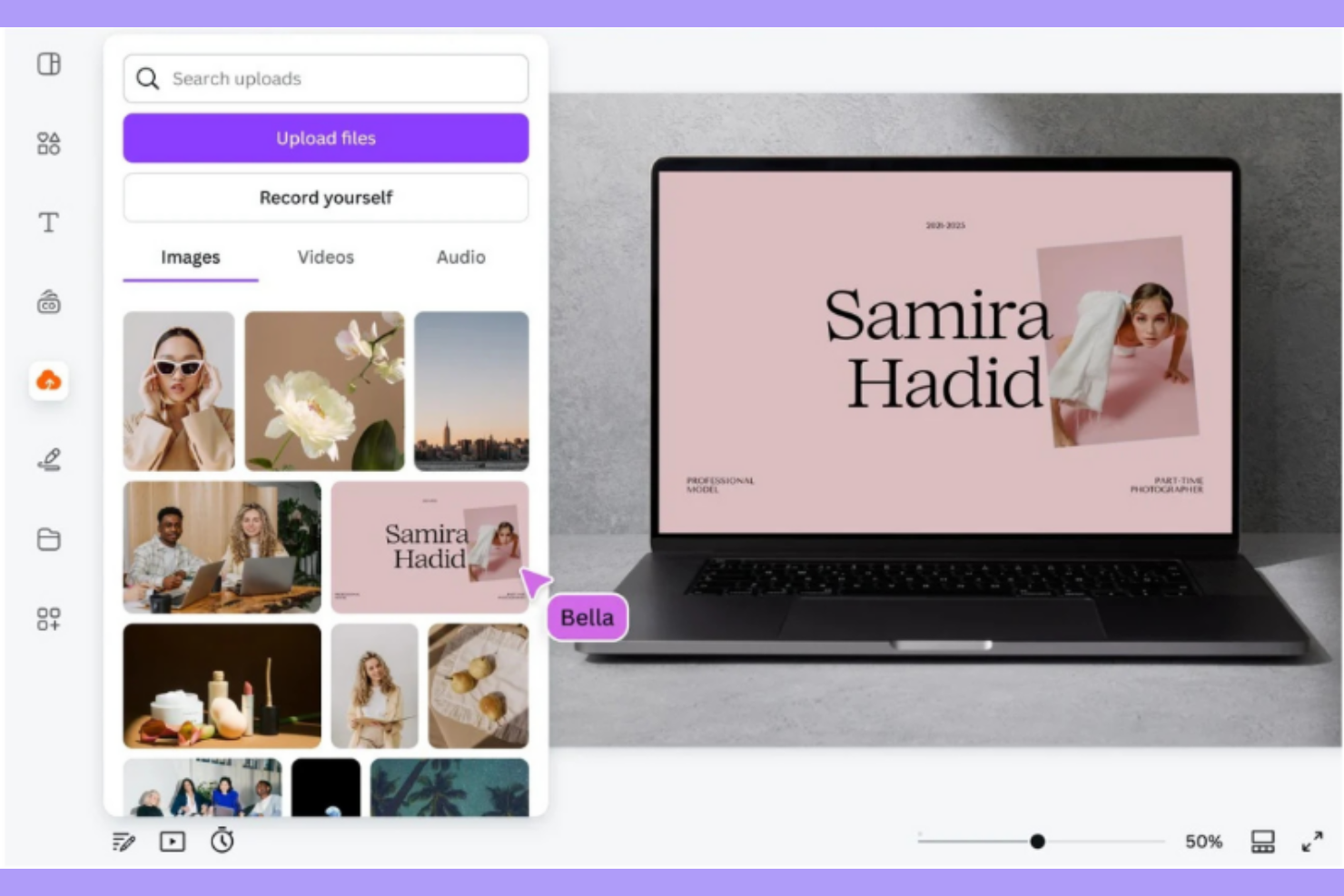
Canva è uno strumento di design versatile pensato per i team di prodotto che cercano soluzioni rapide e adattabili per mockup tramite AI. Aiuta a creare design visivamente accattivanti grazie alle sue capacità basate sull'intelligenza artificiale, rappresentando una buona scelta per chi desidera efficienza nei processi di progettazione.
Perché ho scelto Canva: Questo strumento offre funzionalità AI che velocizzano il processo creativo, come suggerimenti automatici di layout e ridimensionamento intelligente. È pensato per i team che devono realizzare mockup senza rinunciare alla personalizzazione. Le capacità AI di Canva consentono di creare design su misura, assicurando che i tuoi mockup soddisfino requisiti specifici. L'interfaccia intuitiva e gli strumenti con tecnologia AI lo rendono una buona scelta per i team di prodotto.
Funzionalità principali e integrazioni:
Funzionalità includono un editor drag-and-drop intuitivo, un'ampia libreria di modelli e strumenti di collaborazione in tempo reale. Puoi modificare rapidamente i design con la funzione di ridimensionamento intelligente basata su AI. Canva offre anche kit di brand per mantenere la coerenza nei progetti di tutto il team.
Integrazioni includono Slack, Dropbox, Google Drive, HubSpot, Mailchimp, Typeform, Asana, Box, Microsoft Teams e Salesforce.
Pros and Cons
Pros:
- Ampia varietà di modelli personalizzabili
- Interfaccia intuitiva e facile da imparare
- Strumenti AI per un design adattabile ed efficiente
Cons:
- Caratteristiche avanzate di design limitate per utenti esperti
- Necessita di connessione a Internet per tutte le funzionalità

Visily
Ideale per mockup UI da screenshot o prompt testuali
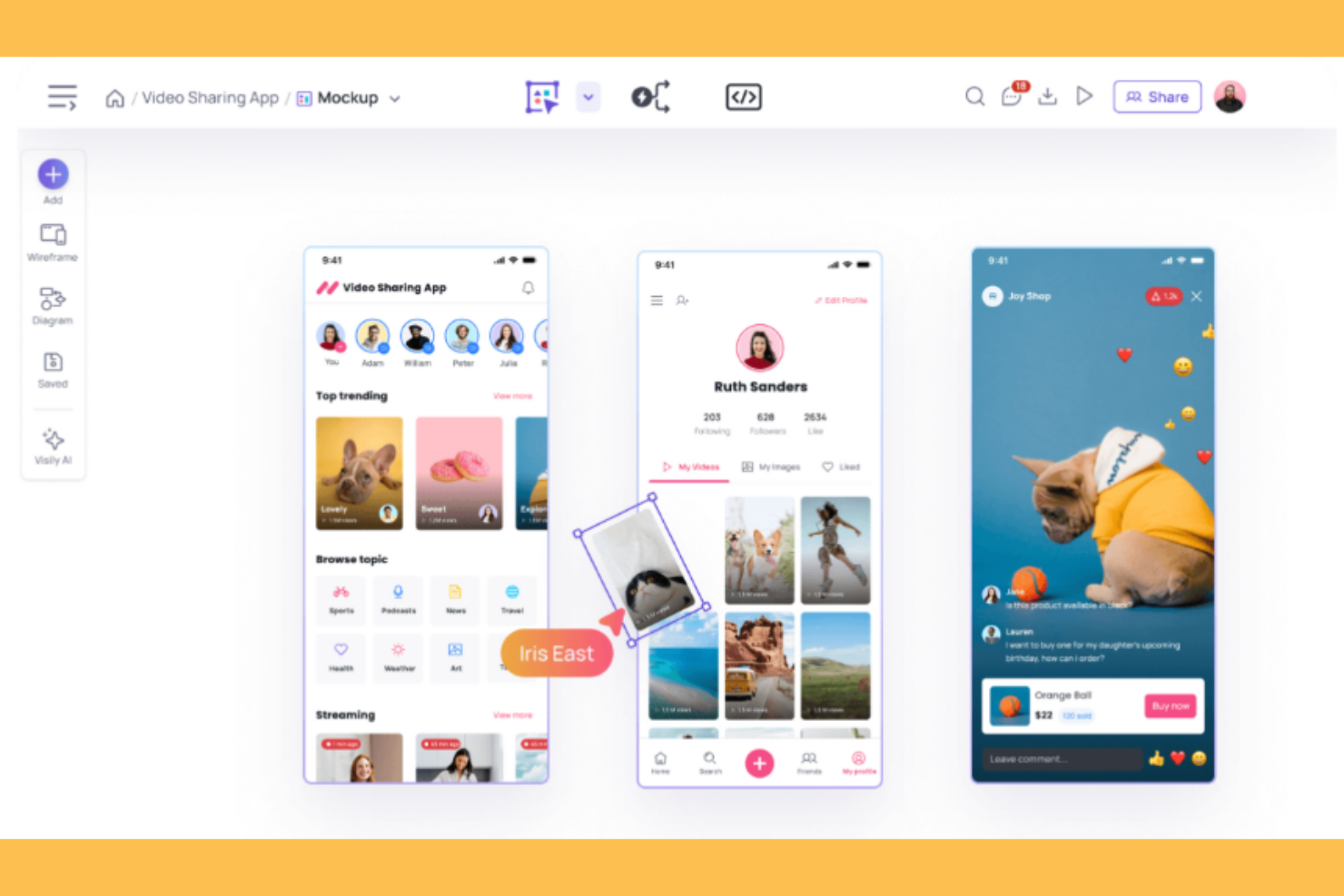
Visily è uno strumento di design pensato per i designer UI/UX, che offre la possibilità di creare mockup partendo da screenshot o da prompt testuali. Sfrutta l’IA per facilitare il processo di creazione dei mockup, offrendo soluzioni per generare progetti UI precisi e dettagliati.
Perché ho scelto Visily: Questo strumento trasforma input semplici come screenshot o testi in mockup UI completamente sviluppati. Le funzionalità basate su IA, come il riconoscimento intelligente degli elementi e i suggerimenti automatici di layout, ti permettono di creare progetti curati. La capacità di Visily di lavorare con input minimi lo rende adatto a molteplici scenari di design.
Caratteristiche distintive e integrazioni:
Caratteristiche includono un'interfaccia di design intuitiva, una varietà di template personalizzabili e strumenti di collaborazione in tempo reale. È possibile modificare i progetti per adattarli alle specifiche del lavoro. Visily consente anche di esportare i mockup in alta risoluzione, per presentazioni di qualità.
Integrazioni includono Adobe XD, Figma, Sketch, Slack, Trello, Google Drive, Dropbox, Asana e Jira.
Pros and Cons
Pros:
- Converte screenshot in mockup
- Suggerimenti di layout e design guidati dall'IA
- Semplifica compiti di design complessi
Cons:
- Le generazioni AI sono limitate nel piano gratuito e possono richiedere un upgrade
- Mancano alcune funzioni chiave come auto layout e strumenti di righello

Fotor
Ideale per mockup di prodotti realistici ad alta risoluzione
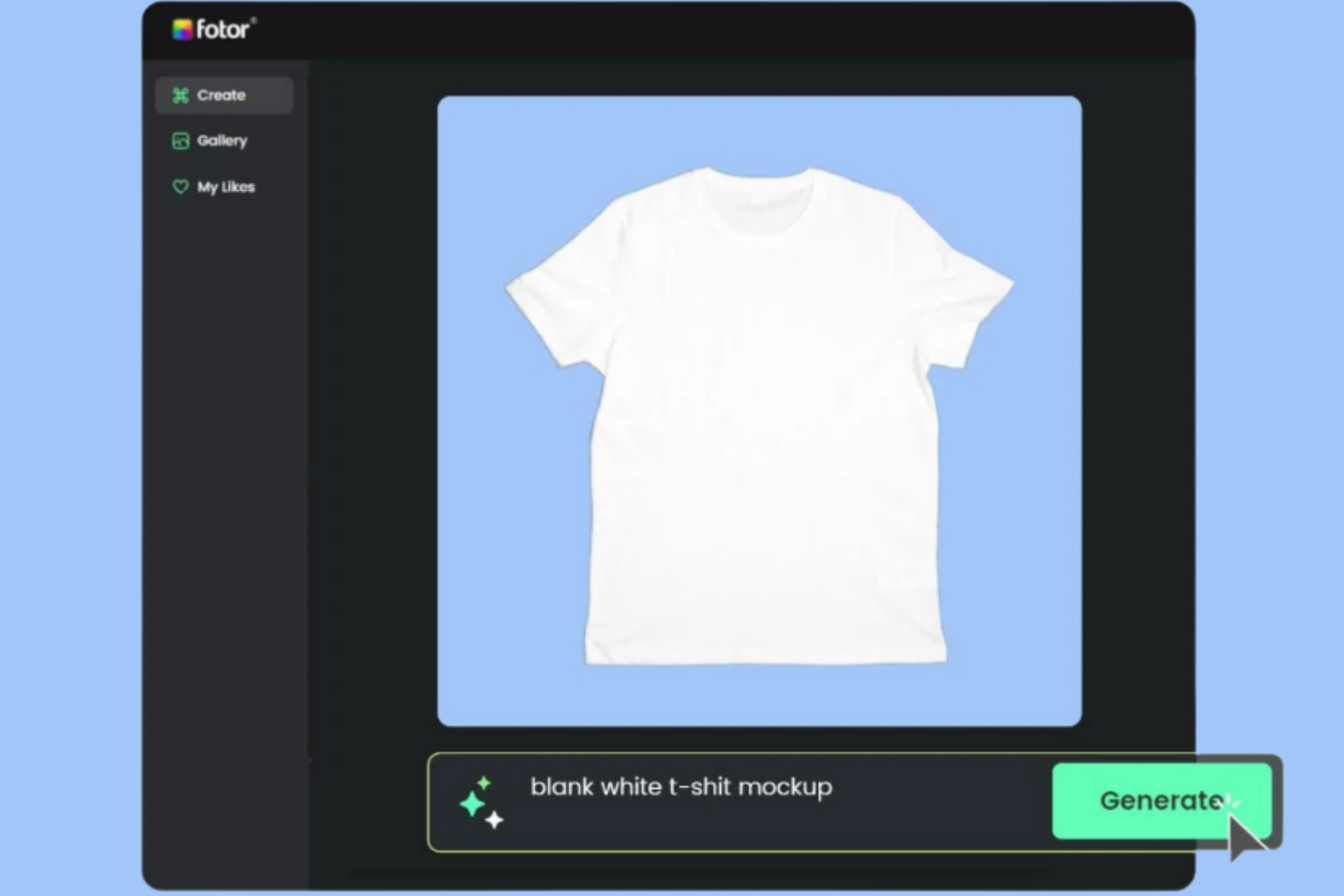
Fotor è uno strumento di design pensato per marketer e designer che necessitano di mockup di prodotti ad alta risoluzione e realistici. Sfrutta l’IA per migliorare la qualità delle immagini e offre rendering realistici, rendendolo una risorsa preziosa per la creazione di design.
Perché ho scelto Fotor: Le sue funzionalità di miglioramento immagini tramite IA producono mockup ad alta risoluzione sia realistici che professionali. Puoi utilizzare funzioni basate sull’IA come la rimozione dello sfondo e il ritocco delle immagini per creare visual curati. Fotor offre una varietà di modelli e strumenti di design adatti a numerosi settori. Si focalizza sulla qualità degli output affinché i tuoi mockup soddisfino gli standard professionali.
Funzionalità principali & integrazioni:
Funzionalità comprendono un’ampia gamma di modelli grafici, un’interfaccia di fotoritocco facile da usare e strumenti avanzati di ritocco. Puoi modificare le immagini con opzioni di editing potenziate dall’IA. Fotor permette anche l’esportazione ad alta risoluzione, ideale per presentazioni professionali.
Integrazioni includono Adobe Creative Cloud, Dropbox, Google Drive, Instagram, Facebook, Twitter, Pinterest, LinkedIn e Flickr.
Pros and Cons
Pros:
- Output immagini ad alta risoluzione
- Funzione di rimozione dello sfondo basata su IA
- Ampia varietà di modelli grafici
Cons:
- Personalizzazione limitata per design avanzati
- Alcune funzionalità richiedono un breve periodo di apprendimento

PromeAI
Ideale per mockup di prodotto realistici generati in pochi secondi
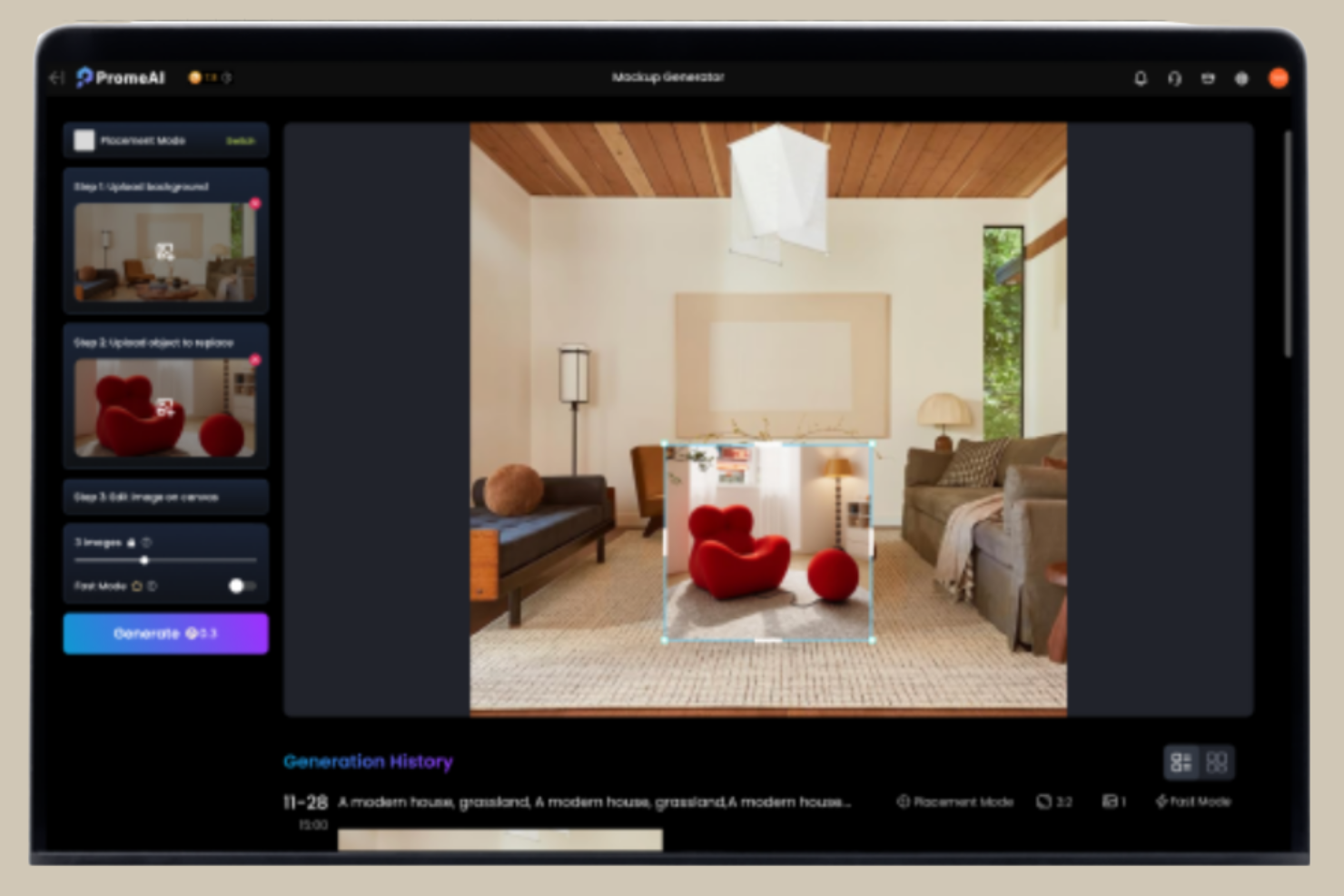
PromeAI è uno strumento di design rivolto a professionisti creativi e team di marketing che hanno bisogno di generare mockup di prodotto realistici. Sfrutta l’IA per fornire rapidamente immagini di alta qualità, offrendo efficienza e precisione per ambienti di design dinamici.
Perché ho scelto PromeAI: Gli algoritmi avanzati di IA dello strumento consentono di creare mockup realistici senza compromettere la qualità. Funzionalità come layout automatici e miglioramento intelligente delle immagini possono dare ai tuoi progetti un tocco professionale. L’adattabilità di PromeAI a varie esigenze di design lo rende una scelta versatile per molteplici applicazioni. Il focus su velocità e realismo garantisce mockup sia funzionali che visivamente accattivanti.
Caratteristiche principali e integrazioni:
Caratteristiche includono un’interfaccia intuitiva che migliora il flusso di lavoro, una vasta gamma di template e capacità di esportazione ad alta risoluzione. Puoi facilmente personalizzare i design per allinearli agli obiettivi specifici del progetto. PromeAI offre anche strumenti di modifica immagini alimentati da IA per una qualità generale superiore dei tuoi mockup.
Integrazioni includono Adobe Photoshop, Sketch, Figma, Slack, Trello, Google Drive, Dropbox, Asana e Jira.
Pros and Cons
Pros:
- Generazione rapida di mockup tramite IA
- Immagini realistiche e di alta qualità
- Adattabile a varie esigenze di design
Cons:
- Utilizzo limitato con il piano gratuito
- È richiesta una connessione internet per la piena funzionalità

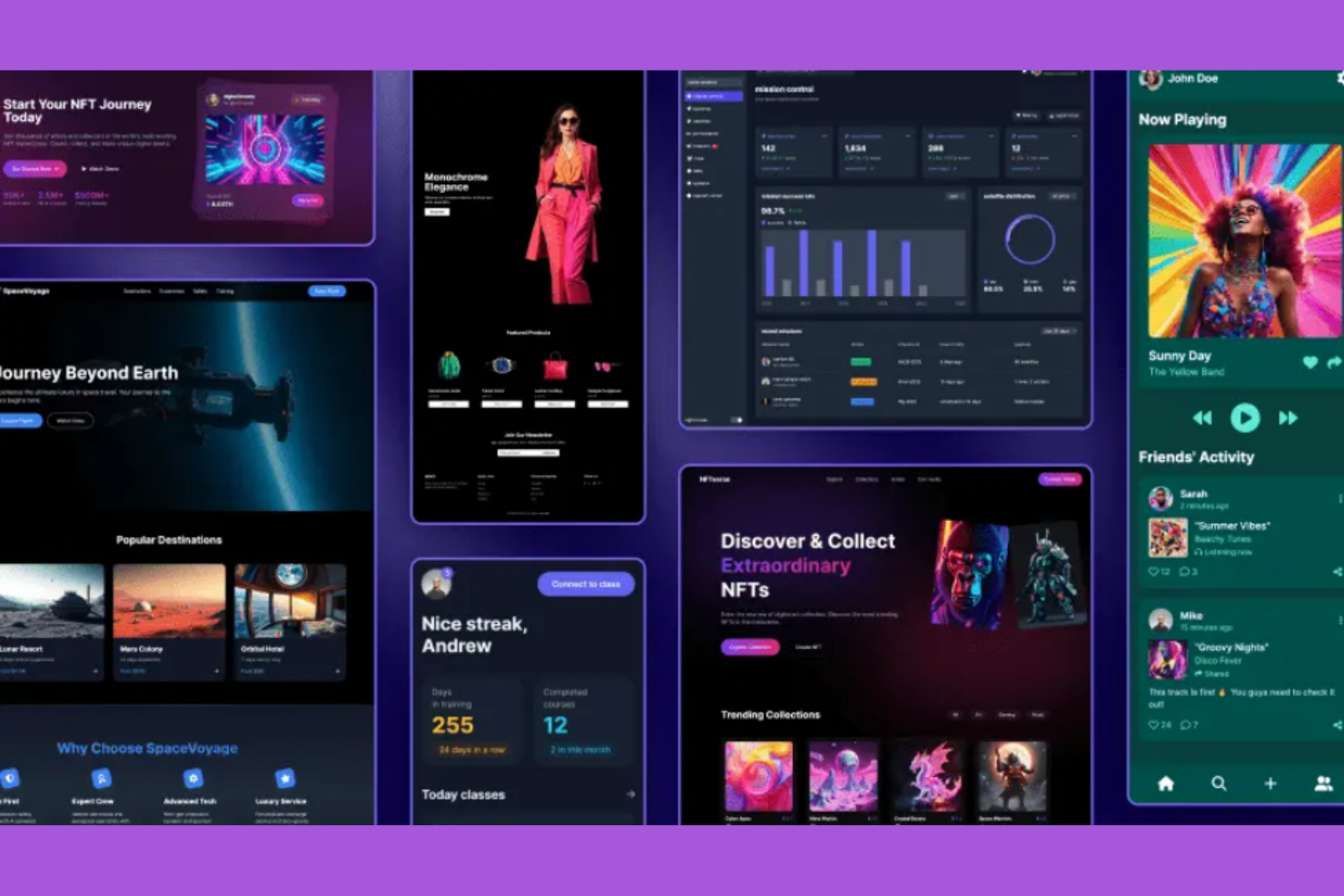
UX Pilot è uno strumento di design pensato per i designer UI/UX che hanno bisogno di generare automaticamente mockup UI ad alta fedeltà. Utilizza l'IA per il processo di progettazione, offrendo mockup precisi e dettagliati per progetti di interfaccia utente.
Perché ho scelto UX Pilot: Questo strumento utilizza l'intelligenza artificiale per generare mockup ad alta fedeltà, riducendo al minimo lo sforzo manuale richiesto. Funzionalità come la generazione automatica del layout e i suggerimenti intelligenti per il design ti permettono di concentrarti sulla creatività garantendo al contempo la precisione tecnica. La capacità di UX Pilot di produrre mockup dettagliati e realistici lo rende uno strumento adatto per i team UI/UX.
Caratteristiche distintive & Integrazioni:
Le caratteristiche includono un'interfaccia intuitiva per il processo di progettazione, una libreria di componenti UI personalizzabili e strumenti di collaborazione in tempo reale. Puoi adattare i design alle esigenze specifiche di ogni progetto. UX Pilot offre anche opzioni di esportazione ad alta risoluzione, così i tuoi mockup sono pronti per essere presentati.
Le integrazioni comprendono Adobe XD, Sketch, Figma, InVision, Slack, Trello, Google Drive, Dropbox, Asana e Jira.
Pros and Cons
Pros:
- Generazione automatica di mockup ad alta fedeltà
- Suggerimenti di design guidati dall'IA
- Fa risparmiare tempo sulle attività di design manuali
Cons:
- Integrazione complicata con altri software di design come Figma
- La qualità dell'output dell'IA può variare

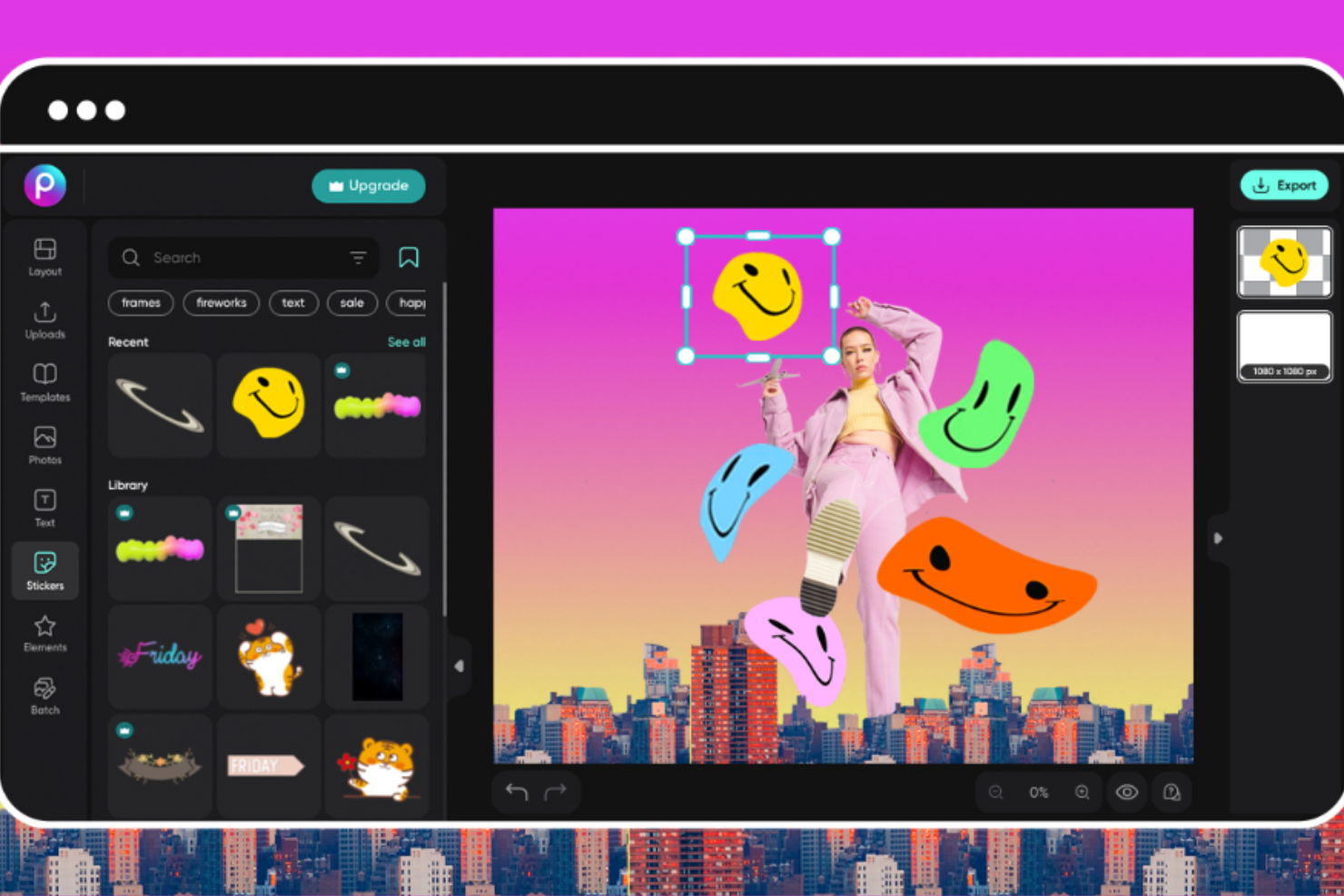
Picsart è una piattaforma di design pensata per i professionisti dell'e-commerce e del branding che necessitano di funzionalità per mockup 3D. Offre strumenti guidati dall’intelligenza artificiale per il branding e la visualizzazione di prodotti, fornendo un vantaggio creativo alle aziende e ai loro contenuti visivi.
Perché ho scelto Picsart: La piattaforma offre funzionalità avanzate di mockup 3D che aiutano a creare visualizzazioni di prodotto coinvolgenti. Grazie a capacità AI come la rimozione automatica dello sfondo e il posizionamento intelligente degli oggetti, i flussi di lavoro di design diventano più efficienti. Picsart facilita la produzione di contenuti di marca di alta qualità, essenziali per i team e-commerce. La sua enfasi sulla visualizzazione 3D assicura che i tuoi prodotti vengano presentati in modo efficace.
Caratteristiche principali e integrazioni:
Le funzionalità includono una suite di strumenti di design, una libreria di template e funzionalità di fotoritocco. Puoi personalizzare i design in base all’estetica unica del tuo brand. Picsart offre anche opzioni di esportazione ad alta risoluzione, ideali per risultati di livello professionale.
Le integrazioni includono Adobe Creative Cloud, Shopify, Instagram, Facebook, Twitter, Pinterest, Google Drive, Dropbox, Slack e Trello.
Pros and Cons
Pros:
- Avanzate capacità di mockup 3D
- Miglioramenti di design basati su AI
- Ampia libreria di template di design
Cons:
- Può richiedere un periodo di apprendimento per le funzionalità avanzate
- Alcune funzionalità dipendono dalla connessione internet

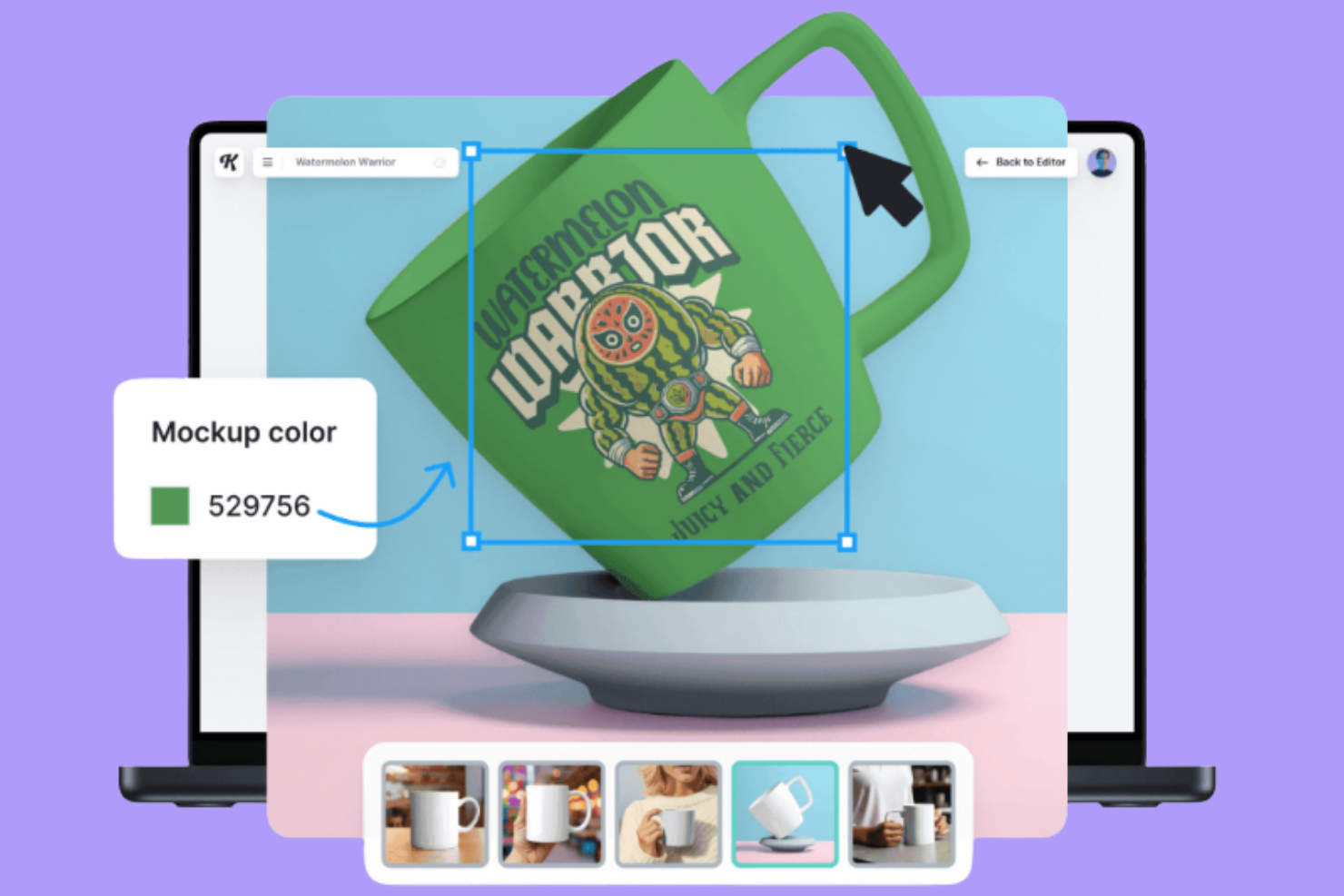
Kittl è una piattaforma di design che consente agli utenti di creare mockup di alta qualità direttamente dal browser, pensata per designer e professionisti creativi. Offre strumenti basati sull’IA per ottimizzare efficienza e qualità, risultando ideale per chi cerca soluzioni di design flessibili e potenti.
Perché ho scelto Kittl: Offre capacità di progettazione direttamente nel browser, eliminando la necessità di installare software complessi. Funzionalità IA come suggerimenti intelligenti e regolazioni automatiche aiutano a creare design. Puoi accedere a diversi template pensati per un utilizzo professionale. Kittl si focalizza nel fornire risultati di alta qualità per garantire standard professionali ai tuoi progetti.
Funzionalità principali e integrazioni:
Funzionalità includono un’interfaccia intuitiva per il processo di progettazione, una vasta libreria di template e strumenti collaborativi per il lavoro di gruppo in tempo reale. Puoi modificare i tuoi progetti con strumenti facili da usare. Kittl permette inoltre di esportare i design in alta risoluzione per risultati di qualità.
Integrazioni disponibili: Adobe Creative Cloud, Figma, Sketch, Slack, Trello, Google Drive, Dropbox, Asana, Jira e Microsoft Teams.
Pros and Cons
Pros:
- Design di alta qualità direttamente dal browser
- Suggerimenti intelligenti per il design tramite IA
- Ampia gamma di template disponibili
Cons:
- Funzionalità offline limitate
- Generazione di immagini limitata nel piano gratuito

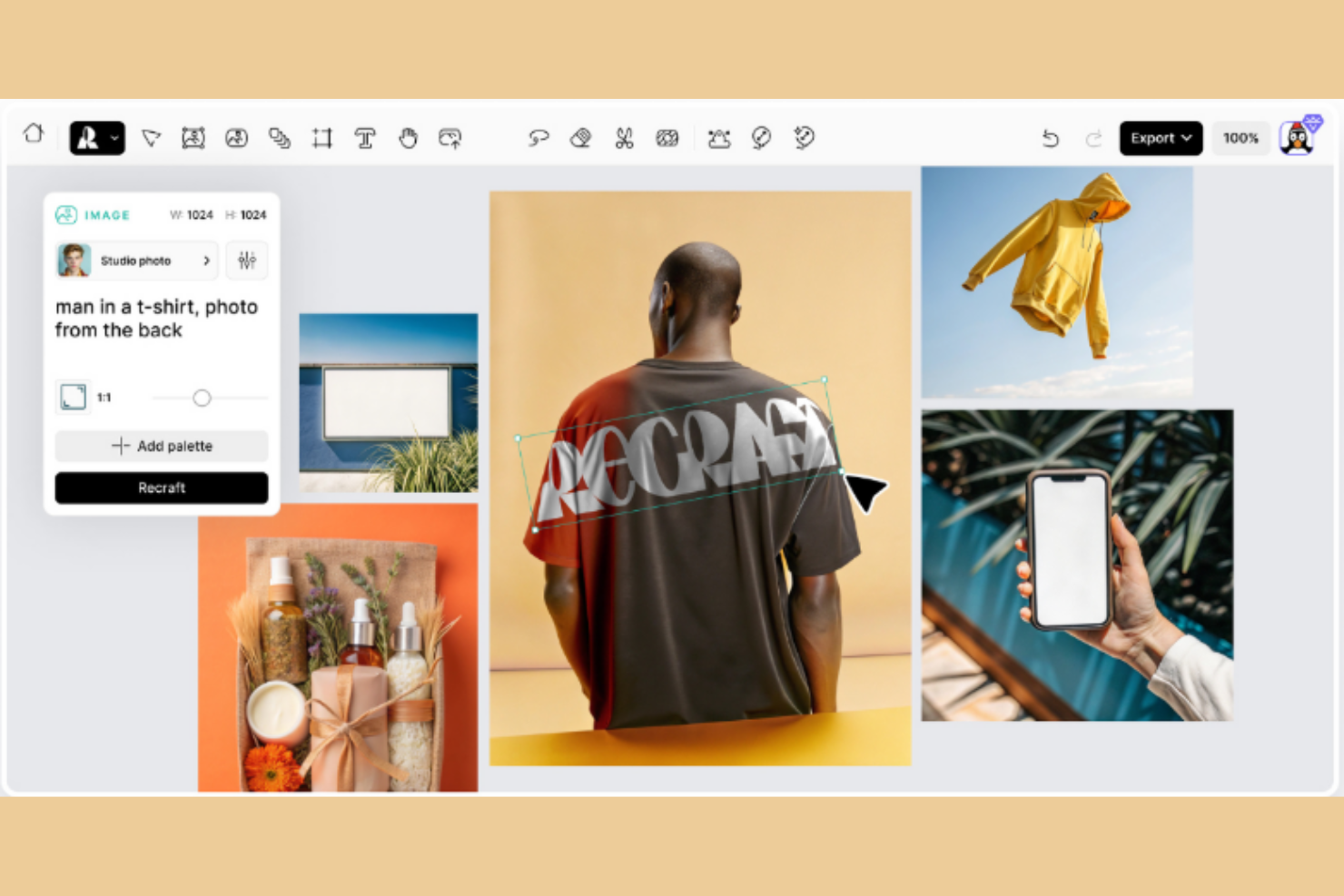
Recraft è uno strumento di design che utilizza l'IA per aiutarti a creare elementi visivi e mockup. Tu e il tuo team potete usarlo per generare immagini, convertirle in vettoriali e applicare stili in modo coerente su tutti i vostri progetti.
Perché ho scelto Recraft: Recraft ti consente di creare mockup senza partire da una schermata vuota. Offre una modifica tramite drag and drop e modelli di layout regolabili, così non perdi tempo nel sistemare le posizioni. Hai a disposizione generazione di immagini, conversione in vettoriale e controlli di stile che supportano risultati professionali e rapidi. I preset di stile personalizzati e le opzioni di layout aiutano te e il tuo team a mantenere la coerenza visiva.
Caratteristiche principali & integrazioni:
Caratteristiche includono la possibilità di convertire immagini in formato vettoriale, rimozione automatica dello sfondo e upscaling delle immagini. Queste funzioni permettono di trasformare asset grezzi in elementi visivi di alta qualità e adattare gli elementi a diversi formati.
Integrazioni includono Latenode, accesso API, supporto di modelli esterni, Airtable, Shopify e Discord.
Pros and Cons
Pros:
- Generazione e esportazione vettoriale rapida
- Ottimo controllo sulla coerenza dello stile del brand
- Modifica del layout dei mockup tramite drag-and-drop
Cons:
- Alcuni strumenti di modifica danno risultati inattesi
- Caricamenti di immagini limitati nel piano gratuito

Ideale per visual per app e marketing con generazione di mockup tramite trascinamento
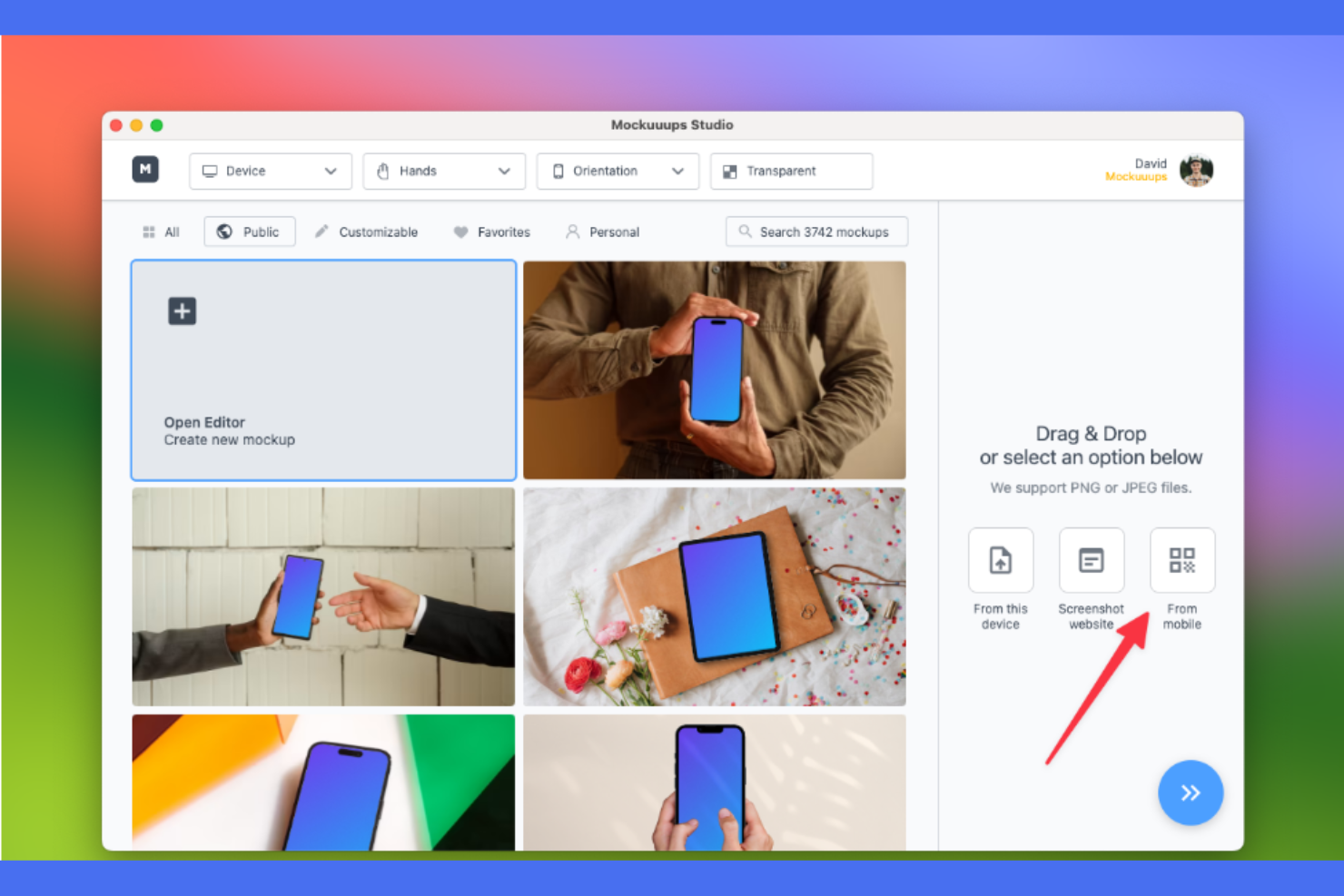
Mockuuups Studio è una piattaforma di design pensata per marketer e sviluppatori di app che devono creare elementi visivi. Offre un'interfaccia drag-and-drop per realizzare visual professionali, sfruttando l'IA per velocizzare e migliorare la qualità del design.
Perché ho scelto Mockuuups Studio: Questo strumento offre una funzionalità drag-and-drop intuitiva che consente di generare mockup con meno complicazioni tecniche. Include caratteristiche come l'adattamento automatico della prospettiva e il posizionamento intelligente degli oggetti durante il processo di design. Mockuuups Studio si concentra su elementi visivi per app e marketing, così i tuoi progetti risultano sia visivamente accattivanti che realizzati con efficienza.
Caratteristiche principali e integrazioni:
Le funzionalità includono una vasta gamma di template personalizzabili, anteprime in tempo reale e opzioni di esportazione in alta risoluzione. Puoi adattare i design per soddisfare diverse esigenze di progetto. Mockuuups Studio supporta anche l'elaborazione in batch, permettendo la creazione simultanea di più mockup.
Le integrazioni includono Adobe Photoshop, Sketch, Figma, Slack, Trello, Google Drive, Dropbox, Asana, Jira e Microsoft Teams.
Pros and Cons
Pros:
- Generazione facile di mockup tramite drag-and-drop
- Supporta l'elaborazione in batch per più mockup
- Output di alta qualità per visual di marketing
Cons:
- I design possono sembrare generici e mancano di strumenti di personalizzazione avanzata
- Mancano funzionalità di creazione in massa come offrono alcuni concorrenti

Ideale per automatizzare il design di visualizzazioni realistiche di prodotti
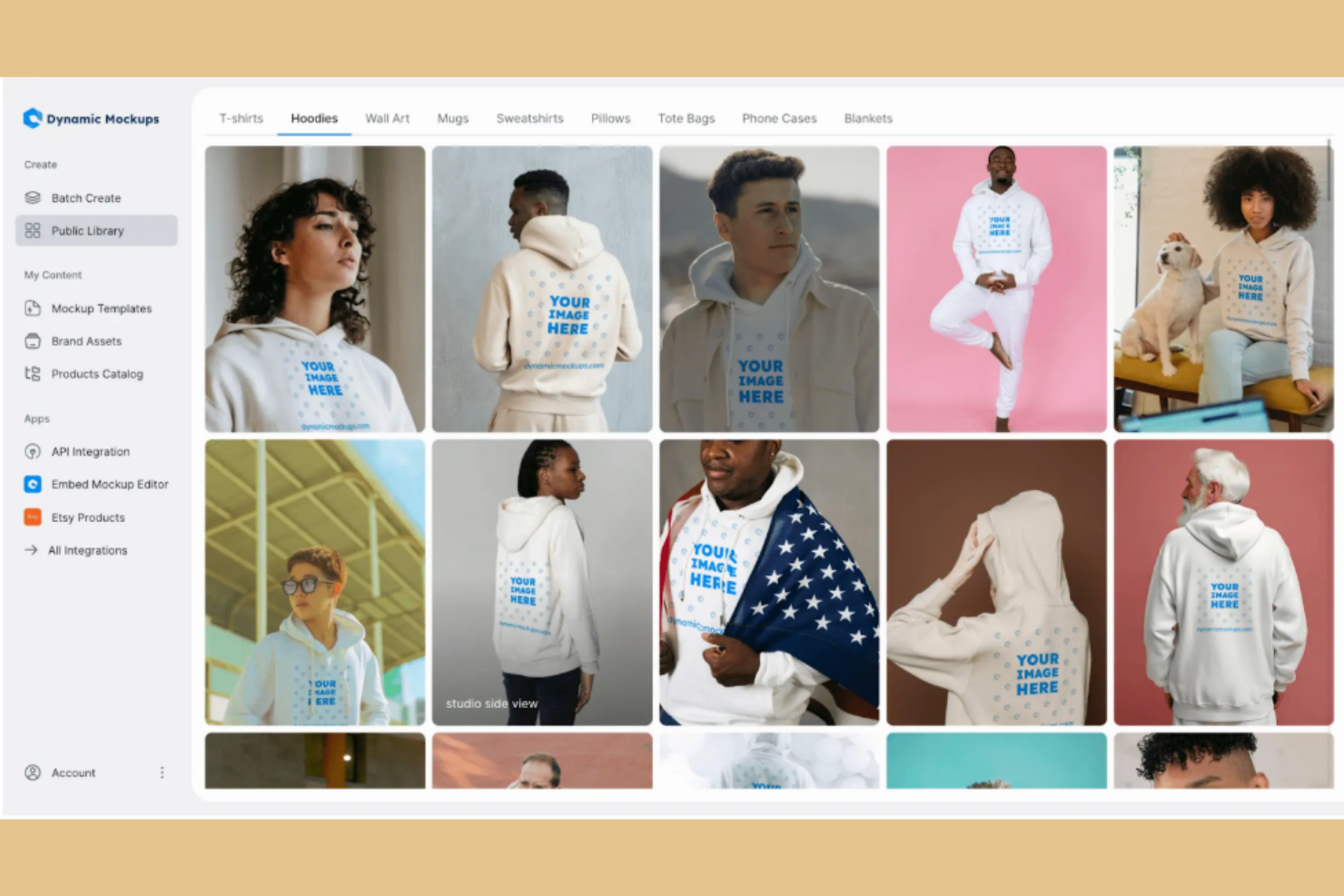
Dynamic Mockups è uno strumento di design per professionisti creativi che hanno bisogno di automatizzare la creazione di visualizzazioni di prodotto. Utilizza l'IA nel processo di progettazione, per ottenere risultati di alta qualità con meno sforzo manuale.
Perché ho scelto Dynamic Mockups: Le capacità di IA dello strumento permettono di automatizzare la progettazione delle visualizzazioni di prodotto. Dispone di funzionalità come l'adattamento intelligente del layout e il miglioramento automatico dei dettagli del prodotto. Le sue funzioni di automazione fanno risparmiare tempo e aumentano la produttività, rendendolo uno strumento valido per i team di design.
Funzionalità e integrazioni principali:
Le funzionalità includono un'interfaccia intuitiva per le attività di design, un'ampia gamma di modelli personalizzabili e opzioni di anteprima in tempo reale. Puoi adattare i design alle esigenze specifiche dei progetti. Dynamic Mockups consente anche l'esportazione delle visualizzazioni in alta risoluzione per presentazioni di qualità.
Le integrazioni comprendono Adobe Creative Cloud, Sketch, Figma, InVision, Slack, Trello, Google Drive, Dropbox, Asana e Jira.
Pros and Cons
Pros:
- Automatizza le attività di design
- Produce visualizzazioni realistiche e di alta qualità
- Fa risparmiare tempo nelle regolazioni manuali
Cons:
- Libreria di mockup limitata con il piano gratuito
- Un'eccessiva dipendenza può rendere i portfolio e i prodotti privi di caratteristiche di design uniche
Altri generatori di mockup con IA
Ecco alcune opzioni aggiuntive di generatori di mockup con IA che non sono entrate nel mio elenco ristretto, ma che vale comunque la pena prendere in considerazione:
- Mockey
Ideale per mockup AI gratuiti con oltre 12.500 modelli per visuali di prodotto
- MockupLabs
Ideale per trasformare immagini di prodotti in mockup realistici con un'ampia libreria di template


Come Valuto i Generator di Mockup AI
Ogni strumento in questa lista deve fare più che apporre un'etichetta AI a un selettore di template—cerco strumenti che effettivamente trasformino un prompt testuale in un mockup utilizzabile da un PM durante una revisione con gli stakeholder. Suddivido la mia valutazione in due livelli: la funzionalità di base che uno strumento deve possedere per essere considerato e i fattori di differenziazione che distinguono le buone opzioni dalle migliori.
Funzionalità di Base (Requisiti Minimi per Questa Lista)
Quando seleziono gli strumenti per la mia lista, valuto ciascuno su una scala da 0 (non offre la funzionalità) a 5 (eccelle in quest'area) per ogni funzionalità di base elencata sotto. Poi, calcolo il punteggio totale dello strumento in percentuale. Ogni strumento deve raggiungere un punteggio totale minimo del 65% per essere preso in considerazione.
- Mockup Generati dall'AI: Valuto se l'AI produce schermate effettivamente utilizzabili—come una dashboard SaaS o un onboarding mobile—e non solo box segnaposto generici.
- Prompt da Testo a Design: Un prompt come "pagina impostazioni con interruttori toggle e una navigazione laterale" deve restituire qualcosa di riconoscibile, non solo un layout astratto.
- Output di Design Modificabile: Verifico di poter riordinare componenti, cambiare le icone e aggiornare i testi dopo la generazione—non solo osservare un'immagine statica.
- Multi-schermo & Libreria di Componenti: Lo strumento dovrebbe coprire le esigenze comuni come layout per web app, schermate mobile e modali con un set di componenti UI utilizzabile.
- Opzioni di Esportazione & Handoff: Cerco output pratici—import in Figma, esportazione SVG o snippet di codice—che si integrano nei workflow reali dei team di prodotto.
- Iterazione & Generazione di Varianti: I buoni strumenti permettono di rigenerare con modifiche, come "prova un layout a schede invece", offrendo differenze visive significative.
Dopo aver raccolto strumenti che soddisfano questi criteri, considero cosa distingue ciascuna piattaforma.
Fattori di Differenziazione (Cosa Distingue i Fornitori)
Ecco come metto a confronto i diversi fornitori:
Funzionalità Distintive
La conversione da immagine a mockup è un grande fattore di differenziazione—cerco strumenti che possano trasformare una foto di una lavagna da una sessione di brainstorming in un layout di schermata modificabile. Anche la prototipazione interattiva è importante, perché collegare schermate AI generate in un flusso cliccabile fa risparmiare ore di lavoro manuale prima di una revisione con gli stakeholder. Valuto anche l'apprendimento di brand e stile, dove l'AI applica il tuo sistema di design esistente così che ogni mockup generato sia visivamente coerente con il tuo prodotto.
Oltre le Funzionalità
Valuto quanto bene ogni strumento si integra in un flusso di lavoro esistente. Un plugin Figma o un'integrazione con Jira può rappresentare la differenza tra un mockup che rimane isolato e uno che si inserisce direttamente nel backlog dello sprint. Anche la velocità di generazione conta—se un PM deve produrre cinque schermate per una sessione di discovery, lo strumento deve fornire un output utilizzabile in pochi minuti, non ore. Verifico inoltre le policy di sicurezza dei dati e proprietà intellettuale, soprattutto se i tuoi design vengono usati per addestrare i modelli AI del fornitore. Per team che lavorano su prodotti non ancora lanciati, è una considerazione fondamentale.
Come scegliere un generatore di mockup con IA
È facile perdersi in lunghi elenchi di funzionalità e strutture tariffarie complesse. Per aiutarti a rimanere concentrato mentre affronti il tuo specifico processo di selezione del software, ecco una lista di fattori da tenere a mente:
| Fattore | Cosa considerare |
|---|---|
| Scalabilità | Lo strumento crescerà insieme alle esigenze del tuo team? Verifica se è in grado di gestire carichi di lavoro in aumento e progetti più grandi senza una riduzione delle prestazioni. |
| Integrazioni | Si collega agli strumenti che già utilizzi? Assicurati che sia compatibile con software di progettazione come Adobe XD, Figma o Slack per integrarlo nel flusso di lavoro. |
| Personalizzazione | Puoi adattare lo strumento ai tuoi processi? Cerca opzioni che consentano di modificare modelli ed elementi di progettazione per adattarli allo stile unico del tuo marchio. |
| Personalizzazione | Puoi adattare lo strumento ai tuoi processi? Cerca opzioni che consentano di modificare modelli ed elementi di progettazione per adattarli allo stile unico del tuo marchio. |
| Facilità d’uso | L’interfaccia è intuitiva per il tuo team? Valuta se lo strumento è abbastanza semplice da permettere ai nuovi utenti di imparare rapidamente a utilizzarlo senza una formazione approfondita. |
| Implementazione e avviamento | Quanto è semplice il processo di configurazione? Verifica se il fornitore offre risorse formative, guide interattive o assistenza durante l’introduzione iniziale. |
| Costo | Il prezzo rientra nel tuo budget? Confronta il costo con le funzionalità offerte e verifica la presenza di costi nascosti o componenti aggiuntivi necessari. |
| Misure di sicurezza | Lo strumento protegge i tuoi dati? Verifica che utilizzi la crittografia, riceva aggiornamenti regolari e sia conforme alle normative pertinenti sulla protezione dei dati. |
| Disponibilità dell’assistenza | L’aiuto è disponibile quando ne hai bisogno? Considera gli orari di assistenza del fornitore, i tempi di risposta e i canali disponibili, come chat o e-mail. |
Cosa sono i generatori di mockup con IA?
I generatori di mockup basati sull'IA sono strumenti che utilizzano l'intelligenza artificiale per automatizzare la creazione di mockup di design, rendendo più semplice e veloce per gli utenti produrre elementi visivi di alta qualità. Designer, esperti di marketing e responsabili di prodotto utilizzano generalmente questi strumenti per ottimizzare il flusso di lavoro e migliorare l'efficienza della progettazione.
Funzionalità come la generazione automatica dei layout, i suggerimenti intelligenti per il design e la collaborazione in tempo reale aiutano a creare mockup curati e professionali senza sforzo. Nel complesso, questi strumenti consentono agli utenti di produrre design visivamente accattivanti con un minore lavoro manuale.
Funzionalità
Quando scegli un generatore di mockup basato sull'IA, cerca le seguenti funzionalità chiave:
- Generazione automatica dei layout: Utilizza l'IA per creare layout iniziali che riducono la configurazione manuale e aiutano a passare più rapidamente dal concept al mockup.
- Suggerimenti intelligenti per il design: Analizza i tuoi elementi grafici e propone miglioramenti visivi, così i design finali risultano più curati.
- Collaborazione in tempo reale: Consente a più utenti di contribuire contemporaneamente, favorendo un migliore coordinamento all'interno del team.
- Libreria di modelli: Offre una varietà di formati di mockup personalizzabili, comprese opzioni che consentono di modificare i caratteri o gli elementi del marchio.
- Miglioramento delle immagini basato sull'IA: Utilizza la tecnologia dei generatori di immagini basati sull'IA per migliorare la qualità delle immagini, così i mockup appaiono nitidi e chiari.
- Funzionalità di personalizzazione del marchio: Consente di aggiungere loghi, colori e caratteri, affinché ogni mockup rifletta l'identità del marchio.
- Opzioni di esportazione ad alta risoluzione: Producono output pronti per la stampa in formati che mantengono dettaglio e nitidezza.
- Posizionamento intelligente degli elementi: Posiziona automaticamente gli elementi, così i design risultano equilibrati con il minimo numero di modifiche.
- Interfaccia intuitiva: Aiuta designer principianti ed esperti a lavorare in modo efficiente senza una curva di apprendimento ripida.
- Integrazione con gli strumenti di design: Si collega al software di progettazione preferito, consentendo di spostare facilmente i progetti tra diversi strumenti.
Vantaggi
L'implementazione di un generatore di mockup basato sull'IA offre diversi vantaggi al team e all'azienda. Ecco alcuni dei benefici che puoi aspettarti:
- Risparmio di tempo: Le funzionalità basate sull'IA, come la generazione automatica dei layout, riducono il tempo dedicato alle attività di progettazione manuale, consentendo al team di concentrarsi su altre priorità.
- Qualità del design migliorata: I suggerimenti intelligenti per il design e i miglioramenti delle immagini basati sull'IA producono elementi visivi più curati e professionali.
- Collaborazione potenziata: Le funzionalità di collaborazione in tempo reale consentono ai membri del team di lavorare insieme in modo efficace, migliorando i risultati dei progetti e la coesione del team.
- Coerenza del marchio: Le funzionalità di personalizzazione del marchio garantiscono che i design mantengano la coerenza del marchio in tutti i progetti.
- Maggiore produttività: Affidando all'IA le attività ripetitive, il team può produrre più design in meno tempo, aumentando la produttività complessiva.
- Processo di progettazione accessibile: Le interfacce intuitive e il posizionamento intelligente degli elementi rendono il processo di progettazione più accessibile, anche ai membri del team con minore esperienza nel design.
- Efficienza dei costi: Riducendo la necessità di un ampio lavoro di progettazione manuale, i generatori di mockup basati sull'IA possono contribuire a diminuire i costi di progettazione e a migliorare la gestione del budget.
Costi e prezzi
La scelta di uno strumento per la creazione di mockup basato sull'IA richiede una conoscenza dei vari modelli e piani tariffari disponibili. I costi variano in base alle funzionalità, alle dimensioni del team, agli extra e ad altri fattori. La tabella seguente riassume i piani più comuni, i relativi prezzi medi e le funzionalità tipicamente incluse nelle soluzioni per la generazione di mockup basate sull'IA:
Tabella di confronto dei piani per i generatori di mockup basati sull'IA
| Tipo di piano | Prezzo medio | Funzionalità comuni |
|---|---|---|
| Piano gratuito | $0 | Accesso a modelli di base, esportazioni limitate e strumenti di progettazione di base. |
| Piano personale | $5-$25/utente/mese | Accesso a modelli premium, esportazioni ad alta risoluzione e collaborazione di base. |
| Piano aziendale | $30-$60/utente/mese | Strumenti avanzati di collaborazione, opzioni di personalizzazione del marchio e assistenza prioritaria. |
| Piano per grandi aziende | $70-$150/utente/mese | Responsabile dedicato dell'account, funzionalità di sicurezza avanzate e personalizzazione completa |
Domande frequenti sul generatore di mockup basato sull'IA
Ecco alcune risposte alle domande più comuni sui generatori di mockup basati sull’IA:
I generatori di mockup basati sull'IA possono integrarsi con gli strumenti che già utilizzo?
Sì, molti generatori di mockup basati sull’IA possono integrarsi con piattaforme di design popolari come Adobe XD, Figma e Sketch. Questo semplifica l’importazione della grafica o l’esportazione di un’immagine mockup negli strumenti già utilizzati dal tuo team. Alcune piattaforme supportano anche il download in formato PNG o JPG per i social media, le promozioni dei prodotti o le presentazioni. Prima di scegliere uno strumento per mockup, verifica che si colleghi agevolmente al tuo flusso di lavoro preferito o al generatore di mockup online gratuito. Testare l’integrazione durante un periodo di prova può aiutare imprenditori e grafici a confermare che il processo sia adatto alle loro attività quotidiane.
In che modo i generatori di mockup basati sull'IA gestiscono la sicurezza dei dati?
I generatori di mockup basati sull’IA spesso includono funzionalità di sicurezza standard, come la crittografia e l’autenticazione, per proteggere le opere grafiche caricate. Se crei regolarmente modelli di mockup per articoli come magliette, felpe con cappuccio, scene con iPhone o biglietti da visita, è importante scegliere una piattaforma che dia priorità alla protezione dei dati. Esamina la politica del fornitore e verifica con quale frequenza aggiorna i propri sistemi, soprattutto se lavori con clienti che si aspettano solide pratiche di sicurezza.
Posso personalizzare i modelli nei generatori di mockup basati sull'IA?
Sì, la maggior parte degli strumenti gratuiti per generare mockup basati sull’IA consente di personalizzare i modelli in modo che corrispondano allo stile del tuo marchio. Puoi modificare gli elementi del layout, cambiare i colori e caricare grafiche per mockup di magliette, felpe con cappuccio, biglietti da visita o altri elementi visivi di prodotto. Molti strumenti supportano la modifica senza richiedere competenze avanzate di design, rendendo semplice per gli imprenditori creare contenuti accattivanti. Le opzioni di personalizzazione aiutano inoltre i team a produrre contenuti per servizi fotografici o social media, mantenendo un’identità visiva coerente in tutte le immagini mockup.