

Con tantas herramientas colaborativas diferentes disponibles, seleccionar la mejor para tus necesidades puede ser complicado. Quieres disponer de un espacio en el que varios usuarios puedan contribuir simultáneamente al proceso de diseño, compartir comentarios y trabajar juntos para crear diseños visualmente atractivos y funcionales, y necesitas la herramienta adecuada para hacerlo.
¡Yo puedo ayudarte! En esta publicación, aprovecho mi experiencia en gestión de productos, coordinando cientos de proyectos, utilizando muchas plataformas diferentes en grandes equipos remotos y trabajando con productos complejos, para compartir mis selecciones del mejor software de diseño colaborativo.
¿Qué es el software de diseño colaborativo?
El software de diseño colaborativo es una solución digital que facilita los aspectos colaborativos del proceso de diseño. Permite que varios usuarios trabajen juntos en proyectos de diseño y proporciona herramientas y funciones que hacen posible la colaboración en tiempo real, el intercambio de comentarios y la creación de diseños cohesionados y bien coordinados.
Estas plataformas suelen incluir funciones como control de versiones, gestión de comentarios, revisión y herramientas de colaboración, lo que facilita que los equipos iteren sobre los diseños de forma más eficiente y contribuyan colectivamente a la creación de diseños de alta calidad y visualmente atractivos.
Por qué confiar en nuestras recomendaciones de software
6,700+
Reviews
20
Industry experts
16+
Evaluation factors
14
Years
Nuestro equipo lleva probando y evaluando software desde 2012. Como gestores de producto, sabemos lo difícil —y lo importante— que es elegir el software adecuado.
Para esta guía, evaluamos las herramientas mediante pruebas prácticas e investigación independiente, puntuando las herramientas según nuestros criterios de selección.
Nuestras reseñas reflejan nuestro criterio editorial humano, no un discurso de ventas.
 Hannah ClarkSenior TPM
- Cristiano ValimSenior UI/UX Lead
Tabla comparativa del mejor software de diseño colaborativo
Aquí tienes una tabla que puedes utilizar para comparar todas las herramientas que acabamos de analizar en las descripciones generales.
| Tool | Best For | Trial Info | Price | ||
|---|---|---|---|---|---|
| 1 | Ideal para mapas mentales con IA integrada | Prueba gratuita + plan gratuito disponible | Desde $9/usuario/mes (facturado anualmente) | Website | |
| 2 | Mejor software de diseño colaborativo para trabajo simultáneo en un mismo lienzo | Plan gratuito disponible | Desde $8/miembro/mes (facturación anual) | Website | |
| 3 | El mejor software de diseño colaborativo para trabajo en tiempo real | Plan gratuito disponible | Desde $16/usuario/mes (facturado anualmente) | Website | |
| 4 | Mejor software de diseño colaborativo para personas sin experiencia en diseño | Prueba gratis de 14 días + plan gratuito disponible | Desde $12.25/usuario/mes (facturado anualmente) | Website | |
| 5 | Mejor software de diseño colaborativo para compartir maquetas de diseño | Prueba gratuita de 14 días disponible | Desde $16/usuario/mes (facturado anualmente) | Website | |
| 6 | Mejor software de diseño colaborativo para mejorar el proceso de traspaso de diseños | Plan gratuito disponible | Desde $13.75/proyecto/mes (facturado anualmente) | Website | |
| 7 | La mejor solución colaborativa para pizarras digitales y colaboración en línea | Prueba gratis de 30 días + plan gratuito disponible | Desde 5€/usuario/mes | Website |


Descripción general de los 10 mejores programas de diseño colaborativo
Aquí tienes una breve descripción de cada herramienta que muestra su caso de uso más adecuado.
 Ideal para mapas mentales con IA integrada
- Prueba gratuita + plan gratuito disponible
- Desde $9/usuario/mes (facturado anualmente)
Visit WebsiteRating:4.5/5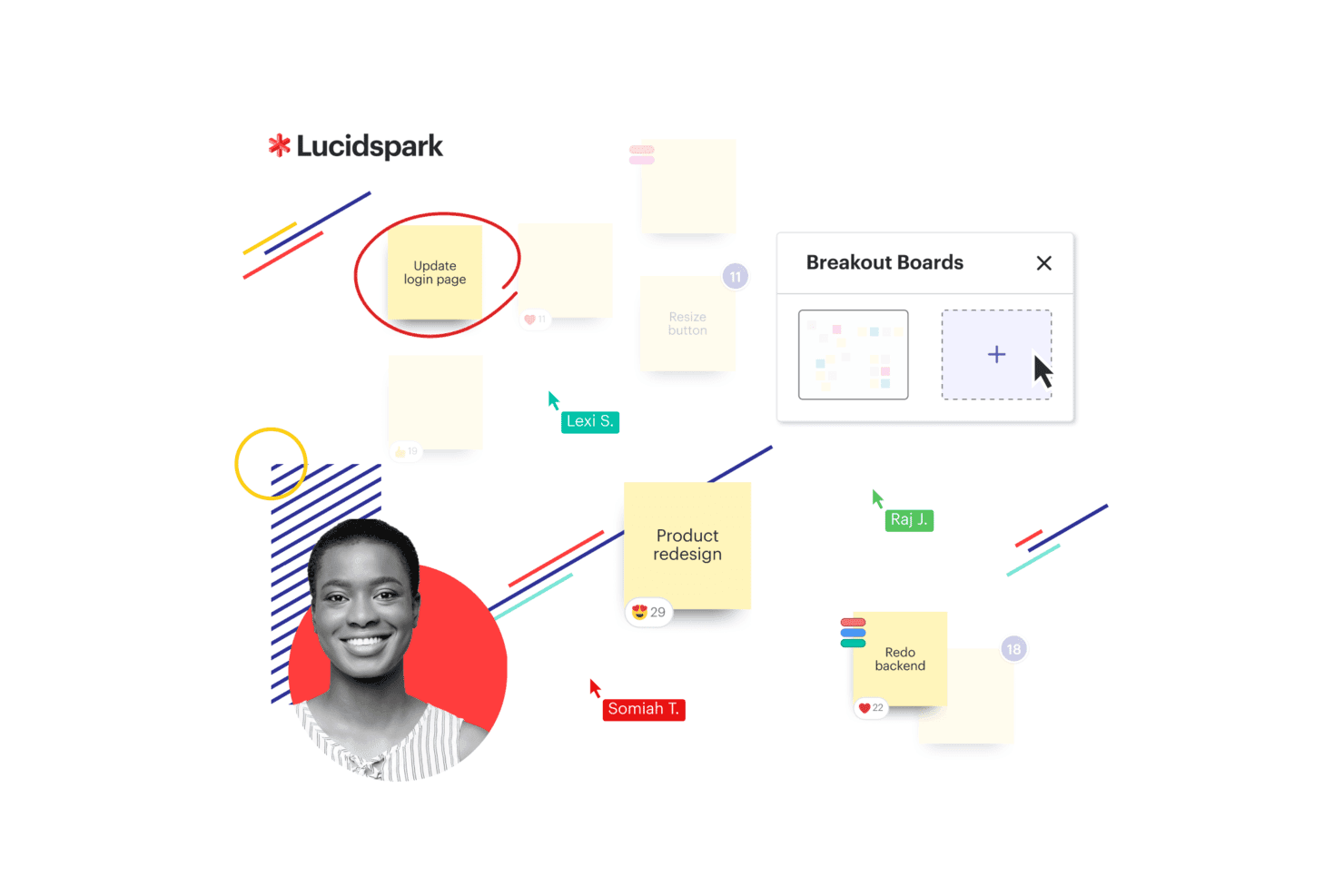
Lucidspark presenta un tablero Kanban con columnas de flujo de trabajo y tarjetas de tareas para ayudar a los equipos a organizar y dar seguimiento al trabajo visualmente. Lucidspark es una pizarra virtual diseñada para la colaboración en tiempo real de equipos, combinando un lienzo infinito, mapas mentales dinámicos, ideación asistida por IA, actividades visuales y herramientas de facilitación para lluvias de ideas y planificación.
¿Para quién es Lucidspark?
Lucidspark es ideal para equipos multifuncionales de producto, diseño y estrategia que necesitan un espacio compartido para la lluvia de ideas visual y sesiones de ideación estructurada.
Por qué elegí Lucidspark
He incluido Lucidspark en mis selecciones principales porque su mapeo mental impulsado por IA lo diferencia de otras herramientas de pizarra. Puedes pedirle a la IA que genere todo un mapa mental a partir de un solo tema, y este construye al instante ramas y subnodos en el lienzo. También me gusta que la IA pueda ordenar y agrupar una pizarra desorganizada de notas adhesivas en categorías etiquetadas, lo cual ahorra mucho tiempo después de una sesión caótica de ideas. Estas dos funciones, juntas, permiten pasar de ideas en bruto a un plan visual organizado mucho más rápido.
Funciones clave de Lucidspark
- Sesiones de votación: Realiza votaciones cronometradas directamente en el lienzo para que los equipos puedan priorizar colectivamente las ideas sin abandonar la pizarra.
- Subpizarras para grupos: Divide una pizarra principal en subpizarras separadas para trabajo en grupos pequeños y luego vuelve a reunir los resultados en una vista compartida.
- Dibujo libre: Realiza bocetos, anotaciones o conceptos preliminares directamente en el lienzo usando un lápiz óptico o un ratón.
- Biblioteca de plantillas: Accede a diseños prediseñados para wireframes, mapas de sitio y mapas conceptuales para acelerar las sesiones.
Pros and Cons
Pros:
- Plantillas de flujo de trabajo Kanban disponibles para equipos
- Colaboración en tiempo real para equipos
- Se integra con Google Drive y Jira
Cons:
- Los planes para equipos comienzan desde $10 mensuales por usuario
- Se requiere pago anual para acceder
Learn more about Lucidspark: 2Mejor software de diseño colaborativo para trabajo simultáneo en un mismo lienzo
Miro
- Plan gratuito disponible
- Desde $8/miembro/mes (facturación anual)
Visit WebsiteRating:4.8/5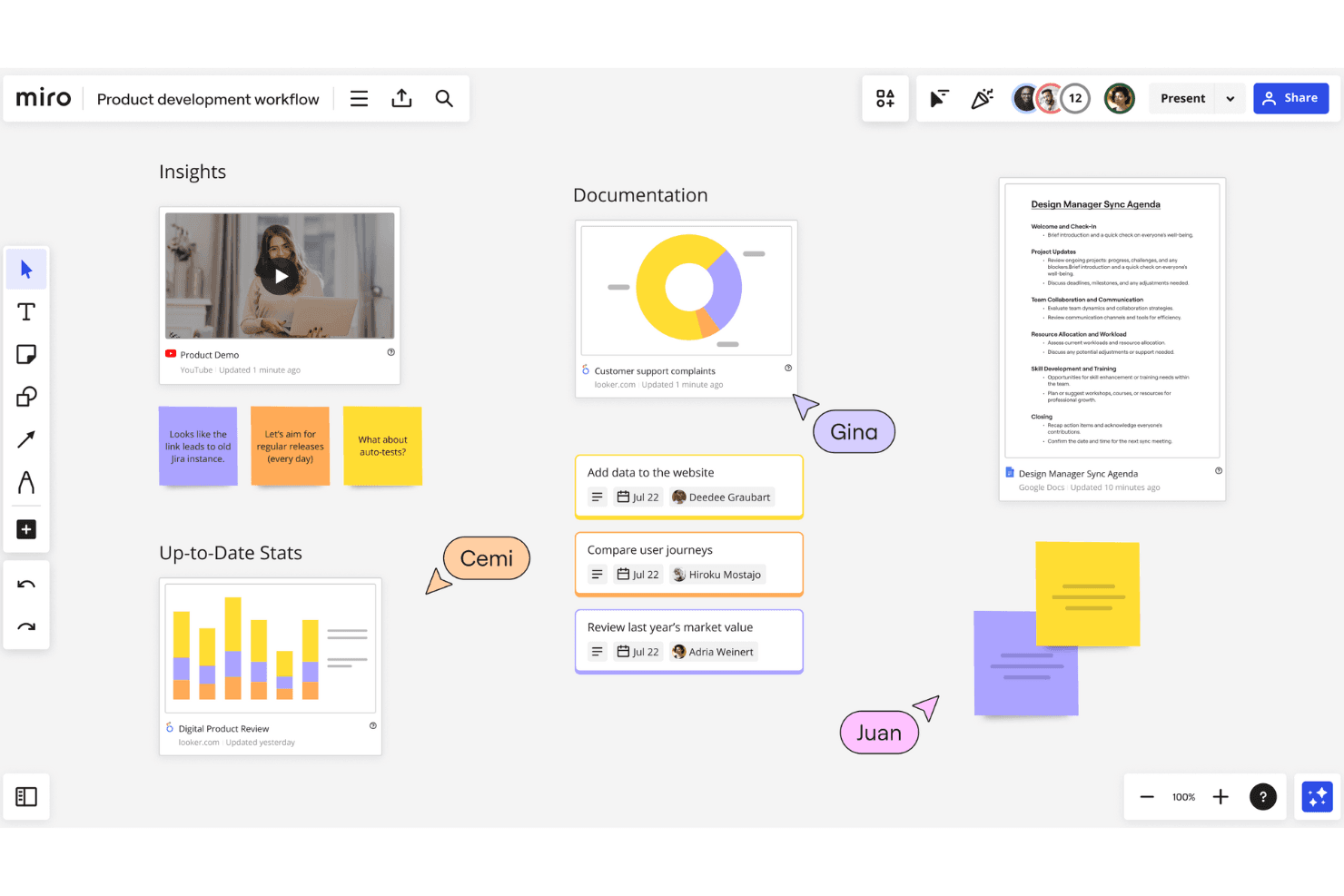
Miro ofrece un pizarrón infinito donde los equipos pueden colaborar en diferentes iniciativas en un solo lugar. Miro es una plataforma de colaboración visual con lienzo infinito que reúne en un solo espacio de trabajo compartido para equipos de diseño y producto funciones como wireframing, prototipado, design sprints, diagramación y retroalimentación de los involucrados.
¿Para quién es mejor Miro?
Miro sirve a equipos multifuncionales de producto y diseño en empresas medianas y grandes que realizan talleres remotos frecuentes, design sprints y sesiones colaborativas de planificación.
Por qué elegí Miro
Miro destaca porque ninguna otra herramienta iguala la experiencia de tener a todo el equipo de diseño trabajando en el mismo lienzo al mismo tiempo. Me encanta cómo la presencia del cursor me permite ver exactamente dónde están mis compañeros y qué están editando en tiempo real, lo que hace que las críticas de diseño en vivo sean realmente útiles. He realizado design sprints donde mi equipo utilizó votación integrada y agrupamiento de notas adhesivas al mismo tiempo, y el tablero nunca falló.
Principales características de Miro
- Wireframing: Crea wireframes de baja fidelidad directamente en el lienzo utilizando una biblioteca dedicada de componentes y formas de interfaz de usuario.
- Talktrack: Graba recorridos interactivos en video de cualquier tablero para que los involucrados puedan revisar los diseños de manera asincrónica.
- Frames: Organiza secciones del lienzo en marcos listos para presentar que también funcionan como flujos de prototipos clicables.
- Biblioteca de plantillas: Accede a más de 7,000 plantillas preconstruidas para briefs de diseño, síntesis de investigación y mapas de conceptos.
Pros and Cons
Pros:
- Amplia gama de funciones de diseño
- Fácil de usar e implementar
- Extensa biblioteca de plantillas y widgets preconstruidos
Cons:
- Algunas integraciones sólo están disponibles en los planes de nivel superior
- El plan gratuito tiene pizarras limitadas
 El mejor software de diseño colaborativo para trabajo en tiempo real
- Plan gratuito disponible
- Desde $16/usuario/mes (facturado anualmente)
Visit WebsiteRating:4.7/5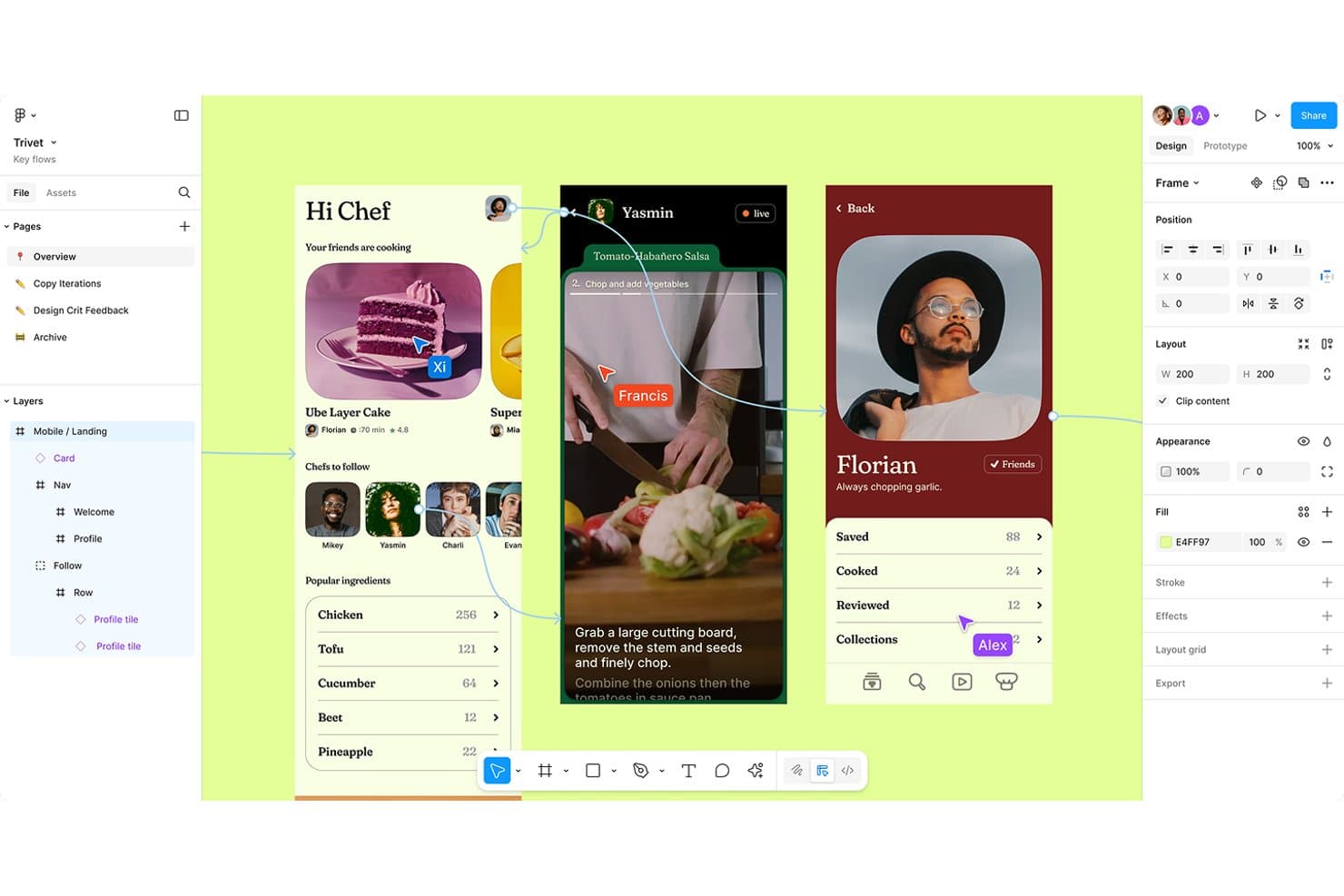
La función de chat de cursor permite a los usuarios añadir comentarios directamente en un archivo de diseño. Figma es una plataforma de diseño basada en navegador donde los equipos pueden crear diseños de interfaces de usuario, prototipos interactivos y sistemas de diseño compartidos juntos en un único entorno multijugador.
¿Para quién es mejor Figma?
Figma es ideal para equipos de diseño de producto y experiencia de usuario en empresas medianas y grandes que necesitan que diseñadores, desarrolladores y partes interesadas trabajen en un espacio compartido.
Por qué elegí Figma
Figma se gana su lugar entre los mejores de mi lista porque su edición multijugador es en tiempo real; puedo ver los cursores de mis compañeros moviéndose por el lienzo y observar cada cambio a medida que sucede. También me encanta el modo Observación, que me permite seguir exactamente la vista de un colaborador durante revisiones de diseño sin necesidad de compartir pantalla. Los comentarios contextuales permiten que las partes interesadas fijen comentarios directamente sobre elementos específicos del diseño, evitando que el feedback se pierda en hilos de correo electrónico.
Funciones clave de Figma
- Bibliotecas de componentes compartidas: Publica componentes reutilizables de UI, estilos de color y estilos de texto a los que todo tu equipo puede acceder y usar en cualquier archivo de proyecto.
- Prototipado interactivo: Crea prototipos clicables y animados con transiciones y animación inteligente para simular flujos de producto reales en pruebas y revisiones con las partes interesadas.
- Modo para desarrolladores: Un espacio dedicado donde los desarrolladores pueden inspeccionar diseños, copiar fragmentos de código y ver especificaciones sin modificar el archivo original.
- Ramas y fusiones: Crea una rama separada de cualquier archivo de diseño para explorar cambios de forma independiente y luego fusiona los cambios aprobados en el archivo principal.
Pros and Cons
Pros:
- Fácil de compartir diseños
- Fácil de colaborar en múltiples archivos
- Buena entrega para desarrolladores
Cons:
- El control de versiones necesita mejorar
- Curva de aprendizaje para nuevos usuarios
 Mejor software de diseño colaborativo para personas sin experiencia en diseño
- Prueba gratis de 14 días + plan gratuito disponible
- Desde $12.25/usuario/mes (facturado anualmente)
Visit WebsiteRating:4.5/5
Visme permite a los usuarios establecer y compartir permisos para su contenido visual, asegurando que solo los usuarios autorizados puedan acceder a él. Visme es una plataforma de diseño de contenido visual con herramientas de colaboración, plantillas personalizables, generación de diseños con IA y funciones de gestión de marca, creada para equipos que elaboran presentaciones, documentos, infografías y contenido interactivo en conjunto.
¿Para quién es mejor Visme?
Visme es ideal para equipos de marketing, recursos humanos y comunicaciones en empresas medianas que necesitan producir contenido visual de forma colaborativa sin depender de un equipo de diseño dedicado.
Por qué elegí Visme
Elegí Visme como uno de los mejores porque elimina la barrera de habilidades de diseño sin sacrificar la verdadera colaboración. La función de diseñador con IA permite a mi equipo generar una presentación pulida y alineada con la marca a partir de un texto en segundos. A partir de ahí, los colaboradores pueden dejar anotaciones fijadas directamente en el lienzo, así que los comentarios como 'mueve este gráfico a la izquierda' aparecen exactamente donde deben en lugar de perderse en una cadena de correos electrónicos. También confío en el Kit de Marca para mantener la consistencia en el trabajo de todos los miembros del equipo, incluso cuando ninguno tenga experiencia en diseño.
Características clave de Visme
- Permisos según rol: Asigna acceso para ver, comentar o editar a cada colaborador de forma individual para que controles quién puede cambiar qué.
- Comentarios con @menciones: Etiqueta a compañeros específicos en los comentarios directamente sobre el lienzo para canalizar la retroalimentación a la persona correcta.
- Biblioteca de plantillas: Accede a miles de plantillas en más de 50 tipos de contenido, incluyendo presentaciones, infografías, informes y gráficos para redes sociales.
- Espacio de trabajo compartido para el equipo: Organiza los proyectos en carpetas compartidas para que todo tu equipo trabaje desde un centro de contenido centralizado.
Pros and Cons
Pros:
- Incluye herramientas de gestión de proyectos
- Fácil para compartir
- Ofrece varias herramientas de revisión
Cons:
- Personalización limitada
- Almacenamiento limitado
Learn more about Visme: Mejor software de diseño colaborativo para compartir maquetas de diseño
- Prueba gratuita de 14 días disponible
- Desde $16/usuario/mes (facturado anualmente)
Visit WebsiteRating:4.3/5
El modo de presentación de Balsamiq ayuda a los usuarios a mostrar sus wireframes de manera pulida y profesional. Balsamiq es una herramienta de creación de wireframes y prototipos diseñada para equipos que necesitan esbozar, iterar y compartir maquetas de interfaces de usuario de baja fidelidad antes de comprometerse con trabajos de diseño de alta fidelidad.
¿Para quién es más adecuado Balsamiq?
Balsamiq es ideal para gestores de producto, diseñadores UX y desarrolladores que necesitan una herramienta rápida de wireframing de baja fidelidad para comunicar ideas antes de comenzar el diseño de alta fidelidad.
Por qué elegí Balsamiq
Balsamiq es una de mis opciones favoritas porque me encanta cómo permite compartir maquetas con partes interesadas que no están involucradas en el diseño. Puedo compartir un wireframe mediante un enlace público, un PDF o un PNG en segundos, lo que significa que un desarrollador, un cliente o una persona no técnica puede revisarlo sin necesidad de una cuenta de Balsamiq. Lo que encuentro especialmente útil es la función de comentarios y reacciones integrada directamente en la vista compartida, de modo que los comentarios quedan asociados a la pantalla específica en lugar de perderse en un hilo de Slack o una cadena de correos electrónicos.
Funciones clave de Balsamiq
- Biblioteca de componentes UI preconstruidos: Accede a un gran conjunto de elementos de interfaz, iconos y plantillas predefinidos para esbozar ideas de interfaces sin empezar desde cero.
- Enlazado interactivo de prototipos: Vincula pantallas individuales de wireframes entre sí para mostrar a las partes interesadas cómo funcionará un flujo de usuario o una interacción de extremo a extremo.
- Símbolos reutilizables: Crea y reutiliza componentes de interfaz personalizados—como menús de navegación o grupos de botones—a lo largo de varias pantallas para mantener la coherencia en las maquetas.
- Tres estilos de wireframe: Cambia entre los modos Borrador, Boceto y Presentación según estés ideando, creando wireframes o presentando a clientes.
Pros and Cons
Pros:
- Planes de precios asequibles
- Interfaz simple y fácil de usar
- Buenas funciones de colaboración en tiempo real
Cons:
- Características de animación limitadas
- Opciones de exportación limitadas
Learn more about Balsamiq: Mejor software de diseño colaborativo para mejorar el proceso de traspaso de diseños
- Plan gratuito disponible
- Desde $13.75/proyecto/mes (facturado anualmente)
Visit WebsiteRating:0.0/5
La función de control de versiones de diseño permite a los usuarios comparar versiones, restaurar versiones anteriores y dejar comentarios sobre los cambios. Zeplin es una plataforma de entrega y traspaso de diseños que actúa como nexo entre tus herramientas de diseño y tu equipo de desarrollo, permitiéndote publicar pantallas finalizadas, documentar requisitos, mapear flujos de usuario, rastrear cambios de versión y generar fragmentos de código para los desarrolladores.
¿Para quién es mejor Zeplin?
Zeplin es ideal para equipos de producto donde diseñadores y desarrolladores trabajan codo a codo y necesitan una forma estructurada de transferir y documentar diseños.
Por qué elegí Zeplin
Elegí Zeplin como uno de los mejores porque su enfoque del traspaso de diseño es realmente diferente a simplemente compartir un enlace de Figma. Cuando publico pantallas en un proyecto de Zeplin, los desarrolladores obtienen automáticamente fragmentos de código, medidas de espaciado y exportación de recursos, sin necesidad de documentar nada manualmente. Además, me gusta la función de comparación de versiones, que permite a ambos lados ver exactamente qué cambió entre las iteraciones de diseño antes de que se escriba una sola línea de código.
Funciones clave de Zeplin
- Tableros de flujos: Mapea los recorridos completos del usuario conectando pantallas con etiquetas, formas y conectores directamente dentro de un proyecto.
- Gestión del sistema de diseño: Mantén una guía de estilos compartida con colores, estilos de texto y componentes que los desarrolladores pueden consultar junto a los valores de código en vivo.
- Revisión de diseño por IA: Realiza comprobaciones automáticas en las pantallas publicadas para señalar inconsistencias de espaciado, discrepancias de color, problemas de accesibilidad y errores tipográficos.
- Anotaciones y capas de notas: Añade notas contextuales directamente en las pantallas para documentar requisitos, interacciones o casos excepcionales para los desarrolladores.
Pros and Cons
Pros:
- La guía de estilos ayuda a mantener la consistencia
- Soporta una amplia gama de formatos de archivo
- Ayuda a diseñadores y desarrolladores a colaborar en tiempo real
Cons:
- Relativamente caro para equipos pequeños
- Algunos usuarios reportan problemas de velocidad
Learn more about Zeplin: La mejor solución colaborativa para pizarras digitales y colaboración en línea
- Prueba gratis de 30 días + plan gratuito disponible
- Desde 5€/usuario/mes
Visit WebsiteRating:0.0/5
La herramienta de pizarra de Conceptboard ofrece un lienzo virtual flexible y personalizable para que los equipos creen, discutan y organicen proyectos. Conceptboard es una plataforma de pizarra en línea que combina colaboración en un lienzo infinito, lluvia de ideas visual, creación de wireframes y herramientas para facilitar talleres tanto para equipos distribuidos como para equipos en un mismo lugar.
¿Para quién es mejor Conceptboard?
Conceptboard es ideal para equipos remotos e híbridos que realizan talleres visuales, sprints de diseño o sesiones de planificación interfuncional.
Por qué elegir Conceptboard
Conceptboard es una de las pocas herramientas de pizarra que mantiene intacto todo el proceso de una sesión de colaboración. Permite realizar un taller en vivo con temporizador integrado y agrupación de notas adhesivas, luego convertir los resultados en tareas asignables en un tablero Kanban sin salir del tablero. El lienzo infinito también permite el trabajo en tiempo real y asíncrono en el mismo espacio, por lo que los equipos distribuidos pueden contribuir antes y después de una sesión, en lugar de estar sujetos a una sola zona horaria.
Funciones clave de Conceptboard
- Plantillas predefinidas: Más de 150 plantillas que cubren sprints de diseño, retrospectivas y formatos de talleres que puedes lanzar directamente desde el tablero.
- Votación: Los participantes votan sobre notas adhesivas o ideas para priorizar durante una sesión en vivo.
- Comentarios y anotaciones: Agrega comentarios en hilo y anotaciones visuales a cualquier elemento del tablero para obtener retroalimentación estructurada.
- Acceso de invitados: Invita a colaboradores externos a ver o editar un tablero sin que necesiten crear una cuenta.
Pros and Cons
Pros:
- Fácil de crear tableros
- Amplia biblioteca de plantillas
- Buena interfaz
Cons:
- Idiomas limitados
- Personalización limitada
Learn more about Conceptboard:
Cómo evalúo el software de diseño colaborativo
Divido mi evaluación en tres partes. La funcionalidad principal —si los equipos pueden editar diseños conjuntamente en tiempo real y dejar comentarios contextuales sobre elementos específicos— tiene el mayor peso. Después, busco características destacadas, como la gestión de tokens de diseño, y considero la facilidad de incorporación y la escalabilidad de los precios.
Funcionalidad principal (requisitos básicos para esta lista)
Cuando selecciono herramientas para mi lista, puntúo cada una en una escala de 0 (no ofrece la funcionalidad) a 5 (sobresale en esta área) para cada una de las funcionalidades principales que se indican a continuación. Después convierto el total en un porcentaje para ayudar a evaluar la adecuación general de cada herramienta, con peso adicional en las funcionalidades que considero esenciales.
- Edición colaborativa en tiempo real (esencial): Compruebo si varios diseñadores pueden trabajar en el mismo archivo con cursores en directo y si el rendimiento se mantiene a medida que se incorporan más colaboradores.
- Herramientas de comentarios y opiniones: Lo más importante son los comentarios contextuales fijados a capas o marcos específicos; busco respuestas en hilos, menciones y seguimiento de resoluciones.
- Bibliotecas de componentes compartidas: Evalúo cómo publican, sincronizan y gobiernan los equipos los componentes reutilizables entre proyectos, incluido si las actualizaciones de las bibliotecas se propagan automáticamente.
- Historial y seguimiento de versiones: Los puntos de control con nombre y la posibilidad de comparar o restaurar estados anteriores me ayudan a evaluar hasta qué punto una herramienta permite respaldar las revisiones de diseño iterativas.
- Traspaso a desarrollo y exportación: Los modos de inspección claros, con espaciado, tokens de color y recursos exportables, me indican si los diseñadores y los ingenieros pueden mantenerse alineados sin herramientas adicionales.
- Prototipado y flujos interactivos: Analizo con qué facilidad se pueden vincular pantallas, añadir transiciones y simular lógica condicional para validar los flujos de usuario antes de que comience el desarrollo.
Una vez que tengo una lista de herramientas que cumplen los criterios, considero qué diferencia a cada plataforma.
Factores diferenciadores (qué distingue a los proveedores)
Así es como comparo y contrasto distintos proveedores:
Características destacadas
La gestión de tokens de diseño es lo primero que busco. Cuando los valores de color, tipografía y espaciado residen en un sistema centralizado que se sincroniza con las bases de código, el flujo de diseño a desarrollo se mantiene coherente sin actualizaciones manuales de las especificaciones. Los análisis entre archivos son igual de importantes: compruebo si una herramienta muestra qué componentes adoptan realmente los equipos y cuáles ignoran. Esos datos ayudan a los PM y a los responsables de diseño a detectar carencias de gobernanza antes de que se agraven. También evalúo la generación de diseños asistida por IA, específicamente hasta qué punto acelera la exploración de diseños durante los sprints iniciales de descubrimiento.
Más allá de las características
Evalúo hasta qué punto encaja cada herramienta en una pila de productos existente; las integraciones nativas con Jira, Slack o Notion evitan que los equipos tengan que recurrir a soluciones manuales para el traspaso, que ralentizan los ciclos de sprint. Los modelos de precios basados en puestos también son importantes, ya que añadir PM y desarrolladores como usuarios con permisos de visualización puede aumentar los costes silenciosamente a medida que crece la organización. Compruebo el cumplimiento de SOC 2 y los permisos granulares para invitados, especialmente cuando los espacios de trabajo compartidos incluyen socios externos que revisan trabajos de productos aún no publicados.
Cómo elegí el mejor software de diseño colaborativo
Si tienes curiosidad por saber cómo seleccioné el mejor software de diseño colaborativo, permíteme explicarte el proceso. Elaboré una lista de programas de diseño colaborativo con reseñas y valoraciones positivas y después la depuré aplicando los siguientes criterios de selección.
¿Qué sigue?
Tenemos más artículos que te ayudarán a conocer mejor a los diseñadores y su trabajo. Consulta los 5 marcos de diseño para organizar un taller de ideación excepcional y los conceptos básicos del diseño de productos para crear experiencias más atractivas.
Listas de herramientas relacionadas:
- Mejores herramientas de diseño UX
- Herramientas de creación rápida de prototipos
- Software de diseño UX/UI
Si este artículo te ha resultado útil, quizá te interese nuestra recopilación del mejor software de diseño de productos. Además, si quieres recibir las últimas noticias y consejos relacionados con la gestión de productos, suscríbete al boletín de The CPO Club.