

Los 10 mejores programas de diseño web de código abierto para 2026

Lista de software de diseño web de código abierto


El software de diseño web de código abierto hace referencia a las herramientas de creación y edición de sitios web cuyo código fuente puede ser inspeccionado, modificado y compartido por cualquiera. Si buscas formas flexibles y rentables de diseñar, crear o gestionar sitios web, estas plataformas te permiten personalizar funciones, colaborar con otras personas y evitar la dependencia de un proveedor. Esta lista te ayudará a comparar las principales opciones de código abierto para todo, desde la edición visual hasta la gestión de sitios basada en código, para que puedas elegir la más adecuada para tu flujo de trabajo y las necesidades de tu proyecto.
Por Qué Confiar en Nuestras Reseñas de Software
Llevamos revisando y probando software de gestión de productos desde 2020. Como product managers, sabemos lo crucial y complicado que es tomar la decisión correcta al seleccionar software. Invertimos en investigación profunda para ayudar a nuestra audiencia a tomar mejores decisiones de compra de software. Hemos probado más de 2,000 herramientas para distintos casos de uso y escrito más de 1,000 reseñas exhaustivas. Conozca cómo mantenemos la transparencia & nuestra metodología de reseñas de software.
Resumen del mejor software de diseño web de código abierto
Esta tabla comparativa resume los detalles de precios de mis principales selecciones de software de diseño web de código abierto para ayudarte a encontrar la mejor opción según tu presupuesto y las necesidades de tu empresa.
| Tool | Best For | Trial Info | Price | ||
|---|---|---|---|---|---|
| 1 | Lo mejor para la extensibilidad mediante plugins | Plan gratuito disponible | Desde $4/mes (facturado anualmente) | Website | |
| 2 | Ideal para la gestión de sitios multilingües | Not available | Plan gratuito para siempre | Website | |
| 3 | La mejor opción para prototipado de IU por equipos | Plan gratuito y prueba gratuita de 14 días disponibles | Desde $7/usuario/mes | Website | |
| 4 | Mejor para estructuración compleja de contenido | Not available | Plan gratuito para siempre | Website | |
| 5 | Ideal para vista previa del código en tiempo real | Descarga gratuita disponible | Gratis (código abierto) | Website | |
| 6 | Ideal para edición de código ligera | Descarga gratuita disponible | Gratis (código abierto) | Website | |
| 7 | Ideal para la creación de sitios con arrastrar y soltar | Demostración gratuita disponible | Gratis | Website | |
| 8 | Ideal para edición visual colaborativa | Plan gratuito + prueba de 14 días disponible | Desde $15/mes (facturado anualmente) | Website | |
| 9 | Mejor para edición de contenido en vivo | Demo gratuita disponible | Desde $10/sitio web/mes ($1 el primer mes) | Website | |
| 10 | Ideal para la creación web integrada | Descarga gratuita disponible | Gratis (código abierto) | Website |
Análisis del software de diseño web de código abierto
A continuación se muestran mis resúmenes detallados del software de diseño web de código abierto que llegó a mi lista. Mis análisis ofrecen una visión detallada de las funciones, los mejores casos de uso y las capacidades de cada plataforma para ayudarte a encontrar la mejor opción para ti.

Lo mejor para la extensibilidad mediante plugins
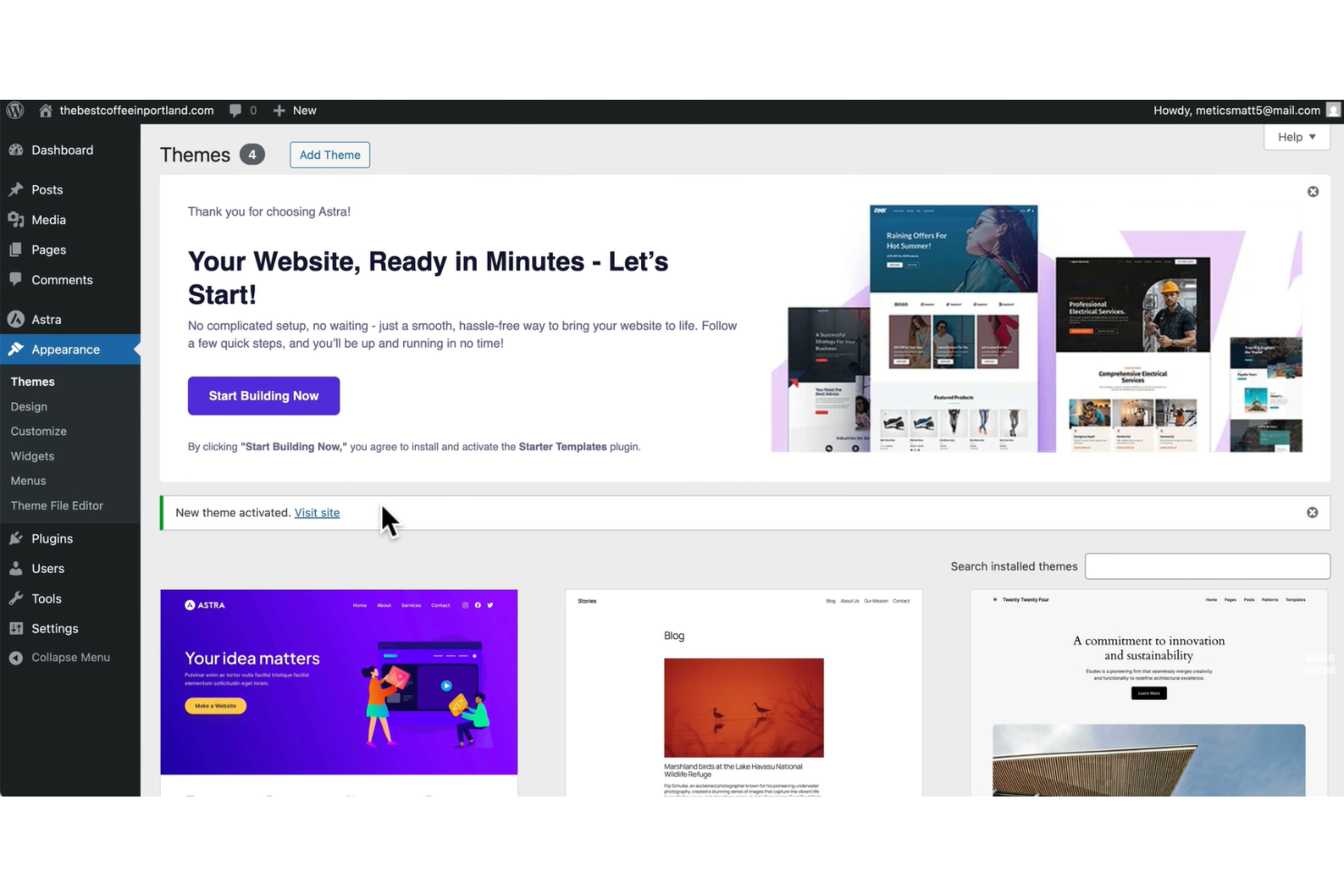
Si buscas software de diseño web de código abierto con una flexibilidad inigualable para plugins, WordPress destaca. Es una opción sólida para agencias, freelancers y empresas que desean crear sitios web altamente personalizados sin programar desde cero. El gran ecosistema de plugins de WordPress te permite añadir casi cualquier funcionalidad o integración a medida que tu sitio crece o cambian tus necesidades.
Por qué elegí WordPress
Lo que hace que WordPress sea una opción destacada como software de diseño web de código abierto es su inigualable extensibilidad mediante plugins. Puedes elegir entre miles de plugins gratuitos y de pago para añadir funcionalidades como herramientas SEO, comercio electrónico, formularios avanzados o mejoras de seguridad sin tocar el código. Me gusta que la arquitectura de plugins de WordPress te permite adaptar la funcionalidad de tu sitio para casi cualquier necesidad empresarial o creativa. Esta flexibilidad lo convierte en una excelente opción para quienes desean crear un sitio web único que pueda evolucionar al cambiar los requerimientos.
Funciones Clave de WordPress
Además de su flexibilidad con plugins, WordPress ofrece otras funciones destacables:
- Editor de bloques (Gutenberg): Crea y organiza contenido de forma visual usando bloques de arrastrar y soltar.
- Marketplace de temas: Elige entre miles de temas gratuitos y de pago para controlar la apariencia de tu sitio.
- Gestión de roles de usuario: Asigna diferentes permisos y niveles de acceso a miembros del equipo o clientes.
- Biblioteca multimedia: Sube, organiza y gestiona imágenes, videos y documentos directamente desde tu panel de administración.
Integraciones de WordPress
Las integraciones incluyen WooCommerce, Jetpack, Mailchimp, Yoast SEO y Google Analytics.
Pros and Cons
Pros:
- Miles de temas gratuitos
- Gran ecosistema de plugins
- Muchos creadores visuales
Cons:
- Los plugins pueden causar conflictos
- Actualizaciones constantes del núcleo

Joomla
Ideal para la gestión de sitios multilingües
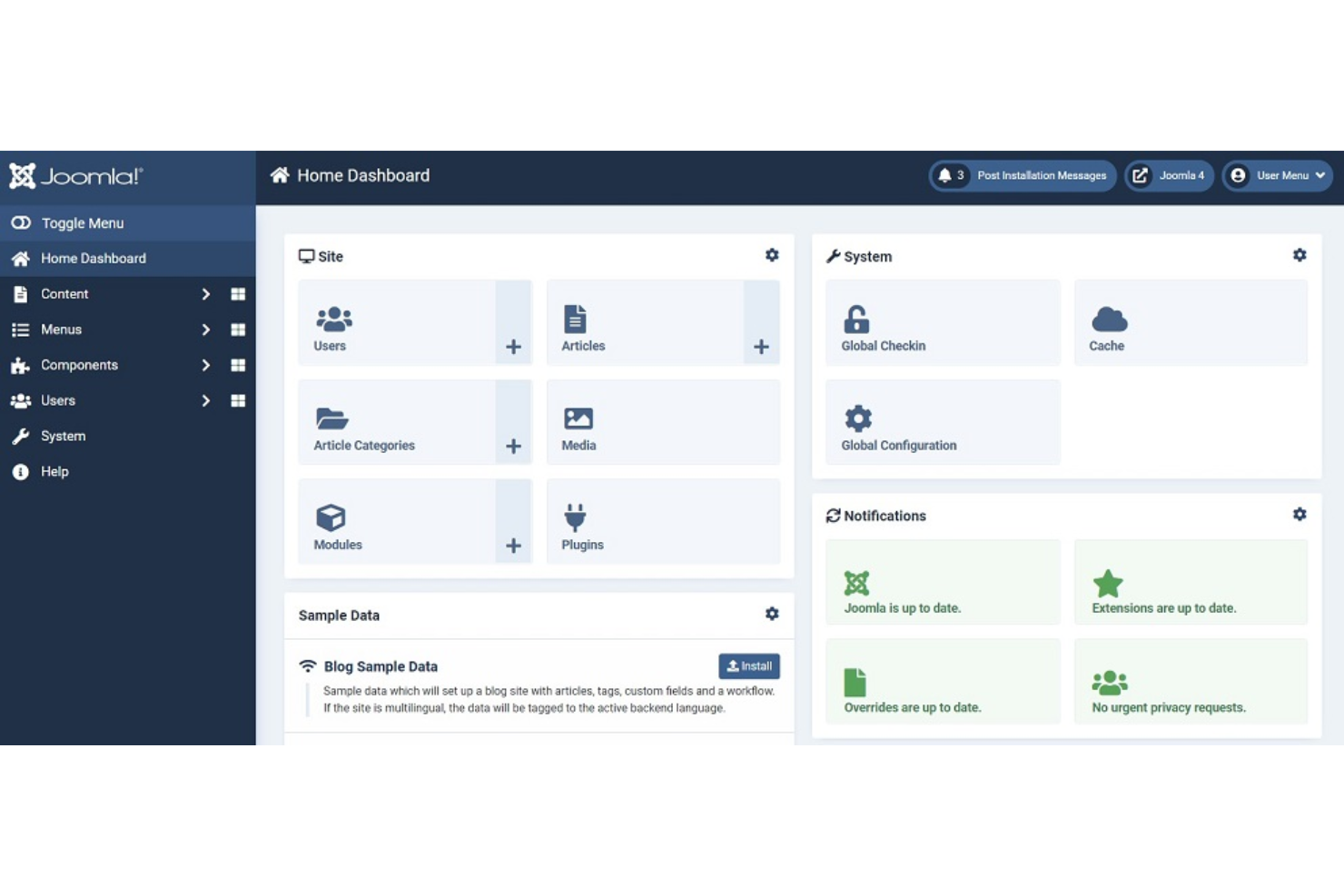
Joomla! destaca para organizaciones y profesionales web que necesitan gestionar sitios en varios idiomas sin depender de complementos de terceros. Sus herramientas integradas de gestión multilingüe lo convierten en una opción potente para empresas globales, instituciones educativas y organizaciones sin fines de lucro con audiencias diversas. Puedes crear, organizar y mostrar contenido en decenas de idiomas desde un único panel de control.
Por qué elegí Joomla!
Las capacidades multilingües nativas de Joomla! lo convierten en una opción destacada para el diseño web de código abierto cuando necesitas llegar a audiencias en varios idiomas. Puedes asignar idiomas a artículos individuales, menús y módulos, lo que te da un control detallado sobre cómo aparece el contenido para diferentes usuarios. Valoro que Joomla! incluya módulos de cambio de idioma y herramientas de gestión de traducciones desde el primer momento, sin necesidad de depender de extensiones de terceros. Este enfoque integrado ayuda a los equipos a mantener la coherencia y precisión en sitios multilingües.
Funciones clave de Joomla!
Otras características que hacen de Joomla! una elección flexible para el diseño web de código abierto incluyen:
- Directorio de extensiones extenso: Accede a miles de complementos para todo, desde SEO hasta comercio electrónico.
- Controles granulares de acceso de usuario: Establece permisos detallados para diferentes grupos de usuarios y colaboradores.
- Sistema de gestión de plantillas: Cambia y personaliza plantillas para controlar la apariencia y el diseño del sitio.
- Administrador de medios integrado: Organiza y gestiona imágenes, documentos y otros archivos directamente desde el panel de control.
Integraciones de Joomla!
Las integraciones incluyen Google Analytics, Mailchimp, VirtueMart, AcyMailing y JCE.
Pros and Cons
Pros:
- Permisos de usuario avanzados
- Tipo de contenidos flexible
- Perfecto para portales web
Cons:
- Pocas herramientas visuales para maquetar páginas
- Errores en la actualización de extensiones

Penpot
La mejor opción para prototipado de IU por equipos
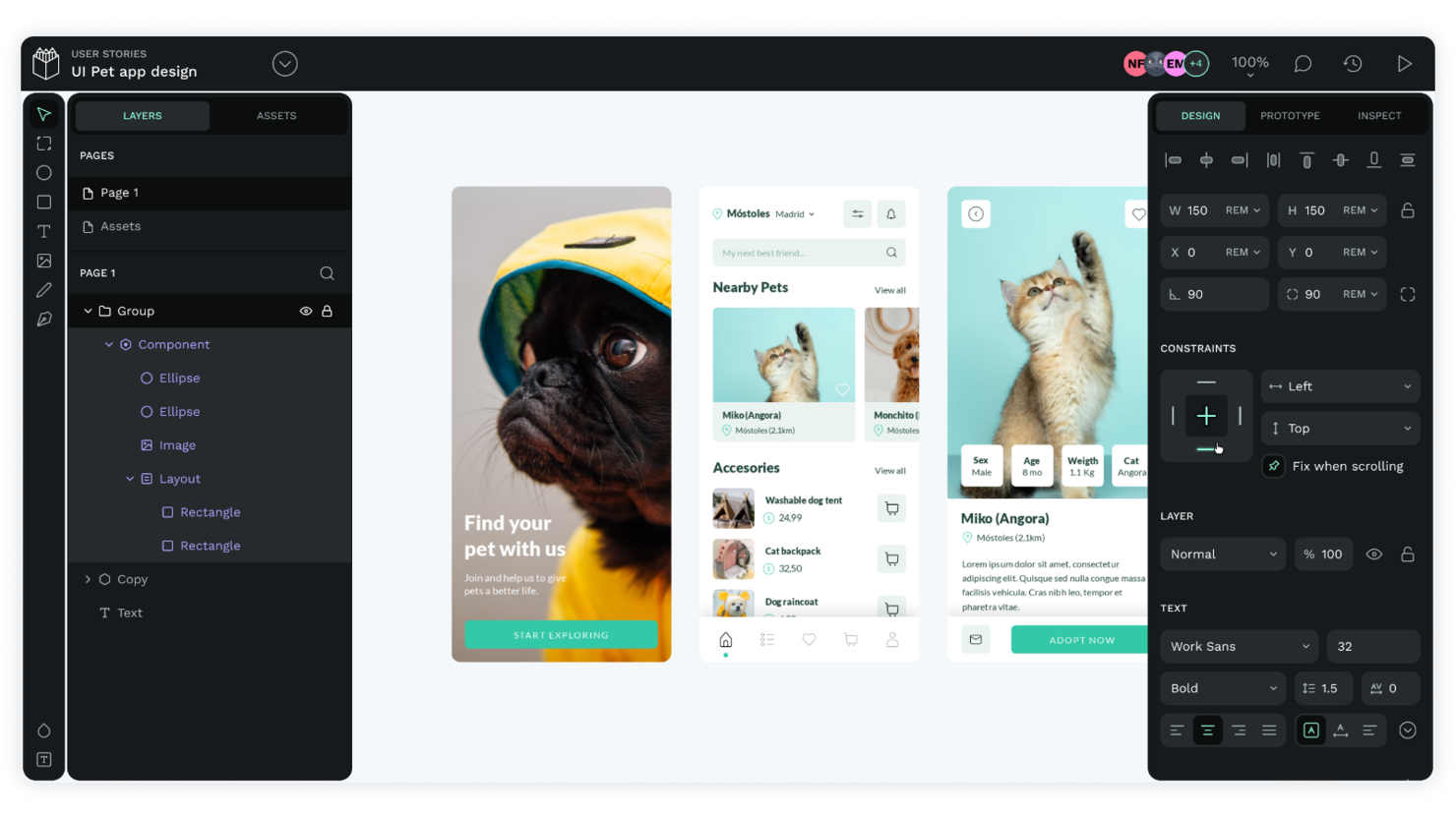
Penpot lleva la creación de prototipos de interfaz de usuario de código abierto a equipos que necesitan colaboración en tiempo real y flexibilidad multiplataforma. Es una excelente opción para equipos de producto, diseñadores UX y agencias que desean codiseñar interfaces y compartir comentarios sin estar atados a formatos propietarios. La plataforma basada en navegador de Penpot y su enfoque prioritario por SVG la hacen especialmente útil para equipos que trabajan en diferentes sistemas operativos o que buscan integrar los flujos de trabajo de diseño y desarrollo.
Por qué elegí Penpot
Lo que distingue a Penpot es su enfoque en el prototipado de interfaces de usuario basado en equipos dentro de un marco de código abierto. La plataforma permite la colaboración en tiempo real, por lo que varios miembros del equipo pueden diseñar, comentar e iterar juntos en el mismo espacio de trabajo. Me gusta que Penpot utilice un sistema de diseño basado en SVG, lo que facilita la entrega a los desarrolladores y mantiene los diseños consistentes en todas las plataformas. Estas características convierten a Penpot en una excelente opción para equipos que desean cocrear y perfeccionar interfaces de usuario sin depender de herramientas propietarias.
Características clave de Penpot
Otras funciones destacadas de Penpot incluyen:
- Bibliotecas de componentes: Crea, reutiliza y gestiona componentes de diseño entre proyectos.
- Prototipado interactivo: Enlaza pantallas y añade interacciones para simular flujos de usuario.
- Tokens de diseño personalizables: Define y gestiona colores, tipografía y espaciado para una identidad visual coherente.
- Opciones de exportación: Exporta recursos en múltiples formatos, incluidos SVG, PNG y CSS.
Integraciones de Penpot
Las integraciones incluyen GitHub, GitLab, Docker, Taiga y Unsplash.
Pros and Cons
Pros:
- Fácil de autoalojar
- Colaboración en equipo en tiempo real
- Formato nativo SVG
Cons:
- Pequeño ecosistema de complementos
- Animaciones web básicas

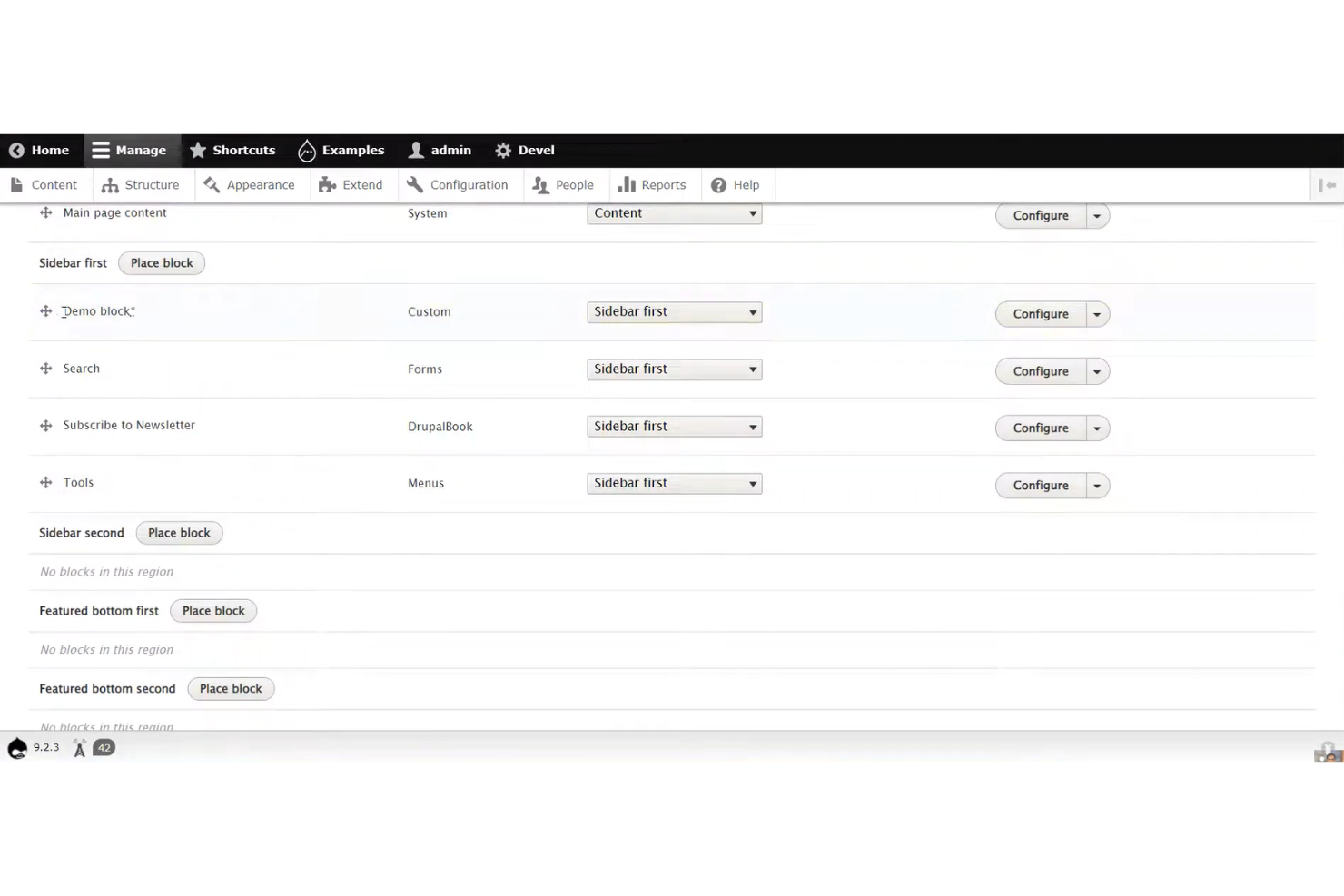
Si tu equipo necesita gestionar tipos de contenido complejos y relaciones entre ellos, Drupal ofrece un marco flexible para construir sitios web estructurados. Es especialmente útil para instituciones educativas, entidades gubernamentales y organizaciones empresariales que requieren flujos de trabajo personalizados y permisos granulares sobre el contenido. Las herramientas de modelado de contenido de Drupal te permiten definir, organizar y mostrar la información de formas que se adaptan a las necesidades específicas de cada negocio.
Por qué elegí Drupal
Lo que distingue a Drupal en el diseño web de código abierto es su incomparable capacidad para gestionar estructuras de contenido complejas. Puedes crear tipos de contenido personalizados, definir campos y configurar relaciones intrincadas entre diferentes elementos del contenido, lo cual es esencial para organizaciones con necesidades de información jerarquizadas. Me gusta cómo el módulo Views de Drupal te permite construir listas y visualizaciones dinámicas basadas en cualquier estructura de contenido que diseñes. Este nivel de flexibilidad convierte a Drupal en una excelente opción para equipos que gestionan sitios web grandes y multifacéticos que necesitan mucho más que páginas y entradas básicas.
Características clave de Drupal
Otras características que hacen que Drupal sea una opción destacada para el diseño web de código abierto incluyen:
- Sistema granular de roles y permisos de usuario: Asigna niveles de acceso detallados a diferentes usuarios y equipos.
- Gestión multisite: Ejecuta y administra múltiples sitios web desde una sola instalación de Drupal.
- Gestión de configuración integrada: Realiza un seguimiento, exporta e importa los cambios de configuración del sitio entre entornos.
- Ecosistema amplio de módulos: Amplía la funcionalidad del sitio con miles de módulos contribuidos por la comunidad.
Integraciones de Drupal
Las integraciones incluyen Salesforce, HubSpot, Google Analytics, Mailchimp y Apache Solr.
Pros and Cons
Pros:
- Ideal para sitios web empresariales
- Backend altamente escalable
- Comunidad de desarrolladores sólida
Cons:
- Carece de constructores visuales
- Altos costos de desarrollador

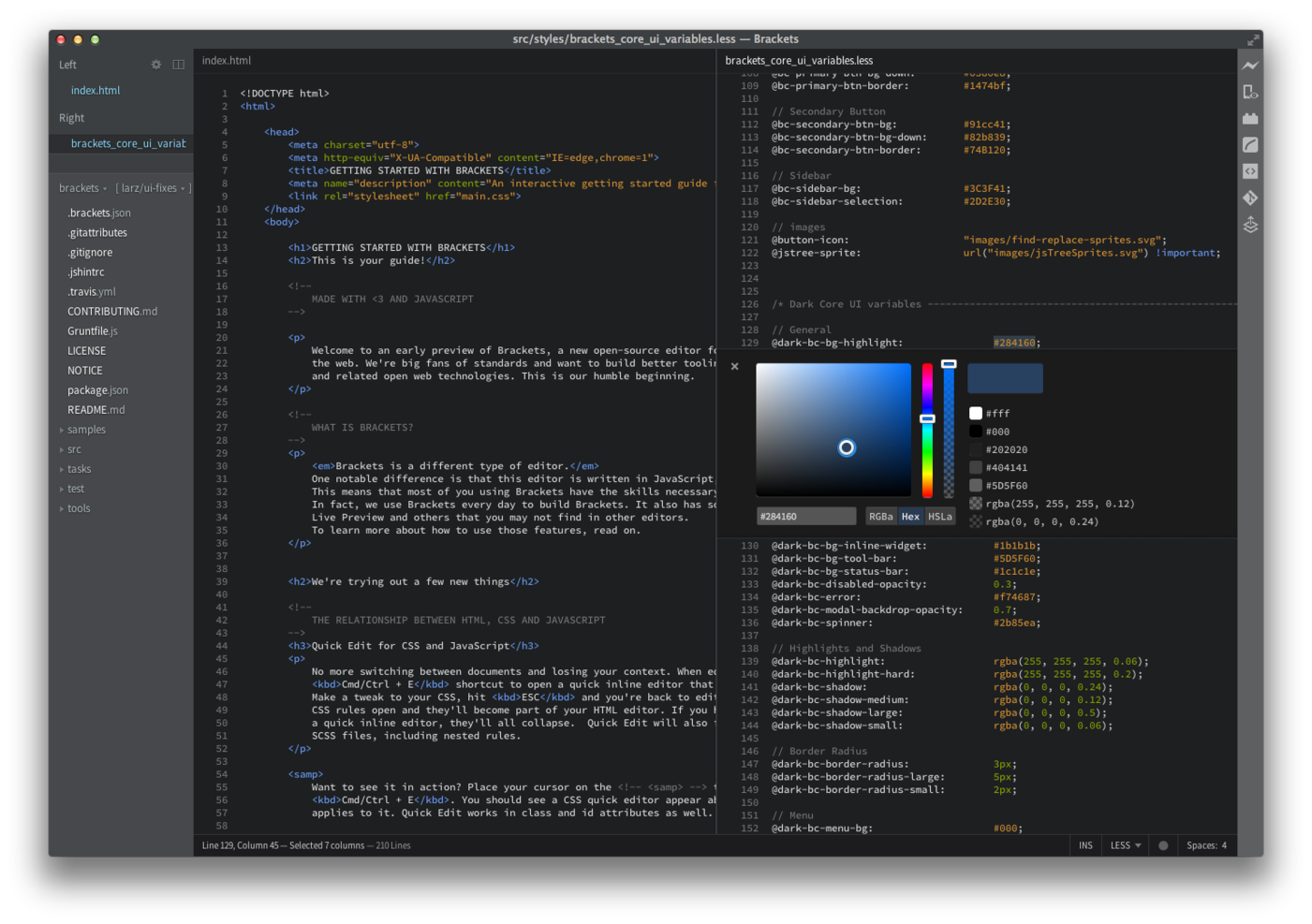
Los desarrolladores y diseñadores de front-end que desean recibir retroalimentación instantánea sobre su código suelen recurrir a Brackets por sus capacidades de vista previa en vivo. Este editor de código abierto es especialmente útil para equipos que trabajan con HTML, CSS y JavaScript y que necesitan ver los cambios en tiempo real en el navegador. Brackets ayuda a reducir el cambio de contexto permitiéndote editar y previsualizar tu trabajo en un solo lugar.
Por qué elegí Brackets
Brackets destaca por su vista previa en tiempo real del código, que es una gran ventaja para cualquiera que diseñe y desarrolle interfaces web. La función de vista previa en vivo te permite ver al instante los cambios en HTML y CSS en tu navegador, para que puedas detectar problemas y ajustar los diseños mientras trabajas. Me gusta que Brackets también ofrezca edición en línea, lo que te permite saltar rápidamente a reglas CSS relacionadas con elementos específicos sin salir del archivo HTML. Estas funciones hacen de Brackets una opción sólida para diseñadores web que desean retroalimentación visual inmediata mientras codifican.
Características clave de Brackets
Otras características que hacen a Brackets atractivo para el diseño web de código abierto incluyen:
- Soporte para preprocesadores: Trabaja directamente con archivos LESS y SCSS y ve las actualizaciones de CSS compilado en tiempo real.
- Gestor de extensiones: Navega e instala extensiones creadas por la comunidad para agregar nuevas funcionalidades.
- Vista dividida: Edita dos archivos uno junto al otro en la misma ventana.
- Apertura rápida: Busca y abre archivos al instante en tu proyecto utilizando un atajo de teclado.
Integraciones de Brackets
Las integraciones incluyen Git, Node.js, Google Chrome, ESLint y Prettier.
Pros and Cons
Pros:
- Excelente edición CSS en línea
- Diseñado para desarrollo front-end
- Muy ligero en CPU
Cons:
- Carece de arrastrar y soltar visual
- El mercado de extensiones está muerto


Si necesitas un editor de código rápido y ligero en recursos para proyectos web, Bluefish merece tu atención. Esta herramienta de código abierto está diseñada para desarrolladores y diseñadores que desean un entorno liviano que aún así admita múltiples lenguajes de programación y marcado. Bluefish te ayuda a trabajar de manera eficiente con archivos y proyectos grandes sin ralentizar tu sistema.
Por qué elegí Bluefish
Para los diseñadores web que quieren un editor de código ligero que no ralentice su sistema, Bluefish es una opción destacada. Su inicio rápido y bajo consumo de memoria lo hacen ideal para trabajar en proyectos grandes o equipos antiguos. Me gusta que Bluefish admita el resaltado de sintaxis para docenas de lenguajes, así puedes alternar entre HTML, CSS y JavaScript sin perder el ritmo. Las funciones de gestión de proyectos también te ayudan a organizar y navegar eficientemente archivos complejos de diseño web.
Características clave de Bluefish
Otras funciones que hacen útil a Bluefish para trabajos de diseño web incluyen:
- Autocompletado: El editor sugiere completaciones de código para HTML, CSS y otros lenguajes mientras escribes.
- Interfaz de múltiples documentos: Abre y edita muchos archivos al mismo tiempo en ventanas con pestañas.
- Resaltado de sintaxis personalizable: Ajusta los esquemas de color y las reglas de resaltado para distintos lenguajes.
- Buscar y reemplazar con expresiones regulares: Encuentra y actualiza rápidamente el código en proyectos completos usando patrones de búsqueda avanzados.
Integraciones de Bluefish
Las integraciones incluyen GNOME, KDE, Make, GCC y HTML Tidy.
Pros and Cons
Pros:
- Carga archivos grandes rápidamente
- Compatible con muchos lenguajes
- Excelente función de buscar y reemplazar
Cons:
- No cuenta con previsualización web en vivo
- No apto para creativos visuales

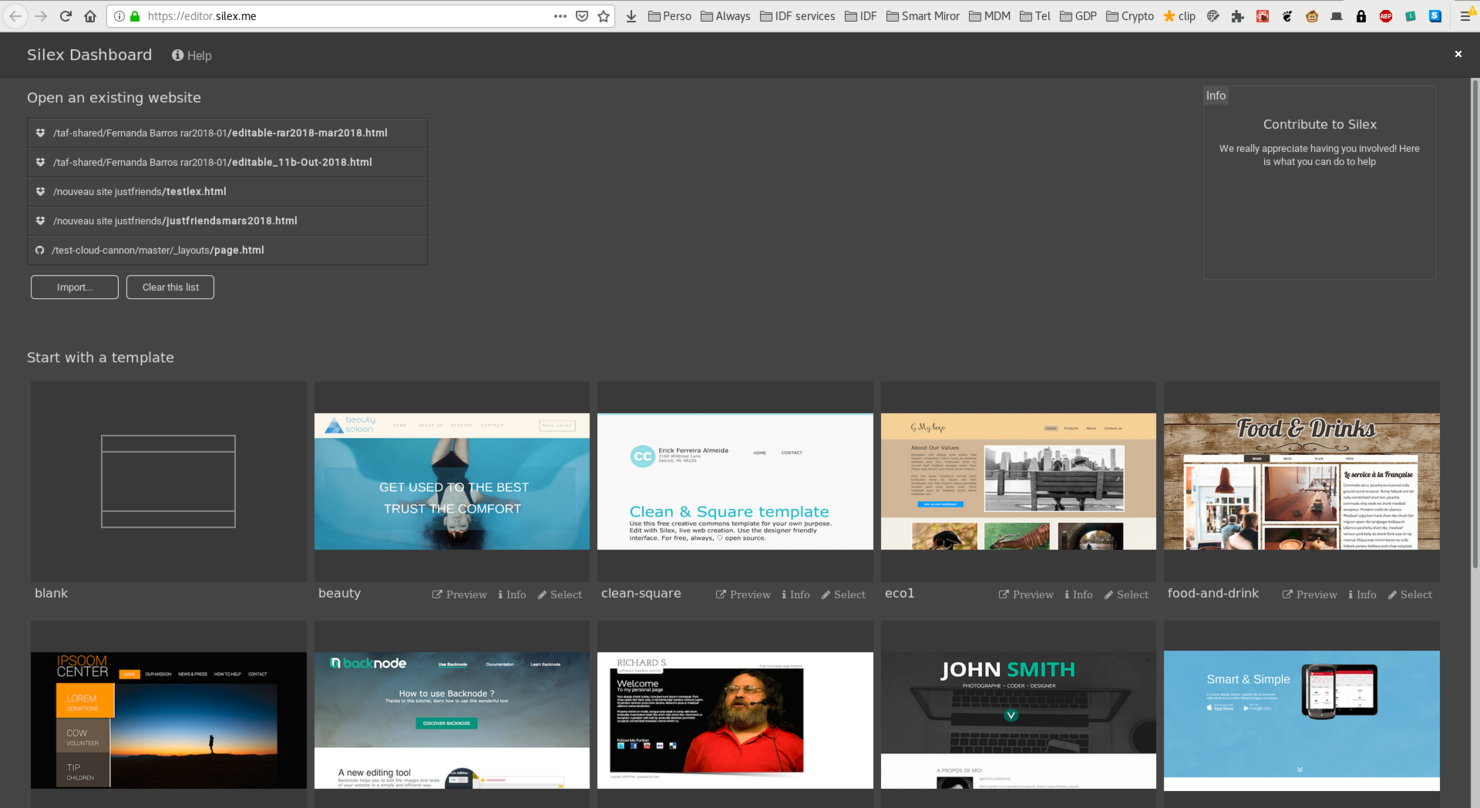
Si buscas una herramienta de diseño web sin código y de código abierto, Silex ofrece un editor de arrastrar y soltar accesible tanto para personas sin experiencia en desarrollo como para diseñadores. Es especialmente útil para pequeñas empresas, freelancers y educadores que desean crear y publicar sitios sin escribir código. Silex destaca por su interfaz basada en el navegador y la capacidad de alojar sitios en cualquier lugar, lo que brinda a los usuarios control total sobre sus proyectos.
Por qué elegí Silex
Lo que me atrajo de Silex es su verdadera creación de sitios mediante arrastrar y soltar, algo poco común entre las herramientas de diseño web de código abierto. El editor te permite organizar visualmente los elementos en la página, añadir texto, imágenes y widgets, y ver los cambios al instante—sin necesidad de programación. Me gusta que Silex admita HTML, CSS y JavaScript personalizados para quienes desean llevar sus sitios más allá de lo básico. Esta combinación de edición visual y acceso al código hace que Silex sea una opción flexible para cualquiera que quiera crear y publicar sitios rápidamente.
Características clave de Silex
Otras funciones de Silex que vale la pena destacar incluyen:
- Galería de plantillas: Elige entre una selección de plantillas prediseñadas para arrancar tu sitio rápidamente.
- Integración con almacenamiento en la nube: Conéctate a Dropbox o GitHub para guardar y gestionar los archivos de tu sitio.
- Controles de diseño responsivo: Ajusta los diseños y elementos para distintos tamaños de dispositivo directamente en el editor.
- Herramientas de edición SEO: Edita metaetiquetas y títulos de página para optimizar tu sitio ante los motores de búsqueda.
Integraciones de Silex
Las integraciones incluyen WordPress, Strapi, GraphQL, Squidex y Supabase.
Pros and Cons
Pros:
- Sin dependencia de proveedores
- Fácil de alojar por uno mismo
- Ideal para sitios estáticos
Cons:
- Funcionalidades de CMS limitadas
- Comunidad de soporte pequeña

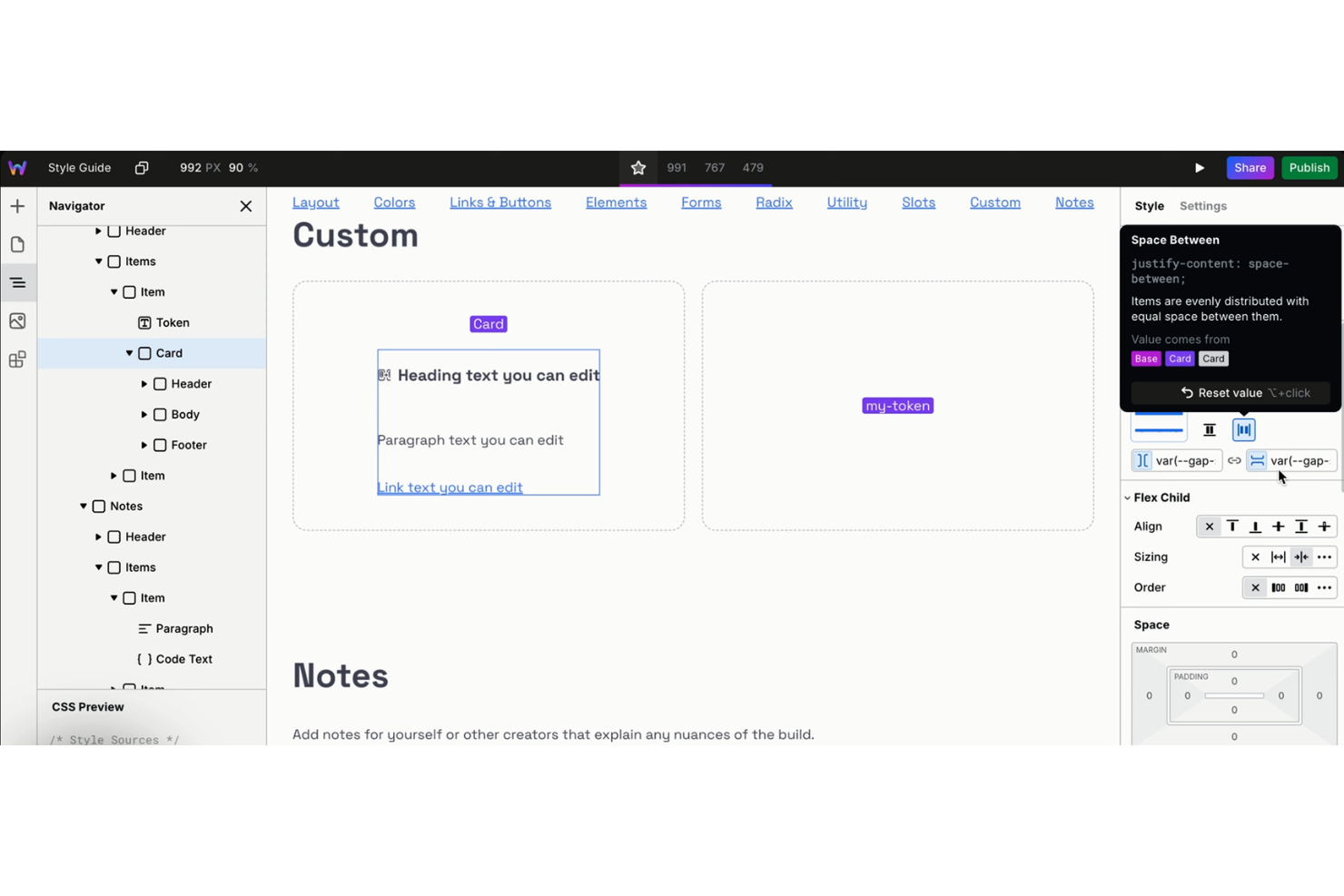
Webstudio ofrece una plataforma de diseño web visual creada para equipos que necesitan colaboración en tiempo real en los proyectos. Es una excelente opción para agencias de diseño, equipos de producto y freelancers que desean trabajar juntos en maquetaciones y componentes sin alternar entre distintas herramientas. El enfoque de código abierto les da a los usuarios flexibilidad para personalizar flujos de trabajo e integrarse con su pila de desarrollo preferida.
Por qué elegí Webstudio
Elegí Webstudio porque su edición visual colaborativa se destaca entre las plataformas de diseño web de código abierto. La herramienta permite que varios usuarios trabajen en el mismo proyecto al mismo tiempo, con actualizaciones en tiempo real y edición compartida, lo cual es ideal para equipos que necesitan coordinar cambios de diseño rápidamente. Me gusta el flujo de trabajo basado en componentes, que permite crear elementos reutilizables y mantener la coherencia en todos los proyectos. El modelo de código abierto de Webstudio también significa que los equipos pueden adaptar la plataforma a sus necesidades específicas de colaboración.
Características clave de Webstudio
Otras características de Webstudio que vale la pena destacar incluyen:
- Edición de CSS personalizado y código: Agrega estilos o scripts personalizados directamente dentro de la plataforma para un control avanzado del diseño.
- Historial de versiones: Haz seguimiento de los cambios y vuelve a versiones anteriores de tu proyecto según sea necesario.
- Herramientas de diseño responsivo: Previsualiza y ajusta maquetaciones para diferentes tamaños de pantalla desde el editor.
- Sistema de plugins de código abierto: Amplía funcionalidades construyendo o instalando plugins adaptados a tu flujo de trabajo.
Integraciones de Webstudio
Las integraciones incluyen Airtable, Supabase, Ghost, Payload, Hygraph, Notion, Strapi, Baserow, Directus y WordPress.
Pros and Cons
Pros:
- En la nube o autohospedado
- Colaboración en tiempo real
- Herramientas de exportación de código limpio
Cons:
- Aún en desarrollo activo
- Plantillas muy limitadas

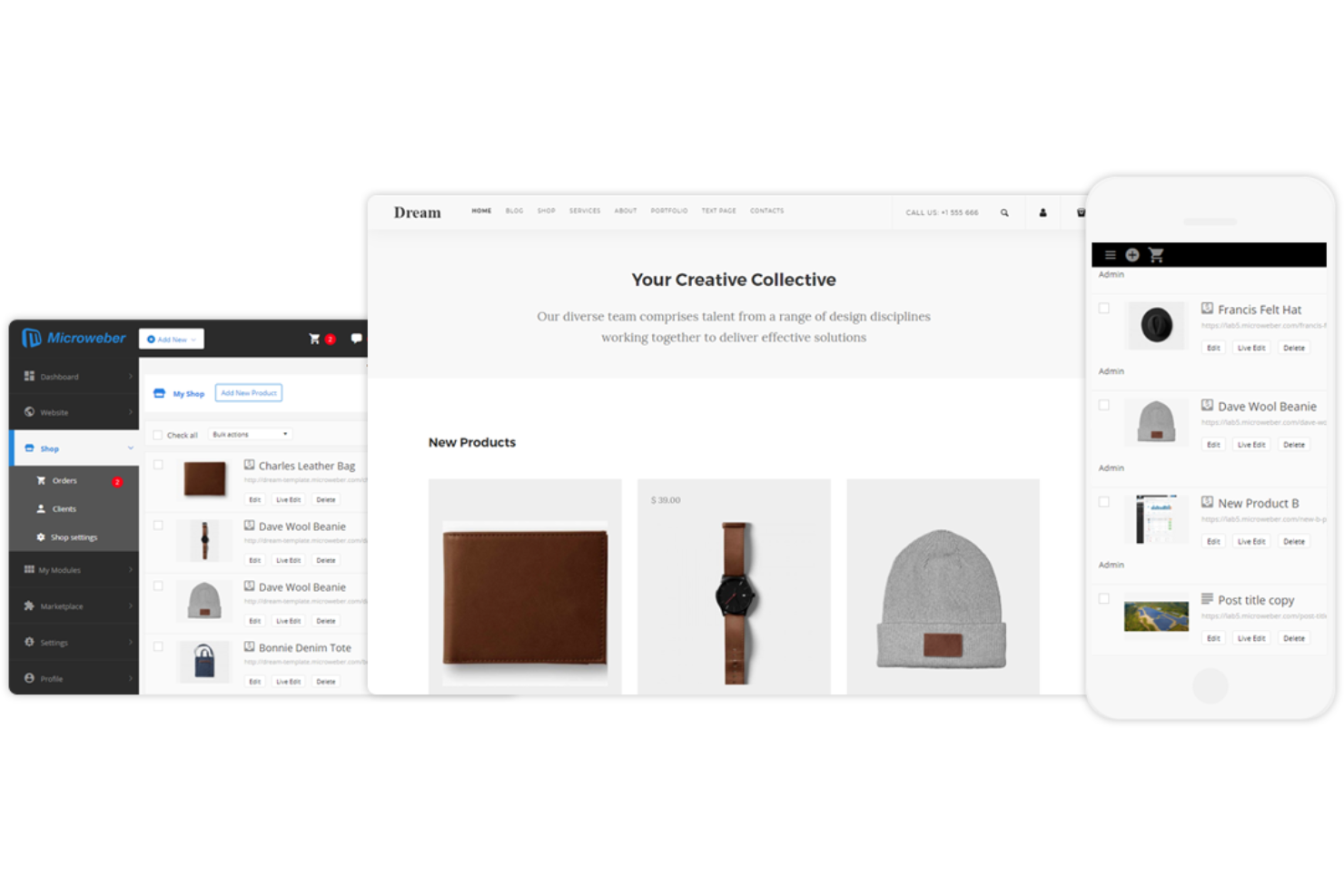
Microweber está diseñado para equipos e individuos que desean crear sitios web con edición de contenido en tiempo real y mediante arrastrar y soltar. Es especialmente útil para pequeñas empresas, agencias y creadores que necesitan ver los cambios a medida que los realizan. La función de edición en vivo te ayuda a ajustar rápidamente los diseños y el contenido sin tener que cambiar entre los modos de edición y vista previa.
Por qué elegí Microweber
Lo que distingue a Microweber es su enfoque en la edición de contenido en vivo, algo poco común entre las herramientas de diseño web de código abierto. El constructor de arrastrar y soltar te permite ver los cambios al instante, así puedes ajustar los diseños y el contenido en tiempo real. Valoro especialmente cómo la función de edición de texto en vivo te permite hacer clic directamente en la página y empezar a escribir, lo que hace que la actualización de contenido sea rápida y visual. Este enfoque es especialmente útil para equipos o clientes que desean colaborar en los cambios del sitio sin barreras técnicas.
Características clave de Microweber
Otras funcionalidades que hacen atractivo a Microweber para el diseño web de código abierto incluyen:
- Mercado de plantillas: Accede a una variedad de plantillas prediseñadas para diferentes industrias y tipos de sitio.
- Módulo de comercio electrónico: Agrega y gestiona productos, pedidos y pagos directamente desde tu sitio web.
- Gestión de usuarios: Asigna roles y permisos a diferentes usuarios para la gestión colaborativa del sitio.
- Copia de seguridad y restauración: Crea y recupera copias de seguridad de tu sitio web para proteger tus datos y contenido.
Integraciones de Microweber
Las integraciones incluyen Mailchimp, Google Analytics, PayPal, Stripe y WHMCS.
Pros and Cons
Pros:
- Tienda en línea incorporada
- Configuración sencilla en auto-hosting
- Ediciones visuales en tiempo real
Cons:
- Errores en el editor visual
- Documentación para desarrolladores escasa

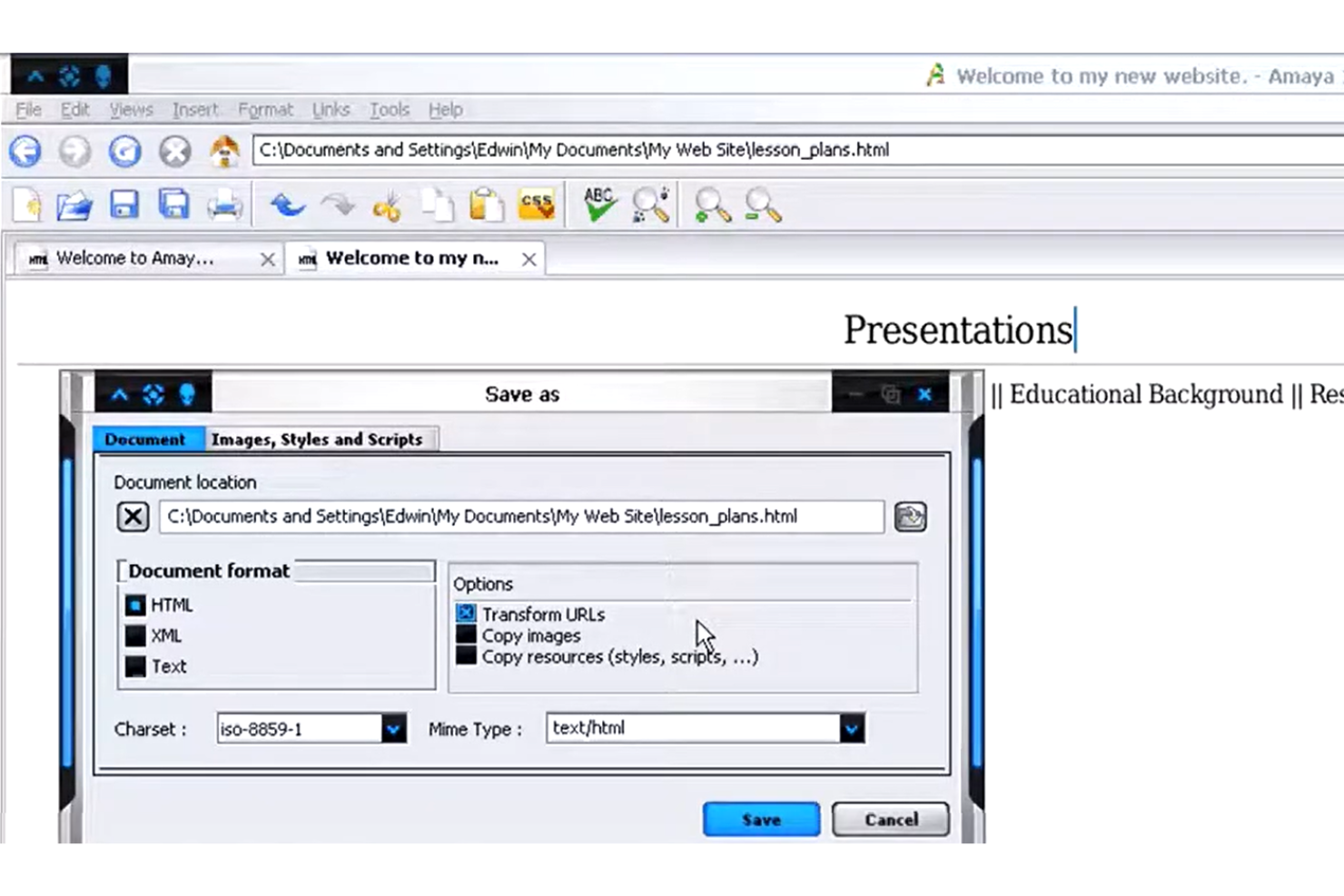
Amaya destaca para equipos y personas que desean editar y explorar documentos web en un solo lugar. Desarrollado por el W3C, resulta especialmente útil para profesionales de la web que necesitan trabajar directamente con HTML, CSS y XML mientras visualizan los cambios en tiempo real. El enfoque integrado de Amaya te ayuda a gestionar tanto la creación de contenido como la estructura del sitio sin cambiar entre varias herramientas.
Por qué elegí Amaya
Lo que distingue a Amaya es su capacidad para combinar la navegación y la edición web en un único entorno, algo poco habitual entre las herramientas de diseño web de código abierto. Este enfoque integrado permite visualizar, editar y actualizar documentos HTML, CSS y XML sin cambiar entre aplicaciones independientes. Elegí Amaya porque te permite ver los cambios en tiempo real mientras trabajas, lo que facilita comprender cómo afectan las modificaciones al resultado final. La herramienta también admite la manipulación directa de la estructura de las páginas web, lo cual resulta útil para cualquiera que gestione tanto el contenido como el diseño.
Características principales de Amaya
Otras características que hacen que Amaya sea útil para proyectos de diseño web incluyen:
- Compatibilidad con MathML: Crea y edita notaciones matemáticas directamente en documentos web.
- Edición de SVG: Trabaja con gráficos vectoriales escalables junto con contenido HTML y CSS.
- Herramientas de anotación: Añade y gestiona anotaciones en páginas web para colaboración o documentación.
- Compatibilidad multiplataforma: Ejecuta Amaya en sistemas Windows, macOS y Linux.
Integraciones de Amaya
Las integraciones incluyen Annotea, MathML, SVG, RDF y WebDAV.
Pros and Cons
Pros:
- Navegador web integrado
- Cumple con los estándares web
- Edita el código directamente
Cons:
- La interfaz está muy anticuada
- Ya no recibe mantenimiento
Otro software de diseño web de código abierto
Estas son algunas opciones adicionales de software de diseño web de código abierto que no llegaron a mi lista, pero que aun así merece la pena consultar:
- Ghost
Ideal para la creación de sitios enfocados en publicaciones
- Odoo
Mejor con módulos integrados de aplicaciones empresariales
- Open Source Web Design
El mejor para plantillas HTML descargables gratis


Come Valuto i Software di Contact Center per Piccole Imprese
Valuto ogni piattaforma su due livelli: le capacità di base di cui un team di supporto di cinque persone ha bisogno dal primo giorno e i fattori distintivi che rendono uno strumento unico per le aziende in crescita.
Funzionalità di Base (Requisiti Fondamentali per Questa Lista)
Quando seleziono gli strumenti per la mia lista, valuto ciascuno su una scala da 0 (non offre la funzionalità) a 5 (eccelle in quest’area) per ciascuna delle funzionalità fondamentali elencate di seguito. Poi, calcolo il punteggio totale dello strumento e lo converto in percentuale. Ogni strumento deve raggiungere un punteggio minimo totale del 65% per essere considerato per l’inclusione.
- Gestione Interazioni Omnicanale: Cerco un’interfaccia unificata per gli agenti dove voce, email, chat dal vivo, SMS e messaggi social condividano la stessa conversazione cliente—così gli agenti non devono passare tra più schede durante la conversazione.
- Instradamento ACD & IVR: L’instradamento basato sulle competenze e i menù IVR multilivello sono importanti, specialmente per i piccoli team dove un agente può occuparsi della fatturazione mentre un altro gestisce le domande tecniche.
- Implementazione Cloud-Native, Adatta alle PMI: Ogni piattaforma dovrebbe offrire prezzi per postazione con minimi bassi e una configurazione rapida e autonoma, in modo che un team di cinque persone possa essere operativo senza un reparto IT o lunghi cicli di approvvigionamento.
- Reportistica & Analisi: Cerco dashboard in tempo reale che mostrino tempi di attesa, tassi di abbandono e disponibilità degli agenti—metriche che il responsabile del supporto monitora realmente durante la giornata.
- Registrazione & Monitoraggio delle Chiamate: Valuto se lo strumento supporta la registrazione, l’ascolto live, il whisper e il barge, poiché questi sono strumenti di coaching su cui un team leader si affida per far crescere rapidamente i nuovi agenti.
- Integrazioni CRM & Helpdesk: I connettori nativi con piattaforme popolari come Salesforce, HubSpot o Zendesk dovrebbero mostrare il contesto del cliente tramite uno screen pop, dando agli agenti la cronologia ordini e i ticket passati prima ancora di salutare.
Una volta che ho una lista di strumenti che soddisfano i criteri, considero ciò che distingue ogni piattaforma.
Fattori Differenzianti (Cosa Distingue i Fornitori)
Ecco come confronto e metto a confronto i diversi fornitori:
Funzionalità Eccezionali
Funzionalità basate sull’AI, come il riassunto delle chiamate e la deviazione tramite chatbot, possono liberare un piccolo team consentendo di concentrarsi su problemi complessi invece che su domande ripetitive. Valuto anche se una piattaforma combina UCaaS e CCaaS, dato che un team di supporto di tre persone trae beneficio dall’avere sistema telefonico aziendale e contact center in un unico posto. Gli strumenti di amministrazione self-service sono altrettanto importanti—un IVR visuale senza codice significa che il titolare può aggiornare la gestione delle festività senza dover aprire un ticket di supporto.
Oltre le Funzionalità
La trasparenza dei prezzi è fondamentale—verifico se un fornitore include le funzionalità base in ogni fascia o applica costi aggiuntivi per strumenti essenziali come la registrazione delle chiamate e l’IVR. Anche la velocità di implementazione è importante per i piccoli team. Una piattaforma che offre onboarding guidato e template preimpostati può rendere operativo un team in pochi giorni invece che settimane. Valuto anche la scalabilità: se durante le festività il volume delle chiamate raddoppia, devi poter aggiungere postazioni su richiesta e ridurle successivamente senza penali.
Cómo elegir software de diseño web de código abierto
Es fácil perderse entre largas listas de funciones y complejas estructuras de precios. Para ayudarte a mantener la concentración mientras avanzas en tu proceso único de selección de software, esta es una lista de factores que debes tener en cuenta:
| Factor | Qué debes considerar |
|---|---|
| Escalabilidad | ¿La herramienta será compatible con tu sitio a medida que aumente su tamaño, complejidad o tráfico de usuarios? Considera las necesidades futuras, no solo los proyectos actuales. |
| Integraciones | ¿El software se conecta con tus herramientas existentes (CMS, analítica, control de versiones)? Comprueba si ofrece integraciones nativas o APIs disponibles. |
| Personalización | ¿Puedes modificar la base de código o añadir plugins para adaptarla a tu flujo de trabajo? Evalúa cuánta flexibilidad necesitas para el diseño y la funcionalidad. |
| Facilidad de uso | ¿Con qué rapidez puede tu equipo aprender a utilizar la herramienta? Busca documentación clara, interfaces intuitivas y comunidades de usuarios activas. |
| Implementación e incorporación | ¿Qué recursos se necesitan para comenzar? Considera los pasos de migración, las necesidades de formación y la disponibilidad de guías o plantillas de incorporación. |
| Coste | ¿Hay costes ocultos por complementos, asistencia o actualizaciones? Compara el coste total de propiedad, no solo el precio inicial o el nivel gratuito. |
| Medidas de seguridad | ¿La herramienta ofrece actualizaciones de seguridad periódicas y te permite gestionar los permisos? Evalúa cómo gestiona las vulnerabilidades y los datos de los usuarios. |
| Disponibilidad de asistencia | ¿Qué canales de asistencia existen (foros, correo electrónico, chat en directo)? Considera los tiempos de respuesta y si la asistencia depende de la comunidad o del proveedor. |
¿Qué es el software de diseño web de código abierto?
El software de diseño web de código abierto es un tipo de herramienta que permite a los usuarios crear, editar y gestionar sitios web con acceso al código fuente subyacente. Estas herramientas suelen ser gratuitas para usar, modificar y distribuir, lo que las hace populares entre desarrolladores y diseñadores que buscan flexibilidad y control. Las opciones de código abierto suelen admitir la colaboración, la personalización y la integración con otras tecnologías web, ayudando a los equipos a crear sitios que se ajusten a sus necesidades específicas.
Características del software de diseño web de código abierto
Al seleccionar software de diseño web de código abierto, presta atención a las siguientes características clave:
- Editor visual: Permite diseñar y organizar los elementos de una página web mediante una interfaz de arrastrar y soltar o WYSIWYG, para que puedas ver los cambios a medida que los realizas.
- Editor de código: Proporciona un espacio para escribir, editar y resaltar HTML, CSS y JavaScript, dándote control directo sobre la estructura y el estilo de tu sitio.
- Herramientas de diseño adaptable: Permite previsualizar y ajustar los diseños para distintos tamaños de pantalla, asegurando que tu sitio se vea bien en computadoras de escritorio, tabletas y teléfonos.
- Biblioteca de plantillas: Ofrece una colección de diseños y temas prediseñados que puedes personalizar, ayudándote a iniciar proyectos rápidamente y mantener la coherencia del diseño.
- Integración con el control de versiones: Se conecta con sistemas como Git para realizar un seguimiento de los cambios, gestionar revisiones y colaborar con otras personas sin perder trabajo.
- Gestión de recursos: Organiza imágenes, fuentes y otros archivos multimedia dentro de tu proyecto, facilitando la actualización y reutilización de recursos en distintas páginas.
- Vista previa en vivo: Muestra actualizaciones en tiempo real de tu sitio mientras editas, para que puedas ver inmediatamente el impacto de tus cambios antes de publicarlos.
- Compatibilidad con complementos o extensiones: Permite añadir nuevas funciones o herramientas al software, ampliando sus capacidades para adaptarse a tu flujo de trabajo o a las necesidades de tu proyecto.
- Compatibilidad con varios idiomas: Te permite crear y gestionar contenido en varios idiomas, lo que resulta útil para crear sitios web internacionales o localizados.
Beneficios del software de diseño web de código abierto
La implementación de software de diseño web de código abierto ofrece varios beneficios para tu equipo y tu empresa. Estos son algunos de los que puedes esperar:
- Acceso total al código: Puedes modificar el código fuente para adaptarlo a tus requisitos exactos, dando soporte a flujos de trabajo únicos y funciones personalizadas.
- Sin tarifas de licencia: La mayoría de las herramientas de código abierto son gratuitas, lo que te ayuda a reducir los costos de software y asignar el presupuesto a otras áreas.
- Mejoras impulsadas por la comunidad: Las actualizaciones frecuentes, las correcciones de errores y las nuevas funciones suelen ser aportadas por una comunidad global de desarrolladores.
- Integraciones flexibles: Las soluciones de código abierto suelen admitir complementos, extensiones y API, lo que facilita la conexión con otras herramientas de tu conjunto tecnológico.
- Colaboración mejorada: Muchas herramientas ofrecen funciones como control de versiones y anotaciones, permitiendo que los equipos trabajen juntos y realicen un seguimiento de los cambios de manera eficiente.
- Compatibilidad con estándares modernos: Los proyectos de código abierto tienden a adoptar rápidamente las nuevas tecnologías web, ayudándote a crear sitios que cumplen con las mejores prácticas actuales.
- Transparencia y seguridad: Con el código abierto, puedes auditar en busca de vulnerabilidades y asegurarte de que el software cumpla con los requisitos de seguridad de tu organización.
Costos y precios del software de diseño web de código abierto
Seleccionar software de diseño web de código abierto requiere comprender los diversos modelos de precios y planes disponibles. Los costos varían según las funciones, el tamaño del equipo, los complementos y otros factores, y algunos equipos optan por herramientas gratuitas de diseño web para minimizar los costos. La siguiente tabla resume los planes habituales, sus precios promedio y las funciones que suelen incluir las soluciones de software de diseño web de código abierto:
Tabla comparativa de planes para software de diseño web de código abierto
| Tipo de plan | Precio promedio | Funciones habituales |
|---|---|---|
| Plan gratuito | $0 | Acceso a funciones principales, asistencia de la comunidad, plantillas básicas y código fuente abierto. |
| Plan personal | $4-$20/mes | Plantillas adicionales, actualizaciones prioritarias, asistencia por correo electrónico y acceso a complementos o extensiones. |
| Plan empresarial | $25-$75/mes | Herramientas de colaboración en equipo, integraciones avanzadas, gestión de recursos y opciones de seguridad mejoradas. |
| Plan corporativo | $950+/mes | Incorporación personalizada, asistencia dedicada, herramientas de cumplimiento, análisis avanzados y garantías de SLA. |
Preguntas frecuentes sobre software de diseño web de código abierto
Aquí encontrarás respuestas a preguntas frecuentes sobre el software de diseño web de código abierto:
¿Puedo utilizar software de diseño web de código abierto para proyectos comerciales?
Sí, la mayoría del software de diseño web de código abierto puede utilizarse para proyectos comerciales. Revisa siempre los términos específicos de la licencia para asegurarte de cumplirlos, pero las licencias de código abierto suelen permitir tanto el uso personal como empresarial sin tarifas adicionales.
¿Cómo puedo saber si el software de diseño web de código abierto es seguro?
Comprueba que haya actualizaciones periódicas, una comunidad activa de desarrolladores y documentación transparente sobre las prácticas de seguridad. Revisa el gestor de incidencias del proyecto para saber con qué rapidez se abordan las vulnerabilidades y considera si el software admite permisos de usuario y funciones de protección de datos.
¿Qué conocimientos técnicos se necesitan para utilizar software de diseño web de código abierto?
La mayoría de las herramientas requieren conocimientos básicos de HTML, CSS y, en ocasiones, JavaScript. Algunas ofrecen editores visuales para principiantes, pero personalizar plantillas o añadir funciones avanzadas suele implicar editar código o archivos de configuración.
¿Cómo funciona el soporte para el software de diseño web de código abierto?
El soporte suele proporcionarse a través de foros de la comunidad, documentación y grupos de usuarios. Algunos proyectos ofrecen soporte de pago o consultoría, pero la mayoría depende de la ayuda entre usuarios y de las contribuciones de desarrolladores voluntarios.
¿Puedo personalizar el software de diseño web de código abierto para adaptarlo a mi flujo de trabajo?
Sí, el software de diseño web de código abierto está diseñado para personalizarse. Puedes modificar el código fuente, instalar complementos o desarrollar tus propias extensiones para adaptar la herramienta a las necesidades y los procesos específicos de tu equipo.