

Los 10 mejores programas de diseño web para crear sitios en 2026

Lista de los mejores programas de diseño web


Gestionar proyectos de diseño web puede ser difícil, especialmente cuando hay que hacer frente a plazos ajustados y a las diversas necesidades del equipo. Es posible que te sientas abrumado por el gran volumen de tareas y la coordinación necesarios. Ahí es donde entra en juego el software de diseño web: te ayuda a organizarte, colaborar y dar vida a tus ideas creativas de forma más eficiente.
Según mi experiencia, elegir la herramienta adecuada puede marcar una gran diferencia en la fluidez con la que se desarrollan tus proyectos. He probado y analizado de forma independiente varios programas para ofrecerte una lista imparcial de las mejores opciones.
En este artículo encontrarás información sobre las mejores herramientas de diseño web disponibles, centrándonos en las funciones que responden a los desafíos específicos de tu equipo.
Por Qué Confiar en Nuestras Reseñas de Software
Llevamos revisando y probando software de gestión de productos desde 2020. Como product managers, sabemos lo crucial y complicado que es tomar la decisión correcta al seleccionar software. Invertimos en investigación profunda para ayudar a nuestra audiencia a tomar mejores decisiones de compra de software. Hemos probado más de 2,000 herramientas para distintos casos de uso y escrito más de 1,000 reseñas exhaustivas. Conozca cómo mantenemos la transparencia & nuestra metodología de reseñas de software.
Resumen de los mejores programas de diseño web
Esta tabla comparativa resume los detalles de precios de mis principales selecciones de programas de diseño web para ayudarte a encontrar la mejor opción para tu presupuesto y las necesidades de tu negocio.
| Tool | Best For | Trial Info | Price | ||
|---|---|---|---|---|---|
| 1 | Mejor para plantillas personalizables | Plan gratuito disponible | Desde $17/mes | Website | |
| 2 | Mejor constructor de sitios web con lienzo libre | Prueba gratuita + plan gratuito disponible | Desde $10/mes (facturado anualmente) | Website | |
| 3 | Mejor creador de sitios web de arrastrar y soltar | Plan gratuito disponible | Desde $12/mes (facturado anualmente) | Website | |
| 4 | Mejor software de diseño web con características sólidas para colaboración multifuncional | Plan gratuito disponible | Desde $16/usuario/mes (facturado anualmente) | Website | |
| 5 | Ideal para la creación de sitios web con marca blanca | Prueba gratuita de 14 días disponible | Desde $19/mes (facturación anual) | Website | |
| 6 | Ideal para desarrollar proyectos responsivos enfocados en dispositivos móviles | Gratis para usar | Gratuito y de código abierto | Website | |
| 7 | Ideal para crear diseños web responsivos en un constructor visual en tiempo real | Plan gratuito disponible | Desde $15/mes (facturado anualmente) | Website | |
| 8 | Mejor software de diseño web para prototipado rápido | Plan gratuito + demostración gratuita disponible | Desde $12/mes (facturado anualmente) | Website | |
| 9 | Ideal para la creación de prototipos de aplicaciones web y móviles | Plan gratuito disponible | Desde $19/usuario/mes | Website | |
| 10 | Mejor plataforma de diseño web con sólidas funciones de CMS | Plan gratuito disponible | Desde $3.25/mes (facturado cada dos años) | Website |
Análisis de los mejores programas de diseño web
A continuación encontrarás mis resúmenes detallados de los mejores programas de diseño web que llegaron a mi lista de preseleccionados. En mis análisis encontrarás un examen detallado de las funciones principales, ventajas y desventajas, integraciones y casos de uso ideales de cada herramienta para ayudarte a encontrar la mejor opción para ti.

Wix
Mejor para plantillas personalizables

Wix es un software de diseño web versátil que te permite crear y gestionar tu propio sitio web sin necesidad de conocimientos de programación. Con su editor de arrastrar y soltar y una amplia selección de plantillas personalizables, puedes diseñar un sitio que refleje tu marca personal o de negocio.
Por qué elegí Wix: Wix cuenta con una extensa biblioteca de plantillas, ofreciendo más de 800 opciones creadas por diseñadores y adaptadas a diferentes industrias y estilos. Esta variedad te permite encontrar un diseño que se ajuste a tus necesidades, proporcionando una base sólida para tu sitio web. Además, las herramientas SEO integradas de Wix ayudan a mejorar la visibilidad de tu sitio en los motores de búsqueda, facilitando que los visitantes potenciales te encuentren en línea.
Otra característica destacada es el Mercado de Aplicaciones de Wix, que ofrece una amplia gama de aplicaciones para mejorar la funcionalidad de tu sitio web. Desde agregar formularios de contacto y chat en vivo hasta integrar feeds de redes sociales, estas aplicaciones te permiten personalizar tu sitio para satisfacer tus necesidades específicas.
Características y Integraciones Destacadas de Wix
Características incluyen optimización para móviles, asegurando que tu página web se vea excelente en cualquier dispositivo, y capacidades de diseño avanzadas que te permiten animar textos e imágenes para crear una experiencia de usuario dinámica. Además, Wix ofrece alojamiento seguro, brindándote la tranquilidad de que tu sitio es seguro y confiable.
Integraciones incluyen Google Analytics, Google Ads, Facebook Catalog, Mailchimp, HubSpot, Omnisend, Meta Pixel, Salesforce, Pipedrive, Stripe, PayPal y QuickBooks.
Pros and Cons
Pros:
- Herramientas SEO integradas
- Editor de arrastrar y soltar fácil de usar
- Amplia selección de aplicaciones y widgets
Cons:
- No se puede cambiar de plantilla sin crear un sitio completamente nuevo
- Límites de almacenamiento en los planes inferiores
Framer
Mejor constructor de sitios web con lienzo libre
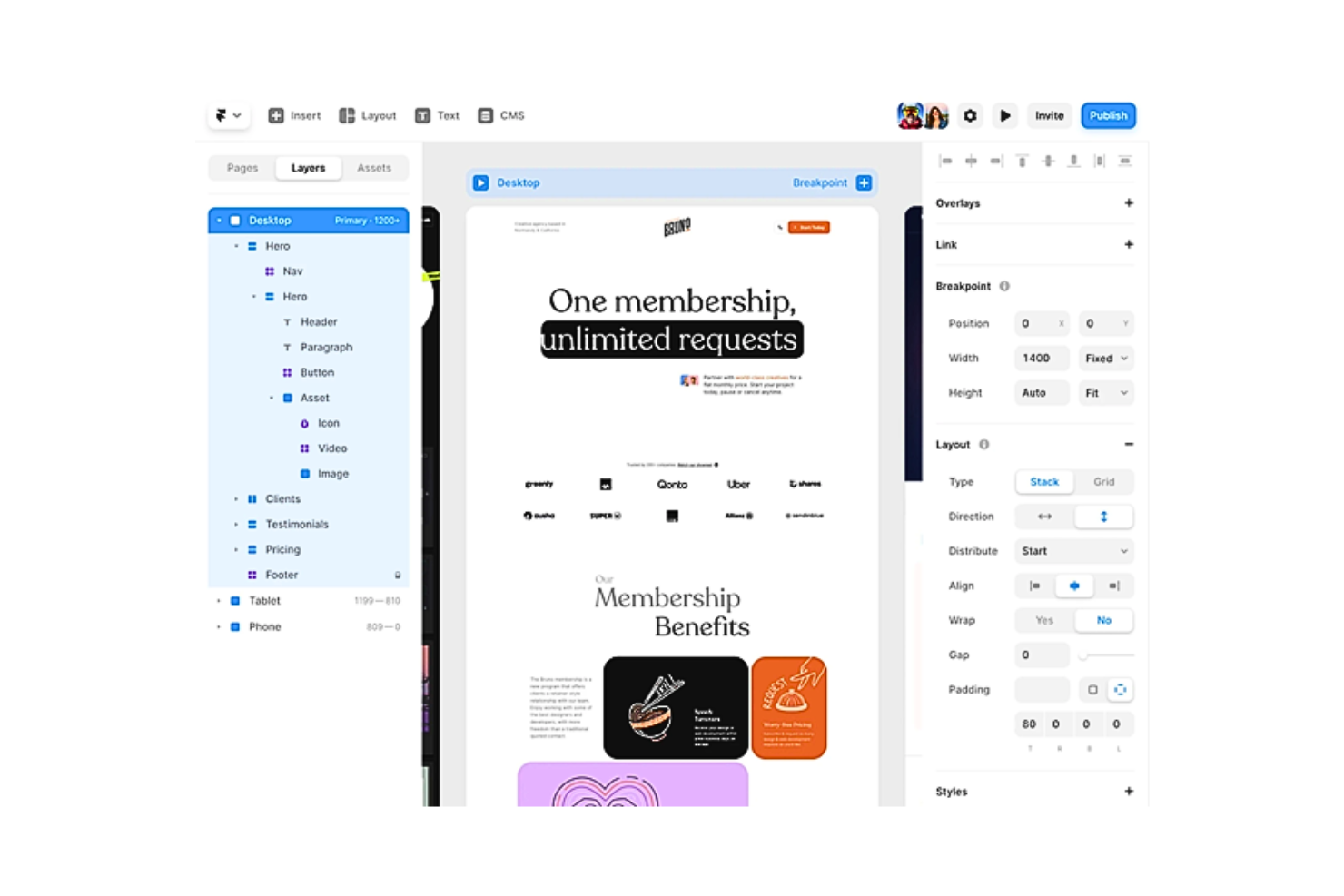
Framer comenzó originalmente como una sencilla biblioteca de JS combinada con un conjunto de herramientas de prototipado. Esta herramienta de diseño web desde entonces ha evolucionado hasta convertirse en una plataforma todo en uno que ayuda a crear prototipos rápidos sin código en minutos. A pesar de ser una herramienta sin código, Framer aún permite añadir código personalizado. El software también funciona como una buena plataforma de aprendizaje para React y JavaScript, ya que puedes abrir fácilmente el editor de código y ver las contrapartes en código de tus componentes de diseño.
Por qué elegí Framer: Framer es una de las herramientas más potentes para crear diseños web responsivos, gracias a su enorme biblioteca de recursos visuales personalizables. Su interfaz basada en vectores es algo similar a Sketch, pero Framer ofrece mucho apoyo para animaciones avanzadas. La herramienta de diseño web también facilita las entregas a desarrolladores de forma sencilla y precisa usando código React y JavaScript pre-generado, garantizando que ningún criterio de diseño se pierda en la traducción.
Además, Framer ofrece muchas otras funciones, incluyendo pilas y cuadrículas para organizar múltiples elementos de forma eficiente en capas, Figma Copy Paste para transferir diseños de Figma a Framer sin problemas, y puntos de ruptura que permiten a los usuarios optimizar sus diseños para múltiples tamaños de pantalla.
Características destacadas e integraciones de Framer
Características que destacan incluyen su lienzo libre, lo que le da a Framer la familiaridad de otras plataformas de diseño como Adobe XD, Sketch y Figma. Potencia la creatividad del usuario permitiéndole crear diseños únicos sin las limitaciones de plantillas o diseños encajonados.
Framer también incluye otras funcionalidades, como páginas y secciones que ofrecen páginas prediseñadas, encabezados, pies de página, barras de navegación, etc., para insertar en tu diseño, y fijación de diseño para crear composiciones más inteligentes a escala. También puedes usar sus opciones de estilizado y posicionamiento para resaltar la esencia y la identidad visual de tu marca. Además, Framer integra sistemas de gestión de sitios y de contenidos, y ofrece servicios de análisis SEO y de rendimiento.
Integraciones incluyen herramientas como Formspark, HubSpot, Intercom, Logo, Lottie, Mailchimp, Typeform, YouTube y otras.
Pros and Cons
Pros:
- Interfaz intuitiva y amigable para el diseñador
- Compatibilidad con componentes de React
- Actualizaciones regulares para mejoras y corrección de errores
Cons:
- Curva de aprendizaje pronunciada debido a la complejidad de los flujos de trabajo
- Carece de una solución integrada para traducción de idiomas

Canva
Mejor creador de sitios web de arrastrar y soltar
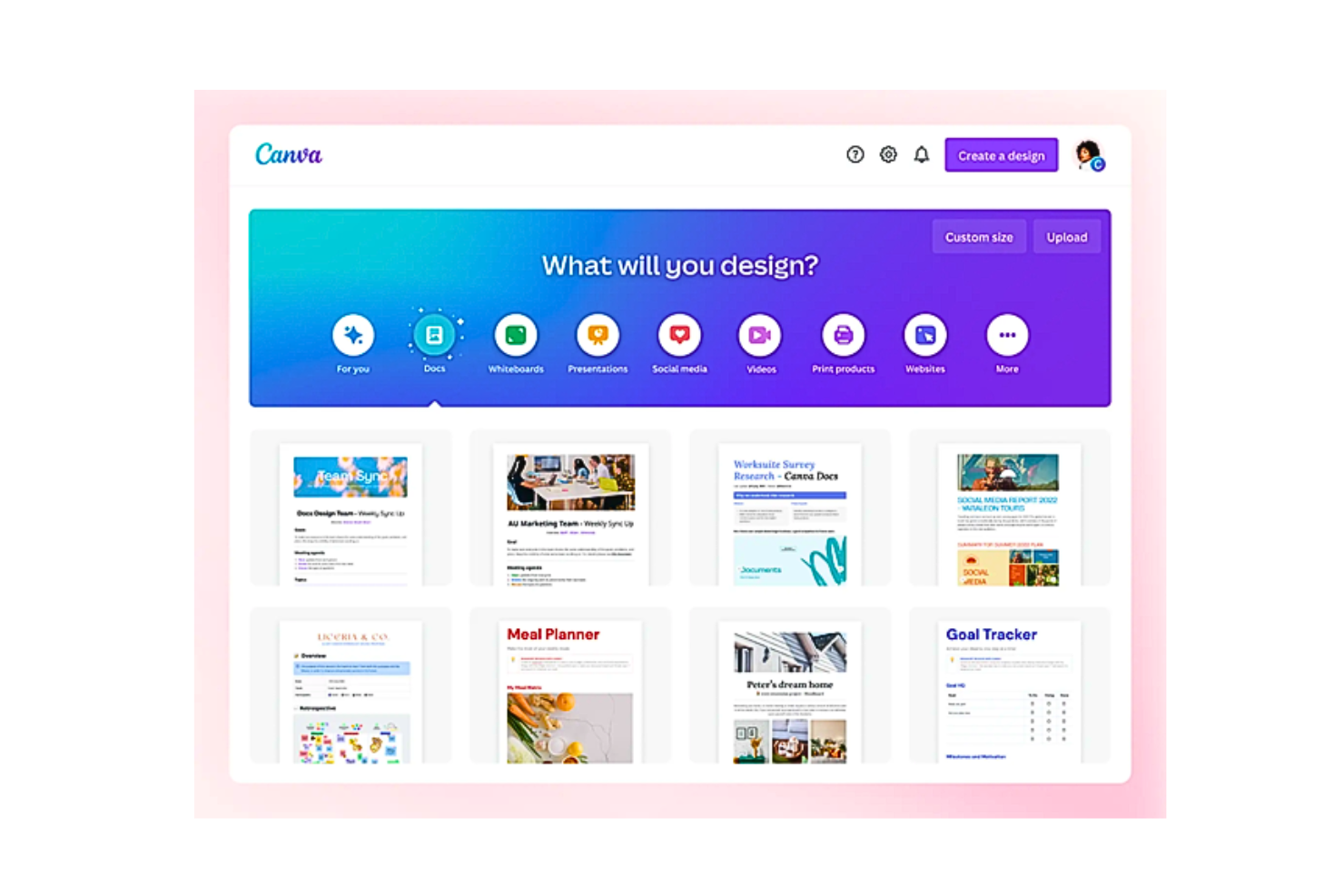
Canva te permite crear sitios web visualmente atractivos en minutos. Es la plataforma perfecta para principiantes con poca o ninguna experiencia. Canva cuenta con un editor de sitios web de arrastrar y soltar fácil de usar y una gran base de datos de plantillas de diseño, imágenes libres de derechos y gráficos. Como resultado, tu proceso de diseño web se vuelve rápido, sencillo y muy rentable (¡ya que puedes publicar gratis!)
Puedes usar Canva en línea o descargando la aplicación para tu Mac, PC, Chromebook, dispositivo iOS o Android.
Por qué elegí Canva: Canva ofrece miles de plantillas gratuitas y más de 250,000 fotos, iconos, ilustraciones, gráficos, elementos para redes sociales, videos, animaciones y más, que puedes arrastrar y soltar fácilmente en tu sitio web. La plataforma tiene otras funciones, como Estilos, que te ayuda a encontrar las combinaciones perfectas de colores y fuentes para la edición de imágenes. Además, Canva incorpora Magic Write, un redactor y generador de texto con IA impulsado por OpenAI.
Además, Canva ofrece un generador de paletas de colores para crear paletas de colores personalizadas. Canva también te permite añadir elementos de marca a tus sitios. Posteriormente, Canva almacena tu logotipo, colores de marca y fuentes en su Brand Kit (disponible solo para usuarios Pro).
Características y integraciones destacadas de Canva
Características incluyen Website Insights. Te permite hacer un seguimiento del tráfico y la interacción directamente desde Canva sin integrar tu sitio con análisis de terceros. Canva también proporciona una funcionalidad colaborativa robusta, mediante la cual puedes invitar a miembros de tu equipo ilimitados a tu espacio de clase.
Otras funciones incluyen herramientas sencillas de exportación e importación, dominios personalizados gratuitos, guardado automático, protección con contraseña y una función de eliminación de fondo en un solo clic.
Integraciones incluyen más de 150 aplicaciones de terceros, como Brandfolder, Dropbox, Edgar, Flickr, HubSpot, Later, Mojo AI, Moovely, OneDrive, Pinterest, Slack, Shopify Sync y otras. Además, puedes usar su API y webhooks para crear integraciones personalizadas.
Pros and Cons
Pros:
- Una vasta biblioteca de plantillas y gráficos
- Editor de arrastrar y soltar fácil de usar con una interfaz limpia
- Capacidades sólidas de colaboración en tiempo real para equipos
Cons:
- Muchas imágenes están marcadas con agua en la versión gratuita
- Faltan formatos de salida como .psd (predeterminado de Photoshop)

Figma
Mejor software de diseño web con características sólidas para colaboración multifuncional
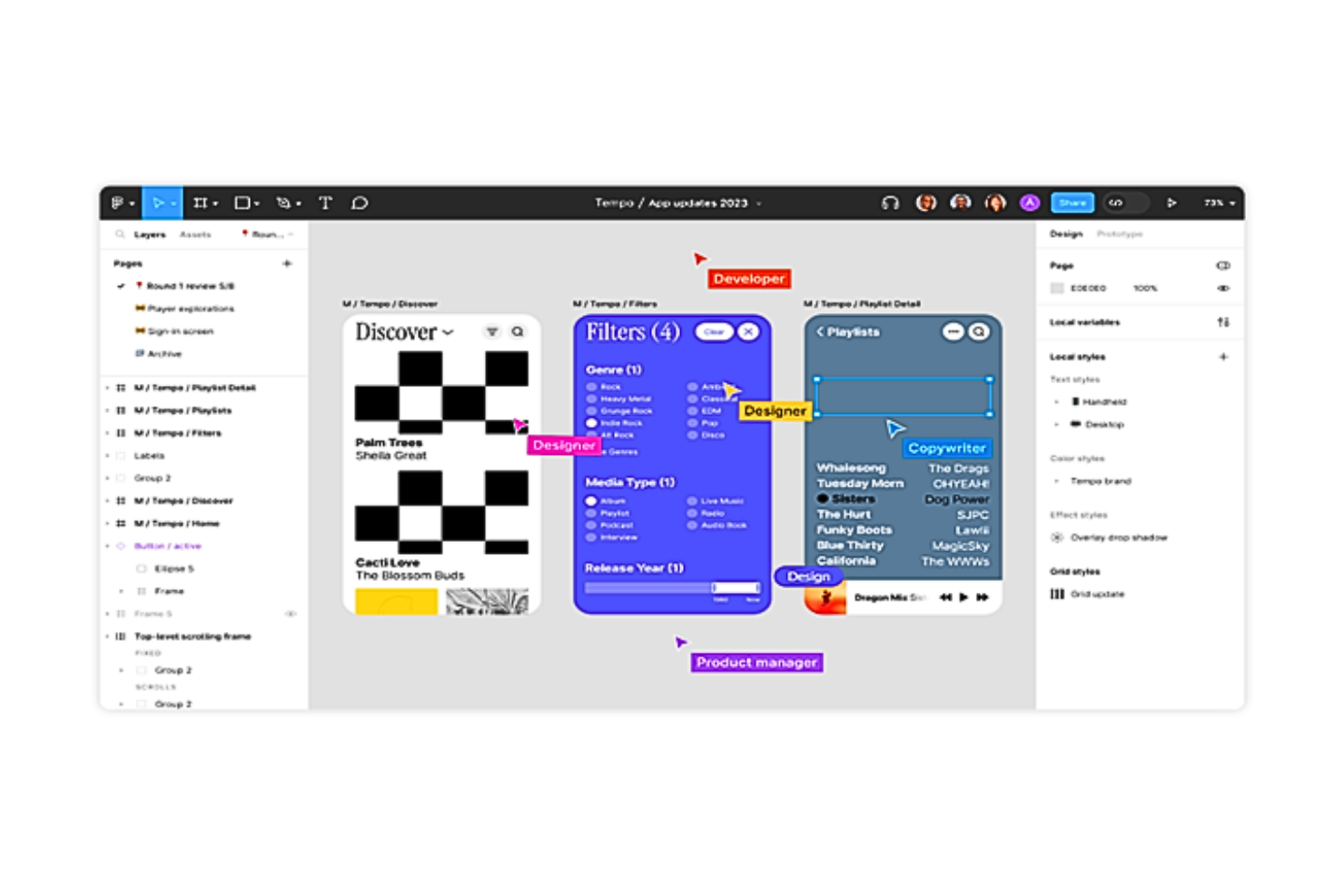
Figma es un líder en el espacio de software de diseño web. La plataforma es basada en la nube y promete una colaboración fluida. Su interfaz de diseño con control de versiones en modo “multijugador” es un deleite para diseñadores y desarrolladores de todo el mundo.
Por qué elegí Figma: Figma permanece impasible cuando se trata de colaborar eficazmente en el diseño web. El “multijugador” de Figma te permite comentar y anotar diseños en tiempo real. También puedes crear ramas para iterar opciones de diseño y luego fusionar actualizaciones usando superposiciones dinámicas. La plataforma incluye otros atributos, como la función OpenType que te permite personalizar tus diseños con tipografías variables.
Además, Figma realiza un seguimiento de los contribuyentes responsables del flujo de trabajo de un proyecto. En las “páginas de proyecto”, por ejemplo, puedes ver cada proyecto; en las “páginas de equipo y organización”, puedes ver cada contribuyente. Para ver los archivos más recientes en los que ha trabajado cada persona, solo tienes que hacer clic en sus respectivos perfiles de usuario. El software también te permite compartir archivos mediante un enlace en vivo o incrustar el enlace en otras herramientas.
Características y Integraciones Destacadas de Figma
Características incluyen la capacidad de convertir archivos estáticos en elementos web interactivos. Puedes conectar elementos de diseño de interfaz, animar objetos, especificar interacciones y usar GIFs para expresar diseños en movimiento, elementos de video y animaciones. La biblioteca de Figma contiene componentes reutilizables con búsqueda rápida y funciones de arrastrar y soltar.
Integraciones incluyen más de 30 herramientas, como Asana, Bubble, Confluence, Dropbox, Flinto, GitLab, Lingo, Microsoft Teams, Mixpanel, ProtoPie, Storybook, UxTweak y más. Además, puedes usar su API y webhooks para crear integraciones personalizadas.
Pros and Cons
Pros:
- Muchas utilidades para facilitar el trabajo colaborativo en espacios de trabajo
- La auto-disposición permite el cambio de tamaño automático y reduce las iteraciones para ajustar el contenido
- Generoso plan gratuito
Cons:
- Retrasos ocasionales en los tiempos de carga
- Un poco lento en Windows comparado con Mac

Duda
Ideal para la creación de sitios web con marca blanca
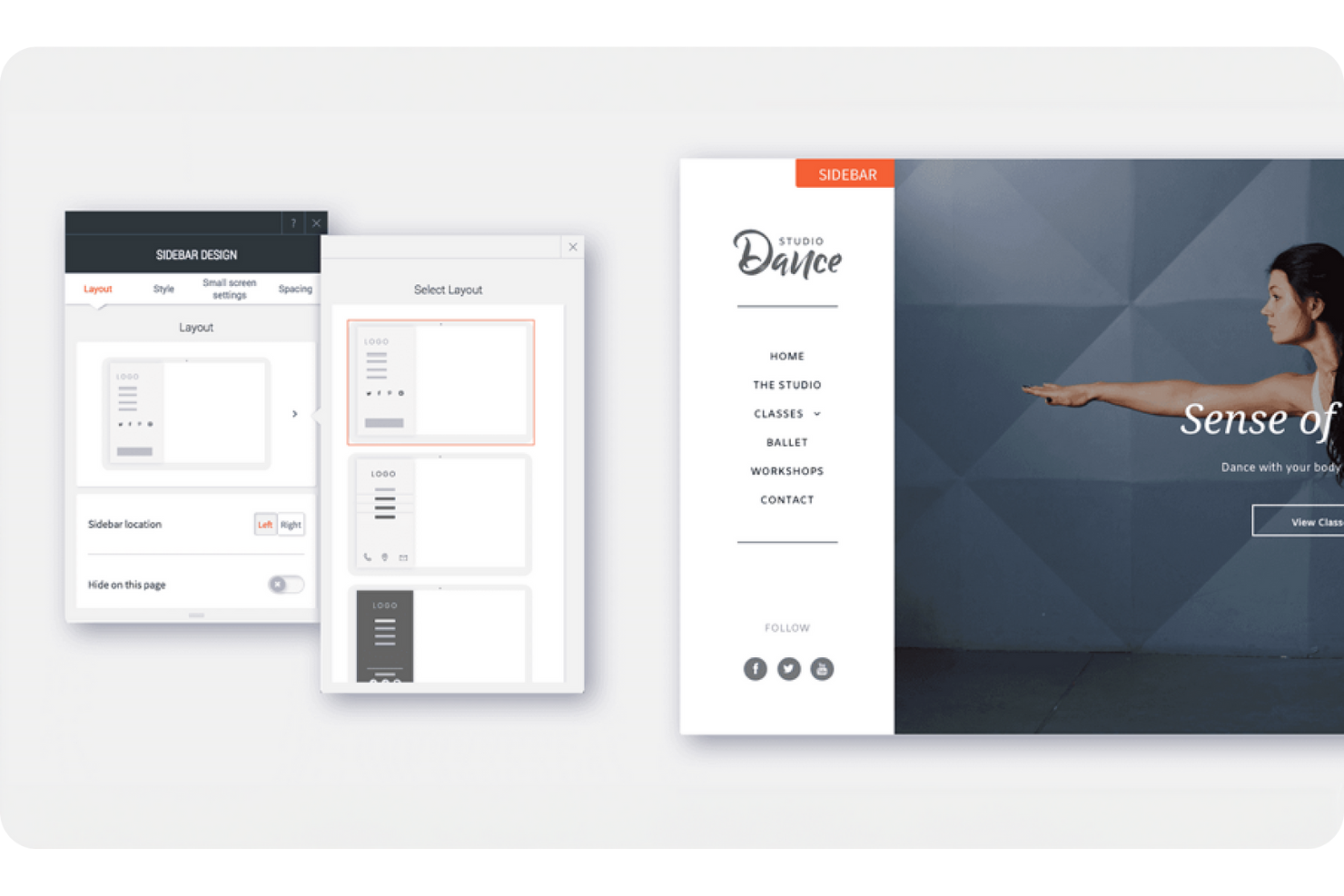
Duda es una plataforma para crear y gestionar sitios web con rapidez y flexibilidad. Está diseñada para equipos y agencias que desean diseñar, lanzar y mantener sitios en un solo lugar. La herramienta te ayuda a crear sitios web que funcionan bien en todos los dispositivos, manteniendo la coherencia en el diseño.
Por qué elegí Duda: Duda te ofrece opciones de marca blanca para que tu agencia pueda ofrecer sitios web bajo tu propio nombre. Puedes configurar plantillas, gestionar permisos de clientes y controlar los niveles de acceso. La plataforma también te permite manejar varios proyectos a la vez con herramientas de colaboración en equipo. Con su editor de diseño, puedes realizar cambios rápidamente y ver los resultados en tiempo real.
Funciones y Integraciones destacadas de Duda
Funciones incluyen un editor de arrastrar y soltar que facilita la creación de sitios para ti y tu equipo. Puedes construir diseños responsivos que se ajustan perfectamente entre computadoras, tabletas y móviles. También hay herramientas de recopilación de contenido que te ayudan a obtener información de los clientes más rápido.
Integraciones incluyen Google Analytics, Google Sheets, Google Drive, Dropbox, HubSpot, Mailchimp, Shopify y Zapier.
Pros and Cons
Pros:
- Funciones de marca blanca para tu agencia
- Implementación rápida de varios sitios
- Configuraciones flexibles de permisos para clientes
Cons:
- Control avanzado de diseño limitado
- Más difícil personalizar diseños complejos

Ideal para desarrollar proyectos responsivos enfocados en dispositivos móviles

Bootstrap proporciona marcos confiables de HTML, CSS y JavaScript para sitios web responsivos. Es un framework de código abierto que ofrece compatibilidad multiplataforma. Utilizando sistemas de cuadrícula y componentes preconstruidos, Bootstrap ayuda a desarrollar proyectos enfocados en dispositivos móviles de forma rápida.
Por qué elegí Bootstrap: Bootstrap permite una fácil implementación instalando sus hojas de estilo sistemáticamente geniales (Sass) y archivos JavaScript mediante un gestor de paquetes o incluyéndolos a través de CDN. Usando personalizaciones Sass para una arquitectura modular, puedes habilitar opciones globales como degradados y sombras y escribir CSS personalizado con variables, mapas y funciones.
Además, estas variables CSS pueden sobrescribir variables globales, de componente o de clases utilitarias para modificar estilos de tema, colores y estilos de fuente. Bootstrap también cuenta con una API de utilidades, que funciona como un mapa Sass repleto de características y es totalmente personalizable. Combinando estas capacidades, Bootstrap es ideal para quienes buscan control total sobre el diseño y desarrollo del sitio.
Funciones destacadas e integraciones de Bootstrap
Funciones incluyen su variedad de potentes plugins de JavaScript que se pueden integrar sin jQuery. Estas extensiones pueden agregar menús desplegables, modales, popovers, tooltips y elementos ocultos fuera del canvas. El JavaScript usado en Bootstrap es orientado al HTML, lo que significa que los plugins se agregan con atributos de datos en el diseño HTML.
Adicionalmente, Bootstrap ofrece una biblioteca de íconos SVG de código abierto llamada Bootstrap Icons, con más de 1800 glifos diseñados para funcionar en cualquier proyecto como SVGs o fuentes de íconos. Ambas opciones permiten escalabilidad vectorial y personalización por CSS. Bootstrap también dispone de un Mercado Oficial de Temas, repleto de nuevos plugins, elementos web, documentación y robustas herramientas de compilación.
Integraciones actualmente no disponibles.
Pros and Cons
Pros:
- Componentes preconstruidos
- Interfaz de usuario predeterminada para el control de formularios con validaciones
- Características como diseños de cuadrícula, clases de espaciado, etc., para adaptabilidad móvil
Cons:
- Escasa compatibilidad entre versiones
- Opciones de personalización y combinaciones de colores limitadas

Webflow
Ideal para crear diseños web responsivos en un constructor visual en tiempo real
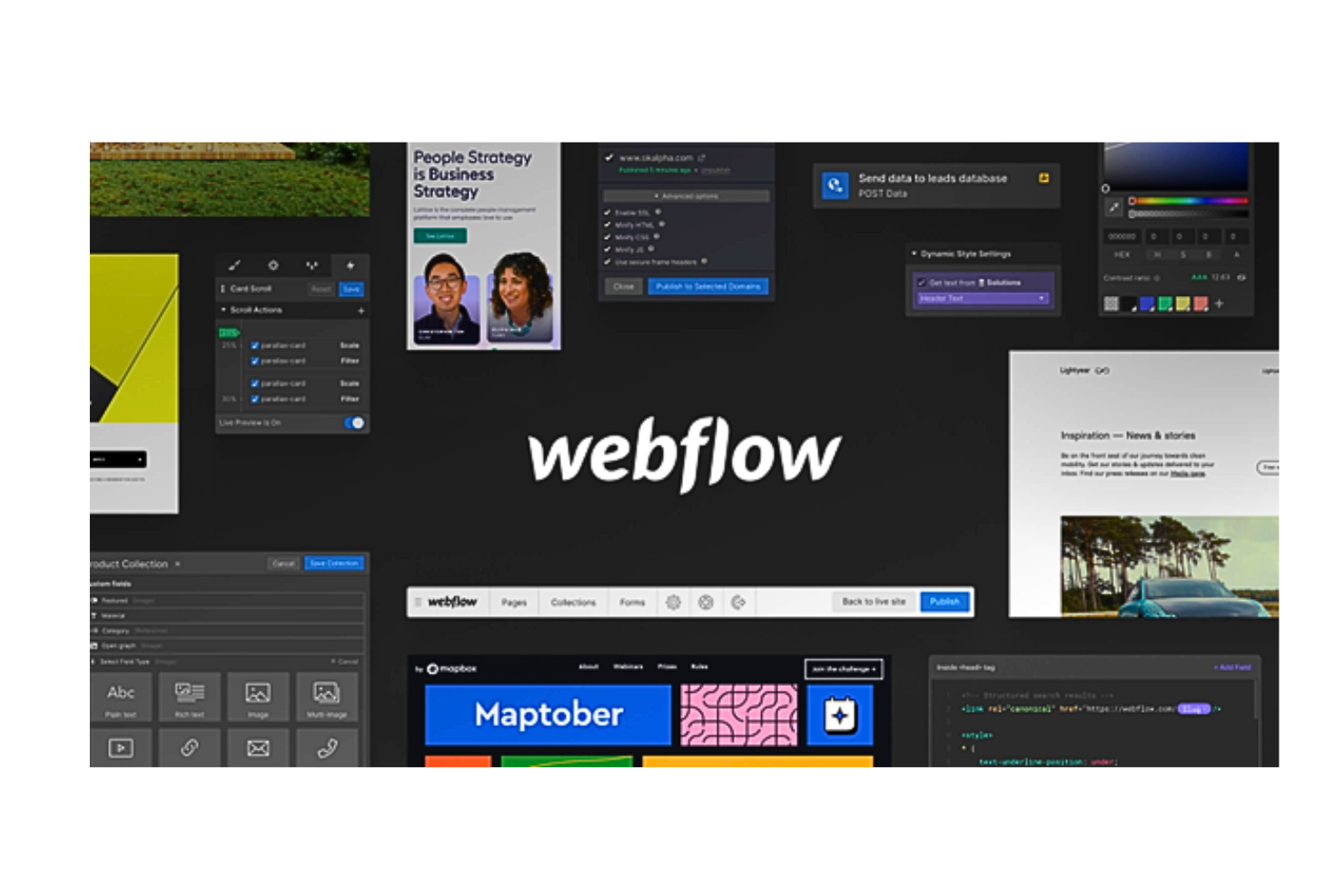
Webflow es un software de diseño web sin código que permite a los usuarios diseñar y publicar sitios web totalmente responsivos. La plataforma ofrece una interfaz intuitiva creada para generar código HTML5, CSS3 o JavaScript para todo, desde diseños personalizados hasta animaciones complejas. Con elementos sin estilo, componentes reutilizables y código listo para publicar, Webflow es una plataforma integral para crear diseños web profesionales.
Por qué elegí Webflow: Con Webflow puedes controlar el código CSS3, HTML5 y JavaScript en un lienzo completamente visual. Puedes arrastrar elementos HTML sin estilo y usar la función Quick Stack para modificar rápidamente la estructura del sitio. Además, Webflow te permite utilizar componentes reutilizables preconstruidos, como barras de navegación, pies de página, sliders y pestañas, para personalizar aún más tus diseños.
También puedes crear clases CSS reutilizables para cambiar el estilo en varios elementos. Además, puedes alterar los diseños usando flexbox, grids de CSS, inline-block y posicionamiento absoluto. El ajuste fino de tipografía es otra función interesante de Webflow. La plataforma también permite a los desarrolladores añadir fácilmente cualquier código personalizado a los diseños web.
Funciones y opciones destacadas de Webflow
Funciones incluyen sus robustas integraciones con CMS nativos y productos de comercio electrónico. Mediante estas extensiones, puedes construir tu sitio web directamente con contenido real, no datos de prueba.
Además, Webflow cuenta con una infraestructura de alojamiento de clase mundial respaldada por certificaciones SSL e ISO 27018. El software también te permite exportar el código en un archivo ZIP y es compatible con múltiples navegadores.
Integraciones incluyen más de 50 herramientas, como Astroic, Census, Chaty, fluidSEO, HubSpot, Jasper, Memberstack, NoQuestionYet, PageFactory, Typeform, Unspalsh, Vidzflow y más. Además, puedes utilizar su API y webhooks para crear integraciones personalizadas.
Pros and Cons
Pros:
- Prototipado en vivo mediante colaboración en tiempo real
- Funciones como paneles de visualización, modales, etc., hacen los diseños más interactivos
- Más de 1000 plantillas de sitios web responsivos prediseñadas para principiantes
Cons:
- Limitaciones ocasionales en los cambios de código personalizado
- No tiene aplicación móvil

Marvel
Mejor software de diseño web para prototipado rápido
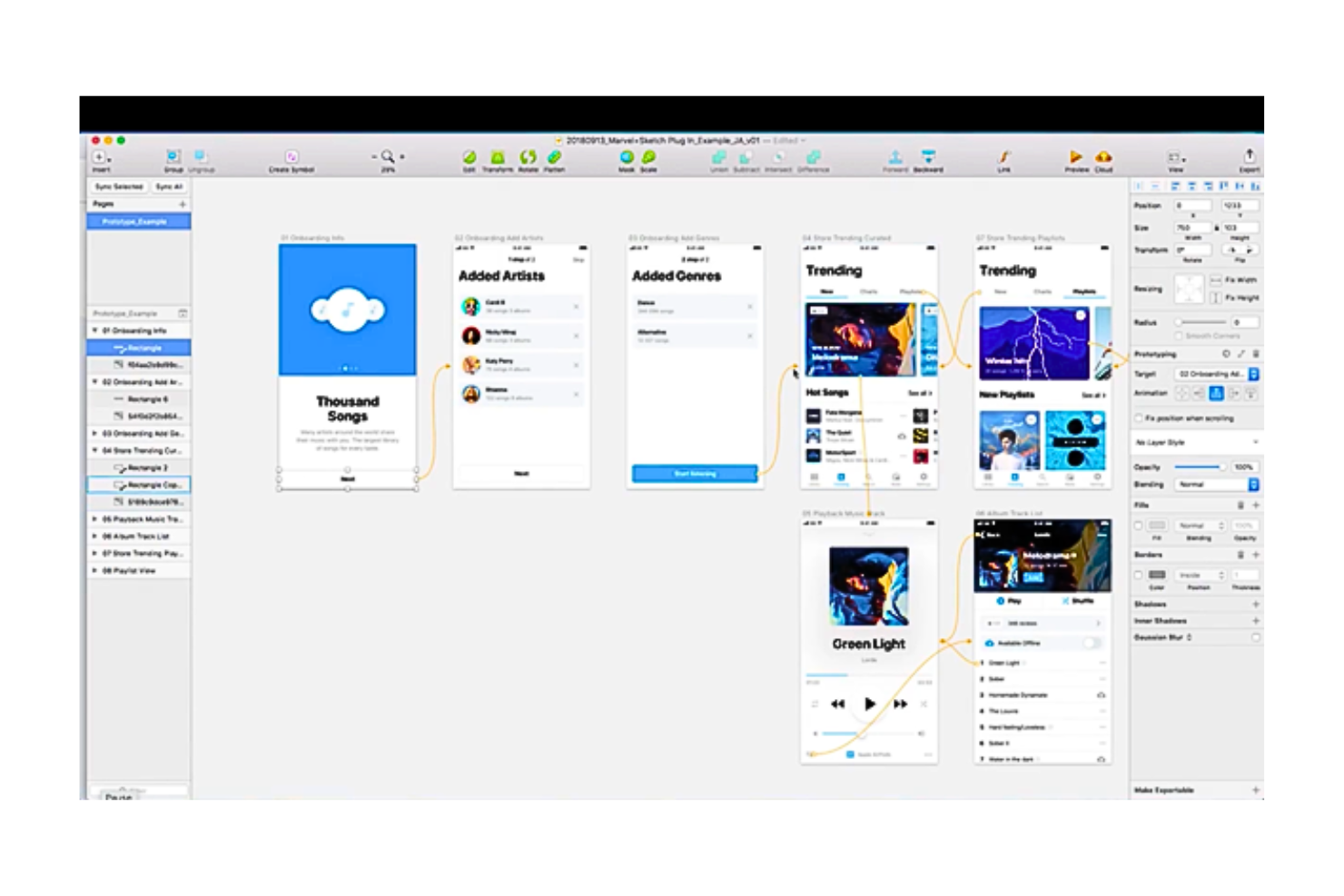
Marvel es un software de diseño web que permite a los equipos de diseño generar especificaciones de diseño. Es la herramienta perfecta para quienes buscan crear wireframes y prototipos rápidamente sin necesidad de programar y dar estructura a sus ideas de diseño.
Por qué elegí Marvel: Marvel ofrece una plataforma centralizada que unifica todos los aspectos del proceso de diseño web, desde wireframes hasta prototipos, pruebas de usuario y finalmente, la entrega a tus desarrolladores. Ofrece sólidas funciones de colaboración para diseñar sobre la marcha. Los usuarios pueden acceder a la vasta biblioteca de Marvel, con millones de recursos digitales, fotos de stock e iconos para inspirarse.
Además, Marvel ayuda a superar las complejidades de explicar la jerarquía del sitio y los recorridos de usuario en maquetas de diseño ante las partes interesadas; en su lugar, puedes mostrarlos a través de prototipos interactivos en línea que no requieren código. Esto hace que sea muy fácil crear diseños web personalizados que sean interpretables para todos.
Funciones y integraciones destacadas de Marvel
Funciones destacadas incluyen su función integrada de pruebas de usuario e investigación, Ballpark. Permite a los usuarios de Marvel recopilar comentarios de alta calidad sobre preguntas, textos de marketing, diseños y prototipos (Sketch y Figma) utilizando tareas y vídeo.
Además, la herramienta Handoff de la plataforma optimiza el proceso de diseño a desarrollo en segundos. Con un solo clic, puedes generar código CSS, Swift y Android XML para tus prototipos. Además, Marvel permite ofrecer a tu equipo y partes interesadas total visibilidad y control en todos los proyectos, mediante carpetas, comentarios y anotaciones.
Integraciones incluyen más de 10 aplicaciones de terceros, como Dropbox Paper, Jira, Microsoft, Niice, Sketch, Smartmockups, YouTube, Zeroheight y otras. Marvel también se integra con cuatro herramientas desarrolladas por su plataforma propietaria, Marvel LABS, incluyendo BotBot, Dashboard, Keynote y Userflows.
Pros and Cons
Pros:
- Interfaz de usuario limpia y sencilla con elementos web de autoajuste
- Enlaces de proyectos compartibles para acceso fácil a los prototipos
- Las bibliotecas de equipo para recursos digitales y kits de UI ayudan a mantener la coherencia en el diseño
Cons:
- Funciones de animación limitadas y sin versión offline
- No permite la creación de grupos dentro de los prototipos

Ideal para la creación de prototipos de aplicaciones web y móviles
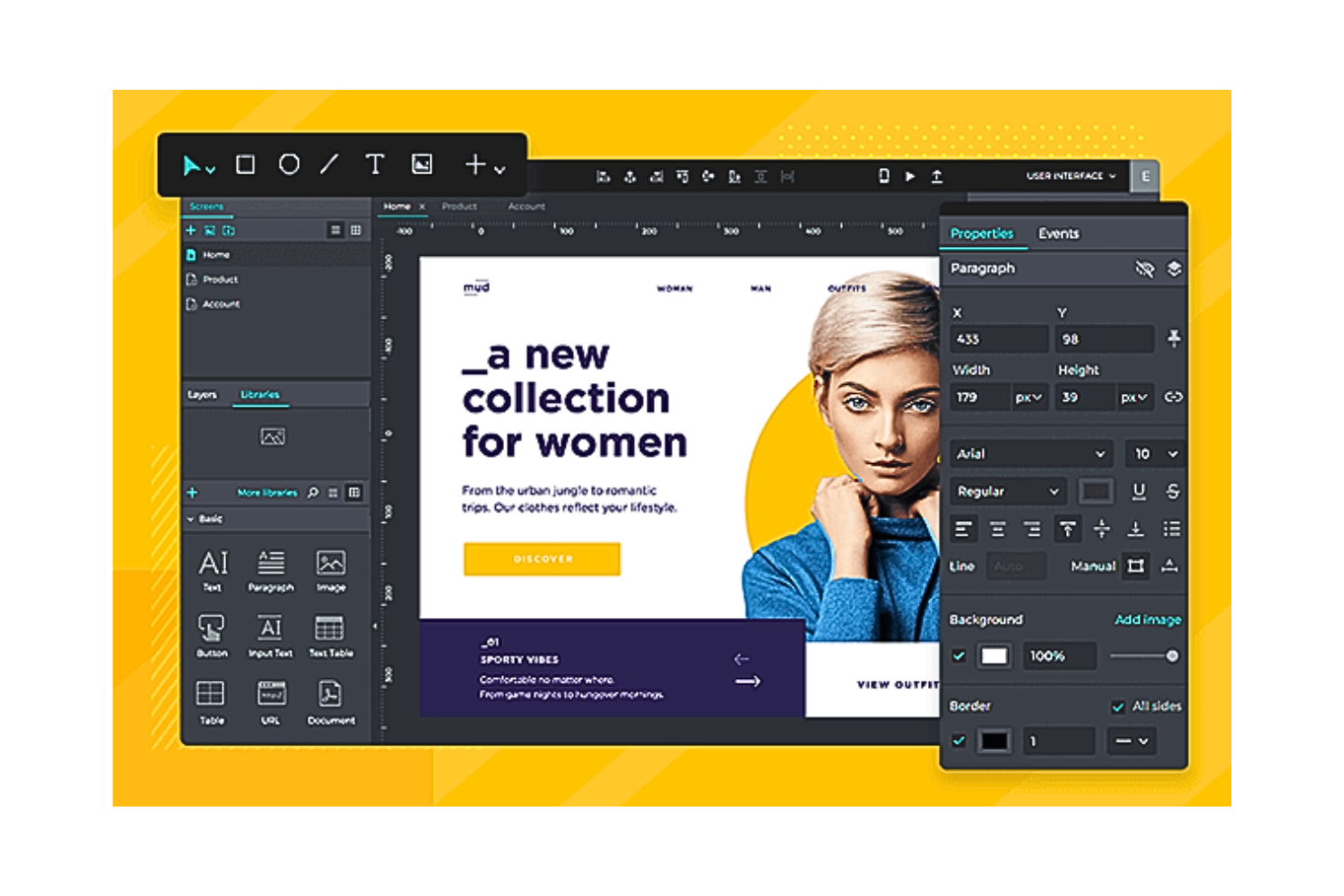
Justinmind es una plataforma integral de diseño web que genera prototipos interactivos para aplicaciones en línea y móviles. También permite crear gráficos interactivos, realizar pruebas de usuario, intercambiar comentarios en equipos y gestionar requisitos de diseño de forma intuitiva. Justinmind es fácil de usar para principiantes y te ayuda a crear prototipos de aplicaciones orientadas a móviles para usuarios de iOS y Android.
Por qué elegí Justinmind: Justinmind es ideal para crear rápidamente bocetos de la primera versión, prototipos y wireframes. El software incluye kits de UI preinstalados que ayudan a crear diagramas de flujo y wireframes para interfaces de usuario en aplicaciones tanto de iOS como de Android. También permite descargar kits de UI adicionales que apoyan el diseño de aplicaciones para otros dispositivos, incluidos el Apple Watch y Google Glass.
Características y integraciones destacadas de Justinmind
Características incluyen mapas de calor de pruebas de usuario integrados que te permiten entender qué secciones de tu sitio web reciben más impresiones y clics. Esto es especialmente útil para sitios de comercio electrónico. Además, Justinmind cuenta con sólidas capacidades para crear, gestionar y respaldar una tienda digital de comercio electrónico.
Los emuladores de iOS y Android de Justinmind también son una excelente adición a tu proceso de diseño web, ya que emulan exactamente las funcionalidades de tu aplicación para realizar pruebas de usuario, incluso si no utilizas un dispositivo móvil.
Integraciones incluye más de 10 aplicaciones de terceros, como Adobe XD, Adobe Illustrator, Atlassian Jira, Azure DevOps, Clicktale, Crazy Egg, Figma, Hotjar, Photoshop, Sketch, UserTesting, Validately y más. Además, puedes utilizar su API para crear integraciones personalizadas.
Pros and Cons
Pros:
- Prototipado rápido
- Excelente soporte al cliente
- Permite simular dos o tres iteraciones de UI/UX a la vez
Cons:
- Carece de documentación y tutoriales adecuados
- Compartir diseños y mostrar respuestas del sistema resulta difícil

WordPress
Mejor plataforma de diseño web con sólidas funciones de CMS
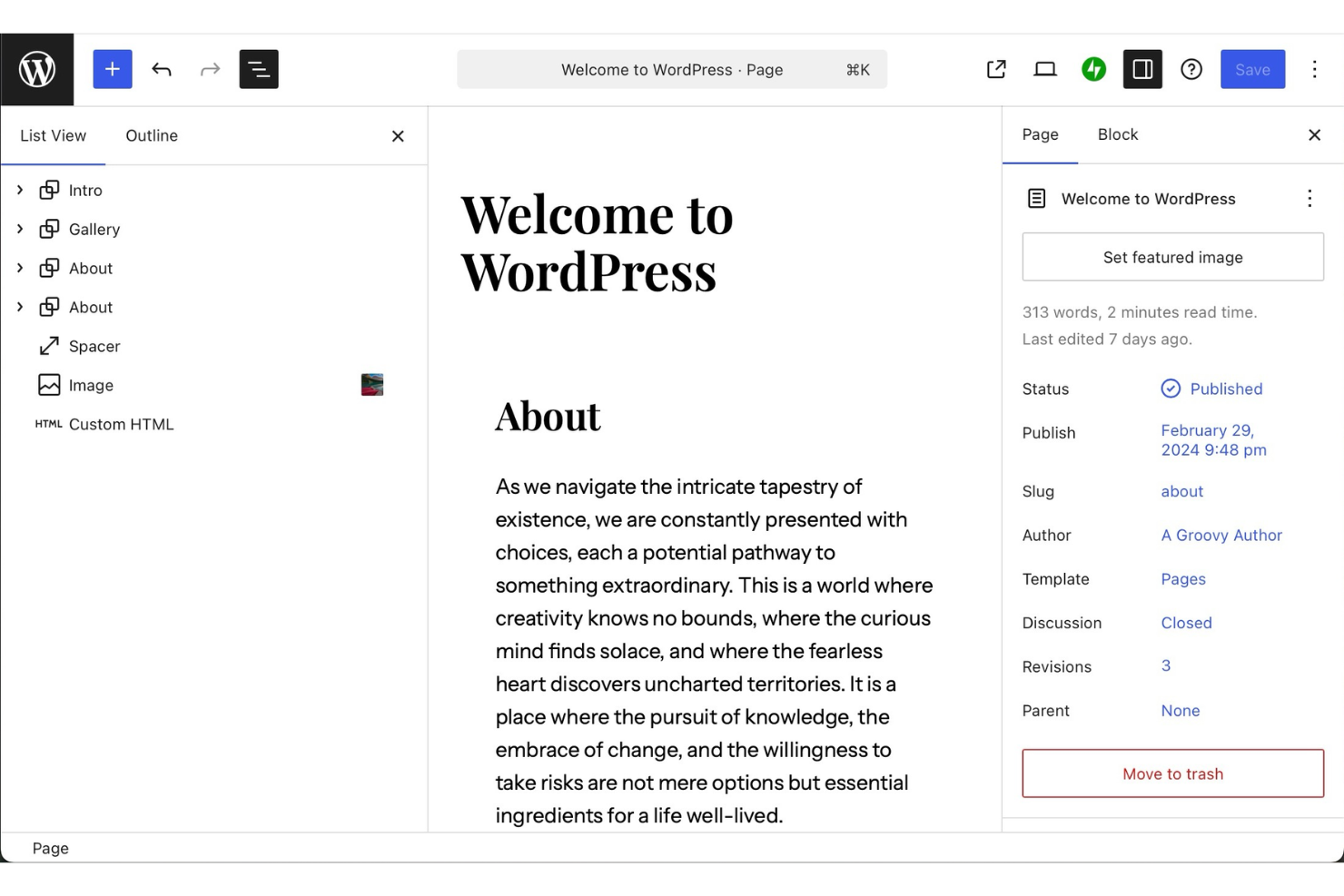
WordPress es una plataforma de publicación y diseño que ayuda a individuos y equipos a crear sitios web y gestionar contenido en un solo lugar. Es utilizada por personas que desean crear sitios, publicar entradas y organizar contenido digital sin necesidad de amplios conocimientos técnicos. La herramienta facilita el diseño, la actualización y el mantenimiento de sitios web de cualquier tamaño.
Por qué elegí WordPress: WordPress te permite crear y personalizar sitios mientras gestionas tu contenido en un solo espacio. Puedes diseñar utilizando temas y bloques que te ofrecen control total sobre los diseños. La herramienta también incluye funciones como la programación de publicaciones, gestión de medios y análisis del sitio. Con alojamiento y seguridad integrados, no tienes que preocuparte por la configuración técnica.
Funciones y integraciones destacadas de WordPress
Funciones incluyen temas para sitios que puedes ajustar en diseño y estilo, herramientas multimedia que te permiten subir y organizar archivos, y programación para planificar el contenido con anticipación. También puedes utilizar opciones SEO integradas para optimizar las publicaciones. El panel de control reúne todo en un solo lugar, permitiéndote administrar tu sitio con facilidad.
Integraciones incluyen Google Analytics, Mailchimp, WooCommerce, PayPal, Facebook, Twitter, LinkedIn, Stripe, Instagram y Eventbrite.
Pros and Cons
Pros:
- Amplia gama de plantillas de diseño
- Programación de contenido sencilla para equipos
- Personalización flexible con bloques
Cons:
- Los plugins pueden requerir actualizaciones frecuentes
- Los temas varían en los límites de personalización
Otros programas de diseño web
Estas son algunas opciones adicionales de programas de diseño web que no llegaron a mi lista de preseleccionados, pero que aún merece la pena consultar:
- Adobe Dreamweaver
Mejor para desarrolladores front-end técnicos
- Google Web Designer
Ideal para crear diseños gráficos animados
- Designmodo
Mejor software de diseño web con alojamiento gratuito
- Zeplin
La mejor plataforma de diseño web para entregas de diseño sin fricciones
- Durable
Ideal para crear sitios con IA de forma rápida
- Gamma
Ideal para la creación de contenido impulsada por IA


Cómo Evalúo el Software de Diseño Web
Desde un diseñador freelance que entrega un sitio Webflow a un desarrollador, hasta un propietario de una pequeña empresa que lanza una tienda online con Squarespace un fin de semana, el software de diseño web se sitúa en la intersección entre la visión creativa y la ejecución técnica de maneras muy distintas dependiendo de quién esté usando el mouse. Pienso en cada herramienta de esta lista en dos niveles: lo que debe hacer bien para merecer un lugar, y lo que realmente la convierte en la mejor elección entre todo lo de su categoría.
Funcionalidad Básica (Requisitos Imprescindibles para esta Lista)
Para el software de diseño web, la funcionalidad básica que pruebo y evalúo es:
- Interfaz de diseño visual: Toda herramienta debe permitirte componer y estilizar el diseño de la página visualmente, ya sea un lienzo de arrastrar y soltar o un editor estructurado WYSIWYG. Pruebo lo intuitivo que resulta colocar elementos, ajustar espacios y afinar la tipografía sin programar.
- Controles de diseño responsivo: Verifico si la herramienta permite editar diseños en puntos de quiebre específicos y previsualizar cómo se ven las páginas en escritorio, tablet y móvil. Una página de inicio que se ve pulida a 1440px pero se descompone en un iPhone no es un diseño terminado.
- Bibliotecas de plantillas y componentes: Busco plantillas iniciales que vayan más allá de simples marcadores de posición, además de componentes reutilizables como barras de navegación, pies de página y diseños de tarjetas que realmente ahorren tiempo en proyectos de varias páginas.
- Gestión de activos y medios: Subir imágenes, cambiar fuentes e incrustar videos debe ser sencillo. Evalúo si la herramienta optimiza imágenes automáticamente y permite cargar fuentes personalizadas o integración con Google Fonts.
- Publicación o exportación de código: El trabajo de diseño debe convertirse en un sitio web real. Pruebo si la herramienta publica directamente en un dominio alojado, exporta HTML/CSS limpio o facilita una clara entrega al desarrollador.
- Fundamentos SEO: Verifico que puedas editar los títulos de las páginas, descripciones meta, slugs de URL, texto alternativo y jerarquía de encabezados sin soluciones alternativas. Una herramienta que esconde estas opciones o las omite por completo pone en desventaja a cualquier sitio que genere en lo referente a búsquedas.
- Formularios y elementos interactivos: Como mínimo, espero un constructor de formularios integrado para contacto o captación de clientes, menús de navegación funcionales y estados interactivos básicos como efectos hover en botones y enlaces.
Si una herramienta no puede hacer estas cosas de forma fiable, no pasó el corte sin importar qué más ofrezca.
Funciones Destacadas (Lo Que Marca la Diferencia)
Más allá de lo básico, busco colaboración en equipo en tiempo real, herramientas integradas de comercio electrónico, generación de sitios o contenido impulsada por IA, soporte avanzado para sistemas de diseño, integraciones flexibles con terceros y funciones de flujo de trabajo para la entrega al cliente. Cuando una herramienta me ahorra horas al construir sitios multi-página, automatiza verificaciones de accesibilidad o permite que varios compañeros editen simultáneamente, esa es la diferencia clave.
Más Allá de las Funcionalidades
También evalúo para quién está realmente hecha cada herramienta. Un propietario de una panadería no necesita lo mismo que una agencia de diseño que gestiona 20 sitios de clientes. Pruebo la transparencia de precios, la calidad de la incorporación, el rendimiento del hosting y los recursos de aprendizaje. La fortaleza de la comunidad, la capacidad de respuesta del soporte al cliente y el costo total de propiedad también importan, porque un plan de $16/mes que exige $50 en complementos cuenta una historia diferente al precio de etiqueta.
Cómo elegir un programa de diseño web
Es fácil perderse entre largas listas de funciones y estructuras de precios complejas. Para ayudarte a mantener la atención mientras avanzas en tu proceso específico de selección de software, aquí tienes una lista de factores que debes tener en cuenta:
| Factor | Qué debes tener en cuenta |
|---|---|
| Escalabilidad | ¿El software crecerá junto con las necesidades de tu equipo? Comprueba si puede gestionar un aumento del tráfico o proyectos más complejos a medida que tu negocio se expanda. |
| Integraciones | ¿Funciona con tus herramientas actuales? Comprueba si se integra con el CMS, las herramientas de analítica y otras herramientas de las que dependes. |
| Personalización | ¿Puedes adaptarlo para que se ajuste a tu marca? Busca flexibilidad de diseño y opciones para personalizar plantillas y diseños. |
| Facilidad de uso | ¿Es fácil de usar para tu equipo? Evalúa la curva de aprendizaje y si tu equipo puede adaptarse rápidamente a su interfaz. |
| Implementación e incorporación | ¿Con qué rapidez puedes empezar a utilizarlo? Evalúa la disponibilidad de guías, tutoriales y asistencia durante la configuración inicial. |
| Coste | ¿Se ajusta a tu presupuesto? Compara los planes de precios y determina si existen costes ocultos o tarifas adicionales. |
| Medidas de seguridad | ¿Están a salvo tus diseños y datos? Asegúrate de que cuenta con medidas de seguridad sólidas, como cifrado y actualizaciones periódicas. |
| Disponibilidad de asistencia | ¿Puedes obtener ayuda cuando la necesitas? Ten en cuenta la disponibilidad de canales de atención al cliente, como chat, correo electrónico o teléfono. |
¿Qué es un programa de diseño web?
El software de diseño web es una herramienta que ayuda a crear y gestionar diseños y estructuras de sitios web. Dependiendo de la plataforma, este trabajo puede realizarse en un navegador o mediante software de diseño web sin conexión instalado localmente.
Estas herramientas son utilizadas por diseñadores, desarrolladores y profesionales del marketing para crear sitios web visualmente atractivos y funcionales. Funciones como el diseño de arrastrar y soltar, la personalización de plantillas y la compatibilidad con el diseño adaptable ayudan a crear sitios atractivos y fáciles de usar. En general, estas herramientas facilitan la creación de sitios web que satisfacen las necesidades empresariales y mejoran la experiencia del usuario.
Funciones
Al seleccionar un software de diseño web, presta atención a las siguientes funciones clave:
- Diseño de arrastrar y soltar: Permite a los usuarios organizar fácilmente los elementos de una página sin programar, lo que hace que el diseño sea accesible para quienes no son desarrolladores.
- Personalización de plantillas: Ofrece plantillas prediseñadas que pueden modificarse para adaptarse a la estética de la marca, ahorrando tiempo en la creación del diseño.
- Compatibilidad con el diseño adaptable: Garantiza que los sitios web se vean bien en todos los dispositivos al ajustar automáticamente los diseños a diferentes tamaños de pantalla.
- Herramientas de SEO: Ayuda a optimizar los sitios web para los motores de búsqueda, mejorando la visibilidad y atrayendo a más visitantes.
- Capacidades de integración: Se conecta con otras herramientas, como CMS y analítica, agilizando los flujos de trabajo y la gestión de datos.
- Herramientas de colaboración: Permite que los miembros del equipo trabajen juntos en proyectos en tiempo real, mejorando la productividad y la comunicación.
- Opciones de exportación de código: Ofrece la posibilidad de exportar código HTML y CSS para una mayor personalización o integración con otras plataformas.
- Integración del comercio electrónico: Admite funciones de venta en línea, como carritos de compra y pasarelas de pago, para empresas que buscan vender productos.
- Compatibilidad con varios idiomas: Permite crear sitios web en varios idiomas para llegar a un público más amplio.
- Funciones de seguridad: Incluye medidas como el cifrado de datos y actualizaciones periódicas para mantener los sitios web protegidos frente a amenazas.
Beneficios
La implementación de un software de diseño web ofrece varios beneficios para tu equipo y tu empresa. Estos son algunos de los que puedes esperar:
- Proceso de diseño más rápido: Las funciones de arrastrar y soltar y las plantillas aceleran la creación de páginas web, ahorrando tiempo y esfuerzo.
- Colaboración mejorada: Las herramientas de colaboración en tiempo real permiten que los miembros del equipo trabajen juntos de manera eficiente, mejorando la comunicación y los resultados.
- Mejor experiencia del usuario: El diseño adaptable garantiza que tu sitio web se vea excelente en cualquier dispositivo, mejorando la satisfacción y la interacción de los visitantes.
- Mayor visibilidad: Las herramientas de SEO integradas ayudan a que tu sitio obtenga una mejor posición en los resultados de búsqueda y atraiga a más visitantes.
- Ahorro de costes: Al permitir que personas que no son desarrolladores creen sitios web, las empresas ahorran en la contratación de personal especializado para las tareas de diseño web.
- Personalización mejorada: La personalización de plantillas y las opciones de exportación de código permiten tener un mayor control sobre el aspecto y la funcionalidad del sitio web.
- Escalabilidad: Funciones como la integración del comercio electrónico y la compatibilidad con varios idiomas permiten que tu sitio web crezca junto con las necesidades de tu empresa.
Costes y precios
Seleccionar un software de diseño web requiere comprender los distintos modelos de precios y planes disponibles. Los costes varían según las funciones, el tamaño del equipo, los complementos y otros factores, y el software de diseño web gratuito está disponible como un punto de partida útil para equipos con presupuestos limitados. La siguiente tabla resume los planes habituales, sus precios medios y las funciones que suelen incluir las soluciones de software de diseño web:
Tabla comparativa de planes de software de diseño web
| Tipo de plan | Precio medio | Funciones habituales |
|---|---|---|
| Plan gratuito | $0 | Plantillas básicas, almacenamiento limitado y asistencia básica. |
| Plan personal | $5-$25/usuario/mes | Plantillas personalizadas, diseño adaptable, herramientas de SEO y asistencia por correo electrónico. |
| Plan empresarial | $25-$75/usuario/mes | Integraciones avanzadas, funciones de comercio electrónico, asistencia prioritaria y analítica. |
| Plan empresarial avanzado | $75+/usuario/mes | Soluciones personalizadas, gestor de cuentas exclusivo, seguridad avanzada y acceso a API. |
Preguntas frecuentes sobre software de diseño web
Aquí encontrarás respuestas a preguntas frecuentes sobre el software de diseño web:
¿Necesito conocimientos de programación para el diseño web?
La programación ya no es un requisito previo para el diseño web. Muchas herramientas contemporáneas de diseño web ofrecen interfaces visuales de arrastrar y soltar, además de amplias colecciones de componentes prediseñados. Como resultado, puedes aprovechar el desarrollo sin código y publicar sitios web rápidamente.
Sin embargo, conocer los lenguajes de código HTML, CSS y JavaScript puede ofrecerte más flexibilidad y posibilidades de personalización para diseños web más complejos.
¿Cómo puedo crear mi propio sitio web?
Puedes crear tu propio sitio web de dos maneras: eligiendo un creador de sitios web o escribiendo el código por tu cuenta.
Si quieres diseñar, desarrollar y publicar un sitio rápidamente, las plataformas de creación de sitios web como Wix, Squarespace o WordPress son tus aliadas. Estas plataformas simplifican todo el proceso mediante herramientas de arrastrar y soltar y plantillas prediseñadas.
Sin embargo, puedes utilizar programas como Adobe Dreamweaver y dominar HTML, CSS y JavaScript si quieres que tu sitio tenga mayor personalización y diseños originales.
Elegir entre la rapidez y la libertad creativa total puede resultar abrumador. En esos casos, ten en cuenta tus objetivos empresariales, los recursos disponibles y la complejidad del sitio web que deseas.
¿Cómo diseño un sitio web de comercio electrónico?
Para desarrollar un sitio de comercio electrónico, debes centrarte en una estrategia de diseño orientada al usuario. Puedes hacerlo simplificando la navegación, manteniendo un diseño limpio y permitiendo búsquedas rápidas de productos.
Muchos usuarios encontrarán tus tiendas a través de sus teléfonos móviles. Por eso, debes priorizar la adaptabilidad móvil de tu sitio web de comercio electrónico. Puedes fomentar la confianza en la marca mediante imágenes relevantes y de alta calidad, descripciones detalladas de los productos y testimonios positivos de los clientes. Reducir la fricción disminuye el abandono del carrito y optimiza la experiencia general del usuario.
Analizar el comportamiento de los usuarios mediante herramientas de análisis a lo largo del tiempo puede ayudarte a mejorar las conversiones, modificar el diseño y optimizar tu sitio web al máximo. Un diseño web deficiente puede convertir tu marca en una paria dentro de tu sector. Consulta estas prácticas recomendadas de diseño de páginas de detalles de productos para crear tu próximo sitio web.
Qué sigue:
Si estás investigando software de diseño web, ponte en contacto con un asesor de SoftwareSelect para recibir recomendaciones gratuitas.
Solo tienes que completar un formulario y mantener una breve conversación en la que conocerán los detalles específicos de tus necesidades. Después, recibirás una lista de software preseleccionado para revisar. También te ayudarán durante todo el proceso de compra, incluidas las negociaciones de precios.