

Las herramientas para crear maquetas pueden ayudar a ahorrar una cantidad enorme de tiempo. Como antiguo responsable de producto, recuerdo haber participado en varias reuniones de lluvia de ideas o ideación de productos. Preparar maquetas de productos antes de estas reuniones me ayudaba a añadir profundidad concreta a mis ideas. Además, las maquetas de productos ayudan a obtener comentarios valiosos de las distintas partes interesadas antes de que comience el proceso de desarrollo.
Independientemente del tipo de producto que gestiones, ya sea un sitio web, una aplicación móvil o algo físico como prendas de vestir, una maqueta ayuda a concretar tus expectativas sobre la versión final de tu producto.
Voy a ayudarte a mejorar tus habilidades y a triunfar en tu próxima reunión de ideación de productos. Existen muchas herramientas para crear maquetas y puede resultar abrumador elegir una. Por eso, he creado esta lista de las diez mejores herramientas para crear maquetas destinadas a responsables de producto. Sigue leyendo mientras analizo cada herramienta y te ayudo a elegir la adecuada.
Si tienes preguntas generales sobre cómo funcionan las herramientas para crear maquetas, echa un vistazo a mi sección de preguntas frecuentes a continuación. O, si quieres saber cómo elaboré esta lista, consulta Cómo seleccioné las mejores herramientas para crear maquetas más abajo.
Por qué confiar en nuestras recomendaciones de software
6,700+
Reviews
20
Industry experts
16+
Evaluation factors
14
Years
Nuestro equipo lleva probando y evaluando software desde 2012. Como gestores de producto, sabemos lo difícil —y lo importante— que es elegir el software adecuado.
Para esta guía, evaluamos las herramientas mediante pruebas prácticas e investigación independiente, puntuando las herramientas según nuestros criterios de selección.
Nuestras reseñas reflejan nuestro criterio editorial humano, no un discurso de ventas.
Revisores expertos:
 Hannah ClarkSenior TPM
- Cristiano ValimSenior UI/UX Lead

Tabla comparativa de herramientas para crear maquetas
Esta tabla comparativa resume los detalles de precios de mi selección de las mejores herramientas para crear maquetas:
| Tool | Best For | Trial Info | Price | ||
|---|---|---|---|---|---|
| 1 | Ideal para estructuras alámbricas de aplicaciones móviles y transferencia a desarrolladores | Plan gratuito disponible | Desde $9/usuario/mes (facturado anualmente) | Website | |
| 2 | Ideal para el diseño de maquetas de código abierto y autoalojado | Plan gratuito disponible; prueba gratuita de 14 días | Desde $7/usuario/mes | Website | |
| 3 | Ideal para definir flujos antes de crear wireframes | Hay un plan gratuito disponible | Desde $6/usuario/mes (facturado anualmente) | Website | |
| 4 | Ideal para la entrega de diseños nativos de Adobe CC | Prueba gratuita de 30 días | Precio bajo petición | Website | |
| 5 | Ideal para el traspaso del diseño al desarrollo en Mac | Prueba gratuita de 30 días | Desde $12/usuario/mes (facturado anualmente) | Website | |
| 6 | Ideal para el diseño colaborativo de interfaces | Hay un plan gratuito disponible | Desde $16/usuario/mes (facturado anualmente) | Website | |
| 7 | Ideal para crear maquetas con IA sin conocimientos de diseño | Plan gratuito disponible | Desde $14/editor/mes | Website | |
| 8 | Ideal para una colaboración eficaz entre las partes interesadas de producto y técnicas | Plan gratuito disponible | Desde $24.9/usuario/mes (facturado anualmente) | Website | |
| 9 | Ideal para maquetas creadas a partir de URL activas | Plan gratuito + prueba gratuita de 14 días disponible | Desde $29/usuario/mes (facturado anualmente) | Website | |
| 10 | Ideal para el diseño de maquetas web adaptables | Plan gratuito disponible | Desde $19/usuario/mes | Website |


Análisis de las mejores herramientas para crear maquetas
A continuación encontrarás mis resúmenes detallados de las mejores herramientas para crear maquetas que han entrado en mi lista de finalistas. Mis análisis ofrecen una visión detallada de las funciones principales, ventajas e inconvenientes, integraciones y casos de uso ideales de cada herramienta para ayudarte a encontrar la mejor opción para ti.
 Ideal para estructuras alámbricas de aplicaciones móviles y transferencia a desarrolladores
- Plan gratuito disponible
- Desde $9/usuario/mes (facturado anualmente)
Visit WebsiteCustomer Rating:4.3/5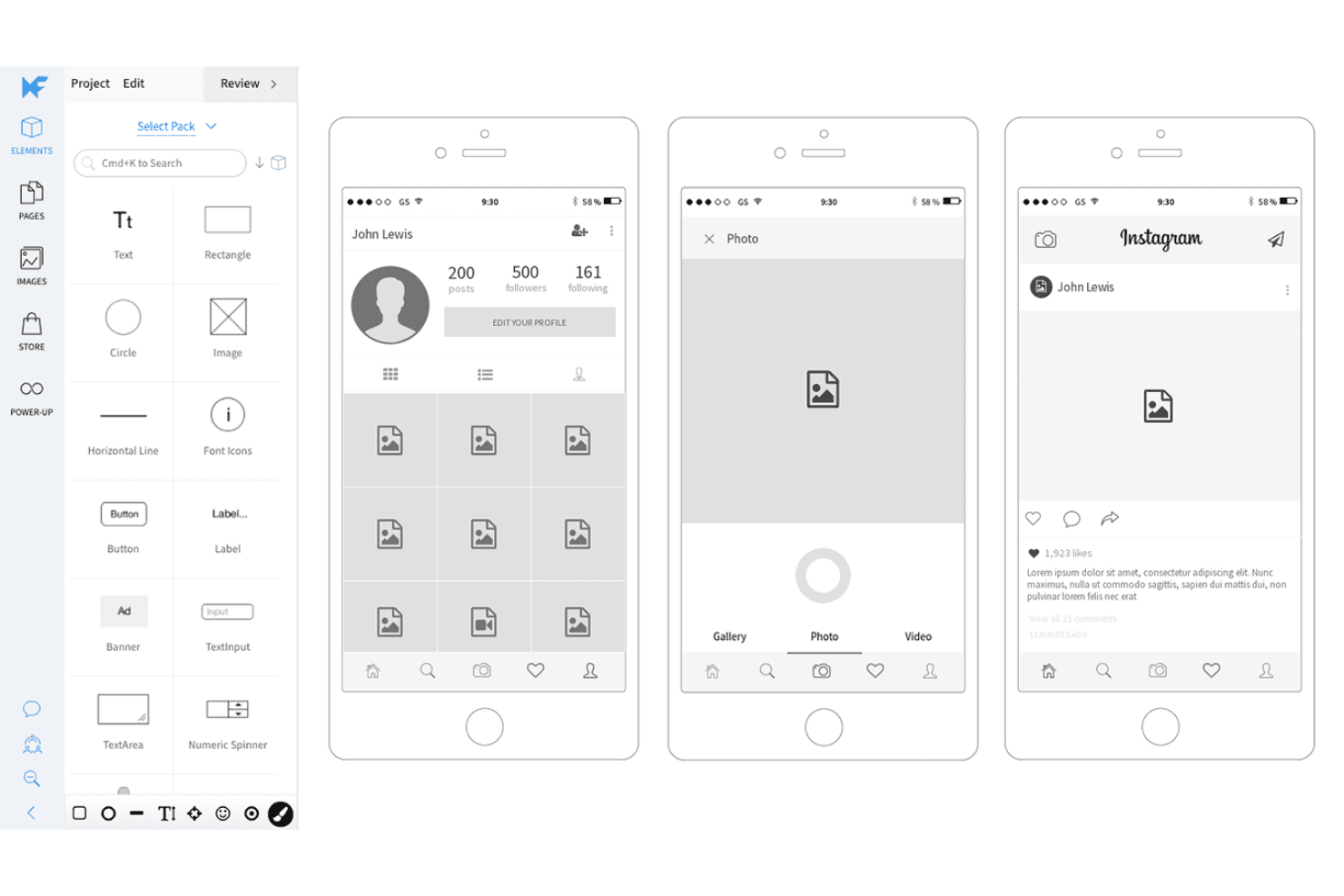
MockFlow cuenta con una amplia biblioteca de botones y elementos enfocados en aplicaciones móviles para que puedas idear rápidamente el concepto de un producto para teléfonos inteligentes. MockFlow es una plataforma de creación de estructuras alámbricas e ideación visual basada en la nube que combina un editor de interfaz de usuario de arrastrar y soltar, kits de interfaz de usuario móviles, generación de estructuras alámbricas asistida por IA y herramientas de transferencia a desarrolladores, incluida la exportación de código y el modo de especificaciones.
¿Para quién es más adecuado MockFlow?
MockFlow es una excelente opción para gerentes de producto y fundadores de startups que necesitan pasar del concepto de una aplicación móvil a una estructura alámbrica lista para los desarrolladores sin depender de un diseñador dedicado.
Por qué elegí MockFlow
MockFlow ocupa un lugar en mi lista de favoritos porque sus kits de interfaz de usuario móviles son los más actualizados que he visto en una herramienta de creación de estructuras alámbricas, con conjuntos de componentes listos para usar de iOS 26 Cristal líquido y Android 17 que reflejan lo que los desarrolladores realmente están creando. También recurro al modo de especificaciones para la transferencia a los desarrolladores: genera automáticamente una guía de estilos con variables CSS, tokens de diseño JSON y una configuración de Tailwind directamente a partir de tus estructuras alámbricas. El modo de creación exporta esas estructuras alámbricas como código funcional de React, Vue o Next.js, por lo que la distancia entre la maqueta y la primera versión funcional es realmente corta.
Características principales de MockFlow
- Asistente de IA Mida: Genera estructuras alámbricas editables a partir de una instrucción de texto, una captura de pantalla o una URL, y puede crear nuevas pantallas basadas en tus estructuras alámbricas existentes para mantener la coherencia del estilo.
- Sugerencias de diseño: Los revisores pueden proponer cambios visuales en una estructura alámbrica sin modificar el original, lo que permite comparar versiones en paralelo y aceptar los cambios con un solo clic.
- Integración con el servidor MCP: Conecta asistentes de programación con IA como Claude, Cursor y VS Code Copilot directamente con MockFlow, lo que permite crear estructuras alámbricas a partir de documentos de requisitos de producto, bases de código o épicas de Jira.
- Modo de flujos: Traza los flujos de usuario entre pantallas directamente en el lienzo, para que puedas planificar las rutas de navegación junto con los diseños de tus estructuras alámbricas.
Integraciones de MockFlow
MockFlow ofrece más de 20 conectores nativos para tableros, incluidos Jira, Slack, Trello, Microsoft Teams, Google Drive, Linear, Asana, Notion y GitHub. También se conecta con Figma y asistentes de programación con IA mediante MCP, incluidos Claude, Cursor y VS Code Copilot.
Pros and Cons
Pros:
- Los kits de interfaz de usuario móviles actualizados agilizan las maquetas de aplicaciones
- El modo de especificaciones facilita la transferencia a los desarrolladores
- La IA genera estructuras alámbricas editables a partir de capturas de pantalla
Cons:
- Los prototipos sencillos carecen de lógica condicional
- Los proyectos grandes pueden funcionar con lentitud
Learn more about MockFlow: Ideal para el diseño de maquetas de código abierto y autoalojado
- Plan gratuito disponible; prueba gratuita de 14 días
- Desde $7/usuario/mes
Visit WebsiteCustomer Rating:4.5/5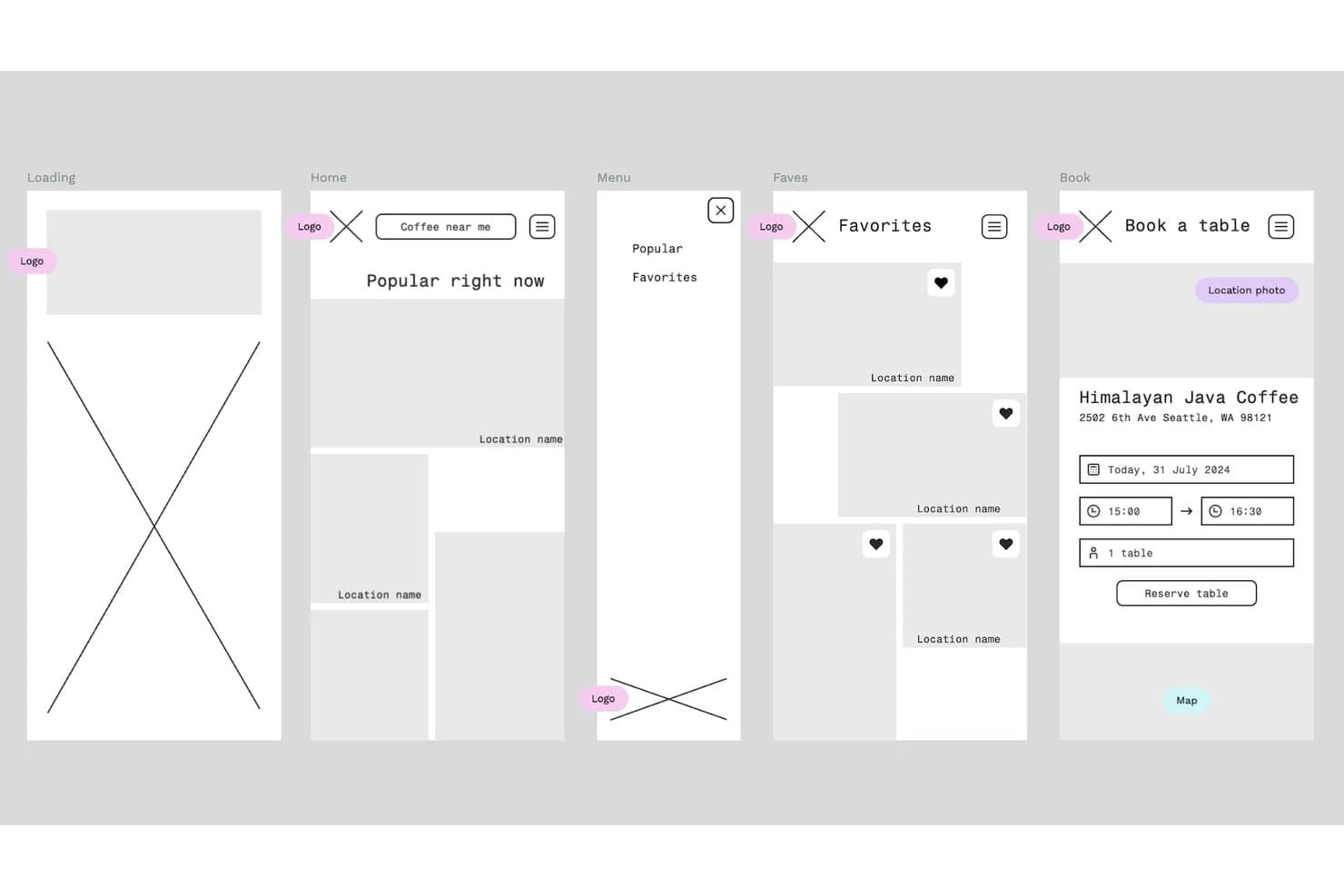
Penpot permite a los usuarios crear estructuras alámbricas de aplicaciones móviles en varias pantallas. Penpot es una herramienta de diseño y creación de prototipos de código abierto basada en navegador que incluye edición vectorial, diseño adaptable, bibliotecas de componentes, tokens de diseño y entrega a desarrolladores en un único espacio de trabajo.
¿Para quién es más adecuado Penpot?
Penpot es una opción excelente para equipos cercanos al desarrollo y startups que quieren herramientas de diseño completas sin dependencia de un proveedor ni costes de licencias por usuario.
Por qué elegí Penpot
Penpot ocupa un lugar en mi lista de favoritos porque es la única herramienta de creación de maquetas totalmente de código abierto que permite a los equipos alojar toda la plataforma por sí mismos, manteniendo los diseños, tokens y bibliotecas de componentes completamente en su propia infraestructura. Me encanta que sus diseños flexibles y de cuadrícula basados en CSS se traduzcan directamente al código de producción, de modo que la entrega mediante las pestañas Inspeccionar y Código realmente reduce la comunicación de ida y vuelta con los desarrolladores. El sistema de tokens de diseño compatible con W3C también permite a mi equipo gestionar temas claros/oscuros y conjuntos de tokens para varias marcas en un solo archivo, algo poco habitual a este precio.
Características principales de Penpot
- Edición multijugador: Varios miembros del equipo pueden trabajar en el mismo archivo al mismo tiempo, con comentarios contextuales que se pueden leer y resolver sin salir del modo de diseño.
- Flujos de prototipos: Conecta tableros mediante activadores, acciones, superposiciones y animaciones para crear flujos de usuario ilimitados y compartibles por separado en un solo archivo.
- Variantes de componentes: Crea y gestiona variantes de componentes con interruptores booleanos que conservan las sobrescrituras en todo tu sistema de diseño.
- Integración con servidor MCP: Conecta cualquier LLM externo (Claude, Cursor o VS Code) para leer, modificar y generar diseños, tokens y componentes directamente.
Integraciones de Penpot
Penpot ofrece unos 125 plugins del mercado, incluidos Locofy Lightning, Iconify, Sync Board Companion for Miro y Design Tokens Export & Deploy para GitHub, GitLab, Azure DevOps y Bitbucket. Su API REST, API de plugins, webhooks y tokens de acceso personal permiten crear integraciones personalizadas.
Pros and Cons
Pros:
- Los diseños basados en CSS simplifican la entrega a los desarrolladores
- El autoalojamiento de código abierto protege la propiedad de los diseños
- Los tokens y las variantes son compatibles con sistemas de productos
Cons:
- El rendimiento puede disminuir en archivos complejos
- La lógica de los prototipos carece de condiciones y variables
Learn more about Penpot: Ideal para definir flujos antes de crear wireframes
- Hay un plan gratuito disponible
- Desde $6/usuario/mes (facturado anualmente)
Visit WebsiteCustomer Rating:4.5/5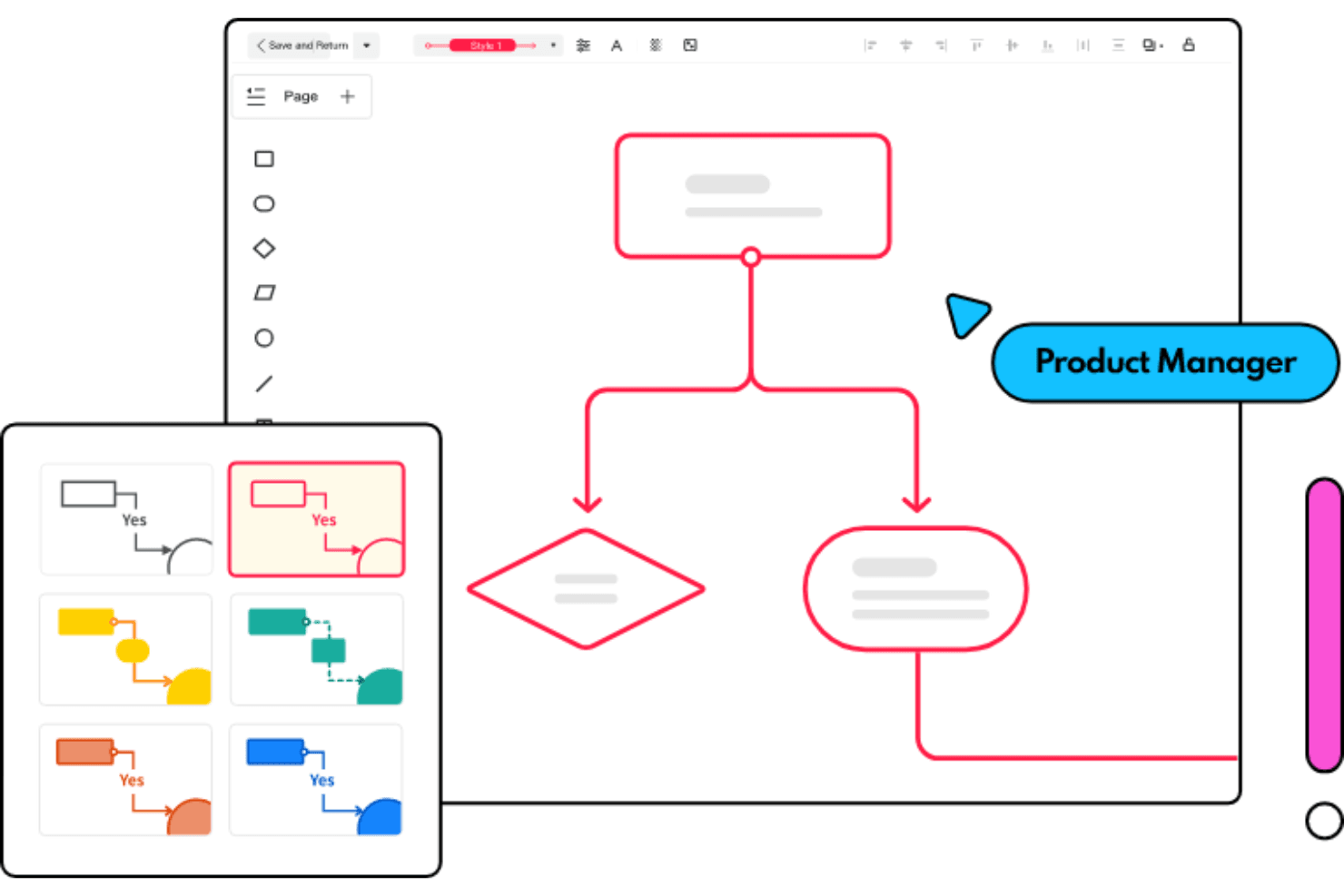
Mockitt cuenta con varias plantillas de diagramas de flujo para que triunfes en tu próxima reunión Wondershare Mockitt es un espacio de trabajo todo en uno para maquetas y prototipos que combina pizarras, mapas mentales, diagramas de flujo, creación de wireframes, diseño de interfaces de usuario y creación de prototipos interactivos en una sola herramienta basada en el navegador.
¿Para quién es más adecuado Wondershare Mockitt?
Wondershare Mockitt es ideal para gerentes de producto que necesitan definir flujos de usuario, mapas mentales y mapas del sitio antes de crear un solo wireframe.
Por qué elegí Wondershare Mockitt
He incluido Wondershare Mockitt entre mis principales opciones porque es una de las pocas herramientas de maquetas que permite crear flujos de usuario, mapas mentales y mapas del sitio en una pizarra infinita antes de abrir un lienzo de wireframes. Me encanta que la función de diagramas de flujo con IA convierta una descripción de un proceso en lenguaje natural en un diagrama editable, lo que permite a un gerente de producto pasar de una idea inicial a un flujo estructurado en cuestión de minutos. Después, ese flujo pasa directamente al espacio de trabajo de wireframes y prototipos de Mockitt, de modo que todo se mantiene en un mismo lugar.
Características principales de Wondershare Mockitt
- Activadores de prototipos interactivos: Vincula pantallas mediante activadores de clic, desplazamiento, deslizamiento, pulsación prolongada y gestos, con estados dinámicos y animaciones entre pantallas.
- Exportación de diseño a código: Genera borradores de código en HTML, Vue, React, Flutter o ArkUI directamente desde tus diseños para facilitar la entrega a los desarrolladores.
- Espacio de trabajo de múltiples niveles de fidelidad: Pasa de wireframes de baja fidelidad a diseños de interfaz de usuario de alta fidelidad dentro de un mismo lienzo, sin cambiar de herramienta ni exportar entre etapas.
- Generación de prototipos con IA: Convierte descripciones de texto, capturas de pantalla o bocetos dibujados a mano en prototipos editables para diseños móviles, web o de tableta.
Integraciones de Wondershare Mockitt
Wondershare Mockitt no cuenta con integraciones nativas con Jira, Slack o Confluence. Admite importaciones desde Figma, Sketch, Axure, Adobe XD y Photoshop, además de complementos de recursos de terceros a través de su Centro de recursos de la comunidad.
Pros and Cons
Pros:
- Permite definir flujos de usuario antes de crear wireframes
- Convierte bocetos en prototipos editables
- Admite exportaciones detalladas para la entrega a desarrolladores
Cons:
- El retraso en el rendimiento afecta a los proyectos complejos
- La creación de diagramas resulta menos sólida que con herramientas especializadas
Learn more about Wondershare Mockitt: Ideal para la entrega de diseños nativos de Adobe CC
- Prueba gratuita de 30 días
- Precio bajo petición
Visit WebsiteCustomer Rating:4.3/5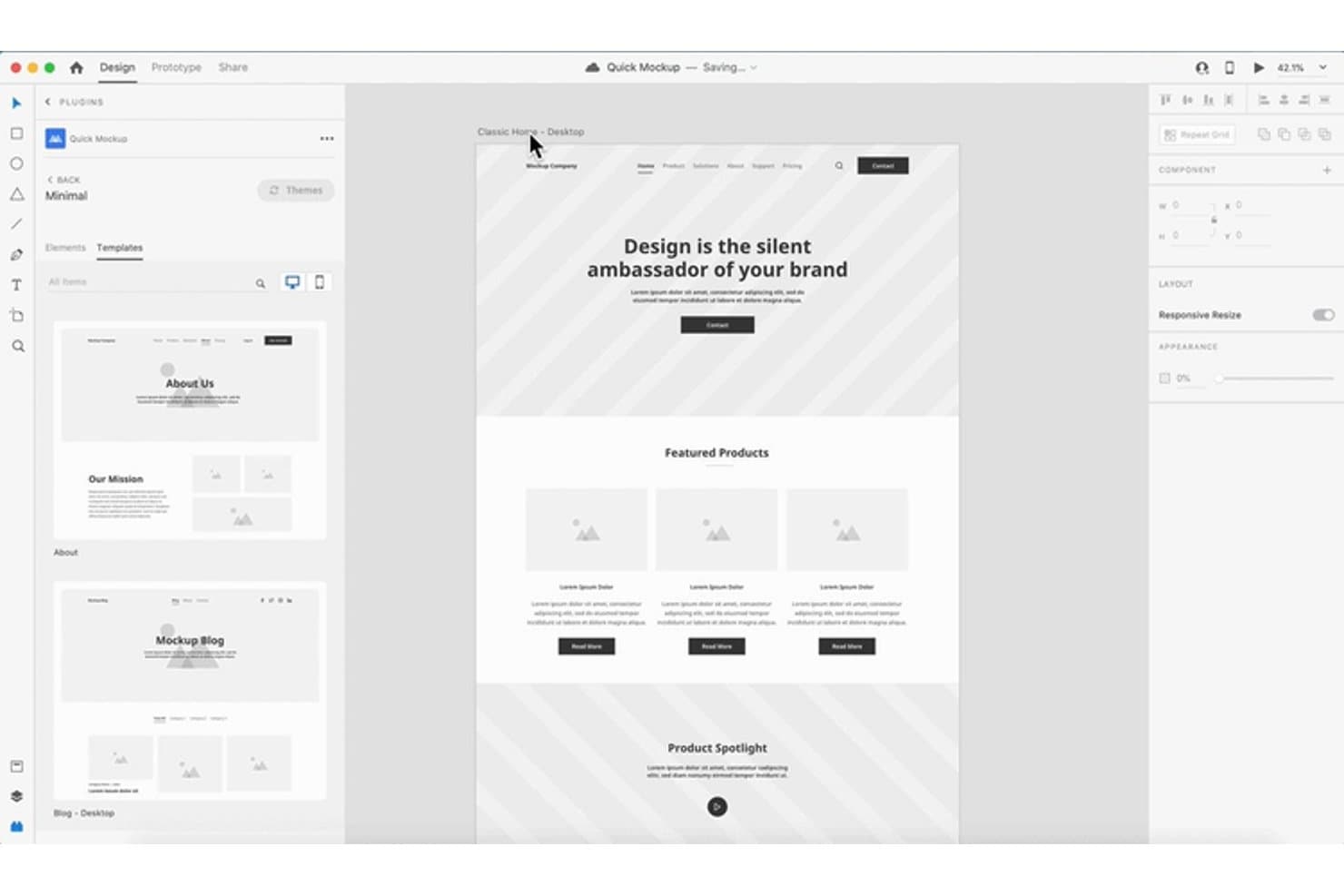
Adobe XD permite a los usuarios diseñar y previsualizar maquetas de sitios web con plantillas reutilizables. Adobe XD es una herramienta de diseño de UI/UX basada en vectores que abarca la creación de estructuras alámbricas, el diseño visual, la creación de prototipos y la entrega a desarrolladores en una sola aplicación de escritorio para macOS y Windows.
¿Para quién es más adecuado Adobe XD?
Adobe XD es una opción excelente para diseñadores de UI/UX y gestores de producto que ya trabajan dentro del ecosistema de Adobe Creative Cloud y necesitan una creación de prototipos y una entrega a desarrolladores fiables.
Por qué elegí Adobe XD
He incluido Adobe XD entre mis principales opciones porque se integra de forma natural en los equipos que ya utilizan Creative Cloud, haciendo que la entrega del diseño parezca un flujo de trabajo nativo en lugar de algo secundario. Me gusta especialmente que los enlaces de especificaciones de diseño proporcionen a los desarrolladores una vista compartible de tamaños, espaciado, colores y recursos sin necesidad de herramientas adicionales. Además, los ajustes preestablecidos para compartir, como Revisión del diseño y Desarrollo, me permiten enviar exactamente el contexto adecuado a la audiencia correcta, cada uno con su propio enlace.
Características principales de Adobe XD
- Cuadrícula repetida: Arrastra cualquier elemento o grupo para repetirlo al instante en filas o columnas, lo que facilita la creación de maquetas de listas, tarjetas y tablas de datos.
- Animación automática: XD anima automáticamente las capas coincidentes entre mesas de trabajo, permitiéndote simular transiciones y movimiento sin escribir código.
- Estados de los componentes: Define los estados Predeterminado, Al pasar el cursor y Alternar para botones y elementos de la interfaz de usuario, y después conecta las interacciones entre ellos directamente en tu prototipo.
- Edición colaborativa: Varios miembros del equipo pueden editar simultáneamente el mismo documento en la nube, con un historial de versiones que registra los cambios durante un máximo de 180 días.
Integraciones de Adobe XD
Adobe XD ofrece integraciones documentadas con Jira Cloud, Slack, Zoom, Photoshop, Illustrator, After Effects y las bibliotecas de Creative Cloud. También se conecta con herramientas de entrega a desarrolladores exclusivas de macOS, como Zeplin, Avocode, Sympli, Kite Compositor y ProtoPie.
Pros and Cons
Pros:
- Las especificaciones de diseño aclaran la entrega a desarrolladores
- La animación automática demuestra flujos de producto realistas
- El diseño adaptado al contenido agiliza las maquetas repetibles
Cons:
- El modo de mantenimiento limita la inversión futura en el producto
- La edición colaborativa genera fricciones en las iteraciones compartidas
 Ideal para el traspaso del diseño al desarrollo en Mac
- Prueba gratuita de 30 días
- Desde $12/usuario/mes (facturado anualmente)
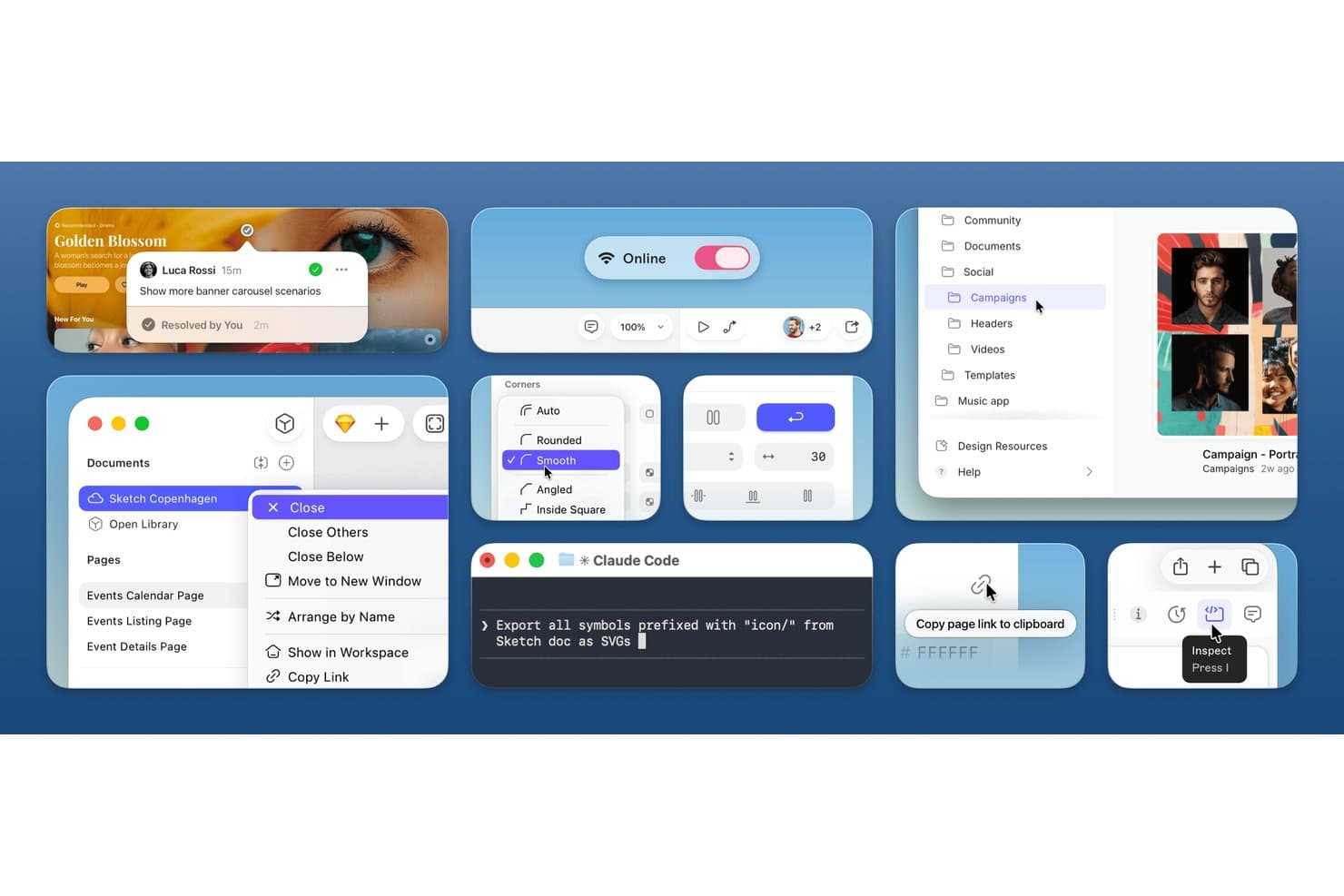
Sketch permite diseñar maquetas con herramientas colaborativas y componentes de interfaz. Sketch es una herramienta de diseño vectorial nativa para Mac que permite crear esquemas, maquetas de alta fidelidad y prototipos interactivos, con compatibilidad integrada con sistemas de diseño, coedición en tiempo real y traspaso gratuito al desarrollo desde el navegador.
¿Para quién es más adecuado Sketch?
Sketch es una excelente opción para equipos centrados en el diseño que trabajan en Mac y necesitan una herramienta madura y completa, con traspaso gratuito al desarrollo desde el navegador.
Por qué elegí Sketch
Sketch ocupa un lugar destacado en mi lista porque gestiona muy bien el traspaso del diseño al desarrollo en Mac. Me encanta que los desarrolladores obtengan una vista de inspección gratuita basada en el navegador, con exportaciones CSS, valores de color y recursos descargables, sin necesidad de tener un Mac ni una licencia de pago. El traspaso gratuito se complementa con el servidor MCP de Sketch, que me permite conectar clientes de IA como Claude o Cursor directamente con mis diseños y generar código con una fidelidad visual declarada de 1:1.
Características principales de Sketch
- Coedición en tiempo real: Varios diseñadores pueden editar simultáneamente el mismo documento en la aplicación para Mac, con cursores en directo y seguimiento de avatares.
- Animación inteligente: Los prototipos utilizan aceleración y temporización personalizadas para animar las transiciones entre marcos sin configuración manual.
- Exportación de tokens de diseño: Los colores, estilos de capa y estilos de texto se exportan como CSS o JSON, lo que proporciona a los desarrolladores variables de diseño siempre actualizadas.
- Herramienta de diseño de apilamiento: Los contenedores de diseño automático flexibles admiten relleno, alineación, distribución, ajuste y tamaños mínimos y máximos para trabajos de diseño adaptable.
Integraciones de Sketch
Sketch ofrece integraciones documentadas con Jira, Slack, Google Sheets Content Sync, ProtoPie, Overflow, Zeplin y Stark. Su servidor MCP conecta Claude, Cursor, VS Code/Copilot, Codex y otros clientes compatibles con MCP.
Pros and Cons
Pros:
- El traspaso desde el navegador sirve a los desarrolladores sin acceso a un Mac
- La edición nativa en Mac permite crear maquetas sin conexión
- La animación inteligente permite probar flujos de producto realistas
Cons:
- La edición exclusiva en Mac excluye a los colaboradores que utilizan Windows
- Los navegadores no pueden editar diseños compartidos
Learn more about Sketch: Ideal para el diseño colaborativo de interfaces
- Hay un plan gratuito disponible
- Desde $16/usuario/mes (facturado anualmente)
Visit WebsiteCustomer Rating:4.7/5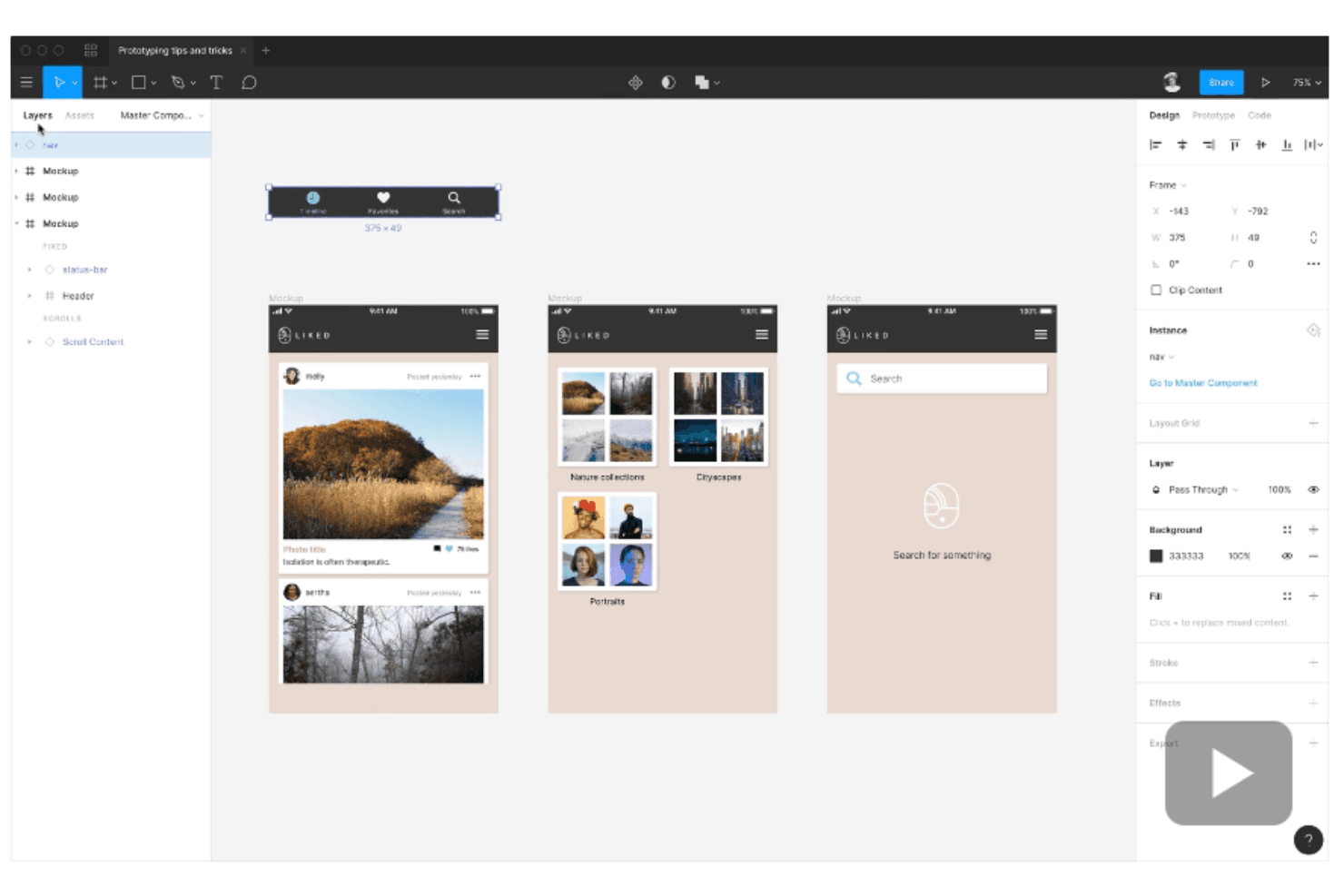
Figma permite crear prototipos interactivos sin sincronizar con otras herramientas ni exportar archivos. Figma es una herramienta de diseño de interfaces basada en navegador que reúne el diseño de estructuras alámbricas, las maquetas de alta fidelidad, la creación de prototipos interactivos y la entrega a desarrolladores en un único entorno multijugador.
¿Para quién es más adecuado Figma?
Figma es ideal para equipos de producto multifuncionales en los que diseñadores, PMs y desarrolladores necesitan trabajar en los mismos archivos sin cambiar de herramienta.
Por qué elegí Figma
Figma ocupa un lugar en mi lista de favoritos porque la edición multijugador en tiempo real cambia realmente la forma en que trabajan juntos los equipos multifuncionales. He trabajado con diseñadores, PMs y desarrolladores dentro del mismo archivo al mismo tiempo, dejando comentarios e iterando sin una sola exportación. Funciones como la ramificación y la combinación mantienen aislados los cambios experimentales hasta que están listos, y Dev Mode con Code Connect permite que los desarrolladores obtengan especificaciones listas para usar en código directamente desde el archivo de diseño.
Características principales de Figma
- Figma Make: Genera prototipos funcionales o aplicaciones web a partir de indicaciones de texto, con opciones para publicar en una URL o copiar el resultado de nuevo como capas de diseño editables.
- Creación avanzada de prototipos: Añade lógica condicional, variables y expresiones para crear prototipos de interacciones, lo que permite flujos dinámicos que responden a la entrada del usuario.
- Pizarra de FigJam: Organiza talleres asíncronos o en directo con notas adhesivas, votaciones, temporizadores y resúmenes generados por IA directamente dentro de Figma.
- Dev Mode: Inspecciona diseños con fragmentos de código CSS, React y JSON, entornos de prueba de componentes y enlaces de GitHub o Jira adjuntos a capas específicas.
Integraciones de Figma
Figma ofrece más de 40 integraciones documentadas, incluidas Jira, Confluence, Slack, Linear, Productboard, Notion, GitHub, Storybook, Maze y UserTesting. Su API REST admite integraciones personalizadas.
Pros and Cons
Pros:
- La colaboración en tiempo real mantiene alineados a los equipos
- Los flujos de fidelidad baja a alta permiten iterar
- La entrega a desarrolladores reduce la ambigüedad de las especificaciones
Cons:
- Los archivos grandes pueden volverse lentos
- Los controles avanzados pueden abrumar a los usuarios ocasionales
 Ideal para crear maquetas con IA sin conocimientos de diseño
- Plan gratuito disponible
- Desde $14/editor/mes
Visit WebsiteCustomer Rating:4.8/5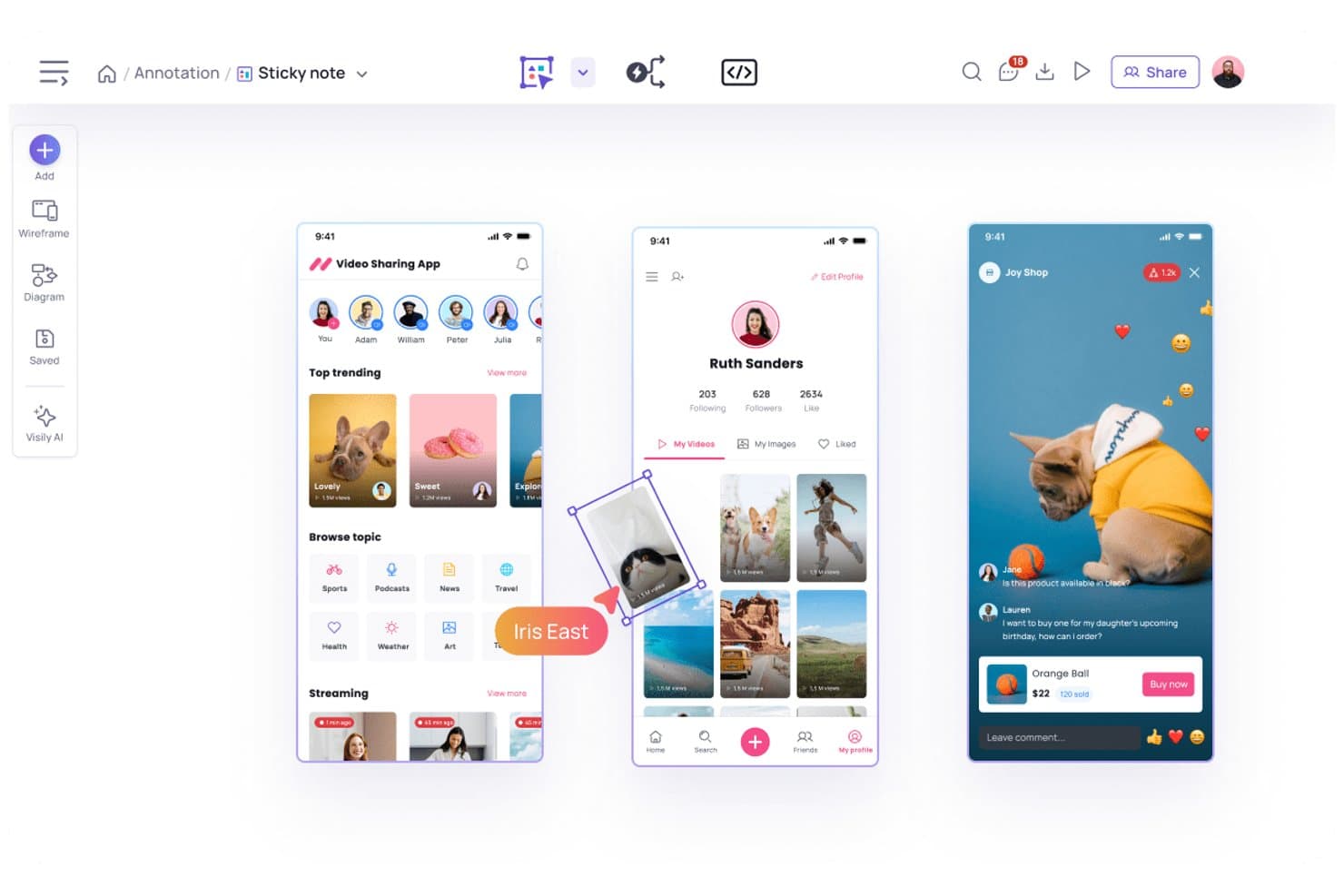
Visily permite a los usuarios anotar y perfeccionar maquetas de aplicaciones con notas adhesivas. Visily es una herramienta de creación de maquetas de interfaz y wireframes basada en el navegador que permite generar pantallas editables a partir de indicaciones de texto, capturas de pantalla, bocetos o diagramas, con un editor de arrastrar y soltar, más de 1.500 plantillas, creación de prototipos interactivos y entrega a desarrolladores mediante el Modo de inspección y la exportación de código.
¿Para quién es más adecuado Visily?
Visily es una excelente opción para gerentes de producto y fundadores de startups que necesitan pasar rápidamente de una idea a una pantalla que puedan compartir, sin depender de un diseñador.
Por qué elegí Visily
Elegí Visily como una de las mejores opciones porque realmente elimina la barrera de las habilidades de diseño: puedes pegar una captura de pantalla de la aplicación de un competidor o escribir una descripción en texto sencillo y obtener en segundos un wireframe editable de varias pantallas. Me gusta especialmente la función de creación automática de prototipos con IA, que enlaza automáticamente hasta 20 pantallas en un flujo en el que se puede hacer clic, para que puedas compartir un prototipo funcional con ingenieros o partes interesadas sin tocar una sola línea de conexión. El resultado del Modo de inspección, con valores de CSS y Tailwind junto con código exportable de React o Vue, significa que la entrega ya está lista cuando comienza el desarrollo.
Características principales de Visily
- Edición colaborativa en tiempo real: Varios miembros del equipo pueden diseñar simultáneamente en el mismo tablero, con chat mediante el cursor, comentarios y reacciones con emojis incluidos en todos los planes.
- Selector de baja/alta fidelidad: Cambia entre los modos de baja y alta fidelidad en cualquier tablero, con plantillas específicas disponibles para ambos niveles.
- Activadores y transiciones de prototipos: Configura interacciones de clic, desplazamiento, deslizamiento, arrastre, tiempo de espera y teclado, con transiciones de desvanecimiento o deslizamiento y controles de posicionamiento de superposiciones.
- Integraciones con Jira, Slack y Notion: Inserta tableros en tickets de Jira, recibe alertas de comentarios en Slack y muestra pantallas dentro de páginas de Notion sin salir de tu flujo de trabajo actual.
Integraciones de Visily
Visily ofrece integraciones nativas con Slack y Notion, además de una aplicación de Jira Marketplace y un complemento bidireccional de Figma para flujos de trabajo de productos. Su servidor MCP conecta los tableros con herramientas de programación con IA, como Claude Code, Cursor, ChatGPT y Lovable.
Pros and Cons
Pros:
- La IA convierte capturas de pantalla en pantallas editables
- El Modo de inspección proporciona especificaciones útiles para la entrega a desarrolladores
- Enlaza automáticamente hasta 20 pantallas del prototipo
Cons:
- La ausencia de diseño automático ralentiza el perfeccionamiento detallado de la interfaz
- Las ediciones con IA pueden crear cambios de diseño no deseados
Learn more about Visily: Ideal para una colaboración eficaz entre las partes interesadas de producto y técnicas
- Plan gratuito disponible
- Desde $24.9/usuario/mes (facturado anualmente)
Visit WebsiteCustomer Rating:4.5/5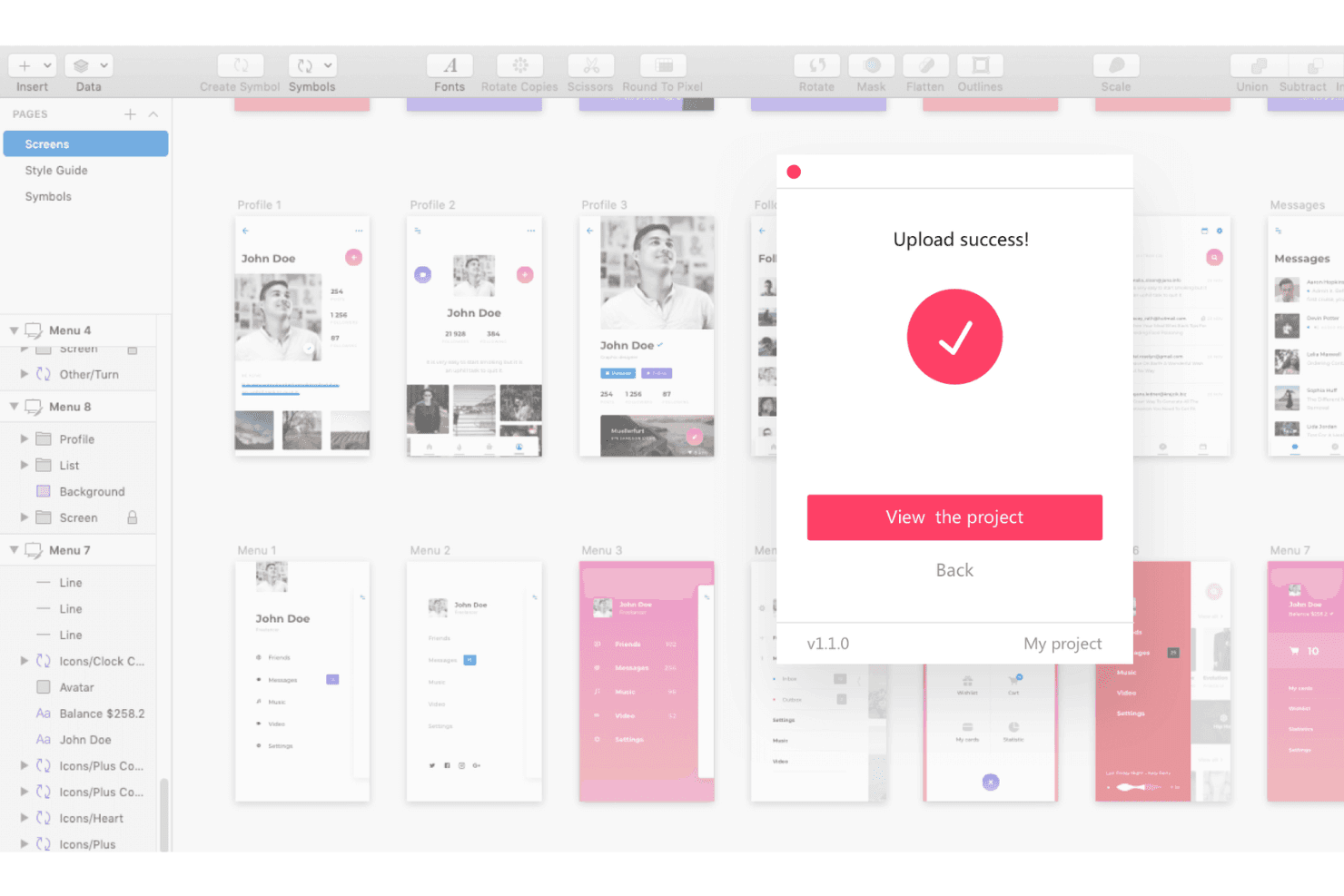
Mockplus te da la bienvenida tal como eres. Sube tus recursos desde distintos programas a Mockplus y colabora eficazmente con los equipos de desarrollo. Mockplus RP es una herramienta de creación de wireframes y prototipos basada en el navegador que cubre todo el flujo de diseño, desde los bocetos mediante arrastrar y soltar y los wireframes de baja fidelidad hasta los prototipos interactivos, la revisión por parte de las partes interesadas y las especificaciones para la entrega a los desarrolladores.
¿Para quién es más adecuado Mockplus?
Mockplus RP es una opción excelente para equipos multifuncionales, especialmente gerentes de producto y desarrolladores, que necesitan pasar de los wireframes iniciales a especificaciones listas para entregar a los desarrolladores sin cambiar de herramienta.
Por qué elegí Mockplus
Elegí Mockplus RP porque realmente cubre todo el recorrido desde el wireframe inicial hasta la entrega a los desarrolladores sin pedirle nunca a tu equipo que cambie de herramienta. Me gusta especialmente que las especificaciones generadas automáticamente, las líneas de medición y los fragmentos de código en CSS, Swift y Objective-C se produzcan directamente desde tu prototipo, para que los desarrolladores obtengan lo que necesitan sin un paso de exportación manual. El hecho de que los documentos PRD y la asignación de tareas estén en el mismo espacio de trabajo también permite a los gerentes de producto mantener el contexto del producto asociado a los diseños que se están revisando.
Características principales de Mockplus
- Edición colaborativa en tiempo real: Varios miembros del equipo pueden trabajar simultáneamente en el mismo prototipo, con cambios guardados automáticamente y sincronizados en todo el espacio de trabajo.
- Vista de guion gráfico: Visualiza y organiza todo el flujo de usuario en todas las pantallas desde una única vista conectada.
- Control de acceso basado en roles: Asigna roles de permisos a los miembros del equipo para gestionar quién puede ver, editar o comentar los proyectos.
- Uso compartido mediante código QR: Comparte prototipos activos al instante mediante un código QR para obtener vistas previas rápidas en dispositivos y comentarios de las partes interesadas.
Integraciones de Mockplus
Mockplus documenta integraciones con Slack, Jira, Confluence y Lark, además de complementos para Figma, Sketch, Photoshop y Axure. No hay ninguna API pública documentada para integraciones personalizadas.
Pros and Cons
Pros:
- El flujo de trabajo desde el wireframe hasta la entrega permanece en un solo espacio de trabajo
- Las especificaciones generadas automáticamente facilitan las entregas listas para los desarrolladores
- Los PRD y las tareas mantienen asociado el contexto del producto
Cons:
- Los planes individuales excluyen la colaboración y la entrega
- No incluye pruebas de usabilidad ni análisis integrados
Learn more about Mockplus: Ideal para maquetas creadas a partir de URL activas
- Plan gratuito + prueba gratuita de 14 días disponible
- Desde $29/usuario/mes (facturado anualmente)
Visit WebsiteCustomer Rating:4.2/5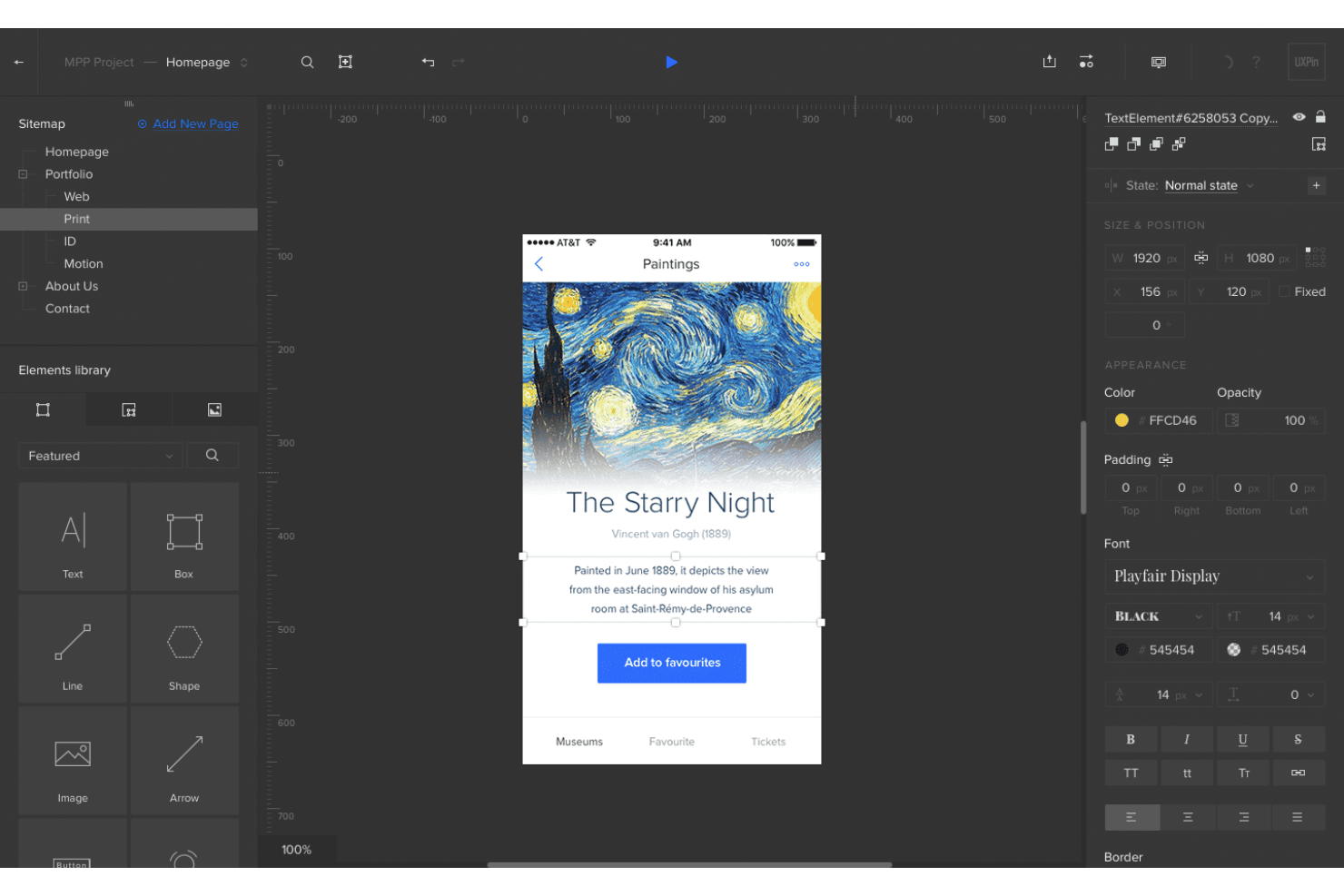
UXPin te permite aplicar detalles de diseño complejos a maquetas de sitios web y aplicaciones móviles. UXPin es una herramienta de maquetación y prototipado basada en el navegador que te permite diseñar con componentes React reales respaldados por código, generar diseños a partir de URL o capturas de pantalla y entregar especificaciones directamente a los desarrolladores.
¿Para quién es más adecuado UXPin?
UXPin es adecuado para responsables de producto y diseñadores que necesitan convertir sitios existentes, capturas de pantalla o wireframes en maquetas editables respaldadas por código, sin empezar desde un lienzo en blanco.
Por qué elegí UXPin
He incluido UXPin entre mis principales opciones porque su Forge AI hace algo que no he visto en ningún otro lugar: introduce una URL activa y reconstruye el diseño utilizando tu biblioteca real de componentes React, no formas genéricas. Esto significa que, si estás modernizando un panel antiguo o auditando la interfaz de usuario de un competidor, obtienes una maqueta editable respaldada por código en cuestión de minutos. También utilizo la función de imagen a interfaz de Forge para convertir capturas de pantalla preliminares en diseños estructurados que los desarrolladores pueden inspeccionar con especificaciones CSS reales.
Funciones principales de UXPin
- Revisión de UX con Forge AI: Evalúa tu maqueta en cuanto a claridad, jerarquía, coherencia y accesibilidad, y te proporciona comentarios estructurados antes de entregarla a los desarrolladores.
- Variables y lógica condicional: Te permite almacenar la entrada del usuario y crear interacciones ramificadas para que los prototipos respondan dinámicamente, como una aplicación real.
- Modo de especificaciones de código: Genera CSS inspeccionable, dimensiones de los elementos y detalles tipográficos directamente desde tu diseño, para que los desarrolladores puedan consultar valores exactos sin necesidad de una herramienta de entrega independiente.
- Aprobación y comentarios de las partes interesadas: Permite que los revisores dejen comentarios y aprueben diseños en la vista previa sin crear una cuenta de UXPin.
Integraciones de UXPin
UXPin ofrece integraciones nativas con Figma, Sketch, GitHub, Bitbucket, GitLab, Storybook, npm, Jira, Slack y FullStory, además de StackBlitz y CodeSandbox para el código exportado.
Pros and Cons
Pros:
- Reconstruye sitios web existentes con componentes reales
- Los prototipos admiten variables y lógica condicional
- Las especificaciones de entrega reducen la reconstrucción por parte de los desarrolladores
Cons:
- La lógica compleja requiere tiempo para aprenderse
- Los proyectos grandes pueden experimentar un rendimiento lento
Learn more about UXPin: Ideal para el diseño de maquetas web adaptables
- Plan gratuito disponible
- Desde $19/usuario/mes
Visit WebsiteCustomer Rating:4.2/5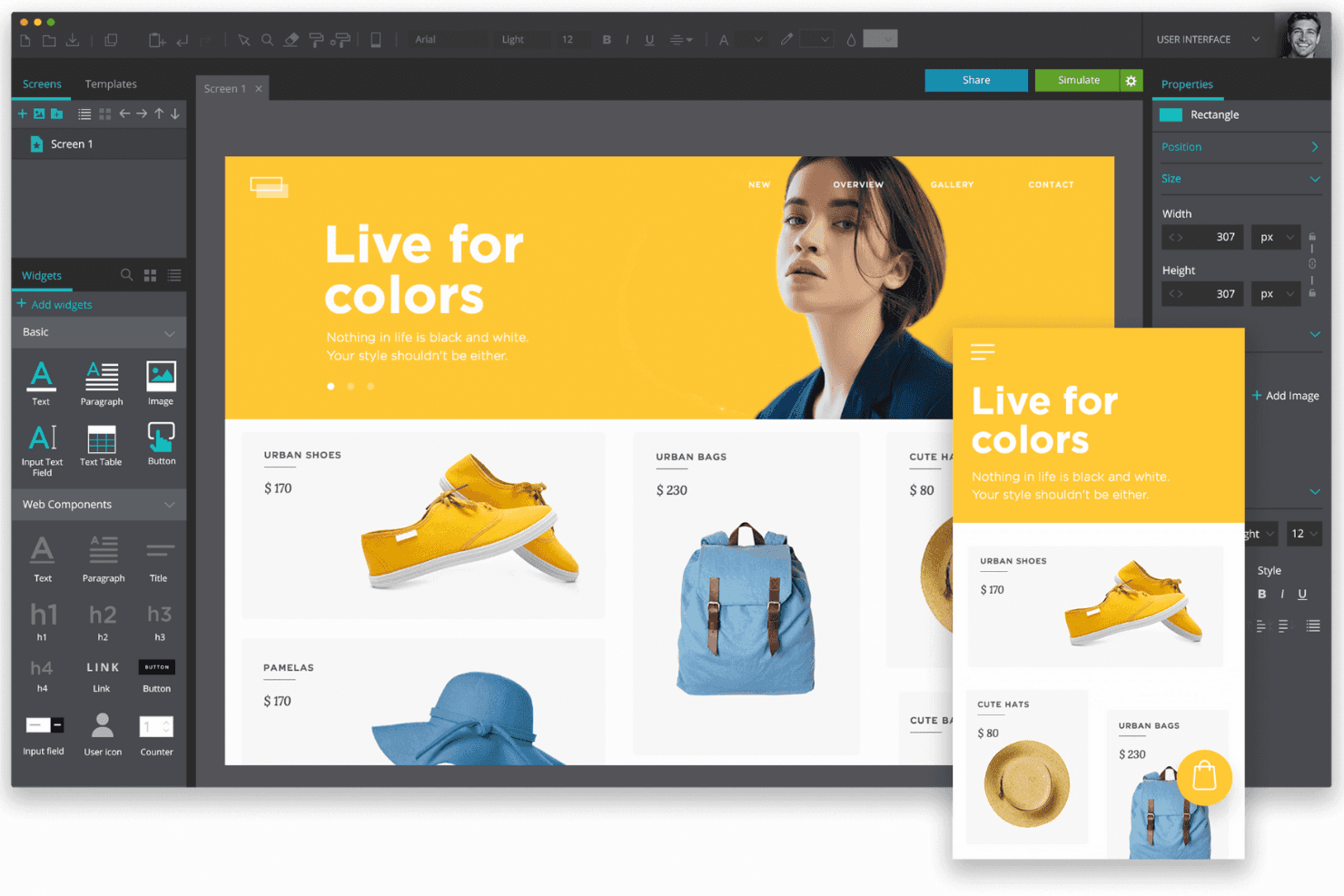
Justinmind te ayuda a diseñar maquetas de sitios web adaptables sin saber programar. Justinmind es una herramienta de maquetación y prototipado que combina el diseño de interfaces mediante arrastrar y soltar, controles de diseño adaptable, más de 4.000 componentes prediseñados y prototipado interactivo para web, iOS y Android.
¿Para quién es más adecuado Justinmind?
Justinmind es una opción muy adecuada para responsables de producto y diseñadores de UX que necesitan crear prototipos de diseños web adaptables con interacciones reales, no solo pantallas estáticas.
Por qué elegí Justinmind
Justinmind ocupa un lugar en mi lista de favoritos porque está diseñado específicamente para la creación de maquetas web adaptables, algo que la mayoría de las herramientas de prototipado no ofrece. Me encanta que puedas establecer los anchos de los elementos como porcentajes, fijar encabezados y pies de página, y definir eventos de puntos de interrupción que realmente activen cambios en el diseño, de modo que una revisión con las partes interesadas muestre exactamente cómo se comporta la interfaz en diferentes tamaños de pantalla. Los kits de Bootstrap y MUI permiten incorporar desde el principio componentes compatibles con cuadrículas, en lugar de adaptar la capacidad de respuesta más adelante.
Funciones principales de Justinmind
- Sincronización con Jira y Azure DevOps: Vincula directamente los elementos de la interfaz con elementos de trabajo y requisitos, manteniendo el diseño y la entrega dentro del mismo flujo de trabajo.
- Exportación HTML interactiva: Exporta prototipos como archivos funcionales de HTML y JavaScript que las partes interesadas pueden abrir en cualquier navegador.
- Diagramación de flujos de usuario: Traza y visualiza flujos de usuario de extremo a extremo dentro del mismo proyecto que tus maquetas.
- Modo de inspección: Los desarrolladores pueden consultar el espaciado, las medidas y los colores hexadecimales, además de copiar CSS directamente desde cualquier prototipo en el navegador.
Integraciones de Justinmind
Justinmind cuenta con cuatro integraciones de proyectos documentadas: Jira, Confluence, Azure DevOps e IBM DOORS. Su API/SDK basada en Java admite complementos personalizados y generación de código, mientras que Figma, Sketch y Adobe XD permiten importar diseños.
Pros and Cons
Pros:
- Los diseños adaptables reproducen el comportamiento real de los dispositivos
- Los prototipos funcionales permiten modelar flujos de usuario complejos
- La amplia biblioteca de componentes acelera la creación de maquetas
Cons:
- Los prototipos grandes pueden volverse inestables
- La interfaz poco familiar ralentiza la adopción inicial
Learn more about Justinmind:
Otras herramientas para crear maquetas
Estas son algunas opciones adicionales de herramientas para crear maquetas que no han entrado en mi lista de finalistas, pero que aun así merece la pena consultar:
- 11Axure RPIdeal para interacciones de prototipos con mucha lógica
- 12Proto.ioLa mejor opción para la creación de prototipos interactivos sin código
- 13BalsamiqIdeal para wireframes B2B con integración de Jira
- 14MarvelLa mejor opción para la entrega de prototipos y la recopilación de comentarios sin código
- 15MiroIdeal para la alineación inicial entre equipos
- 16FramerLo mejor para iterar maquetas web generadas por IA
- 17MoqupsIdeal para la investigación de UX en un único espacio de trabajo
Cómo evalúo las herramientas de maquetas
Divido mi evaluación en tres partes. La funcionalidad principal es lo primero —y tiene el mayor peso—, centrándome en si una herramienta permite organizar pantallas y utilizar recursos de interfaz de usuario ya preparados. Después, analizo las funciones destacadas, como la generación de diseños asistida por IA, y, por último, considero la relación calidad-precio y la facilidad de incorporación.
Funcionalidad principal (requisitos básicos para esta lista)
Al seleccionar herramientas para mi lista, puntúo cada una en una escala de 0 (no ofrece la funcionalidad) a 5 (sobresale en este ámbito) para cada una de las funcionalidades principales que se indican a continuación. Después convierto el total en un porcentaje para ayudar a evaluar la adecuación general de cada herramienta, dando un peso adicional a las funcionalidades que he considerado esenciales.
- Diseño de la estructura y los elementos (esencial): Compruebo si se pueden colocar, cambiar de tamaño y superponer libremente los componentes de la interfaz de usuario para crear pantallas estructuradas, en lugar de limitarse a colocar formas sobre un lienzo en blanco.
- Plantillas y bibliotecas de recursos (esencial): Una buena biblioteca ahorra horas. Busco kits de interfaz de usuario, marcos de dispositivos y conjuntos de iconos categorizados que cubran patrones habituales, como flujos de registro o paneles.
- Compatibilidad con múltiples niveles de fidelidad: Evalúo con qué facilidad se puede empezar con un esquema de baja fidelidad y avanzar hasta una maqueta pulida en el mismo archivo sin tener que reconstruir las pantallas desde cero.
- Colaboración en tiempo real: Los equipos necesitan hacer anotaciones en las maquetas conjuntamente. Busco edición simultánea en directo, comentarios organizados por conversaciones e historial de versiones para que los comentarios no se pierdan en cadenas de correos electrónicos.
- Exportación y entrega: Compruebo si ofrece resultados útiles para los desarrolladores, como especificaciones CSS, segmentación de recursos y vistas estructuradas de entrega, y no solo exportaciones PNG estáticas que dejan a los ingenieros adivinando.
- Enlaces interactivos: Enlazar pantallas para crear prototipos en los que se pueda hacer clic es importante para las revisiones con las partes interesadas. Analizo cuántos tipos de interacción admite una herramienta y si el prototipo resultante se parece a una aplicación real.
Una vez que tengo una lista de herramientas que cumplen los criterios, considero qué diferencia a cada plataforma.
Factores diferenciadores (lo que distingue a los proveedores)
Así es como comparo y contrasto los distintos proveedores:
Funciones destacadas
Busco una generación de diseños asistida por IA que vaya más allá de los trucos: herramientas como Figma y Uizard permiten convertir una indicación de texto en un diseño funcional, lo que reduce horas de trabajo en las primeras fases de conceptualización. Las especificaciones para la entrega del diseño son igual de importantes. Compruebo si una herramienta genera automáticamente líneas de cota y fragmentos de código para que los ingenieros no tengan que medir píxeles a partir de una captura de pantalla. También evalúo los ecosistemas de complementos, ya que una herramienta de maquetas que se conecta con Jira o Slack mantiene los comentarios dentro de los flujos de trabajo que los responsables de producto ya utilizan a diario.
Más allá de las funciones
Evalúo con qué rapidez pueden los no diseñadores producir una maqueta utilizable. Herramientas como Uizard y Balsamiq permiten a los responsables de producto omitir por completo la incorporación, mientras que Figma recompensa una inversión inicial mayor con un control más profundo. El modelo de precios también importa: las licencias por usuario pueden duplicar silenciosamente los costes cuando se incluye a ingenieros y partes interesadas en la revisión. También compruebo si una herramienta funciona completamente en el navegador, ya que los equipos distribuidos necesitan acceder desde distintos sistemas operativos sin instalar aplicaciones de escritorio.
Cómo elegir herramientas para crear maquetas
Es fácil perderse entre largas listas de funciones y estructuras de precios complejas. Para ayudarte a mantener la atención mientras avanzas en tu proceso particular de selección de software, aquí tienes una lista de factores que debes tener en cuenta:
| Factor | Qué debes tener en cuenta |
|---|---|
| FactorEscalabilidad | Qué debes tener en cuentaConsidera si la herramienta puede crecer junto con tu equipo. ¿Podrá gestionar más usuarios o proyectos de mayor tamaño a medida que se expanda tu empresa? Comprueba si existen limitaciones en el tamaño de los proyectos o en el número de usuarios. |
| FactorIntegraciones | Qué debes tener en cuentaEvalúa hasta qué punto la herramienta se conecta con tu conjunto de programas actual. ¿Se integra con plataformas como Slack, Jira o Google Drive para agilizar los flujos de trabajo? |
| FactorPersonalización | Qué debes tener en cuentaComprueba si la herramienta te permite adaptar las funciones a tus necesidades. ¿Puedes personalizar las plantillas o los flujos de trabajo para adaptarlos a los procesos particulares de tu equipo? |
| FactorFacilidad de uso | Qué debes tener en cuentaBusca una herramienta con una interfaz sencilla que tu equipo pueda aprender rápidamente. Evita las herramientas que requieran una formación extensa o conocimientos técnicos para las tareas cotidianas. |
| FactorImplementación y puesta en marcha | Qué debes tener en cuentaInvestiga el proceso de configuración y la asistencia disponible. ¿Existen recursos como tutoriales o equipos de soporte que ayuden a tu equipo a empezar sin interrupciones? |
| FactorCoste | Qué debes tener en cuentaCompara los modelos de precios y asegúrate de que se ajusten a tu presupuesto. ¿Existen tarifas ocultas o costes por funciones adicionales? Considera si la facturación anual ofrece algún ahorro. |
| FactorMedidas de seguridad | Qué debes tener en cuentaComprueba si la herramienta cumple tus estándares de seguridad. ¿Ofrece funciones como cifrado de datos y actualizaciones de seguridad periódicas para proteger tu información? |
| FactorDisponibilidad del soporte | Qué debes tener en cuentaDetermina el nivel de asistencia proporcionado. ¿Existe atención al cliente las 24 horas del día, los 7 días de la semana? ¿Puedes contactar con el equipo a través de varios canales, como el chat o el teléfono? |
¿Qué son las herramientas para crear maquetas?
Las herramientas de maquetación son aplicaciones que permiten crear rápidamente modelos visuales de un producto o una página web antes de desarrollarlos. Los diseñadores, desarrolladores y clientes las utilizan para visualizar diseños, probar ideas y obtener comentarios en una fase temprana, en lugar de tener que adivinar cómo se verá todo a partir de un boceto. Gracias a sus sencillas funciones de arrastrar y soltar y a los espacios de trabajo compartidos, puedes ajustar los diseños conjuntamente, ahorrando sorpresas y quebraderos de cabeza cuando comienza el desarrollo real.
Características
Al seleccionar herramientas de maquetación, presta atención a las siguientes características clave:
- Creación de esquemas: Permite crear diseños y estructuras básicos para tus proyectos, ayudándote a visualizar la interfaz de usuario desde las primeras etapas del proceso de diseño.
- Creación de prototipos: Permite crear modelos interactivos de tus diseños, lo que ayuda a probar los flujos de usuario y recopilar comentarios antes del desarrollo.
- Colaboración: Ofrece herramientas para el trabajo en equipo en tiempo real, permitiendo que varios usuarios trabajen simultáneamente en un proyecto y compartan comentarios al instante.
- Gestión del sistema de diseño: Ayuda a mantener la coherencia entre proyectos mediante la gestión de componentes reutilizables y guías de estilo.
- Herramientas de animación: Permite añadir transiciones y animaciones a tus prototipos, haciéndolos más realistas y atractivos.
- Pruebas con usuarios: Permite recopilar comentarios directos de los usuarios dentro de la plataforma, ayudando a perfeccionar los diseños según la interacción real de los usuarios.
- Traspaso del diseño: Conecta el diseño y el desarrollo mediante la generación de especificaciones de código, garantizando una transición más fluida a la fase de construcción.
- Comprobador de accesibilidad: Garantiza que tus diseños cumplan las normas de accesibilidad del sector, haciendo que tu producto sea utilizable por un público más amplio.
- Acceso sin conexión: Permite trabajar en proyectos sin conexión a internet, garantizando la productividad incluso en situaciones de conectividad limitada.
- Integración de datos en tiempo real: Utiliza datos reales para crear prototipos dinámicos, ofreciendo una representación más realista del producto final.
Ventajas
La implementación de herramientas de maquetación ofrece varias ventajas para tu equipo y tu empresa. Estas son algunas de las que puedes esperar:
- Mejora de la colaboración: Las funciones de colaboración en tiempo real permiten que los miembros del equipo trabajen juntos de forma eficiente, reduciendo los malentendidos y mejorando el trabajo en equipo.
- Iteración más rápida: Las capacidades de creación de prototipos y pruebas con usuarios permiten obtener comentarios y realizar revisiones rápidamente, acelerando el proceso de diseño y mejorando el producto final.
- Diseño coherente: La gestión del sistema de diseño ayuda a mantener la uniformidad entre proyectos, garantizando que las directrices de marca y diseño se sigan de forma coherente.
- Mayor creatividad: Funciones como las herramientas de animación y la integración de datos en tiempo real permiten crear diseños más creativos y realistas, haciendo que tus prototipos sean más atractivos.
- Ahorro de costes: Al identificar los problemas de diseño en una fase temprana mediante la creación de esquemas y prototipos, puedes evitar errores costosos y rehacer el trabajo durante la fase de desarrollo.
- Mayor accesibilidad: Los comprobadores de accesibilidad garantizan que tus diseños cumplan las normas, ampliando tu público y haciendo que tu producto sea más inclusivo.
- Traspaso eficiente: Las herramientas de traspaso del diseño proporcionan especificaciones claras para los desarrolladores, facilitando una transición más fluida del diseño al desarrollo.
Costes & precios
Seleccionar herramientas de maquetación requiere comprender los distintos modelos de precios y planes disponibles. Los costes varían según las funciones, el tamaño del equipo, los complementos y otros factores. La siguiente tabla resume los planes habituales, sus precios medios y las funciones que suelen incluir las soluciones de herramientas de maquetación:
Tabla comparativa de planes de herramientas de maquetación
| Tipo de plan | Precio medio | Funciones habituales |
|---|---|---|
| Tipo de planPlan gratuito | Precio medio$0 | Funciones habitualesCreación de esquemas básica, creación de prototipos limitada y colaboración básica. |
| Tipo de planPlan personal | Precio medio$5-$15/usuario/mes | Funciones habitualesCreación avanzada de prototipos, acceso a plantillas e integraciones básicas. |
| Tipo de planPlan empresarial | Precio medio$20-$50/usuario/mes | Funciones habitualesColaboración en tiempo real, gestión del sistema de diseño y funciones de seguridad mejoradas. |
| Tipo de planPlan para empresas | Precio medio$60-$100/usuario/mes | Funciones habitualesFlujos de trabajo personalizables, asistencia exclusiva para la cuenta, análisis avanzados y capacidades de integración completas. |
Preguntas frecuentes sobre herramientas de maquetas
Estas son algunas respuestas a preguntas frecuentes sobre las herramientas de maquetas:
¿Cómo encajan las herramientas de maquetas en el proceso general de diseño?
Las herramientas de maquetas suelen utilizarse después de los bocetos iniciales y antes del desarrollo completo. Te ayudan a visualizar las disposiciones y perfeccionar la interfaz de usuario antes de empezar a programar. Utilizarlas desde el principio puede ayudarte a identificar problemas de diseño cuando todavía es fácil realizar cambios.
¿Pueden las herramientas de maquetas sustituir a la programación durante las primeras etapas del diseño?
Sí, las herramientas de maquetas te permiten mostrar ideas visuales sin necesidad de programar. Son ideales para comunicar las decisiones sobre la disposición, el color y el estilo antes de comenzar el desarrollo. De este modo, puedes centrarte en la claridad del diseño sin preocuparte todavía por los aspectos técnicos.
¿Hasta qué punto son precisas las maquetas en comparación con los diseños finales?
Las maquetas ofrecen una representación bastante fiel del aspecto que tendrá el producto final. Sin embargo, pueden aparecer pequeñas diferencias cuando se añaden datos y funcionalidades reales. Considéralas una guía para comunicar la intención, no una versión final con una precisión perfecta a nivel de píxel.
¿Cuándo debes actualizar o revisar las maquetas durante un proyecto?
Debes revisar las maquetas siempre que cambien el alcance del proyecto, la identidad de marca o los comentarios de los usuarios. Mantenerlas actualizadas garantiza que todos estén al tanto. Las actualizaciones periódicas evitan confusiones y facilitan mucho la entrega al equipo de desarrollo.