

Con tantas herramientas de pensamiento de diseño diferentes disponibles, determinar cuál es la adecuada para ti requiere mucho tiempo. Sabes que quieres una herramienta que te ayude a comprender los problemas de diseño y generar soluciones creativas, pero necesitas decidir qué opción es la mejor. En este artículo, te ayudaré a hacer que esta elección sea más sencilla al compartir mis conocimientos sobre las mejores herramientas de pensamiento de diseño para fomentar la creatividad, la innovación y la colaboración al abordar desafíos de diseño.
Por qué confiar en nuestras recomendaciones de software
6,700+
Reviews
20
Industry experts
16+
Evaluation factors
14
Years
Nuestro equipo lleva probando y evaluando software desde 2012. Como gestores de producto, sabemos lo difícil —y lo importante— que es elegir el software adecuado.
Para esta guía, evaluamos las herramientas mediante pruebas prácticas e investigación independiente, puntuando las herramientas según nuestros criterios de selección.
Nuestras reseñas reflejan nuestro criterio editorial humano, no un discurso de ventas.
Revisores expertos:
 Hannah ClarkSenior TPM
- Cristiano ValimSenior UI/UX Lead

Resumen de las mejores herramientas de pensamiento de diseño
Esta tabla comparativa resume los detalles básicos de cada una de mis principales selecciones de herramientas de pensamiento de diseño. Puedes consultar los detalles de precios y la disponibilidad de pruebas gratuitas o demostraciones, uno al lado del otro, para encontrar la mejor plataforma de diseño según tu presupuesto y las necesidades de tu empresa.
| Tool | Best For | Trial Info | Price | ||
|---|---|---|---|---|---|
| 1 | La mejor herramienta ágil de pensamiento de diseño | Plan gratuito + prueba gratuita disponible | Desde $8/usuario/mes (facturado anualmente) | Website | |
| 2 | Ideal para bocetos de interfaz y diagramas generados mediante IA | Plan gratuito disponible | Desde $10/usuario/mes (facturado anualmente) | Website | |
| 3 | La mejor opción para la síntesis de investigaciones visuales vinculadas a datos | Plan gratuito disponible | Desde $5/mes (facturado anualmente) | Website | |
| 4 | Ideal para la colaboración en pizarras con atención al RGPD | Prueba gratuita de 30 días + plan gratuito disponible | Desde €5/usuario/mes | Website | |
| 5 | Ideal para la ideación dentro de una suite de diseño más amplia | Plan gratuito disponible y prueba gratuita de 30 días | De uso gratuito | Website | |
| 6 | La mejor opción para una pizarra virtual muy flexible | Plan gratuito disponible | Desde $3/usuario/mes | Website | |
| 7 | Ideal para la ideación y la entrega de principio a fin | Plan gratuito disponible | Desde $16/usuario/mes (facturado anualmente) | Website | |
| 8 | Ideal para facilitar talleres en directo e ideación con IA | Plan gratuito disponible | Desde $24.90/usuario/mes (facturado anualmente) | Website | |
| 9 | Ideal para las funciones de comentarios y votación en equipo | Demo gratuita + plan gratuito disponible | Desde $9.99/usuario/mes (facturado anualmente) | Website | |
| 10 | La mejor pizarra virtual para sprints facilitados | Prueba gratuita de 7 días + plan gratuito disponible | Desde $9/mes (facturado anualmente) | Website |


Reseñas de las mejores herramientas de pensamiento de diseño
Aquí encontrarás breves descripciones de las 10 mejores herramientas de pensamiento de diseño de mi lista breve, que destacan en qué sobresale cada herramienta, además de capturas de pantalla para mostrar algunas de sus funciones. También he incluido algunas opciones adicionales más abajo por si quieres considerar aún más alternativas.
 1La mejor herramienta ágil de pensamiento de diseño
Miro
- Plan gratuito + prueba gratuita disponible
- Desde $8/usuario/mes (facturado anualmente)
Visit WebsiteCustomer Rating:4.8/5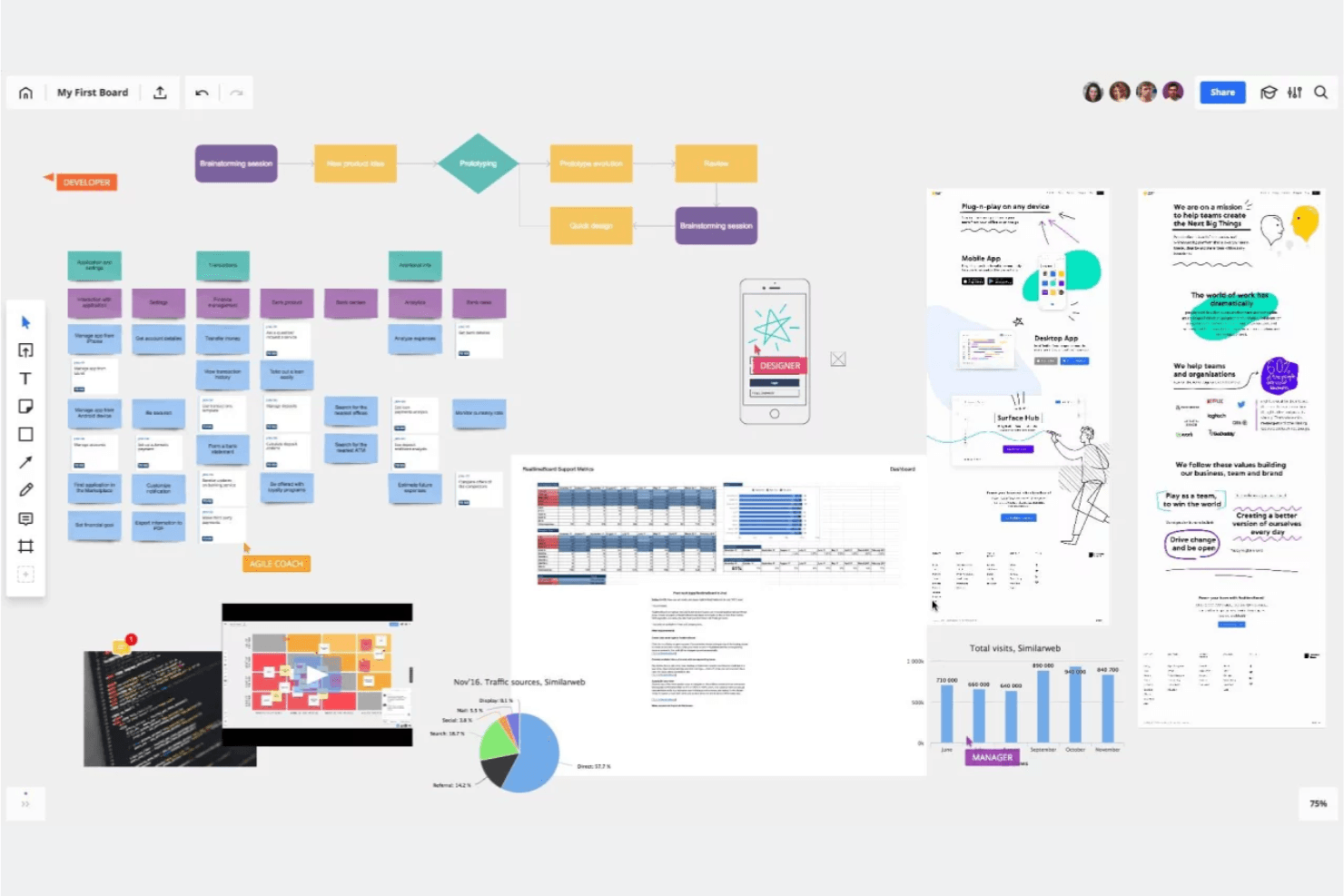
Miro es como una pizarra visual colaborativa donde tú y tu equipo pueden generar ideas, agruparlas y votar por los siguientes pasos. Miro es una plataforma de colaboración visual con un lienzo infinito que combina edición multiusuario en tiempo real, más de 7.000 plantillas, ideación asistida por IA y herramientas de creación de prototipos para respaldar los flujos de trabajo de pensamiento de diseño, desde el mapeo de empatía hasta los sprints de diseño.
¿Para quién es más adecuado Miro?
Miro es una excelente opción para equipos multifuncionales —directores de producto, diseñadores de UX y consultores de innovación— que necesitan un espacio compartido para realizar sprints de diseño, mapear los recorridos de los usuarios y convertir las ideas en prototipos.
Por qué elegí Miro
Elegí Miro como una de las mejores opciones porque está diseñado específicamente en torno a ciclos ágiles de pensamiento de diseño, en los que los sprints avanzan rápido y los equipos necesitan pasar del mapeo de empatía a la creación de prototipos sin cambiar de herramienta. La plantilla oficial de Miro para un Sprint de Diseño Remoto de 5 Días (creada con expertos en sprints de diseño de Google) y la versión de AJ&Smart, con más de 12.000 usos, te ofrecen una estructura probada desde el principio. También me gusta que el plan Business permita convertir los tableros directamente en prototipos interactivos, para que tu equipo pueda probar conceptos antes de escribir una sola línea de código.
Características principales de Miro
- Generación asistida por IA de diagramas y resúmenes: La IA de Miro puede generar diagramas, tablas y resúmenes directamente en el lienzo, ayudando a los equipos a pasar más rápido de ideas sin procesar a elementos visuales estructurados.
- Actividades de facilitación interactivas: El plan Business incluye encuestas, actividades de matrices 2x2 y escalas para hasta 50 participantes, con síntesis de resultados mediante IA integrada.
- Sincronización bidireccional con herramientas de gestión de proyectos: Miro se conecta bidireccionalmente con Jira, Asana, Linear, ClickUp y Azure DevOps, de modo que el trabajo en el tablero se mantiene sincronizado con los flujos de trabajo de entrega.
- Seguridad y cumplimiento de nivel empresarial: Miro cuenta con las certificaciones ISO/IEC 27001, SOC 2 Tipo II y GDPR, además de ofrecer opciones de alojamiento de datos en la UE, Estados Unidos, Australia o Japón.
Integraciones de Miro
Miro ofrece más de 250 integraciones, incluidas Jira, Asana, Linear, ClickUp, Azure DevOps, Confluence, Slack, Microsoft 365 y Google Workspace. Sus API y SDK permiten crear integraciones personalizadas, mientras que el plan Business añade sincronización bidireccional con Jira, Asana, Linear, ClickUp y Azure DevOps.
Pros and Cons
Pros:
- Las plantillas oficiales de sprints de diseño facilitan talleres estructurados
- El lienzo infinito conecta la investigación con los prototipos
- La IA sintetiza los resultados de la ideación colaborativa
Cons:
- Los tableros grandes pueden volverse lentos
- La experiencia móvil está por detrás de los flujos de trabajo de escritorio
 Ideal para bocetos de interfaz y diagramas generados mediante IA
- Plan gratuito disponible
- Desde $10/usuario/mes (facturado anualmente)
Visit WebsiteCustomer Rating:4.6/5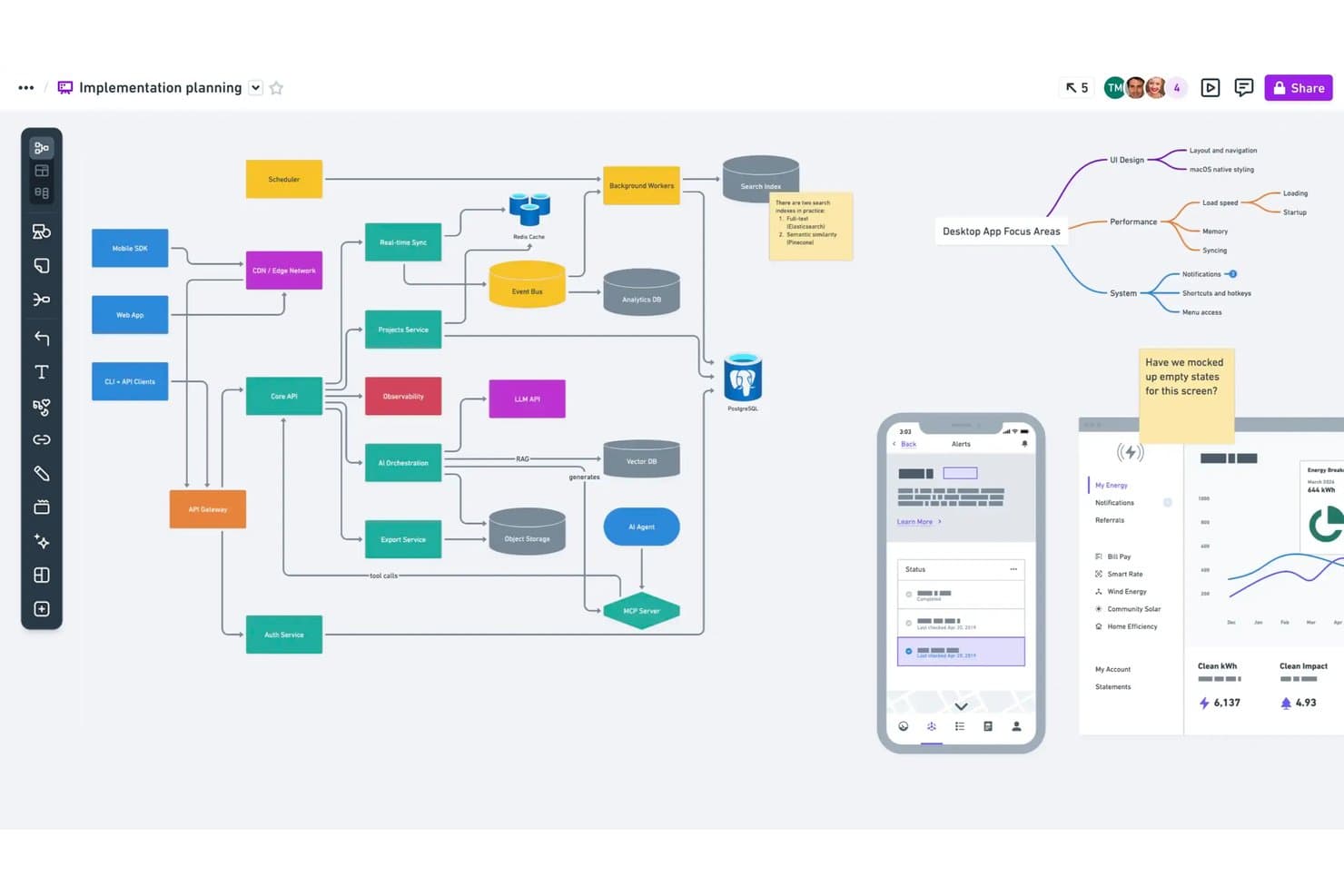
Whimsical permite a los usuarios representar la arquitectura y los flujos del sistema en un mismo lienzo. Whimsical es una herramienta de colaboración visual diseñada para equipos de producto que combina paneles de lienzo infinito, bocetos de interfaz, mapas mentales, diagramas de flujo y documentos en un único espacio de trabajo, con generación asistida por IA para bocetos de interfaz y diagramas.
¿Para quién es más adecuado Whimsical?
Whimsical es una opción excelente para gerentes de producto y diseñadores de UX que necesitan bocetos de interfaz, diagramas de flujo y mapas mentales en un único espacio de trabajo compartido.
Por qué elegí Whimsical
Elegí Whimsical como una de las mejores opciones porque su generación de bocetos de interfaz mediante IA realmente acelera el trabajo conceptual inicial. Puedes escribir una instrucción y obtener un boceto de interfaz o un flujo de interfaz editable en cuestión de segundos, algo que considero invaluable durante las primeras sesiones de ideación. El agente de Whimsical también crea mapas mentales y diagramas de flujo a partir de una sola idea, por lo que tu equipo puede pasar rápidamente de un pensamiento disperso a elementos visuales estructurados. Esta combinación de diagramación y creación de bocetos de interfaz asistida por IA en un mismo lienzo lo convierte en una opción natural para equipos de producto que realizan pruebas conceptuales rápidas.
Características principales de Whimsical
- Edición colaborativa en tiempo real: Varios miembros del equipo pueden editar simultáneamente paneles, bocetos de interfaz y mapas mentales, con comentarios incluidos en todos los planes.
- Plantilla de diagrama de afinidad: Una plantilla prediseñada para talleres de lluvia de ideas permite a los equipos agrupar notas adhesivas por temas y realizar sesiones de votación con puntos para identificar las ideas principales.
- Enlaces de retorno entre archivos: Los enlaces de retorno conectan paneles, documentos y diagramas relacionados dentro de tu espacio de trabajo, para que puedas rastrear las ideas desde el descubrimiento hasta la entrega.
- Historial de versiones: Whimsical guarda el historial de tu espacio de trabajo —90 días en Pro e ilimitado en Business— para que puedas volver a consultar versiones anteriores de cualquier panel o boceto de interfaz.
Integraciones de Whimsical
Whimsical ofrece integraciones documentadas con ChatGPT, Claude, Claude Code, Cursor, Jira, Linear, GitHub, Notion, Google Docs y Slack. Su servidor MCP también conecta Whimsical con clientes compatibles con MCP para la creación de prototipos asistida por IA.
Pros and Cons
Pros:
- Los bocetos de interfaz generados mediante IA aceleran las pruebas conceptuales
- Los flujos de interfaz editables permiten iterar rápidamente en los prototipos
- Los diagramas de afinidad agrupan ideas para facilitar la síntesis
Cons:
- La facilitación de talleres no incluye salas para grupos
- No se han confirmado plantillas específicas para el mapeo de recorridos
Learn more about Whimsical: La mejor opción para la síntesis de investigaciones visuales vinculadas a datos
- Plan gratuito disponible
- Desde $5/mes (facturado anualmente)
Visit WebsiteCustomer Rating:4.4/5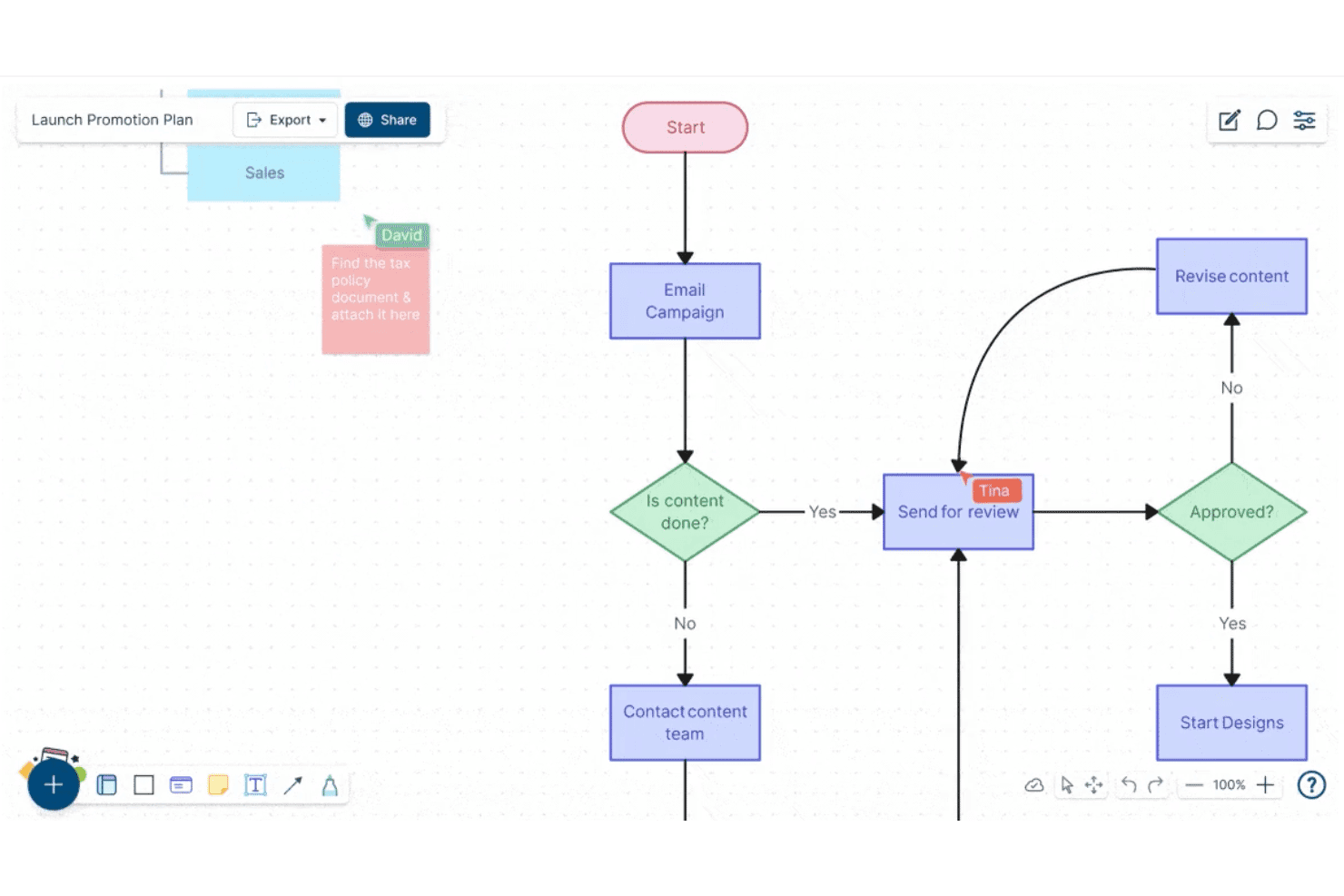
Creately permite a los usuarios crear y colaborar en diagramas de flujo en tiempo real. Creately es una plataforma de colaboración visual y diagramación que combina un lienzo infinito, tipos de diagramas estructurados, notas adhesivas, bases de datos vinculadas a datos y edición multiusuario en tiempo real para equipos que trabajan en la síntesis de investigaciones, la ideación y la planificación.
¿Para quién es más adecuado Creately?
Creately es una opción excelente para equipos multifuncionales que necesitan conectar la investigación visual y los diagramas directamente con datos estructurados, tareas y seguimiento de proyectos en un solo espacio de trabajo.
Por qué elegí Creately
Creately ocupa un lugar en mi lista de opciones principales porque su lienzo vinculado a datos va más allá de las pizarras estándar al conectar directamente los elementos visuales de la investigación con bases de datos estructuradas. Me encanta que puedas etiquetar y realizar un seguimiento de los hallazgos en distintas vistas sincronizadas, de modo que, cuando tu equipo termina una sesión de mapeo de afinidad, esas notas adhesivas no se quedan simplemente ahí: se incorporan a una base de datos en la que se pueden realizar búsquedas y aplicar filtros, vinculada a tareas reales del proyecto. La función de base de datos personalizada, con búsqueda de texto completo y varias vistas sincronizadas, resulta realmente útil para convertir el desordenado trabajo de descubrimiento en registros de información organizados y prácticos.
Características principales de Creately
- Sesiones de votación con tiempo limitado: Realiza votaciones anónimas o públicas directamente sobre los elementos del lienzo para ayudar a los equipos a priorizar ideas sin que las conversaciones paralelas descarrilen el proceso.
- Modo de presentación: Crea y actualiza diapositivas directamente desde tu lienzo, de modo que tu investigación y tus diagramas se conviertan en la presentación sin necesidad de copiar y pegar.
- Mapas mentales y mapas conceptuales: Crea estructuras visuales ramificadas para explorar las relaciones entre ideas durante las primeras etapas de ideación y definición del problema.
- Historial de versiones: Realiza un seguimiento de los cambios realizados en cualquier lienzo a lo largo del tiempo, con un registro de estado de cada elemento y hasta un año de historial en los planes de nivel superior.
Integraciones de Creately
Creately documenta 11 integraciones, incluidas Confluence Cloud, Microsoft Teams, Slack, Zoom, Jira y Google Drive. El plan para empresas admite la sincronización bidireccional con Microsoft Excel y Google Sheets, mientras que el plan empresarial añade GitHub, Azure DevOps y SharePoint.
Pros and Cons
Pros:
- Vincula los hallazgos de investigación con bases de datos estructuradas
- Admite la creación de diagramas y la síntesis visual en tiempo real
- Ofrece votaciones con tiempo limitado para priorizar ideas
Cons:
- Carece de plantillas específicas para marcos de pensamiento de diseño
- No ofrece herramientas de creación de prototipos ni de pruebas interactivas
Learn more about Creately: Ideal para la colaboración en pizarras con atención al RGPD
- Prueba gratuita de 30 días + plan gratuito disponible
- Desde €5/usuario/mes
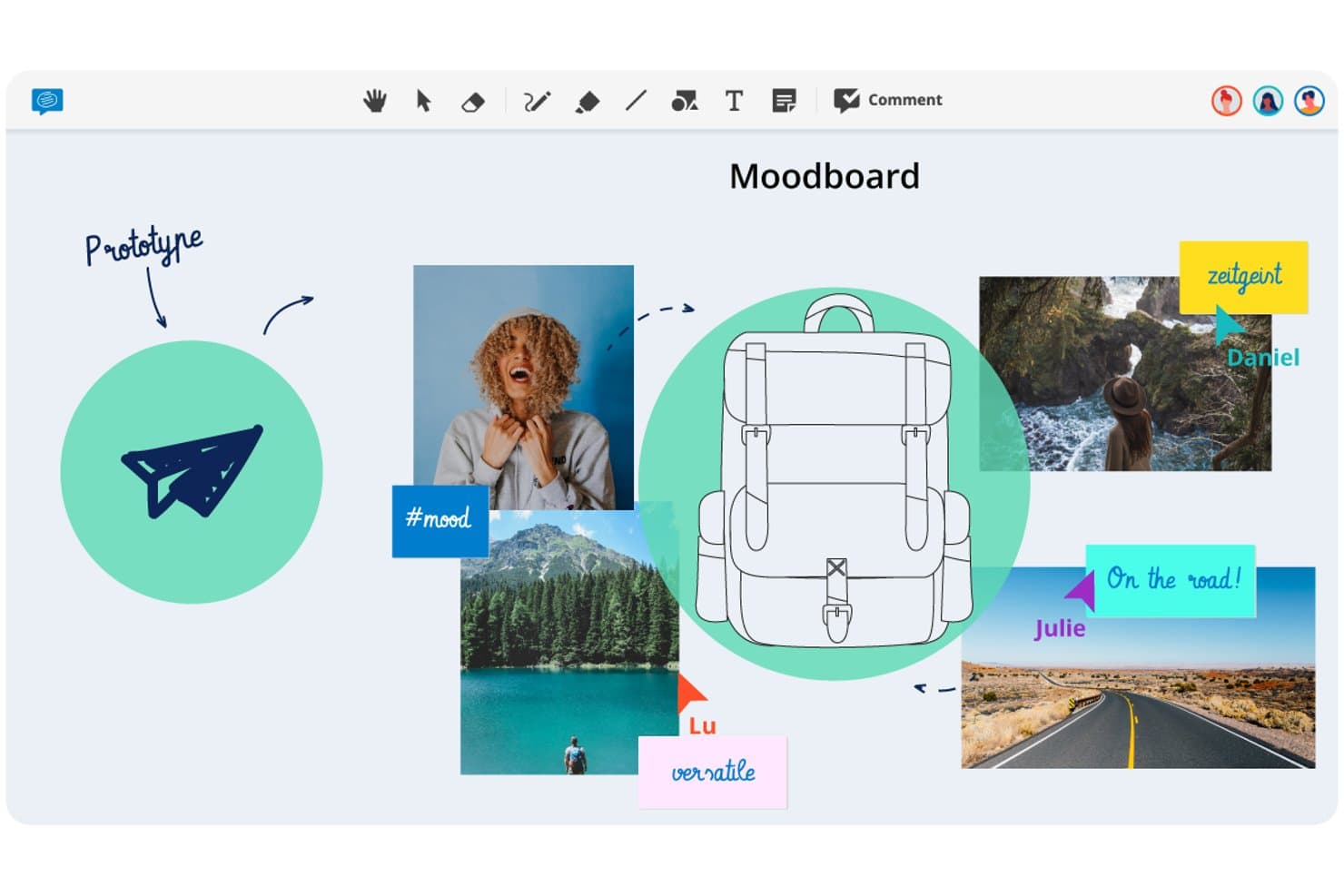
Conceptboard permite a los usuarios crear paneles visuales de inspiración para prototipar ideas de diseño. Conceptboard es una pizarra en línea basada en el navegador que combina edición multiusuario en tiempo real, notas adhesivas, votaciones, controles de facilitación e integraciones con tareas en un lienzo visual flexible.
¿Para quién es más adecuado Conceptboard?
Conceptboard es una opción especialmente adecuada para equipos de sectores regulados, sobre todo en Europa, donde el cumplimiento del RGPD y las opciones flexibles de residencia de datos son requisitos imprescindibles.
Por qué elegí Conceptboard
He incluido Conceptboard entre mis opciones principales porque es la única herramienta de pizarra de esta lista desarrollada desde cero con la residencia europea de datos como función central, no como algo añadido posteriormente. Si tu equipo trabaja en un sector regulado, el hecho de que los datos estén alojados en una infraestructura de AWS en Alemania, con certificaciones ISO 27001/27017/27018, y que exista la posibilidad de implementarla completamente en las instalaciones de la empresa cambia lo que es posible en términos de aprobación por parte de las partes interesadas. También me gusta que los controles de facilitación, como la votación cronometrada, la moderación y la función Ocultar secciones (que permite revelar el contenido del lienzo paso a paso durante una sesión), estén disponibles incluso en los planes básicos.
Características principales de Conceptboard
- Edición multiusuario en tiempo real: Varios usuarios pueden editar el mismo tablero simultáneamente, con acceso de invitados mediante un enlace y sin necesidad de crear una cuenta para los participantes externos.
- Widget de votación avanzado: Organiza sesiones de votación cronometradas con modo incógnito automático, una vista de resultados simplificada y la opción de exportar los resultados de la votación.
- Integración con Jira y Azure DevOps: Importa tickets directamente al tablero y gestiona el estado y los responsables sin salir del lienzo.
- Etiquetado de tableros y exportación a CSV: Etiqueta los tableros para facilitar su búsqueda y recuperación, y exporta el contenido del tablero como una tabla para utilizarlo en herramientas externas.
Integraciones de Conceptboard
Conceptboard documenta nueve integraciones, entre ellas Microsoft Teams, Webex, Confluence, Google Drive, Jira, Azure DevOps, Dropbox, Box y OneDrive. No se documenta ninguna API pública ni integración con Figma.
Pros and Cons
Pros:
- El alojamiento en Alemania es adecuado para equipos de diseño regulados
- La votación cronometrada favorece la toma de decisiones estructurada en talleres
- El acceso de invitados facilita la participación de las partes interesadas
Cons:
- No hay plantillas de mapas de experiencia para la investigación de clientes
- Los informes mencionan retrasos durante las sesiones con clientes
Learn more about Conceptboard: Ideal para la ideación dentro de una suite de diseño más amplia
- Plan gratuito disponible y prueba gratuita de 30 días
- De uso gratuito
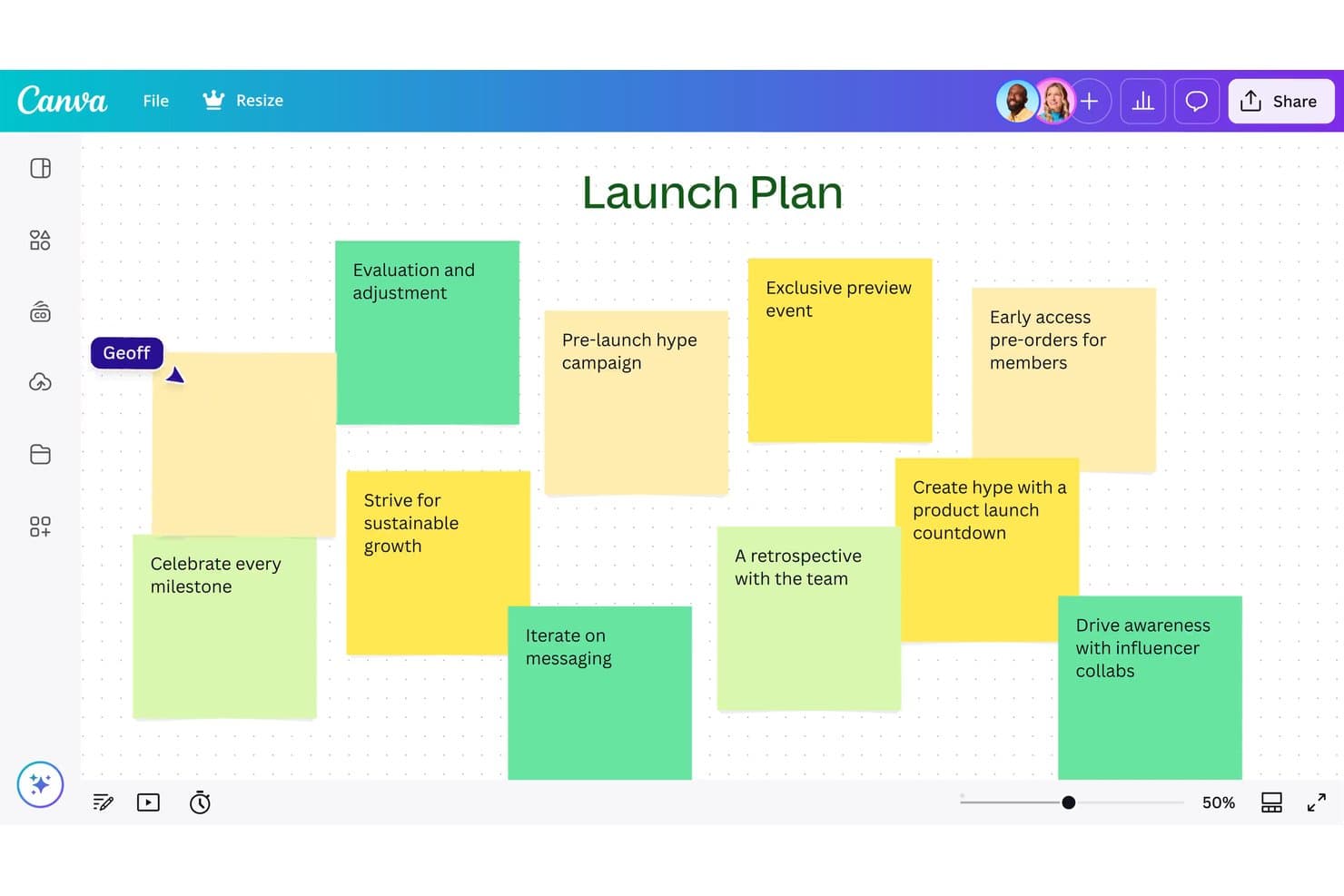
Canva Whiteboard permite a los usuarios generar ideas para un lanzamiento mediante notas adhesivas. Canva Whiteboard es una herramienta de lienzo infinito basada en la web que combina colaboración en tiempo real, notas adhesivas, clasificación de ideas asistida por IA y una gran biblioteca de plantillas de pizarras, incluidos mapas de recorrido, diagramas de flujo y mapas mentales, dentro de la suite visual más amplia de Canva.
¿Para quién es más adecuada Canva Whiteboard?
Canva Whiteboard es una excelente opción para equipos que ya trabajan en Canva y quieren pasar de la lluvia de ideas a entregables pulidos sin cambiar de herramienta.
Por qué elegí Canva Whiteboard
He incluido Canva Whiteboard entre mis principales opciones porque es la única herramienta de esta lista en la que la ideación y el entregable final se encuentran en el mismo lugar. Puedes generar ideas en un lienzo infinito con notas adhesivas, usar la IA para clasificar y resumir las ideas de tu equipo por tema y, después, trasladar ese contenido directamente a una presentación o un documento de Canva sin tener que volver a crearlo. También me gusta que los modos de pizarra y presentación coexistan en un solo archivo, de modo que organizar una sesión y compartir después resultados pulidos forman parte de un flujo de trabajo continuo.
Características principales de Canva Whiteboard
- Lienzo infinito: Un espacio de trabajo ilimitado donde los equipos pueden añadir formas, imágenes, dibujos y elementos gráficos sin quedarse sin espacio.
- Clasificación de notas adhesivas: Organiza automáticamente las notas adhesivas por nombre, color o tema con un solo clic para ayudar a los equipos a interpretar grandes volúmenes de ideas.
- Temporizador con música: Un temporizador de cuenta regresiva integrado con música de fondo mantiene el ritmo de las sesiones durante las lluvias de ideas o las actividades de taller.
- Cambio de formato de archivo: La pizarra y las diapositivas de presentación coexisten en un solo archivo, lo que permite alternar entre los modos de trabajo sin abrir un documento independiente.
Integraciones de Canva Whiteboard
Canva Whiteboard ofrece integraciones nativas en toda la suite visual de Canva, incluidos Canva Docs, Sheets y Presentations. También admite integraciones del marketplace mediante el Marketplace de aplicaciones de Canva, mientras que las integraciones mediante API y de aplicaciones personalizadas están disponibles principalmente en el plan Enterprise.
Pros and Cons
Pros:
- Conecta directamente la lluvia de ideas con entregables pulidos
- Clasifica automáticamente las notas adhesivas por tema
- Admite la creación colaborativa de pizarras optimizada para dispositivos móviles
Cons:
- Ofrece una facilitación estructurada de talleres limitada
- No ofrece creación de prototipos ni traspaso a desarrolladores
Learn more about Canva Whiteboard: La mejor opción para una pizarra virtual muy flexible
- Plan gratuito disponible
- Desde $3/usuario/mes
Visit WebsiteCustomer Rating:4.7/5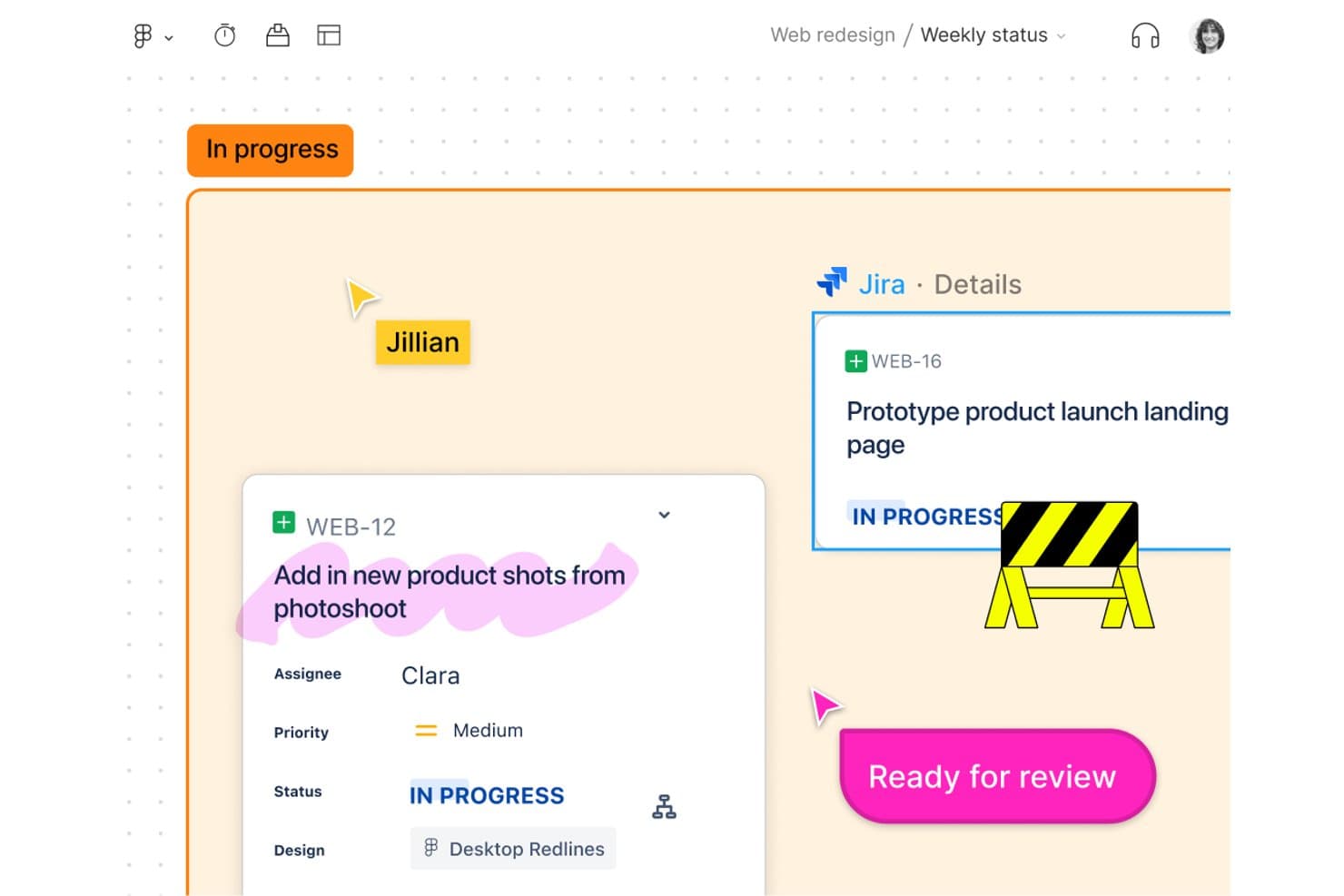
FigJam vincula directamente las tareas de Jira con los tableros de diseño para el seguimiento del equipo. FigJam es la herramienta de pizarra colaborativa de Figma, diseñada para la lluvia de ideas, la creación de diagramas, los flujos de trabajo ágiles y las sesiones de estrategia, con ideación asistida por IA, más de 300 plantillas y edición multijugador en tiempo real integradas.
¿Para quién es más adecuado FigJam?
FigJam es una opción natural para los equipos de producto y diseño que ya trabajan en Figma y quieren una pizarra que se conecte directamente con su flujo de trabajo de diseño y entrega.
Por qué elegí FigJam
FigJam merece estar en mi lista de favoritos porque el lienzo es realmente abierto, de una manera que la mayoría de las herramientas de pizarra no lo son. Puedo llevar a cabo un sprint de diseño completo, desde la agrupación de ideas en torno a «¿Cómo podríamos...?» hasta el mapeo del recorrido, sin encontrarme nunca con restricciones de diseño. La agrupación por afinidad mediante IA ahorra mucho tiempo: agrupa automáticamente las notas adhesivas por temas, así que dedico menos tiempo a clasificarlas y más a actuar sobre lo que encuentro. El modo de enfoque mantiene centrados a los equipos distribuidos durante las sesiones en directo sin que tenga que gestionar el caos manualmente.
Características principales de FigJam
- Más de 300 plantillas prediseñadas: Elige entre plantillas para mapas del recorrido del cliente, retrospectivas, planificación de sprints, hojas de ruta y mucho más para iniciar rápidamente cualquier sesión de pensamiento de diseño.
- Acceso de invitados durante 24 horas: Invita a colaboradores externos a contribuir en un tablero durante 24 horas sin exigirles que creen una cuenta de Figma.
- Integraciones con Asana y Jira: Conecta los tableros de FigJam directamente con tus herramientas de gestión de proyectos para que las ideas de las sesiones se conviertan en tareas prácticas.
- Entrega al modo de desarrollo: Pasa los diseños de FigJam al modo de desarrollo de Figma para inspeccionar código, exportar recursos y ofrecer acceso directo a los desarrolladores sin salir del ecosistema.
Integraciones de FigJam
FigJam ofrece integraciones nativas con Asana y Jira, además de conectividad con Figma Design, el modo de desarrollo, Figma Slides, Figma Make y Figma Buzz. También admite complementos y widgets de la comunidad de Figma, inserciones en directo y conectores MCP.
Pros and Cons
Pros:
- El lienzo flexible admite formatos de talleres complejos
- La agrupación mediante IA convierte las notas adhesivas en temas
- El acceso de invitados simplifica la participación externa en talleres
Cons:
- Los tableros grandes pueden volverse lentos y desordenados
- La síntesis de investigaciones sigue siendo superficial sin repositorios
Learn more about FigJam: Ideal para la ideación y la entrega de principio a fin
- Plan gratuito disponible
- Desde $16/usuario/mes (facturado anualmente)
Visit WebsiteCustomer Rating:4.7/5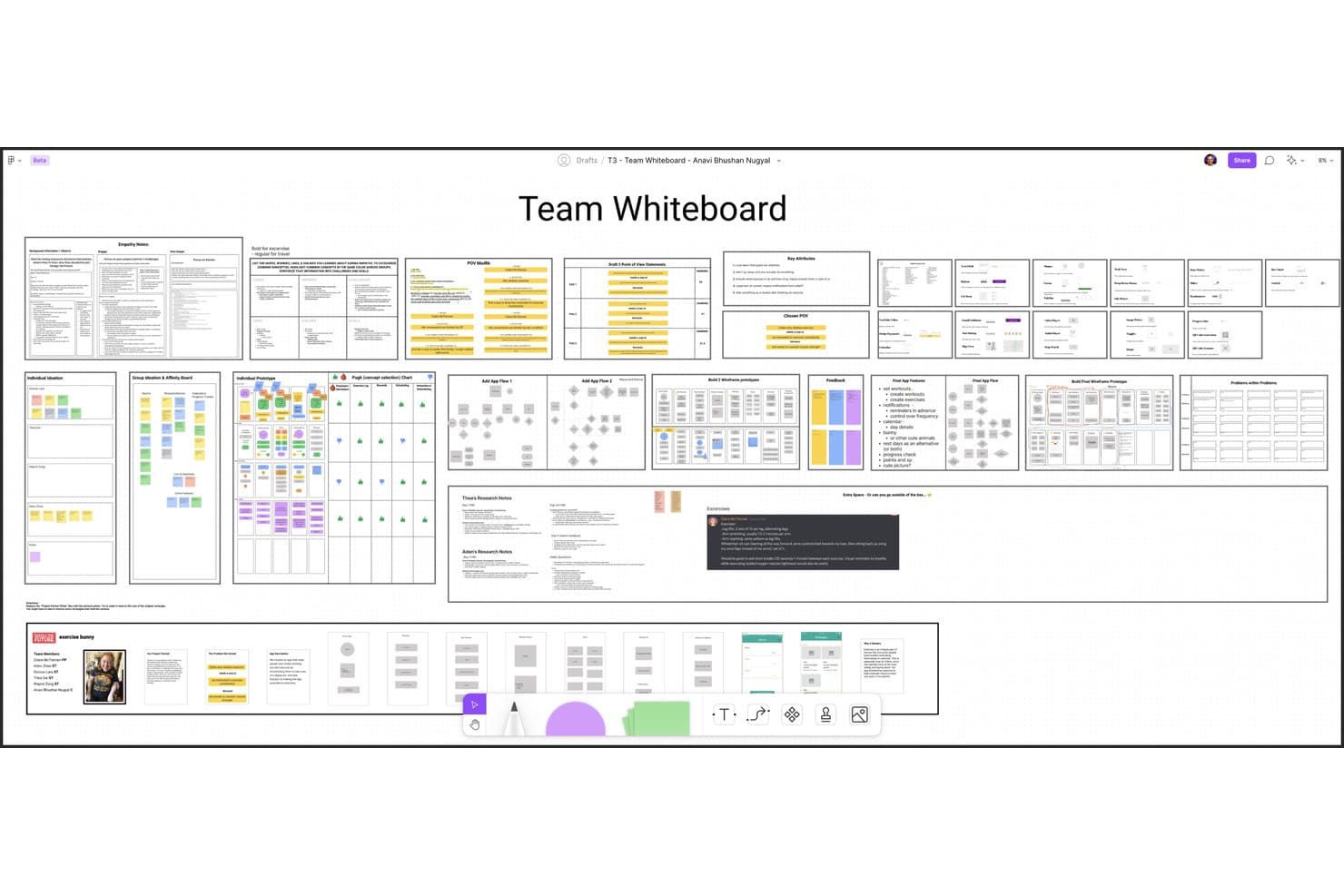
Figma permite a los usuarios crear y organizar de forma colaborativa flujos de trabajo de pensamiento de diseño. Figma es una plataforma de diseño que combina FigJam, una pizarra colaborativa infinita, con herramientas de creación de prototipos, pruebas y entrega a desarrolladores en un ecosistema conectado.
¿Para quién es mejor Figma?
Figma es la opción preferida de los equipos de producto y diseño que necesitan un espacio de trabajo conectado para llevar las ideas desde las primeras sesiones de lluvia de ideas hasta la entrega a los desarrolladores.
Por qué elegí Figma
Figma ocupa un lugar en mi lista de favoritos porque es la única herramienta que lleva tu trabajo desde una sesión de lluvia de ideas en FigJam hasta la entrega a los desarrolladores sin cambiar de plataforma. Me gusta especialmente cómo la agrupación por afinidad basada en IA de FigJam agrupa automáticamente las notas adhesivas por temas, convirtiendo una sesión de ideación desordenada en una síntesis estructurada en cuestión de segundos. A partir de ahí, tu equipo puede pasar directamente a la creación avanzada de prototipos con lógica condicional y variables, y después compartir las especificaciones mediante el Modo de desarrollo.
Funciones principales de Figma
- Votación y priorización: Los miembros del equipo pueden votar directamente sobre las notas adhesivas o las ideas en el lienzo de FigJam para destacar los conceptos más valorados.
- Sesiones abiertas: Los invitados ajenos a tu organización pueden unirse a un tablero de FigJam durante 24 horas sin necesitar una licencia de pago.
- Figma Make: Una herramienta de IA que convierte indicaciones de texto en prototipos funcionales y aplicaciones web, con conexiones opcionales al backend.
- Modo de desarrollo: Una vista específica que muestra fragmentos de código, especificaciones y medidas de los archivos de diseño para la entrega al equipo de ingeniería.
Integraciones de Figma
Figma ofrece dos integraciones nativas documentadas con Jira y Asana. También admite complementos y widgets de la comunidad, una extensión para VS Code, un servidor MCP y conexiones con Supabase mediante Figma Make.
Pros and Cons
Pros:
- Conecta la ideación, la creación de prototipos y la entrega
- La IA agrupa las notas adhesivas por temas
- Más de 300 plantillas para talleres de pensamiento de diseño
Cons:
- Los tableros grandes pueden sufrir problemas de rendimiento
- No ofrece salas para grupos pequeños ni agendas guiadas
 Ideal para facilitar talleres en directo e ideación con IA
- Plan gratuito disponible
- Desde $24.90/usuario/mes (facturado anualmente)
Visit WebsiteCustomer Rating:4.7/5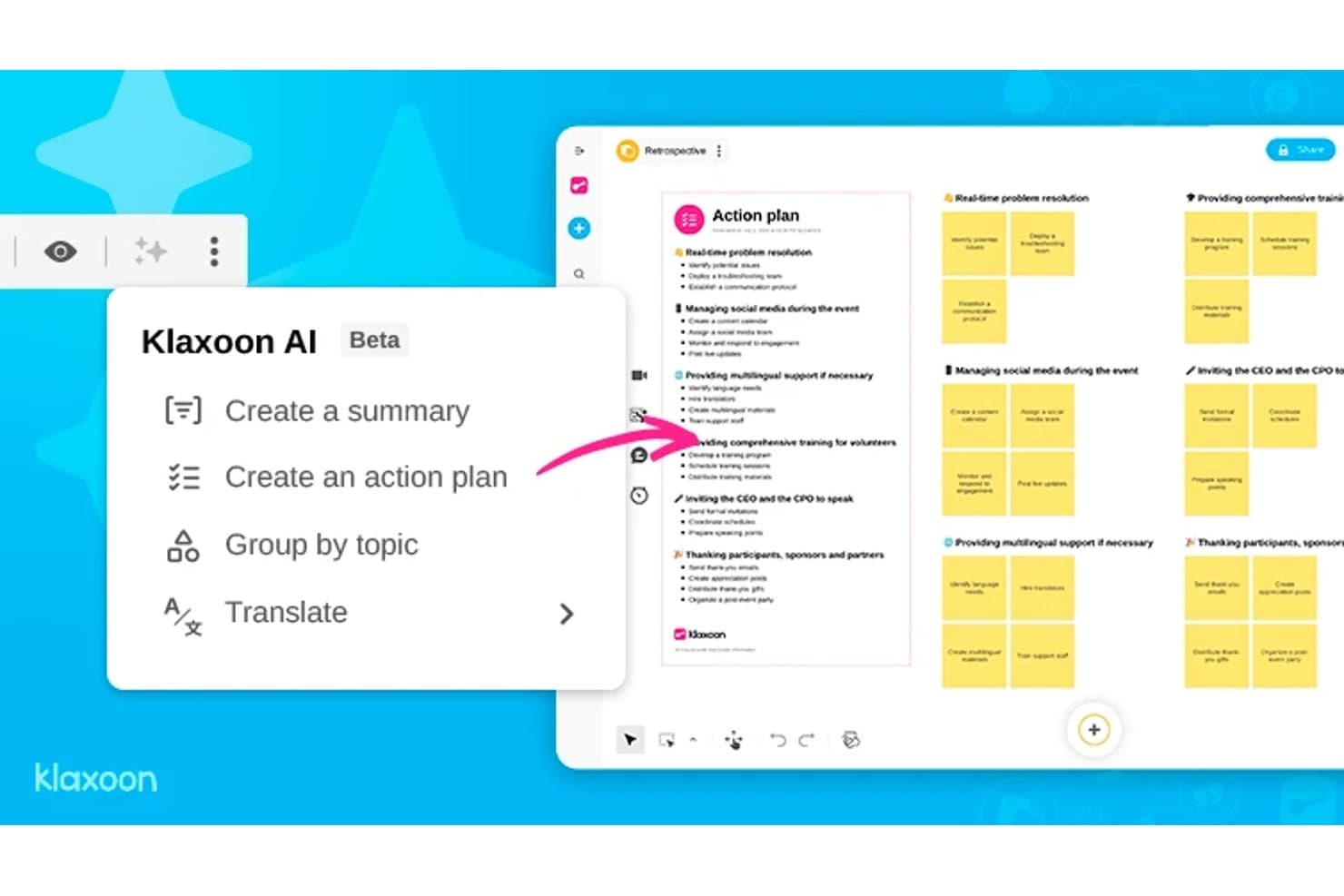
La IA de Klaxoon genera automáticamente planes de acción a partir de tableros de retrospectiva. Klaxoon es una plataforma de colaboración visual que combina una pizarra infinita, sesiones dirigidas por un facilitador, ideación asistida por IA y elementos interactivos como encuestas, votaciones y nubes de palabras.
¿Para quién es más adecuado Klaxoon?
Klaxoon es una opción excelente para facilitadores, entrenadores y consultores de innovación que organizan talleres estructurados y necesitan controles para sesiones en directo integrados en su espacio de colaboración.
Por qué elegí Klaxoon
Klaxoon ocupa un lugar en mi lista de favoritos porque es la única herramienta de aquí que considera la facilitación en directo una función esencial, al mismo nivel que la ideación. Me encanta que la pizarra sincronizada me permita mover la vista de cada participante a la misma sección de la pizarra en tiempo real, lo que evita que los talleres se desorganicen cuando las personas avanzan en direcciones diferentes. La IA integrada también puede agrupar y resumir notas adhesivas por tema en cuanto se cierra la votación, convirtiendo un muro de ideas en una lista priorizada sin necesidad de clasificarlas manualmente.
Características principales de Klaxoon
- Votación con puntos y clasificación en tiempo real: Los participantes votan las ideas durante una sesión y los resultados se clasifican automáticamente a medida que llegan los votos, de modo que el grupo puede ver cómo surgen las prioridades sin tener que ordenar nada manualmente.
- Campos adicionales en las notas adhesivas: Añade metadatos como nombres, fechas y palabras clave directamente a ideas individuales en la pizarra para dar estructura a los resultados de tu ideación.
- Generación de plantillas con IA: Genera una plantilla de pizarra con un solo clic a partir de los objetivos de tu sesión y evita tener que configurar un lienzo en blanco.
- Sincronización de tareas con Wrike y Jira: Convierte directamente las ideas de la pizarra en tareas de Wrike o Jira, con actualizaciones sincronizadas en ambas direcciones entre tu pizarra y las herramientas de gestión de proyectos.
Integraciones de Klaxoon
Klaxoon ofrece integraciones nativas con Wrike, Jira, Confluence, Microsoft Teams y Google Workspace, además de Zapier. Una API y un servidor MCP permiten establecer conexiones personalizadas.
Pros and Cons
Pros:
- Potentes controles para facilitar talleres en directo
- La IA agrupa y resume las ideas
- Convierte la lluvia de ideas en acciones priorizadas
Cons:
- No ofrece prototipado ni transferencia a desarrolladores
- Los análisis de investigación no disponen de un repositorio específico
Learn more about Klaxoon: Ideal para las funciones de comentarios y votación en equipo
- Demo gratuita + plan gratuito disponible
- Desde $9.99/usuario/mes (facturado anualmente)
Visit WebsiteCustomer Rating:4.6/5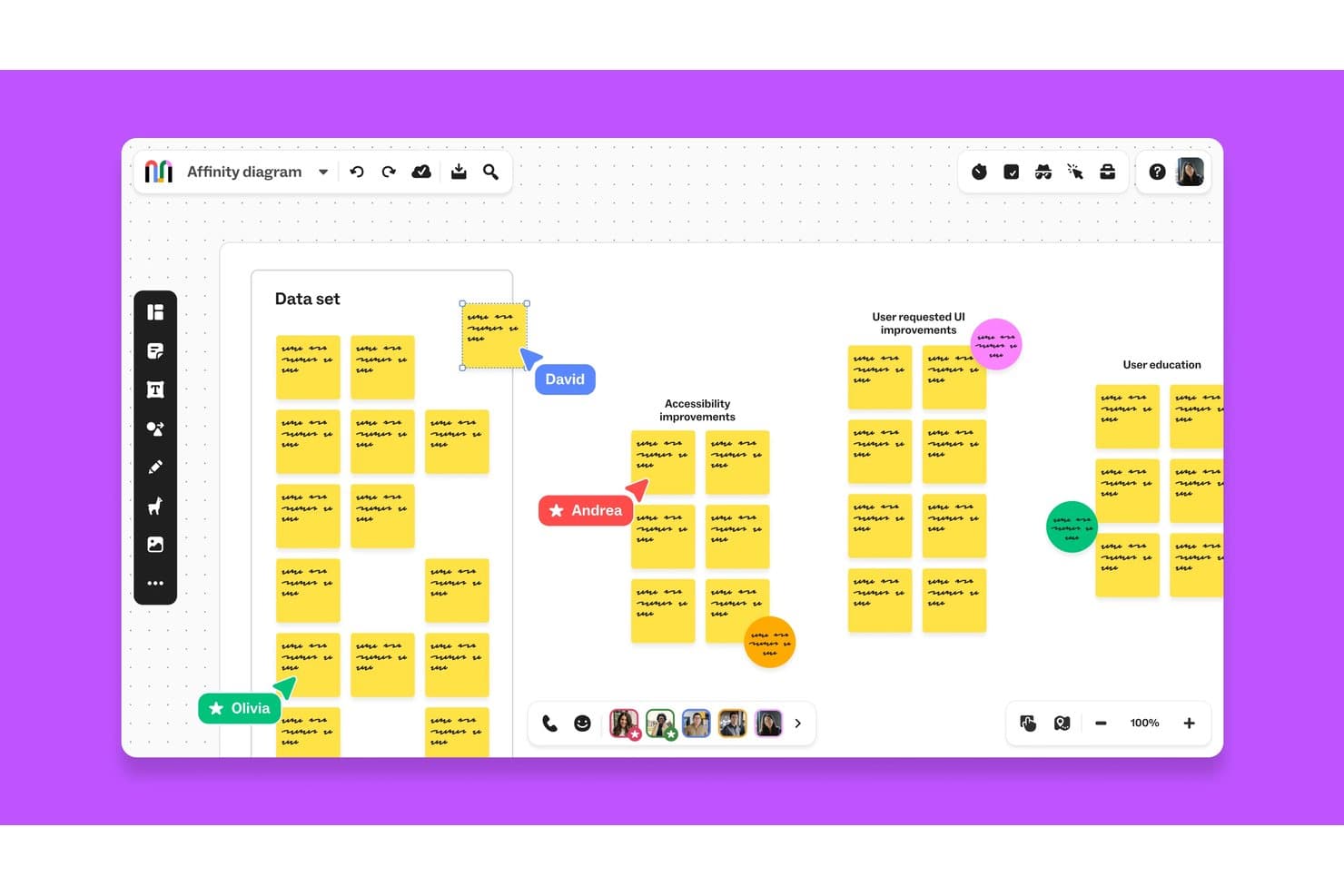
Mural permite a los equipos colaborar en diagramas de afinidad en tiempo real. Mural es una plataforma de colaboración visual que combina un lienzo infinito, plantillas de pensamiento de diseño del LUMA Institute, edición multiusuario en tiempo real y controles de facilitación para llevar a cabo sesiones estructuradas de lluvia de ideas y comentarios.
¿Para quién es más adecuado Mural?
Mural es una excelente opción para facilitadores, consultores de innovación y equipos de producto que necesitan formas estructuradas de recopilar aportes, realizar rondas de votación y sintetizar comentarios de grupos distribuidos.
Por qué elegí Mural
Elegí Mural como una de las mejores opciones porque sus herramientas de votación y comentarios están integradas de verdad en el producto a todos los niveles, en lugar de añadirse posteriormente. El modo privado permite que cada miembro del equipo envíe ideas de forma independiente antes de que nadie vea los aportes del grupo, lo que elimina el pensamiento grupal que impide obtener comentarios honestos en las sesiones de diseño. Además, las Superpotencias de facilitación, como el control de convocatoria y el esquema paso a paso, mantienen en marcha las rondas de votación estructuradas sin perder el control de la sesión.
Características principales de Mural
- Biblioteca de métodos del LUMA Institute: Accede a una biblioteca completa de plantillas de pensamiento de diseño prediseñadas basadas en los marcos del LUMA Institute, disponibles en los planes Business y Enterprise.
- Agrupación y resúmenes con IA: Mural AI agrupa automáticamente las notas adhesivas por tema y genera resúmenes del tablero para ayudar a los equipos a sintetizar los resultados de las sesiones.
- Lienzo infinito redimensionable: Crea flujos, mapas de experiencia y diagramas de procesos en un lienzo ilimitado mediante las aplicaciones web, iOS, Android y de escritorio.
- Sincronización bidireccional con Asana y Jira: Conecta los murales directamente con herramientas de gestión de proyectos para que los elementos de acción pasen del tablero a los flujos de trabajo existentes de tu equipo.
Integraciones de Mural
Mural documenta integraciones con Jira, Asana, Figma, Confluence, Microsoft Teams, Slack, Google Workspace y Productboard. También ofrece una API pública para integraciones personalizadas y es compatible con Zapier.
Pros and Cons
Pros:
- La votación privada limita el pensamiento grupal
- Los métodos de LUMA guían talleres estructurados
- Los controles de facilitación mantienen las sesiones encaminadas
Cons:
- Los tableros grandes pueden ralentizarse con muchos participantes
- No ofrece creación de prototipos nativa ni transferencia a desarrolladores
Learn more about Mural: La mejor pizarra virtual para sprints facilitados
- Prueba gratuita de 7 días + plan gratuito disponible
- Desde $9/mes (facturado anualmente)
Visit WebsiteCustomer Rating:4.5/5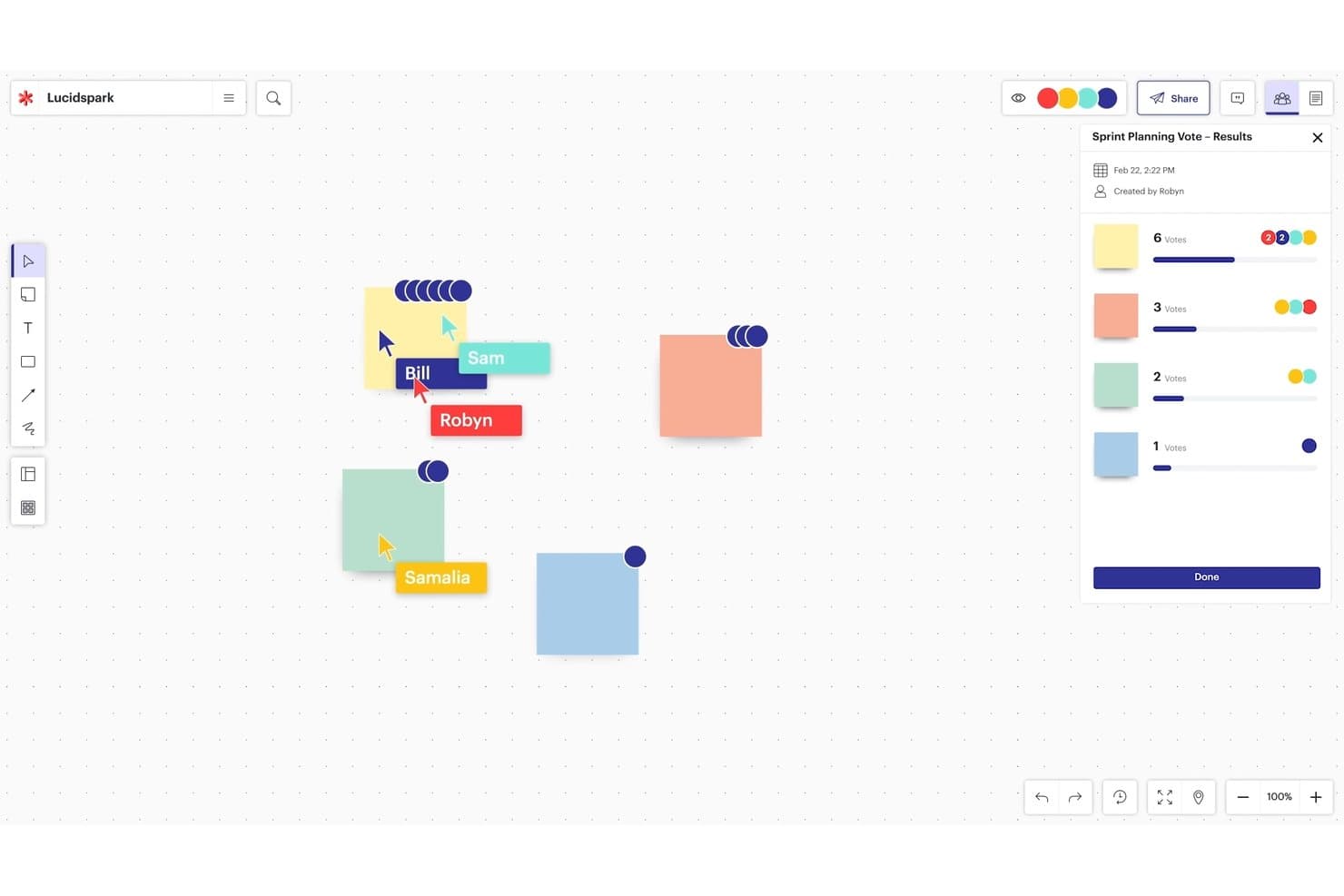
El lienzo infinito de Lucidspark permite la planificación y votación colaborativas. Lucidspark es una pizarra virtual diseñada para la lluvia de ideas y el pensamiento de diseño, que ofrece un lienzo infinito, notas adhesivas, votaciones, controles de facilitación y herramientas de ideación impulsadas por IA.
¿Para quién es más adecuado Lucidspark?
Lucidspark es una opción excelente para facilitadores y equipos de producto que organizan sesiones estructuradas de lluvia de ideas y necesitan controles de sesión integrados para mantener a los grupos centrados.
Por qué elegí Lucidspark
Elegí Lucidspark como una de las mejores opciones porque su conjunto de herramientas de facilitación está diseñado específicamente para organizar sprints de diseño, no solo para respaldarlos. Me encanta que el modo privado oculte las notas adhesivas y los cursores mientras todos generan ideas de forma independiente; después, las funciones de votación y 'tomar el control' me permiten llevar al grupo a una decisión sin perder el control de la sesión. Los tableros para grupos pueden dividir un sprint grande en hasta 50 grupos de trabajo más pequeños simultáneamente, algo que me ha resultado muy valioso al organizar varias líneas de ideación en paralelo.
Características principales de Lucidspark
- Ideación y clasificación de temas con IA: La IA de Lucid genera ideas a partir de indicaciones, identifica temas entre las notas adhesivas y resume las lluvias de ideas directamente en el lienzo.
- Tarjetas de Lucid: Convierte las ideas del tablero en elementos de trabajo de Jira o Azure DevOps, conectando las sesiones de lluvia de ideas con la cartera de productos.
- Actividades visuales: Permite a los participantes clasificar elementos mediante controles deslizantes, organizarlos en categorías o colocarlos en una matriz, con resultados mostrados por persona o como promedio del grupo.
- Más de 100 integraciones: Se conecta con herramientas como Figma, Confluence, Microsoft 365, Slack, Zoom y Microsoft Teams mediante el mercado de integraciones de Lucid.
Integraciones de Lucidspark
Lucidspark ofrece más de 100 integraciones del mercado, incluidas Jira, Azure DevOps, Confluence, Figma, Slack, Zoom, Microsoft Teams y Google Workspace. Las Tarjetas de Lucid conectan las ideas con Jira y Azure DevOps, mientras que las páginas de Confluence se pueden añadir, consultar y editar dentro de Lucid.
Pros and Cons
Pros:
- Los controles del facilitador guían sesiones de sprint estructuradas
- La IA agrupa los temas de la lluvia de ideas
- Los tableros de trabajo permiten grupos de ideación en paralelo
Cons:
- Los tableros grandes pueden ralentizarse con una colaboración intensa
- Las herramientas clave de facilitación requieren planes de pago
Learn more about Lucidspark:
Otras herramientas
Estas son algunas plataformas de diseño adicionales que merecen la pena y que no llegaron a formar parte de mi lista de las 10 mejores herramientas de pensamiento de diseño, pero que aun así vale la pena conocer:
- 11Confluence WhiteboardsIdeal para la ideación dentro de los flujos de trabajo de Atlassian
- 12SprintbaseLa mejor suite de análisis y generación de informes de pensamiento de diseño
- 13StormboardLa mejor herramienta para crear un espacio de trabajo compartido
- 14LucidchartIdeal para crear diagramas con Jira y Confluence
- 15MindMeisterIdeal para mapas mentales colaborativos
- 16MilanoteIdeal para crear paneles de inspiración visuales y realizar investigaciones de UX
- 17IdeaflipIdeal para sesiones de trabajo en pequeños grupos
- 18Microsoft WhiteboardIdeal para sesiones de lluvia de ideas dentro de Microsoft 365
- 19BoardmixIdeal para la ideación generada por IA en un lienzo abierto
- 20SessionLabIdeal para planificar y estructurar talleres
Cómo evalúo las herramientas de pensamiento de diseño
Divido mi evaluación en tres partes: primero, la funcionalidad principal (¿puede la herramienta admitir un lienzo visual compartido y la coedición en tiempo real?), después, las funciones destacadas, como la ideación asistida por IA, y, por último, lo que ofrece la herramienta más allá de sus funciones: profundidad de la incorporación, recursos de facilitación y equidad de precios para equipos multifuncionales.
Funcionalidad principal (requisitos básicos para esta lista)
Al seleccionar herramientas para mi lista, puntúo cada una en una escala de 0 (no ofrece la funcionalidad) a 5 (sobresale en esta área) para cada una de las funcionalidades principales que se indican a continuación. Después convierto el total en un porcentaje para ayudar a evaluar la adecuación general de cada herramienta, con un peso adicional para las funcionalidades que he considerado esenciales.
- Lienzo de colaboración visual (esencial): Evalúo la fluidez del lienzo, el comportamiento del zoom y si los equipos pueden organizar libremente distintos tipos de contenido multimedia en un espacio de trabajo infinito.
- Edición multiusuario en tiempo real (esencial): Compruebo la disponibilidad de cursores en directo, sincronización con baja latencia y coedición sin conflictos durante sesiones con más de 10 participantes.
- Plantillas de pensamiento de diseño: Las mejores bibliotecas de plantillas cubren las cinco etapas y permiten personalizar los diseños, en lugar de obligarte a utilizar formatos rígidos.
- Notas adhesivas y widgets de ideación: Busco herramientas de votación, agrupación y etiquetado que reproduzcan la rapidez de una lluvia de ideas física en una pared compartida.
- Controles de facilitación y de sesión: Los temporizadores integrados, los flujos guiados y los permisos de los participantes ayudan a los facilitadores a mantener un sprint de diseño enfocado y bien encaminado.
- Opciones de exportación e integración: Compruebo si los resultados se sincronizan con herramientas como Jira, Confluence o Notion para que las conclusiones no queden aisladas en el tablero.
Una vez que tengo una lista de herramientas que cumplen los criterios, considero qué diferencia a cada plataforma.
Factores diferenciadores (lo que distingue a los proveedores)
Así es como comparo y contrasto distintos proveedores:
Funciones destacadas
La ideación asistida por IA es lo primero que compruebo. Quiero ver si una herramienta puede generar automáticamente notas adhesivas a partir de una instrucción o agrupar temas después de una lluvia de ideas, como hacen las funciones de IA de Miro durante el mapeo de afinidad. El modo de facilitación de talleres es igual de importante: busco temporizadores integrados, agendas guiadas y salas para grupos pequeños que permitan a un facilitador dirigir un sprint de diseño estructurado sin tener que gestionar una videollamada independiente. También evalúo el repositorio de hallazgos de cada herramienta, ya que los equipos que no pueden recuperar investigaciones anteriores terminan repitiendo el trabajo de descubrimiento en distintos sprints.
Más allá de las funciones
Compruebo qué tan bien se integra cada herramienta con tu conjunto de productos actual. Por ejemplo, una sincronización bidireccional entre Miro y Jira evita que las conclusiones del sprint desaparezcan en una pizarra digital. También evalúo la preparación para la facilitación remota: el retraso del lienzo durante un taller con 20 personas en distintas zonas horarias puede descarrilar todo un sprint de diseño. La seguridad también es importante: busco SSO, cumplimiento de SOC 2 y permisos detallados para los tableros, especialmente cuando los equipos sintetizan investigaciones confidenciales de clientes.
Cómo elegir una herramienta de pensamiento de diseño
Es fácil perderse entre largas listas de funciones y estructuras de precios complejas. Para ayudarte a mantener la atención mientras avanzas en tu proceso único de selección de software, esta es una lista de factores que debes tener en cuenta:
| Factor | Qué debes considerar |
|---|---|
| FactorEscalabilidad | Qué debes considerar¿Puede la herramienta crecer con tu equipo a medida que se añaden más usuarios, proyectos o plantillas? Evita las herramientas que limitan las funciones en los planes inferiores. |
| FactorIntegraciones | Qué debes considerar¿Se conecta fácilmente con las herramientas que tu equipo ya utiliza, como Jira, Miro, Slack o Trello? Las soluciones manuales frenan el impulso. |
| FactorPersonalización | Qué debes considerar¿Puedes adaptar los flujos de trabajo, las plantillas o los paneles para que coincidan con el proceso específico de tu equipo? Las herramientas rígidas generan fricciones rápidamente. |
| FactorFacilidad de uso | Qué debes considerar¿Pueden empezar a utilizarla las personas que no son diseñadoras sin necesitar una sesión de formación? Si la gente evita usarla, no resulta útil. |
| FactorImplementación e incorporación | Qué debes considerar¿Cuánto tiempo tardarás en obtener valor después de la compra? Busca plantillas prediseñadas, vídeos explicativos y demostraciones guiadas en directo. |
| FactorCoste | Qué debes considerar¿Cuál es el coste real por usuario y se adapta bien al tamaño de tu equipo? Presta atención a los límites ocultos de usuarios o paneles. |
| FactorMedidas de seguridad | Qué debes considerar¿Ofrece inicio de sesión único (SSO), cumplimiento de SOC 2 o controles de acceso? Si estás creando prototipos de ideas confidenciales, no pases por alto este aspecto. |
| FactorDisponibilidad de asistencia | Qué debes considerar¿Habrá alguien disponible para ayudarte si te atascas a mitad de un sprint? Comprueba si la asistencia es en directo, mediante tickets o a través de una comunidad. |
¿Qué son las herramientas de pensamiento de diseño?
Las herramientas de pensamiento de diseño incluyen el software, los métodos, las técnicas y los procesos utilizados para facilitar el enfoque de pensamiento de diseño, un método de resolución de problemas centrado en las personas que sitúa las necesidades y experiencias del usuario en primer plano del proceso de diseño. Estas herramientas tienen como objetivo fomentar la empatía, la creatividad y la colaboración entre los miembros del equipo para generar soluciones innovadoras a problemas complejos.
Algunos ejemplos de herramientas de pensamiento de diseño incluyen la creación de perfiles de usuario, el mapeo de recorridos, los mapas de empatía, la lluvia de ideas, los guiones gráficos, la creación de prototipos y las pruebas con usuarios. Estas herramientas ayudan a los equipos a recopilar información, identificar las necesidades de los usuarios, idear y desarrollar soluciones, y validar e iterar dichas soluciones basándose en los comentarios de los usuarios. En general, las herramientas de pensamiento de diseño ayudan a los equipos a abordar los problemas con una mentalidad centrada en el usuario y a generar soluciones significativas que satisfagan sus necesidades.
Características de las herramientas de pensamiento de diseño
Al seleccionar una herramienta de pensamiento de diseño, presta atención a las siguientes características clave:
- Pizarra colaborativa: Permite a los equipos generar ideas, mapear conceptos y trabajar juntos en tiempo real desde cualquier lugar.
- Biblioteca de plantillas: Ofrece estructuras prediseñadas, como mapas de empatía, recorridos del usuario y tableros de ideación, para agilizar las sesiones.
- Notas adhesivas y votación: Permite a los usuarios aportar información rápidamente y votar ideas para priorizar conceptos durante los talleres.
- Creador de perfiles de usuario: Ayuda a crear y visualizar perfiles de usuario para mantener al equipo alineado con sus necesidades.
- Interfaz de creación de prototipos: Permite crear rápidamente prototipos de baja fidelidad para probar y perfeccionar las soluciones desde el principio.
- Herramientas de facilitación de talleres: Incluye temporizadores, modo de presentación y herramientas para dividir a los participantes en grupos y guiar sesiones estructuradas.
- Historial de versiones: Registra los cambios y permite a los usuarios volver a iteraciones anteriores para gestionar ideas en evolución.
- Comentarios y opiniones: Admite comentarios en tiempo real o asíncronos para recopilar aportaciones y fomentar el debate.
- Opciones de exportación y uso compartido: Facilita compartir el trabajo con las partes interesadas mediante enlaces, archivos PDF o integraciones.
- Acceso desde distintos dispositivos: Garantiza que los usuarios puedan acceder a las sesiones y contribuir desde ordenadores portátiles, tabletas o teléfonos.
Beneficios de las herramientas de pensamiento de diseño
Implementar herramientas de pensamiento de diseño ofrece varios beneficios para tu equipo y tu negocio. Estos son algunos de los que puedes esperar:
- Desarrollo más rápido de ideas: Las plantillas integradas y la colaboración en tiempo real ayudan a los equipos a pasar de la idea al concepto con mayor rapidez.
- Mejor alineación del equipo: Los tableros compartidos y las herramientas visuales mantienen a todos al tanto durante los talleres y las revisiones.
- Resultados más centrados en el usuario: Las herramientas de creación de perfiles y los mapas de empatía facilitan mantener las necesidades del usuario en primer plano.
- Colaboración remota más sencilla: El acceso en la nube y la compatibilidad con varios dispositivos permiten que todos contribuyan sin importar dónde se encuentren.
- Toma de decisiones más clara: Las funciones de votación y las herramientas de comentarios ayudan a los equipos a priorizar ideas sin largos debates.
- Menor riesgo de rehacer el trabajo: Las funciones de creación de prototipos y pruebas tempranas detectan problemas antes de invertir demasiado tiempo o dinero.
- Mayor respaldo de las partes interesadas: Las opciones sencillas para compartir y las exportaciones visuales facilitan mostrar los avances y recopilar aportaciones.
Costes y precios de las herramientas de pensamiento de diseño
Seleccionar herramientas de pensamiento de diseño requiere comprender los diversos modelos de precios y planes disponibles. Los costes varían según las funciones, el tamaño del equipo, los complementos y otros factores. La siguiente tabla resume los planes habituales, sus precios medios y las funciones que suelen incluir las soluciones de herramientas de pensamiento de diseño:
Tabla comparativa de planes de herramientas de pensamiento de diseño
| Tipo de plan | Precio medio | Funciones habituales |
|---|---|---|
| Tipo de planPlan gratuito | Precio medio$0 | Funciones habitualesFunciones básicas de pizarra, plantillas limitadas, colaboradores limitados y opciones básicas de exportación. |
| Tipo de planPlan personal | Precio medio$5–$15/usuario/mes | Funciones habitualesAcceso completo a las plantillas, tableros ilimitados, historial de versiones e integraciones estándar. |
| Tipo de planPlan empresarial | Precio medio$15–$30/usuario/mes | Funciones habitualesHerramientas de colaboración en equipo, permisos avanzados, controles de administración y asistencia prioritaria. |
| Tipo de planPlan corporativo | Precio medio$30–$60/usuario/mes | Funciones habitualesFunciones de SSO y seguridad, análisis avanzados, asistencia especializada y configuración inicial personalizada. |
Otros usuarios también preguntan
¿Sigues teniendo dudas sobre las herramientas de pensamiento de diseño y su funcionamiento? Estas respuestas a preguntas frecuentes (FAQs) deberían ayudarte a aclarar más las cosas:
¿Qué es el pensamiento de diseño?
El pensamiento de diseño es una forma productiva y creativa de resolver problemas mediante la creación de productos que satisfacen una necesidad específica.
Jeanne Liedtka, experta en pensamiento de diseño, señaló en Harvard Business Review que: “el pensamiento de diseño tiene el potencial de hacer por la innovación exactamente lo que TQM hizo por la fabricación: liberar toda la energía creativa de las personas, lograr su compromiso y mejorar radicalmente los procesos.”
El mejor modelo de negocio es aquel que mantiene al usuario final en el centro durante todo el proceso de diseño del servicio. Puedes hacerlo creando un mapa de empatía para realizar iteraciones, descubriendo los puntos problemáticos de los usuarios con tu producto y llevando a cabo una gran cantidad de investigación práctica con usuarios.
Sin embargo, las sesiones de lluvia de ideas son una pérdida de tiempo si no tienes una forma de recopilar y compilar los datos resultantes utilizando una plataforma capaz de aprovecharlos.
El pensamiento de diseño puede ejercer una enorme influencia en el desarrollo de nuevos productos, como cuando Braun se propuso diseñar un cepillo de dientes eléctrico IoT simplificado, por ejemplo. El pensamiento de diseño consiste exactamente en eso: aprovechar lo que ya sabes y desarrollarlo para crear un producto mejor que responda a más preocupaciones del usuario final y ofrezca un mejor recorrido del cliente.
¿Cómo pueden las herramientas de pensamiento de diseño ayudar al proceso creativo?
El pensamiento de diseño te ayuda a desarrollar soluciones creativas para problemas técnicos de manera centrada en el cliente. Las herramientas de pensamiento de diseño en línea pueden ayudarte a organizar tus ideas y planificar tu trayectoria hacia la innovación de productos.
El proceso de pensamiento de diseño puede volverse complejo porque equilibras constantemente la viabilidad de la idea + la asequibilidad (para la empresa) + el atractivo (para el usuario final). Sin embargo, las aplicaciones de pensamiento de diseño están creadas para guiarte a través de las 5 etapas del pensamiento de diseño, de modo que puedas seguir las nuevas ideas desde el inicio hasta la finalización del proyecto.
¿Qué es el recorrido del cliente?
El recorrido del cliente es el camino probable (o los caminos) que seguirán tus usuarios ideales durante su interacción con tu producto, desde la presentación hasta la finalización. El diseño centrado en las personas es importante para que este recorrido sea lo menos problemático posible. El proceso de pensamiento de diseño depende de una sólida comprensión del recorrido del cliente: cómo pasan los clientes de A a B y dónde pueden encontrarse con dificultades, así como qué problema clave intenta resolver tu producto/servicio para ellos.
¿Cuáles son las 5 etapas del pensamiento de diseño?
Según la Universidad de Stanford, las 5 etapas del pensamiento de diseño son: empatía, definición, concepción, prototipo y pruebas.
- La empatía consiste en trabajar para comprender las necesidades del usuario final (el “planteamiento del problema”);
- La definición es el discurso breve sobre qué problema pretendes resolver y cómo;
- La concepción (o ideación) consiste en realizar una lluvia de ideas creativa (“idear”) para encontrar la mejor solución mediante el diseño del producto;
- La creación de prototipos consiste en crear la versión más básica de tu producto;
- Las pruebas consisten en convertir ese producto mínimo viable en un artículo completamente funcional, probado mediante control de calidad y listo para su lanzamiento.
¿Qué otros recursos pueden ayudarme a aprender más sobre el pensamiento de diseño?
Si el concepto de pensamiento de diseño ha despertado tu interés, existen muchos otros recursos que te ayudarán en tu proceso de aprendizaje.
¿Existen kits de herramientas gratuitos de pensamiento de diseño?
Aunque pueden tener algunas limitaciones en comparación con sus equivalentes de suscripción de pago, utilizar una herramienta de diseño gratuita es una excelente opción para equipos pequeños o para quienes simplemente quieren probar primero el software. Como líder de diseño, puedes decidir qué opción se adapta mejor a tus necesidades.
Entre las posibles soluciones gratuitas se incluyen:
- Kit de herramientas de Ideo
- Kit de herramientas de pensamiento de diseño de IBM
- Make My Persona de Hubspot
- Google Design
¿Qué sigue?
Si estás investigando herramientas de pensamiento de diseño, conecta gratuitamente con un asesor de SoftwareSelect para recibir recomendaciones.
Rellenarás un formulario y tendrás una breve conversación en la que profundizarán en los detalles específicos de tus necesidades. Después recibirás una lista corta de programas para revisar. Incluso te apoyarán durante todo el proceso de compra, incluidas las negociaciones de precios.