

10 mejores herramientas de pruebas de usabilidad para equipos de producto en 2026

10 Selección de las mejores herramientas de pruebas de usabilidad


Con tantas herramientas diferentes de pruebas de usabilidad disponibles, es difícil determinar cuál es la adecuada para ti. Sabes que quieres tomar decisiones fundamentadas en el comportamiento y las preferencias de los usuarios, así como validar las decisiones y las hipótesis de diseño, pero necesitas descubrir qué herramienta es la más adecuada para el trabajo. ¡Yo te ayudo! En esta publicación te ayudaré a elegir fácilmente, compartiendo mis experiencias personales con distintas herramientas utilizadas con equipos grandes y docenas de productos, junto con mis selecciones de las mejores herramientas de pruebas de usabilidad.
Por Qué Confiar en Nuestras Reseñas de Software
Llevamos revisando y probando software de gestión de productos desde 2020. Como product managers, sabemos lo crucial y complicado que es tomar la decisión correcta al seleccionar software. Invertimos en investigación profunda para ayudar a nuestra audiencia a tomar mejores decisiones de compra de software. Hemos probado más de 2,000 herramientas para distintos casos de uso y escrito más de 1,000 reseñas exhaustivas. Conozca cómo mantenemos la transparencia & nuestra metodología de reseñas de software.
Resumen de las mejores herramientas de pruebas de usabilidad
| Tool | Best For | Trial Info | Price | ||
|---|---|---|---|---|---|
| 1 | Mejor para la recopilación de opiniones centrada en el usuario | Versión gratuita disponible | Desde $50/mes | Website | |
| 2 | Ideal para una base de usuarios amplia, abarcando diversos demográficos | Demostración gratuita disponible | Precios bajo solicitud | Website | |
| 3 | La mejor herramienta para visualizar la actividad de los usuarios a través de mapas de calor | Prueba gratuita de 30 días disponible | Desde $29/mes | Website | |
| 4 | Reconocida por su extensa comunidad de evaluadores profesionales | Not available | Website | ||
| 5 | Ideal para pruebas de usabilidad moderadas y no moderadas | Prueba gratuita disponible | Precios disponibles bajo solicitud | Website | |
| 6 | Ideal para pruebas de usabilidad multilingües en más de 40 idiomas | Demo gratuita disponible | Desde $30/probador | Website | |
| 7 | La mejor opción para pruebas continuas con videos semanales de usuarios | Not available | Desde $0/mes | Website | |
| 8 | Mejor para pruebas de usabilidad relacionadas con la arquitectura de la información | Plan gratuito disponible | Desde $208/usuario/mes | Website | |
| 9 | Mejor para capacidades integrales de pruebas de usabilidad e investigación UX | Demo gratuita disponible | Precios bajo consulta | Website | |
| 10 | Ideal para retroalimentación de usuarios en tiempo real mediante entrevistas profundas | Prueba gratuita de 60 días | Desde $299/año (facturado anualmente) | Website |
Reseñas de las 10 mejores herramientas de pruebas de usabilidad

Mejor para la recopilación de opiniones centrada en el usuario
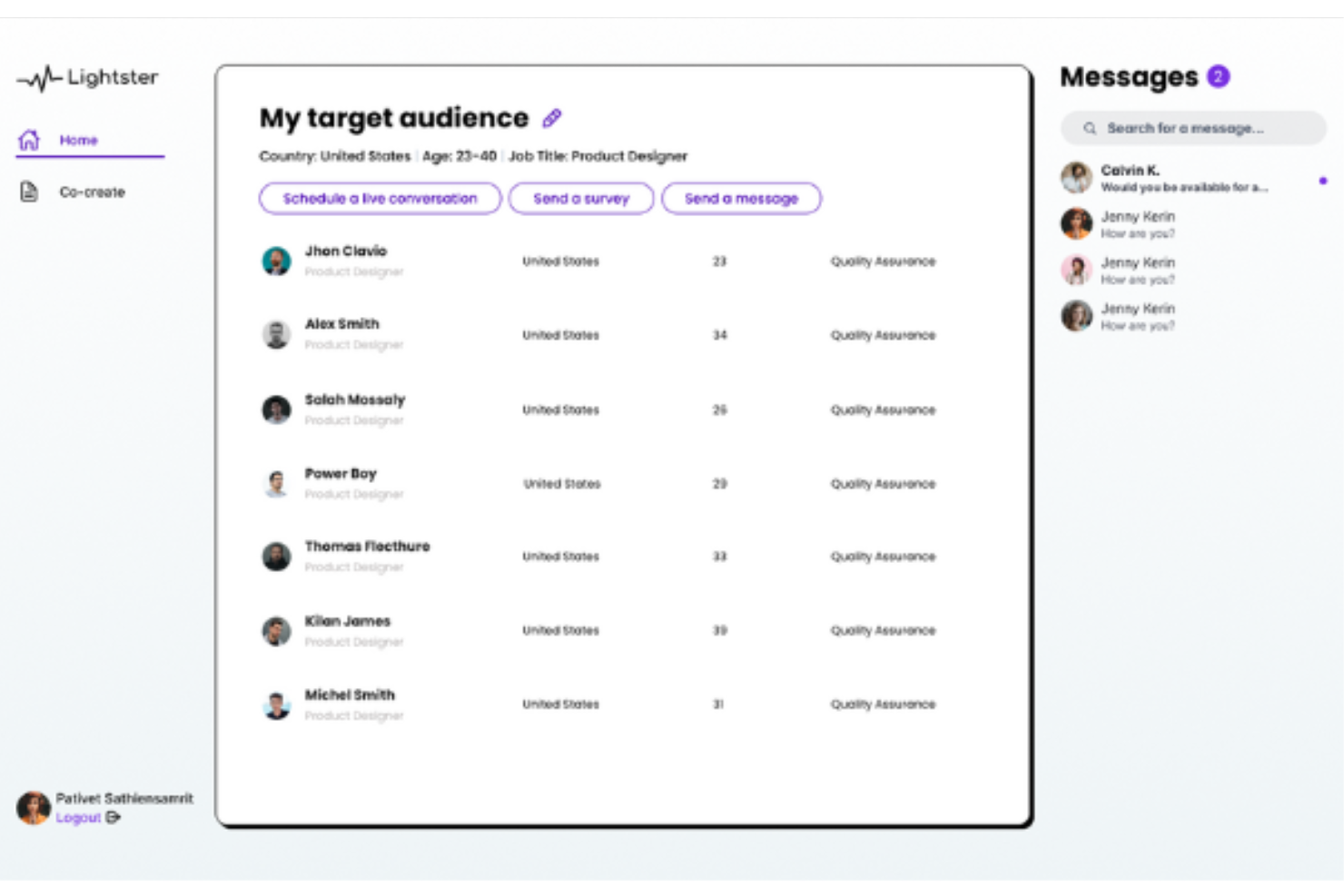
Lightster es una herramienta de pruebas de usuario y una plataforma de encuestas que permite a los usuarios recopilar rápidamente datos cruciales de su público objetivo a través de encuestas y conversaciones. Es una herramienta ideal para equipos que buscan recopilar opiniones centradas en el usuario gracias a su capacidad para facilitar interacciones directas con las audiencias, ofreciendo reacciones, ideas e información en tiempo real que son vitales para la toma de decisiones sobre productos.
Por qué elegí Lightster:
Me gusta que Lightster ofrece una interfaz intuitiva y un conjunto completo de herramientas para recopilar opiniones centradas en el usuario. La plataforma permite sesiones de retroalimentación en vivo en forma de llamadas de audio, videollamadas y chat. Además, el software cuenta con un sólido sistema de emparejamiento que ofrece una selección detallada de la audiencia según una amplia gama de criterios, incluidos la demografía, los intereses y los antecedentes profesionales.
Características destacadas e integraciones de Lightster
Características incluyen encuestas y pruebas no moderadas para recopilar opiniones de tu público objetivo y funciones de pruebas de experiencia de usuario (UX) para ver las reacciones a tu producto y su usabilidad en tiempo real. Lightster también facilita la colaboración entre los miembros del equipo con funciones de acceso que permiten que otros se unan a cada sesión.
Integraciones incluyen Google Calendar, Outlook Calendar y más.
Pros and Cons
Pros:
- Criterios detallados para el público objetivo
- Interacciones directas con el público objetivo
- Múltiples opciones para recopilar opiniones
Cons:
- Limitaciones en las integraciones
- El software no puede garantizar la participación

Ideal para una base de usuarios amplia, abarcando diversos demográficos
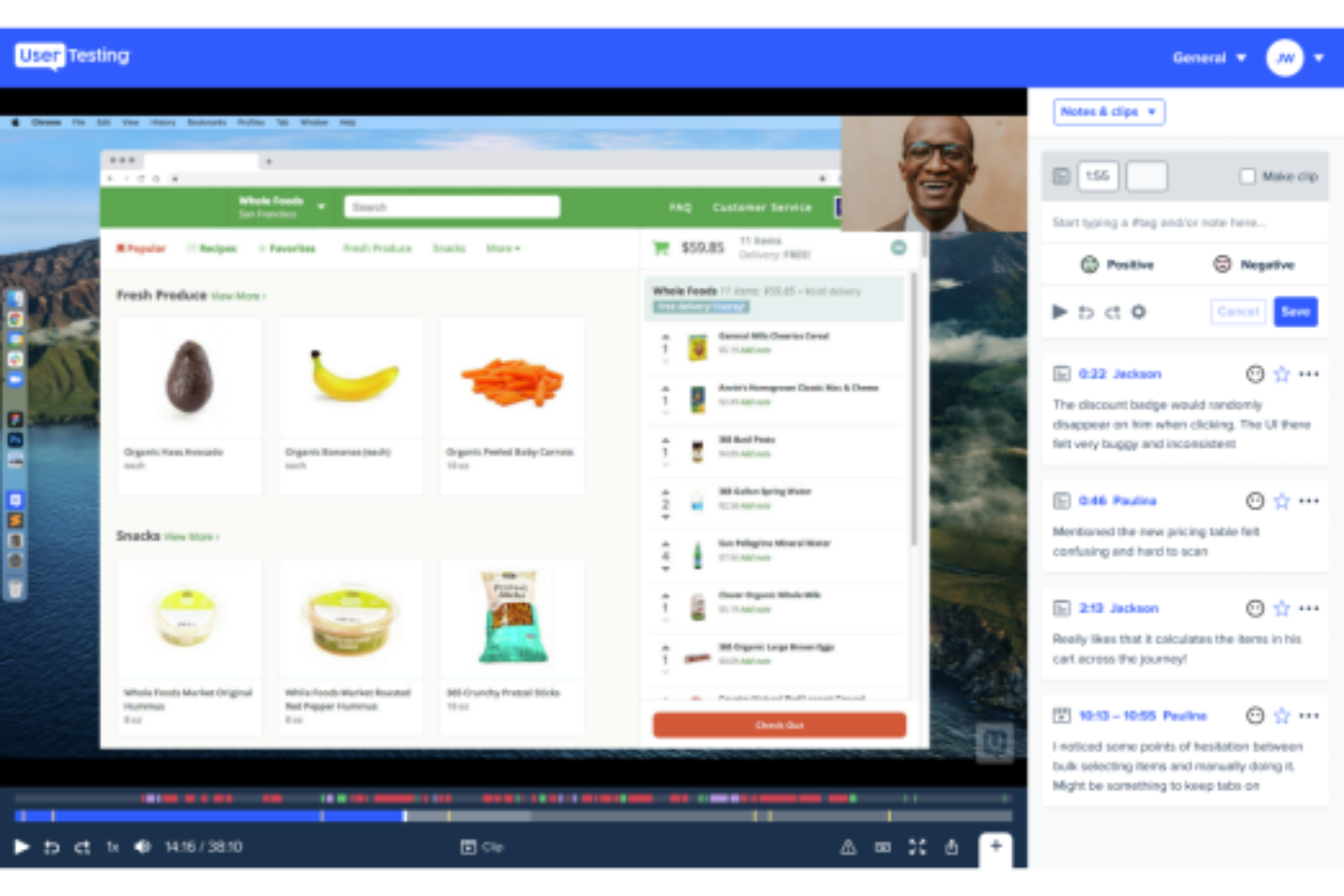
UserTesting es una plataforma líder en pruebas de usabilidad que te permite recibir retroalimentación en video de usuarios interactuando con tu diseño. Es especialmente eficaz si necesitas una amplia variedad de perspectivas de usuarios, gracias a su extenso abanico demográfico de participantes.
Por qué elegí UserTesting:
Seleccioné UserTesting para esta lista debido a su gran y diversa base de participantes. Se destacó porque te brinda la capacidad de comprender cómo diferentes usuarios interactúan con tu diseño, asegurando que tu producto sea atractivo para una audiencia amplia. Cuando se trata de tener una base de usuarios completa que abarca varios demográficos, esta herramienta simplemente no tiene comparación, lo que la convierte en la mejor para una base de usuarios amplia en herramientas de pruebas de usabilidad.
Características y compatibilidades destacadas de UserTesting
Características incluyen 'Conversación en vivo', que te permite interactuar con los participantes en tiempo real, y 'Estudio longitudinal', para observar los cambios en el comportamiento del usuario a lo largo del tiempo.
En cuanto a integraciones, UserTesting funciona bien con las principales plataformas de gestión de productos como Jira, Trello y Slack, facilitando la coordinación y la actualización oportuna.
Pros and Cons
Pros:
- Proporciona una amplia demografía de usuarios testers
- Ofrece interacción en vivo con los participantes
- Integración con las herramientas de gestión de proyectos más populares
Cons:
- El precio se basa en el número de videos, lo que puede no adaptarse a todos los presupuestos
- Curva de aprendizaje para usuarios primerizos
- Las funciones avanzadas requieren planes de mayor costo

La mejor herramienta para visualizar la actividad de los usuarios a través de mapas de calor

Crazy Egg es una herramienta de optimización de sitios web que te permite entender la actividad de los usuarios en tu sitio mediante mapas de calor, mapas de desplazamiento y otros informes visuales. Su principal ventaja competitiva es su potente funcionalidad de mapas de calor, que te proporciona una representación visual de los clics, desplazamientos y movimientos del mouse de los usuarios.
Por qué elegí Crazy Egg:
Seleccioné esta herramienta por su capacidad excepcional de visualizar la interacción de los usuarios en un sitio web. Muchas herramientas ofrecen seguimiento del comportamiento del usuario, pero Crazy Egg destaca por sus mapas de calor claros y fáciles de entender, que te ofrecen una visión directa sobre las áreas más atractivas de tu sitio. Por eso, es mi primera opción para visualizar la actividad de los usuarios a través de mapas de calor.
Características destacadas e integraciones de Crazy Egg
Las características incluyen su tecnología de mapas de calor, que te permite ver exactamente dónde hacen clic, se desplazan y hasta dónde mueve el mouse cada usuario. Esto te da una comprensión visual del compromiso del usuario y puede ayudarte a tomar decisiones sobre el diseño del sitio y la ubicación del contenido. Otras características destacables incluyen pruebas A/B y herramientas de optimización de la tasa de conversión.
En cuanto a las integraciones, Crazy Egg se integra con diversas plataformas populares como WordPress, Shopify y Joomla, lo que facilita su incorporación en flujos de trabajo existentes.
Pros and Cons
Pros:
- Potente funcionalidad de mapas de calor para entender la interacción del usuario
- Integraciones con plataformas web populares como WordPress y Shopify
- Funciones completas de pruebas A/B y optimización de la tasa de conversión
Cons:
- El precio puede ser demasiado alto para pequeñas empresas o usuarios individuales
- Funcionalidad limitada más allá de los mapas de calor y pruebas A/B
- La facturación anual puede no ser ideal para todos los usuarios

Applause
Reconocida por su extensa comunidad de evaluadores profesionales
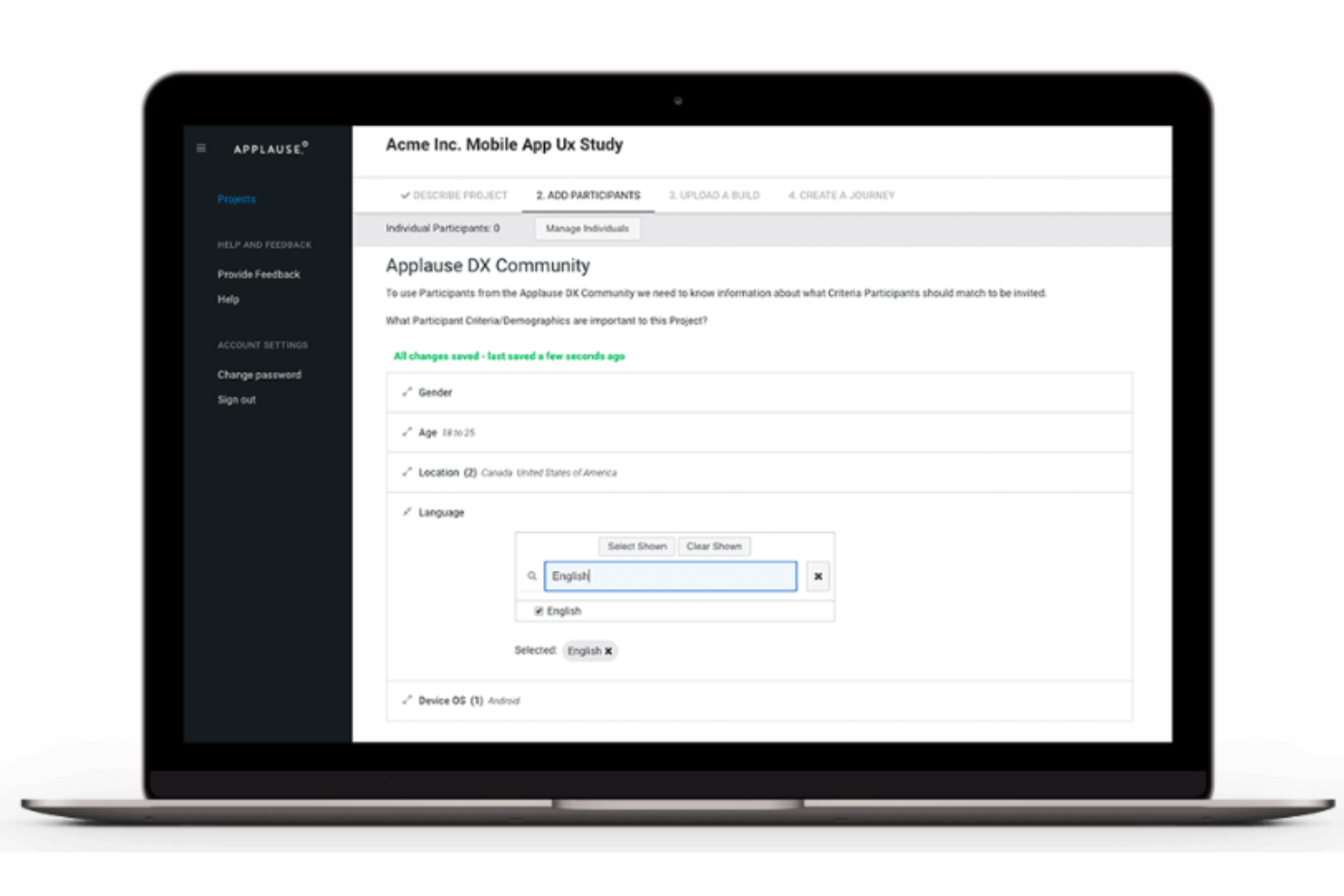
Applause es una herramienta integral de pruebas de usabilidad que utiliza una comunidad global de evaluadores calificados para analizar tus experiencias digitales. Este enfoque único es ideal para quienes buscan beneficiarse de una amplia variedad de perspectivas profesionales, identificando problemas de usabilidad que otras herramientas podrían pasar por alto.
Por qué elegí Applause:
Applause entró en mi lista debido a su extensa comunidad global de evaluadores profesionales. Además, están en la categoría de crowdsourcing desde 2007 y este aspecto lo diferencia, convirtiéndolo en una herramienta única frente a sus competidores. Las valiosas y diversas opiniones recopiladas de los evaluadores profesionales de diferentes orígenes enriquecen considerablemente el valor del proceso de pruebas de usabilidad. Por esto, considero que Applause es la mejor opción por su extensa comunidad de evaluadores profesionales.
Características e integraciones destacadas de Applause
Entre sus características se encuentra la configuración de pruebas en condiciones reales, lo cual permite a los evaluadores probar las aplicaciones bajo condiciones de uso verdaderas. Esto proporciona una comprensión más realista de la experiencia del usuario. Además, Applause permite pruebas en distintos dispositivos, plataformas y ubicaciones, adaptándose a un producto digital global.
Applause se integra con una variedad de herramientas populares de seguimiento de errores, gestión de proyectos y comunicación como JIRA, Slack y Asana. Estas integraciones aseguran un flujo de trabajo fluido, facilitando la gestión y aplicación de las sugerencias derivadas de las pruebas de usabilidad.
Pros and Cons
Pros:
- Comunidad global de evaluadores profesionales
- Condiciones de prueba en entornos reales
- Se integra con herramientas populares de gestión de proyectos
Cons:
- El precio personalizado puede ser una barrera para pequeñas empresas
- No dispone de prueba gratuita
- La amplitud de la comunidad de evaluadores puede generar inconsistencia en los comentarios

UXArmy
Ideal para pruebas de usabilidad moderadas y no moderadas
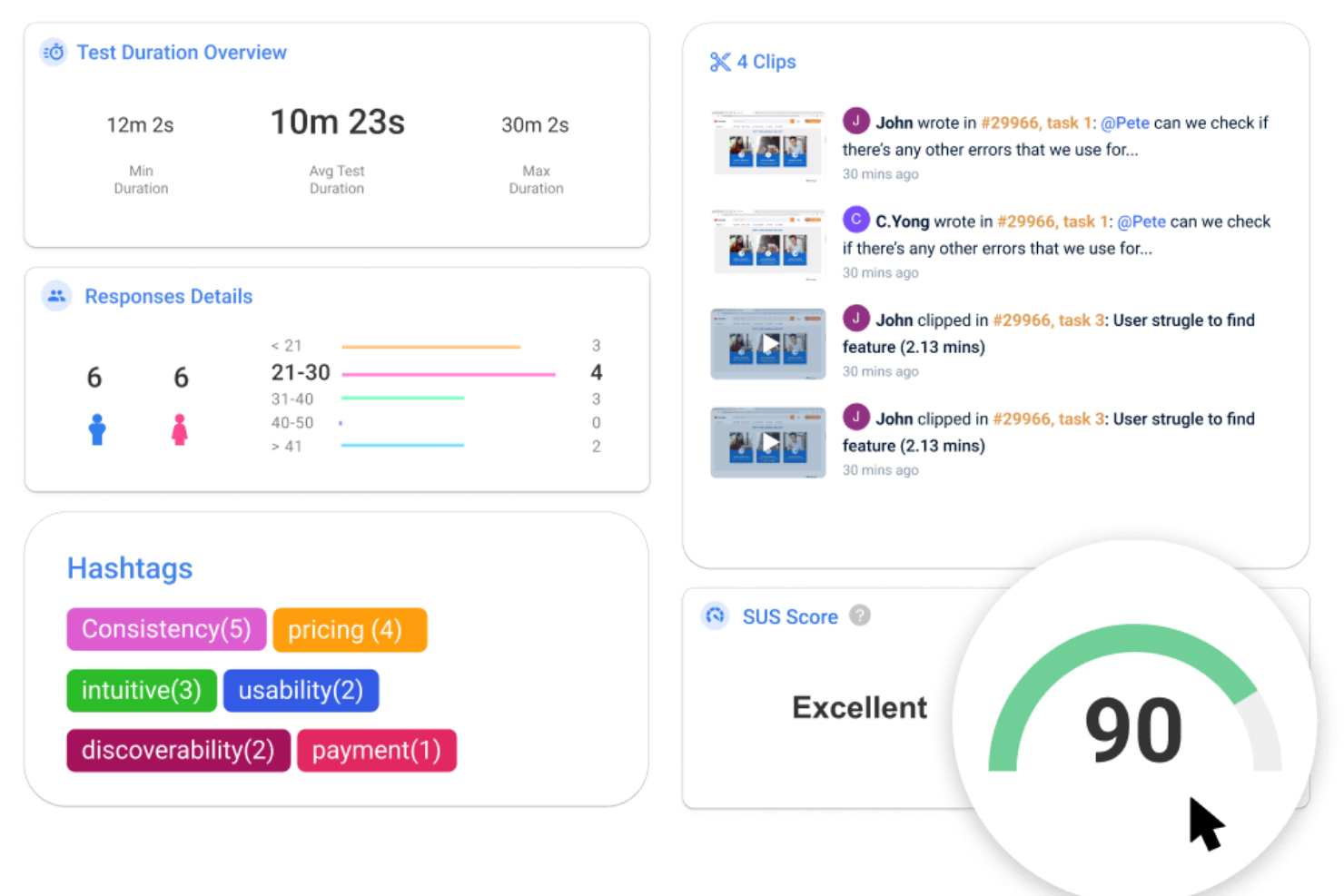
UXArmy es una plataforma de investigación de usuarios remota basada en la nube, diseñada para ayudar a diseñadores, investigadores de usuarios y desarrolladores de productos a mejorar la experiencia de usuario de sus productos digitales.
Por qué elegí UXArmy:
Me gusta su capacidad para pruebas de usabilidad tanto moderadas como no moderadas. Las pruebas no moderadas permiten evaluar prototipos, sitios web y aplicaciones móviles sin necesidad de un facilitador. Por otro lado, la función de investigación moderada implica conversaciones en vivo por video con los usuarios, proporcionando información profunda y la posibilidad de investigar más a fondo los comportamientos y preferencias de los usuarios.
Características y integraciones destacadas de UXArmy
Características incluyen herramientas especializadas como la clasificación de tarjetas y las pruebas de estructura de árbol, que son esenciales para diseñar arquitecturas de información y sistemas de navegación intuitivos. La plataforma también proporciona videos de pantalla en tiempo real, mapas de calor y recorridos de navegación, ofreciendo visualizaciones claras de las interacciones de los usuarios. UXArmy incluso automatiza el reclutamiento de participantes de prueba a partir de un panel de usuarios diverso e independiente para garantizar opiniones imparciales y fiables.
Integraciones incluyen Figma y Zoom.
Pros and Cons
Pros:
- Amplia variedad de opciones para pruebas de usabilidad
- Interfaz fácil de usar
- Tiene una buena base de datos de panelistas
Cons:
- Integración limitada con redes sociales para una mayor participación de usuarios
- Los informes podrían ser más flexibles

Userfeel
Ideal para pruebas de usabilidad multilingües en más de 40 idiomas
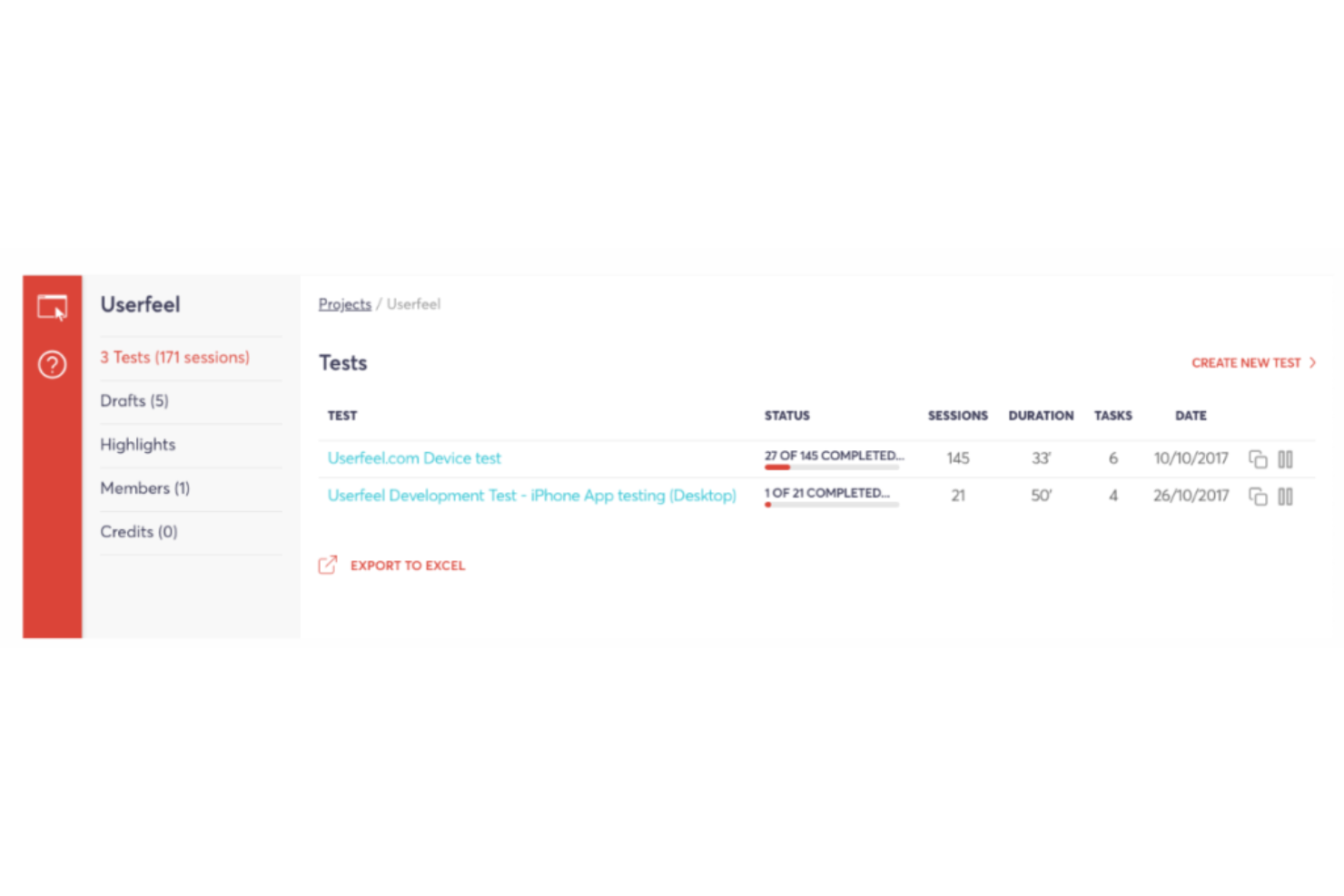
Userfeel es una plataforma de pruebas de usabilidad con una fortaleza clave: su capacidad para realizar pruebas multilingües en más de 40 idiomas. Esta herramienta facilita el proceso de pruebas de usabilidad remotas, proporcionándote videos de usuarios reales que verbalizan sus pensamientos mientras utilizan tu sitio web o aplicación.
Por qué elegí Userfeel:
Dada su amplia compatibilidad de idiomas, Userfeel destaca cuando necesitas realizar pruebas de usabilidad a escala multilingüe o global. Este enfoque multilingüe fue lo que me llevó a elegirla. Con soporte para más de 40 idiomas, sobresale frente a otras plataformas de pruebas de usabilidad que solo admiten unos pocos idiomas. También consideré que las empresas suelen necesitar llegar a públicos que hablan diferentes idiomas, y esta herramienta cumple esa función de manera excelente.
Funciones y integraciones destacadas de Userfeel
Funciones incluyen videos destacados que te ayudan a presentar los resultados de tus pruebas de usabilidad a tu equipo, como problemas críticos. La herramienta también incluye un panel avanzado para un análisis claro y eficiente de los resultados de las pruebas.
Userfeel ofrece integración con Slack para la comunicación y actualizaciones en tiempo real sobre el proceso de pruebas.
Pros and Cons
Pros:
- Permite pruebas de usabilidad multilingües en más de 40 idiomas
- Panel avanzado para un análisis eficiente de los resultados de las pruebas
- Ofrece integración con Slack para una comunicación fluida
Cons:
- El modelo de precios por prueba puede no adaptarse a empresas con necesidades frecuentes de pruebas
- Carece de una gama más amplia de integraciones con otras herramientas de gestión de proyectos
- El soporte en tiempo real se limita al horario laboral

La mejor opción para pruebas continuas con videos semanales de usuarios
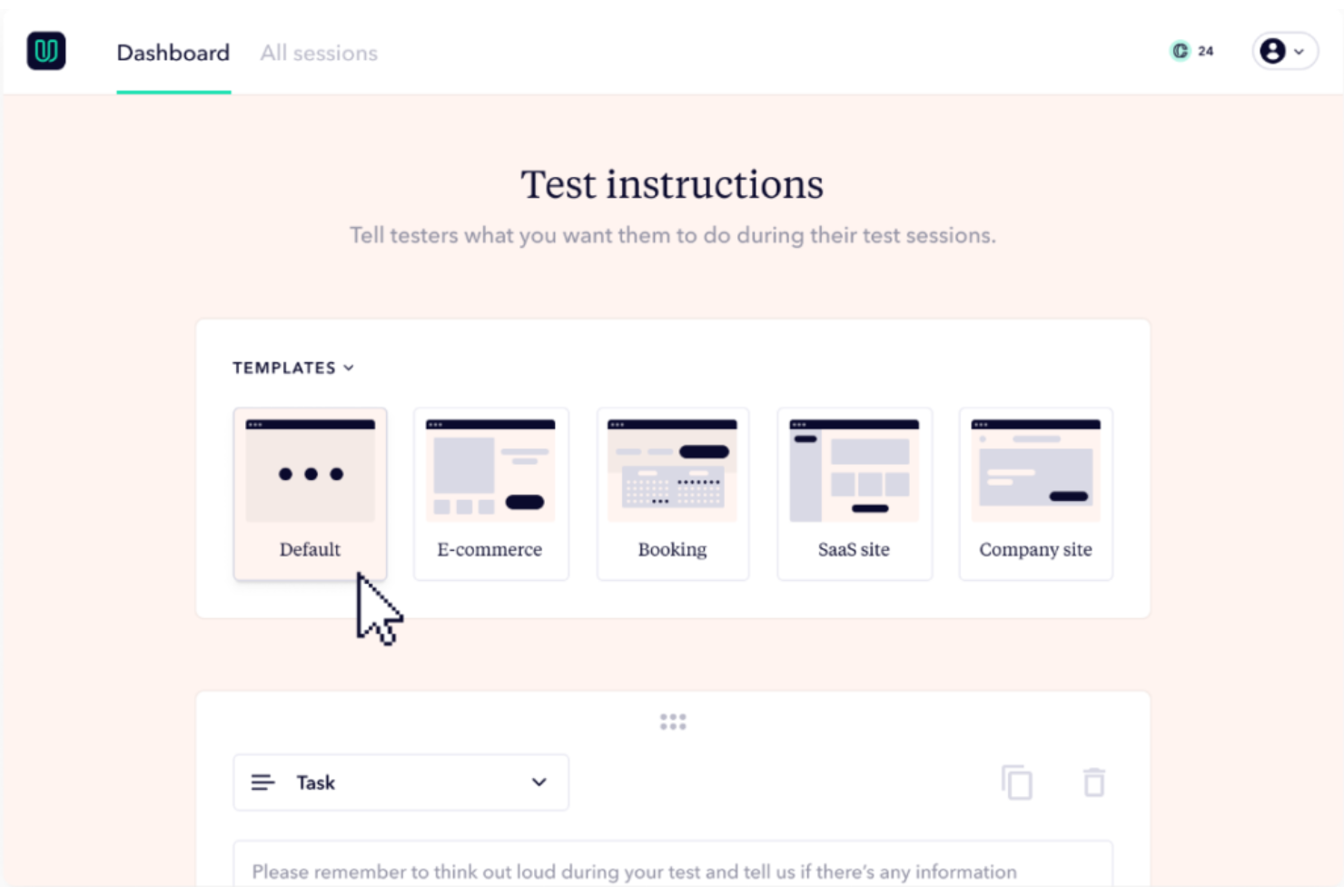
Userbrain es un servicio de pruebas de usabilidad que te proporciona videos de personas reales expresando en voz alta sus pensamientos mientras usan tu sitio web o aplicación. El núcleo del atractivo de Userbrain radica en su compromiso con la retroalimentación continua y semanal de usuarios, manteniéndote constantemente en contacto con la experiencia del usuario.
Por qué elegí Userbrain:
Su propuesta única de entregar videos semanales con retroalimentación de usuarios llamó mi atención. Este sistema constante y regular de opiniones proporciona un flujo ininterrumpido de ideas sobre la experiencia de usuario y el diseño de la interfaz, algo poco común en muchas herramientas de pruebas de usabilidad.
Características e integraciones destacadas de Userbrain
Entre sus características se incluye su ciclo semanal de pruebas, que garantiza la retroalimentación frecuente del usuario. También ofrece pruebas de usabilidad remotas, lo que significa que obtienes evaluadores imparciales que pueden expresarse libremente. La herramienta entrega videos de usuarios navegando por tu sitio web o aplicación, proporcionando valiosas ideas sobre cómo interactúan con tu producto digital.
Userbrain no ofrece integraciones específicas con terceros, pero se enfoca en proporcionar una plataforma de pruebas dedicada que puede utilizarse junto con otras herramientas para el análisis y la gestión de la retroalimentación.
Pros and Cons
Pros:
- Videos semanales de usuarios para retroalimentación continua
- Pruebas de usabilidad remotas e imparciales
- Modelo de suscripción que permite prever el presupuesto
Cons:
- Carece de integraciones específicas con terceros
- El servicio puede resultar costoso para pequeñas empresas o individuos
- No es ideal para pruebas puntuales debido al modelo de suscripción

Mejor para pruebas de usabilidad relacionadas con la arquitectura de la información
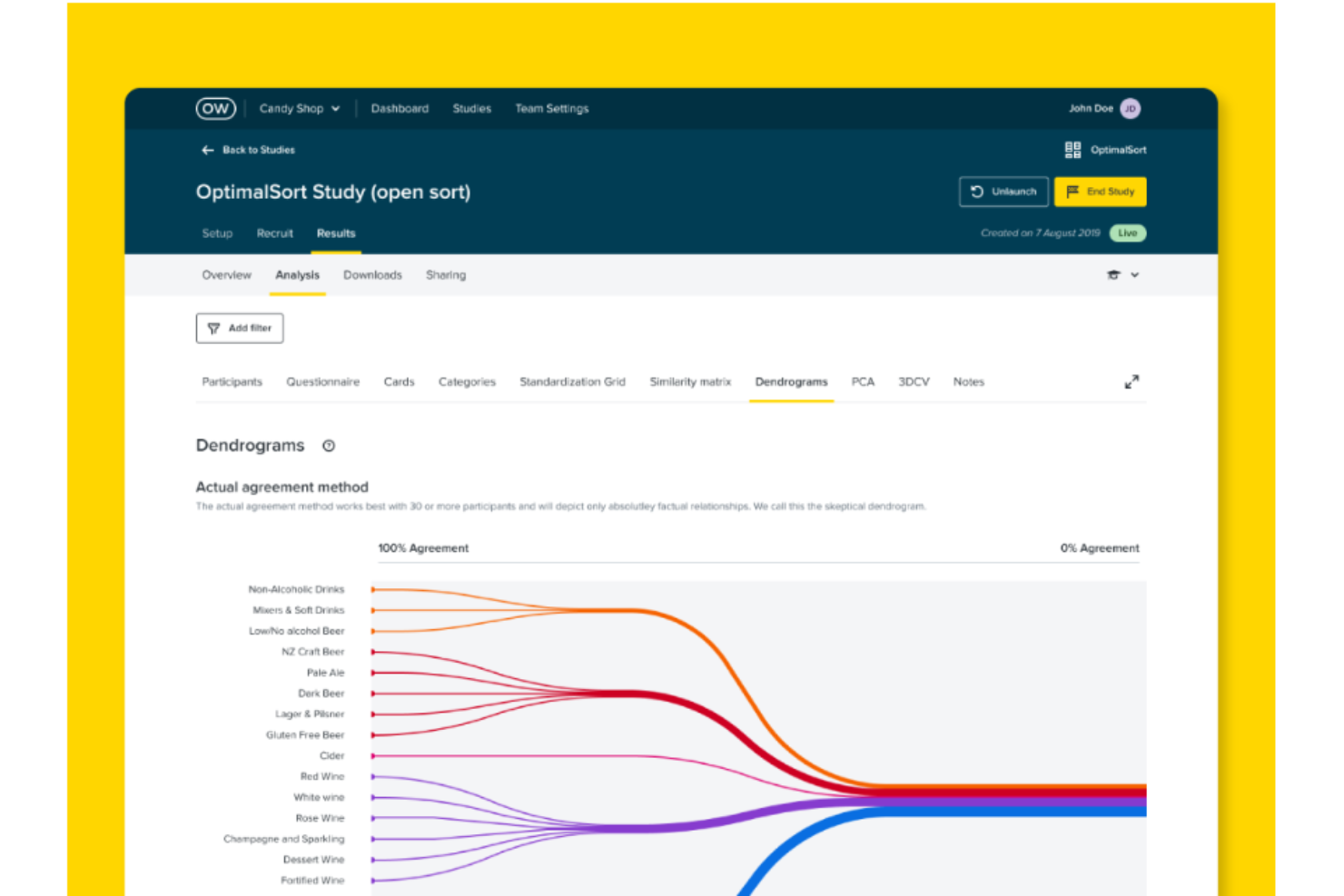
Optimal Workshop es una plataforma de investigación de usuarios que se especializa en herramientas para crear y analizar card sorting, tree testing y otros métodos para entender cómo los usuarios categorizan y encuentran información en los sitios web. Destaca cuando buscas optimizar la arquitectura y la estructura de navegación de tu sitio web.
Por qué elegí Optimal Workshop:
Optimal Workshop me llamó la atención cuando estaba determinando las mejores herramientas para incluir en esta lista. Su enfoque distintivo en arquitectura de la información y pruebas de usabilidad lo diferencia de muchas otras herramientas de pruebas de usuario en el mercado. Ofrece funciones únicas que permiten un examen profundo de cómo los usuarios navegan e interactúan con la información en un sitio web. Por lo tanto, es mi principal elección para pruebas de usabilidad relacionadas con la arquitectura de la información.
Características e integraciones destacadas de Optimal Workshop
Las características incluyen Treejack para pruebas de árboles, OptimalSort para card sorting y Chalkmark para pruebas de primer clic; todas están diseñadas específicamente para entender y mejorar la arquitectura de la información del sitio web. Esta suite de herramientas facilita la optimización de la navegación y la estructura de tu sitio web.
Optimal Workshop se integra con una variedad de servicios, incluidos Slack, Google Drive y otras herramientas populares de productividad, lo que te permite incorporar la investigación de usuarios a tu flujo de trabajo.
Pros and Cons
Pros:
- Herramientas especializadas para entender y optimizar la arquitectura de la información
- Se integra con herramientas de productividad populares como Slack y Google Drive
- Suite completa de herramientas en una sola plataforma
Cons:
- El costo es elevado en comparación con otras plataformas de pruebas de usuario
- Puede tener más funciones de las necesarias para sitios más pequeños o proyectos simples
- El enfoque en arquitectura de la información puede no ser tan útil para otros aspectos de pruebas de usabilidad

UserZoom
Mejor para capacidades integrales de pruebas de usabilidad e investigación UX
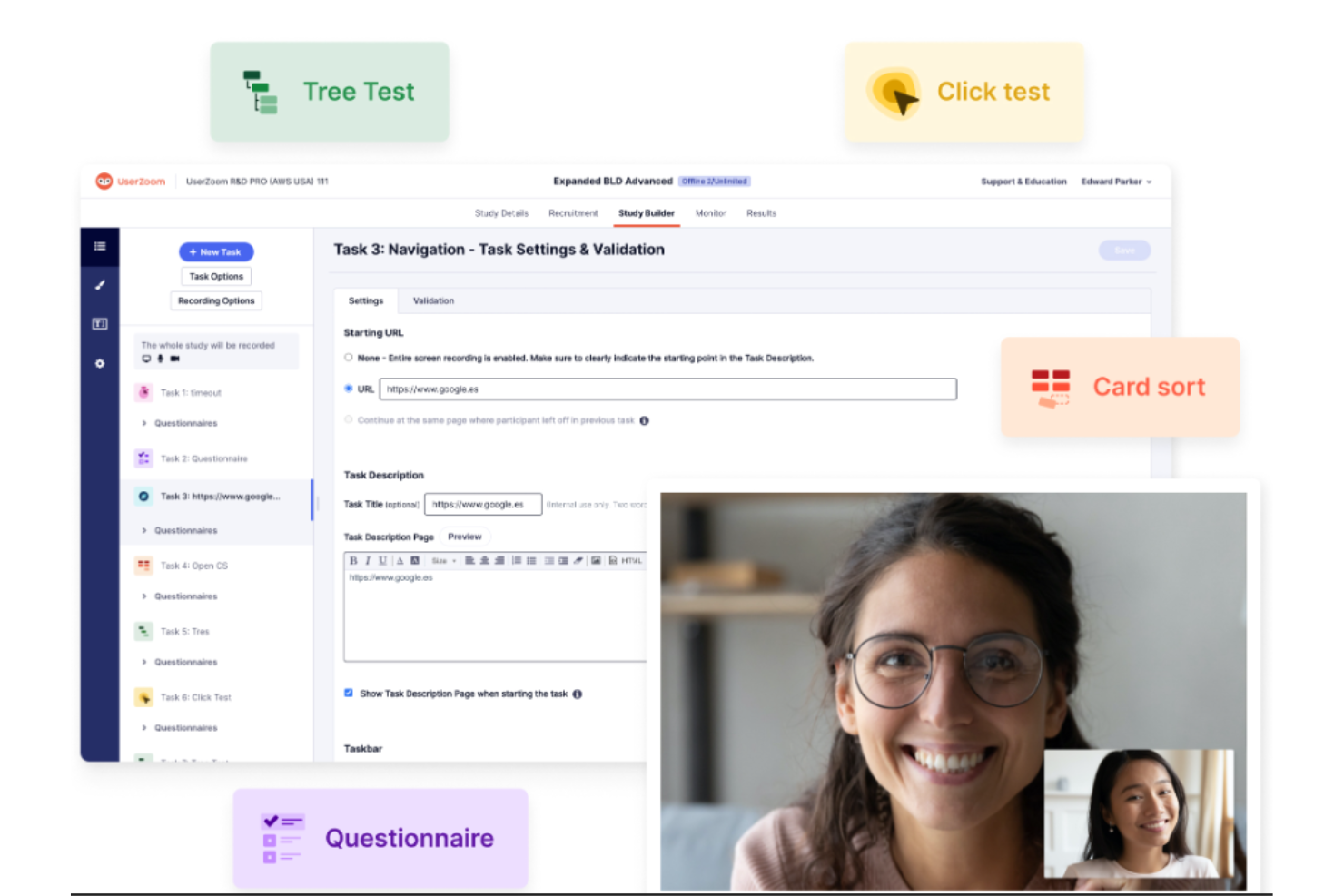
UserZoom es una herramienta versátil de pruebas de usabilidad diseñada para la investigación de experiencia de usuario (UX). Ofrece una gran cantidad de funciones para ayudarte a comprender el comportamiento del usuario y optimizar la experiencia. Dadas sus capacidades exhaustivas de investigación, es perfecta para quienes necesitan una herramienta integral para pruebas de usabilidad e investigación UX.
¿Por qué elegí UserZoom?
Elegí esta herramienta por sus amplias capacidades que cubren tanto pruebas de usabilidad como investigación UX. Ofrece una variedad de métodos de investigación, desde clasificación de tarjetas hasta pruebas de árbol, que no muchos otros ofrecen. Considero que es la mejor para capacidades integrales de pruebas de usabilidad e investigación UX porque asegura que no solo estés evaluando la usabilidad, sino también comprendiendo la experiencia del usuario a un nivel más profundo.
Características y integraciones destacadas de UserZoom
Características incluyen 'Clasificación de tarjetas', 'Pruebas de clics' y 'Mapas de calor'. Estas funciones aseguran que obtengas una idea clara de las preferencias de tus usuarios, su interacción con el diseño y las áreas de tu sitio que reciben mayor atención.
UserZoom se integra de manera fluida con plataformas de análisis populares como Google Analytics, así como con herramientas de gestión de proyectos como Jira e incluso algunos sistemas CRM, asegurando que puedas conectar tus datos de UX con otros indicadores empresariales.
Pros and Cons
Pros:
- Herramienta integral para pruebas de usabilidad e investigación UX
- Variedad de métodos de prueba disponibles
- Integración fluida con herramientas de gestión de proyectos y análisis
Cons:
- Precio más elevado en comparación con otras herramientas
- Puede ser abrumador para principiantes debido a su amplia gama de funciones
- Opciones de personalización limitadas en el plan básico

Lookback
Ideal para retroalimentación de usuarios en tiempo real mediante entrevistas profundas
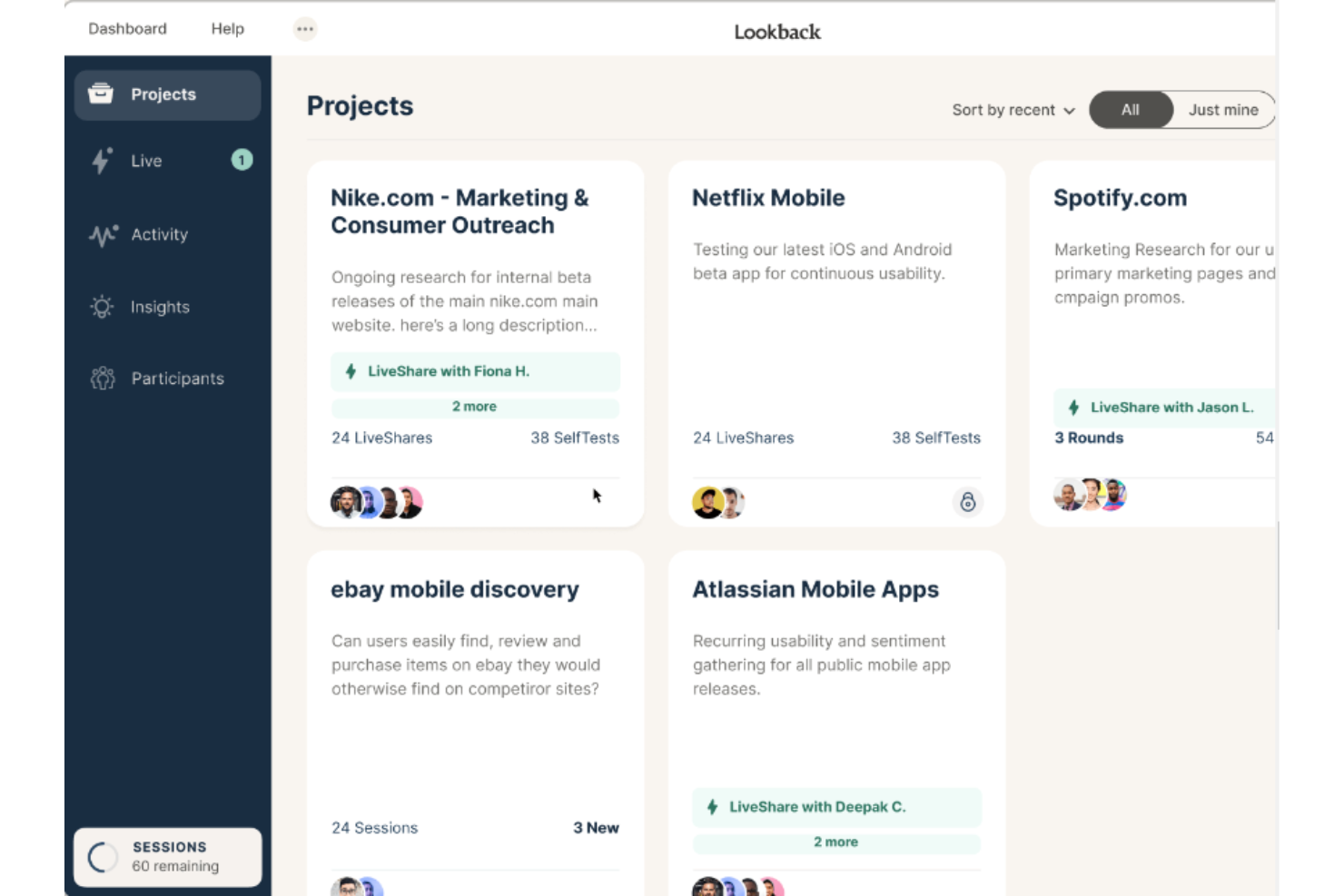
Lookback es una plataforma de investigación de usuarios que te conecta directamente con tus usuarios, permitiéndote grabar y analizar sus experiencias. Destaca por su capacidad para capturar retroalimentación de los usuarios en tiempo real a través de entrevistas inmersivas y profundas, lo que lo convierte en una excelente opción para quienes buscan datos cualitativos enriquecidos.
Por qué elegí Lookback:
Seleccioné esta herramienta por su enfoque único en las pruebas de usabilidad. Ofrece una profundidad incomparable en la comprensión del usuario al enfocarse en entrevistas interactivas. Este método íntimo de recopilar feedback de los usuarios hace que Lookback sobresalga frente a otras opciones. Finalmente, permite profundizar en los procesos de pensamiento de los usuarios en tiempo real, mejorando tu comprensión del recorrido del usuario.
Funciones y conexiones destacadas de Lookback
Funciones incluyen su función 'Remote LiveShare', que permite sesiones en vivo e interactivas con usuarios. Además, la función 'SelfTest with Scheduling' permite a los usuarios participar en pruebas cuando les resulte conveniente.
En cuanto a integraciones, Lookback se integra bien con herramientas populares de análisis de datos como Dovetail y EnjoyHQ, haciendo que la transición de la recopilación de datos al análisis sea fluida.
Pros and Cons
Pros:
- Permite interacción en tiempo real con los usuarios
- Soporta pruebas tanto remotas como presenciales
- Permite a los usuarios participar en pruebas cuando les convenga
Cons:
- Puede requerir una curva de aprendizaje para su uso completo
- Precio más alto para funciones adicionales
- Integración limitada con herramientas de gestión de proyectos
Otras herramientas de pruebas de usabilidad
A continuación se incluye una lista de herramientas adicionales de pruebas de usabilidad que seleccioné, pero que no llegaron a estar entre las principales. Sin duda, vale la pena echarles un vistazo.
- Loop11
Ideal para incorporar las pruebas de usabilidad en tus ciclos Agile
- Trymata (formerly TryMyUI)
La mejor opción para captar emociones y puntos de confusión de los usuarios
- UsabilityHub
Las funciones avanzadas requieren niveles de precios más altos
- UserBob
Mejor para pruebas de usuario económicas y colaborativas
- UserGuiding
Ideal para comprender la usabilidad del contenido de onboarding


Cómo Evalúo las Herramientas de Pruebas de Usabilidad
Divido mi evaluación en requisitos fundamentales—grabación de sesiones, creación de tareas y acceso a paneles—y diferenciadores que muestran si una herramienta realmente se adapta a la forma en que tu equipo investiga.
Funcionalidad Básica (Imprescindibles Para Esta Lista)
Cuando selecciono herramientas para mi lista, califico cada una en una escala de 0 (no ofrece la funcionalidad) a 5 (destaca en esta área) para cada funcionalidad principal listada a continuación. Luego, calculo la puntuación total de la herramienta y la convierto en un porcentaje. Cada herramienta necesita alcanzar una puntuación total mínima del 65% para ser considerada en la lista.
- Pruebas Moderadas y No Moderadas: Verifico si una herramienta admite tanto sesiones en vivo como tareas autoguiadas, ya que los equipos suelen necesitar entrevistas moderadas para descubrimiento y pruebas no moderadas para validaciones rápidas.
- Diseño de Pruebas Basadas en Tareas: Un buen constructor de pruebas te permite definir tareas, redactar escenarios y fijar criterios de éxito. Busco lógica de ramificación y tipos de preguntas variados más allá de simples indicaciones.
- Grabación y Reproducción de Sesiones: Evalúo cómo cada herramienta captura datos de pantalla, audio y cámara web. Funciones como etiquetado con marcas de tiempo y creación de clips son importantes cuando necesitas compartir un momento clave con los interesados.
- Opciones de Reclutamiento de Participantes: Reclutar a los usuarios adecuados es la mitad del trabajo. Analizo el tamaño del panel, los filtros demográficos y las opciones de selección para evaluar qué tan bien te ayuda la herramienta a llegar a tu público objetivo.
- Analítica de Comportamiento: Más allá de las grabaciones, evalúo si la plataforma ofrece métricas cuantitativas como tiempo en tareas, tasas de éxito, mapas de calor o rutas de clics para respaldar las observaciones cualitativas.
- Pruebas de Prototipos y Sitios en Vivo: Los equipos prueban en diferentes etapas, desde primeros bocetos en Figma hasta aplicaciones en producción. Compruebo si hay integraciones nativas con prototipos y soporte para entornos web y móviles.
Una vez que tengo una lista de herramientas que cumplen los criterios, considero qué diferencia a cada plataforma.
Factores Diferenciadores (Qué Hace Único a Cada Proveedor)
Así es como comparo y contrasto los diferentes proveedores:
Características Destacadas
La generación de insights basada en IA es un gran diferenciador. Cuando revisas docenas de grabaciones de sesiones, las herramientas que etiquetan automáticamente temas y generan resúmenes destacados reducen la síntesis de días a horas. También busco un repositorio de investigaciones donde los equipos puedan almacenar y buscar hallazgos anteriores—esto evita repetir estudios que ya se completaron el trimestre pasado. Las capacidades de card sorting y tree testing también destacan, ya que amplían la plataforma más allá de pruebas de usabilidad estándar hacia la investigación de arquitectura de la información.
Más Allá de las Funcionalidades
Las integraciones con tu stack de producto y diseño son muy relevantes aquí. Evalúo si los hallazgos fluyen hacia herramientas como Jira o Productboard para que los insights no queden aislados. La transparencia del modelo de precios es otro factor clave—algunas plataformas cobran por estudio, otras por usuario, y el modelo equivocado puede hacer que los costos sean impredecibles a medida que escalas la investigación en los equipos. También considero la rapidez para obtener insights, especialmente qué tan rápido una herramienta entrega sesiones completadas desde su panel después de lanzar una prueba.
Cómo elegir una herramienta de pruebas de usabilidad
Es fácil perderse entre largas listas de funciones y complejas estructuras de precios. Para ayudarte a mantener la concentración mientras avanzas en tu proceso único de selección de software, aquí tienes una lista de factores que debes tener en cuenta:
| Factor | Qué debes considerar |
|---|---|
| Escalabilidad | ¿La herramienta crecerá junto con tu equipo y tu producto? Busca soluciones que gestionen tanto pruebas pequeñas como implementaciones grandes con varios equipos sin necesidad de nuevos contratos. |
| Integraciones | ¿Funciona con tus herramientas actuales (por ejemplo, Jira, Figma y Slack)? Evita las herramientas que te obliguen a cambiar los flujos de trabajo o que requieran trabajo personalizado con la API. |
| Personalización | ¿Puedes adaptar las tareas, la imagen de marca o los informes a tus necesidades? Las herramientas rígidas pueden ralentizarte o confundir a las partes interesadas. |
| Facilidad de uso | ¿Con qué rapidez puede tu equipo obtener valor sin necesitar una formación exhaustiva? Presta atención a las interfaces poco intuitivas o a los flujos de configuración complejos que consumen tiempo. |
| Implementación e incorporación | ¿Cuánto tiempo debe pasar antes de que el equipo pueda utilizar la herramienta? Pregunta por el tiempo de configuración habitual y si se incluye asistencia o ayuda para la migración. |
| Coste | ¿Cuál es el coste real a lo largo del tiempo: licencias, participantes y actualizaciones? Evita las herramientas que parecen asequibles, pero ocultan funciones esenciales tras muros de pago. |
| Medidas de seguridad | ¿Cumple tus estándares de seguridad (por ejemplo, SSO y cifrado de datos)? Esto es especialmente importante para los datos de clientes o los sectores regulados. |
¿Qué son las herramientas de pruebas de usabilidad?
Las herramientas de pruebas de usabilidad son soluciones de software que utilizan investigadores de UX, desarrolladores y diseñadores de productos para probar sus productos con el público objetivo. Miden el grado de facilidad de uso y eficiencia de un producto o sistema, ya sea simulando interacciones de usuarios reales o supervisando y recopilando datos cuantitativos de participantes reales en las pruebas.
Mediante métodos como el análisis de tareas, las recopilaciones de momentos destacados, las encuestas a usuarios o los mapas de calor, el software de pruebas revela cómo navegan los usuarios por un producto, dónde encuentran problemas y qué aspectos mejoran o perjudican su experiencia general como clientes. Muchos equipos también utilizan software de pruebas A/B para comparar distintas versiones y validar decisiones de diseño. Esto ayuda a las empresas a optimizar sus interfaces de usuario, haciendo que sus productos sean más intuitivos, fáciles de usar y, en última instancia, más exitosos en el mercado.
Funciones del software de pruebas de usabilidad
Al seleccionar herramientas de pruebas de usabilidad, presta atención a las siguientes funciones clave:
- Grabación y reproducción de sesiones: Permite a los equipos ver las interacciones de los usuarios en detalle, lo que ayuda a identificar los puntos de fricción en el recorrido del usuario.
- Mapas de calor: Visualiza la actividad de los usuarios, como clics, toques y desplazamientos, para revelar áreas de interés o confusión en una página web o aplicación.
- Pruebas de usuarios en directo: Permite observar a los usuarios en tiempo real mientras completan tareas, proporcionando comentarios inmediatos y perspectivas cualitativas más enriquecedoras.
- Análisis de tareas: Realiza un seguimiento de las tasas de finalización de tareas, el tiempo dedicado a cada tarea y la aparición de errores para medir cuantitativamente el rendimiento de la usabilidad.
- Reclutamiento de participantes: Ofrece acceso integrado a paneles de usuarios diversos o permite dirigirse a grupos demográficos específicos para obtener resultados más representativos.
- Integración de encuestas: Combina las pruebas de usabilidad con encuestas para recopilar comentarios subjetivos de los usuarios junto con datos de comportamiento.
- Compatibilidad con pruebas A/B: Facilita la comparación de distintas versiones de una interfaz para determinar qué diseño funciona mejor en situaciones de uso reales.
- Pruebas en dispositivos móviles y multiplataforma: Admite pruebas de usabilidad en diversos dispositivos y plataformas, garantizando experiencias coherentes.
- Herramientas de colaboración y uso compartido: Proporciona funciones para anotar, comentar y compartir hallazgos con las partes interesadas, con el fin de agilizar los ciclos de comentarios.
- Controles de cumplimiento y privacidad: Garantiza el cumplimiento de las normativas de protección de datos y protege la información de los participantes durante las pruebas.
Beneficios de las herramientas de pruebas de usabilidad
La implementación de herramientas de pruebas de usabilidad proporciona varios beneficios para tu equipo y tu empresa. Estos son algunos de los que puedes esperar:
- Ciclos de comentarios más rápidos: Estas herramientas permiten a los equipos recopilar rápidamente las opiniones de los usuarios durante el diseño o el desarrollo, lo que ayuda a detectar problemas antes de que crezcan.
- Mejores decisiones sobre el producto: Con información sobre el comportamiento real de los usuarios, los equipos pueden tomar decisiones más claras y basadas en datos en lugar de hacer suposiciones.
- Mayor satisfacción de los usuarios: Detectar pronto los diseños confusos o los flujos defectuosos ayuda a crear experiencias de usuario más fluidas.
- Menor desperdicio en el desarrollo: Al encontrar los problemas con antelación, los equipos evitan dedicar tiempo y dinero a crear funciones que los usuarios no entenderán ni utilizarán.
- Mayores tasas de conversión: Las pruebas revelan puntos de fricción en los flujos de registro, pago o incorporación, para que puedas corregir aquello que ralentiza a los usuarios.
- Compatibilidad con pruebas remotas: Muchas herramientas permiten realizar pruebas con usuarios desde cualquier lugar, por lo que puedes obtener opiniones diversas sin programar sesiones presenciales.
- Mayor alineación entre las partes interesadas: Las sesiones grabadas y los informes ayudan a los equipos y a los directivos a observar los mismos problemas de los usuarios y ponerse de acuerdo sobre lo que debe corregirse.
Costes y precios de las herramientas de pruebas de usabilidad
Seleccionar herramientas de pruebas de usabilidad requiere comprender los diversos modelos de precios y planes disponibles. Los costes varían según las funciones, el tamaño del equipo, los complementos y otros factores. La tabla siguiente resume los planes habituales, sus precios medios y las funciones que suelen incluir las soluciones de herramientas de pruebas de usabilidad:
Tabla comparativa de planes para herramientas de pruebas de usabilidad
| Tipo de plan | Precio medio | Funciones habituales |
|---|---|---|
| Plan gratuito | $0 | Acceso a pruebas limitadas, análisis básicos y asistencia autónoma. |
| Plan personal | $25–$75/usuario/mes | Pruebas ilimitadas, análisis avanzados, grabaciones de vídeo e integraciones básicas. |
| Plan empresarial | $75–$150/usuario/mes | Herramientas de colaboración en equipo, flujos de trabajo personalizables, asistencia prioritaria y panel de perspectivas. |
| Plan corporativo | $150–$300+/usuario/mes | Gestor de cuenta exclusivo, acceso completo a la API, personalización de marca, seguridad mejorada y SLA personalizados. |
Preguntas frecuentes sobre las pruebas de usabilidad
Encuentra respuestas a las preguntas frecuentes que hacen otras personas sobre las pruebas de usabilidad.
¿Cuáles son los beneficios de utilizar herramientas de pruebas de usabilidad?
Las herramientas de pruebas de usabilidad ofrecen una serie de beneficios:
- Permiten a las empresas comprender mejor cómo se utilizan sus productos al captar las interacciones y el comportamiento de los usuarios. Esto puede ayudar a descubrir problemas de usabilidad que podrían estar perjudicando la experiencia del usuario.
- A menudo proporcionan representaciones visuales, como mapas de calor y grabaciones de sesiones, para visualizar el comportamiento de los usuarios.
- Estas herramientas también pueden ayudar a realizar encuestas y cuestionarios para recopilar comentarios directos de los usuarios.
- Las empresas pueden ahorrar potencialmente los costes asociados a modificaciones posteriores al identificar los problemas de usabilidad en una fase temprana.
¿Qué es una prueba básica de usabilidad?
Una prueba básica de usabilidad incluye a dos personas: un evaluador y un observador. Para configurarla, se necesita un ordenador en el que el usuario pruebe el prototipo que se le presentará. A medida que navega por el producto, el observador toma nota de los comportamientos y de otras observaciones de navegación que el equipo de investigación considere importantes.
¿Cuánto suelen costar las herramientas de pruebas de usabilidad?
El precio de las herramientas de pruebas de usabilidad puede variar considerablemente en función de sus capacidades, del tamaño de la base de usuarios y de la complejidad de las tareas que pueden realizar.
Existen varios modelos de precios habituales para estas herramientas. Algunas funcionan mediante suscripción, por lo que se paga una cuota mensual o anual por el acceso. Otras utilizan un modelo por prueba o por participante, en el que se paga en función de la cantidad de pruebas realizadas. Algunas herramientas ofrecen un modelo de precios escalonado, con más funciones y capacidades disponibles en los niveles superiores.
El precio puede oscilar entre tan solo $20 al mes y más de $200 al mes en el caso de las herramientas más avanzadas. Es importante tener en cuenta que el coste suele ser proporcional al número de funciones y al nivel de información que puede proporcionar la herramienta.
¿Cuáles son los tipos de pruebas de usabilidad?
Las pruebas de usabilidad proporcionan información sobre los usuarios. Sin embargo, las distintas pruebas generan datos diferentes para analizar. Estas son 5 de las pruebas de usabilidad más populares:
- Pruebas de usabilidad moderadas: Cuando dos personas, un moderador y un evaluador, interactúan durante una prueba. Puede realizarse en persona o mediante un programa de videoconferencias.
- Pruebas de usabilidad no moderadas: Cuando se envía una prueba al público objetivo, pero no se observa ni se modera. En su lugar, se recibe una grabación de la sesión una vez que completan la prueba.
- Clasificación de tarjetas: Cuando se pide a los usuarios que agrupen elementos según lo que tenga sentido para ellos. La clasificación de tarjetas es un excelente ejercicio para probar la taxonomía de un sitio web.
- Prueba del primer clic: Como era de esperar, la prueba del primer clic es exactamente lo que parece. Se dan instrucciones a un usuario y se registra el lugar en el que hace el primer clic.
- Pruebas de preferencias: Cuando se presentan al usuario distintas variantes del producto. El objetivo de las pruebas de preferencias es registrar los comentarios de los usuarios sobre por qué prefieren una opción en lugar de otra.
¿Existen herramientas gratuitas de pruebas de usabilidad?
Sí, hay algunas opciones gratuitas disponibles. Herramientas como Chalkmark de Optimal Workshop ofrecen un plan gratuito, pero a menudo tienen funciones y alcance limitados en comparación con sus versiones de pago.
¿Se pueden utilizar estas herramientas para probar aplicaciones móviles?
Sí, muchas de estas herramientas permiten realizar pruebas de usabilidad tanto en sitios web como en aplicaciones móviles. Asegúrate de consultar la herramienta específica, ya que las capacidades pueden variar.
¿Cómo afectan las pruebas de usabilidad a la experiencia de usuario?
Las pruebas de usabilidad ayudan a mejorar positivamente el diseño de la experiencia de usuario de tus productos digitales. Mediante las pruebas de usabilidad, descubres los puntos problemáticos de los usuarios, lo que ayuda a implementar mejoras de diseño iterativas. Además, las pruebas de usabilidad permiten comprender mejor a los usuarios y crear productos teniendo en cuenta al cliente.
¿Cuál es la diferencia entre las pruebas de experiencia de usuario y las pruebas de aceptación del usuario?
Las pruebas de experiencia de usuario evalúan la experiencia y la facilidad de uso de tus productos digitales. Por otro lado, las pruebas de aceptación del usuario (UAT) ayudan a determinar si tus sistemas de software están listos para su implementación. Las UAT hacen hincapié en la funcionalidad general de tus productos, mientras que las pruebas de experiencia de usuario se centran más en la facilidad de uso.
Reseñas de otras herramientas de pruebas de usabilidad
- Software de gestión de la experiencia del producto
- Software de diseño de productos
- Herramientas de maquetas para responsables de producto
¿Qué sigue?
Si estás investigando herramientas de pruebas de usabilidad, ponte en contacto con un asesor de SoftwareSelect para recibir recomendaciones gratuitas.
Rellenarás un formulario y tendrás una breve conversación en la que profundizarán en los detalles de tus necesidades. Después, recibirás una lista reducida de programas que podrás revisar. Incluso te apoyarán durante todo el proceso de compra, incluidas las negociaciones de precios.