

Como responsable de producto, te enfrentas al desafío de equilibrar las necesidades del diseño creativo con los objetivos empresariales prácticos. Sketch ha sido una herramienta de referencia, pero puede que no se adapte a tus requisitos específicos. Quizá se deba a problemas de compatibilidad, necesidades de colaboración del equipo o a la falta de determinadas funciones.
Según mi experiencia, encontrar la herramienta de diseño adecuada puede transformar tu flujo de trabajo y mejorar la productividad. Por eso he probado y analizado de forma independiente varias alternativas a Sketch. Mi objetivo es ofrecerte información imparcial sobre herramientas que podrían adaptarse mejor a las necesidades de tu equipo.
En este artículo, compartiré las mejores alternativas a Sketch y destacaré sus funciones y ventajas específicas. Mi objetivo es ayudarte a tomar una decisión informada que alinee tu proceso de diseño con los objetivos de tu empresa.
¿Qué es Sketch?
Sketch es una herramienta de diseño de productos que se utiliza para crear interfaces de usuario y elementos gráficos digitales. Es popular entre diseñadores, profesionales de UX/UI y responsables de producto que necesitan desarrollar experiencias digitales atractivas y fáciles de usar. Funciones como la edición vectorial, la creación de prototipos y la compatibilidad con el diseño colaborativo respaldan el proceso creativo de tu equipo y mejoran la eficiencia. En general, Sketch ofrece capacidades valiosas para convertir tus ideas de diseño en realidad.
Por qué confiar en nuestras recomendaciones de software
6,700+
Reviews
20
Industry experts
16+
Evaluation factors
14
Years
Nuestro equipo lleva probando y evaluando software desde 2012. Como gestores de producto, sabemos lo difícil —y lo importante— que es elegir el software adecuado.
Para esta guía, evaluamos las herramientas mediante pruebas prácticas e investigación independiente, puntuando las herramientas según nuestros criterios de selección.
Nuestras reseñas reflejan nuestro criterio editorial humano, no un discurso de ventas.
Revisores expertos:
 Hannah ClarkSenior TPM
- Cristiano ValimSenior UI/UX Lead

Tabla comparativa de alternativas a Sketch
Esta tabla comparativa resume los detalles de precios de mis principales alternativas seleccionadas a Sketch.
| Tool | Best For | Trial Info | Price | ||
|---|---|---|---|---|---|
| 1 | La mejor opción para el diseño sin conexión en Windows y Linux | Plan gratuito disponible | Precios bajo petición | Website | |
| 2 | Ideal para la coedición gratuita en tiempo real en cualquier sistema operativo | Plan gratuito disponible | Desde $8.25/mes (facturado anualmente) | Website | |
| 3 | Ideal para el prototipado funcional basado en datos | Plan gratuito disponible | Desde $19/usuario/mes | Website | |
| 4 | Ideal para usuarios de Creative Cloud que crean prototipos en Windows | Prueba gratuita disponible | Desde $22.99/mes (facturado anualmente) | Website | |
| 5 | Ideal para documentación de UX con mucha lógica | Plan gratuito disponible | Desde $29/usuario/mes (facturado anualmente) | Website | |
| 6 | La mejor opción para la colaboración de diseño basada en el navegador | Plan gratuito disponible | Desde $16/usuario/mes | Website | |
| 7 | Ideal para el diseño y la publicación web adaptable | Plan gratuito disponible | Desde $10/mes (facturado anualmente) | Website | |
| 8 | La mejor opción para la creación de prototipos de componentes basados en código | Plan gratuito + prueba gratuita de 14 días disponible | Desde $29/usuario/mes (facturado anualmente) | Website | |
| 9 | Ideal para el diseño de interfaces multiplataforma de código abierto | Plan gratuito + prueba gratuita de 14 días disponible | Desde $7/usuario/mes | Website | |
| 10 | La mejor opción para una licencia de diseño vitalicia de pago único | Plan gratuito disponible | Precios disponibles previa solicitud | Website |


Llevamos probando y analizando software de gestión de productos desde 2020. Como responsables de producto, sabemos lo importante y difícil que es tomar la decisión correcta al seleccionar software. Invertimos en una investigación exhaustiva para ayudar a nuestra audiencia a tomar mejores decisiones de compra de software.
Hemos probado más de 2.000 herramientas para diferentes casos de uso de gestión de productos y hemos redactado más de 1.000 análisis exhaustivos de software. Descubre cómo mantenemos la transparencia y consulta nuestra metodología de análisis de software.
Análisis de las mejores alternativas a Sketch
A continuación encontrarás mis resúmenes detallados de las mejores alternativas a Sketch que han llegado a mi selección. Mis análisis ofrecen una visión detallada de las funciones principales, ventajas e inconvenientes, integraciones y casos de uso ideales de cada herramienta para ayudarte a encontrar la mejor opción para ti.
 La mejor opción para el diseño sin conexión en Windows y Linux
- Plan gratuito disponible
- Precios bajo petición
Visit WebsiteCustomer Rating:4.4/5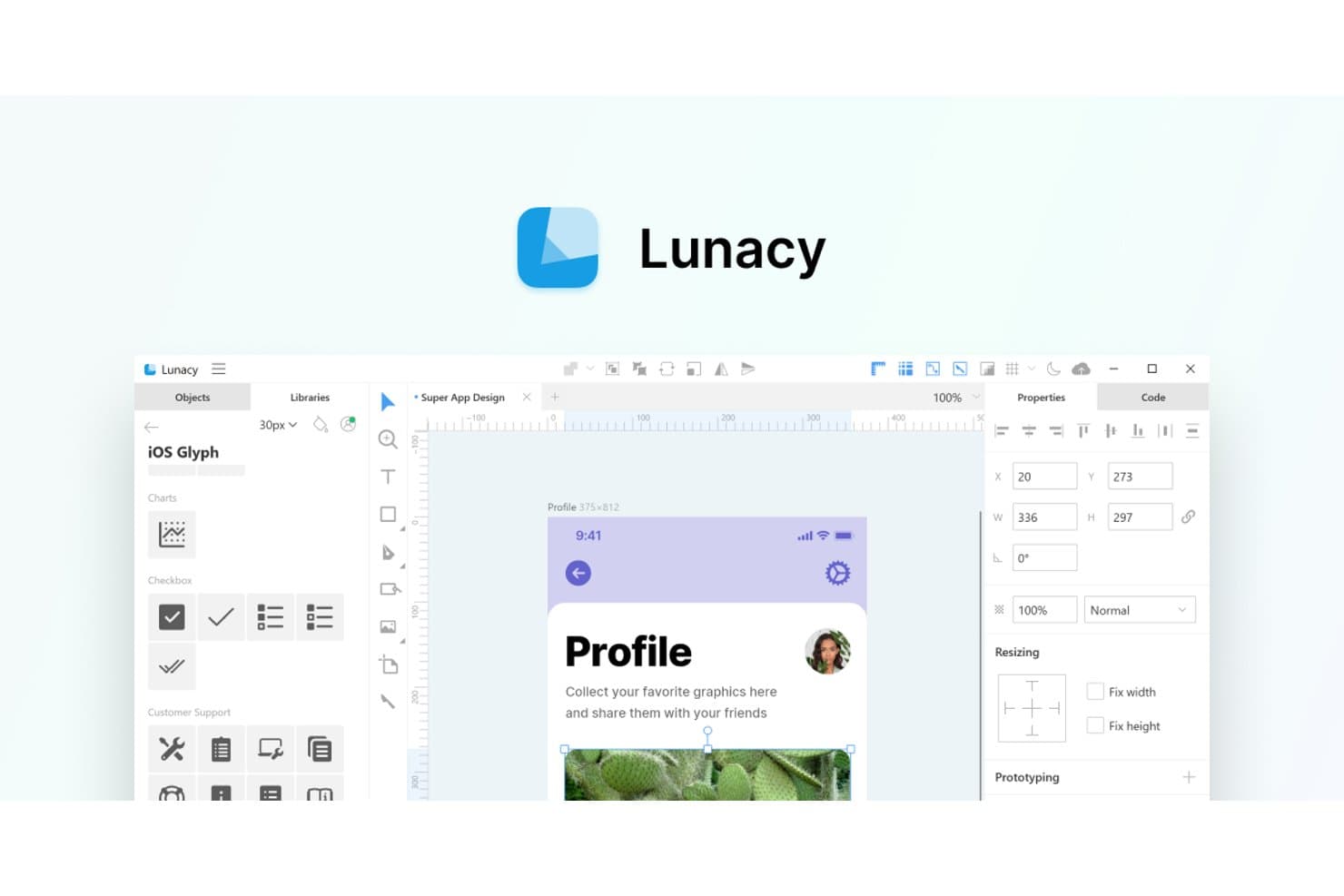
Lunacy ofrece una UI similar a Sketch con bibliotecas de iconos y herramientas de diseño integradas. Lunacy es una plataforma de diseño de UI/UX para equipos de producto que necesitan una alternativa práctica a Sketch para crear interfaces, colaborar en prototipos y mantener el trabajo de diseño accesible en Windows y Linux.
¿Para quién es más adecuado Lunacy?
Lunacy es adecuado para equipos de diseño de UX y productos que necesitan una herramienta de diseño de interfaces con capacidad de trabajo sin conexión en Windows o Linux.
Por qué Lunacy es una de las mejores alternativas a Sketch
Elegí Lunacy porque puedo abrir y editar archivos de Sketch sin conexión en Windows y Linux. Su aplicación de escritorio permite que mi equipo siga perfeccionando los archivos de interfaces durante los viajes o en sesiones con redes restringidas, sin depender de una conexión con el navegador.
Características principales de Lunacy
- Diseño automático: Crea diseños de interfaces adaptables con espaciado y alineación ajustables.
- Componentes reutilizables: Crea elementos compartidos para mantener la coherencia entre pantallas y sistemas de diseño.
- Edición vectorial: Dibuja y modifica formas, trazados, texto y elementos de la interfaz.
- Recursos integrados: Accede a iconos, fotos, ilustraciones y kits de UI dentro del editor.
Integraciones de Lunacy
Lunacy no cuenta con integraciones nativas claramente documentadas, compatibilidad con Zapier ni una API para integraciones personalizadas.
Pros and Cons
Pros:
- Edita archivos de Sketch sin conexión en Windows y Linux
- Incluye iconos, fotos e ilustraciones integrados
- Admite componentes reutilizables y diseño automático adaptable
Cons:
- Los archivos grandes pueden provocar ralentizaciones del rendimiento
- La colaboración parece menos desarrollada que el ecosistema de Figma
Learn more about Lunacy: Ideal para la coedición gratuita en tiempo real en cualquier sistema operativo
- Plan gratuito disponible
- Desde $8.25/mes (facturado anualmente)
Visit WebsiteCustomer Rating:4.5/5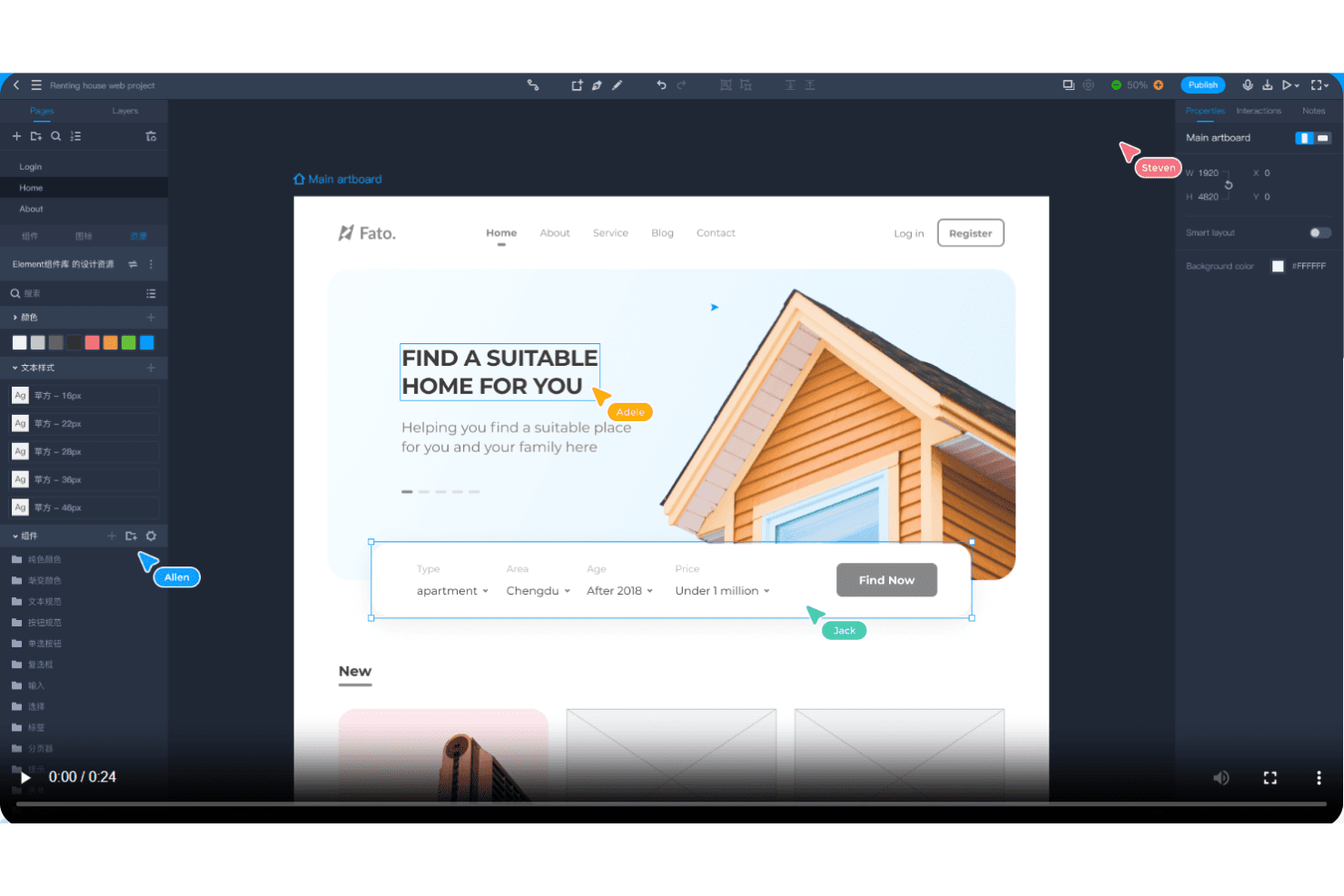
Mockplus permite la colaboración en tiempo real con comentarios instantáneos y prototipado rápido. Mockplus es una herramienta de prototipado de UX y colaboración en diseño para equipos de producto que buscan una alternativa práctica a Sketch para crear interfaces interactivas, compartir comentarios y alinear decisiones de diseño en distintos sistemas operativos.
¿Para quién es más adecuado Mockplus?
Mockplus es adecuado para equipos distribuidos de producto y diseño que necesitan coeditar prototipos en tiempo real en Windows, macOS, Linux y otros sistemas operativos.
Por qué Mockplus es una buena alternativa a Sketch
Elegí Mockplus porque permite la coedición gratuita en tiempo real en cualquier sistema operativo, lo que facilita el trabajo con prototipos multiplataforma. Mi equipo utiliza prototipos interactivos para revisar los flujos conjuntamente en Windows, macOS y Linux. Los comentarios compartidos mantienen visibles las decisiones de diseño mientras los equipos de producto e ingeniería perfeccionan las pantallas.
Funciones principales de Mockplus
- Bibliotecas de componentes: Reutiliza elementos de interfaz prediseñados en distintas pantallas del prototipo.
- Sistemas de diseño: Define estilos, componentes y documentación reutilizables para crear interfaces coherentes.
- Especificaciones de diseño: Inspecciona medidas, colores, tipografía y recursos para la implementación.
- Animaciones de prototipos: Añade transiciones y efectos de movimiento a elementos individuales de la pantalla.
Integraciones de Mockplus
Mockplus Cloud documenta integraciones y complementos para Figma, Sketch, Axure, Adobe XD, Photoshop, Slack, Jira, Confluence y Lark. Estas conexiones permiten importar diseños, revisar prototipos, enviar notificaciones al equipo, consultar el contexto de las incidencias y colaborar mediante contenido insertado.
Pros and Cons
Pros:
- La coedición en tiempo real funciona en distintos sistemas operativos
- El prototipado mediante arrastrar y soltar permite explorar rápidamente las interfaces
- Los componentes reutilizables agilizan el diseño repetitivo de pantallas
Cons:
- El comportamiento adaptable sigue siendo limitado para diseños adaptativos
- Las interacciones avanzadas requieren una configuración más manual
Learn more about Mockplus: Ideal para el prototipado funcional basado en datos
- Plan gratuito disponible
- Desde $19/usuario/mes
Visit WebsiteCustomer Rating:4.2/5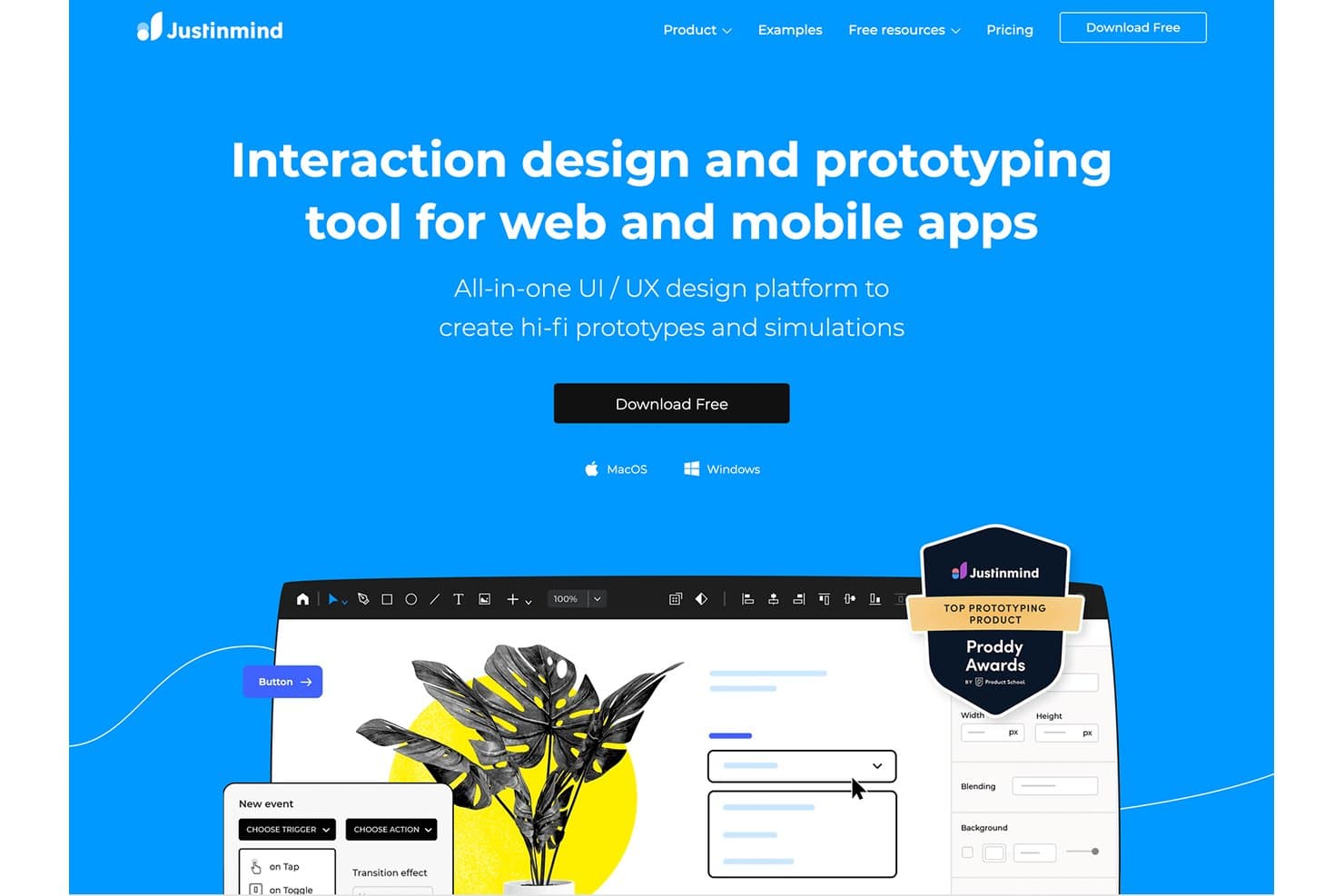
Justinmind permite crear prototipos de alta fidelidad con interacciones para web y dispositivos móviles. Justinmind es una plataforma de diseño y prototipado de UX para equipos de producto que necesitan maquetas interactivas web y móviles, pruebas de usabilidad y colaboración más allá de los flujos de trabajo de diseño de interfaces de Sketch.
¿Para quién es más adecuado Justinmind?
Responsables de producto, diseñadores de UX e investigadores que necesitan prototipos basados en datos para validar flujos de trabajo web y móviles complejos.
Por qué Justinmind es una buena alternativa a Sketch
Elegí Justinmind porque su prototipado funcional basado en datos permite realizar pruebas de productos realistas más allá de las maquetas estáticas de interfaces. Utilizo sus listas de datos, variables y lógica condicional para modelar flujos de trabajo como catálogos filtrados, paneles de cuentas y formularios de varios pasos. Esto permite a mi equipo validar el comportamiento y la usabilidad antes de comenzar el desarrollo.
Características principales de Justinmind
- Biblioteca de widgets de interfaz de usuario: Añade componentes de interfaz reutilizables desde las bibliotecas integradas.
- Diseños adaptables: Crea diseños que se adaptan a distintos tamaños de pantalla y dispositivos.
- Gestos interactivos: Prototipa toques, deslizamientos, desplazamientos y otras interacciones táctiles.
- Comentarios y colaboración: Recopila comentarios directamente en las pantallas de prototipos compartidos.
Integraciones de Justinmind
Justinmind cuenta con una integración nativa con Atlassian Jira, además de integraciones y complementos oficiales para Sketch, Adobe Photoshop, Adobe Illustrator, Adobe XD, Figma, Confluence y Azure DevOps. Su API y SDK permiten crear complementos personalizados, extraer datos de prototipos, generar código de interfaz de usuario y conectarse con herramientas internas.
Pros and Cons
Pros:
- Modela flujos de trabajo basados en datos con variables
- Simula lógica condicional y estados dinámicos
- Permite realizar pruebas de usabilidad realistas antes del desarrollo
Cons:
- El diseño de interfaces resulta más lento que en Sketch
- Los prototipos complejos requieren un tiempo de configuración considerable
Learn more about Justinmind: Ideal para usuarios de Creative Cloud que crean prototipos en Windows
- Prueba gratuita disponible
- Desde $22.99/mes (facturado anualmente)
Visit WebsiteCustomer Rating:4.2/5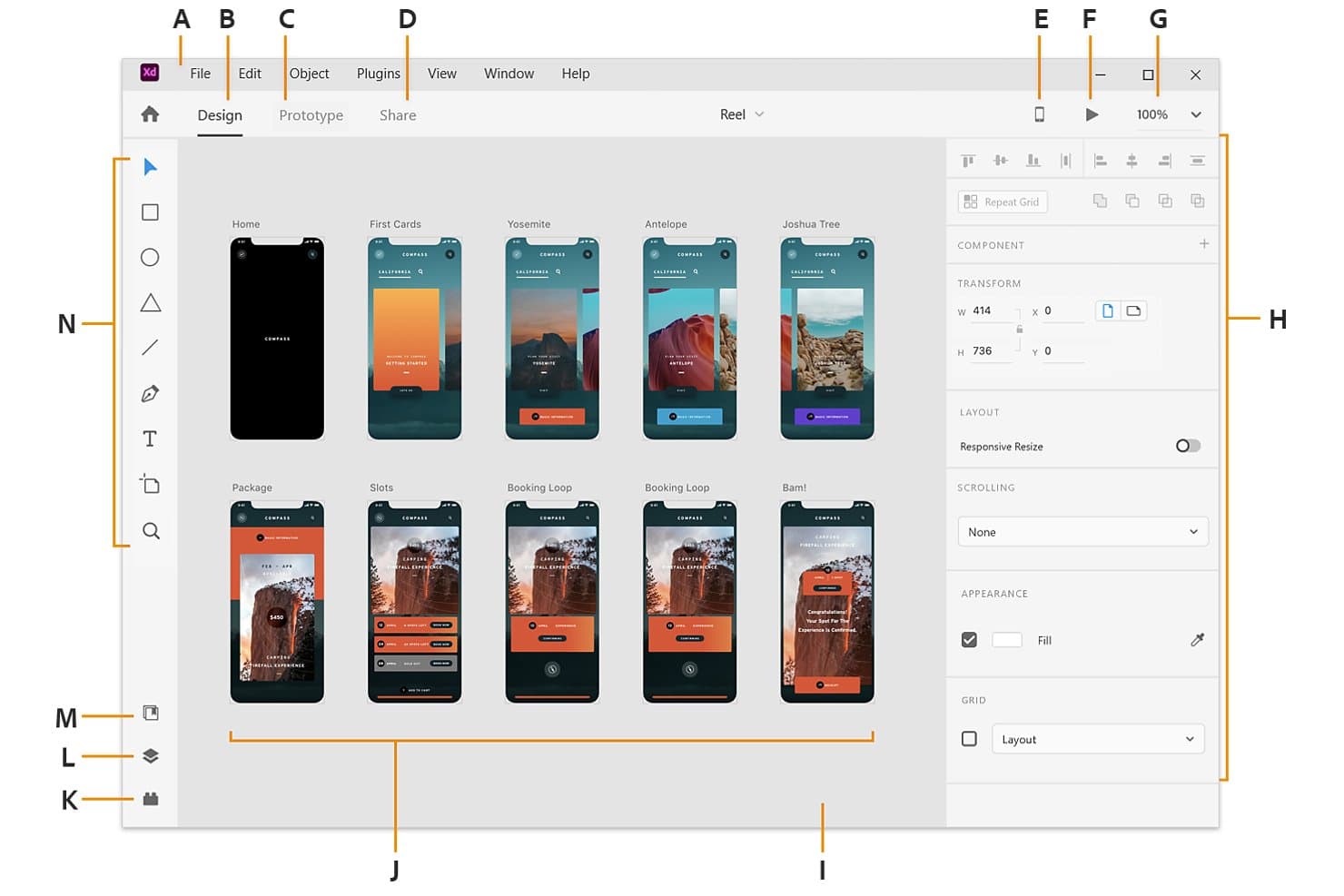
Adobe XD muestra varias mesas de trabajo en un espacio visual para el diseño de aplicaciones. Adobe XD es una herramienta de diseño y creación de prototipos de UI/UX para equipos de Windows, especialmente aquellos que ya utilizan Creative Cloud y necesitan convertir estructuras alámbricas en conceptos de productos interactivos y probar flujos de usuario.
¿Para quién es más adecuado Adobe XD?
Los diseñadores de productos y los equipos de UX en Windows pueden usar Adobe XD para crear estructuras alámbricas, prototipos interactivos y conceptos de interfaces pulidos en un mismo espacio de trabajo.
Por qué Adobe XD es una buena alternativa a Sketch
Elegí Adobe XD porque mi equipo basado en Windows puede convertir estructuras alámbricas en prototipos interactivos sin salir del espacio de trabajo de diseño. Utilizo estados de componentes para modelar botones y menús, mientras que Auto-Animate muestra las transiciones entre pantallas. Su flujo de trabajo con Creative Cloud también se adapta a los equipos que ya diseñan conceptos de productos con herramientas de Adobe.
Características principales de Adobe XD
- Cuadrícula de repetición: Duplica listas, galerías y otros diseños repetidos.
- Cambio de tamaño adaptable: Ajusta los objetos cuando sus contenedores cambian de tamaño.
- Creación de prototipos de voz: Añade comandos de voz y reproducción de voz a los prototipos.
- Especificaciones de diseño: Comparte medidas de diseño, colores, recursos y fragmentos de CSS.
Integraciones de Adobe XD
Adobe XD admite integraciones oficiales con Jira Cloud y Slack mediante complementos, además de bibliotecas de Creative Cloud para compartir recursos con Photoshop e Illustrator.
Pros and Cons
Pros:
- La cuadrícula de repetición gestiona rápidamente los diseños repetidos
- Auto-Animate previsualiza claramente las transiciones entre pantallas
- La creación de prototipos de voz permite probar flujos conversacionales
Cons:
- Adobe dejó de desarrollar activamente XD
- El ecosistema de complementos está por detrás de la profundidad de Sketch
 Ideal para documentación de UX con mucha lógica
- Plan gratuito disponible
- Desde $29/usuario/mes (facturado anualmente)
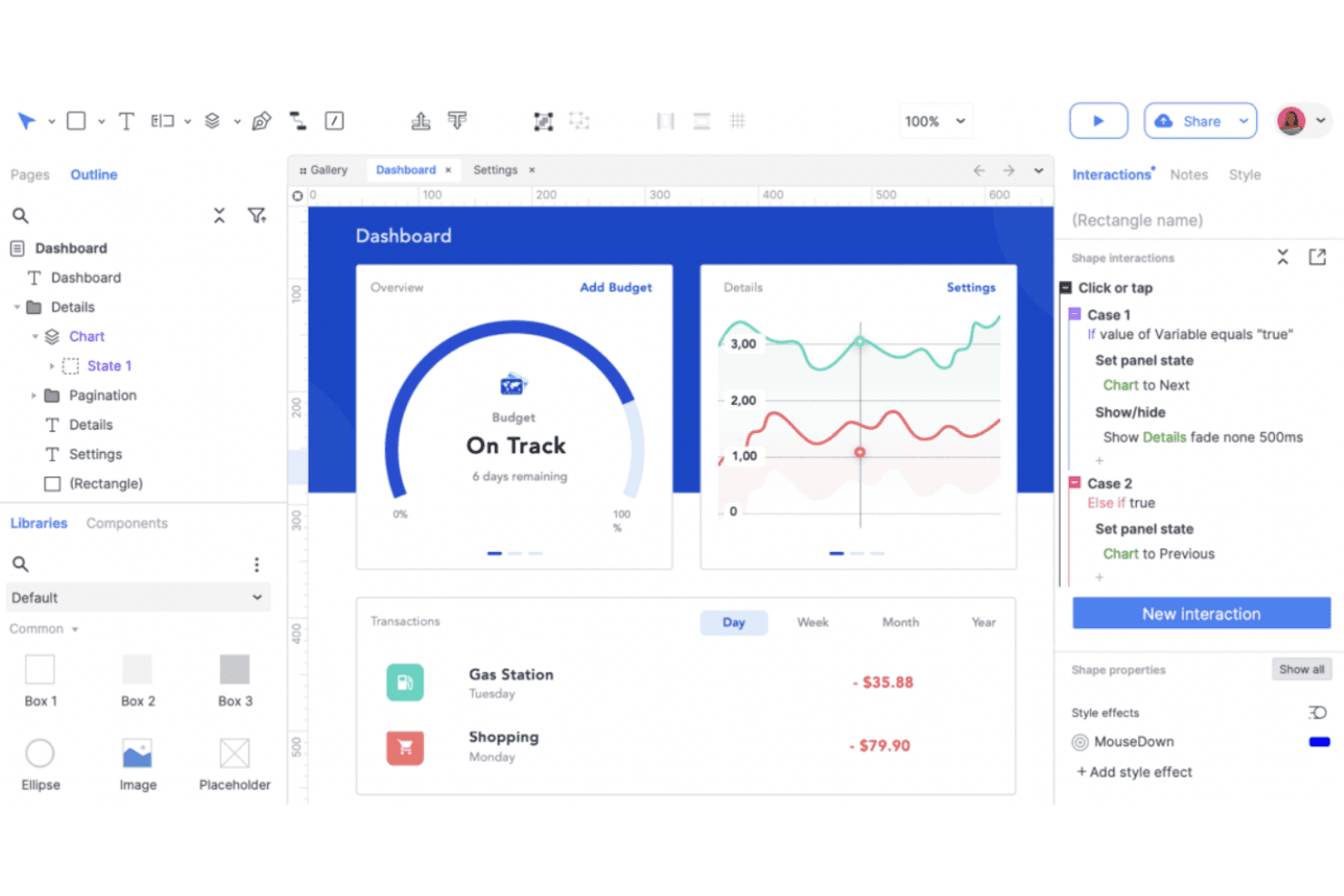
Axure RP crea prototipos de UX detallados con contenido dinámico y lógica condicional. Axure RP es una herramienta de diseño y creación de prototipos de UX para equipos de producto que necesitan wireframes interactivos, comportamientos documentados y alineación entre las partes interesadas antes del desarrollo.
¿Para quién es más adecuado Axure RP?
Axure RP es adecuado para diseñadores de UX y equipos de producto que documentan interacciones complejas, lógica condicional y comportamientos detallados de prototipos antes del desarrollo.
Por qué Axure RP es una buena alternativa a Sketch
Elegí Axure RP porque puedo documentar lógica compleja de UX junto con wireframes interactivos. La lógica condicional y los paneles dinámicos permiten a mi equipo modelar procesos de incorporación de varios pasos, permisos y estados de error antes del desarrollo. Las anotaciones integradas mantienen el razonamiento y los detalles del comportamiento conectados a cada prototipo.
Funciones principales de Axure RP
- Vistas adaptables: Crea diseños específicos para cada punto de quiebre en prototipos adaptables.
- Widgets repetidores: Crea tablas, listas y cuadrículas basadas en datos.
- Widgets maestros: Reutiliza encabezados, pies de página y elementos de navegación compartidos.
- Bibliotecas de widgets: Añade controles y elementos de interfaz reutilizables.
Integraciones de Axure RP
Axure RP ofrece integraciones con Jira, Confluence, Slack y Microsoft Teams, además de complementos para importar diseños desde Figma, Sketch y Adobe XD. También admite la integración SAML con Okta para Axure Cloud for Business.
Pros and Cons
Pros:
- La lógica condicional modela flujos de producto complejos
- Los repetidores basados en datos permiten crear prototipos realistas
- Las anotaciones mantienen las especificaciones de comportamiento junto a los wireframes
Cons:
- La interfaz parece anticuada frente a competidores más recientes
- Los elementos visuales de alta fidelidad requieren más trabajo manual
Learn more about Axure RP : La mejor opción para la colaboración de diseño basada en el navegador
- Plan gratuito disponible
- Desde $16/usuario/mes
Visit WebsiteCustomer Rating:4.7/5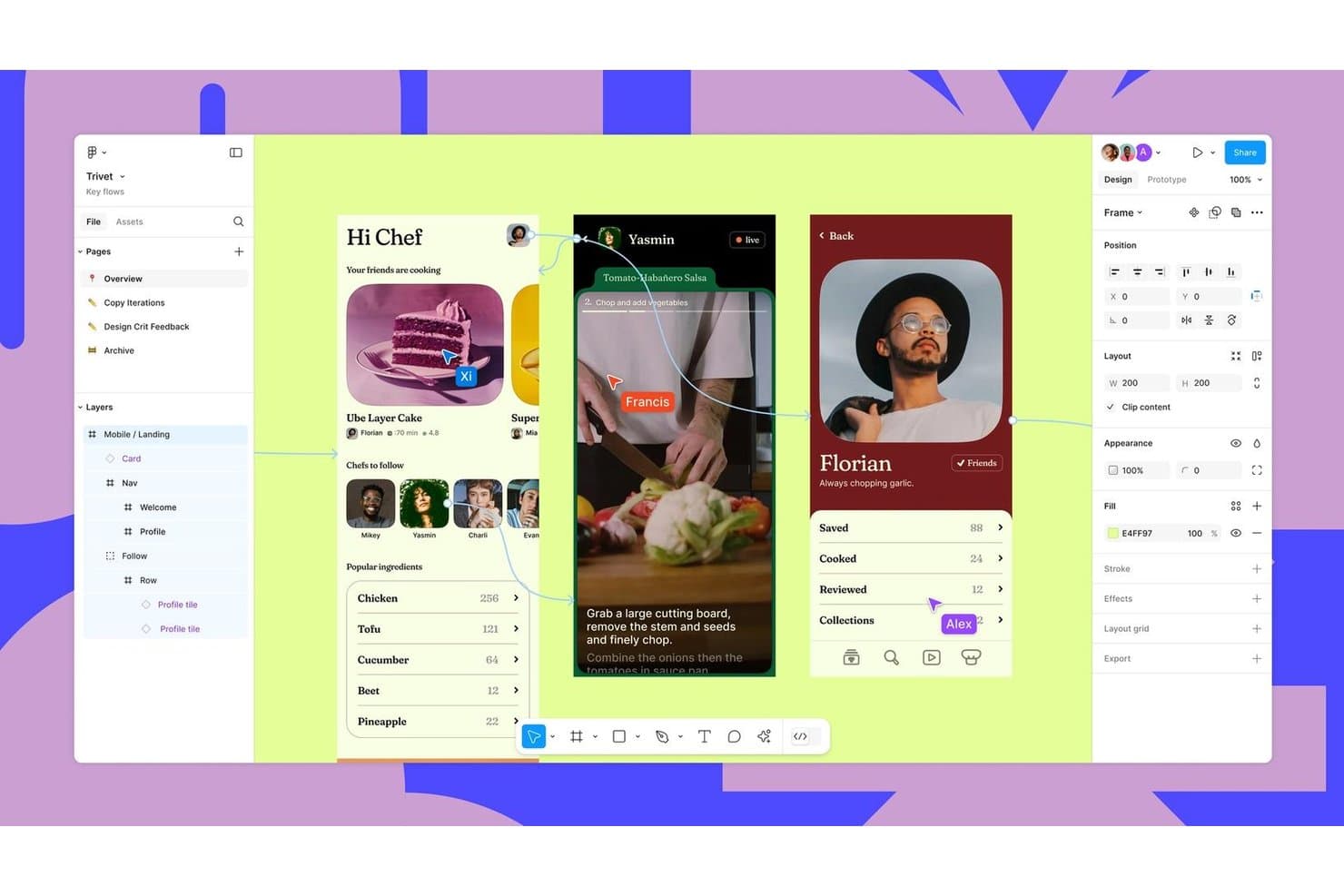
Figma permite la colaboración en tiempo real en flujos de diseño de interfaces móviles. Figma es una plataforma colaborativa de diseño UX para equipos de producto que buscan una alternativa a Sketch con herramientas compartidas para crear wireframes, prototipos, recibir comentarios y realizar entregas de diseño.
¿Para quién es mejor Figma?
Figma es adecuado para equipos de producto distribuidos que necesitan que diseñadores, ingenieros y partes interesadas revisen y perfeccionen interfaces en un único espacio de trabajo compartido.
Por qué Figma es una buena alternativa a Sketch
Elegí Figma porque su colaboración de diseño basada en el navegador permite que mi equipo edite juntos los mismos archivos de interfaz durante talleres y revisiones. La edición multijugador, los comentarios y la ramificación nos ayudan a resolver decisiones de diseño mientras los equipos de producto, ingeniería y las partes interesadas observan los cambios en tiempo real. Sus prototipos interactivos también nos permiten probar los flujos de usuario antes de la entrega.
Características principales de Figma
- Diseño automático: Ajusta el espaciado y la alineación a medida que cambian los marcos.
- Componentes y variantes: Almacena elementos de interfaz reutilizables con estados configurables.
- Variables: Define valores reutilizables para colores, espaciado y tipografía.
- Historial de versiones: Restaura versiones anteriores de los archivos y revisa los cambios registrados.
Integraciones de Figma
Figma ofrece integraciones con Jira, Confluence, Slack, Google Workspace, Microsoft Teams, Zoom, Notion, GitLab, Storybook y Zeplin, además de Zapier. También proporciona la API de Figma para integraciones personalizadas.
Pros and Cons
Pros:
- La edición multijugador en tiempo real facilita los talleres en directo
- Los prototipos interactivos validan los flujos antes de la entrega
- Los componentes y las variables permiten crear sistemas de diseño escalables
Cons:
- El rendimiento del navegador disminuye en archivos complejos
- Los flujos de trabajo sin conexión siguen siendo menos completos que en Sketch
 Ideal para el diseño y la publicación web adaptable
- Plan gratuito disponible
- Desde $10/mes (facturado anualmente)
Visit WebsiteCustomer Rating:4.4/5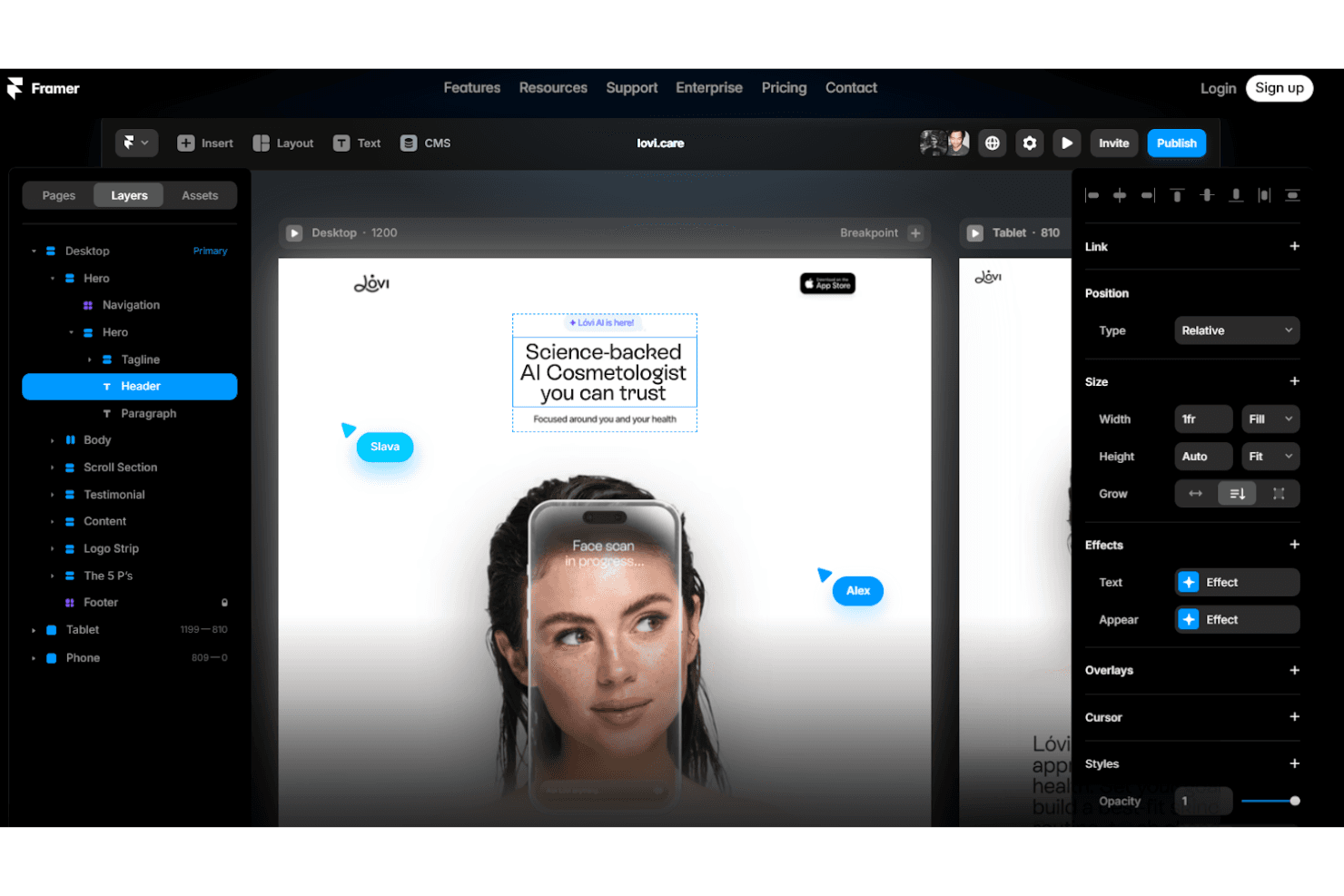
Framer diseña prototipos web adaptables con animaciones e interacciones personalizadas. Framer es una plataforma visual de diseño web para diseñadores de productos, especialistas en marketing y equipos creativos que necesitan convertir conceptos pulidos en sitios web adaptables y publicables sin tener que combinar herramientas independientes.
¿Para quién es más adecuado Framer?
Framer es adecuado para diseñadores de productos y equipos de marketing que necesitan convertir conceptos de alta fidelidad en sitios web adaptables y publicados sin depender de desarrolladores para cada actualización.
Por qué Framer es una buena alternativa a Sketch
Elegí Framer porque su lienzo visual convierte los conceptos de interfaz al estilo de Sketch en sitios web adaptables y publicados. Utilizo puntos de interrupción y componentes reutilizables para crear páginas de destino que se adaptan a distintos tamaños de pantalla y, después, conecto colecciones del CMS para casos prácticos o actualizaciones de productos. Esto convierte a Framer en una opción sólida para el diseño y la publicación web adaptable.
Características principales de Framer
- Interacciones: Añade efectos de desplazamiento, estados al pasar el cursor y transiciones entre páginas.
- Formularios: Crea y publica formularios personalizables sin herramientas externas.
- Localización: Crea versiones localizadas de las páginas para distintas audiencias.
- Analítica: Conecta la analítica del sitio para supervisar el comportamiento de los visitantes.
Integraciones de Framer
Framer documenta integraciones con Google Tag Manager, Google Analytics, Hotjar, HubSpot, Intercom, Mailchimp, Marketo, Typeform y Clay. También admite webhooks de formularios, integraciones personalizadas mediante su API de complementos y actualizaciones de proyectos mediante su API de servidor.
Pros and Cons
Pros:
- Publica sitios adaptables desde el lienzo de diseño
- Los componentes reutilizables admiten puntos de interrupción adaptables
- El CMS integrado admite páginas basadas en contenido
Cons:
- Es menos adecuado para prototipos de aplicaciones complejas
- El control del editor puede resultar limitado para los desarrolladores
 La mejor opción para la creación de prototipos de componentes basados en código
- Plan gratuito + prueba gratuita de 14 días disponible
- Desde $29/usuario/mes (facturado anualmente)
Visit WebsiteCustomer Rating:4.2/5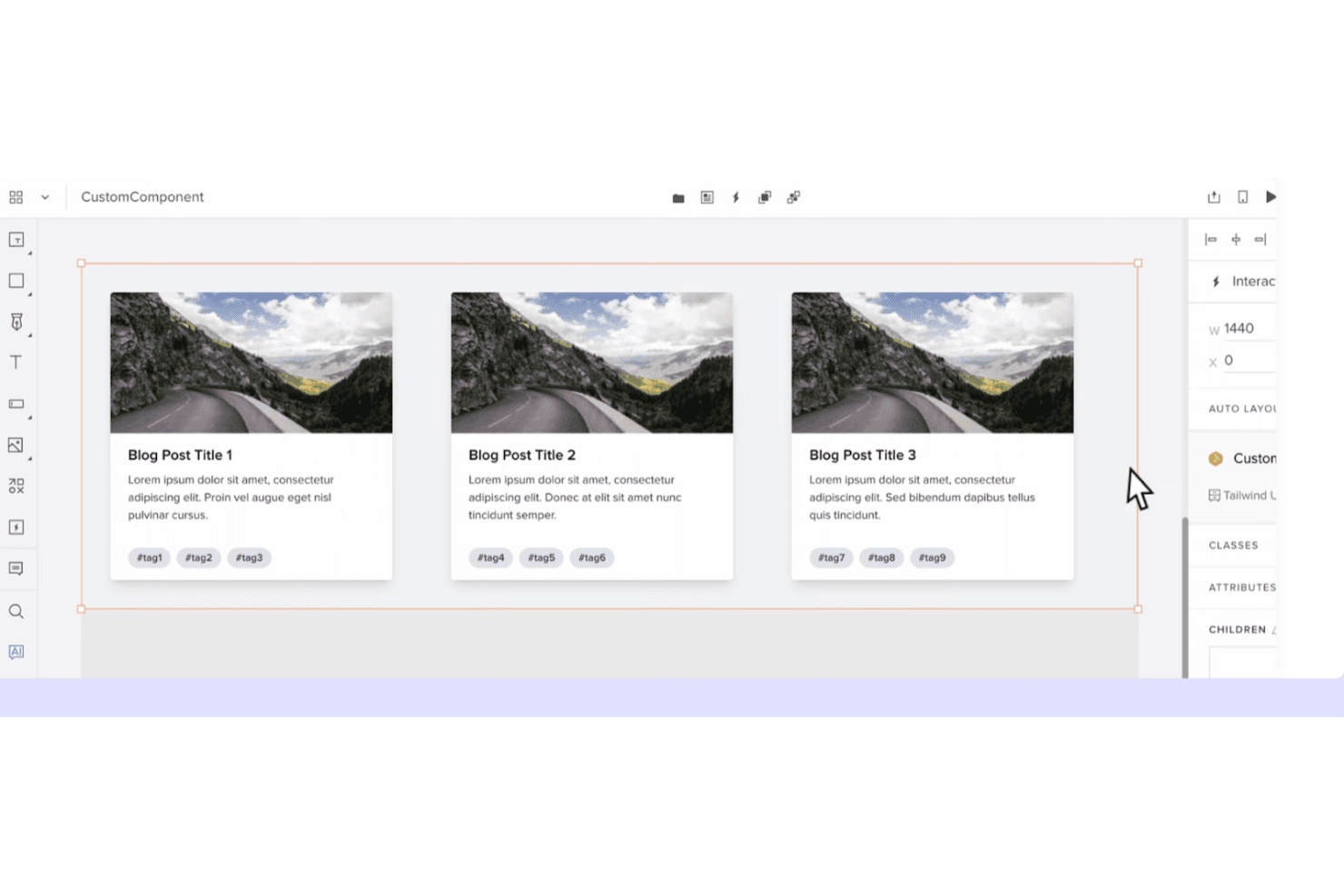
UXPin crea prototipos dinámicos con componentes basados en código y lógica interactiva. UXPin es una plataforma de diseño UX para equipos de producto que necesitan prototipos interactivos, bibliotecas de componentes compartidas y una colaboración más estrecha entre diseñadores, ingenieros y partes interesadas.
¿Para quién es más adecuado UXPin?
UXPin es adecuado para equipos de diseño e ingeniería de productos que necesitan crear prototipos con componentes reutilizables basados en código antes del desarrollo.
Por qué UXPin es una buena alternativa a Sketch
Elegí UXPin porque la creación de prototipos de componentes basados en código mantiene los diseños alineados con la interfaz de usuario de producción. Utilizo bibliotecas de componentes compartidas, estados interactivos y componentes de código reales para probar flujos como la incorporación o el proceso de pago antes del desarrollo. Esto convierte a UXPin en una alternativa práctica a Sketch cuando la fidelidad del diseño y la alineación con ingeniería son importantes.
Características principales de UXPin
- Diseños adaptables: Establece reglas para pantallas que se adaptan a distintos tamaños de dispositivo.
- Variables: Almacena valores que se actualizan en los elementos del prototipo.
- Lógica condicional: Crea interacciones de tipo si/entonces para flujos de usuario realistas.
- Comentarios: Añade, responde y resuelve comentarios dentro de los proyectos.
Integraciones de UXPin
UXPin ofrece nueve integraciones oficiales, entre ellas Fullstory, Figma, Sketch, Git, Storybook, Jira, Adobe Fonts, Google Fonts y Slack. Estas conexiones permiten importar trabajos de Sketch y Figma, utilizar repositorios de código y bibliotecas de Storybook, acceder a incidencias de Jira y compartir comentarios mediante Slack.
Pros and Cons
Pros:
- Los componentes de código mejoran la paridad entre diseño y desarrollo
- Las variables avanzadas permiten interacciones realistas
- Las bibliotecas reutilizables permiten crear prototipos adaptables
Cons:
- Los componentes de código requieren preparación técnica
- Los prototipos grandes pueden volverse lentos
Learn more about UXPin: Ideal para el diseño de interfaces multiplataforma de código abierto
- Plan gratuito + prueba gratuita de 14 días disponible
- Desde $7/usuario/mes
Visit WebsiteCustomer Rating:4.5/5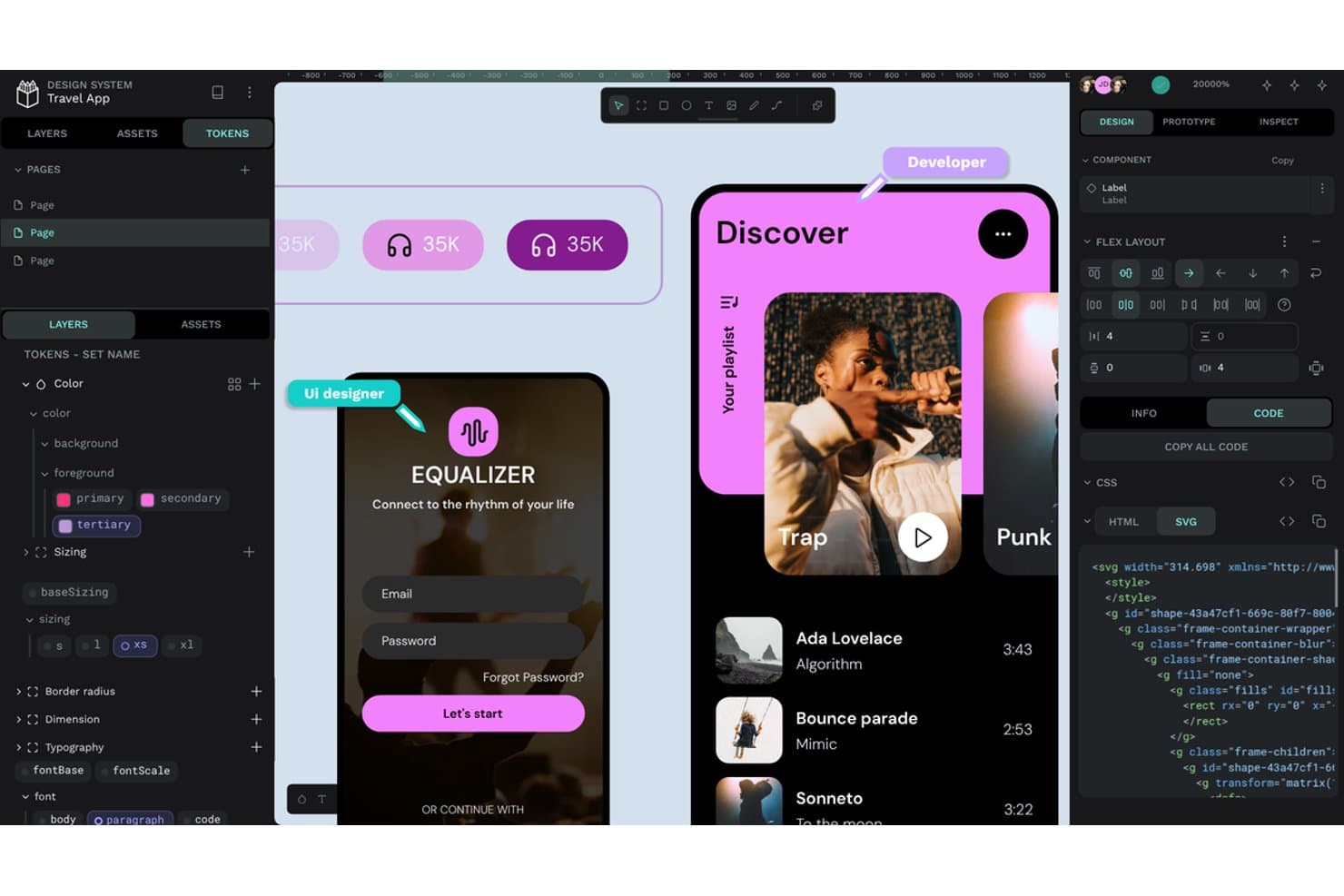
Penpot ofrece tokens de diseño, distribución flex y exportación de código SVG. Penpot es una plataforma de diseño de UI/UX de código abierto para equipos de producto que buscan una alternativa colaborativa a Sketch y que conecta el diseño de interfaces con el desarrollo en distintas plataformas.
¿Para quién es más adecuado Penpot?
Penpot es adecuado para equipos de producto y diseño que necesitan colaboración multiplataforma de código abierto, con la opción de alojar su espacio de trabajo de diseño en su propia infraestructura.
Por qué Penpot es una de las mejores alternativas a Sketch
Elegí Penpot porque su espacio de trabajo de código abierto basado en el navegador permite diseñar interfaces multiplataforma sin obligar a mi equipo a usar un único sistema operativo. Utilizo sus herramientas de diseño basadas en SVG y sus diseños de distribución flex y cuadrícula de CSS para crear interfaces que los ingenieros pueden traducir a código de producción. El alojamiento propio también permite a mi equipo mantener los archivos del producto dentro de su propia infraestructura.
Características principales de Penpot
- Prototipado interactivo: Vincula pantallas y define transiciones para crear flujos de producto en los que se puede hacer clic.
- Tokens de diseño: Crea variables reutilizables para colores, tipografía, espaciado y otros estilos.
- Componentes y variantes: Crea elementos de interfaz reutilizables con estados configurables.
- Traspaso a desarrollo: Inspecciona diseños y accede a medidas, propiedades y detalles de CSS.
Integraciones de Penpot
Penpot admite integraciones con GitHub Actions, GitLab CI/CD y Slack mediante su API, tokens de acceso y webhooks. También proporciona una API para integraciones personalizadas, exportaciones de recursos, sincronización de tokens de diseño y flujos de trabajo automatizados para desarrolladores.
Pros and Cons
Pros:
- Los diseños SVG y CSS facilitan el traspaso a desarrollo
- El alojamiento propio mantiene los archivos de diseño bajo el control del equipo
- El espacio de trabajo multiplataforma en el navegador evita depender de macOS
Cons:
- Un ecosistema de complementos más reducido limita las extensiones
- Los archivos grandes pueden provocar quejas relacionadas con el rendimiento
Learn more about Penpot: 10La mejor opción para una licencia de diseño vitalicia de pago único
Pixso
- Plan gratuito disponible
- Precios disponibles previa solicitud
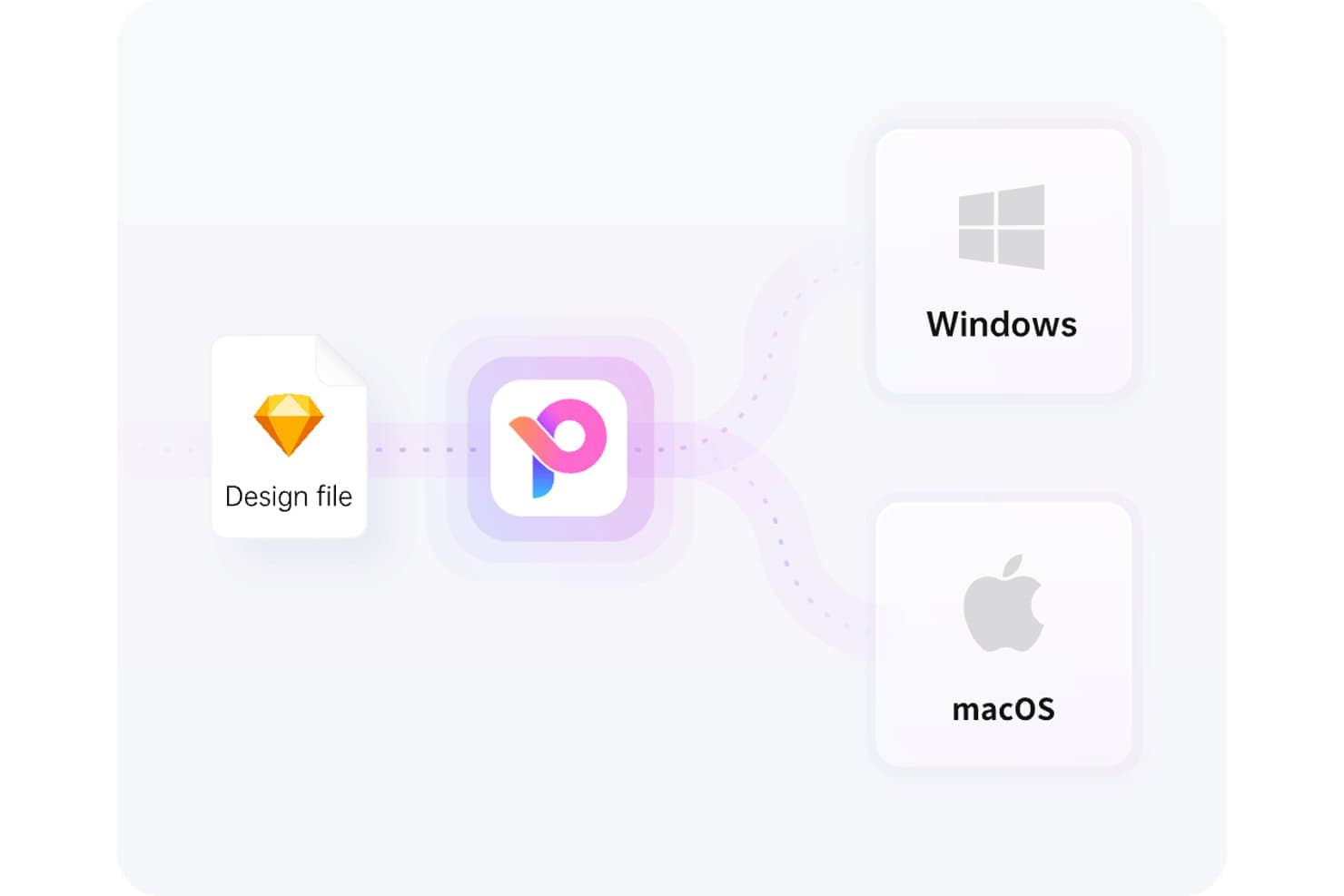
Pixso es compatible tanto con Windows como con macOS desde un único archivo de diseño. Pixso es una plataforma colaborativa de diseño UX para equipos de producto que necesitan crear estructuras alámbricas, prototipos de alta fidelidad y diseños listos para desarrolladores mientras exploran alternativas a Sketch.
¿Para quién es más adecuado Pixso?
Pixso es adecuado para startups, agencias y equipos de producto que buscan un software de diseño colaborativo con una opción de licencia de pago único.
Por qué Pixso es una buena alternativa a Sketch
Elegí Pixso porque su propuesta única de venta es «La mejor opción para una licencia de diseño vitalicia de pago único». Utilizo su lienzo compartido para convertir estructuras alámbricas en prototipos de alta fidelidad, mientras los diseñadores y las partes interesadas revisan el mismo archivo. Los resultados de diseño listos para desarrolladores también ayudan a mi equipo a entregar los detalles de la interfaz sin tener que volver a crear las pantallas en otro lugar.
Funciones principales de Pixso
- Diseño automático: Organiza elementos con reglas de espaciado y relleno adaptables.
- Componentes y variantes: Crea elementos de interfaz de usuario reutilizables con estados configurables.
- Complementos: Amplía Pixso con herramientas e integraciones adicionales.
- Historial de versiones: Revisa versiones anteriores de los archivos y restaura los cambios seleccionados.
Integraciones de Pixso
Las integraciones nativas de Pixso no están documentadas con claridad. Ofrece una API de complementos para extensiones personalizadas y permite importar y ejecutar complementos de Figma, pero no hay una integración con Zapier ni una API de uso general claramente documentadas.
Pros and Cons
Pros:
- La interfaz familiar facilita la migración desde Figma
- El lienzo compartido facilita una colaboración fluida en equipo
- Las actualizaciones rápidas responden a las necesidades de diseño solicitadas por los usuarios
Cons:
- Las importaciones de archivos pueden introducir errores inesperados
- Los flujos de trabajo avanzados tienen menos funcionalidades consolidadas
Learn more about Pixso:
Otras alternativas a Sketch
Estas son algunas alternativas adicionales a Sketch que no llegaron a mi selección, pero que merece la pena conocer:
Cómo evalúo las alternativas a Sketch
Divido mi evaluación en tres partes. Primero, busco herramientas que dibujen vectores precisos y organicen las pantallas en marcos; esto es lo que tiene más peso. Después, compruebo la capacidad de respuesta del diseño automático y, por último, considero la claridad de los precios y la asistencia durante la incorporación.
Funcionalidad principal (requisitos básicos para esta lista)
Al seleccionar herramientas para mi lista, califico cada una en una escala de 0 (no ofrece la funcionalidad) a 5 (sobresale en esta área) para cada una de las funcionalidades principales que se indican a continuación. Después convierto el total en un porcentaje para ayudar a evaluar la adecuación general de cada herramienta, con un peso adicional para cualquier funcionalidad que haya considerado esencial.
- Edición vectorial (esencial): Busco trazados precisos, operaciones booleanas y herramientas de alineación para elementos de interfaz, iconos e ilustraciones escalables.
- Mesas de trabajo & marcos (esencial): Evalúo las configuraciones predeterminadas de dispositivos, las pantallas anidadas y el redimensionamiento adaptable para organizar diseños web, móviles y de tableta.
- Sistemas de diseño & componentes: Las bibliotecas compartidas, los componentes reutilizables, las variantes y los estilos sincronizados son importantes para mantener interfaces de producto coherentes.
- Colaboración en tiempo real: Compruebo la coedición simultánea, los comentarios, los indicadores de presencia, los permisos y el historial de versiones para las revisiones de diseño entre distintos equipos.
- Prototipado e interacción: Busco pantallas vinculadas, transiciones, superposiciones y flujos condicionales que respalden las revisiones con las partes interesadas y las pruebas de usabilidad.
- Complementos e integraciones: Evalúo las extensiones para exportar recursos, facilitar la entrega a los desarrolladores, sustituir contenido y conectarse con los flujos de trabajo de productos existentes.
Una vez que tengo una lista de herramientas que cumplen los criterios, considero qué diferencia a cada plataforma.
Factores diferenciadores (lo que distingue a los proveedores)
Así es como comparo y contrasto los distintos proveedores:
Funciones destacadas
La capacidad de respuesta del diseño automático es lo primero que compruebo. Cuando cambia la etiqueta de un botón o una tarjeta incorpora un campo nuevo, el marco debería reorganizarse sin ajustes manuales. Evalúo cómo gestiona cada herramienta el diseño automático anidado en distintos puntos de ruptura, ya que esto afecta directamente a la rapidez con la que tu equipo itera sobre pantallas adaptables. Los tokens y las variables de diseño son igual de importantes. Busco valores centralizados de color, espaciado y tipografía que se sincronicen entre los temas claro y oscuro; herramientas como Figma y Tokens Studio gestionan esto de forma diferente, así que comparo cómo propaga cada plataforma las actualizaciones de los tokens a las bibliotecas compartidas. La exportación de código nativo es otro factor diferenciador. Si una herramienta puede generar React o CSS listos para producción, tus ingenieros dedican menos tiempo a traducir las especificaciones visuales a marcado.
Más allá de las funciones
La claridad de los precios es importante: compruebo si las plazas de visualización y de comentarios son gratuitas o están incluidas en las licencias de edición, ya que los equipos de producto suelen ser más numerosos que los de diseño. La compatibilidad de archivos es igual de importante; evalúo hasta qué punto cada herramienta importa archivos .sketch e interactúa con los formatos de Figma o Adobe XD, porque una migración con pérdida de datos puede paralizar a un equipo durante semanas. También busco integraciones nativas con herramientas como Jira o Linear que mantengan el trabajo de diseño conectado a los flujos de trabajo de los sprints.
¿Por qué buscar una alternativa a Sketch?
Aunque Sketch es una buena opción de software de diseño de productos, hay varios motivos por los que algunos usuarios buscan soluciones alternativas. Por ejemplo, es posible que busques una alternativa a Sketch por cualquiera de las siguientes razones.
- Necesitas compatibilidad con Windows
- Tu equipo necesita colaboración en tiempo real
- Buscas una opción de menor coste
- Quieres funciones de prototipado más avanzadas
- Necesitas integración con otras herramientas
- Tu equipo prefiere soluciones basadas en la nube
Si te identificas con alguna de estas situaciones, has llegado al lugar adecuado. Mi lista contiene varias opciones de software de diseño de productos más adecuadas para equipos que se enfrentan a estos desafíos con Sketch y buscan soluciones alternativas.
Características principales de Sketch
Estas son algunas de las características principales de Sketch, para ayudarte a contrastar y comparar lo que ofrecen las soluciones alternativas:
- Animación inteligente: mejora las animaciones entre mesas de trabajo y añade transiciones fluidas a tus diseños.
- Variables de color: permite una gestión coherente del color en todos los diseños, lo que facilita mantener los colores de la marca.
- Colaboración en tiempo real: permite que varios usuarios trabajen simultáneamente en un proyecto, mejorando el trabajo en equipo y la eficiencia.
- Símbolos: elementos de diseño reutilizables que garantizan la coherencia y ahorran tiempo al permitir actualizar varias instancias con un solo cambio.
- Prototipado: crea prototipos interactivos con capas, superposiciones y animaciones para probar los flujos y las interacciones de los usuarios.
- Bibliotecas: permite gestionar y compartir recursos, de modo que tu equipo pueda utilizar componentes y estilos compartidos.
- Diseño inteligente: ajusta automáticamente los diseños en función de los cambios en el contenido, manteniendo tus diseños organizados y adaptables.
- Opciones de exportación: ofrece varios formatos de archivo y ajustes preestablecidos para exportar recursos, lo que facilita compartir tu trabajo con los desarrolladores.
- Comentarios: facilita los comentarios directamente sobre los diseños, permitiendo una comunicación clara dentro de tu equipo.
- Gestión de capas: ofrece herramientas para organizar, bloquear y alinear capas, ayudándote a mantener un espacio de trabajo ordenado. Parece que tu mensaje podría haberse cortado. ¿Podrías proporcionar más detalles o decirme cómo puedo ayudarte?