

Ücretsiz bir ilham panosu oluşturucu, fikirleri, görselleri ve kavramları erişim ücreti ödemeden, genellikle ücretsiz bir plan veya deneme sürümü aracılığıyla görsel olarak düzenlemenizi sağlayan dijital bir araçtır. Yaratıcı sürecinizi planlamak, kavramları sunmak veya ilham toplamak için ücretsiz ya da düşük maliyetli bir yol arıyorsanız, doğru ücretsiz yazılımı bulmak vizyonunuzu bütçe kısıtlamaları olmadan hayata geçirmenize yardımcı olabilir. Bu liste, 2026 için en iyi seçimlerimizi kapsar; böylece iş akışınıza en uygun aracı karşılaştırabilir, test edebilir ve seçebilirsiniz.
Why Trust Our Software Recommendations
6,700+
Reviews
20
Industry experts
16+
Evaluation factors
14
Years
Our team has been testing and reviewing software since 2012. As product managers ourselves, we know how difficult—and important—it is to choose the right software.
For this guide, we evaluated tools using hands-on testing and independent research, scoring tools using our selection criteria.
Our reviews reflect our human editorial judgment, not a sales pitch.
Expert reviewers:
- Andrew LumbySenior TPM
- Cristiano ValimSenior UI/UX Lead


Ücretsiz İlham Panosu Oluşturucu Karşılaştırma Tablosu
Bu karşılaştırma tablosu, en iyi ücretsiz ilham panosu oluşturucu seçimlerimin fiyatlandırma ayrıntılarını özetlemektedir.
Score legend (out of 5)
- Excellent4.5–5
- Good4–4.4
- Average3–3.9
- Below average2–2.9
- Poor1–1.9
Sorted by: Default
| Tool | Starting Price | Website | |||||||
|---|---|---|---|---|---|---|---|---|---|
Best for multi-sprint visual research boards | 3.3 out of 5 | 3 | 4 | 3 | 4 | 4 | 2 | $10/user/month Free plan + free trial + free demo available | Website |
Best for brand kit boards on a budget | 3.3 out of 5 | 3 | 1 | 4 | 3 | 5 | 4 | $10/month Free plan + 14-day free trial available | Website |
Best for AI-grouped sticky note brainstorming | 3.5 out of 5 | 3 | 4 | 3 | 3 | 4 | 4 | $8/user/month Free plan + 30-day free trial available | Website |
Best for Adobe ecosystem mood boards | 3.8 out of 5 | 4 | 2 | 4 | 4 | 5 | 4 | $7.99/user/month Free plan available | Website |
Best for stakeholder review without signup | 3.5 out of 5 | 3 | 5 | 4 | 3 | 2 | 4 | $9.99/user/month Free plan available | Website |
Best for mood boards that feed into Figma design | 3.5 out of 5 | 4 | 4 | 4 | 2 | 4 | 3 | $3/user/month Free plan available | Website |
Best for template-driven board assembly | 4.3 out of 5 | 4 | 4 | 4 | 5 | 4 | 5 | $144/user/year Free trial + free plan available | Website |
Best for multi-template visual mood boarding | 4.2 out of 5 | 4 | 4 | 4 | 5 | 5 | 3 | $9.99/user/month Free plan + free trial + free demo available | Website |
Best for design-depth mood boards on a free plan | 4.3 out of 5 | 4 | 4 | 5 | 4 | 4 | 5 | $14/month Free plan available | Website |
Best for AI-driven style and structure remixing | 3.3 out of 5 | 2 | 4 | 4 | 4 | 2 | 4 | $9.99/month Free plan available | Website |


Ücretsiz İlham Panosu Oluşturucu İncelemeleri
Aşağıda, kısa listeme giren ücretsiz ilham panosu oluşturucu araçlarının ayrıntılı özetlerini bulabilirsiniz. İncelemelerim, sizin için en iyi aracı bulmanıza yardımcı olmak amacıyla her aracın özelliklerine, en uygun kullanım alanlarına ve fiyatlandırmasına ayrıntılı bir bakış sunar.
 Best for multi-sprint visual research boards
- Free plan + free trial + free demo available
- From $10/user/month
Visit WebsiteCustomer Rating:4.6/5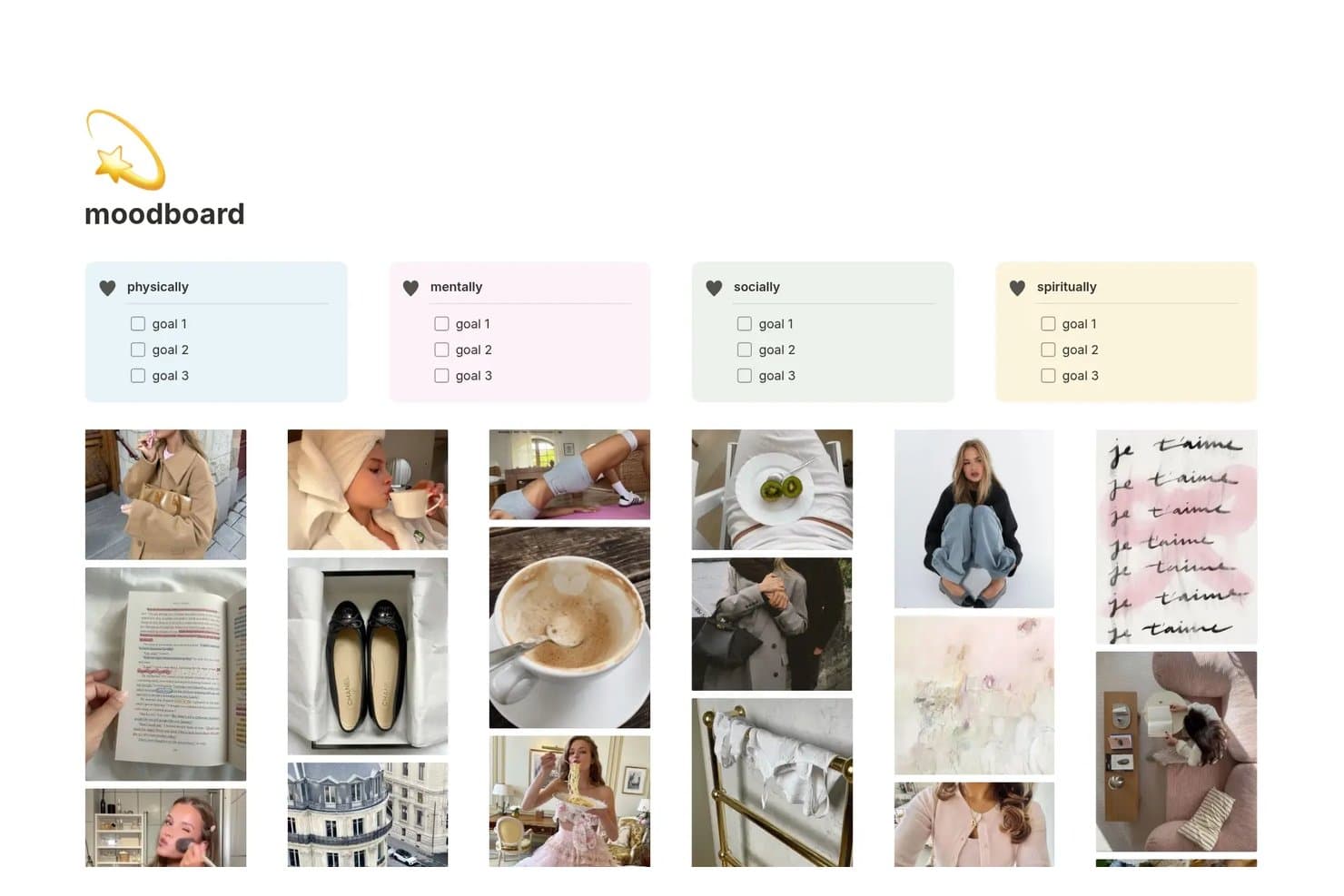
Notion lets users organize mood board goals and images by life category. Notion is a free mood board creator built around database-driven gallery views, page blocks, image uploads, Unsplash search, web clipping, embeds, tags, and real-time collaboration rather than a freeform canvas.
Who Is Notion Best For?
Notion suits product and marketing teams that organize visual research across multiple sprints, projects, and stakeholder reviews.
Why I Picked Notion
I picked Notion because it turns visual research into a searchable system for multi-sprint visual research boards. I use gallery databases to organize reference images with tags, source URLs, and status fields, then connect filtered views to different initiatives. Linked databases let my team revisit the same inspiration across discovery, design reviews, and campaign planning.
Notion Key Features
- Unsplash search: Find stock images directly within image blocks.
- Web Clipper: Save web pages and images to a selected page or database.
- Image editing: Crop, resize, mask, align, and caption uploaded images.
- Notion Sites: Publish mood boards as public, no-login web pages.
Notion Integrations
Notion offers native integrations with Figma, Slack, and Google Drive, plus embeds from 1,900+ domains including Pinterest, Canva, Miro, and YouTube. It also provides a public API for custom integrations.
What's Free?
Notion offers a free-forever plan, rather than a limited-time trial. It includes unlimited pages for individuals, but limits file uploads to 5 MB, page history to seven days, and external guests to 10; multi-member workspaces have limited collaborative blocks and storage.
Pros and Cons
Pros:
- Enables real-time visual research collaboration
- Supports searchable tags and filtered gallery views
- Organizes inspiration across multiple project sprints
Cons:
- Requires setup before creating a polished board
- Cannot overlap, rotate, or layer images
Learn more about Notion: Best for brand kit boards on a budget
- Free plan + 14-day free trial available
- From $10/month (billed annually)
Visit WebsiteCustomer Rating:4.6/5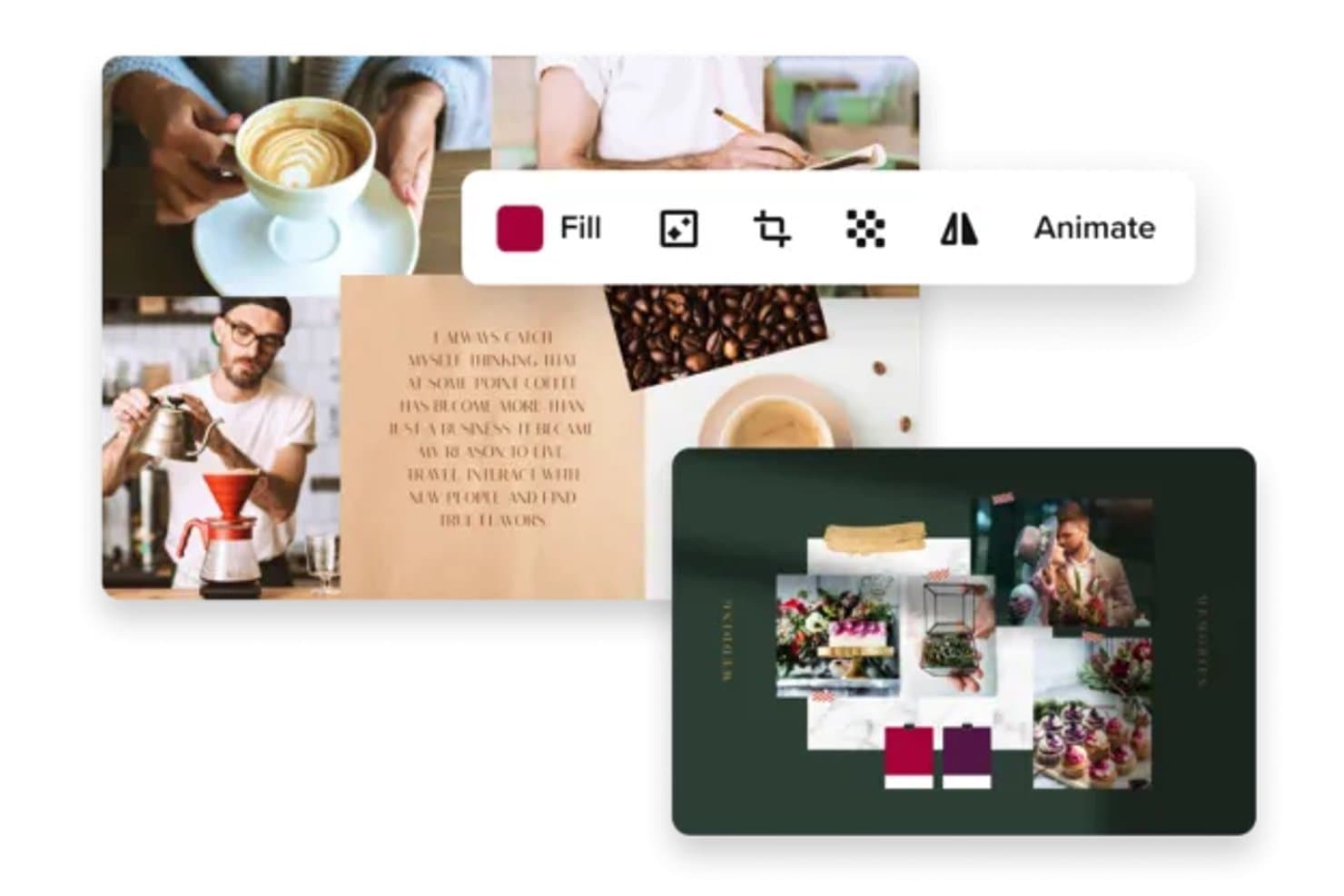
VistaCreate lets users build photo collage mood boards with ease. VistaCreate is a free mood board creator with an open canvas, dedicated mood board templates, stock assets, brand kits, multi-page layouts, layered editing, and JPG, PNG, PDF, MP4, and GIF exports.
Who Is VistaCreate Best For?
Small marketing and brand teams that need affordable mood boards with shared brand kits and templates.
Why I Picked VistaCreate
I picked VistaCreate because it’s best for brand kit boards on a budget. Its free Starter plan combines dedicated mood board templates with an open canvas for arranging imagery, typography, and color palettes. I use the brand kit feature to apply logos, HEX colors, and fonts across campaign boards, while Pro supports unlimited brand kits for up to 10 seats.
VistaCreate Key Features
- Stock asset library: Search 1M+ free photos, videos, and vectors with color and orientation filters.
- Layer controls: Group, resize, rotate, align, lock, and adjust object opacity.
- Multi-page designs: Create boards with up to 100 pages on the web.
- File uploads: Import PNG, JPG, WebP, SVG, video, audio, and custom font files.
VistaCreate Integrations
VistaCreate offers four documented native integrations: Facebook, Instagram Business, Pinterest, and VistaPrint. It has no documented Notion, Slack, Figma, API, or Zapier integrations, limiting connections with product and collaboration workflows.
What's Free?
VistaCreate offers a free Starter plan rather than a time-limited trial, with mood board templates, stock assets, and brand kit tools. The free plan has fewer brand kit and collaboration options than Pro, which supports unlimited brand kits for up to 10 seats; native integrations are limited to Facebook, Instagram Business, Pinterest, and VistaPrint.
Pros and Cons
Pros:
- Multi-page boards support richer presentations
- 1,330 mood board templates speed setup
- Brand kits keep visual direction consistent
Cons:
- Sequential editing slows team feedback
- Free asset download rules remain unclear
Learn more about VistaCreate: Best for AI-grouped sticky note brainstorming
- Free plan + 30-day free trial available
- From $8/user/month
Visit WebsiteCustomer Rating:4.4/5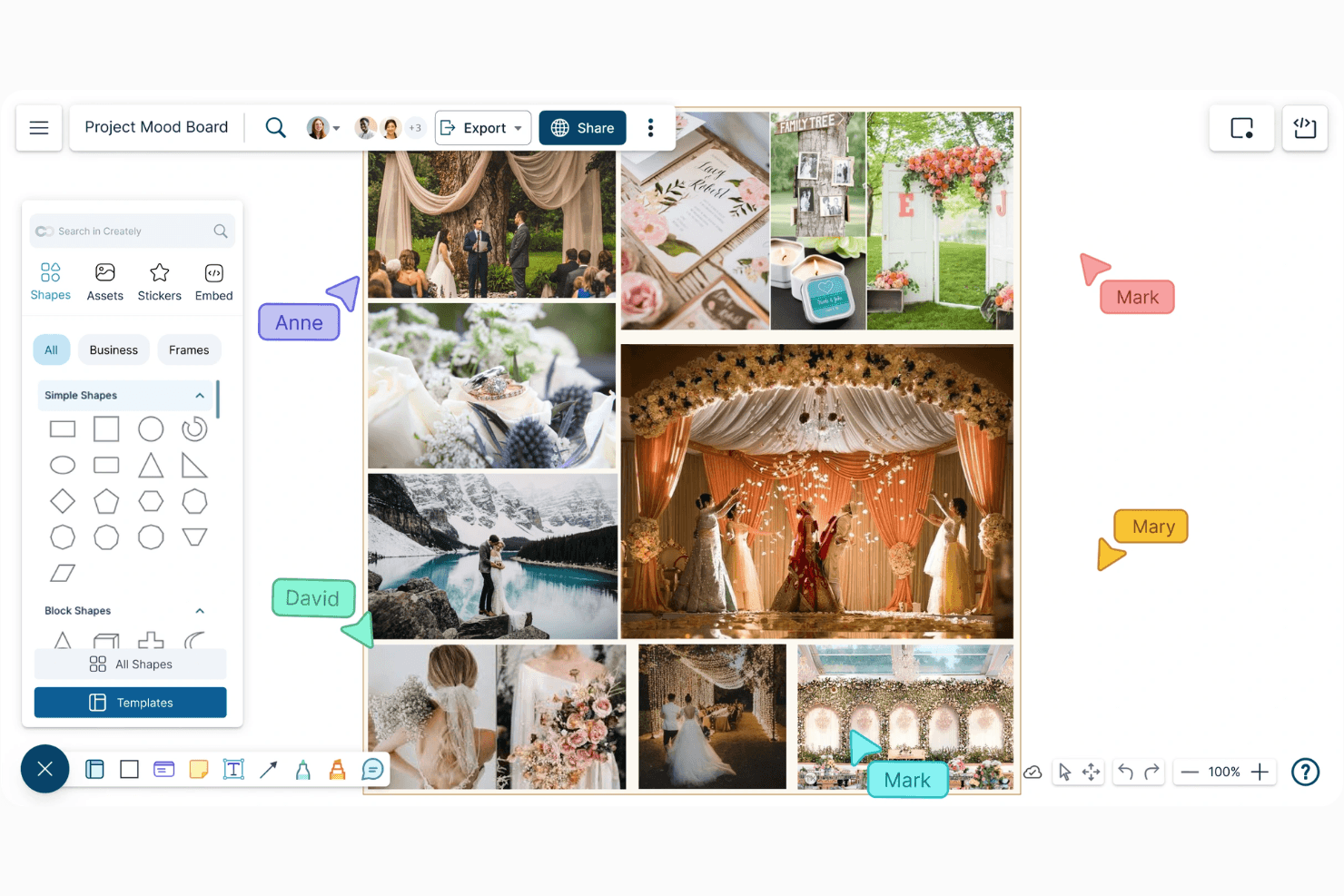
Creately’s mood board interface offers collaborative comments and intuitive layout tools. Creately is a free mood board creator and visual workspace for arranging images, text, sticky notes, frames, templates, and diagrams on an infinite collaborative canvas.
Who Is Creately Best For?
Creately suits product teams that need collaborative mood boards, structured brainstorming, and stakeholder presentations in one visual workspace.
Why I Picked Creately
I picked Creately because its AI-grouped sticky note brainstorming turns scattered research into organized themes. My team can group notes by sentiment, tags, or custom criteria, then use frames to arrange supporting images and references. That makes it useful for turning discovery findings into a visual product direction before design or development.
Creately Key Features
- Google Image Search: Find and add reference images directly to the canvas.
- Presentation mode: Turn selected canvas areas into a presentation with live updates.
- Real-time collaboration: Edit boards together with live cursors, comments, and mentions.
- Mood board templates: Start with templates for UI/UX, branding, marketing, and product design.
Creately Integrations
Creately offers native integrations with Slack, Microsoft Teams, Confluence, Google Drive, and Zoom. Business adds two-way sync with Excel and Google Sheets.
What's Free?
Creately offers a free-forever plan with three infinite workspaces and unlimited collaborators. It limits each canvas to 45 items, includes 5 GB of storage and two imports, and provides basic templates, shape libraries, and collaboration features.
Pros and Cons
Pros:
- Live collaboration supports stakeholder reviews
- Templates support product and brand direction
- AI groups sticky notes by themes
Cons:
- Diagramming interface distracts from visual composition
- Free boards cap image-heavy inspiration
Learn more about Creately: Best for Adobe ecosystem mood boards
- Free plan available
- From $7.99/user/month (billed annually)
Visit WebsiteCustomer Rating:4.5/5
Adobe Express lets users blend photos, sketches, and swatches into mood boards. Adobe Express is a free mood board creator and visual design platform with dedicated templates, stock assets, AI image generation, brand kits, drag-and-drop editing, collaboration, and multi-format exports.
Who Is Adobe Express Best For?
Adobe Express fits marketing and brand teams that need quick, stakeholder-ready mood boards connected to Adobe’s design and publishing tools.
Why I Picked Adobe Express
I picked Adobe Express because it’s best for Adobe ecosystem mood boards, especially when a concept moves from inspiration to production. I can start with one of 896 mood board templates, add Adobe Stock assets, then move the direction into Photoshop or Illustrator. Firefly Boards adds an infinite canvas for remixing references and testing visual styles.
Adobe Express Key Features
- Multi-page editing: Add, duplicate, resize, move, and delete board pages.
- Published links: Share view-only boards without requiring recipients to sign in.
- Layer controls: Align, group, reorder, and resize individual design elements.
- File imports: Bring in PDFs, PPTX, SVG, INDD, AI, HEIC, and Figma files.
Adobe Express Integrations
Adobe Express integrates with Adobe Creative Cloud, Figma, Google Drive, Dropbox, Google Photos, OneDrive, Slack, Microsoft 365, and SharePoint. Its marketplace also offers 270+ add-ons.
What's Free?
Adobe Express offers a free-forever plan at $0 with no credit card required. It includes basic content creation tools, but limits generative AI credits and available assets compared with paid plans.
Pros and Cons
Pros:
- View-only links need no sign-in
- One million free stock assets
- 896 dedicated mood board templates
Cons:
- Fine-grained layout precision remains limited
- Mood board tools split across products
Learn more about Adobe Express: Best for stakeholder review without signup
- Free plan available
- From $9.99/user/month (billed annually)
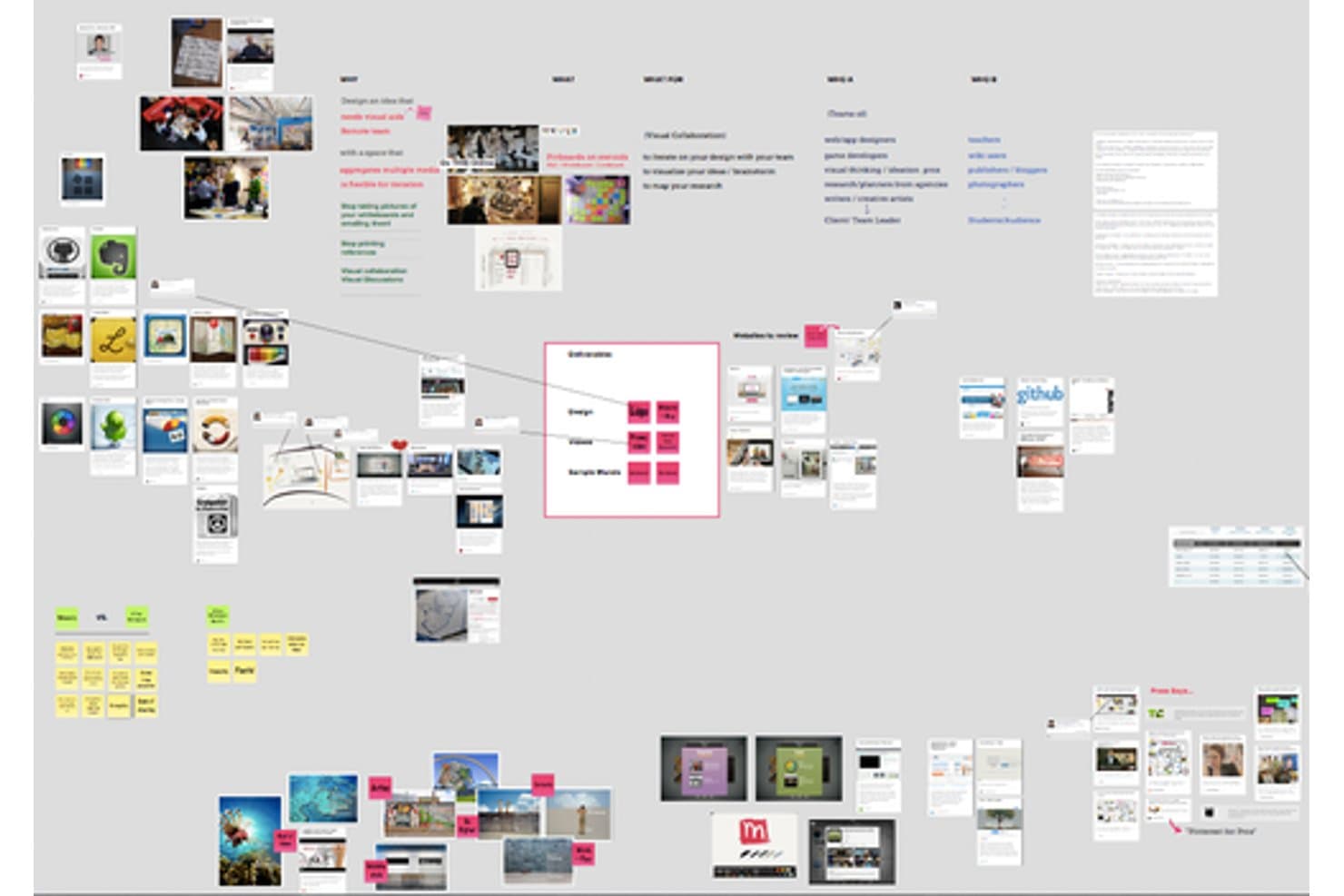
Mural lets users build visual mood boards with images and sticky notes. Mural is a collaborative mood board creator with an infinite canvas for arranging images, GIFs, text, shapes, areas, templates, real-time editing, and presentation mode.
Who Is Mural Best For?
Mural suits product, UX, and marketing teams that workshop visual direction and present mood boards to stakeholders without requiring viewer accounts.
Why I Picked Mural
I picked Mural because it’s best for stakeholder review without signup. Visitor links let clients view a mood board without creating an account, while presentation mode adds an outline and laser pointer for guided walkthroughs. I can also use real-time editing, comments, and reactions during a live product or brand review.
Mural Key Features
- Infinite canvas: Arrange images, text, shapes, GIFs, and other objects freely.
- Built-in image libraries: Search Unsplash photos and GIPHY GIFs inside the board.
- Areas: Group related content into sections for color, typography, and imagery.
- Bulk editing: Select multiple objects to adjust formatting or organize them together.
Mural Integrations
Mural offers native integrations with Figma, Unsplash, GIPHY, Google Drive, Dropbox, OneDrive, Confluence, Notion, and Google Workspace. It also supports Zapier and a REST API for custom integrations.
What's Free?
Mural offers a free-forever plan rather than only a time-limited trial. It includes core mood board creation, while advanced features and higher usage limits require a paid plan starting at $9.99 per user per month, billed annually.
Pros and Cons
Pros:
- Presentation mode guides live mood board reviews
- Infinite canvas supports flexible visual arrangement
- Stakeholders can review without creating accounts
Cons:
- Limited image sourcing requires manual uploads
- Only three boards remain editable simultaneously
Learn more about Mural: Best for mood boards that feed into Figma design
- Free plan available
- From $3/user/month
Visit WebsiteCustomer Rating:4.7/5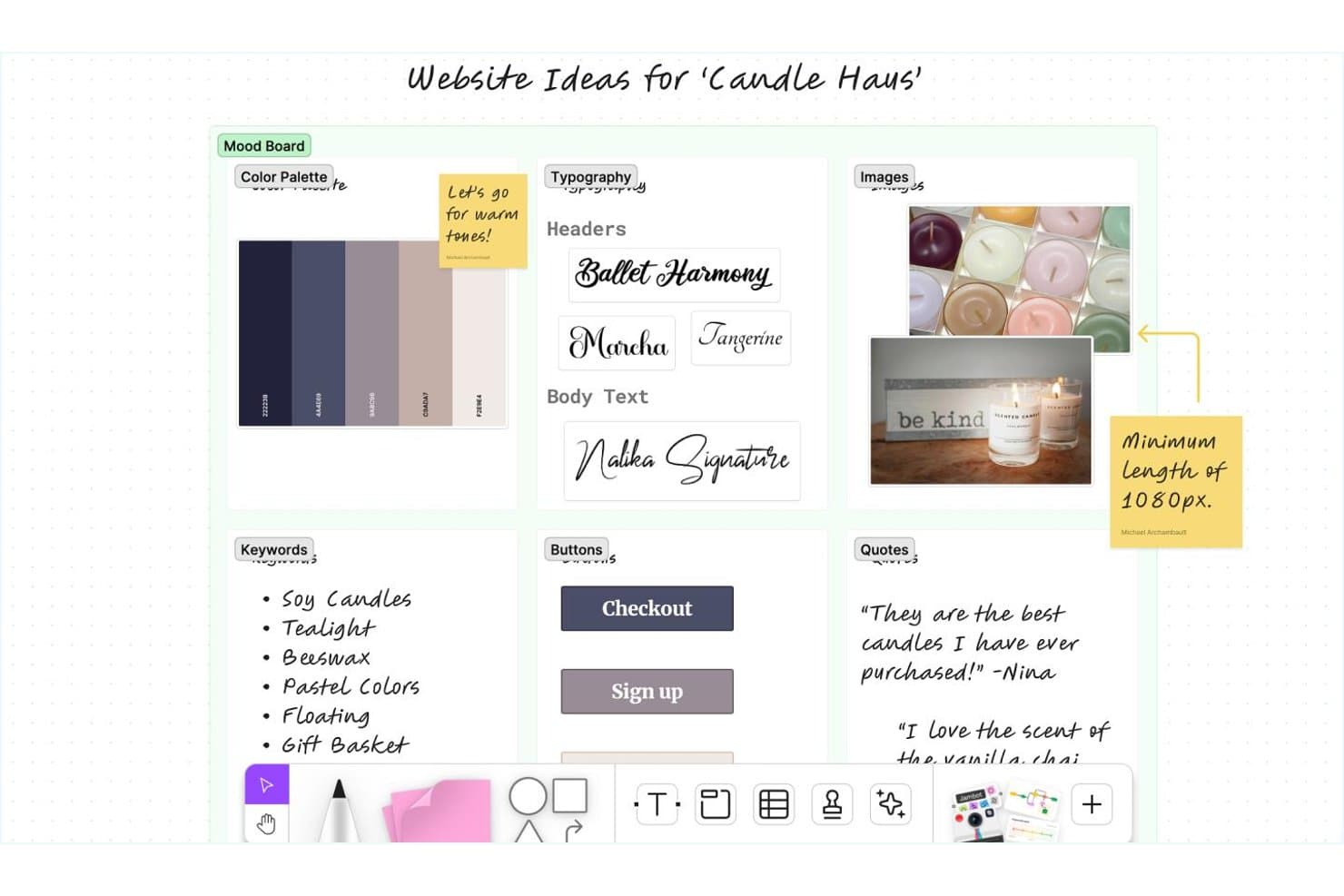
FigJam lets users build visual mood boards with colors, fonts, and images. FigJam is a free collaborative mood board creator and online whiteboard with an open canvas for arranging images, colors, text, sticky notes, sections, templates, exports, and Figma Design content.
Who Is FigJam Best For?
Product teams and UX designers will like FigJam when mood boards need to flow directly into collaborative workshops and Figma Design files.
Why I Picked FigJam
I picked FigJam because it’s best for mood boards that feed into Figma design. I use its open canvas, sections, image cropping, and color palettes to shape visual direction before moving selected board elements into Figma Design. That workflow works well when a product team turns early inspiration into interface concepts.
FigJam Key Features
- Real-time co-editing: Work together with multiplayer cursors, comments, audio, voting, and cursor chat.
- Mood board templates: Start with prebuilt layouts containing images, notes, color palettes, and presentation slides.
- Multi-format export: Export complete boards or selections as PNG, JPG, or PDF.
- Product integrations: Connect boards with Jira, Asana, Notion, Slack, and other work tools.
FigJam Integrations
FigJam offers integrations with Figma Design, Slack, Jira, Notion, Asana, Google Workspace, Miro, Mural, Lucid, and Google Jamboard. It also supports Zapier and marketplace plugins.
What's Free?
FigJam is available on Figma’s free Starter plan, so it isn’t limited to a trial period. You can co-edit up to three files with unlimited users, with a maximum of three pages per file; unlimited drafts and viewers are also included.
Pros and Cons
Pros:
- Figma handoff preserves visual direction
- Real-time co-editing supports aesthetic workshops
- Exports boards as PNG, JPG, or PDF
Cons:
- Free drafts restrict external editing
- No built-in stock image search
Learn more about FigJam: Best for template-driven board assembly
- Free trial + free plan available
- From $144/user/year (billed annually)
Visit WebsiteCustomer Rating:4.6/5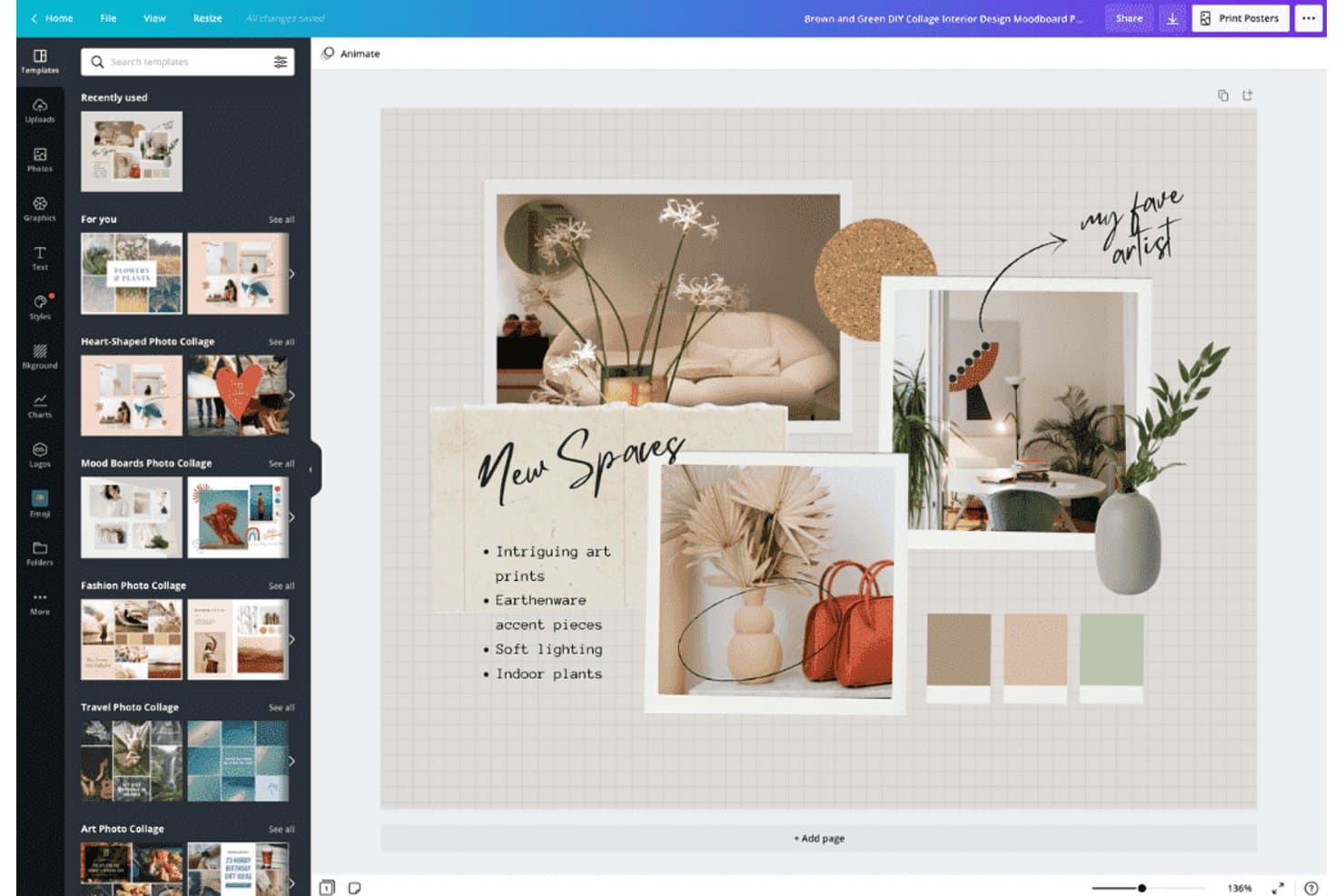
Canva lets users build visual mood boards with photos, text, and color swatches. Canva is a free mood board creator with editable templates, whiteboards, stock assets, image uploads, drag-and-drop layout controls, real-time collaboration, and PDF, PNG, and JPG export.
Who Is Canva Best For?
Canva suits marketers, brand teams, and freelance creatives who need to assemble polished mood boards quickly with templates and shared editing.
Why I Picked Canva
I picked Canva because its template-driven board assembly turns a blank canvas into a polished mood board quickly. I use editable mood board templates, grids, frames, layered images, color swatches, and styled text to shape a visual direction. Whiteboard pages and real-time comments also let stakeholders refine the board together.
Canva Key Features
- Chrome clipping extension: Save web images directly to Canva uploads.
- Stock asset library: Search 4.7M+ free photos, graphics, fonts, and media.
- Guest editing: Let reviewers edit shared designs without signing up.
- Multi-format export: Download boards as PDF, PNG, or JPG.
Canva Integrations
Canva has a native Slack integration and connects with Google Drive, Dropbox, OneDrive, Box, Frontify, and Acquia DAM for importing media. Figma connectivity is available through a third-party Marketplace app.
What's Free?
Canva offers a free-forever plan for creating mood boards, with editable templates, uploads, collaboration, and standard exports. Some premium templates, stock assets, and design features require a paid plan or separate purchase.
Pros and Cons
Pros:
- Guests can review without creating accounts
- Large asset library supports visual exploration
- Templates accelerate polished board creation
Cons:
- Advanced controls sit behind paid plans
- Asset choices can overwhelm visual searches
Learn more about Canva: Best for multi-template visual mood boarding
- Free plan + free trial + free demo available
- From $9.99/user/month (billed annually)
Visit WebsiteCustomer Rating:4.7/5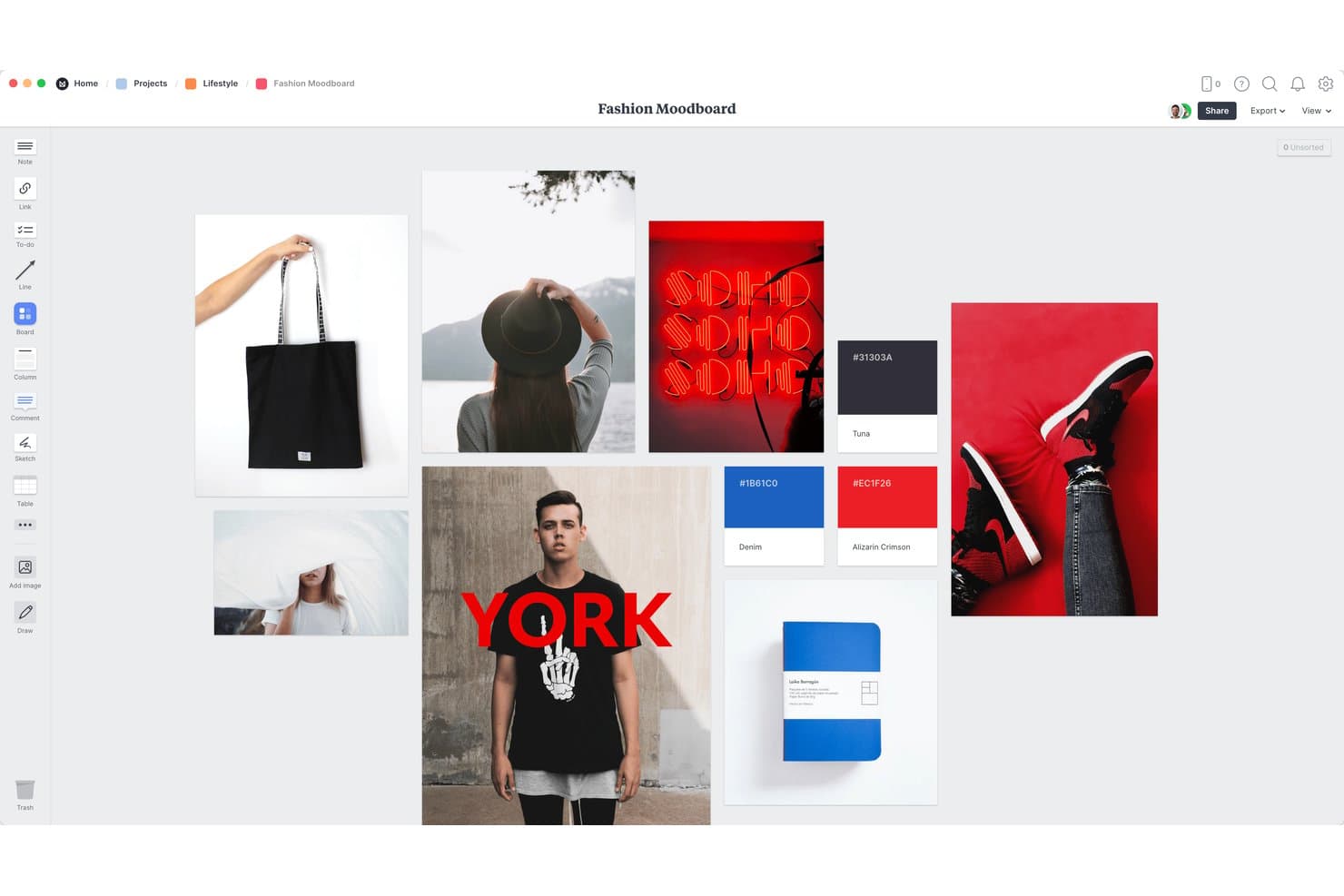
Milanote lets users build visual fashion moodboards with images and color palettes. Milanote is a free mood board creator with an open canvas for arranging images, notes, links, color swatches, templates, clipped web content, collaborative comments, and exports.
Who Is Milanote Best For?
Product managers, UX designers, marketers, and freelance creatives can build and share visual direction from one collaborative canvas.
Why I Picked Milanote
I picked Milanote for Best Free Mood Board Creator because it’s best for multi-template visual mood boarding. I use its 21 moodboard templates for projects such as brand boards, UI concepts, packaging, and campaign direction. Its Pexels library, color swatches, and nested sub-boards help my team turn scattered references into organized visual systems.
Milanote Key Features
- Web Clipper: Save images, text, videos, and links from five browsers.
- Real-Time Co-Editing: Work together with unlimited free collaborators.
- Presentation Mode: Display boards full-screen with editing tools hidden.
- Multi-Format Export: Export boards as PDF, PNG, Word, Markdown, or ZIP.
Milanote Integrations
Milanote doesn't have any native integrations. It supports embedded YouTube and Vimeo videos, plus read-only board embeds in websites or apps.
What's Free?
Milanote offers a free-forever plan with no time limit. It includes up to 100 notes, images, or links and 10 file uploads, while additional content requires a Pro upgrade.
Pros and Cons
Pros:
- Presents boards through no-login viewing links
- Supports real-time collaborative visual planning
- Offers 21 specialized moodboard templates
Cons:
- PDF and PNG exports fit one page
- Free boards cap content at 100 cards
Learn more about Milanote: Best for design-depth mood boards on a free plan
- Free plan available
- From $14/month (billed annually)
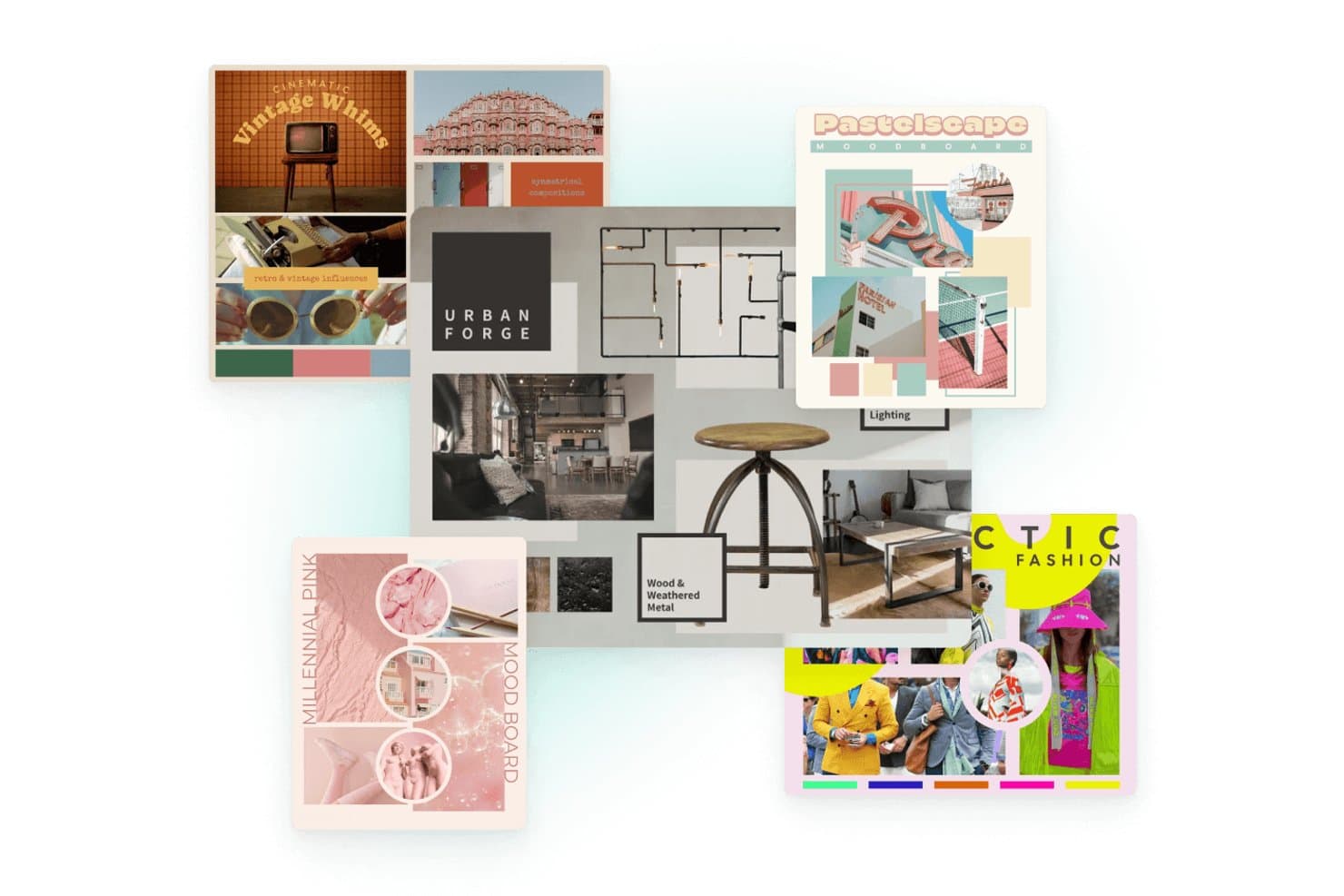
Kittl lets users create themed mood boards with diverse visual styles. Kittl is a free mood board creator and AI design platform with an infinite canvas, layered vector editing, image libraries, mood board templates, real-time collaboration, and export tools.
Who Is Kittl Best For?
Kittl suits UX/UI designers, brand teams, and freelance creatives who need precise control over visual direction.
Why I Picked Kittl
I picked Kittl because it’s best for design-depth mood boards on a free plan, rather than simple image collages. I use its infinite canvas, multiple artboards, layered elements, blend modes, and smart guides to refine product or brand direction. Mood board and creative brief templates help turn raw references into focused presentations.
Kittl Key Features
- Stock asset library: Search photos, illustrations, textures, and other visual assets.
- AI image generation: Create custom visuals directly inside the editor.
- Pinned comments: Add threaded feedback to specific areas of a board.
- Multi-format exports: Download designs as PNG, JPEG, SVG, PDF, or MP4.
Kittl Integrations
Kittl documents connections to Unsplash, Pinterest, Dropbox, Google Drive, Pixabay, Shopify, Printify, TikTok, and Meta Ads. Kittl MCP also connects with Claude, ChatGPT, and Cursor for custom design workflows.
What's Free?
Kittl has a free-forever plan with no trial period or expiration. It includes five projects, 500MB of storage, 100 AI tokens, curated free assets, and PNG or JPG exports up to 800px at 72dpi. Designs are for personal use only, while premium assets, commercial rights, vector exports, and high-resolution downloads require a paid plan.
Pros and Cons
Pros:
- Templates speed polished brand mood boards
- Live comments support client feedback on boards
- Design-depth controls refine cohesive visual direction
Cons:
- Detailed projects can load slowly
- Free exports limit polished stakeholder presentations
Learn more about Kittl: Best for AI-driven style and structure remixing
- Free plan available
- From $9.99/month
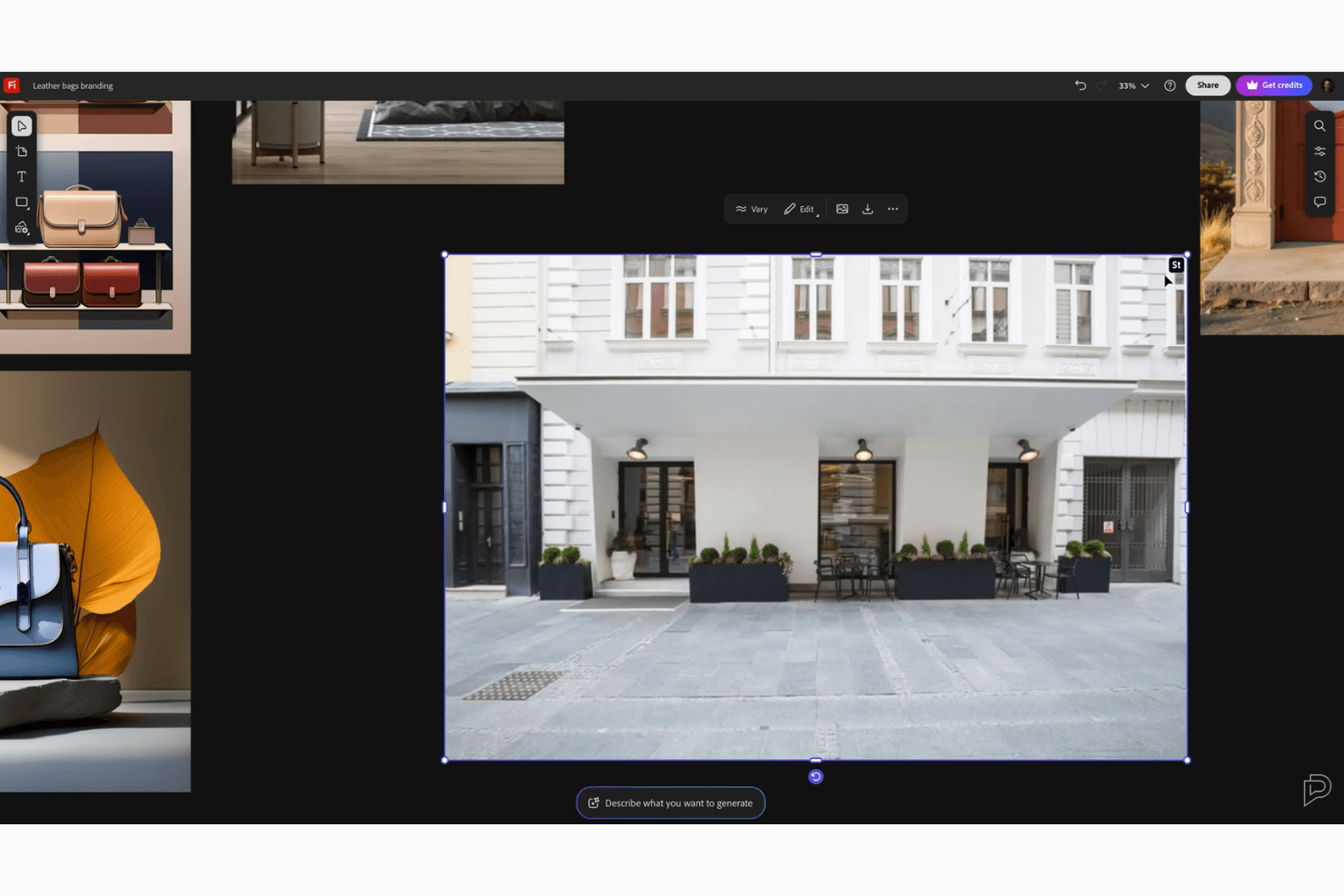
Adobe Firefly Boards offers a dynamic canvas with an assets panel and AI tools. Adobe Firefly Boards is an AI-powered mood board creator with an infinite canvas, Adobe Stock search, image uploads, artboards, text, shapes, and generative image tools connected to the Adobe ecosystem.
Who Is Adobe Firefly Boards Best For?
Adobe Firefly Boards suits UX/UI designers and brand teams that need to remix visual references into cohesive creative directions.
Why I Picked Adobe Firefly Boards
I picked Adobe Firefly Boards because it is Best for AI-driven style and structure remixing. Remix combines reference images into new variations, while Style Reference and Structure Reference preserve a chosen look or composition. I use artboards to separate directions for campaigns, product concepts, or brand explorations before sharing them with stakeholders.
Adobe Firefly Boards Key Features
- Adobe Stock search: Find and add reference images directly from Adobe Stock.
- Device uploads: Drag image files onto the canvas from your device.
- Pinned comments: Add feedback to specific canvas locations and mention collaborators.
- Photoshop handoff: Send PSD files or selected layers between Boards and Photoshop.
Adobe Firefly Boards Integrations
Adobe Firefly Boards has four documented native integrations: Photoshop, Lightroom, Adobe Express, and Adobe Stock. It also connects with Creative Cloud for linked-file syncing.
What's Free?
Adobe Firefly Boards offers a free plan rather than a limited-time trial, but you’ll need an Adobe account to use it. The free tier includes daily AI generations, while higher generation limits and additional access require a paid plan starting at $9.99 per month.
Pros and Cons
Pros:
- Artboards organize multiple creative explorations
- Style references preserve visual consistency
- Remix combines references into fresh directions
Cons:
- Collaborators need Adobe accounts to view
- Whole-board PDF exports can fail
Learn more about Adobe Firefly Boards:
Diğer Ücretsiz İlham Panosu Oluşturucu
Kısa listeme giremeyen ancak yine de göz atmaya değer bazı ek ücretsiz ilham panosu oluşturucu seçenekleri şunlardır:
- 11MattoBoardBest for 3D material boards with AI concepts
- 12MiroBest for real-time team mood boarding
- 13FigmaBest for mood boards that hand off to design
- 14VismeBest for presentation-ready visual brand boards
- 15PinterestBest for crowd-sourced image discovery boards
- 16Morpholio BoardBest for interior design material boards
How I Evaluate Free Mood Board Creators
First, I define what counts as free. A mood board creator qualifies with a limited free-forever plan or a trial long enough to complete a real board. From there, for product teams reviewing sprint research, I weigh core functionality most, like arranging visuals and sharing boards; standout features, like guest access; and beyond-feature factors, like free-plan team limits.
Core Functionality (Table Stakes For This List)
In addition to my free plan requirements, I use a scoring system to select tools for my list. I score each one on a scale from 0 (does not offer the functionality) to 5 (excels in this area) for each core functionality listed below, based on what's available on the free plan. I then convert the total into a percentage to help assess each tool's overall fit, with extra weight on any functionalities I've deemed essential.
- Visual Board Assembly (Essential): I look for a flexible canvas where you can combine and layer images, color swatches, and text to explore a product direction.
- Image Sourcing (Essential): I check whether you can add visuals from uploads, URLs, or built-in search when assembling references for a sprint or concept review.
- Drag-And-Drop Layout: I assess how freely you can move, resize, and arrange items, including whether guides or stacking controls help refine a board.
- Sharing And Export: I look for shareable links or image and PDF exports that let you present a board to stakeholders outside the tool.
- Collaboration Access: I consider whether teammates or clients can view, comment on, or edit a shared board during a live direction review.
- Template Starting Points: I check for useful templates that give you a starting layout for a campaign pitch, brand exploration, or product concept.
Once I have a list of tools that meet the criteria, I consider what sets each platform apart.
Differentiating Factors (What Sets Vendors Apart)
Here's how I compare and contrast different vendors:
Standout Features
I look for a browser clipping extension that lets you save competitor screens or UI patterns straight to a board. Grabbing references mid-research without switching tabs keeps sprint discovery moving. Guest access without signup is equally important—when a stakeholder can comment via link, you skip the "create an account" friction that stalls reviews. I also evaluate how each tool handles multi-board project organization, since grouping boards by initiative prevents visual research from scattering across disconnected workspaces.
Beyond Features
I check whether boards default to private sharing, since pre-launch concepts and competitive screenshots shouldn't be one wrong link setting away from leaking. Cross-functional accessibility matters just as much—if a PM has to watch a tutorial before pinning a reference image, the tool will gather dust. I look for interfaces simple enough that engineers and marketers contribute without design training. I also evaluate whether free-tier collaborator limits fit a typical product squad, including the occasional external reviewer who joins a direction check.
Ücretsiz Bir İlham Panosu Oluşturma Aracı Nasıl Seçilir?
Uzun özellik listeleri ve karmaşık fiyatlandırma yapıları içinde kaybolmak kolaydır. Benzersiz yazılım seçme süreciniz üzerinde çalışırken odaklanmanıza yardımcı olmak için göz önünde bulundurmanız gereken faktörleri içeren bir kontrol listesi hazırladık:
| Faktör | Göz Önünde Bulundurulması Gerekenler |
|---|---|
| FaktörÖlçeklenebilirlik | Göz Önünde Bulundurulması GerekenlerEkip büyüdükçe araç ekibinizi destekleyecek mi? Platform değiştirmeden veya geçmiş çalışmalarınızı kaybetmeden daha fazla kullanıcı ya da proje ekleyip ekleyemeyeceğinizi kontrol edin. |
| FaktörEntegrasyonlar | Göz Önünde Bulundurulması GerekenlerMevcut araçlarınızla (Google Drive veya Slack gibi) bağlantı kuruyor mu? Temel iş akışlarının kesintiye uğramayacağından veya manuel olarak yeniden yapılmasını gerektirmeyeceğinden emin olun. |
| FaktörÖzelleştirilebilirlik | Göz Önünde Bulundurulması GerekenlerPano düzenlerini, varlık kitaplıklarını veya marka öğelerini ihtiyaçlarınıza göre uyarlayabilir misiniz, yoksa katı yapılara ve varsayılan ayarlara mı bağlısınız? |
| FaktörKullanım kolaylığı | Göz Önünde Bulundurulması GerekenlerYeni ekip üyeleri hızlıca başlayabilir mi, yoksa karmaşık menülerde takılıp kalırlar mı? Başlangıç sürecinin ve günlük gezinmenin kolaylığıyla ilgili geri bildirimleri inceleyin. |
| FaktörUygulama ve başlangıç süreci | Göz Önünde Bulundurulması GerekenlerBaşlangıç için hangi kaynaklar (kılavuzlar, eğitimler, ekip desteği) mevcut? Tüm ekibinizde kullanıma sunma takvimini göz önünde bulundurun. |
| FaktörMaliyet | Göz Önünde Bulundurulması GerekenlerÜcretsiz planda gerçekte neler dahil? Gizli sınırlamalara, temel özellikler için ödeme duvarlarına ve ücretsiz katmanı aştığınızda oluşabilecek gelecekteki maliyetlere dikkat edin. |
| FaktörGüvenlik önlemleri | Göz Önünde Bulundurulması GerekenlerAraç, şirketinizin standartları ve sektör ihtiyaçlarıyla uyumlu izinler, içerik gizliliği veya veri depolama uygulamaları sunuyor mu? |
| FaktörDestek erişilebilirliği | Göz Önünde Bulundurulması GerekenlerTakıldığınızda desteğe nasıl erişeceksiniz? Kararınızı vermeden önce destek kanallarının çalışma saatlerinize ve aciliyet gereksinimlerinize uygun olup olmadığını kontrol edin. |
Ücretsiz İlham Panosu Oluşturucu Nedir?
Ücretsiz bir ilham panosu oluşturucu, görselleri, renkleri ve fikirleri tek bir paylaşılabilir panoda ücretsiz olarak düzenlemenizi sağlayan dijital bir araçtır. Bu platformlar, bireylerin ve ekiplerin beyin fırtınası yapmasına, kavramları keşfetmesine ve projeler için yaratıcı yönlendirmeleri paylaşmasına yardımcı olur. Ücretsiz ilham panosu oluşturucularının çoğu varlık yükleme, düzenleri düzenleme ve çevrim içi olarak başkalarıyla iş birliği yapma özelliklerini içerir.
Ücretsiz İlham Panosu Oluşturucularının Özellikleri
İlham panosu oluşturucu araçlarında yaygın olarak bulunan özellikleri ve bunların ücretsiz ve ücretli planlara genellikle hangilerinin dahil edildiğini inceleyelim.
Genellikle Ücretsiz İlham Panosu Oluşturucu Özellikleri
- Görsel yükleme: İlham ve planlama amacıyla görsel öğeleri doğrudan panolarınıza eklemek için cihazınızdan veya tarayıcınızdan görseller içe aktarın.
- Sürükle ve bırak arayüzü: Farklı düzenleri hızlıca denemek için görselleri ve notları pano üzerinde sezgisel bir şekilde taşıyın, yeniden boyutlandırın ve düzenleyin.
- Şablon erişimi: Zamandan kazanmak ve fikirleri harekete geçirmek için markalaşma, etkinlik planlama veya görsel hikâye anlatımı gibi belirli amaçlara yönelik hazır şablonlarla başlayın.
- Temel metin araçları: Panolarınızı açıklığa kavuşturmak ve temaları veya kavramları görsel olarak düzenlemek için notlar, başlıklar ve etiketler ekleyin.
- Gerçek zamanlı iş birliği: Ekip beyin fırtınasını ve çevrim içi proje paylaşımını desteklemek için başkalarını panoları aynı anda görüntülemeye veya düzenlemeye davet edin.
- Bulut depolama: Panoları çevrim içi kaydedin, projelerinize herhangi bir cihazdan erişin ve donanım arızaları nedeniyle çalışmalarınızı kaybetmekten kaçının.
- Görsel biçiminde dışa aktarma: Tamamlanan panoları yaygın görsel dosyaları olarak indirin; böylece bunları paydaşlarla paylaşmak veya diğer belgelere yerleştirmek kolaylaşır.
- Yorum özellikleri: İş birliği yapan kişilerin panonun belirli bölümlerine geri bildirim bırakmasına, soru sormasına veya değişiklik önermesine olanak tanıyın.
Genellikle Ücretli İlham Panosu Oluşturucu Özellikleri
- Marka kiti entegrasyonu: Tüm panoların stil yönergelerini otomatik olarak izlemesini sağlamak için marka renklerini, yazı tiplerini ve logolarını yükleyin; bu özellik pazarlama ve tasarım ekipleri için kullanışlıdır.
- Premium varlık kütüphaneleri: Ücretsiz planlarda sunulanların ötesinde, yüksek kaliteli stok görsellerden, grafiklerden, videolardan ve simgelerden oluşan genişletilmiş bir seçkiye erişin.
- Gelişmiş animasyon araçları: Panolarınıza hareketli geçişler veya dinamik efektler ekleyerek müşterilere yönelik sunumları veya ekip incelemelerini geliştirin.
- Özel dışa aktarma seçenekleri: Panoları baskıya veya profesyonel tasarım yazılımlarına uygun vektörel, yüksek çözünürlüklü ya da katmanlı dosya biçimlerinde indirin.
- Birden çok çalışma alanı yönetimi: İlham panolarını özel klasörler ve izinlerle farklı ekipler, projeler veya müşteriler arasında düzenleyin.
- Sınırsız proje veya pano: Ücretsiz kullanıcılar için uygulanan sınırlara takılmadan ihtiyaç duyduğunuz kadar ilham panosu oluşturun.
- Öncelikli müşteri desteği: Sorun giderme veya karmaşık sorular için daha hızlı yanıtlar ve özel yardım kanalları edinin.
- Sürüm geçmişi ve geri alma: Zaman içinde yapılan değişiklikleri izleyin ve gerekirse bir panonun önceki sürümlerini geri yükleyin.
- Harici uygulamalarla entegrasyon: Daha sorunsuz iş akışları için panolarınızı Slack, Google Drive veya proje yönetimi platformları gibi araçlara yerel olarak bağlayın.
- Filigranı kaldırma: Müşteriler ve sunumlar için profesyonel bir görünüm sağlamak üzere ilham panolarını markalı filigranlar olmadan indirin veya sunun.
Ücretsiz İlham Panosu Oluşturucularının Faydaları
Ücretsiz bir ilham panosu oluşturucu kullanmak ekibiniz ve işletmeniz için çeşitli faydalar sağlar. Yararlanabileceğiniz birkaç fayda şunlardır:
- Erişilebilir yaratıcılık: Ücretsiz araçlar bütçe engellerini ortadan kaldırarak ekibinizdeki herkesin görsel fikirleri ve düzenleri kolayca denemesine olanak tanır.
- Geliştirilmiş iş birliği: Yerleşik paylaşım ve gerçek zamanlı düzenleme özellikleri, projeler veya konumlar arasında sorunsuz ekip çalışmasını ve hızlı geri bildirimi destekler.
- Görsel fikir uyumu: İlham panoları estetik kavramları hızlıca düzenlemenize ve iletişim kurmanıza olanak tanıyarak yanlış anlaşılmaları ve boşa harcanan revizyonları azaltır.
- Kolay varlık yönetimi: Görselleri ve marka öğelerini buluta yüklemek, depolamak ve yeniden kullanmak proje materyallerini düzenli ve hazır tutar.
- Hızlı prototip oluşturma: Şablonlar ve sürükle ve bırak kontrolleri, bir tasarımcıyı beklemeden maketlerin veya sunumların hızlıca hazırlanmasını sağlar.
- Uzaktan proje esnekliği: Web tabanlı ücretsiz planlar, panolara her yerden erişilmesini ve düzenlenmesini sağlayarak dağıtık ekipleri ve hibrit çalışmayı destekler.
- Risksiz deneme: Herhangi bir maliyet taahhüdü olmadığından işletmeniz, kendinize en uygun olanı bulmak için farklı araçları ve iş akışlarını deneyebilir.
İlham Panosu Oluşturma Araçlarının Maliyetleri ve Fiyatlandırması
Bu makaleye ücretsiz olarak kullanılabilen en iyi ilham panosu oluşturucu seçeneklerini arayarak geldiğinizi biliyorum. Ancak ücretsiz planlar yalnızca sınırlı özellikler sunduğundan, gelecekte planınızı yükseltmeniz gerekme ihtimali oldukça yüksektir.
Aşağıdaki tablo, ilham panosu oluşturucu araçlarında yaygın planları, ortalama fiyatlarını ve genellikle sunulan özellikleri özetlemektedir:
İlham Panosu Oluşturucu Plan Karşılaştırma Tablosu
| Plan Türü | Ortalama Fiyat | Yaygın Özellikler |
|---|---|---|
| Plan TürüÜcretsiz Plan | Ortalama Fiyat$0 | Yaygın ÖzelliklerTemel görsel yüklemeleri, sürükleyip bırakma panoları, şablon erişimi, sınırlı depolama, tek marka kiti ve basit paylaşım. |
| Plan TürüBireysel Plan | Ortalama Fiyat$3-$29/kullanıcı/ay | Yaygın ÖzelliklerDaha fazla şablon, ek depolama, filigran kaldırma, genişletilmiş dışa aktarma seçenekleri ve sınırlı üst düzey varlık erişimi. |
| Plan Türüİşletme Planı | Ortalama Fiyat$30-50/kullanıcı/ay | Yaygın ÖzelliklerEkip iş birliği, yönetici denetimleri, optimize edilmiş marka kitleri, öncelikli destek, gelişmiş şablonlar ve daha fazla entegrasyon. |
| Plan TürüKurumsal Plan | Ortalama Fiyat$50-100/kullanıcı/ay | Yaygın ÖzelliklerSınırsız pano, beyaz etiketleme, özel roller, özel destek, güvenlik denetimleri ve iş akışı otomasyonu. |
Ücretsiz İlham Panosu Oluşturucu SSS'leri
Ücretsiz ilham panosu oluşturma araçları hakkında sık sorulan soruların bazı yanıtları şunlardır:
Ücretsiz bir ilham panosu oluşturucuda ne gibi sınırlamalarla karşılaşmayı beklemeliyim?
Genellikle depolama, dışa aktarma seçenekleri ve üst düzey şablonlara veya görsellere erişim konusunda sınırlamalar bulunur. Çoğu ücretsiz plan ayrıca marka bilinirliği veya filigran içerir ve iş birliğini ya da oluşturabileceğiniz pano sayısını kısıtlayabilir.
Ücretsiz bir ilham panosu oluşturucuyu ticari projeler için kullanabilir miyim?
Evet, ancak her aracın hizmet koşullarını mutlaka kontrol edin. Bazı ücretsiz planlar ticari kullanımı sınırlar veya varlıklar için kaynak gösterilmesini gerektirir. Bu nedenle panoları müşterilerle paylaşmayı ya da herkese açık olarak yayımlamayı planlıyorsanız lisans koşullarını inceleyin.
Ücretsiz ilham panosu oluşturucular ekip iş birliğini nasıl destekler?
Çoğu ücretsiz ilham panosu oluşturucu, birden fazla kullanıcının panolar üzerinde birlikte yorum yapmasına veya düzenleme gerçekleştirmesine olanak tanır. Ancak yükseltme yapana kadar iş birliği yapabilecek kişi sayısı veya gelişmiş paylaşım özelliklerine erişim konusunda kısıtlamalarla karşılaşabilirsiniz.
Ücretsiz plandan ücretli plana geçersem çalışmalarımı aktarabilir miyim?
Evet, çoğu araç ücretli plana geçtiğinizde mevcut tüm panolarınızı ve dosyalarınızı korumanıza olanak tanır. Böylece çalışmalarınızı kaybetmez veya herhangi bir şeyi yeniden oluşturmanız gerekmez.
Ücretsiz ilham panosu oluşturucular veri gizliliği ve güvenliği sunuyor mu?
Evet, güvenilir araçlar güvenli bulut depolama ve gizlilik denetimleri sunar. Ancak gelişmiş izin ayarları ve şifrelemenin ücretli katmanlara ayrılmış olabileceğini göz önünde bulundurarak ücretsiz plana nelerin dahil olduğunu mutlaka inceleyin.