

Hızlı uygulama geliştirme yazılımları, görsel araçlar ve düşük kodlu platformlar kullanarak ekibinizin uygulamaları çok daha hızlı tasarlamasına, oluşturmasına ve dağıtmasına olanak tanır. En iyi hızlı uygulama geliştirme araçlarını arıyorsanız muhtemelen proje teslimini hızlandırmanın, ekip iş birliğini geliştirmenin ve öncelikler değiştiğinde hızlıca uyum sağlamanın yollarını arıyorsunuzdur.
Doğru yazılımı seçmek, gereksiz gecikmeler veya teknik darboğazlar olmadan fikirleri güvenilir uygulamalara ne kadar kolay dönüştürebileceğinizi belirleyebilir. Bu liste, projeleri bu 2026 yılında netlik ve kontrol içinde ilerletmek istiyorsanız değerlendirmeniz gerektiğini düşündüğüm platformları öne çıkarıyor.
Why Trust Our Software Recommendations
6,700+
Reviews
20
Industry experts
16+
Evaluation factors
14
Years
Our team has been testing and reviewing software since 2012. As product managers ourselves, we know how difficult—and important—it is to choose the right software.
For this guide, we evaluated tools using hands-on testing and independent research, scoring tools using our selection criteria.
Our reviews reflect our human editorial judgment, not a sales pitch.
Expert reviewers:
- Andrew LumbySenior TPM
- Cristiano ValimSenior UI/UX Lead


Hızlı Uygulama Geliştirme Yazılımları Karşılaştırma Tablosu
Aşağıdaki tablo, en iyi hızlı uygulama geliştirme yazılımı seçimlerim için fiyatlandırma ayrıntılarını karşılaştırıyor.
Score legend (out of 5)
- Excellent4.5–5
- Good4–4.4
- Average3–3.9
- Below average2–2.9
- Poor1–1.9
Sorted by: Default
| Tool | Starting Price | Website | |||||||
|---|---|---|---|---|---|---|---|---|---|
Best for enterprise-grade process orchestration | 4.3 out of 5 | 4 | 4 | 5 | 4 | 4 | 5 | Pricing upon request Free plan + demo available | Website |
Best for governed no-code app and workflow delivery | 4.2 out of 5 | 3 | 4 | 4 | 5 | 4 | 5 | $15,000/year 30-day free trial + free demo available | Website |
Best for apps that span web, mobile, and on-prem | 4.3 out of 5 | 5 | 4 | 4 | 4 | 5 | 4 | Pricing upon request Free plan available; 15-day free trial | Website |
Best for full-stack apps built without code | 4.3 out of 5 | 4 | 5 | 4 | 5 | 4 | 4 | $32/month Free plan available | Website |
Best for governed enterprise app development | 4.5 out of 5 | 4 | 4 | 5 | 4 | 5 | 5 | Pricing upon request Free demo available | Website |
Best for apps spanning complex enterprise workflows | 4.5 out of 5 | 4 | 4 | 5 | 5 | 5 | 4 | Pricing upon request Free plan available | Website |
Best for multi-user collaborative development | 4.5 out of 5 | 4 | 5 | 5 | 4 | 4 | 5 | $1,090/month Free plan available | Website |
Best for internal tools built on existing data | 4.5 out of 5 | 4 | 4 | 5 | 5 | 4 | 5 | $7/user/month Free plan + trial + demo available | Website |
Best for apps in the Microsoft 365 ecosystem | 4.5 out of 5 | 4 | 5 | 5 | 4 | 4 | 5 | $20/user/month Free plan available | Website |
Best for Salesforce ecosystem extensibility | 4.5 out of 5 | 4 | 4 | 4 | 5 | 5 | 5 | $25/user/month 30-day free trial + free plan + free demo available | Website |


En İyi Hızlı Uygulama Geliştirme Yazılımları İncelemeleri
Kısa listeme giren en iyi hızlı uygulama geliştirme yazılımlarına ilişkin ayrıntılı özetlerim aşağıda yer alıyor. İncelemelerim, sizin için en iyi seçeneği bulmanıza yardımcı olmak amacıyla her platformun özelliklerine, entegrasyonlarına ve en iyi kullanım alanlarına ayrıntılı bir bakış sunuyor.
 Best for enterprise-grade process orchestration
- Free plan + demo available
- Pricing upon request
Visit WebsiteCustomer Rating:4.4/5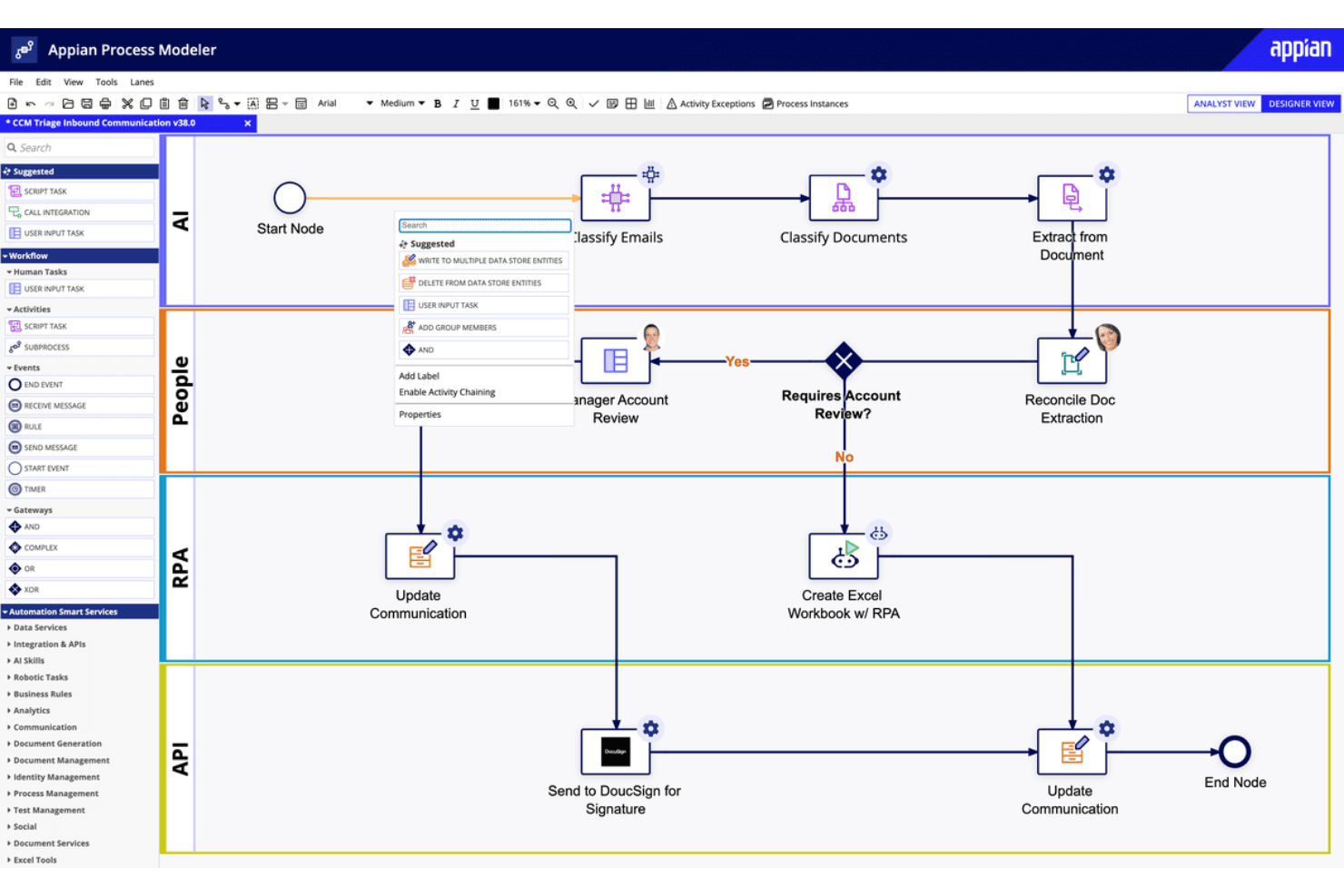
Appian offers a visual workflow designer for automated business processes. Appian is a low-code rapid application development platform that combines process automation, AI-powered workflows, data fabric, and case management to help teams build and deploy enterprise applications.
Who Is Appian Best For?
Appian is a strong fit for large enterprises that need to orchestrate complex, multi-step processes across departments and systems.
Why I Picked Appian
Appian earns its spot on my shortlist because its process orchestration capabilities go deeper than most rapid application development platforms. I'm particularly impressed by its data fabric layer, which connects to existing enterprise systems without moving data, so teams can build apps that act on live operational data across the whole business. Its process mining feature also lets me model, analyze, and optimize end-to-end workflows before committing to a build, which saves real time at scale.
Appian Key Features
- Visual process designer: A drag-and-drop interface for building and modifying process flows without writing code.
- AI skills builder: A built-in tool for embedding pre-trained AI models directly into application workflows.
- Robotic process automation (RPA): Native bots that automate repetitive, rule-based tasks across third-party systems and interfaces.
- Intelligent document processing: Automated extraction and classification of data from unstructured documents like forms and contracts.
Appian Integrations
Appian offers prebuilt connectors for Salesforce, Google, Microsoft SharePoint, DocuSign, AWS, SAP, and Oracle, plus REST, SOAP, and JDBC support for custom integrations through its API and Integration SDK.
Pros and Cons
Pros:
- Data fabric connects live enterprise records
- Process mining exposes workflow bottlenecks
- Visual process models speed application delivery
Cons:
- Debugging lacks step-through error visibility
- Complex interfaces need careful performance tuning
Learn more about Appian: Best for governed no-code app and workflow delivery
- 30-day free trial + free demo available
- From $15,000/year (billed annually)
Visit WebsiteCustomer Rating:4.4/5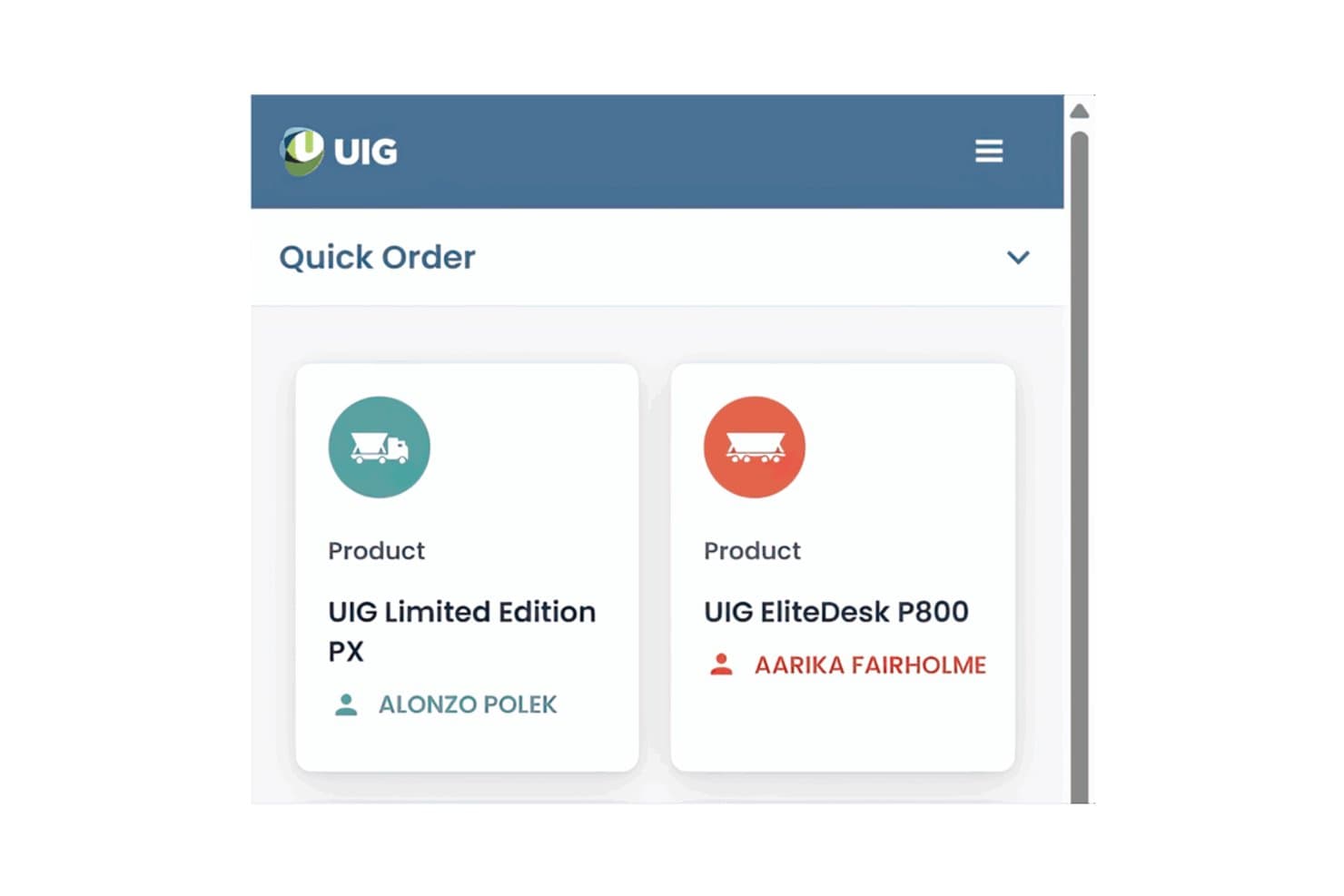
Nintex lets users build mobile quick-order apps with product cards. Nintex is a no-code rapid application development platform that lets teams build, automate, and manage apps and workflows through a visual drag-and-drop interface with built-in governance controls.
Who Is Nintex Best For?
Nintex is a strong fit for enterprise teams in IT and operations that need to ship apps and automated workflows quickly without sacrificing governance or compliance controls.
Why I Picked Nintex
Nintex earns its spot on my shortlist because governance is built into the app-building process itself, not bolted on afterward. I particularly like its process governance controls, which let IT teams set guardrails around who can publish apps and workflows, so citizen developers can build freely without creating compliance blind spots. Its drag-and-drop workflow automation also handles complex approval chains and conditional logic without writing a single line of code.
Nintex Key Features
- Pre-built connector library: Nintex includes a library of pre-built connectors that link your apps and workflows to third-party systems like Salesforce, SharePoint, and Microsoft 365 without custom code.
- Process mapping tools: Built-in process mapping lets teams document and visualize workflows before building them, so the logic is clear before you commit to automation.
- Mobile app deployment: Apps built in Nintex can be published directly to mobile devices, giving field teams access to forms and workflows from anywhere.
- Role-based access controls: Administrators can assign permissions at the app or workflow level, controlling exactly who can view, edit, or trigger specific processes.
Nintex Integrations
Nintex offers pre-built connectors for Salesforce, SharePoint, and Microsoft 365, helping teams connect apps and workflows to existing business systems without custom code.
Pros and Cons
Pros:
- Governance controls support governed citizen development
- Approval workflows handle conditional business processes
- Drag-and-drop forms speed app delivery
Cons:
- Updates have occasionally disrupted existing workflows
- Complex automations can be difficult to maintain
Learn more about Nintex: Best for apps that span web, mobile, and on-prem
- Free plan available; 15-day free trial
- Pricing upon request
Visit WebsiteCustomer Rating:4.3/5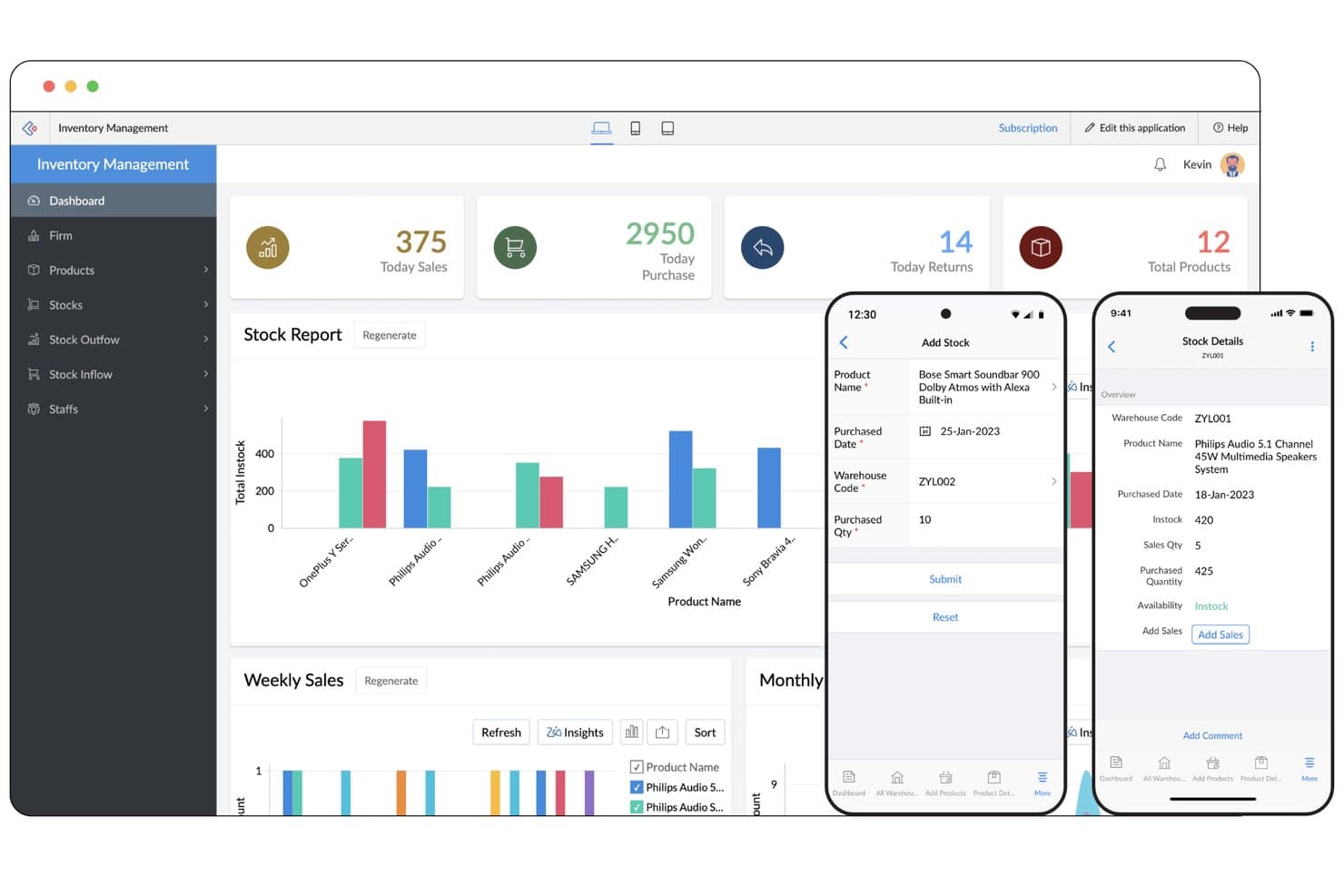
Zoho Creator lets users build inventory apps for web and mobile. Zoho Creator is a low-code rapid application development platform that lets you build, deploy, and manage custom apps across web, mobile, and on-premises environments using drag-and-drop builders, workflow automation, and pre-built integrations.
Who Is Zoho Creator Best For?
Zoho Creator is a strong fit for IT teams and operations-focused businesses that need to deploy apps across web, mobile, and on-premises environments from a single platform.
Why I Picked Zoho Creator
Zoho Creator earns its spot on my shortlist because it's one of the few rapid app development platforms that genuinely handles web, mobile, and on-premises deployment from a single build. I particularly like its device-aware responsive builder, which automatically adapts layouts for each environment without requiring separate development tracks. Its offline-capable mobile apps are a real differentiator too, letting field teams work without connectivity and sync data when back online.
Zoho Creator Key Features
- Deluge scripting: A built-in low-code scripting language that lets you add custom logic, conditional flows, and data manipulation directly within your app.
- Pre-built app templates: A library of ready-to-use templates for common business use cases that you can deploy and customize without starting from scratch.
- Drag-and-drop workflow automation: A visual workflow builder for creating multi-step automations triggered by form submissions, field changes, or scheduled events.
- Role-based access control: Granular permission settings that let you define exactly what each user role can view, edit, or submit within an app.
Zoho Creator Integrations
Native integrations are not clearly documented.
Pros and Cons
Pros:
- Responsive layouts adapt across device types
- Offline mobile apps sync field data later
- One app spans web, mobile, and on-prem
Cons:
- Script-count limits can constrain complex apps
- Complex Deluge scripts need deeper troubleshooting
Learn more about Zoho Creator: Best for full-stack apps built without code
- Free plan available
- From $32/month (billed annually)
Visit WebsiteCustomer Rating:4.4/5
Bubble's visual editor lets users build app interfaces with drag-and-drop tools. Bubble is a no-code rapid application development platform that lets you visually build, design, and deploy full-stack web apps—complete with database management, user authentication, APIs, and custom workflows.
Who Is Bubble Best For?
Bubble is a strong fit for founders and product teams who want to ship full-stack web apps without writing backend or frontend code.
Why I Picked Bubble
Bubble earns its spot on my shortlist because it's the most capable no-code platform I've seen for building genuinely full-stack web apps. I love that you can define your own database schema, build backend workflows, and handle user authentication all from the visual editor, with no backend code required. Bubble's API connector also lets you pull in external data sources and push to third-party services, so you're not boxed into a closed ecosystem.
Bubble Key Features
- Visual drag-and-drop editor: A canvas-based interface that lets you place and style UI elements without writing any HTML or CSS.
- Built-in plugin marketplace: A library of pre-built plugins that extend your app's functionality, from payments to maps, without custom integrations.
- Responsive design controls: Built-in layout tools that let you configure how your app adapts across screen sizes directly in the editor.
- Version control and branching: A native versioning system that lets you save app states and test changes in a development environment before going live.
Bubble Integrations
Native integrations are not clearly documented. Bubble supports custom integrations through its API Connector and marketplace integrations through plugins.
Pros and Cons
Pros:
- Test changes through version branching
- Define databases and workflows visually
- Build full-stack apps without backend code
Cons:
- Apps depend on Bubble’s runtime
- Complex apps can require performance tuning
Learn more about Bubble: Best for governed enterprise app development
- Free demo available
- Pricing upon request
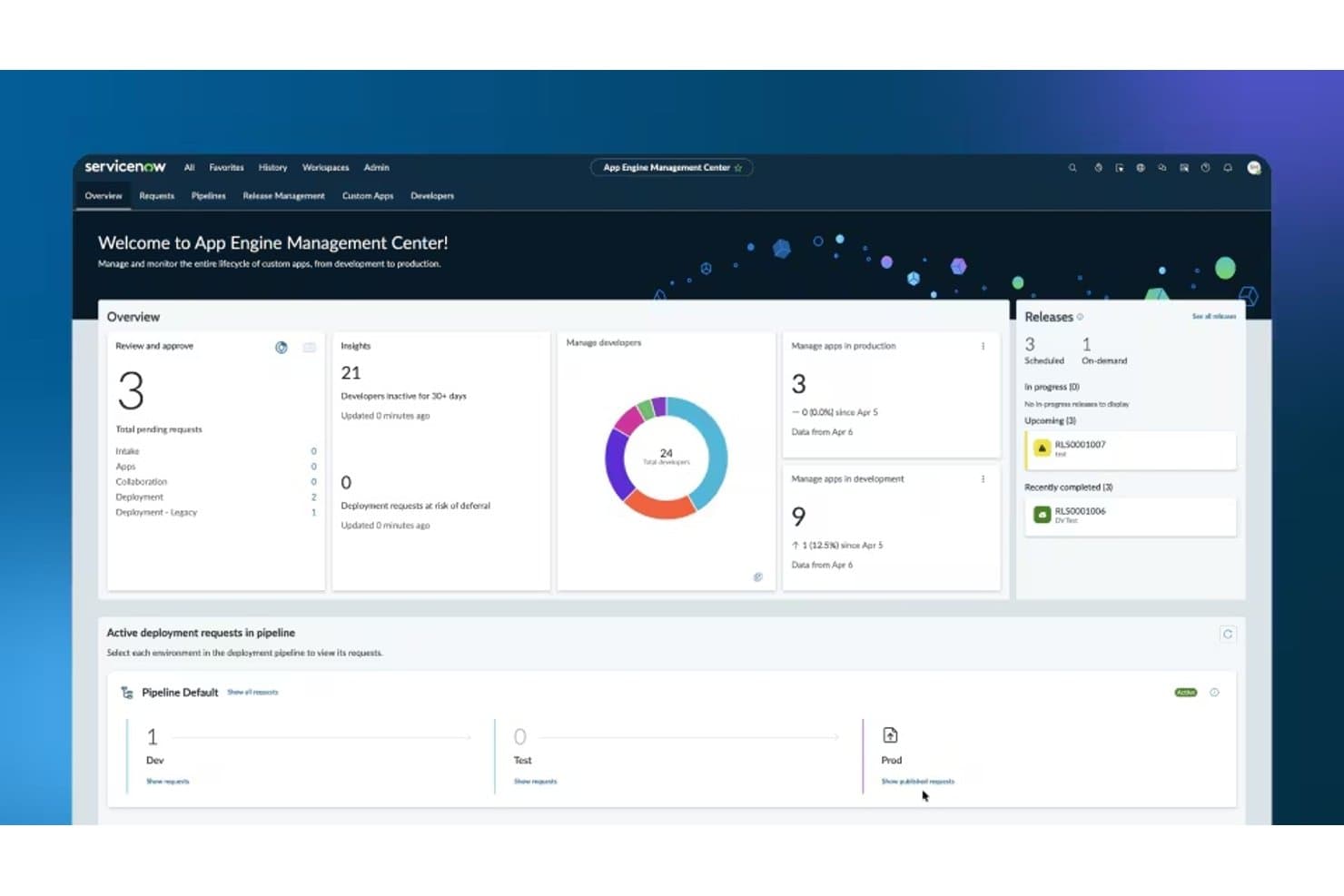
ServiceNow App Engine's dashboard for managing app development, deployments, releases, and developer activity. ServiceNow App Engine is a low-code rapid application development platform that lets enterprise teams build, test, and deploy custom apps on the Now Platform using guided workflows, reusable components, and built-in governance controls.
Who Is ServiceNow App Engine Best For?
ServiceNow App Engine is a strong fit for large enterprises that need IT governance and compliance controls built directly into their app development process.
Why I Picked ServiceNow App Engine
ServiceNow App Engine earns its spot on my shortlist because it builds governance directly into the development process rather than bolting it on afterward. I love how App Engine Studio lets teams build apps with low-code tools while automated deployment pipelines enforce review gates and testing requirements at every stage. Its delegation frameworks also let IT administrators define exactly who can build, publish, or modify apps, which matters a lot when you're scaling development across a large organization without losing control.
ServiceNow App Engine Key Features
- Flow Designer: A drag-and-drop workflow builder that lets teams automate multi-step business processes without writing code.
- Integration Hub: A library of pre-built connectors that links App Engine apps to external systems like Salesforce, Slack, and Microsoft Teams.
- Mobile app builder: A native tool for generating mobile-ready versions of apps that run on both iOS and Android without separate development.
- Reusable component library: A shared catalog of pre-approved UI elements and logic blocks that teams can pull into new apps to accelerate builds.
ServiceNow App Engine Integrations
ServiceNow App Engine supports integrations through Integration Hub, including Salesforce, Slack, and Microsoft Teams. It also connects apps to external systems through pre-built connectors.
Pros and Cons
Pros:
- Workflow automation helps teams ship apps faster
- Reusable components speed internal app builds
- Governance gates support controlled app releases
Cons:
- Customizations can increase upgrade maintenance
- Advanced builds require ServiceNow platform expertise
Learn more about ServiceNow App Engine: Best for apps spanning complex enterprise workflows
- Free plan available
- Pricing upon request
Visit WebsiteCustomer Rating:4.6/5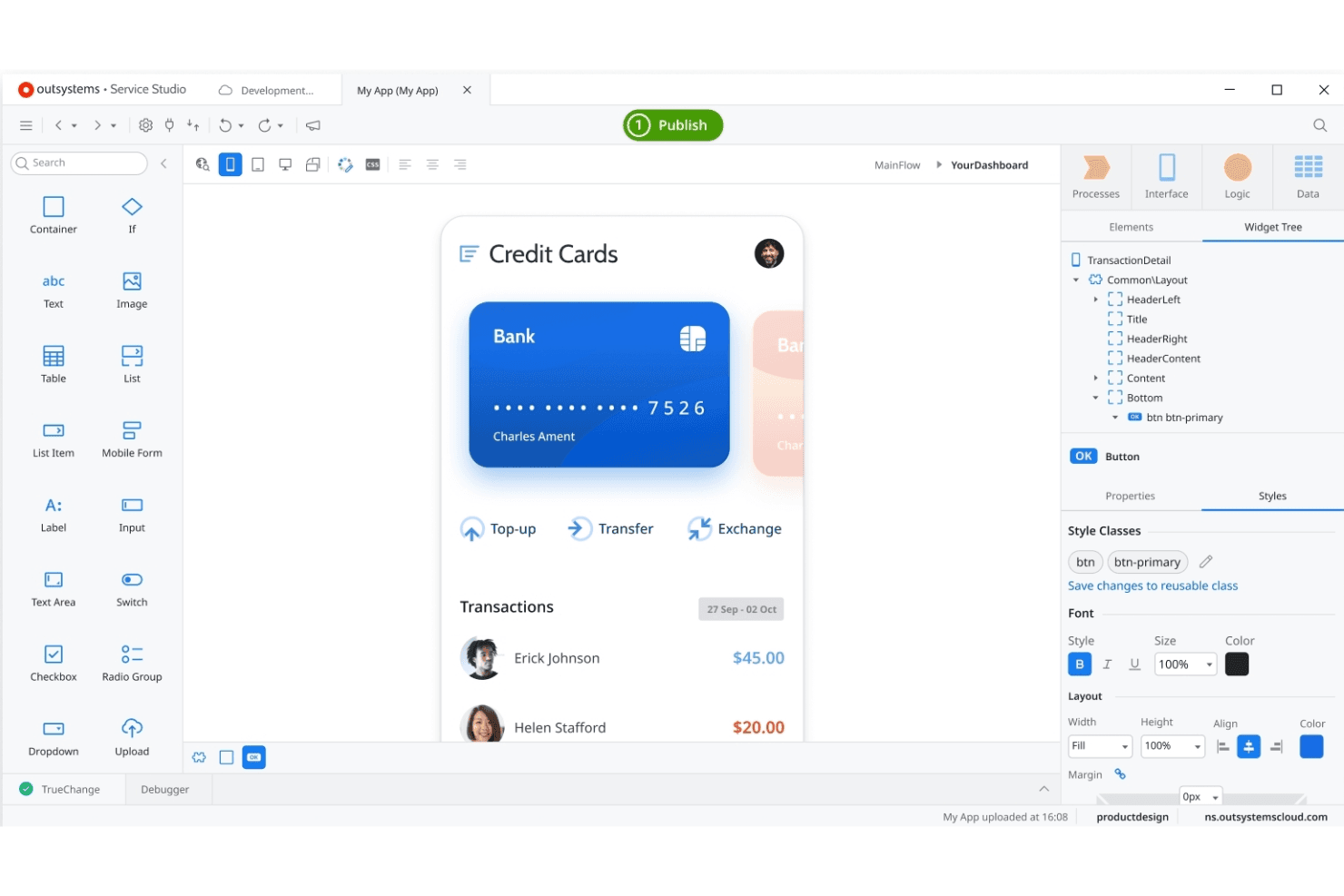
OutSystems lets teams build enterprise apps with a visual development studio. OutSystems is a low-code rapid application development platform that combines visual development, AI-assisted tooling, and built-in integration capabilities to build, deploy, and manage enterprise-grade web and mobile applications.
Who Is OutSystems Best For?
OutSystems is a strong fit for enterprise IT teams that need to build and maintain complex, multi-system applications at scale.
Why I Picked OutSystems
OutSystems earns its spot on my shortlist because it handles the kind of multi-system complexity that breaks most low-code platforms. I'm particularly impressed by its process automation layer, which lets teams model and execute workflows that span legacy systems, APIs, and modern services in a single application. Its AI-assisted development also accelerates delivery without sacrificing the governance controls enterprise IT needs, like role-based access and deployment pipelines across environments.
OutSystems Key Features
- Visual application builder: A drag-and-drop development environment lets teams design full-stack web and mobile apps without writing code from scratch.
- Pre-built integration connectors: OutSystems includes a library of connectors for common enterprise systems, databases, and third-party APIs to speed up data wiring.
- Automated code analysis: Built-in performance and security checks run continuously during development to flag issues before they reach production.
- Multi-environment deployment pipelines: Teams can configure and manage staged deployments across development, testing, and production environments from a centralized console.
OutSystems Integrations
OutSystems offers Integration Builder connections for SAP OData, Salesforce, SharePoint Online, Microsoft Dataverse, and Microsoft Dynamics 365. It also connects to SQL Server and supports REST and SOAP APIs for custom integrations.
Pros and Cons
Pros:
- Deployment pipelines support controlled environment promotion
- Built-in security checks catch issues before release
- Handles workflows across legacy and modern systems
Cons:
- Large applications can increase governance overhead
- Enterprise architecture can demand specialist skills
Learn more about OutSystems: Best for multi-user collaborative development
- Free plan available
- From $1,090/month
Visit WebsiteCustomer Rating:4.4/5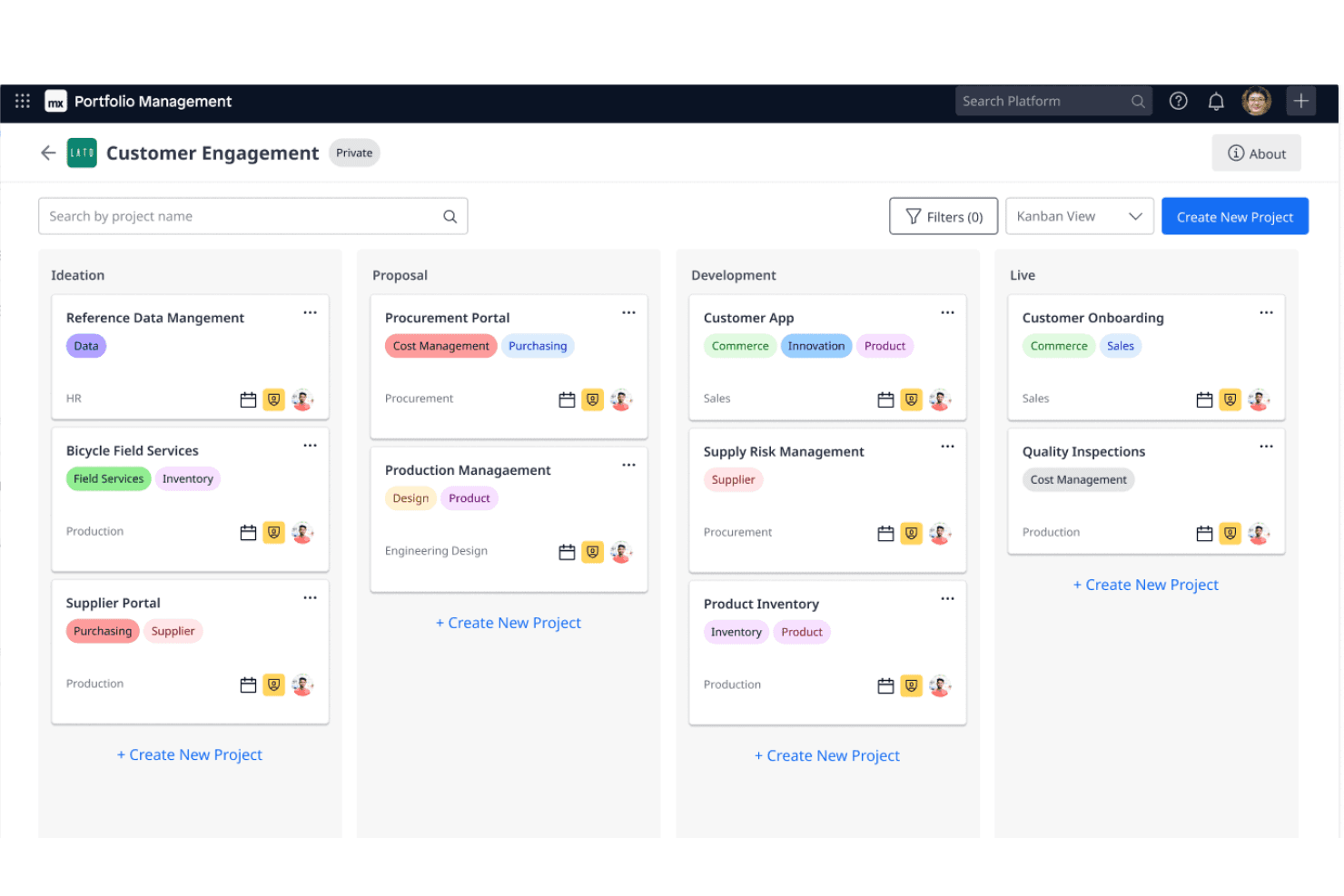
Mendix offers Kanban boards for managing shared projects and development. Mendix is a low-code rapid application development platform that combines visual model-driven development, built-in version control, and real-time multi-user collaboration tools for building and deploying enterprise applications.
Who Is Mendix Best For?
Mendix is a strong fit for enterprise teams where developers and business stakeholders build applications together in real time.
Why I Picked Mendix
Mendix earns its spot on my shortlist because of how it handles multi-user collaborative development in a way most RAD platforms simply don't. I love that multiple developers and business stakeholders can work inside the same application model simultaneously, with built-in version control keeping everything in sync. Mendix's Team Server manages branching and merging directly within the platform, so there's no context-switching to external tools when your team is iterating fast.
Mendix Key Features
- Visual model-driven development: Build application logic, data models, and UI using drag-and-drop visual editors without writing code.
- Cross-platform deployment: Deploy applications to cloud, on-premises, or hybrid environments directly from the Mendix platform.
- Pre-built app templates: Start new projects using industry-specific templates that include pre-configured data structures and workflows.
- Native mobile app builder: Design and publish native iOS and Android apps alongside web apps within the same development environment.
Mendix Integrations
Mendix offers Marketplace integrations and connectors for Salesforce, Slack, SAP, Kafka, Redis, and MQTT. It also supports REST, SOAP, JDBC, OData, and platform APIs for custom integrations and CI/CD workflows.
Pros and Cons
Pros:
- One visual environment supports web and native apps
- Team Server tracks changes through branching and merging
- Multiple developers can collaborate on shared models
Cons:
- Mendix-specific models can complicate platform migration
- Large applications can face performance challenges
Learn more about Mendix: Best for internal tools built on existing data
- Free plan + trial + demo available
- From $7/user/month
Visit WebsiteCustomer Rating:4.6/5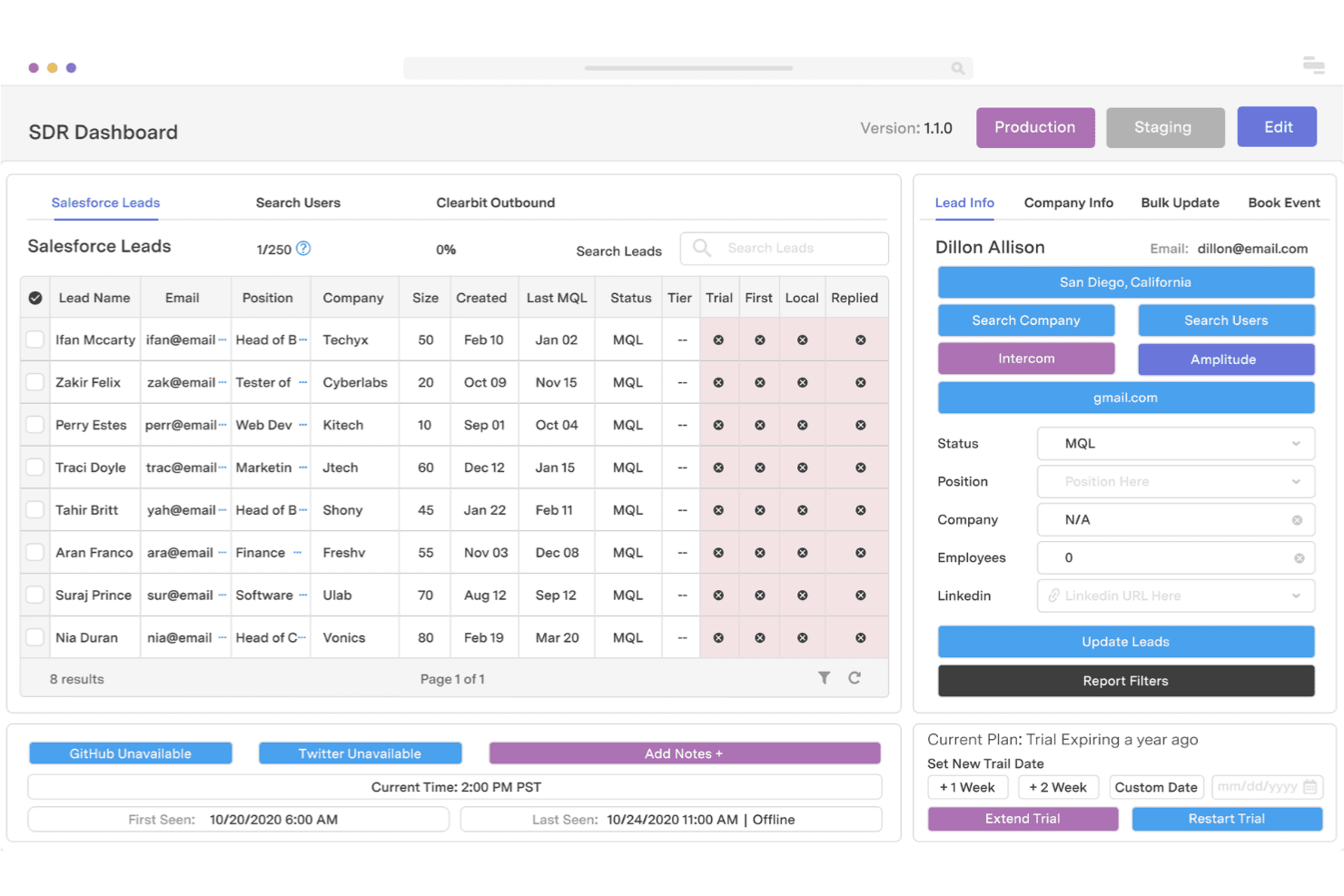
Retool lets developers quickly build custom internal business tools. Retool is a rapid application development platform that lets you build internal tools by connecting directly to databases, APIs, and existing data sources through a drag-and-drop UI builder combined with custom JavaScript logic.
Who Is Retool Best For?
Retool is a strong fit for engineering and product teams that need to build internal tools fast—without starting from scratch—on top of databases and APIs they already use.
Why I Picked Retool
Retool earns its spot on my shortlist because it lets you build internal tools directly on top of your existing databases and APIs, skipping the setup overhead that slows most RAD projects down. I particularly like how you can write SQL or JavaScript inline within the UI builder, so querying a PostgreSQL table or chaining API calls is part of the same workflow as laying out your interface. Retool's pre-built components, like data grids and charts, connect directly to live data sources, so what you build reflects real production state from day one.
Retool Key Features
- Role-based access control: Assign granular permissions to users and groups so only the right people can view or edit specific apps and data.
- Retool Mobile: Build native mobile apps using the same drag-and-drop builder and data connections you use for web tools.
- Retool Workflows: Automate multi-step background jobs by visually chaining triggers, logic blocks, and API calls without writing a full backend.
- Audit logging: Track every user action within your apps, giving your team a timestamped record of who did what and when.
Retool Integrations
Retool integrates with PostgreSQL, MySQL, MongoDB, Google Sheets, Salesforce, Jira, Slack, and Zendesk. It also supports REST API, GraphQL, OpenAPI, and custom database connections for additional data sources.
Pros and Cons
Pros:
- Workflows add background automation to internal apps
- SQL and JavaScript fit alongside interface building
- Live database-backed tools need less setup
Cons:
- Complex query logic can become harder to maintain
- Polished customer-facing interfaces take extra work
Learn more about Retool: Best for apps in the Microsoft 365 ecosystem
- Free plan available
- From $20/user/month (billed annually)
Visit WebsiteCustomer Rating:4.3/5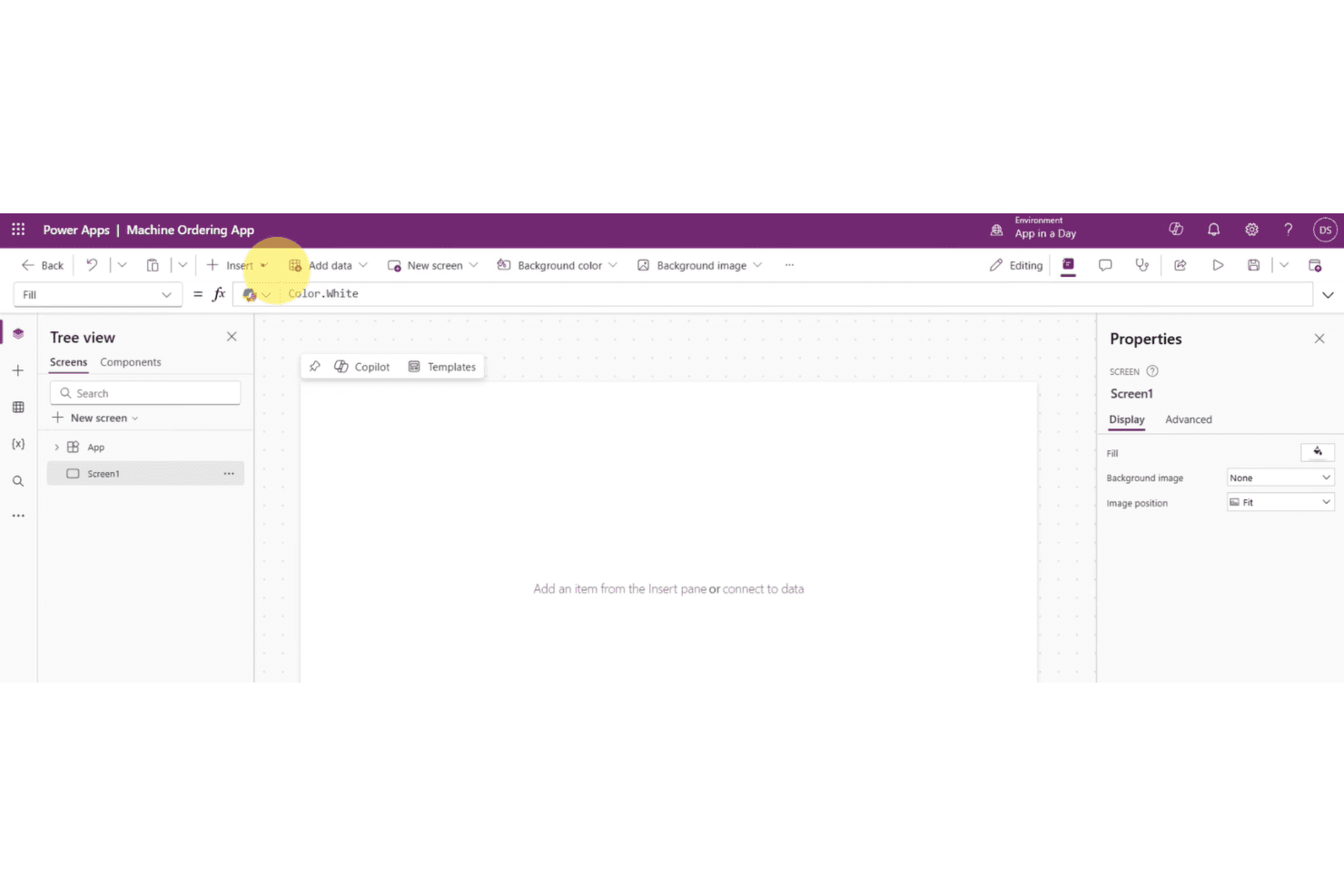
Power Apps offers app building with Copilot, templates, and data connections. Microsoft Power Apps is a low-code rapid application development platform that lets you build custom business apps using drag-and-drop tools, pre-built connectors, and data integration with sources like SharePoint, Dataverse, and other Microsoft 365 services.
Who Is Microsoft Power Apps Best For?
Microsoft Power Apps is a strong fit for organizations already using Microsoft 365 or Azure who want to build internal tools without a dedicated development team.
Why I Picked Microsoft Power Apps
Microsoft Power Apps earns its spot on my shortlist because of how naturally it fits into an existing Microsoft 365 environment. If your team already lives in SharePoint, Teams, or Dataverse, you can build a working canvas app or model-driven app without touching a single line of code. I especially like how Power Apps connects directly to Dataverse to auto-generate forms and views from your data schema, which cuts serious time off internal tool builds.
Microsoft Power Apps Key Features
- AI Builder integration: Use pre-built AI models to add capabilities like object detection, text recognition, and sentiment analysis directly within your apps.
- Power Fx formula language: Write Excel-style formulas to define app logic, control behavior, and manipulate data without traditional programming syntax.
- Pre-built connector library: Access 900+ connectors to link your app to external services, databases, and APIs out of the box.
- Responsive app preview: Test how your app renders across desktop, tablet, and mobile screen sizes directly inside the Power Apps Studio editor.
Microsoft Power Apps Integrations
Microsoft Power Apps offers 900+ pre-built connectors, including SharePoint, Dataverse, and Microsoft 365 services. It also connects to external services, databases, and APIs.
Pros and Cons
Pros:
- AI Builder adds document and image processing
- Canvas and model-driven app options
- Excel-style Power Fx speeds app logic
Cons:
- Platform-specific logic can limit portability
- Complex canvas apps need careful maintenance
Learn more about Microsoft Power Apps: Best for Salesforce ecosystem extensibility
- 30-day free trial + free plan + free demo available
- From $25/user/month (billed annually)
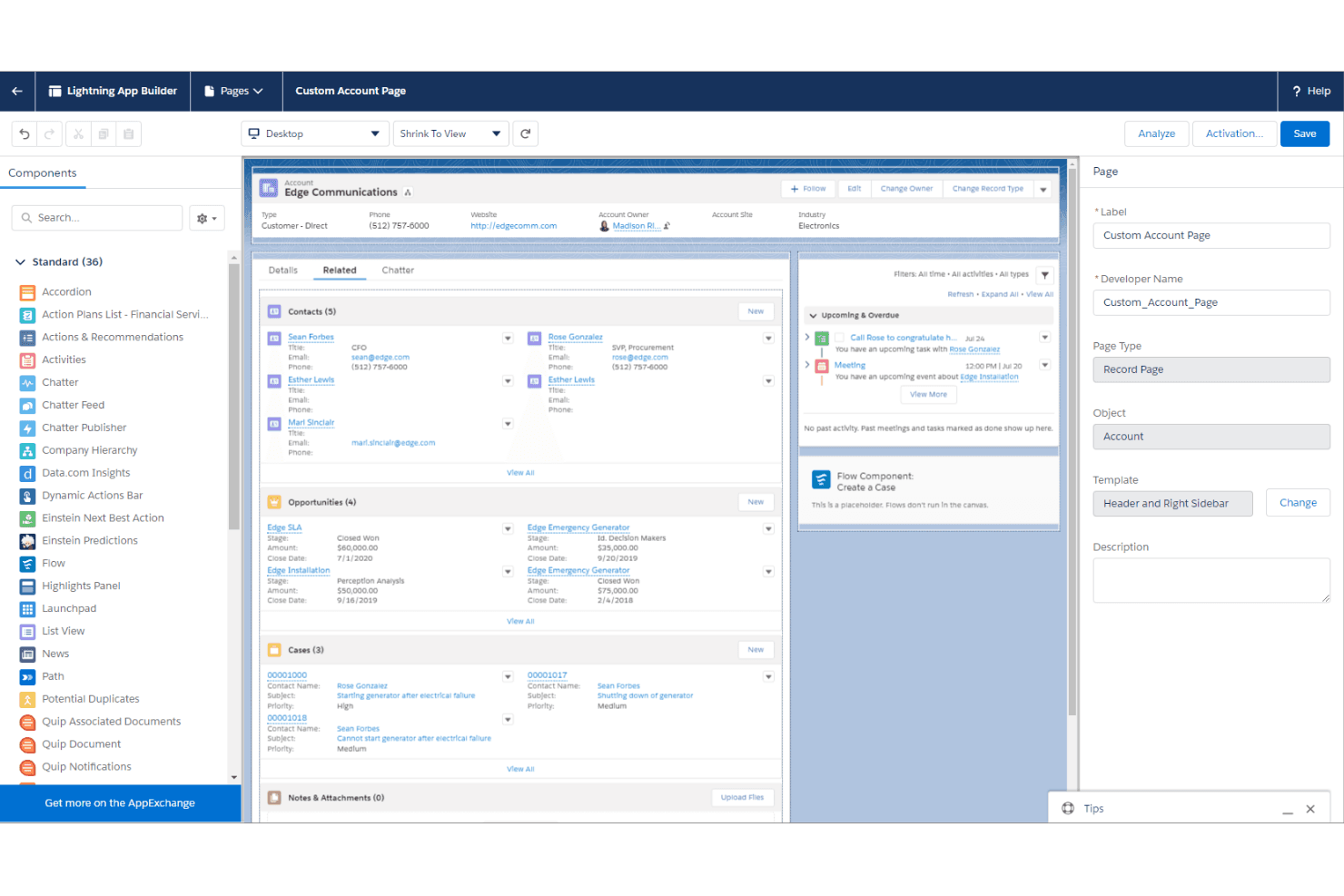
Salesforce Lightning lets teams customize pages with reusable components. Salesforce Lightning is a low-code rapid application development platform that lets you build, customize, and deploy apps using a component-based framework, drag-and-drop tools, and deep integration with Salesforce's CRM and data ecosystem.
Who Is Salesforce Lightning Best For?
Salesforce Lightning is a strong fit for enterprise teams already running their operations on Salesforce who want to build custom apps without leaving that ecosystem.
Why I Picked Salesforce Lightning
Salesforce Lightning earns its spot on my shortlist because it lets teams build and deploy custom apps directly on top of their existing Salesforce data, which removes a massive amount of redundant setup work. I particularly like the Lightning App Builder, where you can assemble apps from pre-built components tied to live CRM records. The Salesforce Flow automation layer also means product teams can wire up complex business logic without writing backend code.
Salesforce Lightning Key Features
- Lightning Web Components: A framework for building reusable UI components using standard web technologies that can be deployed across Salesforce apps.
- AppExchange marketplace: A library of pre-built apps, components, and integrations you can install directly into your Salesforce environment.
- Einstein AI integration: Built-in AI capabilities that let you add predictive analytics and recommendations to custom apps without separate AI tooling.
- Multi-experience deployment: Tools for publishing apps across desktop, mobile, and Experience Cloud sites from a single build.
Salesforce Lightning Integrations
Salesforce Lightning offers marketplace integrations through AppExchange, including apps, components, and integrations that extend Salesforce. It also supports custom connectivity through Salesforce APIs.
Pros and Cons
Pros:
- Reusable components support cross-channel deployment
- Flow automates business rules without backend code
- Visual app assembly uses live CRM records
Cons:
- Complex interfaces often require custom code
- Complex deployments depend on experienced Salesforce admins
Learn more about Salesforce Lightning:
Diğer Hızlı Uygulama Geliştirme Yazılımları
Kısa listeme giremeyen ancak yine de göz atmaya değer bazı ek hızlı uygulama geliştirme yazılımı seçenekleri şunlardır:
- 11QuickbaseBest for IT-governed citizen app building
- 12WaveMakerBest for private cloud low-code deployment
- 13QuixyBest for enterprise workflow automation without code
- 14AppsmithBest for open-source internal tool dev with Git
- 15SuperblocksBest for IT-governed database and API connections
- 16BudibaseBest for self-hosted open-source app building
- 17Magic SoftwareBest for legacy app modernization with ERP integration
- 18Oracle APEXBest for apps built directly on Oracle Database
- 19Quick BaseBest for governed citizen-dev at enterprise scale
How I Evaluate Rapid Application Development Software
I split my evaluation into three parts, with the most weight on core functionality: build app screens, data, and logic, then connect business systems. Next, I look for differentiators such as AI-assisted development that drafts an app from a prompt. Finally, I consider support, onboarding, and pricing value beyond features.
Core Functionality (Table Stakes For This List)
When I'm selecting tools for my list, I score each one on a scale from 0 (does not offer the functionality) to 5 (excels in this area) for each core functionality listed below. I then convert the total into a percentage to help assess each tool's overall fit, with extra weight on any functionalities I’ve deemed essential.
- Visual App Builder (Essential): I look for visual tools to shape screens, data, and logic, such as building an intake app without hand-coding every form and rule.
- Templates & Components (Essential): I assess how easily teams can adapt reusable components and templates for common needs, such as an internal request portal.
- Workflow Automation: I check whether teams can model conditional approvals and multi-step processes, such as routing purchase requests by department.
- Data Connectivity: I evaluate connectors and API options for linking apps to systems like a CRM, database, or existing business platform.
- Deployment Options: I look for clear publishing paths to web or mobile environments and controls for moving an app between development and production.
- Lifecycle Management: I consider versioning, testing, and rollback options that help teams update a live app while managing the risk of changes.
Once I have a list of tools that meet the criteria, I consider what sets each platform apart.
Differentiating Factors (What Sets Vendors Apart)
Here's how I compare and contrast different vendors:
Standout Features
AI-assisted development is the first thing I evaluate. I look at whether a platform's AI copilot can generate working UI layouts and app logic from a plain-language prompt—like describing an employee onboarding workflow and getting a functional draft. Governance and guardrails matter just as much, especially when citizen developers build apps alongside IT. I check for centralized admin controls that let IT teams review, approve, and enforce security policies on those apps without blocking delivery. I also consider built-in collaboration tools such as real-time co-editing and inline commenting, which keep product, design, and engineering aligned inside the builder itself.
Beyond Features
I evaluate how quickly a team goes from sign-up to a working app. Some platforms let a citizen developer ship an internal tool in a day, while others demand weeks of training before anyone touches production. I also check licensing models closely because per-user pricing can quietly balloon when an app scales from one department to an entire organization. Security and compliance posture matters just as much—I look for role-based access control, audit trails, and certifications like SOC 2 or HIPAA that regulated teams can't skip.
Hızlı Uygulama Geliştirme Yazılımı Nasıl Seçilir?
Ekibinizin geliştirme hızı, özelleştirme, entegrasyon ve yönetişim gereksinimleri için hızlı uygulama geliştirme yazılımlarını daraltırken nelere odaklanmalısınız?
| Önceliğiniz... | Şunları arayın... |
|---|---|
| Önceliğiniz...Hızlı bir şekilde prototipler oluşturmak | Şunları arayın...Görsel geliştirme araçları, yeniden kullanılabilir bileşenler, sürükle ve bırak arayüzleri |
| Önceliğiniz...Karmaşık uygulama gereksinimlerini desteklemek | Şunları arayın...Özel kod desteği, yapılandırılabilir iş akışları, genişletilebilir mimari |
| Önceliğiniz...Mevcut sistemlere bağlanmak | Şunları arayın...REST API'leri, önceden oluşturulmuş bağlayıcılar, veritabanı bağlantısı |
| Önceliğiniz...Ekipler genelinde geliştirmeyi yönetmek | Şunları arayın...Role dayalı izinler, sürüm kontrolü, paylaşılan geliştirme ortamları |
| Önceliğiniz...Uygulamaları daha hızlı üretime geçirmek | Şunları arayın...Tek tıklamayla dağıtım, otomatik test, CI/CD desteği |
| Önceliğiniz...Geliştirme ölçeklenirken yönetişimi sürdürmek | Şunları arayın...Denetim izleri, ortam kontrolleri, uygulama yaşam döngüsü yönetimi |
Kısa Listenizi Nasıl Değerlendirmelisiniz?
- Hızlı prototip oluşturmayı test edin: Platformun fikirden prototipe ne kadar hızlı geçtiğini görmek için deneme süresi boyunca formlar, iş akışları ve veritabanı bağlantısı içeren temel bir uygulama oluşturun.
- Özelleştirme derinliğini kontrol edin: Geliştiricilerin platformun görsel geliştirme araçlarının ötesine geçip geçemeyeceğini doğrulamak için önceden oluşturulmuş bir bileşeni veya iş akışını özel kodla değiştirin.
- Entegrasyon yeteneklerini doğrulayın: Platformu mevcut bir veritabanına, API'ye veya kurumsal uygulamaya bağlayın ve veri eşzamanlamasını ve kimlik doğrulamayı nasıl yönettiğini kontrol edin.
- Dağıtımı ve yönetişimi test edin: Örnek bir uygulamayı geliştirme ortamından test ortamına taşıyın ve sürüm denetimini, izinleri, denetim izlerini ve geri alma seçeneklerini inceleyin.
- Taviz: Uzun vadeli uygulama geliştirme ihtiyaçlarınız için daha hızlı düşük kodlu geliştirmenin mi yoksa daha fazla kodlama esnekliğinin mi daha önemli olduğuna karar verin.
Hızlı Uygulama Geliştirme Yazılımı Nedir?
Hızlı uygulama geliştirme yazılımı; ekiplerin görsel araçları, önceden oluşturulmuş bileşenleri ve minimum düzeyde kodlamayı kullanarak uygulamaları hızlı bir şekilde tasarlamasına, oluşturmasına ve dağıtmasına olanak tanıyan platformları ifade eder.
Bu çözümler hem teknik hem de teknik olmayan kullanıcılara hitap ederek daha hızlı prototip oluşturmayı, daha kolay iş birliğini ve iş uygulamaları için geleneksel yazılım geliştirme döngülerine olan bağımlılığın azalmasını sağlar.
Hızlı Uygulama Geliştirme Yazılımının Özellikleri
Hızlı uygulama geliştirme yazılımı seçerken aşağıdaki temel özelliklere dikkat edin:
- Görsel geliştirme ortamı: Sürükle ve bırak düzenleyicileri kullanarak uygulama arayüzleri ve iş akışları oluşturmanıza olanak tanır; böylece kod yazmadan daha hızlı tasarım yapabilirsiniz.
- Önceden oluşturulmuş şablonlar ve bileşenler: Yaygın uygulama türlerini hızlı ve daha tutarlı bir şekilde oluşturmak için yeniden kullanılabilir yerleşimler, formlar ve araç takımları sağlar.
- Veri entegrasyonu ve API'ler: Uygulamalarınızı veritabanlarına ve iş sistemlerine bağlayarak sorunsuz veri akışı ve gerçek zamanlı güncellemeler sağlar.
- İş akışı otomasyonu: Süreçlerin otomatik olarak çalışması için kurallar ve mantık oluşturmanıza olanak tanır; böylece manuel görevleri ve hataları azaltır.
- Gerçek zamanlı prototip oluşturma: Anında önizlemeler ve güncellemeler sunarak ekiplerin geri bildirim toplamasına ve tasarımlar üzerinde hemen yineleme yapmasına olanak tanır.
- Role dayalı erişim denetimleri: İzinleri hassas bir şekilde yönetmenizi sağlar; böylece ekip üyeleri projeler ve uygulamalar içinde yalnızca ihtiyaç duydukları şeylere erişebilir.
- Sürüm denetimi ve geri alma: Değişiklikleri izler ve uygulamaların önceki sürümlerini geri yüklemenize olanak tanır; daha güvenli denemeleri ve hatalardan kolayca kurtulmayı destekler.
- Duyarlı tasarım desteği: Oluşturduğunuz uygulamaların masaüstü bilgisayarlardan akıllı telefonlara kadar her cihazda iyi görünmesini ve çalışmasını sağlar.
- Tek tıklamayla dağıtım: Tamamladığınız uygulamaları tek bir işlemle web, mobil veya bulut ortamlarında yayımlar; böylece kullanıma sunma işlemini basit ve erişilebilir hâle getirir.
- Yerleşik analiz: Kullanıcı davranışını ve uygulama performansını izlemek için panolar içerir; ekiplerin sürekli iyileştirmeler için bilinçli kararlar almasına yardımcı olur.
Yaygın Hızlı Uygulama Geliştirme Yazılımı Yapay Zekâ Özellikleri
Yukarıda listelenen standart hızlı uygulama geliştirme yazılımı özelliklerinin yanı sıra bu çözümlerin çoğu aşağıdaki gibi özelliklerle yapay zekâyı da bünyesine katıyor:
- Yapay zekâ destekli bileşen oluşturma: Doğal dil istemlerinden kullanıcı arayüzü öğelerini veya iş akışlarını otomatik olarak oluşturur ve ekiplerin fikirleri daha hızlı çalışan özelliklere dönüştürmesini sağlar.
- Otomatik iş akışı önerileri: Süreç iyileştirmeleri veya yeni otomasyon kuralları önermek için uygulama mantığını ve kullanıcı davranışını analiz eder; ekiplerin iş operasyonlarını optimize etmesine yardımcı olur.
- Akıllı veri eşleme: Veri kaynaklarını eşleştirmek ve bağlamak için yapay zekâdan yararlanır; yeni veritabanlarını veya API'leri uygulamanıza entegre ederken manuel kurulumu azaltır.
- Tahmine dayalı analiz entegrasyonu: Yapay zekâ destekli tahmin ve eğilim analizini doğrudan panolara yerleştirerek ekiplerin özel uygulamaları içinde veriye dayalı kararlar almasını sağlar.
- Yapay zekâ destekli kullanıcı geri bildirimi analizi: Paydaş yorumlarını ve kullanıcı geri bildirimlerini işleyerek ortak temaları veya eyleme dönüştürülebilir içgörüleri ortaya çıkarır ve yineleme döngülerini hızlandırır.
Hızlı Uygulama Geliştirme Yazılımının Faydaları
Hızlı uygulama geliştirme yazılımını uygulamak ekibiniz ve işletmeniz için çeşitli faydalar sağlar. Yararlanabileceğiniz avantajlardan bazıları şunlardır:
- Hızlandırılmış prototipleme: Görsel düzenleyiciler ve gerçek zamanlı önizlemeler, uygulama konseptlerini hızlı bir şekilde oluşturup gözden geçirmenizi sağlayarak paydaşlardan daha hızlı geri bildirim almanızı mümkün kılar.
- Geliştiricilere olan bağımlılığın azalması: Sürükle ve bırak araçları ile önceden oluşturulmuş bileşenler, teknik bilgiye sahip olmayan kullanıcıların uygulama oluşturma sürecine katılmasına olanak tanır.
- Geliştirilmiş süreç otomasyonu: Yerleşik otomasyon araçları, rutin iş akışlarını kolaylaştırarak manuel çabayı azaltır ve hataları en aza indirir.
- Esnek entegrasyon: Veri bağlayıcıları ve API'ler, birden fazla kaynaktaki bilgilerin özel uygulamalar içinde birleştirilmesini kolaylaştırır.
- Geliştirilmiş iş birliği: Çok kullanıcılı düzenleme ve gömülü yorumlar gibi özellikler, ekiplerin uygulamalar üzerinde gerçek zamanlı olarak birlikte çalışmasını sağlar.
- Daha düşük uygulama maliyetleri: Şeffaf fiyatlandırma modelleri ve düşük kodlu araçlar, projeleriniz büyüdükçe bütçelerin öngörülebilir kalmasına yardımcı olur.
- Ölçeklenebilir dağıtım: Hem hızlı prototipleri hem de üretime hazır uygulamaları destekleyen platformlar, çözümlerinizin ihtiyaçlara göre gelişmesini sağlar.
Hızlı Uygulama Geliştirme Yazılımının Maliyetleri ve Fiyatlandırması
Hızlı uygulama geliştirme yazılımı seçmek, mevcut çeşitli fiyatlandırma modellerinin ve planların anlaşılmasını gerektirir. Maliyetler özelliklere, ekip büyüklüğüne, eklentilere ve daha fazlasına göre değişir. Aşağıdaki tablo, hızlı uygulama geliştirme yazılımı çözümlerinde yaygın olarak sunulan planları, ortalama fiyatlarını ve tipik olarak dahil edilen özellikleri özetlemektedir:
Hızlı Uygulama Geliştirme Yazılımı için Plan Karşılaştırma Tablosu
| Plan Türü | Ortalama Fiyat | Yaygın Özellikler |
|---|---|---|
| Plan TürüÜcretsiz Plan | Ortalama Fiyat$0 | Yaygın Özellikler Temel görsel oluşturucular, sınırlı şablonlar, kısıtlı entegrasyonlar, tek kullanıcı erişimi ve topluluk desteği sunar. |
| Plan TürüKişisel Plan | Ortalama Fiyat$10-$30/kullanıcı/ay | Yaygın Özellikler Standart şablonlar, daha fazla entegrasyon seçeneği, sınırlı otomasyon, temel analizler ve e-posta desteği içerir. |
| Plan Türüİşletme Planı | Ortalama Fiyat$40-$80/kullanıcı/ay | Yaygın Özellikler Gelişmiş otomasyon, role dayalı izinler, geliştirilmiş entegrasyonlar, ekip iş birliği ve öncelikli müşteri desteği sunar. |
| Plan TürüKurumsal Plan | Ortalama Fiyat$100+/kullanıcı/ay | Yaygın Özellikler Özel entegrasyonlar, güvenlik sertifikaları, özel işe alıştırma süreci, ortam ayrımı ve premium destek özelliklerine sahiptir. |
Hızlı Uygulama Geliştirme Yazılımı SSS
Hızlı uygulama geliştirme yazılımı hakkında sık sorulan soruların bazı yanıtlarını burada bulabilirsiniz:
Hızlı uygulama geliştirme yazılımı, geleneksel geliştirme araçlarından nasıl farklıdır?
Hızlı uygulama geliştirme yazılımı, uygulama oluşturmayı hızlandırmak için görsel oluşturucular, yeniden kullanılabilir bileşenler ve otomasyon kullanırken geleneksel araçlar manuel kodlamaya ve daha uzun bir geliştirme yaşam döngüsüne dayanır. Bu geliştirme yaklaşımı, ekiplerin derin programlama uzmanlığına ihtiyaç duymadan hızlı bir şekilde yineleme yapmasına ve değişen gereksinimlere yanıt vermesine yardımcı olur.
Katı bir şelale modeli yerine yinelemeli bir geliştirme döngüsü kullanan ekipler, geliştirme süresini önemli ölçüde azaltabilir ve çalışan bir modeli çok daha hızlı sunabilir. Bu hızlı tempolu RAD metodolojisi, giriş engellerini azaltarak genellikle modern işletmeler için kapsamlı bir düşük kodlu geliştirme platformu işlevi görür.
Geliştirici olmayan kişiler hızlı uygulama geliştirme yazılımını kullanabilir mi?
Evet, hızlı uygulama geliştirme yazılımlarının çoğu geliştirici olmayan kişiler için tasarlanmıştır. Sürükle ve bırak arayüzleri, şablonlar ve yönlendirmeli iş akışları, iş kullanıcılarının kod yazmadan uygulamalar oluşturup güncellemesini mümkün kılar; ancak bazı gelişmiş özellikler yine de teknik destek gerektirebilir.
Bu yaklaşım, sürecin erken aşamalarında yoğun kullanıcı katılımını teşvik ederek ekiplerin sürekli kullanıcı geri bildirimi toplamasına ve uygulamayı sonlandırmadan önce temel kullanıcı ihtiyaçlarını hızla ele almasına olanak tanır.
Hızlı uygulama geliştirme yazılımıyla ne tür uygulamalar oluşturabilirim?
İç araçlar, iş akışı otomasyonu, veri panoları, müşteri portalları ve mobil ya da web uygulamaları dahil olmak üzere çok çeşitli iş uygulamaları oluşturabilirsiniz. Bu hızlı uygulama geliştirme araçlarının esnekliği, hem basit prototipleri hem de karmaşık, modüler kurumsal uygulamaları destekler.
İster küçük yardımcı programlar ister büyük ölçekli sistemler oluşturuyor olun, bu RAD araçları nihai ürünün son kullanıcıların gerçek gereksinimleriyle doğrudan uyumlu olmasını sağlar.
Hızlı uygulama geliştirme yazılımıyla oluşturulan uygulamalar ne kadar güvenlidir?
Güvenlik; şifreleme, erişim denetimleri ve uyumluluk sertifikaları gibi platformun güvenlik önlemlerine bağlıdır. Hassas verileri veya iş akışlarını kullanıma almadan önce her zaman bir sağlayıcının güvenlik belgelerini inceleyin ve uygulamalarının kuruluşunuzun gereksinimleriyle uyumlu olduğundan emin olun.
Uygun bir geliştirme metodolojisi, güvenlik incelemesinin ve hata ayıklamanın üretim döngüsüne dahil edilmesini sağlayarak dağıtım sürecini zaman alıcı hâle getirmeden verileri korur.
Eski sistemlerden geçiş yaparken nelere dikkat etmeliyim?
Veri geçişini, mevcut araçlarla entegrasyonu ve kullanıcı eğitimini planlayın. Ekibinizin sorunsuz bir şekilde geçiş yapmasına ve iş operasyonlarındaki kesintileri en aza indirmesine yardımcı olmak için geçiş desteği, kapsamlı belgeler ve işe alıştırma kaynakları sunan platformları tercih edin.
Modern bir RAD modeline geçiş yapmak, dağıtımınızı yönetilebilir sprintlere bölmenize olanak tanır. Bu da eski bir geliştirme modeline veya katı bir spiral modele kıyasla değişen kurumsal hedeflere uyum sağlamayı çok daha kolay hâle getirir.