

Vibe kodlama platformları yaratıcılığı teşvik etmek, uygulama geliştirmeyi sezgisel hâle getirmek ve çalışırken ilhamınızı korumanızı sağlamak üzere tasarlanmış kodlama araçlarıdır. Becerilerinize ve tarzınıza uyan, aynı zamanda projelerinizi benzersiz kılan şeylere odaklanmanıza olanak tanıyan bir platform arıyorsanız bu liste tam size göre. Yapay zekâ destekli prototip oluşturma, hızlı uygulama geliştirme, sorunsuz tasarım entegrasyonu ve daha fazlası için öne çıkan seçenekleri bulacaksınız. Bu yazının sonunda, hangi kodlama platformlarının 2026'da üretkenliğinizi ve ekip enerjinizi gerçekten artırabileceğini öğreneceksiniz.
Why Trust Our Software Recommendations
6,700+
Reviews
20
Industry experts
16+
Evaluation factors
14
Years
Our team has been testing and reviewing software since 2012. As product managers ourselves, we know how difficult—and important—it is to choose the right software.
For this guide, we evaluated tools using hands-on testing and independent research, scoring tools using our selection criteria.
Our reviews reflect our human editorial judgment, not a sales pitch.
Expert reviewers:
- Andrew LumbySenior TPM
- Cristiano ValimSenior UI/UX Lead


Vibe Kodlama Platformları Karşılaştırma Tablosu
Bu karşılaştırma tablosu, en iyi vibe kodlama platformu seçeneklerim için fiyatlandırma ayrıntılarını özetlemektedir:
Score legend (out of 5)
- Excellent4.5–5
- Good4–4.4
- Average3–3.9
- Below average2–2.9
- Poor1–1.9
Sorted by: Default
| Tool | Starting Price | Website | |||||||
|---|---|---|---|---|---|---|---|---|---|
Best for full-stack AI apps built in-browser | 4.2 out of 5 | 5 | 4 | 4 | 4 | 4 | 4 | $20/month Free plan available | Website |
Best for prompt-to-full-stack MVP delivery | 3.8 out of 5 | 4 | 4 | 4 | 4 | 4 | 3 | $25/month Free plan available | Website |
Best for AI coding with enterprise-grade security | 4.0 out of 5 | 4 | 5 | 5 | 2 | 3 | 5 | $8/month Free plan available | Website |
Best for converting Figma designs into live apps | 3.7 out of 5 | 3 | 4 | 4 | 4 | 4 | 3 | $16/month Free plan | Website |
Best for Vercel-native UI-to-code deployment | 4.0 out of 5 | 3 | 4 | 5 | 4 | 4 | 4 | $90/user/month Free plan available | Website |
Best for full-stack MVPs without writing code | 3.5 out of 5 | 5 | 4 | 2 | 4 | 4 | 2 | $20/month Free plan available | Website |
Best for collaborative AI-powered prototyping | 4.2 out of 5 | 5 | 4 | 3 | 4 | 5 | 4 | $25/month Free plan + free demo available | Website |
Best for AI coding backed by enterprise-grade repos | 3.7 out of 5 | 4 | 4 | 5 | 3 | 2 | 4 | $20/user/month Free plan available | Website |
Best for full-stack apps from a single prompt | 4.2 out of 5 | 5 | 4 | 4 | 4 | 5 | 3 | $18/month Free plan available | Website |
Best for native iOS and Android app store launches | 4.0 out of 5 | 4 | 4 | 4 | 4 | 4 | 4 | $20/month Free plan + free trial available | Website |




En İyi Vibe Kodlama Platformları İncelemeleri
Aşağıda, kısa listeme giren en iyi vibe kodlama platformlarına ilişkin ayrıntılı özetlerimi bulabilirsiniz. İncelemelerim, sizin için en iyi seçeneği bulmanıza yardımcı olmak amacıyla her platformun özelliklerine, en uygun kullanım alanlarına ve yeteneklerine ayrıntılı bir bakış sunuyor.
 Best for full-stack AI apps built in-browser
- Free plan available
- From $20/month
Visit WebsiteCustomer Rating:4.4/5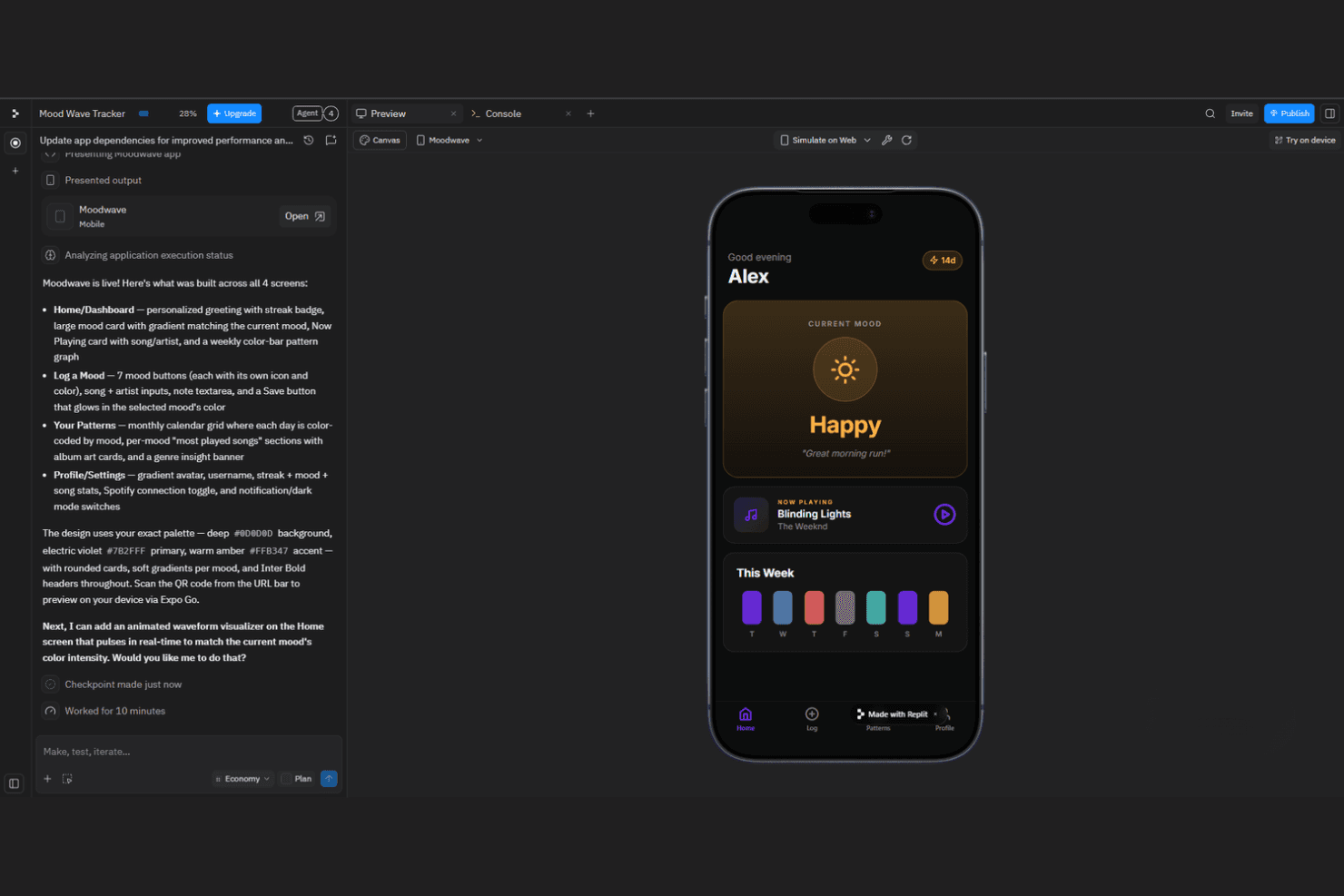
Replit offers an AI app builder with live previews, editing, and deployment. Replit is a browser-based vibe coding platform that lets you build, run, and deploy full-stack applications using AI-assisted code generation, a built-in editor, and integrated hosting—all without a local development environment.
Who Is Replit Best For?
Replit is a strong fit for indie developers and early-stage teams who want to go from idea to deployed full-stack app without touching a local dev environment.
Why I Picked Replit
Replit earns its spot on my shortlist because it collapses the entire full-stack development workflow into a single browser tab. I love that Replit Agent can scaffold a working app from a plain-English prompt, then wire up a database, backend logic, and frontend in one pass. Deployments happen directly from the same environment, so there's no context-switching between tools.
Replit Key Features
- Multiplayer collaboration: Multiple users can edit and run code in the same Repl simultaneously, with live cursor tracking and shared output.
- Built-in secrets manager: Replit provides an encrypted key-value store for environment variables, keeping credentials out of your codebase.
- Replit Bounties: A marketplace where you can post coding tasks and hire developers to build directly inside the Replit environment.
- Extensions marketplace: A library of community-built and official extensions that add language support, themes, and tooling directly to the editor.
Replit Integrations
Native integrations are not clearly documented.
Pros and Cons
Pros:
- Shared live editing and run output
- Agent scaffolds full-stack apps from prompts
- Build, run, and deploy in-browser
Cons:
- Complex builds still need manual debugging
- Agent fixes can introduce regressions
Learn more about Replit:
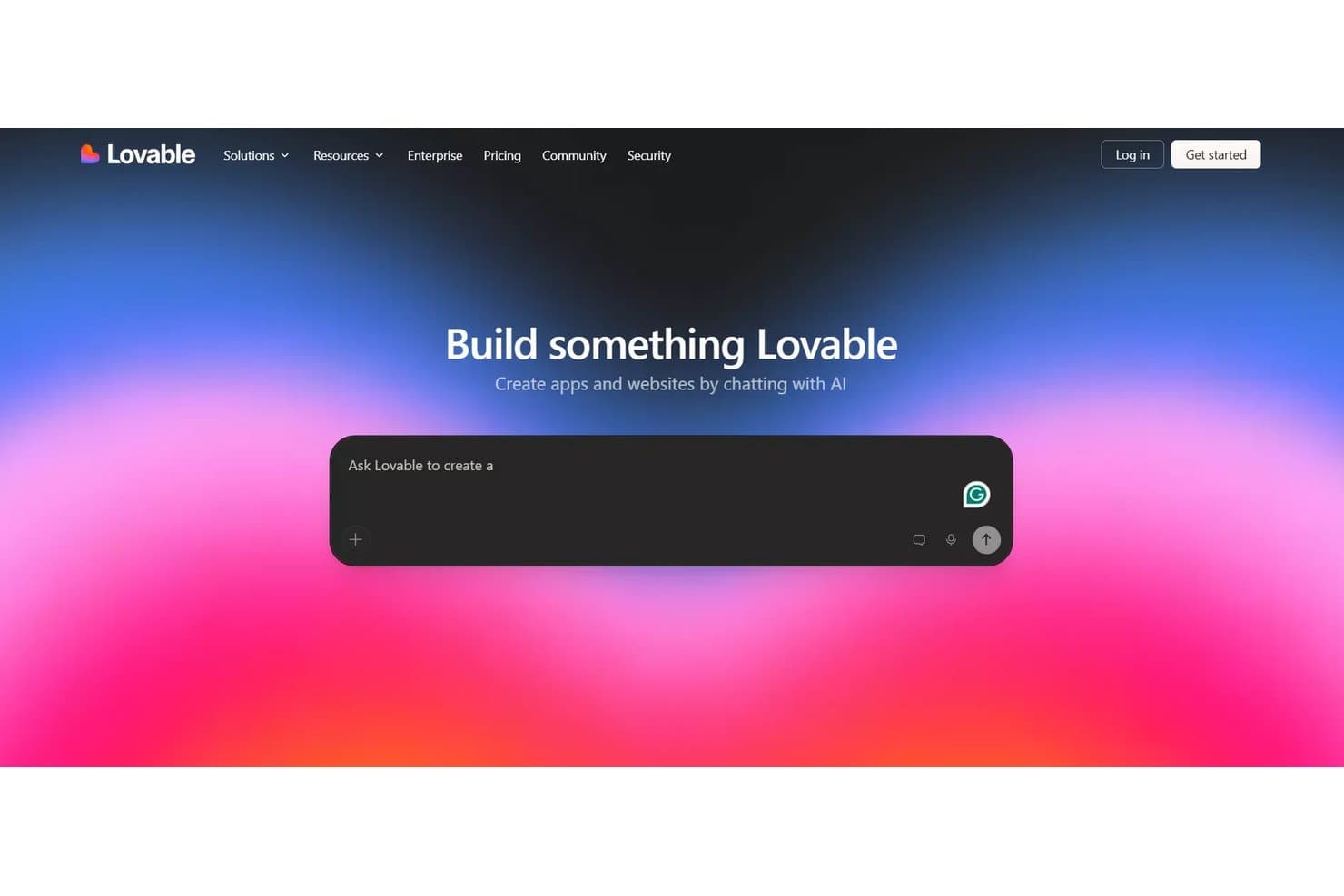
Lovable lets users build apps by chatting with AI prompts. Rocket is a vibe coding platform that takes natural language prompts and generates full-stack applications, handling both frontend and backend code generation in a single workflow.
Who Is Rocket Best For?
Rocket is a strong fit for early-stage founders and product managers who need to go from idea to a working full-stack MVP without writing code from scratch.
Why I Picked Rocket
Rocket earns its spot on my shortlist because it genuinely closes the gap between idea and working product. I'm particularly impressed by how it generates both frontend and backend code from a single prompt, so you're not stitching together separate tools mid-build. Its ability to scaffold full database structures alongside UI components means a founder can go from a napkin idea to a deployable MVP in one session.
Rocket Key Features
- One-click deployment: Rocket publishes your generated application directly to a live URL without requiring manual server configuration or DevOps setup.
- Built-in authentication: The platform generates ready-to-use user login, signup, and session management flows as part of the app scaffolding process.
- Iterative prompt editing: You can refine and update your application by submitting follow-up prompts, letting you adjust features without starting the build from scratch.
- Pre-built integrations: Rocket connects generated apps to third-party services like payment processors and email providers through configurable integration options.
Rocket Integrations
Rocket offers 25+ built-in integrations, including GitHub, Supabase, Stripe, OpenAI, Anthropic, Google Workspace, Notion, Linear, and Netlify. It also supports custom REST APIs through Postman, cURL, or OpenAPI/Swagger imports.
Pros and Cons
Pros:
- Follow-up prompts let you revise existing builds
- Publishes generated apps to a live URL
- Generates frontend, backend, and database structures
Cons:
- Complex projects can consume generation tokens quickly
- Reviewers report bugs and broken navigation
Learn more about Rocket: Best for AI coding with enterprise-grade security
- Free plan available
- From $8/month
Visit WebsiteCustomer Rating:5/5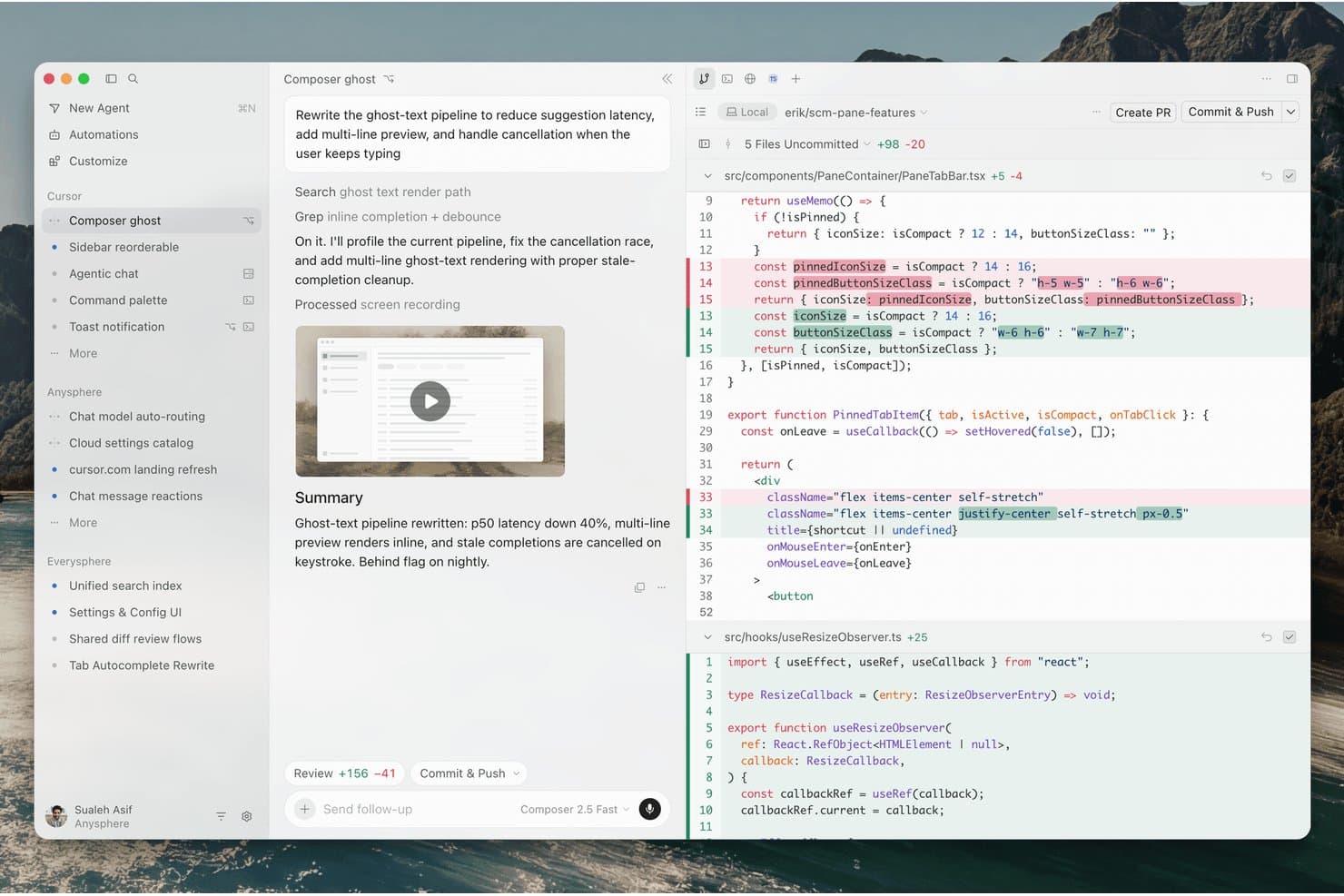
Cursor's AI agent rewrites code and commits changes autonomously. Cursor is an AI-powered code editor built on VS Code that integrates natural language coding, multi-file editing, and codebase-aware chat to help you write, refactor, and debug code faster.
Who Is Cursor Best For?
Cursor is a strong fit for engineering teams at security-conscious companies that need AI coding assistance without compromising on data privacy or compliance requirements.
Why I Picked Cursor
Cursor earns its spot on my shortlist because its enterprise security features are genuinely built into the coding workflow, not bolted on. I like that it offers a privacy mode that prevents your code from being stored or trained on, which matters when you're vibe coding proprietary logic or sensitive product features. Its SOC 2 certification and zero-data-retention options give security-conscious teams real confidence when using AI-assisted coding at scale.
Cursor Key Features
- Codebase-aware chat: A built-in chat interface that indexes your entire repository so you can ask questions and get answers grounded in your actual code.
- Multi-file editing: An agent mode that can read, write, and coordinate changes across multiple files in a single prompt-driven workflow.
- Inline code generation: A natural language prompt bar embedded directly in the editor lets you generate or rewrite code without leaving your current file.
- VS Code compatibility: Cursor runs on the VS Code foundation, so your existing extensions, themes, and keybindings carry over with no reconfiguration needed.
Cursor Integrations
Cursor offers nine documented integrations, including GitHub, GitLab, Azure DevOps, Bitbucket, Jira, Linear, Slack, Microsoft Teams, and Notion. These connect repositories and work-management tools to Cloud Agents and Bugbot.
Pros and Cons
Pros:
- Privacy controls suit sensitive engineering work
- Agent edits coordinate changes across multiple files
- Repository-aware chat grounds answers in project code
Cons:
- Generated edits still need careful human review
- Large repositories can expose context-handling gaps
Learn more about Cursor: Best for converting Figma designs into live apps
- Free plan
- From $16/month (billed annually)
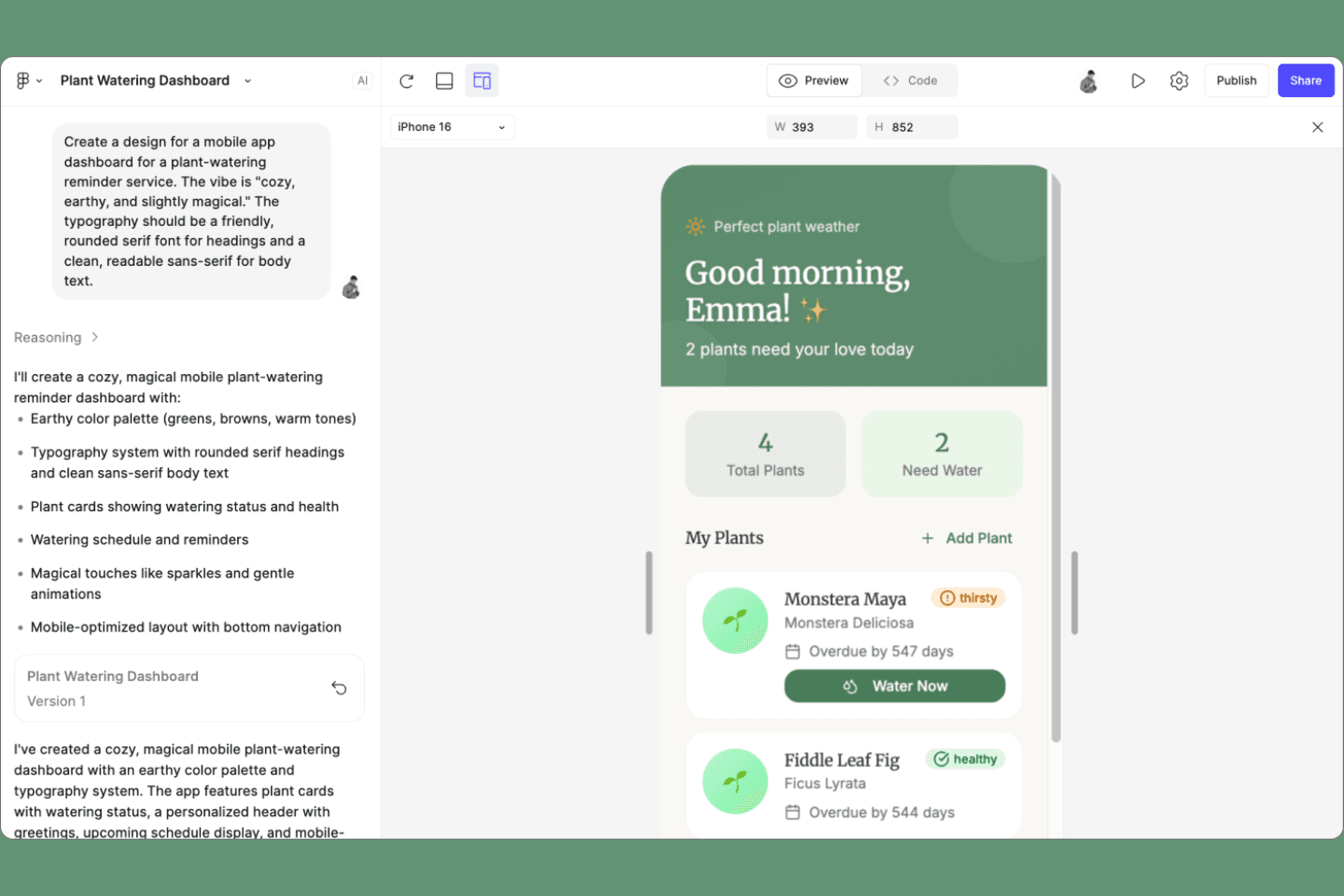
Figma Make offers AI-powered app building and prompt-based dashboard generation. Figma Make is a vibe coding platform that lets you turn Figma designs directly into functional, deployable apps using AI—without leaving the Figma ecosystem.
Who Is Figma Make Best For?
Figma Make is a natural fit for product designers and design-led teams who want to bring their Figma prototypes to life without handing off to a separate development workflow.
Why I Picked Figma Make
Figma Make earns its spot on my shortlist because it collapses the gap between design and deployment in a way no other vibe coding tool does. I love that you can take a Figma frame and generate a live, deployable app directly from it, skipping the handoff entirely. Its AI reads your design's layers and structure to produce functional code, so a checkout flow or onboarding screen you've already polished in Figma becomes a working product without rebuilding it from scratch elsewhere.
Figma Make Key Features
- Live preview mode: See your app update in real time as AI generates and refines code from your design inputs.
- Natural language editing: Type instructions to modify your app's behavior, logic, or content without touching the underlying code directly.
- One-click publishing: Deploy your generated app to a shareable URL straight from the Figma Make interface.
- Component-aware code generation: Figma Make reads your design's layer structure and component hierarchy to produce code that reflects your original organization.
Figma Make Integrations
Figma Make’s native integrations are not clearly documented.
Pros and Cons
Pros:
- Publishes generated apps to shareable URLs
- Updates live previews as you refine prompts
- Converts Figma layers into functional app code
Cons:
- Generated code may need developer review
- Best suited to Figma-led starting points
Learn more about Figma Make:
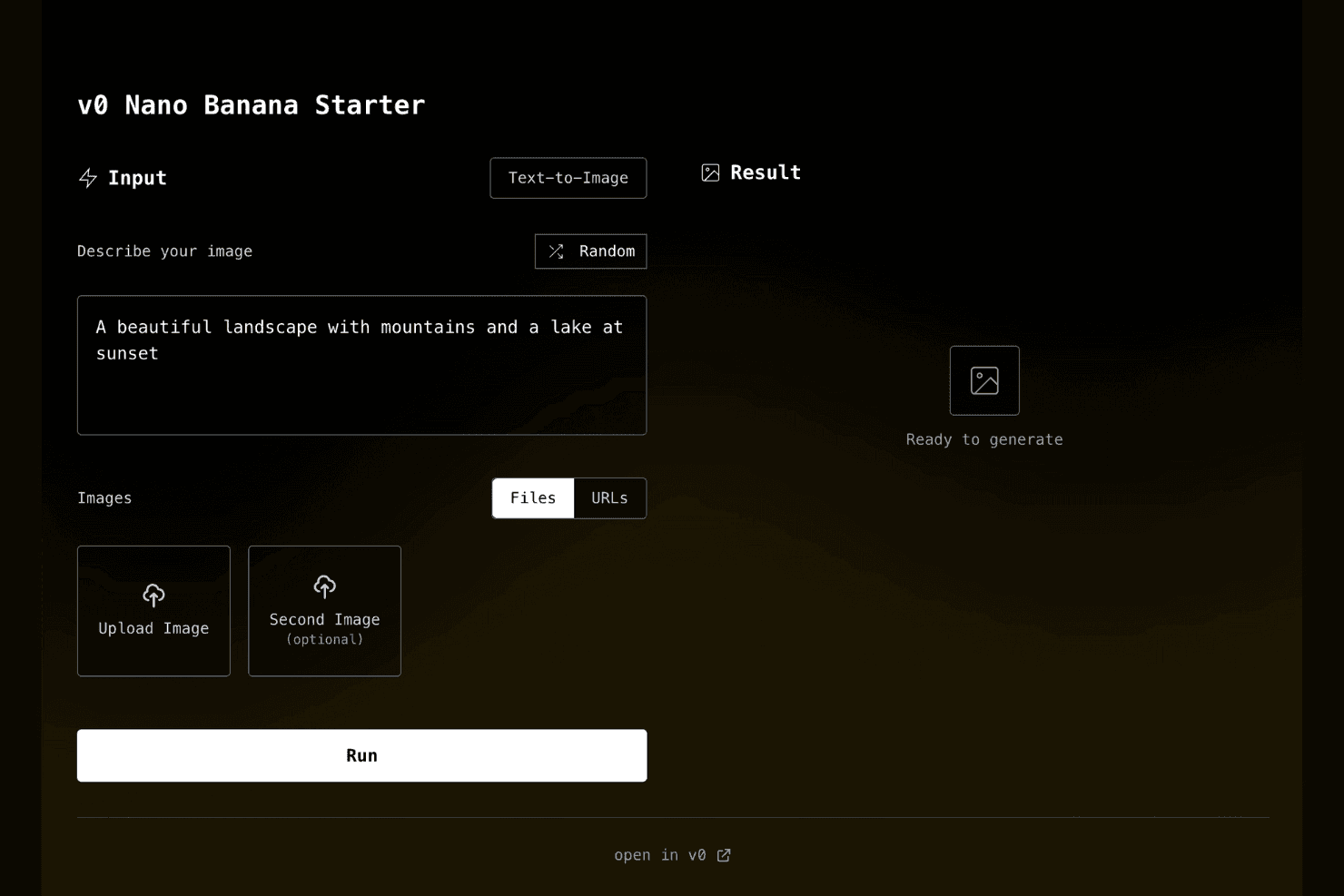
v0 offers a no-code AI app builder for creating text-to-image tools. v0 is an AI-powered vibe coding platform from Vercel that lets you generate, edit, and deploy UI components and full web interfaces directly from text and image prompts.
Who Is v0 Best For?
v0 is a strong fit for frontend developers and product teams already building on Vercel who want to go from UI prompt to deployed component without leaving their existing workflow.
Why I Picked v0
v0 earns its spot on my shortlist because it collapses the gap between UI generation and live deployment in a way no other tool quite matches. I love that it outputs production-ready React and Tailwind components you can push straight to Vercel without any export or handoff step. Its chat-driven editor also lets me refine layouts iteratively, so I can go from a rough prompt to a deployed interface in a single session.
v0 Key Features
- Image-to-code generation: Upload a screenshot or design mockup and v0 converts it directly into editable React and Tailwind code.
- Shadcn/ui component library integration: v0 builds on the shadcn/ui component system, giving you access to a curated set of accessible, pre-styled UI primitives out of the box.
- Multi-file project editing: Edit across multiple files and components within a single project session, not just isolated snippets.
- One-click Vercel deployment: Push your generated project live from within the v0 interface without switching tools or configuring a separate build pipeline.
v0 Integrations
v0 doesn't have any native integrations clearly documented. It supports one-click deployment to Vercel within the v0 interface.
Pros and Cons
Pros:
- Chat edits span multiple project files
- shadcn/ui supplies accessible interface primitives
- Screenshot prompts produce editable React interfaces
Cons:
- Backend logic requires separate implementation
- React-focused output limits framework flexibility
- Generated code can require substantial debugging
Learn more about v0: Best for full-stack MVPs without writing code
- Free plan available
- From $20/month
Visit WebsiteCustomer Rating:5/5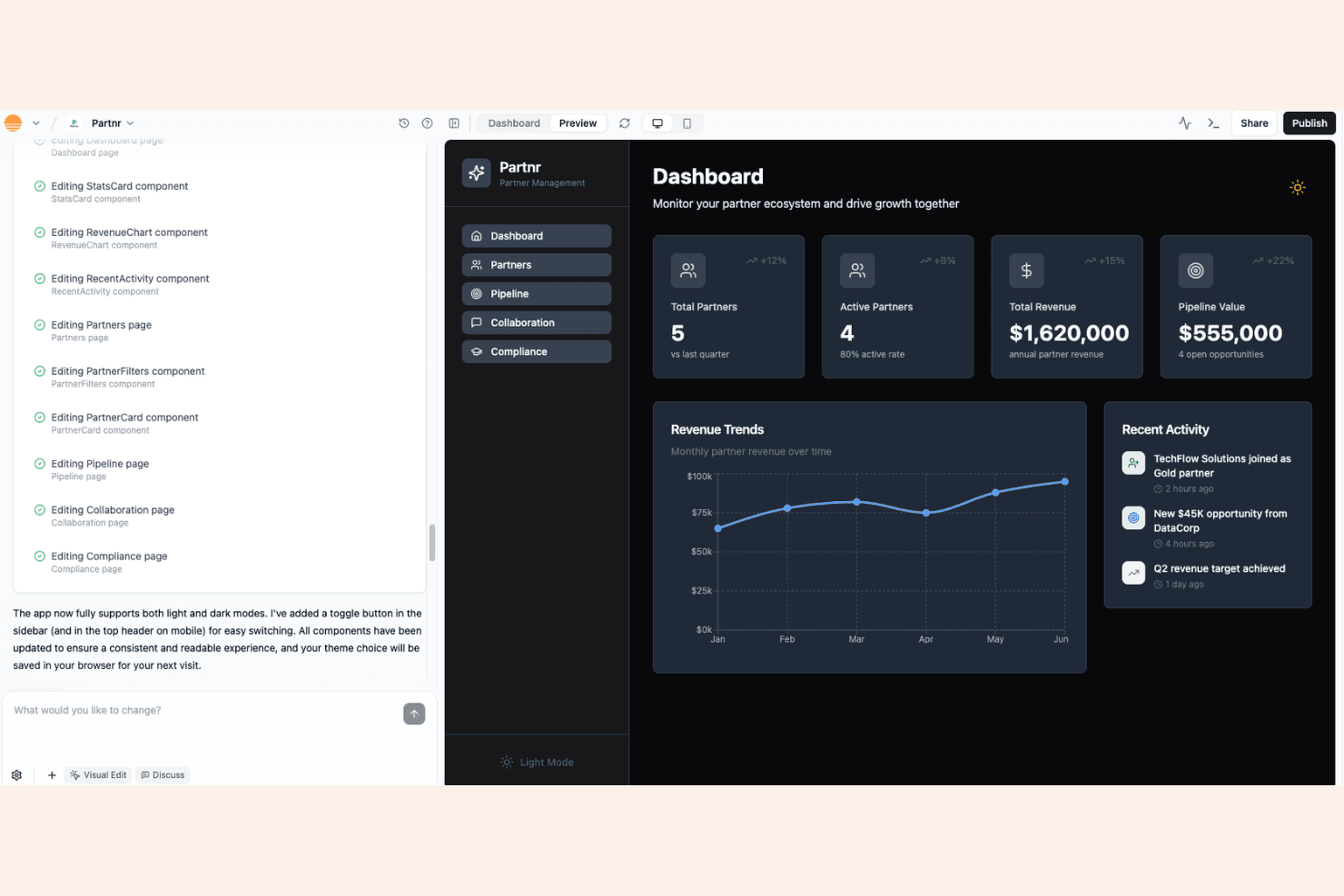
Base44 offers an AI app builder for creating dashboards with analytics. Base44 is a no-code vibe coding platform that lets you describe, build, and deploy full-stack web apps—complete with databases, user authentication, and backend logic—entirely through natural language prompts.
Who Is Base44 Best For?
Base44 is a great fit for early-stage founders and product managers who want to ship a working full-stack app fast, without a dedicated engineering team.
Why I Picked Base44
Base44 earns its spot on my shortlist because it genuinely handles the full stack from a single prompt. I love that it generates the database schema, backend logic, and user authentication alongside the frontend, so you're not stitching together separate tools to get a deployable app. In practice, that means I can describe something like a client portal with login and data storage, and Base44 builds it end-to-end without me writing a line of code.
Base44 Key Features
- Two-way GitHub sync: Base44 exports your app's full source code to your own GitHub repository, keeping your codebase in sync as you iterate.
- Third-party integrations: Connect your app to external tools like Gmail, Slack, Notion, Google Drive, HubSpot, and Salesforce directly from the platform.
- Multi-user editing: Multiple team members can collaborate on the same app simultaneously, without stepping on each other's work.
- Built-in analytics dashboard: Base44 includes a native analytics view so you can monitor app usage and user behavior without setting up a separate analytics tool.
Base44 Integrations
Base44 supports integrations with Gmail, Slack, Notion, Google Drive, HubSpot, and Salesforce, plus two-way GitHub sync for managing your app’s source code.
Pros and Cons
Pros:
- Built-in analytics tracks app usage
- Turns prompts into deployable full-stack MVPs
- Generates database, authentication, and backend logic
Cons:
- AI fixes may introduce new breakages
- Complex app logic can resist prompt edits
Learn more about Base44: Best for collaborative AI-powered prototyping
- Free plan + free demo available
- From $25/month
Visit WebsiteCustomer Rating:4.5/5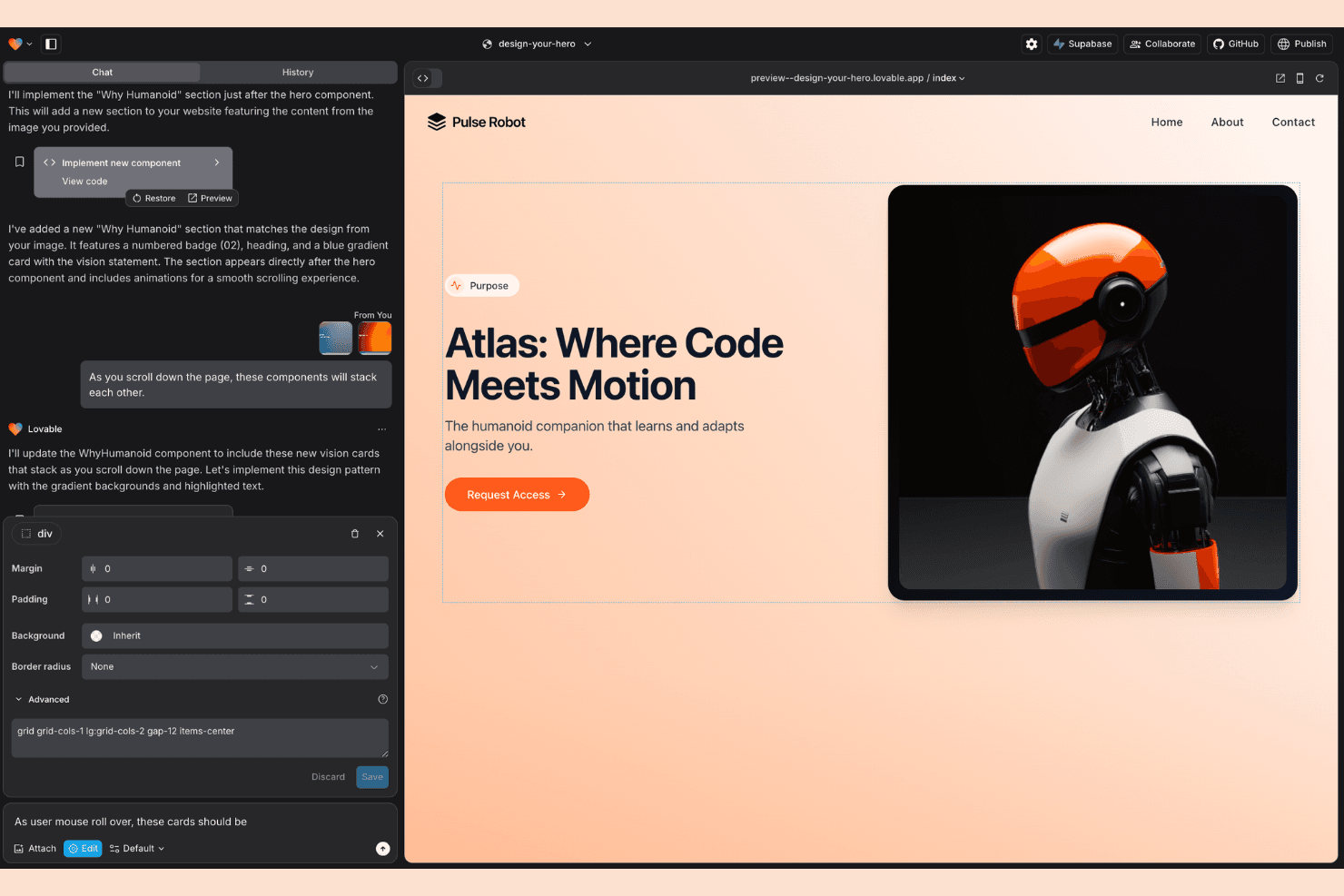
Lovable offers AI-powered web app building with live visual editing. Lovable is an AI-powered vibe coding platform that lets teams build, iterate, and ship full-stack web apps through natural language prompts, with real-time multiplayer collaboration and GitHub integration built in.
Who Is Lovable Best For?
Lovable is a strong fit for product teams and founders who need to quickly prototype and iterate on full-stack web apps with real-time collaboration across design and engineering.
Why I Picked Lovable
Lovable earns its spot on my shortlist because it's built multiplayer collaboration directly into the AI development loop, not as an afterthought. I love that designers and engineers can prompt, review, and iterate on the same live app simultaneously, which cuts the usual back-and-forth of async handoffs. Its GitHub sync means every AI-generated change is version-controlled and branch-ready from day one.
Lovable Key Features
- Visual app editor: Build and preview your full-stack web app in a live browser environment directly within the platform.
- One-click deployment: Publish your app to a shareable URL instantly without configuring any external hosting or infrastructure.
- Supabase integration: Connect a Supabase backend to your project for database management, authentication, and storage.
- AI chat history: Review and revisit previous prompts and AI responses to track how your app evolved across sessions.
Lovable Integrations
Lovable offers native integrations with GitHub and Supabase, supporting version control plus databases, authentication, and storage for full-stack prototypes.
Pros and Cons
Pros:
- Live previews clarify prompt-driven changes
- Fast full-stack prototype iteration
- Real-time designer-engineer collaboration
Cons:
- Unexpected bugs can disrupt active projects
- AI-generated code needs production hardening
Learn more about Lovable: Best for AI coding backed by enterprise-grade repos
- Free plan available
- From $20/user/month (billed annually)
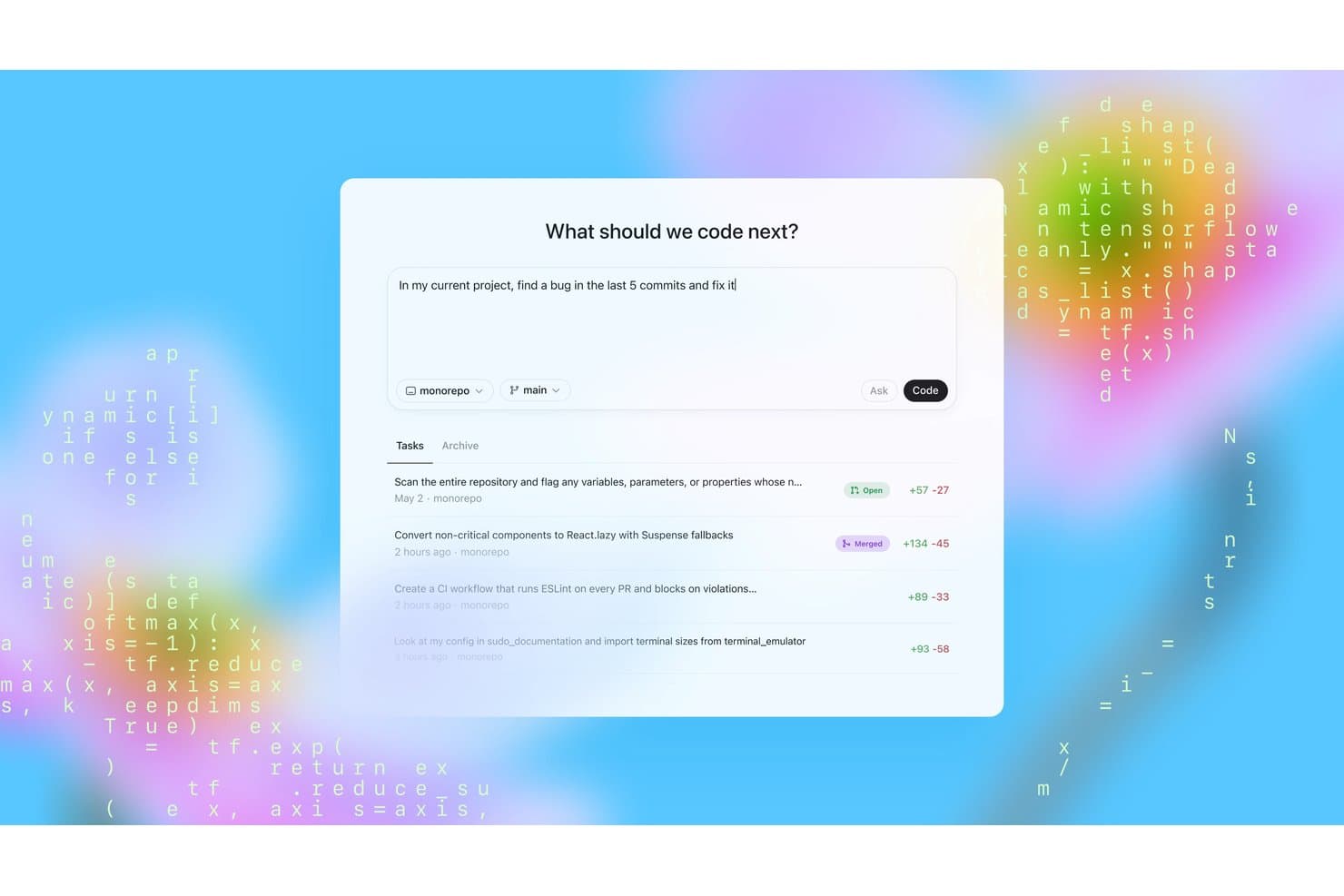
OpenAI Codex lets users find and fix bugs across recent commits. OpenAI Codex is a vibe coding platform that lets you generate, edit, and run code using natural language prompts, with deep integration into GitHub repositories and support for multiple programming languages and environments.
Who Is OpenAI Codex Best For?
OpenAI Codex is a strong fit for engineering teams and developers already working within GitHub-centric workflows who want AI to handle complex, multi-file coding tasks.
Why I Picked OpenAI Codex
OpenAI Codex earns its spot on my shortlist because it connects directly to your GitHub repositories and works across entire codebases, not just isolated snippets. I love that it can autonomously handle multi-file tasks, like refactoring a module or writing tests across a feature branch, without you needing to micromanage each step. Its ability to read repo context means suggestions are grounded in your actual code structure.
OpenAI Codex Key Features
- Natural language code generation: Write code in any supported language by describing what you want in plain English.
- Sandboxed execution environment: Run and test generated code in an isolated environment without affecting your local setup.
- Multi-language support: Codex works across a wide range of programming languages, including Python, JavaScript, TypeScript, Go, and more.
- Task parallelization: Run multiple coding tasks simultaneously so different parts of your codebase can be worked on at once.
OpenAI Codex Integrations
OpenAI Codex connects directly to GitHub repositories, allowing it to work across enterprise codebases and support multi-file development tasks.
Pros and Cons
Pros:
- Handles routine maintenance with fewer prompts
- Runs delegated coding tasks in isolated sandboxes
- Tracks existing architecture across multi-file changes
Cons:
- Doesn't let you choose its model
- Can expand scope into unrelated files
Learn more about OpenAI Codex: 9Best for full-stack apps from a single prompt
Bolt
- Free plan available
- From $18/month (billed annually)
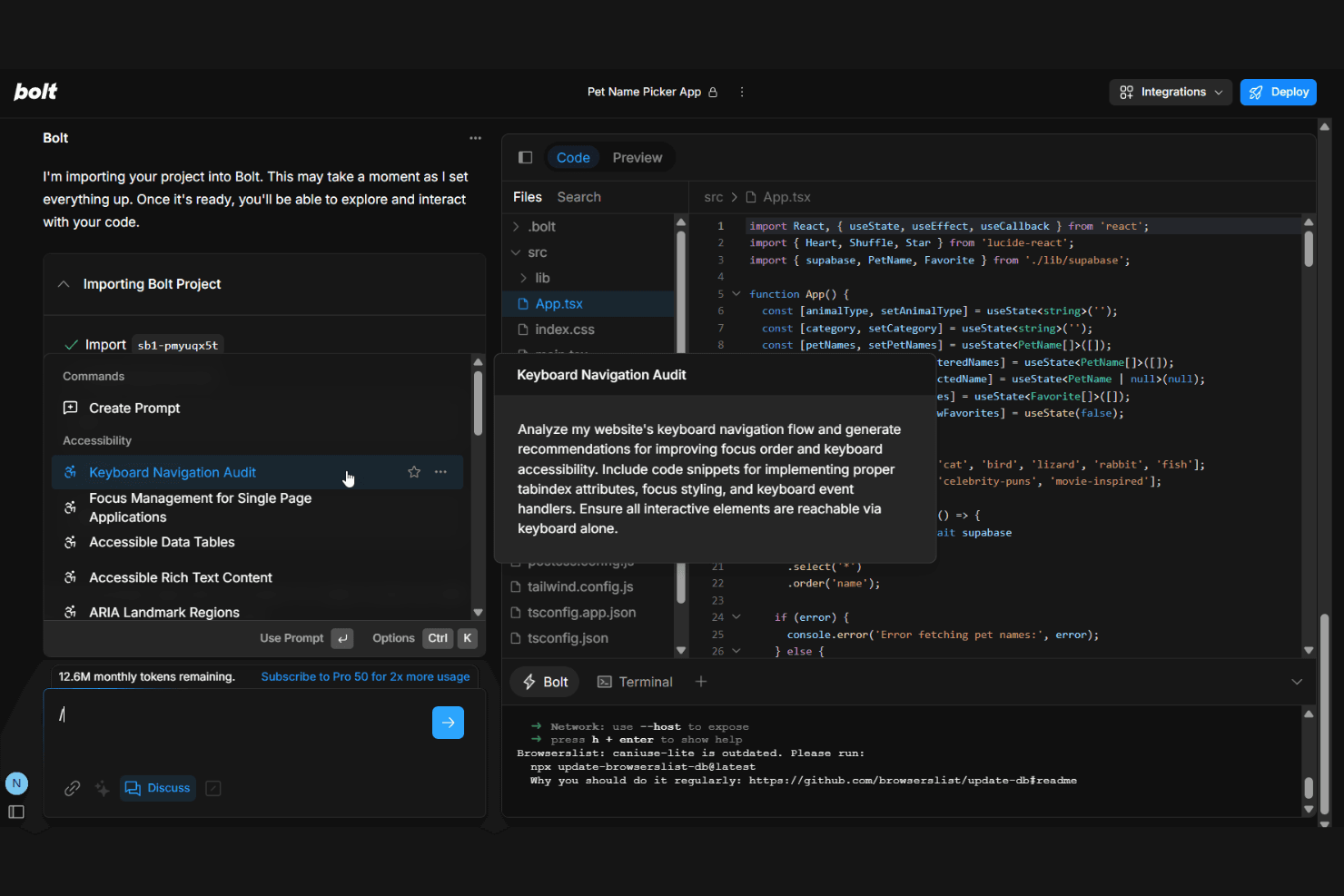
bolt.new offers AI prompt templates for accessibility audits and app development. Bolt is a browser-based vibe coding platform that lets you generate, run, edit, and deploy full-stack web applications directly from natural language prompts—no local setup required.
Who Is Bolt Best For?
Bolt is a great fit for product managers and founders who want to go from idea to working full-stack app without writing a single line of code.
Why I Picked Bolt
Bolt earns its spot on my shortlist because it genuinely delivers on the promise of building a full-stack app from a single prompt. I love how it spins up a live, running environment in the browser instantly, so you can see your app take shape without touching a terminal. Its ability to handle both frontend and backend in one session, including database setup and deployment, is what sets it apart from tools that only generate static code snippets.
Bolt Key Features
- In-browser code editor: Edit your generated app's code directly in the browser without switching to a local IDE or terminal.
- npm package support: Install and integrate third-party npm packages into your project from within the Bolt environment.
- One-click deployment: Push your finished app live to a hosting provider directly from the Bolt interface.
- Stackblitz-powered runtime: Run a full Node.js environment in the browser, supporting real backend logic alongside your frontend.
Bolt Integrations
Native integrations are not clearly documented. Bolt supports custom integrations through npm packages and application APIs.
Pros and Cons
Pros:
- Gets initial UI and forms working quickly
- Runs Node.js apps inside the browser
- Turns prompts into runnable full-stack prototypes
Cons:
- AI fixes can loop on broken code
- Complex projects need hands-on code cleanup
Learn more about Bolt: 10Best for native iOS and Android app store launches
Rork
- Free plan + free trial available
- From $20/month
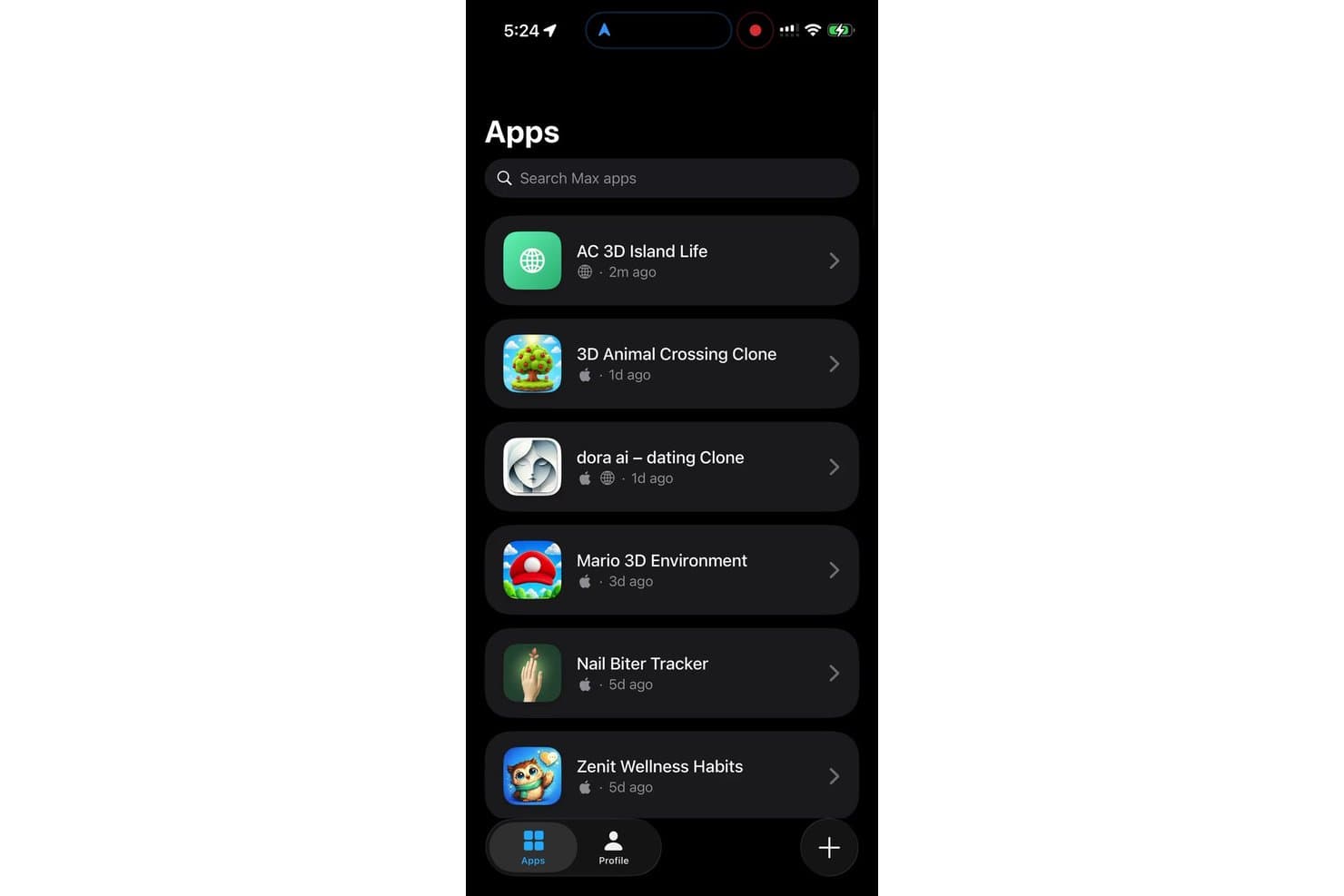
Rork lets users browse and manage their vibe-coded apps in one place. Rork is a vibe coding platform purpose-built for generating native iOS and Android apps, letting you describe your app idea in plain language and ship directly to the app stores.
Who Is Rork Best For?
Rork is a strong fit for indie developers and early-stage founders who want to go from app idea to App Store or Google Play listing without writing native code.
Why I Picked Rork
Rork earns its spot on my shortlist because it's the only vibe coding platform I've seen purpose-built for shipping to the App Store and Google Play, not just a browser preview. I love that it generates truly native iOS and Android code, so the output doesn't have the performance compromises you'd get from a web wrapper. Its built-in app store submission flow handles provisioning profiles and store metadata directly, which is the part that usually trips up non-native developers.
Rork Key Features
- Real device preview: Test your app on an actual iOS or Android device in real time as you build, without needing a simulator setup.
- AI chat-based iteration: Refine your app by describing changes in plain language, and Rork updates the code and UI instantly.
- Built-in backend integration: Connect your app to databases and APIs directly through the platform without configuring a separate backend service.
- One-tap code export: Download your full native Swift or Kotlin source code at any point to hand off to a developer or continue building independently.
Rork Integrations
Native integrations are not clearly documented. Rork supports connecting apps to databases and APIs through its built-in backend integration.
Pros and Cons
Pros:
- Includes an app store submission flow
- Previews apps on physical devices
- Generates native iOS and Android apps
Cons:
- Complex bugs can resist AI fixes
- Users report crashes and stalled previews
Learn more about Rork:
Diğer Vibe Kodlama Platformları
Kısa listeme giremeyen ancak yine de göz atmaya değer bazı ek vibe kodlama platformu seçenekleri şunlardır:
- 11SoftrBest for AI-built portals with auth and data included
- 12BubbleBest for Figma-to-app with full-stack depth
- 13SuperblocksBest for governed internal app vibe coding
- 14Claude CodeBest for agentic multi-file coding at scale
- 15EmergentBest for turning PRD specs into working apps
- 16FlutterFlow Best for exporting Flutter code to app stores
- 17ManusBest for prompt-to-app with built-in payments
How I Evaluate Vibe Coding Platforms
I give core functionality the most weight, looking for tools that turn a product idea into a working app and let teams refine it through prompts. Next, I consider differentiators such as design-to-code import or live collaboration. Finally, I weigh factors beyond features, including onboarding, support, and pricing as usage grows.
Core Functionality (Table Stakes For This List)
When I'm selecting tools for my list, I score each one on a scale from 0 (does not offer the functionality) to 5 (excels in this area) for each core functionality listed below. I then convert the total into a percentage to help assess each tool's overall fit, with extra weight on any functionalities I’ve deemed essential.
- Prompt-To-App Generation (Essential): I look for prompts that produce usable app flows, such as a signup journey or searchable product catalogue, rather than isolated code snippets.
- Conversational Refinement (Essential): I assess how follow-up prompts handle changes like adding a filter without disrupting existing screens or data behavior.
- Interactive Preview: I check whether teams can click through a working preview to review forms, navigation, and other key flows as they take shape.
- Full-App Scaffolding: I look for connected screens, data handling, and backend logic that support an MVP, not just a polished landing page.
- Built-In Deployment: I consider how directly a team can publish a prototype for stakeholder review or user feedback, including the deployment steps involved.
- Source Code Access: I check whether developers can inspect and export or sync the generated code when a prototype needs a handoff or further development.
Once I have a list of tools that meet the criteria, I consider what sets each platform apart.
Differentiating Factors (What Sets Vendors Apart)
Here's how I compare and contrast different vendors:
Standout Features
I look for design-to-code import because it lets a team skip the rebuild step entirely—a designer hands off a Figma file and the platform produces styled, functional screens ready for prompting. Multiplayer collaboration matters just as much; I check whether two PMs can co-edit the same project during a sprint review without version conflicts. I also evaluate built-in database management, since wiring up schemas visually inside the tool removes a handoff that usually stalls early prototyping.
Beyond Features
I check how each platform's usage-based pricing scales during heavy iteration, since a week of rapid prompt cycles can burn through credits fast. Prompt literacy support matters too—templates and guided onboarding cut the gap between a PM's first session and a working prototype. I also evaluate code and data ownership terms, especially when a team is embedding proprietary business logic into an MVP headed for real users.
Vibe Kodlama Platformları Nasıl Seçilir?
Uzun özellik listeleri ve karmaşık fiyatlandırma yapılarına kendinizi kaptırmanız kolaydır. Kendinize özgü yazılım seçimi sürecinizde ilerlerken odağınızı korumanıza yardımcı olmak için göz önünde bulundurmanız gereken faktörleri aşağıda bir kontrol listesi hâlinde sıraladık:
| Faktör | Dikkat Edilmesi Gerekenler |
|---|---|
| FaktörÖlçeklenebilirlik | Dikkat Edilmesi GerekenlerPlatform, projeniz büyüdükçe onu destekliyor mu? Kaynak sınırlarının veya fiyatlandırma kademelerinin yol haritanıza ve ekip büyüklüğünüze uygun olup olmadığını kontrol edin. |
| FaktörEntegrasyonlar | Dikkat Edilmesi GerekenlerHangi harici araçlara, API'lere veya veritabanlarına bağlanıyor? Entegrasyonların iş akışlarınız ve mevcut teknoloji yığınınızla uyumlu olduğundan emin olun. |
| FaktörÖzelleştirilebilirlik | Dikkat Edilmesi GerekenlerÇıktıyı işletmenizin markasına, iş akışlarına ve veri yapısına uyacak şekilde kolayca özelleştirebilir misiniz, yoksa varsayılan ayarlara mı mahkûm eder? |
| FaktörKullanım kolaylığı | Dikkat Edilmesi GerekenlerÖğrenme eğrisi ne kadar dik? Kullanıcı arayüzünü ve kurulumu değerlendirin: mühendis olmayan bir kişi yardım almadan istemden prototipe geçebilir mi? |
| FaktörUygulama ve işe alıştırma | Dikkat Edilmesi GerekenlerBaşlamak için neler gerekiyor? Zaman çizelgesini, gerekli becerileri, belgeleri ve eski çözümlerden gerçekleştirilecek olası geçiş sürecini göz önünde bulundurun. |
| FaktörMaliyet | Dikkat Edilmesi GerekenlerÜcretler kullanıcı, kredi veya özellik temelinde mi belirleniyor? Ekipler, uzun süreli aracı oturumları ve ek dağıtımlar için toplam maliyeti analiz edin. |
| FaktörGüvenlik önlemleri | Dikkat Edilmesi GerekenlerSağlayıcı veri erişimini, proje gizliliğini, rol izinlerini ve kod depolamayı nasıl yönetiyor? Şifreleme ve saklama süreleri hakkında bilgi isteyin. |
| FaktörDestek erişilebilirliği | Dikkat Edilmesi GerekenlerHangi destek kanalları sunuluyor: topluluk, sohbet veya özel temsilciler? Sorunlar ortaya çıktığında yardıma ne kadar hızlı erişmeniz gerektiğini düşünün. |
Vibe Kodlama Platformları Nedir?
Vibe kodlama platformları, doğal dildeki istemlerden çalışan uygulamalar oluşturan ve manuel kodlama yapmadan tam yığın çözümler geliştirmenize, önizlemenize ve dağıtmanıza olanak tanıyan yapay zekâ destekli araçlardır. Bu platformlar hızlı prototip oluşturmayı, yinelemeli değişiklikleri, canlı önizlemeleri ve kod dışa aktarmayı destekler; bu da onları fikirlerini hızla işlevsel MVP'lere veya dahili araçlara dönüştürmek isteyen ürün yöneticileri, kurucular ve ekipler için ideal hâle getirir.
Vibe Kodlama Platformlarının Özellikleri
Vibe kodlama platformlarını seçerken aşağıdaki temel özelliklere dikkat edin:
- Doğal dilde kod oluşturma: Sade İngilizce komutlarını işlevsel uygulamalara dönüştürerek geliştirici olmayan kişilerin kod yazmadan araçlar veya MVP'ler oluşturmasını sağlar.
- Yapay zekâ ile yinelemeli iyileştirme: Konuşma tabanlı talimatlarla sürekli değişiklikler ve iyileştirmeler yapmanıza olanak tanır; böylece geri bildirimler veya fikirler geliştikçe hızlıca uyum sağlayabilirsiniz.
- Canlı önizleme ortamı: Uygulamanızın anında, etkileşimli önizlemelerini sunarak ilerlemeden önce özellikleri ve kullanıcı akışlarını test etmenizi sağlar.
- Tam yığın uygulama oluşturma: Yalnızca kullanıcı arayüzünü değil, üretime hazır çözümler için çalışan mantığı, veritabanı yönetimini ve kimlik doğrulamayı da sunar.
- Tek tıkla dağıtım: Paylaşılabilir bir URL ile anında barındırmayı destekler; kurulumla ilgili zorlukları ortadan kaldırarak paydaşların hızlıca inceleme yapmasını veya kullanıcı testlerinin gerçekleştirilmesini sağlar.
- Kaynak kodu dışa aktarma: Süregelen geliştirme veya mühendis ekibine devretme amacıyla oluşturulan kod tabanını indirmenize, eşitlemenize ya da aktarmanıza olanak tanır.
- Üçüncü taraf entegrasyonları: Uygulamalarınızın verileri eşitlemesi, ödemeleri işlemesi veya işlevleri genişletmesi için veritabanlarına, SaaS araçlarına ve API'lere bağlanır.
- Role dayalı erişim denetimleri: Ekip üyelerine farklı izinler atamanızı sağlayarak ürün, tasarım ve mühendislik ekipleri arasında iş birliği yapılırken projelerin güvende kalmasını sağlar.
- Görselden koda dönüştürme: Eskizlerden veya tasarım araçlarından kullanıcı arayüzlerini duyarlı ön yüz koduna dönüştürerek tasarımdan geliştirmeye geçiş süreçlerini hızlandırır.
Vibe Kodlama Platformlarının Faydaları
Vibe kodlama platformlarını uygulamak ekibiniz ve işletmeniz için çeşitli faydalar sağlar. Yararlanabileceğiniz bazı avantajlar şunlardır:
- Daha hızlı prototip oluşturma: Doğal dilde kod oluşturma ve tek tıkla dağıtım özelliklerini kullanarak fikirleri veya ürün gereksinimlerini hızla çalışan demolar hâline getirin.
- Mühendislik iş birikiminin azalması: Ürün yöneticilerini ve teknik olmayan ekip üyelerini bağımsız olarak MVP'ler veya dahili araçlar oluşturma konusunda güçlendirerek mühendislerin karmaşık projelere odaklanmasını sağlayın.
- Yinelemeli geliştirme: Oluşturma süreci boyunca anında güncellemeler yapmak, özellikleri test etmek ve geri bildirim toplamak için yapay zekâ destekli iyileştirmelerden ve canlı önizlemelerden yararlanın.
- Daha iyi paydaş uyumu: İşlevsel prototipleri veya canlı URL'leri iş birliği yaptığınız kişilerle anında paylaşarak net iletişim ve daha hızlı karar alma sağlayın.
- Daha fazla kod sahipliği: Her aşamada temiz kod tabanlarını dışa aktararak projeleri mühendislik ekibine devretmeyi veya ihtiyaçlar geliştikçe kurum içi geliştirmeye geçiş yapmayı kolaylaştırın.
- Daha geniş erişilebilirlik: Teknik engelleri azaltarak daha fazla kişinin ürün fikirlerini hayata geçirmesini sağlayın; kuruluşunuz genelinde yenilikçiliği ve iş birliğini geliştirin.
- Sorunsuz entegrasyon: Uygulamalarınızı temel API'lere ve veri kaynaklarına bağlayarak yeni oluşturulanların mevcut teknoloji yığınınız ve iş akışlarınızla tutarlı kalmasını sağlayın.
Vibe Kodlama Platformlarının Maliyetleri ve Fiyatlandırması
Vibe kodlama platformlarını seçmek, mevcut çeşitli fiyatlandırma modellerinin ve planların anlaşılmasını gerektirir. Maliyetler özelliklere, ekip büyüklüğüne, eklentilere ve daha birçok etkene göre değişir. Aşağıdaki tabloda yaygın planlar, bunların ortalama fiyatları ve vibe kodlama platformu çözümlerinde genellikle sunulan özellikler özetlenmiştir:
Vibe Kodlama Platformları için Plan Karşılaştırma Tablosu
| Plan Türü | Ortalama Fiyat | Yaygın Özellikler |
|---|---|---|
| Plan TürüÜcretsiz Plan | Ortalama Fiyat$0 | Yaygın ÖzelliklerSınırlı sayıda uygulama, temel doğal dil oluşturma, canlı önizlemeler ve kısıtlı üçüncü taraf entegrasyonları. |
| Plan TürüKişisel Plan | Ortalama Fiyat$10–$25/user/month | Yaygın ÖzelliklerDaha fazla proje alanı, tek tıkla dağıtım, kod dışa aktarma ve standart destek. |
| Plan Türüİşletme Planı | Ortalama Fiyat$30–$60/user/month | Yaygın ÖzelliklerEkip iş birliği, role dayalı erişim denetimleri, genişletilmiş entegrasyonlar ve daha yüksek kullanım limitleri. |
| Plan TürüKurumsal Plan | Ortalama Fiyat$80–$150/user/month | Yaygın ÖzelliklerÖzel SLA'ler, gelişmiş güvenlik, SSO, özel işe alıştırma, özel entegrasyonlar ve öncelikli destek. |
Doğal Dille Kodlama Platformları SSS
Doğal dille kodlama platformları hakkında sık sorulan soruların bazı yanıtları:
Programlama geçmişim yoksa doğal dille kodlama platformlarını kullanabilir miyim?
Evet, çoğu platform yeni başlayanların ve teknik olmayan kullanıcıların doğal dil girdileri ve kodsuz arayüzler kullanarak uygulamalar oluşturabilmesi için tasarlanmıştır. Öğrenme eğrisini azaltmak amacıyla yönlendirmeli uygulama adımları ve örnekler de dahil olmak üzere sezgisel bir kullanıcı deneyimine odaklanan çözümleri tercih edin.
Doğal dille kodlama platformlarıyla ne tür uygulamalar oluşturabilirsiniz?
MVP’ler, dahili panolar, basit web araçları ve tam yığın prototipler dahil olmak üzere çeşitli uygulamalar oluşturabilirsiniz. Çoğu zaman, tek bir komuttan işlevsel özellikler oluşturabilirsiniz. Bu platformlar ayrıca birçok gerçek dünya yazılım geliştirme senaryosuna uyum sağlamak için veritabanı entegrasyonunu, kimlik doğrulamayı ve temel iş mantığını destekler.
Kaynak kodum bu platformlarda ne kadar güvende?
Güvenlik sağlayıcıya göre değişir; ancak saygın platformlar rol tabanlı izinler, şifrelenmiş depolama ve kodunuzu dışa aktarma veya kendi sunucunuzda barındırma seçenekleri sunar. Özellikle ekibinizdeki bir programcı hassas fikri mülkiyet veya müşteri verileriyle ilgileniyorsa platformun veri saklama ve gizlilik politikalarını mutlaka inceleyin.
Doğal dille kodlama platformları beni kendi ekosistemlerine bağımlı hâle getirir mi?
Hayır, birçok platform kod tabanınızı platform dışında kullanabilmeniz için dışa aktarmanıza olanak tanır. Ancak ekibinizin gerektiğinde komut satırı yapılandırmalarına büyük ölçüde bağlı kalmadan geliştirmeye başka bir yerde devam edebilmesini sağlamak için özel bağımlılıkları, desteklenen çatılarla uyumluluğu, açık kaynak uyumluluğunu ve Git entegrasyonunu kontrol etmelisiniz.
Doğal dille kodlama platformları kurumsal ekipler için uygun mudur?
Evet, çeşitli sağlayıcılar tek oturum açma, gelişmiş rol yönetimi, özel entegrasyonlar ve düzenlemelere tabi ortamlar için destek gibi kurumsal düzeyde özellikler sunar. Ekibiniz genel kodlama deneyimini değerlendirmek için ücretsiz bir katmana sahip bir yapay zekâ kodlama aracını test etmek istiyorsa bu özellikleri doğrulayın ve nihai seçimi yapmadan önce platformun yüksek kod kalitesini koruduğundan emin olun.