


Recensione Jira: Pro, Contro, Caratteristiche e Prezzi


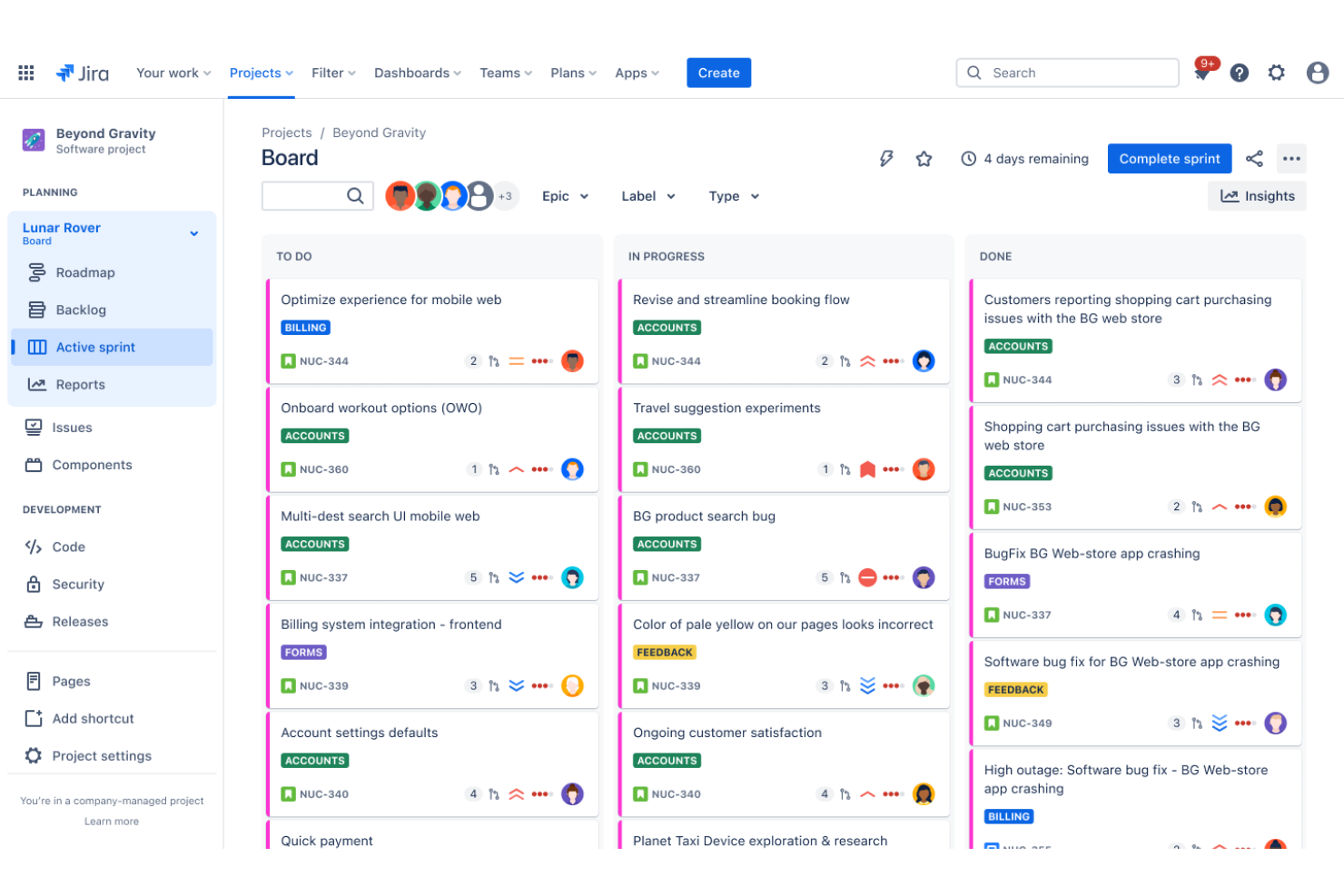
Jira is a product management tool built for software teams that need to track issues, manage sprints, and connect product work directly to engineering delivery. I'd consider it when your team needs tighter control over development workflows than something like Asana offers—especially if you're already working within a broader Atlassian ecosystem with tools like Confluence or Bitbucket.
Jira Evaluation Summary
- From $8.15/user/month (billed annually)
- 7-day free trial
Perché Fidarsi delle Nostre Recensioni Software
Testiamo e recensiamo software per il product management dal 2020. Come product manager sappiamo quanto sia fondamentale e difficile fare la scelta giusta in termini di software. Investiamo in una ricerca approfondita per aiutare il nostro pubblico a prendere decisioni migliori sugli acquisti di software. Abbiamo testato oltre 2.000 strumenti per diversi casi d’uso e scritto più di 1.000 recensioni approfondite.Scopri come assicuriamo la trasparenza & la nostra metodologia di recensione software.
Jira Overview
In my opinion, Jira is a solid choice for Agile project management, particularly excelling in environments that require robust collaboration and task tracking. It stands out for its flexibility and deep integration options, making it ideal for software development teams. However, its complexity can be daunting for smaller teams or those with simpler needs. Compared to other tools, Jira offers exceptional features but demands a steeper learning curve and investment to fully leverage its capabilities. For teams ready to commit, it offers unmatched customization and project management prowess.
pros
-
It offers powerful Agile project management features for your team.
-
You can customize workflows to match your project's unique needs.
-
It enhances collaboration with real-time updates and tracking.
cons
-
You might find the interface overwhelming if you're new to it.
-
It can be too complex for smaller teams or simpler projects.
-
You may experience a steep learning curve during onboarding.
-

Zoho Sprints
Visit WebsiteThis rating combines scores from multiple user review sites to reflect overall customer sentiment about the product.4.2 -
Wrike
Visit WebsiteThis rating combines scores from multiple user review sites to reflect overall customer sentiment about the product.4.3 -
monday AI Workspace
Visit WebsiteThis rating combines scores from multiple user review sites to reflect overall customer sentiment about the product.4.6



Come Testiamo e Valutiamo gli Strumenti
Abbiamo passato anni a costruire, perfezionare e migliorare il nostro sistema di test e valutazione del software. Il nostro metodo è stato progettato per cogliere le sfumature della selezione del software e ciò che rende efficace uno strumento, concentrandosi sugli aspetti critici del processo decisionale. Qui sotto puoi vedere esattamente come funzionano i nostri test e la nostra valutazione suddivisa in sette criteri. Questo ci consente di offrire una valutazione imparziale del software sulla base delle funzionalità principali, delle caratteristiche distintive, della facilità d’uso, dell’onboarding, dell’assistenza clienti, delle integrazioni, delle recensioni dei clienti e del rapporto qualità/prezzo.
Funzionalità Principali (25% del punteggio finale)
Il punto di partenza della nostra valutazione sono sempre le funzionalità principali dello strumento. Possiede le funzioni di base che un utente si aspetterebbe di trovare? Alcune di queste sono riservate ai piani tariffari più alti? Ci aspettiamo che uno strumento rispetti almeno le funzionalità di base dei competitors.
Caratteristiche Distintive (25% del punteggio finale)
Successivamente, valutiamo le caratteristiche distintive e non comuni che vanno oltre le funzioni di base normalmente riscontrate in strumenti simili. Un punteggio alto indica funzionalità specializzate o uniche che rendono il prodotto più rapido, efficiente o forniscono un valore aggiunto all’utente. Valutiamo anche la facilità con cui si possono integrare altri strumenti solitamente presenti nella stack tecnologica, ampliando così funzionalità e utilità del software. Gli strumenti che offrono molte integrazioni native, collegamenti di terze parti e accesso API per integrazioni personalizzate ottengono i punteggi migliori.
Facilità d’Uso (10% del punteggio finale)
Consideriamo quanto sia rapido e semplice eseguire le attività definite dalle funzionalità principali tramite lo strumento. Il software con il punteggio più alto è ben progettato, intuitivo da usare, offre app per dispositivi mobili, modelli preimpostati e semplifica anche le attività più complesse.
Onboarding (10% del punteggio finale)
Sappiamo quanto sia importante una rapida adozione da parte del team, quindi valutiamo quanto sia facile imparare ad usare lo strumento con una formazione minima. Valutiamo la velocità con cui un membro del team può configurarsi e iniziare a utilizzare lo strumento senza esperienza. Le soluzioni con punteggio più alto richiedono poco o nessun supporto.
Assistenza Clienti (10% del punteggio finale)
Osserviamo quanto sia facile e veloce ottenere supporto tramite telefono, chat dal vivo o knowledge base. Gli strumenti che offrono supporto in tempo reale ottengono punteggi più alti, mentre i chatbot ricevono i punteggi peggiori.
Recensioni Clienti (10% del punteggio finale)
Oltre ai nostri test e valutazioni, consideriamo il net promoter score di clienti attuali e passati. Valutiamo la probabilità che scelgano nuovamente lo strumento in base alle funzionalità principali. Un software con punteggio elevato riflette un net promoter score alto.
Rapporto Qualità/Prezzo (10% del punteggio finale)
Infine, considerando tutti gli altri criteri, confrontiamo il prezzo medio dei piani base con le funzionalità principali, esaminando il valore degli altri criteri di valutazione. Il software che offre di più, a meno, otterrà un punteggio maggiore.
Core Features
Task Management
You can create, assign, and prioritize tasks with ease, keeping your team on track. The intuitive interface helps you visualize tasks across different stages.
Scrum Boards
These boards allow your team to manage backlogs and sprints efficiently, supporting Agile workflows. You can easily track progress and make adjustments as needed.
Kanban Boards
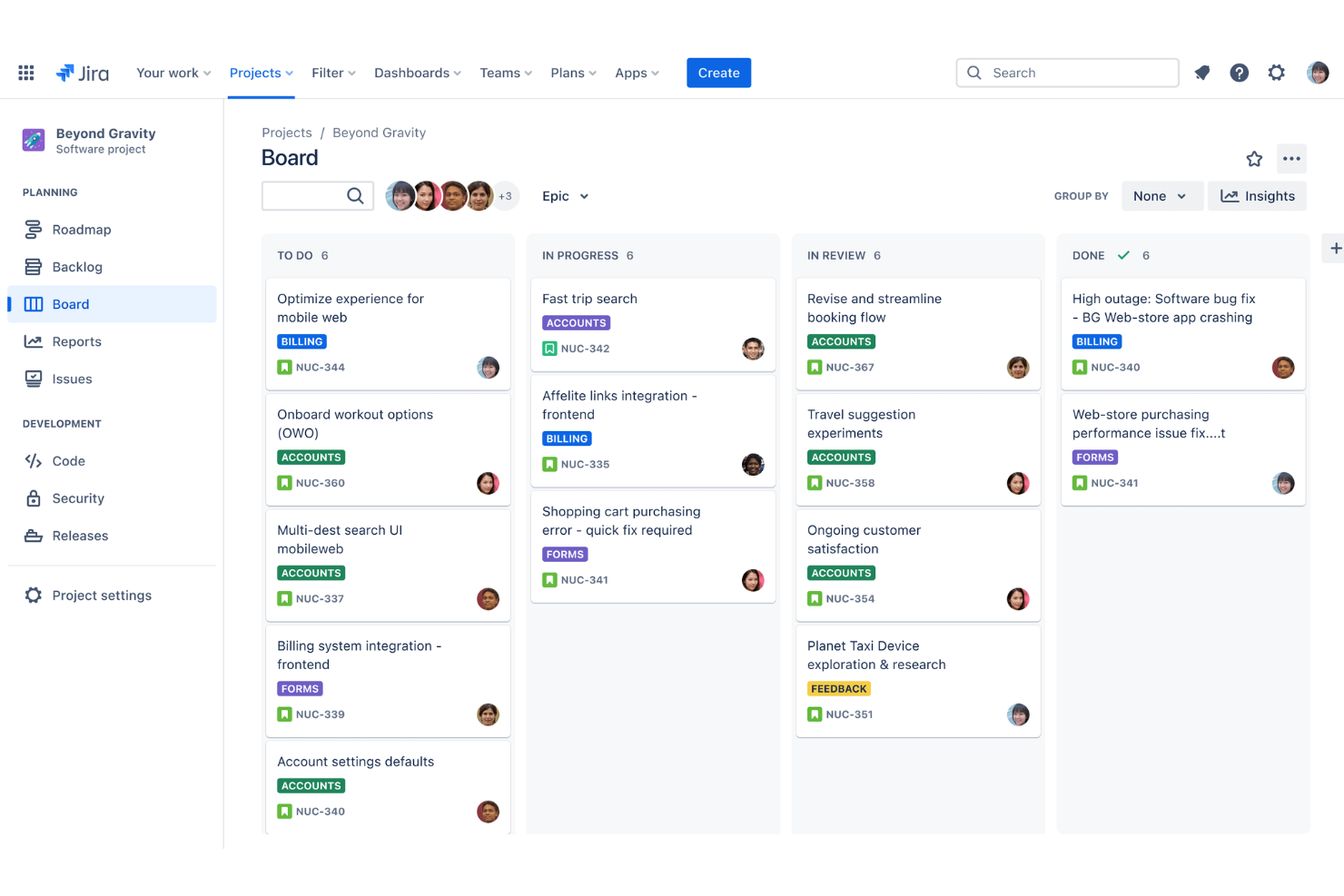
With customizable Kanban boards, you can streamline your team's workflow. They help you visualize work in progress and identify bottlenecks quickly.
Reporting
Jira's reporting tools provide insights into your team's performance with detailed charts and metrics. You can make informed decisions based on real-time data.
Custom Workflows
You can design workflows to match your project's specific needs, enhancing flexibility. This feature allows you to adapt processes to suit your team's style.
Permissions and Security
Jira offers robust permission settings, giving you control over who accesses what. This ensures your project's data remains secure and confidential.
Ease of Use
Jira offers a robust set of features, but you might find its interface overwhelming at first. Its complexity can pose a challenge for new users, especially if your team is small or lacks technical expertise. However, once you get the hang of it, its customizable boards and automation tools can significantly boost your team's productivity. The learning curve is there, but the payoff comes with enhanced project management capabilities and effective collaboration.
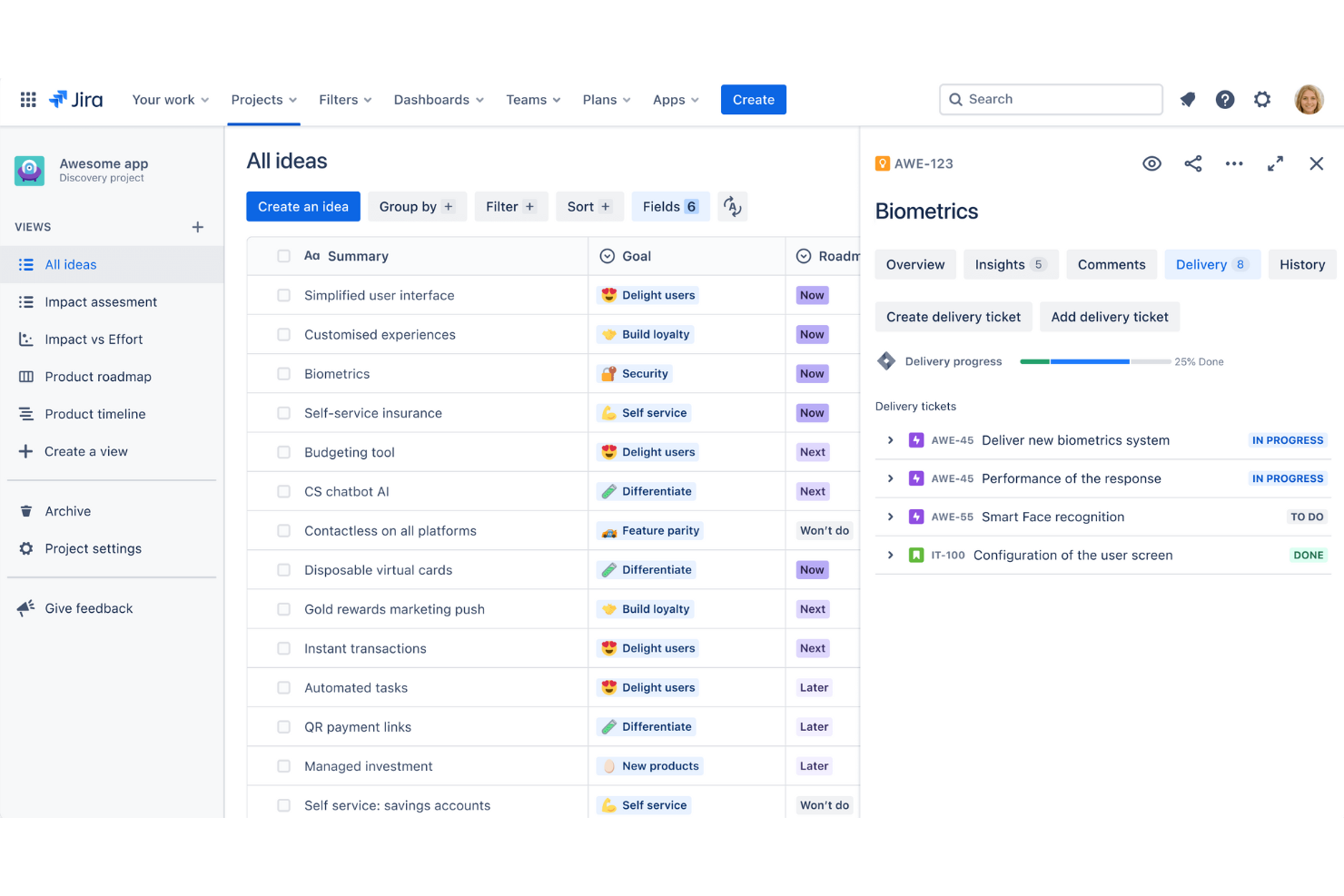
Jira Specs
- API
- Calendar Management
- Collaboration Support
- Dashboards
- Data Export
- Data Import
- External Integrations
- File Sharing
- Gantt Charts
- Kanban Boards
- Mobile App
- Multi-User
- Notifications
- Prioritization
- Project Management
- Status Notifications
- Task Scheduling/Tracking
- Time Management



Jira FAQs
How does Jira support Agile project management?
Can I customize Jira to fit my team's workflow?
What kind of support does Jira offer?
How secure is my data in Jira?
Does Jira offer mobile access?
How does Jira handle task dependencies?
What kind of reporting capabilities does Jira provide?
Can Jira be used for non-software projects?
Cosa succede dopo
Non dimenticare di iscriverti alla nostra newsletter per ricevere altre risorse e guide sulla gestione di prodotto, oltre a podcast, interviste e approfondimenti aggiornati da leader ed esperti del settore.