



Jira vs. ClickUp: Detailed Comparison and Expert Reviews for 2026


Choosing between Jira and ClickUp often comes down to whether your team needs the deep customization and agile focus of Jira or the flexible, all-in-one workspace that ClickUp offers. If you’re weighing these two product management tools, you’re likely trying to balance complex workflows, cross-functional collaboration, and the need for clear visibility across projects. Jira stands out for teams that prioritize advanced issue tracking and agile methodologies, while ClickUp appeals to those who want to centralize tasks, docs, and communication in one place. This article breaks down how each tool stacks up—so you can confidently decide which platform fits your team’s style, structure, and goals.
Choosing between Jira and ClickUp often comes down to whether your team needs the deep customization and agile focus of Jira or the flexible, all-in-one workspace that ClickUp offers. If you’re weighing these two product management tools, you’re likely trying to balance complex workflows, cross-functional collaboration, and the need for clear visibility across projects. Jira stands out for teams that prioritize advanced issue tracking and agile methodologies, while ClickUp appeals to those who want to centralize tasks, docs, and communication in one place. This article breaks down how each tool stacks up—so you can confidently decide which platform fits your team’s style, structure, and goals.
Jira vs. ClickUp: An Overview
Jira


ClickUp

Why Trust Our Software Reviews
We’ve been testing and reviewing product management software since 2020. As product managers ourselves, we know how critical and difficult it is to make the right decision when selecting software.
We invest in deep research to help our audience make better software purchasing decisions. We’ve tested more than 2,000 tools for different product management use cases and written over 1,000 comprehensive software reviews. Learn how we stay transparent & our software review methodology.
Jira vs. ClickUp Pricing Comparison
| Jira | ClickUp | |
|---|---|---|
| Free Trial | Free plan + free demo + 14-day trial available | Free plan available |
| Pricing | From $9.05/user/month | From $7/user/month (billed annually) |
Jira vs. ClickUp Pricing & Hidden Costs
Jira uses a tiered pricing model based on user count and feature access, with separate charges for add-ons and advanced functionality. ClickUp offers a similar tiered approach but bundles more features into its base plans, reducing the need for extra purchases. Both tools may introduce hidden costs through integrations, storage upgrades, or premium support, so it’s important to look beyond the headline price.
To choose the right vendor, map out your team’s must-have features and estimate how your usage might grow over time. Review each tool’s pricing calculator, check which features are included at each tier, and factor in the cost of any integrations or add-ons you’ll need. This approach helps you avoid surprises and ensures you’re comparing the true total cost of ownership—not just the starting price.
Jira vs. ClickUp Feature Comparison
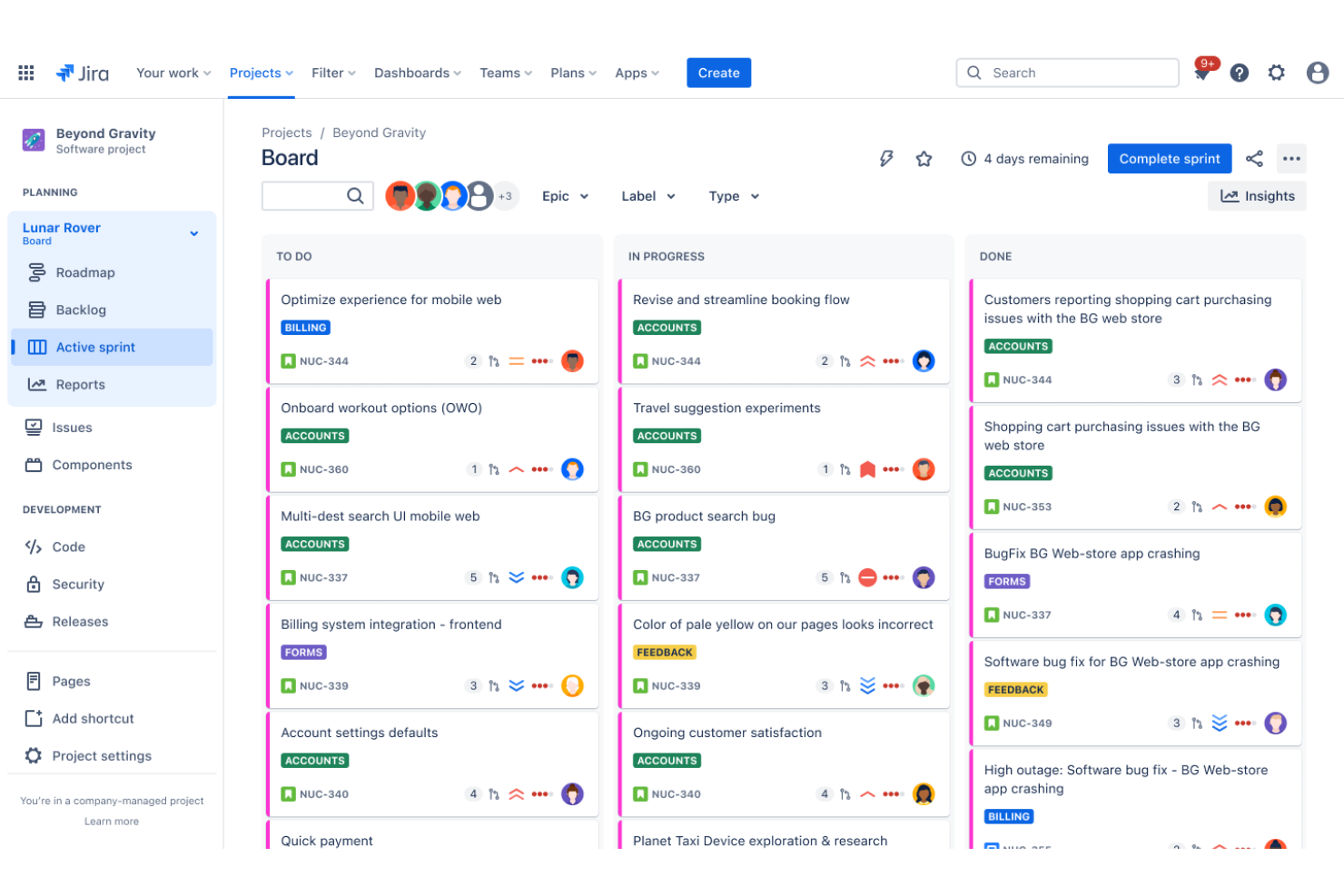
Jira’s advanced issue tracking and customizable agile boards help users manage complex workflows and prioritize tasks with precision. ClickUp’s flexible task views and built-in docs let users organize work, collaborate, and switch between project types without leaving the platform.
| Jira | ClickUp | |
|---|---|---|
| API | ||
| Calendar Management | ||
| Collaboration Support | ||
| Dashboards | ||
| Data Export | ||
| Data Import | ||
| External Integrations | ||
| File Sharing | ||
| Gantt Charts | ||
| Kanban Boards | ||
| Multi-User | ||
| Notifications | ||
| Project Management | ||
| Task Scheduling/Tracking | ||
| Time Management |
Jira vs. ClickUp Integrations
| Integration | Jira | ClickUp |
|---|---|---|
| Slack | ✅ | ✅ |
| GitHub | ✅ | ✅ |
| Microsoft Teams | ✅ | ✅ |
| Google Drive | ✅ | ✅ |
| Salesforce | ✅ | ✅ |
| Figma | ❌ | ✅ |
| Bitbucket | ✅ | ❌ |
| Zendesk | ✅ | ✅ |
| HubSpot | ❌ | ✅ |
| Dropbox | ✅ | ✅ |
| API | ✅ | ✅ |
| Zapier | ✅ | ✅ |
Jira’s GitHub integration lets users automatically link code changes to issues, keeping development and product teams in sync. ClickUp’s Figma integration allows users to embed live design files directly into tasks, making design collaboration and feedback part of everyday workflows.
Jira vs. ClickUp Security, Compliance & Reliability
| Factor | Jira | ClickUp |
|---|---|---|
| Data Encryption | Encrypts data in transit and at rest using industry-standard protocols. | Uses TLS and AES-256 encryption for data in transit and at rest. |
| Regulatory Compliance | Offers SOC 2, ISO 27001, GDPR, and HIPAA compliance options. | Provides SOC 2, GDPR, and ISO 27001 compliance, but not HIPAA. |
| Access Controls | Supports granular permissions, SSO, and two-factor authentication. | Includes role-based permissions, SSO, and two-factor authentication. |
| Uptime Guarantee | Delivers a 99.9% uptime SLA for cloud customers. | Publicly reports uptime and targets 99.99% availability. |
Jira offers broader compliance coverage and more granular access controls, making it a stronger choice for teams with strict security requirements. ClickUp’s security features are solid for most teams, but Jira’s reliability and compliance options give it an edge for regulated industries.
Jira vs. ClickUp Ease of Use
| Factor | Jira | ClickUp |
|---|---|---|
| User Interface | Interface is dense and highly customizable, which can feel overwhelming to new users. | Clean, modern interface with intuitive navigation and quick access to features. |
| Onboarding | Offers guided tours and documentation, but setup can be complex for non-technical teams. | Provides interactive onboarding, templates, and in-app tips for a faster start. |
| Customization | Deep customization options for workflows, fields, and permissions. | Flexible customization with drag-and-drop layouts and easy-to-edit templates. |
| Support | Includes a knowledge base, community forums, and ticket-based support. | Offers live chat, help docs, and a responsive support team. |
ClickUp is generally easier for new users to pick up, while Jira’s complexity can slow down onboarding but pays off for teams needing deep customization. ClickUp’s approachable design and helpful onboarding make it user-friendly, while Jira’s strength lies in its ability to adapt to complex, technical workflows once users are up to speed.
Jira vs ClickUp: Pros & Cons
Jira
- It offers powerful Agile project management features for your team.
- You can customize workflows to match your project's unique needs.
- It enhances collaboration with real-time updates and tracking.
- You might find the interface overwhelming if you're new to it.
- It can be too complex for smaller teams or simpler projects.
- You may experience a steep learning curve during onboarding.
ClickUp
- Automation and templates reduce repetitive project setup work.
- Built-in docs and whiteboards enable real-time team collaboration.
- Custom task views support agile, kanban, and list workflows.
- Interface can feel cluttered with too many options.
- Advanced reporting features require higher-tier plans.
- Mobile app performance lags behind the desktop version.
Best Use Cases for Jira and ClickUp
Jira
- Software Development Teams Jira excels in Agile project management, making it perfect for tracking bugs and managing sprints.
- IT Departments You can manage incident tickets and service requests efficiently with Jira's customizable workflows.
- Tech Startups Jira supports rapid iteration and collaboration, essential for fast-paced startup environments.
- Project Managers You can oversee complex projects with Jira's detailed reporting and task management features.
- Agile Coaches Jira provides tools for sprint planning and tracking, crucial for guiding Agile teams.
- Cross-functional Teams Jira's integrations and real-time updates enhance collaboration across different departments.
ClickUp
- Remote-First Companies ClickUp’s real-time collaboration, chat, and docs keep distributed teams aligned and informed.
- Creative Agencies Built-in whiteboards and proofing tools help manage client feedback and creative asset reviews.
- Marketing Departments Campaign planning, content calendars, and approval workflows are easy to manage with ClickUp’s templates and automation.
- Software Development Teams ClickUp’s agile boards, sprint management, and GitHub integration support iterative development and backlog tracking.
- Product Management Teams Custom fields, roadmaps, and goal tracking help product managers prioritize and communicate progress.
- Mid-Sized SaaS Companies Scalable permissions, reporting, and integrations support growing teams with evolving needs.
Who Should Use Jira, and Who Should Use ClickUp?
Jira is best for technical teams in software, IT, or regulated industries that need advanced workflow customization, granular permissions, and deep agile support. ClickUp is a better fit for cross-functional teams, creative agencies, and businesses that want an all-in-one workspace with a gentle learning curve and flexible task management. If your team values strict process control and compliance, Jira is the safer bet; if you want to centralize docs, tasks, and collaboration without heavy setup, ClickUp is the way to go. Budget-conscious teams or those with less technical experience will likely find ClickUp more approachable and cost-effective.
Differences Between Jira and ClickUp
| Jira | ClickUp | |
|---|---|---|
| Agile Support | Built-in support for Scrum, Kanban, and advanced agile reporting. | Offers agile boards, but with less depth and fewer reporting tools. |
| All-in-One Workspace | Focuses on issue tracking and project management. | Combines tasks, docs, chat, and goals in a single platform. |
| Automation | Advanced automation rules for issue transitions and notifications. | Visual automation builder for tasks, docs, and reminders. |
| Customization | Highly customizable workflows, fields, and permissions for complex needs. | Flexible layouts and templates, but less granular workflow control. |
| Pricing Model | Charges separately for add-ons and advanced features. | Bundles more features into base plans, reducing extra costs. |
| Read Jira ReviewOpens new window | Visit ClickUpOpens new window |
Similarities Between Jira and ClickUp
| Cloud-Access | Both are available as cloud-based platforms, allowing teams to access projects and data from anywhere. |
|---|---|
| Integrations | Both offer integrations with popular tools like Slack, GitHub, Google Drive, and Zapier, supporting connected workflows. |
| Reporting and Dashboards | Both offer customizable dashboards and reporting tools for tracking progress and team performance, though each has its own templates and widgets. |
| Role-Based Permissions | Both provide user roles and permissions to control access, with options for admins, members, and guests. |
| Task Management | Both let users create, assign, and track tasks with due dates, priorities, and custom fields; Jira uses issues, ClickUp uses tasks. |
| Read Jira ReviewOpens new window Visit ClickUpOpens new window | |