

En tant que responsable produit, vous êtes constamment confronté à des défis pour concilier les besoins en matière de conception et la collaboration au sein de l’équipe. Figma est peut-être votre outil de prédilection, mais il ne répond pas toujours à toutes les exigences de votre entreprise. Vous pourriez avoir besoin d’une alternative offrant des fonctionnalités spécialisées, une tarification plus avantageuse ou une meilleure intégration avec vos logiciels existants.
Dans le cadre de mes tests et de mes évaluations de logiciels, j’ai trouvé plusieurs alternatives à Figma susceptibles de répondre à vos besoins spécifiques. Mon objectif est de fournir un avis impartial, en me concentrant sur ce que ces outils proposent et sur la manière dont ils peuvent aider votre équipe.
Dans cet article, je vous présenterai les meilleures options, en mettant en évidence leurs fonctionnalités, leur facilité d’utilisation et leur tarification. Mon objectif est de vous aider à trouver un outil qui corresponde aux objectifs de votre équipe et améliore votre processus de conception.
Qu’est-ce que Figma ?
Figma est un outil de conception UX utilisé pour créer des interfaces utilisateur et des prototypes. Il est populaire auprès des concepteurs, des responsables produit et des développeurs qui apprécient ses fonctionnalités collaboratives. La collaboration en temps réel, la modification vectorielle et les fonctionnalités de prototypage vous aident, vous et votre équipe, à travailler efficacement et de manière créative. La valeur globale de Figma réside dans sa capacité à faciliter le travail d’équipe et à rationaliser le processus de conception.
Pourquoi chercher une alternative à Figma ?
Pourquoi chercher une alternative à Figma ?
Figma est une plateforme de conception d’interfaces utilisateur et de conception collaborative populaire sur le Web, mais elle ne convient pas parfaitement à tout le monde. Certaines équipes et certains freelances recherchent des concurrents de Figma lorsqu’ils :
- Ont besoin d’un accès hors ligne pour une utilisation à distance ou sur une application mobile
- Recherchent une tarification plus abordable ou une version gratuite pour les petites entreprises et les startups
- Souhaitent des outils d’animation avancés pour la conception d’interfaces utilisateur et les prototypes interactifs
- Ont besoin de fonctionnalités de transmission plus performantes pour les développeurs
- Préfèrent une interface avec une courbe d’apprentissage plus simple
- Ont des exigences spécifiques en matière de conformité des données ou doivent travailler avec un système d’exploitation donné
Si ces difficultés vous semblent familières, explorer d’autres alternatives aux outils de conception peut être la bonne décision. Les options de ma liste sont conçues pour aider les équipes de conception et les parties prenantes à travailler plus efficacement, sans les contraintes qu’elles ont rencontrées avec Figma.
Pourquoi faire confiance à nos recommandations de logiciels
6,700+
Reviews
20
Industry experts
16+
Evaluation factors
14
Years
Notre équipe teste et évalue des logiciels depuis 2012. En tant que chefs de produit nous-mêmes, nous savons à quel point il est difficile — et important — de choisir le bon logiciel.
Pour ce guide, nous avons évalué les outils grâce à des tests pratiques et une recherche indépendante, en notant les outils selon nos critères de sélection.
Nos avis reflètent notre jugement éditorial humain, et non un argumentaire de vente.
Réviseurs experts:
- Andrew LumbySenior TPM
- Cristiano ValimSenior UI/UX Lead


Tableau comparatif des alternatives à Figma
Utilisez ce tableau comparatif pour comparer les détails tarifaires de mes meilleures alternatives à Figma.
| Tool | Best For | Trial Info | Price | ||
|---|---|---|---|---|---|
| 1 | Idéal pour générer des écrans par IA à partir de texte ou d’images | Forfait gratuit disponible | À partir de $14/utilisateur/mois | Website | |
| 2 | Idéal pour le prototypage privilégiant le hors ligne avec des applications de bureau | Forfait gratuit disponible | À partir de $24.90/utilisateur/mois (facturé annuellement) | Website | |
| 3 | Idéal pour concevoir des sites web sans transmission aux développeurs | Formule gratuite disponible | À partir de $14/month (facturé annuellement) | Website | |
| 4 | Idéal pour planifier l’interface utilisateur avant le transfert à l’équipe de conception | Version gratuite disponible | À partir de $9/utilisateur/mois (facturé annuellement) | Website | |
| 5 | Idéal pour concevoir avec des composants React prêts pour la production | Formule gratuite + essai gratuit de 14 jours disponible | À partir de 29 $ par utilisateur et par mois (facturation annuelle) | Website | |
| 6 | Idéal pour les prototypes de sites web interactifs | Forfait gratuit disponible | À partir de $10/mois (facturé annuellement) | Website | |
| 7 | Idéal pour les prototypes sans code axés sur la logique | Essai gratuit de 30 jours | À partir de $29/utilisateur/mois (facturé annuellement) | Website | |
| 8 | Idéal pour la conception auto-hébergée et à code source ouvert | Forfait gratuit + essai gratuit de 14 jours disponible | À partir de $7/utilisateur/mois | Website | |
| 9 | Idéal pour les flux de conception natifs macOS | Essai gratuit de 30 jours | À partir de $12/utilisateur/mois (facturé annuellement) | Website | |
| 10 | Idéal pour la transmission des conceptions au développement avec des agents de codage IA | Forfait gratuit disponible | À partir de $13.75/projet/mois (facturé annuellement) | Website |


Avis sur les meilleures alternatives à Figma
Vous trouverez ci-dessous mes résumés détaillés des meilleures alternatives à Figma qui ont été retenues dans ma sélection. Mes avis proposent une analyse détaillée des principales fonctionnalités, des avantages & inconvénients, des intégrations et des cas d’utilisation idéaux de chaque outil afin de vous aider à trouver celui qui vous convient le mieux.
 Idéal pour générer des écrans par IA à partir de texte ou d’images
- Forfait gratuit disponible
- À partir de $14/utilisateur/mois
Visit WebsiteCustomer Rating:4.8/5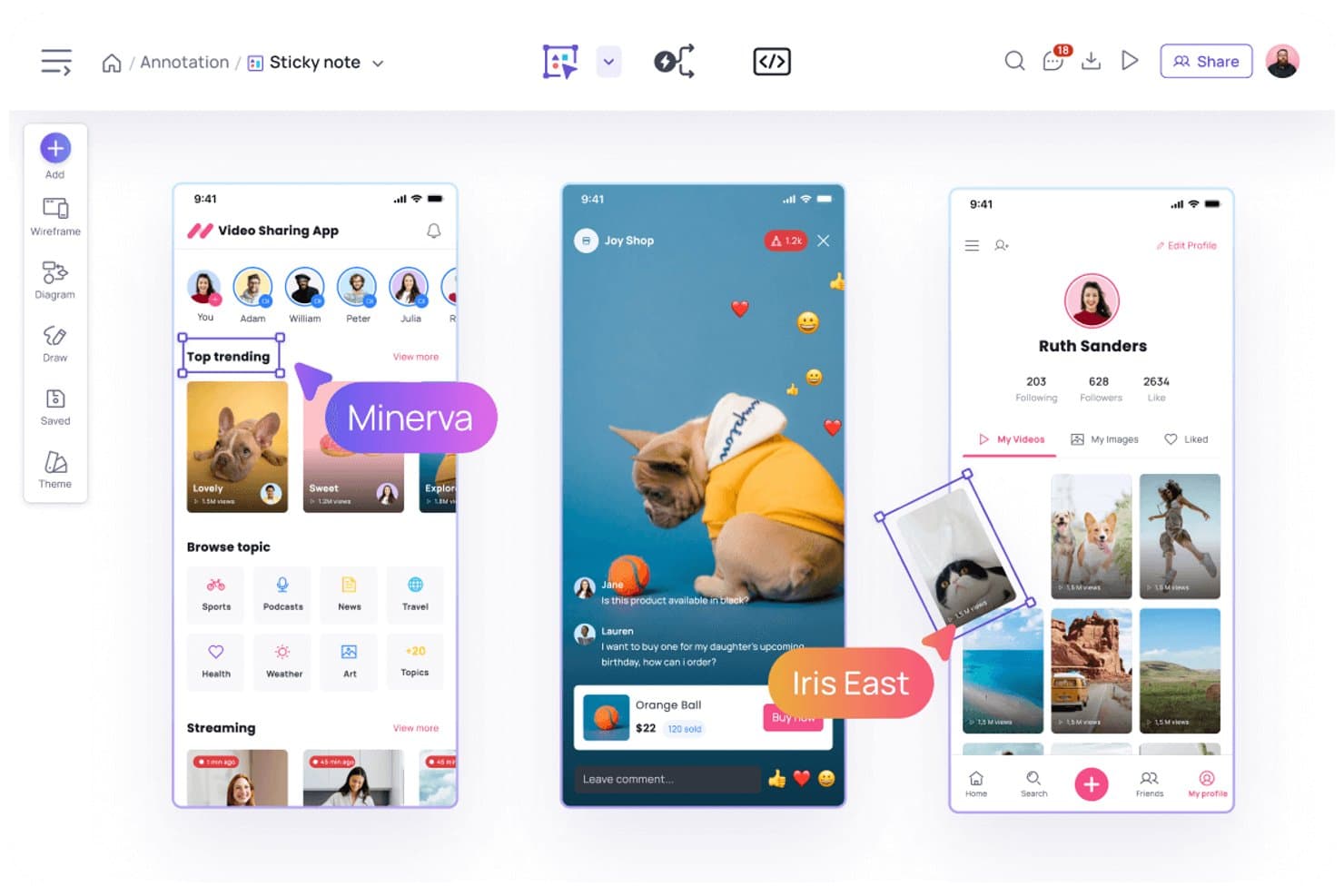
Visily permet aux utilisateurs d’annoter les conceptions à l’aide de notes autocollantes et de commentaires. Visily est une plateforme de conception et de prototypage UX alimentée par l’IA destinée aux équipes produit, aux fondateurs et aux parties prenantes métier qui souhaitent transformer leurs premières idées en interfaces utilisables sans compétences avancées en conception.
À qui Visily convient-il le mieux ?
Les chefs de produit et les équipes UX peuvent transformer des idées rédigées ou des images de référence en concepts d’interface modifiables lors des premières étapes de découverte.
Pourquoi j’ai choisi Visily
J’ai choisi Visily comme l’un des meilleurs outils pour générer des écrans par IA à partir de texte ou d’images. J’utilise des instructions textuelles pour créer des maquettes fonctionnelles modifiables, puis affiner les mises en page de concepts produit sans partir d’une toile vierge. Sa fonctionnalité de conversion de captures d’écran en conceptions aide également mon équipe à transformer des références concurrentes ou des écrans existants en ébauches d’interface exploitables.
Fonctionnalités clés de Visily
- Bibliothèque de composants d’interface : Ajoutez des éléments d’interface réutilisables aux maquettes fonctionnelles et aux prototypes.
- Prototypage interactif : Reliez les écrans pour créer des parcours produit cliquables.
- Modèles de conception : Commencez vos projets avec des modèles prédéfinis pour les schémas de produits courants.
- Collaboration en équipe : Invitez vos collègues à commenter et à examiner les conceptions.
Intégrations de Visily
Visily propose des intégrations documentées avec Slack et Notion, ainsi qu’un module complémentaire Figma officiel pour le transfert bidirectionnel des conceptions. Il prend également en charge les connexions MCP par l’intermédiaire de modules complémentaires pour des outils comme Cursor, Claude Code, Codex, Gemini CLI, Antigravity et Kiro.
Pros and Cons
Pros:
- Génère des maquettes fonctionnelles modifiables à partir d’instructions textuelles
- Convertit les captures d’écran en ébauches d’interface exploitables
- Prend en charge les prototypes cliquables et les composants réutilisables
Cons:
- Les outils de conception visuelle haute fidélité restent limités
- Les systèmes de conception complexes nécessitent une mise au point manuelle
Learn more about Visily: Idéal pour le prototypage privilégiant le hors ligne avec des applications de bureau
- Forfait gratuit disponible
- À partir de $24.90/utilisateur/mois (facturé annuellement)
Visit WebsiteCustomer Rating:4.5/5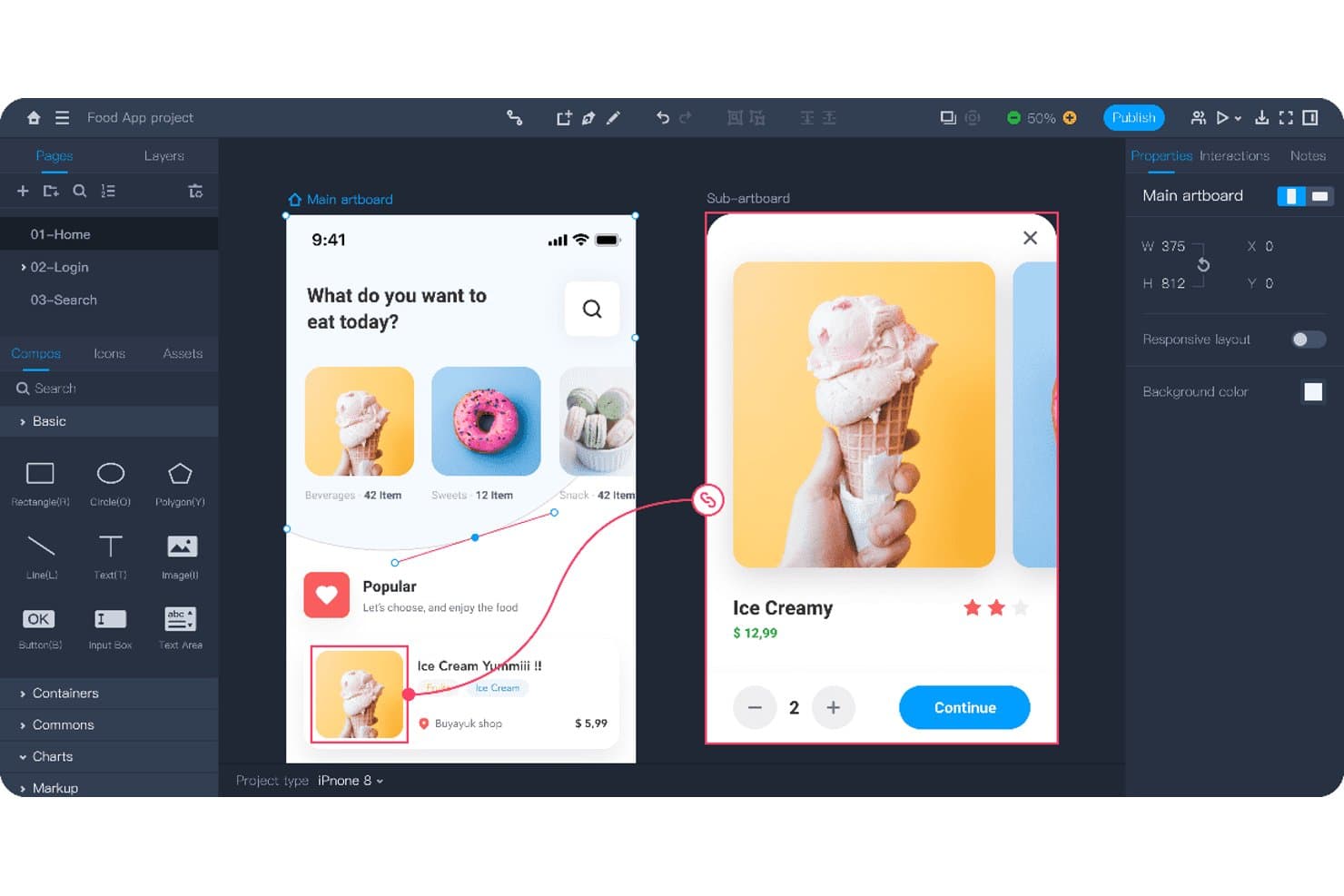
Mockplus permet aux utilisateurs de prototyper des parcours d'application interactifs avec des écrans liés. Mockplus est un outil de conception UX et de prototypage destiné aux équipes produit qui doivent transformer des idées en maquettes interactives, tester des parcours utilisateur et coordonner les concepteurs, les ingénieurs et les parties prenantes sans dépendre de Figma.
À qui Mockplus s'adresse-t-il le mieux ?
Mockplus convient aux équipes produit et aux concepteurs UX qui ont besoin d'un prototypage sur ordinateur avec un accès hors ligne pour travailler de manière concentrée sur la conception.
Pourquoi j'ai choisi Mockplus
J'ai choisi Mockplus pour son prototypage privilégiant le hors ligne avec des applications de bureau, car je peux concevoir et tester des parcours interactifs sans dépendre d'une connexion à un navigateur. Son espace de travail sur ordinateur prend en charge les prototypes cliquables, la liaison entre les écrans et les états d'interaction pour tester localement les parcours d'une application. Je l'utilise pour examiner des concepts produit pendant mes déplacements, les ateliers ou les sessions sur des réseaux restreints.
Fonctionnalités clés de Mockplus
- Éditeur glisser-déposer : Créez des écrans en plaçant directement les éléments sur la zone de travail.
- Composants et icônes : Ajoutez des éléments d'interface réutilisables issus de bibliothèques intégrées.
- Notes et organigrammes : Documentez les exigences et cartographiez les parcours utilisateur au sein des projets.
- Commentaires et annotations : Ajoutez des retours directement aux conceptions à l'aide de repères et de formes.
Intégrations de Mockplus
Mockplus recense des intégrations avec Figma, Sketch, Axure, Adobe XD, Photoshop, Slack, Jira, Confluence et Lark, bien que certaines soient des connexions d'importation de conceptions ou de collaboration plutôt que des intégrations natives de Mockplus RP. Son intégration Jira est également disponible sur l'Atlassian Marketplace.
Pros and Cons
Pros:
- Fonctionne hors ligne grâce à des applications de bureau dédiées
- Prend en charge les prototypes cliquables et les états d'interaction
- Inclut des organigrammes, des notes et des annotations
Cons:
- La collaboration semble moins native dans le navigateur qu'avec Figma
- La conception d'interfaces avancées nécessite davantage de configuration manuelle
Learn more about Mockplus: Idéal pour concevoir des sites web sans transmission aux développeurs
- Formule gratuite disponible
- À partir de $14/month (facturé annuellement)
Visit WebsiteCustomer Rating:4.4/5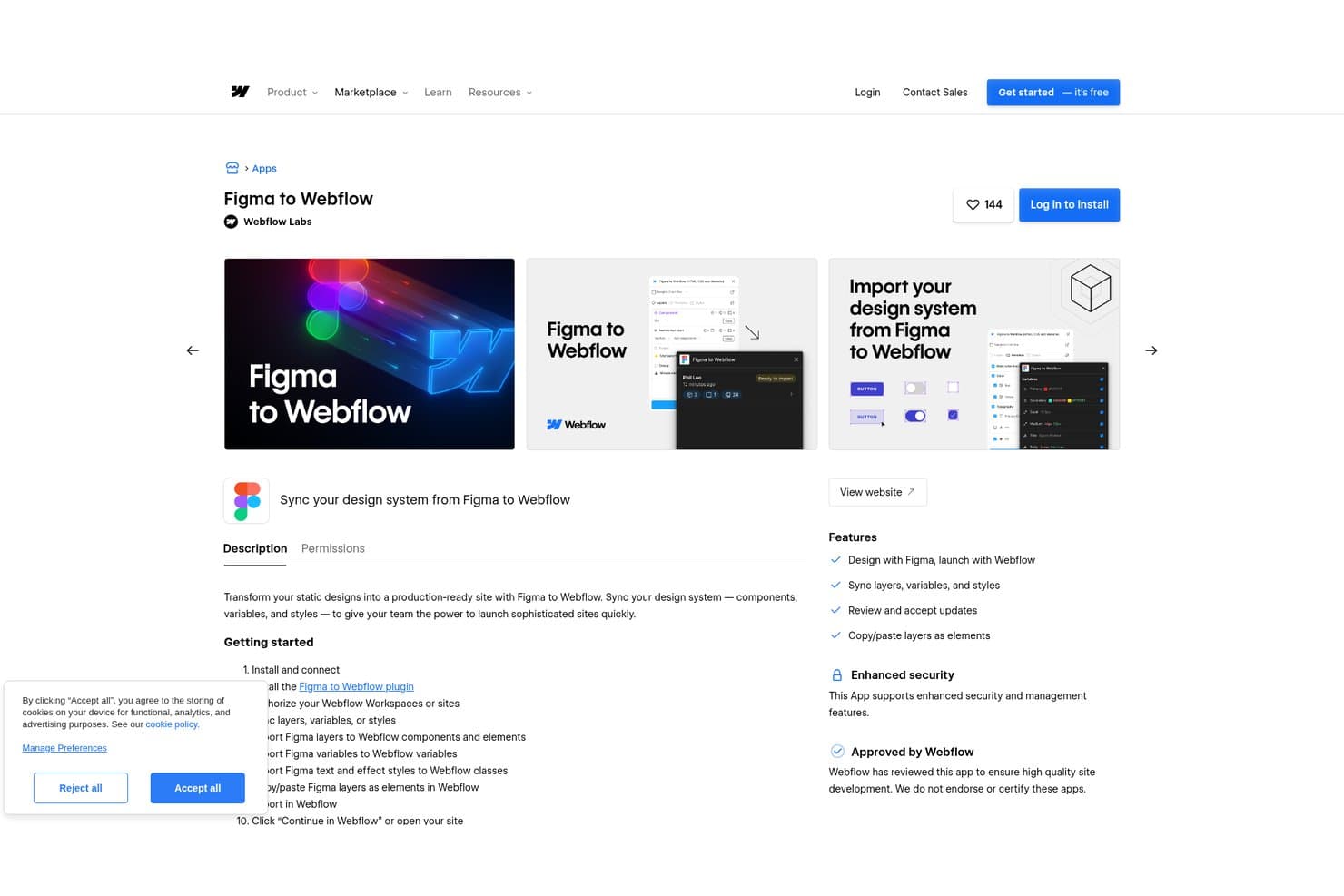
Webflow permet aux utilisateurs de synchroniser directement les systèmes de conception Figma avec Webflow. Webflow est une plateforme de conception web visuelle destinée aux équipes produit, marketing et UX qui doivent créer des sites web adaptatifs, tester des idées et publier des expériences soignées sans dépendre d'une transmission aux développeurs.
À qui Webflow convient-il le mieux ?
Webflow convient aux startups et aux équipes marketing réduites qui doivent lancer des sites web soignés et adaptatifs sans ajouter du travail de développement à chaque mise à jour.
Pourquoi j'ai choisi Webflow
J'ai choisi Webflow parce qu'il permet de concevoir des sites web sans transmission aux développeurs. J'utilise son canevas visuel, ses contrôles de mise en page adaptative et ses composants réutilisables pour transformer des concepts UX en pages soignées et prêtes pour la production. Ses interactions et son CMS aident mon équipe à valider des parcours adaptatifs et à publier du contenu réel directement dans le navigateur.
Principales fonctionnalités de Webflow
- Envois de formulaires : Collectez et gérez les réponses provenant des formulaires de sites web publiés.
- Intégration de code personnalisé : Ajoutez du HTML, du CSS et du JavaScript aux zones prises en charge du site.
- Contrôles SEO : Modifiez les titres de page, les méta-descriptions, les slugs et les paramètres d'indexation.
- Recherche sur le site : Ajoutez des index de contenu consultables aux sites web publiés.
Intégrations Webflow
Webflow prend en charge les intégrations de place de marché avec Airtable, Google Docs et Google Workspace, ainsi qu'avec Zapier. Il fournit également une API de données pour les intégrations personnalisées, notamment pour le CMS, les formulaires, les ressources, le commerce électronique, les crochets web et la publication de sites.
Pros and Cons
Pros:
- Les mises en page adaptatives prêtes pour la production réduisent la transmission aux développeurs
- Le CMS permet de tester les conceptions avec du contenu réel
- Les aperçus des interactions sont plus proches des sites web mis en production
Cons:
- Les contrôles de mise en page nécessitent de comprendre les concepts CSS
- Prototypage libre limité pour les flux de travail d'applications
Learn more about Webflow: Idéal pour planifier l’interface utilisateur avant le transfert à l’équipe de conception
- Version gratuite disponible
- À partir de $9/utilisateur/mois (facturé annuellement)
Visit WebsiteCustomer Rating:4.3/5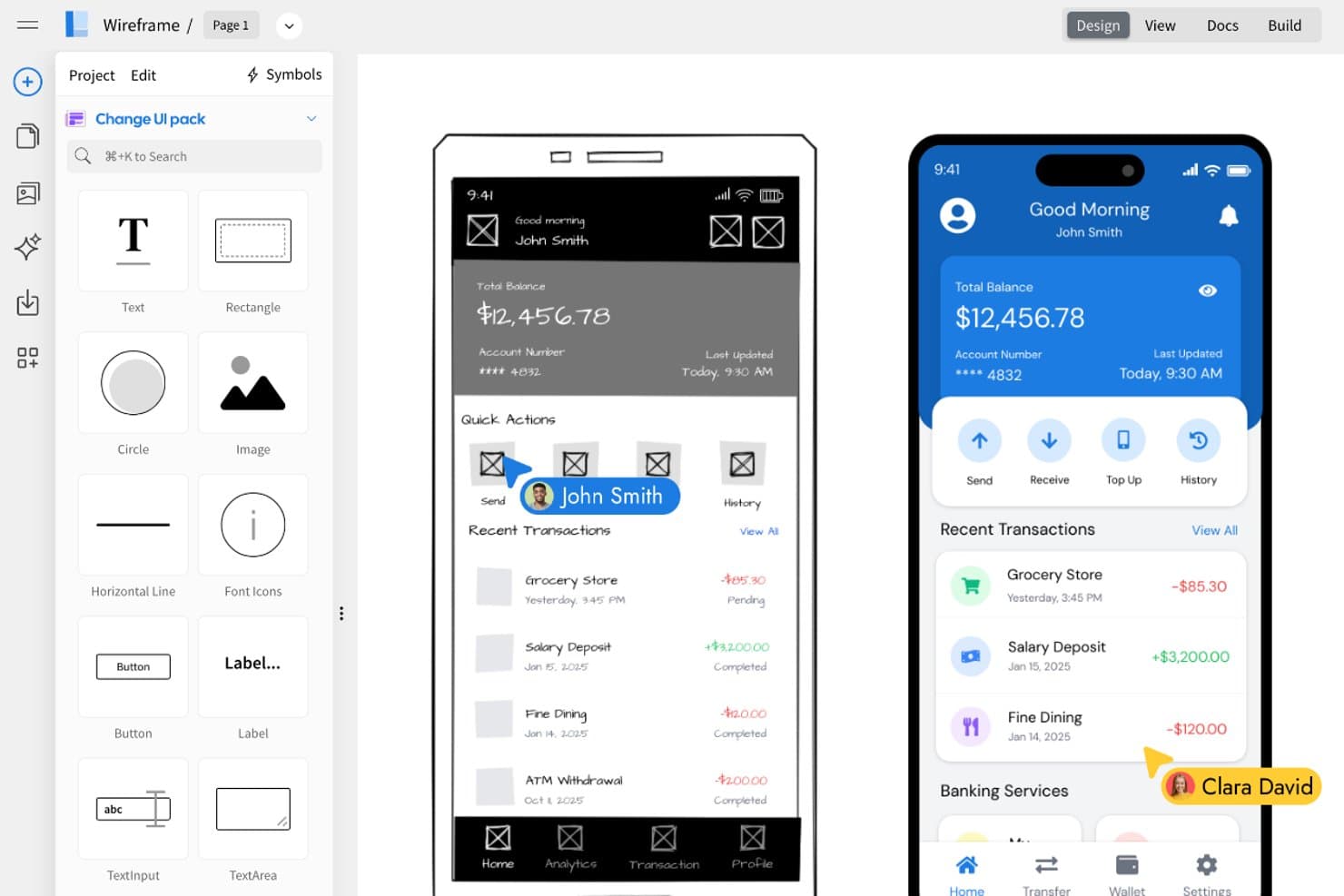
MockFlow permet aux utilisateurs de transformer des maquettes fonctionnelles en conceptions d’interfaces utilisateur soignées côte à côte. MockFlow est un outil collaboratif de conception d’interfaces utilisateur destiné aux chefs de produit, aux concepteurs UX et aux équipes qui doivent transformer leurs premières idées en maquettes fonctionnelles et en prototypes sans la complexité de conception plus étendue de Figma.
À qui MockFlow convient-il le mieux ?
Les chefs de produit et les équipes UX peuvent utiliser MockFlow pour transformer des concepts de produit préliminaires en maquettes fonctionnelles annotées avant le transfert aux équipes de conception et d’ingénierie.
Pourquoi j’ai choisi MockFlow
J’ai choisi MockFlow parce que mon équipe l’utilise pour transformer des idées de produit préliminaires en maquettes fonctionnelles structurées avant le début de la conception. Son éditeur de maquettes fonctionnelles et ses outils d’annotation nous aident à documenter les écrans, les interactions et les questions en suspens dans un même espace de travail. Nous pouvons ensuite partager un prototype cliquable pour recueillir des commentaires avant de transmettre des exigences plus claires aux concepteurs.
Principales fonctionnalités de MockFlow
- Modèles d’interface utilisateur : Commencez vos projets avec des mises en page prédéfinies pour les interfaces courantes.
- Bibliothèque de composants : Ajoutez des éléments d’interface réutilisables aux pages de maquettes fonctionnelles.
- Créateur de plan du site : Organisez les pages d’un site Web sous forme de structure visuelle.
- Options d’exportation : Téléchargez les conceptions dans des formats tels que PDF et PNG.
Intégrations de MockFlow
MockFlow propose des intégrations documentées avec Atlassian Jira, Atlassian Confluence, Google Drive, Google Docs, Slack, Microsoft Teams et Microsoft Word via Microsoft 365. Ces intégrations permettent aux équipes de créer, de joindre ou d’insérer des maquettes fonctionnelles dans leurs outils de collaboration et de documentation existants.
Pros and Cons
Pros:
- Les maquettes fonctionnelles rapides clarifient les exigences du produit
- Les flux annotés facilitent le transfert à l’équipe de conception
- Le créateur de plan du site cartographie l’architecture de l’information
Cons:
- La fidélité visuelle est inférieure à celle des outils de conception sophistiqués
- Les interactions des prototypes semblent relativement limitées
Learn more about MockFlow: Idéal pour concevoir avec des composants React prêts pour la production
- Formule gratuite + essai gratuit de 14 jours disponible
- À partir de 29 $ par utilisateur et par mois (facturation annuelle)
Visit WebsiteCustomer Rating:4.2/5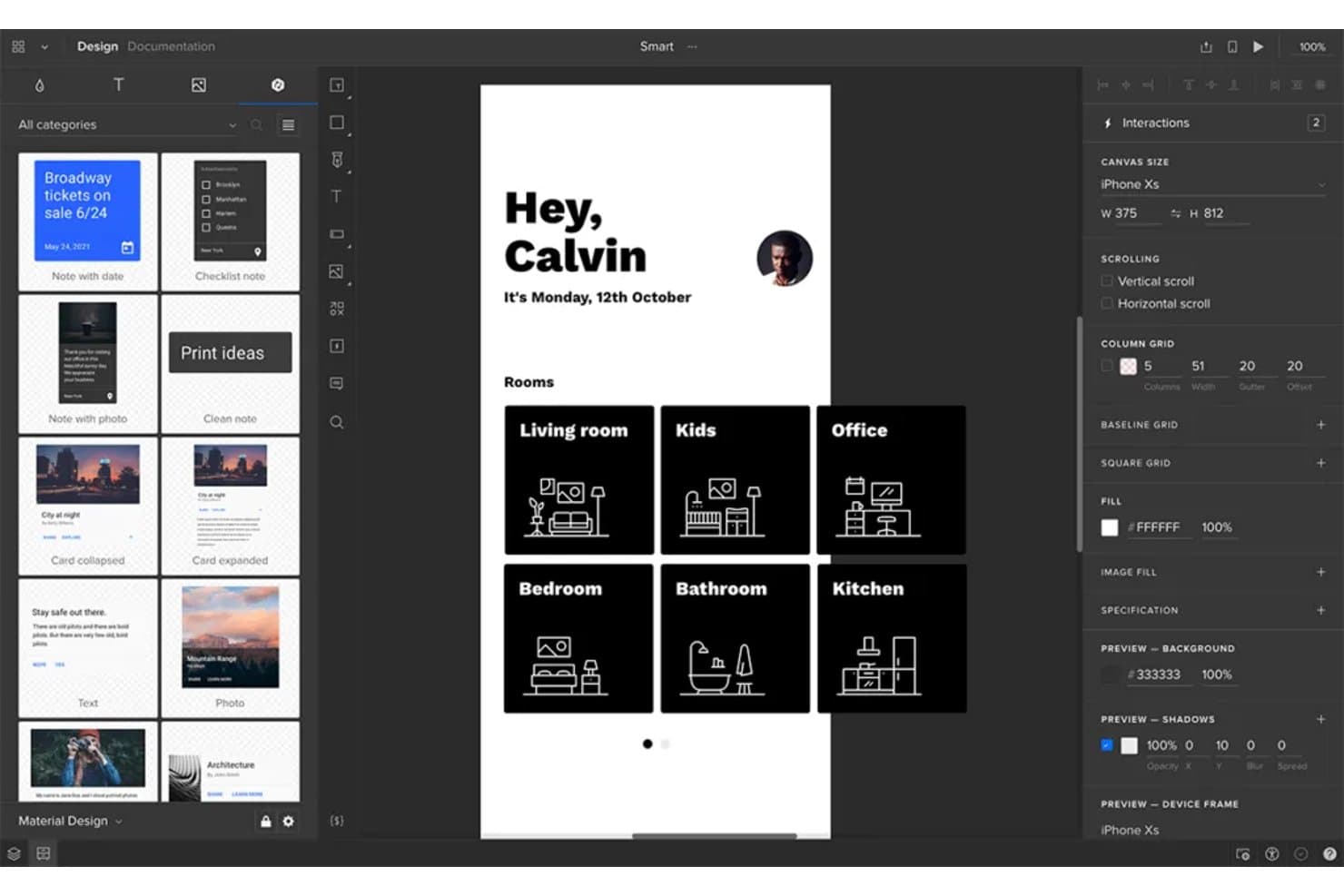
UXPin permet aux utilisateurs de prototyper et de concevoir ensemble des interfaces d’applications mobiles. UXPin est une plateforme de conception UX destinée aux équipes produit qui doivent créer, tester et transmettre des interfaces haute fidélité, tout en maintenant l’alignement entre les concepteurs, les développeurs et les parties prenantes.
À qui UXPin convient-il le mieux ?
UXPin convient aux équipes produit qui ont besoin que les concepteurs et les développeurs créent des interfaces à l’aide de composants React prêts pour la production.
Pourquoi j’ai choisi UXPin
J’ai choisi UXPin parce qu’il permet à mon équipe de concevoir avec des composants React prêts pour la production au lieu de les approximer dans des maquettes statiques. Nous pouvons utiliser des composants codés, de véritables propriétés et des états interactifs pour prototyper un parcours de paiement avec les mêmes éléments d’interface que ceux livrés par les développeurs. Cela permet de concentrer les revues de conception sur le comportement et les détails de mise en œuvre.
Fonctionnalités clés d’UXPin
- Variables : Enregistrer les saisies des utilisateurs et réutiliser les valeurs dans les prototypes.
- Interactions conditionnelles : Créer des parcours de prototype avec des conditions si-alors et si-alors-sinon.
- Mise en page automatique : Organiser et redimensionner les éléments dans des mises en page flexibles.
- Commentaires : Ajouter des retours directement aux conceptions et aux prototypes.
Intégrations d’UXPin
UXPin propose des intégrations documentées avec FullStory, Figma, Sketch, Git, Storybook, Jira, Adobe Fonts, Google Fonts et Slack. Ses intégrations avec Git et Storybook permettent de concevoir avec des composants React et des composants web prêts pour la production, ce qui rend l’outil particulièrement utile aux équipes qui évaluent des alternatives à Figma.
Pros and Cons
Pros:
- Permet de concevoir avec des composants React prêts pour la production
- Prend en charge les variables et la logique conditionnelle des prototypes
- Teste les interactions réalistes avant le développement
Cons:
- La configuration des composants nécessite l’intervention d’un développeur
- Le canevas semble moins fluide que celui de Figma
Learn more about UXPin: Idéal pour les prototypes de sites web interactifs
- Forfait gratuit disponible
- À partir de $10/mois (facturé annuellement)
Visit WebsiteCustomer Rating:4.4/5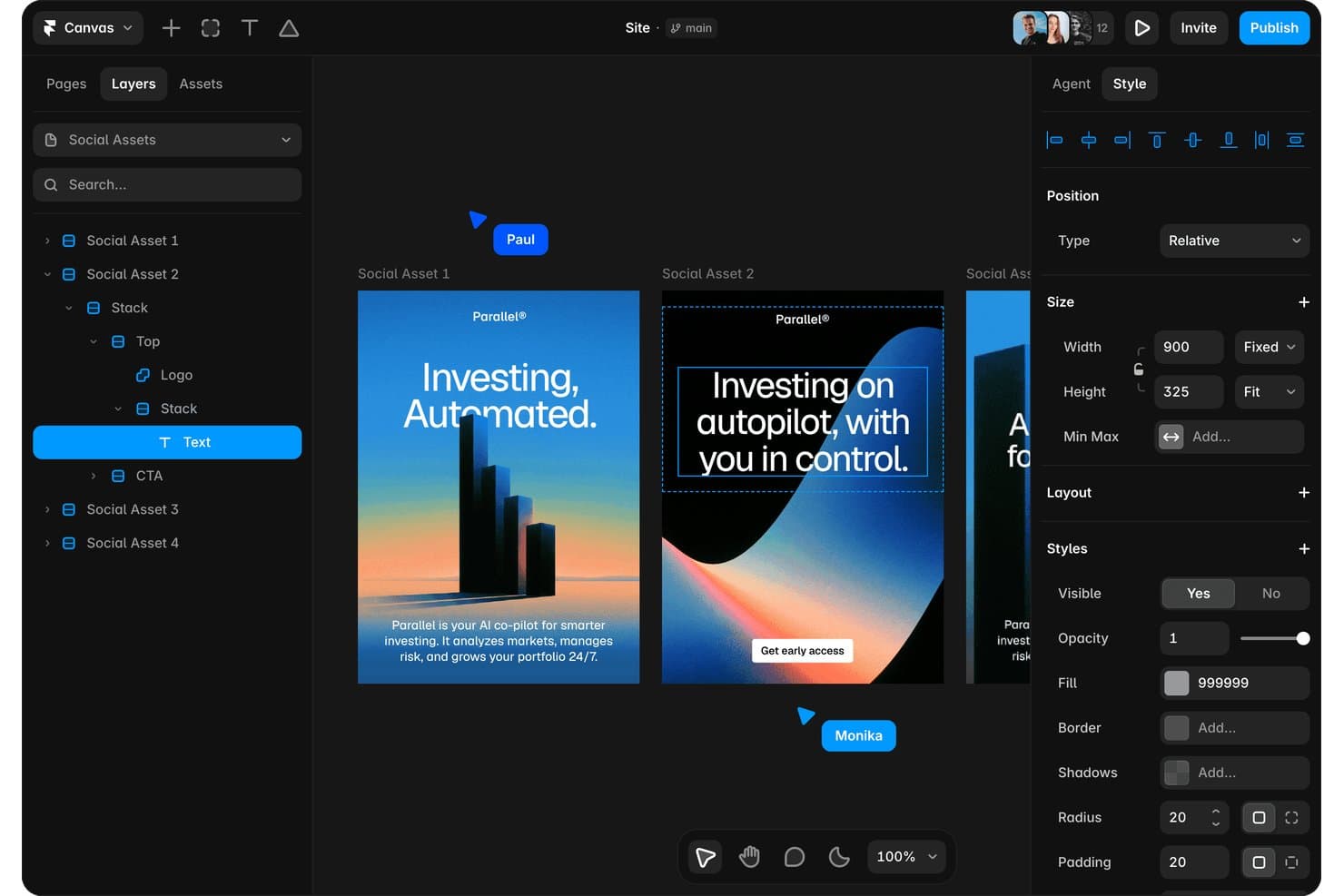
Framer permet aux utilisateurs de concevoir et de modifier visuellement des ressources pour les réseaux sociaux. Framer est une plateforme visuelle de conception et de prototypage de sites web destinée aux concepteurs de produits et aux équipes marketing qui doivent créer des expériences interactives, tester des idées et publier des sites soignés sans changer d'outil.
À qui Framer convient-il le mieux ?
Aux concepteurs de produits et aux équipes marketing qui doivent prototyper et publier des sites web réactifs sans dépendre des développeurs.
Pourquoi j'ai choisi Framer
J'ai choisi Framer parce que je peux transformer des prototypes de sites web interactifs en pages publiées et réactives depuis le même canevas visuel. J'utilise des points d'arrêt pour tester les mises en page sur différentes tailles d'écran, puis j'ajoute des effets de défilement, des états au survol et des transitions de page pour obtenir des parcours produit réalistes. Cela aide mon équipe à valider les sites marketing et les expériences web avant le début du développement.
Fonctionnalités clés de Framer
- Collections CMS : Créez du contenu structuré pour les blogs, les études de cas et d'autres pages.
- Localisation : Traduisez le contenu du site et adaptez les pages à différents marchés.
- Formulaires : Ajoutez des formulaires personnalisables pour recueillir les contributions des visiteurs.
- Composants : Créez des éléments réutilisables avec des propriétés et des variantes partagées.
Intégrations de Framer
Framer propose des intégrations intégrées avec Google Tag Manager, Formspark, Hotjar, les formulaires HubSpot, Intercom, Mailchimp, les formulaires Marketo, Meta Pixel, Typeform et Clay. Formspark prend en charge Slack, Zapier et Integromat, tandis que Framer fournit également des webhooks personnalisés et une API serveur pour les intégrations personnalisées.
Pros and Cons
Pros:
- Publie des prototypes réactifs sans transfert aux développeurs
- Animations, transitions et effets de défilement performants
- Les composants réutilisables favorisent la cohérence des systèmes de pages
Cons:
- Moins adapté au prototypage d'applications natives
- Les mises en page avancées peuvent nécessiter des connaissances en CSS
 Idéal pour les prototypes sans code axés sur la logique
- Essai gratuit de 30 jours
- À partir de $29/utilisateur/mois (facturé annuellement)
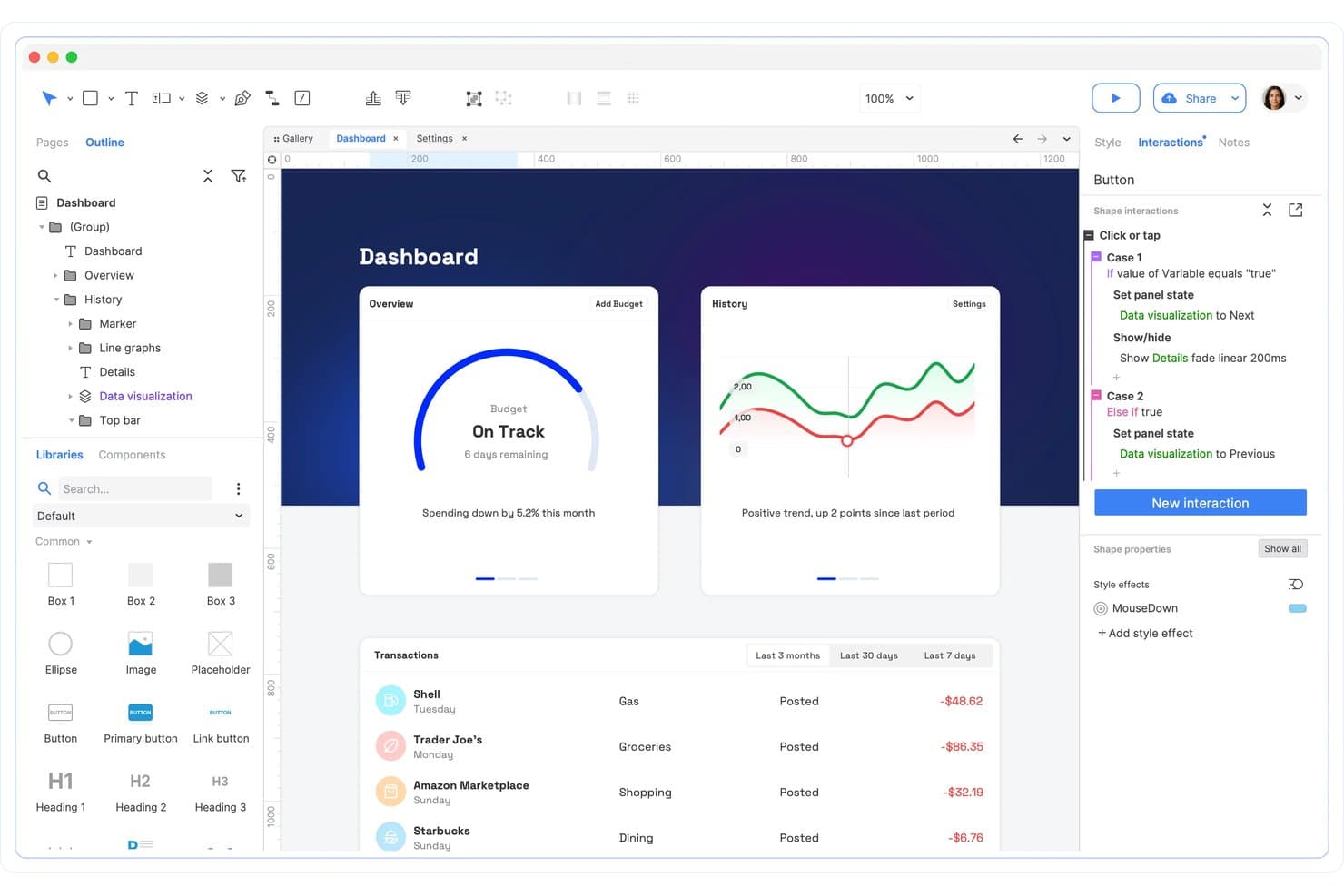
Axure RP prend en charge les interactions conditionnelles et la logique d’état des panneaux. Axure RP est un outil de conception UX et de prototypage destiné aux équipes produit qui doivent cartographier des parcours utilisateur complexes, tester des interactions détaillées et aligner les parties prenantes avant le début du développement.
À qui Axure RP convient-il le mieux ?
Aux concepteurs UX et aux équipes produit qui doivent modéliser des flux de travail conditionnels, des interfaces dynamiques et des interactions utilisateur détaillées avant le développement.
Pourquoi j’ai choisi Axure RP
J’ai choisi Axure RP parce qu’il gère les concepts de produits riches en interactions que Figma ne peut pas modéliser avec autant de profondeur. Sa logique conditionnelle, ses variables et ses panneaux dynamiques permettent à mon équipe de prototyper des parcours d’intégration avec embranchements, des autorisations et la validation de formulaires sans code. Je l’utilise pour les prototypes sans code axés sur la logique, lorsque les parties prenantes doivent tester des flux de travail réalistes avant l’intervention des ingénieurs.
Principales fonctionnalités d’Axure RP
- Vues adaptatives : Créez des mises en page pour différentes tailles et orientations d’écran.
- Répéteurs : Créez des listes triables et filtrables à partir d’ensembles de données réutilisables.
- Bibliothèques de composants : Enregistrez et réutilisez des composants d’interface personnalisés dans différents projets.
- Notes de prototype : Ajoutez des annotations, des exigences et de la documentation sur les interactions.
Intégrations d’Axure RP
Axure RP propose des intégrations officielles avec Jira, Confluence, Slack et Microsoft Teams pour intégrer des prototypes et partager l’activité des projets. Il prend également en charge l’importation de ressources de conception depuis Figma, Sketch et Adobe XD grâce à des modules complémentaires dédiés.
Pros and Cons
Pros:
- La logique conditionnelle modélise les flux de travail avec embranchements
- Les répéteurs prennent en charge les listes de données triables et filtrables
- Les interactions détaillées permettent de valider le comportement réaliste des formulaires
Cons:
- La conception visuelle semble plus lente qu’avec Figma
- La collaboration en temps réel est à la traîne par rapport aux concurrents axés sur le navigateur
Learn more about Axure RP : Idéal pour la conception auto-hébergée et à code source ouvert
- Forfait gratuit + essai gratuit de 14 jours disponible
- À partir de $7/utilisateur/mois
Visit WebsiteCustomer Rating:4.5/5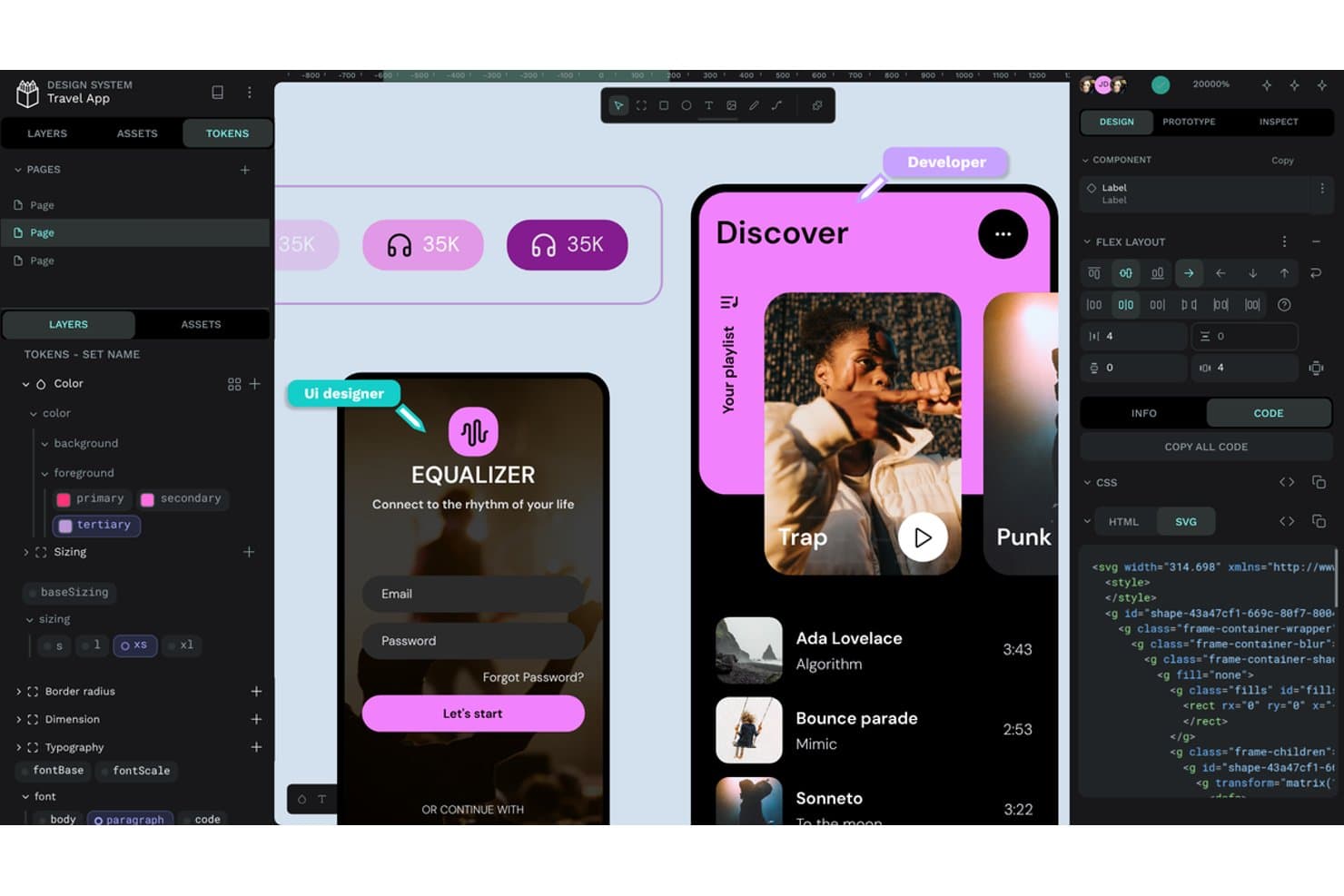
Penpot permet aux utilisateurs d’examiner les jetons de conception, le CSS et le code SVG côte à côte. Penpot est une plateforme de conception UX destinée aux équipes produit qui ont besoin de maquettage filaire, de prototypage et de transmission collaborative aux développeurs, avec un meilleur contrôle de leurs outils et flux de travail.
À qui Penpot convient-il le mieux ?
Penpot convient aux équipes produit qui ont besoin d’une collaboration de conception à code source ouvert et de la possibilité d’héberger leurs flux de travail UX sur leur propre infrastructure.
Pourquoi j’ai choisi Penpot
J’ai choisi Penpot parce qu’il est particulièrement adapté à la conception auto-hébergée et à code source ouvert. Je peux le déployer sur l’infrastructure de mon équipe, conserver le contrôle des données des projets et examiner son code source. Ses tableaux de travail accessibles depuis un navigateur, ses flux de travail SVG et sa prise en charge de la grille CSS et de la mise en page flexible aident mon équipe à créer des interfaces prêtes pour la production.
Principales fonctionnalités de Penpot
- Composants : Créez des éléments d’interface réutilisables avec des propriétés et des variantes configurables.
- Jetons de conception : Définissez des couleurs, des espacements, une typographie et d’autres valeurs de conception réutilisables.
- Prototypage : Reliez les écrans à l’aide d’interactions, de transitions, de superpositions et d’animations.
- Mode d’inspection : Examinez les dimensions, les propriétés et les détails d’implémentation des objets sélectionnés.
Intégrations de Penpot
Penpot ne dispose pas d’intégrations natives clairement documentées avec des outils tiers. Il prend en charge les modules d’extension via PenpotHub ou des URL directes, ainsi que des mécanismes de notification Web permettant de créer des connexions personnalisées avec d’autres services.
Pros and Cons
Pros:
- Le déploiement auto-hébergé garde les données de conception sous contrôle
- La grille CSS et la mise en page flexible fonctionnent directement sur la zone de travail
- Les flux de travail SVG facilitent la transmission aux développeurs
Cons:
- Les fichiers volumineux peuvent devenir sensiblement lents
- Certains flux de production restent moins matures que ceux de Figma
Learn more about Penpot: Idéal pour les flux de conception natifs macOS
- Essai gratuit de 30 jours
- À partir de $12/utilisateur/mois (facturé annuellement)
Visit WebsiteCustomer Rating:4.5/5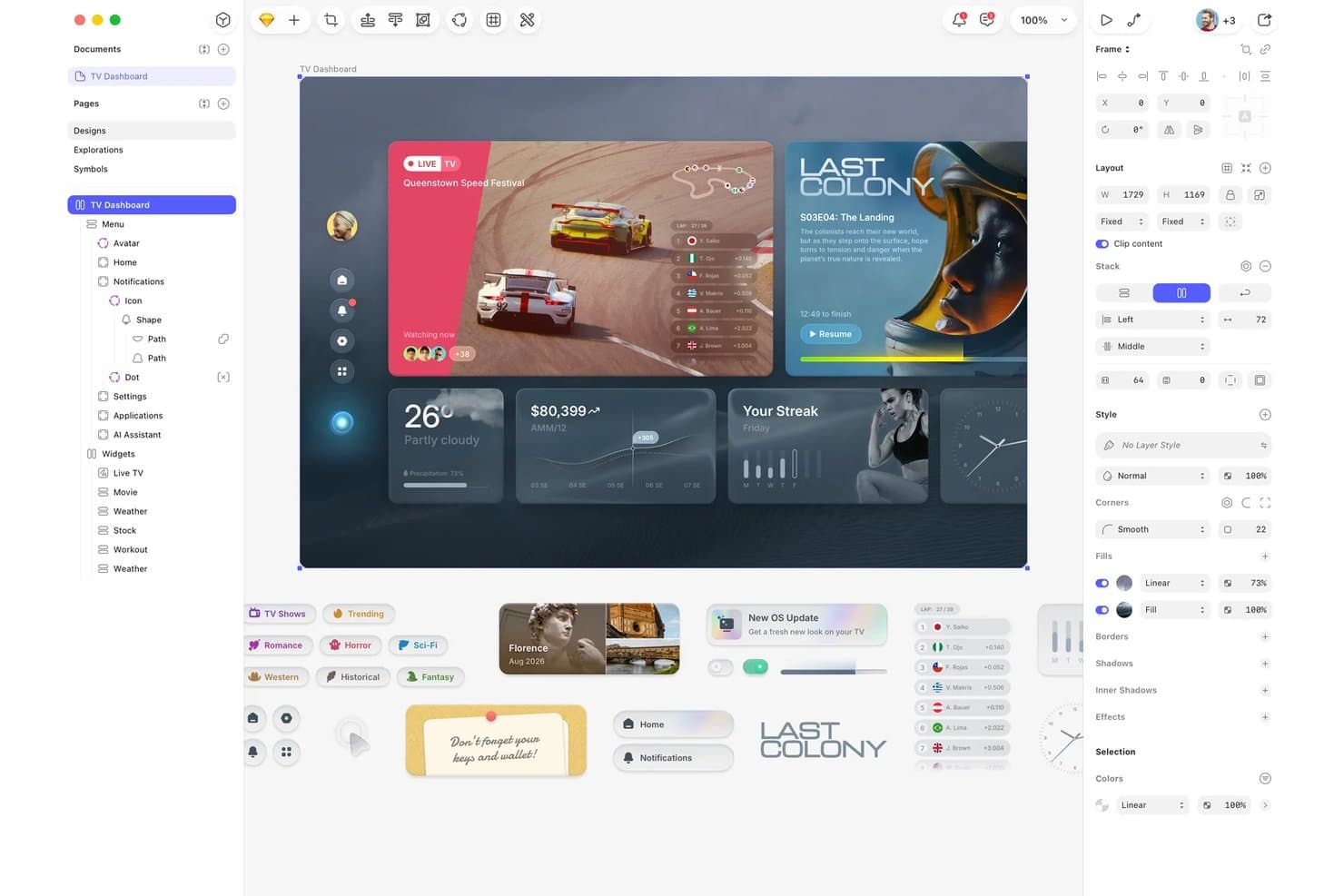
Sketch organise les composants d’interface et les calques pour la conception d’un tableau de bord TV. Sketch offre aux équipes produit et UX une plateforme de conception ciblée pour créer des interfaces, des prototypes et des systèmes de conception, tout en réduisant les frictions de collaboration entre la recherche, la conception et le développement.
À qui Sketch convient-il le mieux ?
Sketch convient aux designers produit et aux équipes UX qui souhaitent disposer d’un espace de travail natif macOS pour la conception d’interfaces, le prototypage et le développement de systèmes de conception.
Pourquoi j’ai choisi Sketch
J’ai choisi Sketch parce que son application native macOS offre à mon équipe un espace de travail ciblé pour la conception d’interfaces. Nous utilisons des symboles, des composants et des bibliothèques partagées afin de maintenir des systèmes de conception cohérents sur les différents écrans du produit. Ses fonctionnalités de prototypage et de transmission aux développeurs nous aident à faire évoluer un flux de travail basé sur Mac, des premiers parcours jusqu’à la mise en œuvre.
Principales fonctionnalités de Sketch
- Commentaires : Ajoutez des retours directement sur les conceptions et résolvez les fils de discussion.
- Historique des versions : Consultez les versions précédentes des documents et restaurez les travaux antérieurs.
- Autorisations de l’espace de travail : Contrôlez qui peut consulter, modifier ou gérer les documents.
- Accès depuis un navigateur : Ouvrez, consultez et partagez vos conceptions via l’application web de Sketch.
Intégrations de Sketch
Sketch propose des intégrations via son écosystème de plugins, notamment avec Slack, Jira, Zeplin, ProtoPie, Principle, Frontify et Brandfolder. Il fournit également une API JavaScript officielle et une spécification de format de fichier pour les intégrations personnalisées.
Pros and Cons
Pros:
- Les performances natives sur macOS sont rapides et réactives
- Les bibliothèques partagées favorisent la cohérence des systèmes de conception
- L’inspection dans un navigateur aide les développeurs à consulter les conceptions
Cons:
- L’application Mac exclut les designers utilisant Windows
- La collaboration en temps réel est en retrait par rapport à Figma pour les grandes équipes
 10Idéal pour la transmission des conceptions au développement avec des agents de codage IA
Zeplin
- Forfait gratuit disponible
- À partir de $13.75/projet/mois (facturé annuellement)
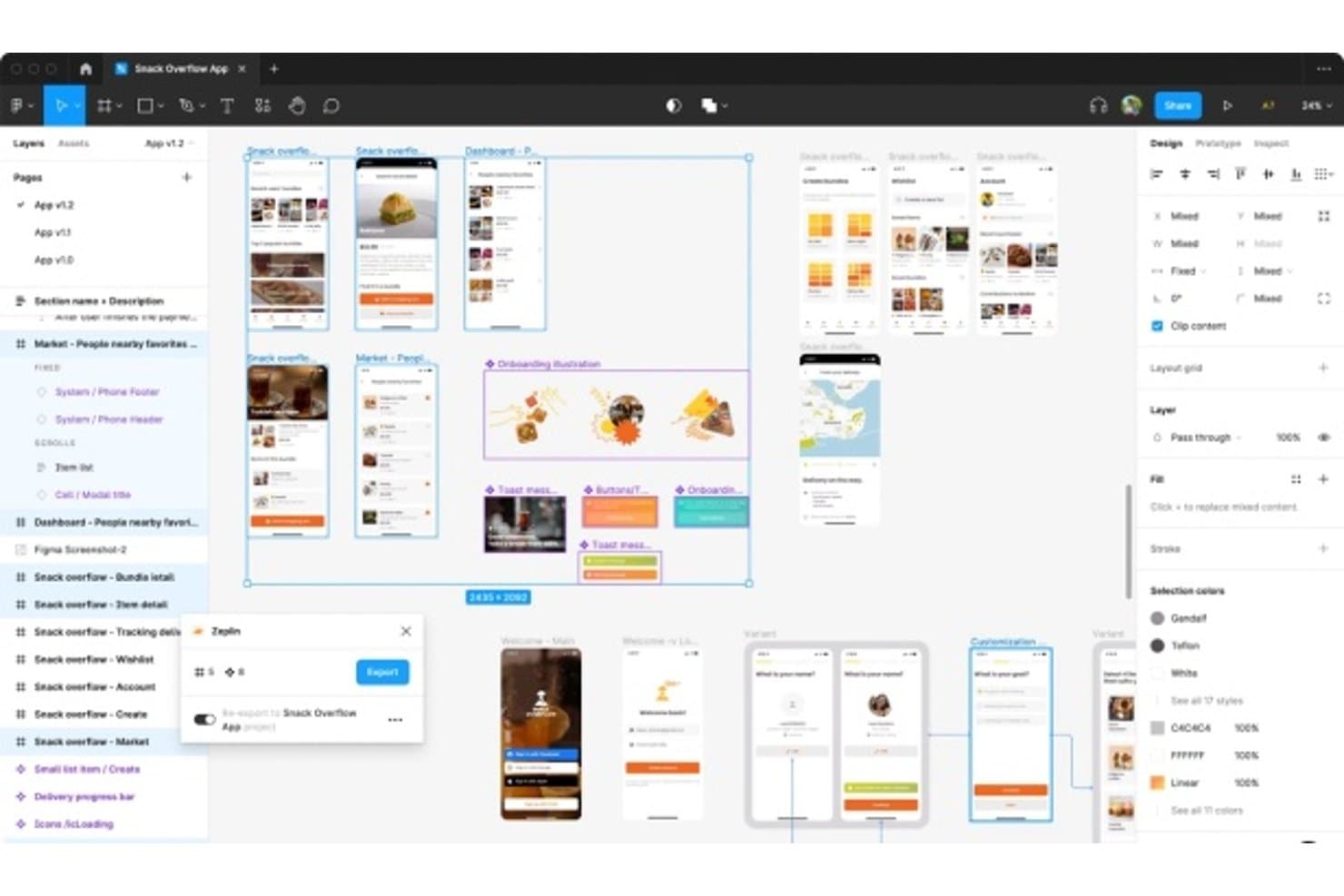
Zeplin fait le lien entre la conception et le développement grâce aux exports de transmission. Pour les équipes produit à la recherche d’une alternative à Figma, Zeplin est une plateforme de collaboration et de transmission des conceptions qui aide les designers, les développeurs et les chefs de produit à partager les spécifications, les ressources et le contexte sans perdre leur alignement.
À qui Zeplin convient-il le mieux ?
Zeplin convient aux équipes produit et d’ingénierie qui ont besoin du contexte de conception, des spécifications et des ressources pour guider les agents de codage IA à partir de conceptions approuvées.
Pourquoi Zeplin est une bonne alternative à Figma
J’ai choisi Zeplin parce qu’il fournit aux agents de codage IA un contexte clair issu de conceptions approuvées. Mon équipe utilise ses spécifications de conception et ses ressources exportées pour guider l’implémentation sans s’appuyer uniquement sur des captures d’écran. Cela rend la transmission plus précise lorsque les développeurs doivent transformer une interface finalisée en code fonctionnel.
Fonctionnalités clés de Zeplin
- Versionnage des conceptions : Comparez les mises à jour des écrans et examinez les modifications entre les versions.
- Guides de style : Organisez les couleurs, les styles de texte, les espacements et les composants dans des bibliothèques partagées.
- Annotations des écrans : Ajoutez des notes et des discussions directement sur des écrans individuels.
- Intégrations aux flux de travail : Connectez les projets à des outils tels que Jira, Slack et Azure DevOps.
Intégrations de Zeplin
Zeplin propose des intégrations officielles avec Jira, Azure DevOps, Slack, Microsoft Teams, Storybook, Trello et VS Code, ainsi que des intégrations de publication de conceptions pour Figma, Sketch, Photoshop et Adobe XD. Il fournit également une API et des webhooks pour les flux de travail personnalisés, avec la prise en charge de MCP pour des outils d’IA tels que Claude, Cursor et VS Code.
Pros and Cons
Pros:
- Les spécifications exportées guident l’implémentation au-delà des captures d’écran
- Les annotations des écrans gardent les décisions de conception associées
- Les comparaisons de versions clarifient les modifications approuvées de l’interface
Cons:
- Prend principalement en charge la transmission une fois la conception terminée
- Nécessite un outil de conception distinct pour la création
Learn more about Zeplin:
Autres alternatives à Figma
Voici quelques alternatives supplémentaires à Figma qui n’ont pas été retenues dans ma sélection, mais qui méritent tout de même d’être examinées :
- 11ProtoPieIdeale per la prototipazione delle interazioni su più dispositivi
- 12InfragisticsIdéal pour le transfert de la conception au code sur plusieurs frameworks
- 13JustinmindIdéal pour les prototypes fonctionnels avec tests d’utilisabilité
- 14LunacyIdéal pour une conception privilégiant le mode hors ligne avec un cloud privé
- 15MarvelIdéal pour les prototypes sans code, sans compétences en conception
- 16MiroTableau blanc collaboratif en temps réel idéal pour
- 17Adobe XDIdéal pour les flux de conception intégrés à Creative Cloud
- 18Brilliant.designIdéal pour le passage de la conception au code avec une approche native de l’IA
Comment j’évalue les concurrents de Figma
Je divise mon évaluation en trois parties. Les fonctionnalités essentielles ont le plus de poids : un outil doit permettre de concevoir des interfaces et de créer des prototypes interactifs. Ensuite, je recherche des fonctionnalités distinctives comme la génération de mises en page assistée par l’IA ou les tests utilisateurs intégrés. Enfin, je prends en compte le modèle tarifaire et la clarté de la prise en main.
Fonctionnalités essentielles (critères indispensables pour cette liste)
Lorsque je sélectionne des outils pour ma liste, j’évalue chacun d’eux sur une échelle de 0 (ne propose pas la fonctionnalité) à 5 (excelle dans ce domaine) pour chaque fonctionnalité essentielle répertoriée ci-dessous. Je convertis ensuite le total en pourcentage afin d’évaluer l’adéquation globale de chaque outil, en accordant un poids supplémentaire aux fonctionnalités que j’ai jugées indispensables.
- Conception d’interfaces et prototypage (indispensable) : Je recherche des écrans liés entre eux, des transitions réalistes et des états d’interaction permettant de tester des parcours utilisateurs complets avant le développement.
- Collaboration en temps réel (indispensable) : J’évalue la modification simultanée, les indicateurs de présence et la collaboration contextuelle lors des revues de conception avec les équipes produit et d’ingénierie.
- Systèmes de conception et composants : Les composants partagés, les variantes, les styles et les mises à jour des bibliothèques doivent favoriser une interface utilisateur cohérente entre les produits et les projets.
- Passage de relais aux développeurs : Je vérifie si les développeurs peuvent examiner les mesures, les jetons, les états et les ressources exportables à partir de la conception approuvée.
- Historique des versions et gestion des fichiers : J’évalue les versions nommées, les fichiers interrogeables et les options de restauration lorsqu’une équipe revient à une orientation antérieure.
- Commentaires et retours : Les commentaires organisés en fils et associés à des éléments doivent permettre d’identifier les responsables des revues, de modifier les statuts et d’associer les décisions à des écrans précis.
Une fois que j’ai établi une liste d’outils répondant aux critères, j’examine ce qui distingue chaque plateforme.
Facteurs de différenciation (ce qui distingue les fournisseurs)
Voici comment je compare et distingue les différents fournisseurs :
Fonctionnalités distinctives
La conception assistée par l’IA en est un exemple important. J’évalue la capacité d’un outil à transformer une consigne textuelle en une mise en page exploitable, car cela réduit l’idéation initiale de plusieurs heures à quelques minutes, notamment lorsqu’un responsable produit a besoin de concepts rapides pour une présentation aux parties prenantes. Les tests utilisateurs intégrés sont également importants. Des outils comme UXPin permettent de recueillir des retours sur la convivialité directement dans le prototype, ce qui évite de devoir exporter les écrans vers une plateforme de recherche distincte. Je recherche aussi de bonnes performances de l’application de bureau hors ligne, car les équipes soumises à des règles strictes de résidence des données ou disposant d’une connectivité peu fiable ont besoin de pouvoir modifier entièrement leurs conceptions sans navigateur.
Au-delà des fonctionnalités
Le modèle tarifaire compte beaucoup. Je vérifie si les personnes qui ne sont pas conceptrices bénéficient de sièges gratuits ou peu coûteux pour la consultation, car un outil qui facture le plein tarif pour chaque responsable produit et chaque ingénieur ayant seulement besoin de laisser des commentaires peut rapidement faire exploser votre budget. La profondeur des intégrations est tout aussi importante : je recherche des connexions natives à Jira, Linear ou Notion afin que les décisions de conception restent liées aux exigences sans copier-coller manuel. J’évalue également la gouvernance d’entreprise, notamment l’authentification unique (SSO), le provisionnement SCIM et les journaux d’audit, car les équipes en croissance ont besoin de contrôles administratifs capables d’évoluer avec leurs effectifs.
Fonctionnalités clés de Figma
Voici quelques-unes des fonctionnalités clés de Figma pour vous aider à mettre en contraste et à comparer ce que proposent les solutions alternatives :
- Collaboration en temps réel : plusieurs utilisateurs peuvent travailler simultanément sur la même conception, ce qui améliore le travail d’équipe et la communication.
- Mise en page automatique : facilite la conception adaptative en redimensionnant et en repositionnant automatiquement les éléments en fonction de l’espace disponible.
- Systèmes de conception : prennent en charge la création et la gestion de composants et de styles réutilisables pour assurer la cohérence entre les projets.
- Outils de prototypage : permettent aux concepteurs de créer des prototypes interactifs afin de visualiser les parcours et les interactions des utilisateurs.
- Contrôle des versions : assure le suivi des modifications de conception, ce qui permet aux utilisateurs de revenir aux versions précédentes si nécessaire.
- Fonctionnalités d’IA : Figma propose plusieurs fonctionnalités d’IA, de la rédaction de textes à la génération d’images et à l’amélioration de la résolution.
- Extensions et intégrations : propose diverses extensions pour étendre les fonctionnalités et s’intégrer à d’autres outils.
- FigJam : un tableau blanc virtuel pour les ateliers et les séances de brainstorming, qui stimule la créativité collaborative.
- Compatibilité multiplateforme : fonctionne sur Mac et Windows, ce qui le rend polyvalent pour différents utilisateurs.
- Sélection intelligente : permet d’effectuer des ajustements groupés sur plusieurs éléments de conception, accélérant ainsi les tâches répétitives.
- Kits d’interface utilisateur : fournissent une bibliothèque de composants et de styles prédéfinis pour créer rapidement des maquettes.