

10 mejores generadores de maquetas con IA analizados en 2026

Lista de los mejores generadores de maquetas con IA


Las maquetas desempeñan un papel importante al desarrollar ideas, compartir conceptos o dar forma a un proyecto. Encontrar una manera sencilla de crearlas puede facilitar todo el proceso. Los generadores de maquetas con IA ayudan a automatizar las tareas de diseño repetitivas, lo que te permite centrarte en los aspectos que realmente requieren tu atención.
Según mi experiencia, las funciones de IA, como las sugerencias automáticas de diseño y el renderizado realista, pueden transformar la forma en que abordas la creación de maquetas. Necesitas soluciones fiables que comprendan tus requisitos y se adapten a tu flujo de trabajo.
En este artículo, compartiré mi reseña imparcial de los mejores generadores de maquetas con IA del mercado. Descubrirás herramientas que pueden mejorar la productividad y la creatividad de tu equipo. Veamos las opciones que pueden hacer que tu proceso de diseño sea más eficaz.
Por Qué Confiar en Nuestras Reseñas de Software
Llevamos revisando y probando software de gestión de productos desde 2020. Como product managers, sabemos lo crucial y complicado que es tomar la decisión correcta al seleccionar software. Invertimos en investigación profunda para ayudar a nuestra audiencia a tomar mejores decisiones de compra de software. Hemos probado más de 2,000 herramientas para distintos casos de uso y escrito más de 1,000 reseñas exhaustivas. Conozca cómo mantenemos la transparencia & nuestra metodología de reseñas de software.
Tabla comparativa de generadores de maquetas con IA
Esta tabla comparativa resume los detalles de precios de mi selección de los mejores generadores de maquetas con IA:
| Tool | Best For | Trial Info | Price | ||
|---|---|---|---|---|---|
| 1 | Mejor para equipos de producto que necesitan maquetas rápidas y personalizables con IA | Plan gratuito disponible | Desde $12/mes (facturado anualmente) | Website | |
| 2 | Ideal para maquetas de UI a partir de capturas de pantalla o indicaciones de texto | Plan gratuito disponible | Desde $11/editor/mes (facturado anualmente) | Website | |
| 3 | Mejor para maquetas de productos realistas y en alta resolución | Plan gratuito disponible | Desde $3.33/usuario/mes | Website | |
| 4 | Ideal para crear maquetas de productos realistas en segundos | Plan gratuito disponible | Desde $24.50/mes (facturado anualmente) | Website | |
| 5 | Ideal para la generación automática de maquetas UI de alta fidelidad | Plan gratuito disponible | Desde $14/mes (facturado anualmente) | Website | |
| 6 | Ideal para comercio electrónico y branding con mockups 3D | Plan gratuito disponible | Desde $5/usuario/mes (facturación anual) | Website | |
| 7 | Ideal para la creación de maquetas de alta calidad basadas en navegador | Plan gratuito disponible | Desde $12/mes (facturado anualmente) | Website | |
| 8 | Ideal para maquetas profesionales instantáneas con edición de arrastrar y soltar | Plan gratuito disponible | Desde $10/mes (facturado anualmente) | Website | |
| 9 | Ideal para imágenes visuales de aplicaciones y marketing con generación de maquetas mediante arrastrar y soltar | Plan gratuito disponible | Desde $12/mes | Website | |
| 10 | Ideal para automatizar el diseño de visuales de productos realistas | Plan gratuito disponible | Desde $15/mes (facturación anual) | Website |
Reseñas de los mejores generadores de maquetas con IA
A continuación encontrarás mis resúmenes detallados de los mejores generadores de maquetas con IA que llegaron a mi lista de preseleccionados. Mis reseñas ofrecen un análisis detallado de las funciones principales, las ventajas & desventajas, las integraciones y los casos de uso ideales de cada herramienta para ayudarte a encontrar la mejor opción para ti.
Canva
Mejor para equipos de producto que necesitan maquetas rápidas y personalizables con IA
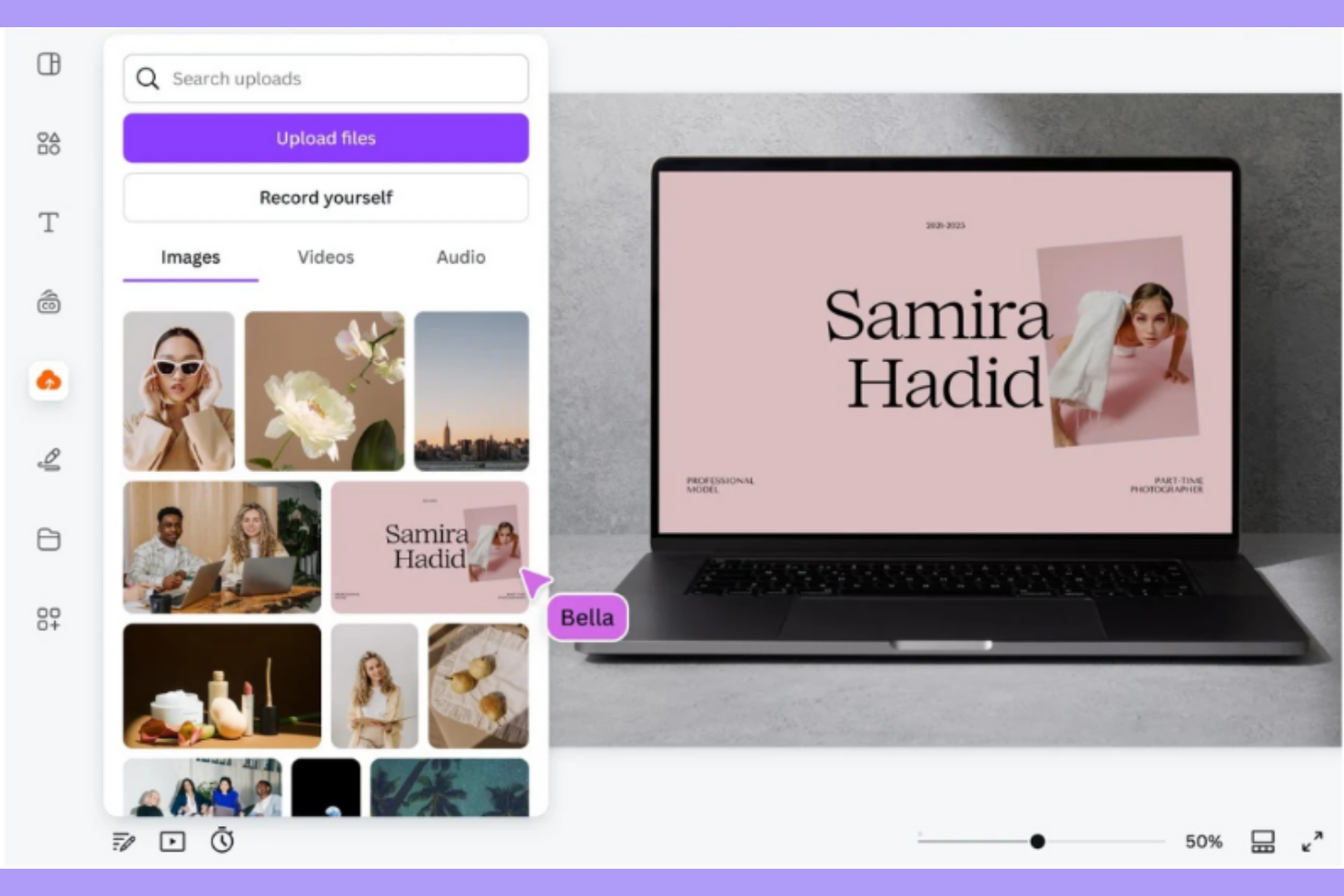
Canva es una herramienta de diseño versátil pensada para equipos de producto que buscan soluciones rápidas y adaptables de maquetas con IA. Facilita la creación de diseños visualmente atractivos gracias a sus capacidades impulsadas por inteligencia artificial, lo que la convierte en una buena opción para equipos que buscan eficiencia en el diseño.
Por qué elegí Canva: Esta herramienta ofrece funciones de IA que agilizan el proceso de diseño, como sugerencias automáticas de diseño y redimensionamiento inteligente. Está diseñada para equipos que necesitan crear maquetas sin sacrificar la personalización. Las capacidades de IA de Canva permiten crear diseños a medida, asegurando que tus maquetas cumplan requisitos específicos. Su interfaz fácil de usar y sus herramientas de diseño impulsadas por IA la hacen una buena elección para equipos de producto.
Características destacadas e integraciones:
Características incluyen un editor intuitivo de arrastrar y soltar, una amplia biblioteca de plantillas y herramientas de colaboración en tiempo real. Puedes adaptar rápidamente los diseños con su función de redimensionamiento inteligente impulsada por IA. Canva también ofrece kits de marca para mantener la coherencia en los proyectos de tu equipo.
Integraciones incluyen Slack, Dropbox, Google Drive, HubSpot, Mailchimp, Typeform, Asana, Box, Microsoft Teams y Salesforce.
Pros and Cons
Pros:
- Amplia variedad de plantillas personalizables
- Interfaz fácil de usar para un aprendizaje rápido
- Herramientas de IA para adaptar diseños de forma eficiente
Cons:
- Funciones de diseño avanzadas limitadas para expertos
- Requiere acceso a internet para toda la funcionalidad

Visily
Ideal para maquetas de UI a partir de capturas de pantalla o indicaciones de texto
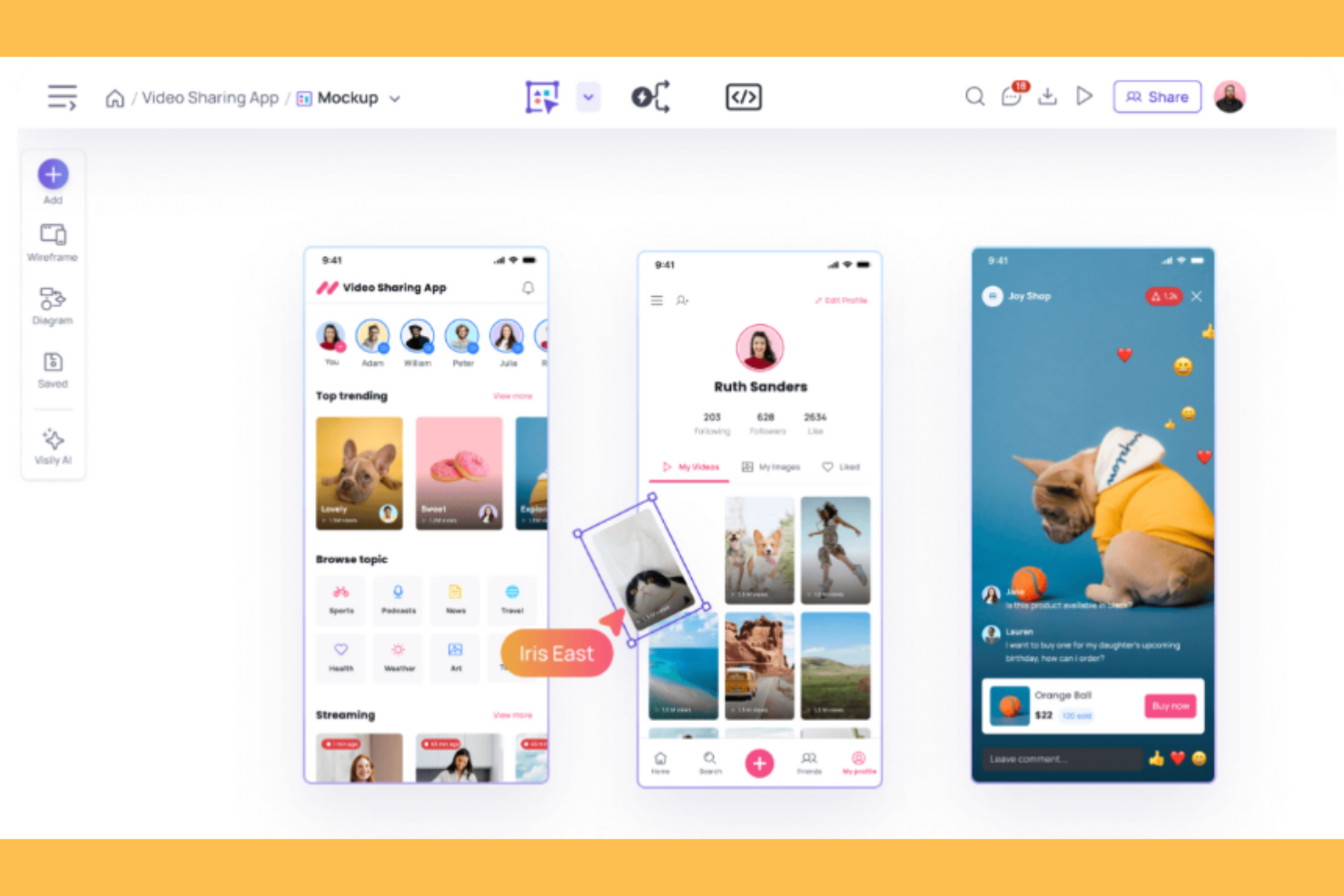
Visily es una herramienta de diseño dirigida a diseñadores UI/UX, que proporciona la capacidad de crear maquetas a partir de capturas de pantalla o indicaciones de texto. Aprovecha la IA para facilitar el proceso de creación de maquetas, ofreciendo soluciones para generar diseños de interfaz de usuario precisos y detallados.
Por qué elegí Visily: Esta herramienta convierte entradas simples como capturas de pantalla o texto en maquetas de UI completas. Las funciones impulsadas por IA, como el reconocimiento inteligente de elementos y las sugerencias automáticas de diseño, te permiten crear diseños profesionales. La capacidad de Visily para trabajar con una entrada mínima lo convierte en una opción para diversos escenarios de diseño.
Características destacadas e integraciones:
Características incluyen una interfaz de diseño intuitiva, una variedad de plantillas personalizables y herramientas de colaboración en tiempo real. Puedes modificar los diseños para que se adapten a las especificaciones del proyecto. Visily también permite exportar maquetas en alta resolución para presentaciones de calidad.
Las integraciones incluyen Adobe XD, Figma, Sketch, Slack, Trello, Google Drive, Dropbox, Asana y Jira.
Pros and Cons
Pros:
- Convierte capturas de pantalla en maquetas
- Sugerencias de diseño y disposición impulsadas por IA
- Simplifica tareas de diseño complejas
Cons:
- Las generaciones de IA son limitadas en el plan gratuito y pueden requerir una actualización
- Faltan algunas funciones clave de diseño como auto layout y herramientas de regla

Fotor
Mejor para maquetas de productos realistas y en alta resolución
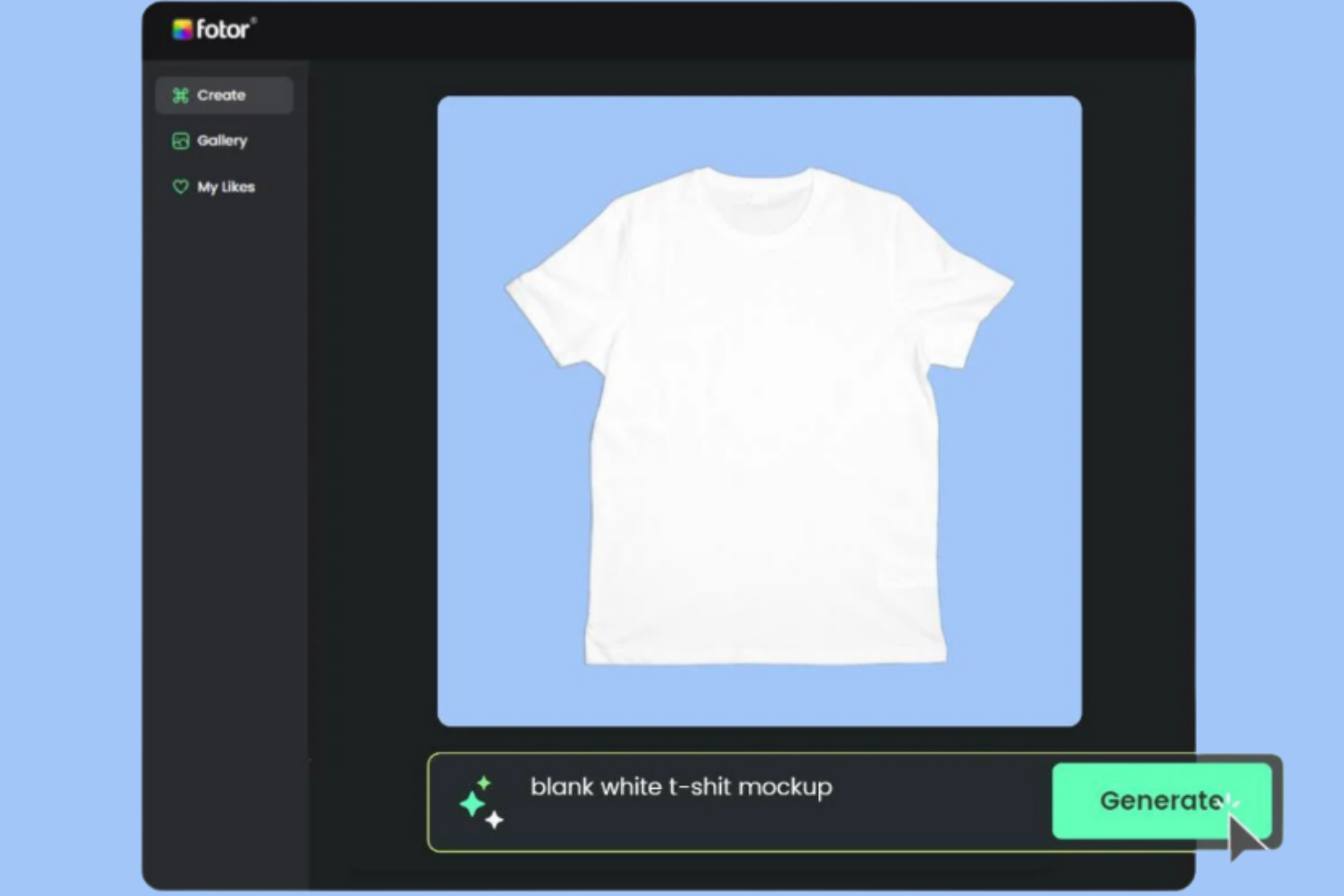
Fotor es una herramienta de diseño creada para profesionales del marketing y diseñadores que necesitan maquetas de productos en alta resolución y realistas. Utiliza la inteligencia artificial para mejorar la calidad de las imágenes y proporciona renderizados realistas, convirtiéndola en un recurso valioso para crear diseños.
Por qué elegí Fotor: Sus capacidades de mejora de imágenes mediante IA producen maquetas en alta resolución que resultan tanto realistas como profesionales. Puedes utilizar funciones impulsadas por IA, como la eliminación de fondo y el retoque de imágenes, para conseguir visuales pulidos. Fotor ofrece una variedad de plantillas y herramientas de diseño adecuadas para diversos sectores. Su enfoque en los resultados de alta calidad garantiza que tus maquetas cumplan con los estándares profesionales.
Características destacadas e integraciones:
Características incluyen una amplia gama de plantillas de diseño, una interfaz de edición fotográfica fácil de usar y herramientas avanzadas de retoque. Puedes ajustar imágenes con opciones de edición potenciadas por IA. Fotor también ofrece opciones de exportación en alta resolución para presentaciones profesionales.
Integraciones incluyen Adobe Creative Cloud, Dropbox, Google Drive, Instagram, Facebook, Twitter, Pinterest, LinkedIn y Flickr.
Pros and Cons
Pros:
- Salidas de imágenes en alta resolución
- Función de eliminación de fondo impulsada por IA
- Gran variedad de plantillas de diseño
Cons:
- Personalización limitada para diseños avanzados
- Algunas funciones requieren una ligera curva de aprendizaje

PromeAI
Ideal para crear maquetas de productos realistas en segundos

PromeAI es una herramienta de diseño dirigida a profesionales creativos y equipos de marketing que necesitan generar maquetas de productos realistas. Utiliza IA para ofrecer visuales de alta calidad rápidamente, brindando eficiencia y precisión en entornos de diseño de ritmo acelerado.
Por qué elegí PromeAI: Los avanzados algoritmos de IA de la herramienta permiten crear maquetas realistas sin sacrificar la calidad. Funciones como diseños automáticos de distribución y mejoras inteligentes de imágenes pueden aportar un toque profesional a tus proyectos. La adaptabilidad de PromeAI a diferentes necesidades de diseño la vuelve una opción versátil para aplicaciones diversas. Su enfoque en la velocidad y el realismo garantiza que tus maquetas sean funcionales y visualmente atractivas.
Características y conectores destacados:
Características incluyen una interfaz sencilla que mejora el flujo de trabajo, una amplia gama de plantillas y capacidades de exportación en alta resolución. Puedes personalizar los diseños fácilmente para alinearlos con los objetivos específicos de tu proyecto. PromeAI también ofrece herramientas de edición de imágenes impulsadas por IA para mejorar la calidad general de tus maquetas.
Integraciones incluyen Adobe Photoshop, Sketch, Figma, Slack, Trello, Google Drive, Dropbox, Asana y Jira.
Pros and Cons
Pros:
- Generación rápida de maquetas con IA
- Visuales realistas y de alta calidad
- Se adapta a diversas necesidades de diseño
Cons:
- Uso limitado en el plan gratuito
- Requiere internet para funcionalidad completa


UX Pilot es una herramienta de diseño creada para diseñadores UI/UX que necesitan generar maquetas de interfaz de usuario de alta fidelidad de forma automática. Utiliza inteligencia artificial en el proceso de diseño, lo que permite obtener maquetas precisas y detalladas para proyectos de interfaces de usuario.
Por qué elegí UX Pilot: Esta herramienta utiliza IA para generar maquetas de alta fidelidad, minimizando el esfuerzo manual requerido. Funciones como la generación automática de diseños y las sugerencias inteligentes de diseño te permiten centrarte en la creatividad, asegurando precisión técnica. La capacidad de UX Pilot para producir maquetas detalladas y realistas lo convierte en una buena herramienta para equipos de UI/UX.
Características y conexiones destacadas:
Características incluyen una interfaz fácil de usar para el proceso de diseño, una biblioteca de componentes de UI personalizables y herramientas de colaboración en tiempo real. Puedes ajustar los diseños para cumplir con las necesidades específicas de cada proyecto. UX Pilot también ofrece opciones de exportación en alta resolución, para que tus maquetas estén listas para presentaciones.
Conexiones incluyen Adobe XD, Sketch, Figma, InVision, Slack, Trello, Google Drive, Dropbox, Asana y Jira.
Pros and Cons
Pros:
- Generación automática de maquetas de alta fidelidad
- Sugerencias de diseño impulsadas por IA
- Ahorra tiempo en tareas manuales de diseño
Cons:
- Desafíos para integrarse con otros programas de diseño como Figma
- La calidad del resultado de la IA puede variar


Picsart es una plataforma de diseño pensada para profesionales de comercio electrónico y branding que necesitan capacidades de mockups 3D. Ofrece herramientas impulsadas por IA para la creación de marca y visualización de productos, proporcionando una ventaja creativa para las empresas y sus contenidos visuales.
Por qué elegí Picsart: La plataforma ofrece funciones avanzadas de mockups 3D que te ayudan a crear visuales de productos inmersivos. Con capacidades de IA como eliminación automática de fondos y colocación inteligente de objetos, tus flujos de trabajo de diseño se vuelven más eficientes. Picsart facilita la producción de contenido de marca de alta calidad, lo cual es esencial para los equipos de comercio electrónico. Su énfasis en la visualización 3D asegura que tus productos se exhiban de manera efectiva.
Funciones y integraciones destacadas:
Las funciones incluyen un conjunto de herramientas de diseño, una biblioteca de plantillas y funcionalidades de edición fotográfica. Puedes adaptar los diseños para que coincidan con la estética única de tu marca. Picsart también ofrece opciones de exportación en alta resolución, ideales para resultados de nivel profesional.
Las integraciones incluyen Adobe Creative Cloud, Shopify, Instagram, Facebook, Twitter, Pinterest, Google Drive, Dropbox, Slack y Trello.
Pros and Cons
Pros:
- Capacidades avanzadas de mockups 3D
- Mejoras de diseño impulsadas por IA
- Amplia biblioteca de plantillas de diseño
Cons:
- Puede requerir una curva de aprendizaje para funciones avanzadas
- Algunas funciones dependen de la conectividad a internet

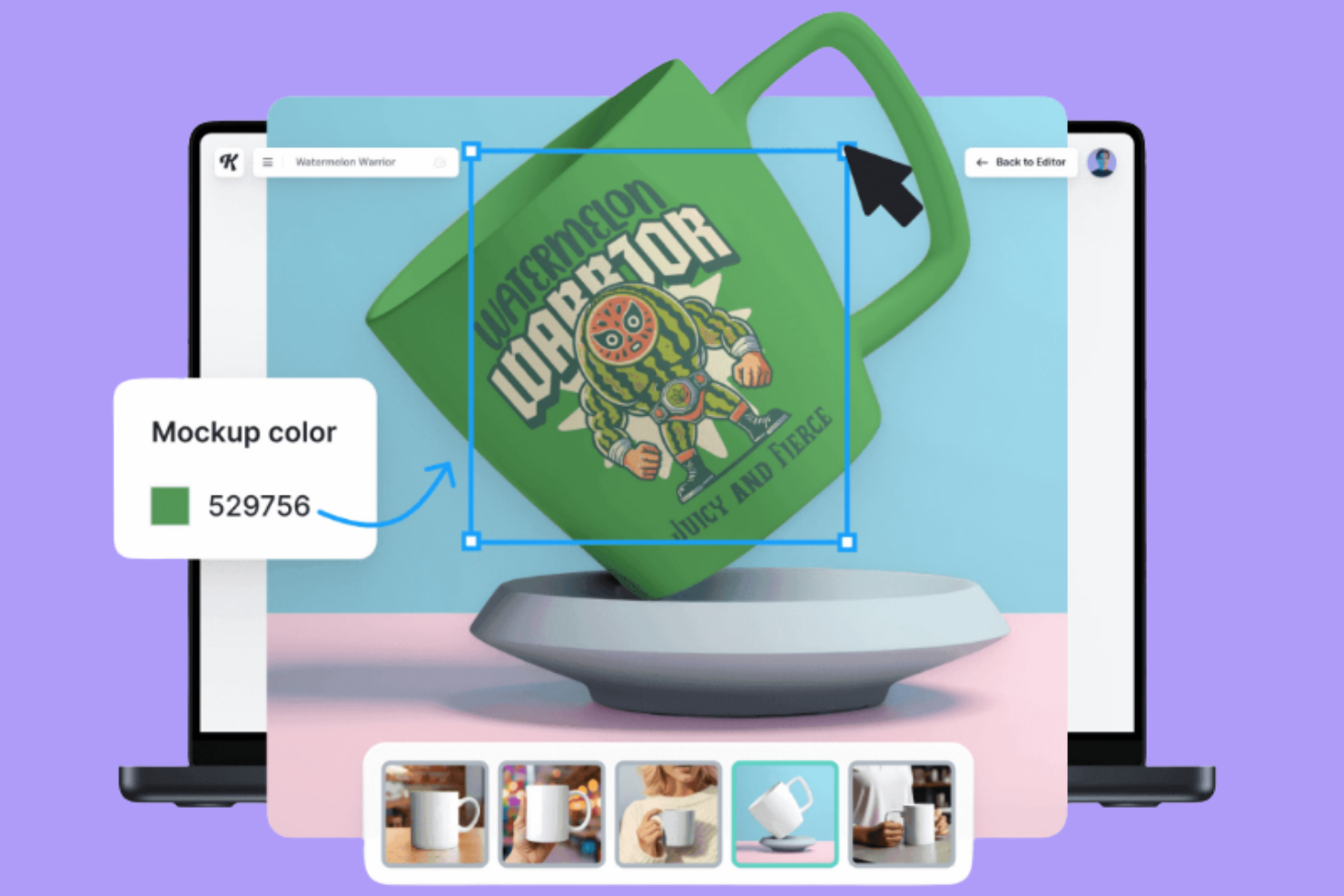
Kittl es una plataforma de diseño que permite a los usuarios crear maquetas de alta calidad directamente en su navegador, dirigida a diseñadores y profesionales creativos. Ofrece herramientas impulsadas por IA para una mayor eficiencia y calidad en el diseño, lo que la hace ideal para quienes necesitan soluciones de diseño flexibles y potentes.
Por qué elegí Kittl: Ofrece capacidades de diseño basadas en el navegador, eliminando la necesidad de instalar software complejo. Las funciones de IA, como sugerencias inteligentes y ajustes automáticos, ayudan a crear diseños. Puedes acceder a una variedad de plantillas diseñadas para uso profesional. Kittl se enfoca en ofrecer resultados de alta calidad para que tus diseños cumplan con los estándares profesionales.
Características destacadas e integraciones:
Las características incluyen una interfaz intuitiva para el proceso de diseño, una biblioteca diversa de plantillas y herramientas colaborativas para trabajo en equipo en tiempo real. Puedes hacer cambios en los diseños con sus herramientas fáciles de usar. Kittl también permite exportar diseños en alta resolución para obtener resultados de calidad.
Las integraciones incluyen Adobe Creative Cloud, Figma, Sketch, Slack, Trello, Google Drive, Dropbox, Asana, Jira y Microsoft Teams.
Pros and Cons
Pros:
- Diseño de alta calidad en navegador
- Sugerencias de diseño inteligentes basadas en IA
- Amplia gama de plantillas disponibles
Cons:
- Funcionalidad offline limitada
- Generación de imágenes limitada con el plan gratuito

Recraft
Ideal para maquetas profesionales instantáneas con edición de arrastrar y soltar

Recraft es una herramienta de diseño que utiliza IA para ayudarte a crear imágenes y maquetas. Tú y tu equipo pueden usarla para generar imágenes, convertirlas en vectores y aplicar estilos de manera consistente en todos tus proyectos.
Por qué elegí Recraft: Recraft te ayuda a crear maquetas sin tener que empezar desde una pantalla en blanco. Cuenta con edición de arrastrar y soltar y plantillas de diseño que puedes ajustar, así no pierdes tiempo corrigiendo ubicaciones. Obtienes generación de imágenes, conversión a vectores y controles de estilo que permiten resultados profesionales y rápidos. Sus ajustes preestablecidos de estilo personalizados y opciones de diseño ayudan a que tú y tu equipo mantengan la coherencia visual.
Funciones y integraciones destacadas:
Funciones incluyen la capacidad de convertir imágenes a formato vectorial, eliminación automática de fondo y mejora de resolución de imágenes. Estas funciones te permiten convertir recursos simples en imágenes de alta calidad y ajustar elementos a distintos formatos.
Integraciones incluyen Latenode, acceso por API, soporte para modelos externos, Airtable, Shopify y Discord.
Pros and Cons
Pros:
- Generación y exportación rápida de vectores
- Buen control sobre la coherencia del estilo de marca
- Edición de maquetas mediante arrastrar y soltar
Cons:
- Algunas herramientas de edición ofrecen resultados inesperados
- Cargas de imágenes limitadas en el plan gratuito

Ideal para imágenes visuales de aplicaciones y marketing con generación de maquetas mediante arrastrar y soltar

Mockuuups Studio es una plataforma de diseño creada para profesionales de marketing y desarrolladores de aplicaciones que necesitan crear imágenes visuales. Ofrece una interfaz de arrastrar y soltar para la creación de gráficos de nivel profesional, aprovechando la inteligencia artificial para aumentar la velocidad y la calidad del diseño.
Por qué elegí Mockuuups Studio: Esta herramienta proporciona una funcionalidad sencilla de arrastrar y soltar que te permite generar maquetas sin complicaciones técnicas. Cuenta con funciones como ajustes automáticos de perspectiva y colocación inteligente de objetos en tu proceso de diseño. Mockuuups Studio se centra en imágenes visuales para aplicaciones y marketing, haciendo que tus proyectos sean atractivos visualmente y producidos de manera eficiente.
Características destacadas e integraciones:
Las características incluyen una amplia variedad de plantillas personalizables, vistas previas en tiempo real y opciones de exportación en alta resolución. Puedes adaptar los diseños para ajustarlos a diversas necesidades de proyecto. Mockuuups Studio también admite el procesamiento por lotes, lo que permite crear múltiples maquetas simultáneamente.
Las integraciones incluyen Adobe Photoshop, Sketch, Figma, Slack, Trello, Google Drive, Dropbox, Asana, Jira y Microsoft Teams.
Pros and Cons
Pros:
- Generación fácil de maquetas con arrastrar y soltar
- Admite procesamiento por lotes para múltiples maquetas
- Resultados de alta calidad para imágenes visuales de marketing
Cons:
- Los diseños pueden resultar genéricos y carecer de herramientas de personalización avanzada
- Carece de funciones de creación masiva como ofrecen algunos competidores

Ideal para automatizar el diseño de visuales de productos realistas
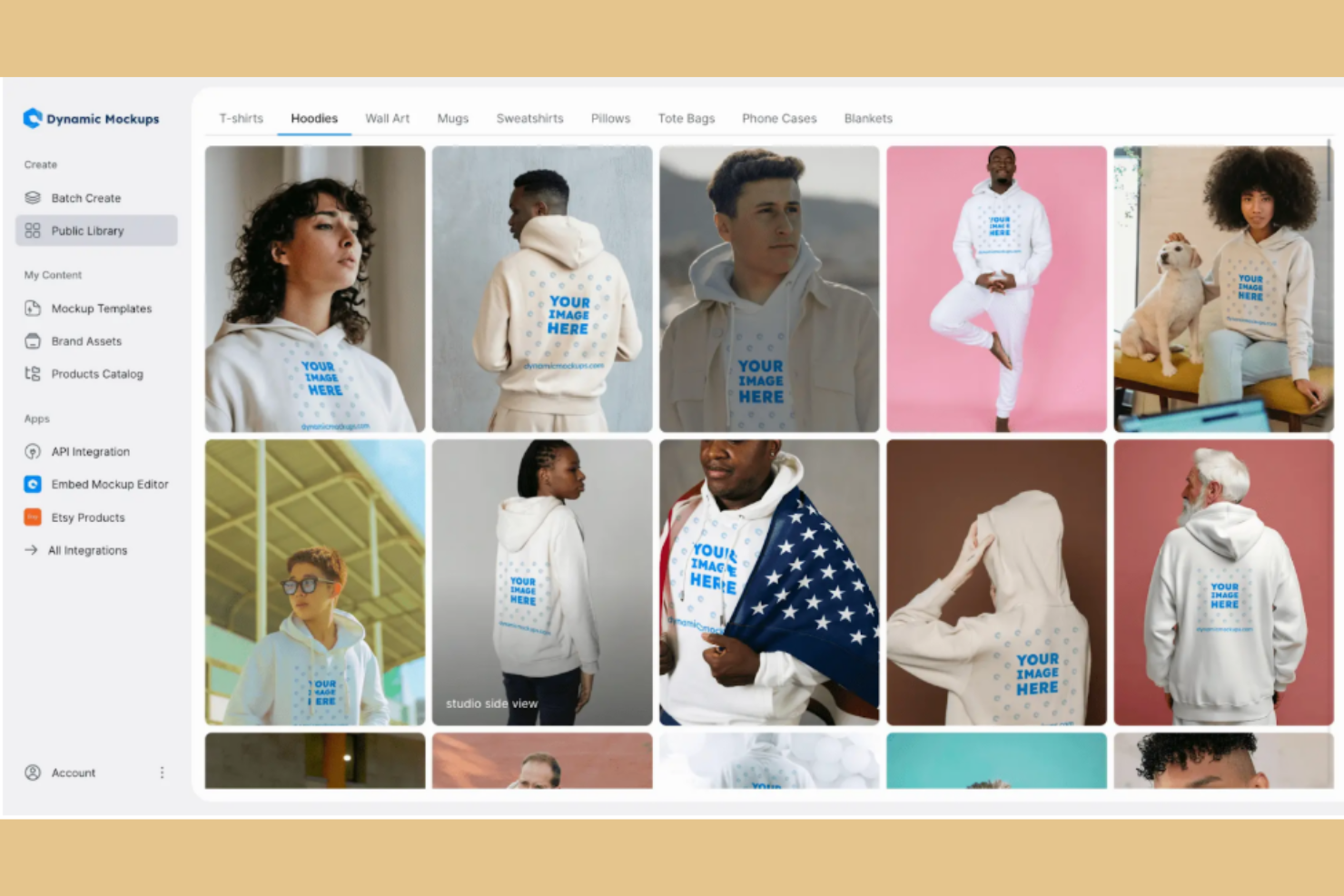
Dynamic Mockups es una herramienta de diseño para profesionales creativos que necesitan automatizar la creación de visuales de productos. Emplea IA en el proceso de diseño para obtener resultados de alta calidad con menos esfuerzo manual.
Por qué elegí Dynamic Mockups: Las capacidades de IA de la herramienta permiten automatizar el diseño de imágenes de productos. Cuenta con funciones como ajustes inteligentes de diseño y mejora automática de los detalles del producto. Sus características de automatización ahorran tiempo y aumentan la productividad, por lo que es una buena herramienta para equipos de diseño.
Funciones destacadas e integraciones:
Funciones incluyen una interfaz fácil de usar para tareas de diseño, una amplia gama de plantillas personalizables y opciones de vista previa en tiempo real. Puedes adaptar los diseños para ajustarlos a los requisitos específicos de tu proyecto. Dynamic Mockups también permite exportar visuales en alta resolución para presentaciones de calidad.
Integraciones incluyen Adobe Creative Cloud, Sketch, Figma, InVision, Slack, Trello, Google Drive, Dropbox, Asana y Jira.
Pros and Cons
Pros:
- Automatiza tareas de diseño
- Produce visuales realistas de alta calidad
- Ahorra tiempo en ajustes manuales
Cons:
- Biblioteca de mockups limitada en el plan gratuito
- El exceso de dependencia puede dar lugar a portafolios y productos con falta de características de diseño únicas
Otros generadores de maquetas con IA
Aquí tienes algunas opciones adicionales de generadores de maquetas con IA que no llegaron a mi lista de preseleccionados, pero que aun así merece la pena revisar:
- Mockey
Ideal para prototipos de IA gratis con más de 12.500 plantillas para visuales de productos
- MockupLabs
Ideal para convertir imágenes de productos en maquetas realistas con una amplia biblioteca de plantillas


Cómo evalúo los generadores de mockups con IA
Cada herramienta en esta lista debe hacer más que simplemente incluir una etiqueta de IA en un selector de plantillas: busco soluciones que realmente conviertan un prompt de texto en un mockup utilizable que un gestor de producto pueda mostrar en una revisión con interesados. Divido mi evaluación en dos niveles: la funcionalidad básica imprescindible para calificar y los factores diferenciadores que separan las buenas opciones de las extraordinarias.
Funcionalidad básica (Requisitos esenciales para esta lista)
Cuando selecciono herramientas para mi listado, califico cada una en una escala del 0 (no ofrece esta funcionalidad) al 5 (destaca especialmente en este aspecto) para cada funcionalidad esencial indicada a continuación. Luego, calculo la puntuación total de la herramienta como un porcentaje. Cada herramienta debe lograr una puntuación mínima total del 65% para ser considerada.
- Mockups generados por IA: Evalúo si la IA produce pantallas realmente utilizables—como un panel para SaaS o un flujo de registro en móvil—y no solo cuadros genéricos de marcador de posición.
- Prompts de texto a diseño: Un prompt como “página de ajustes con interruptores y navegación lateral” debe devolver algo reconocible, no solo un layout abstracto.
- Salida de diseño editable: Compruebo que después de la generación puedo reorganizar componentes, cambiar iconos y actualizar el texto, y no solo mirar una imagen plana.
- Múltiples pantallas y biblioteca de componentes: La herramienta debería cubrir necesidades comunes como layouts para apps web, pantallas móviles y modales, con un conjunto útil de componentes de interfaz.
- Opciones de exportación y traspaso: Busco salidas prácticas—importar a Figma, exportar SVG o fragmentos de código—que se adapten al flujo de trabajo real de un equipo de producto.
- Generación iterativa y de variaciones: Las buenas herramientas permiten regenerar con ajustes, como “prueba un layout basado en tarjetas”, y ofrecen diferencias visuales significativas.
Una vez tengo una lista de herramientas que cumplen con este criterio, considero qué diferencia a cada plataforma.
Factores diferenciadores (Qué distingue a cada proveedor)
Así comparo y contrasto los diferentes proveedores:
Características destacadas
La conversión de imágenes a mockup es un gran diferenciador—busco herramientas capaces de tomar una foto de una pizarra de una sesión de lluvia de ideas y convertirla en un diseño de pantalla editable. La creación de prototipos interactivos también es fundamental, ya que enlazar pantallas generadas por IA en un flujo clicable ahorra horas de trabajo manual antes de una revisión con interesados. También evalúo la personalización de marca y estilo, donde la IA aplica tu sistema de diseño existente para que cada mockup generado mantenga coherencia visual con tu producto.
Más allá de las funcionalidades
Valoro la integración de cada herramienta en los flujos de trabajo existentes de producto. Un complemento para Figma o una integración con Jira puede suponer la diferencia entre un mockup aislado y uno que se incorpora directamente al backlog de tu sprint. La rapidez para generar mockups también importa—si un gestor de producto necesita cinco pantallas para una sesión de discovery, la herramienta debe entregar resultados utilizables en minutos, no en horas. Además, reviso la seguridad de los datos y las políticas de propiedad intelectual, especialmente si tus diseños se utilizan para entrenar los modelos de IA del proveedor. Para equipos que trabajan en productos aún no lanzados, esto es especialmente relevante.
Cómo elegir un generador de maquetas con IA
Es fácil perderse entre largas listas de funciones y estructuras de precios complejas. Para ayudarte a mantener la concentración mientras avanzas en tu proceso particular de selección de software, aquí tienes una lista de factores que debes tener en cuenta:
| Factor | Qué debes considerar |
|---|---|
| Escalabilidad | ¿La herramienta crecerá junto con las necesidades de tu equipo? Considera si puede gestionar cargas de trabajo cada vez mayores y proyectos más grandes sin que disminuya su rendimiento. |
| Integraciones | ¿Se conecta con tus herramientas actuales? Asegúrate de que sea compatible con programas de diseño como Adobe XD, Figma o Slack para integrarla en tu flujo de trabajo. |
| Personalización | ¿Puedes adaptar la herramienta a tus procesos? Busca opciones para ajustar las plantillas y los elementos de diseño de acuerdo con el estilo único de tu marca. |
| Personalización | ¿Puedes adaptar la herramienta a tus procesos? Busca opciones para ajustar las plantillas y los elementos de diseño de acuerdo con el estilo único de tu marca. |
| Facilidad de uso | ¿La interfaz es intuitiva para tu equipo? Evalúa si la herramienta es lo bastante sencilla para que los nuevos usuarios aprendan a utilizarla rápidamente sin una formación extensa. |
| Implementación e incorporación | ¿Qué tan sencillo es el proceso de configuración? Comprueba si el proveedor ofrece recursos de formación, guías interactivas o asistencia durante la implementación inicial. |
| Coste | ¿El precio se ajusta a tu presupuesto? Compara el coste con las funciones ofrecidas y comprueba si existen cargos ocultos o complementos necesarios. |
| Medidas de seguridad | ¿La herramienta protege tus datos? Verifica que utilice cifrado, actualizaciones periódicas y cumpla con las normativas pertinentes de protección de datos. |
| Disponibilidad de asistencia | ¿Hay ayuda disponible cuando la necesitas? Considera el horario de atención del proveedor, los tiempos de respuesta y los canales disponibles, como el chat o el correo electrónico. |
¿Qué son los generadores de maquetas con IA?
Los generadores de maquetas con IA son herramientas que utilizan inteligencia artificial para automatizar la creación de maquetas de diseño, lo que facilita y acelera la producción de elementos visuales de alta calidad. Los diseñadores, especialistas en marketing y gerentes de producto suelen utilizar estas herramientas para optimizar su flujo de trabajo y mejorar la eficiencia del diseño.
Funciones como la generación automática de diseños, las sugerencias de diseño inteligentes y la colaboración en tiempo real ayudan a crear maquetas pulidas y profesionales sin esfuerzo. En general, estas herramientas permiten a los usuarios producir diseños visualmente atractivos con menos trabajo manual.
Funciones
Al seleccionar un generador de maquetas con IA, presta atención a las siguientes funciones clave:
- Generación automática de diseños: Utiliza IA para crear diseños iniciales que reducen la configuración manual y te ayudan a pasar del concepto a la maqueta más rápidamente.
- Sugerencias de diseño inteligentes: Revisa tus ilustraciones y ofrece mejoras visuales para que tus diseños finales tengan un aspecto más pulido.
- Colaboración en tiempo real: Permite que varios usuarios contribuyan a la vez, lo que favorece una mejor coordinación en todo el equipo.
- Biblioteca de plantillas: Ofrece una variedad de formatos de maquetas que puedes personalizar, incluidas opciones en las que puedes ajustar las fuentes o los elementos de marca.
- Mejora de imágenes mediante IA: Utiliza tecnología de generación de imágenes con IA para mejorar la calidad de las imágenes, de modo que tus maquetas se vean nítidas y claras.
- Funciones de personalización de marca: Permiten añadir logotipos, colores y fuentes para que cada maqueta refleje la identidad de tu marca.
- Opciones de exportación en alta resolución: Producen resultados listos para impresión en formatos que mantienen el nivel de detalle y la claridad.
- Colocación inteligente de elementos: Posiciona los elementos automáticamente para que tus diseños se vean equilibrados con unos ajustes mínimos.
- Interfaz fácil de usar: Ayuda a principiantes y diseñadores experimentados a trabajar de manera eficiente sin una curva de aprendizaje pronunciada.
- Integración con herramientas de diseño: Se conecta con tu software de diseño preferido para que puedas trasladar proyectos entre herramientas con facilidad.
Beneficios
Implementar un generador de maquetas con IA ofrece varios beneficios para tu equipo y tu empresa. Estos son algunos de los que puedes esperar:
- Ahorro de tiempo: Las funciones basadas en IA, como la generación automática de diseños, reducen el tiempo dedicado a las tareas de diseño manuales, lo que permite que tu equipo se concentre en otras prioridades.
- Mejora de la calidad del diseño: Las sugerencias de diseño inteligentes y las mejoras de imágenes basadas en IA dan lugar a elementos visuales más pulidos y profesionales.
- Colaboración mejorada: Las funciones de colaboración en tiempo real permiten que los miembros del equipo trabajen juntos de manera eficaz, mejorando los resultados de los proyectos y la cohesión del equipo.
- Coherencia de marca: Las funciones de personalización de marca garantizan que tus diseños mantengan la coherencia de la marca en todos los proyectos.
- Mayor productividad: Al encargarse la IA de las tareas repetitivas, tu equipo puede producir más diseños en menos tiempo, aumentando la productividad general.
- Proceso de diseño accesible: Las interfaces fáciles de usar y la colocación inteligente de elementos hacen que el proceso de diseño sea más accesible, incluso para los miembros del equipo con menos experiencia en diseño.
- Eficiencia de costes: Al reducir la necesidad de realizar un trabajo de diseño manual extenso, los generadores de maquetas con IA pueden ayudar a disminuir los costes de diseño y mejorar la gestión del presupuesto.
Costes y precios
Seleccionar una herramienta de maquetas con IA requiere comprender los diversos modelos de precios y planes disponibles. Los costes varían según las funciones, el tamaño del equipo, los complementos y otros factores. La siguiente tabla resume los planes habituales, sus precios medios y las funciones que suelen incluir las soluciones de generación de maquetas con IA:
Tabla comparativa de planes para generadores de maquetas con IA
| Tipo de plan | Precio medio | Funciones habituales |
|---|---|---|
| Plan gratuito | $0 | Acceso a plantillas básicas, exportaciones limitadas y herramientas de diseño básicas. |
| Plan personal | $5-$25/usuario/mes | Acceso a plantillas premium, exportaciones en alta resolución y colaboración básica. |
| Plan empresarial | $30-$60/usuario/mes | Herramientas de colaboración avanzadas, opciones de personalización de marca y soporte prioritario. |
| Plan corporativo | $70-$150/usuario/mes | Gestor de cuenta dedicado, funciones de seguridad avanzadas y personalización completa |
Preguntas frecuentes sobre generadores de maquetas con IA
Estas son algunas respuestas a preguntas frecuentes sobre los generadores de maquetas con IA:
¿Los generadores de maquetas con IA pueden integrarse con mis herramientas actuales?
Sí, muchos generadores de maquetas con IA pueden integrarse con plataformas de diseño populares como Adobe XD, Figma y Sketch. Esto facilita importar tus gráficos o exportar una imagen de maqueta a las herramientas que tu equipo ya utiliza. Algunas plataformas también admiten descargas en PNG o JPG para redes sociales, promociones de productos o presentaciones. Antes de elegir una herramienta de maquetas, comprueba si se conecta correctamente con tu flujo de trabajo preferido o con un generador gratuito de maquetas en línea. Probar la integración durante un periodo de prueba puede ayudar a emprendedores y diseñadores gráficos a confirmar que el proceso se adapta a sus tareas diarias.
¿Cómo gestionan la seguridad de los datos los generadores de maquetas con IA?
Los generadores de maquetas con IA suelen incluir funciones de seguridad estándar, como cifrado y autenticación, para proteger las ilustraciones que subes. Si creas regularmente plantillas de maquetas para artículos como camisetas, sudaderas con capucha, escenas de iPhone o diseños de tarjetas de visita, es importante elegir una plataforma que priorice la protección de datos. Revisa la política del proveedor y comprueba con qué frecuencia actualiza sus sistemas, especialmente si trabajas con clientes que esperan prácticas de seguridad sólidas.
¿Puedo personalizar plantillas en los generadores de maquetas con IA?
Sí, la mayoría de las herramientas gratuitas de generación de maquetas con IA te permiten personalizar plantillas para adaptarlas al estilo de tu marca. Puedes modificar elementos del diseño, cambiar colores y subir ilustraciones para maquetas de camisetas, sudaderas con capucha, diseños de tarjetas de visita u otras imágenes de productos. Muchas herramientas permiten editar sin necesidad de conocimientos avanzados de diseño, lo que facilita a los emprendedores crear contenido llamativo. Las opciones de personalización también ayudan a los equipos a producir contenido para sesiones fotográficas o redes sociales, manteniendo una identidad de marca coherente en todas las imágenes de maquetas.
Lo siguiente:
Si estás investigando generadores de maquetas con IA, ponte en contacto de forma gratuita con un asesor de SoftwareSelect para recibir recomendaciones.
Rellenas un formulario y mantienes una breve conversación en la que conocerán los detalles específicos de tus necesidades. Después recibirás una lista de programas para revisar. Incluso te ayudarán durante todo el proceso de compra, incluidas las negociaciones de precios.