

monday dev Test 2026: Vorteile, Nachteile, Funktionen und Preise erklärt
In meiner beruflichen Laufbahn habe ich viele Produktmanagement-Tools genutzt, darunter auch monday dev. In diesem ausführlichen Test bewerte ich die Preisgestaltung, Alternativen, Vor- und Nachteile, Zielgruppen und mehr.

Wir überprüfen Tools unabhängig und Provisionen helfen, unsere Tests zu finanzieren. Lesen Sie unsere transparente Richtlinie, unsere Methodik oder schlagen Sie ein Tool vor.
monday dev is a product management tool built for software product and engineering teams that need to connect roadmaps, sprints, and backlogs in one place. If your team wants dev-specific workflows—bug tracking, sprint planning, release management—without the configuration overhead that comes with Jira, monday dev is worth a close look. It gives you a visual, flexible workspace that's easier to tailor to your process without needing a dedicated admin to maintain it.
monday dev Evaluation Summary
4.6/5
- From $9/month (billed annually)
- Free trial available
Warum Sie unseren Software-Empfehlungen vertrauen können
6,700+
Reviews
20
Industry experts
16+
Evaluation factors
14
Years
Unser Team testet und bewertet Software seit 2012. Als Produktmanager wissen wir selbst, wie schwierig – und wichtig – es ist, die richtige Software auszuwählen.
Für diesen Leitfaden haben wir Tools mithilfe von praktischen Tests und unabhängiger Recherche bewertet und dabei unsere Bewertungskriterien angewendet.
Unsere Bewertungen spiegeln unser menschliches redaktionelles Urteilsvermögen wider, keine Verkaufsstrategie.
Expertenprüfer:
- Andrew LumbySenior TPM
- Cristiano ValimSenior UI/UX Lead


monday dev Overview
monday dev offers a highly visual, customizable interface and strong integration options, making it a top pick for teams prioritizing flexibility and ease of onboarding. Its automation features and template library simplify setup, while responsive support helps users get started quickly.
Pricing is competitive for mid-sized teams, though advanced reporting and granular permissions may lag behind some alternatives. If you’re judging options for cross-functional collaboration or need to adapt workflows without heavy admin overhead, monday dev is a strong contender—especially for SaaS, product, and engineering teams seeking a balance of usability and depth.
Pros
- You can create forms that live within your project as a view.
- Its integrated proofing feature allows you to add comments to any attached file.
- Automations are easy to create and require no coding.
Cons
- The Gantt view is not useful to build a project.
- Subtask columns do not replicate task structure, needing more customization.
- Training videos have the old UI, making it confusing when learning the tool.
Is monday dev Right For Your Needs?
Who Would be a Good Fit for monday dev?
monday dev is perfect for agile tech teams in startups and IT departments looking for customizable workflows. Its easy-to-use automations and integrated proofing help your team streamline tasks without needing coding skills. Marketing teams also benefit from its form creation feature, which allows you to gather data directly within projects. If your team thrives on visual project management and needs flexibility, monday dev’s adaptable interface and seamless communication tools make it a strong choice.
- Tech StartupsYou’ll benefit from monday dev’s flexible project views and integrations that cater to fast-paced environments.
- IT DepartmentsUse monday dev’s automation features to reduce repetitive tasks and keep your projects moving efficiently.
- Marketing TeamsYou’ll find value in its form creation and proofing tools, which streamline campaign management.
- Creative Agenciesmonday dev’s visual layout and task comment features enhance collaboration on creative projects.
- Small BusinessesIts user-friendly interface and quick onboarding are ideal for teams needing a scalable solution.
- Project ManagersYou’ll appreciate the customizable dashboards that provide real-time insights into your project’s progress.
Who Would be a Bad Fit for monday dev?
Large enterprises with complex project hierarchies might find monday dev lacking in advanced Gantt chart capabilities. If your team relies heavily on detailed task dependencies and extensive subtask structures, you could encounter limitations. Teams needing a highly detailed, structured approach to project management may struggle with monday dev’s focus on flexibility and visual management rather than depth in hierarchical task planning.
- Large EnterprisesYou might find its Gantt view insufficient for managing complex project hierarchies.
- Construction Companiesmonday dev’s lack of detailed task dependencies can hinder projects with intricate timelines.
- Legal TeamsIts visual and flexible setup may not align with your need for linear, document-heavy workflows.
- Finance DepartmentsYou could find its task tracking less suited to the precise data management your work demands.
- Manufacturing FirmsThe absence of detailed task replication could limit efficiency in your structured processes.
- Engineering TeamsYou’ll miss advanced dependency tracking necessary for technical project planning.
Wie wir Tools testen & bewerten
Wir haben jahrelang unser System für Softwaretests und -bewertungen aufgebaut, verfeinert und verbessert. Unser Bewertungsraster wurde entwickelt, um die Feinheiten bei der Auswahl von Software und die Effektivität eines Tools einzufangen, wobei der Fokus auf den entscheidenden Aspekten des Entscheidungsprozesses liegt. Nachfolgend sehen Sie genau, wie unser Test- und Bewertungssystem anhand von sieben Kriterien funktioniert. Dadurch können wir eine objektive Bewertung der Software auf Basis von Kernfunktionen, herausragenden Merkmalen, Benutzerfreundlichkeit, Onboarding, Kundensupport, Integrationen, Kundenbewertungen und Preis-Leistungs-Verhältnis bieten.
Kernfunktionalität (25% der Endbewertung)
Der Ausgangspunkt unserer Bewertung ist stets die Kernfunktionalität des Tools. Verfügt das Tool über die grundlegenden Funktionen, die ein Benutzer erwarten würde? Sind einige dieser Kernfunktionen nur in höheren Tarifen verfügbar? Im Kern erwarten wir, dass ein Tool den grundlegenden Fähigkeiten seiner Wettbewerber standhält.
Herausragende Merkmale (25% der Endbewertung)
Als nächstes bewerten wir seltene Alleinstellungsmerkmale, die über die übliche Kernfunktionalität solcher Tools hinausgehen. Eine hohe Bewertung spiegelt spezialisierte oder einzigartige Funktionen wider, die das Produkt schneller, effizienter oder für den Nutzer wertvoller machen. Wir prüfen außerdem, wie einfach sich das Tool mit anderen, typischen Werkzeugen im Technologie-Stack integrieren lässt, um seine Funktionalität und seinen Nutzen zu erweitern. Tools mit vielen nativen Integrationen, Drittanbieter-Anbindungen und API-Zugang für Individualisierungen erzielen die besten Ergebnisse.
Benutzerfreundlichkeit (10% der Endbewertung)
Wir berücksichtigen, wie schnell und einfach sich Aufgaben der Kernfunktionalität mit dem Tool umsetzen lassen. Software mit hoher Punktzahl ist gut gestaltet, intuitiv zu bedienen, bietet mobile Apps, Vorlagen und macht vergleichsweise komplexe Aufgaben einfach.
Onboarding (10% der Endbewertung)
Wir wissen, wie wichtig eine schnelle Akzeptanz durch Teams für eine neue Plattform ist. Deshalb bewerten wir, wie leicht sich das Tool mit minimaler Schulung erlernen und nutzen lässt. Wir prüfen, wie schnell ein Teammitglied ohne Vorerfahrung eingerichtet ist und starten kann. Lösungen mit guter Bewertung setzen nur wenig oder keine Unterstützung voraus.
Kundensupport (10% der Endbewertung)
Wir prüfen, wie schnell und einfach Hilfe per Telefon, Live-Chat oder Wissensdatenbank verfügbar ist. Tools und Unternehmen mit Echtzeit-Support schneiden am besten ab, während Chatbots am schlechtesten bewertet werden.
Kundenbewertungen (10% der Endbewertung)
Zusätzlich zu unseren eigenen Tests und Bewertungen betrachten wir den Net Promoter Score aktueller und ehemaliger Kunden. Wir prüfen deren Wahrscheinlichkeit, sich erneut für das Tool zu entscheiden. Eine hohe Bewertung spiegelt einen hohen Net Promoter Score wider.
Preis-Leistungs-Verhältnis (10% der Endbewertung)
Abschließend vergleichen wir alle anderen Kriterien mit dem durchschnittlichen Einstiegspreis und den Kernfunktionen und bewerten das Gesamtergebnis. Software, die mehr für weniger bietet, erhält eine höhere Bewertung.
Core Features
Visual Boards
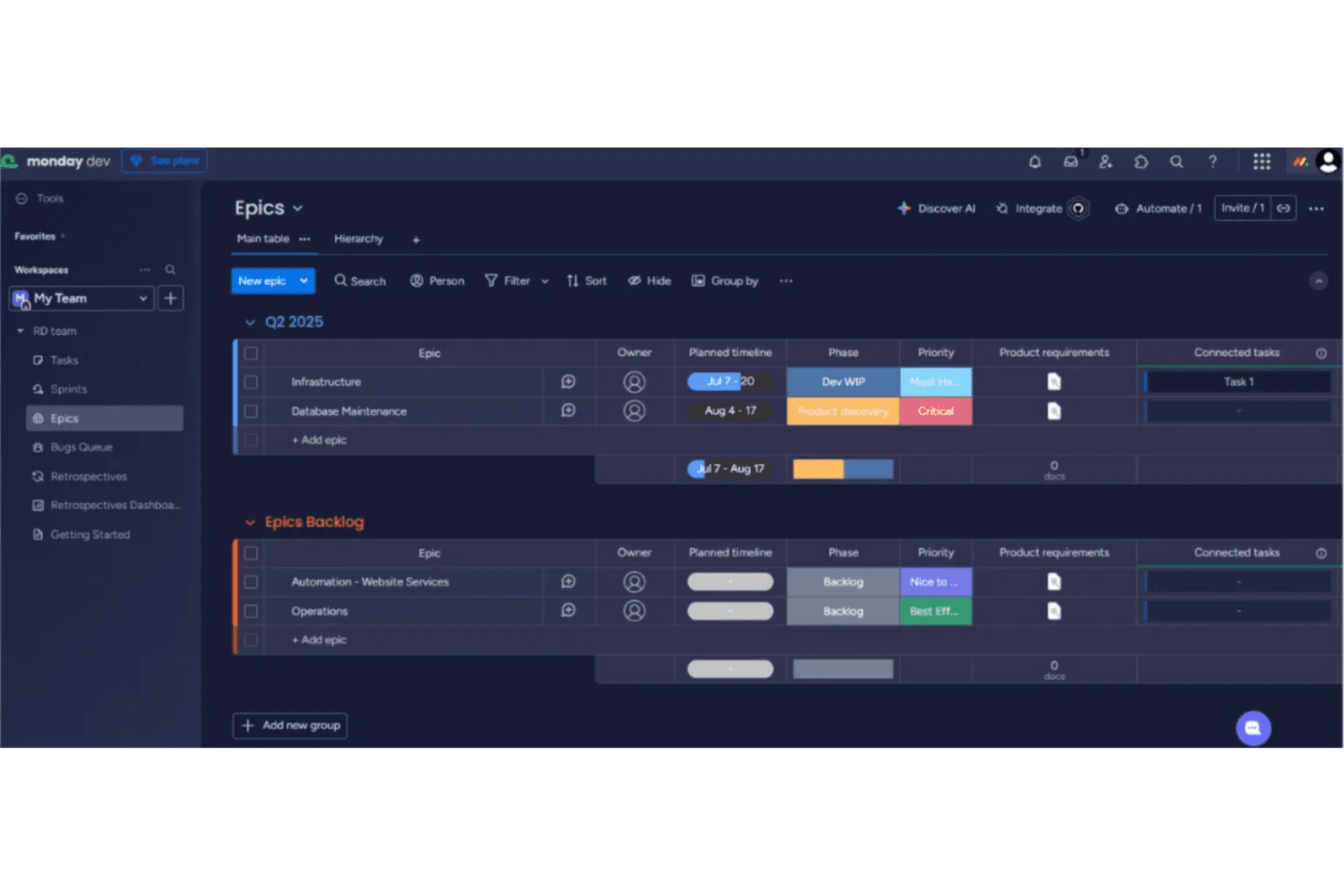
Organize tasks, sprints, and backlogs using drag-and-drop boards. Color-coded statuses and customizable columns make tracking progress easy.
Automations
Set up rules to trigger notifications, status changes, or task assignments. Automations reduce manual updates and keep workflows moving.
AI-Powered Summaries
Generate meeting notes, standup recaps, and task summaries with built-in AI tools. This helps teams quickly share updates and decisions.
Sprint Management
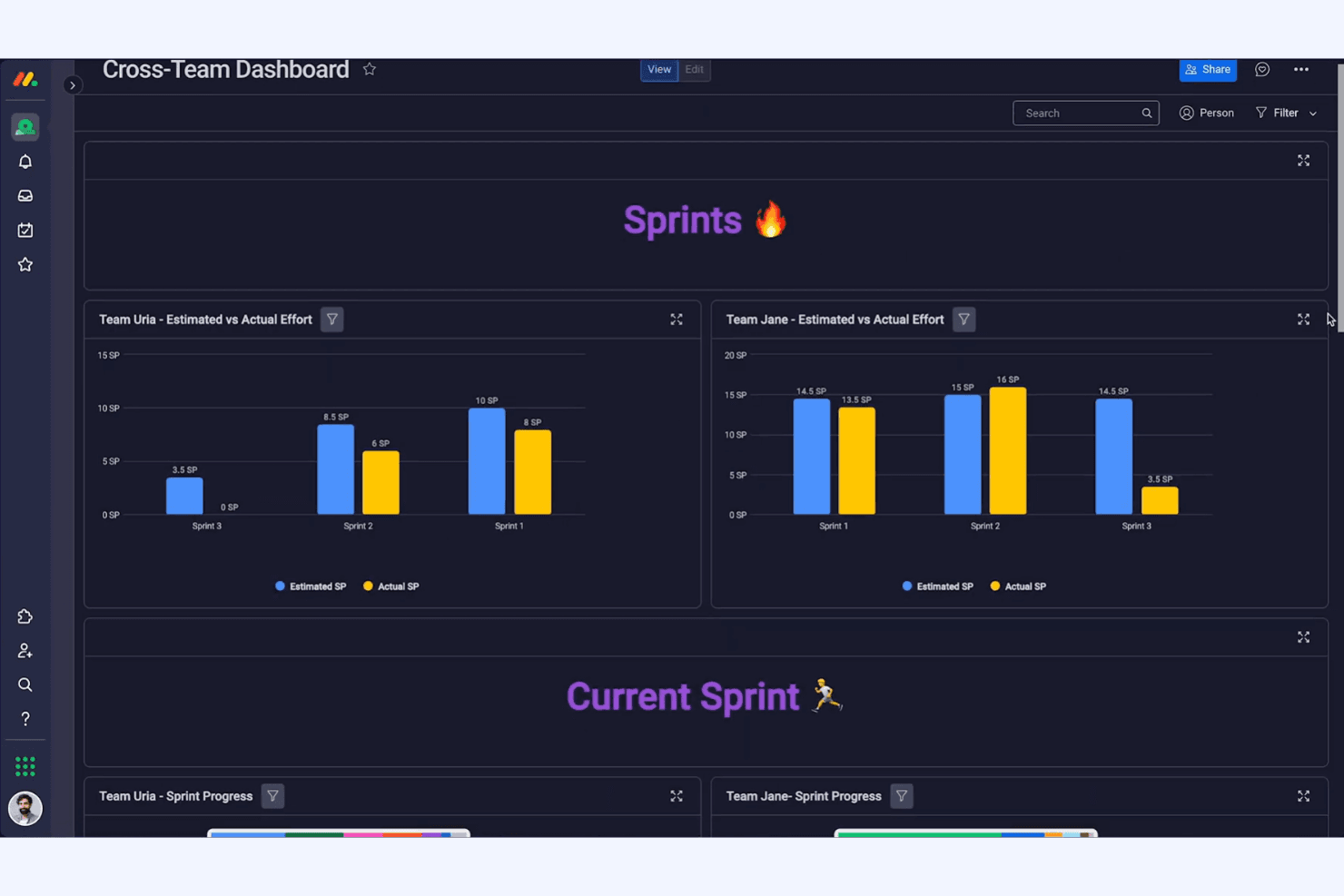
Plan, execute, and review sprints with dedicated templates and tracking tools. Burndown charts and velocity tracking support agile teams.
Custom Dashboards
Build dashboards to visualize project health, team workload, and key metrics. Widgets let you tailor views for different stakeholders.
Backlog Prioritization
Rank and categorize product ideas, bugs, and feature requests in a centralized backlog. Prioritization tools help teams focus on high-impact work.

Ease of Use
monday dev is widely recognized for its intuitive, visually-driven interface that helps new users get started quickly. Drag-and-drop boards, clear status indicators, and guided onboarding make it accessible for both technical and non-technical teams. Users often highlight the ease of customizing workflows and dashboards without coding. While some advanced features require setup, most teams can adapt monday dev to their processes with minimal training, making it a practical choice for fast-moving organizations.
Integrations
monday dev integrates with Slack, Jira, GitHub, Google Drive, Microsoft Teams, Zoom, Dropbox, Salesforce, Zendesk, and Outlook, among others.
It also offers a public API and connects with third-party integration tools like Zapier and Make for expanded automation and connectivity.

monday dev Specs
- A/B Testing: No
- Access Management: Yes
- API: Yes
- Bug Tracking: Yes
- Cloud Deployment: Yes
- Code Transformation: No
- Collaboration Support: Yes
- Data Export: Yes
- Data Import: Yes
- Data Visualization: Yes
- Document Management: No
- External Integrations: Yes
- Form Builder: Yes
- History/Version Control: Yes
- Migration to Cloud: No
- Multi-User: Yes
- Notifications: Yes
- Process Modeling: No
- Re-Platforming: No
- Software Integration: Yes
- Status Notifications: Yes
- Template Designer: Yes
- Third-Party Plugins/Add-Ons: Yes
- Workflow Management: Yes


