

10 Beste Tableau-Alternativen im Test 2026

Beste Tableau-Alternativen – Kurzübersicht


Die Navigation durch die Komplexität der Datenvisualisierung kann überwältigend sein. Wenn Tableau Ihren Anforderungen nicht gerecht wird, sind Sie nicht allein. Viele Produktmanager suchen nach Alternativen, die eine bessere Anpassung, Benutzerfreundlichkeit oder spezielle Funktionen bieten, um die individuellen Herausforderungen ihres Teams zu lösen.
Aus meiner Erfahrung kann das richtige Tool die Art und Weise verwandeln, wie Sie Daten interpretieren, und sie für Ihr Team zugänglich und umsetzbar machen. Ich habe verschiedene Software unabhängig getestet und bewertet, um die besten Tableau-Alternativen zu finden, die unterschiedliche Bedürfnisse abdecken.
In diesem Artikel führe ich Sie durch meine Top-Auswahl und zeige, wie jede Option Ihre spezifischen Herausforderungen adressieren kann. Finden wir gemeinsam das passende Tool für den datengetriebenen Erfolg Ihres Teams.
Was ist Tableau?
Tableau ist eine Business-Intelligence- und Datenvisualisierungssoftware, die Ihnen und Ihrem Team dabei hilft, komplexe Daten zu verstehen. Sie wird häufig von Datenanalysten, BI-Profis und Produktmanagern eingesetzt, die klare Einblicke in ihre Daten benötigen. Drag-and-Drop-Funktionen, Echtzeitanalyse und interaktive Dashboards unterstützen dabei, rohe Daten in verwertbare Erkenntnisse zu verwandeln. Insgesamt bietet Tableau Ihrem Team eine Möglichkeit, Daten wirkungsvoll zu visualisieren und so fundierte Entscheidungen zu treffen.
Zusammenfassung der besten Tableau-Alternativen
Diese Vergleichstabelle fasst die Preisinformationen meiner Top-Auswahl an Tableau-Alternativen zusammen, damit Sie die beste Option für Ihr Budget und Ihre Geschäftsanforderungen finden.
| Tool | Best For | Trial Info | Price | ||
|---|---|---|---|---|---|
| 1 | Am besten für KI-gestützte Analysen | 30-tägige kostenlose Testversion + kostenlose Demo verfügbar | Ab $300/month (jährlich abgerechnet) | Website | |
| 2 | Am besten für eingebettete Analysen | 30-tägige kostenlose Testversion + kostenlose Demo verfügbar | Preise auf Anfrage | Website | |
| 3 | Am besten für Datenbeobachtbarkeit | Kostenloser Tarif + kostenlose Testversion verfügbar | Ab $19/Monat + Nutzung | Website | |
| 4 | Am besten für die Nutzung des Google-Ökosystems | Kostenloser Tarif verfügbar | Ab 9 $/Benutzer/Projekt/Monat | Website | |
| 5 | Am besten für die Microsoft-Integration geeignet | Kostenloser Tarif verfügbar | Ab $14/Benutzer/Monat (jährlich abgerechnet) | Website | |
| 6 | Am besten für quelloffene Analysen geeignet | Kostenloser Tarif verfügbar | Ab $90/Monat (jährlich abgerechnet) | Website | |
| 7 | Am besten für anpassbare Lösungen | 7-tägige kostenlose Testversion + kostenlose Demo verfügbar | Preis auf Anfrage | Website | |
| 8 | Am besten für Echtzeiteinblicke geeignet | 14-tägige kostenlose Testversion + kostenlose Demo verfügbar | Ab 25 $/Benutzer/Monat (jährlich abgerechnet) | Website | |
| 9 | Am besten für SQL-Abfragen geeignet | Nicht verfügbar | Preise auf Anfrage | Website | |
| 10 | Am besten geeignet für eine Tabellenkalkulationsoberfläche | Kostenlose Testversion + kostenlose Demo verfügbar | Preise auf Anfrage | Website |
Warum Sie unseren Software-Bewertungen vertrauen können
Seit 2020 testen und bewerten wir Software für Produktmanager. Als Produktmanager wissen wir selbst, wie kritisch und schwierig es ist, beim Softwarekauf die richtige Entscheidung zu treffen. Wir investieren in intensive Recherchen, um unserer Zielgruppe bessere Entscheidungen zu ermöglichen. Wir haben über 2.000 Tools für verschiedene Produktmanagement-Anwendungsfälle getestet und mehr als 1.000 umfassende Softwarebewertungen geschrieben.Erfahren Sie, wie wir Transparenz gewährleisten & unsere Software-Bewertungsmethodik.
Detaillierte Bewertungen der besten Tableau-Alternativen
Im Folgenden finden Sie meine ausführlichen Zusammenfassungen der Tableau-Alternativen, die es auf meine Auswahlliste geschafft haben. Meine Reviews bieten Ihnen einen detaillierten Einblick in die wichtigsten Funktionen, Vor- und Nachteile, Integrationen und idealen Anwendungsfälle jeder Software, um die beste Lösung für Sie zu finden.

Qlik
Am besten für KI-gestützte Analysen
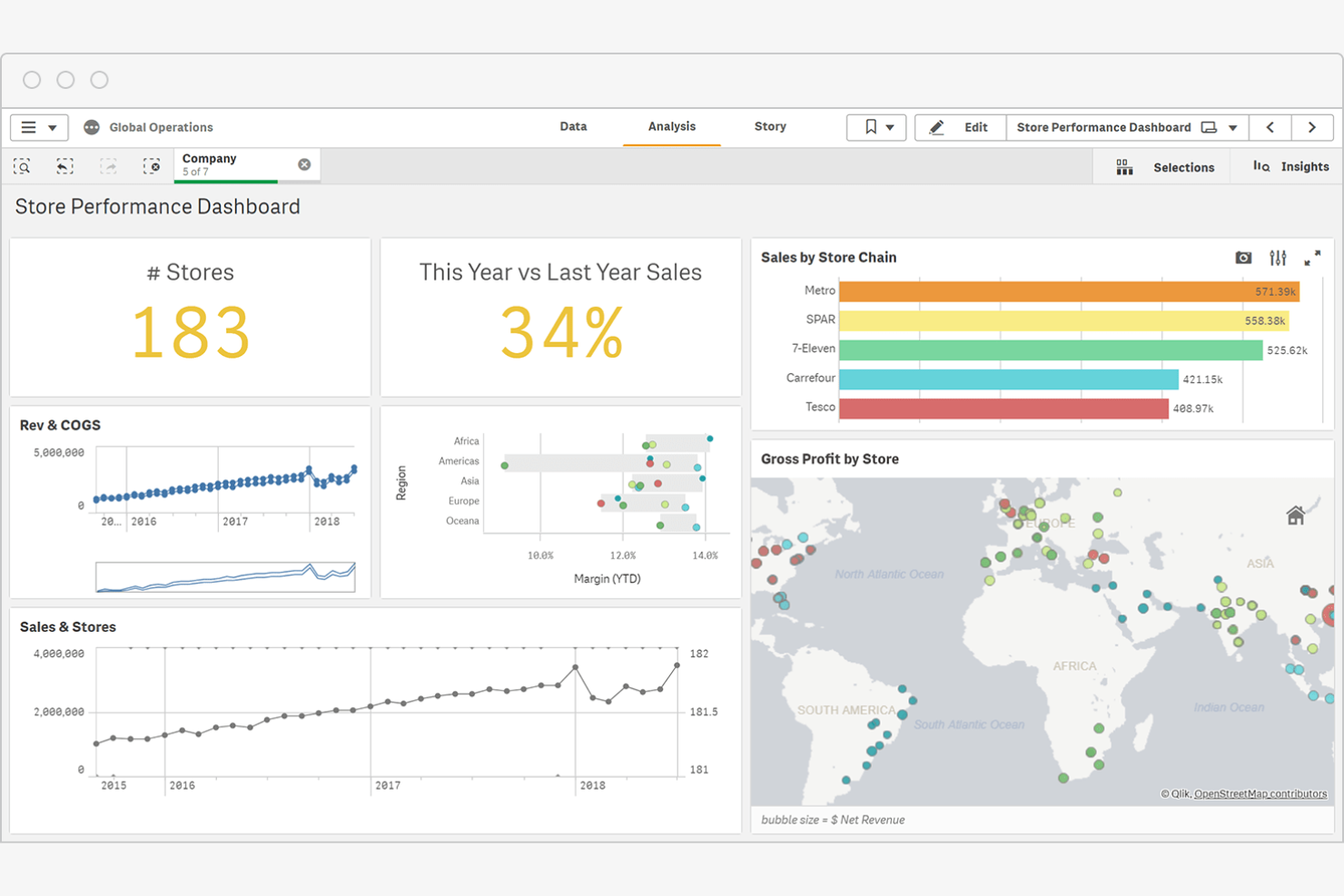
Qlik ist eine Business-Intelligence-Plattform, die KI-gestützte Analysen sowie Werkzeuge für Datenintegration und Visualisierung bereitstellt. Sie wird von Branchen wie dem Finanzwesen, dem Gesundheitswesen und dem Einzelhandel genutzt, um datengestützte Entscheidungsfindung zu erleichtern.
Warum Qlik eine gute Tableau-Alternative ist: Die KI-gestützten Analysen von Qlik liefern prädiktive Erkenntnisse, die Ihrem Team helfen können, verborgene Muster in Daten aufzudecken. Die Echtzeit-Datenintegration der Plattform gewährleistet aktuelle Erkenntnisse für bessere Entscheidungen. Die BI-Werkzeuge eignen sich sowohl für cloudbasierte als auch für lokale Bereitstellungen.
Hervorstechende Funktionen und Integrationen:
Zu den Funktionen gehört eine assoziative Daten-Engine, mit der Sie Verbindungen erkunden können, die herkömmliche Werkzeuge möglicherweise nicht aufzeigen. Sie und Ihr Team können von der starken Ausrichtung auf Datenkompetenz profitieren, die Ressourcen zur Verbesserung des Verständnisses und der Nutzung von Daten durch Mitarbeitende bereitstellt.
Zu den Integrationen gehören AWS, Google Cloud, Microsoft Azure, SAP und weitere.
Pros and Cons
Pros:
- Automatisierte Erkennung prädiktiver Trends
- Starker Fokus auf Datenkompetenz
- Datenindizierung durch eine assoziative Engine
Cons:
- Höherer Einstiegspreis
- Spezialisierte Kenntnisse proprietärer Skripte erforderlich

Domo
Am besten für eingebettete Analysen
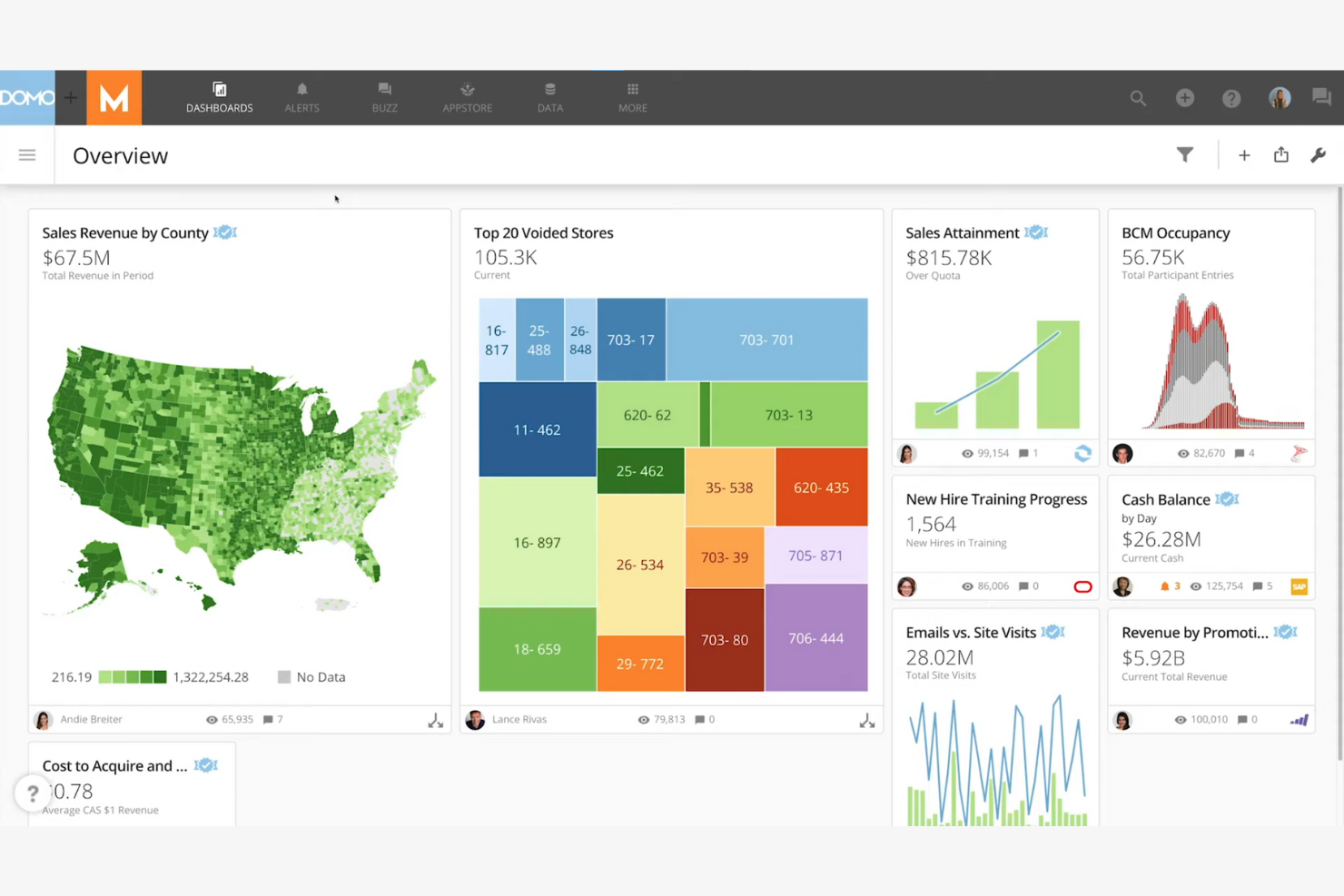
Domo ist eine cloudbasierte Business-Intelligence-Plattform, die Ihnen und Ihrem Team hilft, Daten in Echtzeit zu visualisieren und zu analysieren. Sie bietet Entscheidungsträgern in verschiedenen Branchen die benötigten Erkenntnisse, um das Unternehmenswachstum voranzutreiben.
Warum Domo eine gute Tableau-Alternative ist: Domo zeichnet sich durch eingebettete Analysen aus und ermöglicht es Ihnen, Datenanalysetools in Ihre bestehenden Anwendungen zu integrieren. Die Echtzeit-Datenfunktionen stellen sicher, dass Ihr Team Zugriff auf die aktuellsten Erkenntnisse hat. Dank des auf Mobilgeräte ausgerichteten Designs können Sie auch unterwegs auf Daten zugreifen.
Herausragende Funktionen und Integrationen:
Zu den Funktionen gehört eine Drag-and-drop-Schnittstelle, mit der sich benutzerdefinierte Dashboards einfach erstellen lassen. Sie können Daten-Workflows automatisieren, um zeitaufwendige Aufgaben schneller zu erledigen. Die Funktion für prädiktive Analysen hilft Ihnen, Trends vorherzusagen und fundierte Entscheidungen zu treffen.
Zu den Integrationen gehören Salesforce, Google Analytics, Amazon Redshift, Microsoft Azure, Dropbox, Box, Slack, HubSpot, Zendesk, Mailchimp und weitere.
Pros and Cons
Pros:
- Datenaufnahme über Datenpipelines mit hoher Frequenz
- Flexible Transformationen mit Magic ETL
- Unterstützung für eingebettete Analysen
Cons:
- Die Einführung in mehreren Abteilungen nimmt Zeit in Anspruch
- Erfordert technisches Wissen

Grafana
Am besten für Datenbeobachtbarkeit
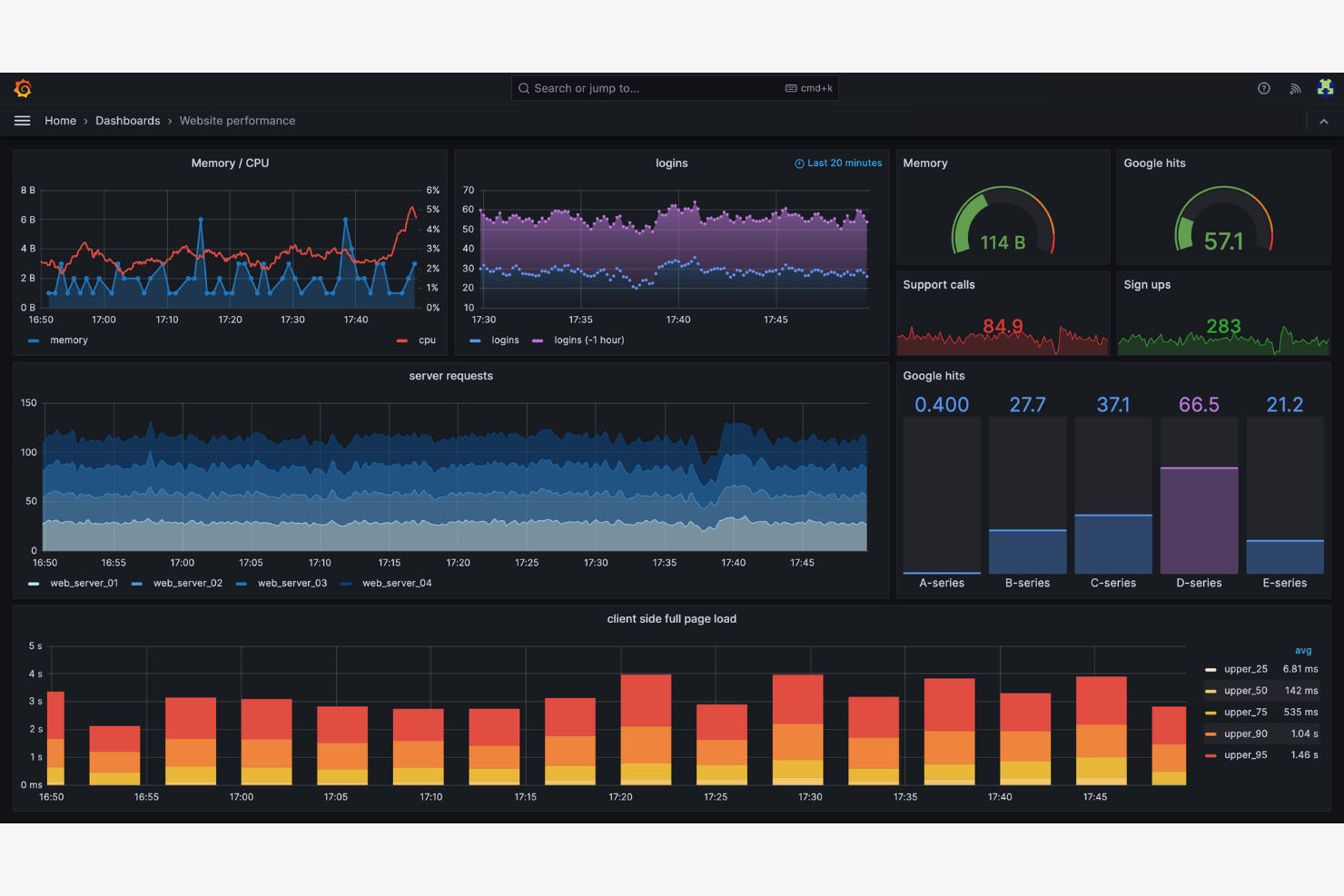
Grafana ist eine Open-Source-Plattform für Überwachung und Beobachtbarkeit, die hauptsächlich von IT- und DevOps-Teams verwendet wird. Sie ermöglicht es Ihnen, Metriken und Protokolle zu visualisieren und Daten über mehrere Quellen hinweg zu verfolgen, wodurch Sie einen vollständigen Überblick über den Zustand Ihres Systems erhalten.
Warum Grafana eine gute Tableau-Alternative ist: Grafana zeichnet sich durch Datenbeobachtbarkeit aus und ermöglicht es Ihrem Team, die Systemleistung in Echtzeit zu überwachen. Der Open-Source-Charakter der Plattform erlaubt umfangreiche Anpassungen und gemeinschaftlich entwickelte Erweiterungen.
Hervorstechende Funktionen und Integrationen:
Zu den Funktionen gehört eine umfangreiche Auswahl an Visualisierungsoptionen, mit denen Sie detaillierte Dashboards erstellen können. Mit der Alarmierungsfunktion können Sie Benachrichtigungen auf Grundlage bestimmter Schwellenwerte einrichten. Die Plattform unterstützt Plugins, sodass Sie ihre Funktionalität bei Bedarf erweitern können.
Zu den Integrationen gehören Microsoft IIS, Istio, Kafka, Linux Server, MongoDB, MySQL, PostgreSQL, SNMP, Windows und weitere.
Pros and Cons
Pros:
- Umfangreiche Datenbeobachtbarkeit
- Echtzeitüberwachung der Leistung
- Flexibles Alarmierungssystem
Cons:
- Konfigurationsanforderungen mit Fokus auf DevOps
- Ressourcenintensive Darstellung im Browser

Am besten für die Nutzung des Google-Ökosystems
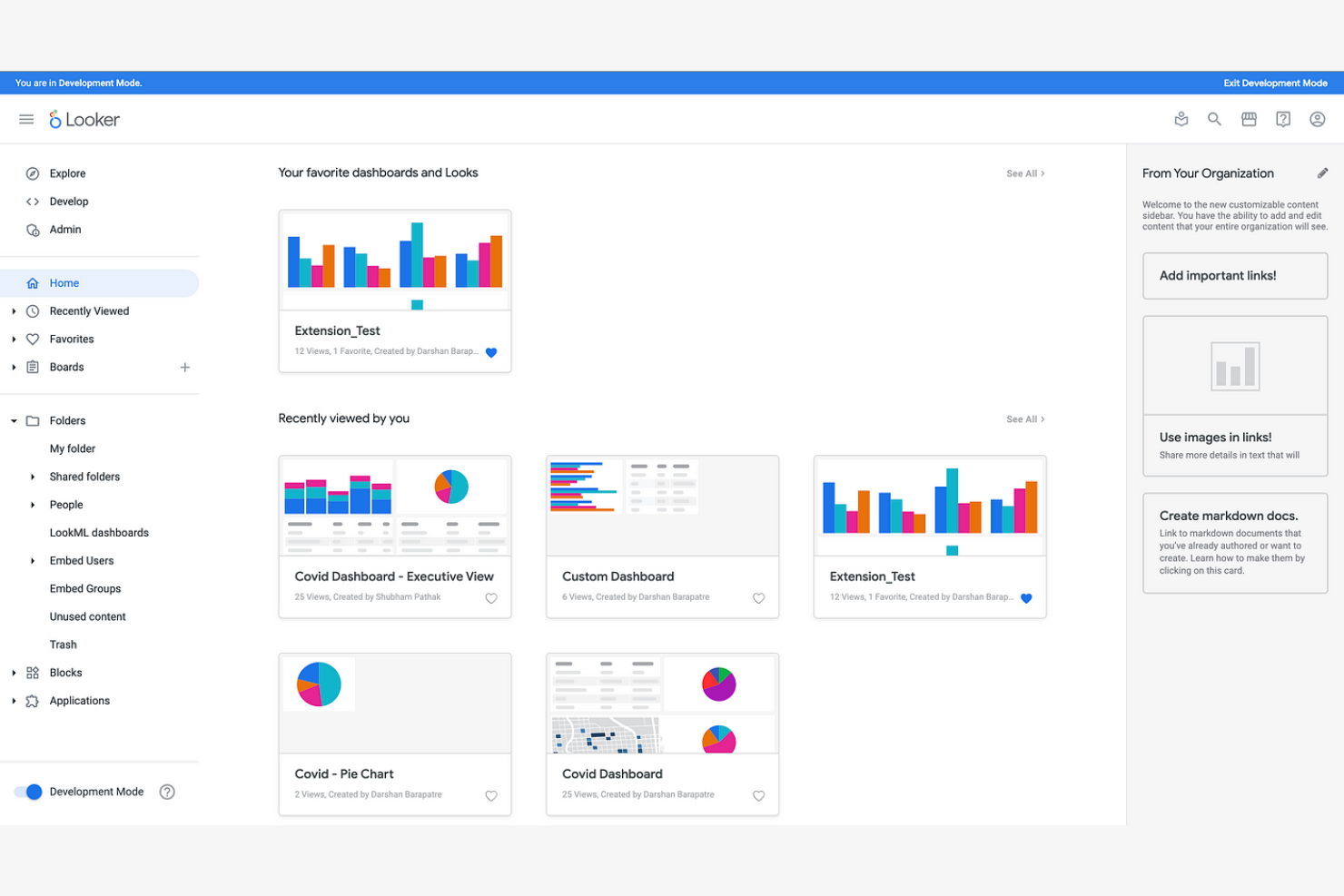
Looker Studio, die neue Version von Google Data Studio, ist eine Datenanalyse- und Visualisierungsplattform für Geschäftsanwender, die aussagekräftige Berichte und Dashboards erstellen möchten.
Warum Looker Studio eine gute Tableau-Alternative ist: Looker Studio lässt sich in Google-Produkte integrieren und ist daher ideal, wenn sich Ihr Team auf das Google-Ökosystem stützt. Es bietet Datenmodellierungsfunktionen, mit denen Sie Daten untersuchen können, ohne fortgeschrittene SQL-Kenntnisse zu benötigen. Mit den benutzerfreundlichen, kollaborativen Funktionen können Sie Erkenntnisse effizient in Ihren Arbeitsbereichen teilen.
Hervorstechende Funktionen und Integrationen:
Zu den Funktionen gehört eine Drag-and-Drop-Oberfläche, die die Berichtserstellung vereinfacht. Sie können benutzerdefinierte Visualisierungen verwenden, um Ihre Daten besser darzustellen. Durch die Möglichkeit, Berichte zu planen, bleibt Ihr Team über die neuesten Erkenntnisse auf dem Laufenden.
Zu den Integrationen gehören Google Analytics, Google Ads, BigQuery, Google Sheets, Google Cloud, YouTube Analytics, MySQL, PostgreSQL, Amazon Redshift und weitere.
Pros and Cons
Pros:
- Native Verknüpfung mit BigQuery und Workspace
- Datenmodellierung ohne fortgeschrittene SQL-Kenntnisse
- Drag-and-Drop-Oberfläche
Cons:
- Eingeschränktes Ökosystem von Konnektoren von Drittanbietern
- Weniger Flexibilität bei Nicht-Google-Daten

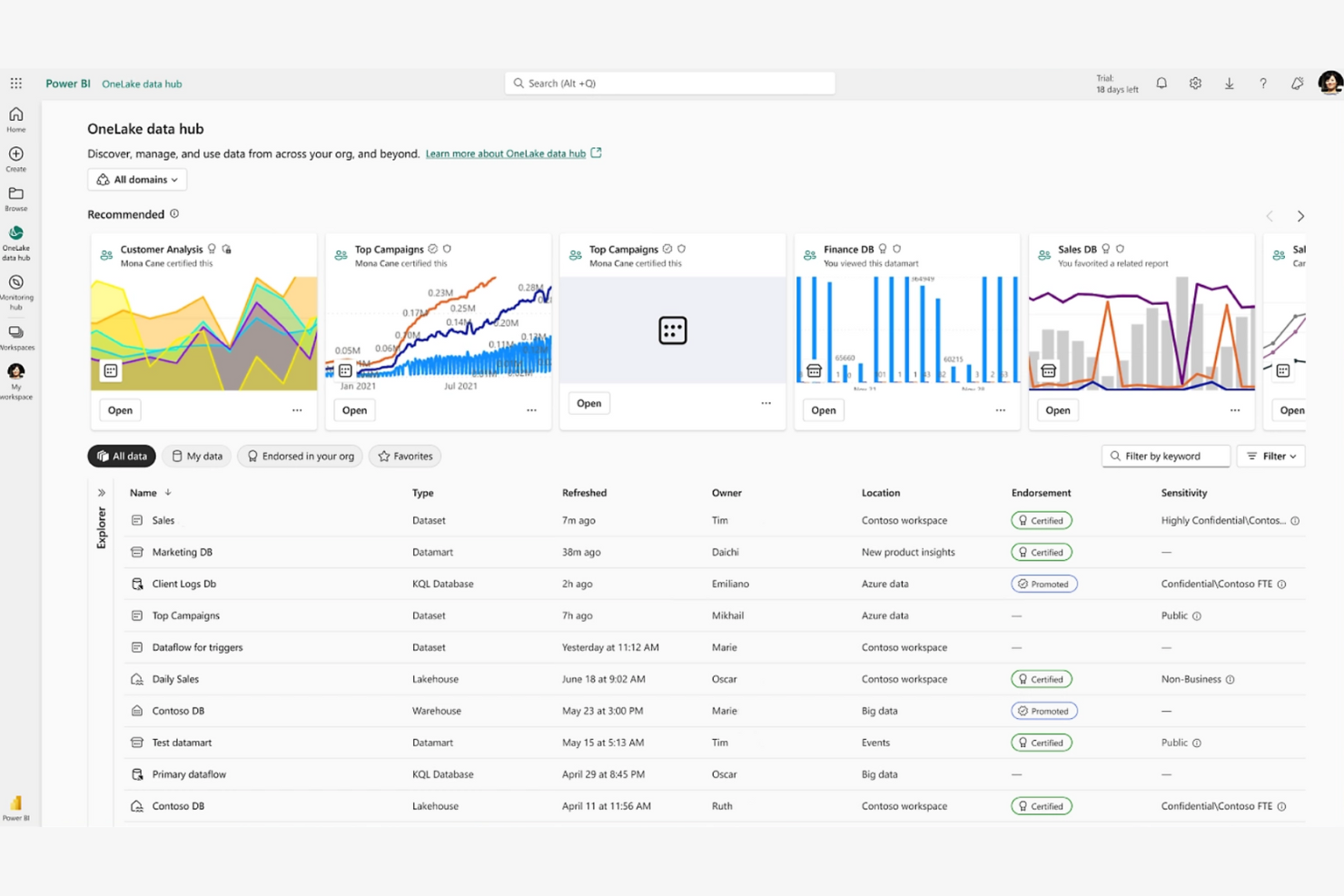
Power BI ist ein Business-Intelligence- und Datenvisualisierungstool, das von Datenanalysten und Geschäftsleuten verwendet wird, um Erkenntnisse zu visualisieren und zu teilen. Diese BI-Plattform unterstützt Sie und Ihr Team dabei, interaktive Berichte und Dashboards ganz einfach zu erstellen.
Warum Power BI eine gute Tableau-Alternative ist: Es lässt sich in Microsoft-Produkte integrieren und ist daher ideal, wenn Sie bereits das Microsoft-Ökosystem nutzen. Die Drag-and-Drop-Oberfläche, Datenaktualisierungen in Echtzeit und KI-gestützte Erkenntnisse bieten eine benutzerfreundliche Möglichkeit zur Datenanalyse. Sie werden die Abfragefunktion in natürlicher Sprache zu schätzen wissen, mit der Sie Fragen zu Ihren Daten in Alltagssprache stellen können. Es ist eine gute Wahl, wenn Sie ein Tool suchen, das sich gut in Microsoft-Office-Anwendungen einfügt.
Herausragende Funktionen und Integrationen:
Funktionen umfassen Möglichkeiten zur Datenmodellierung, mit denen Sie komplexe Datenmodelle ohne fortgeschrittene technische Kenntnisse erstellen können. Sie können Erkenntnisse über cloudbasierte Tools für die Zusammenarbeit teilen und so die Teamarbeit effizienter gestalten. Die Unterstützung für mobile Apps stellt sicher, dass Sie auch unterwegs auf Ihre Datenerkenntnisse zugreifen können.
Integrationen umfassen Microsoft Excel, Salesforce Analytics, Zendesk und mehr.
Pros and Cons
Pros:
- Native Interoperabilität mit Office 365
- Unterstützung automatisierter Streaming-Datasets
- Abfragen in natürlicher Sprache
Cons:
- Begrenzte Integrationen außerhalb von Microsoft
- Komplexe Anforderungen an die DAX-Syntax

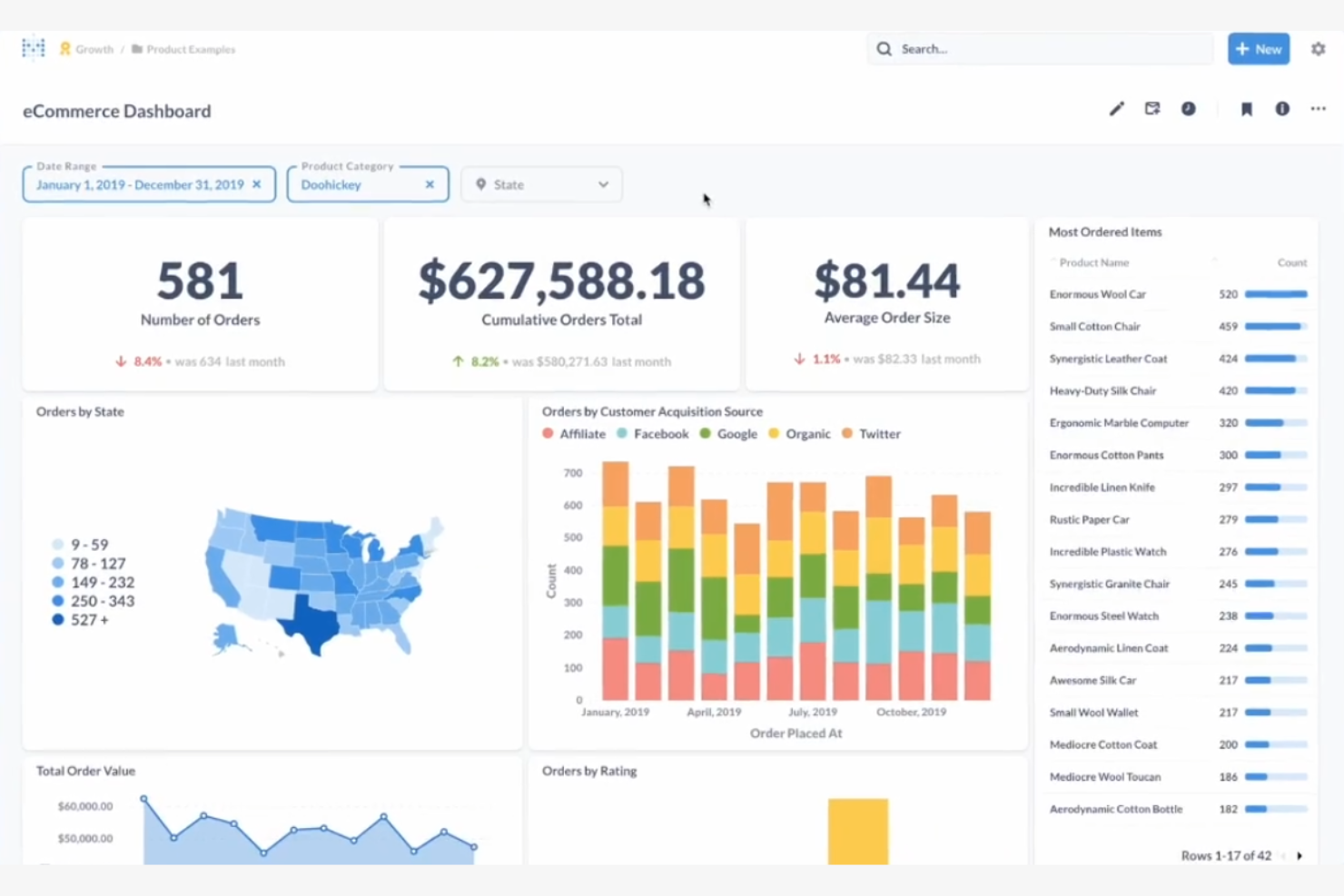
Metabase ist ein quelloffenes Business-Intelligence-Werkzeug, das die Datenanalyse für nichttechnische Nutzer vereinfacht. Es ist ideal für Teams, die Daten mithilfe intuitiver Visualisierungen und benutzerfreundlicher Dashboards untersuchen möchten.
Warum Metabase eine gute Tableau-Alternative ist: Metabase bietet quelloffene Analysen und gibt Ihrem Team dadurch die Flexibilität, die Plattform nach Bedarf anzupassen und zu erweitern. Sie können Visualisierungen erstellen, ohne SQL-Abfragen zu schreiben, wodurch die Datenaufbereitung für alle Teammitglieder zugänglich wird. Der Fokus der Plattform auf Benutzerfreundlichkeit stellt sicher, dass Sie sie schnell einrichten und mit der Datenanalyse beginnen können. Dank der gemeinschaftsorientierten Entwicklung wird sie kontinuierlich verbessert und aktualisiert.
Herausragende Funktionen und Integrationen:
Zu den Funktionen gehört eine benutzerfreundliche Oberfläche, über die Sie ohne technische Kenntnisse Fragen stellen und Antworten erhalten können. Die Plattform unterstützt Ad-hoc-Abfragen, sodass Sie Daten spontan untersuchen können. Außerdem können Sie Berichte planen, um Ihr Team über die neuesten Erkenntnisse auf dem Laufenden zu halten.
Zu den Integrationen gehören Amazon Redshift, Google Sheets, BigQuery, CSV-Uploads, Databricks und weitere.
Pros and Cons
Pros:
- Autonomie bei der selbst betriebenen Bereitstellung
- Keine SQL-Kenntnisse für Visualisierungen erforderlich
- Unterstützt Ad-hoc-Abfragen
Cons:
- Begrenzte Tiefe bei der statistischen Modellierung
- Abhängigkeit von Unterstützung durch die Community

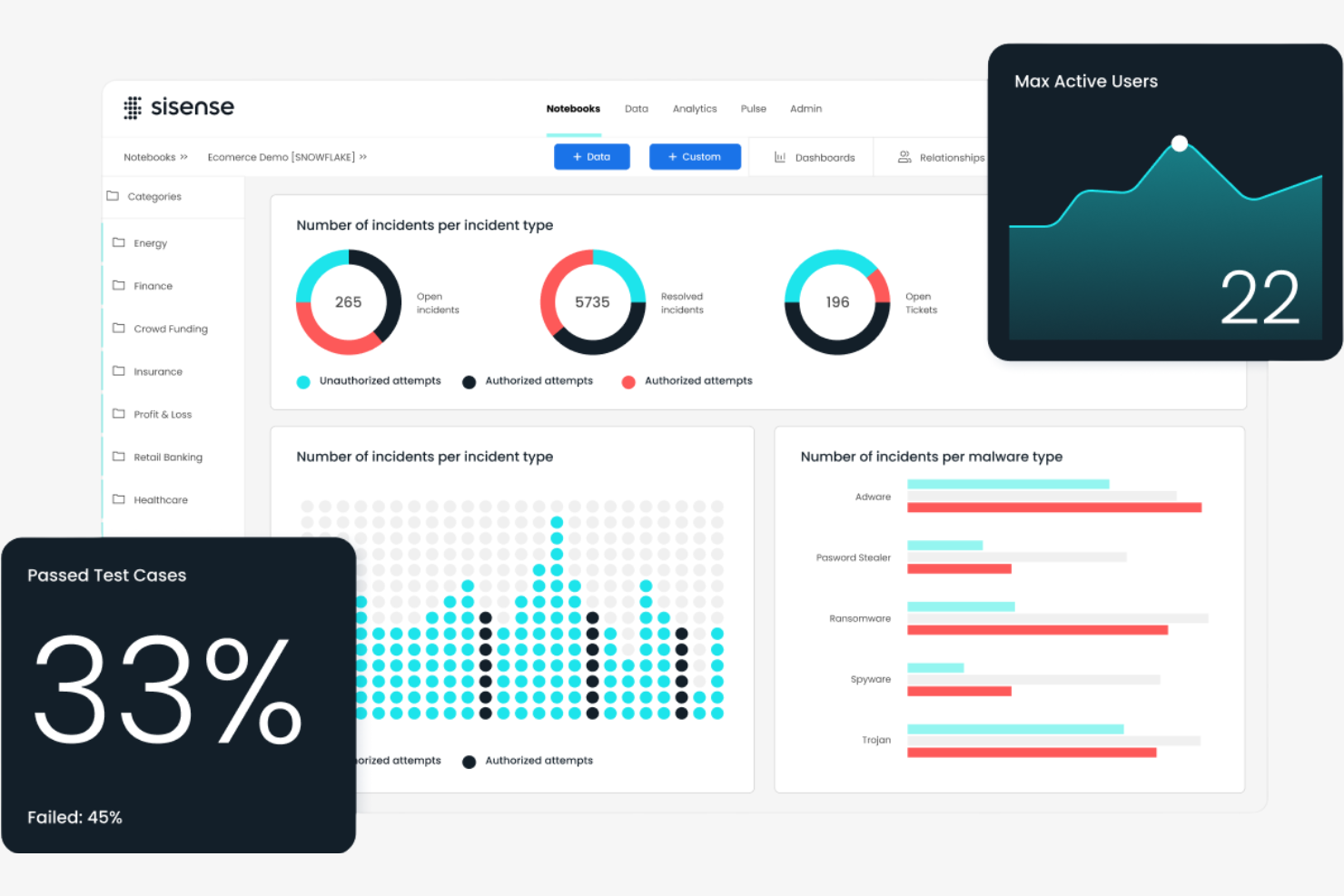
Sisense ist eine Business-Intelligence- und Analyseplattform für Datenfachleute und Geschäftsanwender. Sie hilft Ihnen und Ihrem Team, komplexe Daten zu analysieren und interaktive Dashboards zu erstellen, um fundierte Entscheidungen zu treffen.
Warum Sisense eine gute Tableau-Alternative ist: Sisense bietet anpassbare Lösungen, mit denen Sie die Plattform an Ihre Anforderungen anpassen können. Die In-Chip-Technologie beschleunigt die Datenverarbeitung und ermöglicht Ihrem Team schnellere Analysen. Sie können Analysen direkt in Ihre Anwendungen einbetten und so Erkenntnisse dort bereitstellen, wo sie am dringendsten benötigt werden. Die Plattform bietet außerdem Optionen zur Markenanpassung, sodass Sie die Lösung als Ihre eigene präsentieren können.
Hervorstechende Funktionen und Integrationen:
Zu den Funktionen gehört eine Architektur mit einem einzigen Stack, die die Datenanalyse vereinfacht. Sie können die ElastiCube-Funktion für eine effiziente Datenspeicherung und -abfrage nutzen. Die Plattform bietet außerdem Funktionen für maschinelles Lernen, die Ihnen helfen, Erkenntnisse aus Ihren Daten zu gewinnen.
Zu den Integrationen gehören Salesforce, Google BigQuery, Amazon Redshift, Snowflake, HubSpot und weitere.
Pros and Cons
Pros:
- Hochgeschwindigkeitsverarbeitung mit In-Chip-Technologie
- Optionen zur Markenanpassung
- Funktionen für maschinelles Lernen
Cons:
- Ressourcenintensive ElastiCube-Konfiguration
- Häufige Aktualisierungen erforderlich

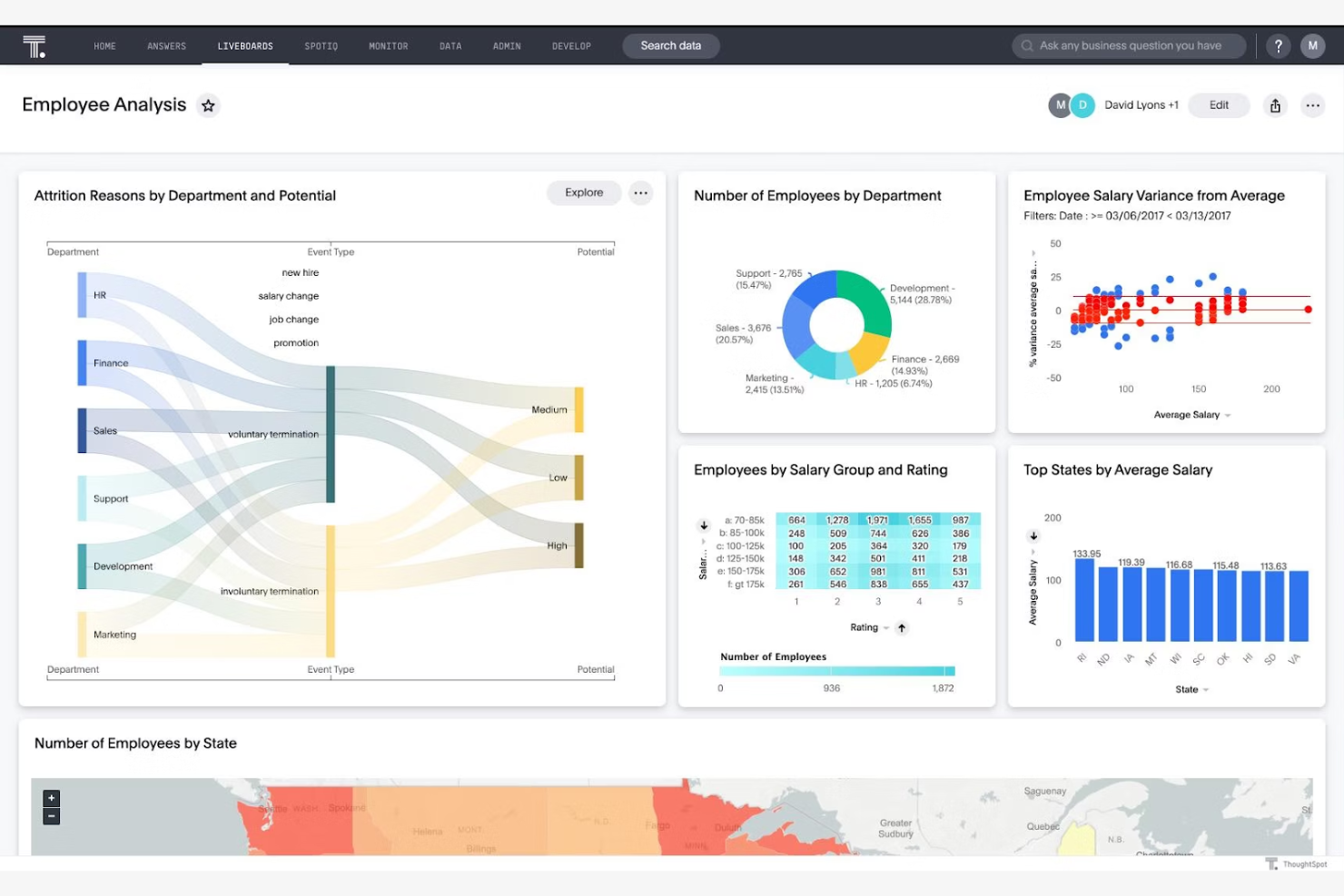
ThoughtSpot ist eine Analyseplattform, die Geschäftsbenutzer befähigt, Unternehmensdaten zu durchsuchen und auszuwerten. Sie wurde für Teams entwickelt, die schnelle Einblicke und Datenvisualisierungen benötigen, um Entscheidungen zu unterstützen.
Warum ThoughtSpot eine gute Tableau-Alternative ist: Die Echtzeiteinblicke von ThoughtSpot halten Ihr Team auf dem neuesten Stand und stellen sicher, dass Entscheidungen auf den aktuellsten Daten basieren. Sie können interaktive Dashboards erstellen, die sofort aktualisiert werden, sobald neue Daten eintreffen.
Hervorstechende Funktionen und Integrationen:
Zu den Funktionen gehört eine Engine zur Verarbeitung natürlicher Sprache, mit der Sie mithilfe alltäglicher Sprache mit Ihren Daten interagieren können. Sie können die KI-gestützten Einblicke nutzen, um Trends ohne umfassende technische Fachkenntnisse aufzudecken. Die In-Memory-Berechnungs-Engine sorgt für eine schnelle Datenverarbeitung und zeitnahe Analysen.
Zu den Integrationen gehören Google Sheets, GitHub, Salesforce und weitere.
Pros and Cons
Pros:
- Cloud-Warehouse-Konnektivität mit Live-Abfragen
- Leistungsfähigkeit der In-Memory-Berechnungs-Engine
- Nicht-technische Benutzerfreundlichkeit
Cons:
- Vorausgehende Datenmodellierung erforderlich
- Hoher Bedarf an Datenverarbeitung

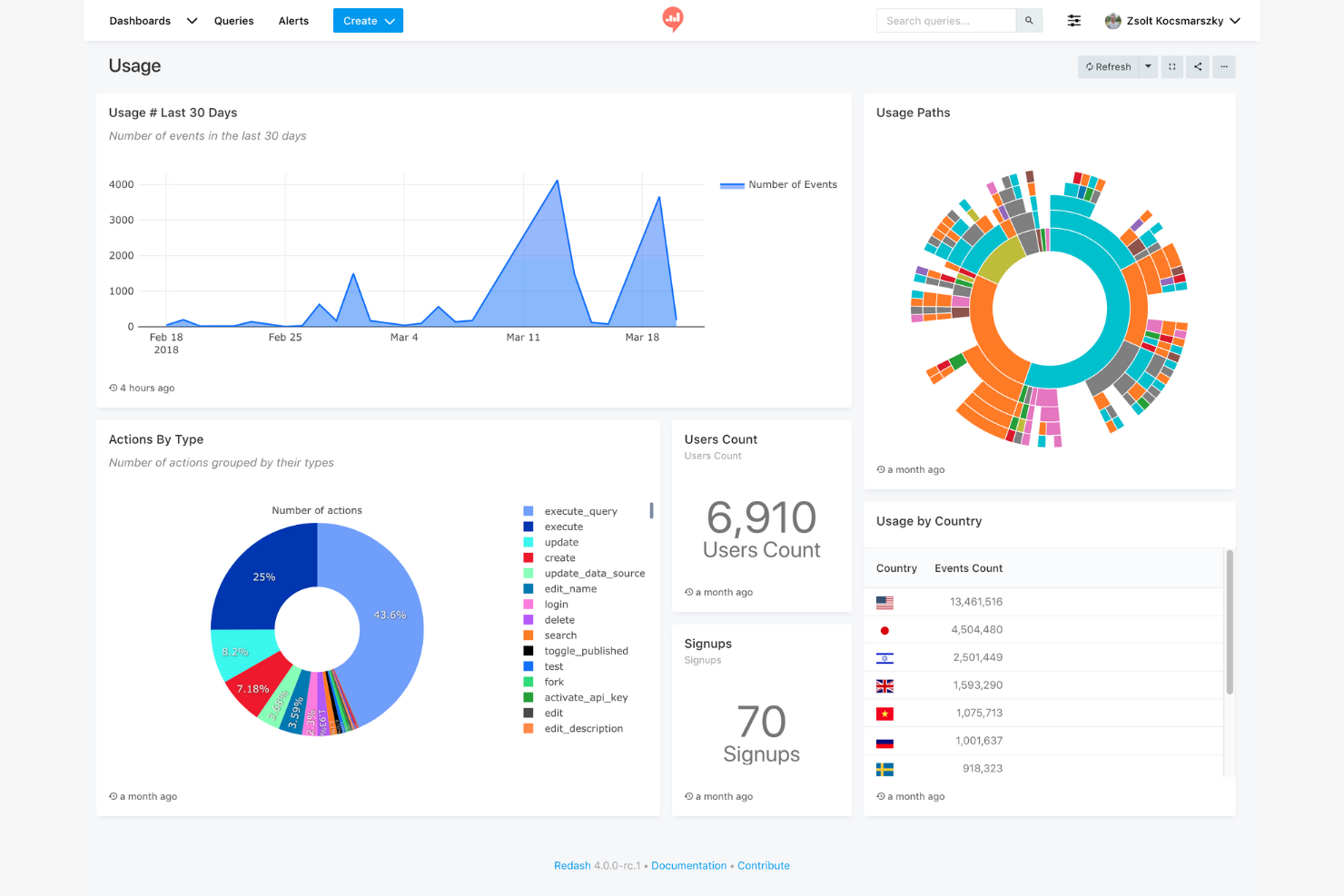
Redash ist ein quelloffenes Datenvisualisierungs- und Dashboard-Tool für Teams, die ihre Daten mithilfe von SQL abfragen müssen. Es eignet sich ideal für Datenanalysten und Entwickler, die interaktive Dashboards erstellen und Erkenntnisse teilen möchten.
Warum Redash eine gute Tableau-Alternative ist: Seine Einfachheit und der Fokus auf SQL machen es für technische Benutzer zugänglich, die direkte Kontrolle über ihre Daten wünschen. Die quelloffene Ausrichtung ermöglicht Anpassungen und gemeinschaftlich entwickelte Verbesserungen.
Hervorstechende Funktionen und Integrationen:
Funktionen umfassen einen Abfrageeditor, der mehrere Datenquellen unterstützt und das direkte Schreiben von SQL-Abfragen ermöglicht. Die kollaborativen Funktionen der Plattform fördern die Teamarbeit, und Sie können Abfrageaktualisierungen planen, damit Ihre Dashboards stets aktuell bleiben.
Integrationen umfassen Google Analytics, Google Tabellen, JSON, Python, Salesforce, Yandex AppMetrica, Yandex Metrica und mehr.
Pros and Cons
Pros:
- Direkte Erkundung von SQL-Schemas
- Erweiterbare Python-basierte Skriptumgebung
- Direkte Verbindung zu Datenquellen
Cons:
- Eingeschränkte erweiterte Analysen
- Grundlegende Visualisierungsoptionen

Sigma
Am besten geeignet für eine Tabellenkalkulationsoberfläche
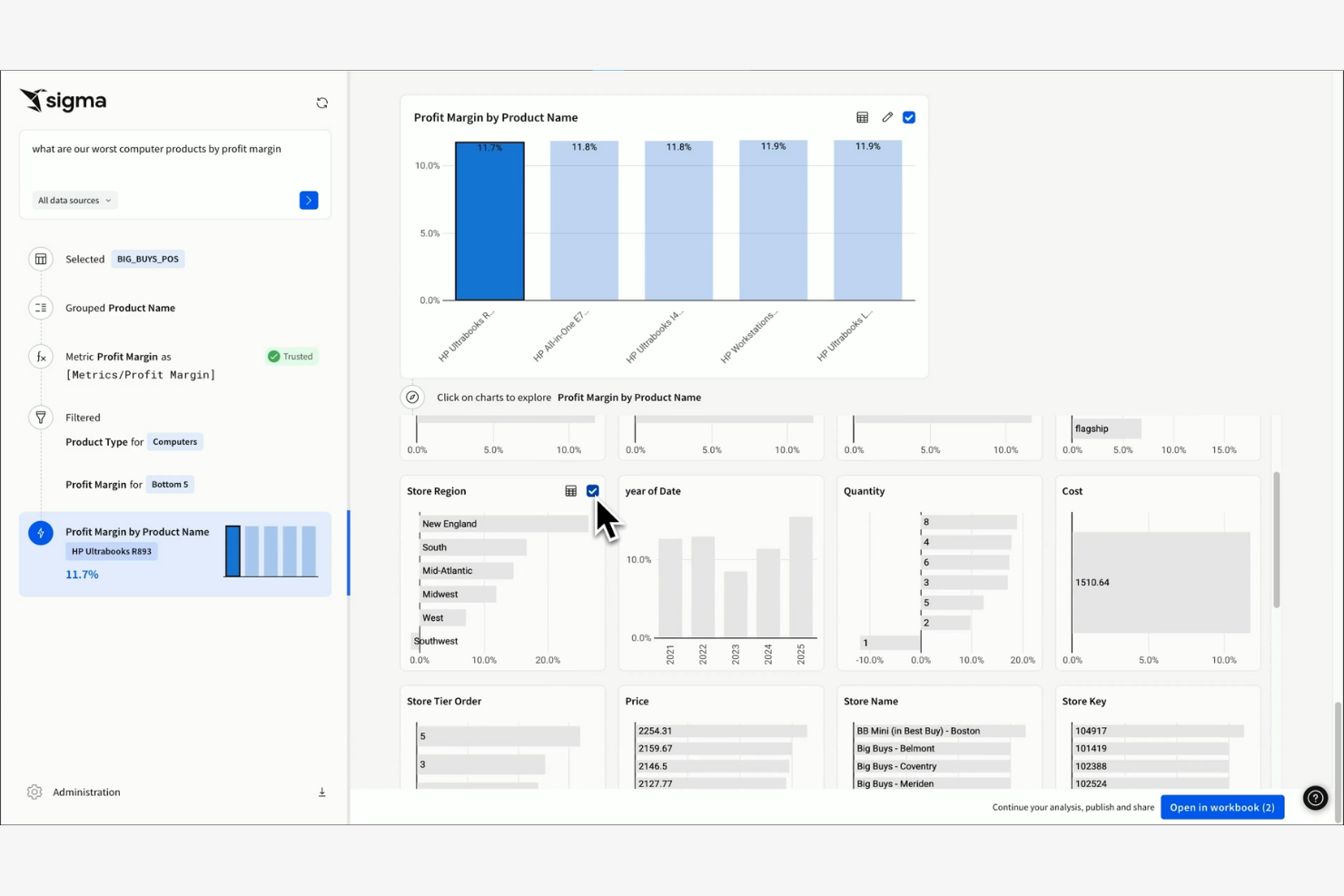
Sigma ist ein cloudbasiertes Business-Intelligence-Tool, das für Geschäftsanwender entwickelt wurde, die mit Tabellenkalkulationen vertraut sind. Es ermöglicht Ihnen, Daten über eine intuitive, tabellenkalkulationsähnliche Oberfläche zu analysieren und zu visualisieren.
Warum Sigma eine gute Tableau-Alternative ist: Sigma bietet eine tabellenkalkulationsähnliche Oberfläche, sodass Ihr Team problemlos von herkömmlichen Tabellenkalkulationen auf eine leistungsstärkere Analyseplattform umsteigen kann. Dank der Cloud-basierten Architektur können Sie von überall auf Ihre Daten zugreifen.
Besondere Funktionen und Integrationen:
Zu den Funktionen gehört die Drag-and-Drop-Funktionalität, die die Datenbearbeitung und -visualisierung vereinfacht. Mit den Datenexplorations-Tools können Sie ohne komplexe Abfragen tief in große Datensätze eintauchen. Die Plattform bietet außerdem Funktionen für die Zusammenarbeit in Echtzeit, um die Teamarbeit zu fördern.
Zu den Integrationen gehören Alation, AlloyDB, Atlan, Castor, Census, Databricks, Monte Carlo und weitere.
Pros and Cons
Pros:
- Tabellenkalkulationsähnliche Oberfläche
- Kein SQL erforderlich
- Cloudbasierter Zugriff
Cons:
- Abhängigkeit von ausschließlich cloudbasierten Datenquellen
- Mehraufwand durch direkte Verbindung zum Data Warehouse
Weitere Tableau-Alternativen
Hier sind einige weitere Tableau-Alternativen, die es nicht auf meine Auswahlliste geschafft haben, aber dennoch einen Blick wert sind:
- Strategy One
Am besten geeignet für Dashboards zur Strategieumsetzung
- Amazon Quick Sight
Am besten für KI-gestützte Erkenntnisse
- BlazeSQL
Am besten für SQL-basierte Analysen


Comment j'évalue les alternatives à Adobe Illustrator
Quand un chef de produit doit esquisser un parcours utilisateur ou créer une présentation sans payer le prix d'Illustrator, j'évalue les outils sous deux angles : la capacité vectorielle de base et ce qui distingue chaque outil.
Fonctionnalités de base (Critères essentiels pour cette liste)
Lorsque je sélectionne des outils pour ma liste, j'attribue à chacun une note de 0 (ne propose pas la fonctionnalité) à 5 (excellent dans ce domaine) pour chaque fonctionnalité de base ci-dessous. Ensuite, je convertis le score total de l'outil en pourcentage. Chaque outil doit atteindre un score total minimum de 65 % pour être pris en compte.
- Outils d’édition vectorielle : J’évalue si l’outil propose une édition complète du crayon, du tracé et des nœuds pour que vous puissiez créer des schémas produits et des icônes personnalisés depuis zéro, pas seulement des formes à glisser-déposer.
- Exportation multi-format : Exporter en SVG, PDF et PNG est essentiel lorsque votre équipe partage des ressources dans des présentations, des spécifications développeurs ou des pages marketing dans différents formats.
- Gestion des calques et des plans de travail : Je vérifie si vous pouvez organiser des visuels produits complexes sur plusieurs plans de travail et calques imbriqués, comme pour concevoir le parcours complet d'une fonctionnalité sur une seule toile.
- Contrôles typographiques : Les bons outils de texte vont bien au-delà du choix de la police. Je recherche le crénage, l'approche et la prise en charge du texte sur tracé pour des graphiques de feuille de route soignés et des supports de lancement.
- Collaboration et partage : Le travail produit est transversal. J’analyse comment chaque outil gère la coédition en temps réel, les fils de commentaires et les liens partageables pour la relecture des parties prenantes.
- Compatibilité avec les fichiers Illustrator : Les équipes qui migrent depuis Illustrator doivent pouvoir importer leurs fichiers .AI ou SVG existants. Je vérifie dans quelle mesure chaque outil préserve les calques et effets à l'importation.
Une fois que j'ai une liste d’outils répondant à ces critères, j'examine ce qui distingue chaque plateforme.
Facteurs de différenciation (Ce qui fait la différence entre les éditeurs)
Voici comment je compare et différencie les éditeurs :
Fonctionnalités remarquables
Je recherche des outils qui intègrent le prototypage, permettant de relier des plans de travail et d’ajouter des interactions cliquables pour guider les parties prenantes à travers un flux fonctionnel, sans changer d’application. Les bibliothèques de composants partagées sont aussi importantes. Elles permettent à votre équipe de réutiliser des icônes validées, des éléments d’interface et des ressources de marque sur tous les supports. Un bon marché de modèles est un plus, surtout pour les chefs de produit qui doivent générer rapidement des wireframes ou des parcours utilisateurs sans partir d’une page blanche.
Au-delà des fonctionnalités
La structure tarifaire est un critère déterminant. Certains outils offrent des versions gratuites généreuses adaptées à un chef de produit solo, tandis que d’autres nécessitent des abonnements par utilisateur qui ne sont rentables qu’à l’échelle d’une équipe. J’évalue aussi la courbe d’apprentissage, car beaucoup de chefs de produit ne sont pas des designers formés et ont besoin d’un outil immédiatement accessible, sans de longues heures de tutoriels. Les intégrations avec des outils comme Jira, Confluence ou Slack sont également importantes puisqu’elles déterminent si votre travail de conception reste connecté au flux produit ou isolé.
Warum nach einer Tableau-Alternative suchen?
Obwohl Tableau eine gute Wahl für Business Intelligence und Datenvisualisierung ist, gibt es mehrere Gründe, warum einige Nutzer nach alternativen Lösungen suchen. Möglicherweise suchen Sie nach einer Tableau-Alternative, weil…
- Sie preisgünstigere Optionen benötigen
- Ihr Team eine einfachere Integration benötigt
- Sie eine benutzerfreundlichere Oberfläche für Nicht-Techniker wünschen
- Ihr Unternehmen bessere mobile Zugänglichkeit braucht
- Sie Funktionen benötigen, die speziell auf Ihre Branche zugeschnitten sind
- Sie mit Einschränkungen hinsichtlich der Skalierbarkeit von Tableau konfrontiert sind
Wenn Sie sich in einem dieser Punkte wiederfinden, sind Sie hier genau richtig. Meine Liste enthält mehrere Business-Intelligence- und Datenvisualisierungssoftware-Optionen, die für Teams, die mit diesen Herausforderungen bei Tableau konfrontiert sind und nach Alternativen suchen, besser geeignet sind. Basierend auf allgemeinem Wissen finden Sie im Folgenden einige häufig anerkannte Funktionen von Tableau:
Wichtige Funktionen von Tableau
Hier sind einige der wichtigsten Funktionen von Tableau, um Ihnen den Vergleich mit alternativen Lösungen zu erleichtern:
- Datenvisualisierung: Erstellen Sie eine Vielzahl von interaktiven und teilbaren Dashboards.
- Echtzeit-Analysen: Analysieren Sie Daten, sobald sie eintreffen, und halten Sie Ihre Erkenntnisse stets aktuell.
- Datenzusammenführung: Kombinieren Sie Daten aus verschiedenen Quellen in einer einheitlichen Ansicht.
- Drag-and-Drop-Oberfläche: Erstellen Sie Berichte ohne technische Vorkenntnisse.
- Geodatenanalyse: Visualisieren Sie geografische Daten mit Kartierungsfunktionen.
- Teilen und Zusammenarbeit: Geben Sie Dashboards frei und arbeiten Sie mit Ihrem Team an Erkenntnissen zusammen.
- Mobile Unterstützung: Greifen Sie auf Dashboards und Berichte über mobile Endgeräte zu.
- Anpassbare Dashboards: Passen Sie Dashboards an Ihre individuellen Geschäftsanforderungen an.
- Erweiterte Berechnungen: Nutzen Sie Tools zur Durchführung komplexer Datenanalysen und Berechnungen.
- Datenkonnektoren: Integrieren Sie verschiedene Datenquellen für einen besseren Datenzugriff.
Wie geht es weiter:
Wenn Sie sich gerade mit der Recherche zu Business-Intelligence- und Datenvisualisierungssoftware beschäftigen, verbinden Sie sich mit einem SoftwareSelect-Berater für kostenlose Empfehlungen.
Sie füllen ein Formular aus und führen ein kurzes Gespräch, in dem Ihre spezifischen Anforderungen besprochen werden. Anschließend erhalten Sie eine Auswahl an Softwarelösungen zur Überprüfung. Sie werden sogar während des gesamten Kaufprozesses unterstützt, einschließlich Preisverhandlungen.