

Doğru araştırma platformunu bulmak, ürün yöneticileri için zor olabilir. İş akışınıza karmaşıklık eklemeden içgörüler sunan araçlara ihtiyacınız vardır. Kendinizi çok çeşitli nedenlerle Sprig alternatifleri ararken bulabilirsiniz. Belki de daha özel özellikler veya mevcut sistemlerinizle daha iyi entegrasyon istiyorsunuz.
Deneyimlerime göre, doğru araca sahip olmak ekibinizin uygulanabilir içgörüler toplama becerisini olumlu ya da olumsuz etkileyebilir. Bu nedenle çeşitli Sprig alternatiflerini bağımsız olarak test edip inceledim. Her birinin ihtiyaçlarınıza daha uygun olabilecek kendine özgü güçlü yönleri var.
Bu makalede, en iyi seçimlerimi paylaşarak her aracın sunduklarına tarafsız bir bakış sunacağım. Ekibinizin bilinçli kararlar almasına ve ürün yönetimi çalışmalarınızı geliştirmesine yardımcı olacak çeşitli seçenekler bulacaksınız.
Sprig nedir?
Sprig, çeşitli geri bildirim mekanizmaları aracılığıyla kullanıcı içgörüleri toplamak için tasarlanmış bir araştırma platformu aracıdır. Genellikle ürün yöneticileri, UX araştırmacıları ve pazarlama profesyonelleri tarafından kullanıcı davranışını anlamak ve ürün deneyimlerini iyileştirmek için kullanılır.
Video görüşmeleri, konsept testleri ve ürün içi anketler gibi özellikler, anlamlı veriler toplama ve bilinçli kararlar alma çabalarınızı destekler. Genel olarak Sprig, ekibinizin kullanıcı geri bildirimlerini ürününüzün başarısını artıran uygulanabilir içgörülere dönüştürmesine yardımcı olur.
Sprig Alternatifleri Karşılaştırma Tablosu
Bu karşılaştırma tablosu, en iyi Sprig alternatiflerimin fiyatlandırma ayrıntılarını öne çıkarır.
Score legend (out of 5)
- Excellent4.5–5
- Good4–4.4
- Average3–3.9
- Below average2–2.9
- Poor1–1.9
Sorted by: Default
| Tool | Starting Price | Website | |||||||
|---|---|---|---|---|---|---|---|---|---|
Best for AI-moderated panel recruitment studies | 3.0 out of 5 | 2 | 4 | 2 | 3 | 4 | 3 | $28/month Free plan available | Website |
Best for real-time user insights | 3.3 out of 5 | 1 | 4 | 5 | 2 | 5 | 3 | Pricing upon request Free demo available | Website |
Best for in-app surveys | 3.3 out of 5 | 5 | 4 | 1 | 5 | 1 | 4 | $19.99/month Free plan available | Website |
Best for remote user testing | 3.5 out of 5 | 2 | 4 | 5 | 4 | 5 | 1 | Pricing upon request Free demo available | Website |
Best for user onboarding and guidance | 3.3 out of 5 | 5 | 4 | 2 | 3 | 2 | 4 | Pricing upon request Free plan + 30-day free trial + free demo available | Website |
Best for quick surveys and feedback | 3.3 out of 5 | 4 | 4 | 1 | 5 | 2 | 4 | $114/month 10-day free trial | Website |
Best for experience management across platforms | 3.8 out of 5 | 3 | 5 | 3 | 5 | 4 | 3 | Pricing upon request Free demo available | Website |
Best for advanced user targeting in surveys | Not rated | 5 | 4 | Not rated | 4 | 2 | 4 | $124/month 30-day free trial + free plan. + free demo available | Website |
Best for tree testing and card sorting research | 3.2 out of 5 | 1 | 4 | 5 | 3 | 4 | 2 | $199/month 7-day free trial + free demo available | Website |
Best for AI-moderated interviews | 3.8 out of 5 | 2 | 5 | 5 | 3 | 5 | 3 | Pricing upon request Free plan + free demo available | Website |


Why Trust Our Software Recommendations
6,700+
Reviews
20
Industry experts
16+
Evaluation factors
14
Years
Our team has been testing and reviewing software since 2012. As product managers ourselves, we know how difficult—and important—it is to choose the right software.
For this guide, we evaluated tools using hands-on testing and independent research, scoring tools using our selection criteria.
Our reviews reflect our human editorial judgment, not a sales pitch.
Expert reviewers:
- Andrew LumbySenior TPM
- Cristiano ValimSenior UI/UX Lead


En İyi Sprig Alternatifleri İncelemeleri
Aşağıda, kısa listeme giren en iyi Sprig alternatiflerinin ayrıntılı özetlerini bulabilirsiniz. İncelemelerim, size en uygun aracı bulmanıza yardımcı olmak için her aracın temel özelliklerine, avantajlarına & dezavantajlarına, entegrasyonlarına ve ideal kullanım alanlarına ayrıntılı bir bakış sunar.
 Best for AI-moderated panel recruitment studies
- Free plan available
- From $28/month (billed annually)
Visit WebsiteCustomer Rating:4.7/5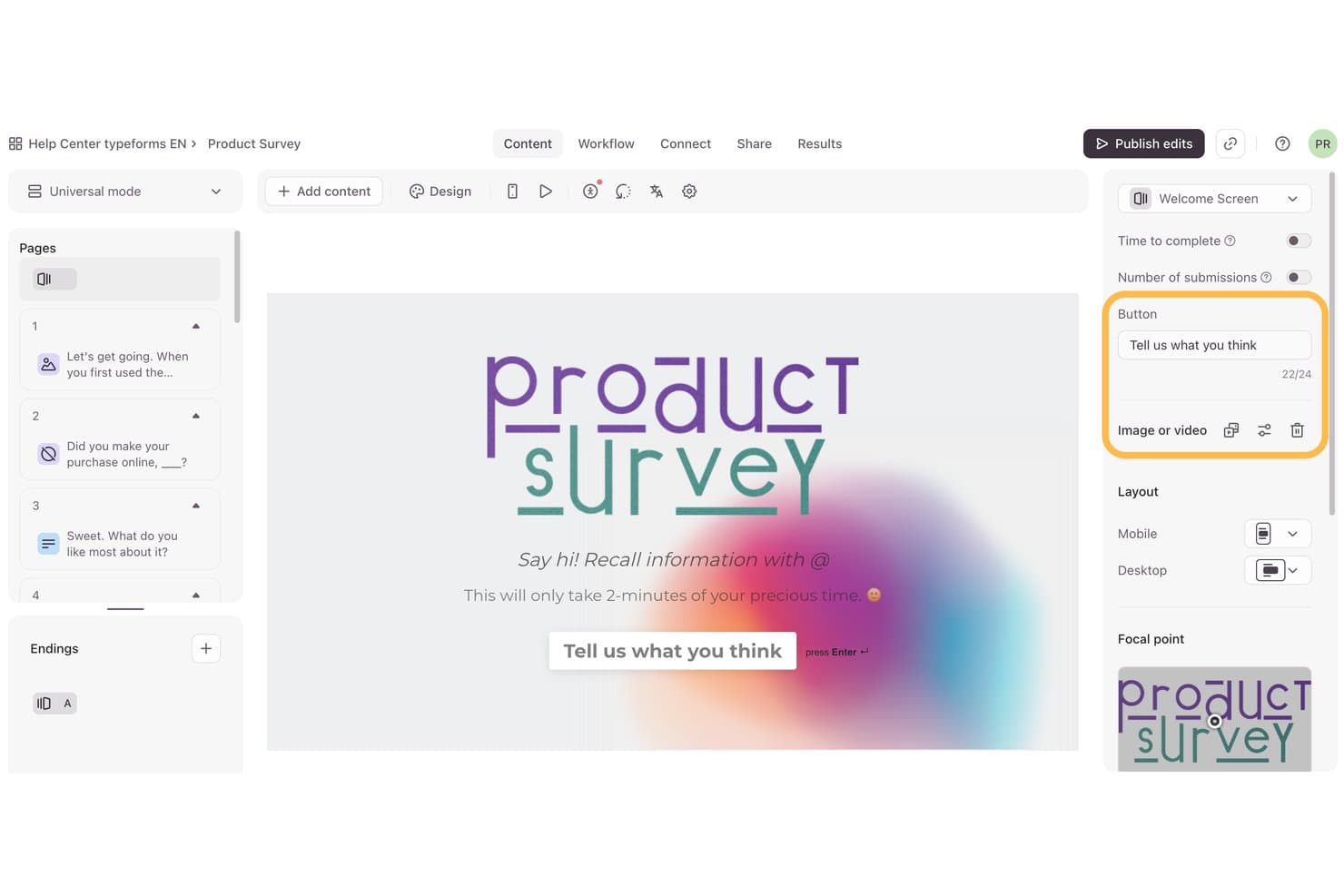
Typeform lets users customize welcome screen button text and layout. Typeform is a UX research platform for product teams that need engaging surveys, forms, and interviews to gather customer feedback, validate ideas, and replace rigid research workflows with more conversational experiences.
Who Is Typeform Best For?
Typeform suits UX researchers who need to recruit and screen participants for AI-moderated panel studies.
Why Typeform Is a Good Sprig Alternative
I picked Typeform because its conversational forms help me screen and recruit participants for AI-moderated panel recruitment studies. I use branching logic to route qualified respondents into relevant research paths, while its structured questions capture demographics, product usage, and eligibility details before panel selection.
Typeform Key Features
- Design customization: Apply themes, fonts, colors, images, and custom layouts.
- Response analytics: Review completion rates and response data from a reporting dashboard.
- App integrations: Connect Typeform with tools such as Slack, Google Sheets, and HubSpot.
- Embed options: Publish forms as inline, popup, sidebar, or full-page experiences.
Typeform Integrations
Typeform offers integrations with Slack, Google Sheets, HubSpot, and Notion through its app marketplace, plus open APIs for custom integrations. It also connects with Zapier.
Pros and Cons
Pros:
- Flexible embeds support branded recruitment experiences
- Branching logic routes qualified research participants
- Conversational screening improves participant completion rates
Cons:
- Complex studies require careful question design
- Limited native qualitative analysis capabilities
Learn more about Typeform: Best for real-time user insights
- Free demo available
- Pricing upon request
Visit WebsiteCustomer Rating:4.5/5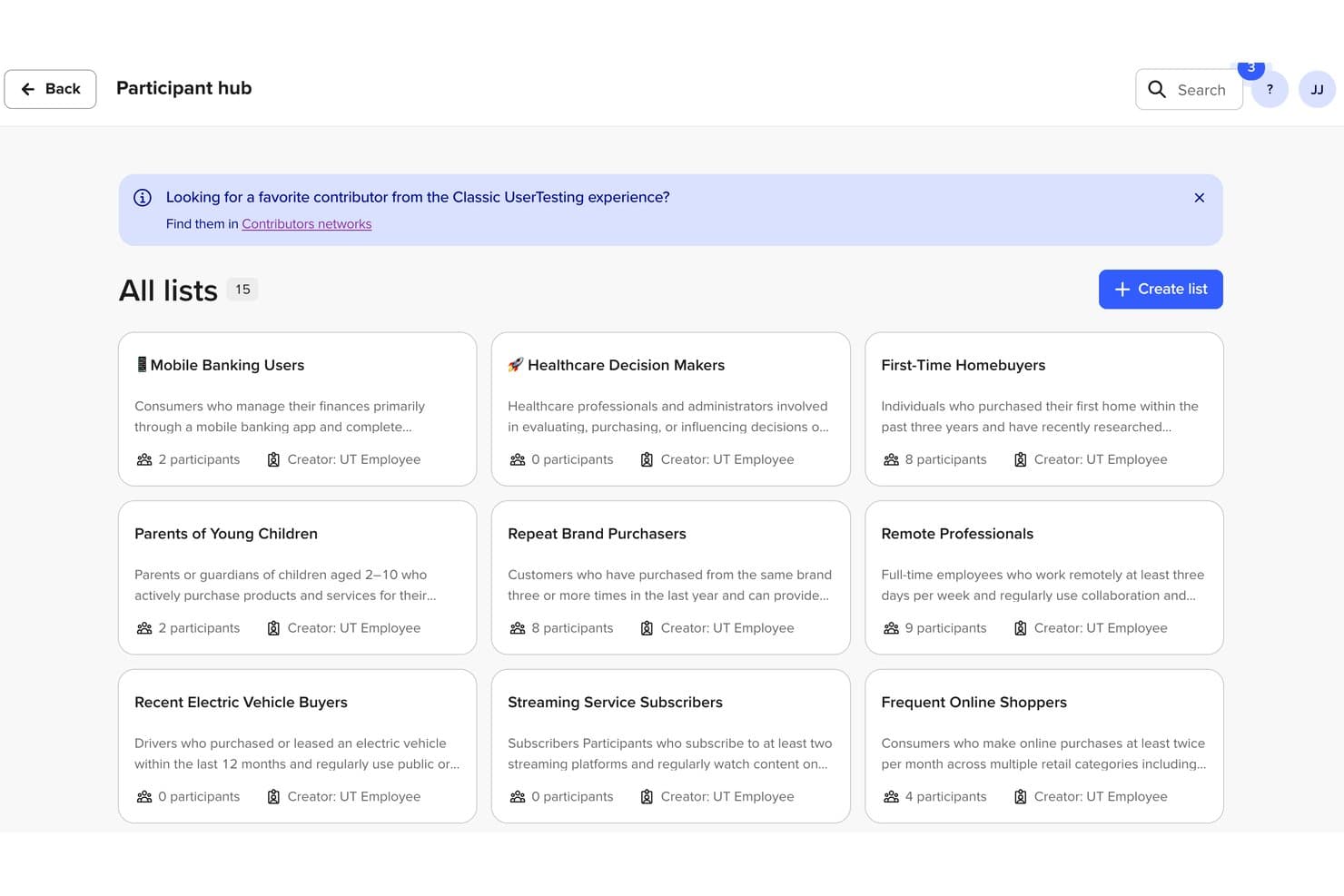
UserTesting organizes research participants into segmented lists for targeted studies. UserTesting is a user research platform for product, design, and marketing teams that need participant feedback to validate concepts, uncover usability issues, and make informed product decisions.
Who Is UserTesting Best For?
Product, design, and marketing teams that need fast feedback from target users during discovery, testing, and iteration.
Why UserTesting Is a Good Sprig Alternative
I picked UserTesting because it provides Best for real-time user insights through live conversations and moderated sessions. I use its participant network to watch users complete tasks, ask follow-up questions, and uncover friction that surveys can miss. Recorded sessions also help my team share direct evidence during product decisions.
UserTesting Key Features
- Audience targeting: Filter participants by demographics, behaviors, and professional attributes.
- Screener questions: Qualify participants against your research criteria before testing.
- Prototype testing: Test designs from tools such as Figma, InVision, and Adobe XD.
- Survey tasks: Collect structured responses alongside usability research.
UserTesting Integrations
UserTesting offers integrations with Figma, Jira, Jira Product Discovery, Confluence, Miro, FigJam, Slack, Microsoft Teams, and Qualtrics. Its API supports custom integrations and access to research data, including session results, scores, video links, and transcripts.
Pros and Cons
Pros:
- Video sessions provide persuasive customer evidence
- Targeted screeners reach specific participant profiles
- Live sessions enable immediate follow-up questions
Cons:
- Participant feedback quality can vary between studies
- Manual synthesis takes time across many sessions
Learn more about UserTesting: Best for in-app surveys
- Free plan available
- From $19.99/month (billed annually)
Visit WebsiteCustomer Rating:4.6/5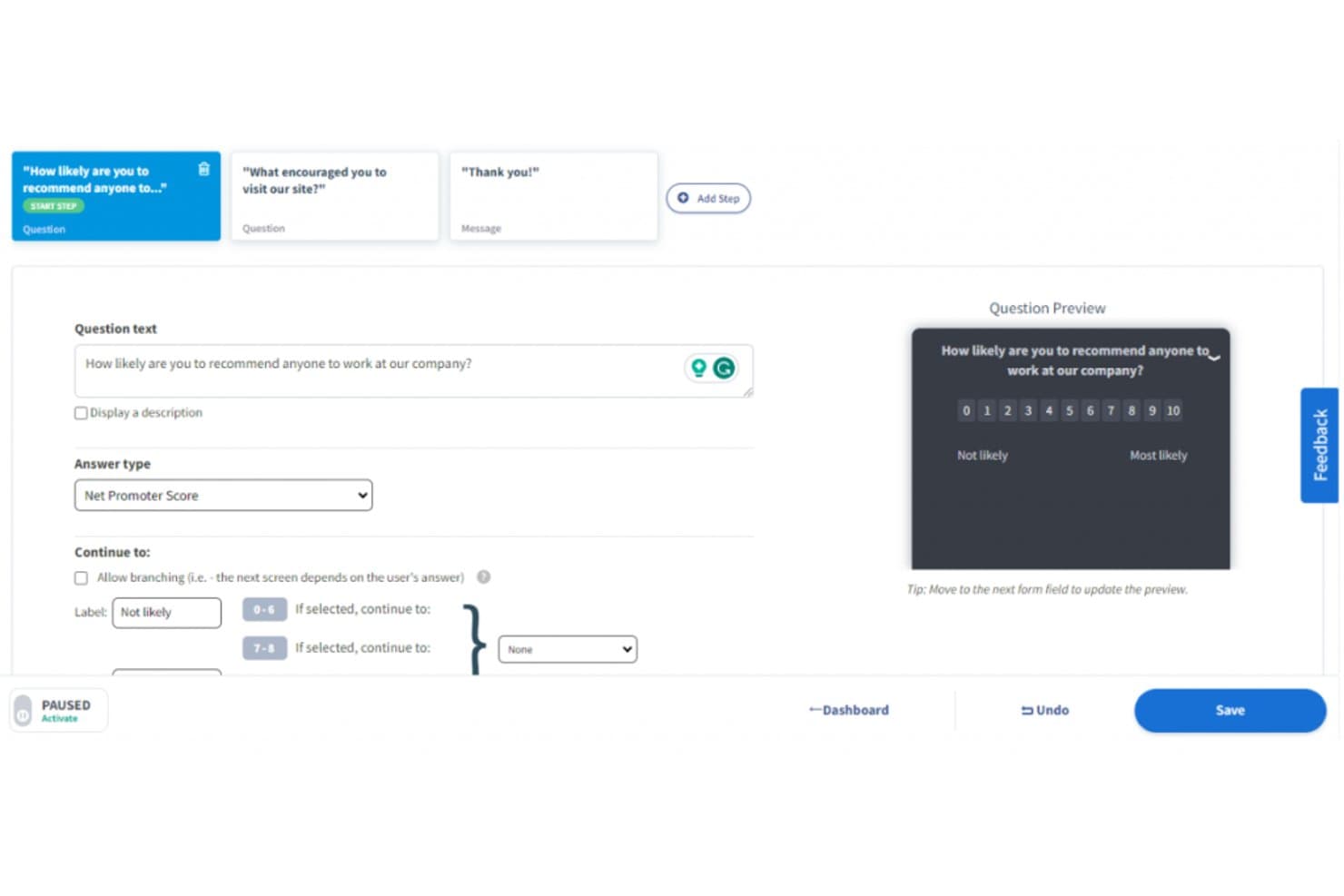
Qualaroo lets users build NPS surveys with branching logic. Qualaroo is a UX research platform for product and marketing teams that helps gather customer feedback, understand user behavior, and identify friction across digital experiences.
Who Is Qualaroo Best For?
Qualaroo suits product and UX teams that need targeted in-app surveys to collect feedback at key moments in the user journey.
Why Qualaroo Is a Good Sprig Alternative
I picked Qualaroo because its in-app surveys capture feedback while users interact with a product. I use behavioral targeting to ask about specific pages, features, or exit moments, then apply branching logic to tailor follow-up questions. Its sentiment analysis helps my team identify friction patterns across responses.
Qualaroo Key Features
- Question types: Create surveys with rating scales, multiple-choice questions, and text responses.
- Survey templates: Start with prebuilt templates for research and feedback scenarios.
- Third-party integrations: Connect feedback data with tools such as Slack, HubSpot, and Salesforce.
- Response reports: Review survey responses through dashboard reporting and data exports.
Qualaroo Integrations
Qualaroo offers integrations with Slack, HubSpot, and Salesforce, helping teams route and connect survey feedback with existing workflows.
Pros and Cons
Pros:
- Sentiment analysis surfaces response themes
- Branching logic tailors follow-up questions
- Targeted in-app survey triggers
Cons:
- Data exports offer limited flexibility
- Custom dashboards lack depth
Learn more about Qualaroo:
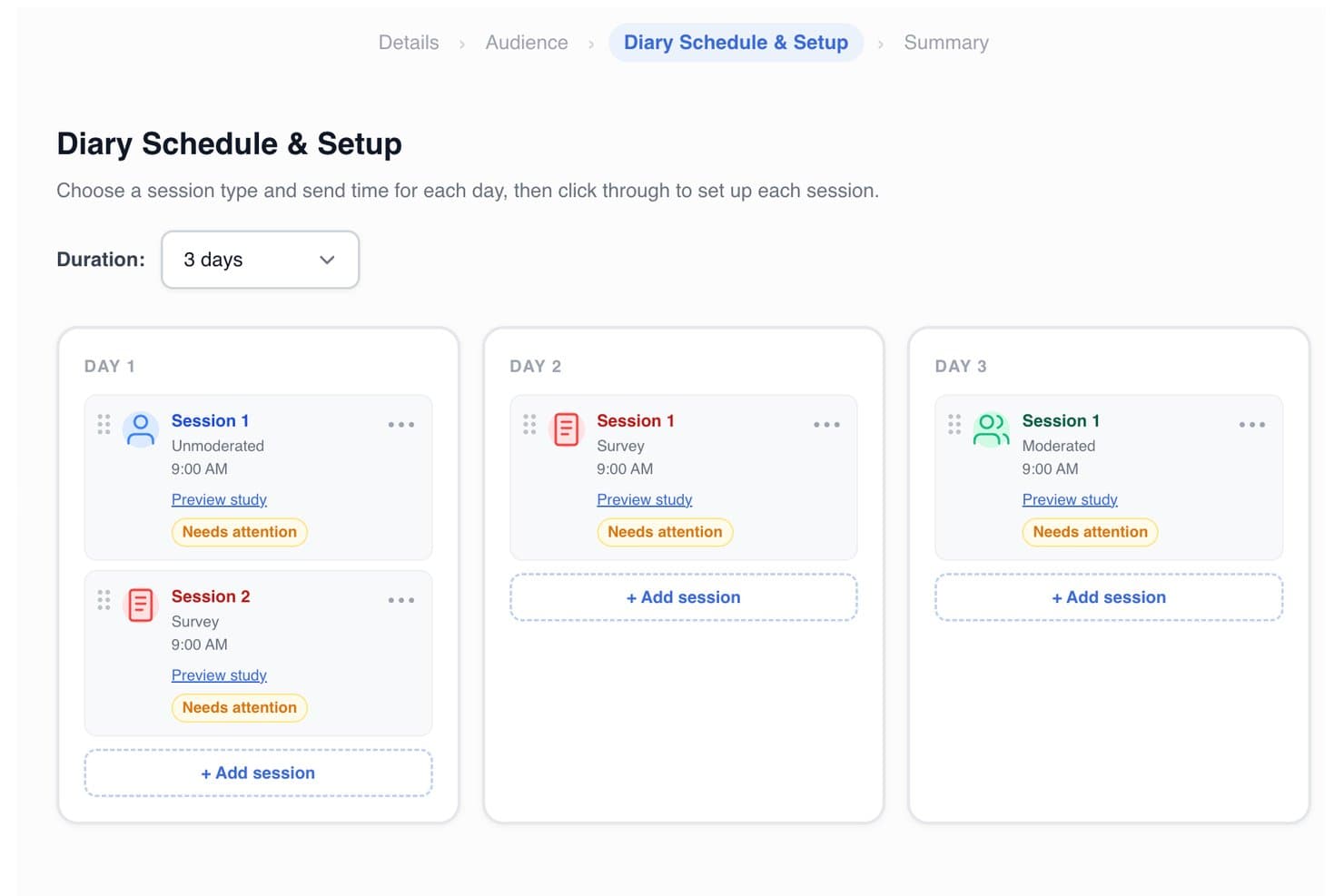
PlaybookUX lets users schedule multi-day diary study sessions by type and time. PlaybookUX is user research software for product teams that need to recruit participants, run moderated or unmoderated studies, and turn customer feedback into clearer product decisions.
Who Is PlaybookUX Best For?
PlaybookUX suits product teams and UX researchers who need remote moderated or unmoderated user testing for product decisions.
Why PlaybookUX Is a Good Sprig Alternative
I picked PlaybookUX because my team can recruit participants and run moderated or unmoderated studies in one place. We use moderated sessions to explore usability issues, then unmoderated tests to gather broader feedback on a product flow. Its focus on remote user testing makes research findings easier to connect with product decisions.
PlaybookUX Key Features
- Prototype testing: Evaluate clickable designs with participants.
- Card sorting: See how users group and label content.
- Tree testing: Check whether users can find information.
- Session recordings: Review participant interactions and feedback.
PlaybookUX Integrations
PlaybookUX offers native integration with Figma. An API with an MCP layer for custom workflows is also available.
Pros and Cons
Pros:
- Recruits participants for remote research
- Includes card sorting and tree testing
- Supports moderated and unmoderated studies
Cons:
- Analysis tools trail dedicated research platforms
- Less suited to in-product feedback
Learn more about PlaybookUX: Best for user onboarding and guidance
- Free plan + 30-day free trial + free demo available
- Pricing upon request
Visit WebsiteCustomer Rating:4.4/5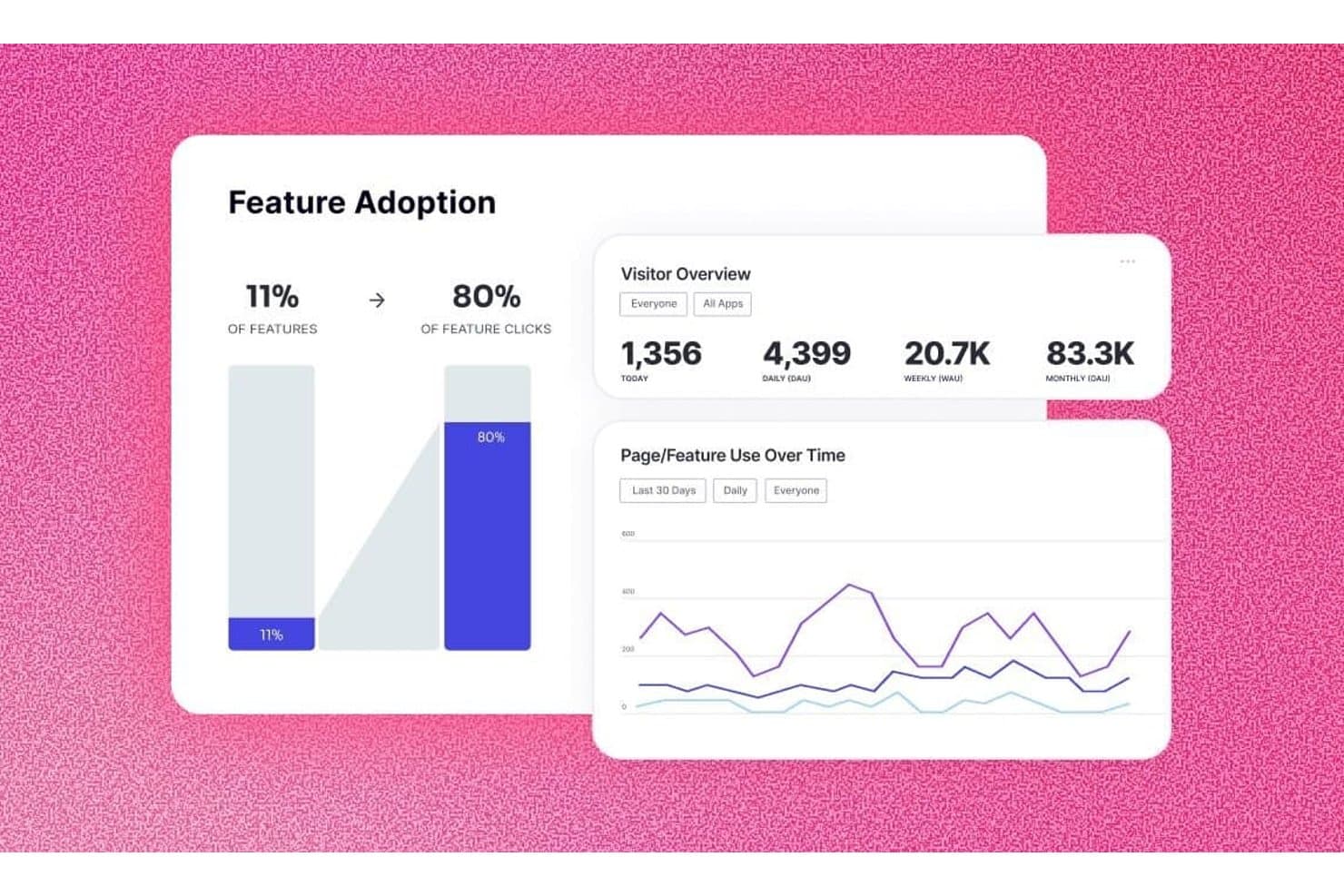
Pendo tracks feature adoption rates and visitor analytics over time. Pendo is a product experience platform for product teams that combines user feedback, product analytics, and in-app guidance to identify adoption barriers and improve digital experiences.
Who Is Pendo Best For?
Pendo suits product and customer success teams that need to guide users through onboarding and improve feature adoption.
Why Pendo Is a Good Sprig Alternative
I picked Pendo because its user onboarding and guidance tools connect product analytics with in-app walkthroughs and feature adoption insights. I use it to identify where users drop off, then target those screens with tooltips, guides, and contextual messages. Its feedback tools also help validate whether onboarding changes resolve adoption barriers.
Pendo Key Features
- Funnel reports: Track conversion through defined product steps.
- Path reports: Visualize the routes users take through your product.
- Retention reports: Compare returning users across selected time periods.
- Product roadmap: Plan, prioritize, and share upcoming product work.
Pendo Integrations
Pendo offers native integrations with Salesforce, Slack, Segment, Marketo, Jira, HubSpot, Intercom, Drift, Algolia, and Confluence. It also supports custom integrations through its API and webhooks, plus Zapier.
Pros and Cons
Pros:
- Maps user paths and retention trends
- Supports targeted guides and contextual messages
- Connects analytics with in-app onboarding
Cons:
- Feedback analysis feels less specialized than Sprig
- Reporting setup can require considerable configuration
Learn more about Pendo: Best for quick surveys and feedback
- 10-day free trial
- From $114/month (billed annually)
Visit WebsiteCustomer Rating:4.6/5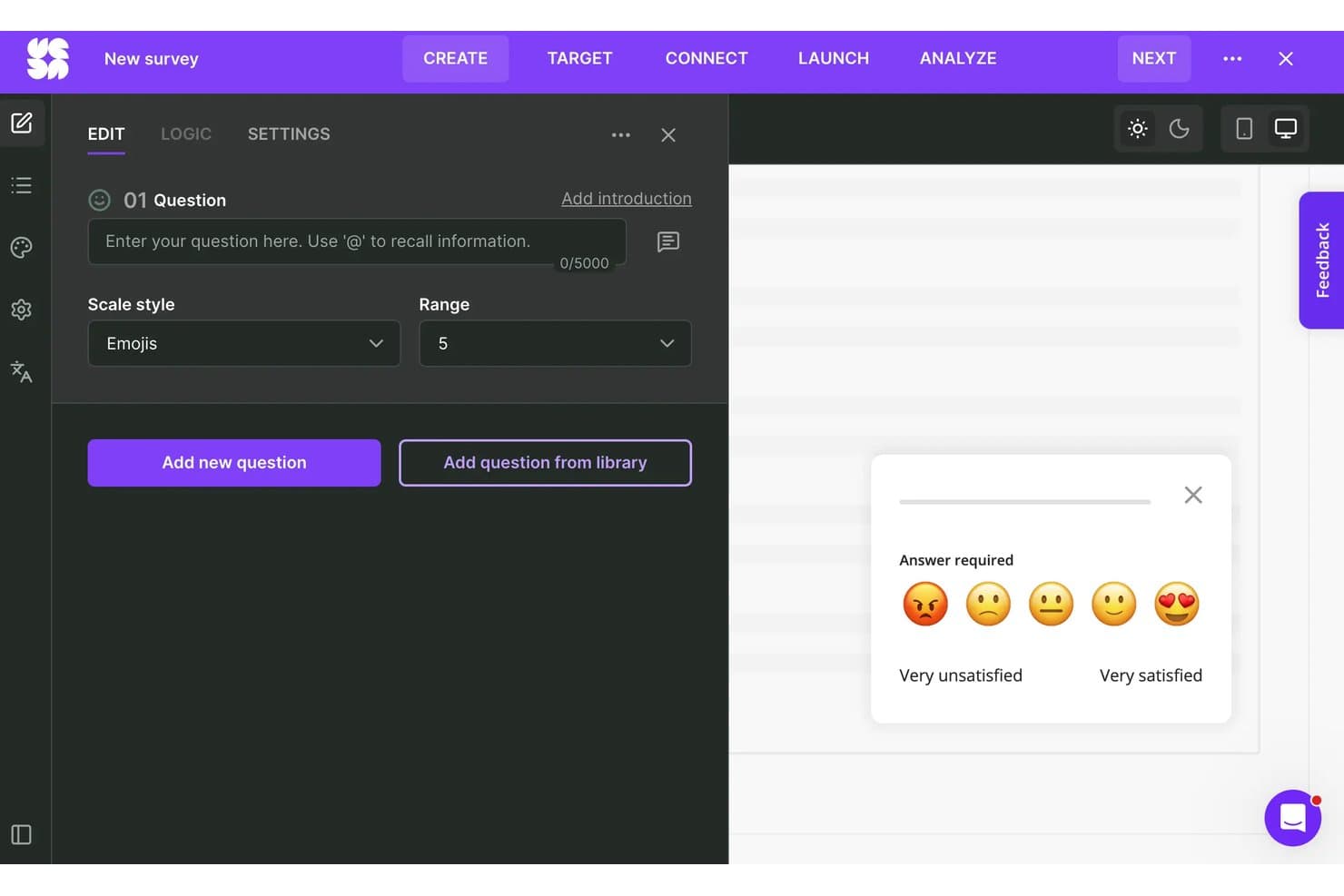
Survicate lets users build emoji-scale CSAT surveys visually. Survicate is user research software for product and customer experience teams that helps gather customer insights, validate ideas, and identify friction without the complexity of a full Sprig-style research platform.
Who Is Survicate Best For?
Survicate fits product and customer experience teams that need fast in-product surveys and feedback collection without a full research platform.
Why Survicate Is a Good Sprig Alternative
I picked Survicate because it’s one of my top choices for quick surveys and feedback. I use targeted in-product surveys, NPS and CSAT templates, and feedback buttons to capture reactions after onboarding, feature use, or support interactions. Its audience rules help my team ask relevant questions without interrupting every user.
Survicate Key Features
- Website surveys: Embed surveys across webpages to collect visitor feedback.
- Email surveys: Send survey questions directly through email campaigns.
- Survey branching: Show different questions based on each response.
- Integrations: Connect survey data with tools such as Slack, HubSpot, and Google Analytics.
Survicate Integrations
Survicate offers integrations with Slack, HubSpot, and Google Analytics, helping product teams connect survey responses with customer and website data.
Pros and Cons
Pros:
- Automatic categorization reduces open-text analysis
- Branching paths adapt questions to responses
- Rapid hypothesis validation with quick survey launches
Cons:
- Respondent attributes need better tracking
- Widget design leaves limited visual flexibility
Learn more about Survicate: Best for experience management across platforms
- Free demo available
- Pricing upon request
Visit WebsiteCustomer Rating:3.9/5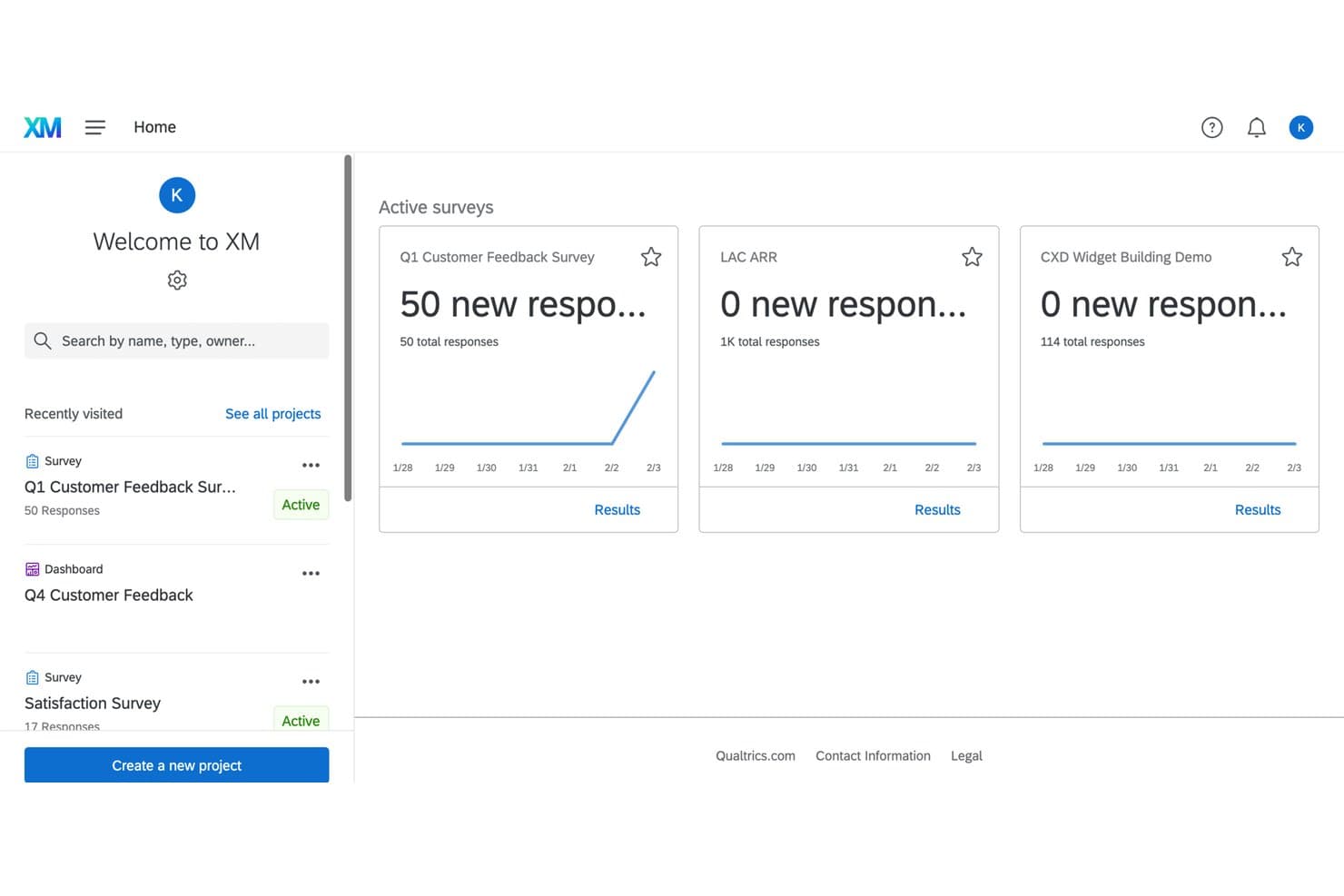
Qualtrics lets users monitor active survey responses from one dashboard. Qualtrics is an enterprise experience research platform for product, marketing, and customer teams that need to gather feedback, analyze user needs, and improve decisions across complex customer journeys.
Who Is Qualtrics Best For?
Qualtrics suits enterprise product, marketing, and customer teams that connect feedback across channels and improve experiences across complex customer journeys.
Why Qualtrics Is a Good Sprig Alternative
I picked Qualtrics because its multi-channel surveys, website and app feedback, and text analytics support experience management across platforms. I use it to connect product feedback with customer journeys, then identify recurring issues across channels and prioritize research-backed improvements.
Qualtrics Key Features
- Display logic: Show questions based on participants’ previous answers.
- Quota management: Set response limits for selected participant groups.
- Conjoint analysis: Measure preferences across product attributes and tradeoffs.
- Question randomization: Randomize answer choices to reduce order bias.
Qualtrics Integrations
Qualtrics offers first-party, out-of-the-box extensions for Salesforce, HubSpot, Jira, Slack, Microsoft Teams, Zendesk, Tableau, Google Sheets, and ServiceNow, with availability varying by license. It also provides a licensed API for custom integrations and connects with Zapier.
Pros and Cons
Pros:
- Conjoint analysis clarifies product tradeoffs
- Captures feedback across web and mobile
- Advanced survey logic supports nuanced research
Cons:
- Reporting workflows feel cumbersome for quick insights
- Enterprise configuration can require specialist support
Learn more about Qualtrics: Best for advanced user targeting in surveys
- 30-day free trial + free plan. + free demo available
- From $124/month (billed annually)
Visit WebsiteCustomer Rating:5/5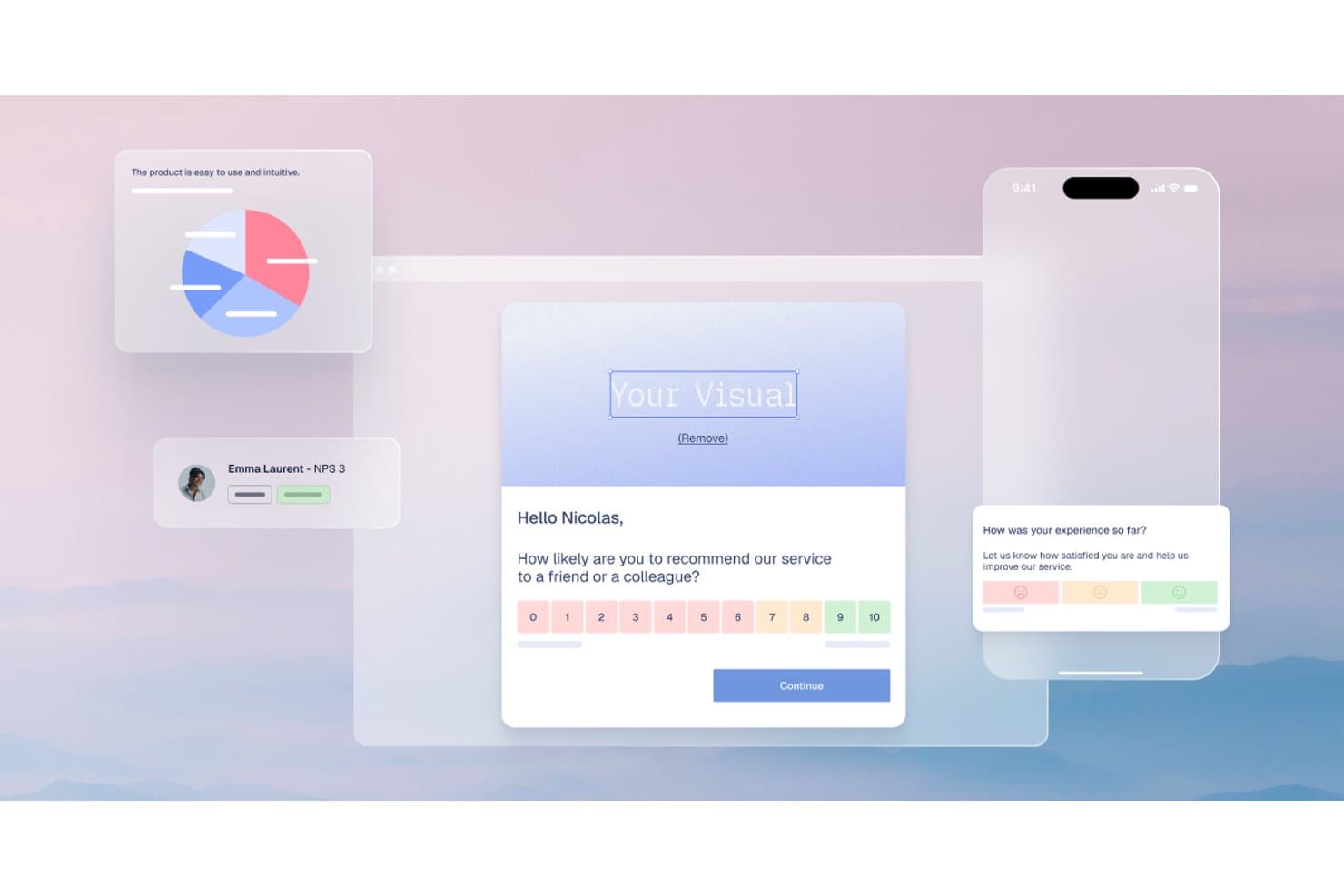
Refiner lets users collect NPS and satisfaction surveys in-app. Refiner is a customer feedback and survey platform for product teams that need targeted insights from specific user segments to guide product decisions and improve user experiences.
Who Is Refiner Best For?
Product managers and research teams that need feedback from specific user segments, such as new users, power users, or customers at risk.
Why Refiner Is a Good Sprig Alternative
I picked Refiner because its advanced user targeting in surveys helps my team reach precise segments, such as new users, power users, or customers at risk. I use user attributes, event-based rules, and in-app survey triggers to connect feedback with specific product experiences.
Refiner Key Features
- NPS surveys: Create Net Promoter Score surveys to measure customer loyalty.
- CSAT surveys: Collect Customer Satisfaction scores after key user interactions.
- Survey templates: Start research projects with prebuilt feedback survey templates.
- Response analytics: Review survey responses and score breakdowns in one dashboard.
Refiner Integrations
Refiner offers more than 25 official integrations, including Amplitude, Mixpanel, Segment, RudderStack, Salesforce, HubSpot, Google Sheets, Slack, Make, and Zapier. It also provides a REST API and webhooks for custom integrations.
Pros and Cons
Pros:
- Quick setup for targeted in-app feedback
- Supports segmented NPS, CSAT, and CES analysis
- Targets surveys by traits and user events
Cons:
- Less suitable for broad general research
- Best suited to SaaS product feedback
Learn more about Refiner: Best for tree testing and card sorting research
- 7-day free trial + free demo available
- From $199/month (billed annually)
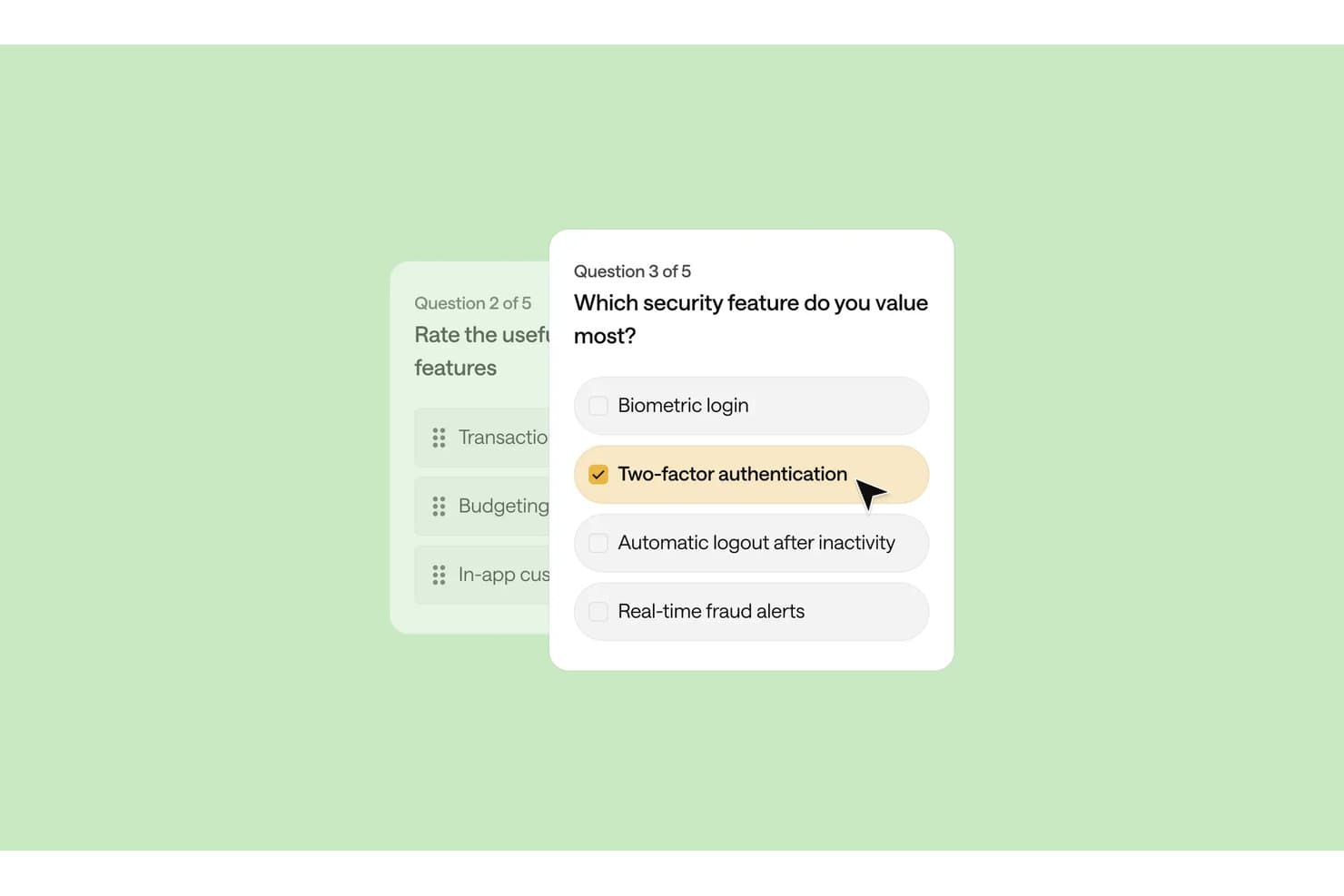
Optimal Workshop lets users build multi-step surveys with selectable answer choices. Optimal Workshop is a user research platform for product, UX, and content teams that helps validate information architecture and uncover usability issues before they slow product adoption.
Who Is Optimal Workshop Best For?
Product managers, UX researchers, and content teams can validate navigation and content structures before launch with Optimal Workshop.
Why Optimal Workshop Is a Good Sprig Alternative
I picked Optimal Workshop because it specializes in tree testing and card sorting research. I use Treejack to test whether users can find items in proposed navigation, then use card sorting to shape categories from participant input. This helps my team validate information architecture before launch.
Optimal Workshop Key Features
- First-click testing: Use Chalkmark to test where participants click on static designs.
- Survey questions: Add open-ended and multiple-choice questions to research studies.
- Qualitative analysis: Tag and organize participant notes, recordings, and observations in Reframer.
- Participant recruitment: Invite your own participants or recruit through the platform.
Optimal Workshop Integrations
Optimal Workshop documents integrations with Figma, User Interviews, Google Meet, Zoom, Microsoft Teams, Google Calendar, Outlook, Slack, Miro, and more. Enterprise plans also include a read-only API for connecting research data with data warehouses, BI platforms, dashboards, analytics tools, and custom applications.
Pros and Cons
Pros:
- Research notes support qualitative synthesis
- Card sorting reveals user-driven category structures
- Specialized tree testing validates navigation findability
Cons:
- Study setup requires careful research planning
- Limited product discovery beyond information architecture
Learn more about Optimal Workshop:
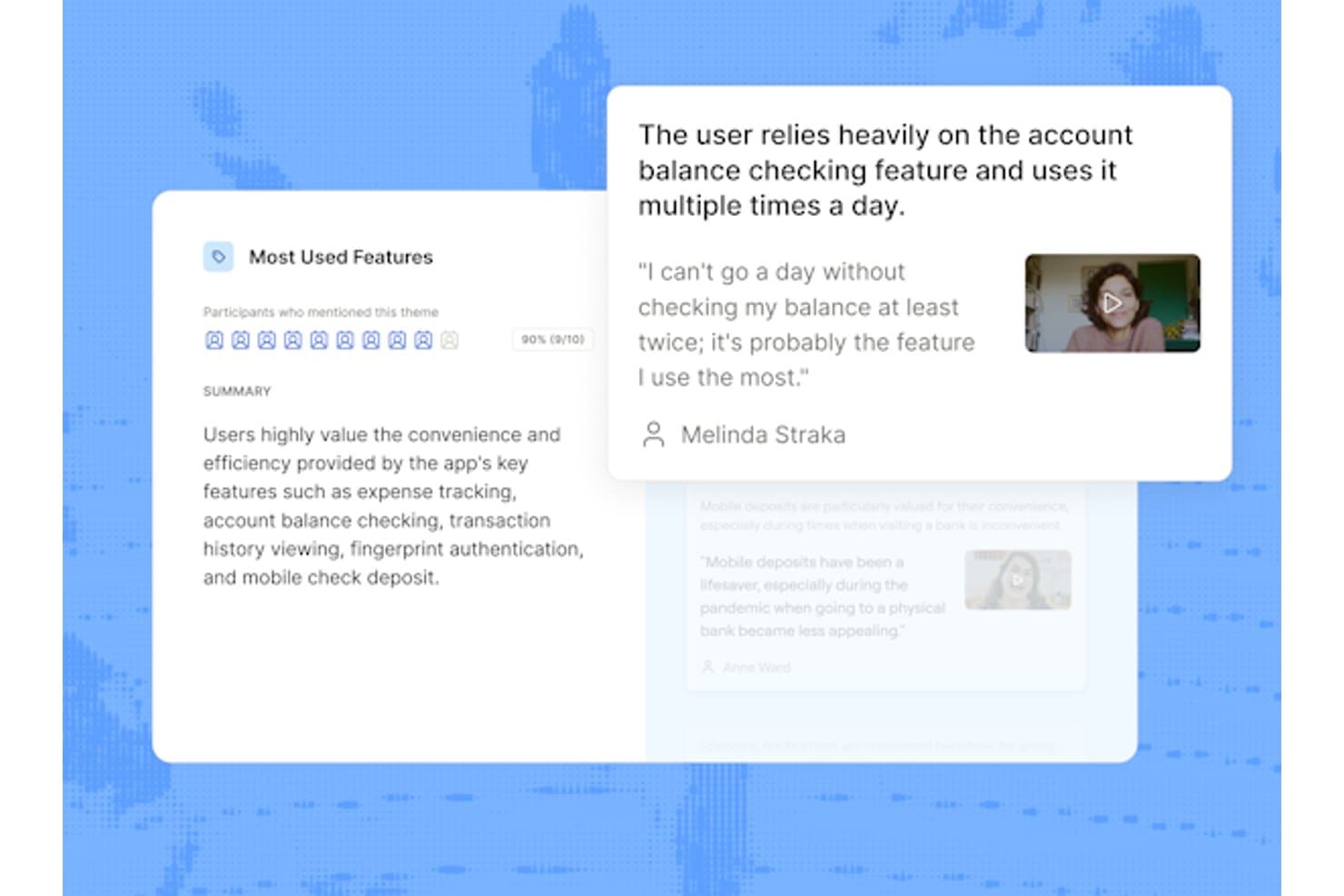
Maze surfaces user interview themes with quotes and video clips. Maze is a UX research platform for product teams that need to test prototypes, gather customer feedback, and make confident design decisions throughout discovery and development.
Who Is Maze Best For?
Maze suits product, UX, and research teams that need AI-moderated customer interviews and actionable qualitative feedback.
Why Maze Is a Good Sprig Alternative
I picked Maze because it’s best for AI-moderated interviews when my team needs qualitative feedback without scheduling every session live. I use its AI interviewer to guide customer conversations and surface responses about prototypes, onboarding, or feature concepts. This helps me review recurring themes while participants explain their decisions in their own words.
Maze Key Features
- Prototype testing: Test Figma, Sketch, Adobe XD, and InVision prototypes.
- Surveys: Collect structured responses with customizable survey questions.
- Card sorting: Organize information architecture through open, closed, or hybrid card sorts.
- Tree testing: Evaluate navigation structures with task-based tree tests.
Maze Integrations
Maze integrates with Figma, FigJam, Jira, Confluence, Slack, Notion, Miro, Google Calendar, Google Meet, Microsoft Teams, and Zoom. Its official integrations also include Amplitude, Axure, Microsoft 365 calendars, and several AI prototyping tools.
Pros and Cons
Pros:
- Card sorting and tree testing support IA
- Prototype tests produce quantifiable usability metrics
- AI moderator probes open-ended responses
Cons:
- Advanced analysis still needs manual review
- AI interviews cannot test animations
Learn more about Maze:
Diğer Sprig Alternatifleri
Kısa listeme girmeyen ancak yine de göz atmaya değer bazı ek Sprig alternatifleri şunlardır:
- 11DscoutBest for longitudinal diary study research
- 12Hotjar (by Contentsquare)Best for behavior analytics tied to survey data
- 13SurveyMonkeyBest for survey-scale participant recruitment
- 14UXtweakBest for no-SDK mobile usability testing
- 15AlchemerBest for VoC feedback across web and mobile apps
- 16PostHogBest for open-source product analytics
- 17LyssnaBest for panel-backed prototype and usability testing
- 18FormbricksBest for open-source in-app survey delivery
- 19ScreebBest for in-app feedback tied to session replay
- 20IterateBest for lifecycle tool-connected feedback surveys
How I Evaluate Sprig Alternatives
I split my evaluation into three parts. First, I check that each tool can deliver surveys inside a live product and capture recorded user research sessions—these two criteria carry the most weight. Then I look for replay-linked feedback as a differentiator, and consider pricing model predictability beyond the feature set.
Core Functionality (Table Stakes For This List)
When I'm selecting tools for my list, I score each one on a scale from 0 (does not offer the functionality) to 5 (excels in this area) for each core functionality listed below. I then convert the total into a percentage to help assess each tool's overall fit, with extra weight on any functionalities I’ve deemed essential.
- In-Product Surveys (Essential): I look for prompts teams can target by page or user attribute, such as asking for feedback after someone completes a key task.
- Research Sessions (Essential): I assess support for moderated and unmoderated sessions, including recording screens, audio, or video as participants test a prototype.
- Participant Targeting: I check how teams find and screen relevant users, such as recruiting people who recently tried a specific feature.
- Feedback Analysis: I look for ways to tag, group, or compare responses so teams can spot recurring usability issues across studies.
- Feedback Channels: I consider whether teams can gather input through in-product prompts, email, or shareable survey links.
- Product Integrations: I evaluate how research findings connect with analytics, collaboration, or roadmap tools used in the product workflow.
Once I have a list of tools that meet the criteria, I consider what sets each platform apart.
Differentiating Factors (What Sets Vendors Apart)
Here's how I compare and contrast different vendors:
Standout Features
I check whether a tool can link survey responses directly to session replays, letting me watch the exact user behavior behind a frustrated rating. That context turns a vague complaint into a clear usability fix. I also evaluate panel recruitment access for teams that lack a large user base to sample from. No-code prototype testing matters just as much—tools like Maze let you put a Figma file in front of real users before engineering writes a line of code.
Beyond Features
I evaluate how fast a tool moves from raw responses to a usable insight. AI-assisted tagging in platforms like Dovetail or Maze can cut hours of manual coding after an open-ended survey. Pricing predictability matters just as much—MAU-based models can spike costs when you deploy a survey across a high-traffic onboarding flow. I also check whether research clips and findings share natively into Slack, Notion, or Jira so insights reach engineers and designers without a slide deck.
Neden Bir Sprig Alternatifi Aramalı?
Sprig iyi bir araştırma platformu seçeneği olsa da bazı kullanıcıların alternatif çözümler aramasının çeşitli nedenleri vardır. Aşağıdaki nedenlerden biriyle bir Sprig alternatifi arıyor olabilirsiniz…
- Daha fazla özelleştirme seçeneğine ihtiyacınız vardır
- Ekibiniz gelişmiş analiz araçlarına ihtiyaç duyuyordur
- Sprig'in fiyatlandırması bütçenize uygun değildir
- Mevcut araçlarla daha iyi entegrasyon istiyorsunuzdur
- Kuruluşunuz küresel desteğe ihtiyaç duyuyordur
- Daha basit bir kullanıcı arayüzü arıyorsunuzdur
Bunlardan herhangi biri sizi anlatıyorsa doğru yere geldiniz. Listemde, Sprig ile ilgili bu zorluklarla karşılaşan ve alternatif çözümler arayan ekipler için daha uygun olan çeşitli araştırma platformu seçenekleri bulunuyor.
Sprig'in Temel Özellikleri
Sprig'in bazı temel özelliklerini burada bulabilirsiniz; böylece alternatif çözümlerin sunduklarını karşılaştırabilir ve değerlendirebilirsiniz:
- Uzun biçimli anketler: Kullanıcılardan ayrıntılı içgörüler toplamak için kapsamlı anketler gerçekleştirin; böylece ihtiyaçlarını ve tercihlerini anlamanıza yardımcı olur.
- Yapay zekâ içgörüleri: Verileri uygulanabilir temalar hâlinde sentezlemek için yapay zekâdan yararlanın; böylece ekibinizin kalıpları ve eğilimleri belirlemesi kolaylaşır.
- Ürün içi anketler: Gerçek ürün kullanımı sırasında geri bildirim toplayarak gerçek kullanıcı deneyimlerini yansıtan, bağlam açısından zengin içgörüler elde edin.
- Sürekli geri bildirim: Kullanıcı yolculuğu boyunca devam eden geri bildirim toplama sürecini etkinleştirerek ekibinizin zamanında iyileştirmeler yapmasını sağlayın.
- Kullanıcı oturumu tekrarları: Gerçek kullanıcı oturumlarını analiz ederek sürtüşme noktalarını ve davranışları belirleyin; böylece kullanıcı deneyimini geliştirmenize yardımcı olur.
- Isı haritaları: Tıklamalar ve kaydırmalar aracılığıyla kullanıcı etkileşimini görselleştirerek kullanıcıların ürününüzle nasıl etkileşim kurduğuna dair net bir görünüm elde edin.