

Fikir geliştirirken, kavramları paylaşırken veya bir projeyi şekillendirirken maketler önemli bir rol oynar. Bunları oluşturmanın basit bir yolunu bulmak tüm süreci kolaylaştırabilir. Yapay zekâ maketi oluşturucuları, tekrarlayan tasarım görevlerini otomatikleştirerek dikkatinizi gerçekten odaklanmanızı gerektiren unsurlara vermenizi sağlar.
Deneyimlerime göre otomatik yerleşim önerileri ve gerçekçi görselleştirme gibi yapay zekâ özellikleri, maket oluşturma yaklaşımınızı dönüştürebilir. Gereksinimlerinizi anlayan ve iş akışınıza uyum sağlayan güvenilir çözümlere ihtiyacınız vardır.
Bu makalede, piyasadaki en iyi yapay zekâ maketi oluşturucularına ilişkin tarafsız incelememi paylaşacağım. Ekibinizin üretkenliğini ve yaratıcılığını artırabilecek araçları keşfedeceksiniz. Tasarım sürecinizi daha verimli hâle getirebilecek seçeneklere birlikte göz atalım.
Why Trust Our Software Recommendations
6,700+
Reviews
20
Industry experts
16+
Evaluation factors
14
Years
Our team has been testing and reviewing software since 2012. As product managers ourselves, we know how difficult—and important—it is to choose the right software.
For this guide, we evaluated tools using hands-on testing and independent research, scoring tools using our selection criteria.
Our reviews reflect our human editorial judgment, not a sales pitch.
Expert reviewers:
- Andrew LumbySenior TPM
- Cristiano ValimSenior UI/UX Lead


Yapay Zekâ Maketi Oluşturucu Karşılaştırma Tablosu
Bu karşılaştırma tablosu, en iyi yapay zekâ maketi oluşturucu seçimlerimin fiyatlandırma ayrıntılarını özetlemektedir:
Score legend (out of 5)
- Excellent4.5–5
- Good4–4.4
- Average3–3.9
- Below average2–2.9
- Poor1–1.9
Sorted by: Default
| Tool | Starting Price | Website | |||||||
|---|---|---|---|---|---|---|---|---|---|
Best for all-in-one mockup editing and brand kits | 3.2 out of 5 | 2 | 4 | 3 | 2 | 4 | 4 | $144/user/year Free trial + free plan available | Website |
Best for product and packaging mockups at scale | 3.7 out of 5 | 4 | 3 | 4 | 4 | 4 | 3 | $3.99/user/month Free plan available | Website |
Best for ecommerce product shots with scene generation | 3.0 out of 5 | 4 | 3 | 3 | 4 | 1 | 3 | $24.50/month Free plan available | Website |
Best for e-commerce and branding with 3D mockups | 3.2 out of 5 | 4 | 2 | 4 | 4 | 2 | 3 | $15/month Not available | Website |
Best for brand kit-driven merch mockup creation | 3.8 out of 5 | 4 | 4 | 5 | 3 | 3 | 4 | $14/month Free plan available | Website |
Best for art-to-mockup conversion in one canvas | 3.3 out of 5 | 4 | 4 | 3 | 2 | 3 | 4 | $10/month Free plan available | Website |
Best for photo-to-mockup templates in a full editor | 3.0 out of 5 | 2 | 4 | 3 | 1 | 4 | 4 | $14/month 7-day free trial | Website |
Best for free AI mockups with wide range of templates | 3.5 out of 5 | 4 | 2 | 3 | 4 | 5 | 3 | $5.7/month Free plan available | Website |
Best for batch-generating ecommerce product visuals | 3.3 out of 5 | 4 | 2 | 3 | 5 | 3 | 3 | $5/month Free plan available | Website |
Best for scaling product mockups via API or bulk | 4.0 out of 5 | 4 | 4 | 3 | 5 | 4 | 4 | $19/month Free plan available | Website |


En İyi Yapay Zekâ Maketi Oluşturucu İncelemeleri
Aşağıda, kısa listeme giren en iyi yapay zekâ maketi oluşturucularına ilişkin ayrıntılı özetlerimi bulabilirsiniz. İncelemelerimde, size en uygun aracı bulmanıza yardımcı olmak için her aracın temel özelliklerine, artılarına & eksilerine, entegrasyonlarına ve ideal kullanım alanlarına ayrıntılı bir bakış sunuyorum.
 Best for all-in-one mockup editing and brand kits
- Free trial + free plan available
- From $144/user/year (billed annually)
Visit WebsiteCustomer Rating:4.6/5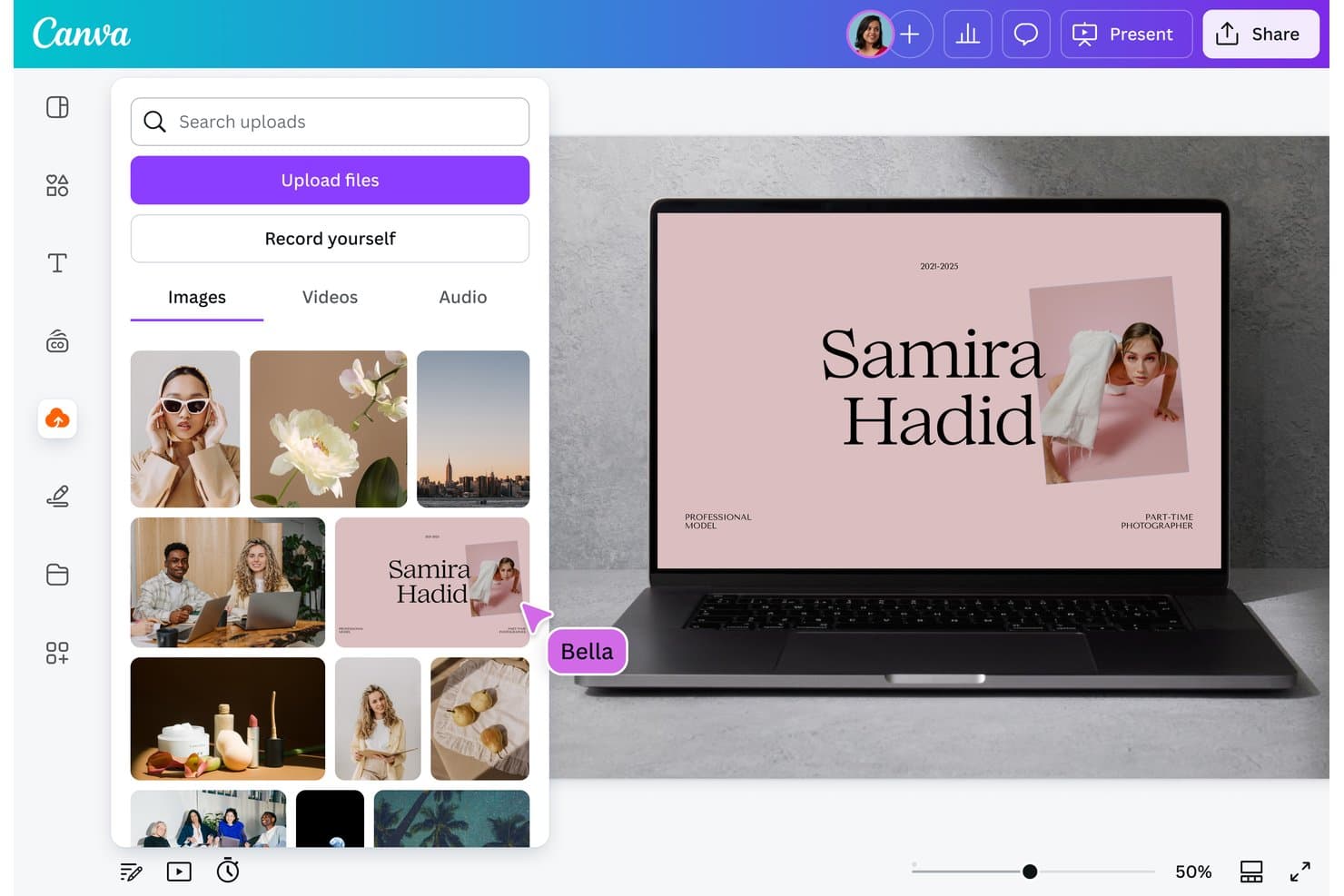
Canva lets users upload images to build AI-generated mockup designs. Canva is a visual design platform with an AI-assisted mockup generator, an extensive device and product scene library, and a full suite of editing tools spanning image generation, brand kits, and bulk content creation.
Who Is Canva Best For?
Canva is a strong fit for marketing and brand teams that need to produce polished, on-brand mockup visuals without juggling multiple design tools.
Why I Picked Canva
Canva earns its spot on my shortlist because it pulls mockup creation, editing, and brand management into a single workspace. I love that Brand Kits carry your fonts, colors, and logo into every mockup automatically, which keeps a product launch campaign visually consistent across dozens of assets. The surface-detection feature also lets me drop a design onto any uploaded photo, turning a clean desk shot into a branded device mockup without a separate tool.
Canva Key Features
- Dream Lab image generator: Enter a text prompt to generate four AI image variations you can use as custom mockup scenes or product backgrounds.
- Bulk Create: Upload a CSV or spreadsheet to auto-populate design placeholders across hundreds of mockup layouts in one pass.
- Magic Eraser and Magic Edit: Remove or replace specific elements within a photo directly inside the Canva editor, without a separate tool.
- Version history: Access and restore up to 1,000 saved design versions, with per-editor avatars showing who made each change.
Canva Integrations
Canva has marketplace integrations via its Apps Marketplace, including Figma to Canva, Brandfetch, OneDrive, Mailchimp, Instagram, Facebook, LinkedIn, and YouTube. It also offers Connect API, App SDK, Admin API, and an official n8n node for custom integrations.
Pros and Cons
Pros:
- Full editor polishes stakeholder-ready mockups
- Brand kits keep mockups visually consistent
- Extensive device and product scene library
Cons:
- Mockup colors can appear dull
- AI relies on templates, not prompts
Learn more about Canva: Best for product and packaging mockups at scale
- Free plan available
- From $3.99/user/month (billed annually)
Visit WebsiteCustomer Rating:4.4/5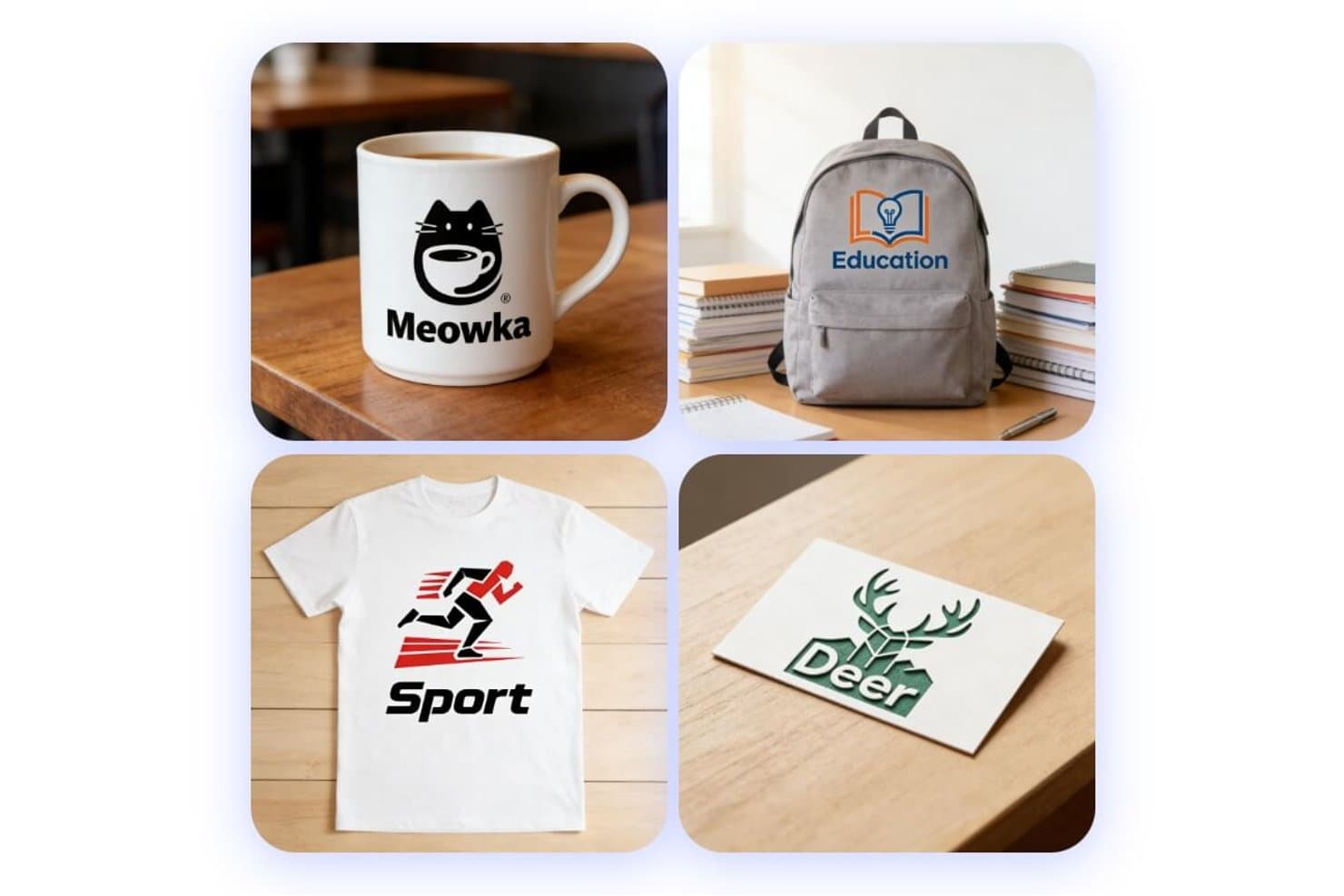
Fotor generates diverse product mockups from text prompts. Fotor is an AI mockup generator that covers product, packaging, apparel, and logo mockups through prompt-based generation, batch variation output, and a suite of e-commerce product photography tools.
Who Is Fotor Best For?
Fotor is a strong fit for marketing and e-commerce teams that need to produce high-volume product, packaging, and logo mockups without a dedicated design resource.
Why I Picked Fotor
I picked Fotor as one of the best because its packaging pipeline goes well beyond simple template swaps: you can feed it a sketch, a dieline, or a product photo and get back a fully rendered 3D mockup of bags, cans, bottles, or boxes in one pass. I also love that the batch variation tool auto-generates style, color, and theme alternatives in a single run, which is exactly what you need when testing packaging concepts across SKUs at scale.
Fotor Key Features
- AI model selector: Choose from multiple image generation models—including Flux, GPT Image 2, Gemini, and Seedream—to match your preferred output style.
- Dieline-to-3D conversion: Upload a flat dieline and Fotor automatically folds and renders it into a fully 3D packaging mockup.
- Virtual Model tool: Place products on AI-generated human models for apparel and product photography without a physical shoot.
- AI video mockup: Animate any static mockup image with camera movement, lighting effects, and auto-generated sound using Seedance 2.0.
Fotor Integrations
Fotor doesn't have any native integrations. Its API supports custom image-generation integrations, although it doesn't offer a dedicated mockup endpoint.
Pros and Cons
Pros:
- Realistic fabric folds and shadows
- Batch variations support SKU testing
- Dielines become rendered 3D packaging
Cons:
- Free exports interrupt with advertising
- High-resolution generations can run slowly
Learn more about Fotor: Best for ecommerce product shots with scene generation
- Free plan available
- From $24.50/month (billed annually)
Visit WebsiteCustomer Rating:4.4/5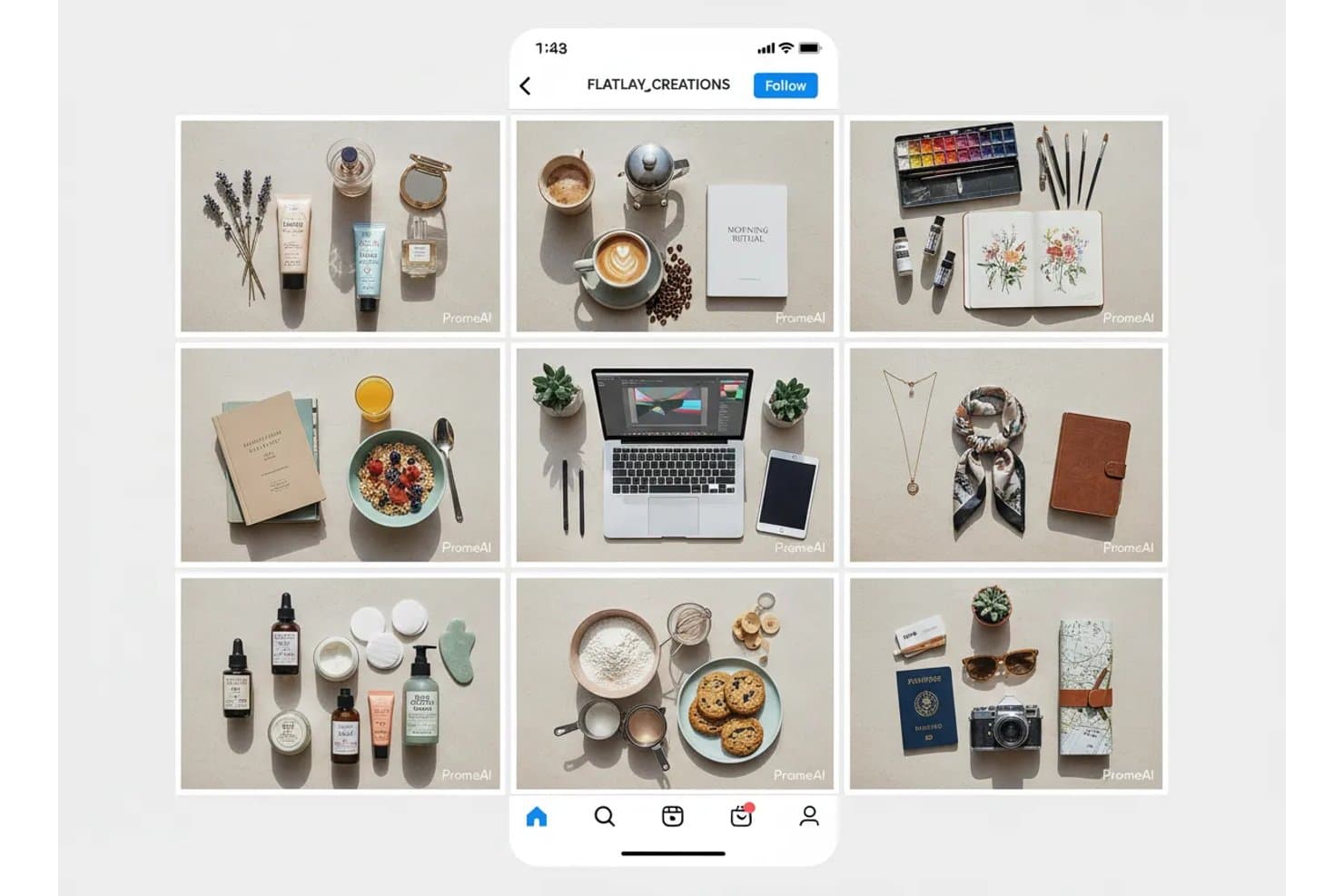
PromeAI generates styled flatlay mockups across multiple niches. PromeAI is an AI image generation platform that combines product mockup creation, background generation, sketch-to-render conversion, and batch variation tools for physical products, logos, and furniture.
Who Is PromeAI Best For?
PromeAI is a strong fit for ecommerce sellers and marketing teams who need fast, realistic product shots without a photography budget.
Why I Picked PromeAI
I picked PromeAI as one of the best because its Background Diffusion tool does something I genuinely find impressive: it generates a fully lit, styled scene around your product while leaving every pixel of the original untouched, including logos and label text. That makes it a strong option for ecommerce teams building out Amazon or Shopify listings without a photography budget. The Batch Processing for SKUs feature lets you apply one background style across an entire product catalog in one click, which is a real advantage when you're managing dozens of variants.
PromeAI Key Features
- Sketch rendering: Converts hand-drawn sketches, design drafts, or 3D model files (.obj, .fbx, .stl, .3ds) into photoreal renders across styles like realistic, anime, and concept art.
- Image Variation tool: Uploads one image and generates three variations, with controls for similarity level and two generation models—Creavity for bolder results and ExactNew for closer matches.
- Magic Editor: Edits images using a text prompt, with resolution options up to 4K and a choice of AI models including GPT Image 2 and Seedream 5.0 Pro.
- HD Upscaler: Enlarges images in repeated steps up to 8K resolution, with outputs available at 2K, 4K, or 8K.
PromeAI Integrations
PromeAI doesn't have any native integrations with Figma, Jira, Notion, or other documented tools. No public API is available for custom integrations; it supports image uploads and .obj, .fbx, .stl, and .3ds files within the platform.
Pros and Cons
Pros:
- Batch variations support catalog production
- Fast mockups need little experience
- Realistic product scenes preserve label details
Cons:
- Device and app-screen mockups remain unavailable
- Fine-tuning often misses intended results
Learn more about PromeAI:
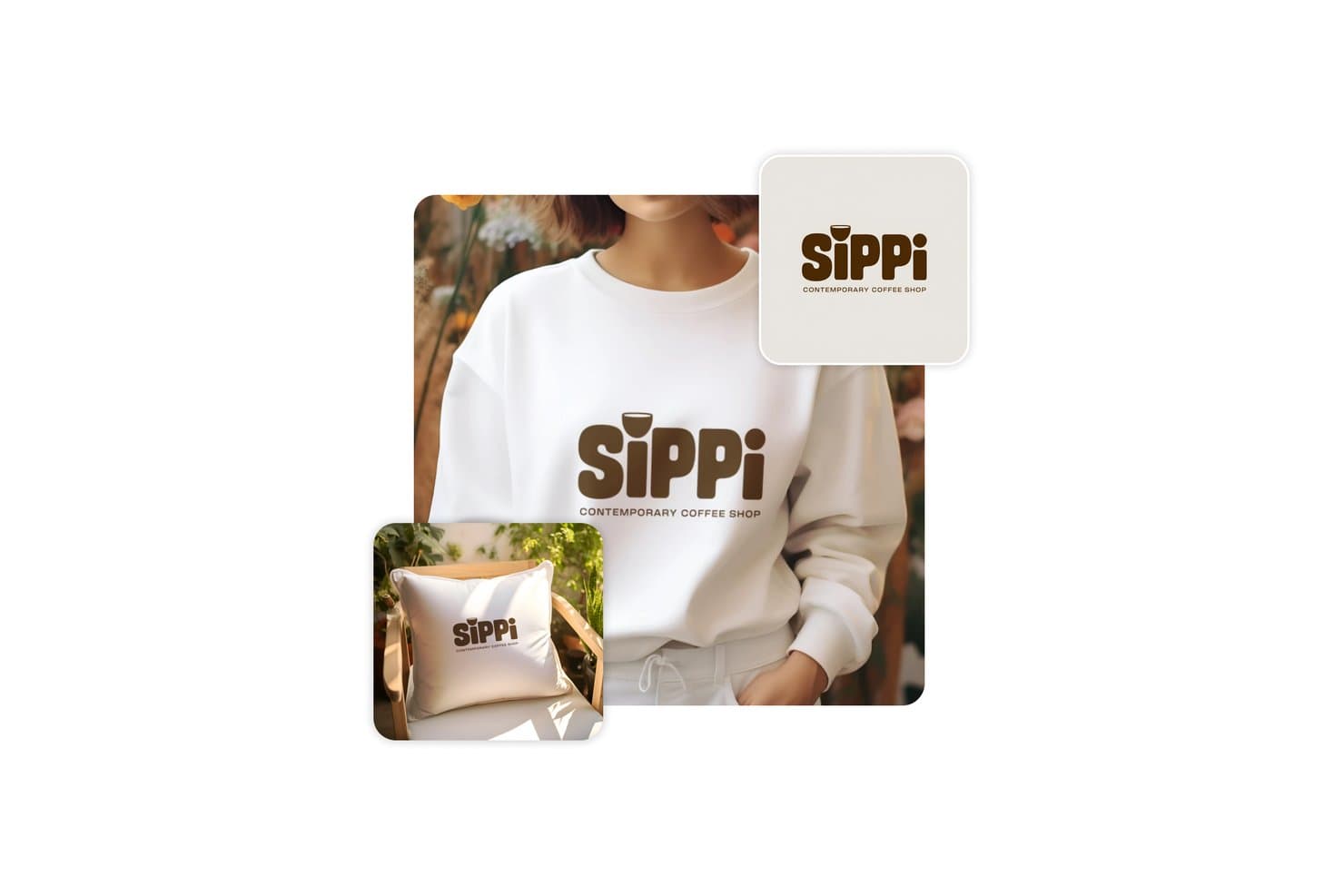
Picsart lets users apply branded logos to mockup products instantly. Picsart is a broad AI creative platform that includes an AI mockup generator for physical products, letting you create 3D hyper-realistic scenes for apparel, packaging, merchandise, and signage alongside AI image generation, video tools, and brand asset management.
Who Is Picsart Best For?
Picsart is a strong fit for marketing and e-commerce teams that need fast, polished product visuals for ads, social media, and online storefronts.
Why I Picked Picsart
I picked Picsart as one of the best because it's the strongest tool on my list for turning physical product designs into polished, 3D hyper-realistic marketing visuals. I love how the Flow templates can generate 10 distinct scenes from a single packaging upload, covering studio, kitchen, grocery, and lifestyle contexts in one run. The Variation Generator also lets me produce bulk ad variations from a CSV, keeping branding consistent across every output.
Picsart Key Features
- AI product image generator: Turns a phone photo of your product into a polished ad visual—static, carousel, or animated—in under 60 seconds.
- Sketch-to-3D render: Converts a hand-drawn sketch into a 3D render with adjustable material, lighting, and background settings.
- Variation Generator: Generates bulk design variations from a template plus a CSV or XLSX file, keeping layout, branding, and color palette consistent.
- AI agents: Assigns specialist agents—like Theo for product scenes—that work from your files and brand context to deliver first variations in under five minutes.
Picsart Integrations
Picsart offers documented integrations with Figma, Shopify, and Google Drive, plus APIs and SDKs for custom connections. AI agents can also receive briefs through Slack, WhatsApp, and Telegram.
Pros and Cons
Pros:
- Converts sketches into adjustable 3D renders
- Generates consistent batch variations from CSV
- Produces realistic packaging and storefront scenes
Cons:
- Typography and vector controls remain basic
- Cannot create device or app-screen mockups
Learn more about Picsart: Best for brand kit-driven merch mockup creation
- Free plan available
- From $14/month (billed annually)
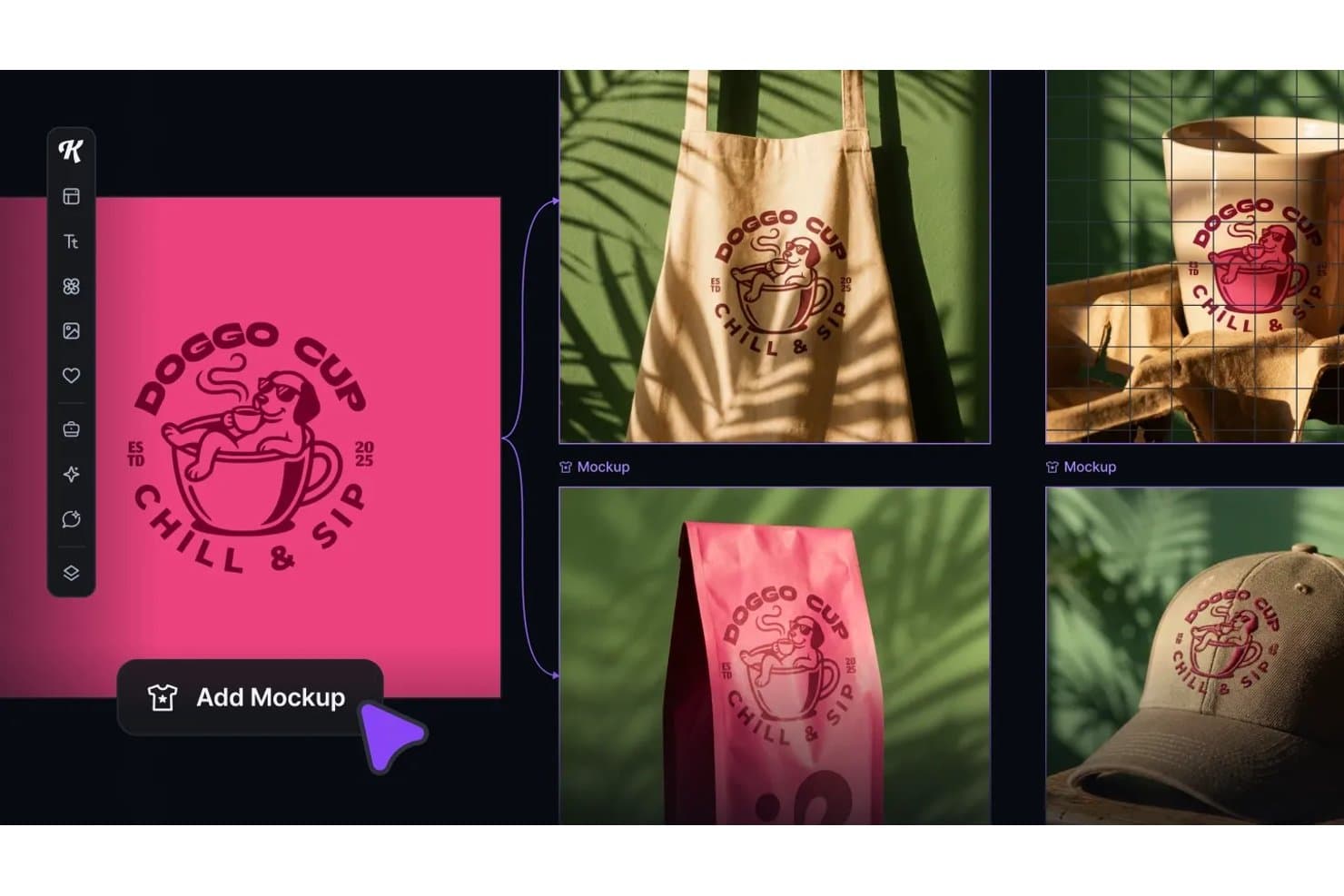
Kittl lets users instantly preview designs across product mockups. Kittl is a browser-based AI mockup generator that combines a template library, live-linked mockups, preset AI workflows, and a full vector editor to create product visuals, merch mockups, and marketing assets.
Who Is Kittl Best For?
Kittl is a strong fit for marketing and brand teams, POD sellers, and small business owners who need to produce merch mockups, packaging visuals, and social content without a dedicated design team.
Why I Picked Kittl
I've included Kittl in my top picks because its Brand Studio feature automatically pulls your brand colors, fonts, and logo from a URL and applies them across every mockup and AI workflow you run. I love how the Swap Scene workflow drops a product straight into a photorealistic scene, complete with matched shadows and lighting, without any prompt writing. Pair that with live-linked mockups that refresh the moment your design changes, and you've got a genuinely fast loop for merch and packaging visuals.
Kittl Key Features
- AI Workflows: Hundreds of preset, prompt-free workflows—like Swap Scene and Change Product Colorway—generate polished product visuals without manual prompt writing.
- Kittl Flows: Chain artboards, mockups, AI image boards, and video boards on a single canvas to batch-generate and export full asset sets in one pass.
- Mockup-to-video generation: Kittl Video converts any design, photo, or mockup into a short AI-generated clip, with a dedicated UGC Studio for product videos.
- Multi-model AI access: Choose from 30+ AI models—including Recraft V4, Flux 1.1 Pro, and Google Veo 3.1—with token costs shown upfront before each generation runs.
Kittl Integrations
Kittl lists integrations with Shopify, Printify, Printful, WooCommerce, Google Drive, Dropbox, Pinterest, Meta Ads, Google Ads, and TikTok. No public REST API is documented, but Kittl offers an MCP connector for Claude, ChatGPT, and Cursor.
Pros and Cons
Pros:
- Photorealistic scenes need minimal prompting
- Live-linked mockups update with design changes
- Brand Studio applies assets across mockups
Cons:
- Token rules complicate AI generation planning
- Merch focus limits app-screen mockups
Learn more about Kittl: Best for art-to-mockup conversion in one canvas
- Free plan available
- From $10/month (billed annually)
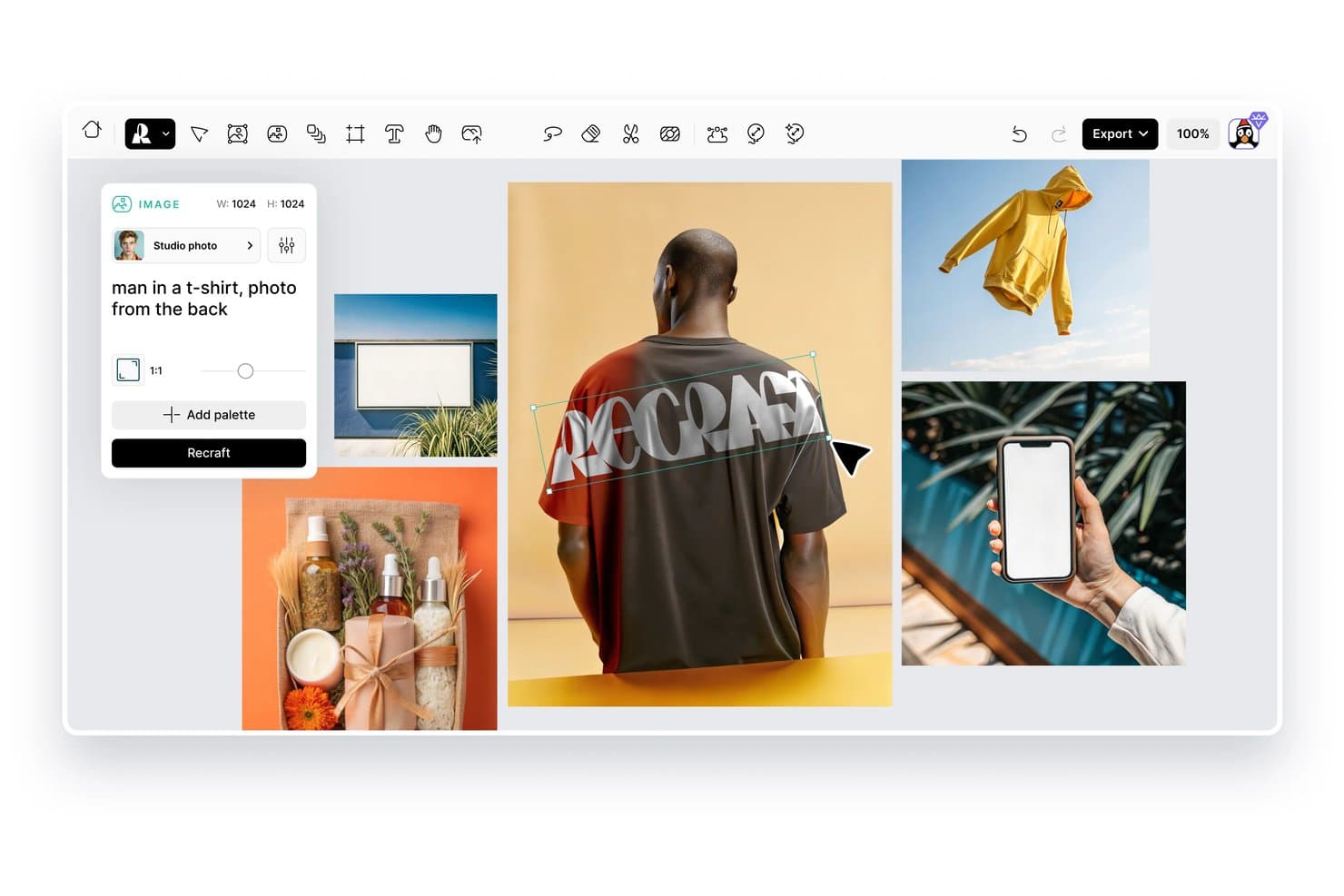
Recraft lets users generate AI mockup images with custom text prompts. Recraft is an AI image and mockup generation platform that lets you create product mockups from text prompts, pre-made templates, or by converting existing photos, all within a single web-based canvas alongside vector, image, and video generation tools.
Who Is Recraft Best For?
Recraft fits UI/UX designers and brand teams who want to generate artwork, vectors, and product mockups in a single canvas without switching tools.
Why I Picked Recraft
I picked Recraft as one of the best because it lets you generate artwork and mock it up in the same canvas, which removes the back-and-forth between creation and presentation tools. What I especially like is the "Convert to mockup" feature: you can generate a product photo, then immediately convert it into a mockup frame with AI Blend applying realistic shading that follows the surface's folds and lighting.
Recraft Key Features
- Pre-made mockup collections: Four curated scene collections—Apparel, Packaging, Devices, and Outdoor ads—let you quickly place designs into category-specific mockup frames.
- Blend modes and texture controls: Sixteen standard blend modes, a texture toggle, and tiling options (None, Repeat, Mirror) control how your design sits on the mockup surface.
- Print-ready export: Export mockups as CMYK TIFF files at up to 300 DPI, alongside PNG, JPG, SVG, and PDF formats for both screen and print use.
- Figma and Framer plugins: Generate images, remove backgrounds, vectorize, and upscale directly inside Figma or Framer, with usage drawing from your Recraft credits.
Recraft Integrations
Recraft offers integrations with Figma, Framer, Google Docs, Google Slides, and Chrome. It also provides an API with Model Context Protocol support for custom integrations.
Pros and Cons
Pros:
- Exports print-ready CMYK TIFF files
- Applies shading across folds and surfaces
- Converts product photos into realistic mockups
Cons:
- Automated variation generation is currently unavailable
- Pre-made scene collections remain relatively limited
Learn more about Recraft: Best for photo-to-mockup templates in a full editor
- 7-day free trial
- From $14/month

Smartmockups lets users apply designs to phones, mugs, cards, and shirts. Smartmockups, now built into Canva as Canva Mockups, is a photo-to-mockup tool that lets you place designs onto device, apparel, packaging, and print templates using an AI-assisted surface detection system inside a full design editor.
Who Is Smartmockups Best For?
Smartmockups, now built into Canva, is a strong fit for marketing and brand teams who need polished product mockups without a dedicated design background.
Why I Picked Smartmockups
I picked Smartmockups as one of the best because it's built directly into Canva's editor, which means you can take a photo of your own product, let the AI detect the surface, drag your design on, and adjust lighting, shadows, and color balance without leaving the tool. I love that the template library covers devices, apparel, packaging, and print in one place. That's a genuinely wide range for a single editor.
Smartmockups Key Features
- Brand Kit integration: Store brand colors, logos, and palettes so every mockup stays on-brand without manual adjustments.
- Bulk design creation: Swap designs across multiple mockups at once using the Replace Across Designs and bulk creation tools.
- Direct social publishing: Publish finished mockups straight to social media, newsletters, or ecommerce platforms from within the editor.
- Magic Edit: Apply text-prompted color, texture, or background changes to any mockup using Canva's AI editing tool.
Smartmockups Integrations
Smartmockups, now Canva Mockups, is a first-party Canva app with custom integration support through Canva’s Connect API and App SDK. Canva also documents an n8n integration and 100+ marketplace business tool connections.
Pros and Cons
Pros:
- Includes lighting, shadows, and color controls
- Covers devices, packaging, apparel, and print
- Turns product photos into mockup templates
Cons:
- Mockup variations require manual duplication and editing
- Doesn’t generate complete scenes from text prompts
Learn more about Smartmockups: Best for free AI mockups with wide range of templates
- Free plan available
- From $5.7/month (billed annually)
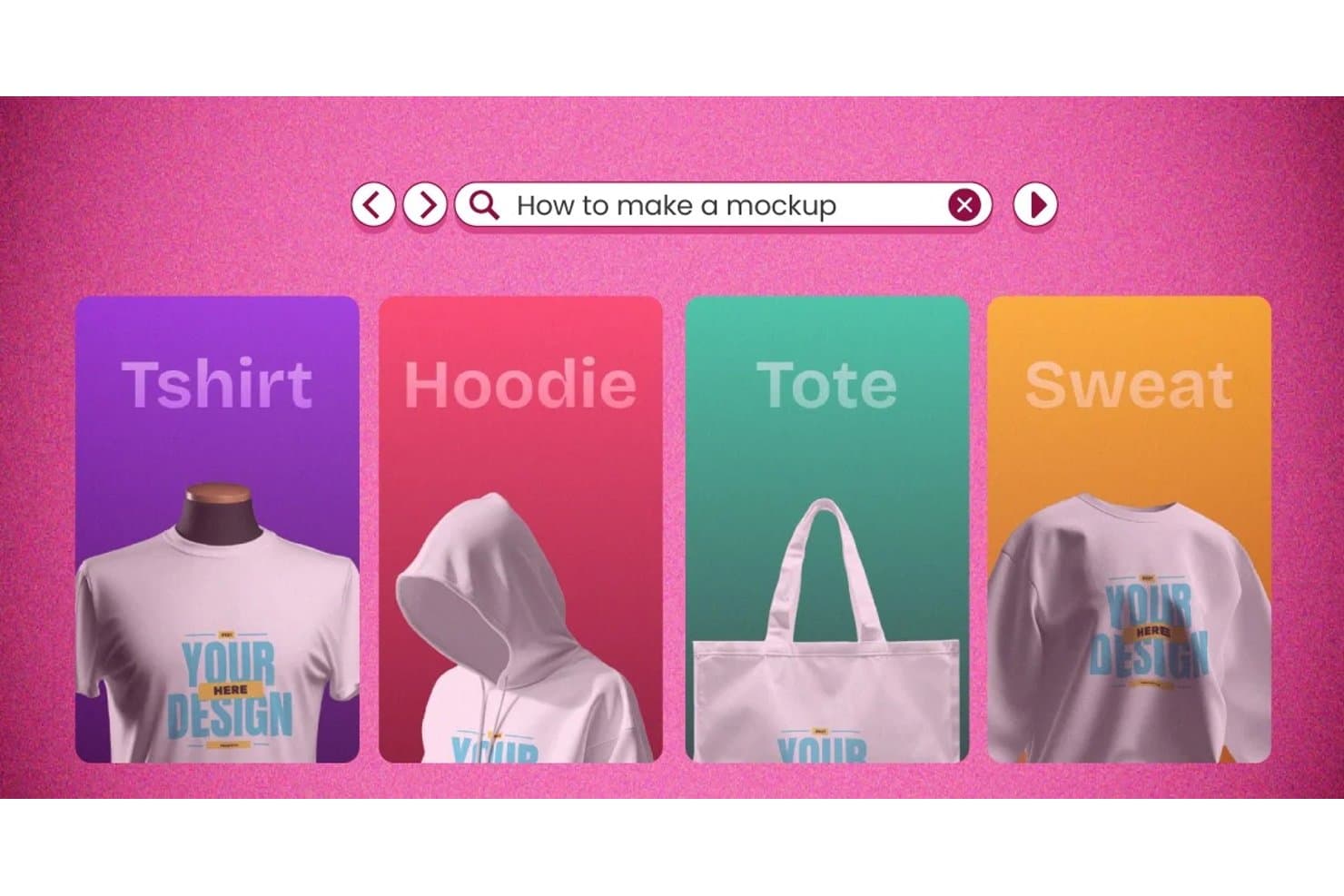
Mockey lets users create mockups for tees, hoodies, totes, and sweatshirts. Mockey is a browser-based AI mockup generator that covers product photography, apparel, packaging, devices, and 3D scenes—with tools for prompt-to-mockup generation, multi-angle variation, AI Photoshoot, and video mockup output.
Who Is Mockey Best For?
Mockey is a strong fit for marketing and brand teams, print-on-demand sellers, and ecommerce businesses that need product mockups fast without a design background.
Why I Picked Mockey
Mockey earns its spot on my shortlist because no other tool I've tested comes close to its sheer template volume: 30,000+ across 60+ product types, updated weekly. I love that you can generate 12 angle variations from a single upload using Multi Shot in about 30 seconds, which is a real advantage when building out a product launch asset set. The AI Photoshoot feature also lets you drop a product image into a generated studio scene using just a text prompt, no photographer required.
Mockey Key Features
- AI Photoshoot: Drop a product image into an AI-generated studio scene using a text prompt, no photography setup required.
- 3D mockup rendering: Rotate, retexture, and animate 3D product models across apparel, packaging, and more, with PNG or MP4 export.
- Bulk mockup generation: Apply one design to up to 50 templates at once, available on paid plans.
- Figma plugin: Access Mockey's template library and AI tools directly inside Figma to generate and download mockups without switching apps.
Mockey Integrations
Mockey offers integrations through the Figma plugin and Shopify App Store app. It has no documented public API, Zapier integration, or direct connections to product management tools.
Pros and Cons
Pros:
- Creates product scenes from a single image
- Generates 12 angle variations in about 30 seconds
- 30,000-plus templates across 60-plus product types
Cons:
- AI mockups can require manual cleanup
- Exports lack vector and layered file formats
Learn more about Mockey: Best for batch-generating ecommerce product visuals
- Free plan available
- From $5/month
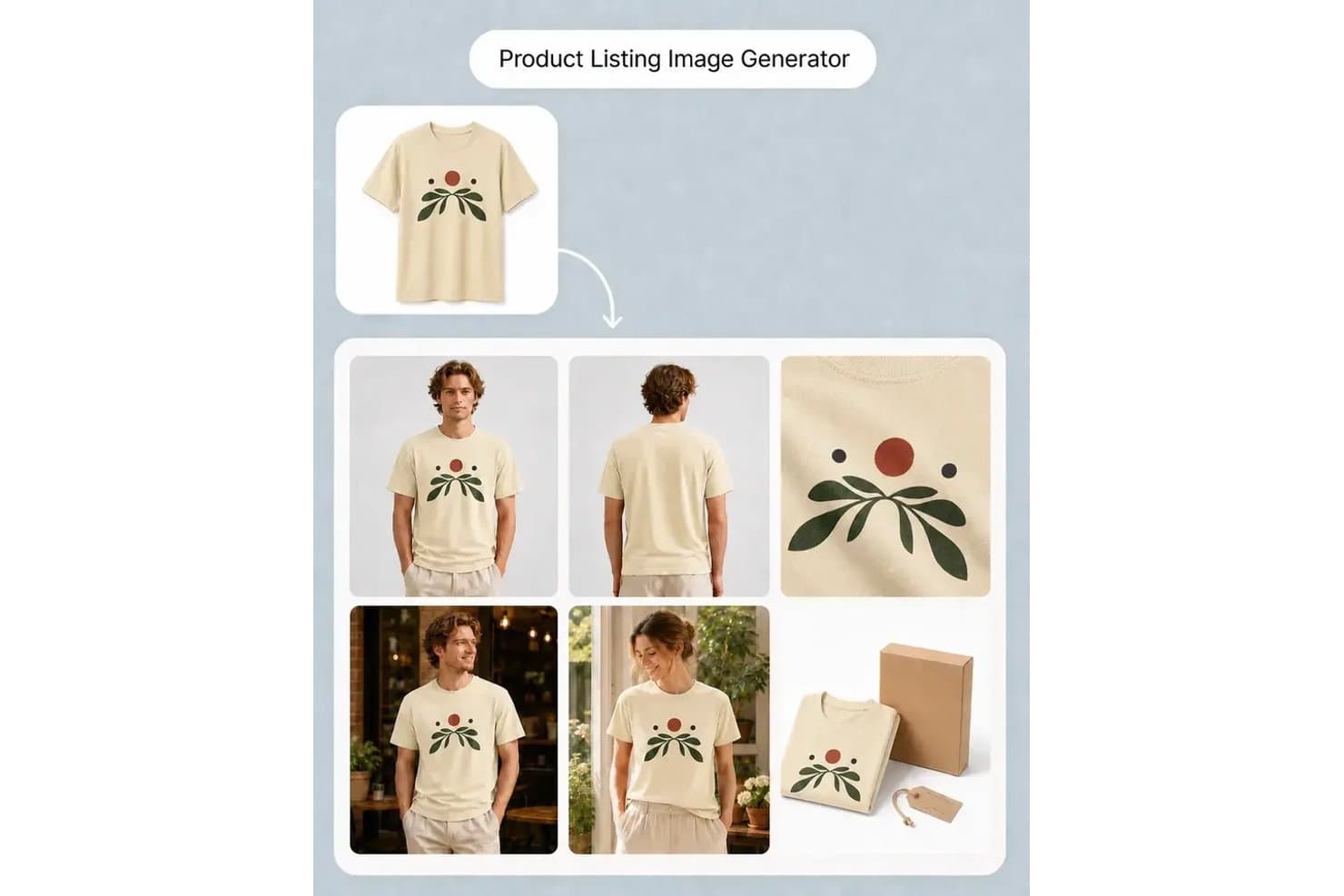
MockupLabs generates product listing images with multiple model views. MockupLabs is an AI-powered product visual studio that generates photo-based product mockups, batch color variations, listing image sets, and short product videos from uploaded photos or text prompts.
Who Is MockupLabs Best For?
MockupLabs is a strong fit for ecommerce sellers and print-on-demand brands that need to generate large volumes of product visuals without a professional photography setup.
Why I Picked MockupLabs
I've included MockupLabs in my top picks because its Batch Mockup tool genuinely sets it apart for high-volume ecommerce catalog work. I can feed in up to 300 product photos, apply multiple designs and colorways, preview every combination before committing, and walk away with up to 1,200 listing-ready images in one job. Batch Recolor extends that same logic across full product galleries, keeping front, back, and lifestyle shots consistent across every colorway.
MockupLabs Key Features
- AI Image Generator: Creates product scenes, ad visuals, and campaign images from text prompts or product reference photos directly on a shared canvas.
- Image to Video: Converts product photos or finished mockups into short clips using motion templates like rotations, reveals, and light sweeps.
- Product Try-On: Places apparel and accessories onto models using AI, so you can show fit and styling without a physical photoshoot.
- Background and object remover: Strips backgrounds or unwanted elements from product photos to prepare clean assets for mockup work.
MockupLabs Integrations
MockupLabs doesn't have any native integrations. Its Shopify App Store app provides a marketplace integration; no public API or connections to Figma, Jira, Notion, or Linear are documented.
Pros and Cons
Pros:
- Recoloring keeps galleries visually consistent
- Product photos preserve realistic folds and lighting
- Batch generation scales across product catalogs
Cons:
- Some reviewers reported crashes and pixelation
- Device mockups require supplied screenshots
Learn more about MockupLabs: Best for scaling product mockups via API or bulk
- Free plan available
- From $19/month
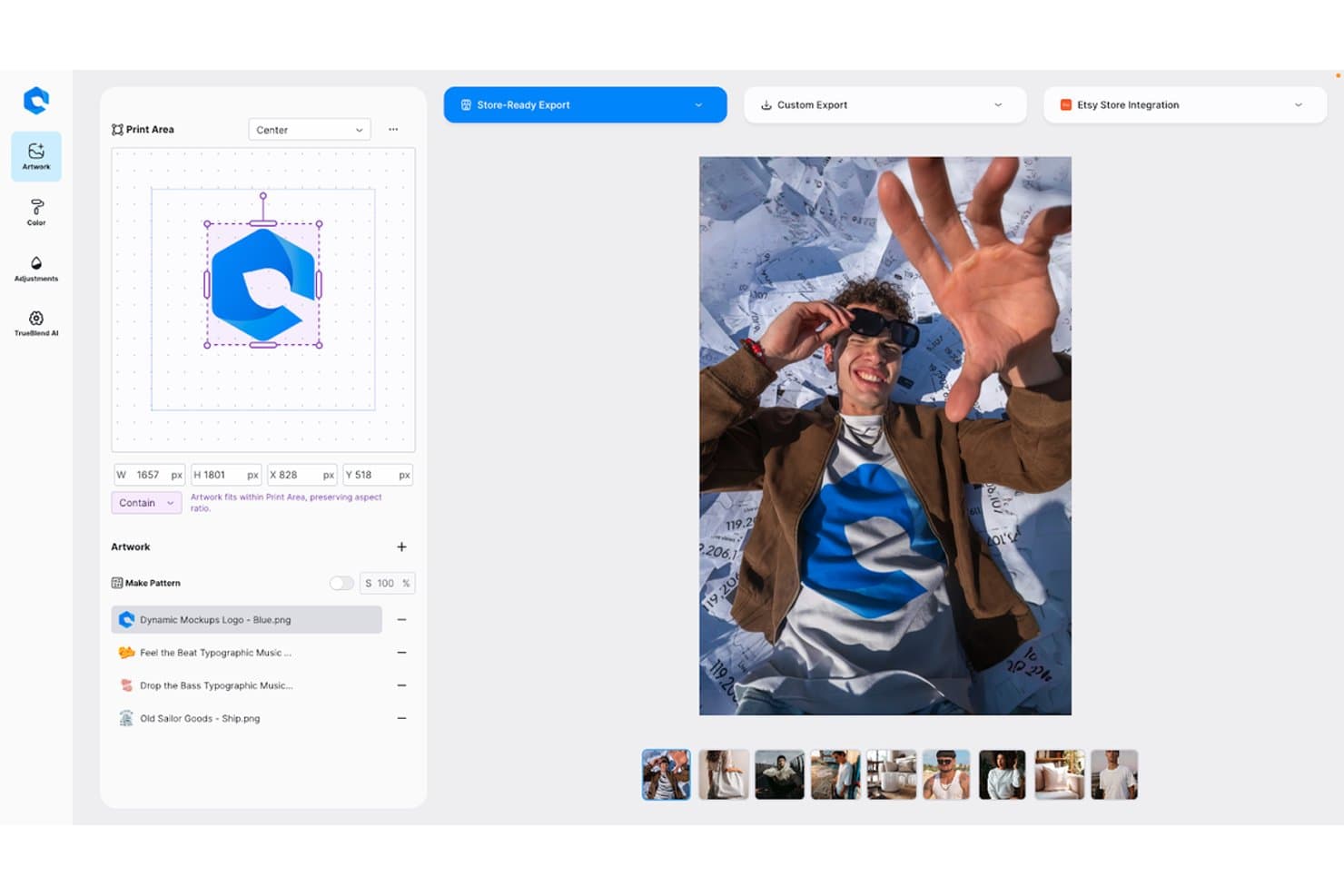
Dynamic Mockups lets users place logos on apparel mockups with AI precision. Dynamic Mockups is an AI mockup generator built for physical product visuals, combining a large scene and template library, bulk rendering, AI lifestyle scene generation, and a REST API for automating large-scale mockup production.
Who Is Dynamic Mockups Best For?
Dynamic Mockups is a strong fit for ecommerce sellers, print-on-demand brands, and marketing teams that need to produce high volumes of polished product visuals fast.
Why I Picked Dynamic Mockups
I picked Dynamic Mockups as one of the best because its bulk rendering and API capabilities genuinely set it apart for high-volume product mockup workflows. I love that a single
create_batch_renderAPI call can turn 200 source designs into 12,000 finished mockup images in a weekend, with each render clocking in at under a second. MockAnything AI adds another layer: you type a prompt, and it generates a photorealistic lifestyle scene around your product while leaving your original artwork untouched.Dynamic Mockups Key Features
- MockAnything AI image input: Upload a supplier photo or phone shot, and the tool maps your design onto it automatically, producing a polished mockup without any manual setup.
- Layouts: Hundreds of pre-sized social posts, story pins, and ad templates let you export channel-ready visuals directly from the editor.
- Lookbooks: Build branded, shareable product links or PDFs for client pitches, with notifications when recipients open them or request quotes.
- Stitch AI: Generates embroidered product mockups alongside DST machine files and production sheets with stitch counts, ready for physical production.
Dynamic Mockups Integrations
Dynamic Mockups offers native integrations with Etsy, Shopify, and WordPress/WooCommerce. It also supports Zapier and Make, plus a REST API with JavaScript, Python, Laravel, and Rails libraries for custom integrations.
Pros and Cons
Pros:
- Product scenes suit ecommerce campaigns
- AI preserves original artwork during scene changes
- Bulk rendering scales product variations quickly
Cons:
- No app-screen or UI mockups
- AI models can look visibly artificial
Learn more about Dynamic Mockups:
Diğer Yapay Zekâ Maketi Oluşturucuları
Kısa listeme giremeyen ancak yine de göz atmaya değer bazı ek yapay zekâ maketi oluşturucu seçenekleri şunlardır:
- 11LovartBest for chat-driven mockups with Brand Kit
- 12PackifyBest for packaging mockups with print-ready dielines
- 13Artboard StudioBest for device and video mockups in one place
- 14Mockuuups StudioBest for Figma-native drag-and-drop mockup scenes
- 15MediamodifierBest for non-designers building marketing mockups
- 16Magic PatternsBest for UI prototypes from PRDs and user stories
How I Evaluate AI Mockup Generators
To make this list, a tool’s AI needs to generate product mockups from prompts and place uploaded designs in scenes. From there, I evaluate three things. Core functionality carries the most weight, like editing scenes and exporting assets. Then I look at standout features, like image-to-mockup conversion, and beyond-feature value, like how quickly your team can create stakeholder-ready visuals.
Core Functionality (Table Stakes For This List)
When I'm selecting tools for my list, I score each one on a scale from 0 (does not offer the functionality) to 5 (excels in this area) for each core functionality listed below. I then convert the total into a percentage to help assess each tool's overall fit, with extra weight on any functionalities I’ve deemed essential.
- AI Mockup Generation (Essential): I look for realistic mockups generated from prompts or uploaded artwork, such as packaging, product shots, or ecommerce scenes that need little cleanup.
- Device & Product Scenes (Essential): I assess scene variety, from device screens to merchandise and packaging, and whether designs fit naturally into each setting.
- Customization & Editing: I check for post-generation control over backgrounds, colors, angles, and layouts, such as adapting packaging for different campaign contexts.
- Export & File Formats: I look for common image formats and resolution options suited to stakeholder decks, ecommerce listings, and print handoffs.
- Brand Asset Integration: I check whether teams can upload and position logos, artwork, and product designs accurately across mockup scenes.
- Batch Variations: I assess whether one brief or design can produce multiple distinct mockups for concept reviews and creative experiments.
Once I have a list of tools that meet the criteria, I consider what sets each platform apart.
Differentiating Factors (What Sets Vendors Apart)
Here's how I compare and contrast different vendors:
Standout Features
I look for image-to-mockup conversion that turns rough sketches or screenshots into polished visuals, since PMs often start with napkin-level ideas. Version history matters too—I check whether a tool tracks prompt iterations so teams can compare directions during reviews. I also evaluate AI style transfer, like switching a mockup between dark mode and minimalist themes in one click, which speeds up concept testing without restarting from scratch.
Beyond Features
I check how each tool handles data privacy and IP ownership, since uploading proprietary packaging designs or unreleased product concepts means you need clear terms on storage and model training. Integration with existing PM and design tooling also matters—a generator that exports directly into Figma or connects to Jira saves the handoff friction I've seen stall teams mid-sprint. Finally, I evaluate onboarding support for non-designers, because PMs who can't write effective prompts on day one won't stick with the tool past a trial.
Yapay Zekâ Maketi Oluşturucu Nasıl Seçilir?
Uzun özellik listeleri ve karmaşık fiyatlandırma yapıları arasında kaybolmak kolaydır. Kendinize özgü yazılım seçim sürecinizi yürütürken odağınızı korumanıza yardımcı olmak için göz önünde bulundurmanız gereken faktörleri içeren bir kontrol listesi hazırladım:
| Faktör | Dikkat Edilmesi Gerekenler |
|---|---|
| FaktörÖlçeklenebilirlik | Dikkat Edilmesi GerekenlerAraç, ekibinizin ihtiyaçlarıyla birlikte büyüyecek mi? Performansta düşüş olmadan artan iş yüklerini ve daha büyük projeleri yönetip yönetemeyeceğini değerlendirin. |
| FaktörEntegrasyonlar | Dikkat Edilmesi GerekenlerMevcut araçlarınıza bağlanıyor mu? İş akışı entegrasyonu için Adobe XD, Figma veya Slack gibi tasarım yazılımlarıyla uyumluluğundan emin olun. |
| FaktörÖzelleştirilebilirlik | Dikkat Edilmesi GerekenlerAracı süreçlerinize göre uyarlayabilir misiniz? Şablonları ve tasarım öğelerini markanızın benzersiz tarzına uyacak şekilde ayarlama seçeneklerini arayın. |
| FaktörÖzelleştirilebilirlik | Dikkat Edilmesi GerekenlerAracı süreçlerinize göre uyarlayabilir misiniz? Şablonları ve tasarım öğelerini markanızın benzersiz tarzına uyacak şekilde ayarlama seçeneklerini arayın. |
| FaktörKullanım Kolaylığı | Dikkat Edilmesi GerekenlerArayüz ekibiniz için sezgisel mi? Aracın, yeni kullanıcıların kapsamlı bir eğitim almadan hızlıca öğrenebileceği kadar basit olup olmadığını değerlendirin. |
| FaktörUygulama ve İşe Alıştırma | Dikkat Edilmesi GerekenlerKurulum süreci ne kadar basit? Sağlayıcının ilk kullanıma geçiş sırasında eğitim kaynakları, etkileşimli kılavuzlar veya destek sunup sunmadığını kontrol edin. |
| FaktörMaliyet | Dikkat Edilmesi GerekenlerFiyatlandırma bütçenize uygun mu? Maliyeti sunulan özelliklerle karşılaştırın ve gizli ücretler veya gerekli eklentiler olup olmadığını kontrol edin. |
| FaktörGüvenlik Önlemleri | Dikkat Edilmesi GerekenlerAraç verilerinizi koruyor mu? Şifreleme ve düzenli güncellemeler kullandığını ve ilgili veri koruma düzenlemelerine uyduğunu doğrulayın. |
| FaktörDestek Kullanılabilirliği | Dikkat Edilmesi Gerekenlerİhtiyacınız olduğunda yardım alabiliyor musunuz? Sağlayıcının destek saatlerini, yanıt sürelerini ve yardım için sohbet veya e-posta gibi mevcut kanalları değerlendirin. |
Yapay Zekâ Maketi Oluşturucuları Nedir?
Yapay zekâ maket oluşturucuları, tasarım maketlerinin oluşturulmasını otomatikleştirmek için yapay zekâ kullanan araçlardır ve kullanıcıların yüksek kaliteli görseller üretmesini daha kolay ve hızlı hâle getirir. Tasarımcılar, pazarlamacılar ve ürün yöneticileri, iş akışlarını geliştirmek ve tasarım verimliliğini artırmak için genellikle bu araçları kullanır.
Otomatik yerleşim oluşturma, akıllı tasarım önerileri ve gerçek zamanlı iş birliği gibi özellikler, özenli ve profesyonel maketlerin zahmetsizce oluşturulmasına yardımcı olur. Genel olarak bu araçlar, kullanıcıların daha az manuel çabayla görsel açıdan çekici tasarımlar üretmesini sağlar.
Özellikler
Bir yapay zekâ maket oluşturucusu seçerken aşağıdaki temel özelliklere dikkat edin:
- Otomatik yerleşim oluşturma: Manuel kurulumu azaltan ve fikirden makete daha hızlı geçmenize yardımcı olan ilk yerleşimleri oluşturmak için yapay zekâ kullanır.
- Akıllı tasarım önerileri: Çalışmalarınızı inceler ve son tasarımlarınızın daha özenli görünmesi için görsel iyileştirmeler sunar.
- Gerçek zamanlı iş birliği: Birden fazla kullanıcının aynı anda katkıda bulunmasına olanak tanır ve ekibiniz genelinde daha iyi koordinasyonu destekler.
- Şablon kitaplığı: Yazı tiplerini veya marka ögelerini ayarlayabileceğiniz seçenekler de dâhil olmak üzere özelleştirebileceğiniz çeşitli maket biçimleri sunar.
- Yapay zekâ destekli görüntü iyileştirme: Görüntü kalitesini artırmak için yapay zekâ görüntü oluşturma teknolojisini kullanır ve maketlerinizin keskin ve net görünmesini sağlar.
- Özel markalama özellikleri: Her maketin marka kimliğinizi yansıtması için logolar, renkler ve yazı tipleri eklemenize olanak tanır.
- Yüksek çözünürlüklü dışa aktarma seçenekleri: Ayrıntıyı ve netliği koruyan biçimlerde baskıya hazır çıktılar üretir.
- Akıllı öge yerleştirme: Tasarımlarınızın en az ayarlamayla dengeli görünmesi için ögeleri otomatik olarak konumlandırır.
- Kullanıcı dostu arayüz: Yeni başlayanların ve deneyimli tasarımcıların zorlu bir öğrenme süreci olmadan verimli çalışmasına yardımcı olur.
- Tasarım araçlarıyla entegrasyon: Projeleri araçlar arasında kolayca taşıyabilmeniz için tercih ettiğiniz tasarım yazılımına bağlanır.
Faydalar
Bir yapay zekâ maket oluşturucusunu kullanmak ekibiniz ve işletmeniz için çeşitli faydalar sağlar. Yararlanabileceğiniz birkaç fayda şunlardır:
- Zaman tasarrufu: Otomatik yerleşim oluşturma gibi yapay zekâ destekli özellikler, manuel tasarım görevlerine harcanan zamanı azaltarak ekibinizin diğer önceliklere odaklanmasını sağlar.
- Geliştirilmiş tasarım kalitesi: Akıllı tasarım önerileri ve yapay zekâ destekli görüntü iyileştirmeleri, daha özenli ve profesyonel görseller ortaya çıkarır.
- Geliştirilmiş iş birliği: Gerçek zamanlı iş birliği özellikleri, ekip üyelerinin etkili bir şekilde birlikte çalışmasını sağlayarak proje sonuçlarını ve ekip uyumunu geliştirir.
- Tutarlı markalama: Özel markalama özellikleri, tasarımlarınızın tüm projelerde marka tutarlılığını korumasını sağlar.
- Artan üretkenlik: Tekrarlanan görevleri yapay zekâ üstlendiğinde ekibiniz daha kısa sürede daha fazla tasarım üretebilir ve genel üretkenliği artırabilir.
- Erişilebilir tasarım süreci: Kullanıcı dostu arayüzler ve akıllı öge yerleştirme, daha az tasarım deneyimine sahip ekip üyeleri için bile tasarım sürecini daha erişilebilir hâle getirir.
- Maliyet verimliliği: Kapsamlı manuel tasarım çalışmasına duyulan ihtiyacı azaltarak yapay zekâ maket oluşturucuları tasarım maliyetlerini düşürmeye ve bütçe yönetimini iyileştirmeye yardımcı olabilir.
Maliyetler ve Fiyatlandırma
Bir yapay zekâ maket aracı seçmek, mevcut çeşitli fiyatlandırma modellerinin ve planların anlaşılmasını gerektirir. Maliyetler özelliklere, ekip büyüklüğüne, eklentilere ve diğer unsurlara göre değişir. Aşağıdaki tablo, yapay zekâ maket oluşturucu çözümlerinde yaygın planları, ortalama fiyatlarını ve genellikle sunulan özellikleri özetlemektedir:
Yapay Zekâ Maket Oluşturucuları İçin Plan Karşılaştırma Tablosu
| Plan Türü | Ortalama Fiyat | Yaygın Özellikler |
|---|---|---|
| Plan TürüÜcretsiz Plan | Ortalama Fiyat$0 | Yaygın ÖzelliklerTemel şablonlara, sınırlı dışa aktarma seçeneklerine ve temel tasarım araçlarına erişim. |
| Plan TürüKişisel Plan | Ortalama Fiyat$5-$25/kullanıcı/ay | Yaygın ÖzelliklerGelişmiş şablonlara, yüksek çözünürlüklü dışa aktarmalara ve temel iş birliği özelliklerine erişim. |
| Plan Türüİşletme Planı | Ortalama Fiyat$30-$60/kullanıcı/ay | Yaygın ÖzelliklerGelişmiş iş birliği araçları, özel markalama seçenekleri ve öncelikli destek. |
| Plan TürüKurumsal Plan | Ortalama Fiyat$70-$150/kullanıcı/ay | Yaygın ÖzelliklerÖzel hesap yöneticisi, gelişmiş güvenlik özellikleri ve tam özelleştirme |
Yapay Zekâ Maket Oluşturucu SSS
Yapay zekâ maket oluşturucular hakkında sık sorulan soruların bazı yanıtları:
Yapay zekâ maket oluşturucular mevcut araçlarımla entegre olabilir mi?
Evet, birçok yapay zekâ maket oluşturucu Adobe XD, Figma ve Sketch gibi popüler tasarım platformlarıyla entegre olabilir. Bu, grafiklerinizi içe aktarmayı veya maket görselini ekibinizin hâlihazırda kullandığı araçlara aktarmayı kolaylaştırır. Bazı platformlar sosyal medya, ürün tanıtımları veya sunumlar için PNG ya da JPG indirmelerini de destekler. Bir maket aracı seçmeden önce, tercih ettiğiniz iş akışına veya ücretsiz çevrim içi maket oluşturucunuza sorunsuz bir şekilde bağlanıp bağlanmadığını inceleyin. Deneme süresi boyunca entegrasyonu test etmek, girişimcilerin ve grafik tasarımcıların sürecin günlük görevlerine uygun olduğunu doğrulamasına yardımcı olabilir.
Yapay zekâ maket oluşturucular veri güvenliğini nasıl sağlar?
Yapay zekâ maket oluşturucular, yüklediğiniz çalışmalarınızı korumak için genellikle şifreleme ve kimlik doğrulama gibi standart güvenlik özelliklerini içerir. Tişörtler, kapüşonlular, iPhone sahneleri veya kartvizit tasarımları gibi öğeler için düzenli olarak maket şablonları oluşturuyorsanız veri korumasına öncelik veren bir platform seçmeniz önemlidir. Özellikle güçlü güvenlik uygulamaları bekleyen müşterilerle çalışıyorsanız sağlayıcının politikasını inceleyin ve sistemlerini ne sıklıkla güncellediğini kontrol edin.
Yapay zekâ maket oluşturuculardaki şablonları özelleştirebilir miyim?
Evet, çoğu ücretsiz yapay zekâ maket oluşturucu aracı, şablonları marka stilinize uyacak şekilde özelleştirmenize olanak tanır. Düzen öğelerini değiştirebilir, renkleri değiştirebilir ve tişört maketleri, kapüşonlular, kartvizit tasarımları veya diğer ürün görselleri için çalışmalarınızı yükleyebilirsiniz. Birçok araç, ileri düzey tasarım becerileri gerektirmeden düzenlemeyi destekler ve girişimcilerin dikkat çekici içerikler oluşturmasını kolaylaştırır. Özelleştirme seçenekleri, ekiplerin fotoğraf çekimleri veya sosyal medya için içerik üretirken tüm maket görsellerinde tutarlı bir marka kimliğini korumasına da yardımcı olur.