
ProductPlan Review: Pros, Cons, Features, and Pricing
ProductPlan stands out for its intuitive roadmapping and collaboration features, making it ideal for teams seeking clarity and alignment, though it may not suit those needing deep customization.

We review tools independently, and commissions help fund our testing. See our transparency policy, our methodology, or suggest a tool.
ProductPlan is a product management tool built specifically around roadmap creation and stakeholder communication. It's worth considering if your team needs a dedicated space to build visual roadmaps and get cross-functional alignment on priorities. If you've looked at Aha! and found it more platform than you need, ProductPlan is the more focused alternative—it skips the deep strategy and idea management layers and keeps everything centered on the roadmap itself, which makes it faster to set up and easier for non-product stakeholders to actually engage with.
ProductPlan Evaluation Summary
4.4/5
- Pricing upon request
- Free demo available
Why Trust Our Software Recommendations
6,700+
Reviews
20
Industry experts
16+
Evaluation factors
14
Years
Our team has been testing and reviewing software since 2012. As product managers ourselves, we know how difficult—and important—it is to choose the right software.
For this guide, we evaluated tools using hands-on testing and independent research, scoring tools using our selection criteria.
Our reviews reflect our human editorial judgment, not a sales pitch.
Expert reviewers:
- Andrew LumbySenior TPM
- Cristiano ValimSenior UI/UX Lead


ProductPlan Overview
When judging product management software, ProductPlan impresses with its visual roadmapping, intuitive drag-and-drop interface, and straightforward onboarding. It integrates with tools like Jira and Slack, supporting cross-functional workflows.
While it lacks some advanced customization and reporting found elsewhere, its clean interface and responsive support make it a strong choice for teams prioritizing clarity and collaboration. If you’re selecting software for a product-led environment that values transparency and easy adoption, ProductPlan is worth considering.
Pros
- Built-in prioritization frameworks help teams evaluate initiatives
- Drag-and-drop interface speeds up roadmap creation and edits
- Visual roadmapping makes communicating strategy to stakeholders simple
Cons
- Accessibility features lag behind some competitors
- No built-in feedback collection or idea management tools
- Reporting options are limited for tracking roadmap progress
Is ProductPlan Right For Your Needs?
Who Would be a Good Fit for ProductPlan?
ProductPlan works best for teams and organizations that need to communicate product strategy visually and keep stakeholders aligned. Its drag-and-drop roadmapping, prioritization frameworks, and integrations with project management tools make it a strong choice for product-led companies, especially those with cross-functional teams.
ProductPlan is especially useful for organizations that value transparency and need to share high-level plans with non-technical audiences.
- Remote-First CompaniesRemote teams rely on ProductPlan’s cloud-based collaboration for visibility.
- Enterprise IT DepartmentsIT teams use ProductPlan to map out infrastructure and software rollouts.
- Healthcare TechnologyHealthcare tech companies benefit from clear, compliant roadmap communication.
- Marketing DepartmentsMarketing teams can use timeline views to coordinate campaign launches.
- Product Management TeamsBuilt-in prioritization frameworks support structured decision-making for product managers.
- SaaS StartupsProductPlan’s visual roadmaps help SaaS startups align fast-moving teams and investors.
Who Would be a Bad Fit for ProductPlan?
ProductPlan may not suit organizations that require deep customization, advanced reporting, or built-in feedback management. Teams with highly specialized workflows or strict compliance needs may find its feature set limiting. Companies that need granular task tracking or detailed analytics should consider alternatives.
- Accessibility-First OrganizationsAccessibility features are limited compared to some competitors.
- Agencies With Many ClientsAgencies managing multiple client roadmaps may need more workspace controls.
- Large EnterprisesEnterprises needing advanced reporting and analytics may find it lacking.
- Customer Support TeamsProductPlan lacks ticketing and support workflow management features.
- Manufacturing OperationsManufacturing teams may need more granular task and resource tracking.
- Regulated Financial ServicesStrict audit trails and compliance features are not ProductPlan’s focus.
How We Test & Score Tools
We’ve spent years building, refining, and improving our software testing and scoring system. The rubric is designed to capture the nuances of software selection and what makes a tool effective, focusing on critical aspects of the decision-making process.
Below, you can see exactly how our testing and scoring works across seven criteria. It allows us to provide an unbiased evaluation of the software based on core functionality, standout features, ease of use, onboarding, customer support, integrations, customer reviews, and value for money.
Core Functionality (25% of final scoring)
The starting point of our evaluation is always the core functionality of the tool. Does it have the basic features and functions that a user would expect to see? Are any of those core features locked to higher-tiered pricing plans? At its core, we expect a tool to stand up against the baseline capabilities of its competitors.
Standout Features (25% of final scoring)
Next, we evaluate uncommon standout features that go above and beyond the core functionality typically found in tools of its kind. A high score reflects specialized or unique features that make the product faster, more efficient, or offer additional value to the user.
We also evaluate how easy it is to integrate with other tools typically found in the tech stack to expand the functionality and utility of the software. Tools offering plentiful native integrations, 3rd party connections, and API access to build custom integrations score best.
Ease of Use (10% of final scoring)
We consider how quick and easy it is to execute the tasks defined in the core functionality using the tool. High scoring software is well designed, intuitive to use, offers mobile apps, provides templates, and makes relatively complex tasks seem simple.
Onboarding (10% of final scoring)
We know how important rapid team adoption is for a new platform, so we evaluate how easy it is to learn and use a tool with minimal training. We evaluate how quickly a team member can get set up and start using the tool with no experience. High scoring solutions indicate little or no support is required.
Customer Support (10% of final scoring)
We review how quick and easy it is to get unstuck and find help by phone, live chat, or knowledge base. Tools and companies that provide real-time support score best, while chatbots score worst.
Customer Reviews (10% of final scoring)
Beyond our own testing and evaluation, we consider the net promoter score from current and past customers. We review their likelihood, given the option, to choose the tool again for the core functionality. A high scoring software reflects a high net promoter score from current or past customers.
Value for Money (10% of final scoring)
Lastly, in consideration of all the other criteria, we review the average price of entry level plans against the core features and consider the value of the other evaluation criteria. Software that delivers more, for less, will score higher.
Core Features
Visual Roadmapping
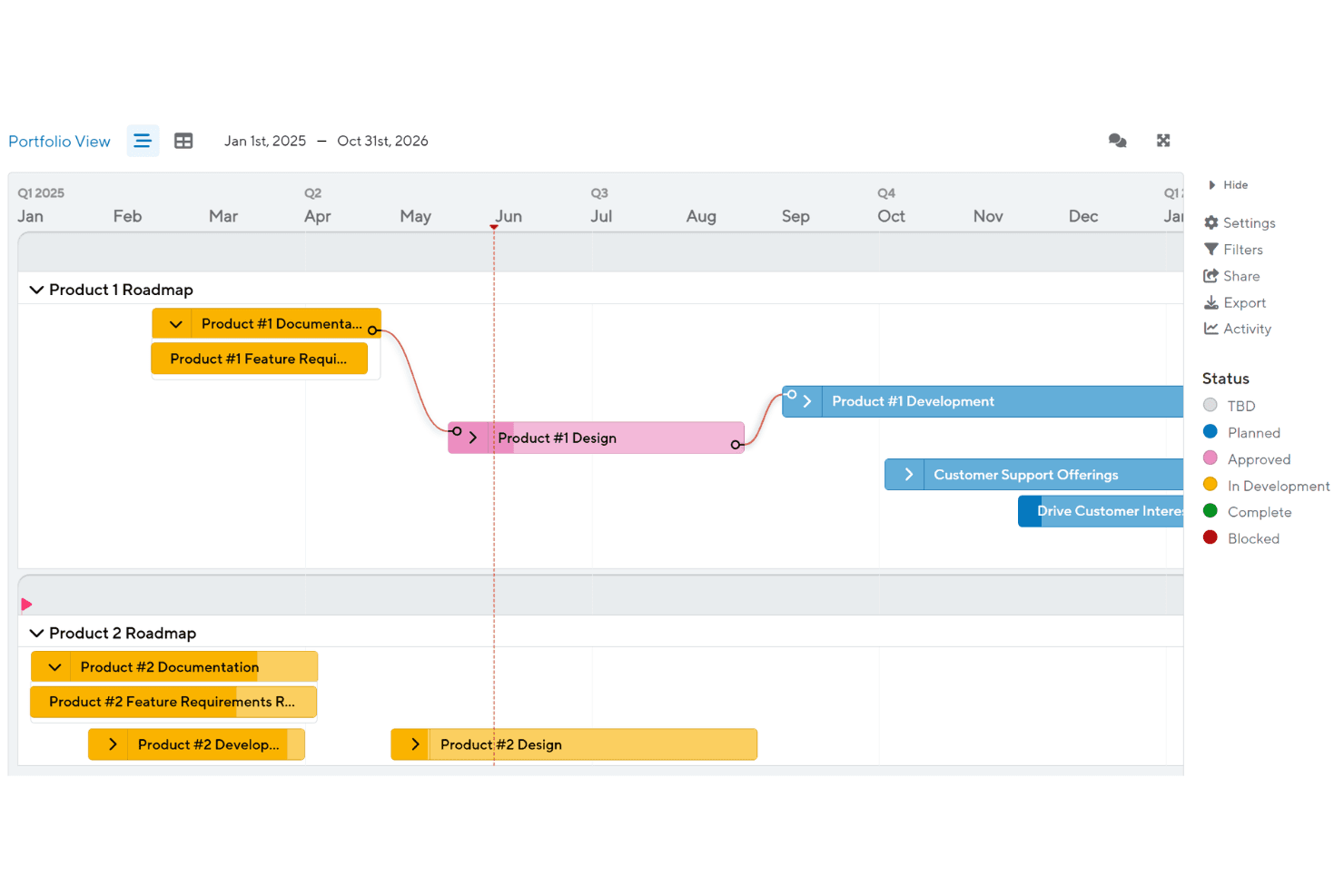
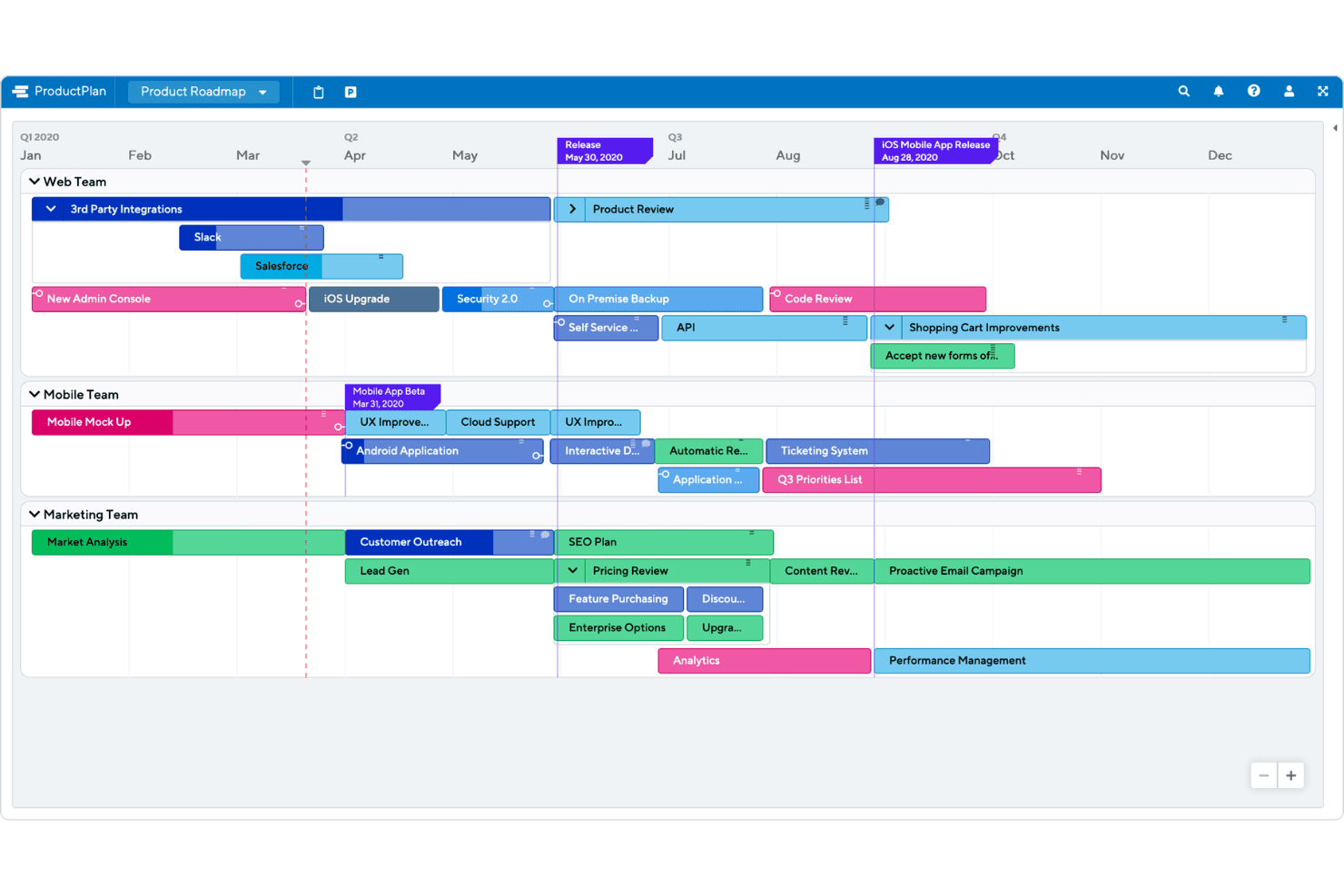
Build and update product roadmaps using a drag-and-drop interface. Color-coded bars and lanes make it easy to organize initiatives by team, timeline, or priority.
Timeline View
Display projects and releases on a clear, interactive timeline. This helps teams and stakeholders see what’s coming next and track progress at a glance.
Prioritization Frameworks
Score and rank initiatives using built-in models like RICE and value vs. effort. Teams can compare ideas side by side to support data-driven decisions.
Customizable Roadmap Templates
Start with pre-built templates for different product strategies and workflows. Templates save time and help standardize planning across teams.
Collaboration and Sharing
Share live roadmaps with stakeholders using secure links or export options. Commenting and permissions let teams gather feedback and control who can edit.
Milestones and Dependencies
Add milestones and visualize dependencies between initiatives. This feature helps teams identify bottlenecks and coordinate complex launches.
Ease of Use
ProductPlan is widely recognized for its clean, intuitive interface and straightforward navigation, making it easy for new users to build and update roadmaps quickly. The drag-and-drop functionality, clear visual cues, and minimal setup requirements reduce onboarding time. Users often mention that sharing roadmaps and gathering feedback is simple, even for non-technical stakeholders.
However, some users note that advanced reporting and customization options are less accessible, which may limit flexibility for complex needs.
Integrations
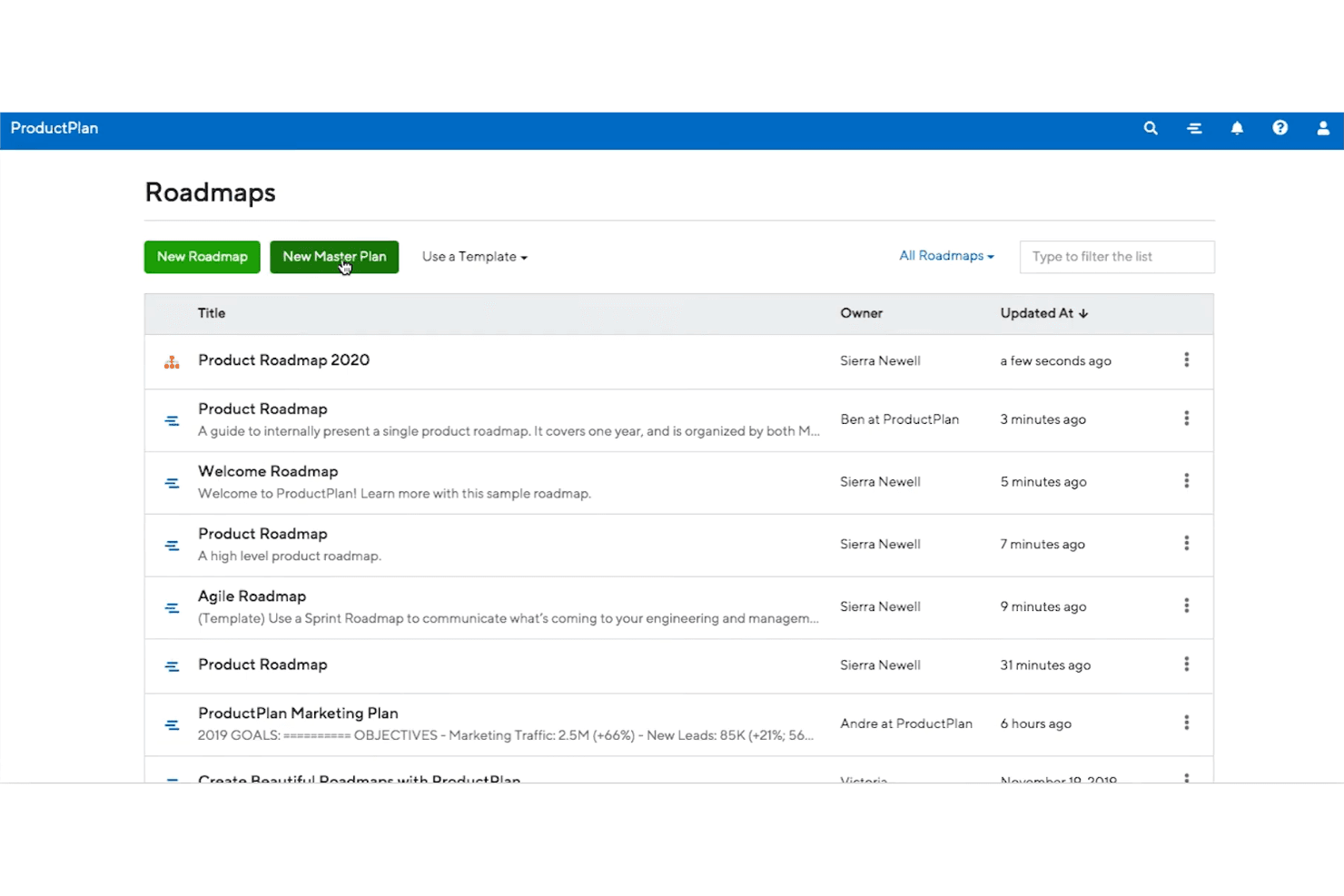
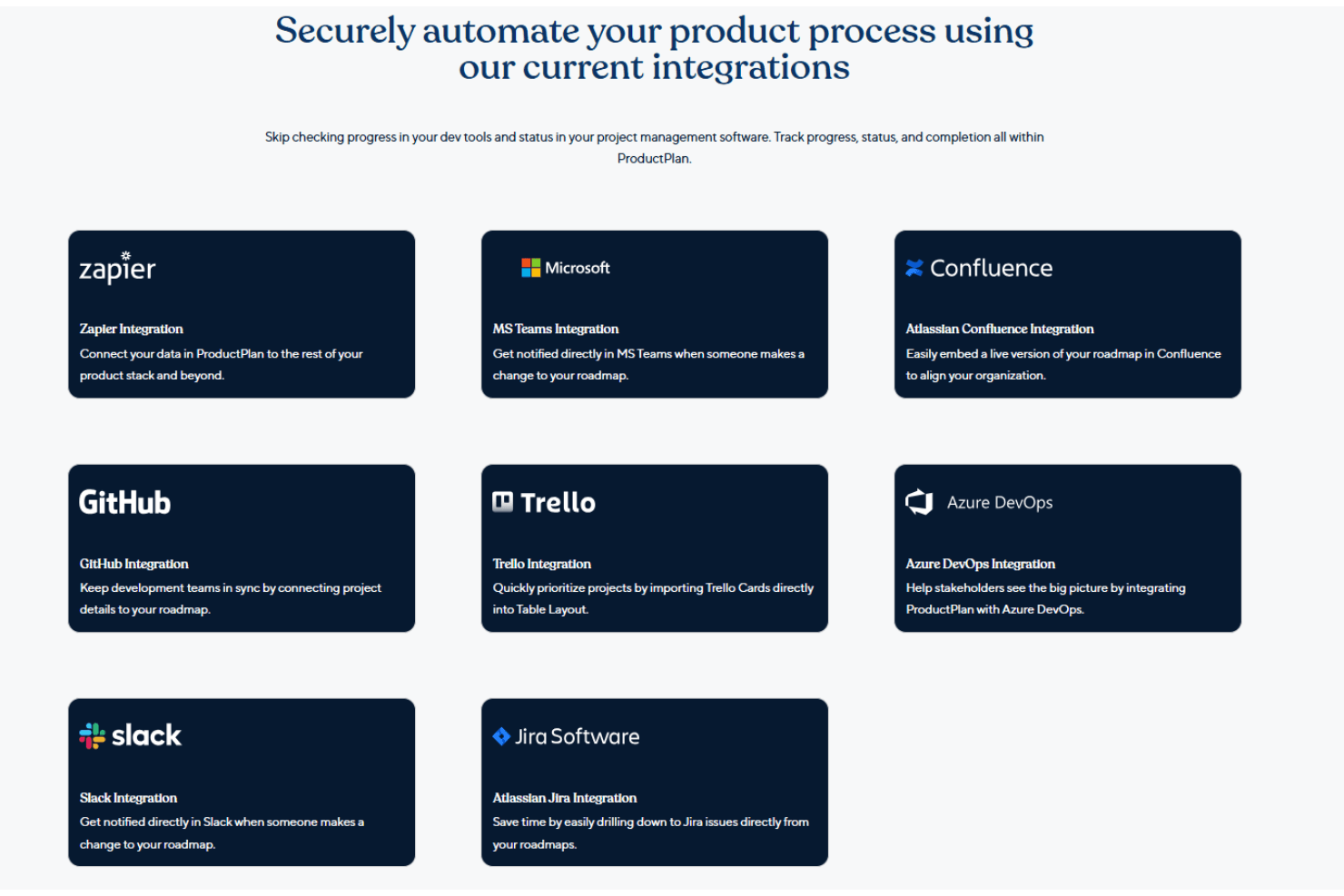
ProductPlan integrates with tools like Jira, Azure DevOps, Slack, Microsoft Teams, and Zapier, among others.
ProductPlan also offers an API and supports third-party integrations to help automate workflows and connect with your existing tools.
ProductPlan Specs
- A/B Testing: No
- API: Yes
- Collaboration Support: Yes
- Custom Data Forms: No
- Dashboard: Yes
- Dashboards: No
- Data Export: Yes
- Data Import: Yes
- Developer Tools: No
- External Integrations: Yes
- Feedback Management: No
- Gantt Charts: Yes
- Google Apps Integration: Yes
- Multi-User: Yes
- Notifications: Yes
- Prioritization: Yes
- Product Catalog: No
- Release Management: Yes
- Reports: Yes
- Resource Management: Yes
- Review Monitoring: No
- Roadmapping: Yes
- Scheduling: Yes
- Task Scheduling/Tracking: Yes


