

The best free digital adoption platforms help you onboard users, drive product adoption, and improve engagement—without straining your budget. Without the right tool, onboarding can feel disjointed, employees may struggle to adopt key features, and engagement drops, leaving you with underutilized software and frustrated teams.
The right platform gives you in-app guidance, walkthroughs, and analytics to ensure smooth adoption at scale. Having tested and reviewed multiple free solutions firsthand, I’ve identified the most effective platforms that balance cost, usability, and impact—so you can deliver better onboarding and adoption without overspending.
Why Trust Our Software Recommendations
6,700+
Reviews
20
Industry experts
16+
Evaluation factors
14
Years
Our team has been testing and reviewing software since 2012. As product managers ourselves, we know how difficult—and important—it is to choose the right software.
For this guide, we evaluated tools using hands-on testing and independent research, scoring tools using our selection criteria.
Our reviews reflect our human editorial judgment, not a sales pitch.
Expert reviewers:
- Andrew LumbySenior TPM
- Cristiano ValimSenior UI/UX Lead


Free Digital Adoption Platform Comparison Table
This comparison table shows the starting costs for my top free digital adoption platform selections, including their available paid upgrade options.
| Tool | Best For | Trial Info | Price | ||
|---|---|---|---|---|---|
| 1 | Best for onboarding checklists | 14-day free trial | From $174/month (billed annually) | Website | |
| 2 | Best for behavior-led analytics on a free tier | Free plan available | Pricing upon request | Website | |
| 3 | Best for advanced product analytics & cohorts | Free plan available | Pricing upon request | Website | |
| 4 | Best for product feedback | Free plan + 30-day free trial + free demo available | Pricing upon request | Website | |
| 5 | Best for SDK-based in-app onboarding flows | Free plan available | From $30/month | Website | |
| 6 | Best lightweight option for quick tutorials | Free plan available | From $9.99 (lifetime purchase) | Website | |
| 7 | Best for web tour creation with unlimited users | Free plan + 15-day free trial available | From $19/month | Website | |
| 8 | Best open-source library for fully custom tours | Free plan available | From $50/lifetime | Website | |
| 9 | Best for self-hosted web app onboarding flows | Free plan available | From $59/month | Website | |
| 10 | Best for click-through SOP guides on free | Free plan available | From $16/user/month (billed annually) | Website |


Best Free Digital Adoption Platform Reviews
Below are my detailed summaries of the best free digital adoption platform that made it onto my shortlist. My reviews offer a detailed look at the key features, pros & cons, integrations, and ideal use cases of each tool to help you find the best one for you. While some of these tools offer a completely free version, others offer a free trial period. I’ve added a note about what’s free in each of my reviews.
 Best for onboarding checklists
- 14-day free trial
- From $174/month (billed annually)
Visit WebsiteCustomer Rating:4.7/5
UserGuiding simplifies walkthroughs with prompts, cues, and progress steps. UserGuiding is a no-code digital adoption platform for SaaS products, with tools to create in-app guides, product tours, tooltips, onboarding flows, and surveys.
Who Is UserGuiding Best For?
SaaS product teams that need onboarding checklists to guide new users through setup tasks are a good fit for UserGuiding.
Why I Picked UserGuiding
I picked UserGuiding because its onboarding checklists guide new users through setup tasks, making it a fit for teams evaluating digital adoption platforms. In-app guides and tooltips can explain each step in context, while product tours introduce the broader workflow.
UserGuiding Key Features
- In-app surveys: Create surveys to collect user feedback inside your product.
- Resource center: Add a menu where users can access help content and product resources.
- User segmentation: Target in-app experiences to groups based on user attributes.
- Analytics dashboard: Review engagement data for your in-app content.
UserGuiding Integrations
UserGuiding integrates with Segment, Google Analytics, Mixpanel, and Intercom. Webhooks support connections with third-party apps, and UserGuiding provides a User API.
What's Free?
UserGuiding offers a 14-day free trial, not a free-forever plan. You can try its features without entering a credit card.
Pros and Cons
Pros:
- Tooltips explain workflows in context
- No-code guides reduce engineering requests
- Checklists guide users through setup tasks
Cons:
- Mobile app guidance has limited support
- Complex guides can require code
Learn more about UserGuiding: Best for behavior-led analytics on a free tier
- Free plan available
- Pricing upon request
Visit WebsiteCustomer Rating:4.5/5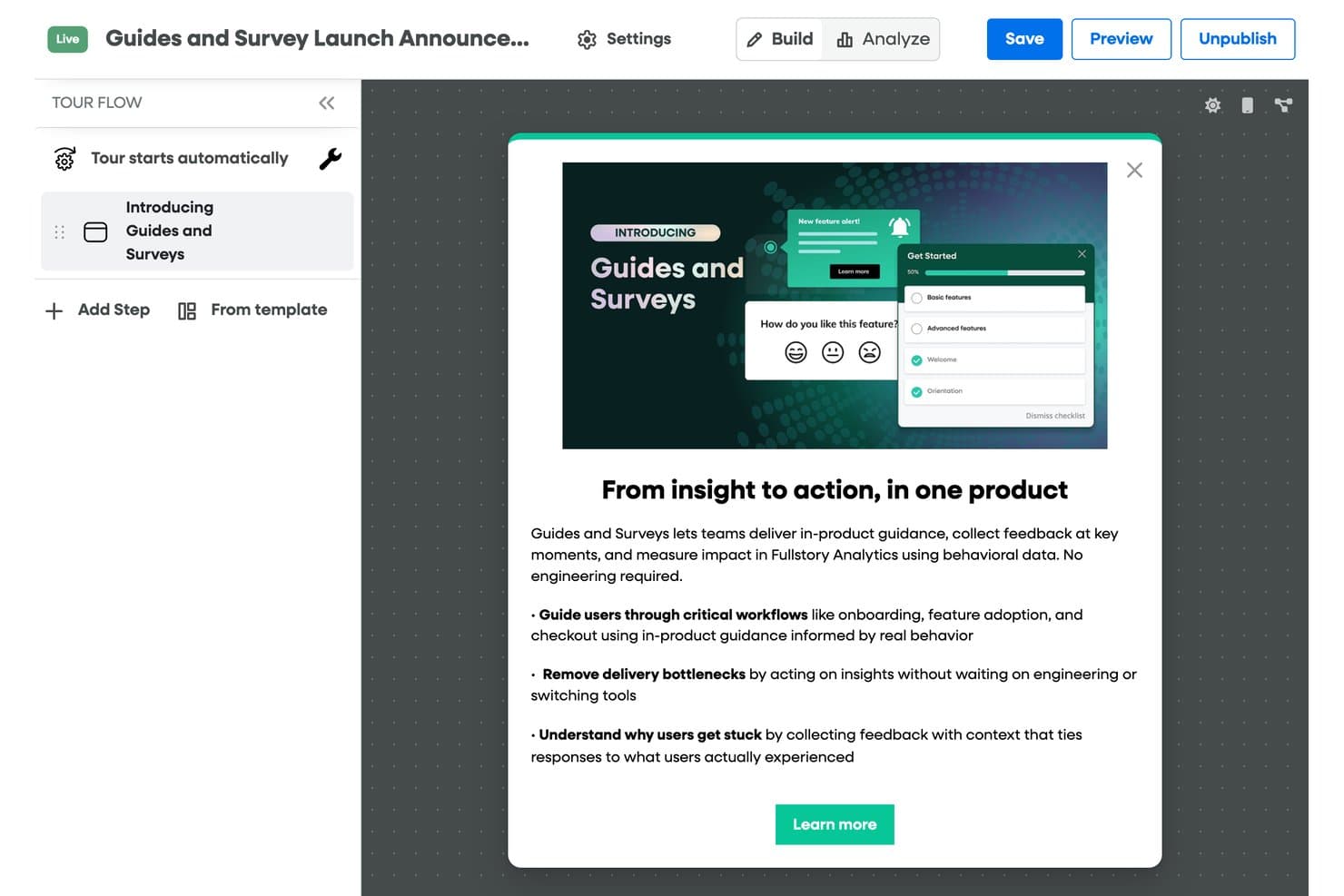
Fullstory lets users build and publish in-product guided tours easily. Fullstory is a product analytics platform with a paid digital adoption add-on for no-code tours, tooltips, checklists, banners, and surveys; its free plan includes session replay and analytics, but no guidance tools.
Who Is Fullstory Best For?
Product teams that need session replay and behavioral analytics to investigate user journeys, understand friction, and troubleshoot issues.
Why I Picked Fullstory
I picked Fullstory as “Best for behavior-led analytics on a free tier” because its free plan includes session replay and basic analytics. With up to 30,000 sessions monthly and 12-month retention, I can trace where users stall or encounter friction. Tours, tooltips, and other adoption guidance require a paid add-on, so the free plan is for diagnosing behavior, not guiding users.
Fullstory Key Features
- Automatic data masking: Personal data is masked and excluded by default.
- Consent-based recording: Configure recording to respect user consent choices.
- Server-side event capture: FullstoryFree includes up to 5,000 server-side events monthly.
- User deletion: Remove user data from Fullstory when needed.
Fullstory Integrations
Fullstory connects with Segment, Google Tag Manager, Adobe Analytics, Slack, Salesforce, Medallia, and Zapier. APIs and webhooks support custom integrations, but Guides and Surveys isn’t included in the free plan.
What’s Free?
Fullstory offers a free plan with session replay and analytics for up to 30,000 sessions monthly. It includes 12-month retention and 5,000 server-side events per month, but Guides and Surveys require a paid add-on.
Pros and Cons
Pros:
- Reviewers praise behavioral insights for UX research
- Replay helps reproduce user-reported bugs
- Session replays reveal onboarding friction
Cons:
- Tours and tips require a paid add-on
- Free tier has no in-app guidance
Learn more about Fullstory: Best for advanced product analytics & cohorts
- Free plan available
- Pricing upon request
Visit WebsiteCustomer Rating:4.5/5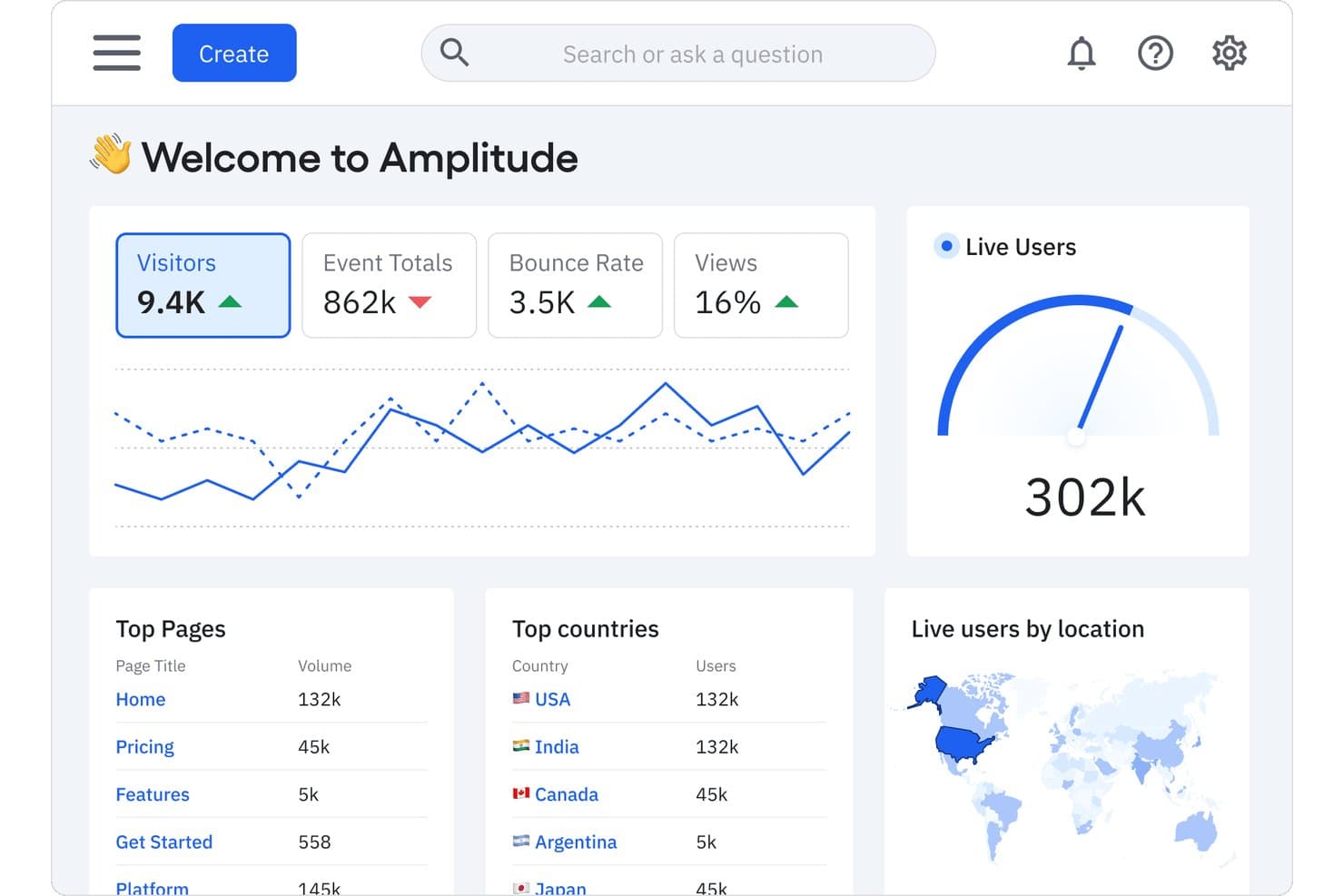
Amplitude tracks visitors, live users, and top pages in one dashboard. For teams comparing free digital adoption platforms, Amplitude is a product analytics platform with event tracking, behavioral analysis, funnels, and cohort tools.
Who Is Amplitude Best For?
Product managers at digital-product teams who need to analyze user behavior, build cohorts, and identify where customers drop off.
Why I Picked Amplitude
I picked Amplitude for advanced product analytics & cohorts because adoption decisions need evidence of what users do after launch. Its event tracking and behavioral analysis let me trace onboarding actions, while funnels reveal where users abandon key flows. I use cohorts to compare activation patterns across user groups and focus follow-up improvements.
Amplitude Key Features
- Session replay: Review recordings of individual user sessions.
- Feature flags: Control feature availability for selected users.
- Experimentation: Run product experiments and compare variants.
- Data integrations: Connect Amplitude with other data tools.
Amplitude Integrations
Amplitude’s integration directory lists 159 results, including Slack, Segment, and Snowflake; Atlassian Smart Links let you preview Amplitude charts in Jira and Confluence. Amplitude also supports HTTP API connections for custom data flows.
What's Free?
Amplitude’s free plan is free forever, not a time-limited trial, and includes unlimited seats and 2 million events per month. Behavioral Cohorts and custom data retention require a paid plan, while the free tier limits Guides & Surveys to one and active experiments to one.
Pros and Cons
Pros:
- Session replays add journey context
- Cohorts compare activation across user groups
- Funnels pinpoint onboarding drop-offs
Cons:
- Guidance tools trail dedicated adoption platforms
- Requires event instrumentation before insights emerge
Learn more about Amplitude: Best for product feedback
- Free plan + 30-day free trial + free demo available
- Pricing upon request
Visit WebsiteCustomer Rating:4.4/5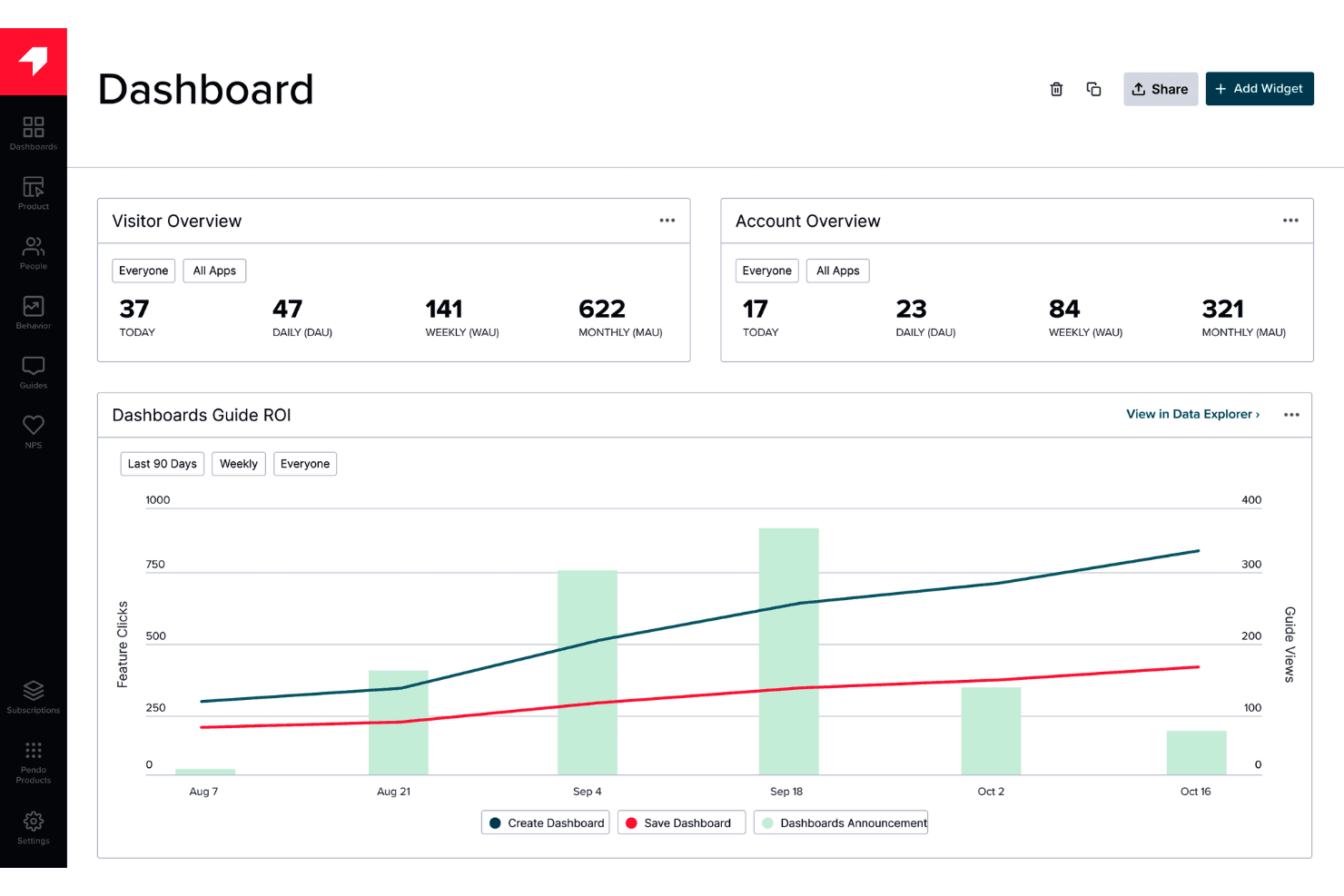
Pendo provides in-app guidance and feedback without requiring engineering work. Pendo is a digital adoption platform that combines product analytics, in-app guides, onboarding tools, and feedback collection for web and mobile applications.
Who Is Pendo Best For?
Product managers who want to gather in-app user feedback to inform decisions about their digital products.
Why I Picked Pendo
I picked Pendo as Best for product feedback because it pairs in-app surveys with product analytics. I use those tools to ask users about a confusing workflow, then compare their responses with feature usage data. That context helps product managers decide which friction points deserve attention.
Pendo Key Features
- In-app guides: Create walkthroughs, tooltips, and banners inside your product.
- Session replay: Review recorded user sessions to see how people interact with your product.
- Product roadmaps: Create visual roadmaps to communicate product direction and plans.
- Integrations: Connect Pendo with tools such as Salesforce, HubSpot, and Slack.
Pendo Integrations
Pendo lists 51 integrations, including HubSpot, Qualtrics, Salesforce, Slack, and Jira. Custom integrations are available through Pendo’s API and webhooks.
What’s Free?
Pendo offers a free-forever plan for up to 500 monthly active users, with unlimited internal users and web and mobile app keys. Third-party integrations aren’t included, and exceeding the user limit prevents you from creating new guides, NPS surveys, or segments.
Pros and Cons
Pros:
- Free plan supports product onboarding
- Supports guides across web and mobile apps
- Connects in-app feedback with product analytics
Cons:
- Feedback focus may be narrower than dedicated adoption tools
- Monthly user caps can block new guides
Learn more about Pendo: Best for SDK-based in-app onboarding flows
- Free plan available
- From $30/month
Visit WebsiteCustomer Rating:4.4/5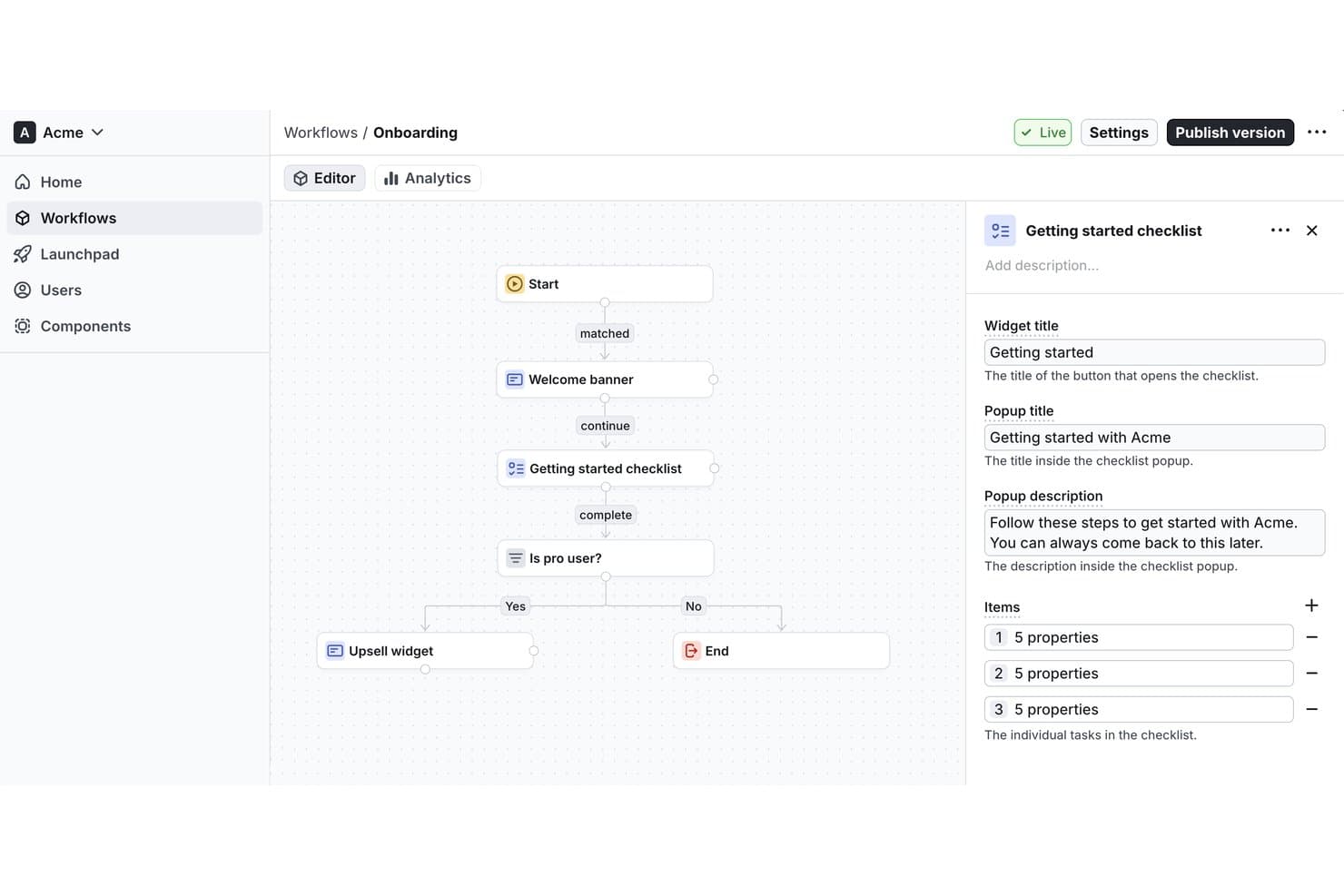
Flows lets users build onboarding workflows with checklists visually. Flows is a digital adoption platform for creating and embedding in-app onboarding experiences and guided user flows within software products.
Who Is Flows Best For?
Flows is best for SDK-based in-app onboarding flows, especially for product teams embedding guided experiences directly into their software.
Why I Picked Flows
I picked Flows because its SDK-based in-app onboarding flows let product teams embed guided experiences directly in their software. I’d use those flows to walk new users through product-specific setup steps inside the app, where the guidance matches the task they’re completing.
Flows Key Features
- User targeting: Segment users by properties or behavior to show relevant experiences.
- Workflow analytics: Track how users interact with workflows and where they drop off.
- Localization: Display experience versions that match each user’s locale.
- No-code editor: Let nontechnical teammates create and manage in-app experiences.
Flows Integrations
Native integrations are not clearly documented. Flows provides React and JavaScript SDKs and a component API for embedding in-app experiences in web applications.
What's Free?
Flows has a free-forever Hobby plan with no credit card required, limited to 100 monthly tracked users who see an experience. It’s intended for personal development, prototyping, and testing; custom components are preview-only, while unlimited workflows are included.
Pros and Cons
Pros:
- Localization supports users across markets
- Behavior targeting keeps guidance context-aware
- SDK-based flows fit product-specific onboarding
Cons:
- Custom components remain preview-only on Hobby
- Free plan limits monthly tracked users
Learn more about Flows: Best lightweight option for quick tutorials
- Free plan available
- From $9.99 (lifetime purchase)
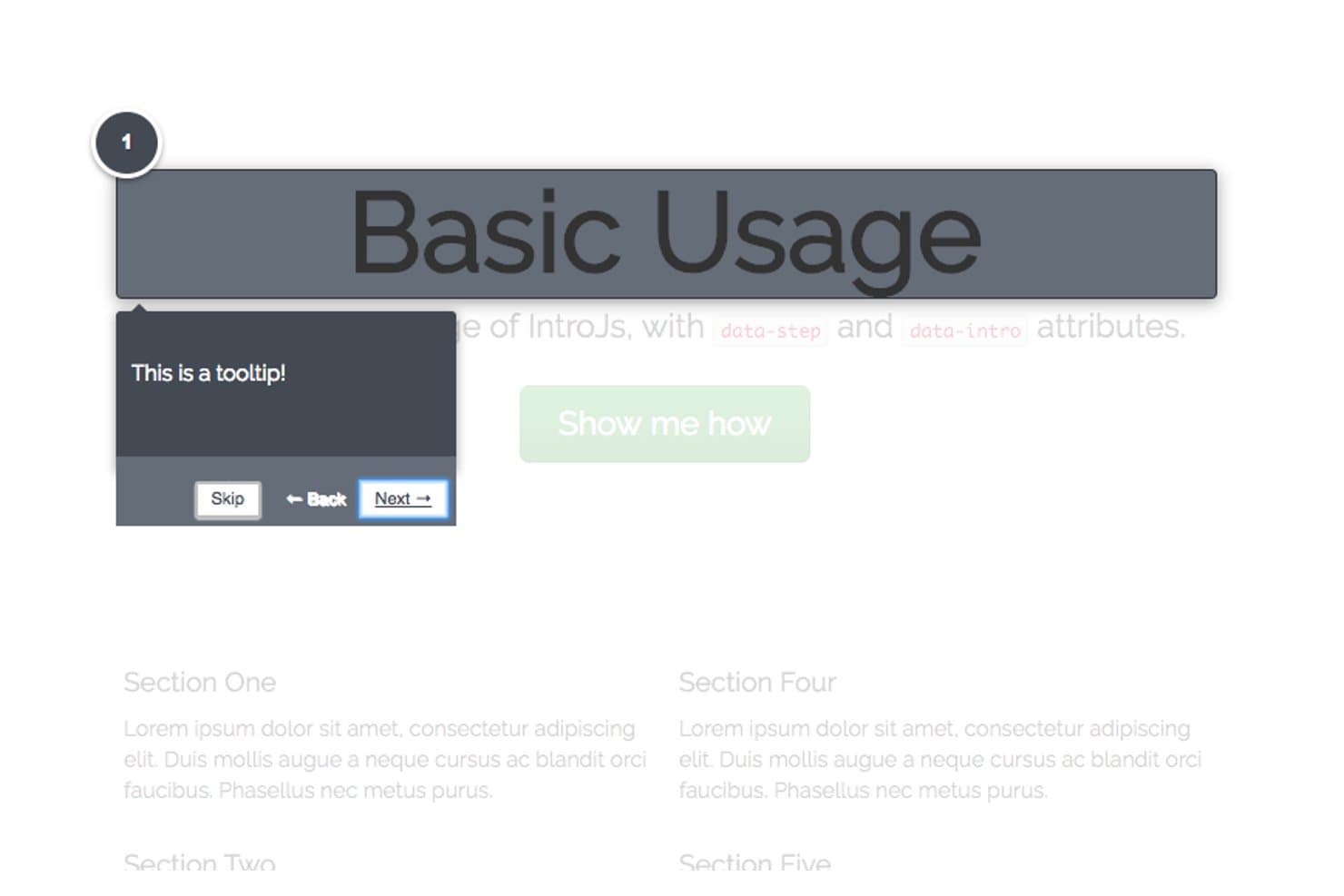
Intro.js guides users step-by-step with dark-themed tooltips. Intro.js is a JavaScript library for digital adoption that adds interactive product tours, step-by-step walkthroughs, and contextual tooltips to web applications.
Who Is Intro.js Best For?
Product teams with developer support who need to guide users through key workflows in a web application will find Intro.js a practical fit.
Why I Picked Intro.js
I picked Intro.js as the Best lightweight option for quick tutorials because its step-by-step tours guide users inside a web app. I like that tour steps can target specific interface elements and show contextual tooltips, such as explaining where to set a report filter while users work through the product.
Intro.js Key Features
- Progress indicator: Show users how far they’ve advanced through an introduction.
- Keyboard navigation: Let users move between steps with keyboard controls.
- “Don’t show again” option: Add a checkbox that saves a user’s preference in a cookie.
- Lifecycle callbacks: Run code when an introduction completes, exits, or changes steps.
Intro.js Integrations
Native integrations are not clearly documented. Intro.js provides a JavaScript API for adding custom tour behavior to web apps.
What's Free?
Intro.js is free under the AGPLv3 for open-source, personal, and noncommercial projects, with no time limit. Commercial applications, themes, or plugins require a paid commercial license.
Pros and Cons
Pros:
- Callbacks support custom tour behavior
- Tooltips target specific workflow controls
- Lightweight tours suit focused tutorials
Cons:
- Native integrations aren't clearly documented
- Requires JavaScript implementation and maintenance
Learn more about Intro.js: Best for web tour creation with unlimited users
- Free plan + 15-day free trial available
- From $19/month
Visit WebsiteCustomer Rating:4.6/5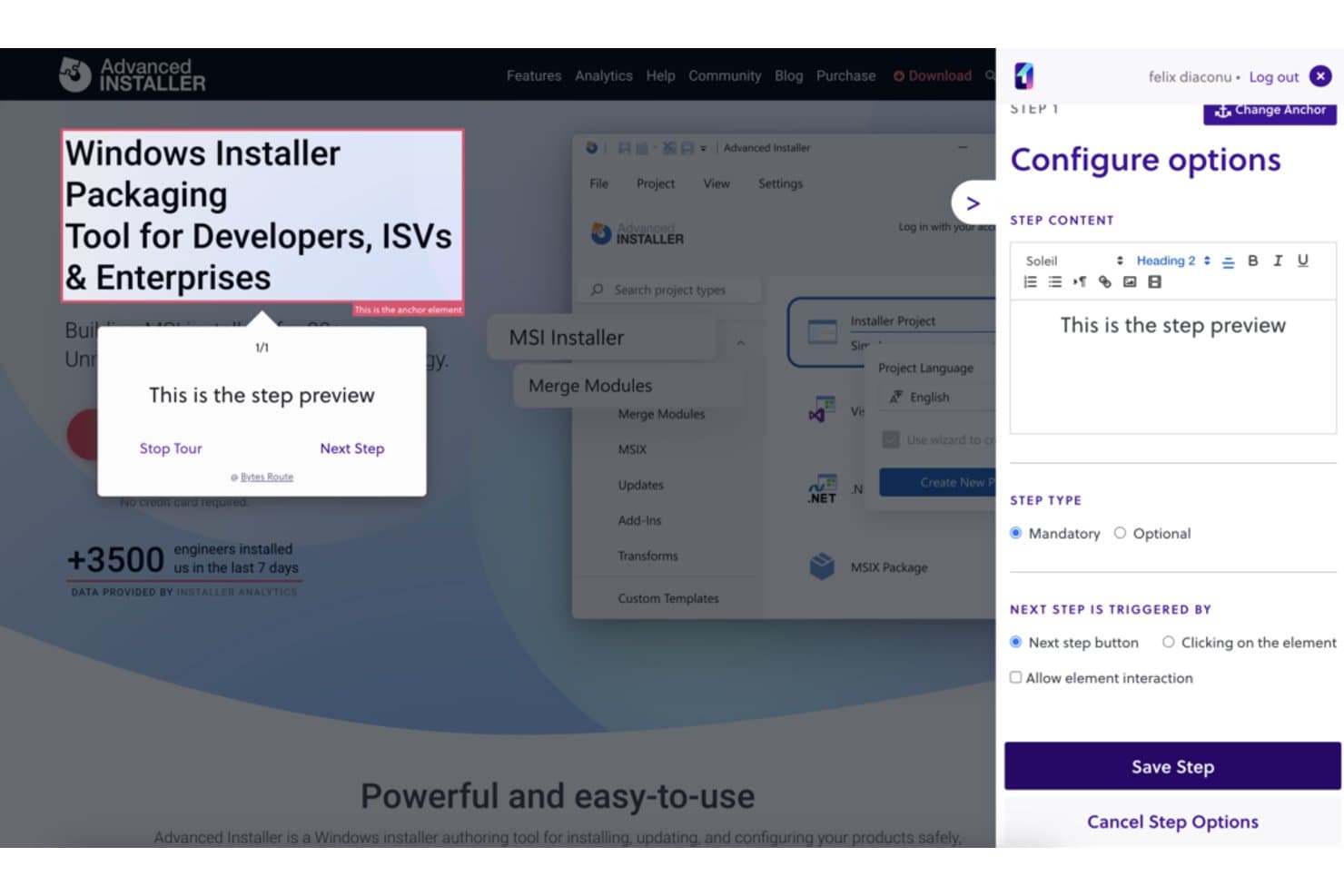
Bytes Route lets users configure guided tour steps with custom content. Bytes Route is a digital adoption platform for creating guided web tours, with tools to design and deliver walkthroughs on websites.
Who Is Bytes Route Best For?
Bytes Route is a good fit for product teams creating website walkthroughs, especially those needing web tour creation with unlimited users.
Why I Picked Bytes Route
I picked Bytes Route because it fits “Best for web tour creation with unlimited users.” Product teams can create guided web tours and deliver walkthroughs on websites, such as showing visitors the steps in a new feature flow. I like its focused fit for website adoption work.
Bytes Route Key Features
- Chrome extension: Create and edit tours through the Bytes Route Chrome extension.
- Tour analytics: Review analytics for published tours.
- Code-free setup: Connect the platform to your web domain without writing code.
- Cookie-free operation: Run Bytes Route without cookies.
Bytes Route Integrations
Native integrations are not clearly documented.
What's Free?
Bytes Route offers a $0 Free plan and a 15-day trial of its paid plans, with no credit card required. The Free plan is limited to one team member and three active tours, with basic analytics and a basic text editor.
Pros and Cons
Pros:
- Walkthroughs support in-app user onboarding
- Built-in statistics show tour performance
- Tours are quick to set up
Cons:
- Occasional lag can skip tour steps
- Guide design options are limited
Learn more about Bytes Route: Best open-source library for fully custom tours
- Free plan available
- From $50/lifetime
Visit WebsiteCustomer Rating:2.6/5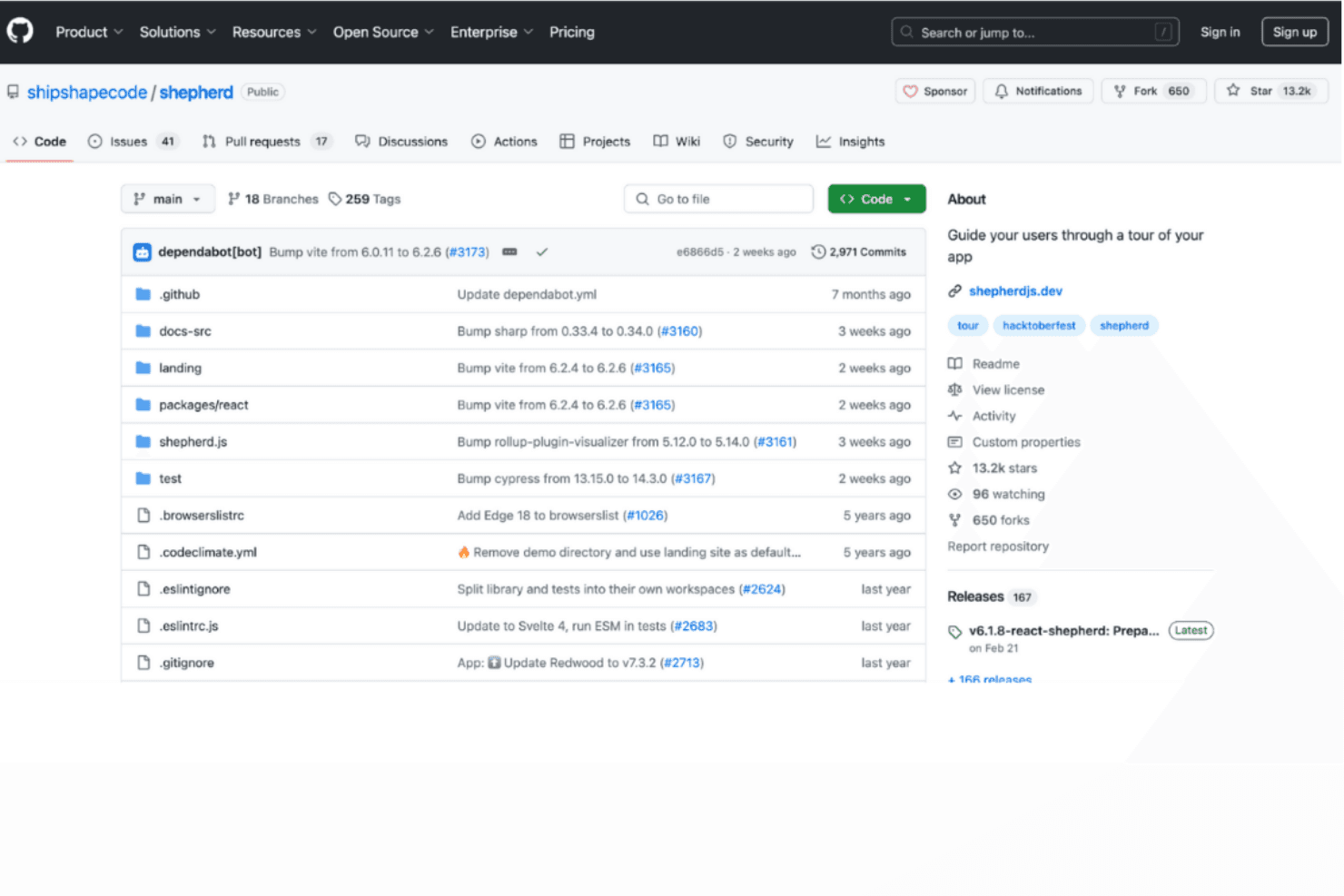
Shepherd.js delivers fully customizable tours for tailored guidance. Shepherd.js is a developer-focused digital adoption tool for creating in-app product tours with configurable steps, tooltips, and overlays in web applications.
Who Is Shepherd.js Best For?
Product and engineering teams building bespoke web onboarding will find Shepherd.js a fit as the Best open-source library for fully custom tours.
Why I Picked Shepherd.js
I picked Shepherd.js as the Best open-source library for fully custom tours because its step API lets me anchor guidance to specific interface elements and tailor tooltip content and buttons. I can add a modal overlay and guide users through a multi-screen setup, such as configuring permissions.
Shepherd.js Key Features
- Keyboard navigation: Configure keyboard controls for moving through tour steps.
- Lifecycle events: Respond to tour and step events with application logic.
- Scroll-to-step behavior: Scroll target elements into view when a step begins.
- CSS theming: Customize tour styling with CSS.
Shepherd.js Integrations
Shepherd.js provides framework wrappers for React, Ember, Angular, and Vue.js, with support for ES modules and plain JavaScript; it doesn’t document native integrations with third-party platforms.
What’s Free?
Shepherd.js is free for open-source, personal, and non-commercial projects under AGPL-3.0, while evaluation and testing are free for up to 30 days. Commercial or closed-source use requires a paid license; under AGPL-3.0, distributing or providing software over a network requires making its complete source code available under a compatible license.
Pros and Cons
Pros:
- Keyboard controls let users navigate tour steps
- Lifecycle events let teams trigger app logic
- Tour steps can target specific interface elements
Cons:
- No documented analytics for measuring tour completion
- Teams must build bespoke tours in code
Learn more about Shepherd.js: Best for self-hosted web app onboarding flows
- Free plan available
- From $59/month
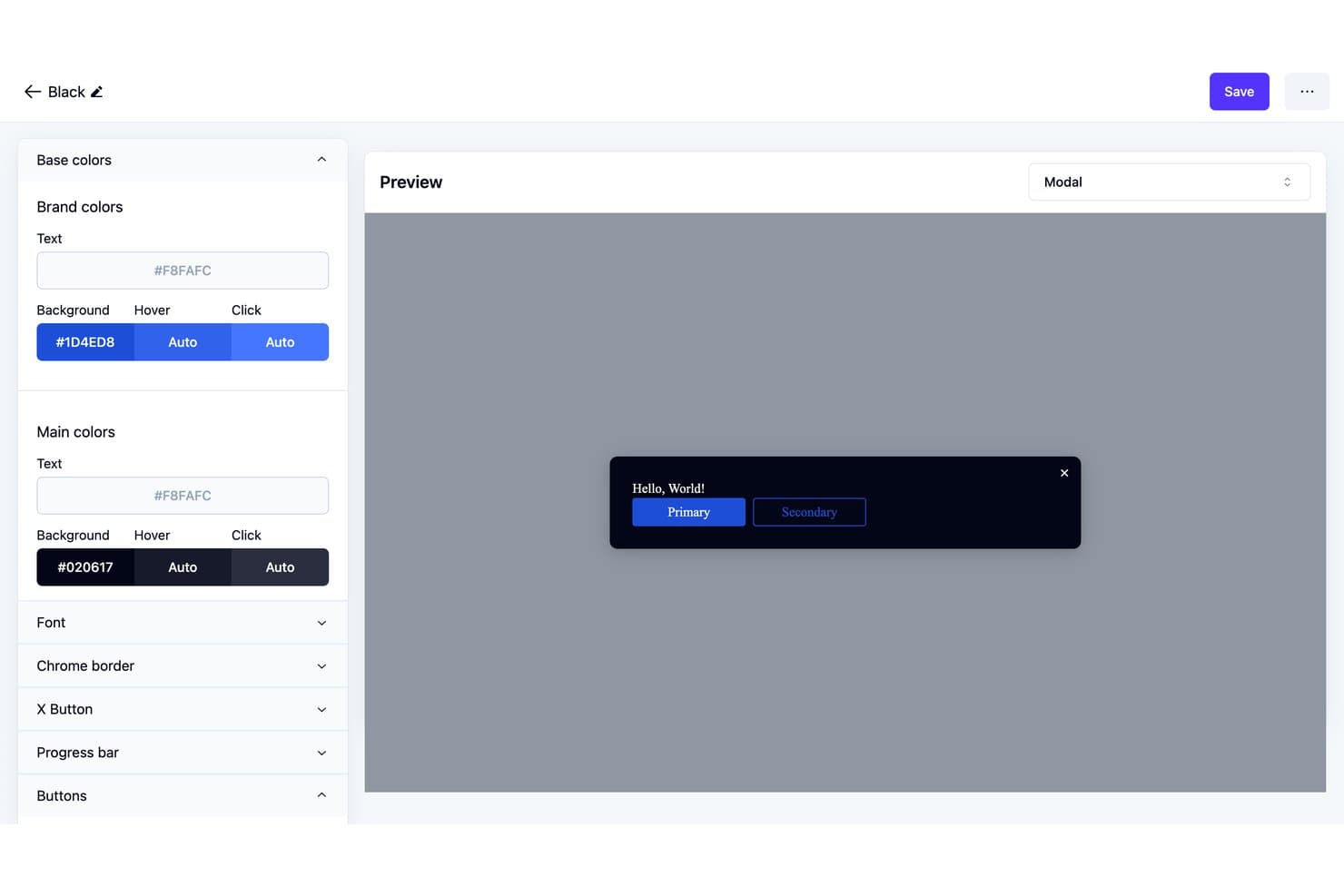
Usertour lets users customize modal theme colors and preview changes live. Usertour is an open-source digital adoption platform with a visual builder for in-app tours, checklists, surveys, banners, and resource centers, plus user targeting and flow analytics.
Who Is Usertour Best For?
Usertour’s fit: Best for self-hosted web app onboarding flows, especially for product teams that need to manage onboarding within their own web applications.
Why I Picked Usertour
I picked Usertour for Best Free Digital Adoption Platform Reviewed because it’s Best for self-hosted web app onboarding flows. Its open-source visual builder lets me create in-app tours and checklists, then target them to specific users. Flow analytics help me spot where people stop during onboarding.
Usertour Key Features
- In-app surveys: Add surveys to your web app to collect user feedback.
- Banners: Display announcements and updates inside your product.
- Resource centers: Give users an in-app place to access helpful resources.
- Open-source codebase: Review and adapt the platform’s source code.
Usertour Integrations
Usertour offers five native analytics integrations: Amplitude, Heap, Mixpanel, PostHog, and Segment. It also supports Zapier and provides a REST API for custom integrations.
What's Free?
Usertour offers a $0/month Hobby plan rather than a time-limited trial, with unlimited end users and up to 5,000 sessions per month. It includes one team member, one environment, and one-year data retention.
Pros and Cons
Pros:
- Community users praised checklist-driven onboarding
- Visual builder covers tours, checklists, and surveys
- Open-source code enables self-hosted control
Cons:
- Self-hosting puts deployment upkeep on your team
- Flow activation and selector bugs needed fixes
Learn more about Usertour: 10Best for click-through SOP guides on free
Tango
- Free plan available
- From $16/user/month (billed annually)
Visit WebsiteCustomer Rating:4.8/5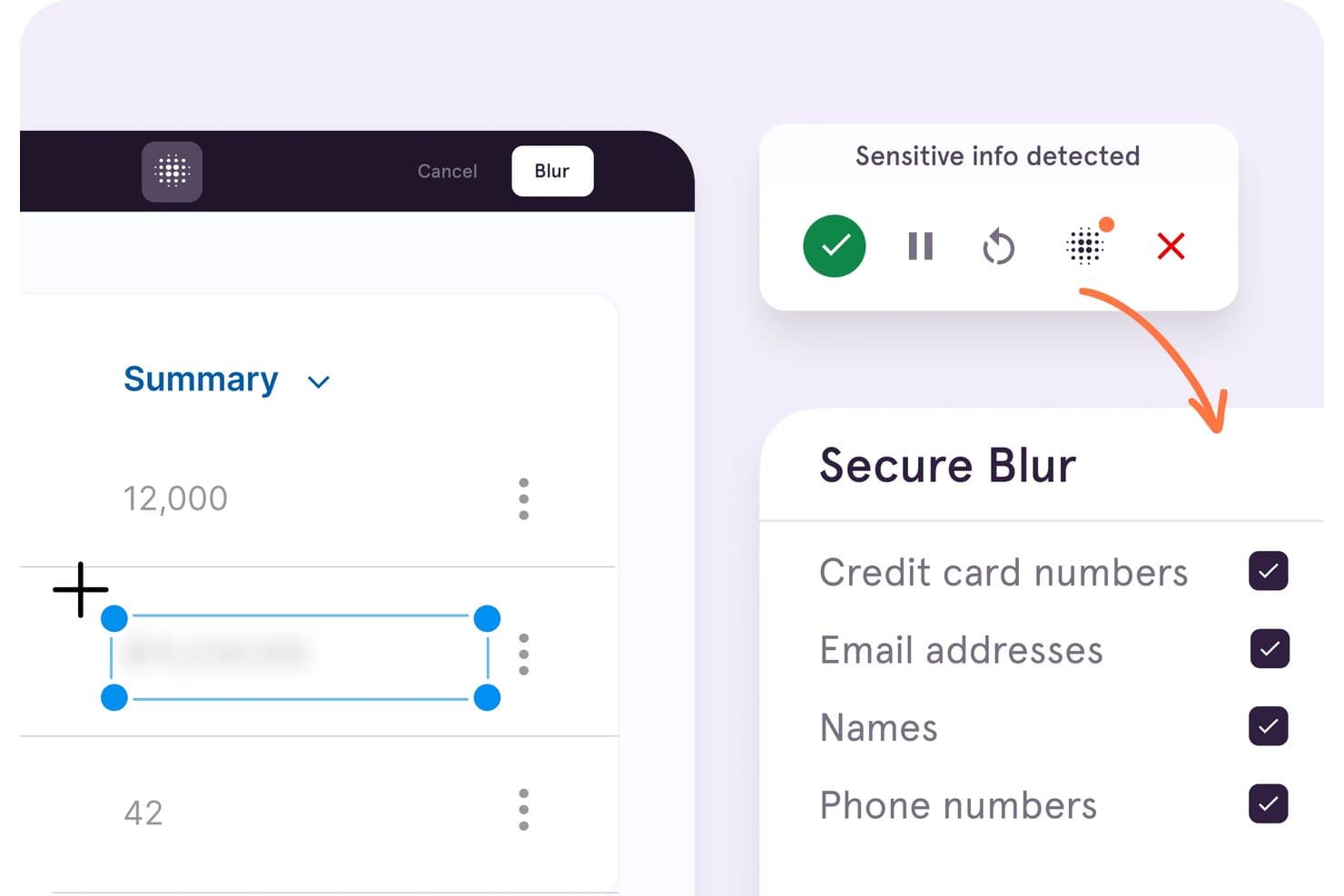
Tango automatically blurs sensitive info like credit cards and emails. Tango is a digital adoption platform centered on browser-based workflow capture, with step-by-step guides and Guide Me walkthroughs for web apps.
Who Is Tango Best For?
HR and training teams documenting repeatable software processes for employee onboarding can use Tango to create and share step-by-step guides.
Why I Picked Tango
I picked Tango for click-through SOP guides on free because it turns browser workflows into annotated, step-by-step instructions. Guide Me can then highlight each next click as a colleague follows a process in a web app such as a CRM. The free plan caps shared workflows at five, so I see it as a fit for a small set of internal guides, not a full-featured adoption platform.
Tango Key Features
- Link and embed sharing: Share workflows by link or embed them in other tools.
- Chrome and Edge support: Capture web workflows with the browser extension.
- Free workspace limits: Add up to 10 users and share up to five workflows.
- Viewer analytics: See limited viewer data for up to three unique viewers.
Tango Integrations
Tango’s browser extension works with web apps including Salesforce, HubSpot, Workday, NetSuite, Epic, and Gmail. You can embed Tango guides in Confluence and Notion.
What’s Free?
Tango offers a $0 free plan, not just a time-limited trial. It allows up to 10 users and five shared workflows, with viewer data limited to three unique viewers.
Pros and Cons
Pros:
- Works across web apps without app-side code
- Guide Me highlights each next in-app action
- Rapid capture turns workflows into guided SOPs
Cons:
- Free lacks Pins, branching, and targeting
- Five shared workflows constrain free deployments
Learn more about Tango:
Other Digital Adoption Platform
Here are some additional digital adoption platform options that also offer free plans or trials. While these tools didn’t make it onto my shortlist, they’re still worth checking out:
- 11Product FruitsBest budget-friendly onboarding tours for SMBs
How I Evaluate Free Digital Adoption Platforms
First, I define what counts as free. A digital adoption platform needs a free-forever plan, not a trial, though limits may apply. From there, I split my evaluation into three parts: core functionality, like building walkthroughs and targeting users; standout features, like feedback widgets; and beyond features, like upgrade paths.
Core Functionality (Table Stakes For This List)
In addition to my free plan requirements, I use a scoring system to select tools for my list. I score each one on a scale from 0 (does not offer the functionality) to 5 (excels in this area) for each core functionality listed below, based on what's available on the free plan. I then convert the total into a percentage to help assess each tool's overall fit, with extra weight on any functionalities I've deemed essential.
- In-App Guidance Creation (Essential): I look for multi-step walkthroughs, tooltips, and announcements that guide users through real product tasks.
- No-Code Editor: I assess whether teams can create, position, and revise guidance visually without developer support.
- User Segmentation: I check for targeting by role, behavior, or attributes, such as showing new users a setup checklist.
- Analytics And Usage Tracking: I evaluate guide views, completion rates, and engagement trends that connect onboarding activity with adoption.
- Multi-Application Compatibility: I look for guidance that can support several web applications, such as customer-facing and internal tools.
Once I have a list of tools that meet the criteria, I consider what sets each platform apart.
Differentiating Factors (What Sets Vendors Apart)
Here's how I compare and contrast different vendors:
Standout Features
I look for built-in feedback widgets—NPS polls or micro-surveys embedded alongside guides—because they let me tie user sentiment directly to a specific onboarding step. Event-based triggers also matter: a tooltip fired by inactivity or a failed form submission is far more useful than one tied only to a page load. I check whether each tool offers a resource center that bundles guides, FAQs, and links into a single launcher, giving users self-serve help without a support ticket.
Beyond Features
I evaluate how quickly a non-technical PM can get a first guide live, since some free plans still require a JavaScript snippet that pulls in IT. I also check whether free-tier caps on monthly active users or guide counts align with a real pilot audience—exceeding those limits mid-rollout can break an active onboarding flow. Strong self-serve documentation and community forums matter too, because free plans rarely include dedicated support, and a stuck implementation costs more time than the tool saves.
How to Choose Free Digital Adoption Platforms
Complex feature lists and pricing structures can make it hard to figure out what you’re really getting from a free digital adoption platform. To help you stay focused as you work through your software selection process, here are some factors to keep in mind:
| Factor | What to Consider |
|---|---|
| FactorFree Offer Scope | What to ConsiderDetermine what's included in the free plan, like user limits or features, to ensure it meets your team's needs without unexpected costs. |
| FactorScalability | What to ConsiderConsider whether the platform can grow with your team. Look for options that allow easy upgrades as your user base and feature needs expand. |
| FactorIntegrations | What to ConsiderCheck if the platform integrates with tools you already use, like CRM or analytics software, to enhance your existing workflow without extra hassle. |
| FactorEase of Use | What to ConsiderEvaluate the user interface and how quickly your team can learn the tool. A simple, intuitive design can save time and reduce training costs. |
| FactorCustomization | What to ConsiderLook for customization options that let you tailor the platform to your brand’s look and feel, ensuring a seamless experience for your users. |
| FactorSupport Resources | What to ConsiderConsider the availability of support materials like tutorials, webinars, and chat support to help your team maximize the platform's capabilities. |
| FactorSecurity | What to ConsiderEnsure the platform complies with industry security standards to protect your data and maintain user trust. |
| FactorAnalytics | What to ConsiderLook for built-in analytics that provide insights into user behavior and adoption rates, helping you measure the success of your digital adoption efforts. |
What Is a Free Digital Adoption Platform?
A digital adoption platform is a tool that helps users learn and engage with software applications effectively, offering free plans or trials to get started without cost. These tools are commonly used by product managers, training teams, and customer success professionals to improve user onboarding and engagement.
They provide value by simplifying complex processes and increasing user productivity. Interactive guides, user analytics, and onboarding checklists help with understanding user behavior, providing training, and ensuring successful software adoption.
A digital adoption platform (DAP) is designed to help end-users adapt to new features and tools more effectively. Here’s a look at the features typically included in free vs. paid plans.
Free Digital Adoption Platform Features
- Interactive guides: Walk users through step-by-step instructions, reducing the need for support tickets when exploring new features.
- Onboarding checklists: Support employee onboarding by ensuring critical setup tasks are completed early on.
- Basic user analytics: Track engagement patterns to see how end-users interact with your digital adoption solution.
- Tooltips and in-app messaging: Provide contextual tips that guide users within the application, minimizing reliance on external help or a knowledge base.
- Customizable templates: Build branded tutorials and walkthroughs that reflect your organization’s style.
Paid Digital Adoption Platform Features
- Advanced user segmentation: Deliver personalized content and guides tailored to specific user groups.
- Real-time analytics dashboard: Gain deeper insights into adoption rates and user engagement.
- AI-driven content recommendations: Suggest relevant learning material based on user behavior.
- Third-party integrations: Connect the platform with other business systems for improved functionality.
- Custom onboarding workflows: Design detailed onboarding processes aligned with business objectives.
Benefits of Free Digital Adoption Platform
A free digital adoption solution can deliver real value without immediate investment. Some of the key benefits include:
- Cost-effective learning: Provide teams with core training tools while keeping budgets in check.
- Improved employee onboarding: Self-service guides and checklists streamline adoption and help new hires become productive faster.
- Better user engagement: Contextual tips and analytics show how end-users interact with the platform, helping you refine the customer experience.
- Reduced support tickets: Proactive guidance helps users solve issues independently, cutting down on requests to IT or support.
- Customization: Templates make content creation easy to build training content that aligns with your brand.
- Increased employee productivity: Simple, accessible tools shorten the learning curve, freeing teams to focus on higher-value tasks.
- Scalability for startups and small teams: Free plans often provide enough functionality to support early growth.
- Quick adoption: With minimal setup, your team can begin benefiting from the platform immediately.
Costs and Pricing of Free Digital Adoption Platform
I realize you came to this article looking for the best digital adoption platform options that are available for free. However, since free plans only offer limited features, there's a good chance you'll need to scale your plan up in the future.
The table below summarizes common plans, their average prices, and typical features included in digital adoption platform solutions:
Plan Comparison Table for Digital Adoption Platform
| Plan Type | Average Price | Common Features |
|---|---|---|
| Plan TypeFree Plan | Average Price$0 | Common FeaturesBasic guides, tooltips, and limited analytics. |
| Plan TypePersonal Plan | Average Price$5-$25/user/month | Common FeaturesAdvanced guides, user segmentation, and basic integrations. |
| Plan TypeBusiness Plan | Average Price$30-$75/user/month | Common FeaturesCustomizable workflows, enhanced analytics, and more integrations. |
| Plan TypeEnterprise Plan | Average Price$80-$150/user/month | Common FeaturesFull customization, dedicated support, and comprehensive analytics. |
Free Digital Adoption Platform FAQs
Here are some answers to common questions about free digital adoption platforms:
How does a digital adoption platform work?
A digital adoption platform works by overlaying guidance and support on top of other software applications. It helps users through key tasks with step-by-step instructions and contextual information. This approach ensures that users can quickly learn and navigate new tools without external help.
Which of the following is a common feature of a digital adoption platform?
Common features include interactive walkthroughs that guide users through specific tasks in real-time. These tasks can range from creating reports to submitting expense claims, ensuring that users complete necessary actions efficiently and accurately.
What is the best digital adoption platform?
The best digital adoption platform depends on your team’s needs and budget. Consider factors like ease of use, available features, and support options. Evaluate free versions to see if they meet your basic requirements before considering upgrades.
What is the impact of digital adoption?
Digital adoption ensures that users fully integrate company tools into their workflows, minimizing resistance. Without it, businesses may face low software utilization and wasted investments. Effective adoption drives productivity and maximizes the value of digital tools.
Can I use a digital adoption platform for free?
Yes, many digital adoption platforms offer free versions or trials. These typically include basic features like user guides and analytics, allowing you to test the platform’s capabilities before committing to a paid plan.
How do I choose the right digital adoption platform?
To choose the right platform, assess your team’s specific needs, such as the complexity of the software you use and your training requirements. Look for free trials to explore features and ensure the platform aligns with your objectives.