
Recensione UserTesting: Vantaggi, Svantaggi, Funzionalità e Prezzi Spiegati
UserTesting si distingue per feedback rapidi da utenti reali e approfonditi insight sull'esperienza utente, ma i prezzi elevati e una curva di apprendimento importante potrebbero essere più adatti a team di grandi dimensioni.

Recensiamo gli strumenti in modo indipendente e le commissioni aiutano a finanziare i nostri test. Consulta la nostra politica sulla trasparenza, la nostra metodologia oppure suggerisci uno strumento.
UserTesting is a user experience testing tool built for product teams that need video-based feedback from real users on prototypes, live products, and concepts. I'd mainly consider it if you need on-demand access to a large, vetted participant panel without recruiting your own testers—which is where it pulls ahead of tools like Maze, where you're typically expected to supply your own audience to run studies.
UserTesting Evaluation Summary
4.5/5
- Pricing upon request
- Free demo available
Perché fidarsi dei nostri consigli sui software
6,700+
Reviews
20
Industry experts
16+
Evaluation factors
14
Years
Il nostro team testa e recensisce software dal 2012. In quanto product manager noi stessi, sappiamo quanto sia difficile — e importante — scegliere il software giusto.
Per questa guida, abbiamo valutato gli strumenti attraverso test pratici e ricerche indipendenti, assegnando un punteggio agli strumenti in base ai nostri criteri di selezione.
Le nostre recensioni riflettono il nostro giudizio editoriale umano, non un discorso di vendita.
Revisori esperti:
- Andrew LumbySenior TPM
- Cristiano ValimSenior UI/UX Lead


UserTesting Overview
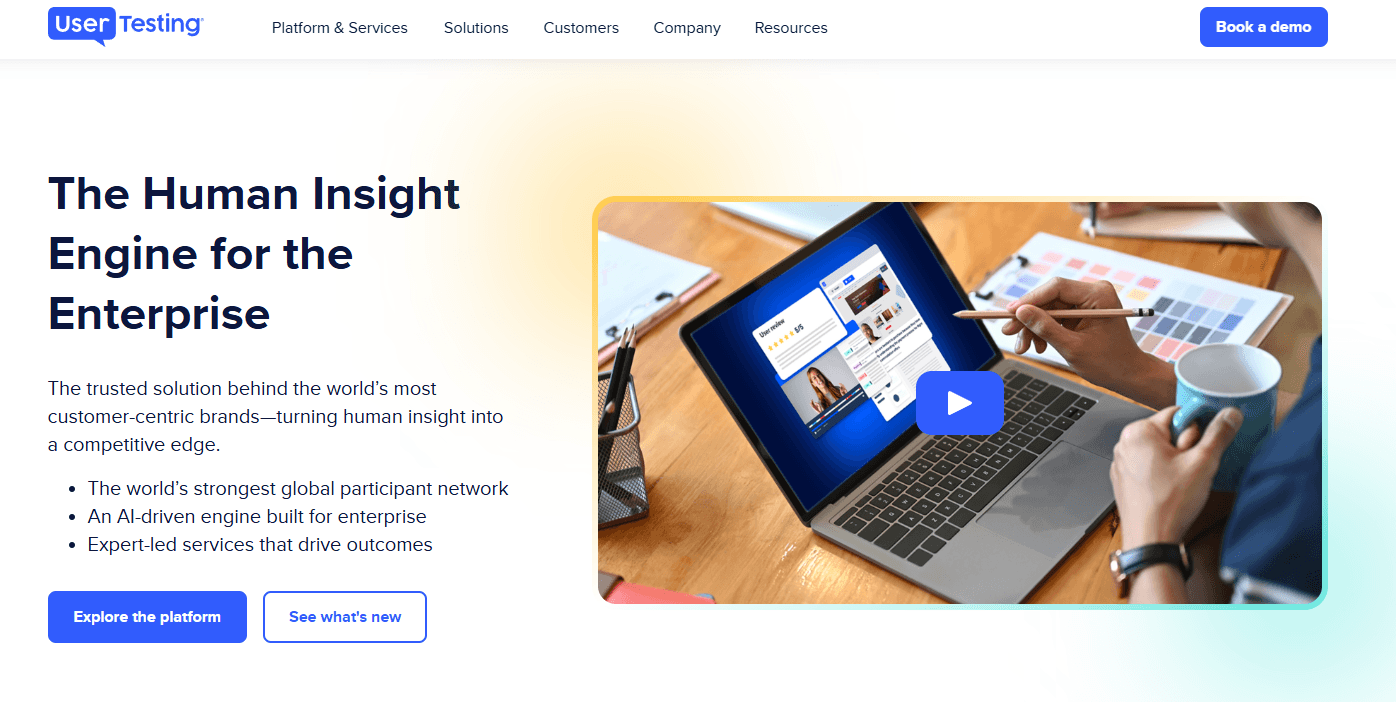
UserTesting offers a polished interface, broad participant pool, and advanced video feedback features, making it a top choice for teams prioritizing speed and depth in user research. Its pricing is higher than many alternatives, and onboarding can feel complex for new users, but the platform's support and integrations help offset these challenges. If you're judging tools for enterprise-scale research or need to compare nuanced user reactions across prototypes, UserTesting stands out. Smaller teams or those with limited budgets may find it less accessible, but for high-stakes projects, its capabilities often justify the investment.
Pros
- Access to a large, diverse participant panel of testers.
- Video feedback captures real user reactions and pain points.
- Advanced targeting for specific demographics and user segments.
Cons
- High pricing compared to most alternatives.
- Limited control over participant quality and screening.
- Session scheduling can be inflexible for international teams.
Is UserTesting Right For Your Needs?
Who Would be a Good Fit for UserTesting?
UserTesting is best suited for organizations that need rapid, in-depth user feedback and have the resources to invest in high-quality research. Teams in industries where digital customer experiences directly impact revenue or satisfaction will see the most value. Its advanced participant targeting, video feedback, and analytics make it ideal for roles and departments focused on optimizing digital products, validating prototypes, and understanding nuanced user behavior.
- Enterprise Product TeamsUserTesting supports large-scale studies and complex prototype testing.
- E-commerce CompaniesReal-time feedback helps optimize checkout flows and product pages.
- UX Research DepartmentsAdvanced analytics and participant targeting support deep research needs.
- Financial ServicesSecure, NDA-compliant testing is available for sensitive projects.
- Marketing AgenciesQuick turnaround on user insights supports campaign and content validation.
- Mobile App DevelopersMobile-specific testing features capture in-app user experiences.
Who Would be a Bad Fit for UserTesting?
UserTesting may not be the best choice for teams with limited budgets, simple research needs, or those requiring highly specialized participant pools. Smaller organizations or those outside digital-first industries may find the platform's pricing and functionality excessive for their needs. Its focus on digital product feedback also means it's less suitable for physical product testing or highly niche audiences.
- Early-Stage StartupsHigh costs can outweigh the value for small teams.
- Nonprofit OrganizationsBudget constraints make ongoing testing difficult to justify.
- Hardware ManufacturersUserTesting lacks features for physical product usability studies.
- Local Service ProvidersParticipant targeting is less effective for hyper-local audiences.
- Academic ResearchersLimited support for longitudinal or academic-style studies.
- Niche B2B MarketsPanel may not include highly specialized professional roles.
Come Testiamo e Valutiamo gli Strumenti
Abbiamo passato anni a costruire, perfezionare e migliorare il nostro sistema di test e valutazione del software. Il nostro metodo è stato progettato per cogliere le sfumature della selezione del software e ciò che rende efficace uno strumento, concentrandosi sugli aspetti critici del processo decisionale. Qui sotto puoi vedere esattamente come funzionano i nostri test e la nostra valutazione suddivisa in sette criteri. Questo ci consente di offrire una valutazione imparziale del software sulla base delle funzionalità principali, delle caratteristiche distintive, della facilità d’uso, dell’onboarding, dell’assistenza clienti, delle integrazioni, delle recensioni dei clienti e del rapporto qualità/prezzo.
Funzionalità Principali (25% del punteggio finale)
Il punto di partenza della nostra valutazione sono sempre le funzionalità principali dello strumento. Possiede le funzioni di base che un utente si aspetterebbe di trovare? Alcune di queste sono riservate ai piani tariffari più alti? Ci aspettiamo che uno strumento rispetti almeno le funzionalità di base dei competitors.
Caratteristiche Distintive (25% del punteggio finale)
Successivamente, valutiamo le caratteristiche distintive e non comuni che vanno oltre le funzioni di base normalmente riscontrate in strumenti simili. Un punteggio alto indica funzionalità specializzate o uniche che rendono il prodotto più rapido, efficiente o forniscono un valore aggiunto all’utente. Valutiamo anche la facilità con cui si possono integrare altri strumenti solitamente presenti nella stack tecnologica, ampliando così funzionalità e utilità del software. Gli strumenti che offrono molte integrazioni native, collegamenti di terze parti e accesso API per integrazioni personalizzate ottengono i punteggi migliori.
Facilità d’Uso (10% del punteggio finale)
Consideriamo quanto sia rapido e semplice eseguire le attività definite dalle funzionalità principali tramite lo strumento. Il software con il punteggio più alto è ben progettato, intuitivo da usare, offre app per dispositivi mobili, modelli preimpostati e semplifica anche le attività più complesse.
Onboarding (10% del punteggio finale)
Sappiamo quanto sia importante una rapida adozione da parte del team, quindi valutiamo quanto sia facile imparare ad usare lo strumento con una formazione minima. Valutiamo la velocità con cui un membro del team può configurarsi e iniziare a utilizzare lo strumento senza esperienza. Le soluzioni con punteggio più alto richiedono poco o nessun supporto.
Assistenza Clienti (10% del punteggio finale)
Osserviamo quanto sia facile e veloce ottenere supporto tramite telefono, chat dal vivo o knowledge base. Gli strumenti che offrono supporto in tempo reale ottengono punteggi più alti, mentre i chatbot ricevono i punteggi peggiori.
Recensioni Clienti (10% del punteggio finale)
Oltre ai nostri test e valutazioni, consideriamo il net promoter score di clienti attuali e passati. Valutiamo la probabilità che scelgano nuovamente lo strumento in base alle funzionalità principali. Un software con punteggio elevato riflette un net promoter score alto.
Rapporto Qualità/Prezzo (10% del punteggio finale)
Infine, considerando tutti gli altri criteri, confrontiamo il prezzo medio dei piani base con le funzionalità principali, esaminando il valore degli altri criteri di valutazione. Il software che offre di più, a meno, otterrà un punteggio maggiore.
Core Features
Live Conversation Interviews
Schedule and conduct moderated live conversations with real people for direct feedback. Capture nuanced reactions and probe deeper into user behaviors.
Unmoderated User Tests
Set up new tests and tasks for testers to complete independently on your website or app. Gather video, audio, and written responses at scale, on demand.
Participant Targeting
Filter and recruit users based on demographics, behaviors, or custom criteria. Reach specific audiences, such as mobile shoppers or enterprise buyers.
Video Session Recording
Record user interactions with your product, including screen and voice. Review playback to identify usability issues and user pain points.
Sentiment Analysis
Automatically analyze user feedback for positive, negative, or neutral sentiment. Spot trends and prioritize issues using built-in analytics.
Highlight Reels
Create shareable video clips of key user moments and insights. Use these reels to communicate findings with stakeholders quickly.

Ease of Use
UserTesting offers a polished, user-friendly dashboard, but new users often report that the platform's advanced features and test setup options can feel overwhelming at first. The guided workflows and template library help flatten the learning curve, yet managing participant targeting and interpreting video feedback still requires some onboarding. Once familiar, teams appreciate the streamlined process for launching studies and reviewing results, especially when handling multiple projects or collaborating across departments.
Integrations
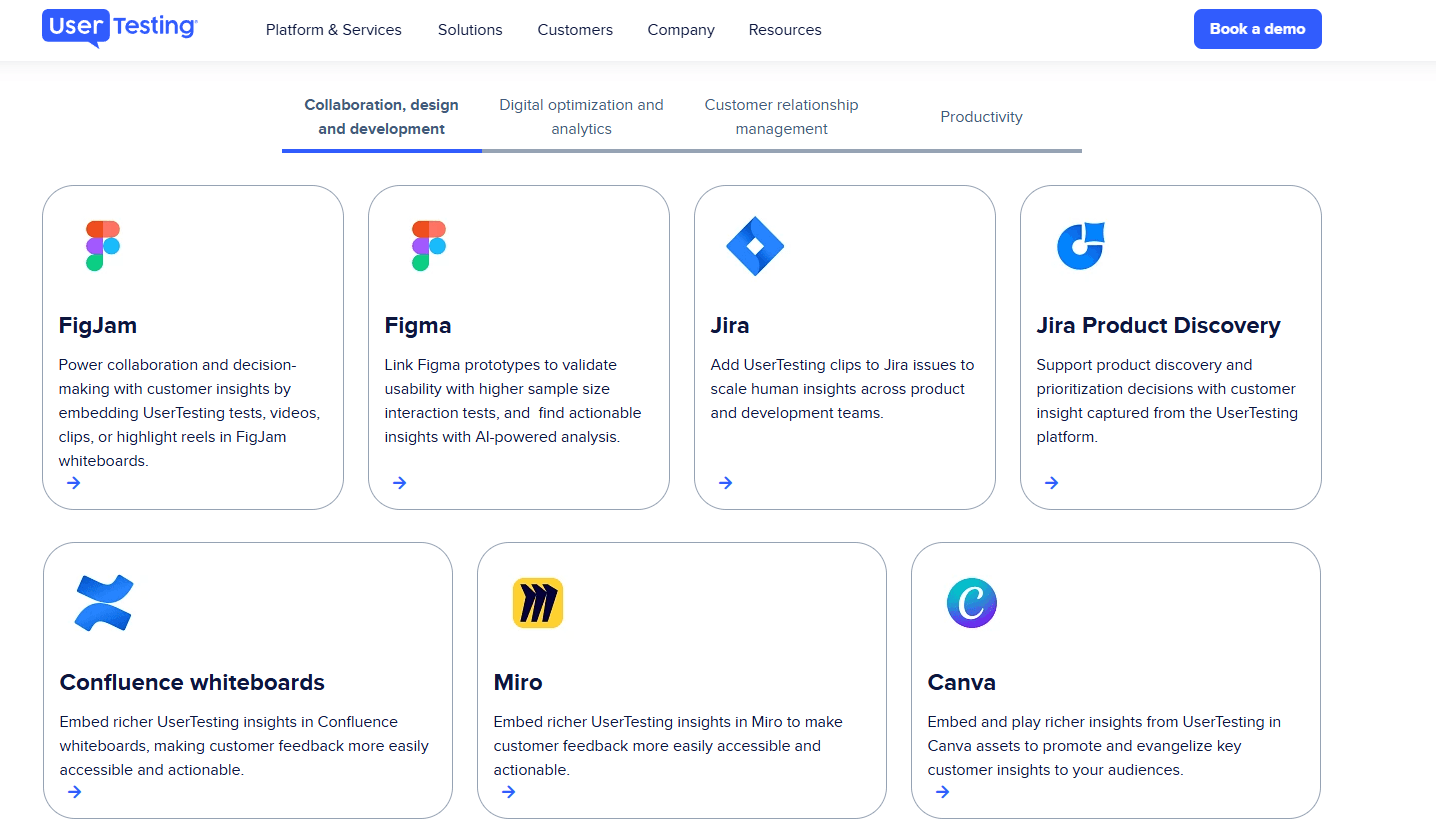
UserTesting integrates with Figma, Jira, Miro, Canva, FullStory, Qualtrics, Trello, Slack, and Microsoft Teams, among others.
UserTesting also offers an API and connects with third-party integration tools for expanded workflow automation.
UserTesting Specs
- Analytics: Yes
- API: Yes
- Calendar Management: Yes
- Chat: Yes
- Click-to-Dial: No
- CRM Integration: No
- Customer Management: Yes
- Customer Service: No
- Dashboard: Yes
- Dashboards: Yes
- Data Export: Yes
- Data Import: Yes
- Data Visualization: Yes
- External Integrations: Yes
- Feedback Management: Yes
- Knowledge Base: Yes
- Lead Management: No
- Lead Scoring: No
- Multi-Source Feedback: Yes
- Multi-User: Yes
- Net Promoter Score: Yes
- Notifications: Yes
- Omnichannel Referrals: No
- Online Surveys: Yes
- Review Moderation: Yes
- Scheduling: Yes
- Sentiment Analysis: Yes
- Social Media Monitoring: No


